Navigating the world of project management software can be a daunting task. Teams of all sizes seek solutions that streamline workflows, enhance collaboration, and boost productivity. Wrike and ClickUp consistently emerge as top contenders, each offering a unique approach to project management.
This comprehensive guide provides an in-depth Wrike vs ClickUp reviews, examining their features, pricing, user experience, and ideal use cases. Whether you're a seasoned project manager or just starting to explore project management tools, this analysis will equip you with the insights needed to make an informed decision. Ultimately, the goal is to determine which platform best aligns with your team's specific needs and objectives, and to navigate the ClickUp vs Wrike alternatives to find the best fit.
Skip comparison and choose the best one
What is Wrike?
Wrike is a versatile known for its robust features and scalability. Designed to handle complex projects and cater to the needs of large organizations, Wrike enables teams to manage projects, , and collaborate effectively. Its strengths lie in its ability to adapt to diverse workflows and provide a centralized platform for project-related activities.
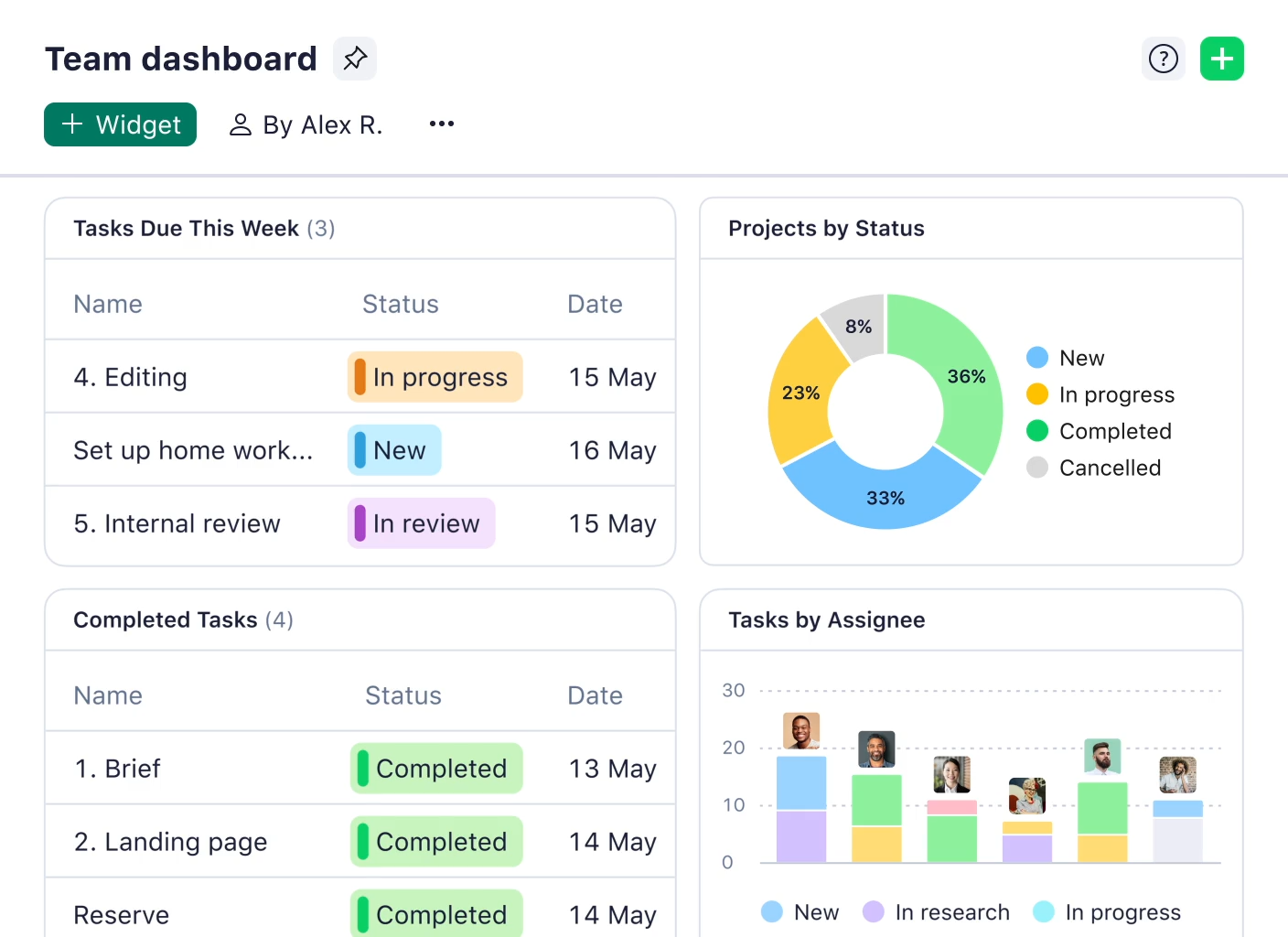
Image source: wrike.com
Key features include:
- : Comprehensive tools for creating, assigning, and tracking tasks.
- : Visualize project timelines and dependencies.
- : Allocate resources effectively and track team capacity.
- : Adapt the platform to your specific project management processes.
- : Gain insights into project progress and team performance.
- Enterprise-grade security: Robust security features to protect sensitive data.
What is ClickUp?
ClickUp is a versatile project management platform designed to streamline tasks, workflows, and communication across teams. Known for its highly customizable interface and extensive feature set, ClickUp positions itself as a integrated solution for productivity. Its strength lies in its ability to adapt to and provide a centralized hub for collaboration.
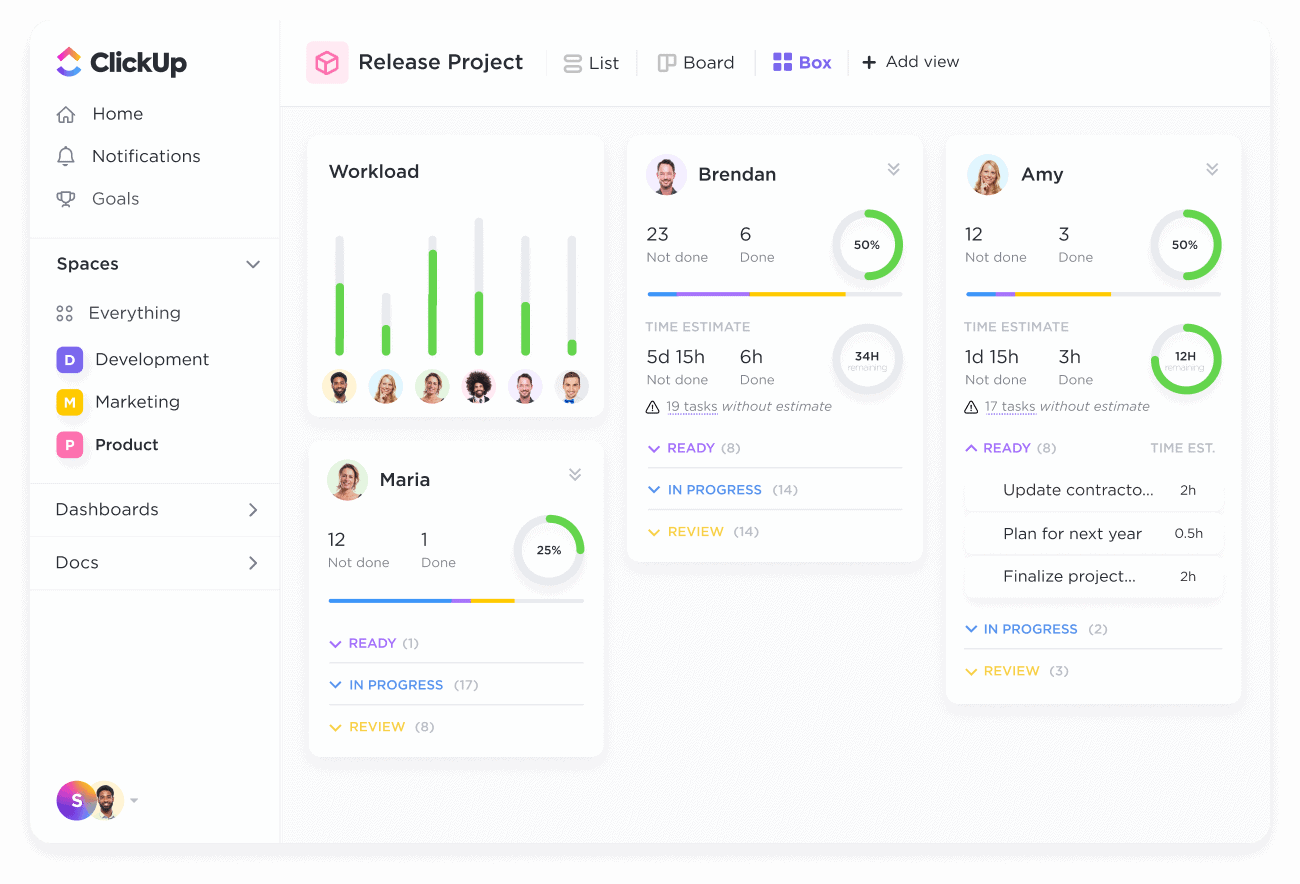
Image source: clickup.com
Key features include:
- Customizable task management: Flexible task creation, assignment, and tracking with custom fields and statuses.
- Multiple views: Kanban boards, Gantt charts, lists, calendars, and more.
- : Built-in time tracking to monitor project hours.
- : Set and track project goals and objectives.
- : Automate repetitive tasks and workflows with custom rules.
- Extensive integrations: Connect with a wide range of third-party tools.
Wrike vs ClickUp: A detailed feature comparison
Before diving into the detailed comparison, here's a simplified overview of key features:
A thorough wrike vs clickup features comparison requires a detailed examination of each platform's capabilities. Both Wrike and ClickUp offer a range of features designed to streamline project management, but they differ in their approach and execution.
Project and task management
Wrike approaches project and task management with a robust, hierarchical structure, organizing work through projects, folders, and individual tasks. A key strength of Wrike lies in its , offering various dependency types such as finish-to-start, start-to-start, finish-to-finish, and start-to-finish, providing precise control over task sequencing. Custom workflows are supported with defined task statuses and transitions, allowing teams to model their unique processes. Task prioritization is facilitated through distinct priority levels.
ClickUp, on the other hand, provides a more flexible structure centered around spaces, folders, lists, and tasks. While it also supports task dependencies, it uses a simpler "waiting on" and "blocking" system. ClickUp shines in its highly customizable task statuses and workflows, featuring an intuitive drag-and-drop interface for easy adjustments. Like Wrike, ClickUp enables task prioritization with customizable priority levels, ensuring important items receive proper attention, and allows for assigning tasks to multiple users and teams. Both platforms offer multiple view options, but Wrike heavily emphasizes its interactive , while ClickUp gives users a broad selection of views and calls its Gantt chart functionality "Gantt view".
Collaboration and communication
Both Wrike and ClickUp offer a range of features designed to and streamline communication. Wrike facilitates real-time commenting on tasks and projects, enabling team members to exchange ideas and provide updates directly within the platform. File sharing with version control ensures that everyone has access to the latest documents. The @mentions feature allows users to notify specific team members, while discussion threads provide a dedicated space for project related conversations. Integration with email and other communication tools further enhances collaboration.
ClickUp similarly supports real time commenting on tasks and projects, and users can utilize rich text formatting to make their comments more effective. The platform also supports file sharing through a drag-and-drop interface. Like Wrike, ClickUp utilizes @mentions to notify team members and teams, and provides a dedicated chat feature for real time communication. Integration with Slack and other communication tools keeps communication flowing smoothly, and both platforms offer the ability to add guest users.
Workflow automation
In this part, it comes to ClickUp vs Wrike automation comparison. Wrike offers rule based automation for streamlining repetitive tasks. The platform enables automated task assignment, status updates, and notifications, reducing manual effort and ensuring consistency. Custom automation workflows can be designed to optimize specific processes, and pre built automation templates are available for common use cases. ClickUp, on the other hand, utilizes a with drag-and-drop functionality, allowing users to create custom automation workflows without coding. The platform enables automated task creation, status updates, and notifications. Customizable automation triggers and actions provide flexibility, and the system supports complex automation workflows with branching logic. Overall, ClickUp boasts over 50 automation options which can automate almost any actions.
Reporting and analytics
Wrike delivers advanced , empowering teams to gain insights into project progress, resource allocation, and team performance. Customizable dashboards with various widgets provide a centralized view of key metrics. The platform enables progress tracking with visual charts and graphs, facilitating easy monitoring of project milestones. Wrike offers features for resource allocation and capacity planning, helping managers optimize team utilization, and supports time tracking and timesheet reporting for accurate project costing.
ClickUp also provides robust reporting and analytics capabilities, featuring customizable dashboards with a variety of widgets to visualize project data. The platform enables progress tracking with burndown charts and cumulative flow diagrams, offering insights into . ClickUp supports time tracking and reporting with timesheets, and custom reporting can be created with calculated fields.
Integrations
Both Wrike and ClickUp recognize the importance of seamless integration with other business tools. Wrike integrates with a wide range of third party applications, including Google Workspace, Microsoft Office, Salesforce, and Adobe Creative Cloud. The platform offers an open API for custom integrations, enabling teams to connect Wrike with their unique ecosystem of tools. Pre built integrations are available for many popular applications, simplifying the setup process.
ClickUp similarly integrates with a wide range of third party tools, including Google Workspace, Slack, Microsoft Teams, and Zoom. The platform features an open API for custom integrations. ClickUp provides pre-built integrations for many popular applications and provides a Zapier integration, allowing users to connect with thousands of other apps.
For more Google Workspace's information, you can refer to and .
Customization
Customization options are crucial for adapting a project management solution to specific needs. Wrike allows for customization of workflows, task statuses, and custom fields, enabling teams to align the platform with their unique processes. and reports provide a tailored view of project data, and branding options are available with custom logos and color schemes.
ClickUp stands out for its extensive customization options, offering a high degree of control over almost every aspect of the platform. Users can define custom fields, task statuses, and workflows to match their specific requirements. Customizable dashboards, views, and notifications further enhance the user experience, and custom branding can be implemented with logos and color schemes.
Views and layouts
Wrike employs a folder-based system for organizing projects and tasks, providing a structured approach to information management. The platform offers various views, including lists, boards, Gantt charts, and calendars, catering to different preferences and project needs. Customization of views is supported through filters, sorting, and grouping, enabling users to focus on the most relevant information.
ClickUp features a flexible workspace structure with spaces, folders, and lists, allowing for a more adaptable approach to project organization. The platform provides a wide range of views, including lists, boards, calendars, Gantt charts, timelines, , and more. Views can be extensively customized with filters, sorting, grouping, and custom fields, giving users unparalleled control over how they visualize and interact with their data.
Explore more advanced features to boost your workflow
ClickUp vs Wrike: User experience and interface
User experience (UX) and interface design directly impact how quickly teams adopt a tool and how efficiently they work daily. For example, a cluttered interface might frustrate non-technical users, while a rigid layout could limit agile teams' flexibility. Wrike and ClickUp take distinct approaches here: Wrike prioritizes structured simplicity for , while ClickUp leans into hyper-customization for teams with unique workflows. Below's a detailed comparison of their UX and interface strengths and weaknesses:
Wrike vs ClickUp: Pricing and value
I know that pricing is one of the most important things you care about. Therefore, I recommend a detailed breakdown of Wrike and ClickUp's pricing, key differences, and the "fine print" to watch for. Wrike leans into user-centric tiered plans with core features baked in, while ClickUp uses a modular "free-to-paid" model that tempts with low entry costs but charges more for advanced tools.
Wrike's pricing structure: Predictable tiers with built-in value
is straightforward, with annual billing discounts and no mandatory add-ons for essential functionality. All paid plans include AI tools—a big plus for teams prioritizing efficiency.
- Free plan: $0 per user/month (unlimited users)
- Core features: 2GB total storage, 5 active tasks, basic board/table views, and web/mobile access. Ideal for testing small-scale task management.
- Team plan: $10 per user/month (annual billing; $12 monthly)
- For small teams: 5GB storage per user, Gantt charts, time tracking, 500 automation actions/month, and 20 free external collaborators.
- Business plan: $25 per user/month (annual billing; ~$30 monthly)
- For growing teams: Advanced automation (1,500 actions/user/month), folder structure, resource planning, 10GB storage per user, and SharePoint proofing.
- Enterprise & Pinnacle plans: Custom pricing
- For large organizations: SSO, advanced BI reporting, 15GB storage per user (Pinnacle), dedicated support, and custom security configurations. Requires direct consultation.
ClickUp's pricing structure: Modular plans with scalable add-ons
ClickUp lures users with a feature-packed free plan but charges incrementally for "power user" tools. scales with team size and functionality needs, but limits on automations and storage can catch teams off guard.
- Free plan: $0 per user/month (unlimited users)
- Core features: 100MB storage, 1,000 automation actions/month, 3 dashboards, and basic task views. Great for solo users or tiny teams.
- Unlimited plan: $7 per user/month (annual billing; $10 monthly)
- For small-to-mid teams: 10GB storage, unlimited dashboards, advanced automations (10,000 actions/month), and integrations like Slack/Google Workspace.
- Business plan: $12 per user/month (annual billing; $15 monthly)
- For complex workflows: 100GB storage, unlimited automations, custom role permissions, advanced reporting, and priority support.
- Enterprise plan: Custom pricing
- For large orgs: SSO, unlimited storage, white-glove onboarding, dedicated success manager, and compliance features (SOC 2, HIPAA).
For more information? 👉
Wrike vs. ClickUp: Pricing comparison table
Hidden costs to avoid
Upfront pricing rarely tells the whole story. Both tools have "hidden" fees that can add 20–40% to your annual cost—here's what to watch for:
Wrike's hidden costs
- Add-on premium features: Wrike Whiteboard ($5/user/month), additional storage ($10/month per 10GB), or custom integrations (priced per use case) aren't included in base plans.
- Enterprise customization: Large teams needing tailored workflows or dedicated training may face consulting fees ($1,000–$5,000+ depending on complexity).
- Scaling overhead: For teams over 100 users, Enterprise Plan pricing can rise sharply—negotiate a fixed rate upfront to avoid unexpected hikes.
ClickUp's hidden costs
- Automation overages: Free/Unlimited plans hit limits fast—exceeding 1,000 (free) or 10,000 (Unlimited) actions/month requires upgrading to the next tier.
- Storage fees: Unlimited Plan's 10GB fills quickly for teams sharing files—extra storage costs $5/month per 50GB.
- AI add-on: Teams on Unlimited must pay $5/user/month extra for AI tools—adding $60/year per user.
- Guest user charges: Unlike Wrike, ClickUp doesn't offer free guest access—external clients or contractors need paid seats ($7–$12/user/month), inflating costs for client-facing teams.
Try a more cost-effective solution now
ClickUp vs Wrike: Ideal use cases
The ideal use cases for Wrike and ClickUp vary depending on the specific needs, priorities, and workflows of the team. Selecting the right platform requires understanding which strengths best address your organization's challenges.
Wrike is best suited for:
- Large enterprises: Organizations with complex projects and a need for robust features and scalability.
- Organizations with strict security requirements: Wrike's granular access controls and enterprise-grade security features make it suitable for industries with compliance concerns.
- : Wrike's structured approach and advanced reporting capabilities are valuable for integrated marketing efforts.
- : Gantt charts and resource management features are beneficial for managing dependencies.
ClickUp is best suited for:
- Small to medium-sized businesses: Teams that value flexibility, customization, and ease of use.
- Teams that need a highly visual project management ttool: ClickUp's customizable views and intuitive interface cater to visual learners.
- : Customizable task statuses and automation capabilities streamline operations.
Considering alternatives: While Wrike and ClickUp are popular, exploring alternatives is key. Emerging unified platforms, such as , combine project management with communication and collaboration, focusing on seamless teamwork and knowledge sharing, offering features overlapping with both Wrike and ClickUp. Evaluate how well each option is combined and promotes efficient communication.
Find your best fit for team success
Alternative to Wrike and ClickUp
When comparing Wrike and ClickUp, you'll find that both are powerful project management tools. However, one type of solution adopts a fundamentally different design philosophy: it doesn't aim to become yet another standalone project management application, but rather strives to create a unified digital workspace that eliminates the productivity loss caused by tool fragmentation at its root. embodies this philosophy, offering unique advantages in and experience optimization.
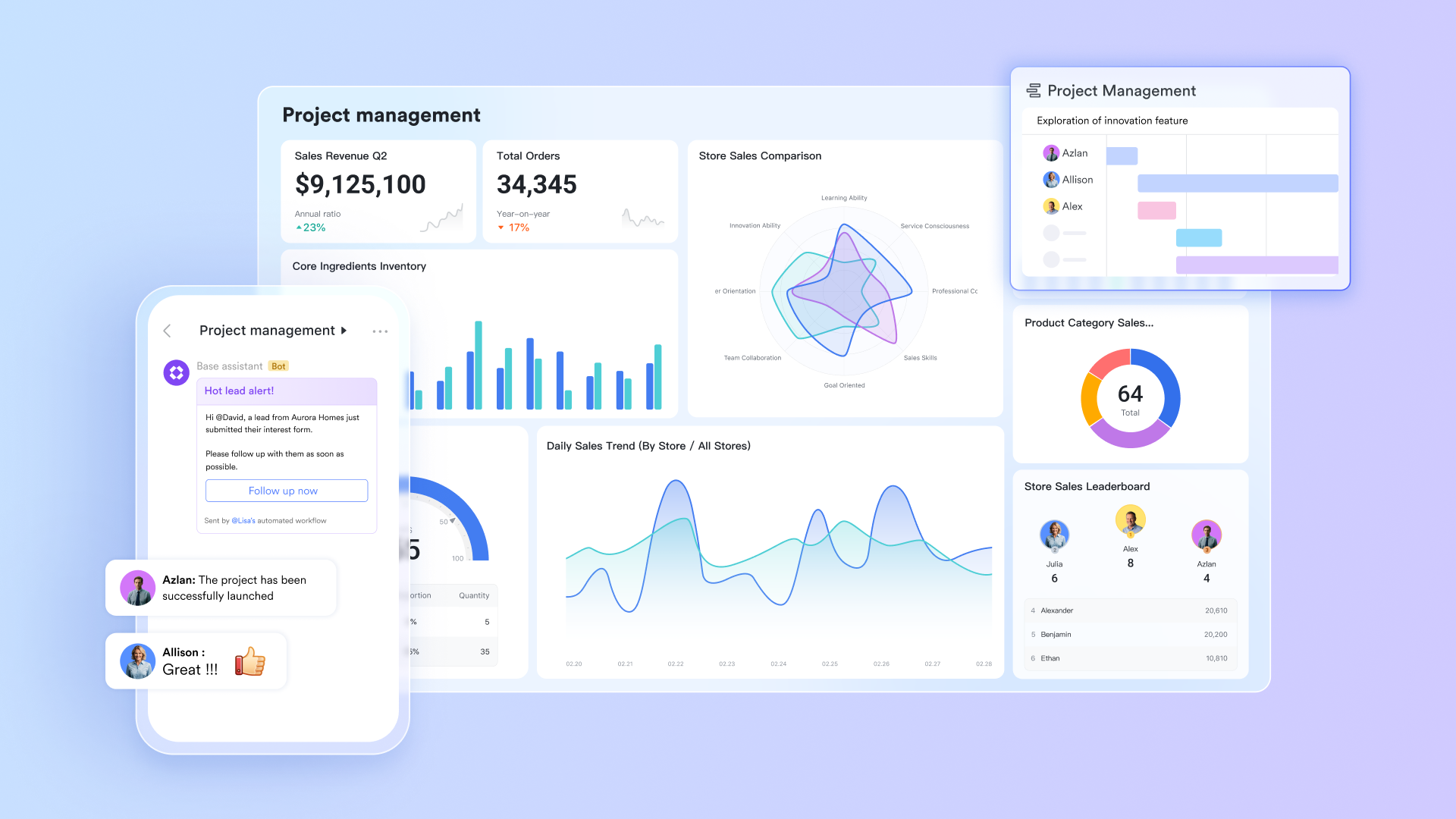
Seamless combination of communication and task execution
A common pain point for many teams using Wrike or ClickUp is that task discussions and task execution often happen in different applications. This leads to frequent switching and loss of context. effectively solves this problem by deeply integrating instant messaging, video conferencing, and core workflows.
Act directly within conversations: In , team members can not only discuss tasks but also directly create tasks with clear assignees and deadlines. This ensures all discussed action items are tracked and implemented, without getting lost in lengthy chat history. A unified workspace: Unlike tools that require additional integration with Slack or Teams, Lark provides a natively cohesive environment. Teams can complete the entire workflow – from brainstorming with Lark Boards and task assignment to and project tracking – within a single platform. This significantly reduces time wasted switching between multiple standalone apps, allowing teams to focus more on the work itself. 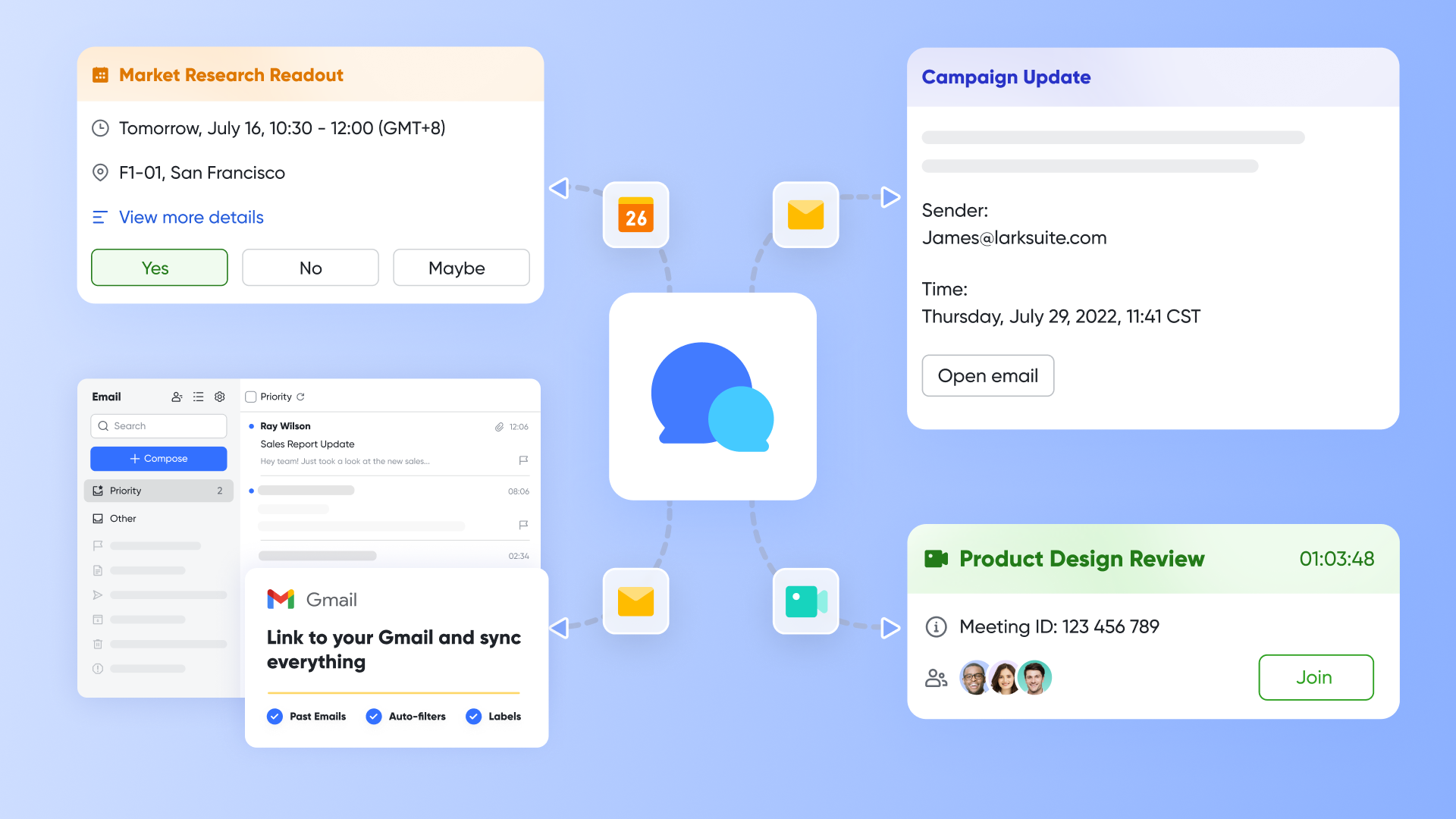
Breaking language and geographical collaboration barriers for global teams
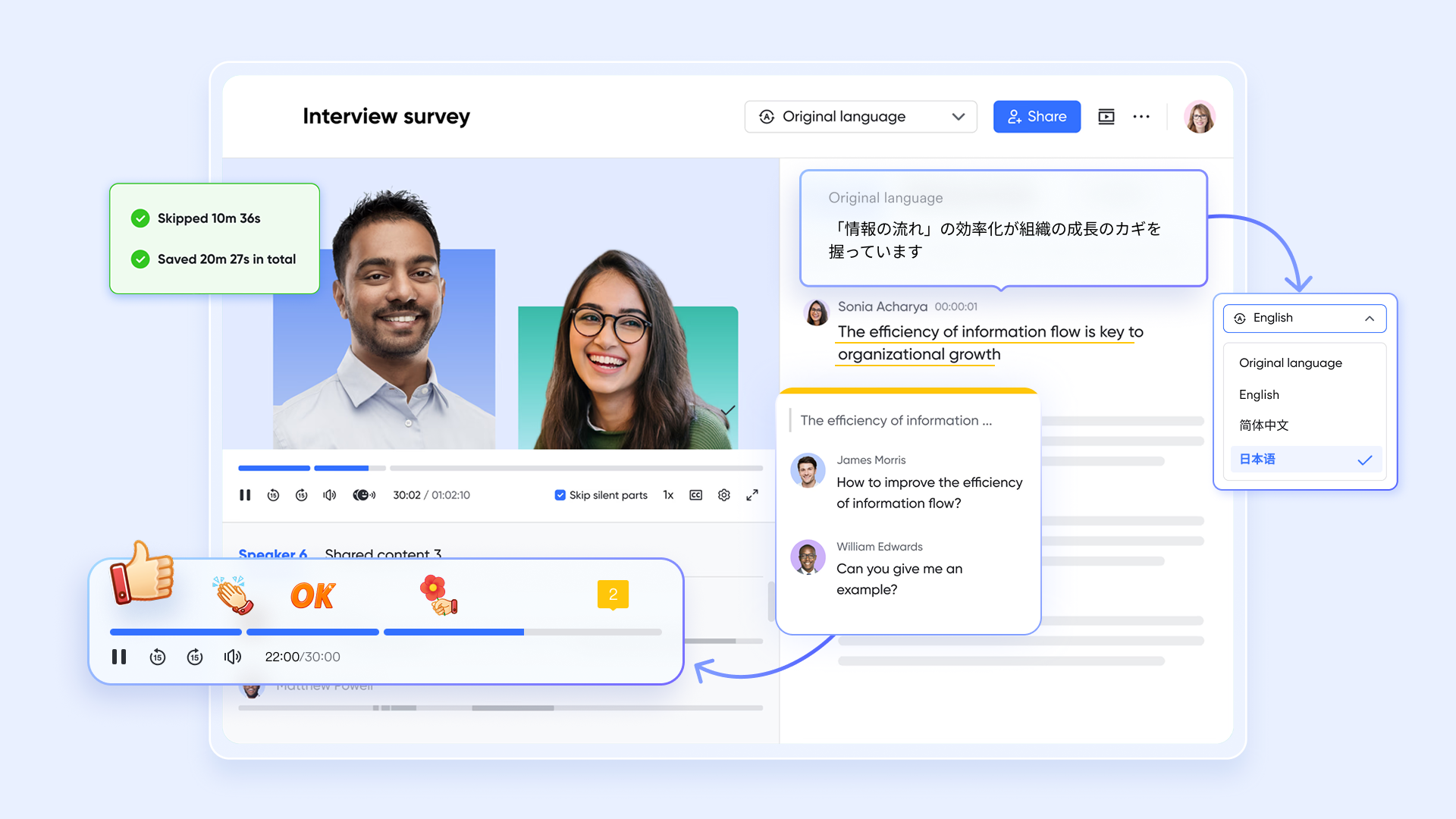
For teams distributed across different time zones and regions, Wrike and ClickUp have relatively limited capabilities in handling language barriers and . Lark, however, features built-in, powerful globalization capabilities, which is a significant advantage.
Real-time AI translation: supports real-time AI translation. This means a English developer and a Spanish-speaking product manager can communicate smoothly, as the system automatically translates messages into each other's native language. This fundamentally removes language barriers in asynchronous communication for international teams, a feature most traditional project management tools lack.
Efficient cross-time zone collaboration: and are deeply adapted for the needs of global teams. Lark Meetings can not only provide multi-language subtitles but also automatically generate meeting minutes and notes. This ensures members who couldn't attend due to time zone differences can quickly catch up on key information, safeguarding project transparency and team collaboration efficiency.
Leveraging AI and automation to hand repetitive work to the system
While Wrike and ClickUp also offer automation features, Lark's automation focuses more on using AI technology to lower the technical barrier, allowing business personnel to easily optimize processes.
AI-powered efficiency boost: Lark has built-in various AI-driven tools that can automate data processing and . For example, within Lark Base, AI field shortcuts can help generate formulas, perform data analysis, and even answer questions about the data, freeing team members from tedious manual operations. Flexible no-code automation: Using , teams can utilize the visual workflow builder to create automation processes (Trigger → Action → Notification). For instance, you can set up a rule so that when a task status in Lark Base changes to "Done," it automatically notifies a chat group and triggers the creation of the next task. This approach enables non-technical team members to autonomously implement workflow automation and respond quickly to business changes. 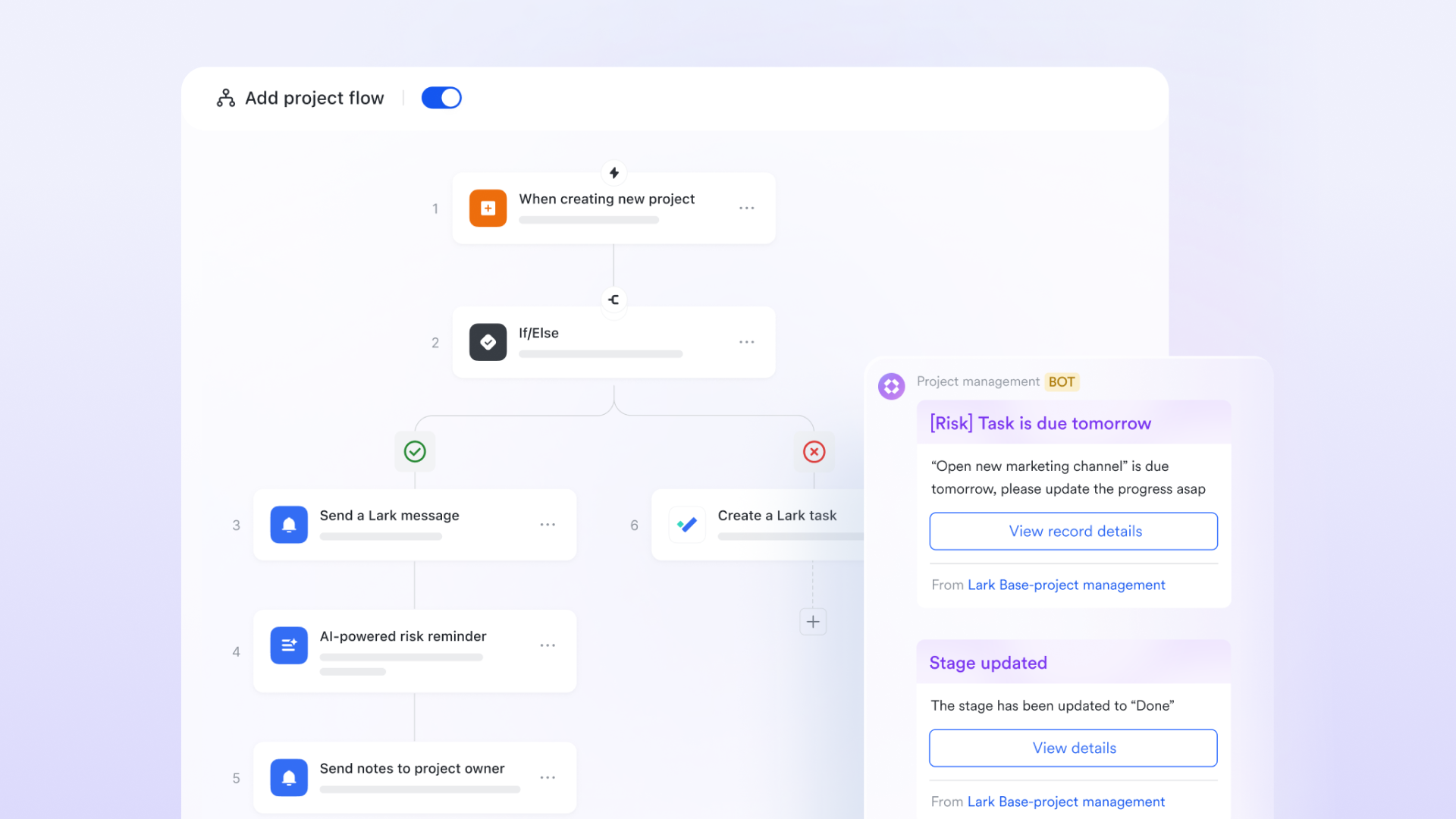
Knowledge management and information accessibility
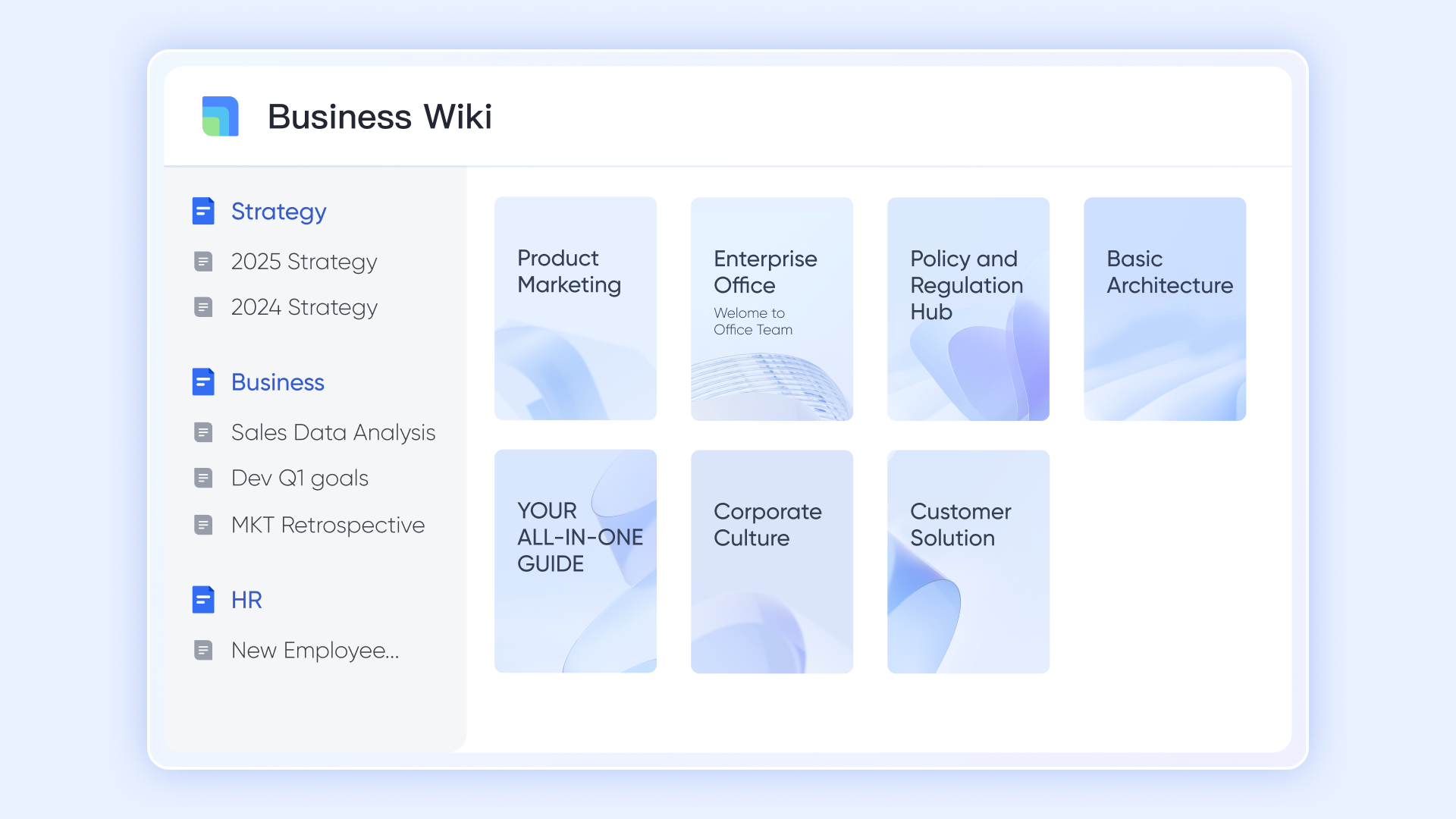
Lark excels at by providing robust tools for creating, organizing, and sharing information. Its built-in document creation and sharing features, combined with powerful search capabilities, make it easy for teams to access the information they need, when they need it. This is especially beneficial for organizations that rely heavily on documentation and knowledge sharing.
Wrike and ClickUp offer file sharing capabilities, but they often lack the comprehensive knowledge management features found in Lark. For example, imagine a new employee joining a project team. With , they can quickly access all relevant project documentation, including meeting notes, design specs, and project timelines, in a centralized location. This reduces the learning curve and allows them to quickly get up to speed on the project.
Mobile-friendly design for on-the-go productivity
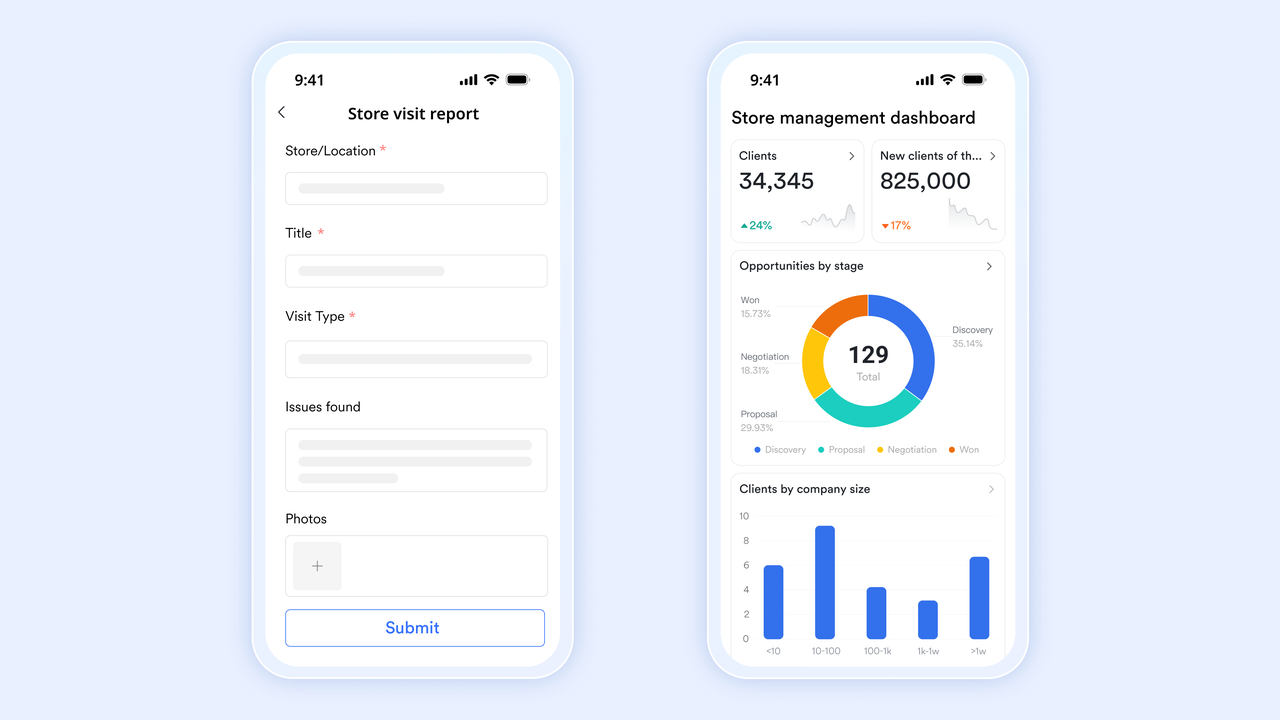
Lark is designed with a mobile-first approach, ensuring a seamless and consistent experience across all devices. This is particularly beneficial for teams that work remotely or need to stay connected while on the go. Wrike and ClickUp also offer mobile apps, but Lark's ensures that all features are fully optimized for mobile use. For example, imagine a sales team working in the field. With Lark's mobile app, they can access project information, communicate with their team, and update task progress directly from their smartphones or tablets. This allows them to stay connected and productive, regardless of their location.
Low cost with more values
Here is :
- Free plan: Includes 11 powerful products, supporting up to 20 users, 100 GB storage, 1,000 automation runs and unlimited AI translation in chats, docs and email.
- Basic plan: $6/user/month (billed annually) for up to 500 users. Includes everything in Starter plus unlimited message history, 5TB storage, 1,000 automation runs, and more. Some users may need to to purchase.
- Pro plans: $12/user/month, supporting up to 500 users. Includes unlimited message history, 50,000 automated Base workflow executions per month.
- Enterprise plan: for custom pricing. Supports unlimited users and includes even more automation runs and advanced security, compliance, and management features.
For small teams with simple communication needs

18 months message history
1000 Base automation runs/month
2000 rows per table in Base
Most POPULAR
For companies with comprehensive collaboration and management needs
Unlimited message history
500-participant video meetings
50k Base automation runs/month
20k rows per table in Base
For large companies with advanced security and organizational management needs
Get a personalized demo and pricing
Unlimited message history
500-participant video meetings
15 TB storage + 30 GB storage/user
500k Base automation runs/month
50k Base automation runs/month
Most POPULAR
For companies with comprehensive collaboration and management needs
Unlimited message history
500-participant video meetings
50k Base automation runs/month
20k rows per table in Base
Conclusion
Choosing between Wrike and ClickUp requires careful consideration of your team's needs, priorities, and budget. Wrike offers a robust and scalable solution with advanced features, while ClickUp provides a flexible and customizable platform designed for ease of use. By evaluating the features, pricing, user experience, and ideal use cases of each platform, you can make an informed decision that sets your team up for success.
While Wrike and ClickUp are excellent options, consider exploring unified platforms like , which unify communication, collaboration, and project management into a single workspace. Embracing such solutions can further streamline workflows and enhance team communication. Explore Lark to see if its unified approach fits your team's needs and unlocks new levels of productivity.
Ready to streamline your teamwork today?
FAQs
Is Wrike better than ClickUp?
Wrike isn't universally "better." It's ideal for larger enterprises needing robust features and security. ClickUp shines with its flexibility and ease of use for smaller to medium-sized teams. Evaluate which aligns with your specific organizational needs and priorities.
Is there anything better than ClickUp?
"Better" is subjective and depends on your specific requirements. While ClickUp offers extensive customization, platforms like Lark unify communication, collaboration, and project management in a single workspace, which may be a better fit for teams prioritizing seamless integration.
Does Netflix use ClickUp?
While specific tool usage within Netflix isn't publicly available, it's worth noting that companies of Netflix's size often utilize a mix of project management tools tailored to different teams and projects. It is not confirmed whether they use ClickUp.
What are the cons of ClickUp?
ClickUp's extensive customization can be overwhelming for new users. Its wide array of features can also lead to complexity and a steeper learning curve compared to simpler project management tools. Some users also report performance issues with larger, more complex projects.
Related reading






























