














10 Top Collaboration Tools for Business – Boost Teamwork & Productivity

Satvik Saxena
Content Specialist
Nov 3, 2026
Satvik Saxena
Nov 3, 2026

22 min read
Add to preferred sources


Effective collaboration tools for business help teams stay connected, organized, and efficient across different locations and functions. These platforms combine communication, document sharing, and project tracking to create a seamless workflow and reduce operational friction. Among the many available options, Lark stands out as a unified workspace that brings together chat, meetings, documents, and tasks in one place—helping teams move from discussion to action effortlessly.
Among the many available options, Lark stands out as a unified workspace that brings together chat, meetings, documents, and tasks in one place—helping teams move from discussion to action effortlessly. Alongside Lark, other online collaboration tools for business like Slack, Microsoft Teams, and Google Workspace also support flexible and remote collaboration. Here is the tool list:
1. Lark: Unified workspace for seamless communication and collaboration
2. Slack: Real-time messaging and team channels for business
3. Microsoft Teams: Enterprise collaboration and communication hub
4. Google Workspace: Cloud-based productivity and collaboration suite
5. Asana: Task and project collaboration platform for teams
6. Trello: Visual project collaboration with boards and cards
7. Miro: Online whiteboard for creative and remote collaboration
8. Zoom: Video collaboration and virtual meeting platform
9. Dropbox: File sharing and content collaboration for business
10. Monday.com: Work operating system for project and team collaboration

Best 10 Collaboration tools pricing quick overview
Choosing the right collaboration platform often comes down to balancing functionality with cost. Different tools cater to varying business sizes and needs—some offer comprehensive workspaces, while others focus on messaging, document sharing, or project tracking. To help you compare options efficiently, the table below provides a quick pricing overview of the best collaboration tools for business, including starting plans, free versions, and best-fit use cases. All pricing details are based on official vendor information as of the latest update.
Information source: Official vendor websites
Update time: 2025-11-12
Note: Pricing and plan availability are based on publicly available data as of the update date. Actual prices may vary depending on region, user count, and billing frequency.
What to look for when choosing a collaboration platform
Here are two lines for each bullet point, keeping it clear and business-focused:
- Unified functionality: A platform that brings chat, meetings, documents, and tasks together reduces friction in daily workflows. It helps teams stay aligned without juggling multiple apps.
- Ease of use: An intuitive interface encourages quick adoption across departments. The simpler the tool, the faster teams can collaborate effectively.
- Scalability: The platform should support growing teams, increasing workloads, and expanding processes. This ensures long-term usability without frequent migrations.
- Collaboration: Seamless connections with CRM systems, cloud storage, and productivity tools keep data consistent. Collaboration help maintain a smooth end-to-end workflow.
- Security: Strong encryption, access controls, and compliance standards protect sensitive information. Businesses can collaborate with confidence knowing data is safeguarded.
- Real-time collaboration: Features like co-editing, instant messaging, and live updates improve responsiveness. Teams can make decisions faster without communication delays.
- Mobile accessibility: Reliable mobile apps support remote and hybrid work environments. Employees stay productive, even when away from their desks.
- Customization: Flexible workflows, permissions, and automation help tailor the platform to specific team needs. This adaptability enhances efficiency across different functions.
- Analytics and visibility: Tools that offer dashboards and reporting help track progress and identify bottlenecks. Managers gain clearer insights for better decision-making.
- Pricing and support: Transparent pricing ensures predictable budgeting for teams of all sizes. Strong customer support helps resolve issues quickly and maintain smooth operations.
Full list: 10 best collaboration tools for business
1. Lark: Unified workspace for seamless communication and collaboration
Lark is designed as a connected workspace where every feature—instant chat, video meetings, tasks, and documents—works together effortlessly. It helps teams transition from conversation to execution within a single environment, ensuring clarity, speed, and accountability throughout the workflow.

Lark Messenger: Real-time chat and group messaging for instant communication
Lark Messenger keeps communication organized and dynamic. Teams can hold real-time discussions in topic-based chats, share files, start threads to keep context clear, and pin key messages for quick access. Advanced search and smart notifications ensure that information is always within reach. With discussions tied directly to work, decisions happen faster, and nothing gets lost in long message chains.
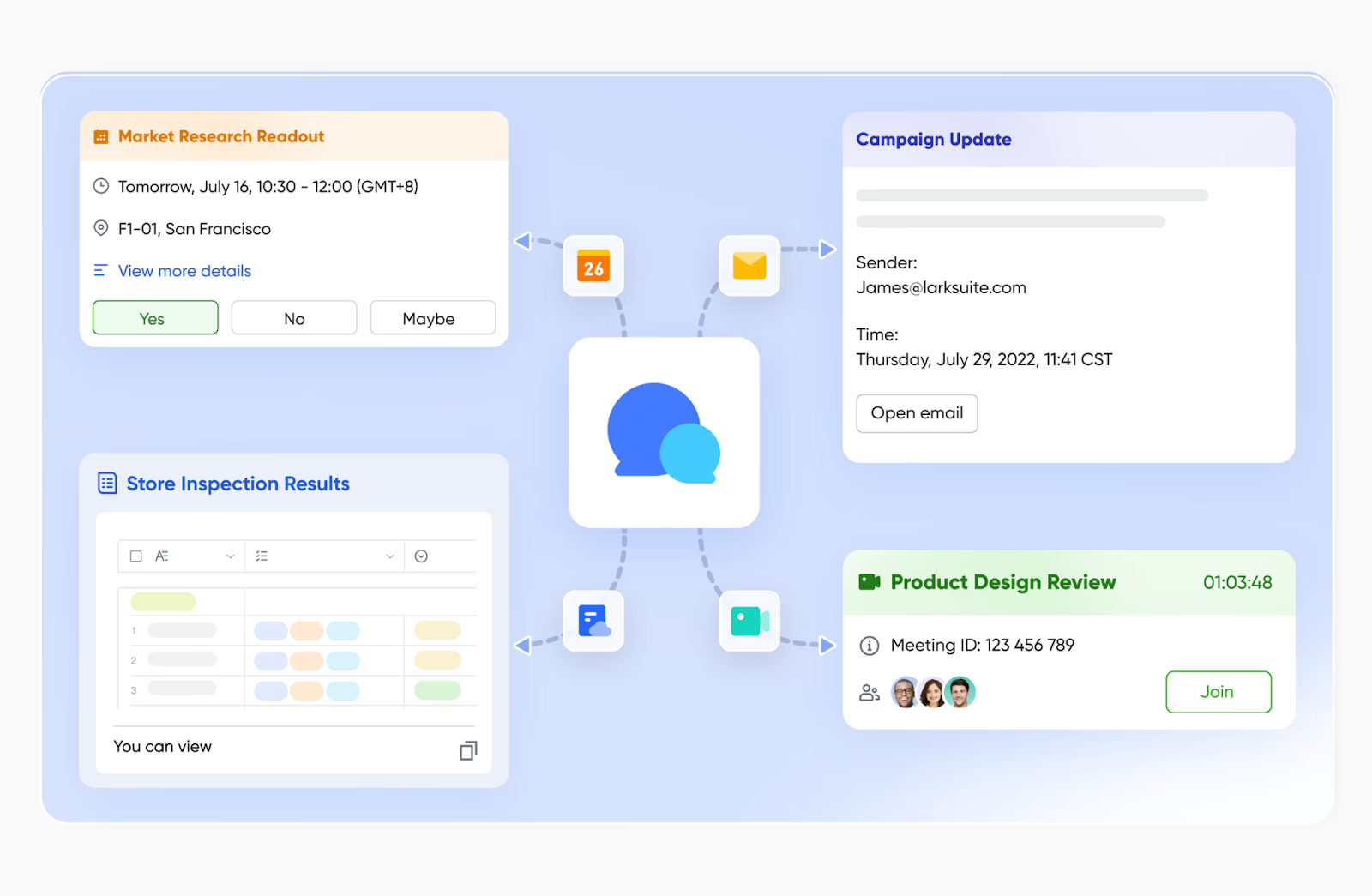
Lark Meetings: Real-time meetings with live document collaboration
Lark Meetings transforms virtual sessions into interactive workspaces. Participants can share screens, use Magic Share to edit Lark Docs together, and capture outcomes on the spot. Live captions, emojis, and reactions make meetings more engaging and inclusive. Whether planning, reviewing, or brainstorming, every participant can contribute without switching tools—keeping communication and execution perfectly aligned.

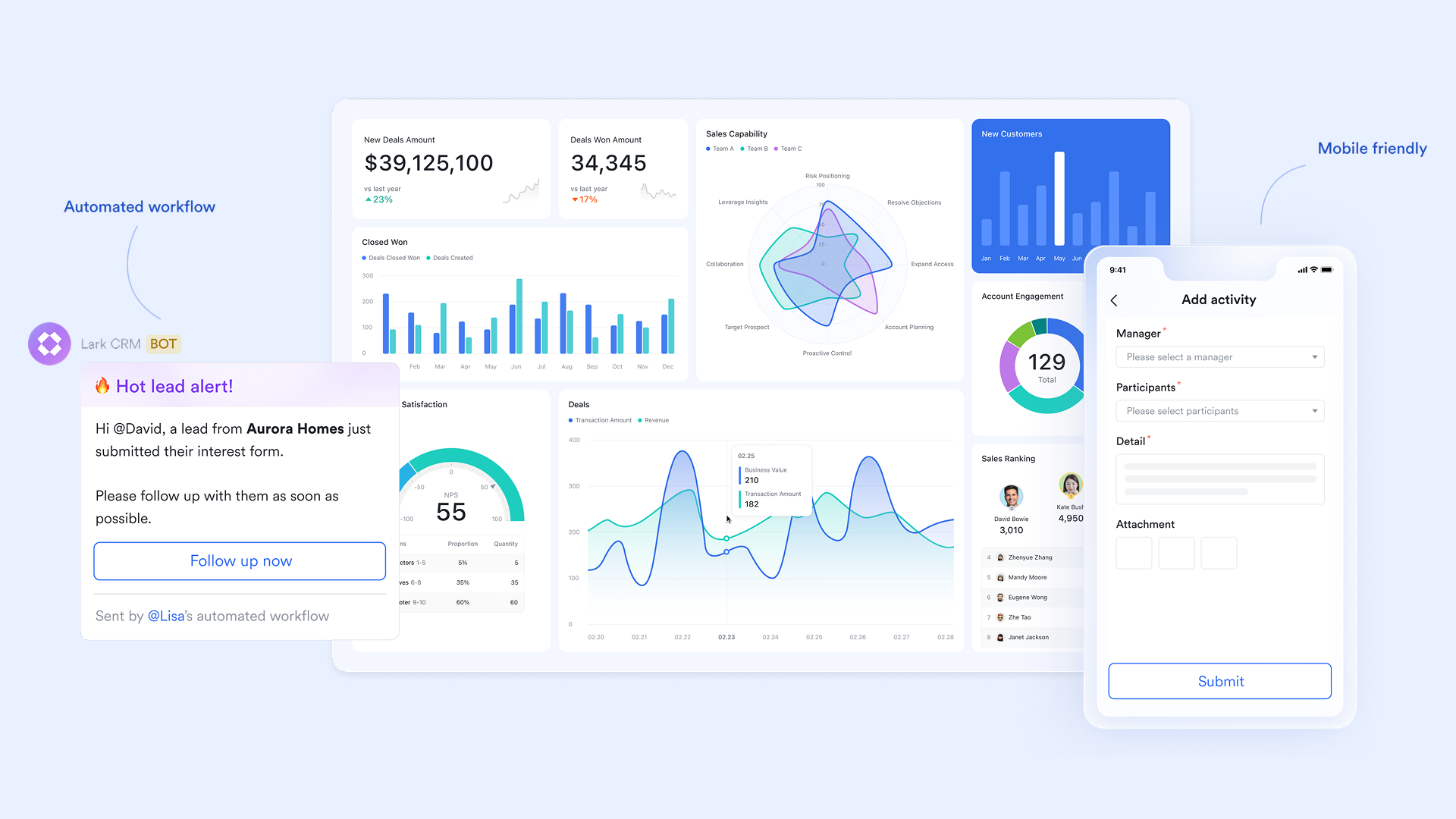
Lark Base: a hub of project planning, management, and execution
Lark Base enhances business collaboration by centralizing project planning and execution within one connected workspace. Teams can create detailed planning documents outlining objectives, responsibilities, and timelines, while assigning tasks by tagging members directly in the document. These tasks automatically sync with Lark Tasks for seamless tracking and visibility. Real-time editing and commenting enable teams to collaborate efficiently, ensuring everyone stays aligned and accountable throughout each project phase.
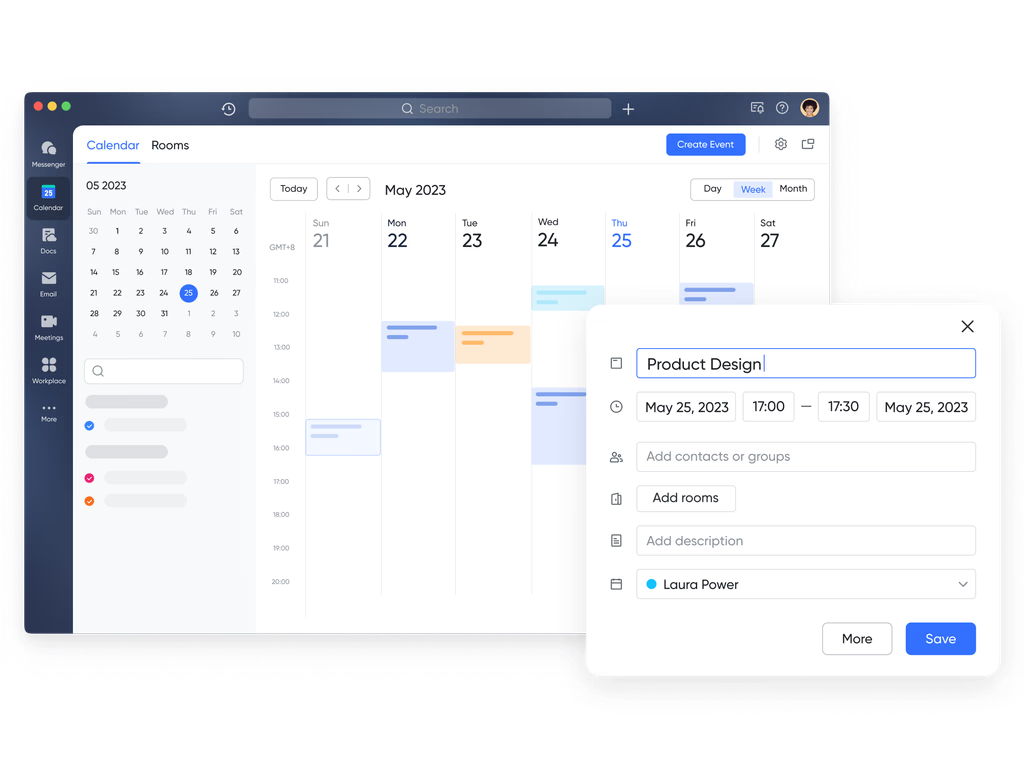
Lark Calendar: Calendar connection for planning and visibility
Lark Calendar works seamlessly alongside Messenger, Docs, and Meetings, enabling teams to schedule, discuss, and prepare for events within a single workflow. You can create meetings directly from a chat, attach agendas or files, and invite teammates instantly. Shared calendars display everyone's availability to prevent conflicts, while reminders and summaries ensure complete preparedness for every session.
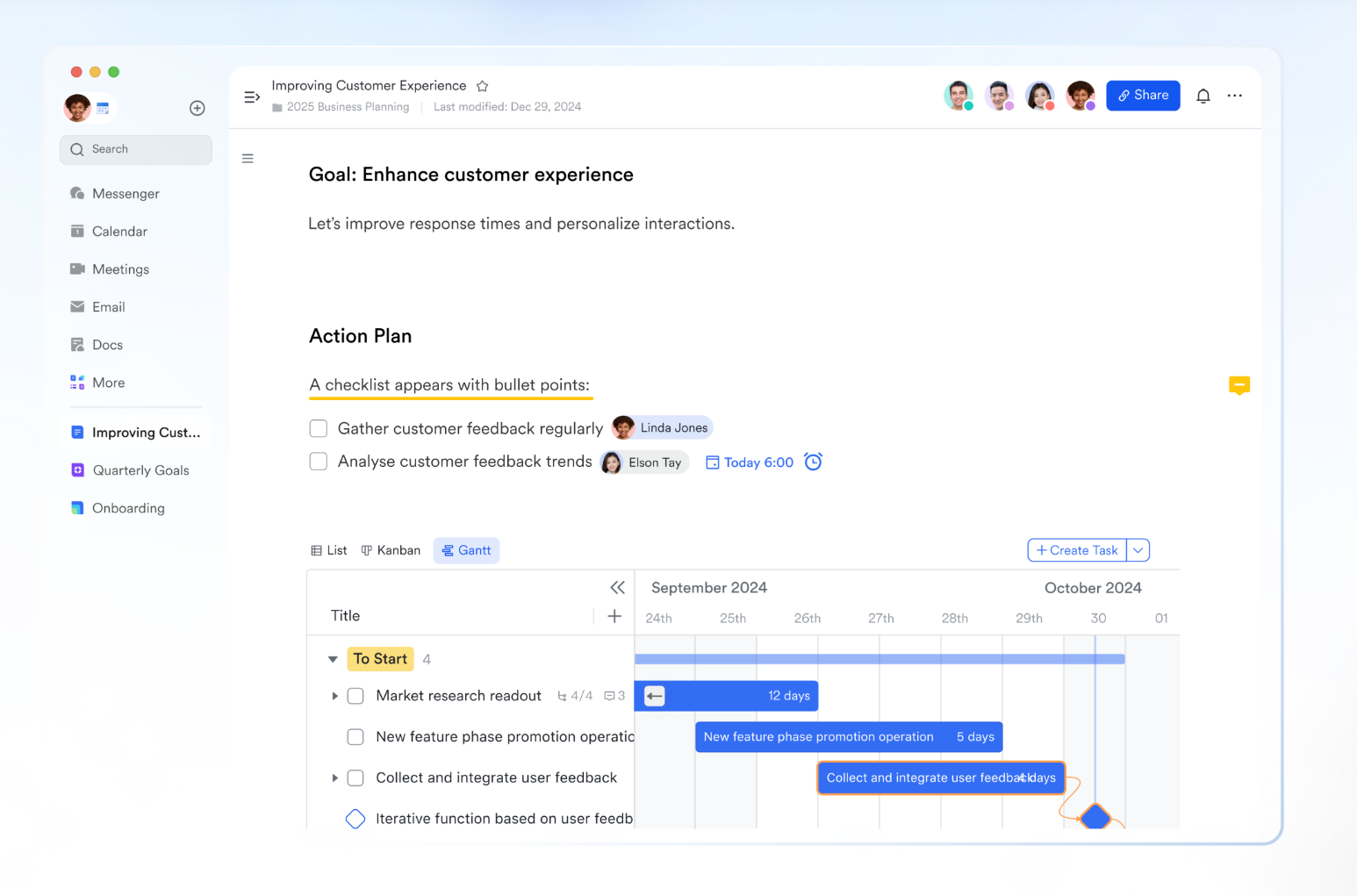
Lark Docs: A collaborative living document editing platform
Lark Docs enables real-time co-authoring and commenting, allowing multiple contributors to work together seamlessly. Mentions (@) notify teammates instantly, ensuring quick feedback and coordination. Embedded tables, charts, and multimedia make Docs dynamic and engaging. Every document maintains a version history and customizable permissions, ensuring collaboration stays structured and secure.
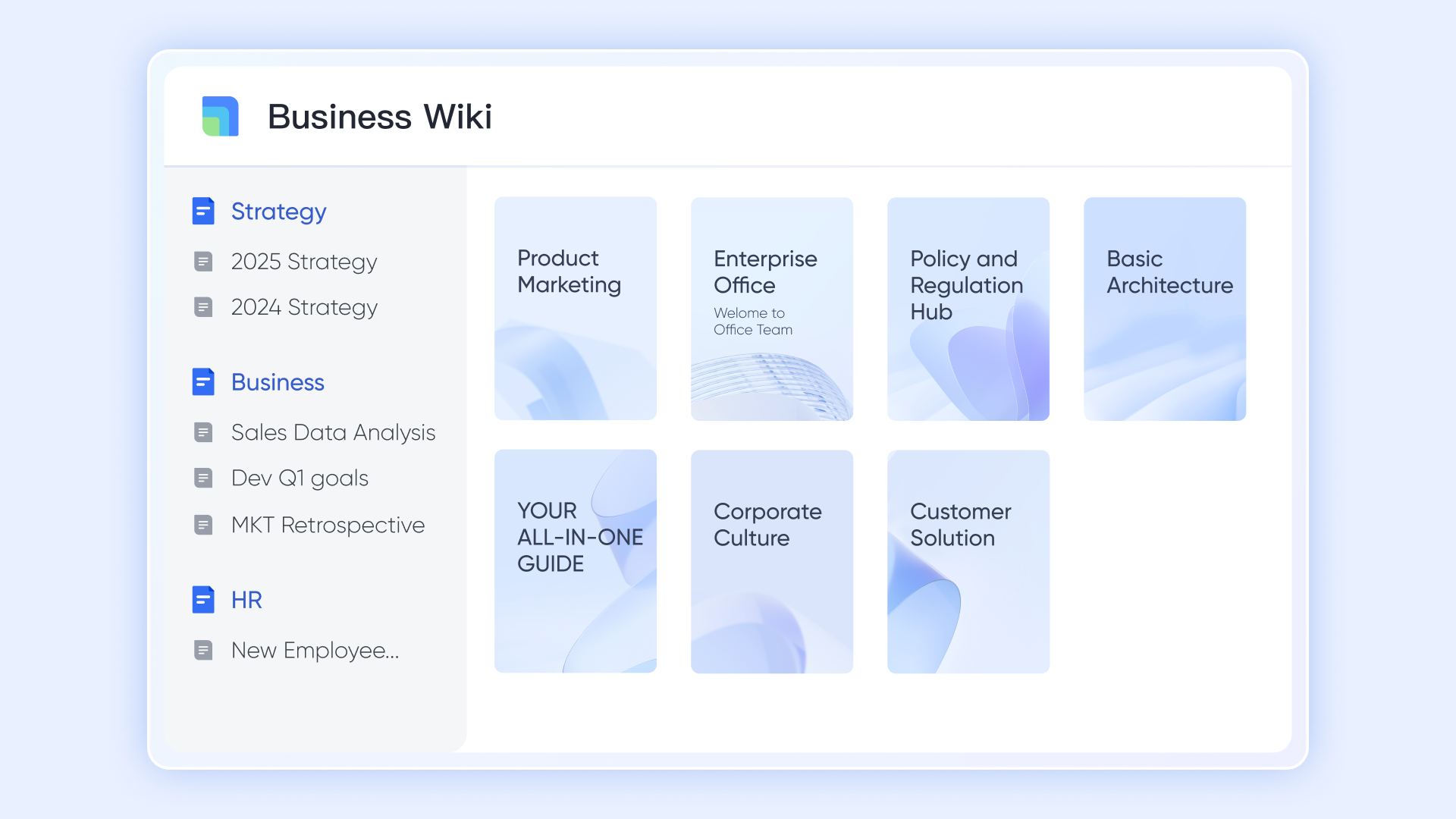
Lark Wiki: A centralized knowledge reservoir for your business
Lark Wiki helps teams organize and share knowledge by allowing the creation of dedicated wiki spaces for various departments, projects, or personal use, consolidating all relevant documents into a single, structured location. It supports a hierarchical "page tree" layout with sub-pages and integrated documents, making navigation clear and intuitive. Team members are invited to contribute and update the space regularly, fostering active knowledge sharing and reducing information gaps.
- Starter plan: Free forever plan that includes 11 powerful tools for up to 20 users. It also comes with 100GB of storage, 1000 automation runs, AI translations, and more.
- Basic plan: $6/user/month (billed annually) for up to 500 users. It includes everything in Starter plus group calling for up to 500 attendees, 5TB of storage, 1000 automation runs, and more.
- Pro plan: $12/user/month (billed annually) for up to 500 users. It includes everything in Starter plus group calling for up to 500 attendees, 15TB of storage, 50,000 automation runs, and more.
- Enterprise plan: Contact sales for custom pricing. Supports unlimited users and includes even more automation runs and advanced security, compliance, and management features.
2. Slack: Real-time messaging and team channels for business
Slack is one of the most widely used collaboration tools for business, known for its fast, organized communication through channels and direct messages. It helps teams replace long email threads with instant, searchable conversations that keep projects moving quickly. With powerful integrations, automation options, and support for file sharing and calls, Slack simplifies teamwork across departments and time zones. Its intuitive interface and broad ecosystem make it especially popular among startups, creative teams, and tech-driven organizations.
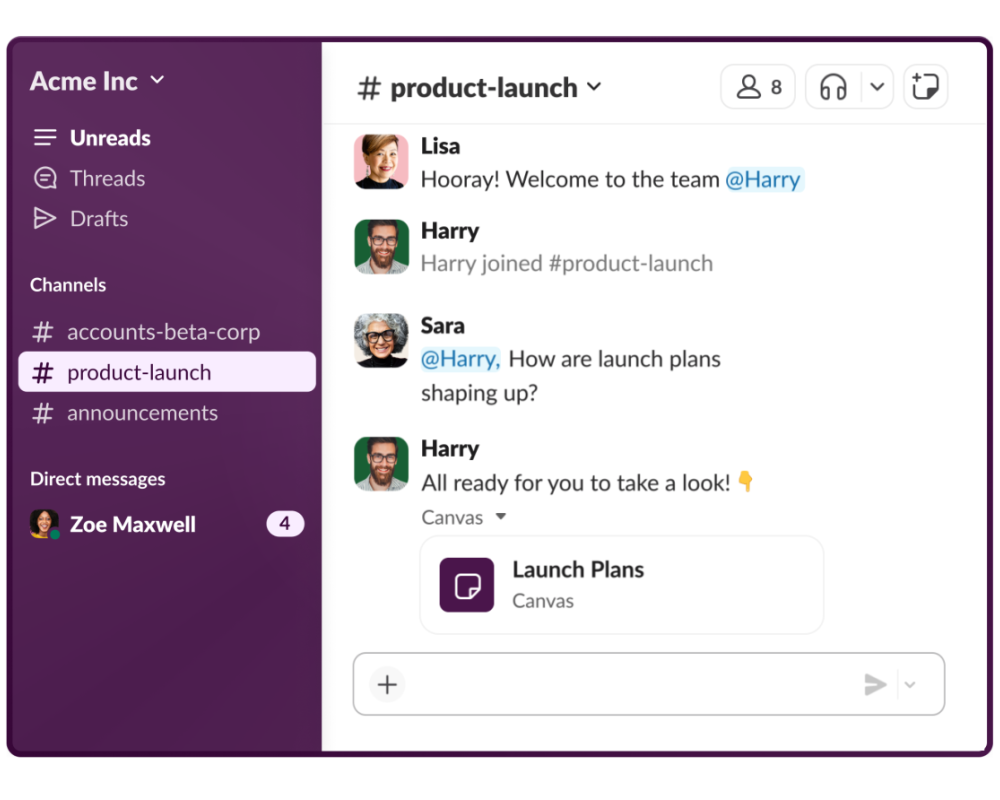
Image source: slack.com
Key features:
- Organized team communication through public and private channels.
- Integration with over 2,000 third-party tools like Google Drive, Jira, and Asana.
- File sharing, search, and version control within conversations.
- Built-in huddles and clips for quick audio or video discussions.
- Workflow Builder to automate repetitive updates and reminders.
Pros:
- Streamlines real-time communication and collaboration.
- Highly customizable with a vast integration marketplace.
- Excellent search functionality for retrieving past messages or files.
- Ideal for both small teams and large enterprises.
Cons:
- Can become noisy or overwhelming with too many active channels.
- Higher-tier pricing may not suit small businesses on a budget.
Pricing:
- Free plan: Limited message history and integrations.
- Pro plan: $8.75/user/month, ideal for small to medium teams.
- Business+ plan: $15/user/month, with advanced security and compliance.
- Enterprise Grid: Custom pricing for large organizations needing centralized administration.
3. Microsoft Teams: Enterprise collaboration and communication hub
Microsoft Teams is a comprehensive collaboration tool for business that integrates chat, video meetings, file sharing, and productivity apps under one roof. Built as part of the Microsoft 365 ecosystem, it connects seamlessly with Word, Excel, PowerPoint, and Outlook. Teams enables organizations to collaborate in real time while maintaining enterprise-level security and compliance standards. Its scalability makes it suitable for both small teams and large corporations.
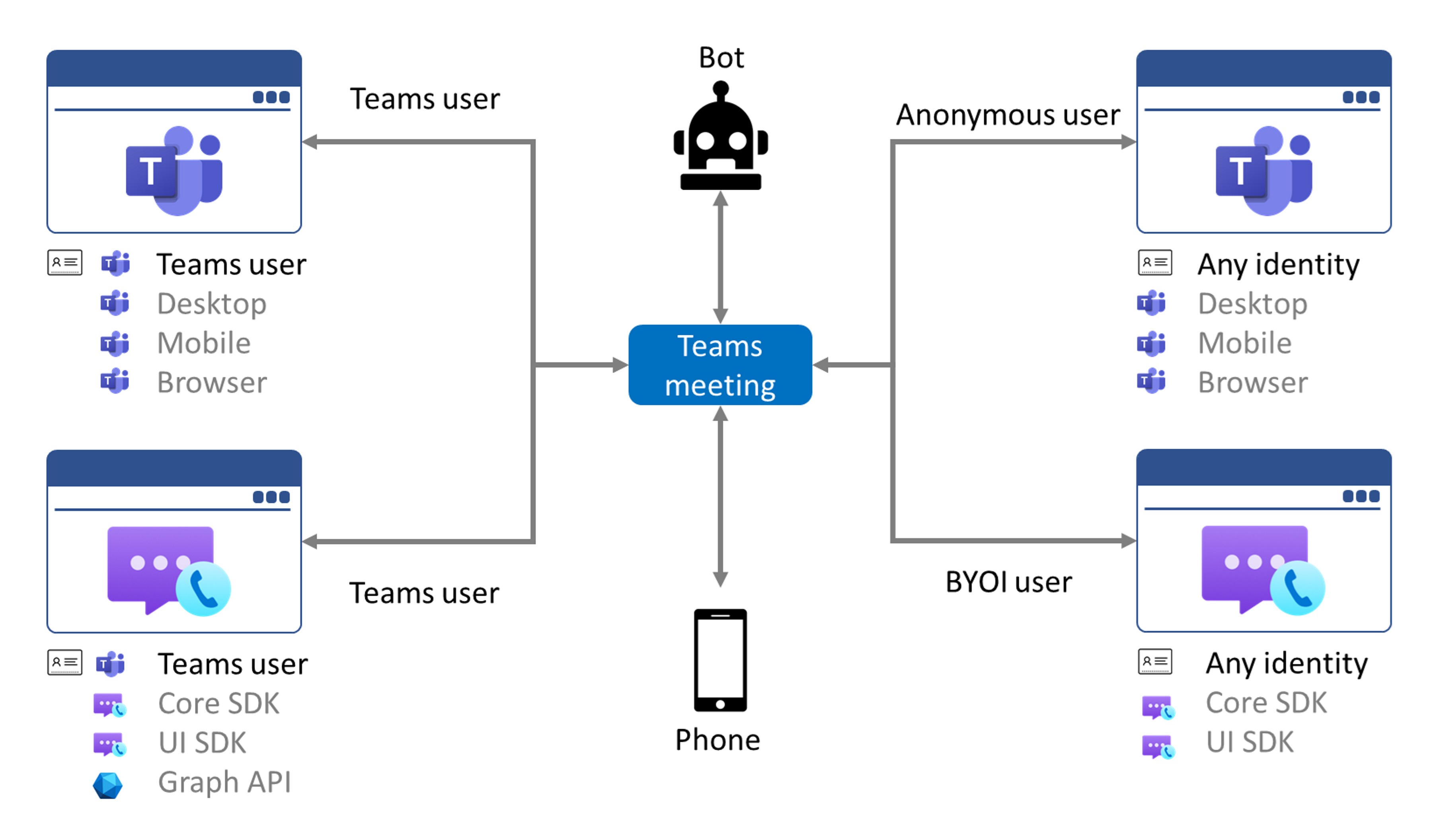
Image source: microsoft.com
Key features:
- Persistent chat channels, private messaging, and threaded conversations
- HD video meetings and webinars with screen sharing
- Deep integration with Microsoft 365 applications and OneDrive
- File co-authoring and document version control
- Customizable tabs, bots, and connectors for workflow automation
Pros:
- Strong integration with Microsoft ecosystem
- Reliable video conferencing and document sharing
- Secure and compliant for regulated industries
- Scales well across large organizations
Cons:
- May feel complex for smaller teams or non-Microsoft users
- Requires stable connectivity and storage management
Pricing:
- Essentials: $4/user/month
- Business Basic: $6/user/month with Office web apps
- Business Standard: $12.50/user/month with desktop apps
- Enterprise plans: Custom pricing available
4. Google Workspace: Cloud-based productivity and collaboration suite
Google Workspace offers a set of cloud-based online collaboration tools for business including Gmail, Drive, Docs, Sheets, and Meet. It allows teams to communicate, co-edit, and share files in real time from any device. Its simplicity, accessibility, and collaborative features make it a favorite for startups and distributed teams. Google Workspace helps organizations reduce IT overhead while ensuring smooth and secure teamwork.
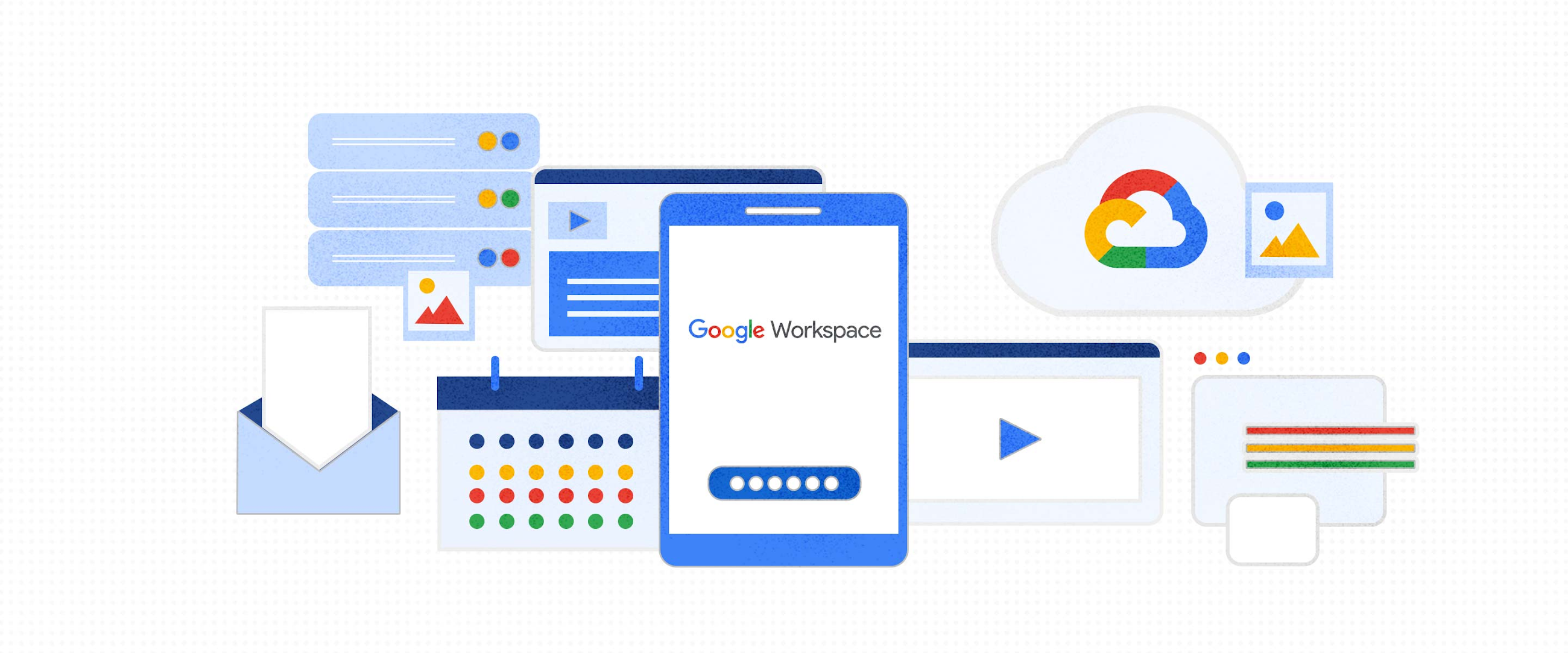
Image source: google.com
Key features:
- Integrated tools: Gmail, Docs, Sheets, Slides, Meet, and Drive
- Real-time co-editing and version control
- Shared Drive and cloud file storage
- Calendar and Meet integration for scheduling and meetings
- Admin controls for user access and security
Pros:
- Excellent real-time document collaboration
- Accessible on any device with internet access
- Minimal setup and easy onboarding
- Trusted Google-grade security and reliability
Cons:
- Limited offline functionality for some tools
- Lacks advanced project management features
Pricing:
- Business Starter: $8.40/user/month
- Business Standard: $16.80/user/month
- Business Plus: $25.20/user/month
- Enterprise: Custom pricing
5. Asana: Task and project collaboration platform for teams
Asana is a leading collaboration tool for small business and enterprise teams, focused on structured task and project management. It helps teams plan, track, and deliver work efficiently through clear visual workflows. With timelines, Kanban boards, and automation, Asana transforms how teams manage priorities and deadlines. It's particularly useful for marketing, product, and operations teams seeking clarity and accountability.
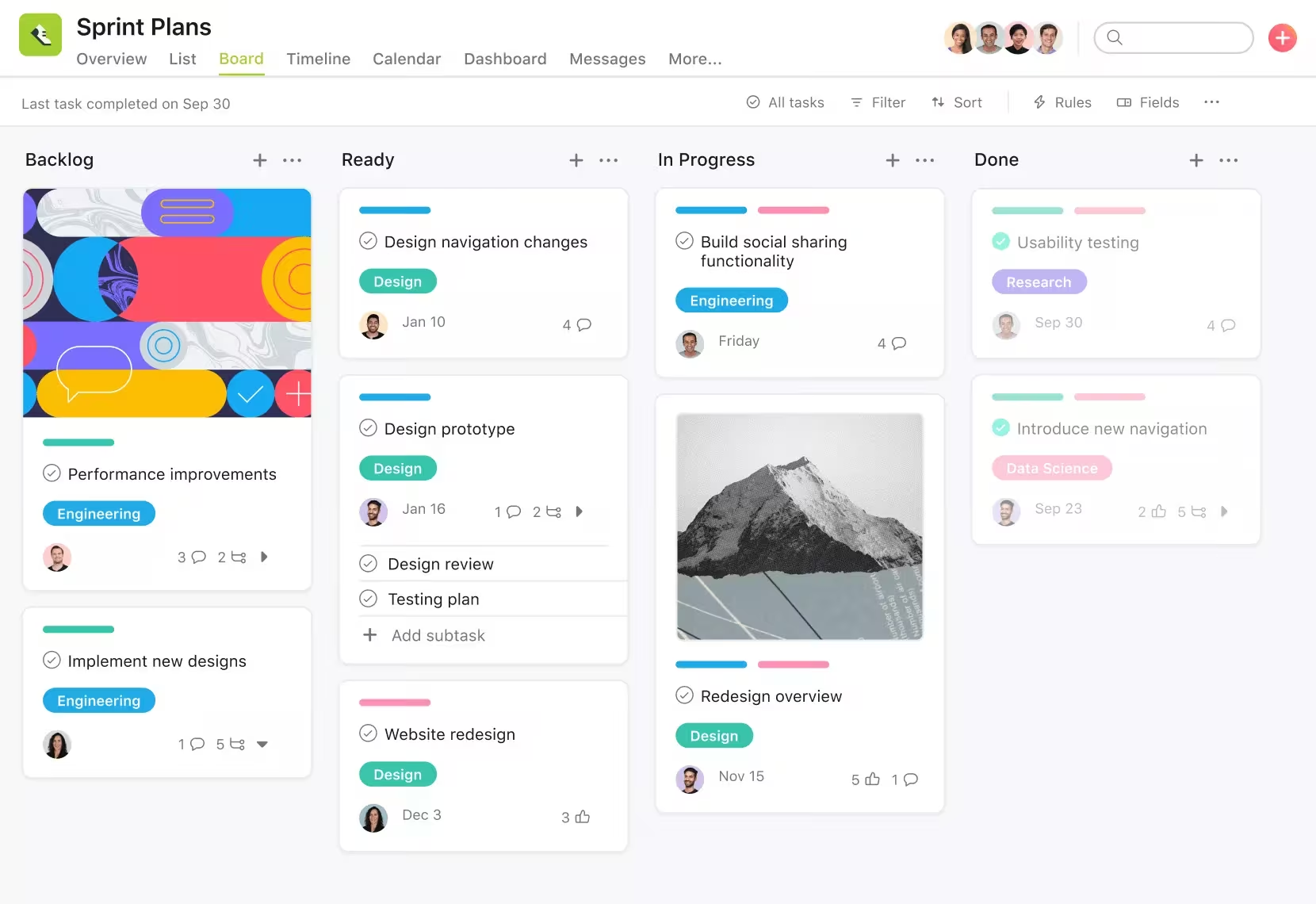
Image source: asana.com
Key features:
- Task lists, Kanban boards, and project timelines
- Workflow automation for recurring tasks
- Goal tracking and reporting dashboards
- Templates for recurring projects and workflows
- Integrations with Slack, Google Workspace, and Zoom
Pros:
- Enhances visibility into project progress
- Highly customizable workflows and templates
- Supports multiple project views and automations
- Great collaboration features for cross-functional teams
Cons:
- Can feel overwhelming for small or simple teams
- Some advanced features only in higher plans
Pricing:
- Basic: Free for individuals and small teams
- Starter: $10.99/user/month
- Advanced: $24.99/user/month
- Enterprise: Custom pricing
6. Trello: Visual project collaboration with boards and cards
Trello is an intuitive collaboration tool for small business that uses Kanban boards to simplify task tracking and teamwork. Each project is represented visually with lists and cards, making it easy to assign tasks, add due dates, and attach files. Its simplicity and flexibility make it a favorite among creative and marketing teams. Trello is ideal for managing lightweight workflows and visual projects. As one of the most flexible online collaboration tools for small business, it helps teams plan and communicate visually from anywhere.
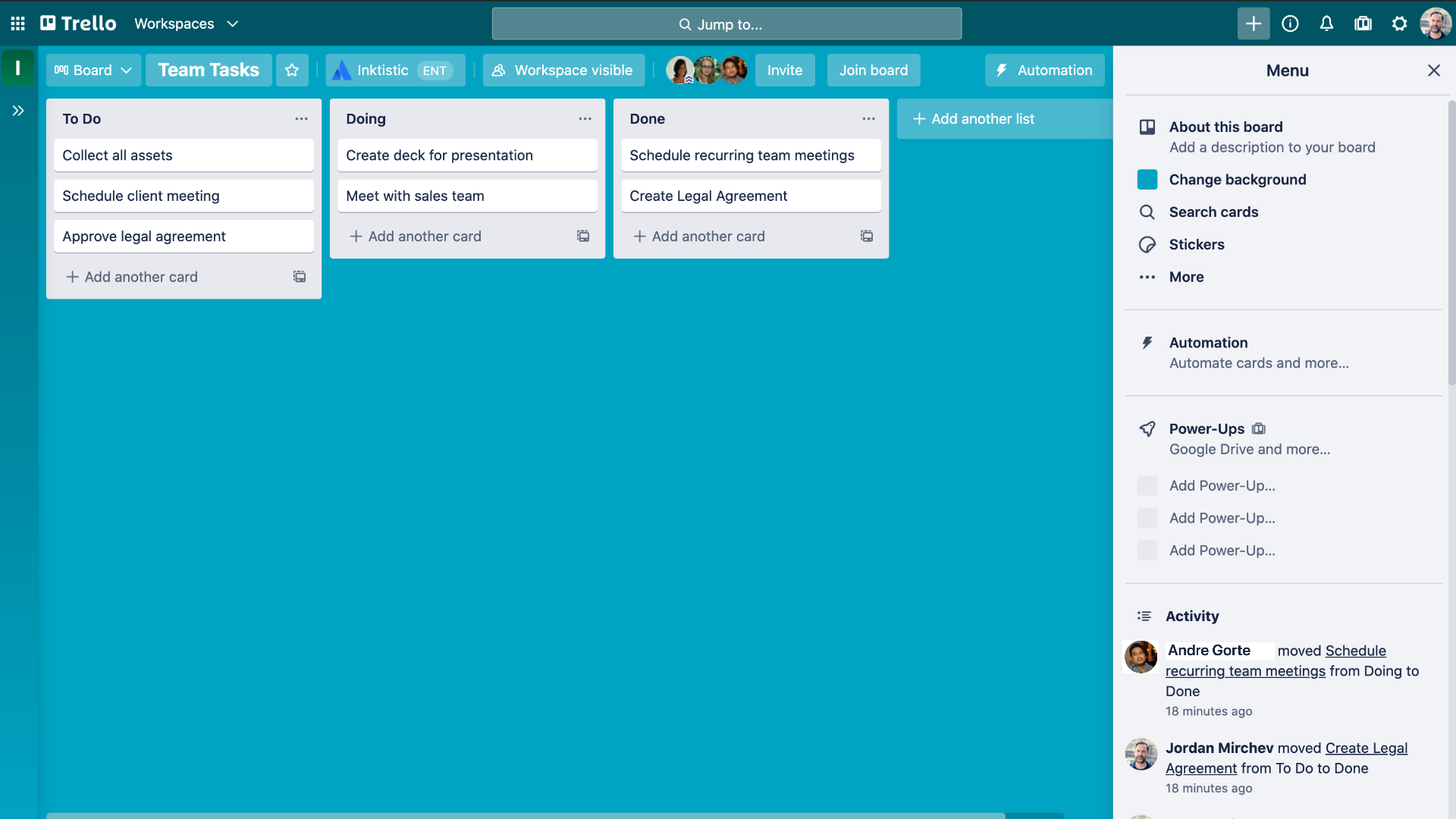
Image source: trello.com
Key features:
- Drag-and-drop Kanban boards and task cards
- Custom fields, labels, and automation with Butler
- File sharing and commenting within cards
- Power-Ups for integration with Slack, Google Drive, and Jira
- Calendar and timeline views for task scheduling
Pros:
- Simple, visual interface with minimal learning curve
- Flexible for different team structures
- Excellent integration ecosystem
- Great for small projects and freelancers
Cons:
- Limited analytics and reporting features
- Can become cluttered for complex projects
Pricing:
- Free: Core task management features
- Standard: $5/user/month
- Premium: $10/user/month
- Enterprise: $17.50/user/month (volume-based)
7. Miro: Online whiteboard for creative and remote collaboration
Miro is a digital whiteboard platform designed for remote collaboration in business and creative brainstorming. It enables teams to ideate visually through sticky notes, diagrams, and flowcharts in real time. Ideal for workshops, design sprints, and strategy planning, Miro bridges the gap between creativity and structure. Its collaboration tools help hybrid teams stay visually aligned and innovative.
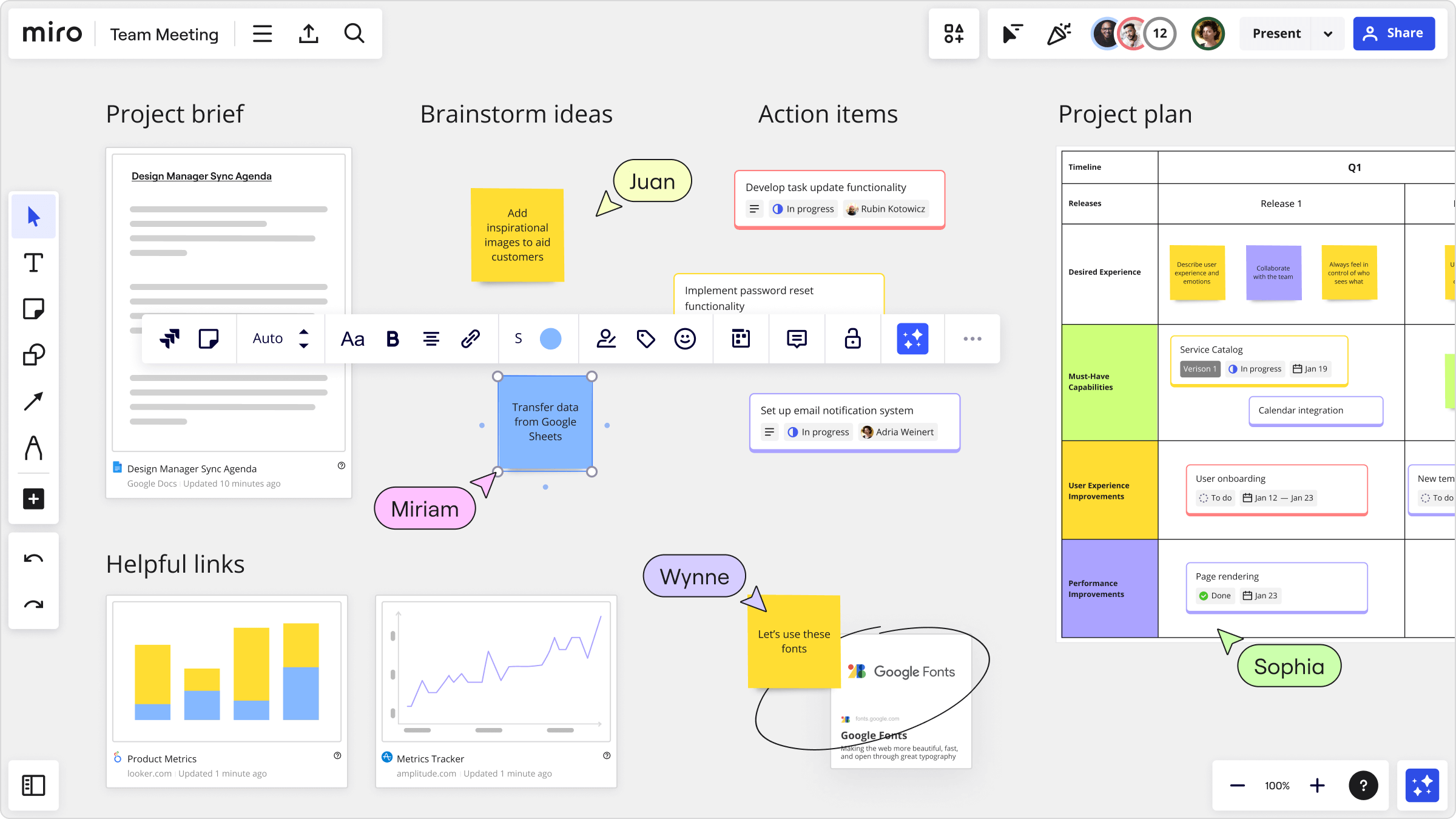
Image source: miro.com
Key features:
- Infinite canvas for brainstorming and mapping ideas
- Prebuilt templates for strategy, design, and planning
- Real-time multi-user editing and commenting
- Video chat, timers, and presentation mode
- Integrations with Asana, Jira, Zoom, and Slack
Pros:
- Excellent for visual and creative teams
- Encourages engagement during remote meetings
- Wide range of templates and integrations
- Strong real-time collaboration features
Cons:
- Can feel cluttered for simple use cases
- Performance issues with large boards
Pricing:
- Free: Basic boards and limited collaboration
- Starter: $8/user/month
- Business: $16/user/month
- Enterprise: Custom pricing
8. Zoom: Video collaboration and virtual meeting platform
Zoom is one of the most recognised remote collaboration tools for business, offering reliable video conferencing, webinars, and hybrid meeting features. It supports large-scale virtual collaboration with high-quality video, screen sharing, and breakout rooms. Zoom has become essential for distributed teams needing consistent, professional communication. Its integrations and AI-powered features enhance productivity before, during, and after meetings.
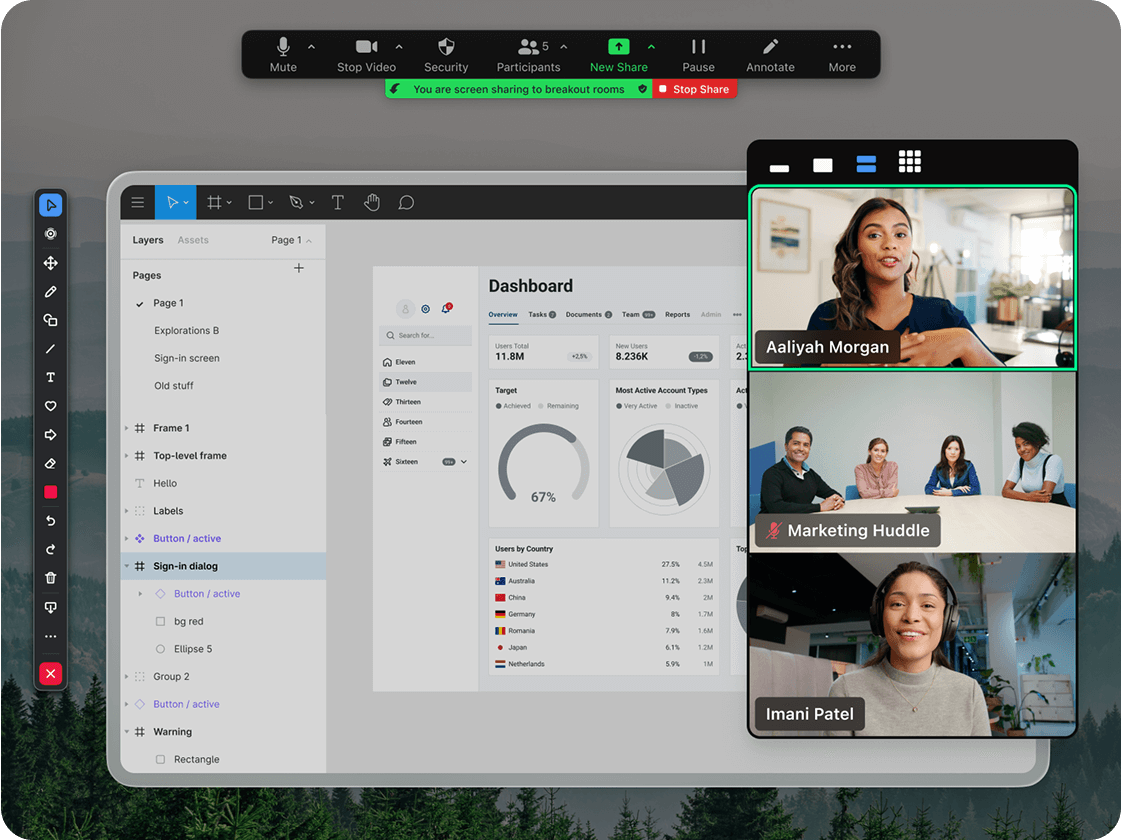
Image source: zoom.com
Key features:
- HD video and audio conferencing with screen sharing
- Breakout rooms and virtual backgrounds
- AI-generated meeting summaries and notes
- Chat, polls, and reactions for engagement
- Integration with Slack, Lark, Google, and Microsoft apps
Pros:
- Stable performance and user-friendly interface
- Scalable for small and large teams alike
- Strong webinar and event capabilities
- Supports hybrid and global collaboration
Cons:
- Occasional security and privacy concerns in the past
- Heavy data use during long meetings
Pricing:
- Free: 40-minute meeting limit
- Pro: $13.33/user/month
- Business: $18.33/user/month
- Enterprise: Custom pricing
9. Dropbox: File sharing and content collaboration for business
Dropbox is a trusted document collaboration tool for business that simplifies file storage, sharing, and synchronization across devices. It enables teams to securely collaborate on documents, images, and videos while maintaining full version control. Dropbox integrates with major productivity suites, making it a reliable backbone for content-heavy organizations. Its smart features improve both security and accessibility.
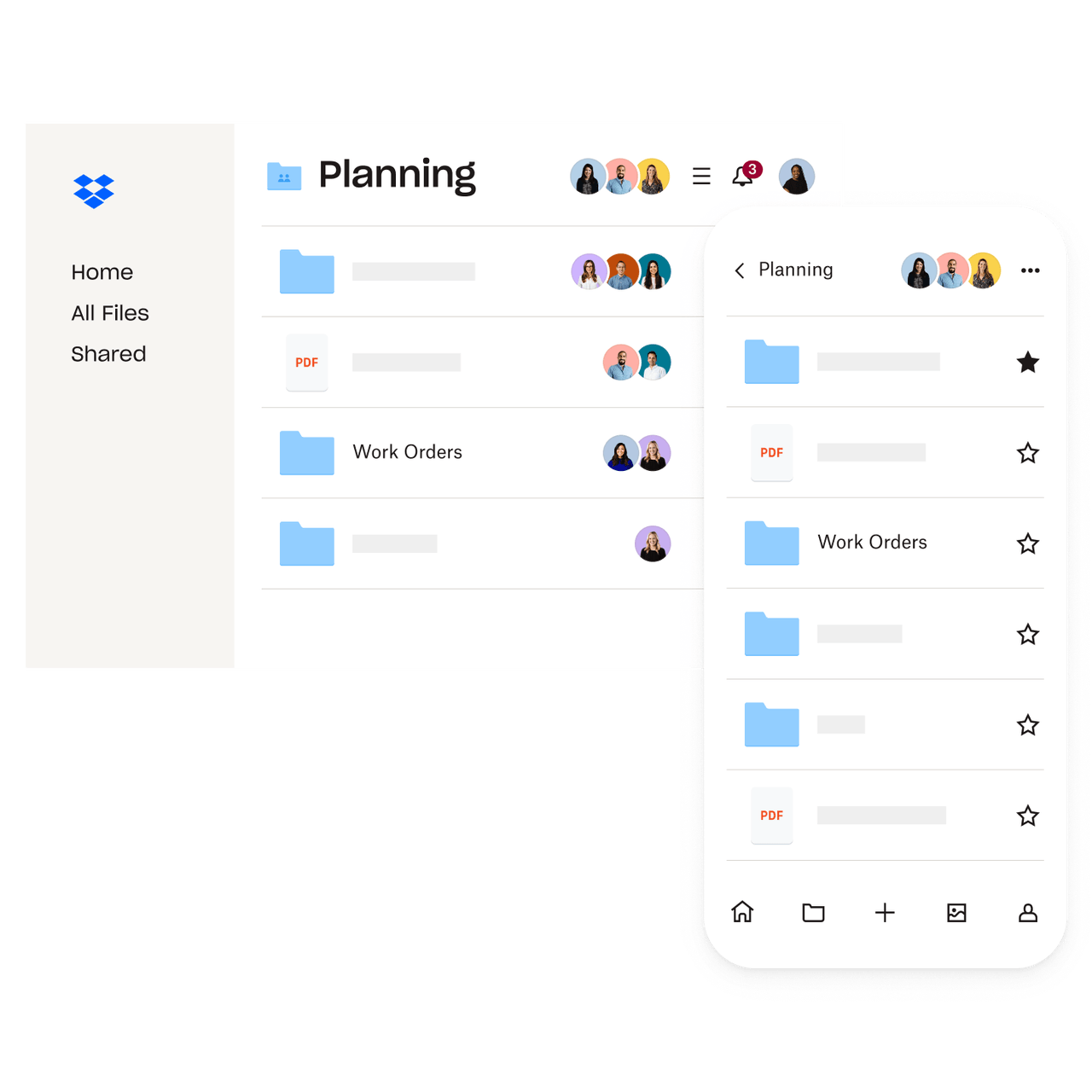
Image source: dropbox.com
Key features:
- Cloud file storage with version history and recovery
- Shared folders and team workspaces
- Smart sync and offline file access
- Collaboration with Dropbox Paper for notes and tasks
- Integration with Slack, Zoom, and Adobe tools
Pros:
- Excellent file management and backup reliability
- Easy sharing and syncing across all devices
- Advanced security and admin control features
- Integrates with popular third-party apps
Cons:
- Limited built-in communication or task management
- Higher cost for advanced storage tiers
Pricing:
- Plus: $11.99/user/month
- Essentials: $15/user/month
- Business: $24/user/month
- Enterprise: Custom pricing
10. Monday.com: Work operating system for project and team collaboration
Monday.com is a powerful online collaboration tool for business that combines visual project tracking with automation and reporting. It functions as a work operating system, allowing teams to plan, manage, and monitor tasks in one flexible space. Its colorful dashboards, automation rules, and integrations make collaboration more structured and transparent. Monday.com is especially valuable for fast-growing organizations managing complex workflows.
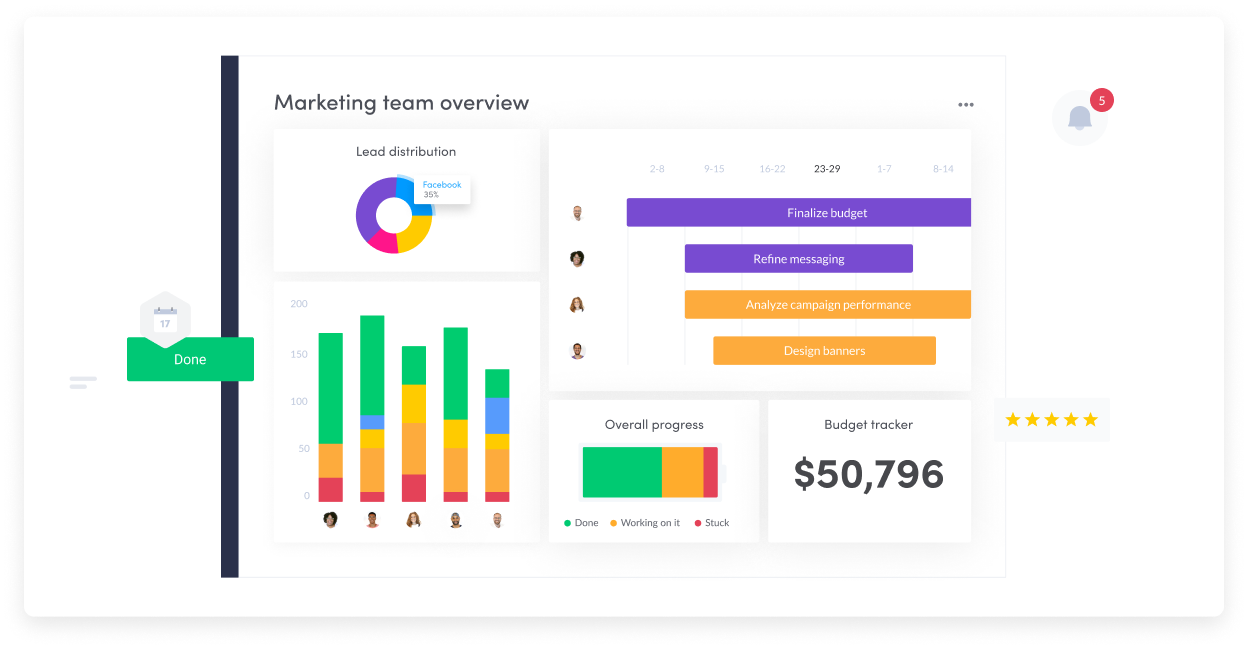
Image source: monday.com
Key features:
- Customizable boards and workflow automation
- Multiple project views: Kanban, timeline, Gantt, and calendar
- Time tracking, dependencies, and workload management
- Integration with Slack, Zoom, Google Workspace, and Outlook
- Advanced reporting and dashboard analytics
Pros:
- Highly visual and flexible for different work styles
- Strong automation and workflow control
- Excellent visibility into team progress and timelines
- Integrates smoothly with many business tools
Cons:
- Learning curve for first-time users
- Add-ons can increase total cost
Pricing:
- Free: Up to 2 users
- Basic: ~$4.90/user/month
- Standard: $10/user/month
- Pro: $16/user/month
- Enterprise: Custom pricing
How to get your team started with collaboration tools
Adopting a new collaboration tool for business is not just about technology—it's about shaping better habits and smoother workflows. Successful implementation requires planning, participation, and flexibility to ensure the platform becomes part of your team's daily routine. Here's how to introduce collaboration tools effectively and set your team up for long-term success.
- Start small: Begin by identifying one or two pain points, such as meeting coordination, document sharing, or task updates. Introduce the tool gradually to avoid overwhelming your team. This focused approach allows everyone to understand its value and adapt naturally before scaling its use.
- Encourage adoption: Provide clear guidance, training, and best practices, so everyone knows how to use the tool effectively. Define communication norms, document-sharing protocols, and response expectations. When teams understand both the purpose and process, adoption becomes smoother and engagement improves.
- Monitor usage: Track how the team interacts with the tool—what features are actively used and which are ignored. Gather feedback to understand obstacles or preferences and make iterative adjustments. This ensures the platform continues to fit your team's evolving needs instead of becoming another unused app.
- Stay flexible: Collaboration needs change as teams grow, projects expand, or hybrid work becomes the norm. Stay open to adjusting settings, adding integrations, or even switching platforms if necessary. The goal is to maintain efficiency and ensure the tool remains aligned with your business's goals and culture.
Why collaboration tools matter in business
Effective collaboration tools for business have become essential for driving productivity, transparency, and innovation across teams. When employees can share updates instantly, co-edit files in real time, and monitor project progress through shared dashboards, teamwork becomes faster and more coordinated.
Modern document collaboration tools for business make co-authoring seamless—allowing multiple users to work together on proposals, plans, and reports simultaneously without version conflicts. These platforms also maintain security through access controls and data encryption, ensuring that collaboration remains safe and compliant.
Meanwhile, remote collaboration tools for business empower distributed teams to stay connected regardless of location or time zone. With features like integrated chat, video meetings, and shared workspaces, they help remote and hybrid teams maintain alignment and accountability.In essence, collaboration tools for business eliminate communication silos, improve knowledge sharing, and create a single source of truth for every team—fueling smarter decisions and more efficient execution across the organization.
Conclusion
Effective collaboration tools for business are now essential for achieving productivity, transparency, and agility across teams. Whether your organization relies on structured project management platforms like Asana and Monday.com or unified workspaces like Lark, the right solution connects communication, tasks, and documents seamlessly. Choosing a platform that aligns with your team's size, workflow, and goals helps eliminate silos and enhance real-time decision-making. As remote and hybrid work continue to shape modern operations, the best collaboration tools for business and small teams will remain at the center of how companies innovate and grow.
FAQs
What makes an all-in-one collaboration tool better than using multiple single-purpose apps?
All-in-one platforms reduce tool switching, data silos, and compatibility issues. Instead of juggling separate apps for chat, documents, and meetings, teams can manage everything in one workspace—saving time and improving visibility across projects.
How can small businesses evaluate which collaboration tool suits their workflow best?
Small businesses should prioritize tools that balance simplicity, affordability, and scalability. Some of the best collaboration tools for small business—like Trello, Asana, and Lark—offer these benefits without complex setup. Focus on features your team will use daily—such as shared documents, communication, and task tracking—before investing in complex enterprise systems.
Are AI features in collaboration tools really useful for teams?
Yes — modern collaboration tools for business with built-in AI can summarize meetings, create action items, and suggest next steps automatically. The best human-AI collaboration tools for business also assist with brainstorming, scheduling, and smart recommendations. These intelligent features save time and enhance decision-making. Moreover, the best applied AI tools for business collaboration analyse communication data to boost team efficiency and performance.
How do collaboration tools maintain data security for business communication?
Most leading platforms use encryption, access control, and compliance frameworks (like ISO 27001 or SOC 2) to protect user data. In systems like Lark, administrators can manage permissions, review activity logs, and enforce data protection across all tools in one place.
What are the key signs your team has outgrown its current collaboration setup?
Common signs include communication breakdowns, duplicate work, delayed updates, and reliance on too many disconnected tools. When these appear, upgrading to a unified workspace helps teams regain clarity, streamline communication, and scale effectively.
Related reading
Table of contents
Start using Lark today

Manage all your work in one place
Boost team efficiency by 10x
Save up to 70% on software costs
Table of contents
Start using Lark today
Manage all your work in one place
Boost team efficiency by 10x
Save up to 70% on software costs
Keep reading
![What Is a 2-2-3 Work Schedule? Explanation and More [2026]](https://p16-hera-overseas.larksuitecdn.com/tos-mya-i-lojyj5t9n9/44878bb7037d480a833a337eb2613ae4~tplv-lojyj5t9n9-png:0:0.png)






2026 Lark Technologies Pte. Ltd.
Headquartered in Singapore with offices worldwide.






Explore: