














Finding Your Fit: A Modern Guide to CRM Alternatives

Matthew Sia
Product Marketing Manager
Sep 18, 2026
Matthew Sia
Sep 18, 2026

19 min read


Many growing businesses face a familiar technology dilemma: choose between powerful but complex enterprise platforms, or simple tools that quickly reveal limitations. This often forces a frustrating compromise between functionality and usability.
This guide offers a fresh perspective. The best modern CRM alternatives serve not just as customer database, but as collaborative workspace that integrates directly into daily workflows. It moves beyond basic contact tracking to create a unified environment for customer-centric teamwork.
Here are ten leading options worth considering:
1. Lark: All-in-one workspace with built-in CRM essentials.
2. Microsoft Dynamics 365: Enterprise CRM powered by Microsoft cloud.
3. Zoho CRM: Affordable, highly customizable sales platform.
4. HubSpot CRM: User-friendly free CRM with growth tools.
5. Pipedrive: Visual sales pipeline for deal tracking.
6. Creatio: No-code platform for workflow automation.
7. Monday CRM: Flexible work OS for sales.
8. Keap: All-in-one sales and marketing automation.
9. Salesforce: Industry-leading AI-powered CRM platform.
10. ActiveCampaign: CX automation with built-in CRM.
Why businesses are looking for CRM alternatives
Several consistent factors drive the search for new customer relationship management solutions. Recognizing these triggers helps clarify core requirements for a new system.
- High cost and complex pricing structures: Many platforms utilize tiered subscriptions that quickly become expensive. Businesses often find themselves paying for features they do not need. This model creates a situation where the perceived value does not justify the financial investment.
- Steep learning curve and poor user experience: When a system is not intuitive, team adoption rates suffer. Low adoption leads to inconsistent data entry and unreliable pipeline reporting. The tool becomes a source of frustration rather than a productivity asset.
- Rigid systems that fail to scale with growth: Companies may outgrow a basic tool's capacity or discover that an enterprise system is too inflexible. Customizing these platforms to fit unique sales processes can be difficult and costly.
- Isolated data and a lack of software integration: When the CRM software does not connect seamlessly with other essential tools, productivity declines. Team members waste time switching between applications, and critical customer context is often lost.

What to look for in a modern CRM alternative
Selecting a new platform requires a strategic framework. Evaluation should extend beyond a simple feature checklist to consider how the system fits within and enhances broader business processes.
- Collaboration is key for breaking down team silos: An effective platform connects customer data directly with team communication. The ideal solution allows for discussing deals, sharing files, and updating records without requiring constant switching between different applications. This integration ensures all team members operate with the same context.
- The power of an intuitive user experience: A clean and logical interface drives higher adoption and delivers a faster return on investment. Teams should be able to learn the system quickly and use it effectively with minimal formal training.
- Smart automation capabilities: Modern systems should handle routine tasks, freeing up teams to focus on high-value activities. This includes automated data entry, workflow triggers that support decision-making.
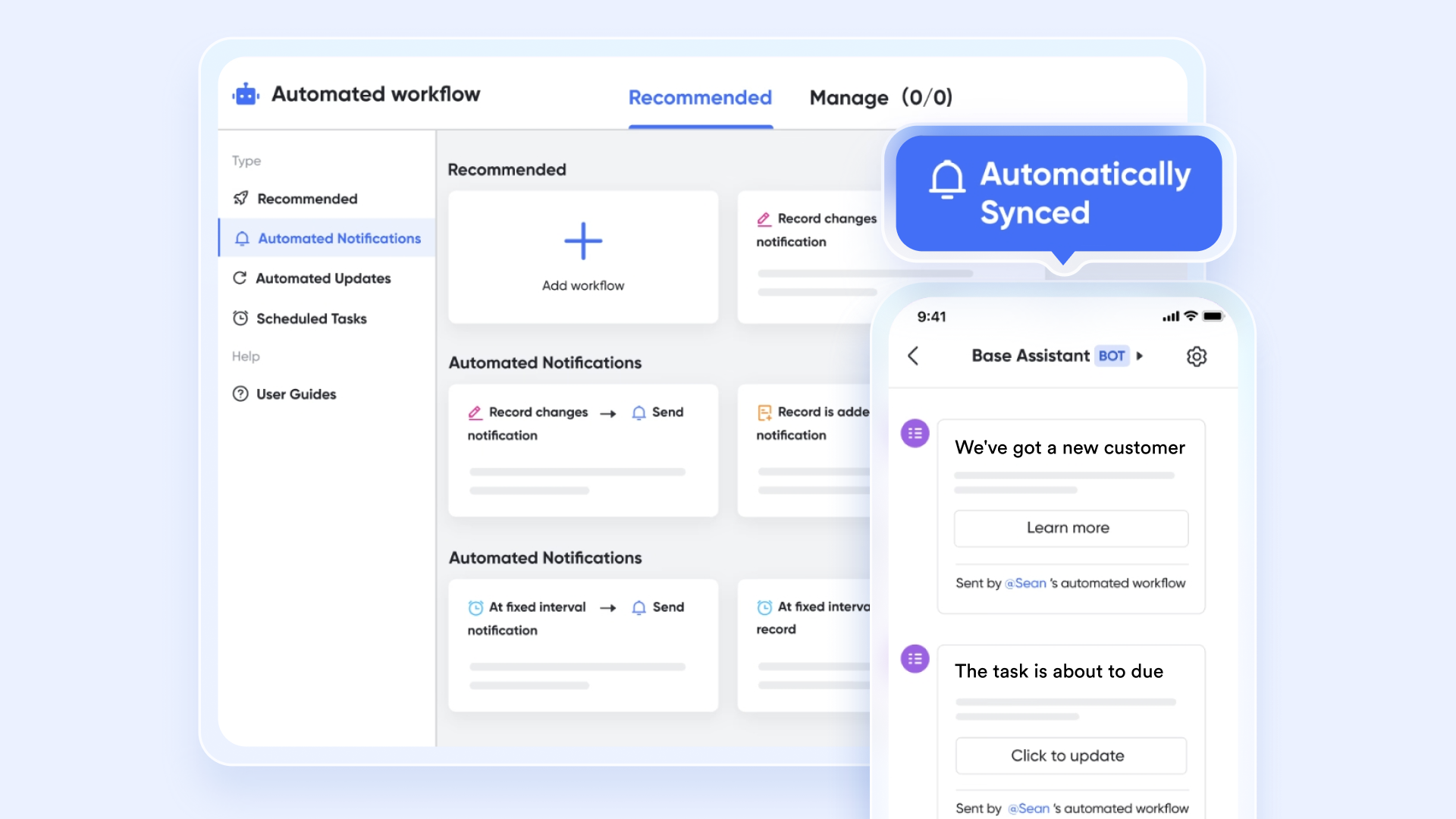
- True flexibility and customization: These features allow a business to adapt the tool to its specific processes. The platform should mold to existing workflows rather than forcing the team to conform to a rigid, predefined system. This adaptability ensures the CRM supports the business logic, not the other way around.
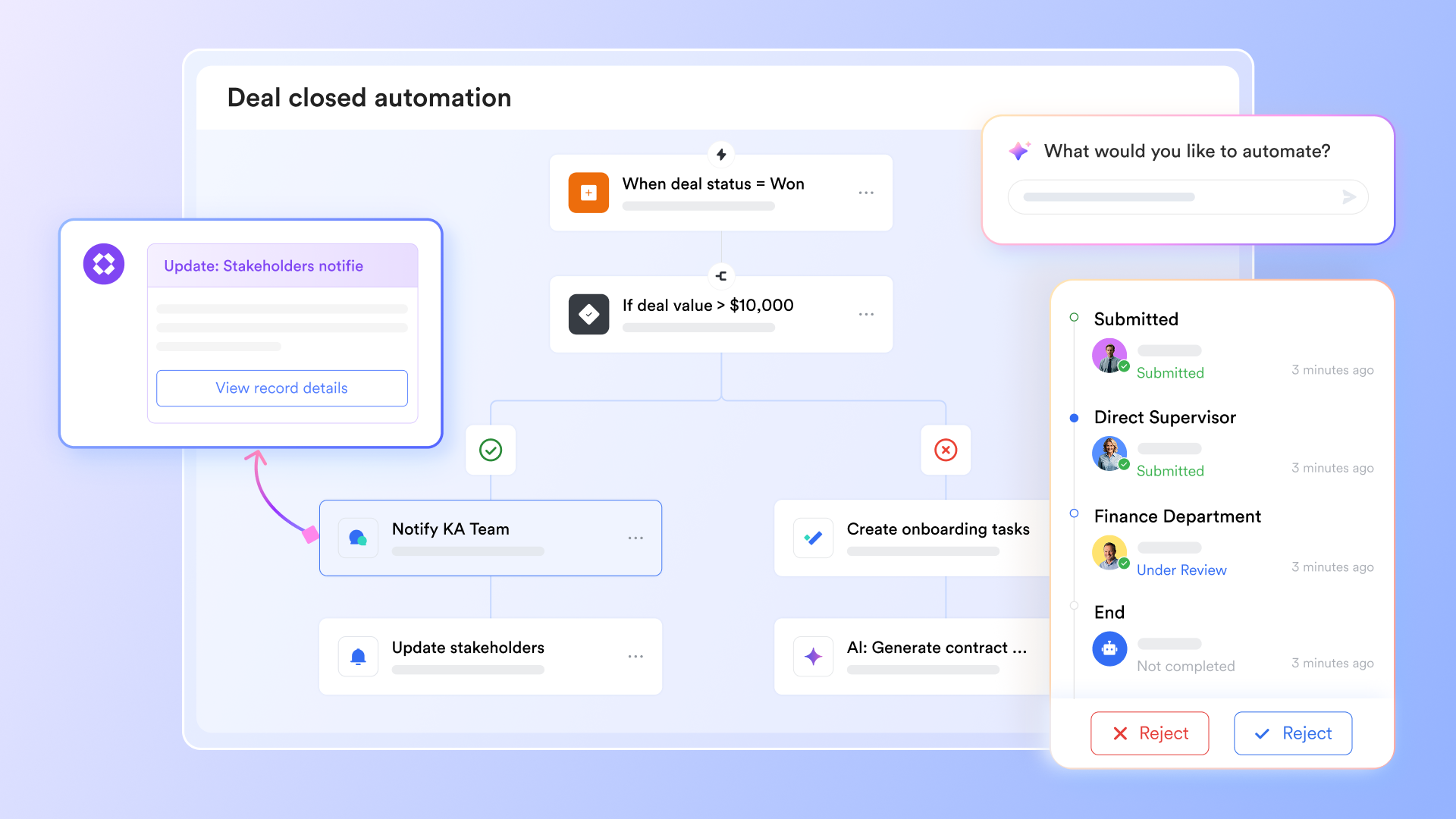
- Transparent and scalable pricing models: They ensures a clear understanding of the total cost of ownership. Preferable models offer clear pricing tiers that align with business growth. This avoids unexpected fees and long-term contracts that can lock a company into an unsuitable solution.
A deep dive into popular CRM alternatives
To help navigate this diverse landscape, the following analysis breaks down key CRM alternatives, highlighting their ideal use cases, strengths, potential limitations, suitable teams and pricing.
1. Lark: All-in-one workspace with built-in CRM essentials
Lark redefines the traditional CRM by integrating customer relationship management directly into a unified collaborative workspace. It combines core CRM functionalities—like lead and deal tracking—with messaging, scheduling, document creation, and automation tools. This approach is designed to break down application silos, allowing sales teams to manage customer data, communicate, and execute tasks without constantly switching between different platforms . Its AI-driven features automatically enrich lead information to streamline analysis .
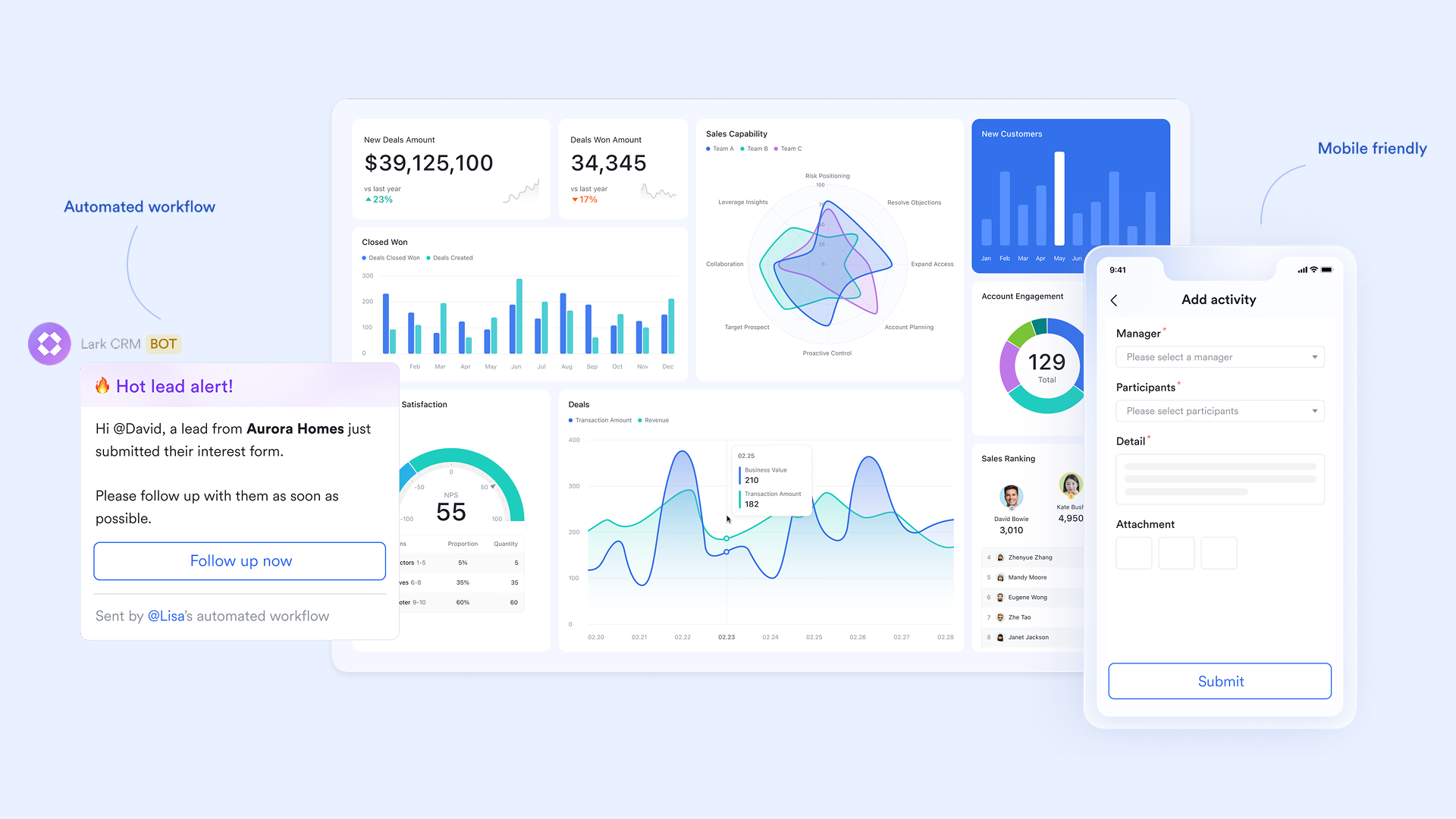
Core function: Serves as the highly customizable data hub and operational dashboard for the entire CRM system. Enables building complete business views—from customer information and deal tracking to contract management—without code, achieving unified data management and visual analysis.
Key highlights:
- You can visually manage your sales pipeline using the Kanban view to intuitively track the stage of every deal.
- Through no-code customization, you can adapt fields and workflows for specific business needs anytime, without IT support.
- It becomes a unified customer information repository, eliminating duplicate data entry and ensuring data security.
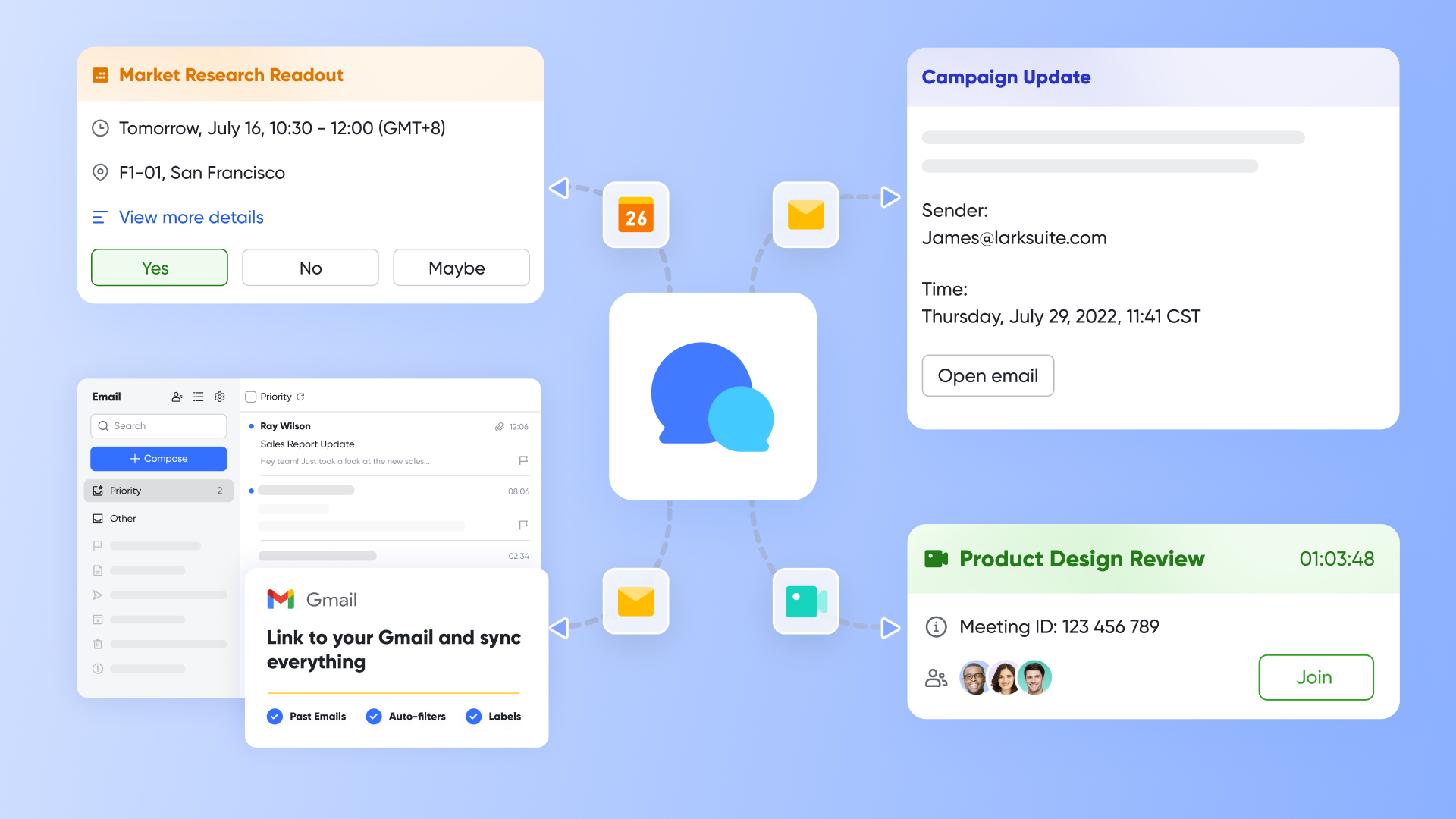
Core function: Enables context-aware instant communication centered around the customer and unified management of internal and external emails. Ensures all customer-related conversations and email exchanges are linked to the corresponding customer profile, preventing information silos.
Key highlights:
- When a deal status updates or a customer takes action, the system can send real-time notifications in relevant group chats, ensuring the team is informed immediately.
- You can share an entire customer email thread (including history) into a group chat with one click to seek colleagues' input, eliminating the need for forwarding and screenshots.
- Supports sending emails to an entire chat group, making it easy to broadcast announcements to a whole department or team, ensuring information alignment.
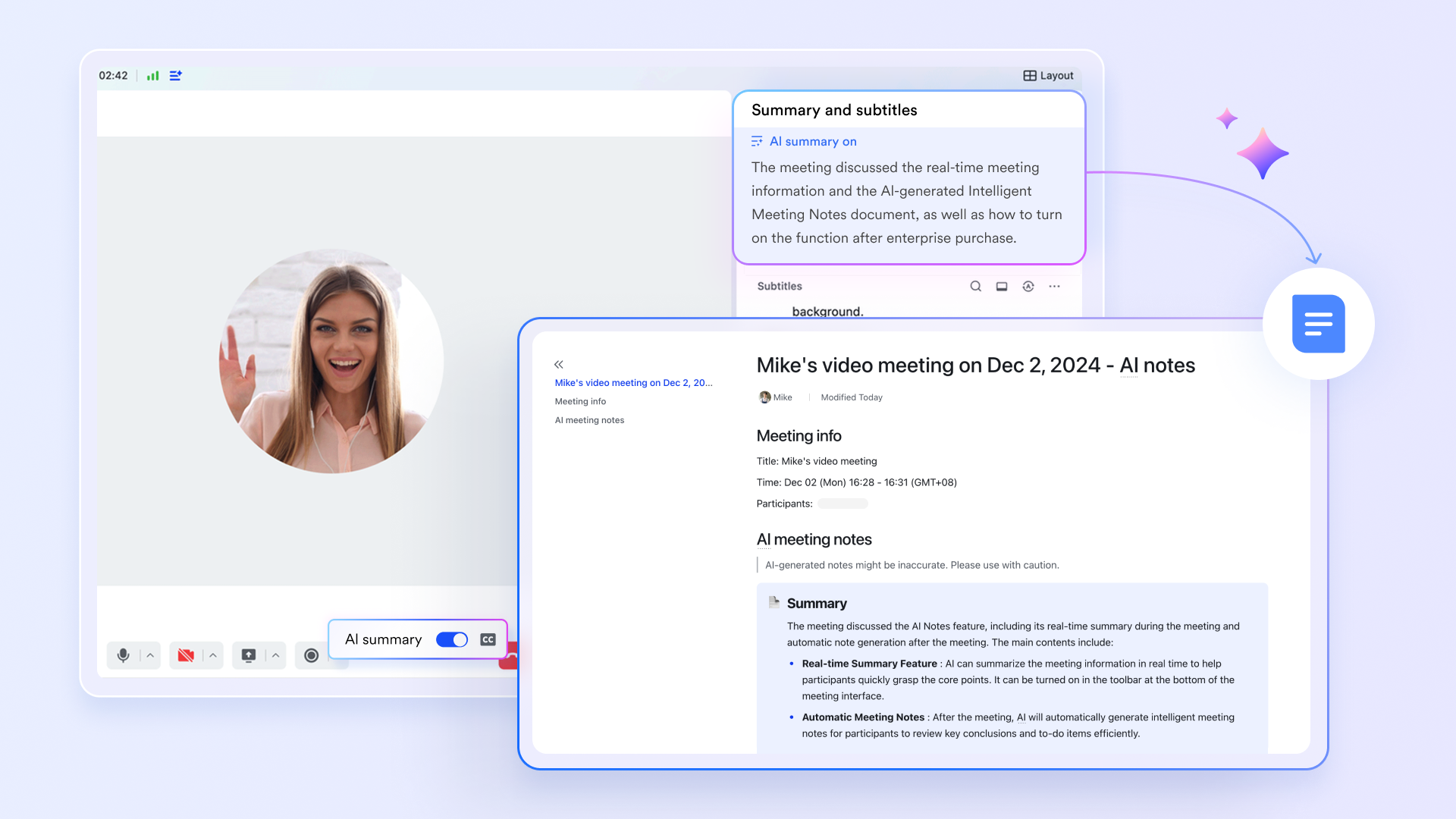
Core function: Achieves a complete sales activity cycle - from scheduling customer meetings, facilitating in-session collaboration, to distributing post-meeting summaries and tracking follow-up tasks. This ensures every customer interaction is automatically linked to the customer profile and effectively drives opportunities forward.
Key highlights:
- The sales team can directly create meeting schedules in Lark Calendar that include customer background information. Using the visual interface, they can efficiently coordinate sales resources and batch-schedule product demonstration sessions for team members.
- Leveraging Lark Meetings' screen sharing and remote collaboration features, the sales team can conduct real-time product demos for customers, significantly enhancing communication efficiency.
- Following sales presentations or customer meetings, Lark's AI Meeting Notes automatically generates meeting summaries that capture key discussion points, decisions, and action items, ensuring no critical information is missed.
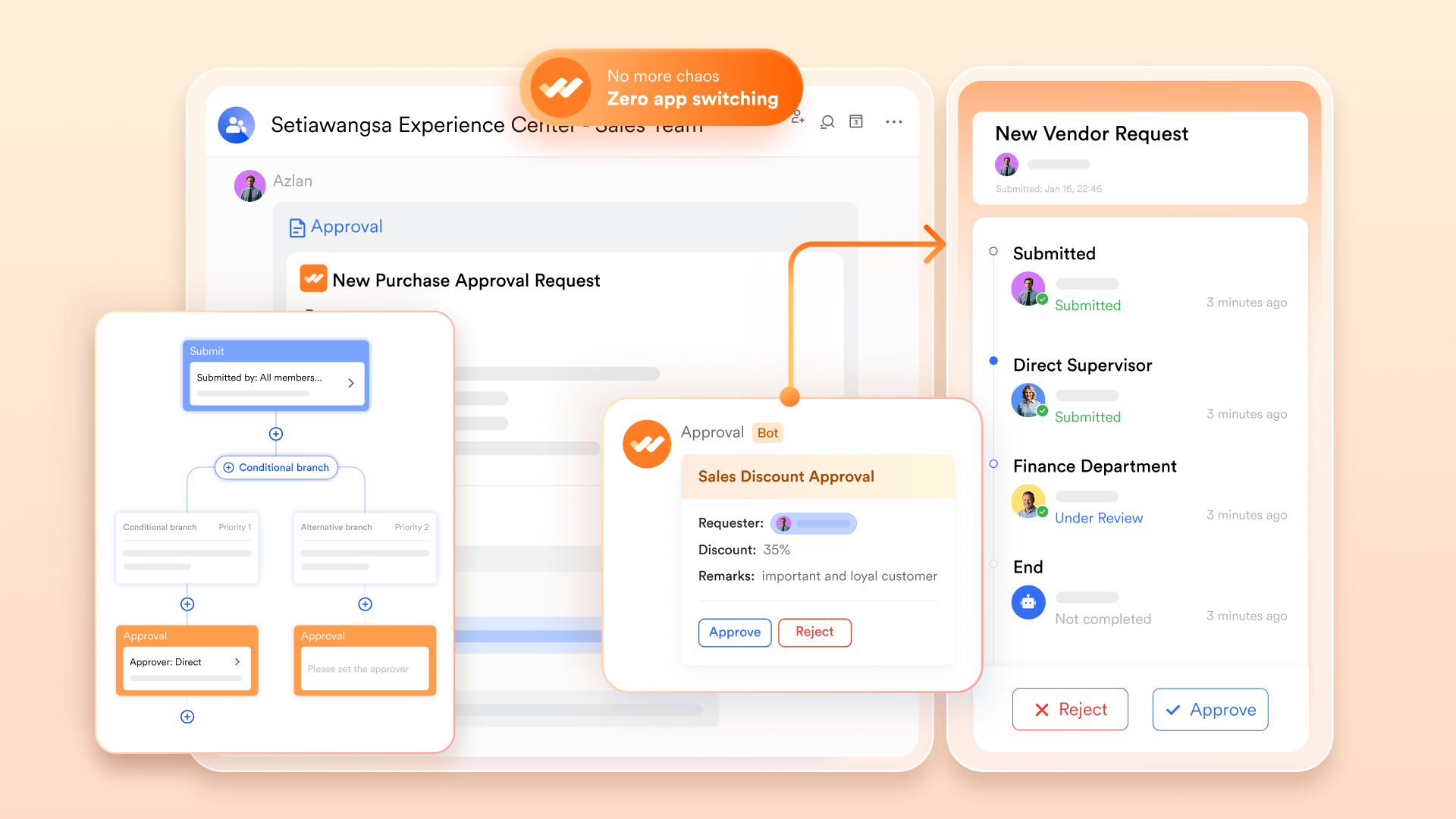
Core function: Automates key sales decision-making processes and transforms customer commitments into trackable, quantifiable actions, ensuring a standardized and efficient sales workflow.
Key highlights:
- Sales representatives can directly initiate discount approval requests via Lark Approval during customer communication. The system automatically routes these requests to the sales director according to preset paths, significantly shortening the decision-making cycle.
- Approval status is synced in real-time to all relevant personnel, eliminating the need for sales reps to follow up privately and speeding up decision-making.
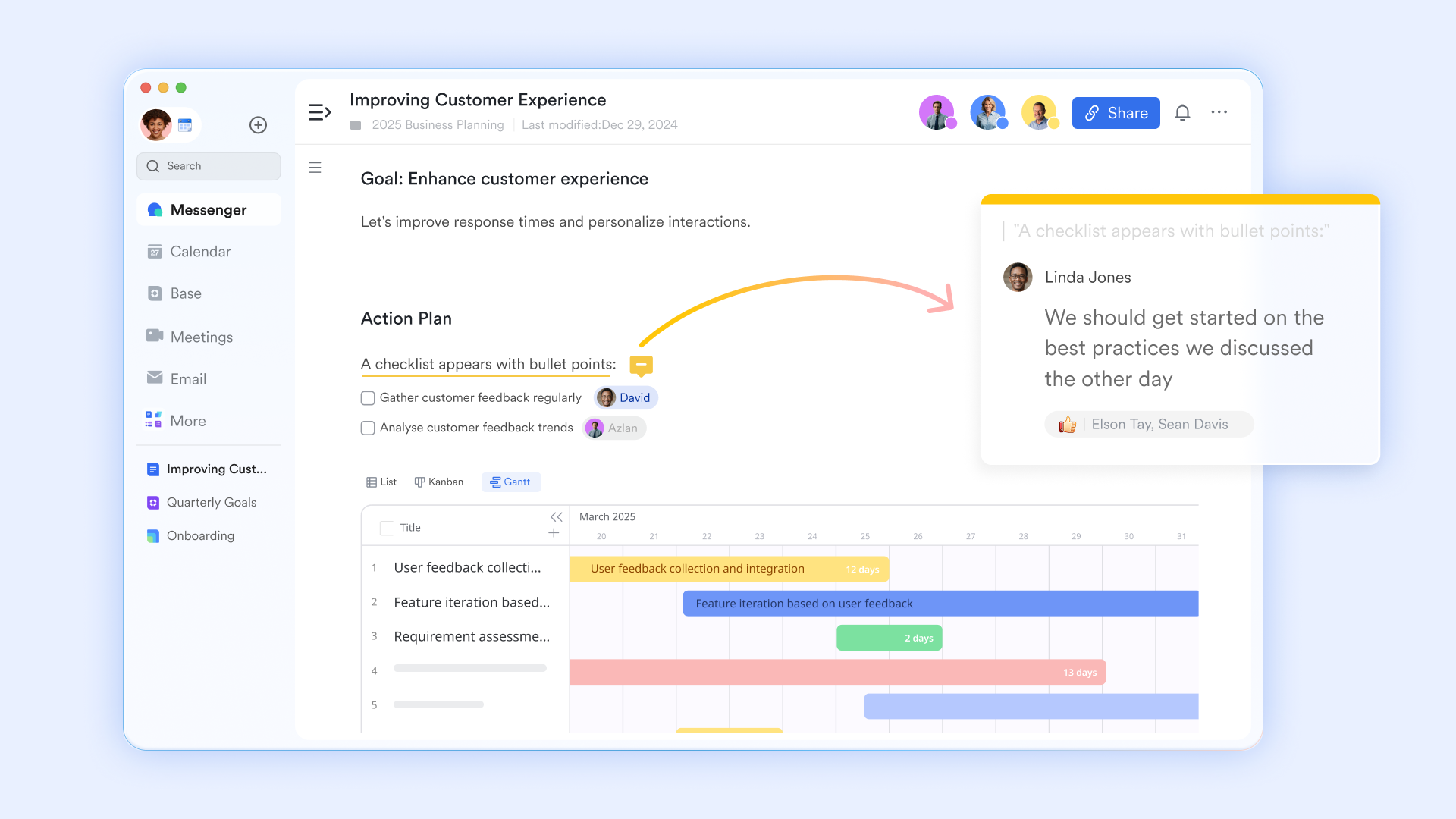
Core function: Builds a shared team sales knowledge base and a standardized library of materials, ensuring core assets like proposals, solutions, and product documentation are continuously accumulated and efficiently reused.
Key highlights:
- Store standard product introductions, solution templates, and quotation forms in the Wiki or Docs, allowing team members to copy and use them with one click, ensuring output to customers is professional and consistent.
- When preparing for a customer meeting, salespeople can quickly search and find relevant success cases, solutions, or competitor analysis, efficiently completing their preparation.
- Multiple sales team members can collaboratively edit a tender document within a single Doc, with everyone's edits visible in real-time and version history preserved, significantly improving the efficiency of preparing complex proposals.
Best for: Teams seeking an all-in-one collaborative workspace that unifies core CRM functions with robust communication and project management tools to eliminate app-switching and enhance productivity.
Pricing:
- Free plan: Includes 11 powerful products, supporting up to 20 users, 100 GB storage, 1,000 automation runs and unlimited AI translation in chats, docs and email.
- Paid plans: Starts at $12/user/month, supporting up to 500 users. Includes unlimited message history, 50,000 automated Base workflow executions per month.
- Enterprise plan: Contact sales for custom pricing. Supports unlimited users and includes even more automation runs and advanced security, compliance, and management features.
2. Microsoft Dynamics 365: Enterprise CRM powered by Microsoft cloud
Microsoft Dynamics 365 is a powerful CRM solution that deeply integrates with the Office 365 ecosystem. It combines CRM capabilities with ERP features, offering robust tools for sales, customer service, and marketing. It is geared towards larger organizations that need a comprehensive platform to unify various departments and leverage advanced analytics and business intelligence.
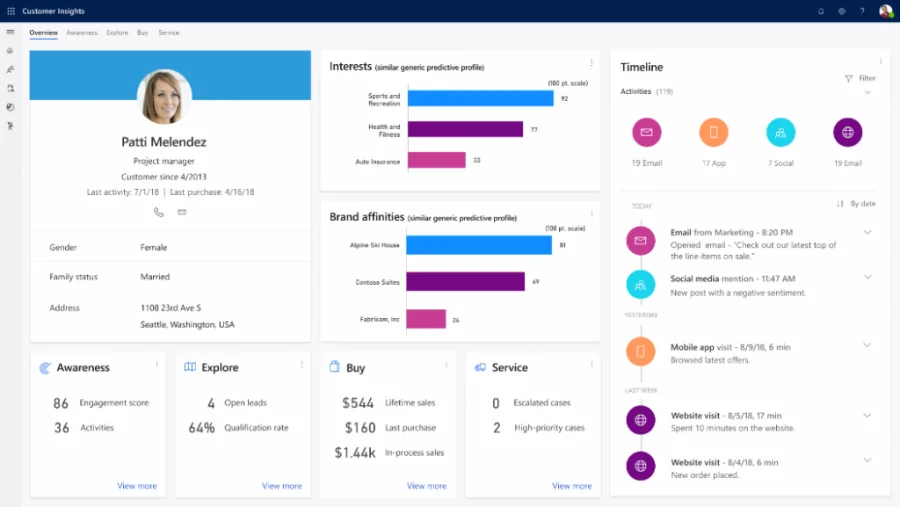
Image source: crmsoftwareblog.com
Key features:
- Deep integration with Microsoft products like Office 365 and Outlook.
- Advanced analytics and business intelligence tools.
- Unified platform combining CRM and ERP functionalities.
- Customizable dashboards and sales processes.
Limitations:
- A steep learning curve and complex setup.
- Can be cost-prohibitive for small businesses.
- May require significant IT resources for customization and maintenance.
Best for: Large enterprises already invested in the Microsoft ecosystem.
Pricing: aid plans start at $50 per user/month. A 30-day free trial is available.
3. Zoho CRM: Affordable, highly customizable sales platform
Zoho CRM is a highly customizable and affordable solution, part of the extensive Zoho suite of business applications. It offers a strong set of features including sales automation, multichannel management, and AI-powered analytics. Its "Team Modules" empower business departments with greater autonomy, reducing reliance on central IT for customizations.
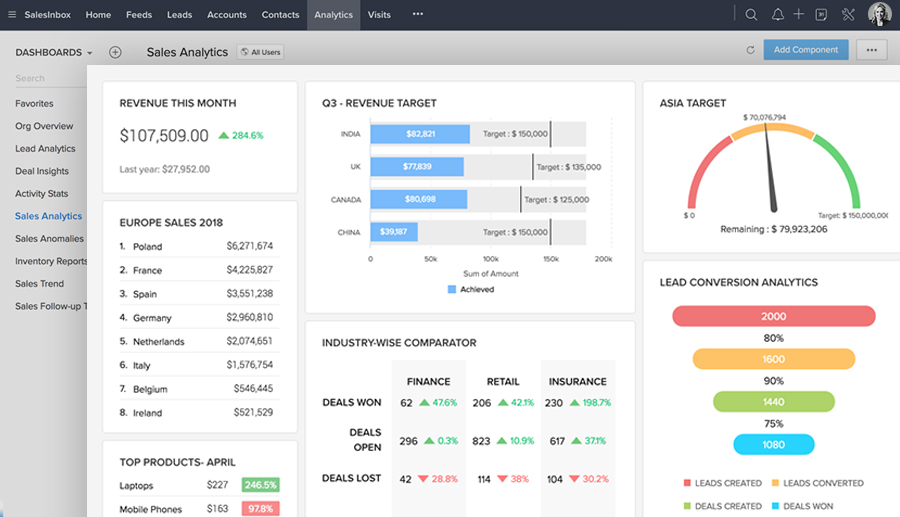
Image source: zoho.com
Key features:
- AI-powered sales insights and forecasting (Zia AI).
- Team Modules for departmental autonomy and low-code customization .
- Multichannel support for phone, email, social, and live chat.
- Extensive workflow and process automation.
Limitations:
- The interface can be complex for beginners.
- Advanced features may require learning and configuration.
Best for: Growing businesses seeking a cost-effective and highly customizable CRM.
Pricing: Free plan for up to 3 users; paid plans start at $14/user/month.
4. HubSpot CRM: User-friendly free CRM with growth tools
HubSpot CRM is renowned for its user-friendly interface and a powerful free plan that serves as a core part of its all-in-one growth stack. It seamlessly unifies marketing, sales, content management, and customer service tools on a single platform, making it ideal for businesses looking to align these functions.
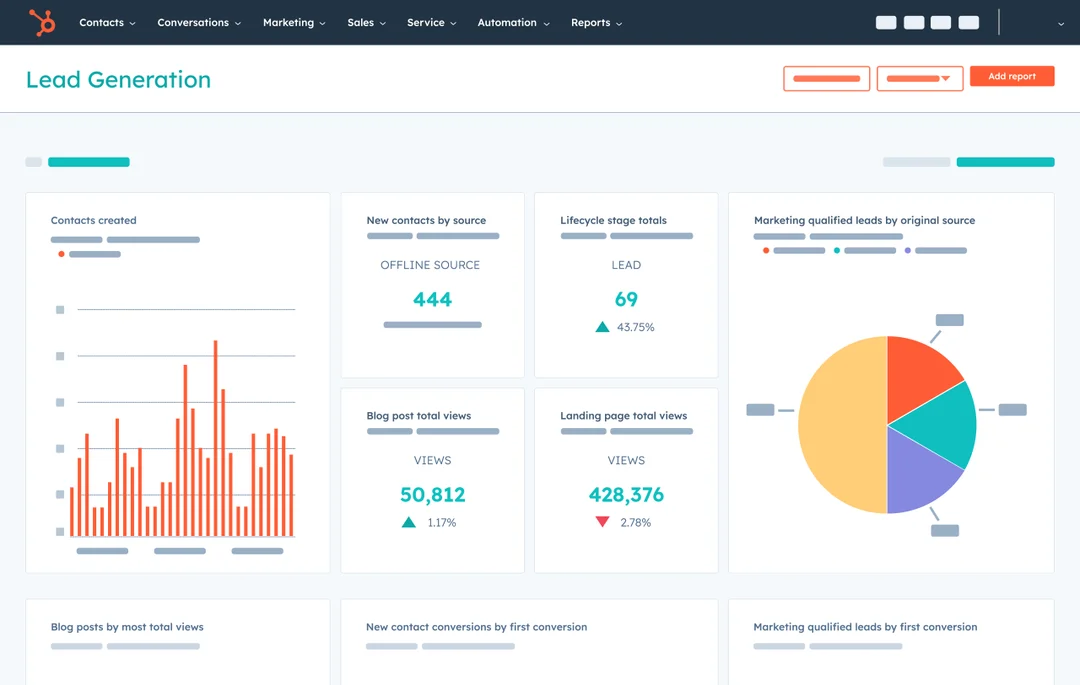
Image source: hubpot.com
Key features:
- Robust free plan with contact, deal, and task management.
- Deep integration with marketing, service, and CMS Hubs.
- Email tracking, logging, and meeting scheduling.
- Visual sales pipeline management with built-in automation.
Limitations:
- Cost can escalate quickly for advanced features and marketing tools .
- Customization can be limited in lower-tier plans.
Best for: Businesses of all sizes wanting an easy-to-use, all-in-one growth platform.
Pricing: Pricing begins at $15 per month for individuals and small teams, and at $90 per month for businesses and enterprises.
5. Pipedrive: Visual sales pipeline for deal tracking
Pipedrive is a sales-focused CRM built to help visual salespeople manage their deals and activities efficiently. Its strength lies in its intuitive visual sales pipeline, which makes it easy to track progress and prioritize the next actions. It is designed to be simple to use while providing powerful automation and integration options.
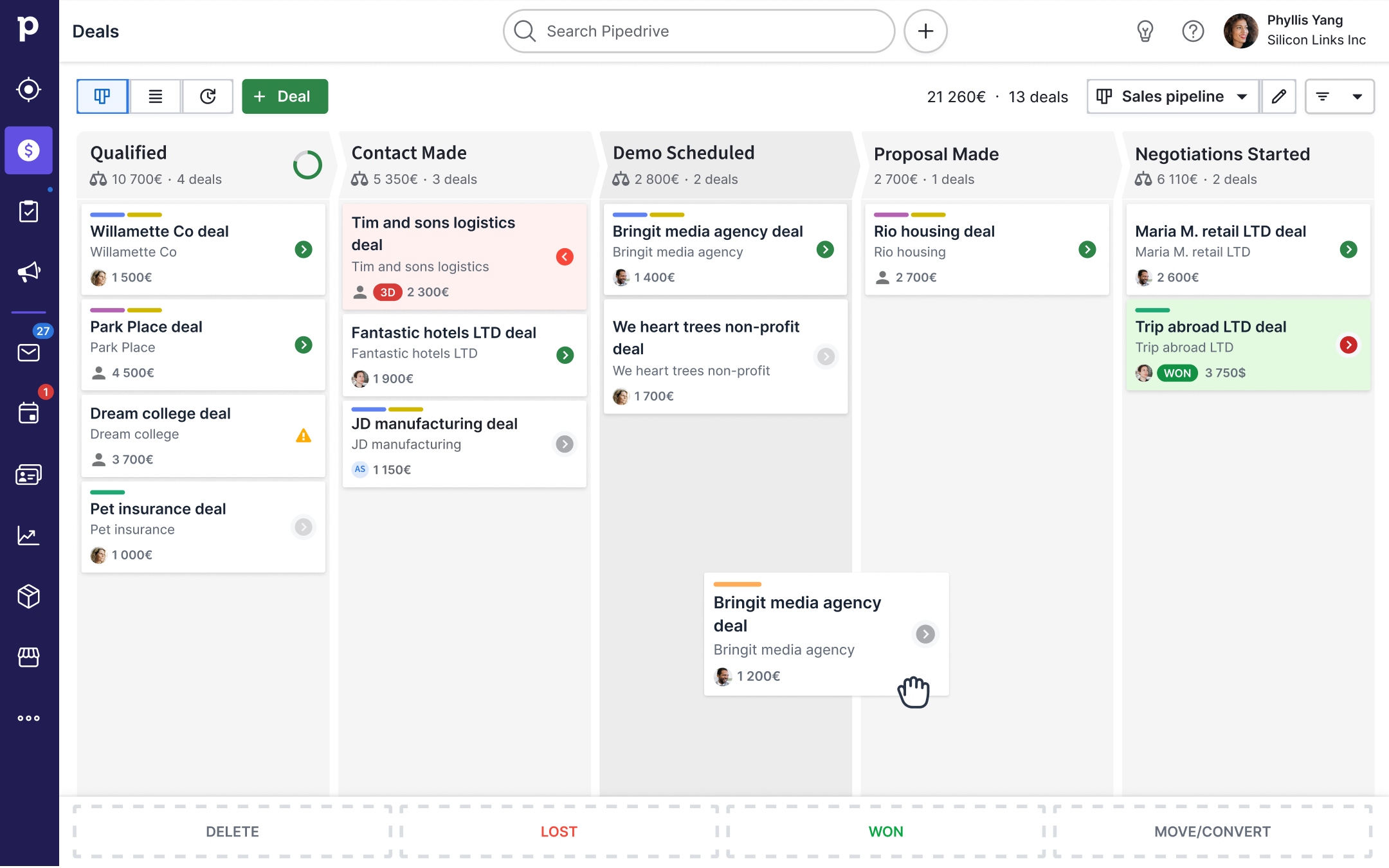
Image source: pipedrive.com
Key features:
- Visual sales pipeline for intuitive deal management.
- AI-powered sales assistant for deal and email insights.
- Robust activity and contact management.
- Extensive marketplace with hundreds of integrations .
Limitations:
- Marketing and customer service features are less robust than all-in-one suites.
- Can become expensive as you add features and users.
Best for: Sales-driven teams that need a clear, visual tool to track deals.
Pricing: Get started for as low as $14 per user per month. Select the plan that fits your needs from five options: Essential, Advanced, Professional, Power, or Enterprise. All plans include a 14-day free trial.
6. Creatio: No-code platform for workflow automation
Creatio provides a powerful, no-code platform that deeply integrates CRM with Business Process Management (BPM). It is designed to offer maximum freedom for automating industry-specific workflows and building applications without writing any code. Its AI-native approach aims to shift CRM processes from passive to proactive, intelligent action.
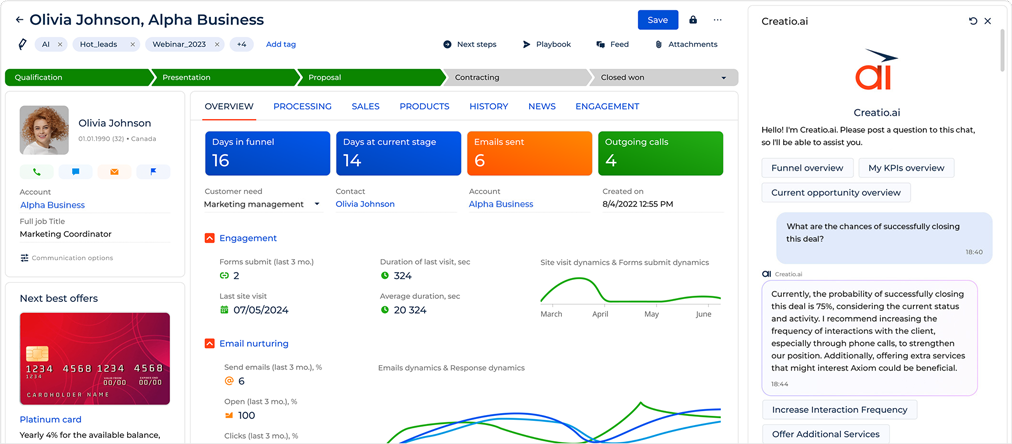
Image source: creatio.com
Key features:
- No-code platform for CRM and BPM automation.
- AI-native capabilities embedded across the platform.
- Pre-built solutions for marketing, sales, and service.
- Highly customizable for various industry workflows.
Limitations:
- Can be complex to set up for unique business processes.
- Higher price point, targeting mid-sized to large businesses.
Best for: Organizations needing to automate complex, industry-specific workflows without coding.
Pricing: Plans start at $25 per user/month. A 14-day free trial is available.
7. Monday CRM: Flexible work OS for sales
Built on its popular work management platform, Monday CRM offers a highly flexible and customizable system. It uses a visually appealing, board-centric interface that allows teams to manage leads, deals, and customer projects in a way that fits their unique process. Its strength is in adaptability for teams that manage sales like a project.
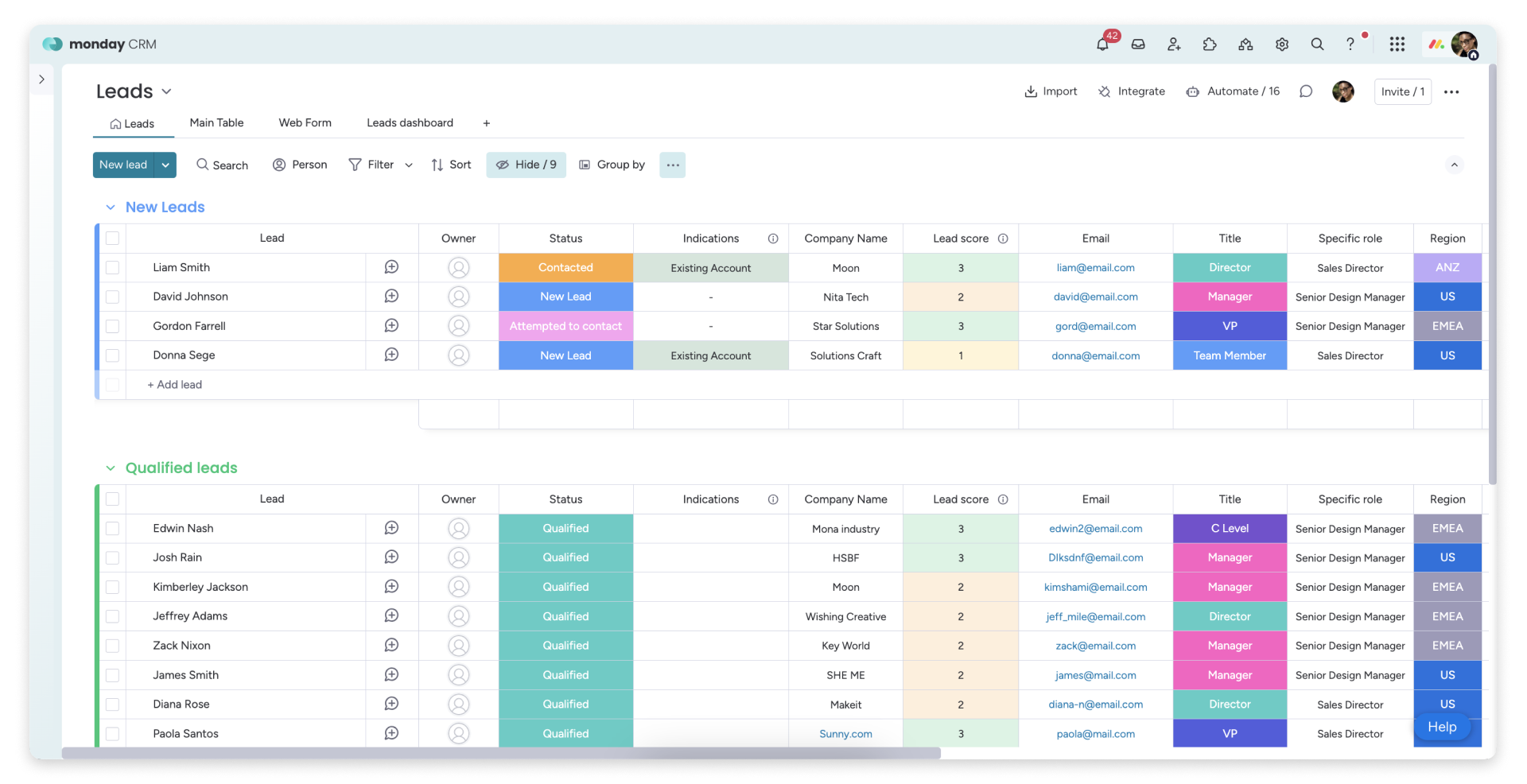
Image source: monday.com
Key features:
- Highly customizable boards, columns, and dashboards.
- Intuitive drag-and-drop interface for easy use.
- Strong automation and workflow builder.
- Excellent collaboration tools with commenting and tagging.
Limitations:
- Native CRM-specific integrations can be limited.
- Advanced reporting features are not as strong as competitors.
- Pricing can be high for teams needing advanced CRM features.
Best for: Teams that want a highly visual and customizable work management system adapted for CRM.
Pricing: Pricing starts at $12/seat/month. Four plans are available: Basic, Standard, Pro, and Enterprise. A 14-day free trial is provided.
8. Keap: All-in-one sales and marketing automation
Keap (formerly Infusionsoft) is designed to help small businesses integrate their sales, marketing, and e-commerce efforts through a single tool. It focuses on automating client follow-up and streamlining the customer journey from lead capture to payment, aiming to extend the client relationship lifecycle.
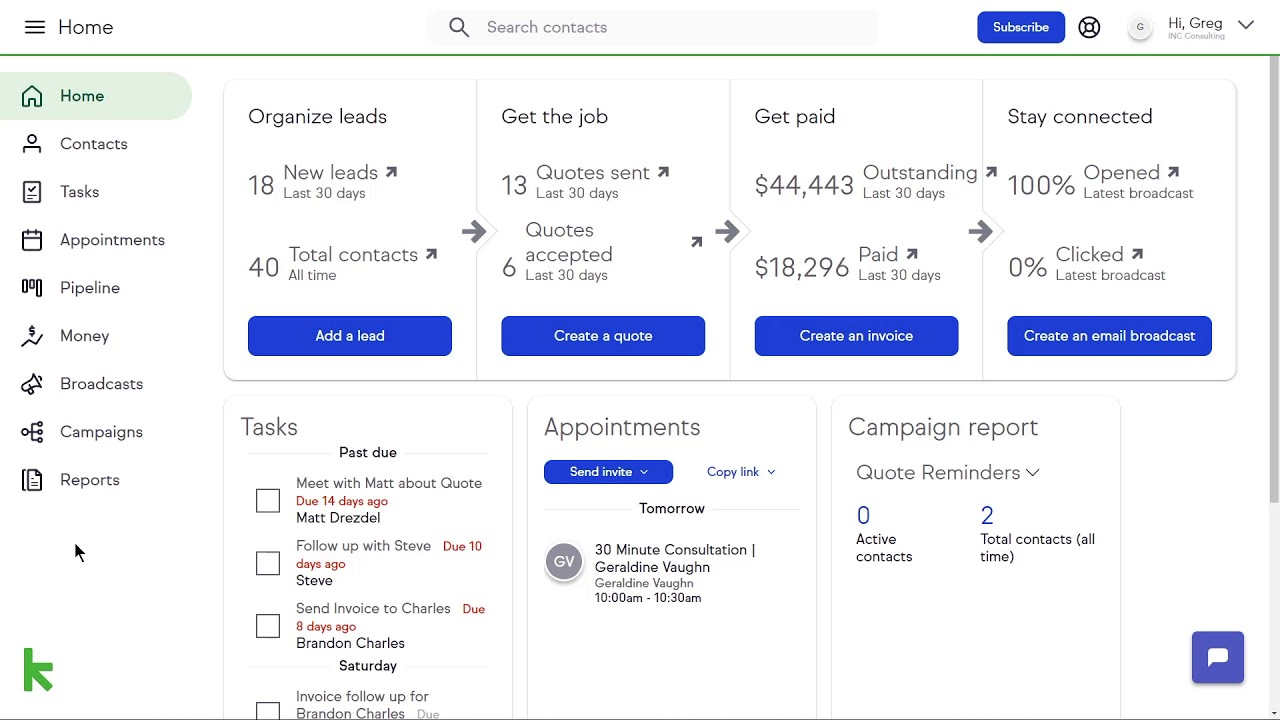
Image source: keap.com
Key features:
- All-in-one sales and marketing automation.
- Lead capture and automated follow-up campaigns.
- E-commerce and payment processing integration.
- Client management and scheduling tools.
Limitations:
- High cost, with a steep price point for small businesses.
- Noted as being difficult to learn and master.
- Onboarding requires an additional fee.
Best for: Small businesses that need robust sales and marketing automation in one platform.
Pricing: The paid plan is priced from $249 per month for two users with annual billing, and scales with your team size. A 14-day free trial is available to get started.
9. Salesforce: Industry-leading AI-powered CRM platform
As the industry giant, Salesforce offers an unparalleled depth of features and customization. It is an AI-powered, enterprise-grade platform that is highly scalable and can be tailored to virtually any business need across sales, service, marketing, and more via its extensive AppExchange marketplace.
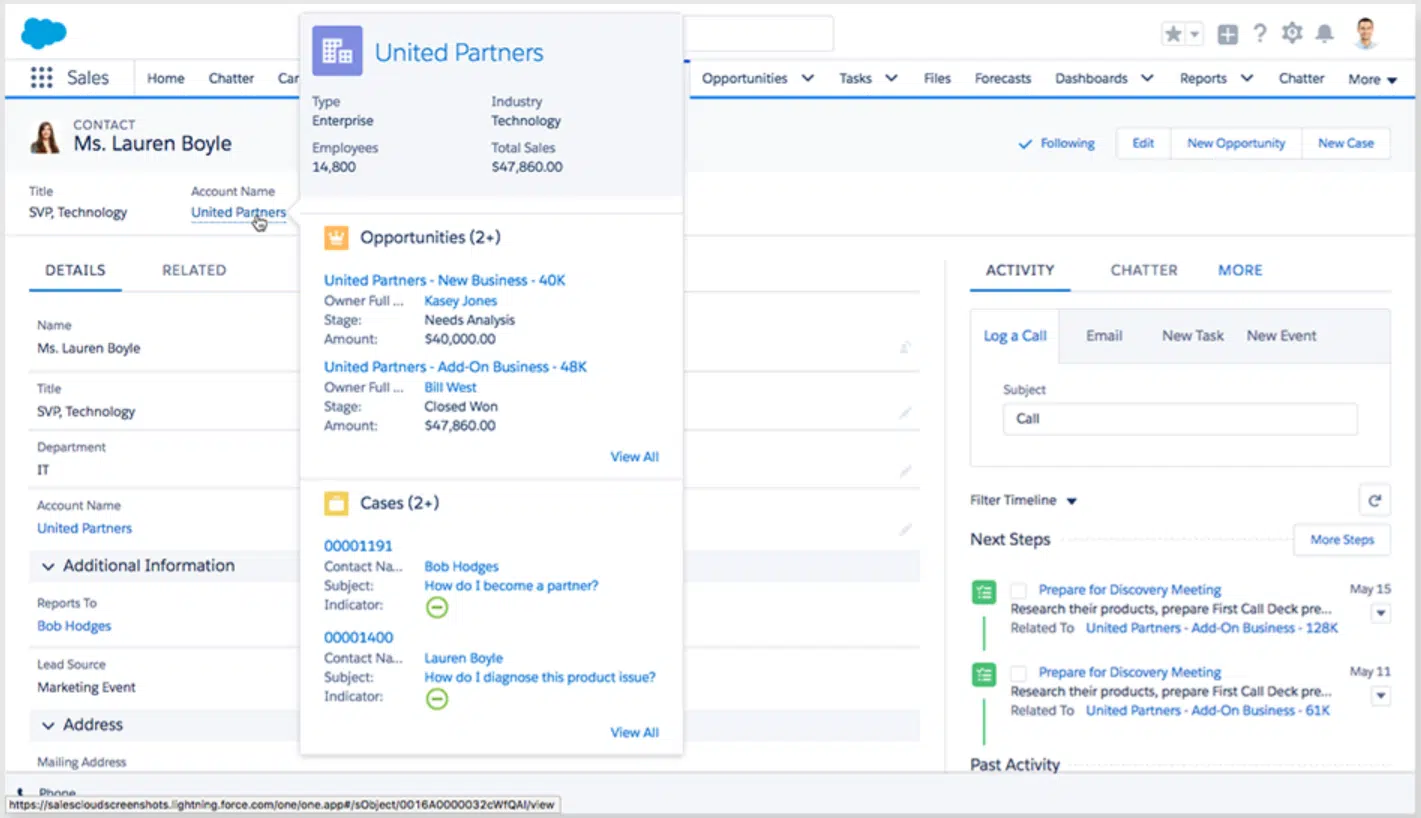
Image source: salesforce.com
Key features:
- Highly customizable and scalable AI CRM (Einstein AI).
- Extensive feature set for sales, service, marketing, and more.
- Vast AppExchange for third-party integrations.
- Powerful analytics and reporting tools.
Limitations:
- High cost and complex implementation.
- Steep learning curve, often requiring dedicated admin resources.
Best for: Large enterprises and businesses needing a highly customizable, scalable solution.
Pricing: Plans start at $25 per user, per month. You can choose from five tiers: Starter Suite, Pro Suite, Enterprise, Unlimited, and Einstein 1 Service, all of which include a 30-day free trial.
10. ActiveCampaign: CX automation with built-in CRM
ActiveCampaign excels in customer experience automation, combining a robust CRM with powerful marketing automation tools. It is a platform focused on helping businesses create personalized, automated experiences across email, SMS, chat, and social media, making it a strong choice for lead nurturing.
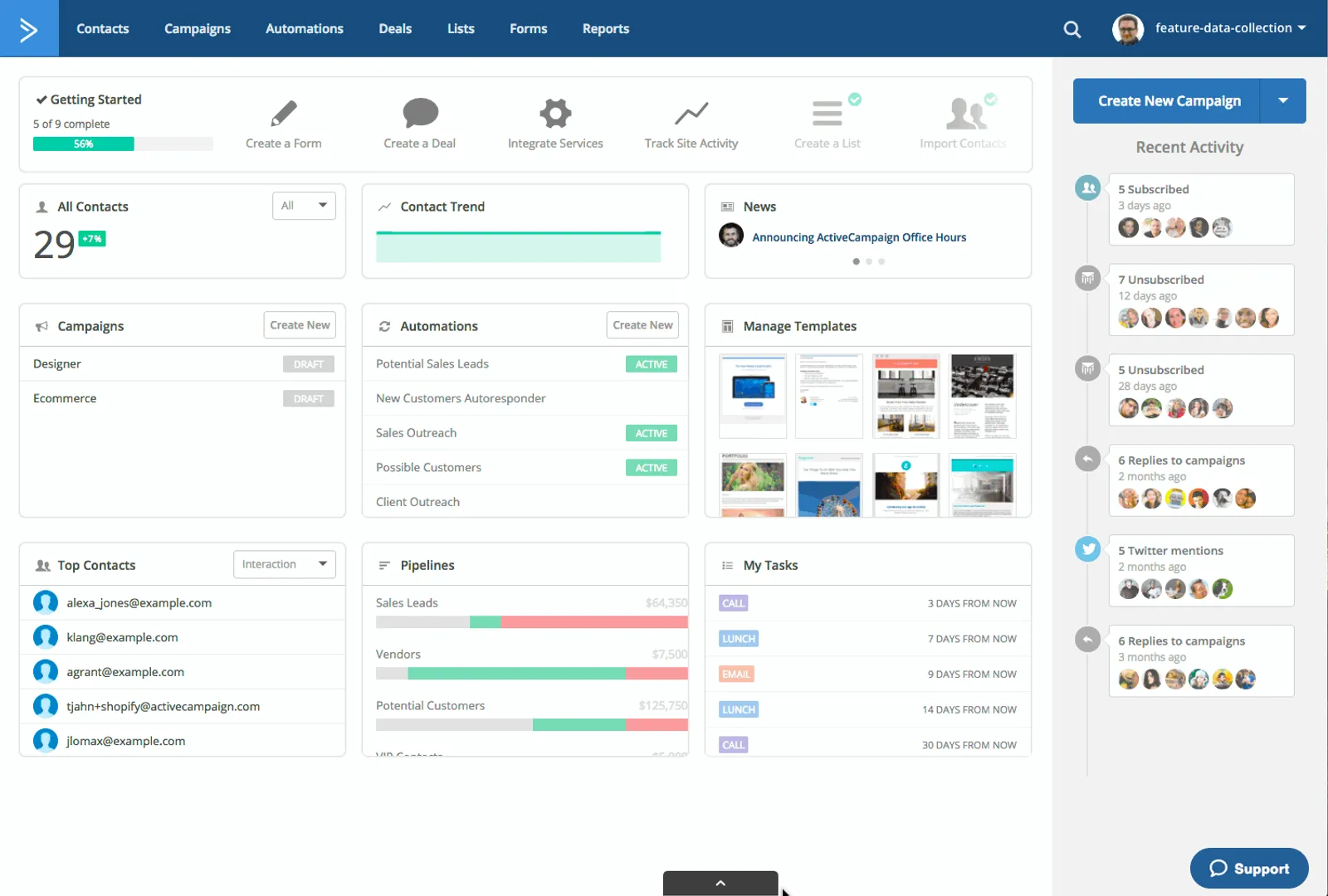
Image source: activecampaign.com
Key features:
- Advanced visual marketing automation builder.
- Personalized email marketing and segmentation.
- Integrated CRM with sales automation.
- Machine learning for predictive sending and lead scoring.
Limitations:
- Its built-in CRM has limitations compared to dedicated CRM platforms.
- The reporting interface can be complex to navigate .
Best for: Businesses focused on sophisticated email marketing and lead nurturing automation.
Pricing: Starting at $19/month.
How to make your final decision on a CRM
Selecting the optimal CRM requires moving beyond feature comparisons to implement a structured evaluation framework. This systematic approach ensures the chosen platform addresses both immediate operational needs and supports long-term strategic growth while maximizing return on investment.
- Audit the current sales process and pain points: Begin with a comprehensive analysis of existing workflows from lead generation to deal closure. This audit should identify specific bottlenecks, data silos, and productivity barriers that a new system must resolve. Documenting these pain points creates a clear requirements framework for evaluating potential solutions.
- Involve the team in the demo and testing phase: Include sales representatives and managers directly in platform demonstrations and trial periods. Their practical experience with daily sales activities provides invaluable feedback on usability and workflow compatibility. This collaborative approach also builds crucial buy-in that significantly improves adoption rates post-implementation.
- Calculate the total cost, including setup and training: Develop a complete cost analysis that extends beyond subscription fees to include implementation, data migration, customization, and ongoing training expenses. This comprehensive financial assessment prevents budget overruns and ensures the selected solution remains sustainable as business needs evolve.
- Start with a pilot program or free trial: Implement a controlled test using the platform's trial period or a pilot program with a small team. This hands-on evaluation provides concrete evidence of how the system performs in real-world scenarios, offering more valuable insights than theoretical feature comparisons alone.
- Plan for onboarding and long-term adoption: Develop a detailed implementation roadmap that addresses training schedules, data migration strategies, and ongoing support mechanisms. A structured adoption plan ensures the organization maximizes the platform's value from day one and maintains high utilization rates over time.
Conclusion
The optimal CRM alternative serves as an empowerment tool for teams rather than a source of frustration. It successfully unifies customer data with team collaboration, creating a single source of truth that drives informed decision-making. Modern solutions transform customer relationship management from a simple tracking exercise into a strategic advantage.
A platform that integrates seamlessly with daily workflows demonstrates its value through enhanced productivity and clearer visibility. The focus shifts from managing data to nurturing relationships and accelerating growth. This approach represents the evolution of customer management in the modern business environment.
We invite you to experience how Lark redefines this category by blending robust CRM capabilities with a powerful, integrated work suite. Discover a platform where customer relationships and team collaboration coexist in a unified environment, designed to drive business growth with unprecedented clarity and efficiency.
FAQs
What are the best free CRM alternatives?
HubSpot CRM offers a robust free plan with unlimited users. Zoho CRM provides a free version for up to 3 users. Lark includes CRM features in its free workspace plan. These options are ideal for startups and small teams.
Which CRM is easiest to set up and use?
Pipedrive features an intuitive visual pipeline that's easy to learn. HubSpot CRM has a clean, user-friendly interface. Lark integrates naturally into existing workflows with minimal training required.
Can CRM alternatives integrate with other tools?
Most modern CRMs offer strong integration capabilities. Zoho CRM connects with popular productivity apps. Lark provides built-in integrations with its own suite of collaboration tools. Many platforms support popular third-party apps.
How do CRM alternatives improve team collaboration?
Modern CRMs like Lark embed customer data directly into team workflows. This eliminates app-switching and keeps everyone aligned. Features like shared pipelines and real-time updates ensure teams work from the same information.
Related reading
Table of contents
Start using Lark today

Manage all your work in one place
Boost team efficiency by 10x
Save up to 70% on software costs
Table of contents
Start using Lark today
Manage all your work in one place
Boost team efficiency by 10x
Save up to 70% on software costs
Keep reading









2026 Lark Technologies Pte. Ltd.
Headquartered in Singapore with offices worldwide.






Explore: