














Best CRM For Consulting Firms to Build Stronger Client Relationships

Ryan Tanner
Product Marketing Specialist
Sep 18, 2026
Ryan Tanner
Sep 18, 2026

22 min read


Strong client relationships are the backbone of every consulting business, and CRM for consulting is essential to nurture them effectively. Whether you run a management consultancy, IT advisory, or marketing firm, a consulting-focused CRM goes beyond sales tracking—it streamlines communication, organizes projects, manages billing, and ensures nothing falls through the cracks.
In this guide, we'll explore key CRM features, top tools for consulting firms, and strategies to maximize ROI from CRM adoption. Here is a brief preview of the tools:
- Lark: Centralized client management for agile consulting firms
- HubSpot CRM: Marketing and sales powerhouse
- Zoho CRM: Budget-friendly and customizable
- Pipedrive: Visual pipeline management
- Insightly: CRM with project management
- Freshsales: AI-powered consulting support
- Scoro: Unify projects, billing, and CRM
- Keap: Powerful automation for small consultancies

Understanding CRM in the consulting industry
Consulting is a knowledge-driven industry where client relationships, project delivery, and personalized services are critical. Unlike other sectors, consulting firms do not rely solely on transactional interactions; every engagement is unique, requiring tailored strategies, milestone tracking, and collaboration across teams. This makes CRM consulting vital for managing complex client relationships.
Consultants need more than just sales tracking—traditional CRMs fall short in capturing project details, deliverables, billing stages, and client communications. A specialized professional services CRM centralizes client data, tracks interactions, and integrates project management, enabling teams to stay organized and accountable.
The role of a CRM in consulting extends beyond operational efficiency. By automating reminders, approvals, and workflow tasks, CRM consulting services ensure timely project delivery while providing visibility into engagement performance. Firms can leverage CRM analytics to identify upselling opportunities, monitor client satisfaction, and improve retention rates. Additionally, CRM implementation consultants help customize workflows, align the system with consulting methodologies, and maximize ROI.
Image source: unsplash.com
Essential features of a consulting CRM
A robust CRM software for consulting firms goes beyond basic contact management—it centralizes client data, automates workflows, and provides actionable insights that help consulting teams operate efficiently. Whether you are a boutique advisor or a large professional services CRM user, these features ensure that client relationships are nurtured, project delivery is streamlined, and consulting operations scale effectively.
- Centralized client database and interaction history: A consulting CRM consolidates all client information in one place, including emails, meeting notes, contracts, and project history. This enables CRM consultants and teams to quickly access past interactions, maintain context, and provide personalised service for each client.
- Automated workflows and reminders: Automation reduces repetitive administrative tasks, such as sending follow-up emails, updating project stages, or triggering approval requests. CRM consulting services ensure that these workflows align with your consulting processes, saving time and improving consistency across engagements.
- Integrated project and task management: Consulting CRMs link client records with project milestones, deliverables, and team assignments. This allows managers to monitor progress, assign responsibilities, and ensure accountability, making it an essential tool for CRM consulting companies focused on project-driven work.
- Customizable dashboards for KPIs and reporting: Dashboards provide real-time insights into revenue, client engagement, project performance, and utilization. Custom reports empower consultants and CRM implementation consultants to make data-driven decisions and optimize client service.
- Seamless integrations with email, invoicing, and collaboration tools: Integration with tools like Gmail, Outlook, accounting software, and collaboration platforms ensures smooth workflows. CRM for professional services firms can thus unify client communication, billing, and project tracking in one cohesive system.
Comparison table of CRM tools
8 Top CRM tools for consulting firms
1. Lark: Centralized client management for agile consulting firms
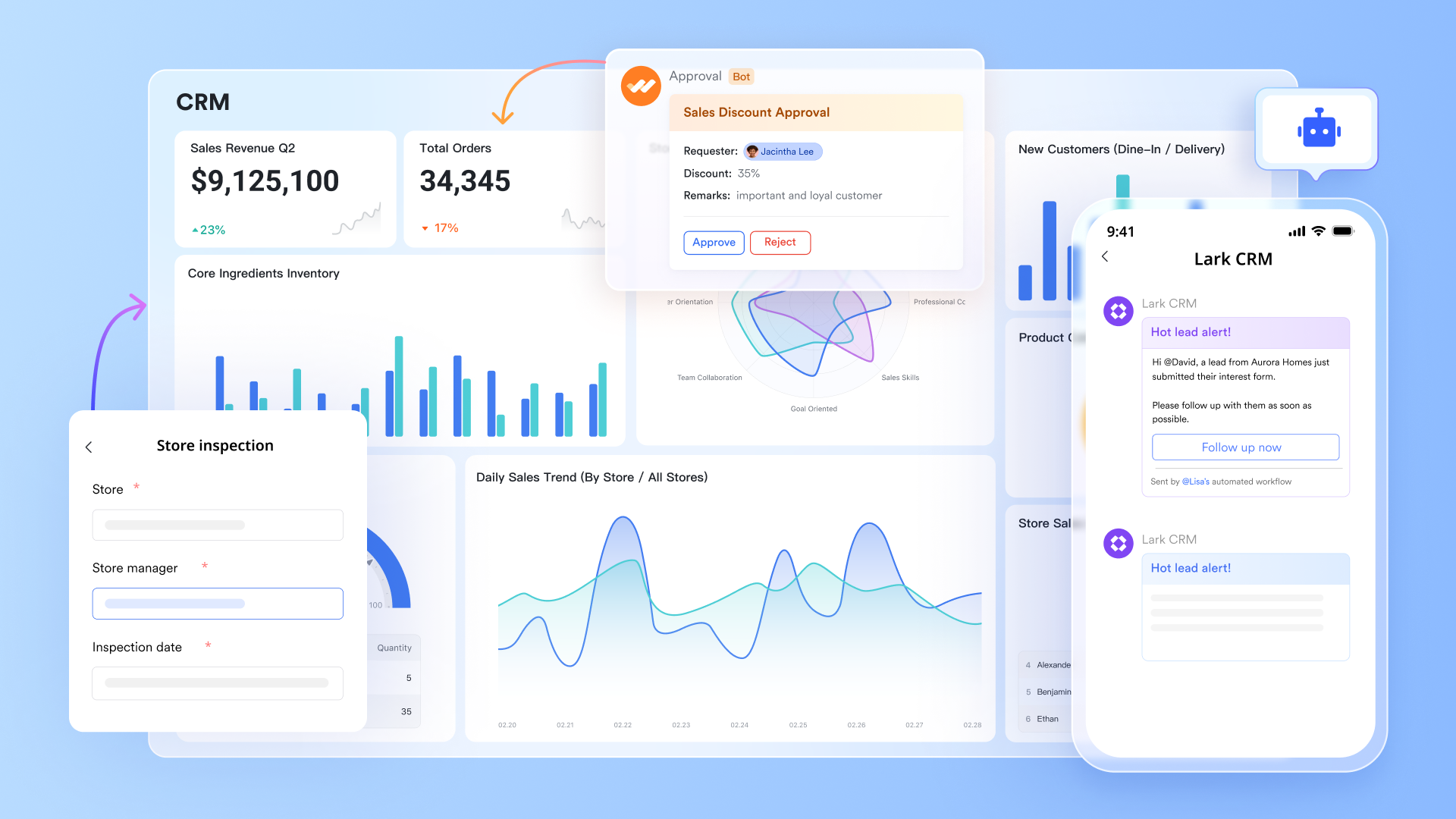
Lark is an all-in-one platform designed to help consulting firms streamline client management and project execution. With CRM for consulting firms at its core, Lark combines client tracking, task management, and team collaboration in a single workspace.
Its AI-powered automation reduces manual work, ensuring projects stay on schedule and communications remain seamless. Whether you are a small consultant or a large professional services firm, Lark supports scalable workflows. By centralizing data and providing real-time insights, it empowers teams to deliver higher-quality client service efficiently.
Key features:
Lark Base: Centralized client and project management (with AI-powered automation)
Lark Base acts as the consulting firm's dynamic CRM and project database, giving teams a structured way to track clients, projects, deliverables, and billing stages in one place. It supports multiple views—table, Kanban, or Gantt—for clear visibility across consulting engagements.
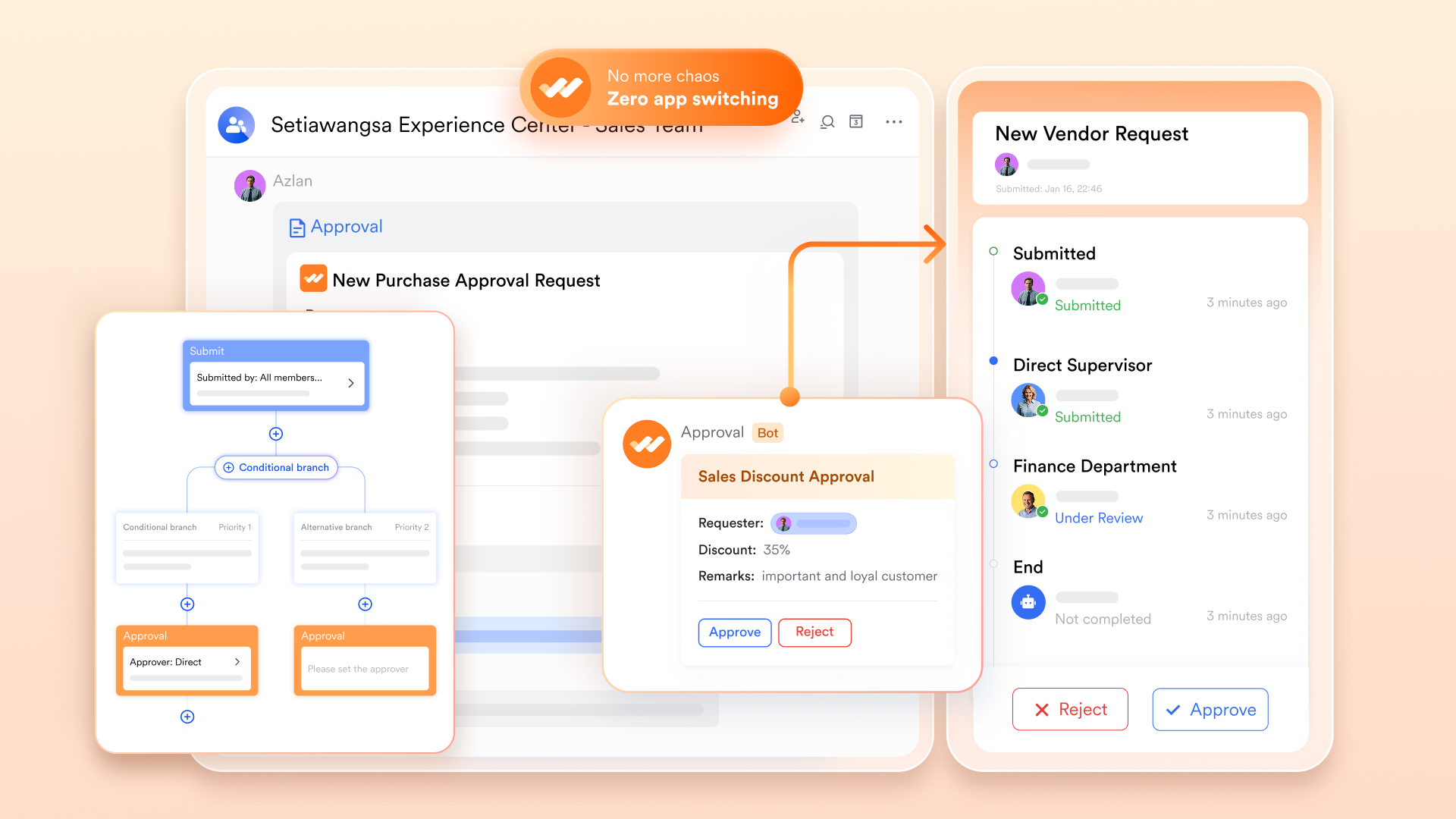
What makes Lark Base even more powerful is its built-in AI and automation. Routine actions such as sending client reminders, updating project statuses, or triggering approval requests happen automatically, freeing consultants from manual updates.
Example: A consulting manager sets up a Base to track all client engagements with fields like Client Name, Engagement Stage, Contract Value, and Next Review Date. When a project's stage changes from Proposal Sent to Approved, Lark automatically notifies the finance team to initiate invoicing and creates follow-up tasks for the project delivery team.
This combination of customizable structure and intelligent automation ensures that consulting projects move faster, updates are never missed, and teams stay aligned from proposal to completion.
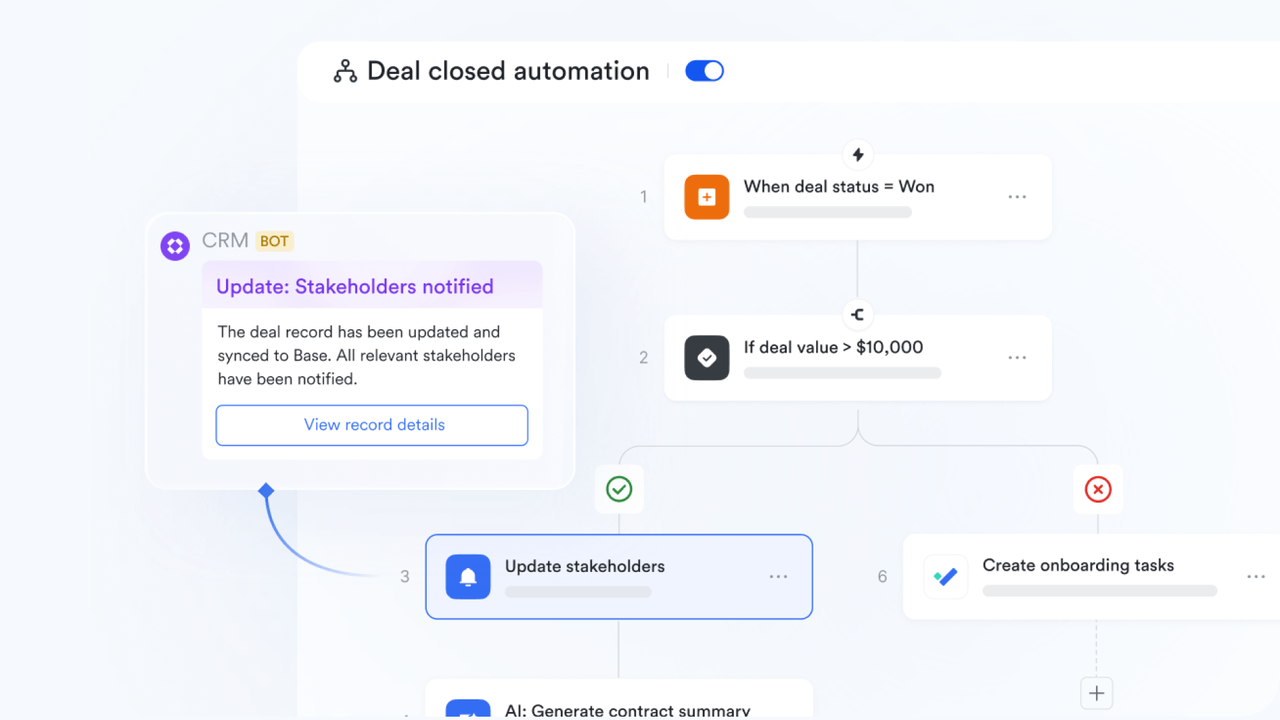
Lark Approval: Streamlined proposal and document sign-off
Consulting projects often require multiple layers of review—from strategic proposals to client contracts and deliverable sign-offs. Lark Approval simplifies this process by automating every stage of the review cycle. Teams can create customizable approval workflows that automatically route documents to the right people based on project type, client, or department.
For example, when a new proposal is uploaded, Lark Approval instantly sends it to senior consultants, finance, and project managers for review. Each decision, comment, and timestamp is recorded for full visibility and accountability. Built-in notifications ensure reviewers never miss pending actions, while automatic reminders help maintain response speed.
Approval data from Lark Approval can be synced to Base for analytics and data management, so reviewers can view context—such as project budgets, timelines, or client history—without switching tools. This connection not only accelerates approval turnaround but also enhances compliance and quality control.
By centralizing sign-offs and documentation within one workspace, Lark Approval reduces delays, minimizes errors, and delivers a transparent audit trail that meets both internal and client standards—critical for consulting firms managing complex, multi-stakeholder engagements.
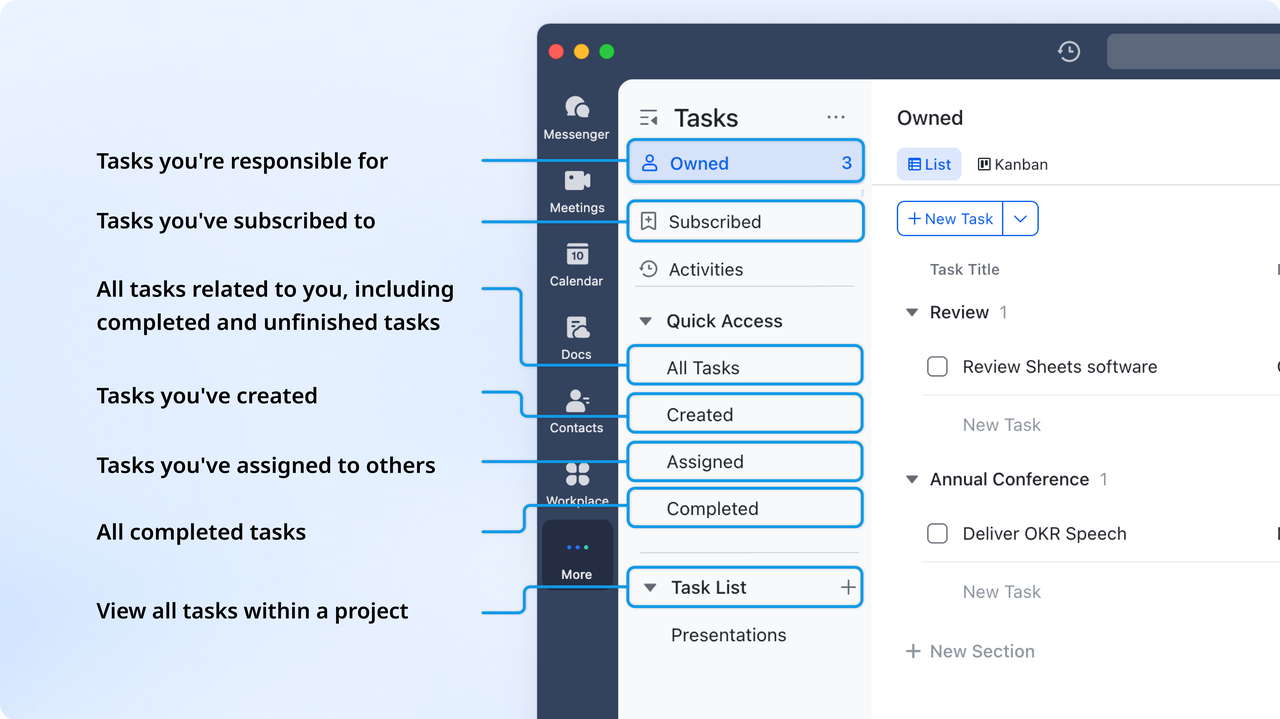
Lark Tasks: Structured execution for consulting projects
Lark Tasks bridges the gap between strategy and execution by transforming high-level consulting objectives into clear, actionable deliverables. Consultants can break complex projects into smaller, trackable tasks, assign responsibilities, and monitor real-time progress through a shared workspace. Each task includes details like deadlines, status, and priority, keeping project execution structured and transparent.
For example, a project manager can turn “Deliver market analysis report” into a dedicated task assigned to a research analyst, complete with due dates and reference files. Linked Lark Docs or Base records ensure all background data and client notes are easily accessible. Team members receive instant notifications through Lark Messenger, keeping collaboration active and updates continuous.
With customizable task views—including list, board, and timeline formats—consulting teams can visualize workloads, balance assignments, and maintain full control over project timelines. By centralizing ownership, communication, and progress tracking, Lark Tasks helps consulting firms deliver projects with precision, accountability, and speed.
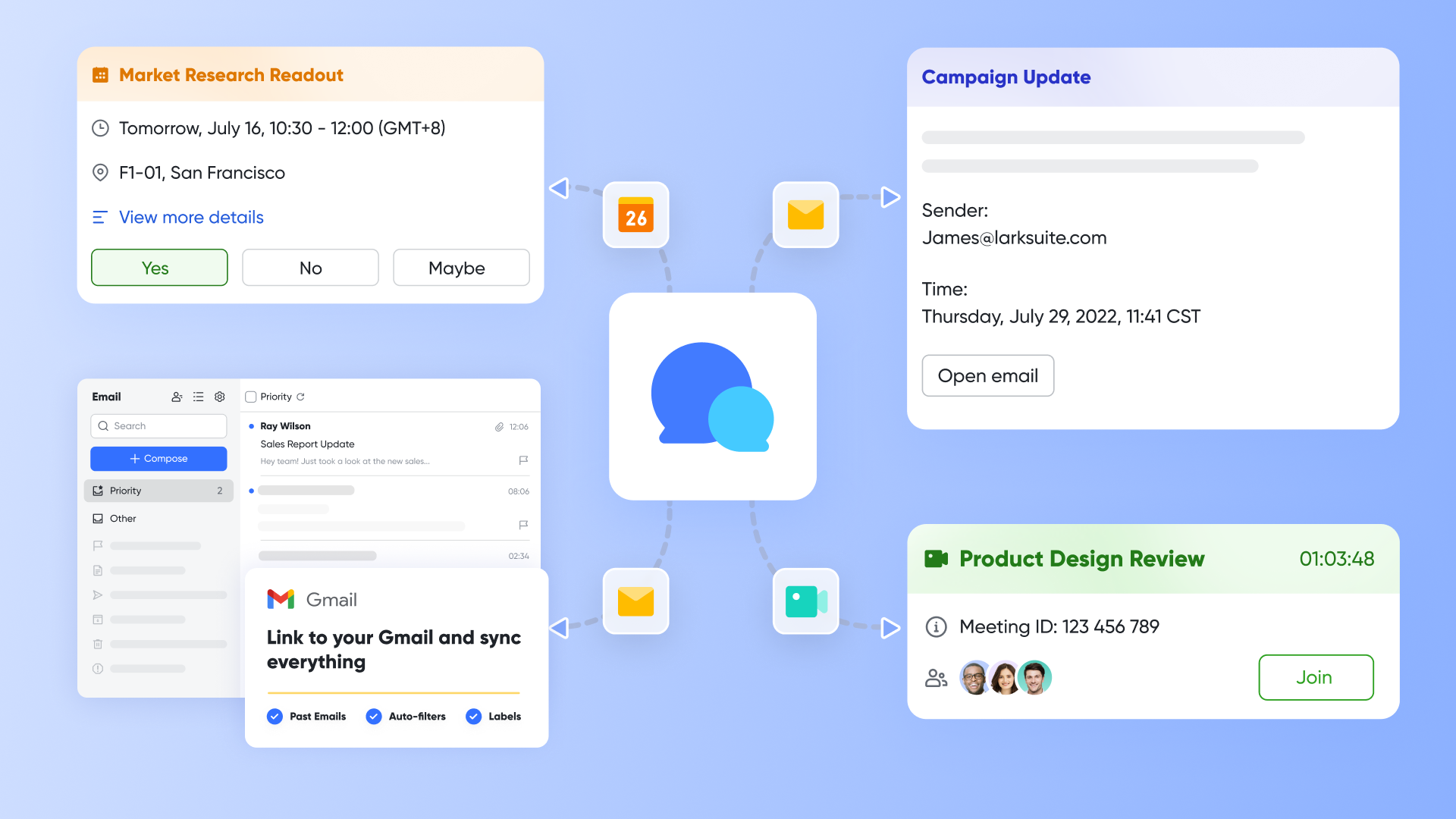
Lark Messenger: Real-time team communication
Consulting teams often operate across multiple clients, departments, and time zones, making fast and organized communication essential. Lark Messenger keeps everyone connected with real-time chat, topic-based channels, and threaded discussions that maintain clarity across projects. Team members can share files, meeting links, and Docs directly within chat—ensuring context and content stay in one place.
For example, during a client discussion, a message like “Need updated data by EOD” can be instantly converted into a task assigned to the relevant consultant. This simple action ensures accountability without switching tools. Lark Messenger also supports features like message search, pinned updates, and in-line document previews, helping teams access critical information quickly.
By replacing long email threads with instant, structured communication, consulting firms can reduce delays, keep projects moving, and maintain full visibility over conversations tied to specific clients or deliverables. With Lark Messenger, collaboration becomes faster, smarter, and effortlessly connected to execution.
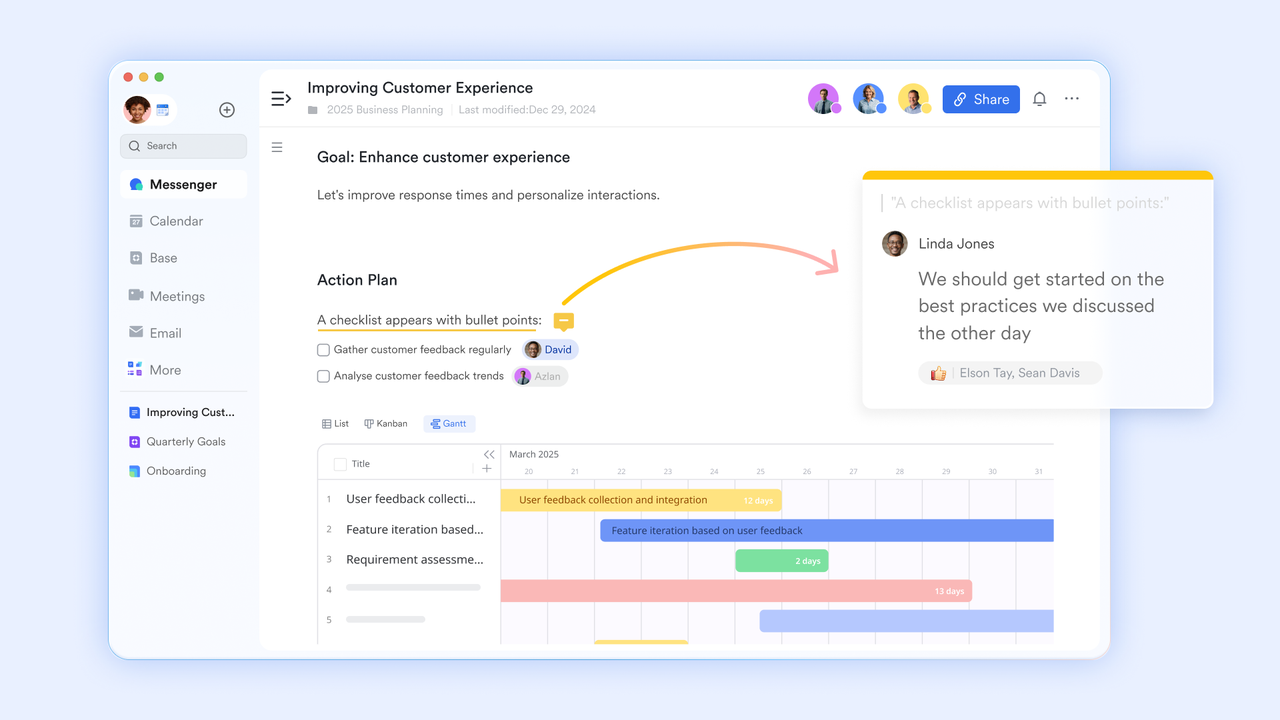
Lark Docs: Collaborative proposal and deliverable drafting
Consulting deliverables—from strategy proposals and client reports to frameworks and presentations—often require multiple contributors working simultaneously. Lark Docs enables real-time co-editing, commenting, and version tracking so strategists, analysts, and designers can refine documents together without losing context. Every edit and comment is instantly visible, ensuring that feedback loops are fast and transparent.
For example, a strategy consultant may begin drafting a client report while another team member adds supporting insights in real time. Meanwhile, a project manager can comment directly within the document to request revisions or clarify client feedback. Lark Docs also links seamlessly with Lark Tasks and Messenger, allowing teams to assign actions or discuss changes without leaving the workspace.
With built-in access controls and version history, teams can manage multiple document iterations securely while maintaining a clear record of edits and approvals. For consulting firms, Lark Docs turns document creation into a fully collaborative, efficient, and quality-assured process—helping teams deliver polished proposals and reports faster.
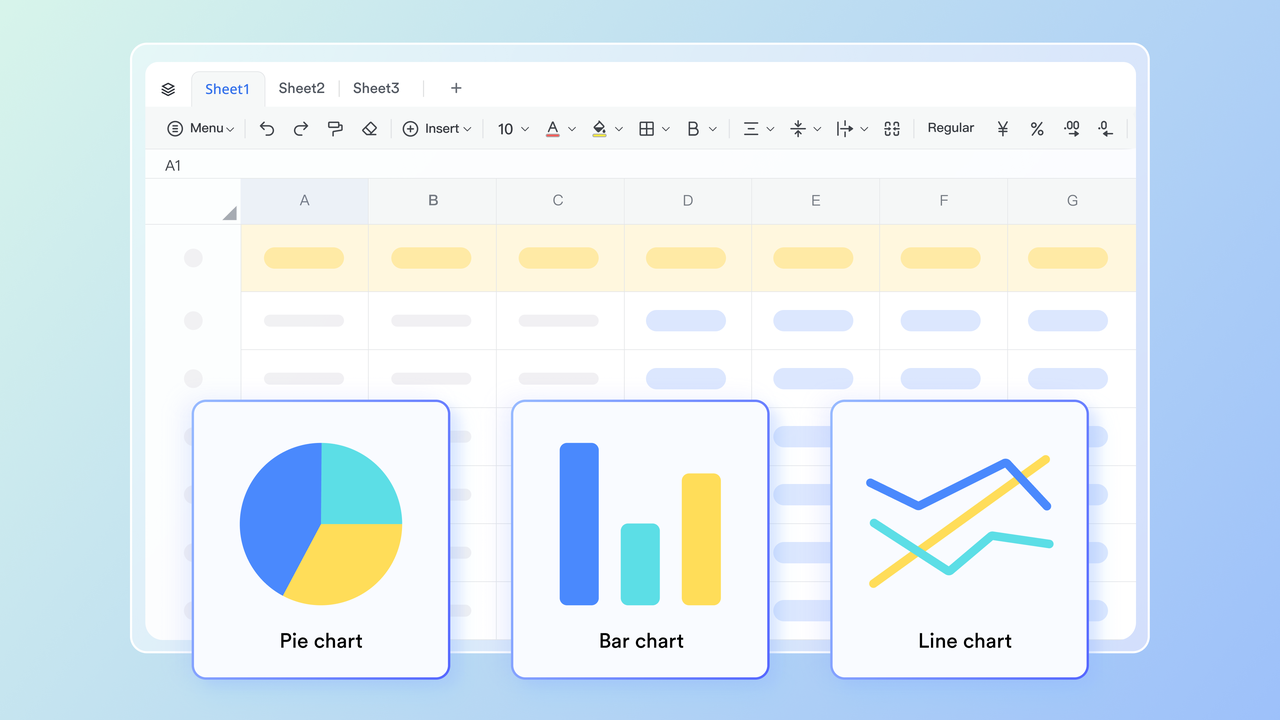
Lark Sheets: Business tracking and revenue analysis
Consulting firms rely on accurate data to understand financial health, project efficiency, and client profitability. Lark Sheets provides a centralized workspace to manage project budgets, billing status, and utilization rates without needing external spreadsheets. Teams can calculate costs, compare billable hours to revenue, and monitor performance indicators in real time, ensuring data-driven decision-making.
Data stored in Lark Base—such as project progress, revenue forecasts, or team allocation—can automatically sync with Lark Sheets for deeper financial analysis. This connection ensures numbers stay accurate and always reflect the latest project activity.
For example, a consulting firm can track monthly billable hours against actual revenue in Sheets to identify high-value clients and uncover efficiency gaps. With live collaboration, multiple departments—from finance to project management—can review and adjust figures simultaneously. Lark Sheets turns everyday financial tracking into a continuous, collaborative insight process that supports strategic growth.
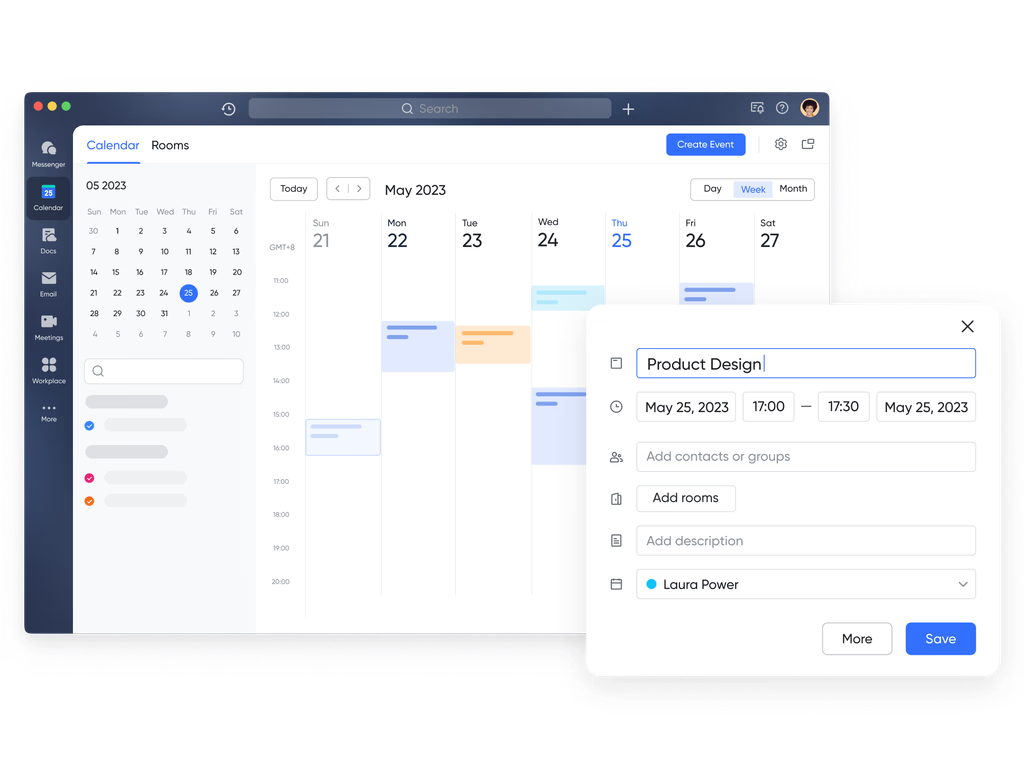
Lark Calendar: Coordinating client meetings and internal reviews
Consulting projects thrive on precise coordination—whether it’s scheduling client presentations, internal milestone reviews, or cross-functional check-ins. Lark Calendar streamlines this process by displaying team availability in real time and simplifying scheduling across departments and time zones. Teams can set recurring meetings, send invites, and attach relevant project materials, ensuring every participant joins prepared.
Lark Calendar connects seamlessly with Lark Tasks, Docs, or Base, so discussions are always supported by the latest data or deliverables. For example, a project lead can schedule a client feedback session, and the meeting invite automatically links to the most recent version of the strategy deck in Lark Docs.
Smart reminders, time zone detection, and instant sync with Lark Messenger ensure no detail is missed, even on tight consulting timelines. By keeping schedules, documents, and action items connected, Lark Calendar helps consulting teams maintain momentum and deliver timely, coordinated client engagements.
Pros
- All-in-one platform combining messaging, docs, tasks, and calendars.
- Real-time collaboration for documents and project updates.
- Customizable dashboards for KPIs and client insights.
- Intuitive and user-friendly interface for easy adoption.
Cons
- Steeper learning curve for new users due to many features.
- Limited adoption by clients unfamiliar with the platform.
- Starter plan: Free forever plan that includes 11 powerful tools for up to 20 users. It also comes with 100GB of storage, 1000 automation runs, AI translations, and more.
- Pro plan: $12/user/month (billed annually) for up to 500 users. It includes everything in Starter plus group calling for up to 500 attendees, 15TB of storage, 50,000 automation runs, and more.
- Enterprise plan: Contact sales for custom pricing. Supports unlimited users and includes even more automation runs and advanced security, compliance, and management features. Many teams also consider Google Workspace pricing and ClickUp pricing when assessing the value of alternative workplace solutions.
2. HubSpot CRM: Marketing and sales powerhouse
HubSpot CRM is a versatile consulting CRM software designed to help consulting firms manage client relationships, streamline sales, and enhance marketing efforts. Unlike traditional CRMs, HubSpot combines lead tracking, workflow automation, and reporting in one platform, making it ideal for CRM for consultants, CRM consulting companies, and professional services CRM users. With its intuitive interface and robust integrations, consulting teams can automate repetitive tasks, track client engagements, and gain actionable insights to improve retention and project delivery.
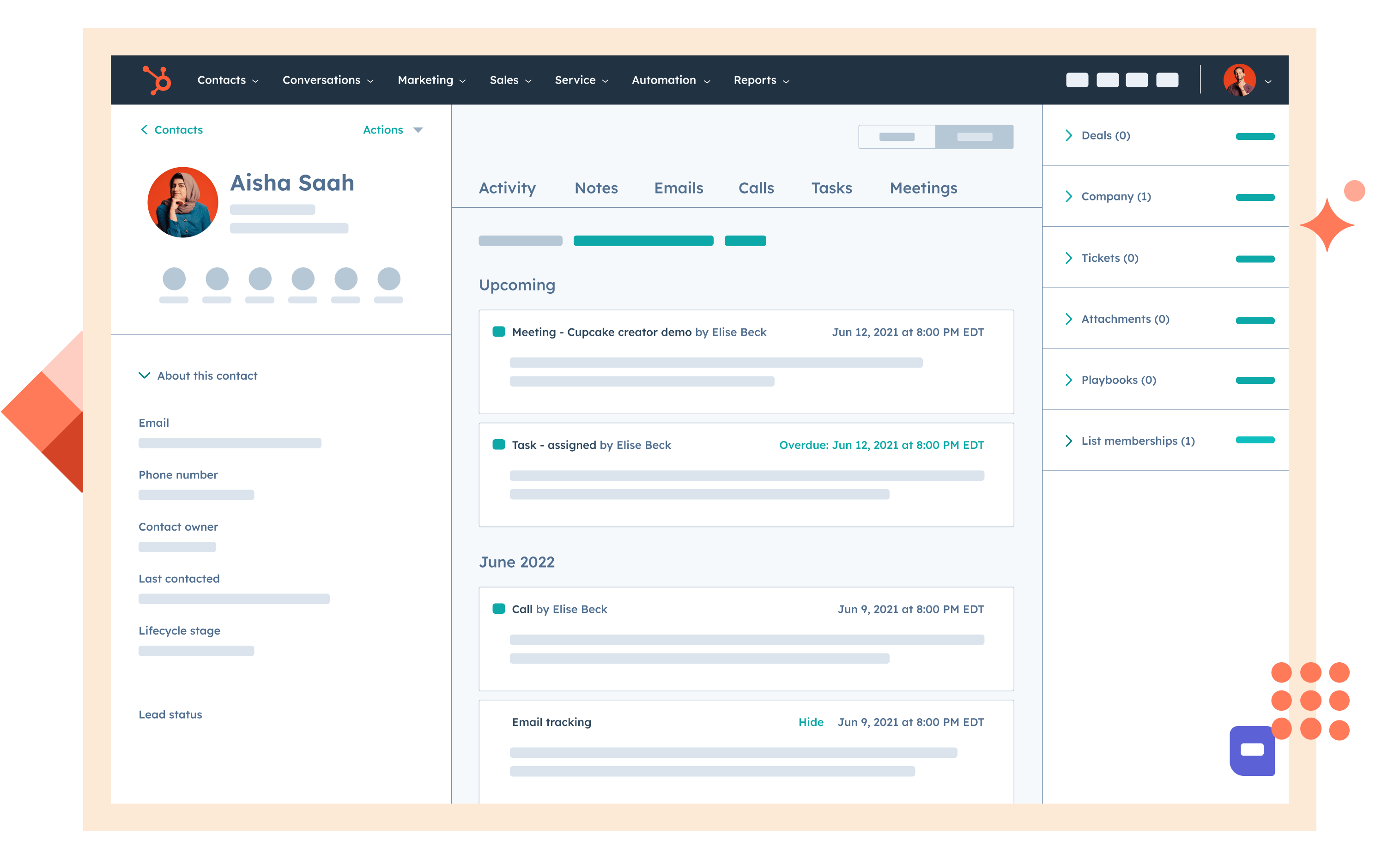
Image source: hubspot.com
Features
- Centralized client database with detailed interaction history.
- Marketing automation for lead nurturing and campaign management.
- Sales pipeline visualization and deal tracking for consulting engagements.
- Customizable dashboards and reporting for KPIs, revenue, and client performance.
Pros
- Free plan available for small consulting firms and teams.
- Easy-to-use interface with minimal learning curve.
- Strong marketing and sales automation capabilities.
- Robust analytics for better decision-making.
Cons
- Advanced features can be costly for larger teams.
- Limited customization compared to specialized CRM consulting services
Pricing
- Starter: $15/month per user (billed monthly).
- Professional: $100/month per user (billed monthly).
- Enterprise: $150/month per user (billed monthly).
3. Zoho CRM: Budget-friendly and customizable
Zoho CRM is a flexible CRM for consulting firms that helps small and mid-sized consultancies manage client relationships, automate workflows, and streamline project delivery. Designed for CRM consultants, CRM consulting companies, and professional services CRM users, it provides customizable modules that align with consulting processes. With its affordable pricing and wide range of integrations, Zoho CRM enables consulting teams to centralize client data, track interactions, and improve client retention without breaking the budget.
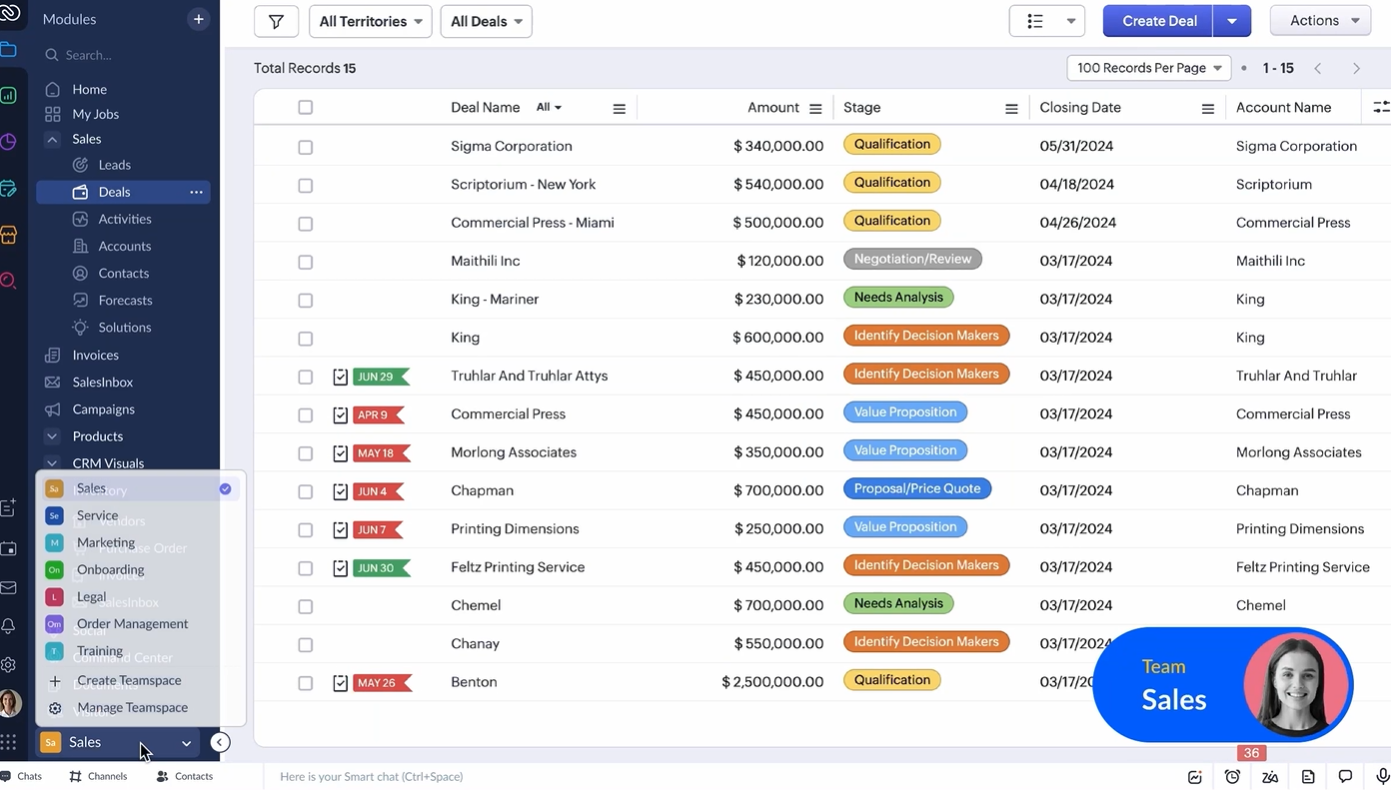
Image source: zoho.com
Features
- Centralized client database with interaction history and notes.
- Customizable pipelines and stages for consulting workflows.
- Workflow automation for follow-ups, reminders, and approvals.
- Reporting and dashboards for KPIs, revenue, and project performance.
Pros
- Affordable pricing suitable for small consulting businesses.
- Highly customizable to match consulting processes.
- Mobile-friendly with access to client and project data on the go.
- Good integration options with external apps and tools.
Cons
- Limited native project management compared to all-in-one platforms.
- Analytics dashboards may require manual setup.
Pricing
- Standard Plan: $14 per user/month (billed monthly).
- Professional Plan: $23 per user/month (billed monthly).
- Enterprise Plan: $40 per user/month (billed monthly).
- Ultimate Plan: $52 per user/month (billed monthly).
4. Pipedrive: Visual pipeline management
Pipedrive is a consulting CRM designed to help firms visualize their client pipelines and keep every deal on track. Its intuitive interface makes project tracking and progress monitoring effortless. Consulting teams can automate follow-ups, manage leads, and ensure no opportunity slips through. It’s a perfect fit for firms seeking clarity and workflow automation in client engagements.
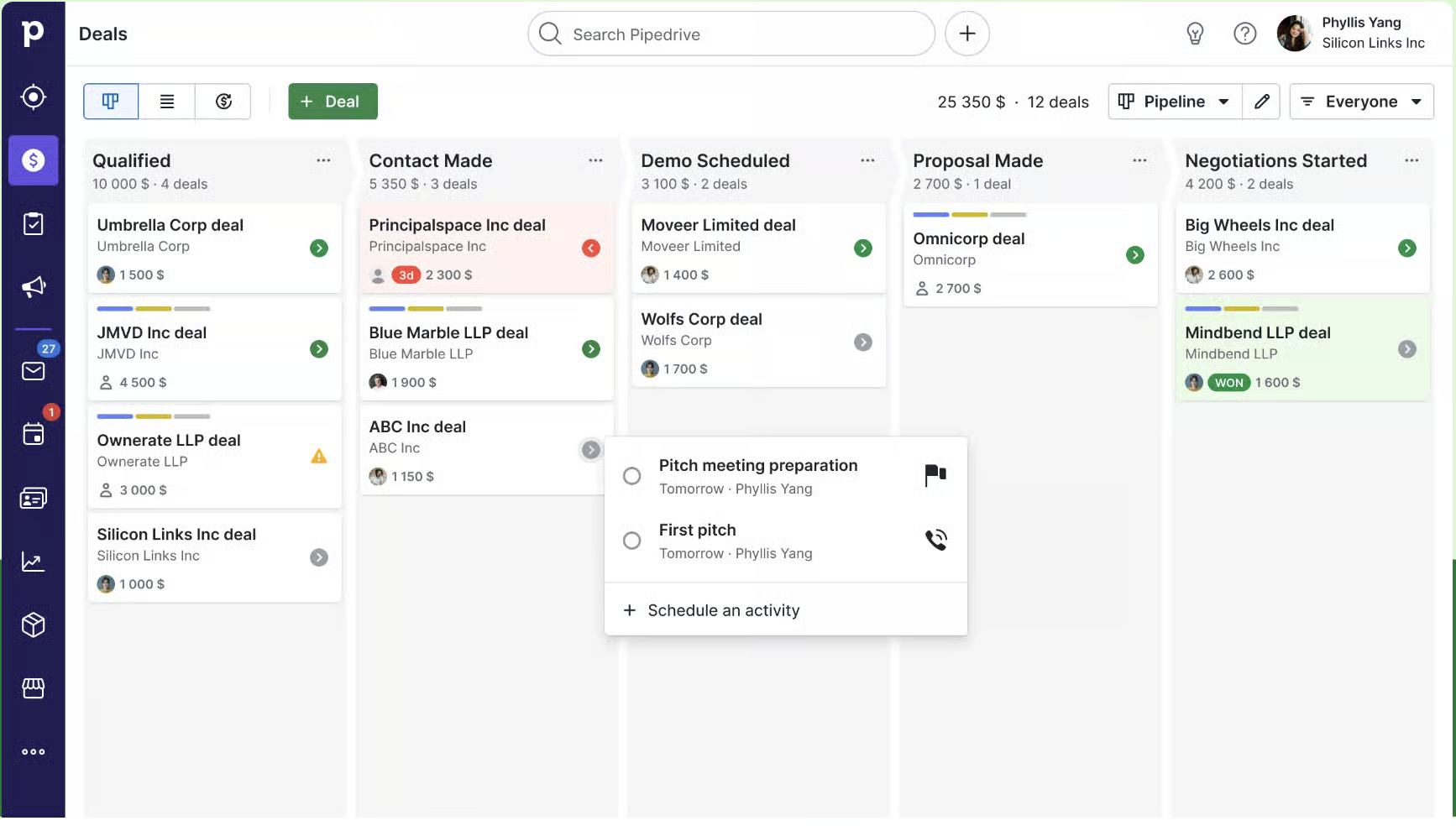
Image source: pipedrive.com
Features
- Offers a drag-and-drop interface for easy deal tracking and management.
- Syncs with email accounts to track communication and schedule follow-ups.
- Provides tailored views and reports to monitor key performance indicators.
- Automates repetitive tasks and workflows to enhance efficiency.
Pros
- User-friendly interface with a low learning curve.
- Highly customizable to fit specific business needs.
- Robust reporting and analytics capabilities.
- Seamless integration with various third-party applications.
Cons
- Advanced features are available only in higher-tier plans.
- Pricing can become expensive with additional add-ons.
Pricing
- Lite: $24 per user/month (billed monthly).
- Growth: $49 per user/month (billed monthly).
- Premium: $79 per user/month (billed monthly).
- Ultimate: $99 per user/month (billed monthly).
5. Insightly: CRM with project management
Insightly is a CRM for consulting firms that value precision and insight through powerful client management and data analytics capabilities. It blends CRM functions with advanced project tracking, helping consultants manage both relationships and deliverables in one place. With workflow automation and reporting tools, firms can streamline their operations and make informed decisions. Insightly ensures smooth collaboration across teams and projects.
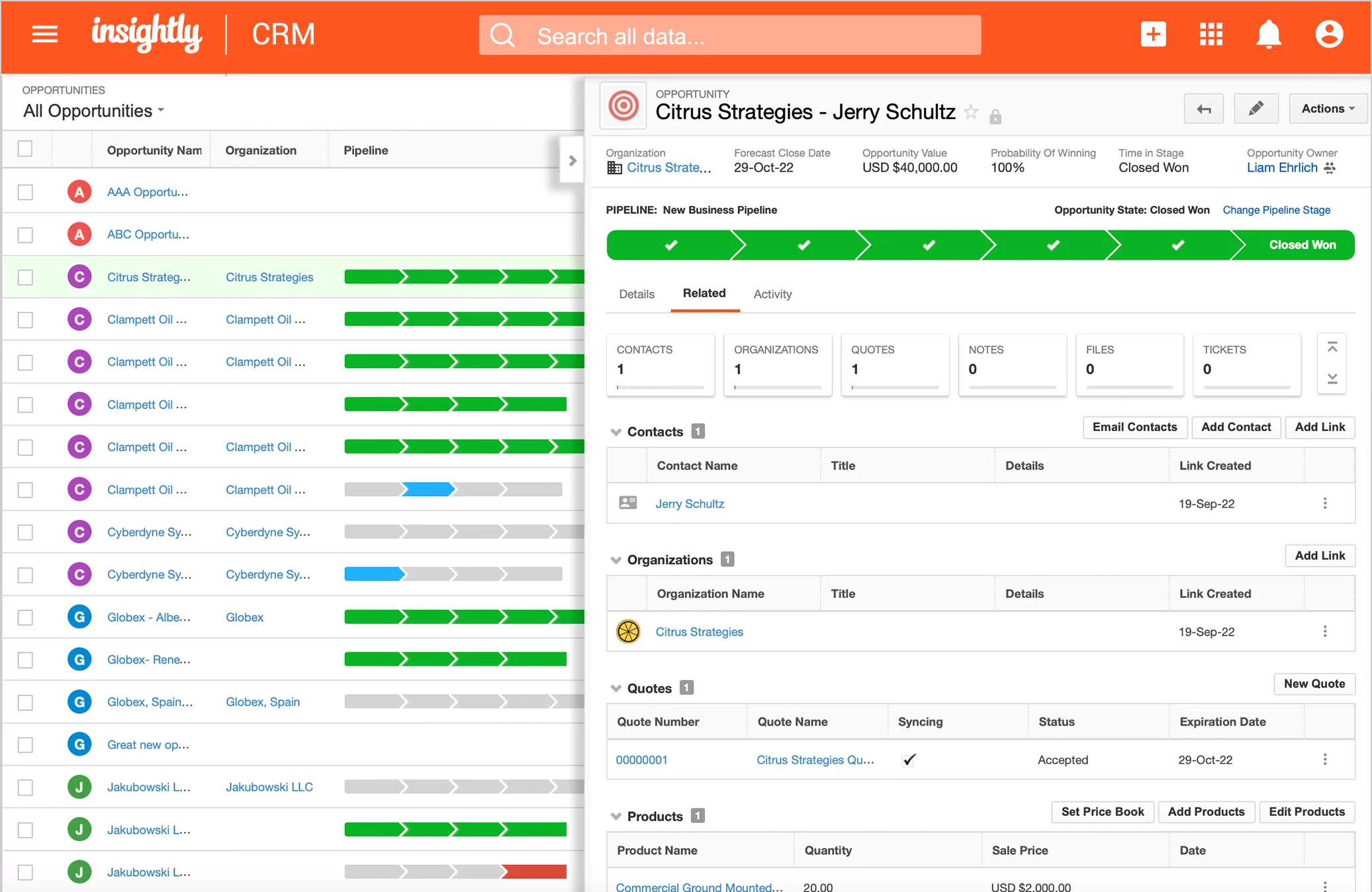
Image source: insightly.com
Features
- Customizable dashboards and reporting tools.
- Project and task management with Gantt charts.
- Workflow automation and email tracking.
- Mobile access for on-the-go client management.
Pros
- User-friendly interface for CRM consultants.
- Strong project management capabilities.
- Affordable pricing for CRM consulting services.
- Scalable for growing consulting businesses
Cons
- Mobile app lacks some functionality.
- Basic reporting in lower plans.
Pricing
- Plus: $29/user/month (billed monthly).
- Professional: $49/user/month (billed monthly).
- Enterprise: $99/user/month (billed monthly).
6. Freshsales: AI-powered consulting support
Freshsales offers an intelligent CRM for consulting firms looking to optimize client engagement through automation and analytics. Its AI-driven insights help consultants identify leads, forecast revenue, and enhance service quality. The platform supports team collaboration and integrates communication channels for seamless interaction. With real-time data, consultants can achieve greater transparency and efficiency.
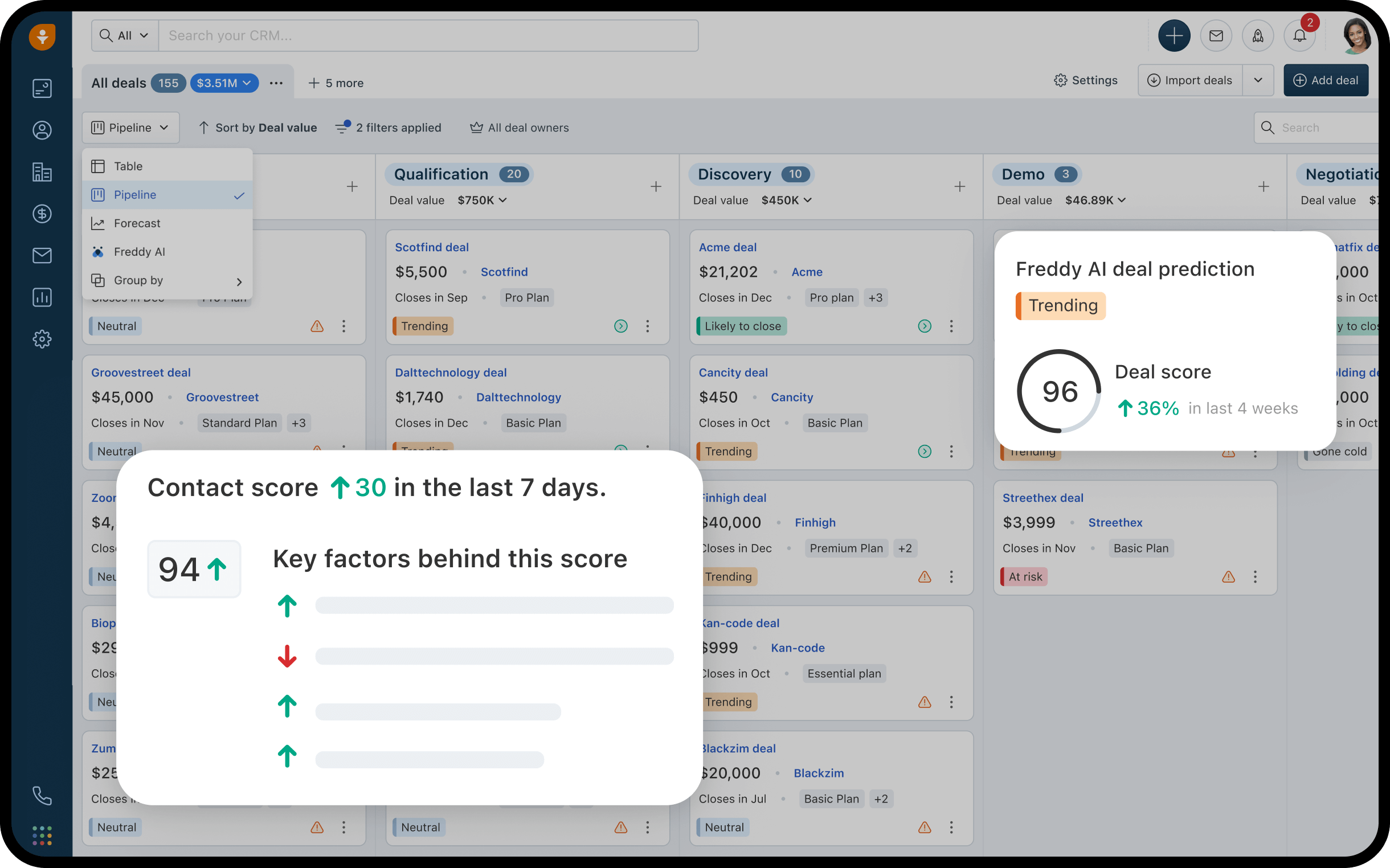
Image source: freshsales.com
Features
- AI-based lead scoring and predictive sales analytics.
- Built-in phone, email, and chat integration.
- Customizable pipelines and workflow automation.
- Activity tracking and reporting.
Pros
- Intuitive interface for CRM consultants.
- Strong automation and workflow management.
- Comprehensive communication tools.
- AI-driven insights for client engagement.
Cons
- Storage limits on lower-tier plans.
- Advanced features require higher-tier plans.
Pricing
- Growth: $9/user/month (billed monthly).
- Pro: $39/user/month (billed monthly).
- Enterprise: $59/user/month (billed monthly).
7. Scoro: Unify projects, billing, and CRM
Scoro is an all-in-one CRM for professional services that unifies project management, billing, and client relationship management. It enhances team collaboration by connecting every workflow—from proposals to payments. Consulting firms benefit from precise project tracking and performance analytics that improve decision-making. Scoro enables better control over profitability and productivity.
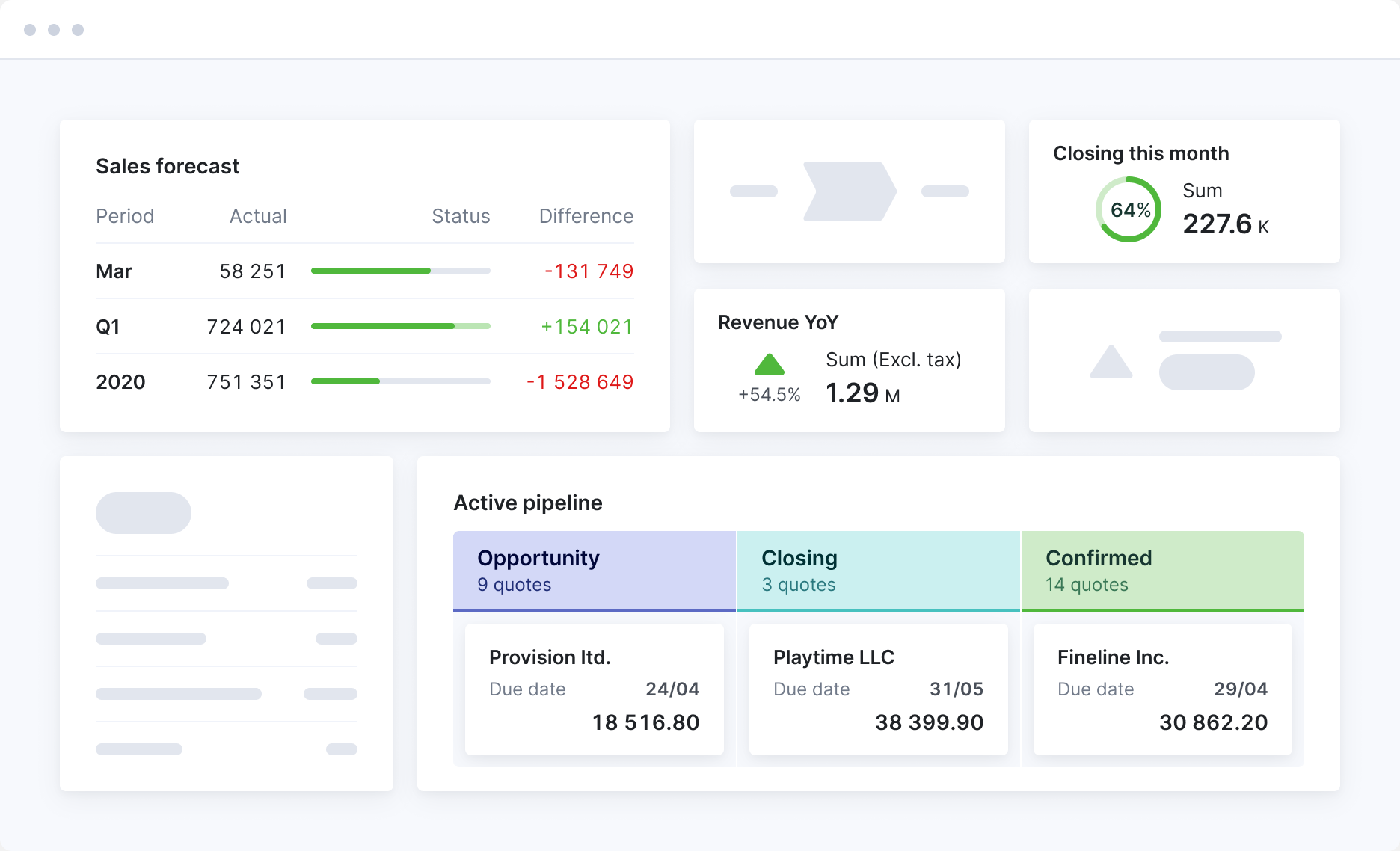
Image source: scoro.com
Features
- Time tracking and billing.
- Project and task management with Gantt charts.
- CRM and contact management.
- Customizable dashboards and reporting.
Pros
- Comprehensive all-in-one feature set.
- Strong project and client management capabilities.
- Customizable dashboards for CRM consultants.
- Scalable for growing consulting firms.
Cons
- Some features need additional setup.
- Complex reporting tools.
Pricing
- Core: $19.90/user/month (billed monthly).
- Growth: $32.90/user/month (billed monthly).
- Performance: $49.90/user/month (billed monthly).
- Enterprise: Custom pricing.
8. Keap: Powerful automation for small consultancies
Keap is a CRM for small consulting businesses that combines CRM software for consultants with marketing automation. Its focus on workflow automation and contact segmentation helps consultants deliver personalized service at scale. With built-in invoicing, follow-ups, and reminders, client management becomes simple and consistent. Keap supports business scalability by minimizing manual effort and maximizing client satisfaction.
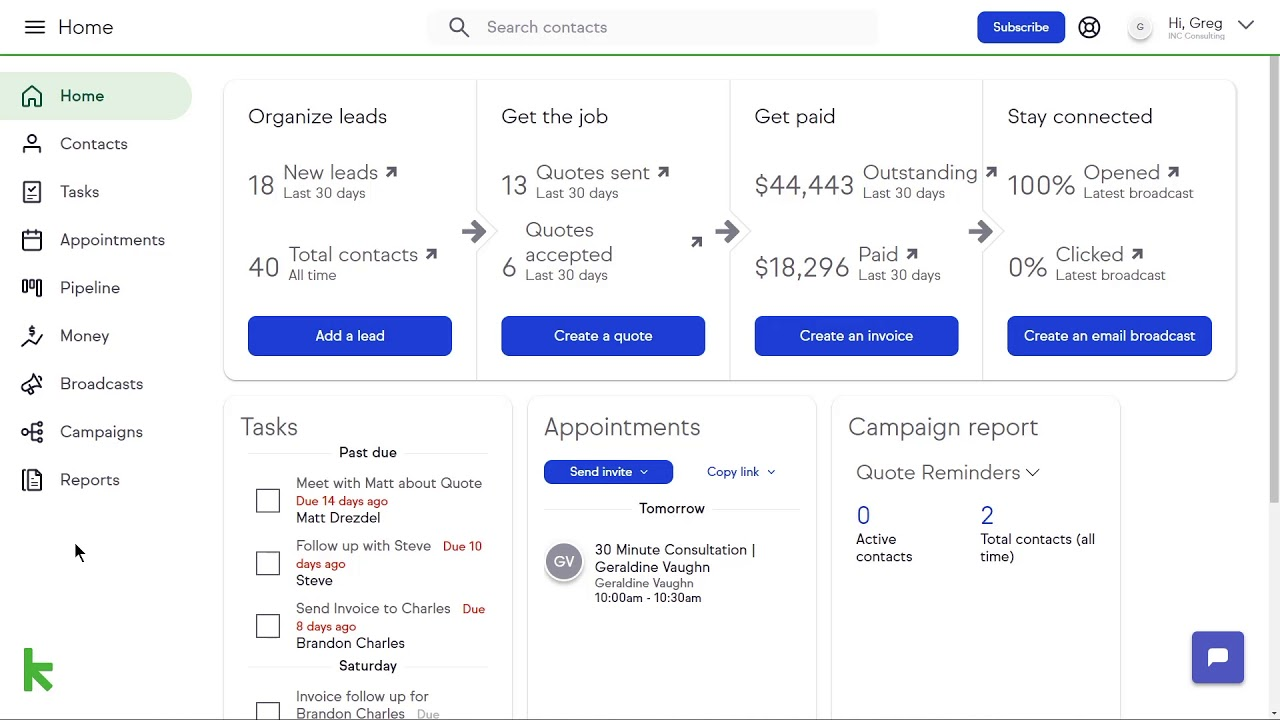
Image source: keap.com
Features
- Sales and marketing automation.
- CRM and contact management.
- Email marketing and SMS campaigns.
- Appointment scheduling and payments.
Pros
- Comprehensive feature set for consultants.
- Strong automation capabilities for small consulting firms.
- User-friendly interface for CRM consultants.
- Good customer support.
Cons
- Advanced features require higher-tier plans.
- Limited customization options.
Pricing
- Pro: $249/month for 1,500 contacts and 2 users (billed monthly).
- Max: $289/month for 2,500 contacts and 3 users (billed monthly).
- Max Classic: Custom pricing (billed monthly).
Best practices for successful CRM adoption
Implementing a CRM for consulting firms requires more than just choosing the right software—it demands strategic planning, team alignment, and continuous improvement. A well-structured adoption approach ensures that your CRM consulting services deliver measurable value and long-term efficiency.
- Setting clear goals for CRM implementation: Begin by defining measurable objectives such as improving client retention, streamlining project management, or automating reporting. Clear goals provide direction and ensure that the CRM aligns with your firm's overall strategy.
- Training and onboarding team members effectively: Successful adoption depends on user engagement. Conduct hands-on workshops and provide accessible resources to help consultants understand how CRM tools can enhance daily workflows.
- Aligning CRM workflows with consulting processes: Customize pipelines and automation to reflect how your consulting firm operates. This alignment ensures smoother transitions between client acquisition, project delivery, and billing.
- Measuring ROI and continuous optimization: Regularly review performance metrics like client satisfaction, conversion rates, and time savings. Use these insights to refine CRM configurations and maximize value over time.
How to evaluate the right CRM for your consulting firm
Choosing the right CRM requires balancing your firm's operational needs with long-term growth goals. The ideal solution should complement your workflows, integrate smoothly with existing tools, and scale as your client base expands.
- Size and structure of your business: Consider how many team members will use the CRM and the complexity of your projects. Smaller firms may prefer simpler tools, while larger consultancies might need advanced automation and reporting capabilities.
- Budget and scalability needs: Evaluate both the upfront and long-term costs, including add-ons or user-based pricing. Choose a CRM that can scale with your business without becoming cost-prohibitive.
- Integration with existing software stack: Ensure the CRM works seamlessly with your current tools—such as email, invoicing, and project management software—to avoid workflow disruptions.
- Customization level required: Look for a CRM that allows flexible fields, dashboards, and workflows tailored to your firm's unique processes. This customization ensures better adoption and long-term usability.
Conclusion
Choosing the right CRM for consulting is not just a technology choice—it's a strategic decision that defines how effectively your firm manages clients and projects. A well-implemented CRM empowers consultants to build stronger relationships, enhance collaboration, and improve service delivery. Start with an all-in-one platform like Lark to centralize communication, project tracking, and automation under one roof. As your consulting firm grows, you can integrate specialized tools to refine analytics, marketing, or client engagement. The goal is to create a connected, data-driven ecosystem that supports sustainable growth and long-term client satisfaction.
FAQs
What is CRM for consulting?
A CRM for consulting helps firms manage client relationships, projects, and communication in one platform. Lark Base serves as the core CRM, storing client data and project updates, while Lark Messenger, Tasks, and Docs connect collaboration, tracking, and documentation seamlessly.
What's the difference between a consulting CRM and a sales CRM?
A consulting CRM focuses on client delivery, project progress, and billing, while a sales CRM centers on leads and deals. Lark Base bridges both stages, letting consulting teams manage client pipelines, track deliverables, and maintain continuous communication through Messenger and Docs.
Do small consulting firms really need CRM software?
Yes—even small consulting teams benefit from structured client tracking and automated workflows. Lark Base keeps client data organized, Lark Tasks ensures timely follow-ups, and Messenger keeps conversations and updates in one shared workspace.
What's the ROI of CRM for consulting practices?
A CRM like Lark delivers measurable ROI by saving time, reducing administrative work, and improving client satisfaction. Automation in Lark Base and connected tools like Docs and Tasks allow teams to focus on strategic work and deliver consistent results.
Can I migrate client data from spreadsheets into a CRM?
Yes, migrating data into Lark Base is quick and simple. Teams can upload spreadsheet data directly into dynamic records that link to Tasks, Docs, and Messenger, creating a live client dashboard for ongoing project visibility.
Related reading
Table of contents
Start using Lark today

Manage all your work in one place
Boost team efficiency by 10x
Save up to 70% on software costs
Table of contents
Start using Lark today
Manage all your work in one place
Boost team efficiency by 10x
Save up to 70% on software costs
Keep reading









2026 Lark Technologies Pte. Ltd.
Headquartered in Singapore with offices worldwide.






Explore: