














Outlook CRM Guide: Tools, Comparison, and Practices

Ryan Tanner
Product Marketing Specialist
Sep 18, 2026
Ryan Tanner
Sep 18, 2026

22 min read


Sales teams spend countless hours switching between Outlook, spreadsheets, and CRM dashboards to track customer interactions. Managing contacts, following up on deals, and coordinating with teammates can quickly become disjointed. That's why a CRM for Outlook helps unify customer communication, sales data, and workflow tracking in one place. Among the many platforms available, Lark offers a modern alternative helping teams manage Outlook-style communication alongside CRM-style visibility.
The options below cover a mix of beginner-friendly, mid-market, and enterprise-grade platforms that sync directly with Outlook. Each one supports different types of teams, pricing needs, and sales processes.
1. Lark: Unified CRM workspace for Outlook-style collaboration
2. HubSpot CRM: Outlook-connected platform for inbound sales
3. Salesforce Sales Cloud: Enterprise-grade Outlook CRM solution
4. Pipedrive: Visual CRM pipeline for Outlook users
5. Zoho CRM: Affordable Outlook CRM for growing teams
6. Nimble: Smart relationship management inside Outlook
7. Insightly: CRM and project management for Outlook professionals
8. Streak CRM for Outlook: Email-first CRM for personal sales workflows
9. Microsoft Dynamics 365: Native CRM ecosystem for Microsoft users
10. Copper CRM: Streamlined pipeline and Outlook sync for teams

What is a CRM for Outlook?
A CRM for Outlook combines email, calendar, and customer relationship management in one connected experience. Instead of switching between your inbox and CRM software, users can manage contacts, track sales activity, and update deal records directly within Outlook or through an unified workspace.
These tools typically sync client details from emails, meetings, and contacts, creating a unified view of customer history. This helps teams collaborate more effectively, automate repetitive communication, and maintain accurate sales tracking without leaving their familiar email environment.
Detailed overview of each of the 10 CRM tools
Once you understand the core benefits of using a CRM with Outlook, the next step is choosing the right platform based on features, pricing, and workflow fit. The tools below represent a mix of all-in-one workspaces, traditional sales CRMs, and lightweight inbox-based systems. Each overview breaks down how the platform works, who it's best for, and how well it supports Outlook-driven teams, so you can compare them clearly before deciding.
1. Lark: Unified, advanced CRM workspace for Outlook
Lark offers a connected-first approach that combines communication, data, and workflow management in a single workspace. Instead of toggling between Outlook, CRM dashboards, and chat apps, sales and account teams can handle everything from customer communication to deal reviews within one collaborative environment. With seamless integration with Outlook, Lark can be your answer to CRM for Outlook.
Seamless integration: Meeting add-in, synced Calendar, & integrated Mail
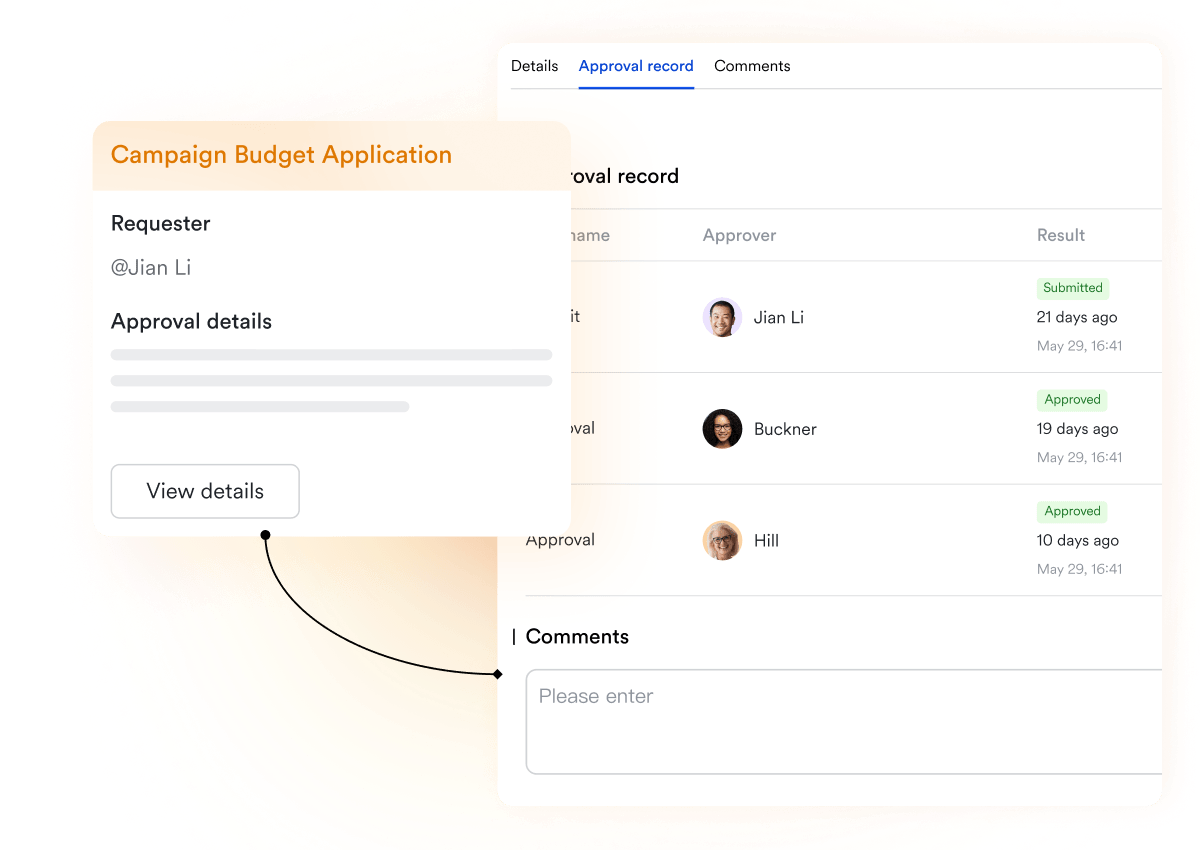
Lark provides seamless integration with Outlook: You can add the Lark Meeting add-in to Outlook to quickly schedule meetings, adjust settings, respond to invitations, or join meetings directly from your inbox. Additionally, Lark Calendar syncs both ways with Outlook, Exchange, Office 365, and Hotmail, allowing you to view and update events across platforms effortlessly. As for email integration, admins simply need to add your Lark email domain to the Microsoft 365 allowlist.

Lark Base: Build a CRM-style database for customer visibility
In a traditional Outlook CRM setup, data syncs from your inbox to a CRM platform but often lacks flexibility.
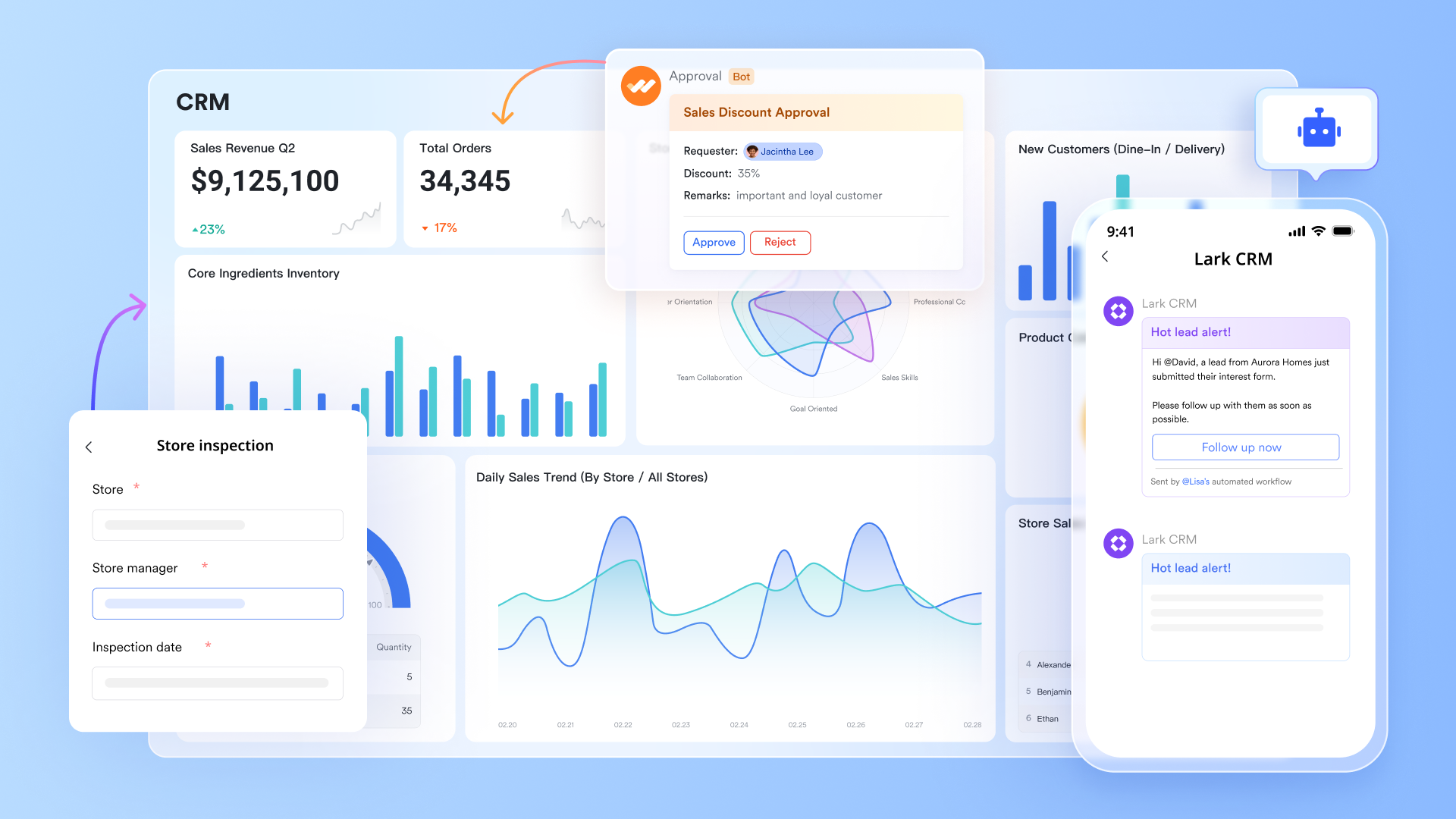
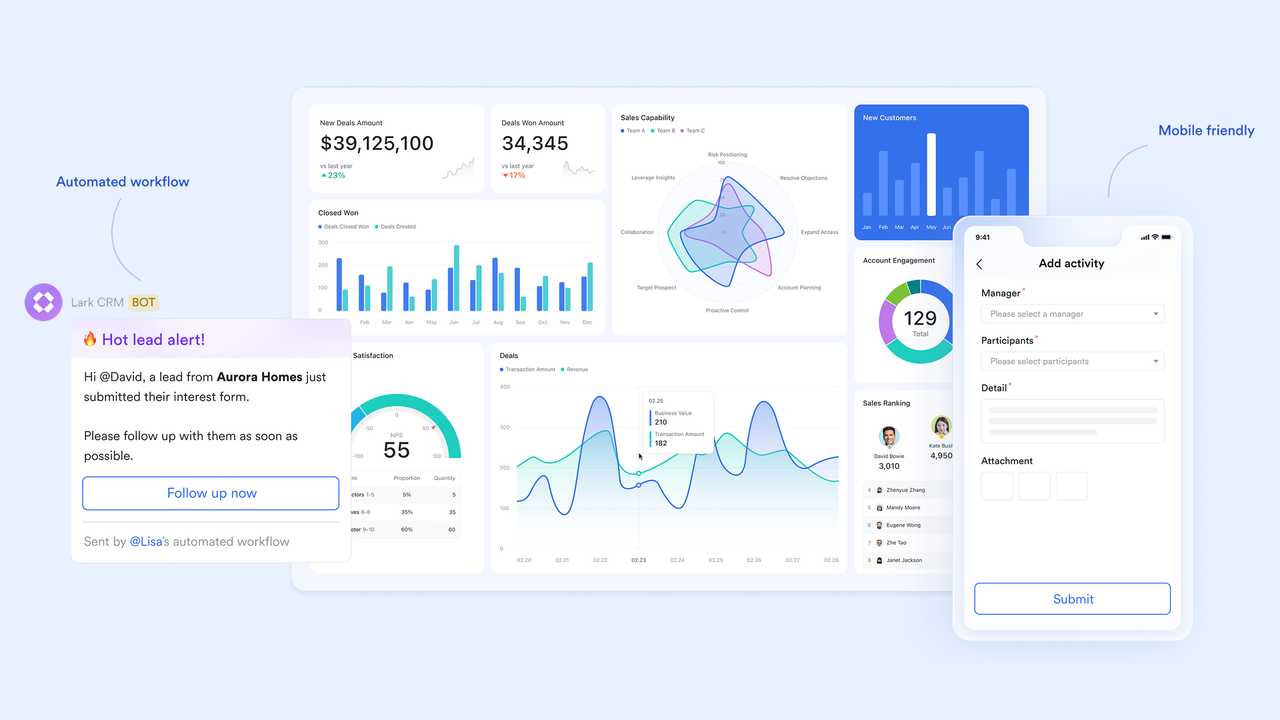
Lark Base acts as a customizable, no-code database that lets teams design their own CRM tables for contacts, deals, and activities. You can log client details, attach relevant emails, track sales stages, and visualize pipeline progress through views like grid, Kanban, or gallery. As Base connects seamlessly with Mail, Tasks, and Messenger, updates happen in real time if a lead status changes or a deal closes, everyone sees it instantly. This makes Lark Base the central hub of your customer intelligence, flexible like a spreadsheet, yet structured like a CRM.
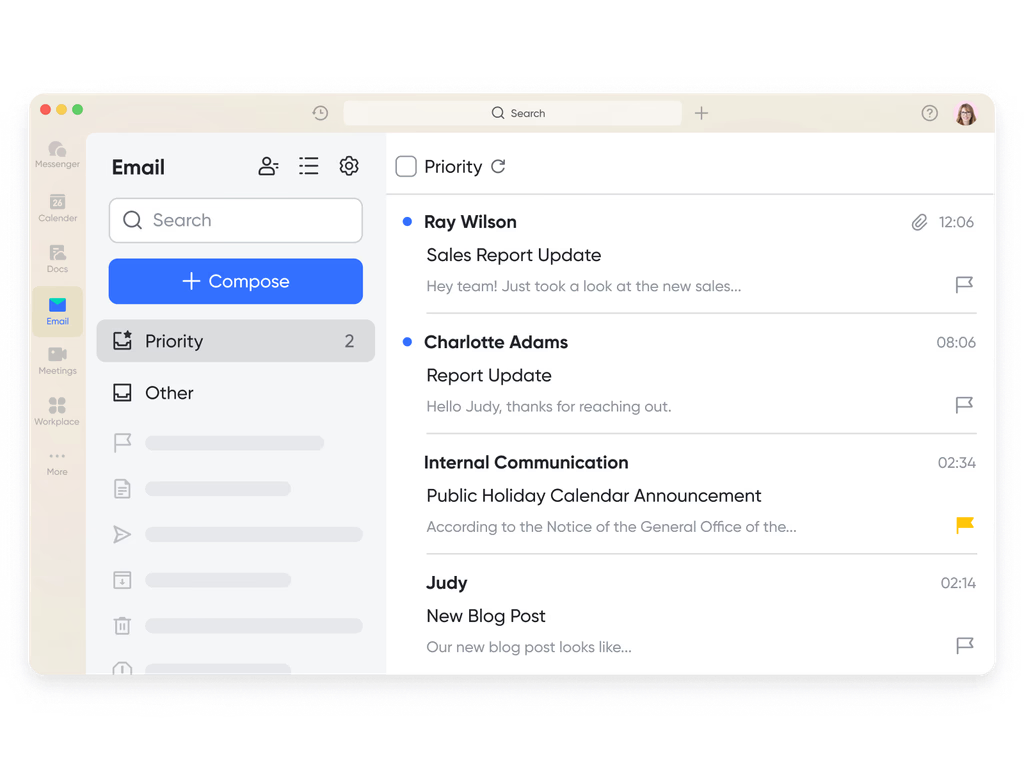
Lark Mail: Unify email communication
Customer communication often begins in email, but managing those threads across tools can quickly become fragmented. With Lark Mail, teams can send, receive, and discuss client emails in the same workspace where they plan campaigns or track opportunities. Sales reps can convert an email into a task, tag teammates in a thread for input, or link the conversation directly to a deal record in Lark Base. Meanwhile, you can import .pst files (from Outlook for Windows) or .olm files (from Outlook for Mac) into Lark Mail, allowing you to access your Outlook emails within Lark Mail.
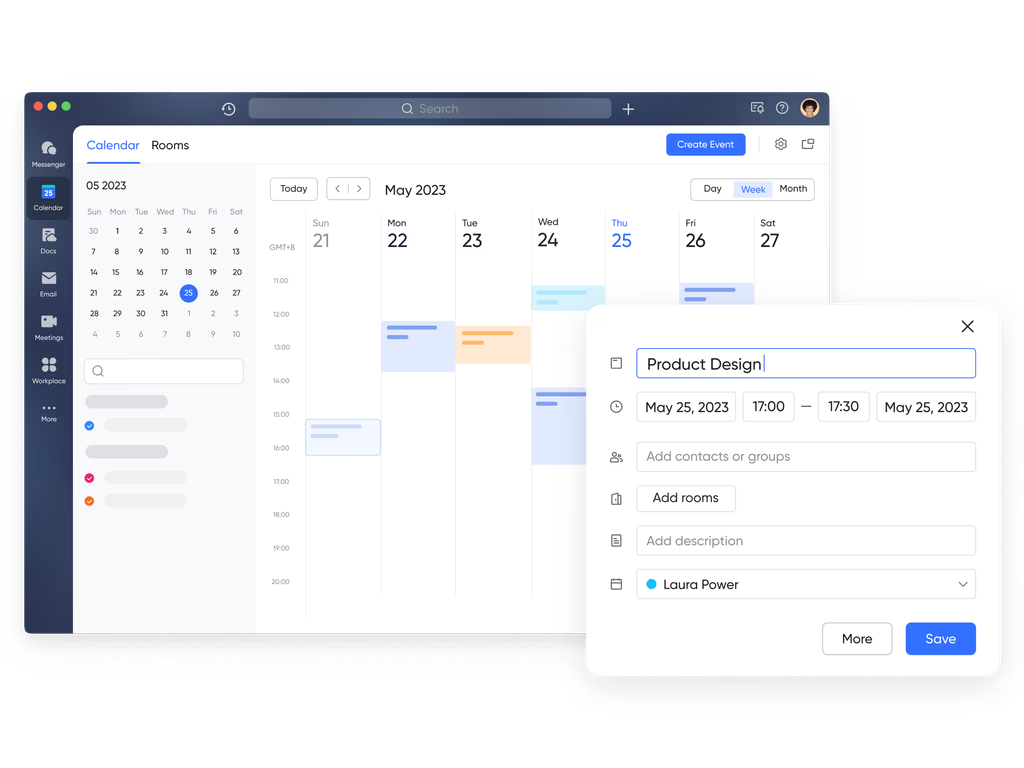
Lark Calendar: CRM-driven scheduling and planning
Lark Calendar can support your CRM workflow by creating public calendars for events like customer interviews, allowing relevant team members to view and subscribe. Administrators can set up all-staff calendars to automatically share key customer-related events across the organization. As more businesses seek cost-effective Google Workspace alternatives to avoid high Google Workspace pricing, Lark provides a robust solution. Even during a transition, integrations with Google and Outlook calendars help unify internal schedules with external customer appointments, while admin-configured syncing ensures real-time updates across all platforms, keeping your CRM activities aligned and up to date.
Lark Meetings add-in: CRM-friendly Outlook integration tool
The Lark Meeting add-in for Outlook streamlines CRM-related scheduling by allowing sales and customer success teams to create and manage meetings with leads and clients directly from their inbox. Users can adjust meeting settings, respond to invites, and join meetings without leaving Outlook, keeping all customer interactions centralized. Combined with Lark Calendar's two-way syncing with Outlook, Exchange, and Office 365, teams can maintain a real-time view of meetings, follow-ups, and deadlines, ensuring better tracking and alignment within the CRM workflow.
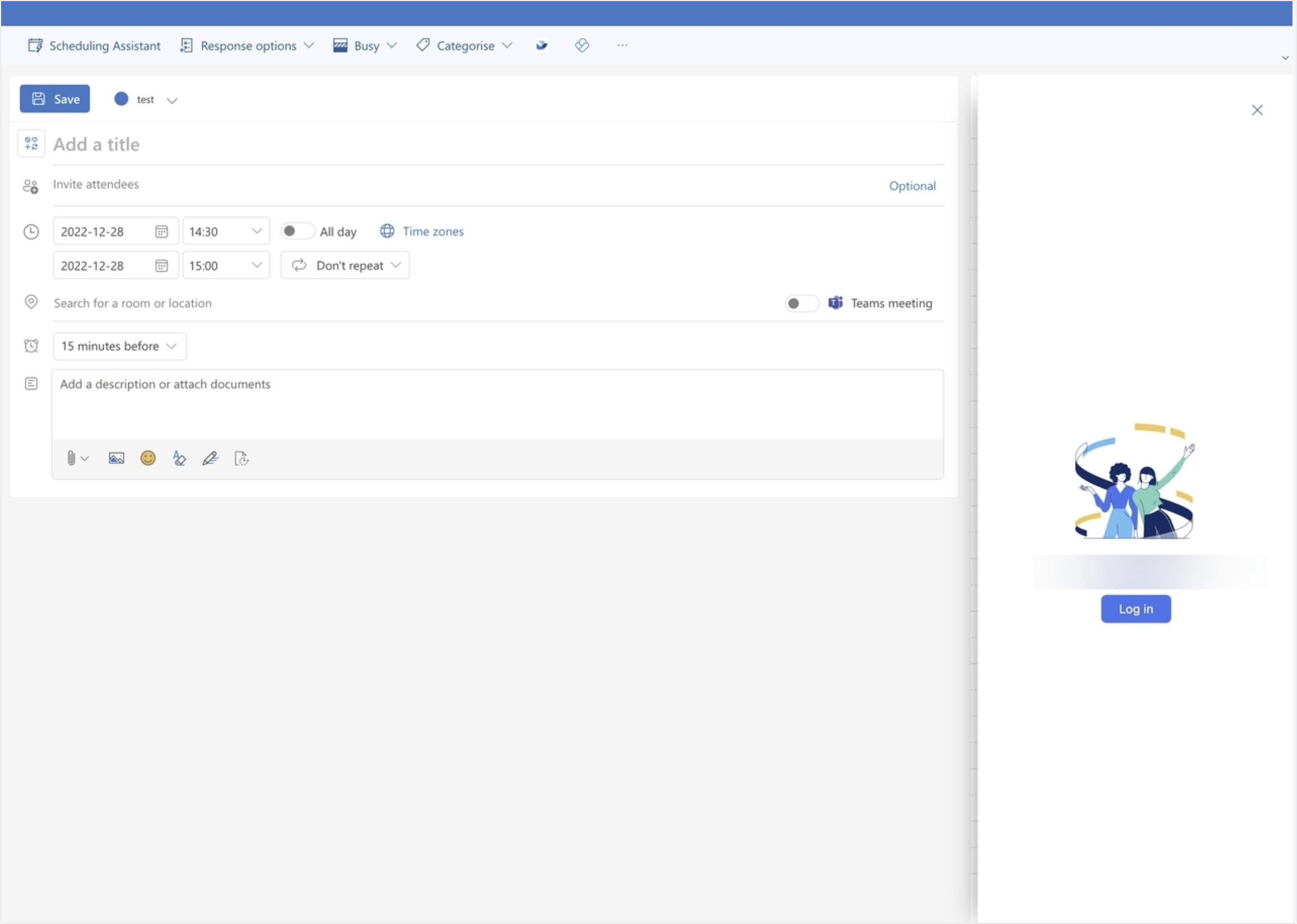
Lark Approval: Simplify client-related decision workflows
In many CRMs, internal approvals (for pricing, discounts, or onboarding) still happen over email or chat, causing bottlenecks. Lark Approval replaces those delays with automated approval flows. Teams can create templates for common processes, such as "new client onboarding," "contract sign-off," or "discount authorization," and assign reviewers or approvers accordingly. Once triggered, notifications appear instantly in Lark Messenger, and decisions are recorded in real time. This not only speeds up customer-facing actions but also creates an auditable trail of decisions, improving transparency and compliance for sales and account operations.
Pros:
- Clean, beginner-friendly interface with strong Outlook sync.
- Free plan available with essential CRM tools.
- Excellent marketing automation and form tracking.
- Integrates easily with HubSpot's larger ecosystem.
Cons:
- Reporting and automation options limited in free plan.
- Premium tiers become costly for large teams.
- Starter plan: Free forever plan that includes 11 powerful tools for up to 20 users. It also comes with 100GB of storage, 1000 automation runs, AI translations, and more.
- Pro plan: $12/user/month (billed annually) for up to 500 users. It includes everything in Starter plus group calling for up to 500 attendees, 15TB of storage, 50,000 automation runs, and more.
- Enterprise plan: Contact sales for custom pricing. Supports unlimited users and includes even more automation runs and advanced security, compliance, and management features.
2. HubSpot CRM: Outlook-connected platform for inbound sales
HubSpot CRM offers an intuitive email-first approach to customer relationship management. It syncs natively with Outlook, allowing teams to log emails, create tasks, and update contacts right from their inbox. This makes it particularly useful for marketing-led sales teams focused on inbound leads. Its built-in pipeline visualization and automation make deal tracking simple, while its meeting scheduling tool streamlines client communication. HubSpot acts as a friendly CRM for teams wanting powerful features without technical complexity.
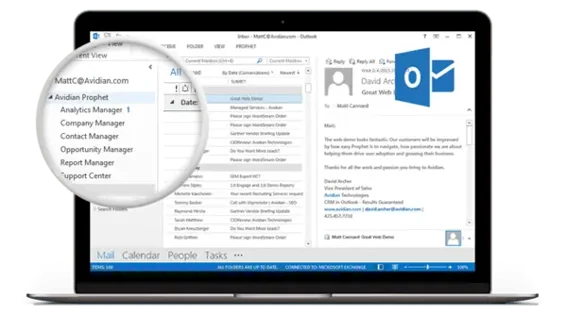
Image source: hubspot.com
Key features:
- Email tracking and templates help teams send personalized outreach.
- Contact management centralizes customer data synced from Outlook.
- Visual pipelines show deal progress and forecasting.
- Workflow automation sends follow-up emails and reminders automatically.
- Integrated meeting scheduler connects calendars and booking links.
Pros:
- Clean, beginner-friendly interface with strong Outlook sync.
- Free plan available with essential CRM tools.
- Excellent marketing automation and form tracking.
- Integrates easily with HubSpot's larger ecosystem.
Cons:
- Reporting and automation options limited in free plan.
- Premium tiers become costly for large teams.
- Some Outlook features may require additional setup.
Pricing: Free plan; paid versions start from $20/month.
3. Salesforce Sales Cloud: Enterprise-grade Outlook CRM solution
Salesforce Sales Cloud is known for enterprise-level customization and data power. When connected to Outlook, it creates a unified view of emails, contacts, and meetings across entire organizations. Sales leaders can track opportunities, analyze performance, and automate complex sales cycles without leaving the familiar email interface. For large companies handling multiple accounts or territories, Salesforce acts as a complete system of record that links sales insights to every message and interaction. Its robust reporting tools help leaders make strategic decisions based on real-time data.
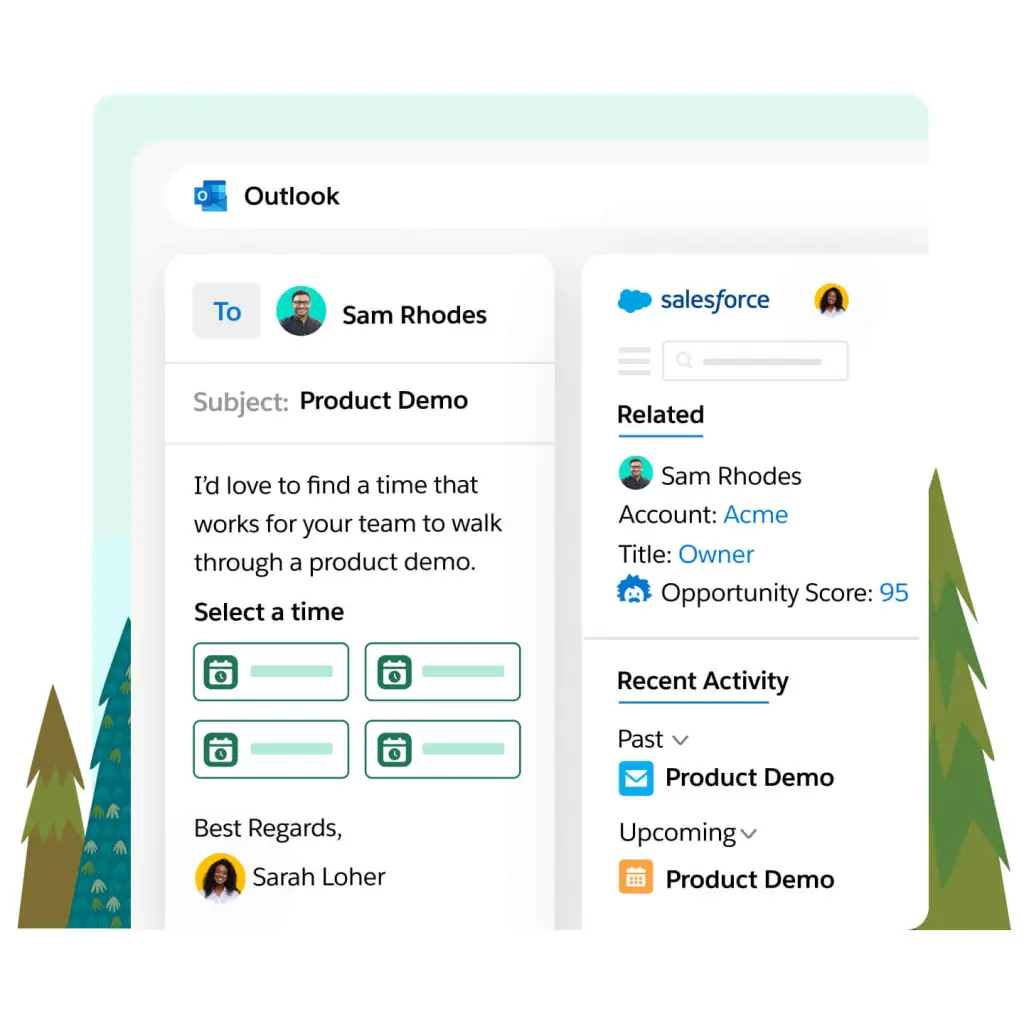
Image source: salesforce.com
Key features:
- AI insights from Salesforce Einstein to forecast and prioritize leads.
- Opportunity tracking with real-time dashboards.
- Workflow automation for complex multi-step approvals.
- Advanced analytics and reporting for enterprise teams.
- Deep integration with Microsoft Exchange for seamless sync.
Pros:
- Highly customizable for enterprise-level sales operations.
- Advanced forecasting and analytics capabilities.
- Reliable Outlook synchronization and calendar mapping.
- Strong data security and compliance features.
Cons:
- Steep learning curve for new users.
- Costly setup and customization for smaller teams.
- Heavy interface compared to lightweight CRMs.
Pricing: Custom pricing based on edition and team size.
4. Pipedrive: Visual CRM pipeline for Outlook users
Pipedrive was built for salespeople who prefer simplicity and clarity in their daily work. It focuses on visual deal management and activity tracking, giving users a clear view of sales progress at every stage. For Outlook users, Pipedrive syncs emails and calendar events directly with the CRM so meetings and tasks stay connected to each deal. Its drag-and-drop interface and mobile apps make it ideal for teams that want a lightweight, easy-to-use pipeline tool. Small and mid-sized businesses find Pipedrive especially useful for building consistent sales habits and forecasting accurately.
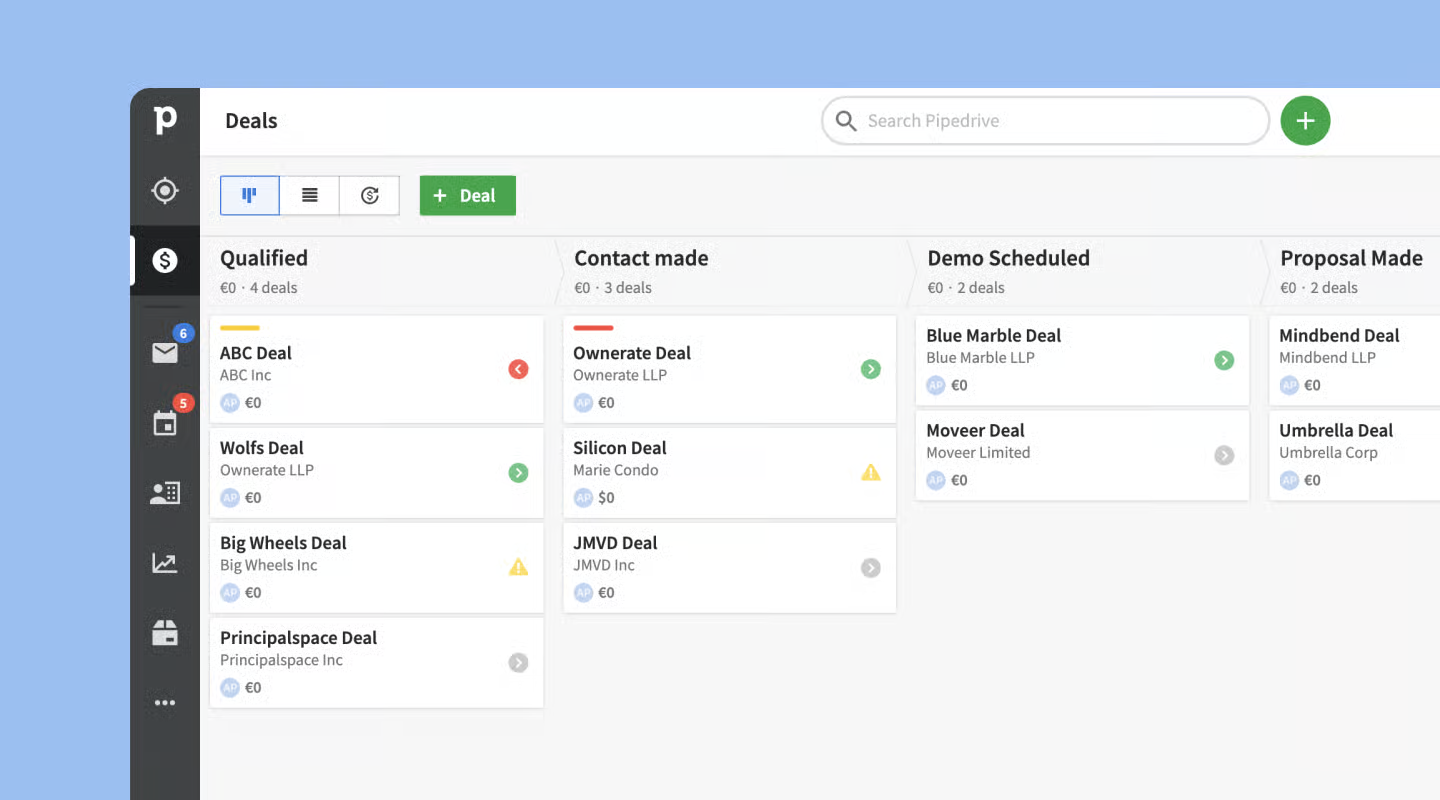
Image source: pipedrive.com
Key features:
- Visual deal pipelines with drag-and-drop stages.
- Activity tracking for calls, emails, and meetings.
- Calendar sync for Outlook scheduling.
- Deal forecasting tools for revenue planning.
- Integrations with email marketing and automation apps.
Pros:
- Intuitive design that's easy to learn and use.
- Customizable stages to fit different sales processes.
- Strong email sync and scheduling for Outlook users.
- Clear focus on pipeline visibility and follow-up tracking.
- Good value for small teams starting with CRM adoption.
Cons:
- Limited advanced automation in lower plans.
- Reporting tools are less detailed than enterprise CRMs.
- Basic customer support for entry-level users.
Pricing:
Plans start from $14.90/user/month.
5. Zoho CRM: Affordable Outlook CRM for growing teams
Zoho CRM balances affordability with powerful features for businesses of all sizes. It integrates smoothly with Outlook, letting users sync emails, contacts, and tasks between systems to keep everything organized. Startups and growing companies appreciate its customization options and AI-powered assistants that help prioritize leads. Zoho's interface connects sales, marketing, and support in a single system, making it a cost-effective solution for teams transitioning from spreadsheets to structured CRM workflows. Its wide range of add-ons and reports ensures teams can scale without changing platforms.
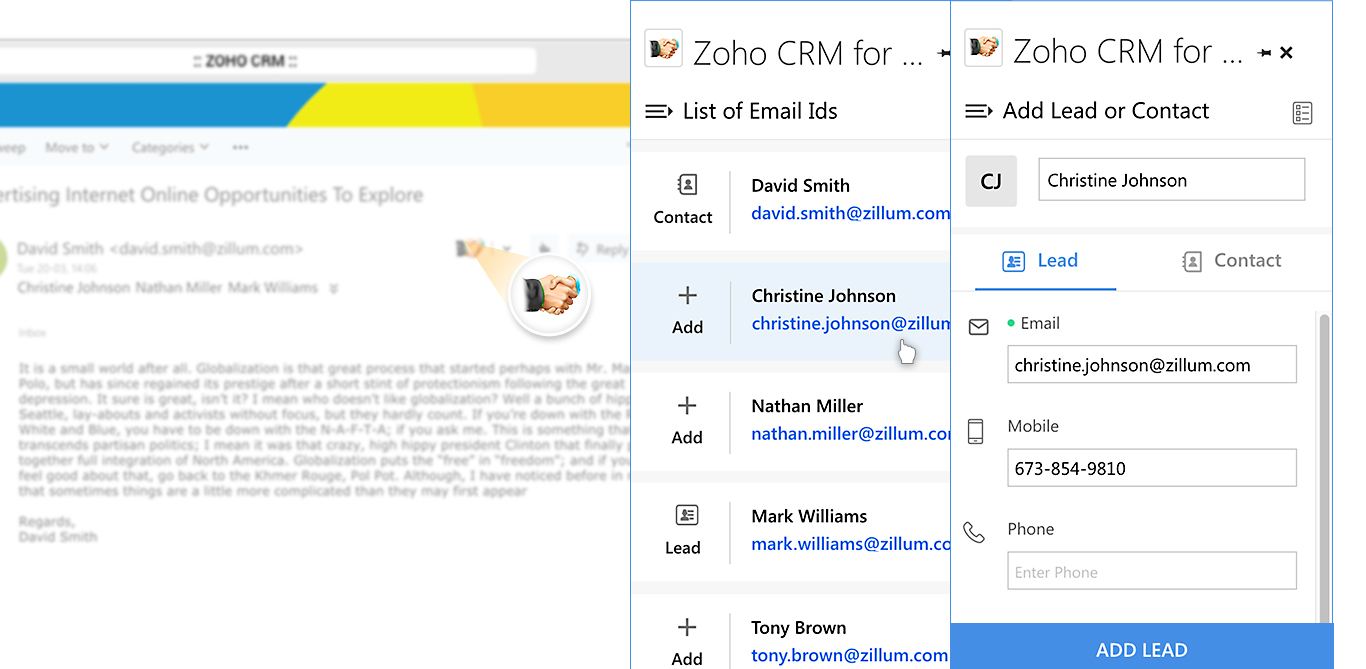
Image source: zoho.com
Key features:
- Contact sync ensures Outlook data matches CRM records.
- Workflow rules automate deal progression and task creation.
- Multi-channel communication includes email, social media, and chat.
- AI assistant Zia predicts the best times to contact leads.
- Integrated analytics dashboards for performance tracking.
Pros:
- Strong automation for an affordable price.
- Scales easily from small to mid-sized teams.
- Works well with Outlook and Microsoft 365 apps.
- Customizable reports and dashboards.
- Access to Zoho's larger business app ecosystem.
Cons:
- Interface may feel cluttered for new users.
- Some Outlook sync features need setup time.
- AI functions limited in basic plans.
Pricing:
Free plan; paid plans from $14/user/month.
6. Nimble: Smart relationship management inside Outlook
Nimble is designed for professionals who want customer insights without managing a full-scale CRM. It embeds directly inside Outlook and automatically enriches contacts with social, company, and history data. This makes it ideal for consultants, service providers, and relationship-driven sellers who rely heavily on email communication. Nimble builds a unified view of interactions by pulling data from inbox threads, calendars, and social networks. Its lightweight interface offers CRM functions without the complexity of pipelines, custom objects, or enterprise modules.
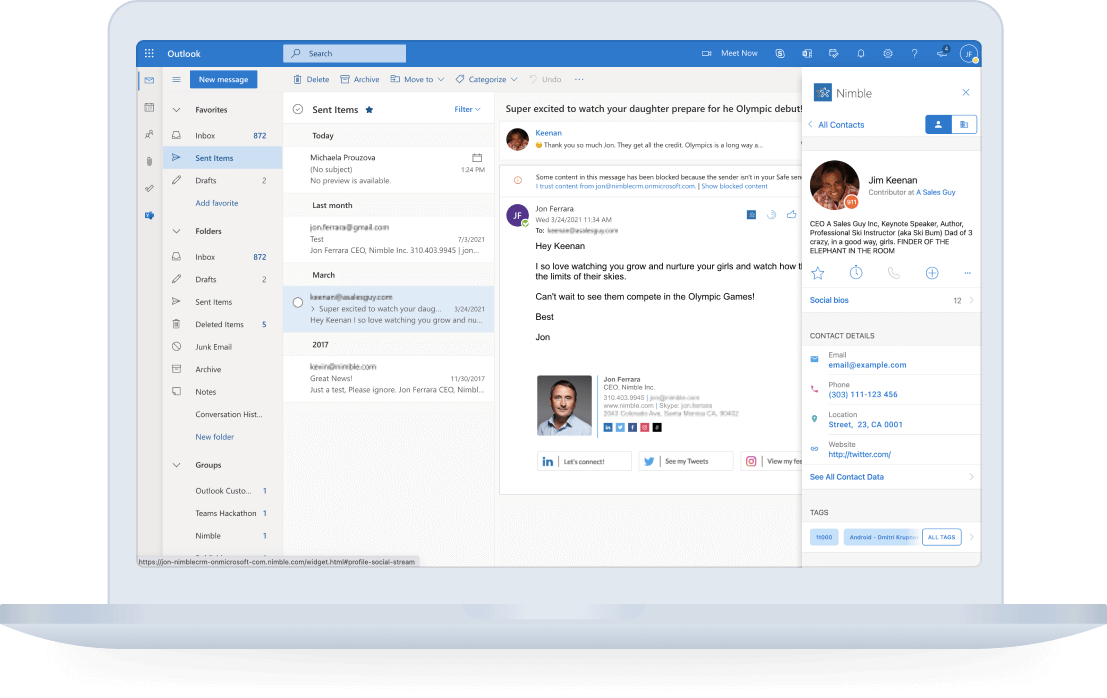
Image source: nimble.com
Key features:
- Unified contact profiles enriched with social and company data
- One-click contact capture from Outlook emails
- Sales pipeline tracking with customizable deal stages
- Activity timelines combining email, meetings, and notes
- Browser and mobile apps for relationship tracking on the go
Pros:
- Excellent contact enrichment for sales research
- Easy to use for solo sellers and small teams
- Works natively inside Outlook without extra windows
- Automatic social profile matching saves time
- Affordable alternative to heavy CRMs
Cons:
- Limited automation features compared to full CRMs
- Pipeline management works but is basic
- Not ideal for large multi-team sales operations
Pricing:
Plans start from $29.90/user/month.
7. Insightly: CRM and project management for Outlook professionals
Insightly combines CRM with built-in project management, making it useful for organizations that need to manage both deals and post-sale delivery. Its Outlook add-in lets users save emails as records, create tasks, and update deals without switching tabs. This unified workflow is helpful for agencies, professional services teams, and account managers who need visibility beyond pipeline stages. Insightly also supports workflow automation and custom dashboards, making it flexible enough for growing teams that need a hybrid CRM-project system.
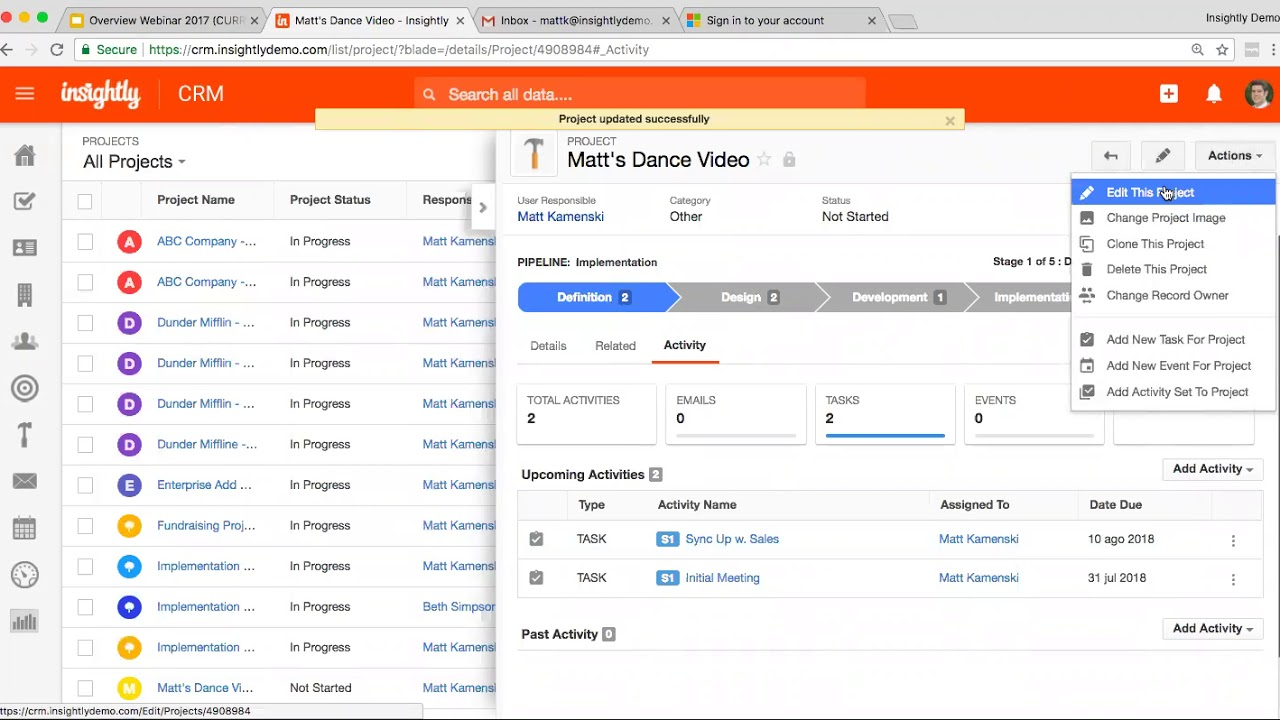
Image source: insightly.com
Key features:
- Lead and opportunity tracking with custom workflows
- Project management tools linked to client accounts
- Email sync and record creation inside Outlook
- Relationship linking across contacts, tasks, and deals
- Automation for routing, assignment, and task triggers
Pros:
- Combines CRM and project tracking in one system
- Strong relationship mapping for multi-stakeholder accounts
- Good reporting and dashboard customization
- Outlook plugin captures email threads instantly
- Scales well for service-based organizations
Cons:
- Interface can feel complex for simple CRM needs
- Advanced automation locked behind higher plans
- Customization requires some learning time
Pricing:
Plans start from $29/user/month.
8. Streak CRM for Outlook: Email-first CRM for personal sales workflows
Streak CRM was originally built for Gmail, but its Outlook version brings the same inbox-native CRM model to Microsoft users. Instead of switching apps, users manage pipelines, contacts, and reminders directly inside their mailbox. This makes it ideal for freelancers, solopreneurs, and small sales teams who close deals from email rather than dashboards. Streak feels like a spreadsheet embedded inside Outlook, turning folders into pipelines and messages into structured data.
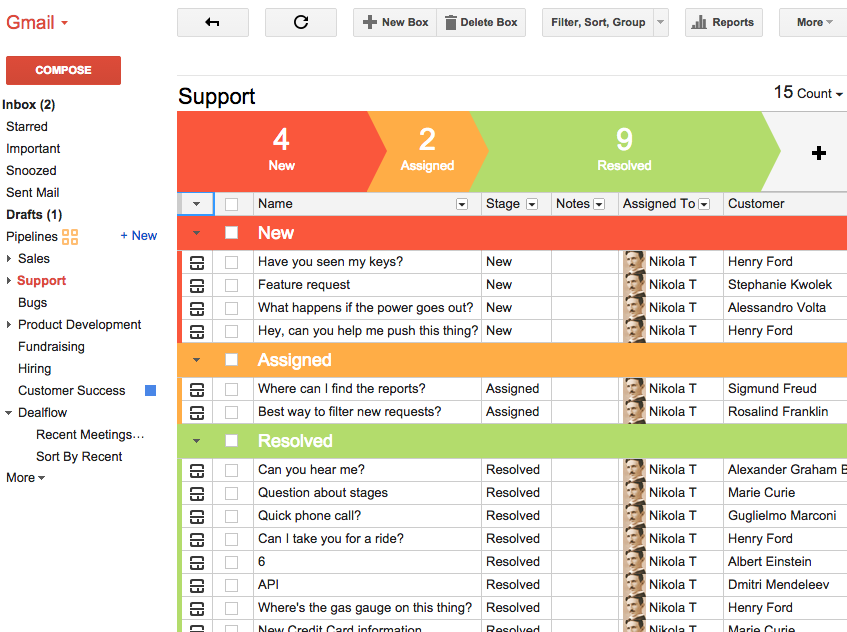
Image source: streak.com
Key features:
- Email-based pipeline tracking inside Outlook
- Mail merge and automated follow-up sequences
- Contact and deal view embedded in inbox sidebar
- Smart reminders and snoozing for important emails
- Lightweight task and note tracking for each deal
Pros:
- No external dashboard, everything happens inside email
- Very easy for individuals to set up and manage
- Good for personal pipelines and one-to-one selling
- Email merge helps with outreach and nurturing
- Free plan available for basic pipelines
Cons:
- Not suitable for larger multi-team sales operations
- Limited reporting and forecasting tools
- No advanced database or automation features
Pricing:
Free plan; paid plans from $15/user/month.
9. Microsoft Dynamics 365: Native CRM ecosystem for Microsoft users
Dynamics 365 offers the deepest Outlook-native CRM experience because it is built within the Microsoft ecosystem. It connects email, calendar, teams, and CRM records into a single platform, making it ideal for large organizations already using Microsoft 365. Users can view, track, and update CRM data directly from Outlook without toggling between windows. Dynamics supports advanced automation, AI forecasting, and enterprise security—making it a long-term solution for complex sales operations.
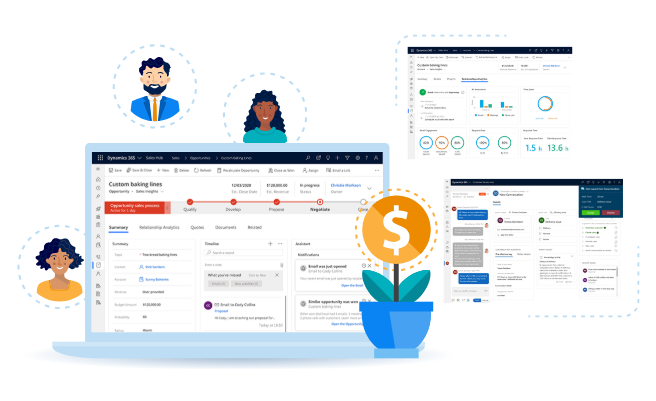
Image source: scnsoft.com
Key features:
- Complete Outlook-native CRM experience
- AI-based sales forecasting and opportunity scoring
- Built-in dashboards and Power BI reporting
- Deep automation for enterprise workflows
- Multi-department scalability including sales, support, finance, and field ops
Pros:
- Best CRM choice for full Microsoft environment
- Strong security and compliance controls
- Excellent sync between Outlook contacts, emails, and CRM data
- Customizable through Power Apps and low-code extensions
- Supports global, multi-team sales environments
Cons:
- Expensive for smaller businesses
- Setup and customization require technical expertise
- Interface can feel heavy for simple sales workflows
Pricing:
Plans start from $65/user/month.
10. Copper CRM: Streamlined pipeline and Outlook sync for teams
Copper focuses on simplicity and speed while still offering CRM structure for growing sales teams. It was originally known for its deep Gmail integration but now offers Outlook sync for users who want lightweight CRM features without complexity. Copper gives teams a clean pipeline view, fast data entry, and automated contact syncing—which reduces manual admin work. Smaller companies switching from spreadsheets often choose Copper before graduating to larger CRMs.
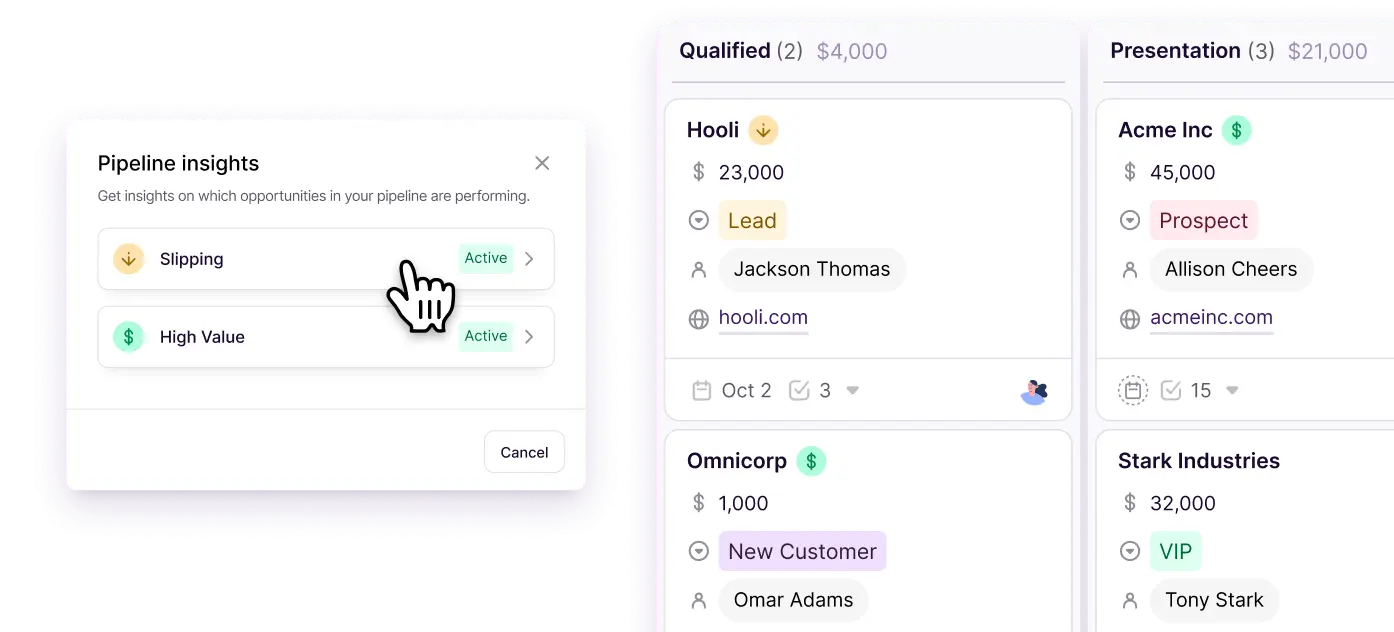
Image source: copper.com
Key features:
- Automatic contact creation from Outlook emails
- Sales pipeline with drag-and-drop deal stages
- Task and reminder tracking tied to each opportunity
- Reporting dashboards for team-wide visibility
- Workflow automation for deal updates and lead actions
Pros:
- Easy to adopt for small and mid-sized teams
- Clean interface with minimal configuration required
- Email sync reduces manual entry and duplicate contacts
- Good balance between structure and simplicity
- Works well for companies upgrading from spreadsheets
Cons:
- Limited to sales workflows, not full customer lifecycle
- Fewer advanced integrations compared to larger CRMs
- Some automation tools require higher plans
Pricing:
Plans start from $25/user/month.
Benefits of using a CRM with Outlook
Using Outlook as the center of client communication is common for many sales teams, but email alone cannot track deal progress, assign tasks, or store customer history. When Outlook is paired with a CRM, it becomes more than an inbox, it becomes a connected workspace for sales, support, and relationship management. The benefits below explain why teams move from email-only workflows to CRM-enabled Outlook environments.
- Access customer details directly from your inbox: With a CRM for Outlook, sales representatives can view full customer histories within the email interface. This includes contact details, recent interactions, and pipeline stage—allowing teams to personalize responses without switching apps.
- Track emails, tasks, and deals seamlessly: Outlook CRMs let users link messages to deals or opportunities automatically. Every reply or calendar update syncs with the CRM, ensuring no communication or activity is missed during a deal cycle.
- Automate follow-ups and reminders: These platforms trigger reminders or next-step actions based on email opens, replies, or deal progress. For example, when a client responds to a proposal, the CRM can assign a follow-up task to the right teammate instantly.
- Sync calendars and meetings efficiently: Scheduling demos, check-ins, and client calls becomes effortless when CRM data connects to Outlook Calendar. Teams gain visibility into each other's availability and customer timelines, minimizing overlaps or missed meetings.
- Improve collaboration across departments: With shared access to conversations and CRM data, sales, marketing, and support teams can coordinate follow-ups, campaign insights, or issue resolutions in one connected system. This ensures consistent client experience and fewer information gaps.
Outlook CRM best practices checklist
Even the best Outlook-connected CRM can lose efficiency if teams don't follow consistent workflows. To get long-term value, sales and support teams need habits that keep data clean, follow-ups timely, and communication shared instead of siloed in inboxes. The checklist below highlights simple practices that help teams maintain an organized, reliable, and fully synced Outlook-CRM system.
- Keep contacts updated regularly: CRM records become unreliable when email-synced contacts remain outdated. Teams should review contact data weekly, especially when new stakeholders join a deal or a client's organization changes. Clean, current contact lists reduce communication gaps across sales and support.
- Automate repetitive follow-ups where possible: Outlook-based CRMs offer triggers that send reminders, tasks, or emails when a lead opens a message or reaches a deadline. Automation not only saves time but prevents missed touchpoints during long sales cycles.
- Connect calendar events to deals and tasks: Meetings, demos, and internal reviews should always map back to CRM data. Linking calendar entries to pipelines lets managers track progress without asking for status updates and ensures conversations stay organized.
- Review analytics and dashboards often: CRMs provide activity, win-rate, and pipeline reports that help teams spot slow deals or inactive leads. Weekly reviews create data habits and ensure decisions are not based only on inbox impressions.
- Use a shared workspace when multiple teams collaborate: Outlook plugins help individuals, but shared workspaces let teams see messages, notes, tasks, and decisions in one space. This reduces back-and-forth mail threads and keeps context preserved across handovers.
Conclusion
For teams that rely on Outlook every day, choosing the right CRM determines how smoothly customer communication, deal tracking, and follow-up tasks come together. Some platforms act as lightweight inbox add-ons, while others offer full-funnel analytics, forecasting, and automation. The key is finding a tool that doesn't just plug into Outlook, but actually improves how teams work together around email, contacts, and sales data.
Many businesses start with a CRM that syncs with Outlook and later realize they also need shared conversations, task management, approvals, and documentation in one place. This is where connected workspaces like Lark offer an alternative, combining CRM-style databases, mail, calendar, messaging, and automation into a single environment. Instead of stitching tools together, teams can communicate, track deals, and make decisions without switching platforms.
FAQs
Can I use a CRM with Outlook without leaving my inbox?
Yes. Many CRMs, including HubSpot and Zoho CRM, offer Outlook add-ins that let users manage contacts, track emails, and log deals directly inside their inbox. However, these add-ins can be limited, which is why connected workspaces like Lark provide a more seamless, all-in-one experience for email, calendar, and task management.
How do Outlook-based CRMs handle shared inboxes and team visibility?
Outlook CRMs typically log emails by user, meaning collaboration can be fragmented. Lark Mail solves this by offering shared visibility and threaded discussions around client messages, so teams can comment, assign, and follow up without losing context.
What's the difference between CRM Outlook plugins and connected workspaces?
CRM plugins for Outlook extend functionality like contact syncing or email tracking but they rely heavily on Outlook's interface. Connected workspaces like Lark go further by merging CRM-style records, communication, and approvals in one place, ensuring every client update automatically ties back to your team's shared workflow.
Do I still need Outlook if I use Lark for CRM-style workflows?
Not necessarily. Lark Mail and Calendar replicate Outlook's core capabilities while enhancing collaboration. You can manage customer emails, schedule meetings, and link them to CRM-style databases in Lark Base, reducing the need for multiple disconnected systems.
How secure is customer data stored in Lark compared to Outlook CRMs?
Lark uses enterprise-grade security protocols, including end-to-end encryption, data residency options, and advanced admin controls. This ensures customer communications, CRM records, and approvals remain private and compliant with international standards such as GDPR and ISO 27001.
Related reading
Table of contents
Start using Lark today

Manage all your work in one place
Boost team efficiency by 10x
Save up to 70% on software costs
Table of contents
Start using Lark today
Manage all your work in one place
Boost team efficiency by 10x
Save up to 70% on software costs
Keep reading









2026 Lark Technologies Pte. Ltd.
Headquartered in Singapore with offices worldwide.






Explore: