Modern revenue teams no longer see sales as a simple handoff from a "closed deal" to a finance task. Payments are now closely tied to customer experience, internal coordination, compliance, and long-term revenue health—bringing CRM payments into focus.
At first glance, CRM payments seem straightforward: collecting money inside a CRM. In reality, they involve complex workflows across sales, finance, operations, and customer success. When poorly designed, these workflows lead to delayed collections, missed follow-ups, reconciliation issues, and strained customer relationships. When designed well, CRM payments become a strategic advantage, improving cash flow, visibility, and execution. This guide explains how CRM payments work in practice, where traditional tools fall short, and how execution-first platforms like Lark are reshaping revenue management.
Evolve CRM payment workflows beyond basic one
What CRM payments really mean in day-to-day sales?
CRM payments in day-to-day sales go far beyond simply collecting money after a deal is closed. In , they represent the bridge between sales commitments and actual revenue realization. When a salesperson agrees on pricing, discounts, milestones, or payment terms, those details must flow accurately into invoicing, approvals, and collection processes. CRM payments ensure this information stays connected to the customer record rather than getting lost in emails or spreadsheets.
Daily, sales teams rely on CRM payments to track whether invoices have been sent, payments are pending, partially received, or overdue. This visibility allows sales to follow up with context rather than guesswork. For finance teams, CRM payments provide clearer audit trails, approval histories, and reconciliation data. For operations and delivery teams, payment status often determines when work can begin or move to the next phase. In practice, CRM payments turn sales outcomes into coordinated, that align teams and protect cash flow.
How teams handle CRM payment integrations today
Most teams rely on CRM payment integration tools to connect their CRM system with invoicing, billing, and payment platforms such as . This approach allows sales data to flow into payment workflows, but in practice, the connection is often partial rather than fully automated. As transaction volume and payment scenarios grow, gaps between systems become more visible. - CRM-to-invoice integration after deal closure: Once a deal is marked as closed in the CRM, invoice data is typically passed to a billing or accounting tool through built-in connectors or third-party integrations. In crm sales and payments setups, incomplete deal data or unclear payment terms often require manual checks, weakening the promise of automation.
- Payment tool connections across sales, finance, and ops: Many teams depend on CRM payment integration tools to sync deal values, customer details, and payment status across departments. In platforms like Zoho CRM Payments, the integration handles data transfer, but approvals, exceptions, and adjustments still rely on human coordination, creating friction between teams.
- Cross-border and multi-currency payment integrations: Businesses selling internationally often connect their CRM to platforms such as , which handles local payment methods, currency conversion, and tax collection on each sale as a Merchant of Record. While this removes the compliance burden from the seller, payment and tax records still need mapping back into CRM fields to keep customer data complete.
- Remote, student, and recurring payment integrations: For remote payments, subscriptions, or crm secure student payments, CRMs are usually connected to external payment gateways or portals. While integrations enable payment links and status updates, reconciliation and edge cases often require manual intervention to keep CRM records accurate.
- Where integration breakdowns usually occur: Issues arise when data syncs are delayed, approvals are not built into the integration flow, or payment updates fail to reflect in the CRM. These gaps reduce visibility and increase the risk of missed follow-ups, disputes, or reporting inconsistencies.
Common CRM payment workflows that break at scale
As transaction volumes grow, that once felt manageable often begin to break down. Fragmented systems and manual coordination make it harder to maintain accuracy, speed, and control across teams.
- Sales and finance working in separate systems: Sales closes deals in the CRM while finance manages billing elsewhere. When teams expect a crm that collects payments end-to-end, this separation leads to mismatched data, repeated clarifications, and delayed invoice corrections.
- Limited visibility once invoices are sent: After invoices go out, sales teams often lose real-time insight into payment status. When teams try to process payments through crm workflows without shared visibility, follow-ups become reactive and poorly timed.
- Difficulty tracking partial payments and exceptions: Installments, discounts, or short payments are hard to . Exceptions require manual reconciliation and increase the risk of errors.
- Security and compliance concerns for sensitive payments: Handling regulated or remote transactions across multiple platforms creates exposure. Without robust crm payment integration tools, remote payments, access controls, and audit trails become inconsistent at scale.
CRM payment features buyers actually look for
When evaluating CRM payment capabilities, buyers focus less on flashy features and more on whether the system supports . The right features help teams stay aligned, compliant, and in control as revenue grows.
- Payment status tied to customer records: Buyers want payment updates directly linked to each customer and deal. This ensures sales, finance, and ops always reference the same, up-to-date information.
- Approval flows before invoices go out: help validate pricing, discounts, and terms. This reduces billing errors and prevents unauthorized invoices.
- Clear audit trails for finance teams: Finance teams look for detailed logs showing who approved what and when. Strong audit trails simplify reconciliation and compliance reviews.
- Support for subscriptions, retainers, or staged payments: Flexible payment structures are essential. Buyers need systems that handle recurring, , and partial payments without workarounds.
Where loosely connected CRM payment integrations fall short
Traditional CRM payment tools often struggle to keep up with how actually bill and collect revenue. What works for simple transactions quickly becomes limiting as workflows grow more complex.
- Rigid data models that don't match real billing flows: Many CRMs assume linear, one-time payments. This makes it challenging to support , milestones, or evolving payment structures.
- Poor collaboration between sales and finance: Sales and finance operate in silos within the CRM. Communication happens outside the system, leading to misalignment and slower issue resolution.
- Limited automation around approvals and follow-ups: Approvals and reminders often require manual intervention. Missed steps delay invoicing and collections, impacting cash flow.
- Reporting that focuses on revenue, not execution: Reports highlight booked revenue but ignore operational gaps. Teams lack visibility into invoicing progress, payment delays, and execution bottlenecks.
As these limitations add up, many teams realize the problem isn't just missing features—it's a mismatch between how CRM payment tools are designed and how revenue actually moves through an organization. Payment execution requires coordination, visibility, and flexibility across teams, not isolated functions. Instead of forcing teams to adapt to rigid systems, the focus is shifting to execution-first approaches. This is where Lark enters the picture, offering a different way to connect sales, payments, and delivery.
Explore smarter ways to connect sales and payments
A modern approach: Execution-first CRM payments with Lark
An execution-first approach to CRM payments focuses on how work actually gets done after a deal is signed. Instead of treating payments as a standalone step, connects , approvals, communication, and follow-up actions into one continuous workflow. This ensures that sales commitments translate smoothly into invoicing, collections, and delivery. Teams gain real-time visibility into payment status while reducing manual handoffs and errors. With this mindset, CRM payments become a shared operational process rather than a finance-only responsibility. Using Lark Base to track customers, deals, invoices, and payment status in one place
acts as a single source of truth for customer and revenue data. Teams can view deal details, invoice amounts, payment terms, and current payment status without switching tools—sales and finance work from duplicate records, reducing discrepancies and rework. Custom fields allow teams to reflect real billing structures rather than being forced into templates. As updates happen, everyone sees changes in real time. 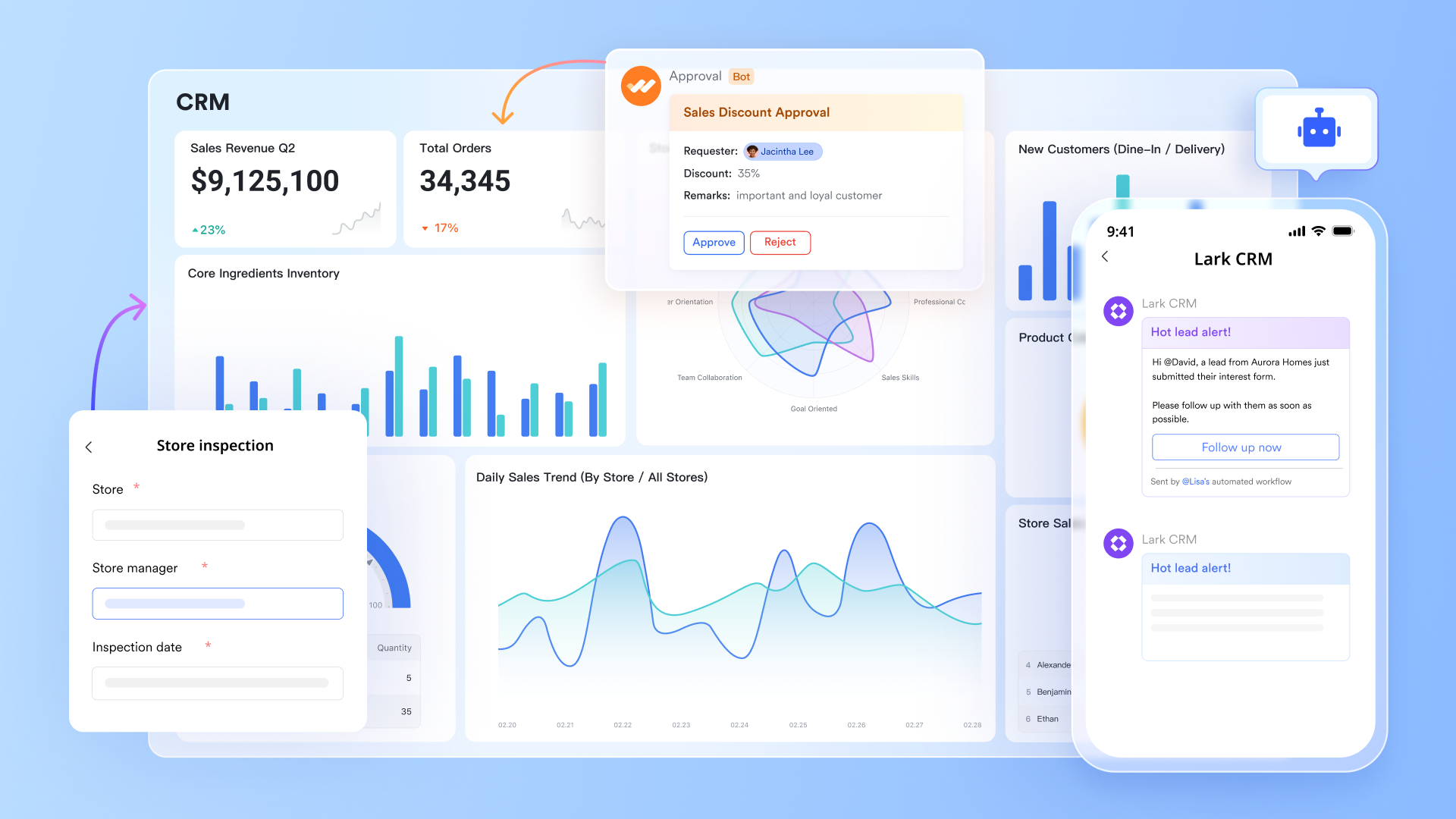
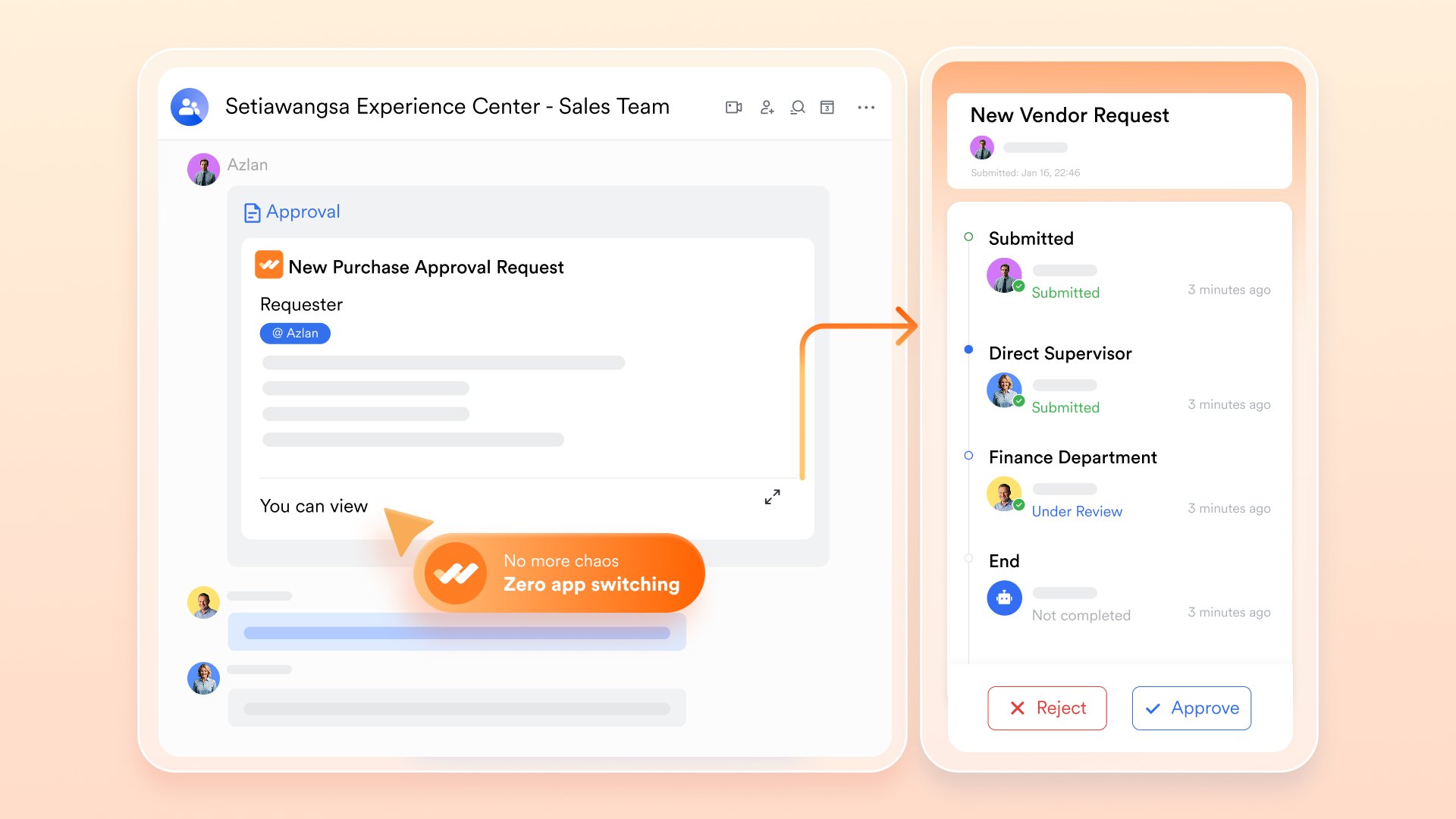
Streamlined flows for invoices and discounts using Lark Approval
enables structured review before invoices are sent. Discount requests, special terms, or exceptions can be to the right stakeholders. Each approval step is logged, creating a clear decision trail. This reduces billing errors and unauthorized pricing changes. Finance teams maintain control without slowing down sales.
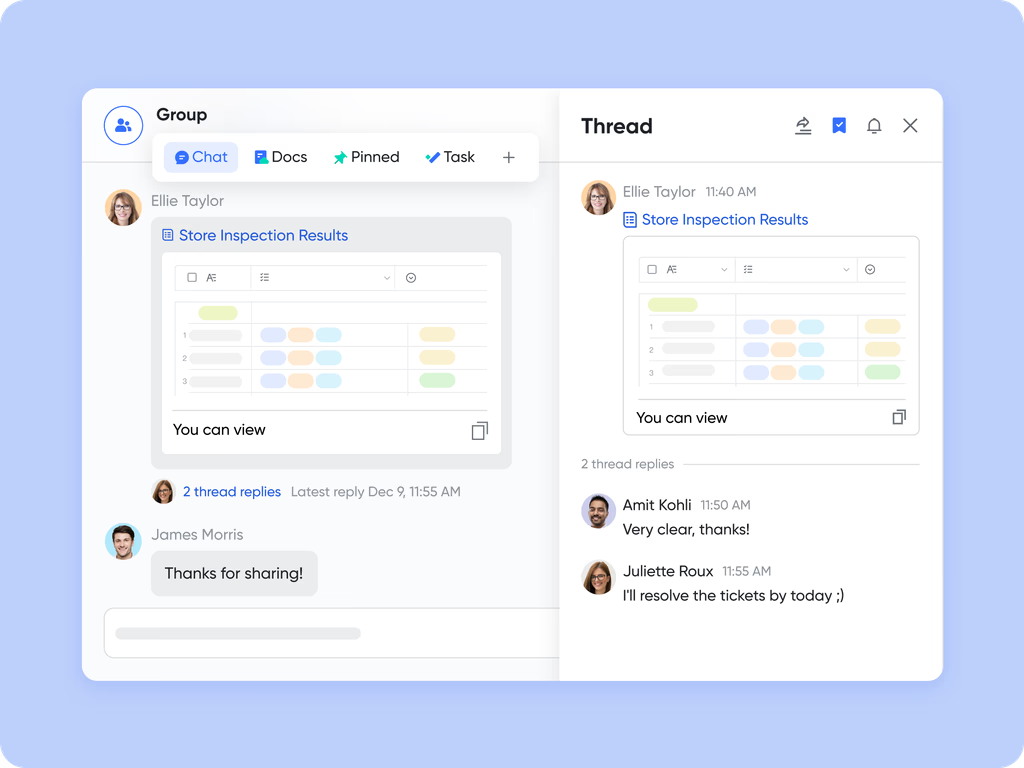
Real-time coordination between sales and finance via Lark Messenger
keeps conversations directly connected to payment workflows. Sales and finance can clarify invoice details, payment delays, or customer queries instantly. reduce long email threads and misunderstandings. Teams respond faster to issues that could block collections. Communication stays searchable and linked to work.
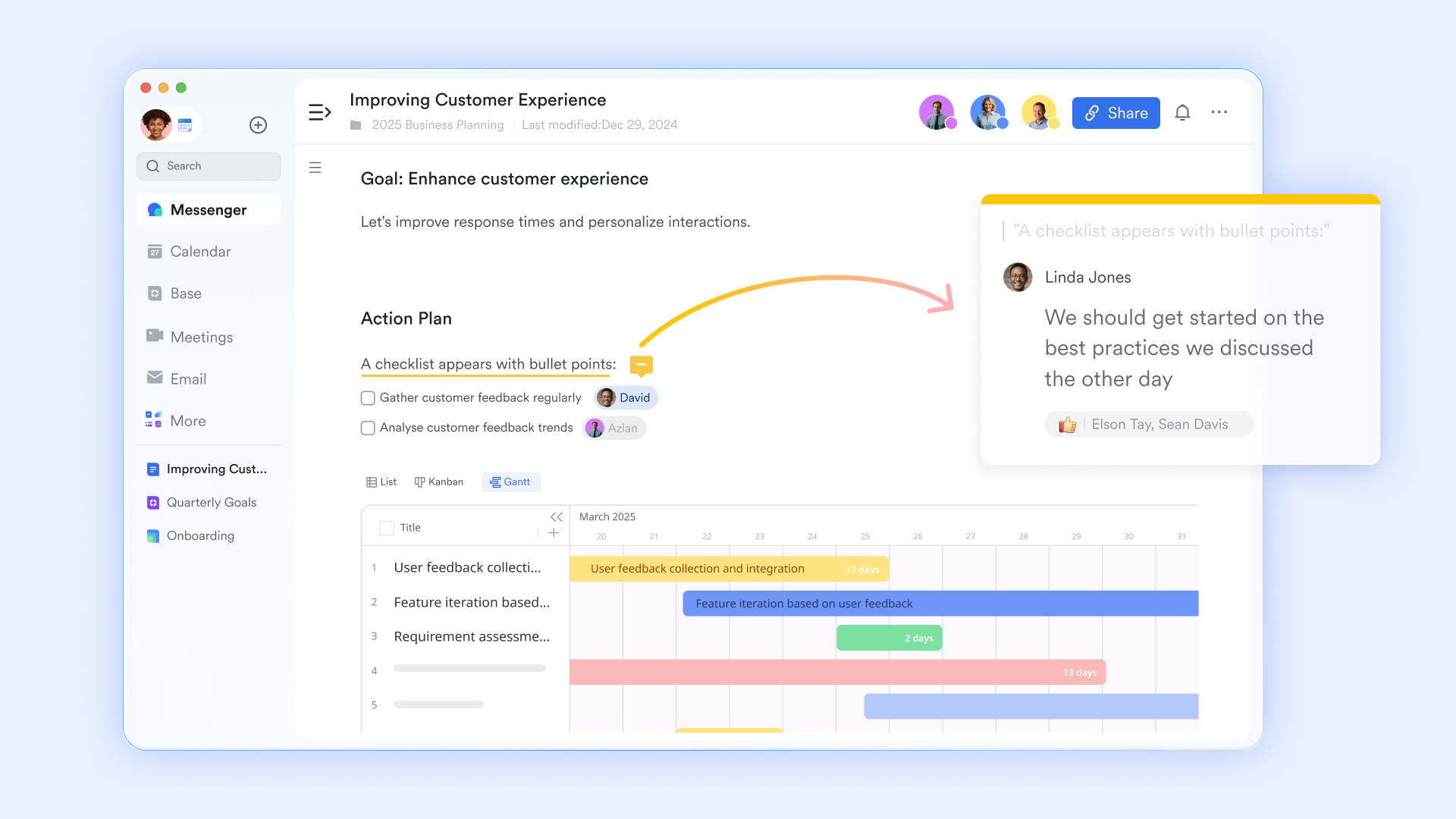
Shared documentation for contracts and payment terms in Lark Docs
centralizes contracts, payment schedules, and agreed terms. Teams always reference the latest approved version, avoiding outdated documents. ensures faster alignment across stakeholders. Comments and change history provide transparency and accountability. This reduces disputes during invoicing and collections.
Automated workflow steps that trigger tasks after payment events
Automation in Lark Base connects payment events to subsequent actions. when invoices are sent, payments are received, or deadlines are missed. This removes reliance on manual follow-ups. Teams stay proactive rather than reactive. As a result, execution becomes consistent and scalable. 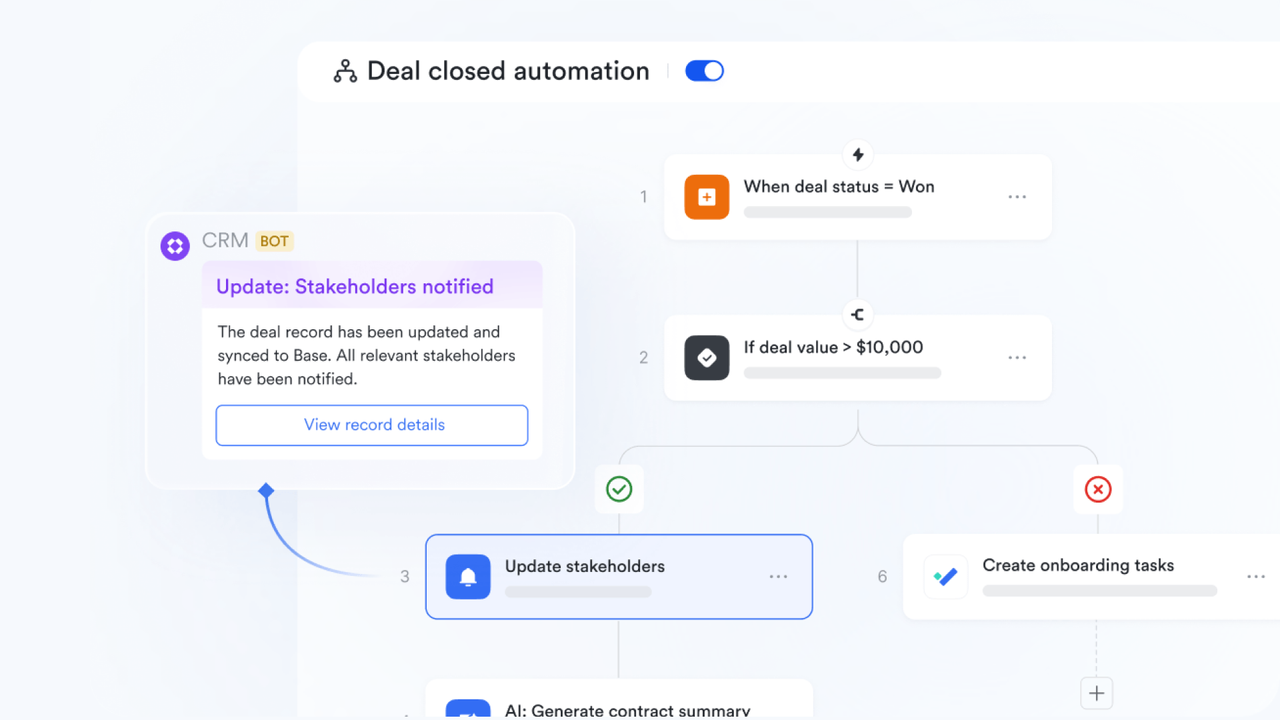
:
- Starter plan: Free forever plan that includes 11 powerful tools for up to 20 users. It also comes with 100GB of storage, 1000 automation runs, AI translations, and more.
- Pro plan: $12/user/month (billed annually) for up to 500 users. It includes everything in Starter plus group calling for up to 500 attendees, 15TB of storage, 50,000 automation runs, and more.
- Enterprise plan: for custom pricing. Supports unlimited users and includes even more automation runs and advanced security, compliance, and management features.
For small teams with simple communication needs

18 months message history
1000 Base automation runs/month
2000 rows per table in Base
Most POPULAR
For companies with comprehensive collaboration and management needs
Unlimited message history
500-participant video meetings
50k Base automation runs/month
20k rows per table in Base
For large companies with advanced security and organizational management needs
Get a personalized demo and pricing
Unlimited message history
500-participant video meetings
15 TB storage + 30 GB storage/user
500k Base automation runs/month
50k Base automation runs/month
Most POPULAR
For companies with comprehensive collaboration and management needs
Unlimited message history
500-participant video meetings
50k Base automation runs/month
20k rows per table in Base
How to evaluate CRM payment tools before committing
Choosing a CRM payment tool requires looking beyond surface features and understanding how it will perform under real operational pressure. A careful evaluation helps avoid costly migrations and workflow disruptions later.
- Questions to ask vendors about payment workflows: Ask how the tool , exceptions, partial payments, and changing terms. Understand whether workflows can adapt as your billing models evolve.
- What to test during trials or pilots: Simulate real scenarios like delayed payments, discounts, or multi-stage billing. Observe how easily , update records, and track status.
- Signs a tool will become a bottleneck later: Heavy manual work, limited customization, or poor visibility across teams are warning signs. These issues often worsen as volume and complexity increase.
Try a smart solution for smooth payment operations
Who benefits from the streamlined payment flows inside Lark
Lark is well-suited for organizations that view CRM payments as a shared execution process rather than a standalone finance task. It works best for teams that need alignment, visibility, and flexibility across revenue workflows. - Teams managing sales, billing, and delivery together: Organizations where sales commitments directly affect billing and delivery benefit most. Lark keeps all teams aligned with customer, payment, and execution status.
- Businesses with custom or non-linear payment flows: Companies , retainers, or phased payments need flexibility. Lark supports evolving terms without forcing rigid billing structures.
- Organizations that want fewer tools, not more: Teams aiming to reduce tool sprawl can centralize data, communication, and workflows. This simplifies operations and lowers coordination overhead.
Conclusion
CRM payments are no longer a back-office concern—they are a critical part of how revenue is executed, tracked, and realized across modern organizations. As this guide shows, collecting payments inside a CRM involves far more than invoicing. It requires from sales to finance, clear approvals, real-time visibility, and reliable follow-through after deals close. Traditional CRM payment tools often struggle as complexity grows, leading to delays, errors, and fragmented ownership.
An execution-first approach changes this dynamic by treating payments as a shared workflow rather than a disconnected task. By bringing customer data, billing context, approvals, communication, and automation into one coordinated environment, teams can move from closed deals to collected revenue with greater confidence. For organizations looking to simplify their revenue stack and improve execution across sales and finance, offers a flexible foundation to manage CRM payments as part of everyday work.
Turn payment tracking into a coordinated team workflow
FAQs
Can CRM payments support milestone-based billing?
Yes, many CRM payment systems can support milestone-based billing when workflows are flexible. Lark allows teams to track staged payments, link to tasks, and update payment status in real time. This helps sales, finance, and delivery stay aligned as work progresses.
How do CRM payment tools handle refunds or disputes?
Refunds and disputes are usually managed through linked workflows and approval steps. With Lark, teams can document reasons for disputes, route approvals, and maintain a clear audit trail. This ensures issues are resolved transparently and consistently.
Are CRM payments safe for regulated industries?
CRM payments can be secure if access controls and audit logs are enforced. Lark supports role-based permissions, approval histories, and centralized , helping organizations meet regulatory and compliance requirements.
What happens when payment terms change mid-deal?
Mid-deal changes require updates across records, invoices, and approvals. Lark enables teams to revise terms collaboratively, track changes, and answer questions like 'does vacation crm have automated payments?' without losing context.
How do CRM payments affect revenue recognition reporting?
CRM payments influence when and how revenue is recognized. Lark helps teams connect payment status with delivery milestones, improving accuracy and confidence in revenue reporting.
Related reading
































