The right CRM depends less on feature count than on how well the system fits your sales, service, and collaboration workflows. As businesses scale, traditional spreadsheets and scattered communication tools begin to show their limitations, often leading to missed opportunities and inconsistent follow-ups.
That shift is why buyers increasingly compare top CRM tools by workflow fit instead of by feature count alone. Some teams need visual sales execution, some need top rated B2B CRM tools for structured account management, and others need tools for CRM that support service, onboarding, and renewals just as well as pipeline tracking.
In this guide, we keep the original article structure but update the ranking, sharpen the buying logic, and align the detailed reviews with current SERP expectations. You'll see what the top CRM tools are for different operating models, how AI changes the evaluation, and where Lark CRM stands apart from more traditional systems.
What is CRM?
Customer Relationship Management (CRM) is far more than just organizing your contact list. At its heart, is a strategy and system for managing all your company's relationships and interactions with existing and potential customers. The main goal? To improve business relationships, streamline processes, increase profitability, and enhance every customer experience.
Modern CRM goes well beyond the basics. It acts as a single hub for tracking contacts, managing pipelines, recording every touchpoint—whether , , , or call—and orchestrating team activity. With a centralized CRM, your entire team can access up-to-date information, assign tasks, set reminders, and automatically log communications, making every customer engagement more personal and timely.
Today's CRM platforms often integrate deeply with sales, marketing, and support software. They help automate repetitive manual work, such as follow-up reminders, lead qualification, or updating deal stages, freeing your team to focus on high-impact tasks. With built-in AI features, modern CRM tools can even suggest next steps, flag key opportunities, and forecast future trends based on historical data.
As businesses expand and customer journeys become more complex, a CRM system transforms from a helpful add-on to an operational necessity. The latest CRM solutions empower teams to collaborate smoothly (think , real-time editing, and group notifications), keep data secure and compliant, and customize workflows for dynamic needs—giving every business, large or small, a foundation for growth.
What makes top CRM tools?
Intuitive user experience and simple onboarding
A top CRM tool should feel natural and easy to navigate, even for first-time users. Clear menus, drag-and-drop workflows, and the ability to customize dashboards mean teams can get started quickly, minimizing training time and resistance. Look for systems supporting real-time collaboration and seamless switching between mobile and desktop, making it simple to stay productive from anywhere. Robust integration ecosystem
Today's businesses rely on dozens of digital tools—CRM shouldn't stand alone. Leading platforms integrate with , , , accounting, e-signature, and marketing apps. This allows your CRM to automatically sync emails, import contacts, trigger workflow automations, and keep every system up to date. Some CRMs also include open APIs or no-code connectors for flexible building and custom connections.
Powerful automation and AI features
The best CRM tools automate repetitive actions—like logging communications, assigning tasks, or sending scheduled follow-ups—so your team can focus on building relationships. Modern systems leverage AI to analyze customer data, predict next steps, surface key insights, and even generate personalized email drafts or call scripts. With intelligent automation, processes are streamlined, sales cycles shorten, and managers gain greater visibility over what's next.
Strong security and compliance
Managing customer data requires absolute trust. The top CRM tools provide by default—encryption in transit and at rest, role-based access, audit logs, and regular compliance updates. These features are key not just for peace of mind, but also for meeting ever-stricter privacy regulations. Role-based permissions and workspace-level privacy settings help ensure customer info stays safe, shared only with those who need it. Responsive support and helpful resources
Great CRM vendors don't just sell software—they partner in your success. Look for tools that offer responsive customer support via live chat, video calls, or detailed help centers. Many leading systems also provide a library of templates, tutorials, webinars, and community forums, helping teams upskill quickly and troubleshoot common challenges.
See how Lark fits your unique needs
The top 8 CRM tools at a glance
Detailed reviews of the top CRM tools
1. Lark: An all-in-one workspace for collaborative CRM
Overview
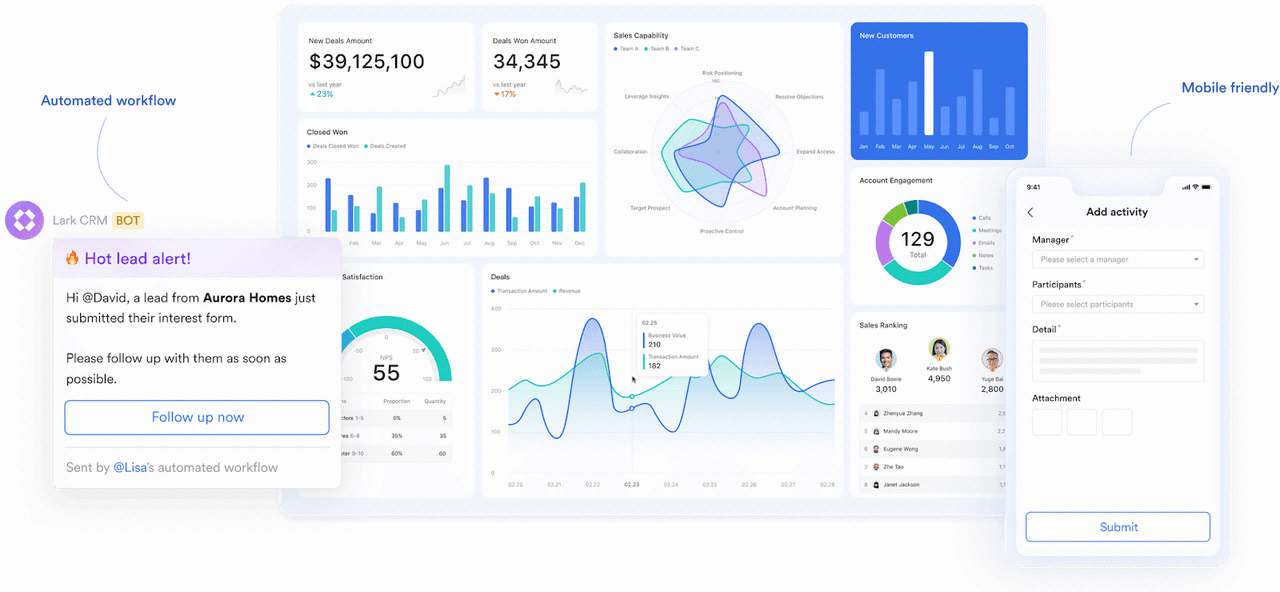
sets itself apart among top CRM tools by combining powerful contact management, real-time communication, and versatile database technology—all in a single cloud platform. It's designed specifically for teams who want customer management to fully align with their collaboration workflows. Key features
- : A flexible, spreadsheet-style database creator at the heart of this platform, supporting , customer pipelines, , custom forms, and automated views for any scenario. Drag-and-drop design enables non-technical users to instantly build and adjust .
- Integrated docs & chat: Teams can collaborate on customer records, deals, and in real-time with embedded docs and group chats—no more tab switching or .
- Automated workflows & AI: Lark's automation engine allows instant workflow setup, like auto-assigning leads, sending reminders, or updating statuses. AI tools intelligently suggest next steps, search records, and generate insights to accelerate deal closure.
- Activity tracking: Meeting scheduling, voice/video calls, and are tracked centrally with timeline views, giving sales and support a unified customer history.
- Seamless file management: Attach and , contracts, and images directly inside records thanks to built-in cloud storage.
Limitations
- While the intuitive database is powerful, teams needing highly industry-specific modules may require initial customization. To get started faster, explore the and for tutorials and best practices.
- Integrations with certain niche apps may need additional connectors.
:
- Starter plan: Free forever plan that includes 11 powerful tools for up to 20 users. It also comes with 100GB of storage, 1000 automation runs, AI translations, and more.
- Pro plan: $12/user/month (billed annually) for up to 500 users. It includes everything in Starter plus group calling for up to 500 attendees, 15TB of storage, 50,000 automation runs, and more.
- Enterprise plan: for custom pricing. Supports unlimited users and includes even more automation runs and advanced security, compliance, and management features.
Reviews
Lark blends database, collaboration, and CRM functionality into one workspace, helping teams save time through integrated automation and streamlined workflows. Its adaptability across departments and ease of onboarding make it a practical choice for growing businesses.
Best for
Lark is ideal for businesses seeking a unified hub for CRM, team collaboration, and workflow automation—especially if they value flexible databases, instant communication, and AI-powered insights in one place.
But don't just take our word for it — here's what a real user has to say.
"Lark has seamlessly become an essential part of our daily operations and the timely support from our customer success manager has proven invaluable, ensuring no prolonged delays. Whenever any team encounters a hiccup in their workflow, Lark is our reliable solution, swiftly getting us back on track."

Jake Ooi
Operations Manager
2. Salesforce: Enterprise-scale CRM for large organizations

Image source: salesforce.com
Overview
offers so many functions that some companies build their entire business on it. For large organizations with complex, multi-level sales processes, it stands out among the top rated B2B CRM tools, thanks to extensive customization, the massive AppExchange ecosystem, and features that scale to any size. For most small businesses, however, it can be overly complex and expensive.
Key features
- Limitless customization: Tailor every object, field, and workflow to your company's unique operational needs.
- Advanced reporting & Einstein AI: Deep analytics and forecasting turn sales data into actionable forecasts.
- AppExchange: The largest enterprise cloud marketplace, with thousands of integrations to extend the platform.
Limitations
- Costs escalate quickly once you add products and third-party add-ons.
- Steep learning curve that often requires a dedicated, certified administrator.
Price
The Starter Suite begins at around $25/user/month, though most businesses need the Pro Suite (about $100/user/month) to cover full CRM needs.
Reviews
Reviewers on G2 and Capterra praise the platform for power and scalability but caution that the total cost of ownership climbs fast.
Best for
Large enterprises that need an advanced, highly customizable CRM and are willing to pay for industry-leading capability.
3. HubSpot: Inbound marketing & sales CRM for scaling teams
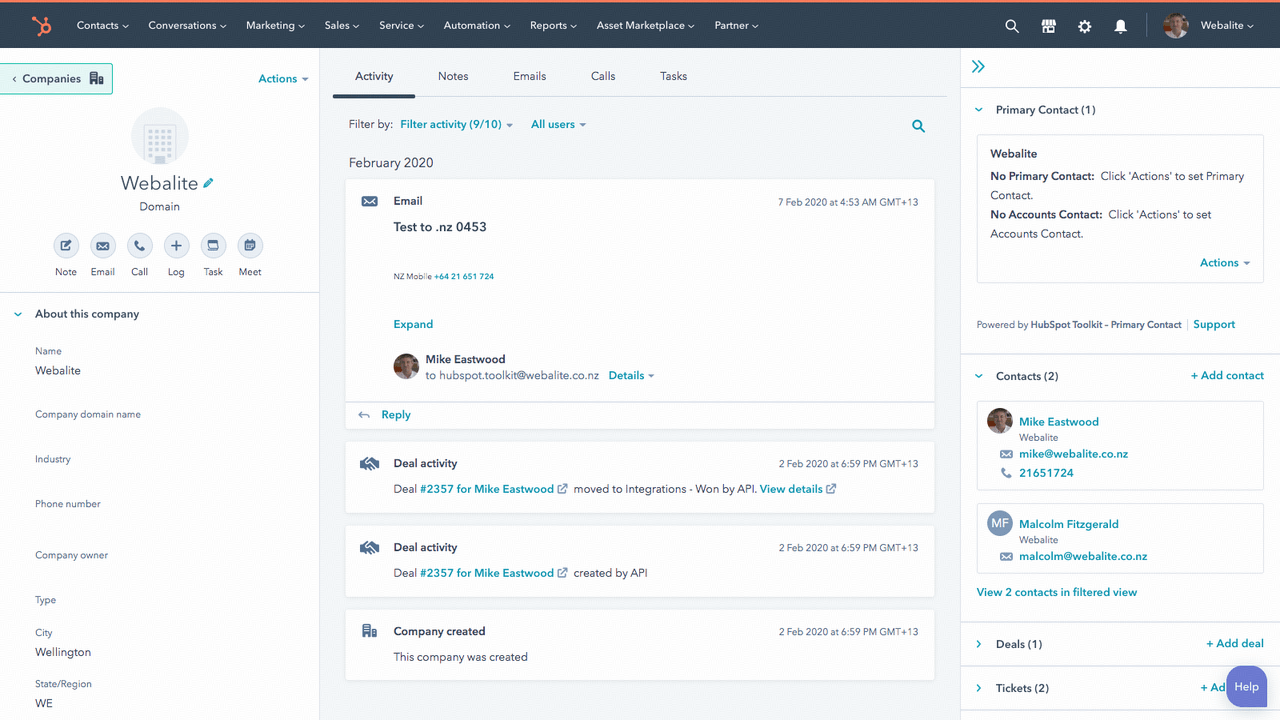
Image source: hubspot.com
Overview
offers a generous free CRM that is a no-cost entry point into customer relationship management. As your business grows, you can layer on paid Marketing, Sales, and Service "Hubs." The tight alignment between marketing content and sales outcomes makes it a top choice for inbound-driven teams.
Key features
- Marketing & sales hubs: Integrated email marketing, landing pages, ad management, pipelines, and meeting scheduling.
- AI tools: Breeze AI supports content generation, conversation summaries, and message-tone tuning.
- Vast app marketplace: Connects with 1,500+ third-party applications.
Limitations
- Paid plans get expensive quickly, with a large jump from Starter to Professional.
- High-tier plans add costly mandatory onboarding fees.
Price
The free CRM supports up to 2 users. Sales Hub Starter starts at $9/seat/month (billed annually), Professional at $90/seat/month plus a one-time $1,500 onboarding fee, and Enterprise at $150/seat/month (prices as of September 2026, hubspot.com/pricing/sales).
Reviews
Rated 4.4/5 on G2 and 4.5/5 on Capterra, loved for its intuitive interface and strong marketing–sales alignment.
Best for
Teams built on inbound marketing that want a simple, affordable CRM they can grow into.
4. Zoho CRM: Feature-rich flexibility for business growth
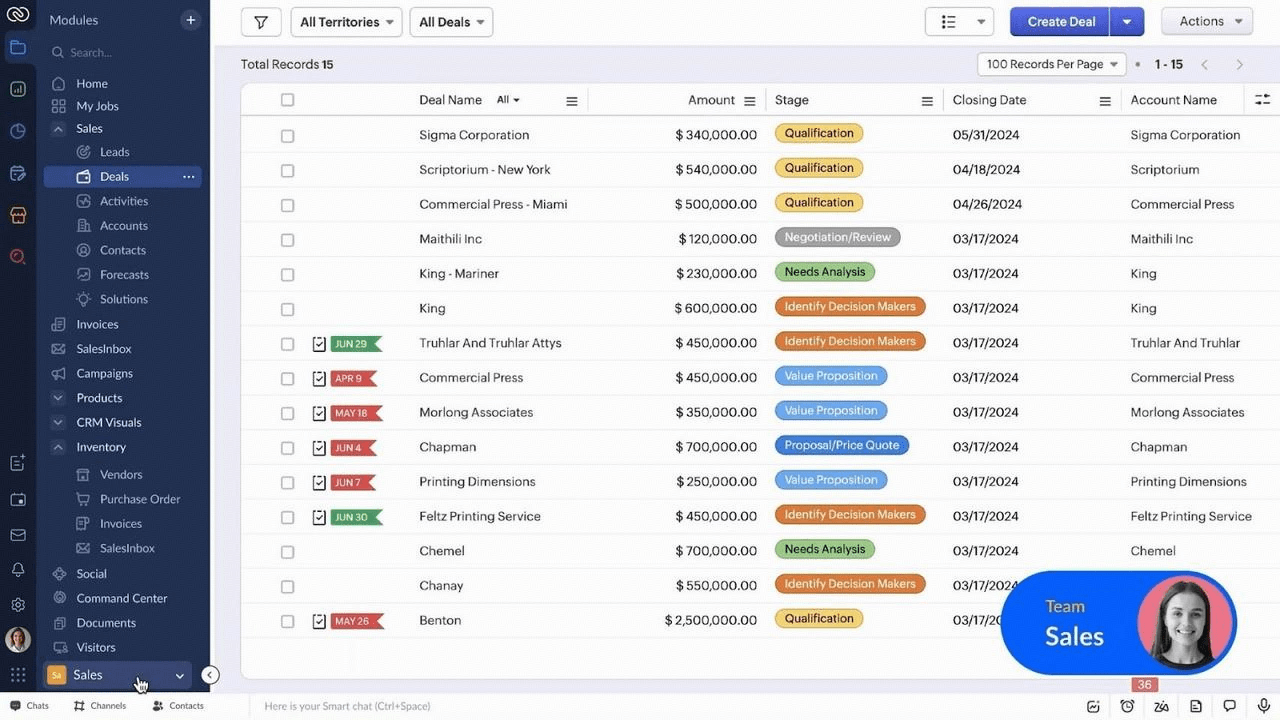
Image source: zoho.com
Overview
Zoho CRM is widely recognized for its rich set of modules—from sales automation and marketing to service and inventory—and for deep integration with the broader Zoho ecosystem. Its AI assistant, Zia, helps score leads and summarize records, while Blueprint lets you enforce consistent sales processes across teams.
Key features
- Multi-channel communication (email, phone, chat, social)
- Automated workflows and reporting
- AI-powered sales assistant
Limitations
- Some advanced features require a learning curve
- Not all modules available on entry plan
Price
Free for up to 3 users; paid plans start at $14/user/month for Standard and $23/user/month for Professional (billed annually, zoho.com/crm pricing, accessed September 2026).
Reviews
Popular for scalability and breadth, especially among growing businesses.
Best for
Companies wanting a comprehensive CRM suite with room to expand functionality.
5. Pipedrive: Visual sales pipeline CRM for deal-focused teams
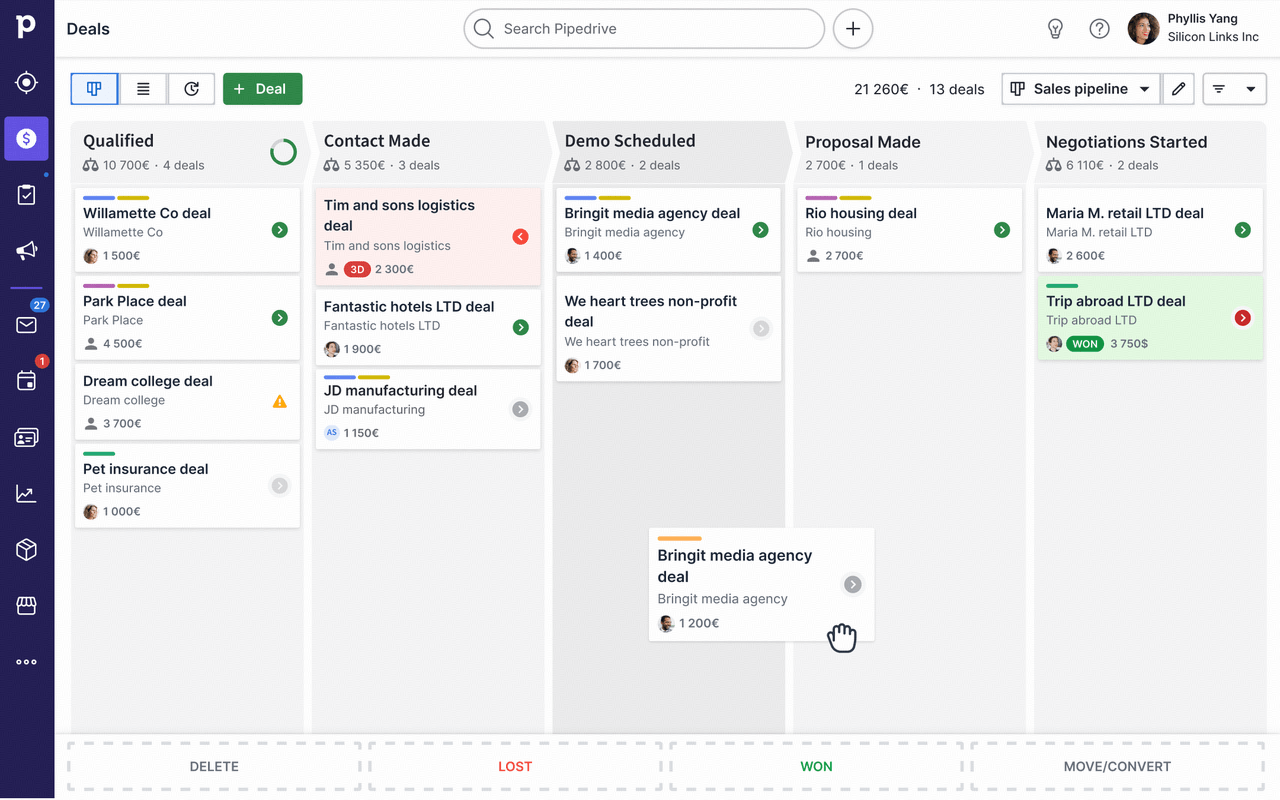
Image source: pipedrive.com
Overview
was built by salespeople, for salespeople. Its Kanban-style visual pipeline makes tracking deals intuitive and even enjoyable, which is why it ranks among the top CRM tools for sales productivity. If your sales process maps to a series of clear stages, Pipedrive helps your team execute it consistently.
Key features
- Visual sales pipeline: A drag-and-drop board gives a real-time view of your entire funnel.
- Activity-based selling: Prompts a scheduled next activity for every deal so nothing slips.
- AI sales assistant: Delivers performance tips and suggests which deals to focus on.
Limitations
- Lacks robust built-in marketing and customer-service tools.
- Useful add-ons like the LeadBooster chatbot cost extra.
Price
Starts at $14/user/month for the Lite plan (billed annually), with a 14-day free trial (pipedrive.com/en/pricing, accessed September 2026).
Reviews
Rated 4.3/5 on G2 and 4.5/5 on Capterra, praised for fast setup and a solid mobile app.
Best for
Sales-focused teams that want a visual, stage-based way to manage their pipelines.
6. Freshsales CRM: Lead-centric sales automation
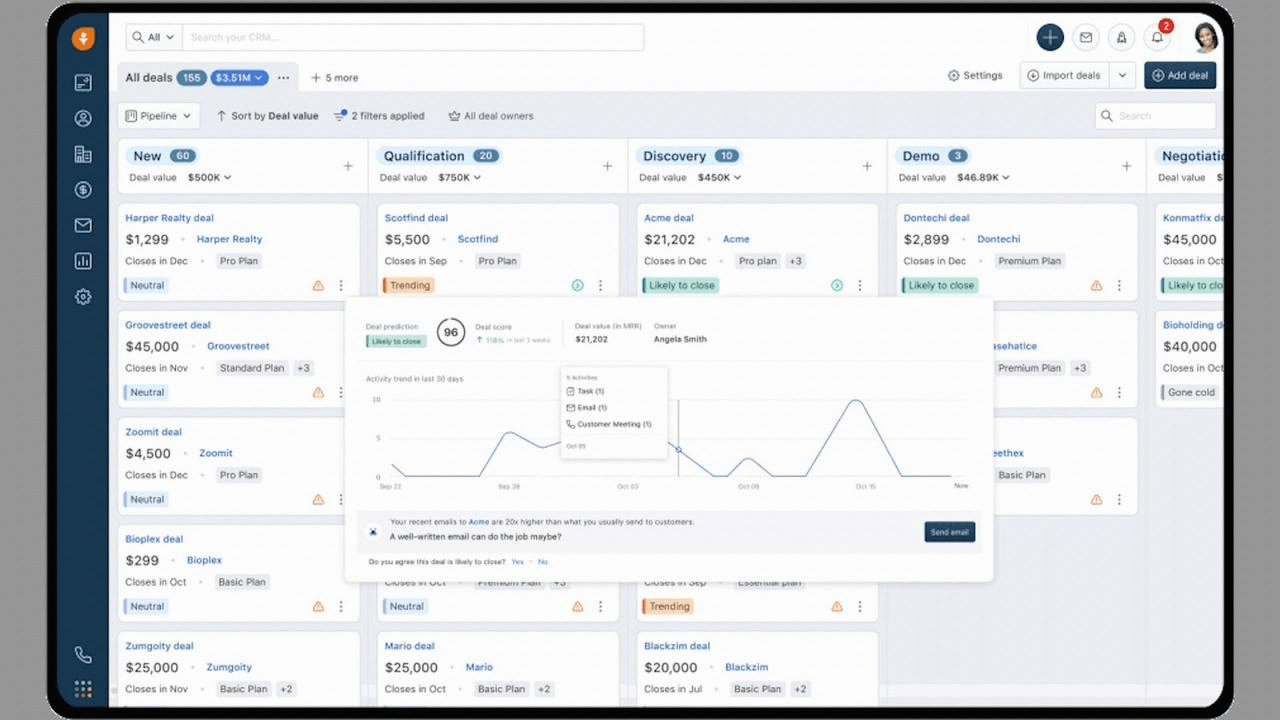
Image source: freshsales.com
Overview
Freshsales CRM streamlines lead management with integrated calling, email, and AI-driven insights.
Key features
- Sales pipelines and lead scoring
- Built-in phone & email tools
Limitations
- Customization can be less flexible for complex workflows
- Some automation features are paid-only
Price
Free for up to 3 users; Growth starts at $9/user/month (billed annually), Pro at $39, and Enterprise at $59, with a free trial available (freshworks.com/freshsales-crm/pricing, accessed September 2026).
Reviews
Praised for its lead management and sales AI, though some want expanded customization.
Best for
Sales-driven businesses managing high lead volume and seeking automation.
7. Monday CRM: Visual pipeline management for project-based work
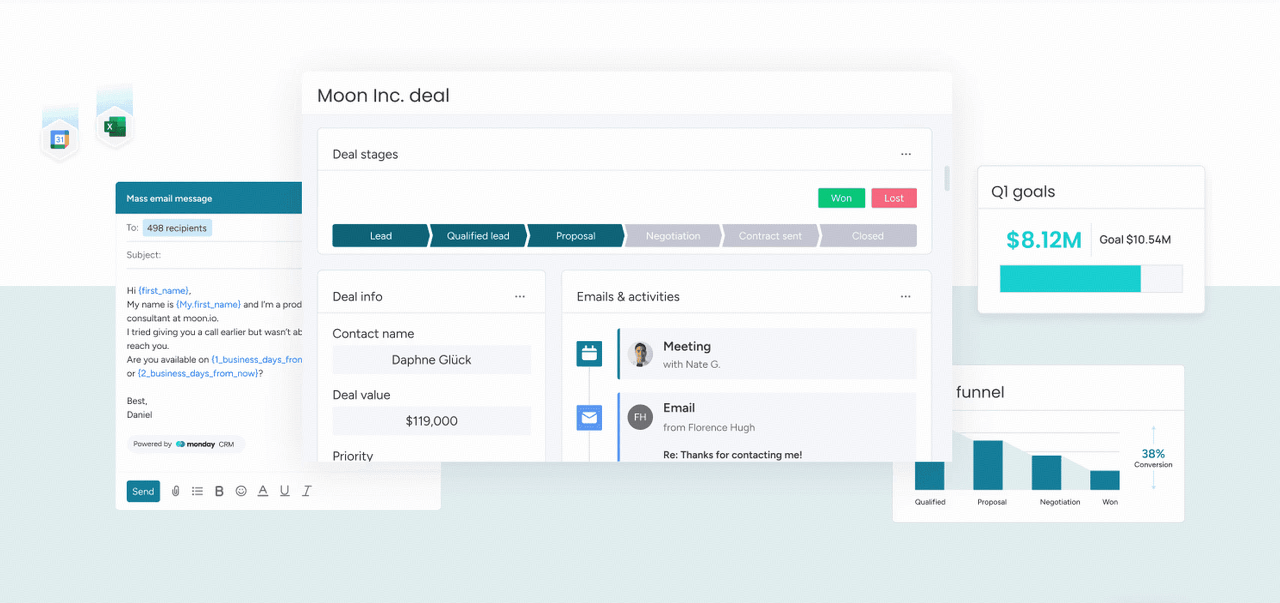
Image source: monday.com
Overview
Monday CRM is known for its visually intuitive boards, making it easy to manage sales pipelines and projects simultaneously.
Key features
- Visual pipelines and dashboards
- Task automation and reminders
- Multiple integration options
Limitations
- Advanced sales automation may feel limited
- Some custom options locked in higher tiers
Price
Tiered subscription plans based on features and team size.
Reviews
Appreciated for ease of use, but advanced CRM users may want deeper customization.
Best for
Project-centric teams needing CRM, task, and workflow management in one place.
8. SugarCRM: Enterprise-grade CRM for large organizations
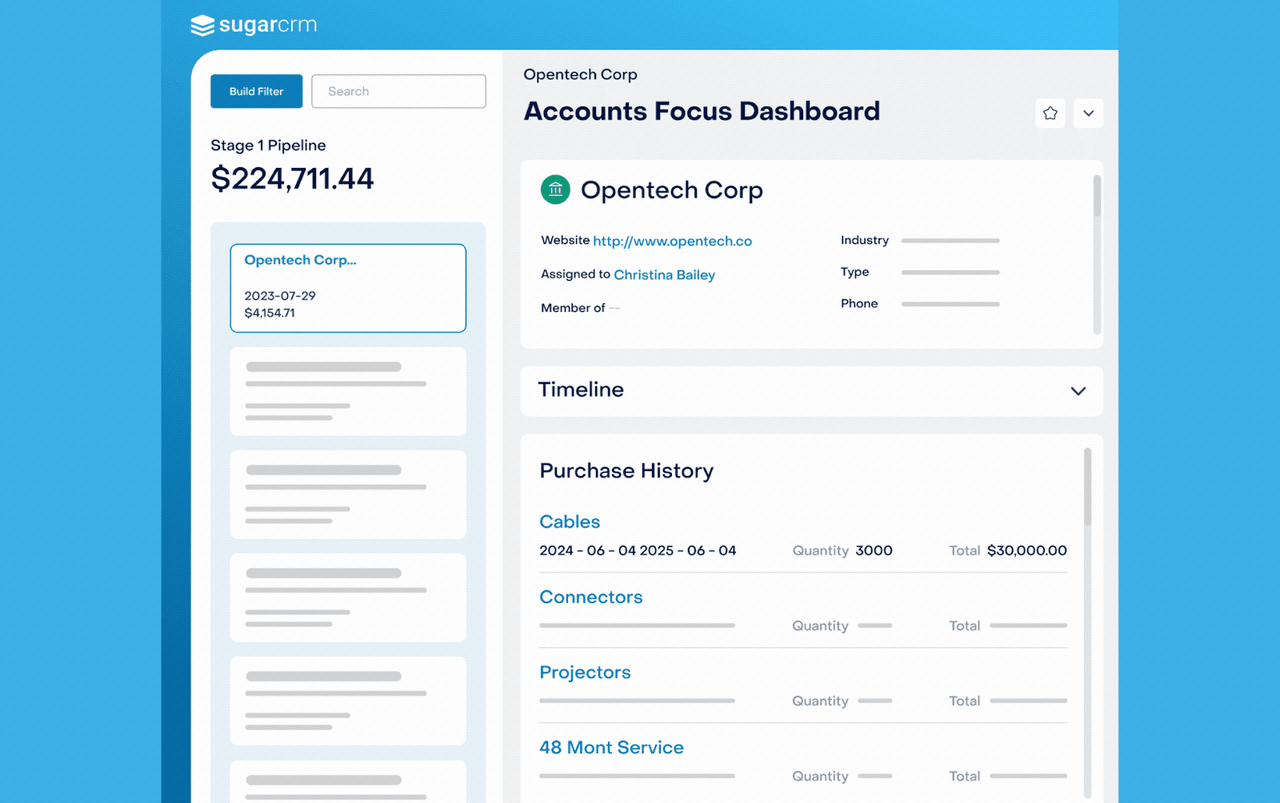
Image source: sugarcrm.com
Overview
SugarCRM focuses on extensive customization and advanced analytics for enterprises needing in-depth CRM control.
Key features
- Flexible deployment: cloud or on-premises
- Deep reporting and analytics
- Advanced workflow capabilities
Limitations
- Learning curve for non-technical users
Price
Custom enterprise pricing.
Reviews
Highly rated for power users and enterprises; seen as complex for small businesses.
Best for
Large, data-driven companies seeking robust customization and analytics.
Struggling with tool selection?
How to choose the right CRM for you
Step 1: Clarify your core needs
Begin by defining your goals—do you need a CRM primarily for sales, customer service, project management, or a combination? List your most important requirements, like multi-channel communication, workflow automation, , or integrated databases. Step 2: Set your budget and team scale
Consider your company's size, user count, and financial flexibility. Freemium or trial options let you explore top CRM tools risk-free before growing into paid plans that fit your business stage.
Step 3: Prioritize must-have features
Make a checklist of features that directly support your business processes—robust contact management, customizable pipelines, real-time collaboration, or advanced reporting. Don't forget integration with the tools you already use.
Step 4: Test usability and interface
Choose CRM software with clear, . Set up a trial workspace, invite your team, and practice with sample records before committing to a full rollout.
Step 5: Assess automation and AI strengths
Explore how each CRM manages repetitive tasks and assists decision-making—AI email suggestions, automated reminders, and smart workflow triggers should keep your team focused and efficient.
Step 6: Check integration and migration support
Strong integration with essential apps—, , marketing, e-signature—is crucial. Consider whether the CRM offers tools or guidance for importing your current data and smoothly onboarding your team.
Step 7: Review security and compliance standards
Evaluate the CRM's data protection features—role-based permissions, encryption, audit logs, and compliance certifications—to ensure your customer data stays safe and you meet regulatory demands. Step 8: Plan for scalability
Select a CRM that evolves with you, offering scalable plans, customizable modules, and self-serve upgrades so your system never becomes a barrier as you grow.
See how Lark CRM fits your workflow
Conclusion
The right CRM tool is your key to building deeper relationships, closing more deals, and streamlining every customer touchpoint. By focusing on your team's real needs and using proven selection strategies, you can cut through the noise and find a platform that grows with your business. Whether you prioritize automation, customizable workflows, or seamless collaboration, today's best CRM solutions offer powerful ways to keep teams aligned and your customers delighted.
Embracing a top CRM tool isn't just about technology—it's about unlocking your team's full potential. Start your search with clear priorities, leverage free trials, and empower your staff with tools that make sense for your unique workflow. The right system will help you turn every lead into a loyal customer and every conversation into long-term value.
Simplify customer relationship management with Lark
FAQs
What's the most important feature to look for in top CRM tools?
Prioritize a CRM with seamless workflow customization and automation, so it adapts to your business as you grow and change.
How do CRM integrations affect daily productivity?
Integrations connect your CRM to email, calendar, and essential apps, reducing manual data entry and bringing all customer info into one view.
Are free CRM versions suitable for long-term use?
Free CRM versions can support small or early teams, but advanced automation, analytics, and security usually require paid tiers as you scale.
How do AI-powered features improve CRM efficiency?
AI can recommend next steps, automate routine tasks, and surface actionable insights, helping teams work smarter and close deals faster.
What's a common mistake when choosing a CRM?
Many teams underestimate onboarding complexity or ignore future scalability—test usability and plan for growth before making a final choice.
What are the top CRM tools?
The top CRM tools in 2026 are Lark (best all-in-one), Salesforce (best enterprise), HubSpot (best inbound marketing), Zoho CRM (best value), Pipedrive (best visual pipeline), Freshsales (best lead automation), Monday CRM (best project-based), and SugarCRM (best enterprise customization). The right pick depends on your team size, budget, and whether you prioritize sales, marketing, or support.
Related reading