














Top 11 CRM Ticket System & Ticketing CRM Platforms Compared

Ryan Tanner
Product Marketing Specialist
Sep 18, 2026
Ryan Tanner
Sep 18, 2026

22 min read


A CRM ticket system helps businesses organize customer queries, track resolutions, and maintain seamless communication across teams. Instead of juggling multiple tools or email threads, it centralizes support requests and links every ticket to customer data within the CRM. As CRM ticketing meaning, this ensures faster response times, better visibility, and more personalized service. Modern platforms go beyond basic help-desk functions—offering automation, multichannel integration, and analytics that enhance both customer and agent experiences.
Among today's leading options, Lark stands out for combining ticketing workflows, collaboration, and CRM features in one unified workspace. Still, it's not the only choice. From open-source solutions to enterprise-grade systems, we explore the 10 best CRM ticket system tools that can transform how your team manages customer support.
Here is a list of the top 11 CRM ticket systems:
1. Lark: Unified workspace with ticketing and CRM workflows
2. Zendesk: Popular service CRM with ticketing and advanced workflows
3. Tidio: AI-driven customer service platform with ticketing and live chat
4. Freshdesk: Cloud-first support ticketing and CRM platform
5. Help Scout: CRM ticketing system built for personal, human-centric support
6. Zoho Desk: Ticketing system within the Zoho CRM ecosystem
7. HubSpot Service Hub: Ticketing built inside a full CRM platform
8. Kayako: Help-desk CRM ticketing with live chat and shared inboxes
9. osTicket: Open-source ticketing system with CRM functionality
10. TeamSupport: B2B customer support ticketing and CRM solution
11. JitBit Help Desk: Lightweight ticketing CRM with cloud or self-host options

Snapshot overview of the 10 best CRM ticket system tools
Choosing the right CRM ticket system depends on your team's size, budget, and customer support goals. While some platforms prioritize automation and scalability, others focus on simplicity or open-source flexibility. This snapshot offers a quick comparison of the leading tools across different needs—from unified workspaces like Lark to specialized help-desk CRMs designed for specific industries. It helps you evaluate key features, pricing, and best-fit recommendations at a glance before exploring each tool in detail.
Information source: Official vendor sites
Update time: 2025-11-12
Note: Pricing and plan details reflect publicly available data as of the update date and may vary based on region, billing cycle, and number of agents.
What is a CRM ticket system
A CRM ticket system is a software solution that combines customer relationship management (CRM) and help-desk ticketing to streamline customer support. It allows businesses to record, track, and manage customer queries or issues—known as "tickets"—from multiple channels such as email, chat, phone, or social media. Each ticket is linked to customer profiles stored within the CRM, giving support agents full visibility into past interactions, purchase history, and preferences.
This integration ensures faster responses, personalized assistance, and improved accountability across teams. Beyond basic tracking, modern CRM ticketing systems include automation, SLA management, analytics, and workflow tools to enhance efficiency and service quality. Whether used by small teams or large enterprises, a CRM ticket system centralizes communication, minimizes manual work, and helps businesses deliver consistent, high-quality customer experiences while maintaining long-term relationships.
Key features to look for in a CRM ticketing system
A great CRM ticketing system does more than just log support requests; it connects customer data, automates workflows, and provides real-time insights. Whether you're a small business or an enterprise, these key features ensure efficient operations, faster resolutions, and better customer satisfaction.
- Ticket creation & tracking: The system should automatically create and assign tickets based on customer inquiries, ensuring no request is missed. SLA management helps maintain timely responses, while automation rules reduce manual routing and repetitive tasks. Together, they keep support operations smooth and accountable.
- Collaboration with CRM data: Every ticket should link to the customer's complete CRM profile, offering instant access to past interactions and purchase history. This context allows agents to deliver faster, more personalized support and identify recurring issues effectively.
- Multichannel support: Customers reach out through multiple channels, so the system should consolidate all communication into one dashboard. Whether it's an email, chat, or social message, agents can respond seamlessly without switching platforms.
- Reporting and analytics: Comprehensive analytics provide visibility into team performance, ticket trends, and response speed. By tracking KPIs like customer satisfaction and first-response time, managers can continuously improve support quality.
- Scalability and pricing: Different businesses need different levels of functionality. Open-source tools offer flexibility for small or tech-savvy teams, while enterprise systems provide advanced automation and integrations for growing organizations.
11 Best CRM ticket system examples for business
1. Lark: Unified workspace with ticketing and CRM workflows
Lark is a unified CRM ticket system that brings together ticketing, communication, and workflow management in one collaborative platform. It helps teams manage customer requests, automate responses, and track every interaction without switching tools. Ideal for organizations seeking a seamless blend of CRM, support, and productivity features.
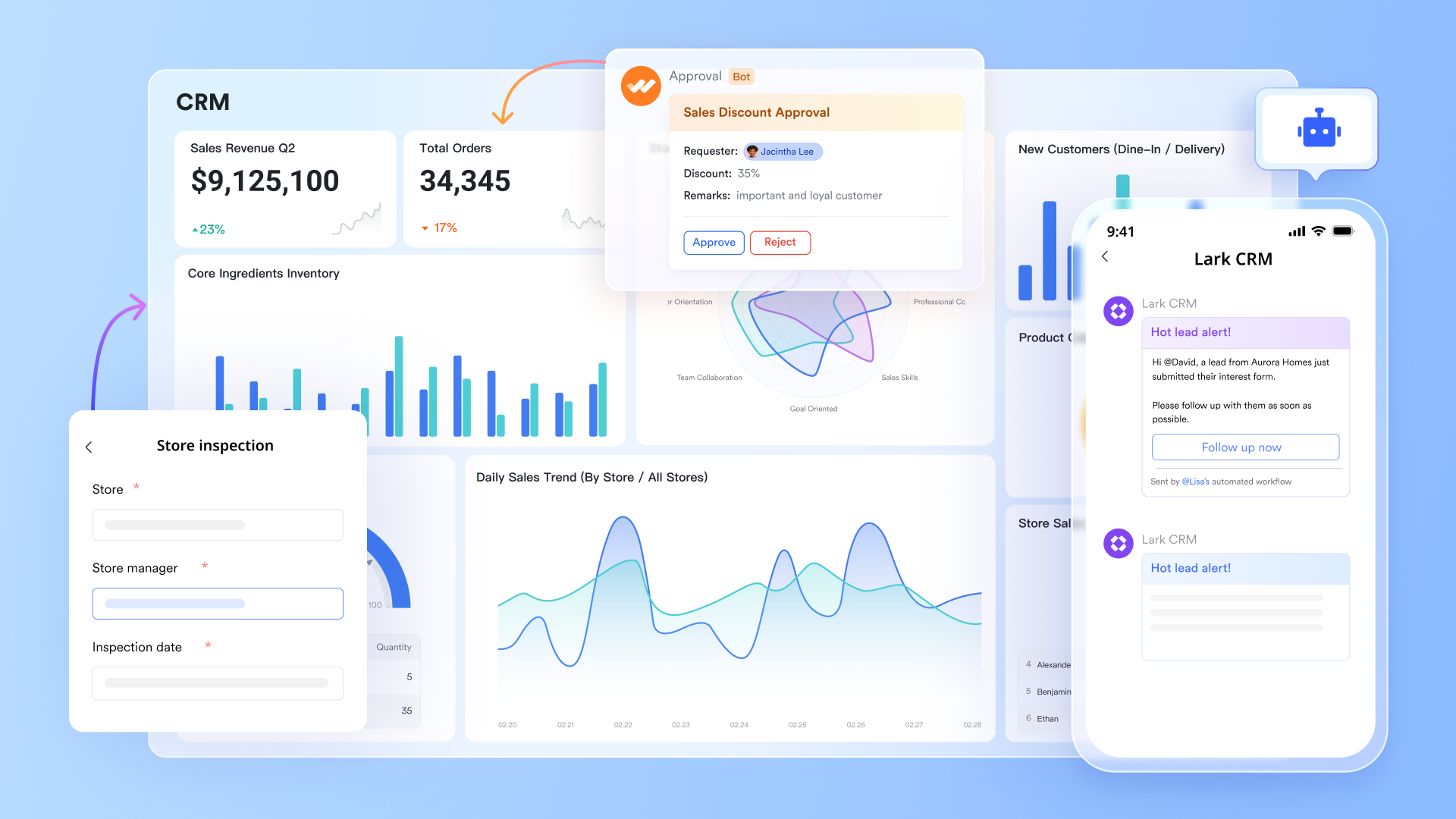
Lark Base workflow & automations: Managing ticketing and CRM workflows
Lark Base provides a powerful foundation for managing ticketing and CRM workflows. Its Workflow feature handles multi-step processes with precision—ideal for ticket routing, customer onboarding, or deal tracking. Teams can design conditional branches using If/Else actions to determine next steps automatically, such as assigning high-priority tickets to senior agents or sending personalized follow-up messages.
Additionally, Lark Base Automations simplifies repetitive trigger-action sequences, such as sending status updates when a ticket changes stage or notifying a CRM manager when a lead record is updated. Together, Workflow and Automations combine structured logic with flexibility—perfect for scaling support and CRM operations without added complexity.
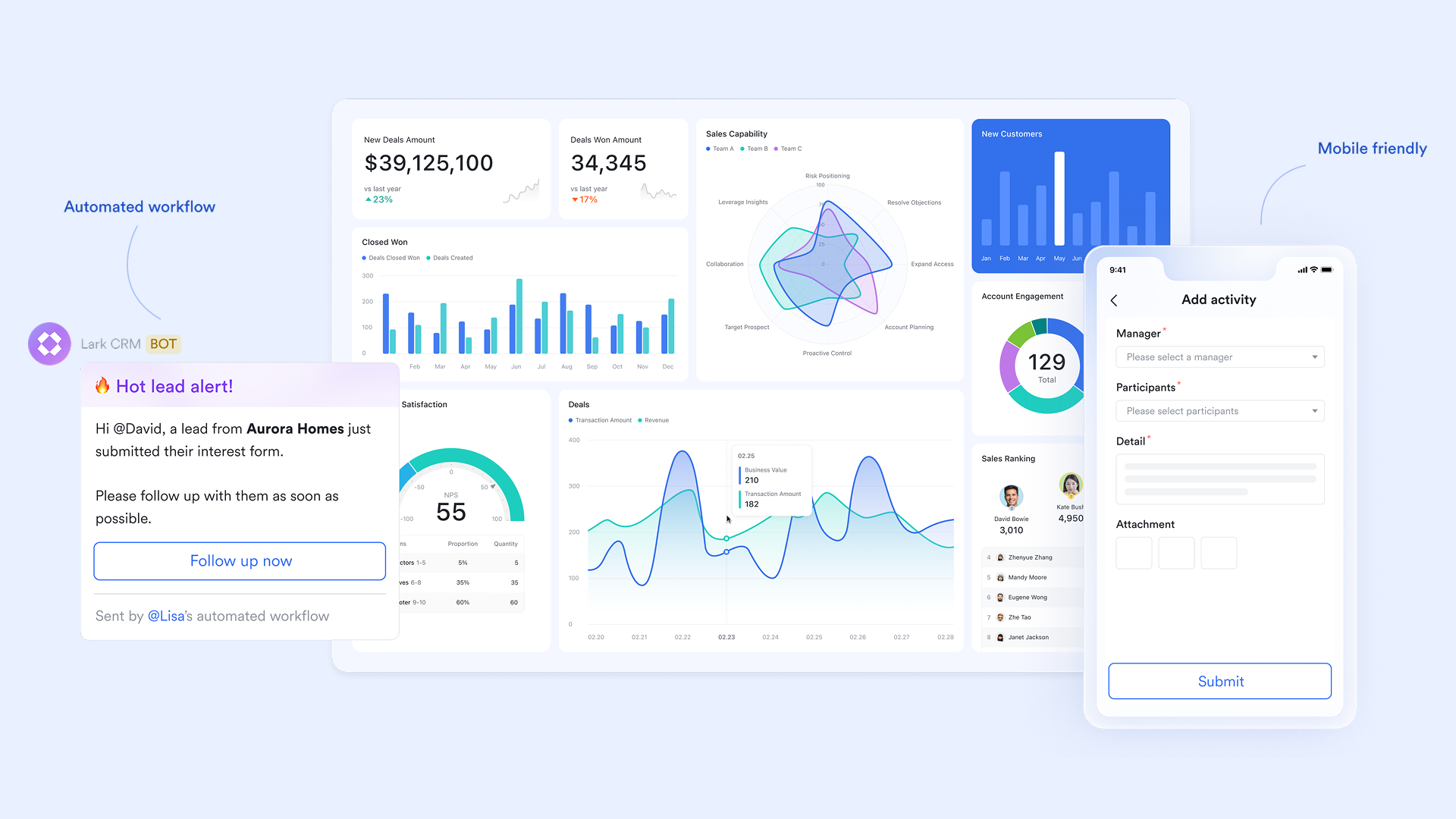
Streamlining collaboration with Lark Messenger
Lark Messenger keeps every conversation contextual. Each Base record—whether it's a ticket, customer inquiry, or sales lead—can be discussed directly within Messenger, keeping all messages tied to the relevant data. Teams can share screenshots, confirm resolutions, or request input from experts without switching between tools.
Threaded discussions and smart notifications make it easy to track updates without losing focus. For instance, when a ticket's status changes in Lark Base, a Messenger update can alert the responsible agent instantly. This reduces delays in customer response times and keeps everyone aligned across departments.
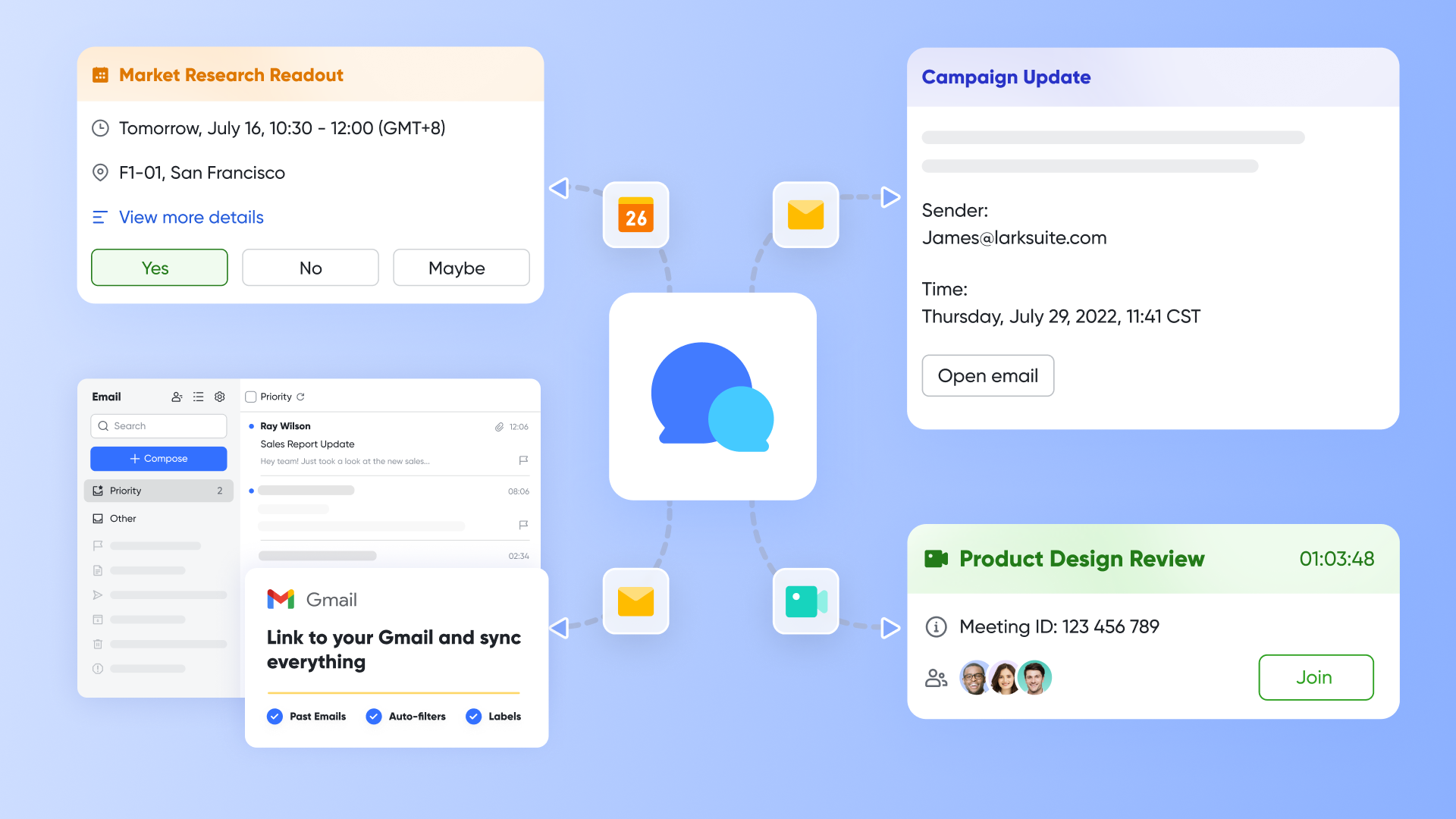
Building a knowledge ecosystem with Lark Docs
Lark Docs serves as the backbone of internal and external knowledge management. Support teams can create detailed troubleshooting guides, customer FAQs, or training resources directly in Docs and link them to tickets in Base or menus in the Help Desk bot.
For internal use, agents can document complex fixes or recurring issues in a shared Doc, so others can reference proven solutions later. This creates a continuously evolving knowledge base that strengthens team efficiency and ensures consistency in customer communication. Docs also support rich media—videos, screenshots, and tables—allowing technical explanations to be both clear and visually engaging.
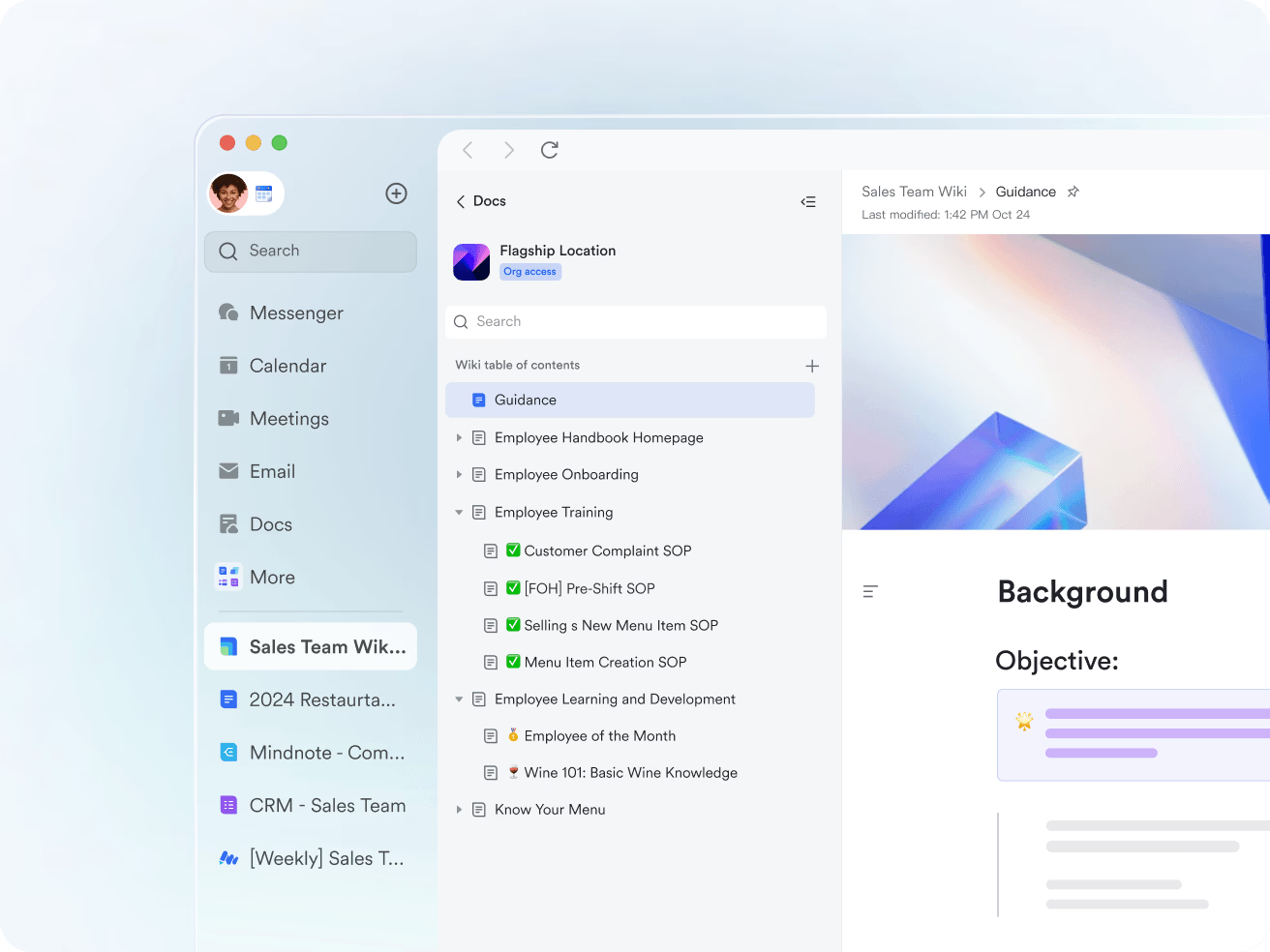
Tracking commitments with the Lark Calendar
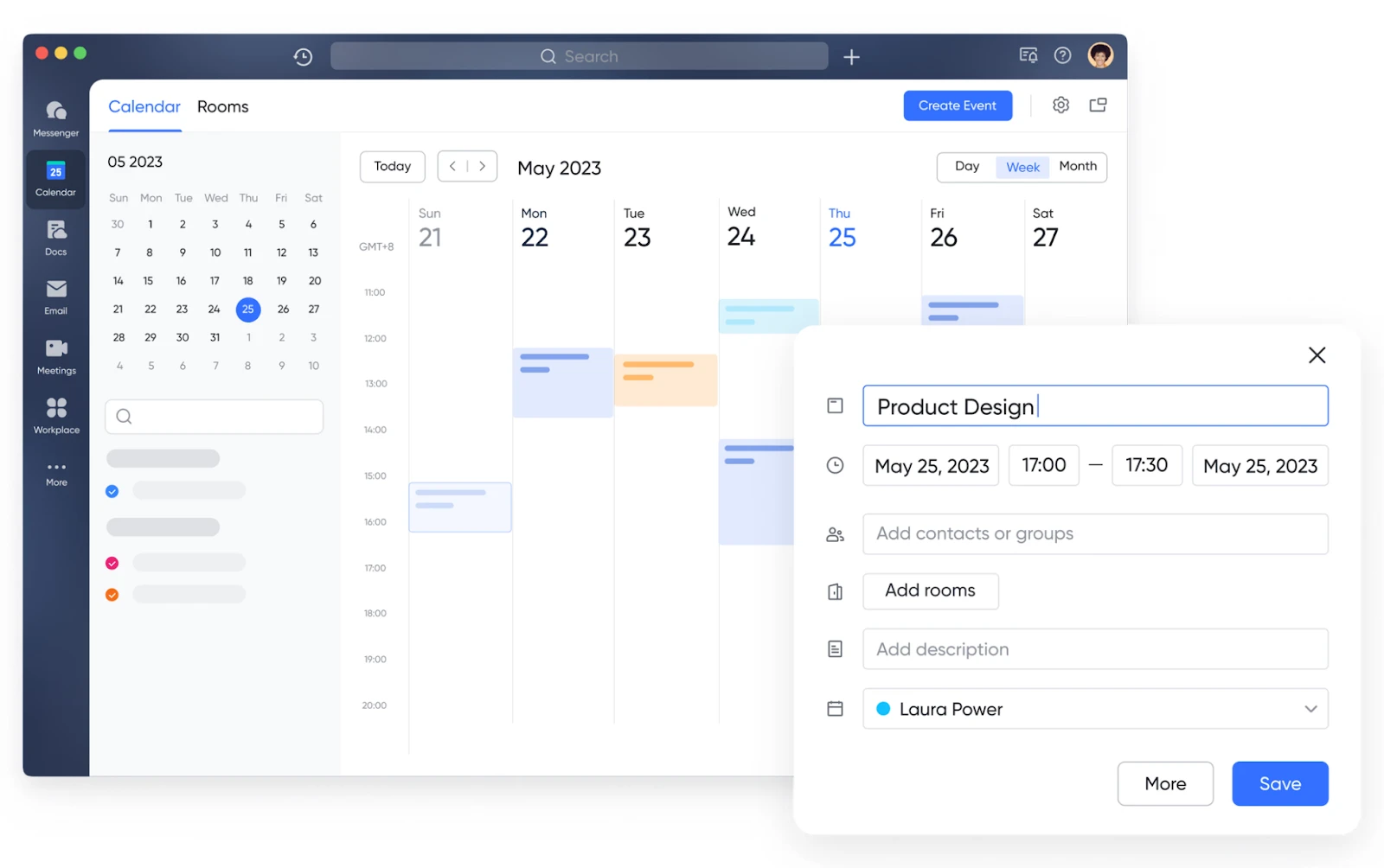
CRM and support operations often rely on precise timing for follow-ups, renewals, or SLA deadlines. With Lark Calendar, teams can connect ticket due dates or CRM milestones to calendar events, automatically scheduling reminders and status checks.
For example, once a customer issue is escalated, the stakeholder can use the feature to check others' availability to find a time slot that works for all attendees. Similarly, CRM teams can track deal review dates or client call schedules without leaving the Lark workspace. By syncing schedules with tasks and workflows, Calendar keeps every stakeholder accountable ensuring that no request or client relationship falls through the cracks.
- Starter plan: Free forever plan that includes 11 powerful tools for up to 20 users. It also comes with 100GB of storage, 1000 automation runs, AI translations, and more.
- Pro plan: $12/user/month (billed annually) for up to 500 users. It includes everything in Starter plus group calling for up to 500 attendees, 15TB of storage, 50,000 automation runs, and more.
- Enterprise plan: Contact sales for custom pricing. Supports unlimited users and includes even more automation runs and advanced security, compliance, and management features.
2. Zendesk: Popular service CRM with ticketing and advanced workflows
Zendesk is one of the most recognized names in the CRM ticket system space, trusted by businesses worldwide for its scalability and reliability. It's designed for teams managing large volumes of customer inquiries across multiple channels. With advanced automation, detailed analytics, and customizable workflows, Zendesk ensures every ticket is efficiently routed and resolved. Its intuitive interface and integration capabilities make it ideal for enterprise-level support operations that demand consistency and control.
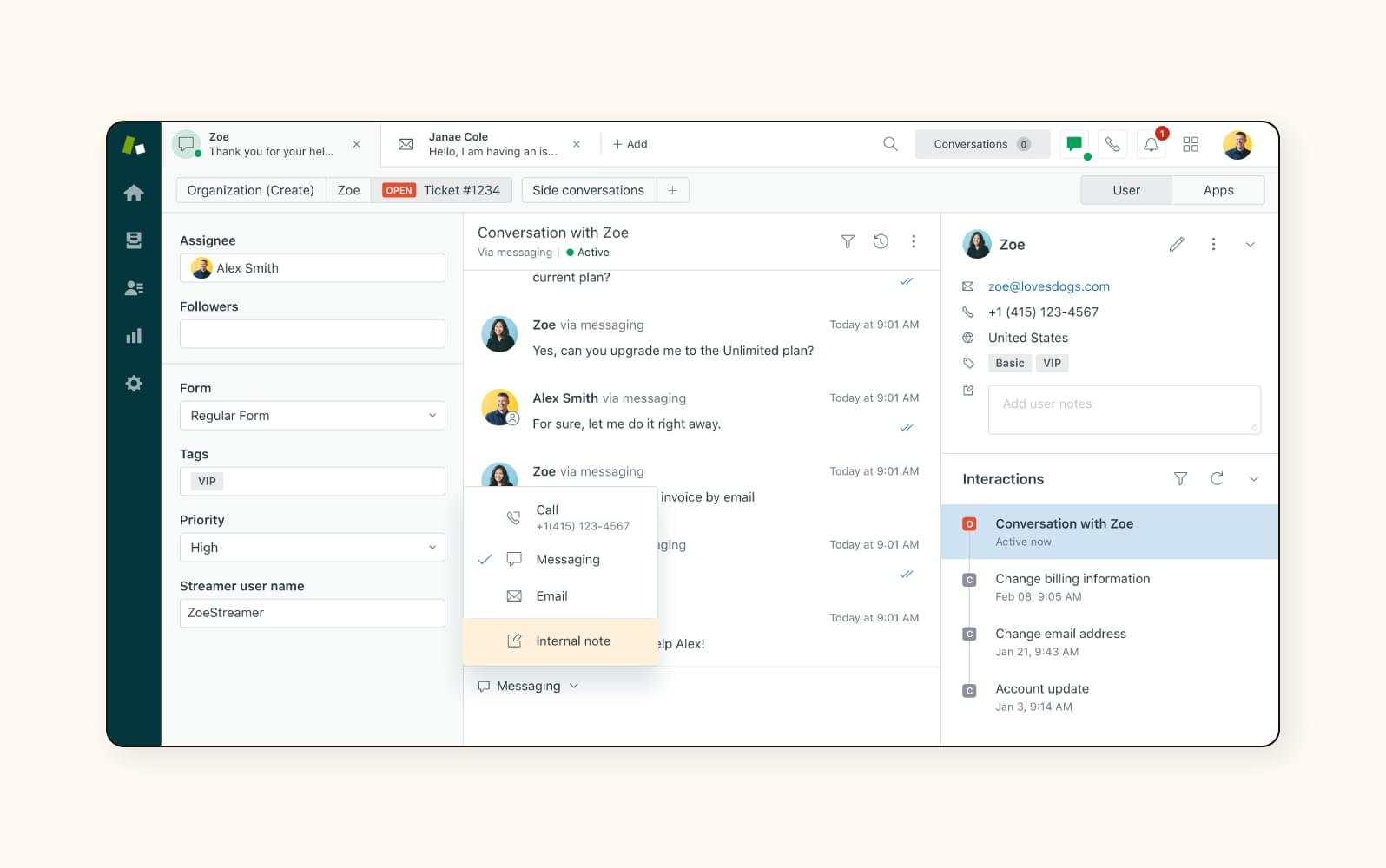
Image source: zendesk.com
Key features:
- Omnichannel support across email, chat, social, and voice.
- Customizable workflows for automated ticket assignment and escalation.
- Built-in SLA management and performance dashboards.
- AI-powered chatbot for faster responses.
- Detailed reporting and customer satisfaction tracking.
Pros:
- Highly scalable and reliable for enterprise use.
- Deep integration with popular CRM systems and third-party tools.
- Advanced automation and AI assistance.
- Comprehensive analytics for data-driven decision-making.
Cons:
- Can become expensive as teams scale.
- Some advanced customization requires technical expertise.
Pricing:
- Suite Team: from $19/user/month
- Suite Growth: from $55/user/month
- Suite Professional: from $115/user/month (No free plan; 14-day trial available)
3. Tidio: AI-driven customer service platform with ticketing and live chat
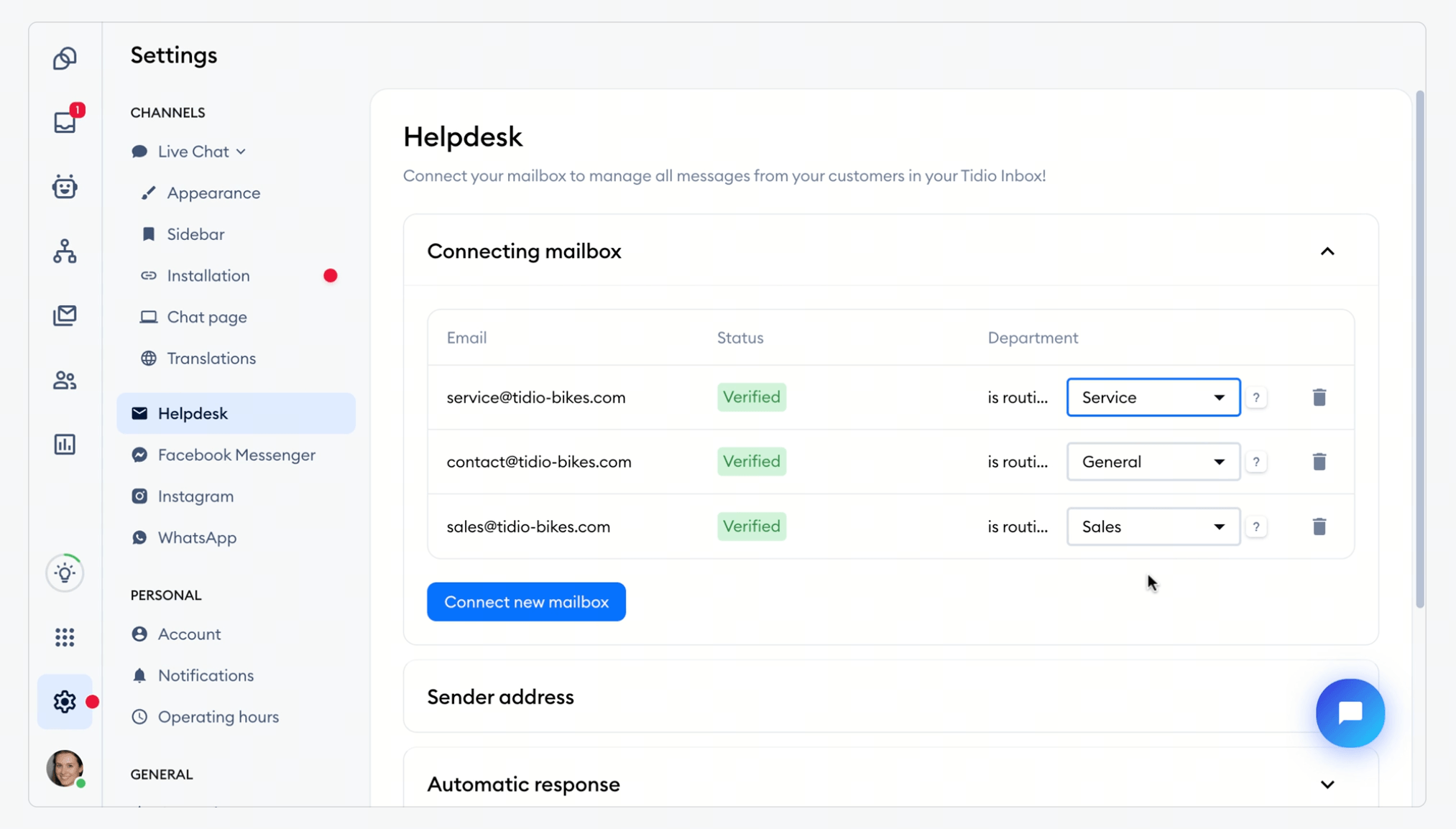
Tidio is a versatile AI customer service platform that combines live chat, ticketing, and powerful AI automation to help businesses manage customer relationships more effectively. Its flagship AI agent, Lyro, can automatically resolve a significant portion of support tickets, allowing teams to focus on high-value interactions. With native integrations for major e-commerce platforms, Tidio centralizes customer communication and support history, making it a strong choice for brands aiming to scale their service operations without adding more agents.
Key features:
- Lyro AI Agent for conversational, automated customer support.
- Integrated help desk to manage tickets from email, chat, and social media.
- Real-time live chat with visitor monitoring and proactive triggers.
- Visual automation builder for creating custom support and sales workflows.
- Native integrations with Shopify, WordPress, and Wix.
Pros:
- Unified live chat, help desk, ticketing, and AI agent in one tool.
- Lyro is grounded in your own content and hands off to human operators when it can't resolve an issue.
- Strong fit for e-commerce with native Shopify and WooCommerce actions.
- Free plan available, plus a mobile and desktop app.
Cons:
- Advanced AI usage is metered and can increase costs as you scale.
- Reporting features can be limited on lower-tier plans.
Pricing:
- Free - 0 USD/month
- Starter – from 24.17 USD/month (billed annually)
- Growth – from 49.17 USD/month (billed annually)
- Plus – from 749 USD/month
- Premium – custom (contact for pricing)
4. Freshdesk: Cloud-first support ticketing and CRM platform
Freshdesk is a cloud-based CRM ticket system designed to simplify and automate customer support for small and mid-sized teams. Its clean interface, AI features, and multi-channel capabilities make it easy to manage large volumes of queries efficiently. With SLA management, self-service portals, and analytics, Freshdesk helps businesses maintain responsiveness and consistency in every customer interaction. It's ideal for teams seeking a scalable, user-friendly ticketing solution without a steep learning curve.
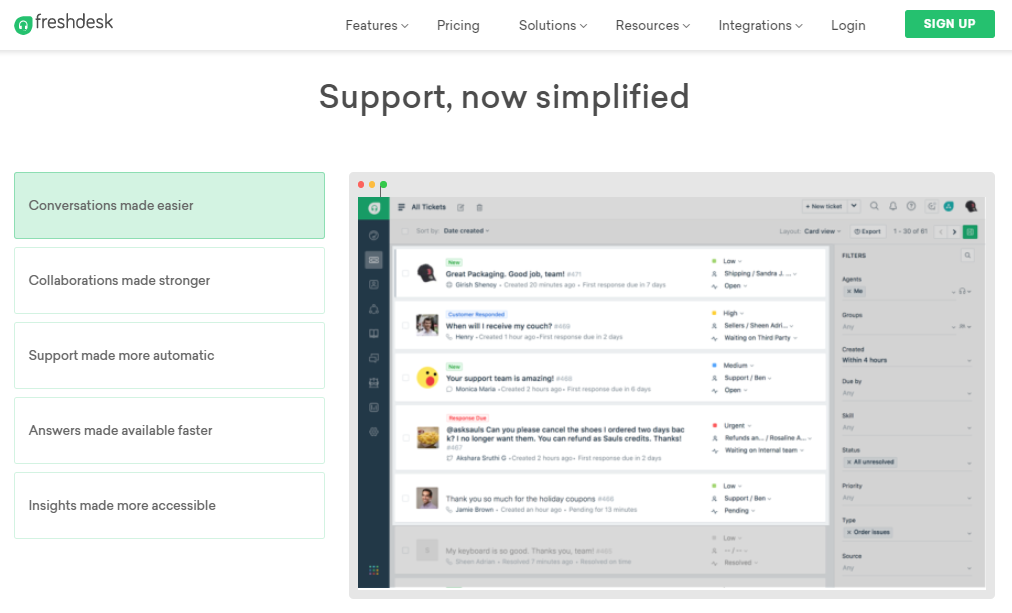
Image source: freshdesk.com
Key features:
- Omnichannel ticket management via email, chat, and phone
- AI-powered bot (Freddy) for quick issue resolution
- SLA tracking and escalation workflows
- Custom automation rules and triggers
- Real-time reporting and analytics dashboards
Pros:
- Intuitive interface with minimal setup time
- Strong automation tools at all pricing tiers
- Scales easily as ticket volumes grow
- Offers a free plan for smaller teams
Cons:
- Some advanced analytics limited to higher plans
- Integrations can require configuration for custom use
Pricing:
- Free plan available
- Growth: from $15/user/month
- Pro: from $49/user/month
- Enterprise: from $79/user/month
5. Help Scout: CRM ticketing system built for human-centric support
Help Scout is a CRM ticket system that emphasizes simplicity and human connection in customer service. Instead of traditional ticket numbers, it focuses on conversations, allowing teams to deliver personalized and empathetic responses. The shared inbox, real-time collaboration, and integrated knowledge base make it perfect for small teams that value communication over complexity. Its minimal design ensures faster onboarding and more natural support interactions.
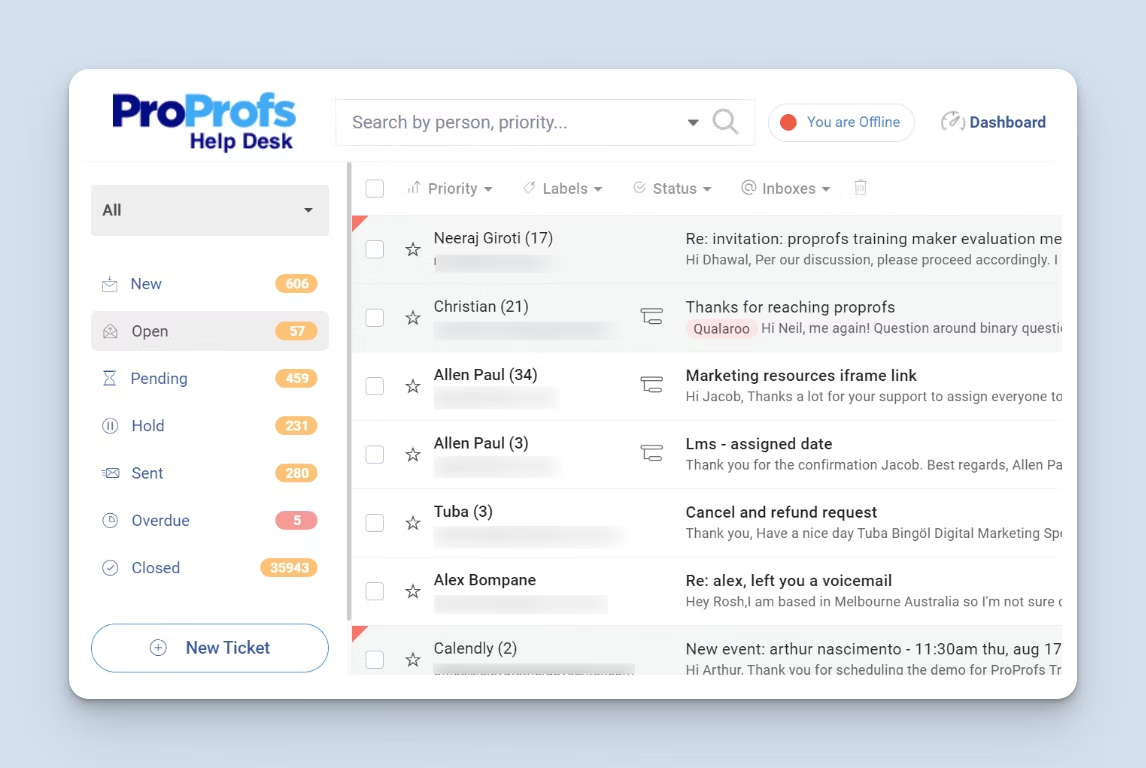
Image source: helpscout.com
Key features:
- Shared inbox with tagging and workflow rules
- Customer history view with conversation context
- Built-in reports and satisfaction scores
- Beacon widget for live chat and self-help articles
- Automation for ticket routing and prioritization
Pros:
- Clean, conversation-first interface
- Easy setup and quick adoption for new agents
- Promotes collaborative, transparent customer support
- Reliable reporting for small teams
Cons:
- Limited automation for complex workflows
- Fewer integrations compared to enterprise tools
Pricing:
- Standard: from $25/user/month
- Plus: from $50/user/month
- Pro: custom pricing
6. Zoho Desk: Ticketing system within the Zoho CRM ecosystem
Zoho Desk is an integrated CRM ticketing system that connects seamlessly with Zoho CRM, providing full visibility into customer history and context. Designed for growing businesses, it offers automation, SLA tracking, and omnichannel communication in one platform. Teams can also leverage Zoho's extensive ecosystem, including Zoho Analytics and Zoho Books, for end-to-end customer management. Affordable and versatile, it's a great choice for users already invested in the Zoho suite.
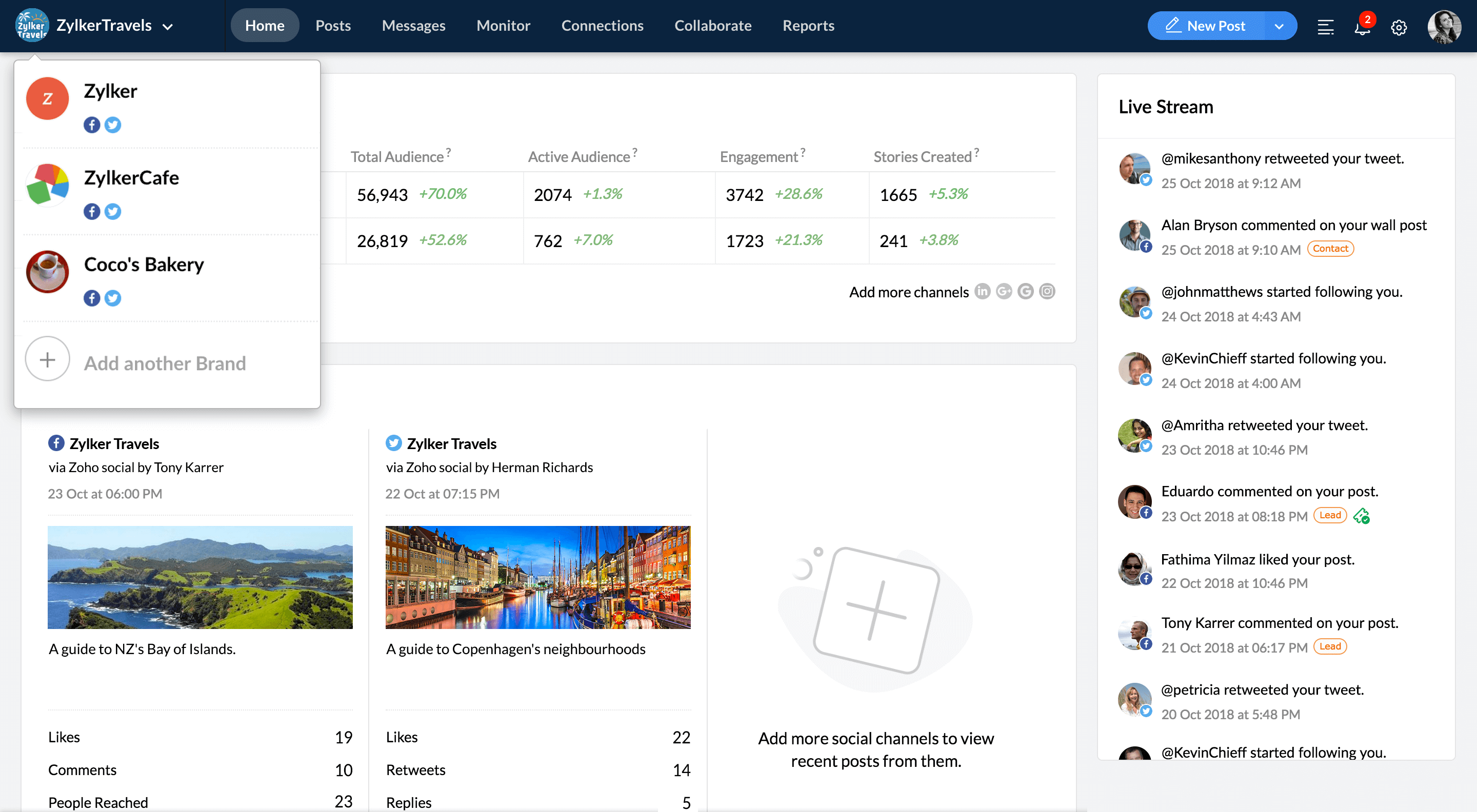
Image source: zoho.com
Key features:
- Direct integration with Zoho CRM and related tools
- Automation for ticket routing and response tracking
- SLA monitoring and performance reports
- Multichannel support (email, phone, chat, social)
- Self-service portal with community features
Pros:
- Cost-effective and scalable pricing
- Unified customer view across all Zoho products
- Extensive customization through workflows
- Comprehensive reporting and analytics
Cons:
- Interface can be dense for new users
- Advanced features require higher-tier plans
Pricing:
- Free plan available
- Standard: from $14/user/month
- Professional: from $23/user/month
- Enterprise: from $40/user/month
7. HubSpot Service Hub: Ticketing built inside a full CRM platform
HubSpot Service Hub extends the capabilities of its popular CRM into customer service and support. It connects tickets, customer data, and automation workflows in a unified dashboard, making collaboration across sales, marketing, and service seamless. With built-in feedback tools, reporting, and pipelines, HubSpot helps teams deliver personalized and efficient support. It's ideal for businesses that already use HubSpot's ecosystem and want everything in one integrated platform.
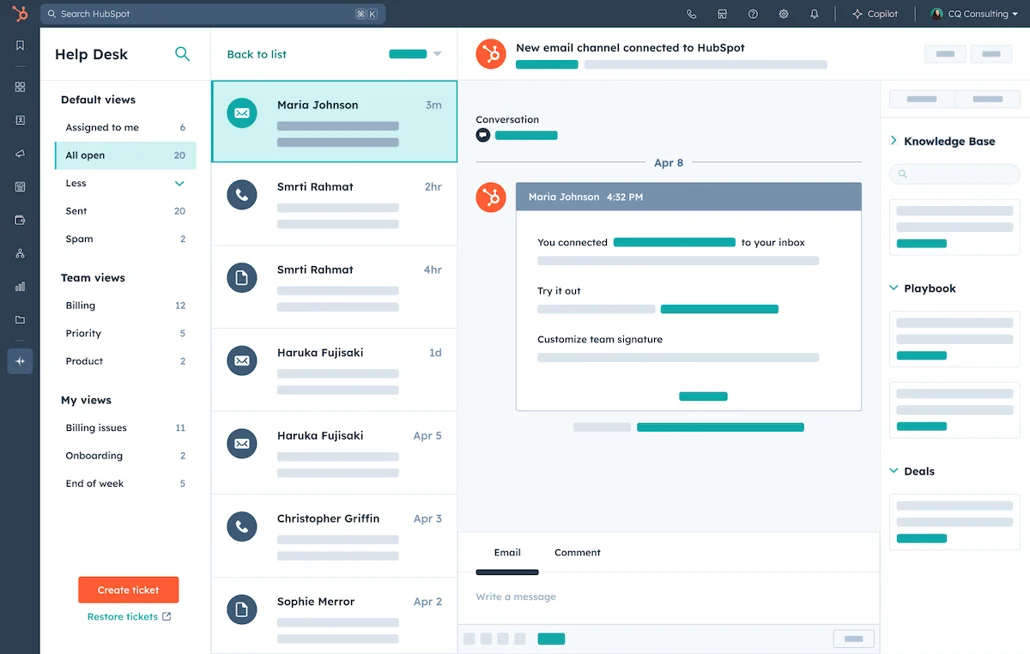
Image source: hubspot.com
Key features:
- Unified CRM database with ticket pipelines
- Workflow automation and SLA management
- Shared inbox for multi-team collaboration
- Knowledge base and customer feedback tools
- Real-time analytics and dashboards
Pros:
- Deep integration with HubSpot CRM and marketing tools
- Scales easily from startup to enterprise levels
- Intuitive interface with drag-and-drop pipelines
- Free version includes essential features
Cons:
- Costs increase with advanced automation
- Limited customization in entry-level plans
Pricing:
- Free plan available
- Starter: from $15/user/month
- Professional: from $90/user/month
- Enterprise: from $130/user/month
8. Kayako: Help-desk CRM ticketing with live chat and shared inboxes
9. osTicket: Open-source ticketing system with CRM functionality
Kayako combines live chat, help desk, and CRM ticket system functions to deliver context-rich customer support. It's built for teams that value real-time communication and a clear view of each customer journey. The shared inbox lets multiple agents collaborate on a single issue, while automation ensures consistent service delivery. Kayako's simplicity makes it a reliable choice for mid-sized teams managing diverse support channels.
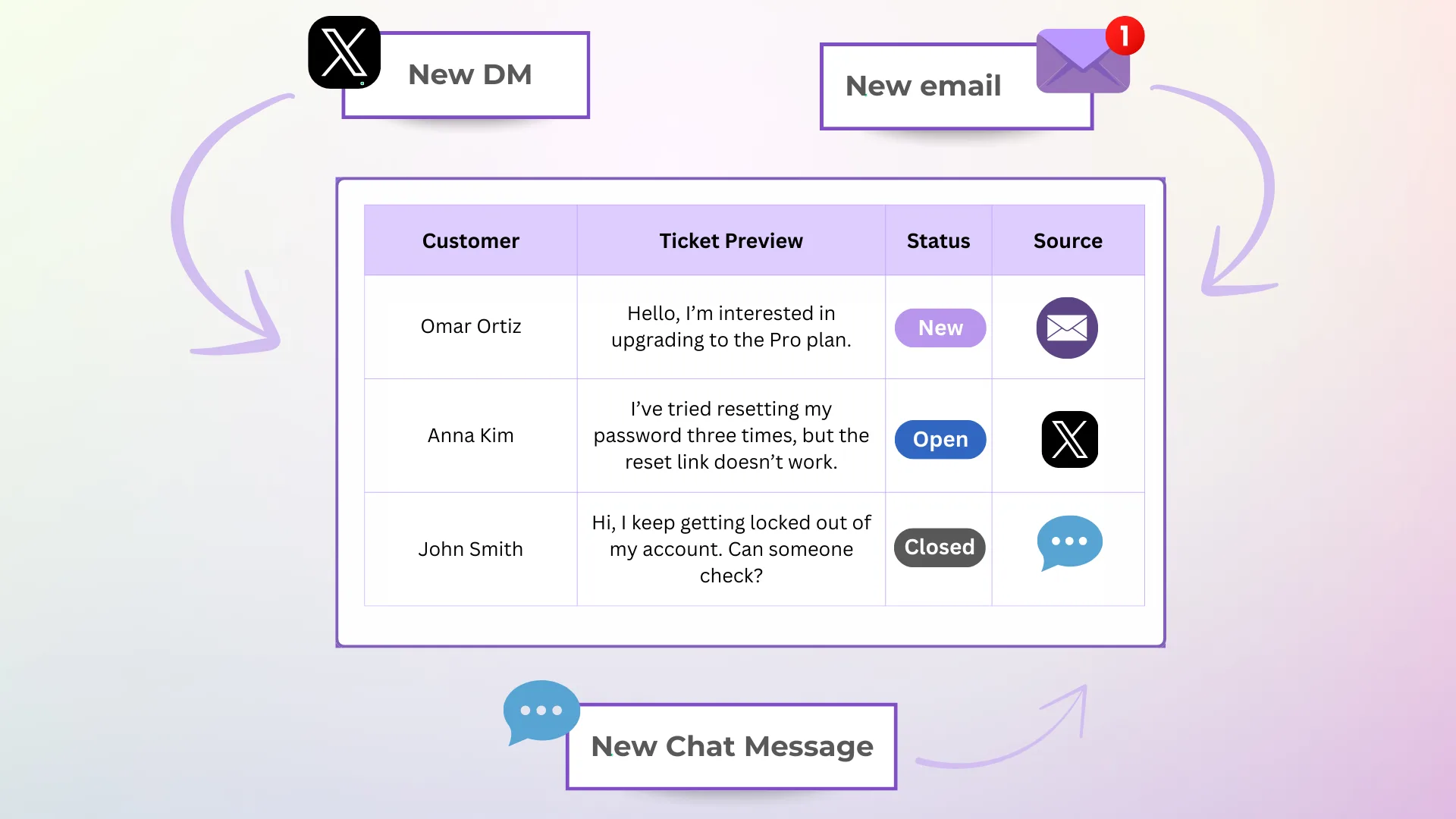
Image source: kayako.com
Key features:
- Unified customer view across chat, email, and social media
- Real-time collaboration with shared inboxes
- Workflow automation and tagging rules
- Live chat integration with customer journey tracking
- Knowledge base for self-service
Pros:
- Combines messaging and ticketing effectively
- Tracks full customer context for every conversation
- Quick setup with minimal learning curve
- Solid performance for mid-sized teams
Cons:
- Outdated UI compared to newer competitors
- Limited reporting customization
Pricing:
- Growth: from $30/user/month
- Scale: from $60/user/month
- Enterprise: custom pricing
9. osTicket: Open-source ticketing system with CRM functionality
osTicket is a robust open-source CRM ticketing system ideal for tech-savvy teams that want complete control. It offers core features like ticket queues, SLA tracking, and automation while allowing full customization through plugins. Its self-hosted nature provides flexibility, making it ideal for IT departments or support teams with internal technical resources. Despite being free, osTicket rivals many commercial tools in reliability and flexibility.
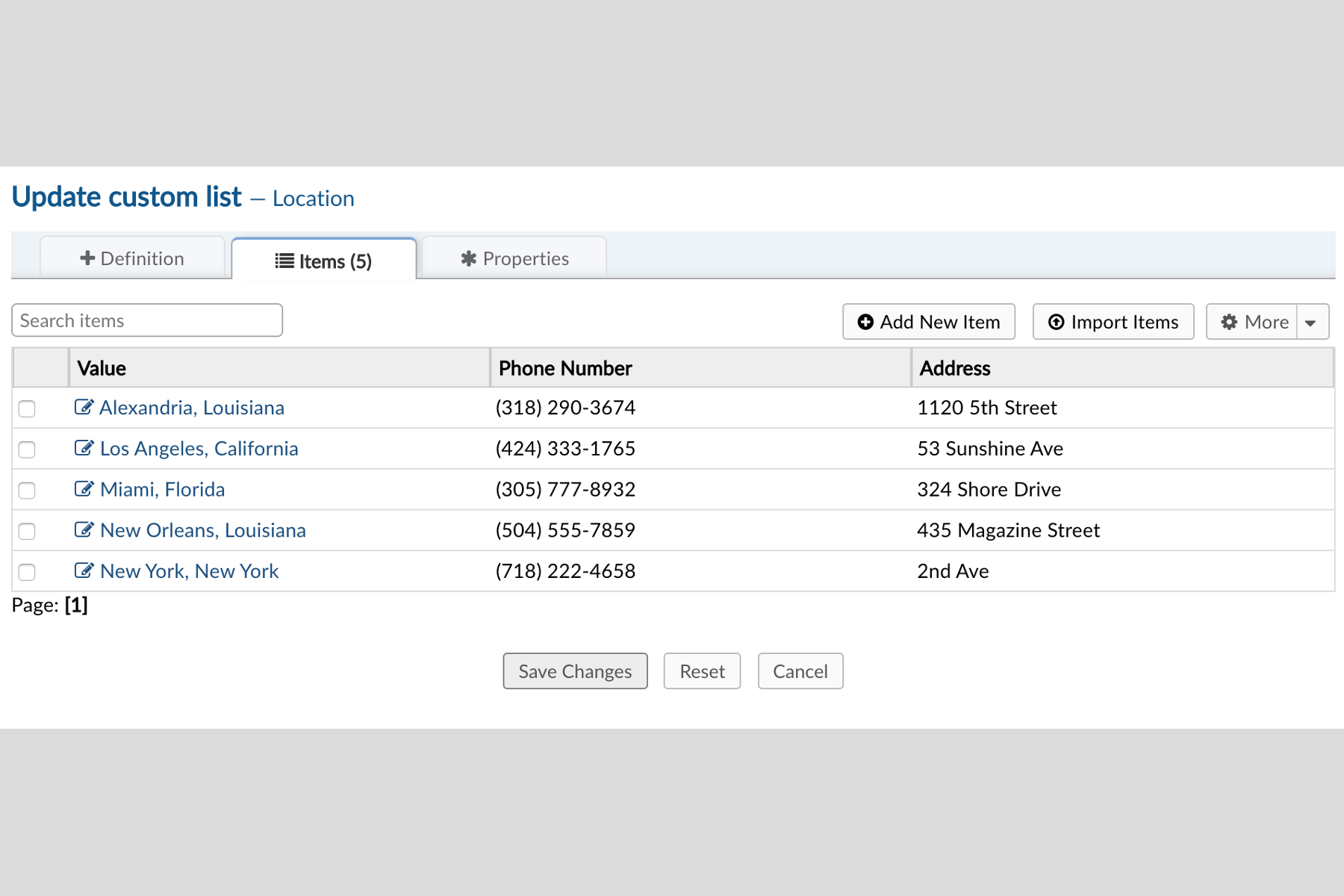
Image source: osticket.com
Key features:
- Ticket queues with priority levels and SLA rules
- Custom forms and field management
- Email-to-ticket automation
- Plugin-based CRM extensions
- Role-based access control for teams
Pros:
- Free and open-source with no licensing costs
- Fully customizable to specific workflows
- Strong community support and documentation
- Lightweight and fast performance
Cons:
- Requires hosting and manual updates
- Limited built-in integrations without plugins
Pricing:
- Free (self-hosted version)
- Cloud-hosted version available (custom pricing)
10. TeamSupport: B2B customer support ticketing and CRM solution
TeamSupport is a CRM ticket system purpose-built for B2B organizations managing client accounts rather than individual users. It combines ticket tracking, customer databases, and product management to give teams full context when resolving issues. Its collaboration tools make internal communication seamless, while detailed analytics offer insight into performance and trends. TeamSupport's account-based approach makes it perfect for SaaS and technology-driven companies.
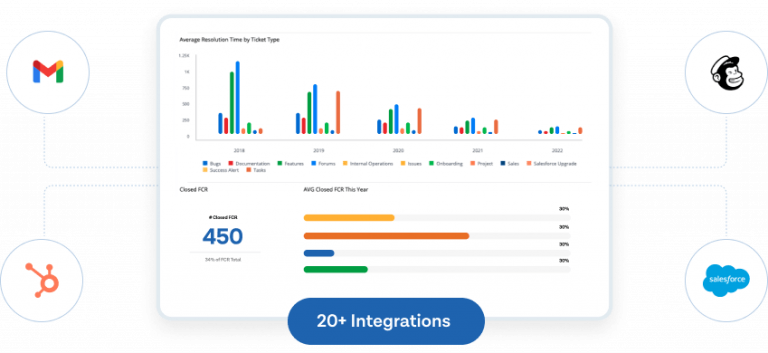
Image source: teamsupport.com
Key features:
- Account and product-level ticket management
- SLA monitoring and automation
- Real-time collaboration tools for internal teams
- Integration with CRMs and analytics tools
- Reporting and dashboards for team performance
Pros:
- Designed specifically for B2B workflows
- Strong account and product visibility
- Encourages internal collaboration and accountability
- Excellent customer analytics
Cons:
- Higher cost compared to SMB tools
- Interface can feel complex initially
Pricing:
- Essential: from $49/user/month
- Enterprise: from $69/user/month
- Custom plans available
11. JitBit Help Desk: Lightweight ticketing CRM with cloud or self-host options
JitBit Help Desk is a straightforward CRM ticketing system offering both cloud-based and on-premise options. It's fast, lightweight, and perfect for teams wanting reliable ticket automation without unnecessary complexity. With email-to-ticket conversion, workflow triggers, and customer portal access, JitBit focuses on functionality and ease of use. Its flexibility makes it a good fit for small to mid-sized businesses.
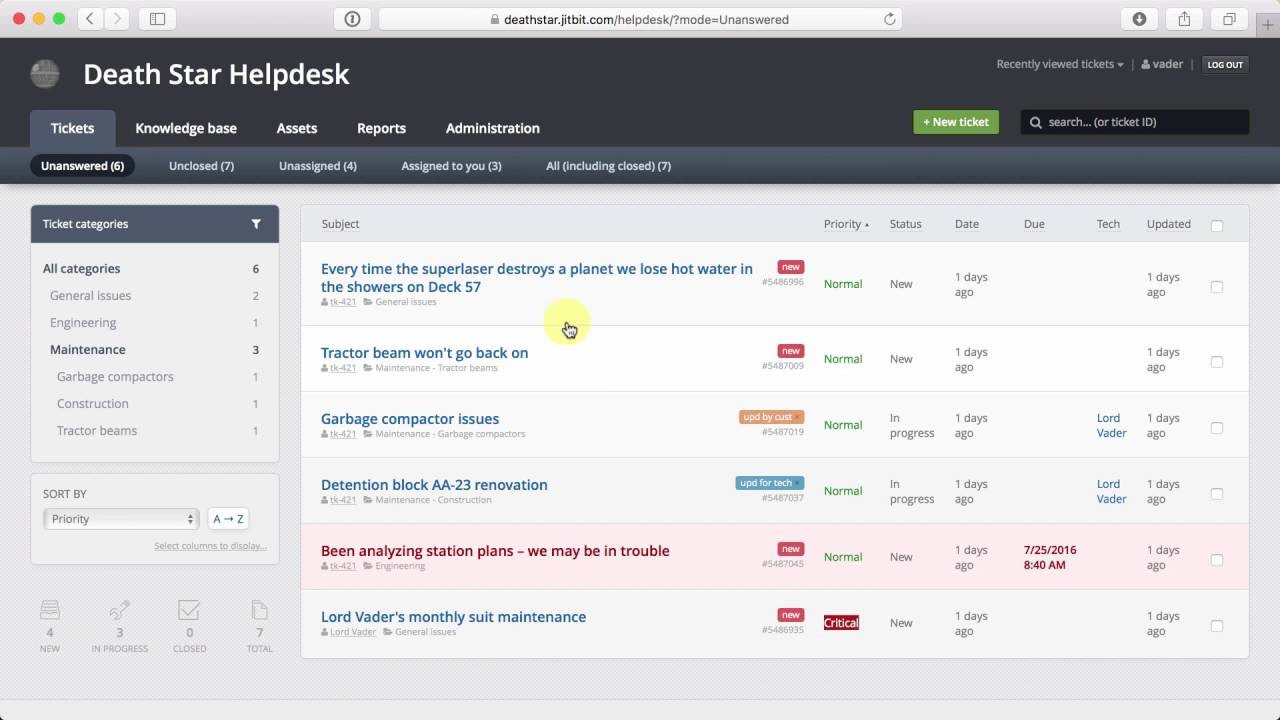
Image source: jibbit.com
Key features:
- Automatic email-to-ticket conversion
- Custom workflows, triggers, and templates
- Web-based customer portal with status updates
- Reporting and SLA tracking
- API and CRM integrations
Pros:
- Simple and fast implementation
- Offers cloud and self-hosted deployment
- Minimal setup required, even for new users
- Affordable and reliable for small teams
Cons:
- Limited advanced customization options
- Fewer native integrations than enterprise tools
Pricing:
- Cloud: from $29/user/month
- On-premise: one-time license (from $1699)
- Free trial available
How to choose the right CRM ticket system for your business
Choosing the right CRM ticket system depends on your team's goals, size, and support needs. The ideal platform should balance automation, usability, and scalability to deliver consistent and personalized customer experiences.
- Define your support goals: Clarify what your team values most—speed, scalability, or personalization. For fast response times, look for systems with SLA tracking and automation. If your priority is building stronger relationships, opt for tools that integrate customer history for contextual support.
- Evaluate team size and ticket volume: Match your software to your team's workload and expected ticket flow. Small teams can thrive with tools like Freshdesk or JitBit, while larger enterprises may need Zendesk or HubSpot. The right system should handle peak volumes without slowing down.
- Look for long-term scalability: Select a platform that can grow with your business as ticket volume or team size increases. Scalable options like Lark or Zoho Desk support automation, multi-channel expansion, and API integrations. This ensures your investment remains valuable as your operations evolve.
- Prioritize usability: A CRM ticketing system should be easy to navigate and adopt. Intuitive interfaces reduce onboarding time and improve agent efficiency. Tools like Lark and Help Scout offer user-friendly designs that make managing complex workflows simpler.
- Test free plans or demos: Always test a platform before committing long term. Free trials let you explore automation, ticket tracking, and CRM sync in real scenarios. These trials reveal how smoothly the system fits your daily support workflow and customer management needs.
Future trends in CRM ticket systems
The future of CRM ticket systems is driven by automation, intelligence, and collaboration. Emerging technologies are making customer support faster, more personalized, and more connected than ever before.
- AI-assisted routing and summarization: AI will automatically classify, assign, and summarize tickets, saving agents time. This ensures faster responses and consistent service quality across large support teams.
- Predictive analytics for churn prevention: Advanced analytics will help identify customers at risk of leaving. By analyzing behavior and sentiment, teams can take proactive steps to retain valuable clients.
- Automated sentiment detection in customer conversations: Systems will analyze tone and emotion in real time to gauge satisfaction. This helps agents prioritize and tailor responses to improve overall customer experience.
- Omnichannel ticket handling from chat to social: Future CRMs will unify all communication channels—email, chat, calls, and social—into one dashboard. This eliminates silos and ensures a seamless customer journey across platforms.
- Consolidation toward unified workspaces like Lark: Businesses are moving toward platforms that combine CRM, ticketing, and collaboration. Unified systems like Lark reduce app-switching and boost team productivity through centralization.
Conclusion
A CRM ticket system is no longer just a support tool—it's a strategic asset for building stronger customer relationships. The best systems integrate communication, automation, and data insights to help teams respond faster and more effectively.
Whether you choose an all-in-one workspace like Lark or specialized solutions such as Zendesk, Freshdesk, or HubSpot, the key is finding a platform that fits your workflow and scales with your growth. As automation, AI, and unified collaboration continue to evolve, CRM ticketing systems will become even more intelligent and seamless. Investing in the right system today ensures efficient service delivery, improved satisfaction, and a long-term competitive edge in customer experience.
FAQs
Can a CRM ticketing system handle multi-channel support (email, chat, social)?
Yes, most modern CRM ticket systems are built to manage multi-channel support seamlessly. They combine email, chat, phone, and social media interactions in one dashboard, ensuring every customer query is tracked, assigned, and resolved efficiently.
Is an open source CRM ticketing system a viable option for small businesses?
An open-source CRM ticketing system is an excellent choice for small or tech-savvy teams. It offers flexibility, customization, and cost savings, though it may require more setup and maintenance compared to cloud-based alternatives.
How important are automation and SLA tracking in a ticket system?
Automation and SLA tracking are crucial features in a CRM ticket system. They ensure timely responses, maintain service standards, and help support teams manage high ticket volumes without losing efficiency.
When should a business move from a basic ticketing system to a full service CRM ticket platform?
A business should upgrade when customer data, ticket management, and communication are scattered across tools. A full-service CRM ticketing system centralizes everything, offering better visibility, automation, and customer insights for scalable, consistent support.
Is ServiceNow a CRM tool?
No, ServiceNow isn't a traditional CRM. It's a digital workflow platform mainly used for IT service management, HR, and operations. While it includes customer service tools for tracking and resolving issues, it doesn't focus on sales or marketing like typical CRMs such as Salesforce or HubSpot.
What is CRM ticker?
A CRM ticker is a real-time display or dashboard widget that shows key customer relationship metrics—like sales performance, deal updates, or support tickets—in a live, scrolling format. It helps teams stay informed about important CRM activities without constantly checking reports or dashboards.
Related reading
Table of contents
Start using Lark today

Manage all your work in one place
Boost team efficiency by 10x
Save up to 70% on software costs
Table of contents
Start using Lark today
Manage all your work in one place
Boost team efficiency by 10x
Save up to 70% on software costs
Keep reading









2026 Lark Technologies Pte. Ltd.
Headquartered in Singapore with offices worldwide.






Explore: