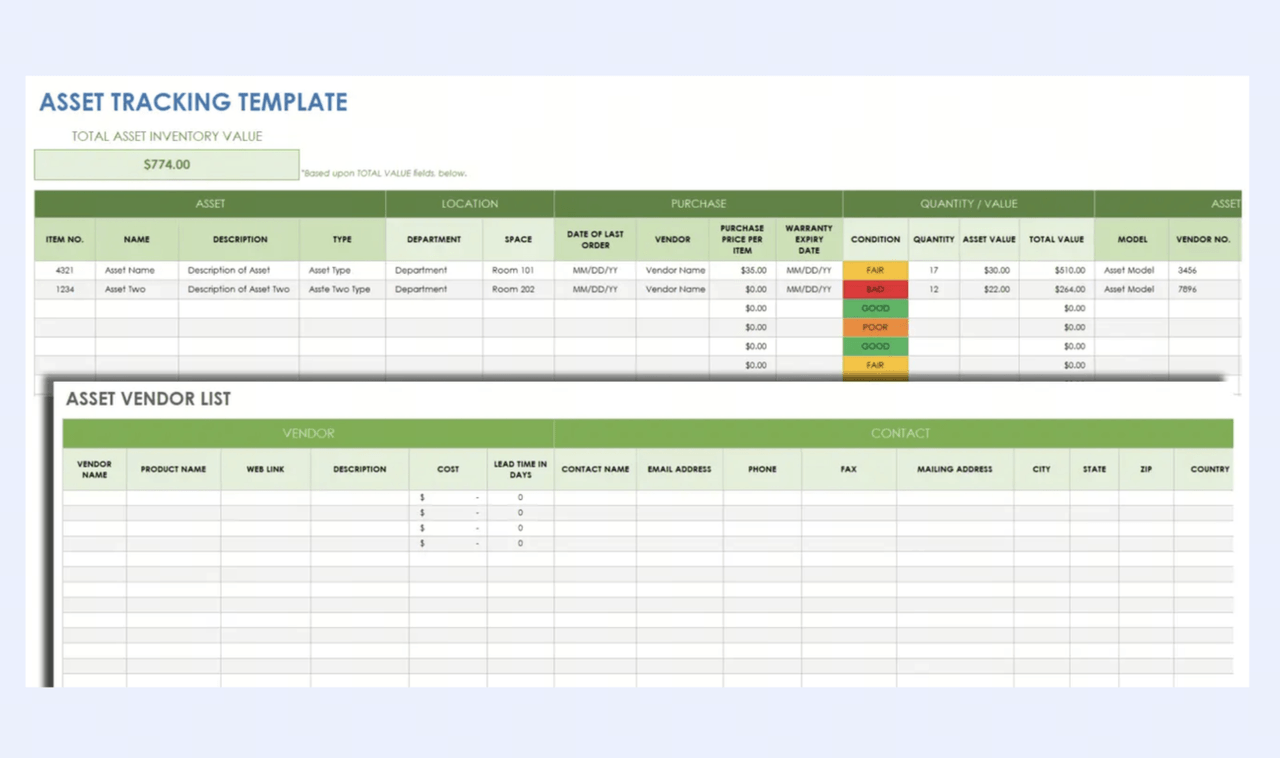
Excel is where most inventory management systems begin. No inventory software to install, no contract to sign, and enough flexibility to build something that fits the way your business actually operates. A good inventory management Excel template removes even that setup work; the columns are defined, the formulas are in place, and the reorder logic is already built in. But the template is only as useful as the discipline behind it. This guide covers what a complete Excel template should include, how to build one from scratch, the best free options by business type, and when Excel is no longer the right foundation for the work your team needs to.
What is an inventory management Excel template?
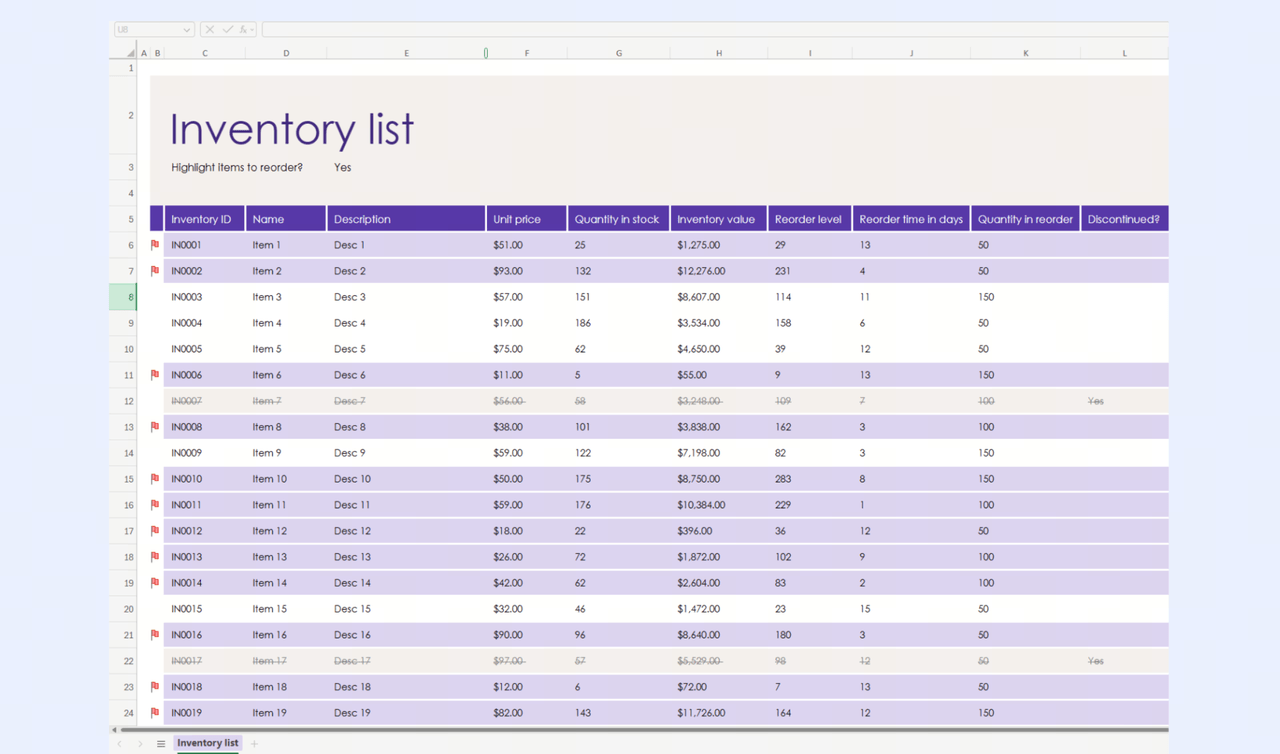
An inventory management Excel template is a pre-built spreadsheet designed to help businesses track inventory, organize, and . It includes structured columns for key data such as product names, SKUs, quantities, unit costs, and supplier details, along with formulas that automatically calculate totals and inventory value.
A typical template goes well beyond a flat product list. It usually includes multiple linked sheets, a product master for item metadata, a transaction log for every stock movement, and a summary dashboard for reorder alerts and valuation.
Instead of creating a system from scratch, businesses can use a template to quickly set up inventory tracking with minimal effort. It allows users to monitor stock levels, record incoming and outgoing items, and identify when products need to be reordered.
This template type is especially useful for small- to mid-sized businesses because it is cost-effective, customizable, and easy to use. While it lacks advanced automation and , it provides a solid foundation for managing inventory before transitioning to more sophisticated tools like Lark.
What a complete inventory management Excel template should include
A complete inventory template is more than a list of products—it is a structured system that ensures accuracy, consistency, and visibility across stock operations. It should , financial insights, and decision-making without adding complexity. The right Excel template for inventory management balances usability and functionality, making it easy for teams to maintain.
- SKU and item identification: Every product should have a unique SKU to prevent duplicate records and confusion. It helps search, filter, and track items across multiple transactions. A standardized naming system ensures consistency, especially as inventory grows.
- Stock quantity and unit of measure: Tracking stock quantity alongside units (pieces, boxes, kg, etc.) avoids misinterpretation during stock counts. Clear units also help teams across departments stay aligned.
- Cost and total inventory value: Unit cost and total value calculations provide financial visibility into inventory holdings. Built-in formulas help automatically compute stock value, reducing manual effort and errors. It turns your sheet into a basic template for financial tracking, helping you monitor your total inventory value at a glance.
- Reorder levels and supplier details: Reorder points help prevent stockouts by indicating when to restock items. A reliable stock inventory control template is purpose-built to answer one question: when do I order more? Including supplier names and contact details speeds up procurement decisions. It ensures smoother operations and reduces replenishment delays.
- Transaction Log: Relying on occasional full physical counts instead of logging every stock movement creates invisible shrinkage and data drift. Every purchase order, sale, adjustment, and transfer needs a dedicated line in the log.
5 popular inventory management Excel templates
Inventory needs vary widely across industries, so a single spreadsheet format rarely fits every business. Choosing the right inventory management Excel template ensures better accuracy, efficiency, and alignment with your day-to-day operations.
Retail inventory template for product tracking
A retail inventory template focuses on tracking products, , and stock availability in real time. It includes fields like SKU, product name, price, and stock levels to support daily sales operations. This format works well as an Excel inventory management template for small stores managing fast-moving items.
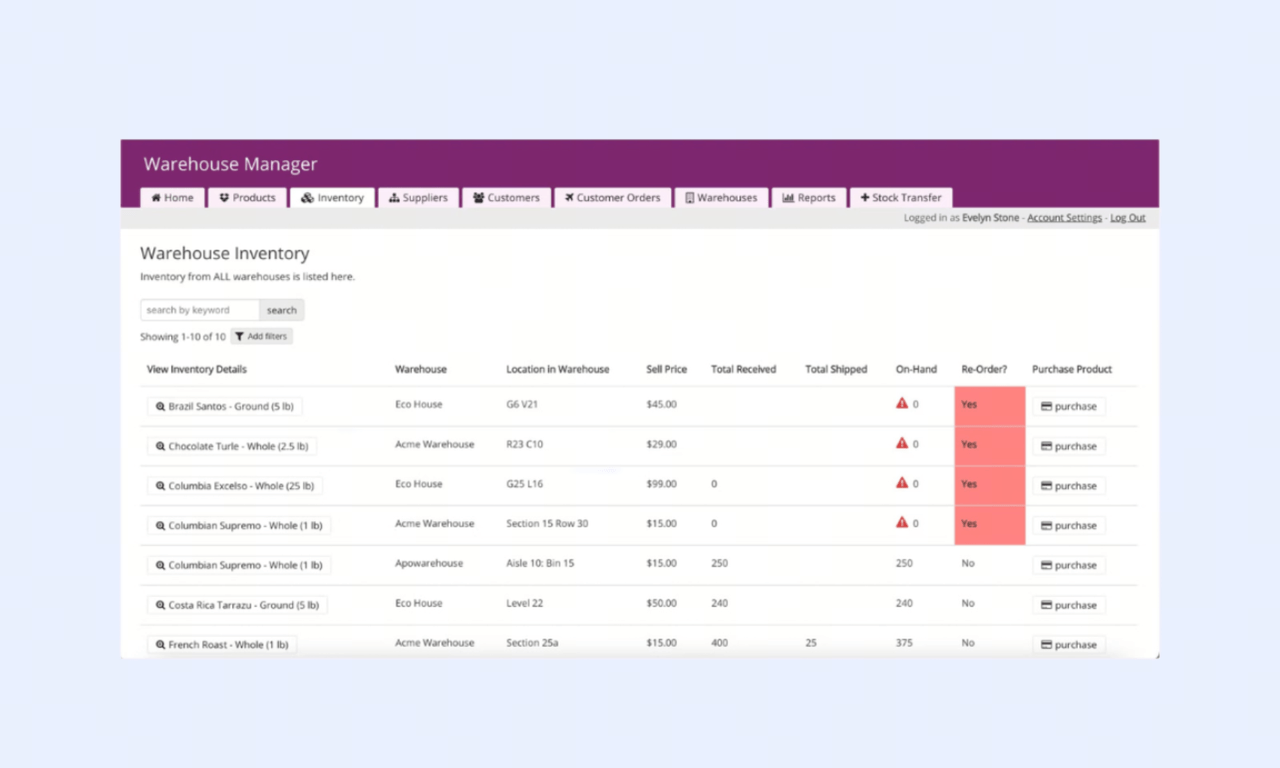
Warehouse inventory template for location-based storage
A warehouse template is designed to track inventory across bins, racks, or zones within a storage facility. It includes location codes, bulk quantities, and movement logs for efficient stock handling. This structure supports complex storage systems and improves picking and stocking accuracy.
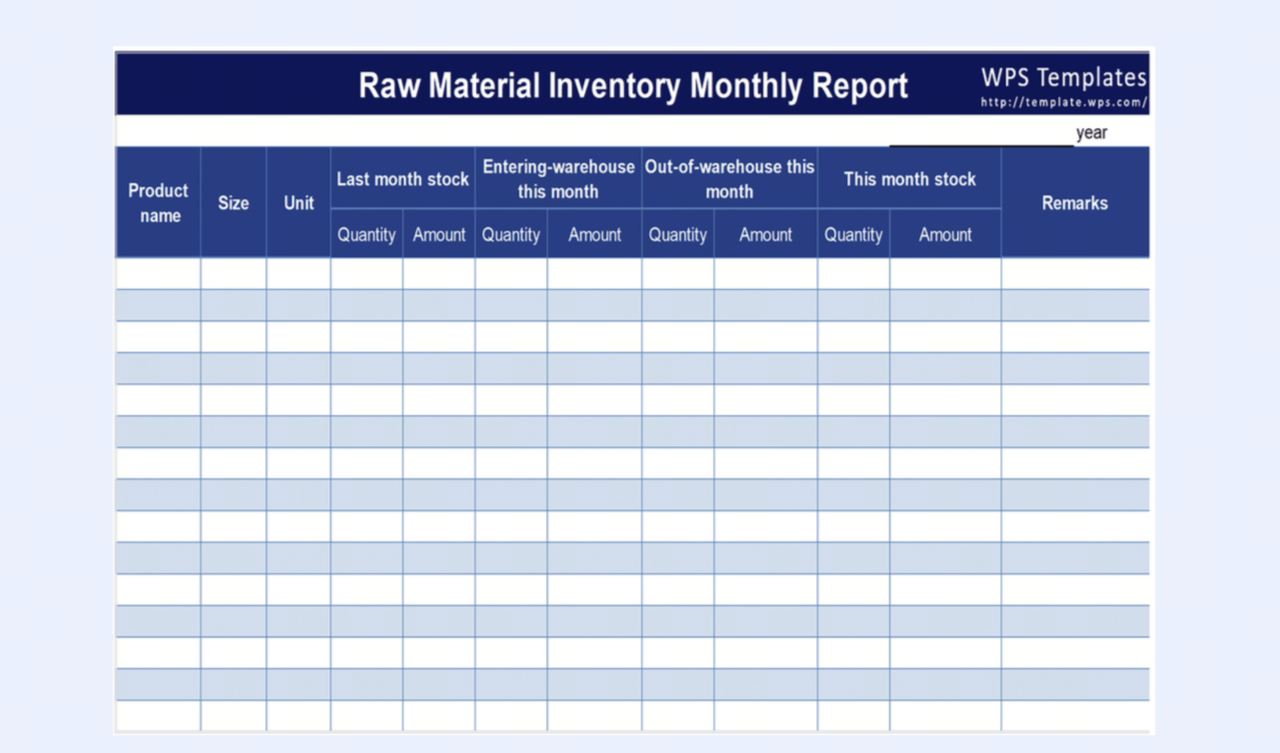
Manufacturing template for raw materials
Manufacturing templates track raw materials, components, and . They include fields for material consumption, reorder levels, and supplier timelines. This helps ensure production continuity by maintaining optimal inventory levels.
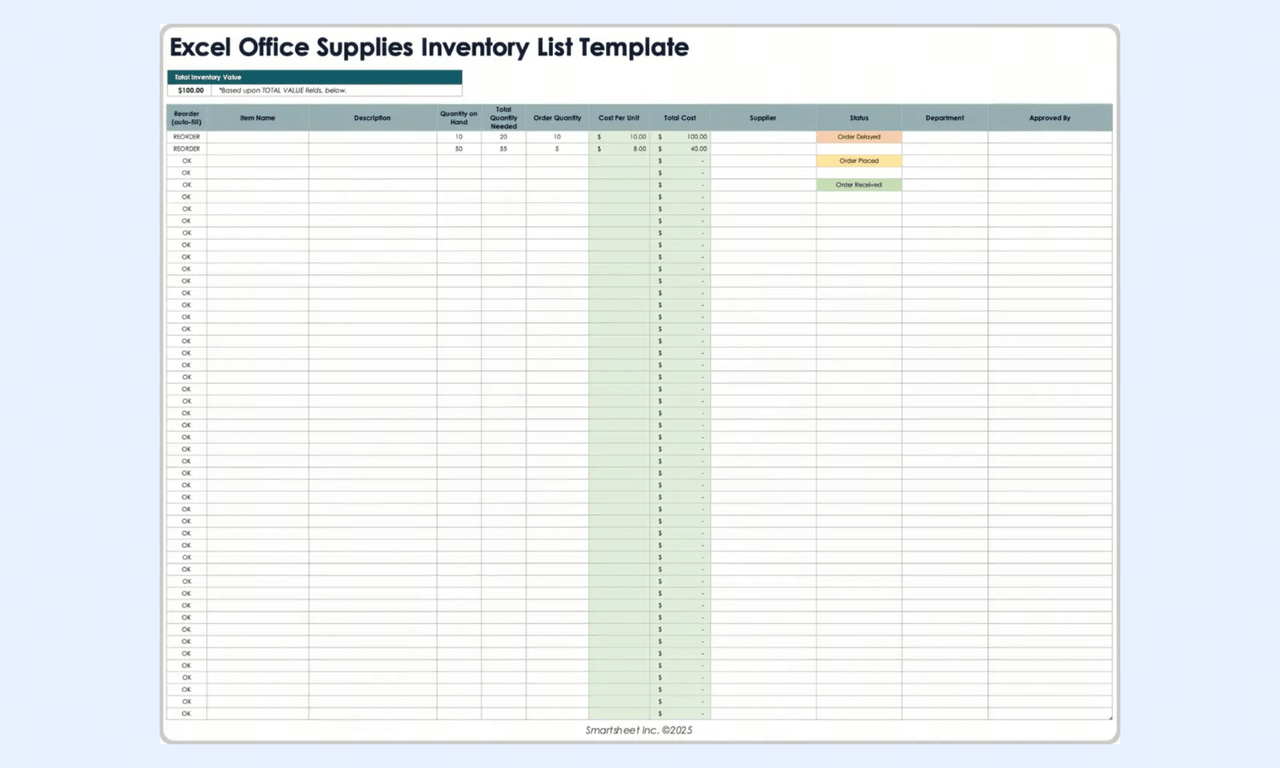
Office supply template for consumables
Office supply templates manage everyday consumables such as stationery, cleaning supplies, and pantry stock. They focus on usage tracking, minimum stock levels, and periodic replenishment. This keeps operational supplies available without overstocking.
IT asset tracking template for equipment
IT asset templates are used to manage equipment like laptops, servers, and peripherals across teams. They include fields for asset ID, assignment, condition, and maintenance schedules. This ensures accountability and simplifies tracking of high-value assets.
Best practices for managing inventory with Excel templates
Choosing the right Excel inventory template is only part of the equation. To keep inventory accurate and operations running smoothly, businesses also need clear rules for how information is entered, updated, and maintained. A well-structured process helps teams avoid duplication, reduce manual errors, and make faster decisions with confidence.
- Keep a single source of truth: Avoid having different departments maintain separate inventory files that gradually fall out of sync. Instead, use one master spreadsheet as the central record for stock levels, product movement, and updates.
- Standardize inventory inputs: Create consistent rules for SKU formats, product names, units, and categories across every inventory sheet. Standardization makes reporting cleaner and reduces confusion as your inventory grows.
- Protect data accuracy: Use dropdown lists, restricted input cells, and locked formulas to minimize accidental edits and preserve the integrity of calculations.
- Review and update regularly: Even the best template becomes unreliable if it is not maintained. Schedule routine checks to reconcile stock counts, remove outdated entries, and ensure the spreadsheet reflects current inventory conditions.
Where Excel inventory management templates stop working
Excel works well for basic inventory tracking, but its limitations become clear as operations grow more complex. When an inventory management in excel template is not enough anymore, month-end closes take days instead of hours, and daily stock discrepancies show up frequently. As teams expand and , maintaining accuracy and consistency becomes harder.
- Simultaneous editing produces version conflicts: When two team members save the Excel file at the same time, one person's updates overwrite the other's. When multiple users save separate versions to their desktops, you lose any hope of a single source of truth.
- No automated restock notifications: Conditional formatting highlights low stock alerts for anyone who opens the file. It cannot send a notification to the purchasing manager when a reorder level is hit. The alert is passive; the action depends entirely on someone checking the spreadsheet at the right moment.
- Transaction log discipline breaks down under workload: The transaction log is the most important tab in the template and the first to be abandoned. When the team is busy, entries are deferred. Deferred entries become missed entries. The diverges from physical reality, and no one can explain when or why.
- Broken formulas after edits: Someone inserts a column, drags a cell, or pastes over a formula—suddenly your reorder alerts stop working and your total inventory value shows zero. This is a frequent source of compounding errors.
- Multi-location tracking requires duplicate files: A business with two or more stock locations typically maintains a separate Excel file per location and manually consolidates them into a summary. The consolidation step creates the exact discrepancies the template was meant to prevent.
- Barcode scanning has no native field type: Excel can receive scanner input into a cell, but it has no barcode field, no scan-to-match logic, and no validation that a scanned SKU corresponds to an existing item record. Every scan requires a manual check against the stock tab.
Sync every SKU and shipment in a collaborative workspace
Meet Lark: Build a living inventory database for your team
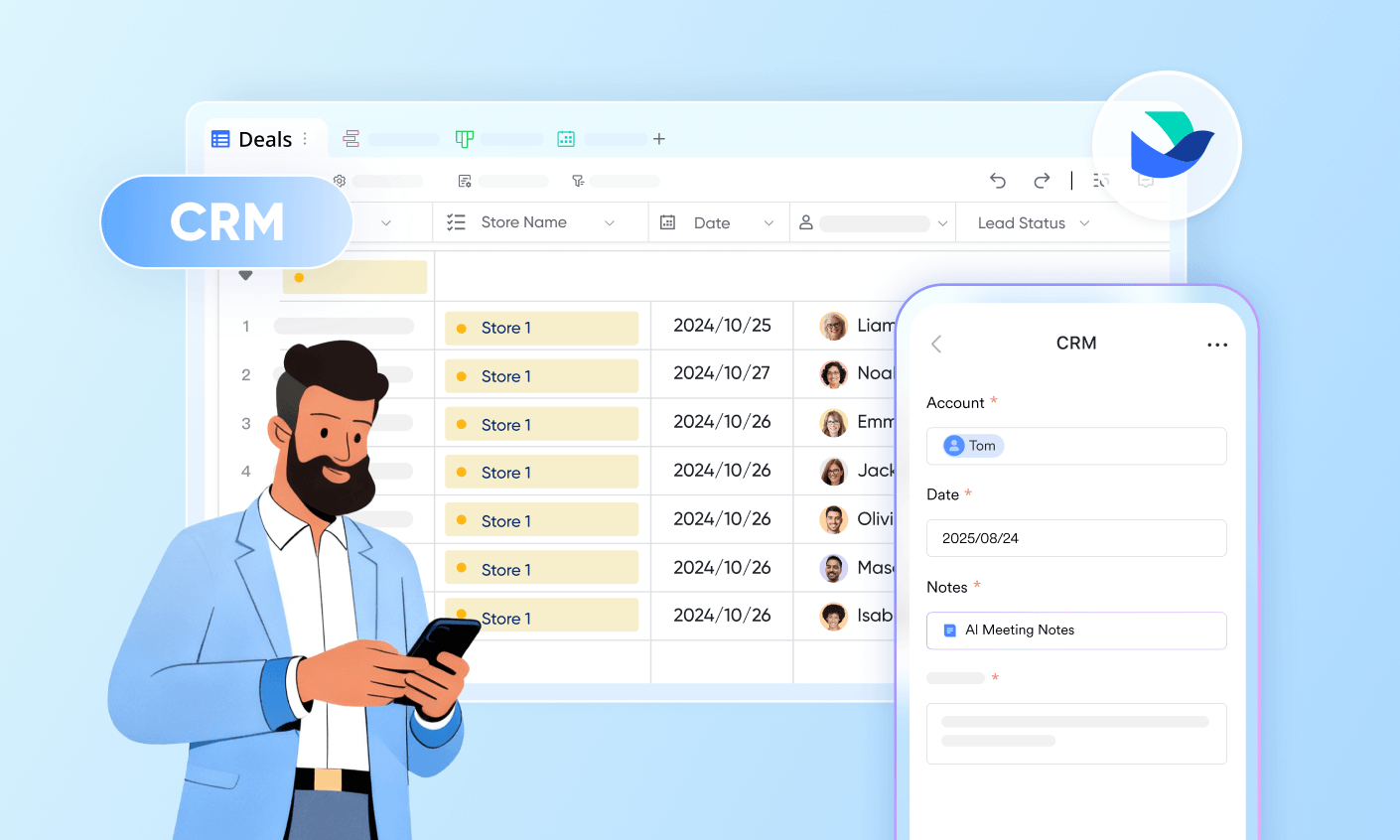
As teams grow, inventory management becomes more complex, involving multiple users, locations, and constant updates. Excel templates struggle to keep up with this scale due to manual processes and a lack of real-time collaboration. Errors, version conflicts, and delayed updates start impacting operations and decision-making. Growing businesses need a system that not only stores data but also actively . Lark replaces static spreadsheets with a dynamic, collaborative platform built to handle inventory at scale.
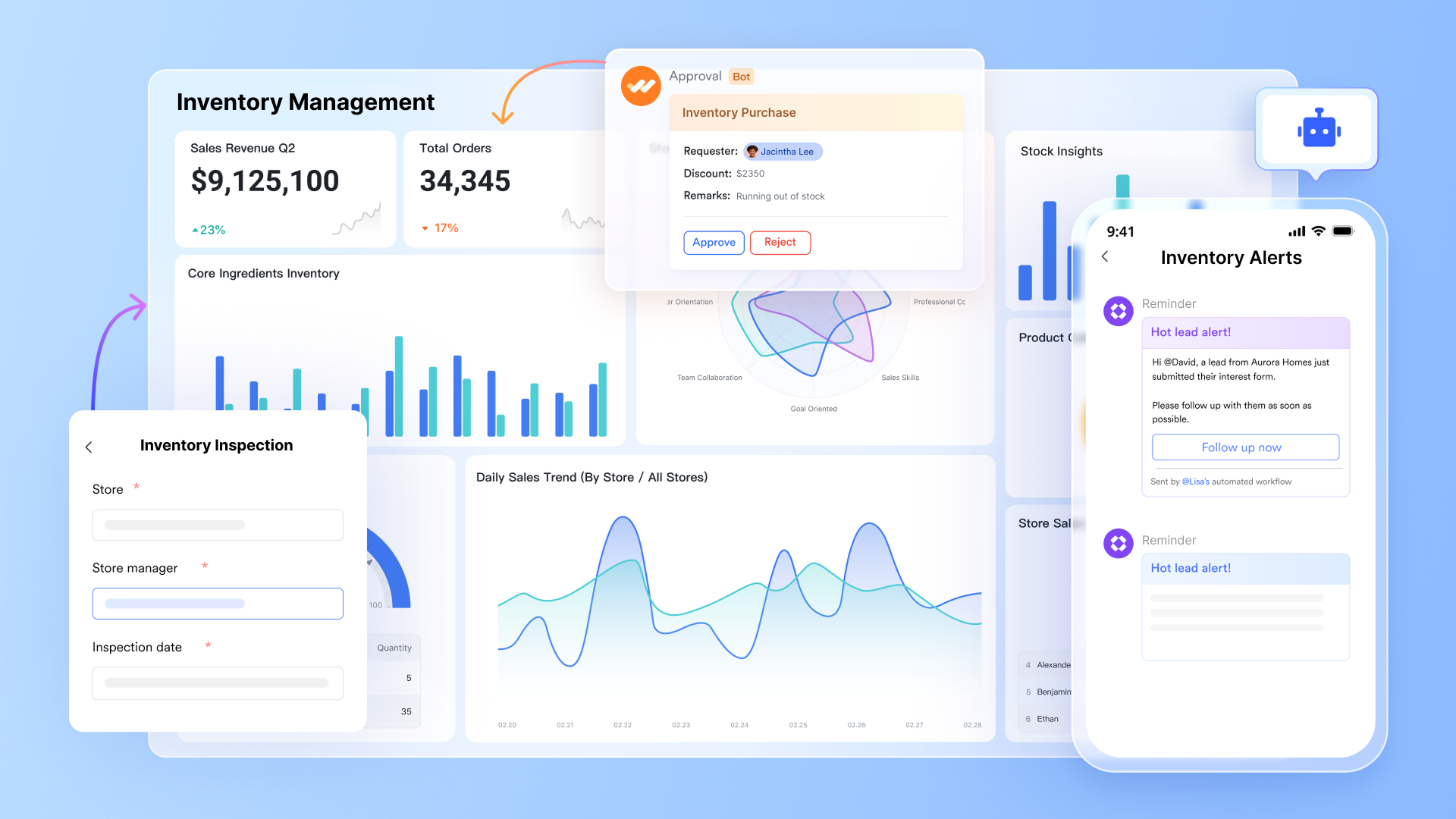
A live inventory database with streamlined workflows
transforms inventory management from a static spreadsheet into a dynamic, automated ecosystem. By using customizable fields such as barcodes and attachments, teams can track stock levels in real time via mobile scanning and . The system eliminates manual errors by triggering instant low-stock alerts and syncing data across the and the built-in dashboard.
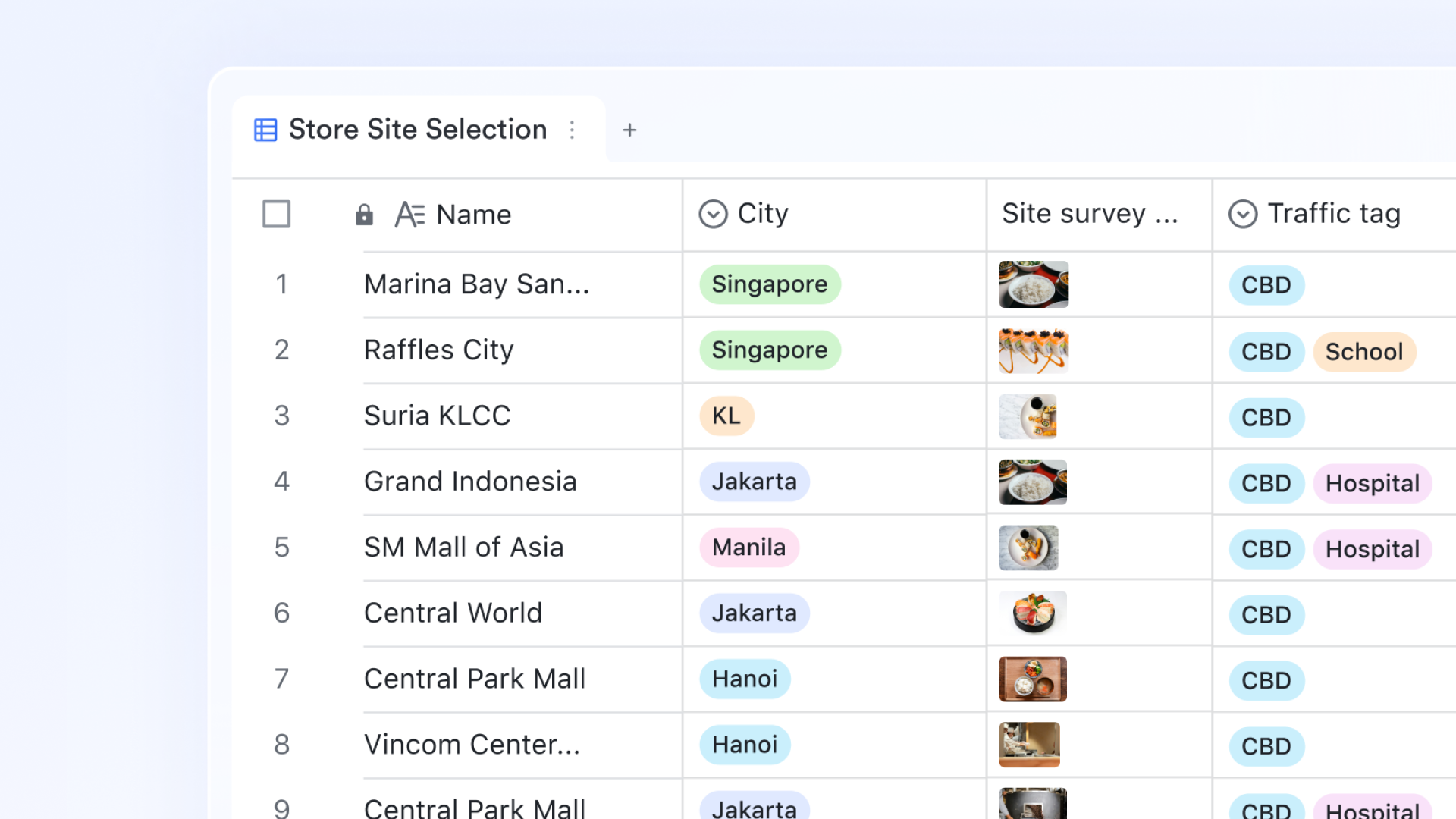
Automatic stock data entry and management
Lark Base AI fields introduce intelligent automation to your daily routines, eliminating repetitive manual entry. By using natural language prompts, these fields can instantly summarize long text blocks, translate product descriptions into multiple languages, or extract specific data points from unstructured notes. It turns a standard data table into a proactive assistant that processes and enhances information as soon as it is added.

Barcode-enabled stock movement logging from any device
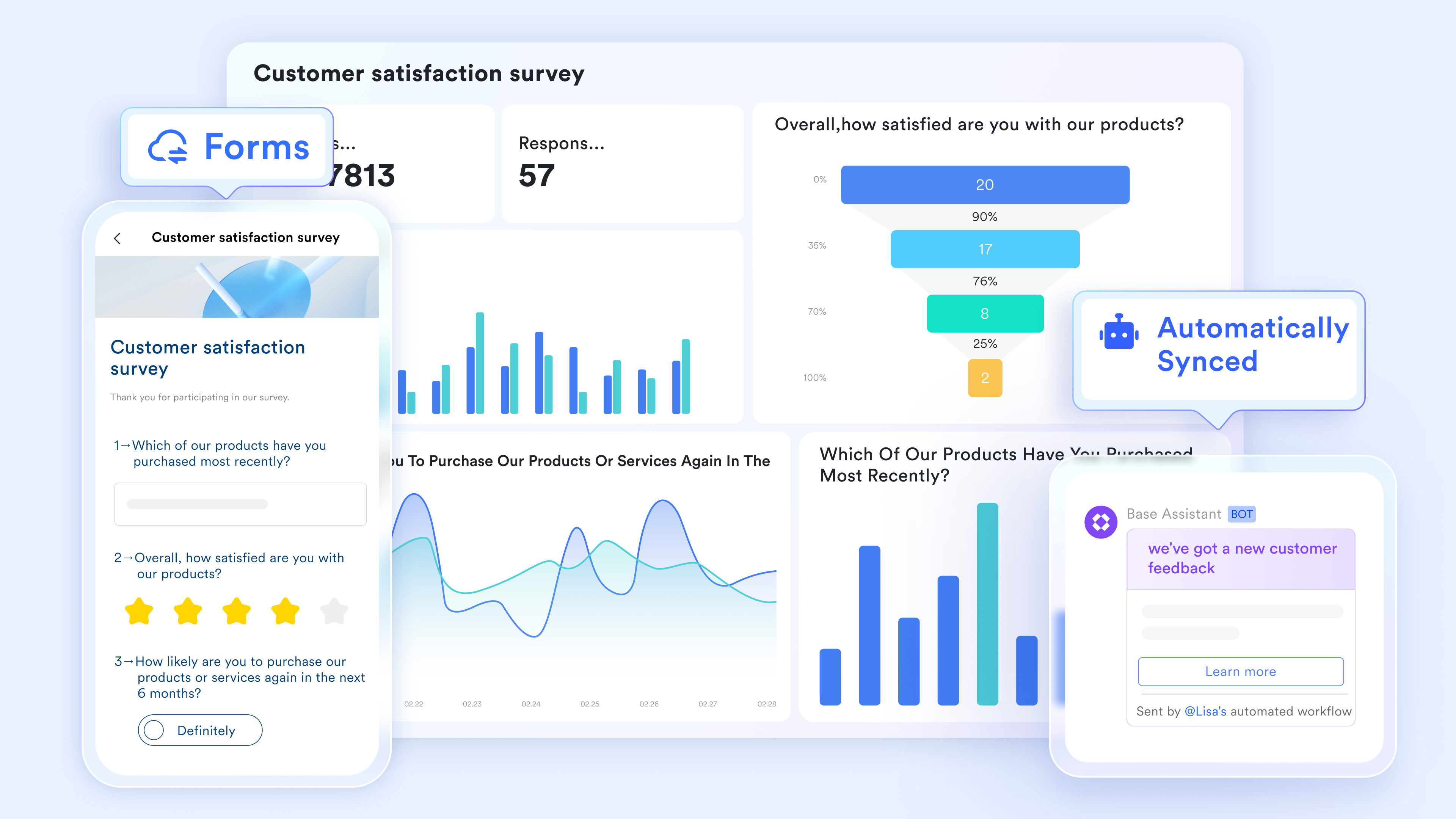
acts as an easy gateway for data collection, turning manual submissions into structured, actionable records. Using its drag-and-drop builder, teams can quickly create professional surveys, work orders, or inventory logs that support advanced field types like image uploads and . These forms can be shared internally or via public links, ensuring that data from vendors or field staff flows directly into a central database in real time.
Role-based access without password protection
Lark Base field permissions restrict which fields each team member can view or edit at the record level. The warehouse receiving team updates the quantity in stock and the last received date, but cannot access the unit cost or supplier payment terms without permission. This replaces Excel's cell protection approach, which uses password-protected columns rather than role-specific permissions. 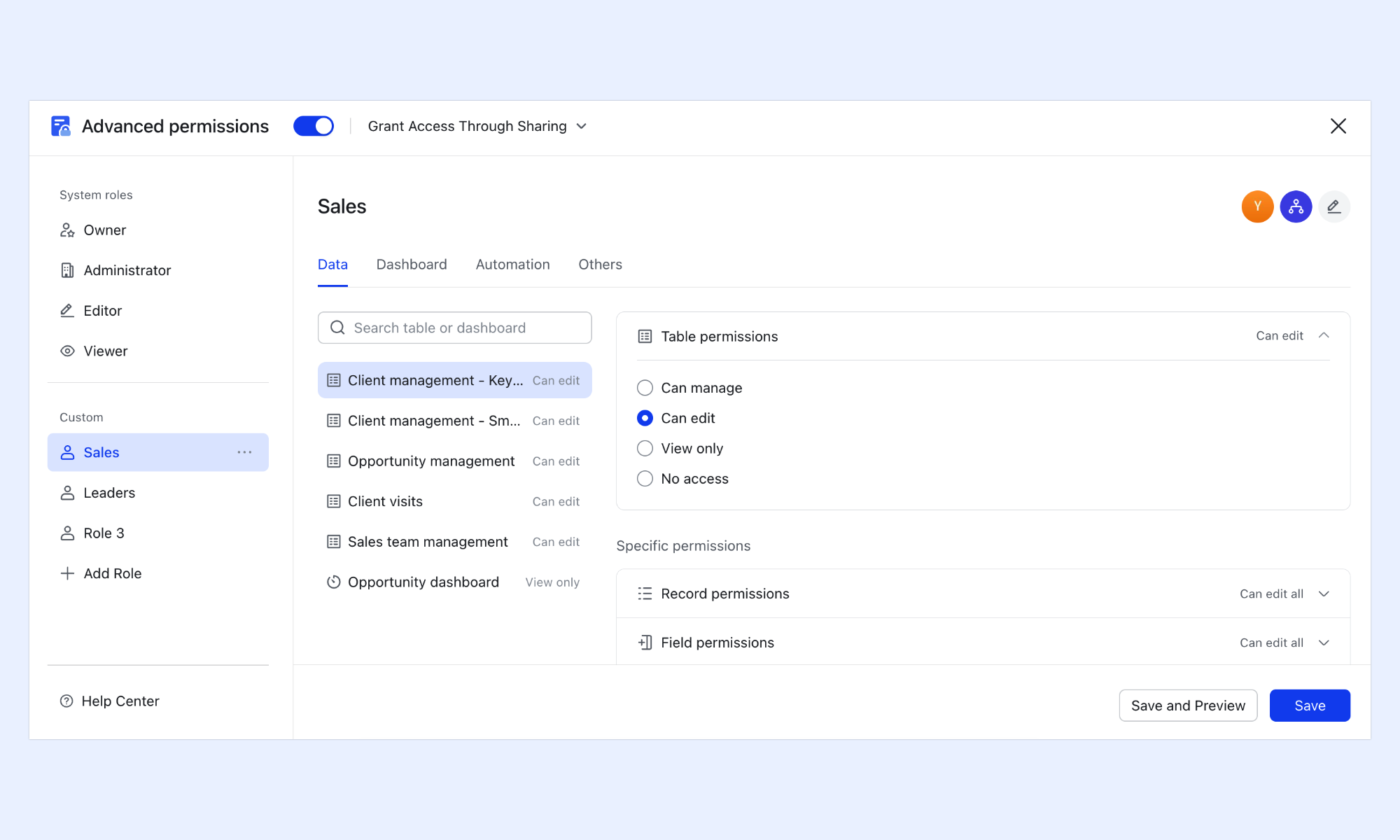
Transitioning from manual tracking to an automated ecosystem empowers businesses to scale without friction. See how companies are already streamlining their operations and building a single source of truth with Lark.
Granular permissions do more than improve control. They create the foundation for smoother collaboration, clearer accountability, and better operational visibility across teams. For businesses managing inventory and procurement at scale, that means fewer bottlenecks and faster decisions. REAL Home & Fashion is one example of how this translates into measurable operational impact.

"Lark really revolutionized how we operate REAL Home & Fashion by transforming our data into actionable insights, optimizing inventory management, and streamlining procurement. It's our powerhouse for growth and efficiency to help us become more competitive in this market"
Whether you are replacing spreadsheets for a small team or rolling out a more advanced system across multiple functions, the right setup should match both your current needs and your room to grow. Lark offers flexible plans that support businesses at different stages, from lightweight collaboration to enterprise-scale operations.
:
- Starter plan: Free forever plan that includes 11 powerful tools for up to 20 users. It also comes with 100GB of storage, 1000 automation runs, AI translations, and more.
- Pro plan: $12/user/month (billed annually) for up to 500 users. It includes everything in Starter plus group calling for up to 500 attendees, 15TB of storage, 50,000 automation runs, and more.
- Enterprise plan: for custom pricing. Supports unlimited users and includes even more automation runs and advanced security, compliance, and management features.
For small teams with simple communication needs

18 months message history
1000 Base automation runs/month
2000 rows per table in Base
Most POPULAR
For companies with comprehensive collaboration and management needs
Unlimited message history
500-participant video meetings
50k Base automation runs/month
20k rows per table in Base
For large companies with advanced security and organizational management needs
Get a personalized demo and pricing
Unlimited message history
500-participant video meetings
15 TB storage + 30 GB storage/user
500k Base automation runs/month
50k Base automation runs/month
Most POPULAR
For companies with comprehensive collaboration and management needs
Unlimited message history
500-participant video meetings
50k Base automation runs/month
20k rows per table in Base
Ready-to-use Lark inventory management templates
These templates are built on Lark Base, so every inventory record is live, collaborative, and connected to the team managing it. If you are looking for a more powerful free inventory management excel template alternative, these solutions integrate seamlessly into modern operations. Update a quantity, scan a barcode, or log a receipt; the change reflects across every view instantly and triggers the right restock notification automatically. No version drift, no stale file, no manual alert to chase.
Inventory inbound & outbound management
This template tracks incoming and outgoing stock movements with clear transaction records and timestamps. It helps teams maintain accurate inventory levels by logging receipts, dispatches, and adjustments in real time. Designed for operational clarity, it reduces discrepancies and improves stock control across workflows.
Order & inventory management
This template combines order tracking with inventory management to provide a unified view of stock and sales. It helps teams monitor order status, automatically update inventory levels, and reduce fulfillment errors. Designed for efficiency, it ensures and inventory operations.
Inventory management
This template helps teams organize and monitor inventory with clear visibility into stock levels and item details. It simplifies tracking by centralizing product information, quantities, and updates in one place. Built for everyday use, it improves accuracy and keeps inventory records consistent.
Store inventory & revenue tracking system
This template tracks both inventory levels and in a single system for better business visibility. It helps teams monitor stock movement alongside sales data to understand profitability and trends. Designed for retail operations, it connects inventory control with revenue insights for smarter decisions.
E-commerce inventory and sales management
This template helps manage online inventory and sales by tracking stock levels alongside order activity. It keeps product availability up to date in real time, reducing the risk of overselling or stockouts. Designed for e-commerce operations, it improves accuracy, fulfillment speed, and overall sales visibility.
Orders & inventory
This template streamlines order processing and inventory tracking in a single, unified system. It helps teams update stock levels as orders are created, fulfilled, or returned, ensuring accurate records. Designed for operational efficiency, it improves coordination between sales and inventory workflows.
Order management
This template integrates order processing with inventory tracking to keep stock levels accurate across every transaction. It automatically reflects order updates in inventory, reducing manual work and errors. Designed for , it improves visibility, coordination, and efficiency in fulfillment.
Inventory management
This template helps teams track inventory levels, , and maintain accurate records in one place. It includes structured fields for items, quantities, and supplier details to simplify daily operations. Designed for efficiency, it reduces errors and keeps inventory data consistent and up to date.
Smart inventory management system
This template provides a more advanced approach to managing inventory with automation and real-time tracking. It helps teams monitor stock levels, trigger reorder alerts, and streamline inventory workflows efficiently. Built for growing operations, it improves accuracy, visibility, and overall control of inventory processes.
Conclusion
An inventory management Excel template is a practical starting point for businesses looking to organize stock, track movements, and maintain basic control without investing in complex systems. It offers flexibility, low cost, and ease of use, making it ideal for small teams or early-stage operations. However, as inventory grows and workflows become more dynamic, the limitations of Excel manual updates, lack of automation, and version conflicts—start to impact efficiency and accuracy. From live databases to automated restock alerts and mobile-friendly tracking, provides everything needed to manage inventory at scale. If you're ready to move beyond spreadsheets and build a smarter workflow, try Lark for free today.
Automate your inventory logic and drive growth with Lark
FAQs
Is Excel good for inventory management?
Excel is a good starting point for basic inventory tracking, especially for small businesses with simple needs. A free inventory management Excel template can help organize stock and efficiently monitor levels. However, as operations grow, tools like Lark offer better scalability, automation, and real-time collaboration.
Can I automate inventory tracking in Excel?
Excel allows limited automation using formulas, conditional formatting, and macros. These features can help track stock levels and highlight low inventory. However, Lark provides advanced automation, such as real-time updates and alerts, without manual intervention.
What is better than Excel for inventory management?
Dedicated platforms are better than Excel when inventory becomes complex and team-based. They offer real-time updates, automation, and centralized data management. Lark stands out by combining inventory tracking, collaboration, and workflow automation in a single system.
How do you prevent errors in Excel inventory tracking?
Errors can be reduced by standardizing data entry, using consistent SKUs, and simplifying formulas. Regular audits and disciplined updates also help maintain accuracy. Lark minimizes these risks further by automating processes and reducing manual input.
Can Excel handle barcode-based inventory systems?
Excel can accept barcode inputs but lacks native scanning logic and validation features. This means users must manually verify entries, increasing the risk of errors. Lark supports barcode-enabled workflows with built-in validation and real-time updates.
Related reading