Keeping stock levels accurate is harder than it looks. A miscount or a missed reorder immediately leads to lost sales and frustrated customers. For small businesses, an inventory control Excel template is the most practical place to start — bypassing expensive software while tracking finished goods and raw materials. This guide provides everything you need: a step-by-step build tutorial, free templates to get you started immediately, and a decision framework when choosing between Excel and a modern tool.
Streamline your inventory tracking with Lark
What does an inventory control Excel template actually do?
A basic product list only shows static quantities, but a professional inventory control excel template serves as a living operational record. It automates stock tracking by recording every incoming supplier delivery and outgoing customer order, keeping running totals accurate without manual counts.
An advanced excel template for inventory control does much more than track quantities:
- Automated reorder alerts: Your inventory control template in Excel uses conditional formatting to highlight low stock in red or amber when quantities drop below safety thresholds.
- Supplier management: A dedicated Excel inventory control template stores contact details alongside SKUs, enabling immediate purchase orders when stock runs low.
- Cost valuation modeling: An Excel template for inventory control calculates stock value using FIFO or weighted average cost methods, which is vital for financial reporting and margin analysis.
- Multi-location bin mapping: Using category filters and bin location fields in your inventory control template in Excel allows for rapid item retrieval across different storage areas.
Choosing a proper excel template transitions your business from passive tracking to active, operational management.
Find the right inventory solution for your team with Lark
How to set up an inventory control Excel template from scratch
Building a reliable inventory control Excel template from scratch takes less time than most people expect when the workbook is correctly structured from the outset.
Step 1: Structure your workbook
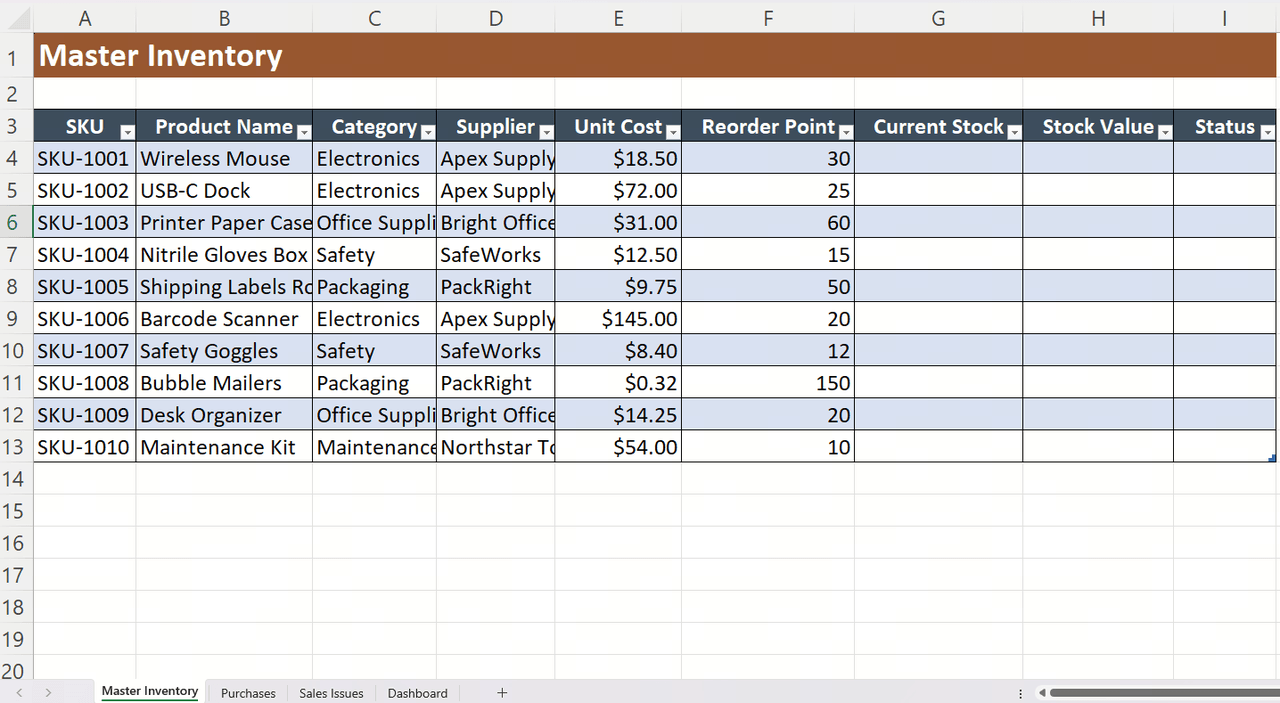
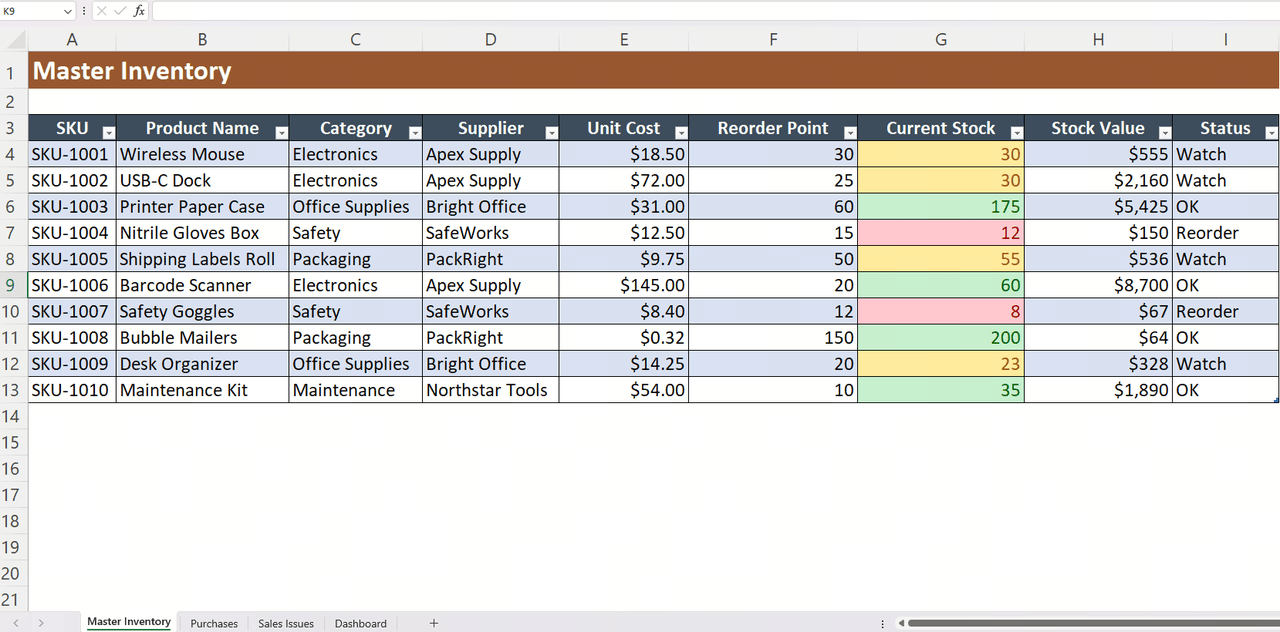
Create four tabs: Master Inventory, Purchases, Sales/Issues, and Dashboard. The Master Inventory tab holds your core product records. The Purchases and Sales/Issues tabs log every stock movement. The Dashboard tab pulls summary data from the other three using formulas, giving you a live overview without manually checking each tab.
Step 2: Apply data validation
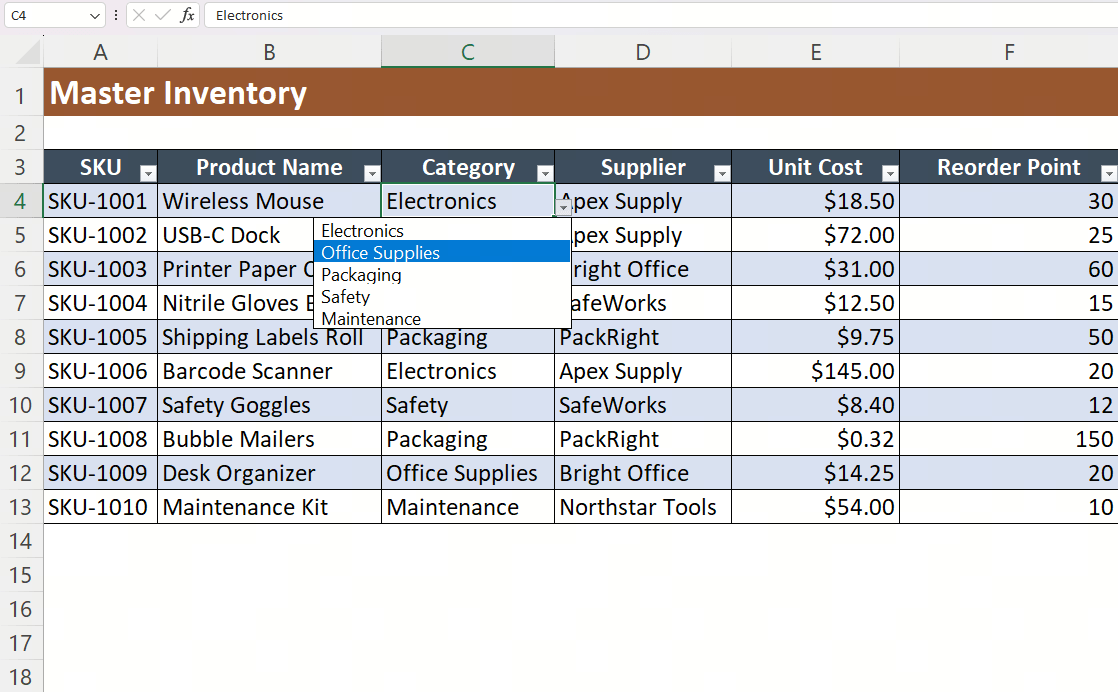
Set dropdown menus for Category, Supplier, and Status fields using Excel's Data Validation tool. This prevents free-text entries that break filtering and cause formula errors. Standardized inputs are the single most effective way to keep a shared template clean when multiple people are entering data.
Step 3: Use SUMIF and VLOOKUP to auto-update stock levels
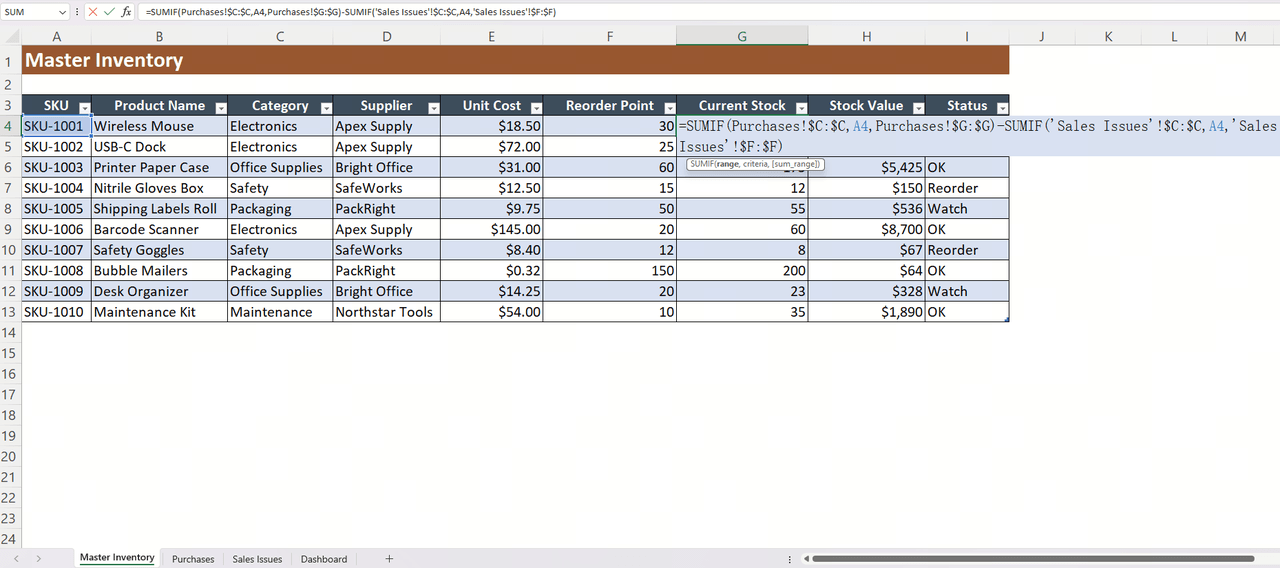
In the Master Inventory tab, use SUMIF formulas to calculate current stock by summing all purchases and subtracting all issues for each SKU automatically. VLOOKUP pulls supplier details into transaction records without manual re-entry. These two formulas eliminate the need to manually update running totals after every transaction.
Step 4: Set conditional formatting rules for low-stock alerts
Apply a three-color rule to the quantity column: red when stock falls below the reorder point, amber when it is within 20% above the reorder point, and green when stock is healthy. This gives anyone opening the file an immediate visual read of stock health without running any reports.
Step 5: Build a summary dashboard with PivotTable
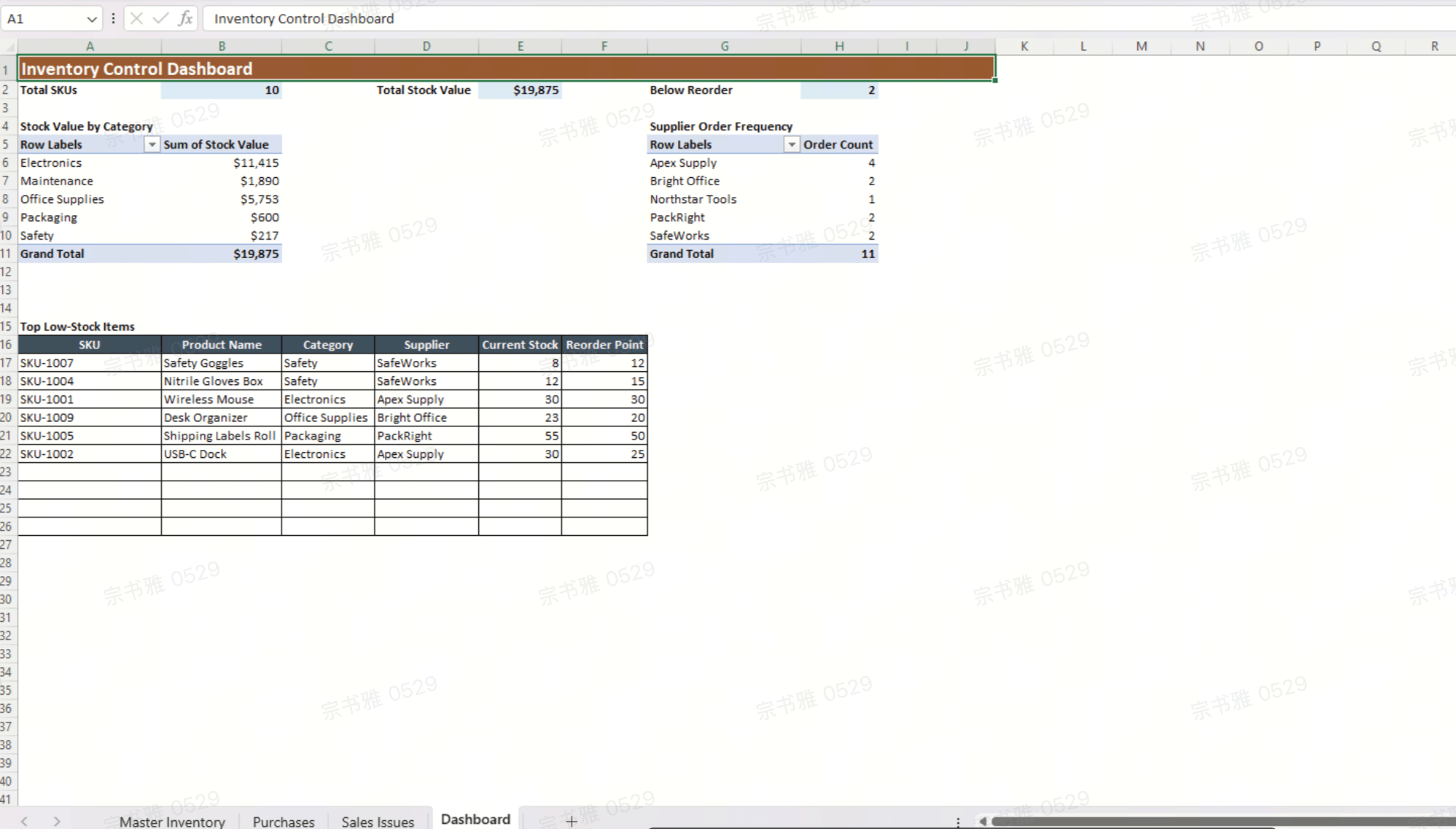
Use a PivotTable on the Dashboard tab to summarize total stock value by category, top ten low-stock items, and supplier order frequency. This transforms the workbook from a data-entry tool into a basic inventory-tracking system with reporting capabilities that management can read at a glance.
Recommended visuals:
- Bar chart: Total inventory value by category (raw materials, finished goods, office supplies). This makes it easy to spot where capital is tied up and helps reduce excess inventory.
- Column chart: Stock levels vs. Reorder points for your top 20 SKUs, with conditional colors (red bars when quantity ≤ reorder point).
- Summary table: Items currently below reorder point, sorted by supplier, showing quantity on hand and reorder quantity.
Get your ready-to-use inventory control Excel template
4 popular inventory control Excel templates
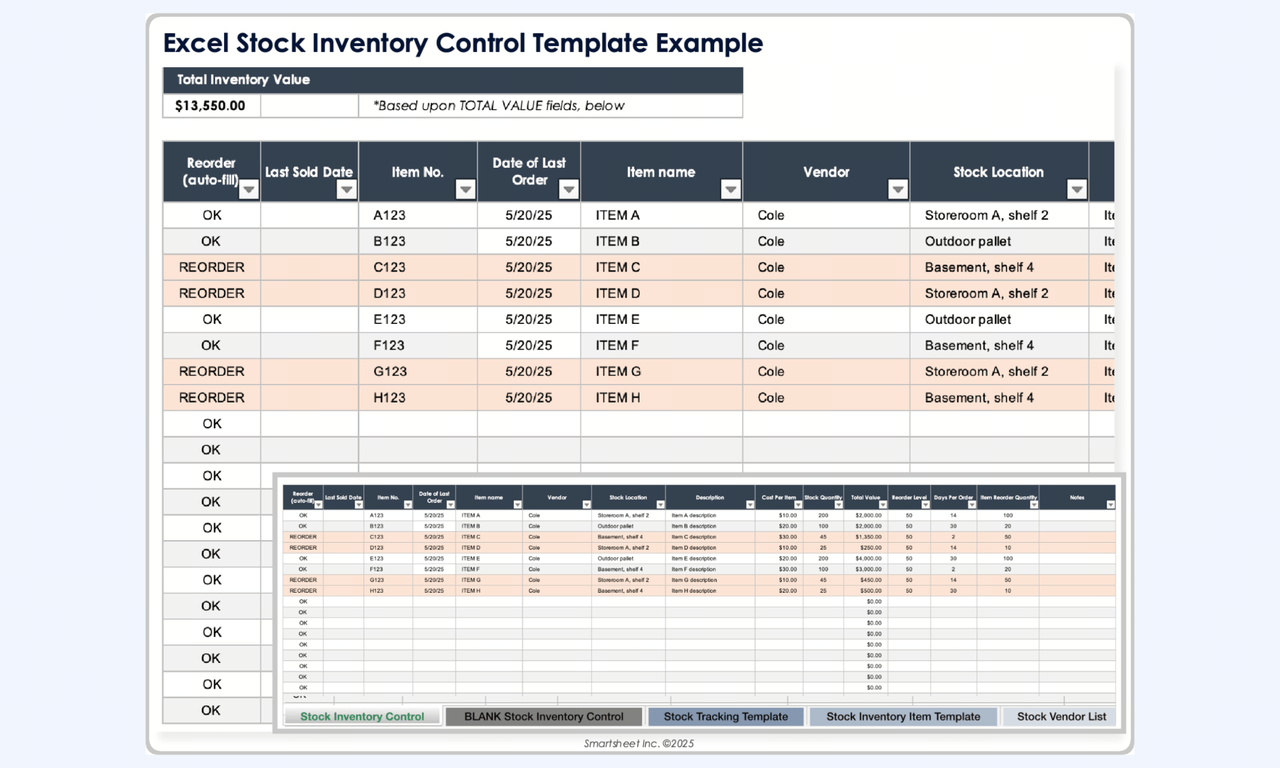
1. Excel stock inventory control template
This template provides a high-level summary of total asset value while maintaining granular control over unit costs. By centralizing Inventory Price and Unit Price data, this system enables the management team to monitor financial investment in real-time.
Image source: smartsheet.com
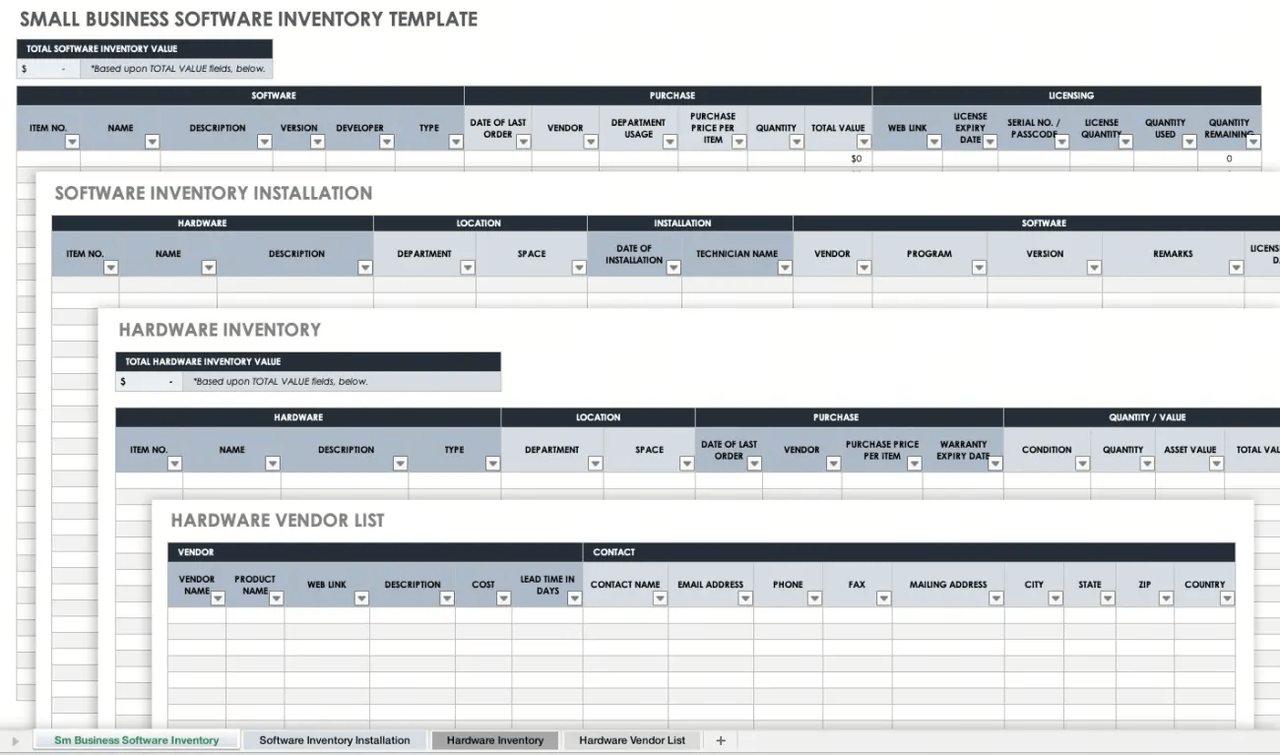
2. Software inventory template
This template will help you update and manage your stock levels and keep track of all your supplier information. It also includes a count sheet and an inventory label template for tracking Exp/Renewal Dates and comparing Quantity Used against Quantity Purchased.
Image source: smartsheet.com
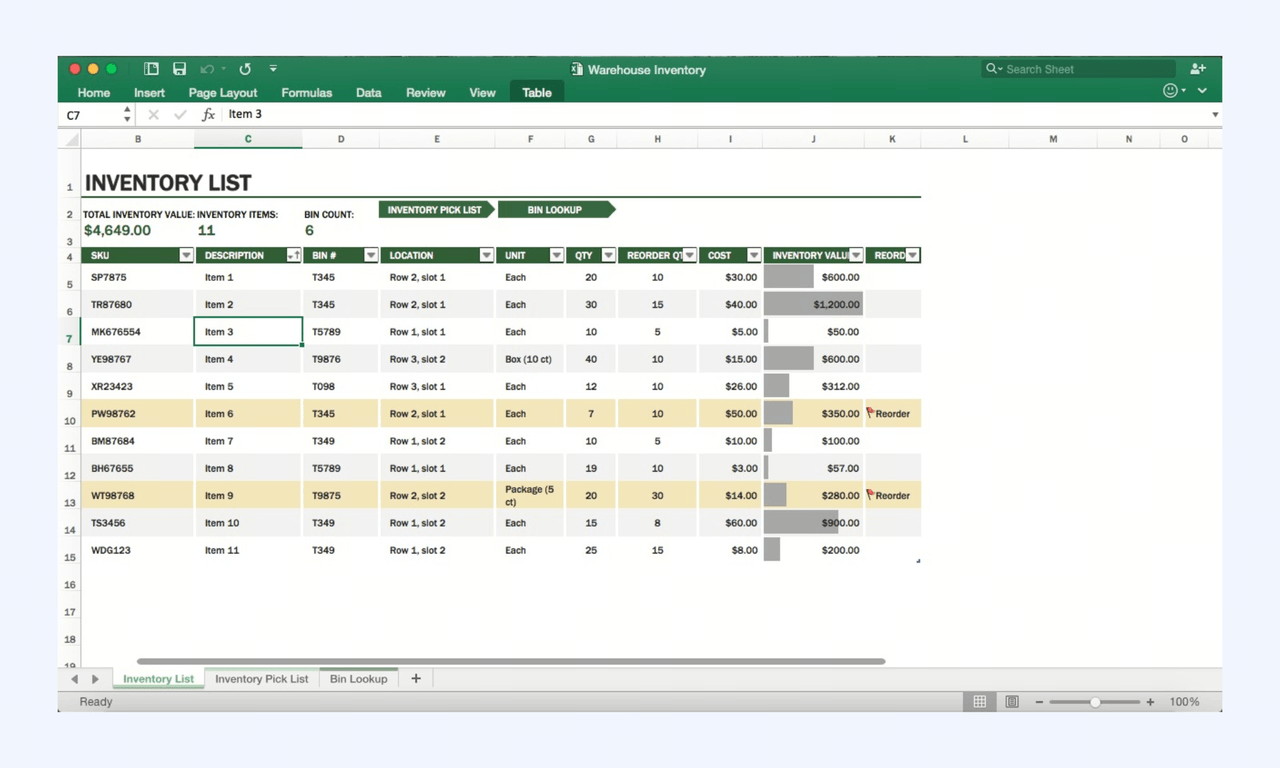
3. Inventory list template
This Excel template is perfect for startups and growing businesses that need a simple, ready-to-use tool to track customer orders and supplier deliveries. This tool will allow you to classify products, record shipments, and maintain detailed information on all your contractors
Image source: excel.cloud.microsoft
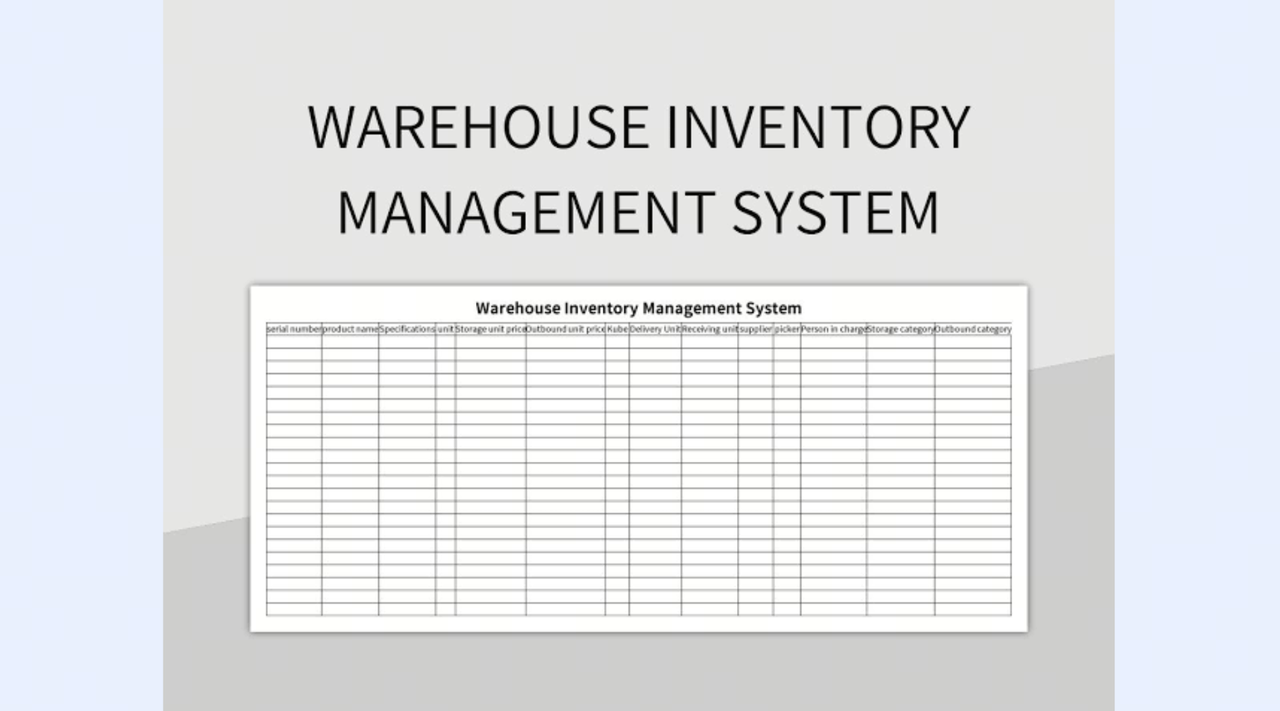
4. Warehouse management template
This Excel template is perfect for conducting physical stock counts and verifying the accuracy of your recorded inventory. This tool will allow you to record findings by location and automatically highlight discrepancies between your expected and actual quantities.
Image source: slidesdocs.com
Excel vs. cloud platforms: When an inventory spreadsheet is enough
An excel template works well for early-stage operations, but it hits limits as volume, users, and locations grow. According to industry guides, the sweet spot is roughly under 200 active SKUs, one or two locations, and a single person (or a very small team) updating stock quantities manually. Where Excel shines:
- Offline availability and familiar interface
- Powerful formulas: SUMIF, VLOOKUP/XLOOKUP, PivotTables
- No extra software cost if you already have Microsoft 365
- Full transparency: You can audit every formula
Where it breaks down:
- No reliable multi-user editing; version control issues multiply fast
- No built-in real-time alerts when inventory drops below set levels
- Weak audit trails-no record of who changed which quantity and when
- Manual data entry errors grow with volume
Cloud accessibility allows for real-time tracking of inventory data, and real-time visibility prevents selling products you don't have. Automated stock tracking reduces human error in inventory management. These are the advantages that cloud platforms like offer as a natural upgrade path - cloud-native tables, real-time collaboration, and automations built on the same logic you already know from Excel.
Beyond Spreadsheets: How Lark supports growing inventory teams
Spreadsheets work until they don't. Once your team grows, stock moves across multiple locations, and real-time accuracy becomes non-negotiable, Excel starts creating more problems than it solves. However, is an AI-powered work management platform that gives retail and operations teams the inventory management capabilities they need, with built-in and automation that keeps work moving. offers a collaborative alternative. It's a cloud-hosted table system that feels like Excel or Google Sheets but supports multi-user editing, comments, and automation. Lark provides that map closely to the 4-tab Excel design: Retail Inventory & Sales Tracking, Warehouse Inventory with Reorder Alerts, Office Supplies Inventory, and a Simple tracker.
A real-time database your whole team can edit
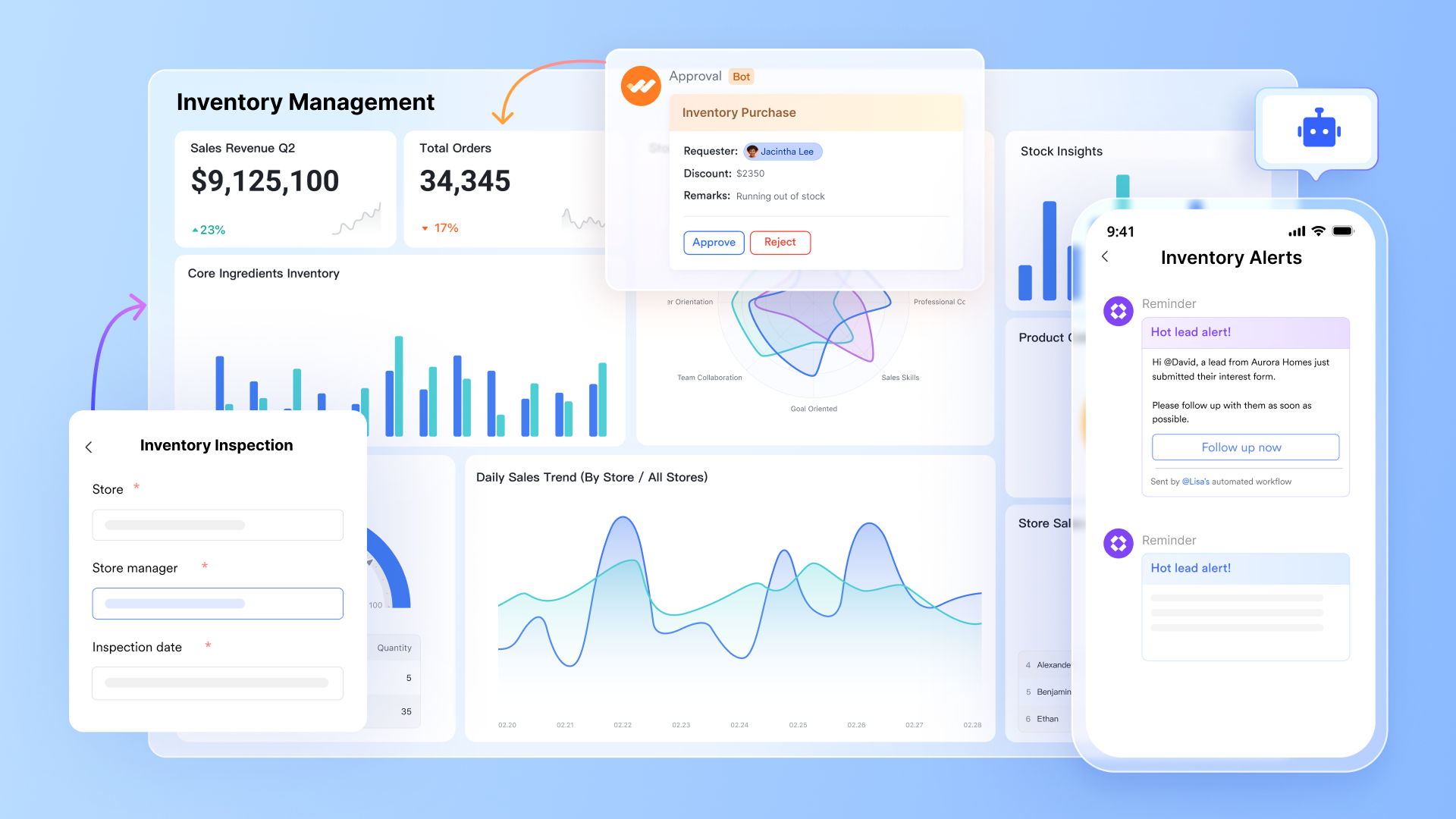
is a no-code database builder that lets teams create structured inventory tables with custom fields—dropdowns, checkboxes, number fields, date pickers, and file attachments. Multiple users can edit records simultaneously in real time, with every change automatically saved and instantly visible across the team, without version conflicts or overwrite risks.
Switch between layouts without changing your data
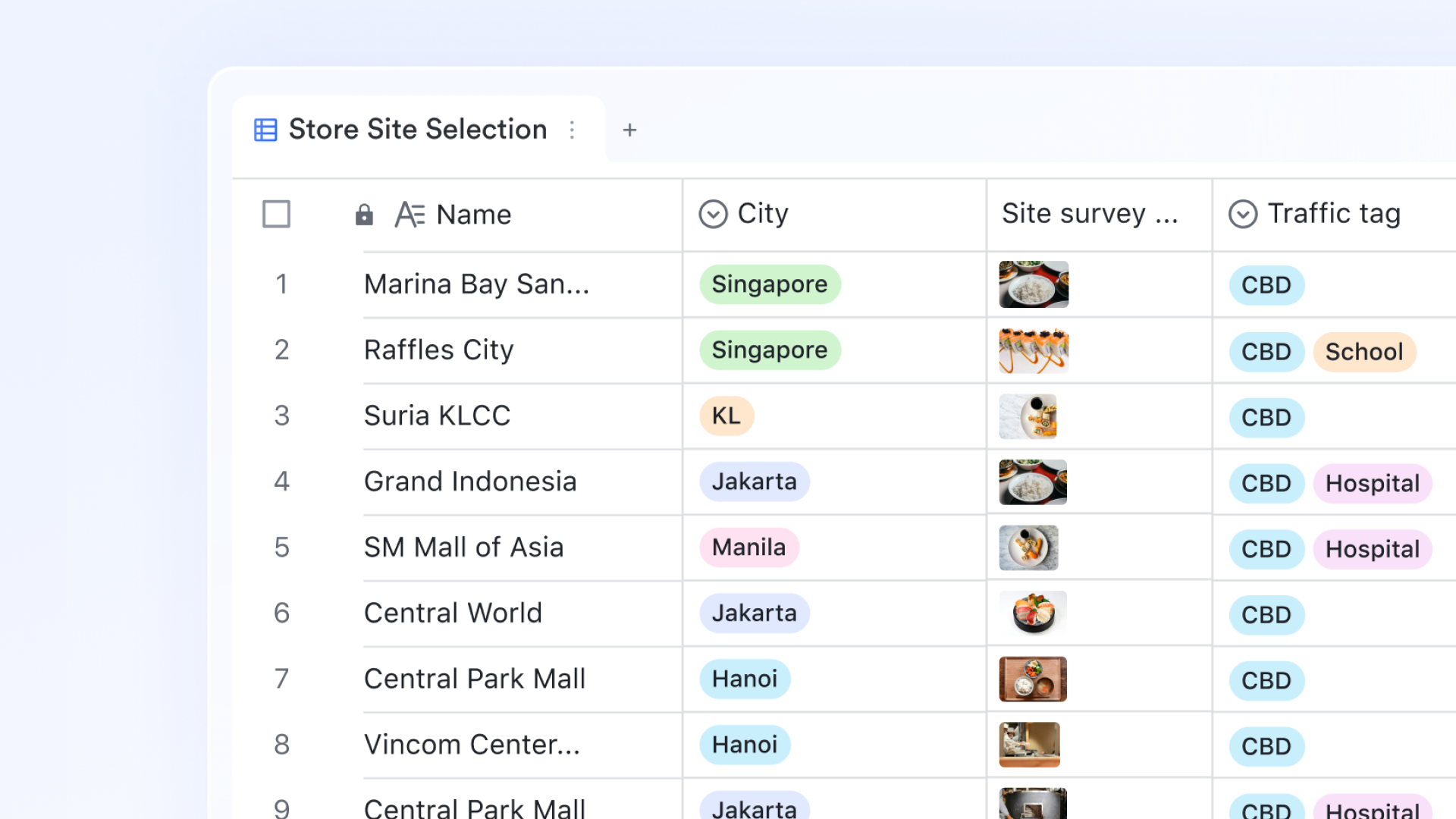
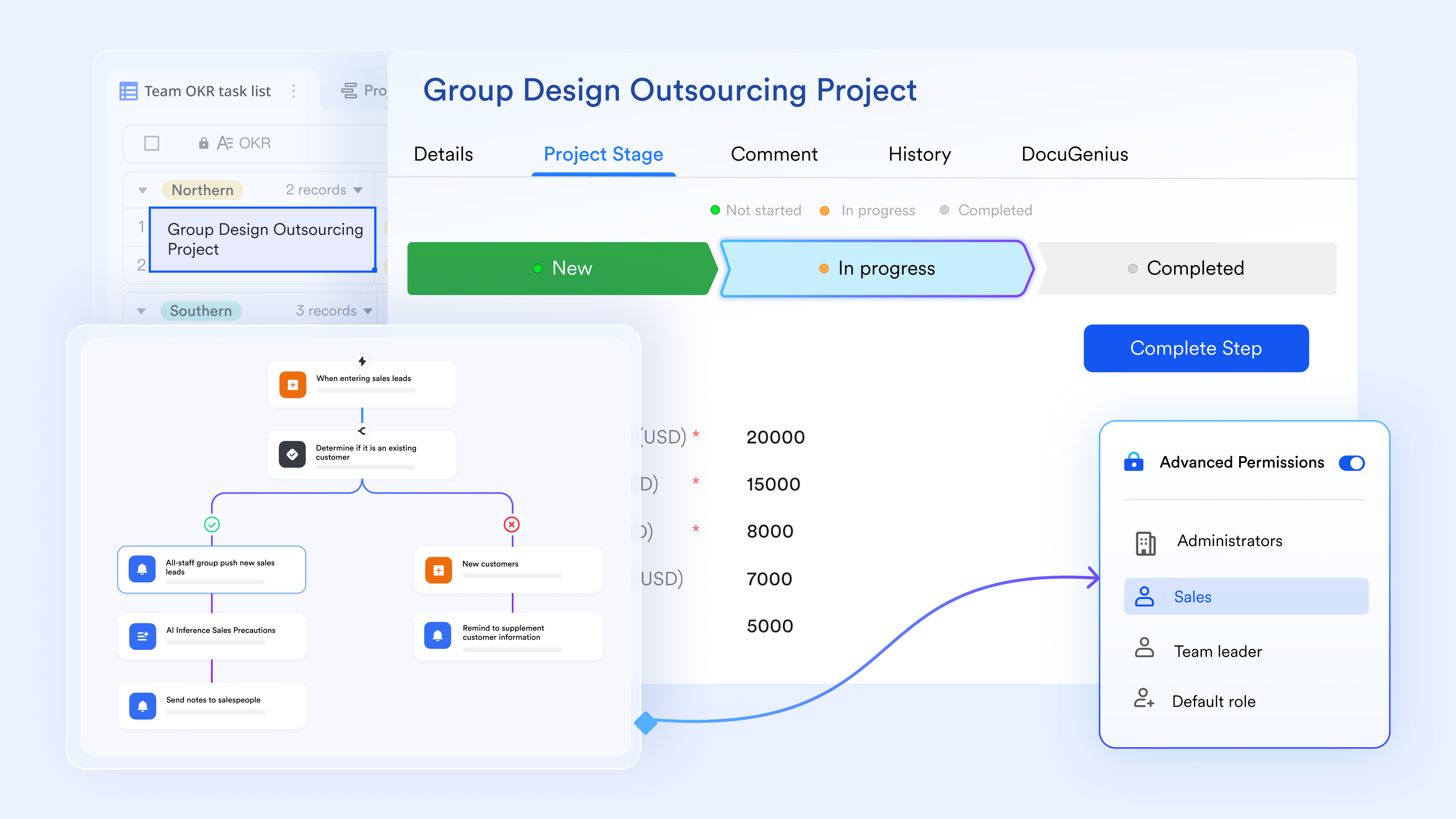
Lark Base supports multiple view types on the same dataset—Grid for row-level stock records, Gallery for visual product browsing, Kanban board for grouped information, and Gantt for supplier lead time timelines. Each team member can work in the view that fits their role without affecting how others see the same data. 
Restock alerts and record updates without manual follow-up
Lark Base has a built-in that triggers actions based on field conditions. When a stock quantity field drops below a set threshold, Lark can automatically update the record status, send a notification to the assigned owner, and create a follow-up task—all configured without writing a single line of code.
Structured data entry that updates records directly
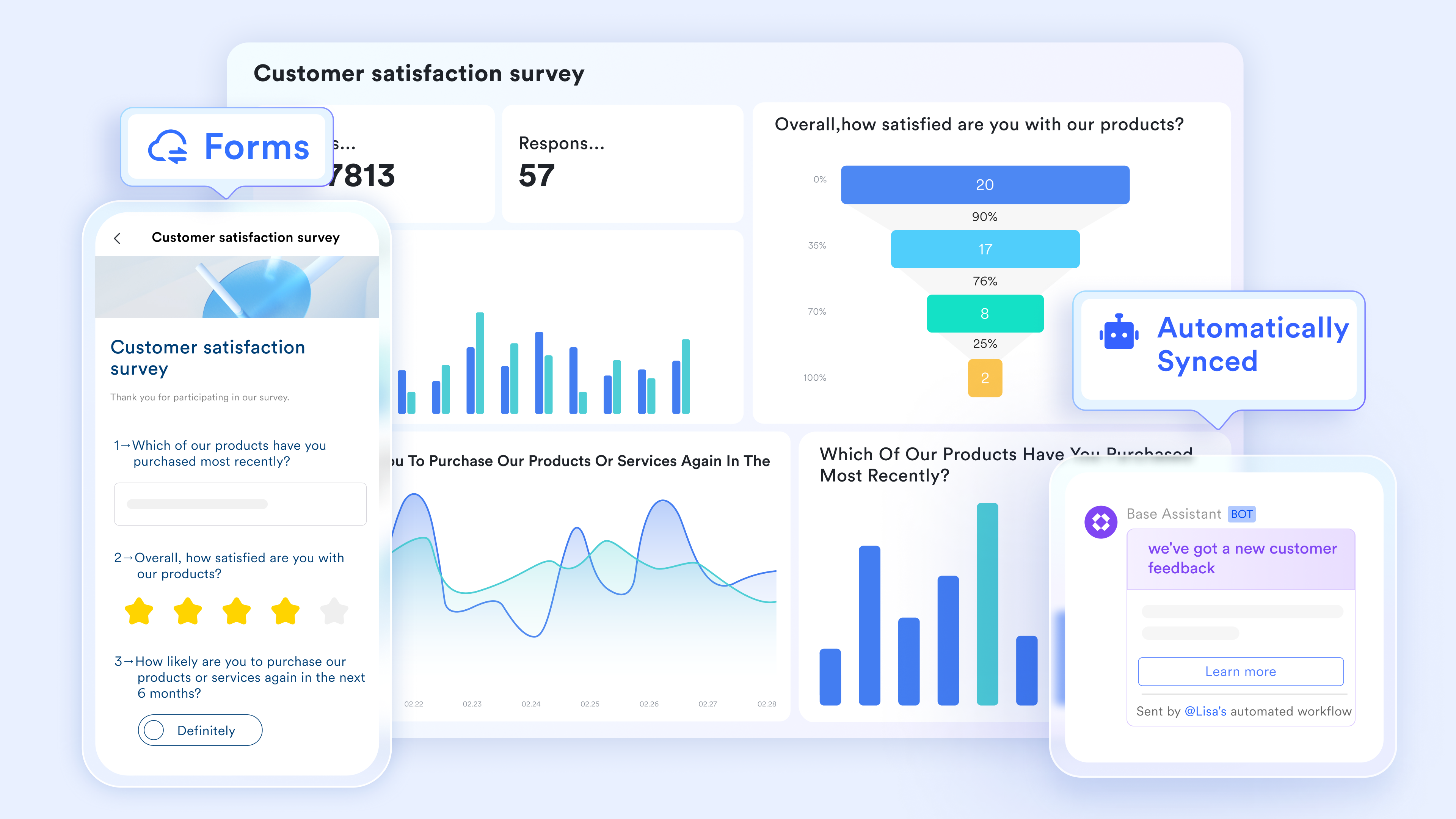
let team members submit stock-in and stock-out entries through a clean, structured form on any device. Each submission populates directly into the linked Lark Base table, mapping responses to the correct fields automatically. This removes the need for manual row entry and eliminates the formatting errors common in shared spreadsheet files.
Procurement handled within one platform
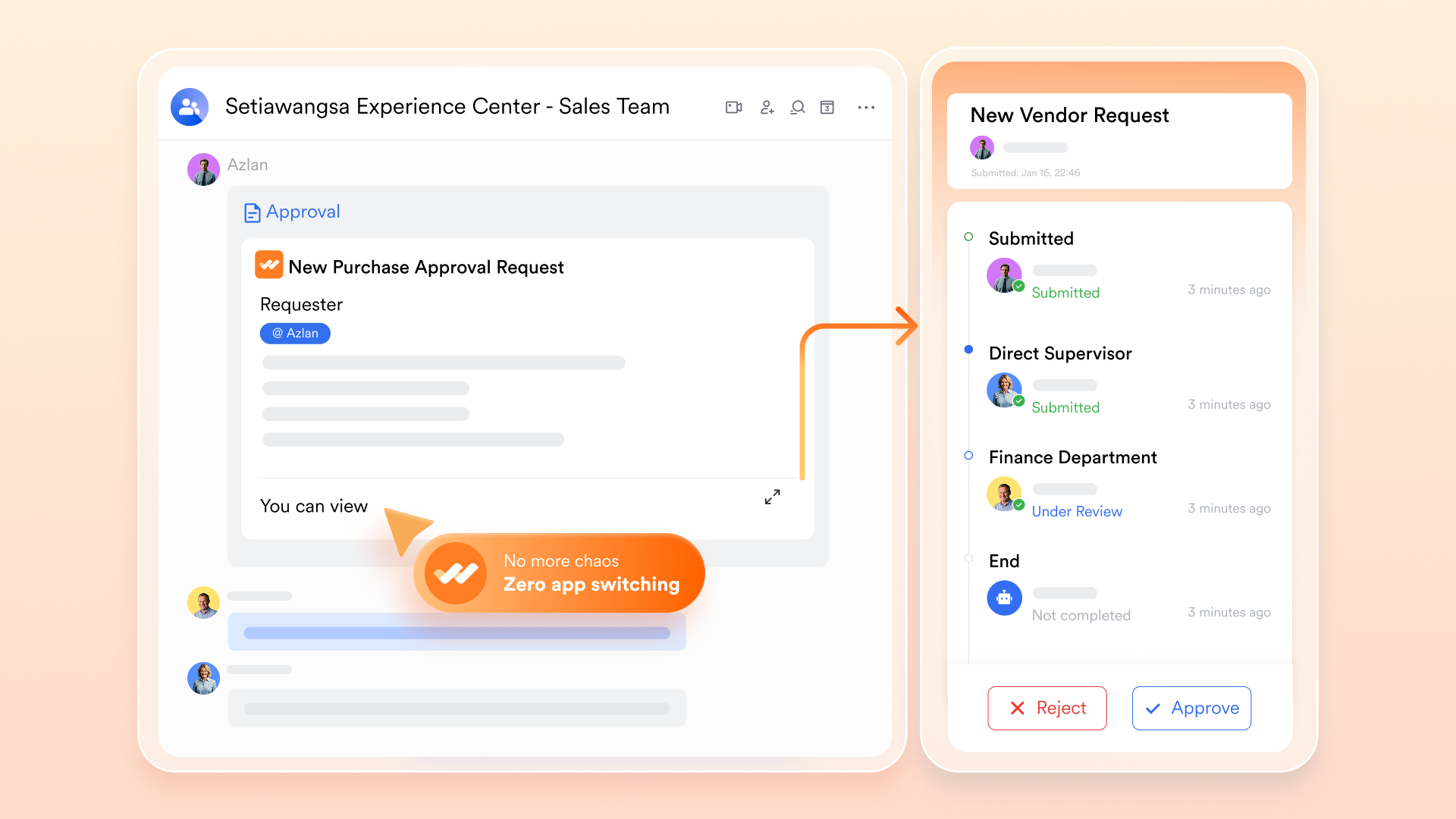
When a reorder is needed, team members can submit a structured purchase request directly through, with custom approval flows that automatically route to the right manager. All the supporting documents—supplier quotes, product specs, PO drafts—are created and stored in, keeping the full procurement process contained within the Lark platform from request to sign-off.
:
- Starter plan: Free forever plan that includes 11 powerful tools for up to 20 users. It also comes with 100GB of storage, 1000 automation runs, AI translations, and more.
- Pro plan: $12/user/month (billed annually) for up to 500 users. It includes everything in Starter plus group calling for up to 500 attendees, 15TB of storage, 50,000 automation runs, and more.
- Enterprise plan: for custom pricing. Supports unlimited users and includes even more automation runs and advanced security, compliance, and management features.
For small teams with simple communication needs

18 months message history
1000 Base automation runs/month
2000 rows per table in Base
Most POPULAR
For companies with comprehensive collaboration and management needs
Unlimited message history
500-participant video meetings
50k Base automation runs/month
20k rows per table in Base
For large companies with advanced security and organizational management needs
Get a personalized demo and pricing
Unlimited message history
500-participant video meetings
15 TB storage + 30 GB storage/user
500k Base automation runs/month
50k Base automation runs/month
Most POPULAR
For companies with comprehensive collaboration and management needs
Unlimited message history
500-participant video meetings
50k Base automation runs/month
20k rows per table in Base
10 ready-to-use inventory templates to get started fast
Building an inventory system from scratch takes time that most teams do not have. Lark template library offers free, ready-to-use inventory templates built on Lark Base, each one collaborative by default and customizable to your product categories, team structure, and workflow, no formulas or technical setup required.
1. Inventory management
This template is built for retail teams that need a clear, structured view of stock at all times. It supports item number tracking, product category organization, task leader assignment, and real-time inventory level monitoring. Teams can add records, filter cards, and customize fields to match their specific product range and operational requirements.
2. Order and inventory management
Designed for store managers and inventory teams handling daily orders, this template tracks every in-store order and automatically calculates remaining stock based on orders placed. It includes a barcode column scannable from a mobile device, a Gallery view for quick stock browsing, and real-time restock reminders to keep shelves consistently filled.
3. Office inventory management
Purpose-built for office and admin teams tracking consumables, equipment, and shared assets across a workplace. The template organizes items by category with fields for quantity, location, responsible owner, and reorder status. It removes the need for informal tracking spreadsheets and gives office managers a single, reliable record for all physical assets and supplies.
4. Inventory template
A clean, general-purpose template suitable for any business that needs a structured starting point for tracking SKUs, product categories, reorder levels, supplier details, and stock quantities. Fields are fully customizable, making this a flexible foundation that works across retail, e-commerce, and small business contexts without requiring any technical configuration to get started.
5. Store inventory and revenue tracking system
Built for retail operations that need visibility across the full product journey, this template tracks every item from the fulfillment center to the store shelf. It combines inventory levels with revenue data, giving store managers and operations leads a connected view of stock movement and sales performance in a single, consistently updated workspace.
6. Smart inventory management system
Designed specifically for inventory controllers who need more than a static record, this template provides real-time stock updates, automated reorder alerts, and structured supplier tracking in one place. It is particularly well-suited to operations teams managing high SKU volumes where manual monitoring creates risk and automated threshold alerts are essential for consistent stock availability.
7. Store inventory management (with location field)
A compact, multi-function template for retail store managers overseeing daily operations. It covers inventory tracking with a dedicated location field, employee management, inbound and outbound stock recording, and daily sales reporting. The location field makes it particularly useful for stores with multiple storage areas or teams managing stock across more than one floor or zone.
8. Inventory inbound and outbound management
This template is built for warehouse and store teams that need a clear, real-time record of every stock movement in and out of their facility. It tracks inbound deliveries and outbound fulfillments separately, giving operations managers an accurate running stock balance and a complete movement history that supports audits and discrepancy resolution.
9. Order management (with inventory management)
Ideal for retail and e-commerce teams that need to manage orders and stock levels together rather than in separate systems. This template links order status directly to live inventory records, so stock is automatically updated as orders are processed. It keeps the full order-to-fulfillment workflow visible in one place without switching between multiple tools or files.
10. Forecasting inventory model
The forecasting inventory model template helps teams predict inventory demand based on historical data, sales trends, and seasonal patterns. It enables better planning of stock levels, reduces overstock and shortages, and supports data-driven decision-making. By improving forecast accuracy, teams can optimize inventory management and maintain efficient supply chain operations.
Choosing between Excel and a modern tool: A decision framework
Choosing the right inventory template for stock control is not about which option is technically superior—it is about which one matches your current operational reality. The right answer changes as your business scales, and the most practical way to evaluate your inventory system is through three clear decision tiers based on team size, stock quantities, and workflow complexity.
- Stick with Excel if you are a solo operator or a small business managing fewer than 200 SKUs across a single location with no need for real-time collaboration. Excel's zero cost, universal availability, and familiarity make it the right starting point for businesses at this stage. A well-built inventory control Excel template will handle manual data entry, track stock levels, and calculate total inventory value without introducing unnecessary complexity.
- Upgrade to if your team has grown to three or more people, you need to manage transit inventory and decoupling inventory across multiple warehouses, or you require low stock alerts and a secure audit trail to maintain compliance. These are the exact conditions where multi location complexity begins causing operational problems daily. Lark's collaborative database, built-in inventory workflows, and mobile-friendly Lark Forms provide the multi location support and operational efficiency built precisely for this growth stage.
See what one of our clients say:

"Lark really revolutionized how we operate REAL Home & Fashion by transforming our data into actionable insights, optimizing inventory management, and streamlining procurement. It's our powerhouse for growth and efficiency to help us become more competitive in this market."
Conclusion
For most growing businesses, a well-structured inventory control Excel template is the ideal starting point. Whether you implement a basic inventory stock control Excel template or grab a free inventory control template, utilizing a flexible Excel template for inventory control temporarily keeps operations accurate without expensive software.
However, once your locations multiply, searching for another inventory control Excel template free download or patching a broken inventory control template in Excel won't solve version conflicts. Moving beyond your legacy Excel inventory control template becomes a necessary step.
is built for this transition. It replaces your old Excel template inventory control setup with a collaborative database, keeping stock tracking seamless across every shift and location.
Manage your daily stock and overall inventory with Lark
FAQs About inventory control Excel template
Does Excel have an inventory control template?
Yes, Excel includes built-in inventory templates accessible directly from File > New by searching "inventory." These cover basic stock tracking, asset management, and product lists. However, built-in templates are static and lack real-time collaboration, making them better suited for solo users with simple, low-volume inventory needs.
What is the difference between an inventory list and an inventory control template?
An inventory list is a static record of products and quantities. An inventory control template goes further; it tracks stock movements in and out, calculates reorder points, flags low-stock thresholds, records supplier lead times, and values stock using methods like FIFO or average cost. Control templates are designed to drive decisions, not just document what exists.
How often should I update my inventory spreadsheet?
It depends on your stock volume and turnover rate. High-volume businesses, retail, F&B, and manufacturing, should update daily or after every transaction. Lower-volume operations like office supply management may find weekly updates sufficient. The key is consistency: irregular updates are the most common cause of drift between recorded and actual stock levels.
What are the limitations of using Excel for inventory management?
Excel's main limitations are single-user editing, no real-time updates, no built-in alert system, and no audit trail for changes. As teams grow or stock locations multiply, maintaining accuracy across a shared Excel file becomes increasingly difficult. Version conflicts, formula errors, and manual input mistakes compound over time, which is why growing teams often move to collaborative platforms like Lark.
Related reading