Managing inventory efficiently is essential for maintaining sales momentum and optimizing cash flow. An online stock management system enables businesses to monitor stock levels in real time, automate reordering, reduce stockouts, and manage multichannel sales across locations via cloud-based platforms. Whether you're a small business looking for a free online stock management system or a developer exploring a PHP inventory management system project, the right tool can simplify operations and improve accuracy. In this guide, we'll explore the top 8 online stock management systems, including popular solutions such as SAP, Zoho Inventory, Shopify, and Lark, and highlight their features, pricing, and use cases.
Key takeaways: Best online stock management system
1. Lark: Online stock management for workflow-driven teams
2. SAP Inventory Management: Enterprise inventory control platform
3. Unicommerce: Multichannel retail inventory hub
4. Zoho Inventory: Cloud inventory management for SMBs
5. Shopify: Online store inventory software
Manage multichannel stock effortlessly
Inventory online stock management system snapshot comparison
For a quick overview, the table above highlights the top five online Stock Management systems, allowing you to compare features, pricing, and suitability at a glance. If you're looking for a more detailed review, we've covered additional tools and in-depth analysis in the upcoming sections of this guide.
Information source: Official vendor sites
Update time: 2025-12-08
Note: Pricing and plan details reflect publicly available data as of the update date and may vary based on region, billing cycle, and number of agents.
What is a stock and inventory management system?
A stock and is software that helps businesses track, control, and optimize their inventory across warehouses, stores, and sales channels. It provides real-time visibility into stock levels, movement, and product details, reducing the risk of stockouts or overstocking. Modern systems often integrate with eCommerce platforms, point-of-sale (POS) software, and accounting tools, allowing seamless multichannel operations.
Businesses of all sizes can benefit from such systems, from small retailers seeking a free online stock management system to developers experimenting with a PHP or a PHP inventory management system project. Key functions include automated reorder triggers, barcode scanning, supplier and purchase management, and demand-forecasting reporting. By centralizing inventory data, these tools streamline workflows, improve operational efficiency, and enable accurate decision-making. Whether managing a single store or multiple locations, a robust online stock management system transforms inventory tracking from a manual task into a strategic advantage for growth.
Key features to look for in an online stock management system
Selecting the right online stock management system helps businesses manage inventory efficiently and reduce errors. From a free online stock management system for small businesses to a PHP inventory management system project, the right features streamline workflows and improve visibility. - Real-time inventory tracking: Track stock levels instantly across all locations. Real-time updates prevent errors and stockouts. This ensures accurate inventory for sales and .
- Warehouse-to-store syncing: Synchronize inventory between warehouses, stores, and online channels. Accurate syncing reduces manual reconciliation. It enables smooth order fulfillment across all locations.
- Automated reorder triggers: Set thresholds to automatically reorder products when stock is low. Automation saves time and prevents stock shortages. It keeps shelves consistently stocked without manual intervention.
- Barcode scanning: Scan items during receiving, audits, or dispatch. Barcode integration reduces human error. It speeds up warehouse operations and improves accuracy.
- Supplier and purchase workflows: Manage vendors, purchase orders, and approvals in one system. Streamlined workflows save time and improve communication. Procurement processes become more organized and efficient.
- Low-stock alerts: Receive notifications when stock levels fall to critical levels. Alerts help prevent sales disruption. Teams can act quickly to restock and maintain service levels.
- Sales forecasting: Use historical sales data to predict future demand. Forecasting minimizes overstocking and understocking. It supports better purchasing and cash flow planning.
Simplify your reorder workflows today
8 Best online stock management systems
1. Lark: Online stock management for workflow-driven teams
provides a flexible online designed for teams that prioritize workflow and . It allows businesses to build custom inventory databases, track stock in real time, and automate replenishment processes. Suitable for small businesses and larger teams alike, Lark integrates sales, warehousing, and purchasing operations seamlessly. This makes inventory management more accurate, efficient, and scalable.
Custom inventory databases and information hub
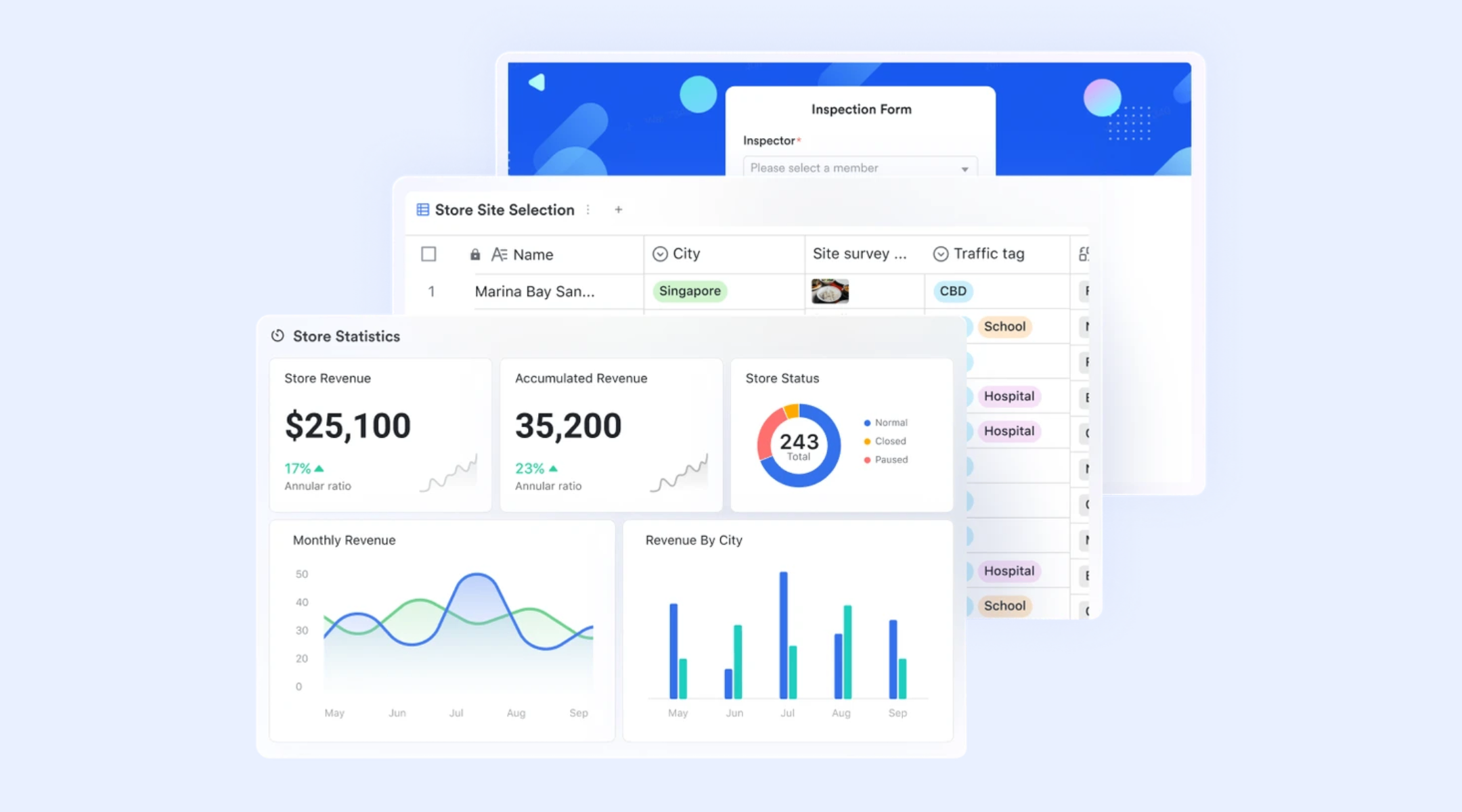
allows businesses to build fully using structured tables designed around real operational needs. Teams can create dedicated records for every product, including SKUs or barcodes, categories, pricing, stock levels, product images, supplier references, and assigned contact persons. The product tables connect directly to order records, so inventory updates automatically as items move in or out. This eliminates manual spreadsheet syncing and ensures that every team member uses the most current stock data, whether in sales, warehousing, or purchasing. 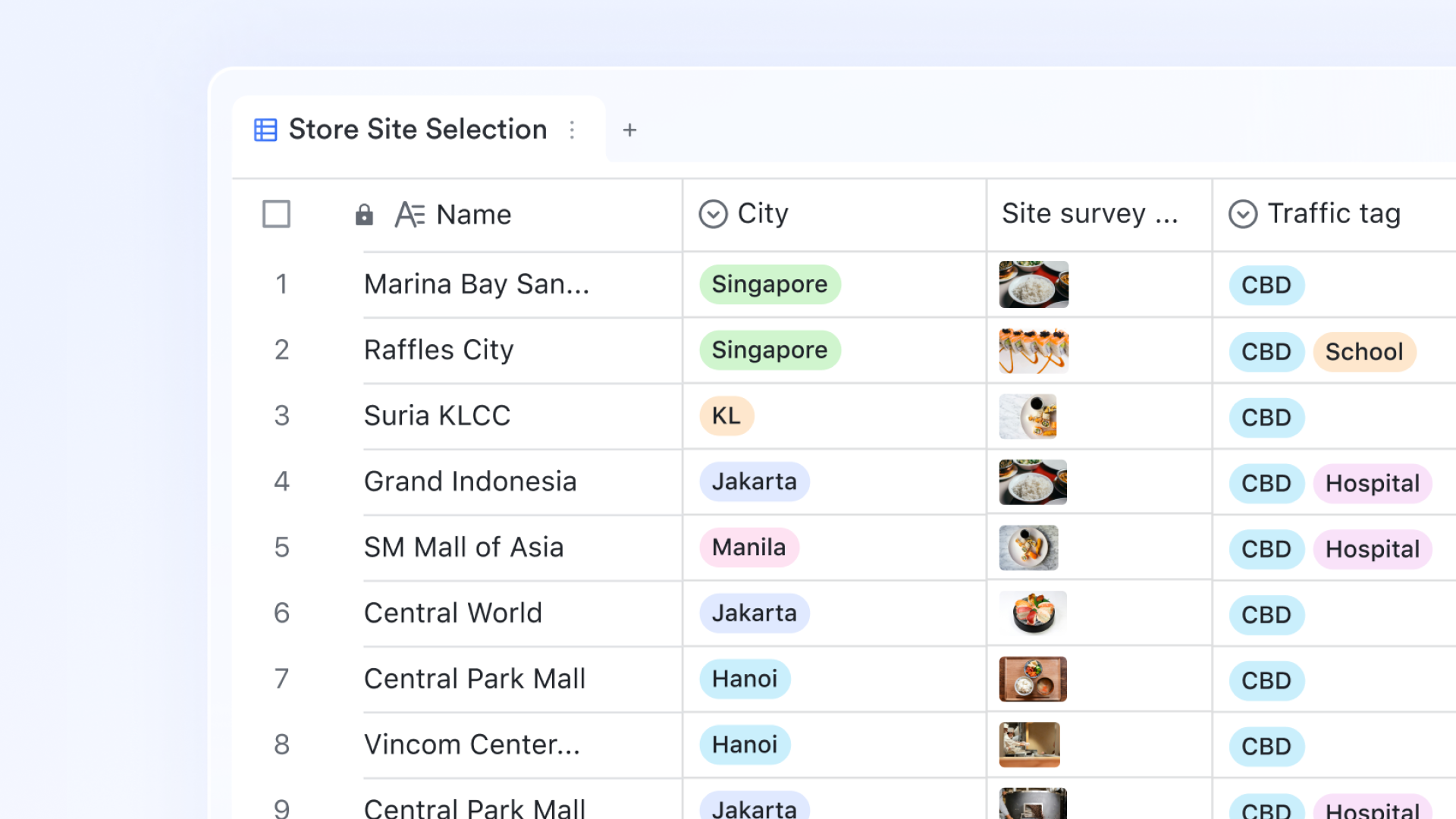
Query Page search and instant inventory edits
The query page in Base enables fast, single-item lookups by product number or SKU. Instead of scrolling through complete product lists, users can instantly pull exact records, modify quantities, add missing details, or verify prices directly from the search interface. This feature is especially valuable at retail counters, fulfillment stations, or warehouse dispatch desks where teams must check stock availability or update counts within seconds without disrupting ongoing operations. 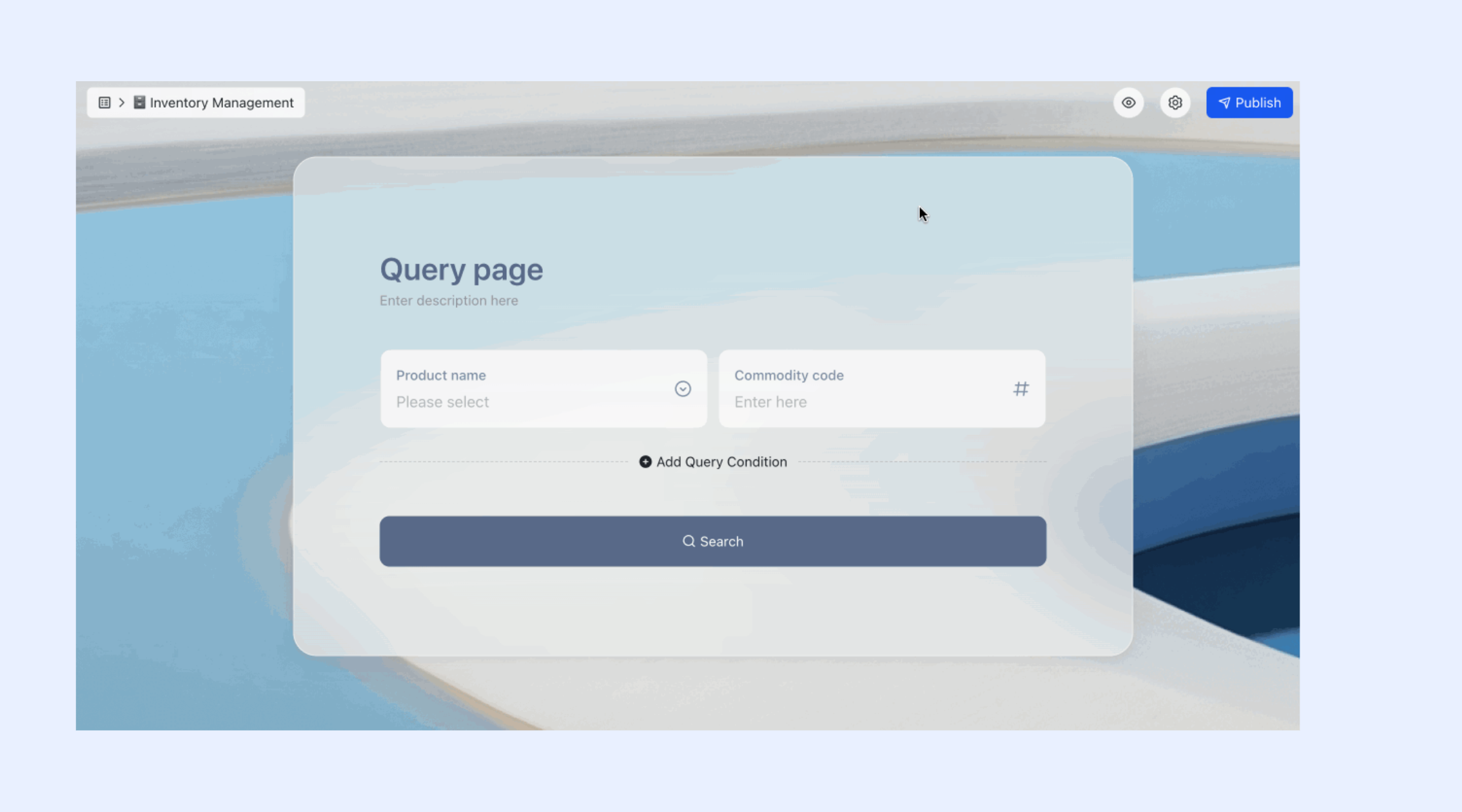
Form-based product entry and stock updates
Lark Forms on mobile simplifies frontline inventory operations by allowing users to submit stock updates or new product entries without opening the underlying database tables. Warehouse staff can scan or enter item details during goods receiving, update quantities during audits, or report damaged goods using mobile-friendly forms. Submitted data flows directly into Base tables in real time, with validation rules applied, reducing errors, maintaining consistent formatting, and speeding up inventory data capture across multiple locations. 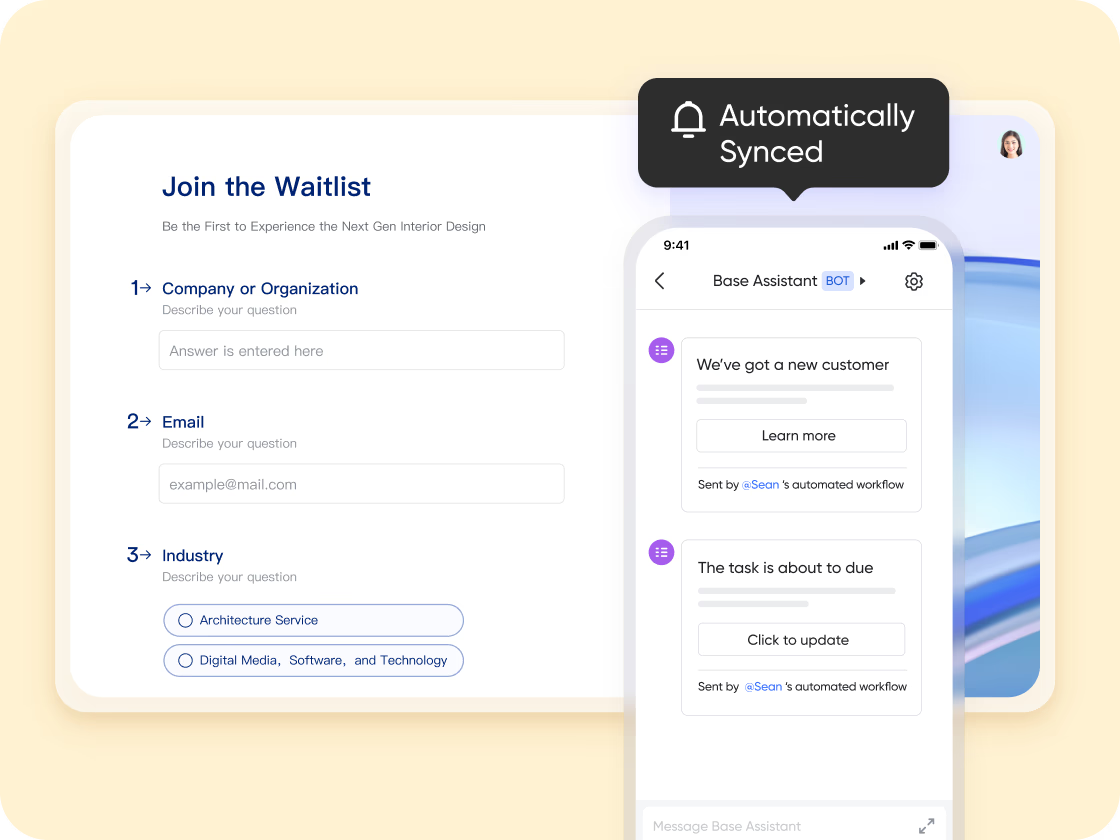
Sales tracking, logistics visibility, and analysis
Lark Base links with customer order tables to maintain comprehensive sales tracking. Orders are recorded with item details, quantities sold, pricing, customer information, assigned sales representatives, and fulfillment status. With multiple views, shipping activity can be visualized through , enabling teams to monitor outbound delivery schedules, identify shipping delays, and resolve logistics issues early. Also, you can easily filter and group the stock data, pinpoint specific items, and organize them into clear categories or subgroups for a more focused, structured view. 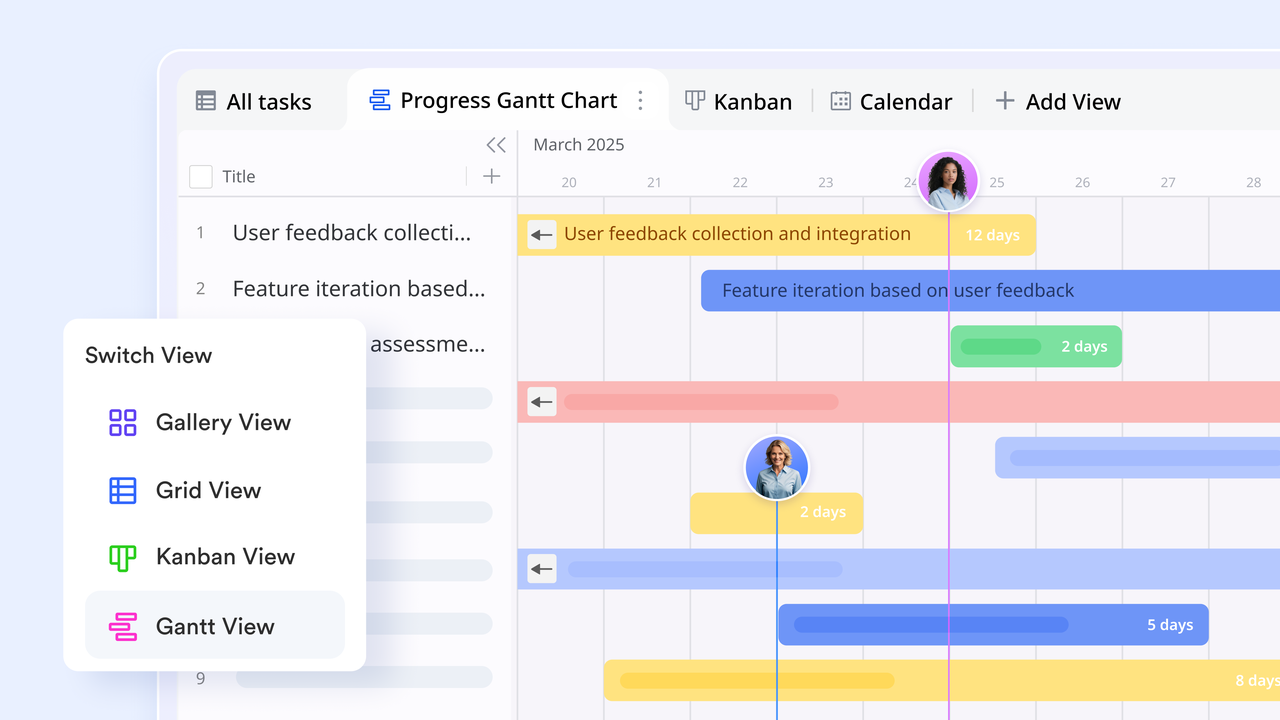
Low-stock alerts and replenishment workflows
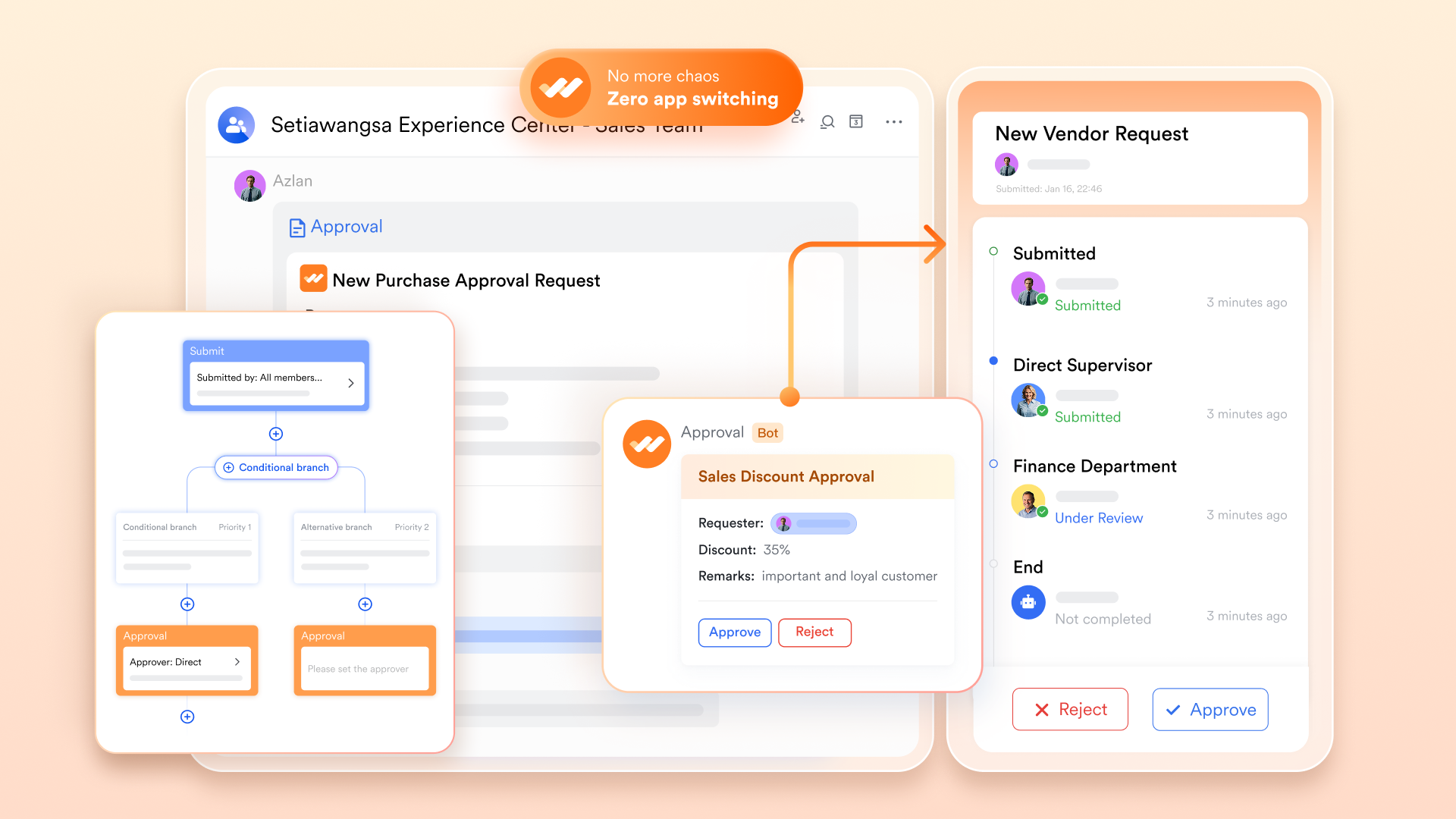
Stock thresholds can be defined at the product level inside Base tables. When inventory quantities reach critical levels, pre-set automated workflow sends to assigned team members via Messenger and database reminders. Lark Approval's route restocking requests for confirmation or procurement review. This automation removes the need for periodic manual checks while protecting revenue by keeping shelves consistently stocked.
:
- Starter plan: Free forever plan that includes 11 powerful tools for up to 20 users. It also comes with 100GB of storage, 1000 automation runs, AI translations, and more.
- Basic plan: $6/user/month (billed annually) for up to 500 users. It includes everything in Starter plus group calling for up to 500 attendees, 5TB of storage, 1000 automation runs, and more. For more details, please .
- Pro plan: $12/user/month (billed annually) for up to 500 users. It includes everything in Basic plus group calling for up to 500 attendees, 15TB of storage, 50,000 automation runs, and more.
- Enterprise plan: for custom pricing. Supports unlimited users and includes even more automation runs and advanced security, compliance, and management features.
For small teams with simple communication needs

18 months message history
1000 Base automation runs/month
2000 rows per table in Base
Most POPULAR
For companies with comprehensive collaboration and management needs
Unlimited message history
500-participant video meetings
50k Base automation runs/month
20k rows per table in Base
For large companies with advanced security and organizational management needs
Get a personalized demo and pricing
Unlimited message history
500-participant video meetings
15 TB storage + 30 GB storage/user
500k Base automation runs/month
50k Base automation runs/month
Most POPULAR
For companies with comprehensive collaboration and management needs
Unlimited message history
500-participant video meetings
50k Base automation runs/month
20k rows per table in Base
2. SAP: Enterprise inventory control platform
SAP is a leading enterprise inventory management solution designed for large organizations with complex supply chains. It centralizes stock tracking, procurement, and warehouse operations across multiple locations, providing real-time visibility into inventory levels and movements. SAP is ideal for enterprises that need robust reporting, demand forecasting, and compliance management. Its integration with finance, procurement, and production modules ensures streamlined operations and accurate inventory data across departments.
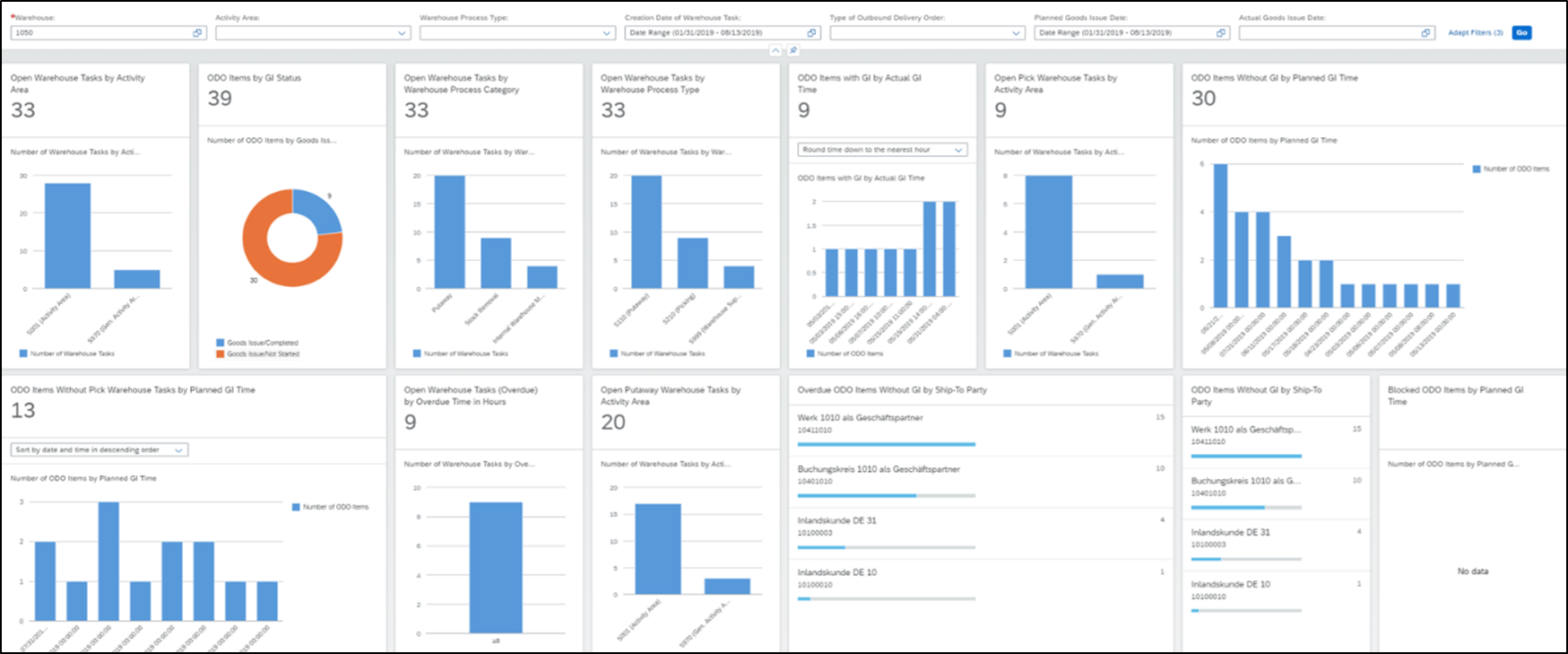
Image source: sap.com
Key features:
- Centralized inventory management: Track stock across multiple warehouses, stores, and regions in real time.
- Demand forecasting & planning: Use historical data, sales trends, and predictive analytics to optimize stock levels.
- Integrated procurement: Automatically generate purchase orders and manage supplier interactions from within the platform.
- Advanced reporting & analytics: Gain insights into stock movement, turnover rates, and warehouse performance.
- Compliance & traceability: Ensure all inventory processes meet regulatory and audit requirements, with complete tracking.
Pros:
- Scalable for large enterprises
- Real-time inventory visibility
- Strong integration with ERP, finance, and supply chain modules
- Powerful analytics and reporting
Cons:
- Complex implementation and setup
- Expensive for small and medium businesses
Pricing:
3. Unicommerce: Multichannel retail inventory hub
Unicommerce is a cloud-based inventory and order management platform designed for retailers and e-commerce businesses selling across multiple channels. It centralizes stock data from online marketplaces, physical stores, and warehouses, helping teams avoid stockouts, overselling, and delays. With real-time synchronization and analytics, Unicommerce is ideal for businesses that want to streamline operations, improve order fulfillment, and gain complete visibility across all sales channels.
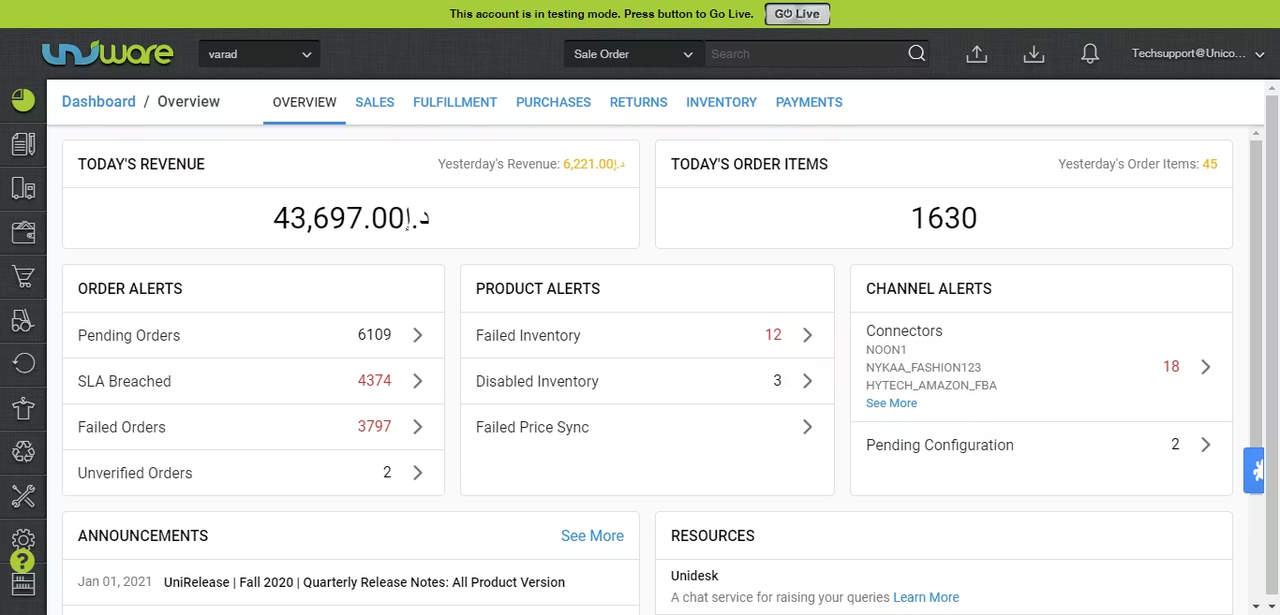
Image source: unicommerce.com
Key features:
- Multichannel inventory sync: Consolidates stock across marketplaces, online stores, and warehouses in real time.
- Order management: Automates order processing, allocation, and shipment tracking for faster fulfillment.
- Warehouse management: Organize storage, track SKU movements, and optimize picking/packing workflows.
- Analytics & reporting: Provides insights into inventory trends, demand patterns, and product performance.
- Returns & reverse logistics: Manage returns efficiently, update stock, and maintain accurate records across channels.
Pros:
- Strong multichannel inventory management
- Real-time synchronization reduces errors
- Useful for e-commerce and retail businesses
- Helps streamline warehouse and order operations
Cons:
- Limited customization for enormous enterprises
- Slightly steep learning curve for beginners
Pricing:
- Standard: Price on Request
- Professional: Price on Request
- Enterprise: Price on Request
4. Zoho Inventory: Cloud inventory management for SMBs
Zoho Inventory is a cloud-based inventory management solution tailored for small and medium-sized businesses. It helps teams track stock, manage orders, and streamline sales across multiple channels. With integrations to Zoho CRM, accounting software, and e-commerce platforms, it provides a unified view of inventory and operations. Zoho Inventory is ideal for businesses that want to automate workflows, prevent stockouts, and reduce manual errors. Its user-friendly interface makes inventory management simple, even for teams with limited technical expertise.
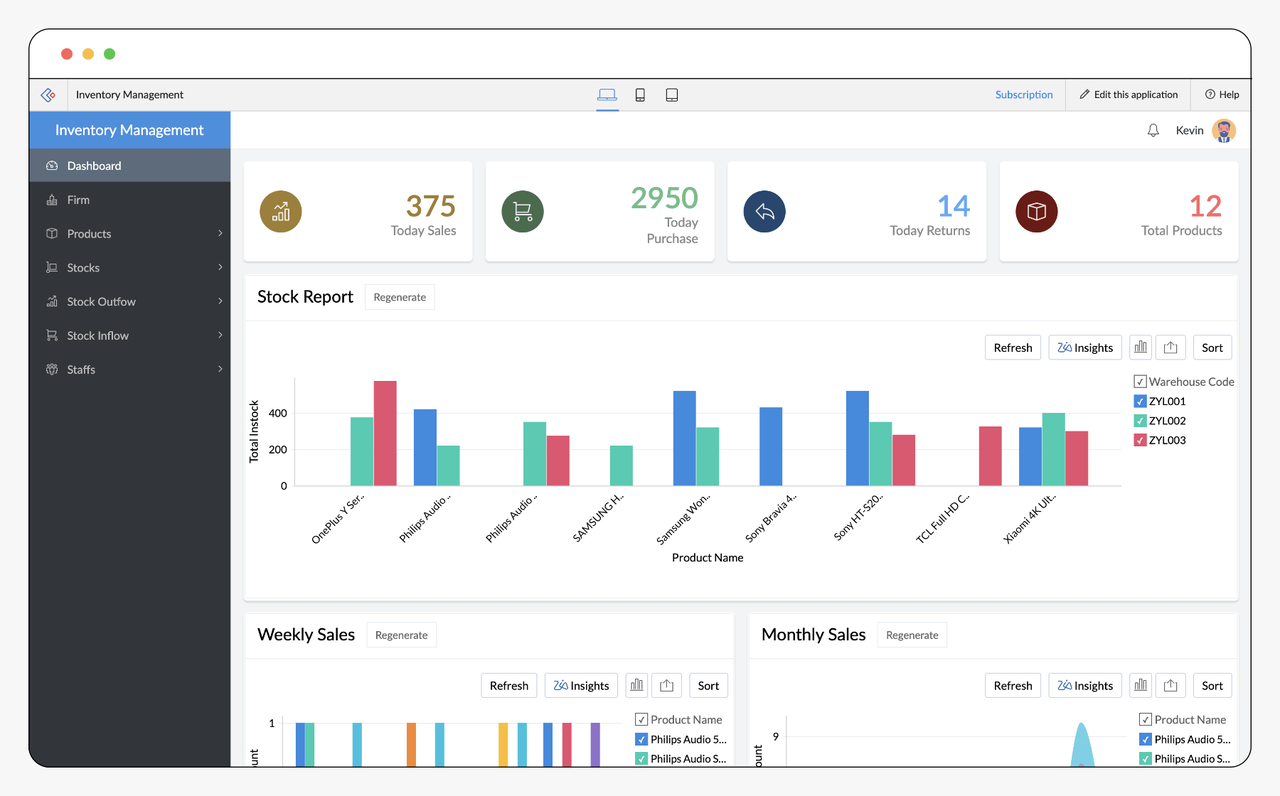
Image source: zoho.com
Key features:
- Real-time inventory tracking: Monitor stock levels across warehouses and channels.
- Order management automation: Automatically processes sales, updates stock, and generates invoices.
- Multi-channel sales integration: Sync inventory with marketplaces like Amazon, eBay, Shopify, and more.
- Reports & analytics: Get insights into sales trends, inventory turnover, and product performance.
- Shipping & fulfillment support: Generate shipping labels, track shipments, and manage delivery efficiently.
Pros:
- Affordable and scalable for SMBs
- Easy-to-use interface with quick setup
- Integrates with the Zoho ecosystem and major e-commerce platforms
- Automates inventory and order workflows
Cons:
- Limited advanced features for large enterprises
- Customization options are somewhat restricted
Pricing:
- Standard: $11.12 / month
- Professional: $22.23 / month
- Enterprise: $83.38 / month
5. Shopify: Online store inventory software
Shopify is a leading e-commerce platform that also offers robust inventory management tools for online retailers. It allows businesses to track stock, manage product listings, and sync inventory across multiple sales channels, including online stores, marketplaces, and POS systems. Shopify is ideal for small to medium-sized businesses and entrepreneurs who want an all-in-one platform to sell products, monitor inventory, and streamline order fulfillment. Its intuitive dashboard and seamless integrations make it easy to scale operations while maintaining accurate stock levels.
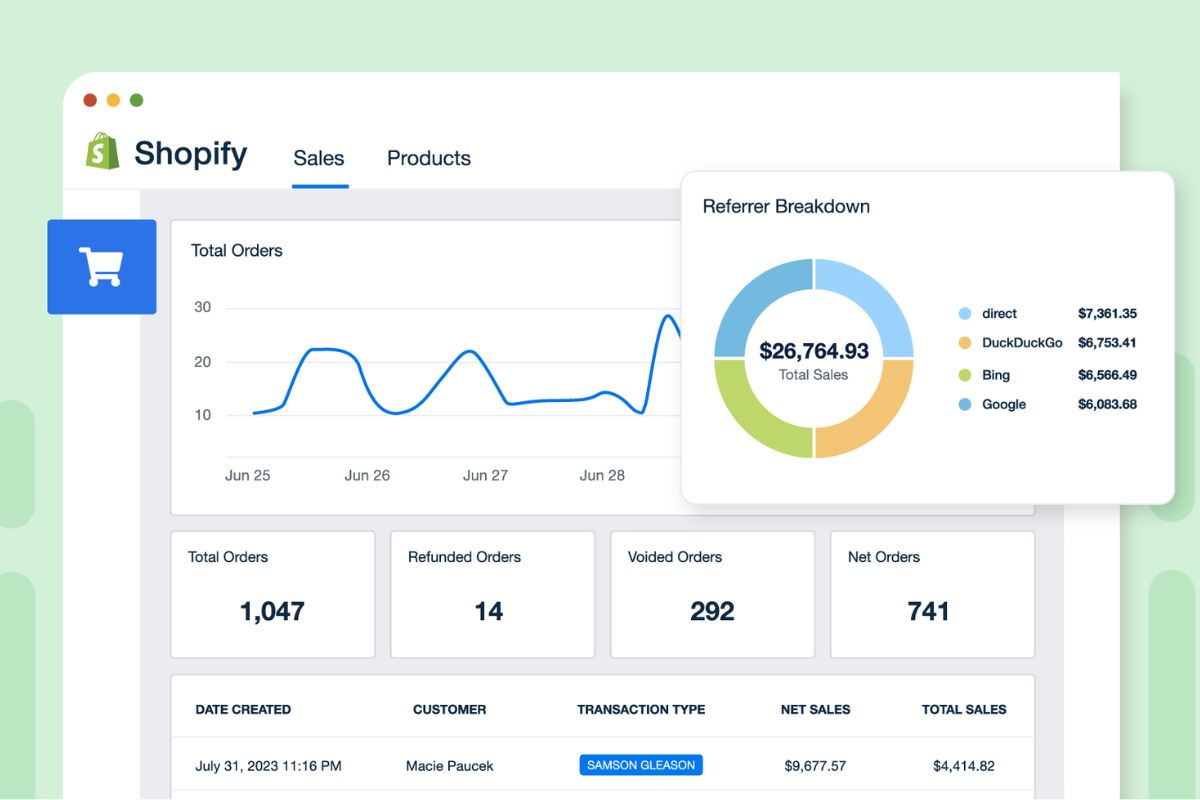
Image source: shopify.com
Key features:
- Centralized inventory tracking: Monitor products, SKUs, and stock levels across online and offline channels.
- Automated stock updates: Inventory adjusts automatically as sales and returns occur.
- Multi-channel sales integration: Sync products and inventory with Shopify POS, Amazon, eBay, and social media platforms.
- Order management: Process orders, track shipments, and generate invoices from a single dashboard.
- Reports & analytics: Analyze sales trends, product performance, and inventory turnover to make data-driven decisions.
Pros:
- All-in-one e-commerce and inventory solution
- Easy setup for small and medium-sized businesses
- Strong multi-channel sales support
- Real-time stock updates reduce errors
Cons:
- Advanced inventory features may require third-party apps
- Can become costly as the business scales
Pricing:
- Advanced: ~$251.48/month
6. SalesBabu: POS inventory and stock tracking software
SalesBabu is a cloud-based inventory and point-of-sale (POS) solution designed for retailers and distributors. It helps businesses manage stock levels, track sales, and streamline order processing across multiple locations. With integrated reporting and real-time updates, SalesBabu ensures accurate inventory tracking and minimizes stockouts and overstock. It's ideal for small- to mid-sized retail businesses, distributors, and franchise operations seeking an affordable, easy-to-use inventory system that seamlessly connects sales and stock management.
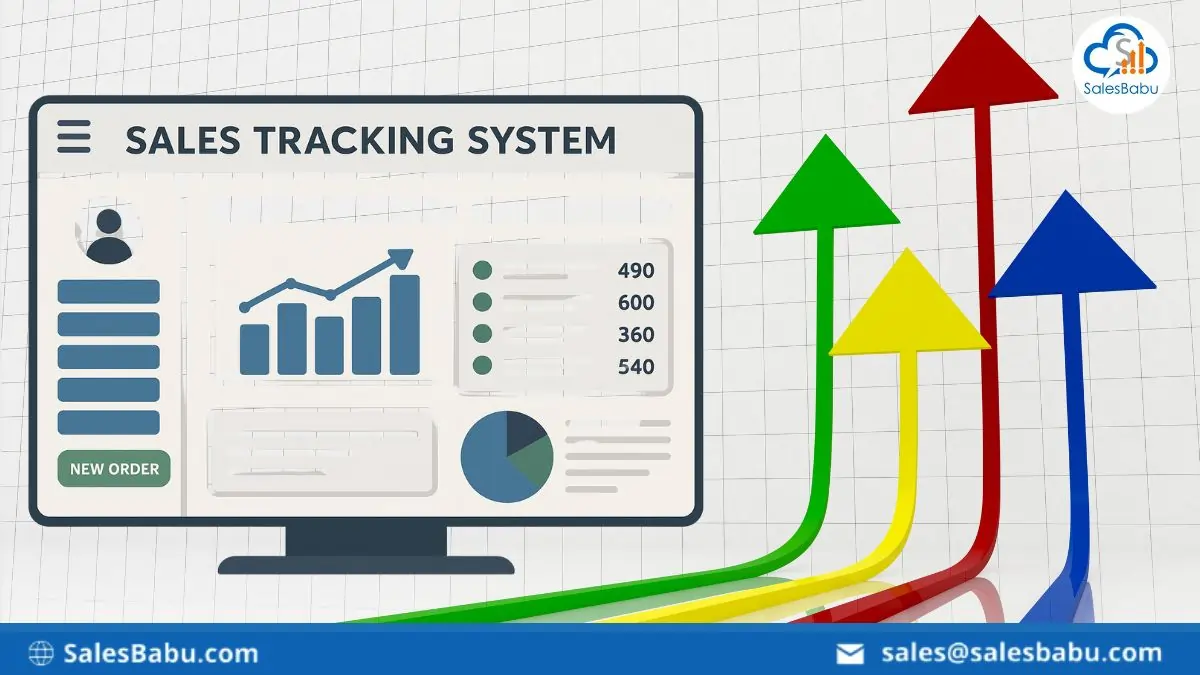
Image source: salesbabu.com
Key features:
- POS integration: Connects sales points with inventory to update stock in real time.
- Stock tracking across locations: Monitor inventory across multiple stores, warehouses, or distribution centers.
- Order management: Automates purchase orders, sales orders, and stock allocation.
- Reports & analytics: Provides insights into stock turnover, sales trends, and inventory performance.
- Multi-user access: Role-based permissions for managers, staff, and administrators.
Pros:
- Real-time POS inventory updates
- Suitable for multi-store retail businesses
- Easy to implement and use
Cons:
- Limited advanced warehouse features
- UI may feel basic compared to enterprise platforms
Pricing:
- Starting at ~$16.68/user/month (billed annually)
7. SKU Nexus: Warehouse fulfillment inventory system
SKU Nexus is a cloud-based inventory and order management platform built for e-commerce sellers, 3PL providers, and warehouse operations. It helps businesses centralize stock, automate order fulfillment, and manage shipments efficiently. SKU Nexus is ideal for companies handling multiple sales channels, warehouses, or fulfillment centers, providing visibility into inventory levels, order status, and shipping performance. Its focus on streamlining warehouse operations ensures faster delivery, reduced errors, and improved customer satisfaction.
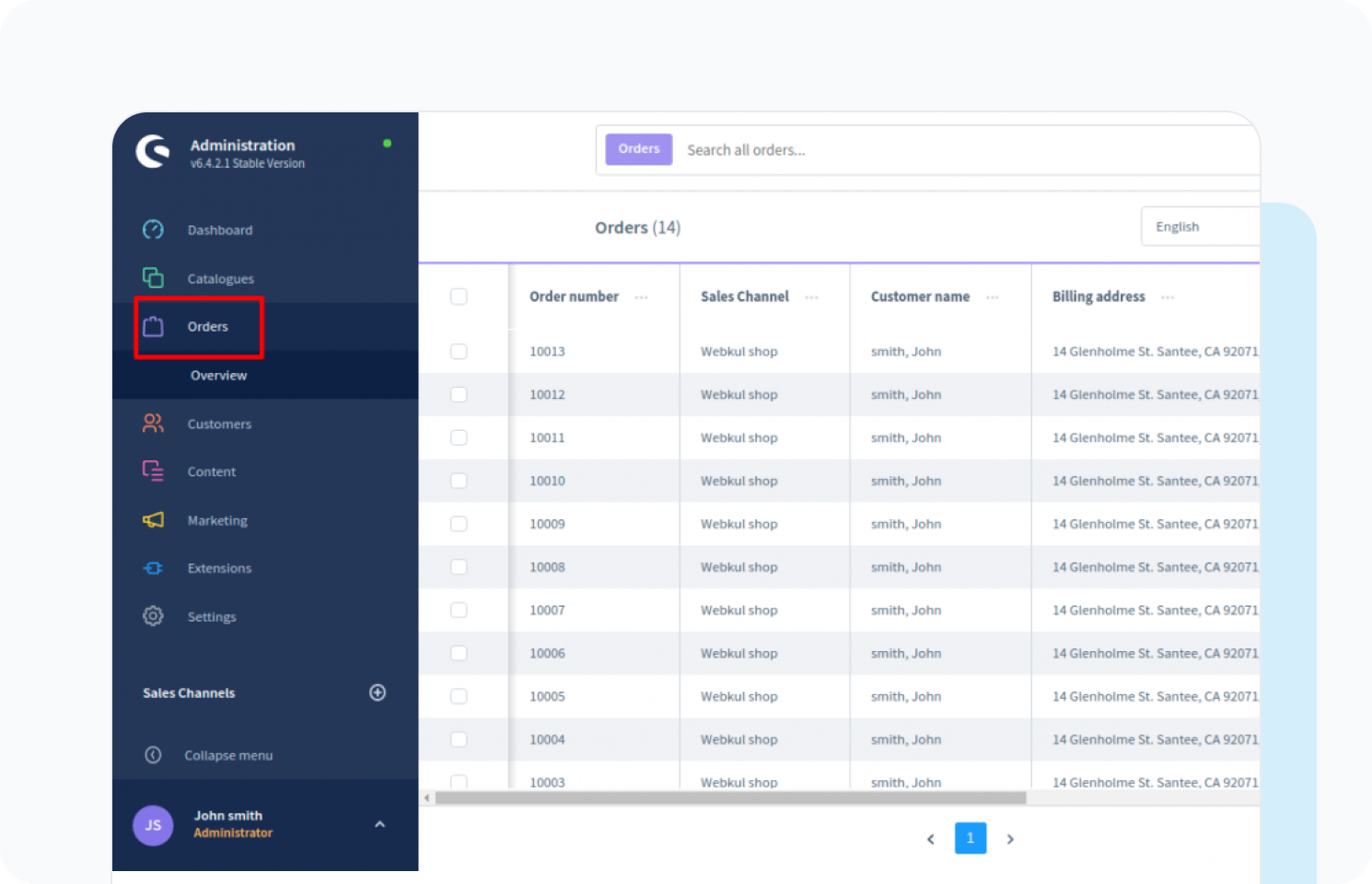
Image source: skunexus.com
Key features:
- Centralized inventory management: Monitor stock across multiple warehouses and sales channels in real time.
- Order fulfillment automation: Automate order routing, picking, packing, and shipping.
- Multi-channel integration: Sync inventory and orders with marketplaces like Amazon, eBay, Shopify, and Magento.
- Reporting & analytics: Track warehouse efficiency, order fulfillment metrics, and inventory turnover.
- Returns management: Process returns efficiently while automatically updating stock levels.
Pros:
- Excellent for multi-channel e-commerce businesses
- Real-time warehouse visibility
- Automates order fulfillment workflows
- Improves accuracy and reduces shipping errors
Cons:
- It may be complex for small businesses with simple inventory needs
- Pricing can be high for smaller operations
Pricing:
8. EasyReplenish: Automated demand forecasting software
EasyReplenish is a cloud-based inventory management solution focused on demand forecasting and replenishment automation. It helps retailers, wholesalers, and distributors predict stock requirements based on sales trends, seasonal demand, and historical data. By automating purchase suggestions and optimizing stock levels, EasyReplenish reduces overstocking, stockouts, and manual errors. It's ideal for businesses looking to streamline inventory planning and maintain optimal stock across multiple locations without constant manual intervention.
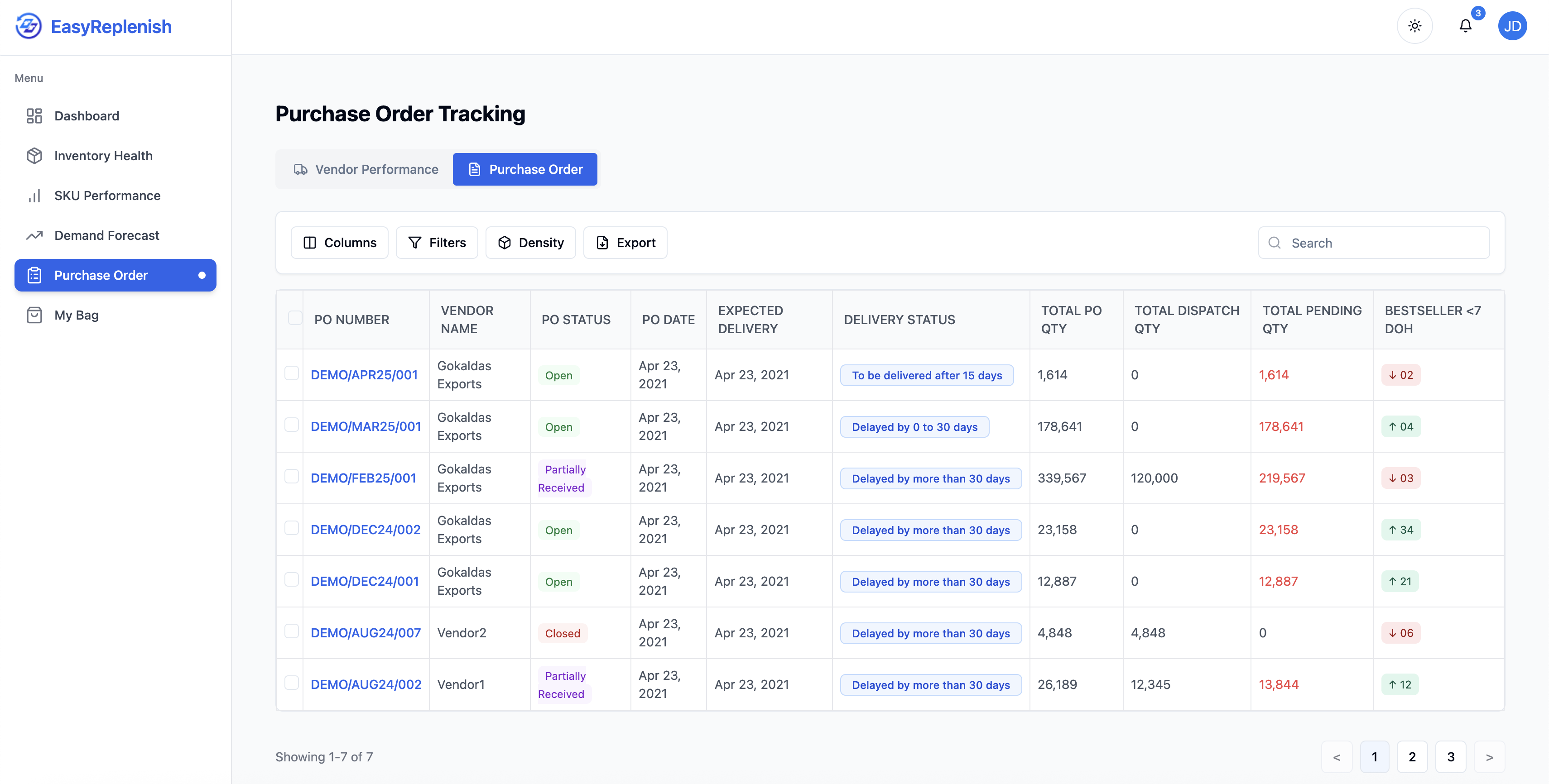
Image source: easyreplenish.com
Key features:
- Demand forecasting: Predict inventory requirements using historical sales data and trends.
- Automated replenishment suggestions: Generate purchase orders based on forecasted demand and stock thresholds.
- Multi-location inventory tracking: Monitor stock across stores, warehouses, and distribution centers.
- Analytics & reporting: Gain insights into sales patterns, turnover rates, and stock performance.
- Integration with ERP & POS: Connects with existing sales and accounting systems for seamless operations.
Pros:
- Accurate demand forecasting reduces stockouts and overstock
- Automates replenishment to save time and effort
- Supports multi-location inventory management
- Provides actionable insights with analytics
Cons:
- Requires historical sales data for accurate forecasts
- Limited POS and e-commerce integrations compared to other tools
Pricing:
- Starting price: $250/month
Build up your stock system with structured workflows
How to choose the right online stock management system
Choosing the right online stock management system depends on your business needs, operations, and growth goals. From small retailers using a free online stock management system to enterprises exploring a PHP inventory management system project, understanding these factors ensures the best fit.
- Business size: Enterprise vs SMB inventory load
Large enterprises require systems that handle high-volume stock and complex workflows. SMBs may only need basic tracking and automation. Selecting a system that matches inventory load ensures efficiency and scalability.
- Channel mix: Ecommerce marketplaces vs offline retail
Businesses selling online, offline, or both need tools that synchronize inventory across channels. Multichannel support prevents discrepancies and ensures accurate stock visibility. Choosing a system suited to your sales mix is crucial.
- Automation needs: Manual tracking or rule-based reordering
Some businesses prefer hands-on control, while others benefit from automated reordering. saves time and reduces errors. Consider your team's capacity and workflow requirements.
- Workflow complexity: Task routing and approvals vs basic counts
Complex businesses need systems with approval workflows and task assignments. Simple operations may only require basic count and stock updates. Matching workflow complexity with system capability prevents inefficiencies.
- Customization: Custom databases vs off-the-shelf templates
Custom databases allow tailored tracking for unique inventory needs. Prebuilt templates offer faster setup but less flexibility. Choose based on whether you require specialized workflows or standard operations.
- Budget: Free online stock management Systems vs enterprise tools
Free systems are ideal for small businesses or testing environments. provide advanced features for large operations but come at higher costs. Budget alignment ensures sustainable adoption.
Why businesses use stock & inventory management systems
An online stock management system is essential for companies to maintain optimal inventory levels and streamline operations. From small retailers using a free online stock management system to enterprises implementing a full-scale PHP inventory management system project, these tools help improve efficiency, reduce errors, and support growth.
- Prevent stockouts and overstocking: A reliable system ensures businesses always have the right stock on hand. Automated alerts notify teams when inventory reaches critical levels, preventing missed sales opportunities. Similarly, it avoids excess stock that ties up capital and storage space.
- Improve cash flow and storage efficiency: By monitoring inventory in real time, businesses can optimize purchases and reduce storage costs. Efficient stock rotation and accurate tracking prevent waste and free up working capital.
- Automate reordering and approvals: Online stock management systems allow automatic reorder triggers when products run low. ensure procurement is validated, reducing manual effort and errors.
- Track product performance: These systems provide detailed insights into SKU-level sales and trends. Businesses can identify bestsellers and slow-moving items and adjust their inventory strategy accordingly.
- Support multi-location operations: Inventory across warehouses, stores, or eCommerce channels is synchronized in real time. Teams can monitor stock, fulfill orders, and transfer products efficiently between locations.
- Enable and reporting: Historical sales data and analytics help predict future demand accurately. This supports better purchasing decisions, budgeting, and strategic planning for growth.
Conclusion
Effective inventory management is vital for maintaining sales, controlling costs, and supporting business growth. An online stock management system helps businesses track stock in real time, automate reordering, prevent stockouts, and synchronize multichannel operations. Whether you are a small business using a free online stock management system or a developer exploring a PHP inventory management system project, the right tool streamlines workflows, improves accuracy, and enables data-driven decisions. By considering factors like business size, sales channels, automation needs, and budget, companies can select a solution that fits their operations. For workflow-driven teams seeking flexibility and automation, offers a comprehensive platform to manage inventory efficiently.
Automate your inventory with Lark today
FAQs
What's the difference between an inventory management system and a stock management system?
A primarily tracks product quantities, locations, and movements, while an inventory management system includes broader functions like order management, supplier workflows, and reporting. Businesses can implement a PHP stock management system or a full PHP inventory management system to meet their needs. Even a free online stock management system or an online stock management system project can serve as a starting point for small teams.
Is a free online stock management system reliable for scaling businesses?
A free online stock management system is suitable for small businesses or testing environments. However, scaling often requires advanced features such as automation, multi-location syncing, and reporting, which are found in paid online stock management system solutions. Developers can test functionality via a PHP inventory management system project before upgrading to enterprise-level platforms. Can PHP inventory management systems handle real-time multi-store tracking?
Yes, a properly built PHP inventory management system can track stock across multiple stores in real time. Using a PHP stock management system framework within an online stock management system project, businesses can implement automated alerts, low-stock notifications, and synchronization. While free tools are limited, they provide a starting point for learning or small-scale deployment.
What tools work best for small retailers in India?
Small Indian retailers can start with a free online stock management system or cloud-based online stock management system solutions like Zoho Inventory. Developers can experiment with a PHP inventory management system project for custom needs. Lightweight PHP stock management system setups are also suitable, offering multi-channel tracking, low-stock alerts, and basic analytics.
Do inventory systems support expiration-date tracking for food businesses?
Yes, modern online stock management system solutions include batch and expiration-date tracking. Custom setups using a PHP inventory management or stock management system enable detailed monitoring. Small businesses can begin with a free online stock management system, while developers may test features through an online stock management system project before full deployment.
Related reading