














15 Best Contract Management Software with Reviews

Ryan Tanner
Product Marketing Specialist
Sep 18, 2026
Ryan Tanner
Sep 18, 2026


Key takeaways: Top software for contract management
Snapshot of the top 5 management contract software tools

What is contract management software?
How contract management software supports the full lifecycle
- Drafting and version control: The initial phase of any contract is drafting. Modern software provides pre-approved templates and clause libraries to ensure that legal teams don't start from scratch every time. This standardization reduces risk and speeds up the process. Version control is automated, meaning that the system tracks every edit, comment, and change made by any stakeholder. This history is crucial for audits and disputes. By utilizing collaboration examples found in modern platforms, teams can see how real-time editing reduces the endless back-and-forth of email attachments.
- Reviews, approvals, and internal alignment: Once a draft is ready, it needs review. Contract software automates the routing of documents to the right stakeholders—legal, sales, finance, or management—based on predefined rules. This ensures that the right eyes see the contract at the right time. The software can nudge stakeholders for approval, reducing delays. Implementing the top 10 approval workflow apps logic within these systems ensures that contracts never stall due to a forgotten signature or a missing email. This alignment is vital for maintaining momentum in business deals.
- Execution, renewals, and compliance tracking: The final phase involves signing and ongoing management. Digital signatures expedite execution, removing the need for printing, scanning, or faxing. Once the contract is live, the software monitors key dates, such as renewal deadlines or termination clauses, alerting the team well in advance. This proactive approach prevents auto-renewals of unfavorable terms and ensures that the business remains compliant with its obligations.
15 best software for contract management
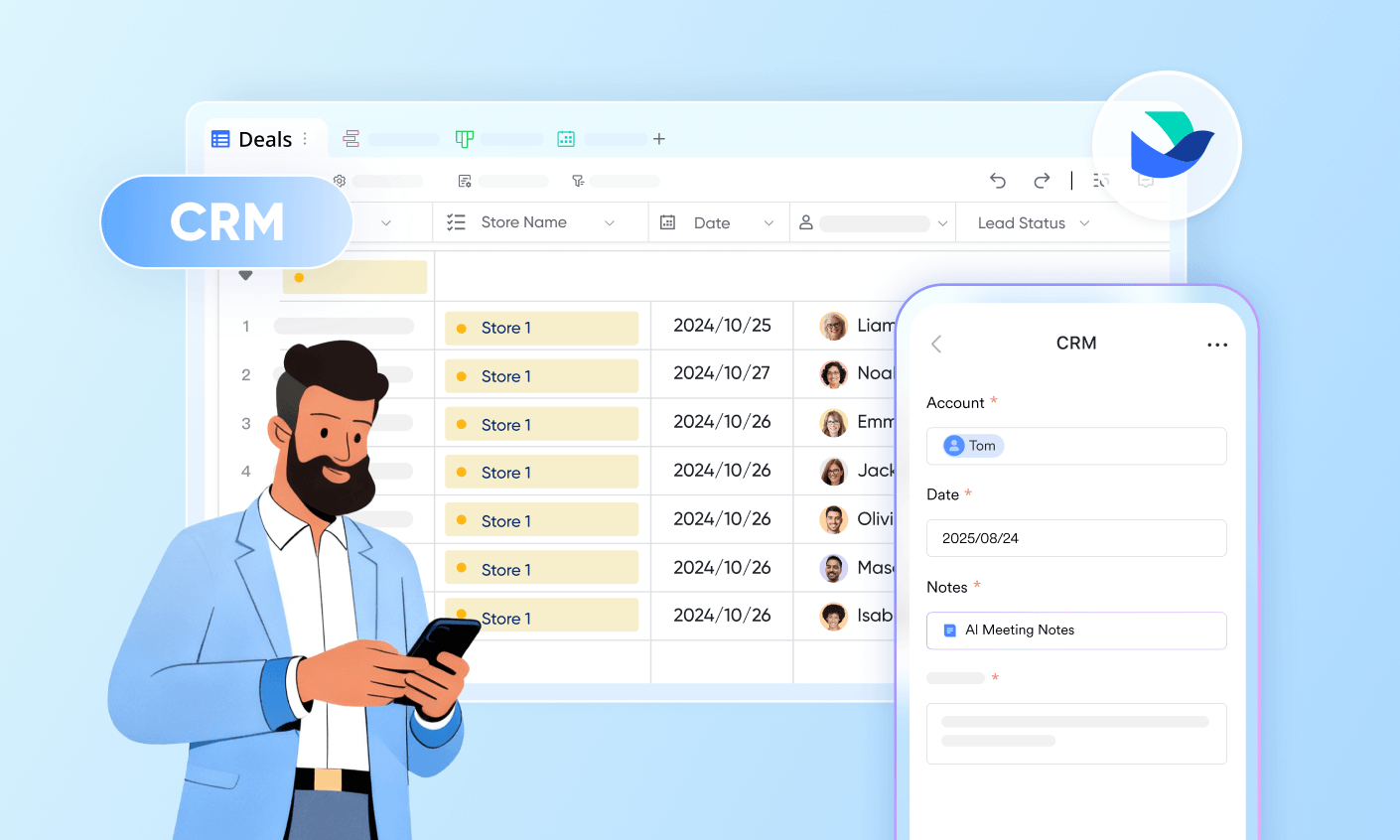
1. Lark: Unified contract workflows and collaboration with team visibility
- Starter plan: Free forever plan that includes 11 powerful tools for up to 20 users. It also comes with 100GB of storage, 1000 automation runs, AI translations, and more.
- Basic plan: $6/user/month (billed annually) for up to 500 users. It includes everything in Starter plus group calling for up to 500 attendees, 5TB of storage, 1000 automation runs, and more. For more details, please contact sales.
- Pro plan: $12/user/month (billed annually) for up to 500 users. It includes everything in Basic plus group calling for up to 500 attendees, 15TB of storage, 50,000 automation runs, and more.
- Enterprise plan: Contact sales for custom pricing. Supports unlimited users and includes even more automation runs and advanced security, compliance, and management features.
Starter
For small teams with simple communication needs
$0
/ user / month

Pro
For companies with comprehensive collaboration and management needs
$12
/ user / month
Enterprise
For large companies with advanced security and organizational management needs
Get a personalized demo and pricing
Pro
For companies with comprehensive collaboration and management needs
$12
/ user / month
2. DocuSign: Contract execution and signature-driven workflows
- Signature-led workflows: Routes documents for signing instantly, with a user-friendly interface that reduces friction for signees.
- Execution tracking: Real-time visibility into where a document is in the signing process, with automated reminders for pending signatures.
- Standard templates: Allows teams to create reusable templates for common agreements like NDAs and sales orders.
- Extremely high brand recognition; external parties trust signing a DocuSign envelope.
- Strong mobile applications allow for signing and reviewing on the go.
- Integrates deeply with Salesforce, making it a favorite for sales teams.
- The CLM module can be expensive compared to competitors, putting it out of reach for smaller teams.
- Customizing workflows beyond standard signing processes can sometimes require technical support.
- Personal plan: $10/month.
- Standard plan: $25 per user/month (billed annually).
- Business pro: $40 per user/month (billed annually).
- Enhanced plans: CLM pricing is available upon request.
3. Ironclad: Legal-centric contract lifecycle management
- Legal-first workflows: Highly customizable workflows that mirror how legal teams actually operate, including complex redlining and negotiation stages.
- AI-assisted review: Uses AI to highlight risky clauses and suggest changes based on a company's preferred playbook.
- Analytics dashboard: Provides deep insights into contract cycle times and bottlenecks, helping legal ops teams optimize their performance.
- Excellent collaboration tools for negotiating terms with outside counsel.
- Powerful digital contracting tools that automate the mundane parts of legal review.
- Robust reporting features that help legal departments prove their value to the business.
- It can be overkill for small businesses or simple use cases; it is built for high-volume, complex contracting.
- The user interface has a steeper learning curve due to the depth of features.
- Contact sales for custom pricing.
4. ContractWorks: Simple contract repository for growing teams
- Simple contract repository: A clean, intuitive interface for uploading, tagging, and storing documents.
- Smart search: OCR (Optical Character Recognition) technology allows users to search for text inside scanned PDFs.
- Alerts: Customizable reminders for key dates such as expirations and renewals.
- Very easy to set up and use; teams can be up and running in less than a day.
- Strong emphasis on data security, offering bank-level encryption.
- Cost-effective for small to medium-sized businesses that primarily need storage and search.
- Limited workflow automation capabilities compared to competitors like Ironclad or Conga.
- The reporting features are basic and may not satisfy complex analytics needs.
- Offers a few tiers based on the number of contracts and users. Plans generally start at a few hundred dollars per month, with a free trial available.
5. Agiloft: Highly configurable contract workflows
- High configurability: Every table, field, and workflow can be customized without writing code.
- Integration suite: Pre-built connectors for major systems like Salesforce, SAP, and Oracle.
- Business rules engine: Automates complex logic, such as routing contracts to different approvers based on the deal value.
- Adapts to virtually any business model or industry requirement.
- Scalable solutions that can grow as a company's needs become more complex.
- Strong version control and audit trail capabilities.
- The initial setup can be time-consuming because of the vast number of configuration options.
- The interface can feel dated compared to newer, slicker SaaS platforms.
- Pricing is available upon request.
6. Conga: Contract automation for sales-led teams
- Sales-led automation: Generates contracts and quotes directly from Salesforce opportunities with one click.
- Document generation: Assembles complex documents from various data sources, ensuring accuracy in pricing and terms.
- CPQ integration: Works seamlessly with Configure, Price, Quote (CPQ) tools to ensure the contract matches the quote.
- Eliminates manual data entry errors by pulling data directly from the CRM.
- Accelerates the sales cycle by getting contracts for customers faster.
- Strong brand presence in the Salesforce ecosystem.
- Heavily dependent on Salesforce; if you don't use Salesforce, Conga loses much of its appeal.
- Pricing can be high, especially when adding multiple Conga modules (CPQ, CLM, etc.).
- Contact sales for a quote.
7. PandaDoc: Contract creation for sales documents
- Visual editor: Drag-and-drop editor for creating visually appealing proposals and contracts.
- Content library: A reusable library of content blocks, clauses, and pricing tables.
- Embedded payments: Allows clients to pay directly within the document upon signing, accelerating cash flow.
- A very intuitive interface, requires little training for new users.
- Excellent customer support and a library of helpful templates.
- Integrates with popular CRMs like HubSpot, Zoho, and Pipedrive, not just Salesforce.
- Advanced CLM features, such as complex post-signature management, are less developed than in dedicated CLM tools.
- It can become expensive as you scale up the number of documents and users.
- Free: $0 Per month, unlimited seats
- Starter: $19 Seat cost per month
- Business: $49 Seat cost per month
- Enterprise: Contact sales for custom quote
8. Juro: Browser-based contract collaboration
- Browser-native editor: Allows for collaborative editing of contracts in a structured, browser-based format.
- Conditional logic: Smart templates that adapt the contract text based on answers to a questionnaire.
- Native analytics: Built-in reporting on contract status and pipeline velocity.
- Excellent for drafting and negotiating contracts collaboratively in real-time.
- Reduces the need for Microsoft Word and email attachments.
- Strong user experience that feels modern and fast.
- While it handles high volumes well, it may lack the deep customization of Agiloft for very complex enterprise legal structures.
- Some users may prefer editing in Word rather than a web browser.
- Pricing is available on request.
9. Evisort: AI-powered contract analysis
- AI-powered analysis: Uses proprietary AI to read and understand legal language across thousands of documents.
- Data extraction: Automatically pulls out key data points (dates, values, parties) without manual data entry.
- Risk identification: Flags contracts that contain non-standard clauses or potential risks.
- incredibly fast at processing and categorizing large repositories of legacy contracts.
- Highly accurate data extraction saves hundreds of hours of manual work.
- Continuous learning means the AI gets smarter as it processes more of your specific contracts.
- Primarily focused on analysis and data management; it may offer fewer tools for the drafting and negotiation phase compared to others.
- Typically, a higher-end solution best suited for enterprise legal departments.
- Contact Evisort for a custom quote.
10. LinkSquares: AI search and reporting for contracts
- AI search: Allows users to ask questions like "Show me all MSAs with a termination clause of less than 30 days" and get instant results.
- Smart repository: A centralized repository that organizes documents intelligently.
- Post-signature management: Tools to track obligations and manage renewals effectively.
- The search functionality is best-in-class, enabling deep insights into contract data.
- Helps legal teams move from reactive to proactive management.
- Strong focus on analytics and reporting for executive dashboards.
- The platform can be complex to implement fully across a large organization.
- Pricing may be a barrier for smaller legal teams.
- Contact LinkSquares for pricing information.
11. Sirion: Enterprise contract performance management
- Performance management: Tracks deliverables, KPIs, and milestones against contract terms.
- AI insights: Monitors the contract for risks and opportunities throughout its lifecycle.
- Obligation management: Ensures that both parties are meeting their commitments, preventing revenue leakage.
- Unique focus on the live phase of the contract, not just the signing phase.
- Highly valuable for procurement and vendor management teams managing complex outsourcing deals.
- Strong AI capabilities for extracting and structuring data.
- Over-engineered for simple sales contracts or NDAs.
- Implementation can be a significant project requiring dedicated resources.
- Contact sales
12. ContractSafe: Easy contract storage and reminders
- Secure storage: Bank-level security for all uploaded documents.
- Easy contract reminders: Simple but effective alert system for expirations.
- Search: Full-text search that helps find documents in seconds.
- Very quick to implement; teams can start using it immediately.
- The interface is clean and clutter-free.
- Excellent value for money for teams that need a "safe" place for documents.
- Lacks advanced workflow automation and sophisticated analytics.
- Reporting features are basic compared to enterprise platforms.
- Organize: Starting at $450/mo
- Finalize: Starting at $660/mo
- Maximize: Starting at $815/mo
13. SpotDraft: Legal operations automation
- Legal ops automation: Streamlines the intake, drafting, and approval processes for legal requests.
- AI-powered review: Assists lawyers in reviewing contracts against standard playbooks.
- Collaboration tools: Allows for seamless collaboration between internal stakeholders and external parties.
- User-friendly interface that is easy for non-legal staff to use.
- Good balance of features for drafting, signing, and managing contracts.
- Responsive customer success team known for helping with onboarding.
- While growing, its ecosystem of third-party integrations is smaller than giants like DocuSign.
- Advanced enterprise features are still evolving.
- Contact SpotDraft for a quote
14. Mitratech: Governance and compliance-led contract tools
- Governance tools: Robust features for ensuring contracts adhere to corporate policies and regulatory requirements.
- Compliance tracking: Monitors contracts to ensure ongoing compliance with legal and financial standards.
- Matter management integration: Links contracts to broader legal matters and cases.
- Ideal for highly regulated industries like banking, insurance, and healthcare.
- Deep functionality for managing complex legal and compliance workflows.
- Highly secure and audit-ready.
- The interface can be complex and feels "legacy" compared to modern SaaS tools.
- Often requires significant training and administration to manage effectively.
- Contact sales for enterprise pricing only.
15. SAP Ariba: Contract management within procurement
- Procurement focus: Integrates contract management with sourcing, purchasing, and payment workflows.
- Supplier collaboration: Provides a portal for suppliers to negotiate and manage contracts directly.
- ERP integration: Deep connectivity with SAP ERP systems for data consistency.
- Essential for large enterprises running SAP for their supply chain.
- Provides end-to-end visibility from sourcing to contract execution.
- Highly standardized and reliable for global operations.
- Very expensive and complex to implement; not suitable for small businesses.
- The user experience is often criticized for being clunky and difficult to navigate.
- Pricing structure details are available on request.
How to evaluate the best contract management software
- Collaboration depth beyond storage: The days of using a contract management system merely as a digital filing cabinet are over. The best tools facilitate active collaboration. Look for features that allow real-time redlining, comments, and discussion directly within the document. If your sales team lives in a CRM like Salesforce, finding a tool that integrates with the best sales crm software is crucial to maintaining their momentum. Seamless collaboration reduces the friction between legal and business teams, speeding up deal cycles.
- Workflow ownership and accountability: Who owns the contract at any given moment? A good tool makes this crystal clear. Evaluate the software's ability to assign tasks, set deadlines, and route approvals automatically. If your organization relies on project management methodologies, the software should ideally align with AIproject management tools that provide visibility into status and bottlenecks. The software should enforce accountability so that contracts don't languish in someone's inbox.
- Automation flexibility: Identify repetitive tasks in your current process. These are prime candidates for automation. Can the software automatically send reminders? Can it generate contracts from a template when a deal stage changes in a CRM? The best tools offer flexible automation engines that can be configured without needing a developer. This flexibility ensures the software can adapt to your unique business processes rather than forcing you to change how you work.
- Reporting and audit readiness: Finally, consider the reporting capabilities. Can you easily pull a report of all contracts expiring in the next 90 days? Can you see the average time it takes to get a contract signed? Strong reporting and audit trails are essential for compliance and for legal teams to demonstrate their value to the broader business. Ensure the tool can export data in formats that are useful for your stakeholders.
Common mistakes teams make when choosing contract software
- Overbuying features: Many teams purchase enterprise-grade software with complex AI and workflow features when they only need a simple repository. This leads to low adoption rates and wasted budget.
- Ignoring user experience: If the software is difficult to use, your sales and operations teams will find workarounds, defeating the purpose of the system. Always prioritize a user-friendly interface.
- Neglecting integration: Failing to check if the tool integrates with your existing CRM, ERP, or email systems can lead to manual data entry and data silos.
- Underestimating implementation: Rolling out contract software requires change management. Treat it as a project, not just a software purchase. Forgetting to track the progress of the implementation itself can lead to failure; using tools like sales tracking software guide principles can help manage the rollout metrics.
- Sacrificing security for cost: Data security is paramount in contract management. Choosing a cheaper vendor without robust security certifications, such as SOC 2 or features like document watermarking security, can put your sensitive business data at risk.
Conclusion
FAQs
Can contract management software replace shared drives entirely?
How secure is AI contract analysis for sensitive agreements?
What teams should own contract workflows outside legal?
How long does it take to migrate existing contracts?
Do I need a separate tool for e-signatures?
Related reading

Start using Lark today

Manage all your work in one place
Boost team efficiency by 10x
Save up to 70% on software costs
Start using Lark today
Manage all your work in one place
Boost team efficiency by 10x
Save up to 70% on software costs
Keep reading






2026 Lark Technologies Pte. Ltd.
Headquartered in Singapore with offices worldwide.





