Meeting manager software should facilitate a smooth, streamlined, and effective meeting management process. But that process becomes a hassle when you have to toggle apps for every meeting.
The right meeting management software unifies planning, scheduling, agendas, notes, and follow-up in a single workspace, so every conversation moves straight to action.
Not only does constant app toggling kill your focus, but the cost to reorient yourself each time can cost, on average, up to five work weeks out of your year.
Employing different solutions for planning, scheduling, execution, collaboration, and follow-up is also costly. You just end up juggling multiple expensive subscription fees and paying a high price for inefficiency and discontinuity.
Instead, you need a solution that meets all your meeting needs — within budget and with as few apps as possible.
Let's evaluate the top nine meeting manager software options so you can make an informed decision.
What is meeting manager software?
Meeting manager software is more than a video conferencing tool. It helps plan, organize, schedule, conduct, and document meetings.
Meeting management apps also promote high-quality, efficient, and productive meetings. Their native tools and integrations improve and clarify communication, boost engagement, drive collaboration, and inspire creative and critical thinking.
However, the value can extend far beyond the start and end of the meeting itself. They can also facilitate the assignment, initiation, and follow-up of action items created at the meeting.
Modern meeting room manager software also handles room booking, attendee check-in, and decision recording alongside the call, while a strong agenda builder keeps every discussion on track from the moment it is scheduled.
In this way, they can also function partly as productivity or project management software. Meetings become places where information turns into action instead of being passively distributed.
In other words, good meeting management solutions don't just help meetings happen; they ensure meetings matter. If a meeting doesn't make an impact or have any consequence once it's adjourned, what's the point of having one at all?
Look for built-in action-item tracking, searchable transcripts, and a shared decision log so commitments survive after the call ends.
of professionals spend 12 hours or less in meetings every week. You want that time to count.

Why is it important to use meeting manager software?
Nearly 30% of professionals use video conferencing software that doesn't meet all their needs. But meeting management software fills in those gaps, supplying features many video conferencing tools don't.
Also, most don't like meetings because they feel like a waste of time, achieve no progress, and tend to drift away from the original agenda. However, as previously noted, meeting management tools help transform agenda items into actions so the time spent is productive and meaningful.
Teams that adopt strategic meeting management software consistently cut wasted time, shorten standups, and improve follow-through on the decisions they make together.
Finally, keeping everyone on the same page on projects and responsibilities is essential for remote and hybrid teams. Meeting management tools ensure that your team can effectively communicate and collaborate from anywhere in the world.

What should you look for when choosing meeting manager software?
Consider the following features when choosing a meeting management software solution.
Scheduling and invitation features
An online meeting tool should streamline scheduling and ease the invitation process. It should also offer the ability to directly through the platform, ensuring that both virtual and physical meeting spaces are reserved seamlessly.
Communication and collaboration features
A meeting management app should facilitate clear communication for all teams despite differences in time zones, languages, cultures, or attendance methods. It should also support collaborative work in meetings.
Agenda management tools
Meeting management solutions can simplify agenda creation, editing, managing, saving, and distribution. This keeps everyone on the same page and manages expectations.
Meeting minutes
Meeting minutes help you track updates, developments, concerns, successes, and ideas discussed previously. They also help inform future action items, discussion topics, and agenda items.
Action items tools
Online meeting tools should enable you to create and assign action items during meetings based on the discussion and decisions made. You should also be able to track the completion status of those items on the same platform. The best meeting management software goes one step further and ties every action item to an owner and a due date, then chases it automatically until it is closed.
Automation
Automating workflows and tasks such as reminders, invitations, and follow-ups saves time.
Accessibility and device compatibility
The software you choose should be accessible to remote team members in different regions or countries. Invitees should also be able to join a meeting from any device or browser.

Security and privacy features
Sensitive information will be discussed, shared, and stored within your meeting platform. And cyber incidents were the . So, ensure your meeting platform has top-notch security and privacy features, roles, and permissions.
User experience
The new tool should have a user-friendly interface to onboard staff and external stakeholders easily.
Pricing
Consider pricing about your other subscription fees to remain within your tech budget.
Learn more about Lark pricing
9 best meeting manager software of 2026
Let's look at our picks for the best meeting manager software and what stands out.
Lark Suite - Best overall choice
Lark is the best overall option for businesses because it's an all-in-one superapp. Consider how 92% of IT professionals believe their company would benefit from a reduction of software, and 62% prefer a single software solution over multiple tools. Lark is the single software solution businesses need for managing and integrating all aspects of project management, including meetings. No extra tools or app toggling required.
Invitees can join a meeting from within a chat or email invite. Add up to 1,000 meeting participants and create up to 50 breakout sessions. Lark Meetings also enables live in-call doc sharing, editing, and collaboration.
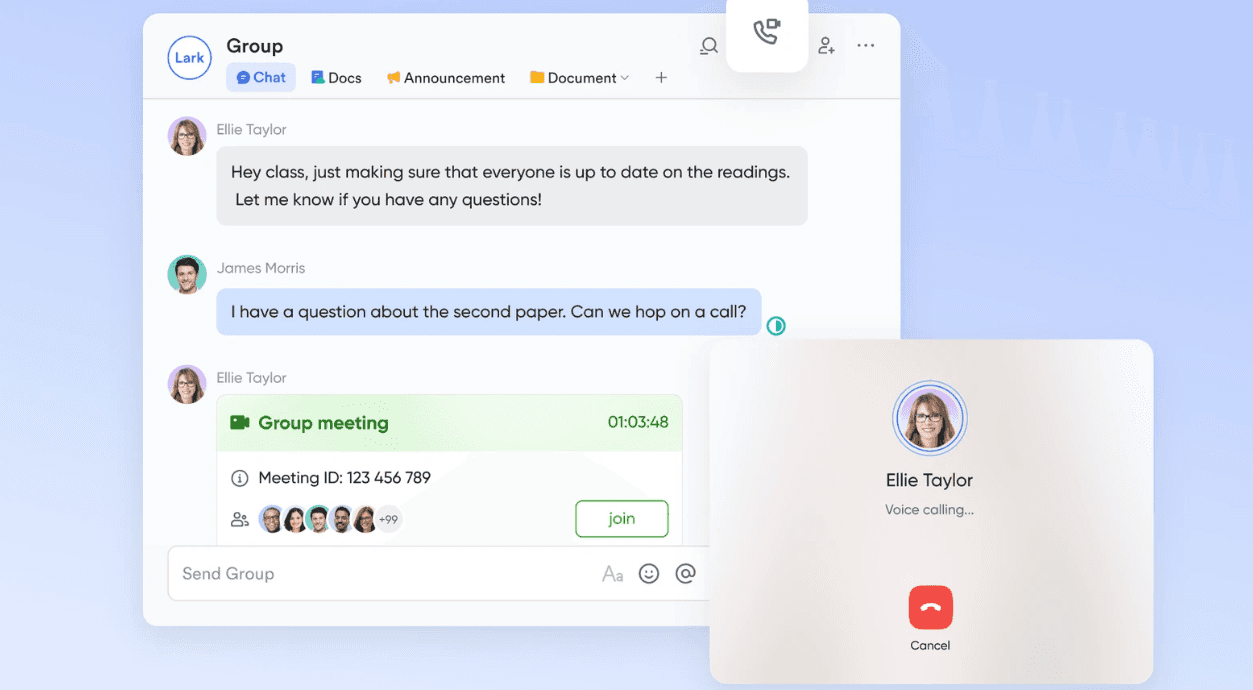
Lark also auto-translates real-time meeting subtitles into English, Chinese, Japanese, and more. This creates a more inclusive experience for team members who speak a different language.
The Lark Minutes feature automatically transcribes meeting minutes. You can rewind them, replay them at custom speeds, or skip ahead to key moments at your convenience. You can also post comments or emoji reactions directly on the transcript and translate it into different languages. Because minutes, tasks, chat, and calendar all live in the same workspace, Lark behaves like a complete meeting management software platform rather than a notetaker bolted onto a video call.
Lark Docs allows for real-time collaboration and sync, doc sharing, and in-chat notifications. Interactive formats include polls, mind maps, flowcharts, diagrams, graphs, and spreadsheets. Lark Drive supports over 200 file types for organization, management, and cloud storage.
With Lark Messenger, you can share docs and emails directly to chat. Without leaving chat, you can also perform calendar scheduling, task assignments, and approvals. Schedule messages, see read status, and create chat tabs and threads for focused discussions.
Lark Messenger can also auto-translate messages in real time into 19 different languages. Send and receive messages in audio and text formats and automatically convert audio messages into text. Interactive chat features include rich text, annotated screen captures, and emojis.
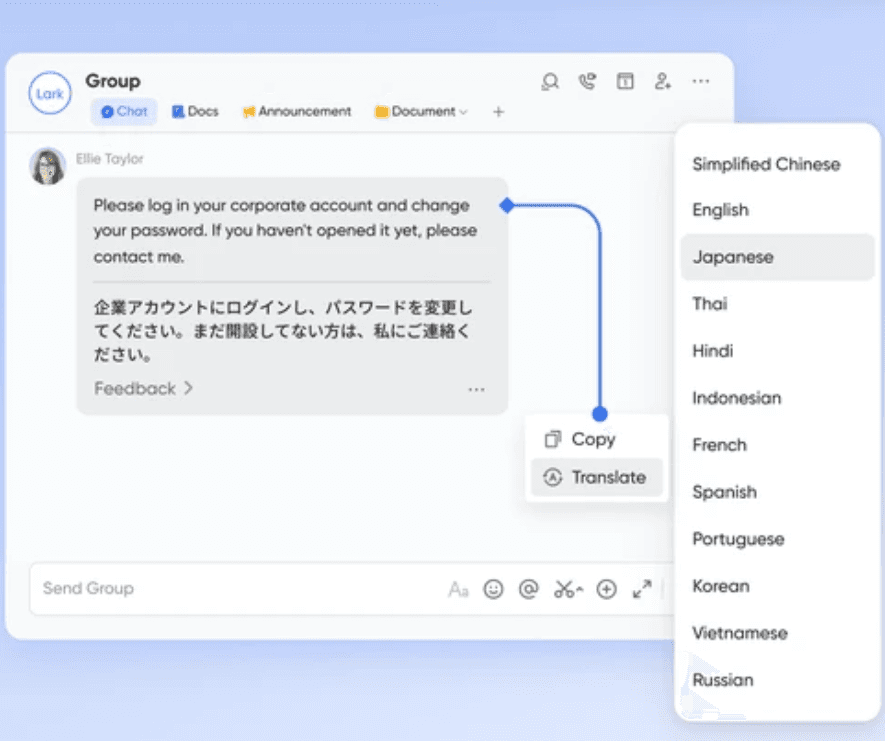
Lark Calendar lets you compare team member calendars within chat to schedule meetings. You can also send group invites and share docs within the invites themselves. This makes collaborating with employees in different time zones much easier.
Pros:
Lark is an all-in-one app that streamlines communication, collaboration, task management, and meetings. Its captions, transcription recording, and translation features are perfect for international teams. For most teams it is also the best meeting management software value on this list, because one subscription covers meetings, docs, chat, calendar, and storage.
Cons:
Lark integrates with a minimal number of third-party tools. However, Lark's comprehensive and cohesive suite aims to replace most other tools.
See how leading companies talk about Lark:

"For various daily operations in our group, we are able to share information more closely across teams. Thanks to Lark, meetings have become more efficient, communication has improved and work across the company has become more seamless."

Yoshiyuki Sugaya
Executive Officer
Pricing:
Lark's pricing plans are as follows:
- Pro plan - $12 per user per month
- Enterprise - Contact for pricing
Startups can apply for a free 6-month Lark Pro subscription.
For small teams with simple communication needs

18 months message history
1000 Base automation runs/month
2000 rows per table in Base
Most POPULAR
For companies with comprehensive collaboration and management needs
Unlimited message history
500-participant video meetings
50k Base automation runs/month
20k rows per table in Base
For large companies with advanced security and organizational management needs
Get a personalized demo and pricing
Unlimited message history
500-participant video meetings
15 TB storage + 30 GB storage/user
500k Base automation runs/month
50k Base automation runs/month
Most POPULAR
For companies with comprehensive collaboration and management needs
Unlimited message history
500-participant video meetings
50k Base automation runs/month
20k rows per table in Base
Fellow - Best for collaborative agendas
Fellow is an AI meeting assistant built around the agenda rather than the recording. Every meeting on your calendar gets a shared agenda that organizers and attendees can edit before the call, so nobody arrives wondering what the meeting is actually for.
Fellow's AI notetaker joins Zoom, Google Meet, and Microsoft Teams to capture notes, decisions, and action items, then writes them back into that same agenda. Talking points and unfinished action items carry over automatically to the next occurrence of a recurring meeting.
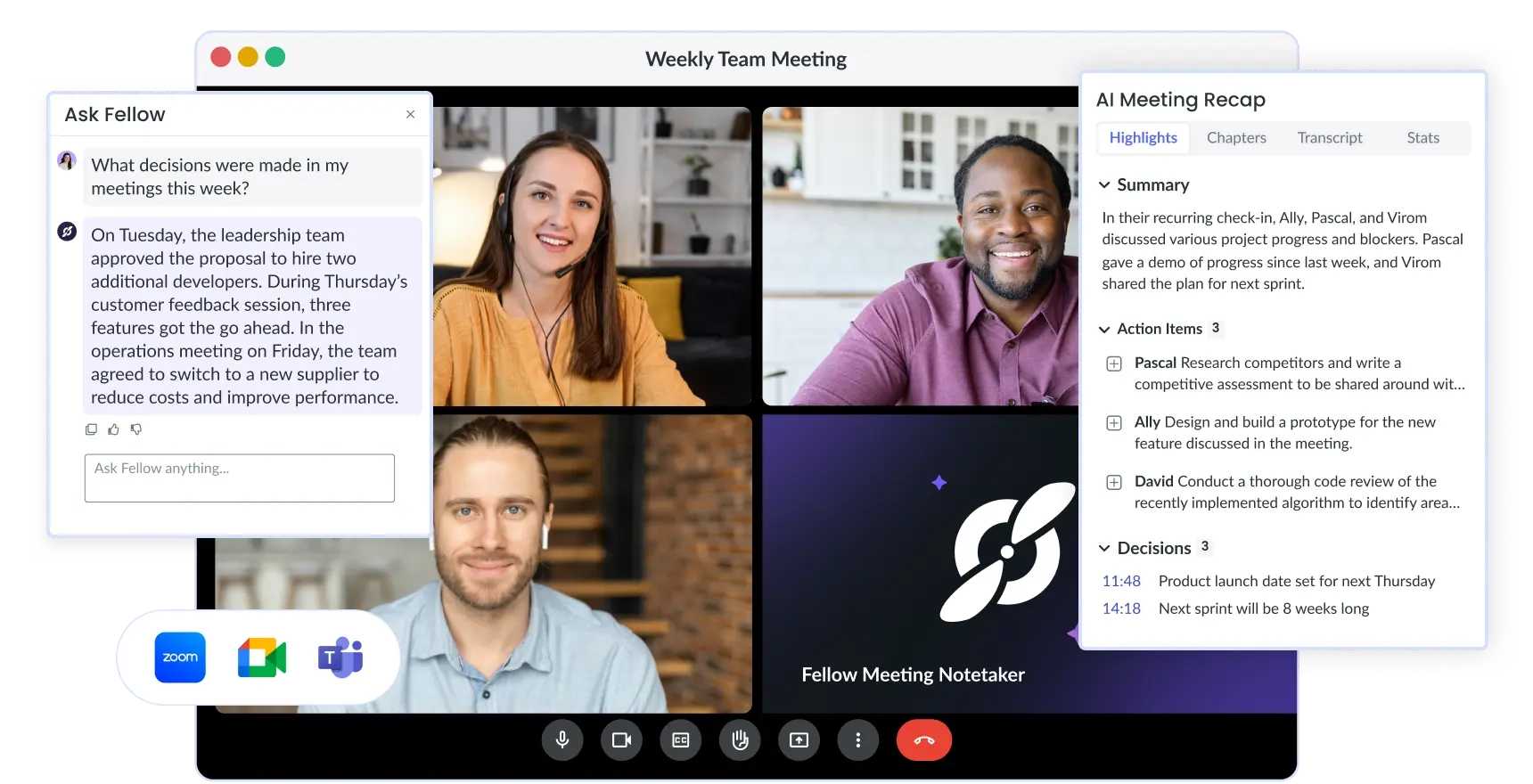
Image source: fellow.com
Agenda templates cover one-on-ones, standups, retrospectives, and board meetings, and managers get analytics showing how much time their team actually spends in meetings. Pair Fellow with your project management software: team meeting action items sync straight into Jira, Asana, Linear, or Notion, so follow-up lives where the work already happens.
Pros:
Collaborative agendas and automatic action-item carryover make recurring meetings genuinely productive. Native integrations are unusually deep for a meeting tool, and admins can set workspace-level recording policies. It is one of the few meetings management software options that treats the agenda, not the transcript, as the source of truth.
Cons:
Fellow only covers meetings, so you still pay for chat, video, docs, and storage somewhere else. The integrations and AI features most teams actually want sit on the Business tier and above.
Pricing:
Fellow offers the following pricing plans (billed annually):
- Team plan - $7 per user per month ($11 billed monthly)
- Business plan - $15 per user per month ($23 billed monthly)
- Enterprise plan - $25 per user per month
G2 user reviews:
Fellow has a rating of 4.7 out of 5 stars and over 2,000 reviews.
Fireflies.ai - Best for AI meeting notes
Fireflies.ai sends a notetaker bot into Zoom, Google Meet, Microsoft Teams, and Webex calls, transcribes them in more than 100 languages, and returns a structured summary with decisions and action items minutes after the call ends. Most teams adopt it as a meeting management software layer on top of the video tool they already run, rather than as a replacement for it.
What separates it from a plain transcription service is what happens afterwards. AskFred, the built-in AI assistant, answers questions across your entire meeting history, and Smart Search plus topic trackers let you jump to every moment a competitor, objection, or pricing question came up.
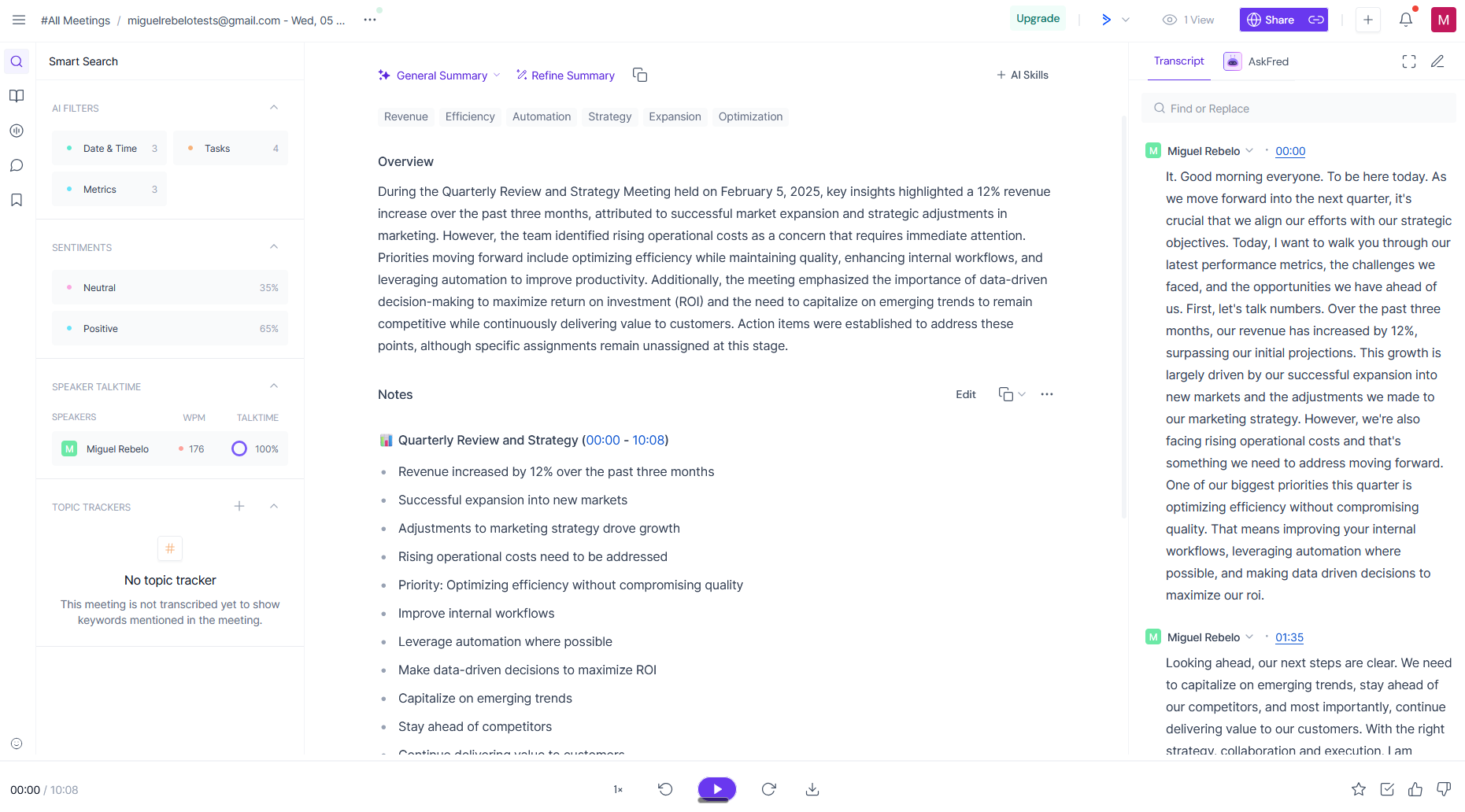
Image source: fireflies.ai.com
Conversation intelligence adds talk-time ratios, sentiment, and monologue detection, which is why revenue teams often adopt it as their meeting management software of record before the rest of the company does. Soundbites let you clip a 30-second moment and drop it into Slack, and over 100 integrations push notes into CRMs, task trackers, and knowledge bases.
Pros:
Multilingual transcription is accurate and fast, topic trackers and Smart Search make a year of calls genuinely searchable, and the free plan is generous enough to trial across a whole team.
Cons:
The bot joins visibly, which some external guests dislike. Storage and AI credits are capped per tier, conversation intelligence is Business-only, and there is no agenda builder — so it is rarely the best meeting management software choice if you need planning as well as capture.
Pricing:
Fireflies.ai offers the following pricing plans (billed annually):
- Pro plan - $10 per seat per month ($18 billed monthly)
- Business plan - $19 per seat per month ($29 billed monthly)
- Enterprise plan - $39 per seat per month, annual billing only
G2 user reviews:
Fireflies.ai has a rating of 4.8 out of 5 stars and over 700 reviews.
Otter.ai - Best for real-time transcription
Otter.ai transcribes as people speak, so the notes are already on screen while the conversation is still happening. Speakers are identified automatically, and anyone who joins late can scroll back and catch up without interrupting.
Its AI Meeting Agent joins Zoom, Microsoft Teams, and Google Meet on your behalf, then produces a summary with action items. Otter AI Chat sits beside the transcript so you can ask what was decided, who owns what, and what changed since the last review.
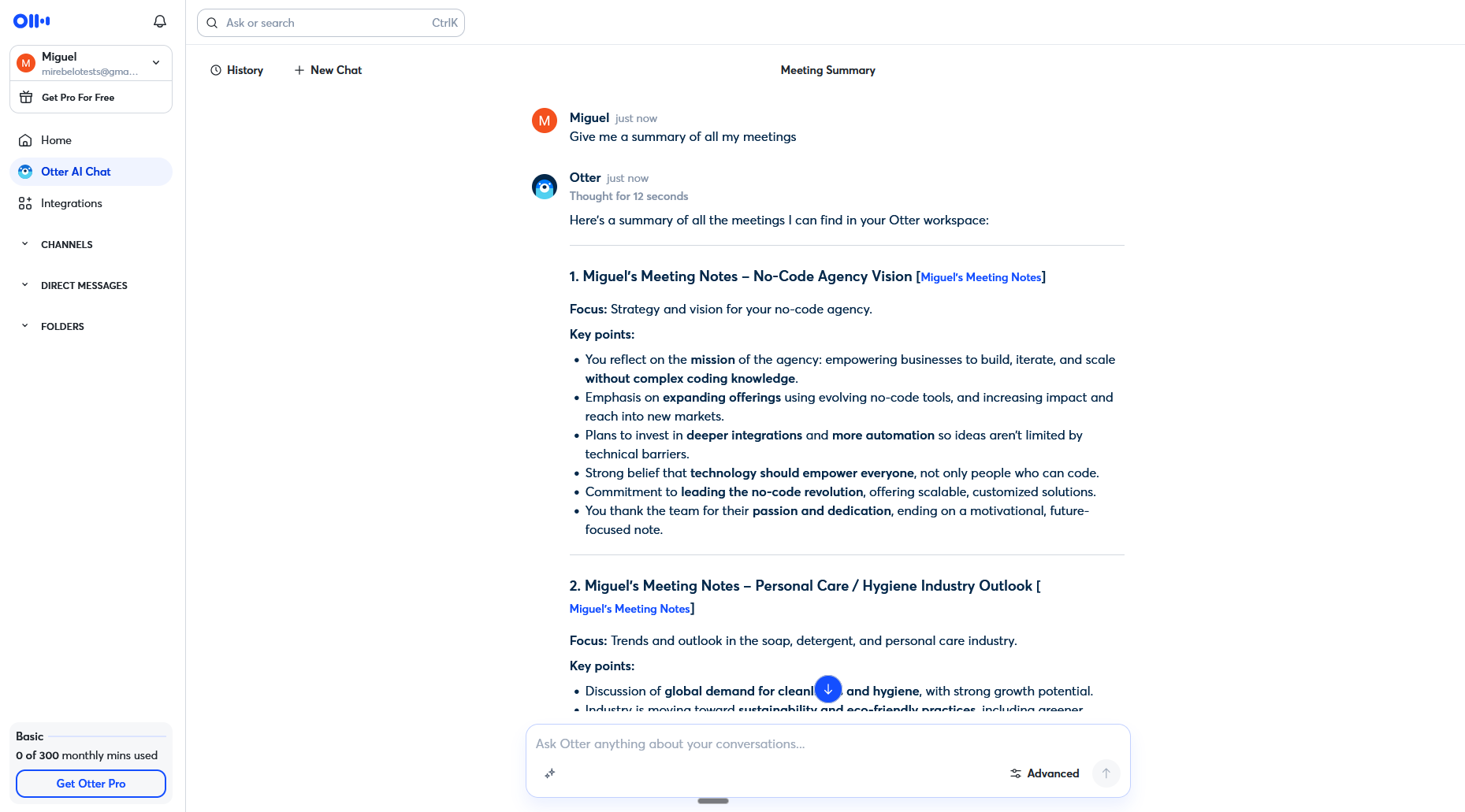
Image source: otter.ai.com
Slide capture pulls shared screens into the transcript, and live captions make hybrid rooms far easier to follow. Teams that run hybrid offices should still pair it with a meeting room manager software: room meeting double-bookings do not disappear because the transcript is good, and Otter has no booking layer of its own.
Pros:
Real-time accuracy is excellent, the mobile apps handle in-person conversations well, and a searchable history of every conversation builds up quickly. AI Chat across meetings is genuinely useful for managers catching up on calls they missed.
Cons:
The free tier caps you at 300 transcription minutes a month and 30 minutes per conversation. Summary quality drops on very long calls, and there is no agenda, task, or room-booking functionality at all, so it works as a transcription layer rather than a complete meetings management software platform.
Pricing:
Otter.ai offers the following pricing plans (billed annually):
- Basic plan - Free, with 300 monthly transcription minutes
- Pro plan - $8.49 per user per month ($16.99 billed monthly)
- Business plan - $24 per user per month ($30 billed monthly)
- Enterprise plan - Contact for pricing
G2 user reviews:
Otter.ai has a rating of 4.4 out of 5 stars and over 300 reviews.
Deel HR - Best for HR and people-team meetings
Deel HR is the people layer of Deel's global employment platform, and it earns a place here because a large share of recurring meetings in any company are HR meetings: one-on-one check-ins, performance reviews, onboarding sessions, and goal reviews.
Instead of leaving those conversations in a calendar invite, Deel HR turns them into tracked workflows. Recurring check-ins carry shared agendas, talking points, private notes, and action items, and every attendee's role, manager, time off, and goals are visible from the same worker profile.
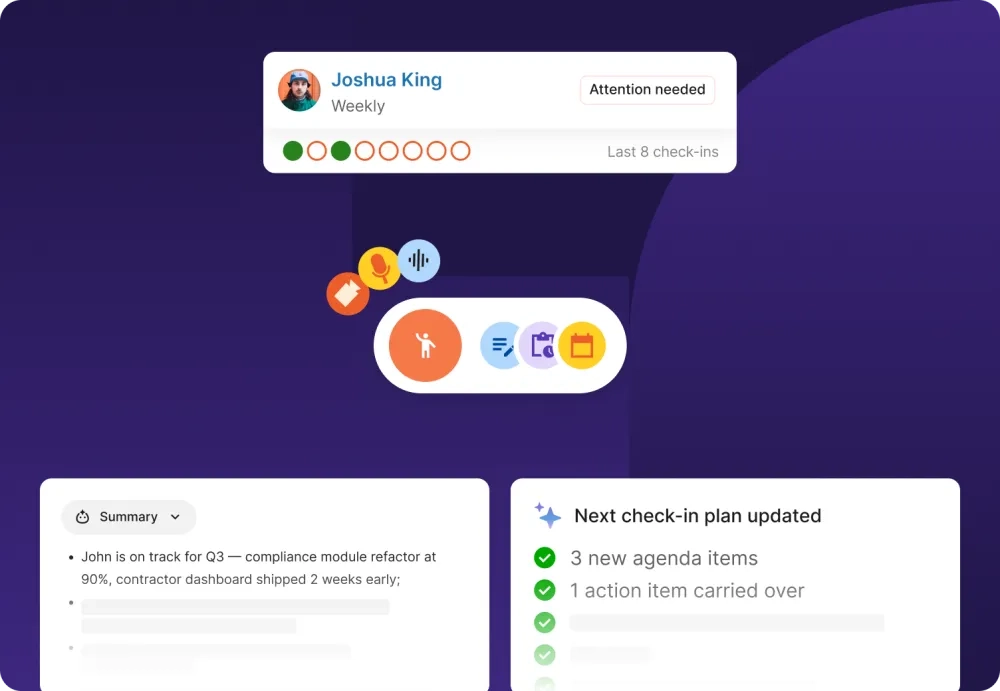
Image source: deel.com
Higher tiers add 360-degree performance reviews on a fixed cycle, goals and OKRs you can reference mid-conversation, engagement surveys, and learning plans that follow up on what was agreed. For distributed HR teams this behaves less like a note-taker and more like strategic meeting management software, because the outcome of each conversation is stored against the employee record rather than in someone's notebook.
Pros:
One system holds the worker profile, payroll, and the meeting history attached to each person. Check-ins and review cycles keep one-on-ones on the record, and the global compliance layer suits teams hiring across many countries.
Cons:
It is not a meeting platform: there is no video, no transcription, and no agenda builder for general team meetings. It only makes sense if you already run HR on Deel, and performance, learning, and compensation modules sit on higher tiers. Treat it as the people-management half of your meeting management software stack, not the whole of it.
Pricing:
Deel HR comes in three levels, all running on the same data:
- Core - from $5 per employee per month, covering worker profiles, org chart, time off, workflows, approvals, and people analytics
- Advanced - adds performance, goals, learning, and surveys
- Elite - adds workforce planning and compensation management
- Recruiting - available as an add-on
G2 user reviews:
Deel HR has a rating of 4.8 out of 5 stars and over 1,300 reviews.
Fathom - Best for free AI meeting summaries
Fathom built its reputation on giving away the part most vendors charge for. Unlimited recording, transcription, and AI summaries are available on the free plan, and the summary usually lands within about 30 seconds of the call ending.
During a call you can tap a single button to mark a moment as important, and Fathom builds the summary around those highlights. Ask Fathom then answers follow-up questions across your recorded calls without making you rewatch anything.
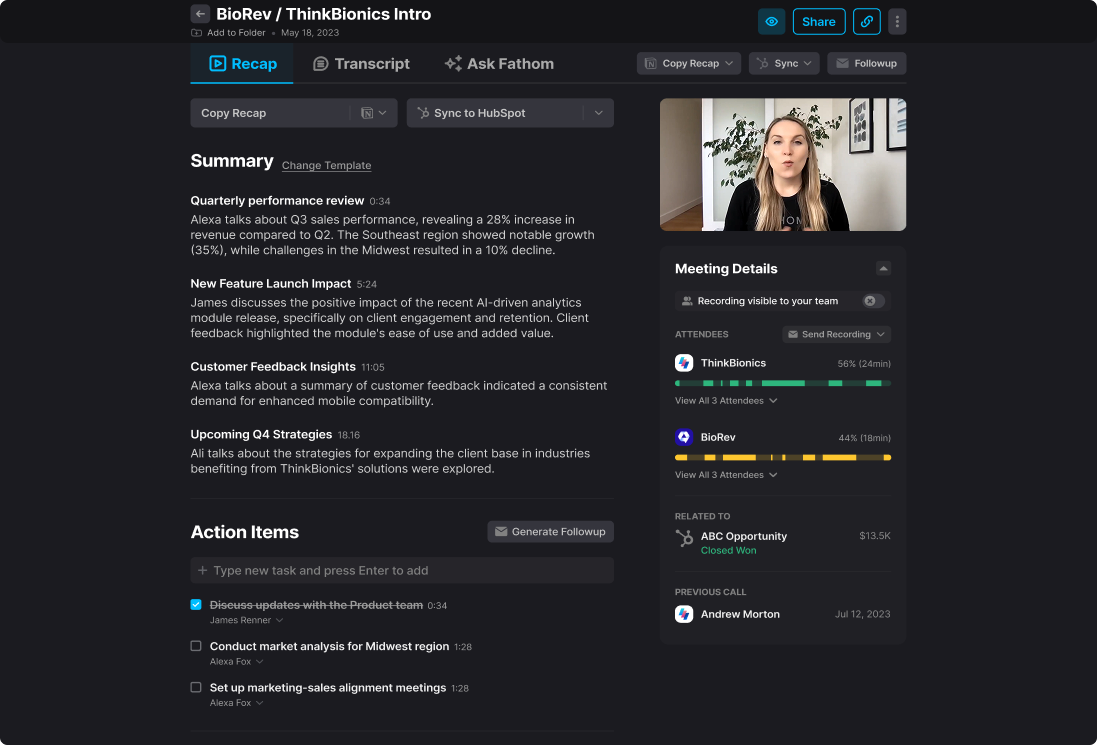
Image source: fathom.com
It records Zoom, Google Meet, and Microsoft Teams, supports 28 languages, and syncs notes and next steps into HubSpot, Salesforce, and Close. If your only goal is capture and follow-up, it is the cheapest credible entry point into meeting management software that teams will actually keep using after the trial ends.
Pros:
The free plan is genuinely unlimited for recording, transcription, and summaries. Turnaround is the fastest on this list, the highlight button is a smart way to guide the AI, and CRM sync is clean enough for sales teams to rely on.
Cons:
There is no agenda builder, task management, or room booking, so it solves only the second half of the meeting lifecycle. Team analytics, unlimited Ask Fathom, and admin controls require paid tiers. If you also need a meeting room manager software layer, room meeting bookings will still have to come from your calendar platform.
Pricing:
Fathom offers the following pricing plans (billed annually):
- Free plan - $0, with unlimited recording, transcription, and summaries
- Premium plan - $16 per user per month ($20 billed monthly)
- Team Edition - $15 per user per month ($19 billed monthly, two-user minimum)
- Team Pro plan - $25 per user per month ($34 billed monthly)
- Enterprise plan - Contact for pricing
G2 user reviews:
Fathom has a rating of 5.0 out of 5 stars and over 6,000 reviews.
Jamie - Best for privacy-first, bot-free note-taking
Jamie takes the opposite approach to every other AI notetaker on this list: nothing joins your call. It runs as a desktop app that listens to your device audio, which means no visible bot, no meeting link to grant access to, and no awkward disclosure at the start of a client call.
Because it captures device audio, it works for in-person conversations and any platform your browser can open, not just the three major video tools. Audio is processed and discarded rather than stored, and hosting is in the EU under GDPR, and notes export straight into your project management software: team meeting decisions land in Notion, Slack, or HubSpot without a bot ever joining the call.
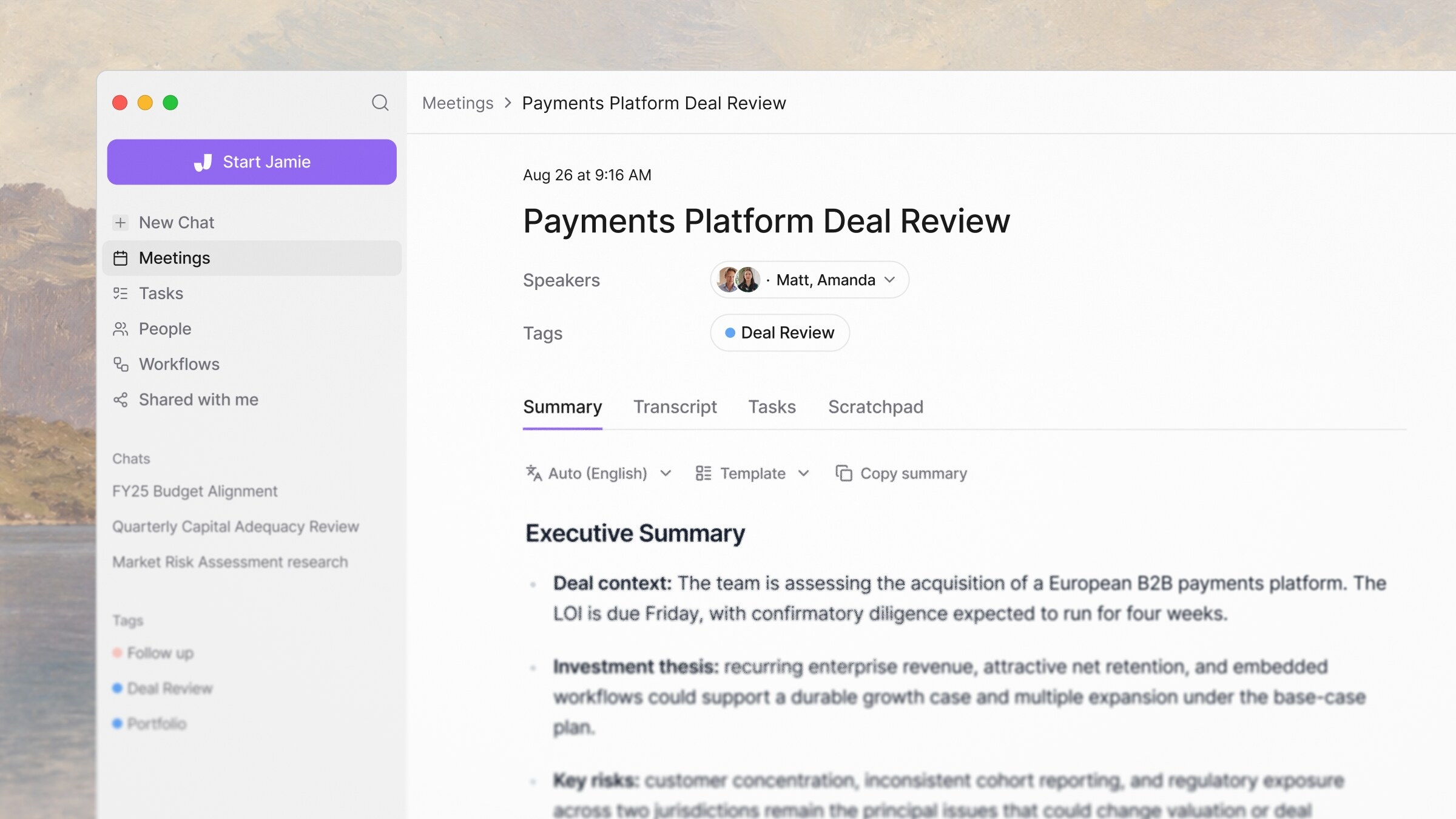
Image source: jamie.com
Summaries are written in the style of an executive briefing rather than a raw transcript dump, with decisions and owners separated out, and Jamie handles more than 20 languages including regional accents. For consultants, lawyers, and anyone in a regulated industry, it is often the only meetings management software that legal will sign off on.
Pros:
No bot in the room, works for in-person meetings, EU hosting with audio deleted after processing, and summaries that read like a well-written briefing note. Setup takes a couple of minutes.
Cons:
Pricing is per person rather than per seat pool, which gets expensive across a large team. There is no agenda builder, no video recording to rewatch, and the integration catalogue is much smaller than Fireflies or Fellow, so it rarely works as a team's only meeting management software.
Pricing:
Jamie offers the following pricing plans (billed annually):
- Free plan - €0, with 10 AI meeting notes per month and a 30-minute limit per meeting
- Plus plan - €21 per month
- Pro plan - €39 per month
- Team plan - €33 per user per month
- Enterprise plan - Contact for pricing
G2 user reviews:
Jamie has a rating of 4.9 out of 5 stars on G2, from a smaller review base than the bot-based tools on this list.
Zoom - Best for video conferencing
Zoom is the traditional go-to online meeting tool. You can start or join a meeting via chat or an integrated calendar. It supports up to 1,000 meeting participants and 49 on-screen videos.
Noise suppression, virtual backgrounds, auto-transcriptions, and simultaneous screen sharing help keep attendees focused. Engagement features include filters, reactions, polls, hand-raising, and video and music sharing.
Recordings and searchable transcripts allow for later review post-meeting.
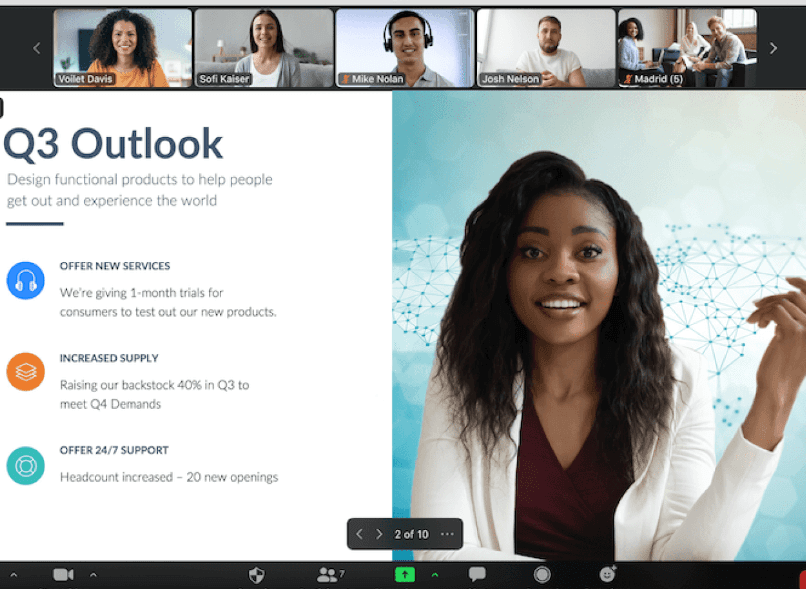
Image source: zoom.com
Collaboration features include file sharing, co-annotation, whiteboard, cloud storage, and virtual coworking spaces called Zoom Huddles. Team Chat, included with each Huddle, integrates with other chat apps and email. Zoom's Workspace Reservation add-on layers a basic meeting room manager software capability on top for desk and room booking, though agendas and action items still depend on third-party apps.
Pros:
Zoom has robust chat and video conferencing features. The interactive and collaborative digital whiteboard is perfect for productive meetings. Zoom's free plan also includes generous offerings.
Cons:
Caption translation and transcription recording are only available with premium plans. You also have to toggle screens and external apps for collaboration efforts. Teams that need one record for both the call and the space should compare it against a dedicated meeting room manager software: room meeting bookings, agendas, and notes belong in the same place.
Pricing:
Zoom offers the following pricing plans (billed annually):
- Pro plan - $13.33 per month per user
- Business plan - $18.33 per month per user
- Business Plus plan - $22.49 per month per user
- Enterprise plan - Contact for pricing
Add-on features are available for an additional fee. Model those add-ons before you treat Zoom as your primary meetings management software, because webinars, extra cloud storage, and translated captions are all priced separately.
G2 user reviews:
Zoom has a rating of 4.6 stars out of 5 and over 54,000 reviews.
Microsoft Teams - Best for Microsoft-powered collaboration
Microsoft Teams is a video conferencing and team collaboration solution. You can join video meetings via a web link and audio meetings via phone call features.
Host secure virtual meetings for up to 1,000 meeting participants and view-only events for up to 10,000 attendees (20,000 through the end of 2024). Share the meeting agenda in advance, and pre-schedule a series of meetings to plan.
With Teams, you can record audio, video, and content from meetings. You can also take advantage of automatic transcriptions and live captions. Remote team members abroad can leverage AI-powered real-time caption translation that supports over 40 languages.
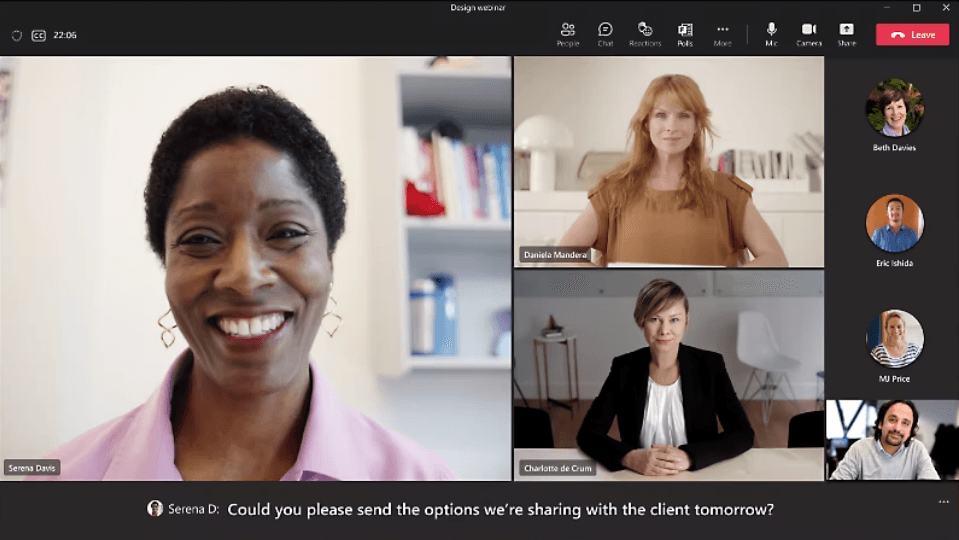
Image source: microsoft.com
Teams can chat, annotate, and react to shared content on the collaborative whiteboard and co-edit Excel workbooks in real time. Large organizations often standardize on it as their strategic meeting management software simply because it ships with Microsoft 365, not because it plans meetings better than the alternatives.
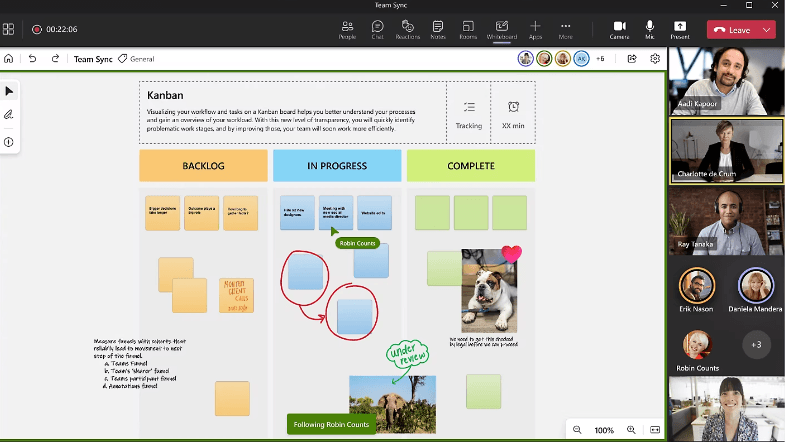
Image source: microsoft.com
Pros:
Teams has robust chat features, real-time caption translation into 40+ languages, and workflow automation features. The Speaker Coach feature helps hone presentation skills during a meeting.
Cons:
There are no collaborative content creation features. Teams also lacks cohesion among its suite of tools, so you have to toggle between apps and windows.
Pricing:
Teams is available as a standalone product and as part of the Microsoft 365 suite. Only Microsoft Teams Home is free for group calls lasting up to 60 minutes and for up to 100 meeting participants. All Business plans are paid plans.
- Microsoft Teams Essentials - $4 per user per month
- Microsoft 365 Business Basic - $6 per user per month
- Microsoft 365 Business Standard - $12.50 per user per month
- Microsoft 365 Business Premium - $22 per user per month
A 30-day free trial is available for the Microsoft 365 Business Basic and Business Standard plans. That trial is the cheapest way to test whether Teams can double as your project management software: team meeting notes, shared files, and Planner tasks all need to survive in one place for it to pay off.
G2 user reviews:
Microsoft Teams has a rating of 4.3 out of 5 stars and over 14,000 reviews.
Learn more about Lark Base
Conclusion
The right meeting manager software helps you hold productive, collaborative, hassle-free, and effective meetings. Lark has every tool you need to effectively manage, conduct meetings, and follow up on action items.
It also possesses all the functionality of the most prominent business apps combined into one super app at one affordable price.
If you want to see how the best overall business management software can transform your business, not just your meetings, try Lark for free today!
Common FAQs about meeting manager software
Which tool is the best for internal team meetings?
Lark is the best tool on this list for internal team meetings.
Lark gives the most bang for your buck, providing internal teams with everything they need to meet and work effectively from start to finish.
Which software would you use for meeting minutes?
Lark Minutes is a no-brainer for meeting minutes software. It offers real-time auto-translation and even translates transcriptions into multiple languages. You can replay recordings any way you like and post comments and reactions within the transcripts.
Can meeting management software handle different time zones?
Meeting management tools like Lark, which shows calendars in several time zones side by side, or Fellow, which schedules recurring one-on-ones across regions, help you consider everyone's availability when you schedule meetings.
What are the benefits of using meeting management software?
The benefits of meeting management software include:
- Optimized time and resources
- Enhanced productivity and efficiency
- Improved accountability and ownership
- Increased participation and engagement
- Greater transparency
- Clearer communication and more seamless collaboration
Is there any virtual assistant software for meeting management?
You would look at meeting management tools with automation and AI features. Lark contains built-in customizable automation features across the board that help streamline and simplify meeting management processes.
Lark is also rolling out a new AI feature within Lark Base to facilitate quicker and more effortless workflows.
Related reading




















![What Is a 2-2-3 Work Schedule? Explanation and More [2026]](https://framerusercontent.com/images/uKHRfkp4v7y4azRNTYUmuteNQz8.png)








