














Sales Management Systems: 10 Tools for Powering Your Teams

Ryan Tanner
Product Marketing Specialist
Sep 18, 2026
Ryan Tanner
Sep 18, 2026

20 min read


A sales management system helps businesses organize, track, and optimize every stage of the sales process—from lead generation to closing deals. The right system improves visibility, automates routine tasks, and empowers teams to make data-driven decisions.
Today's leading platforms combine CRM capabilities with workflow automation and analytics, enabling seamless collaboration across departments. In this guide, we examine the top 10 sales management systems designed to enhance efficiency, streamline processes, and drive improved performance for modern sales teams:
1. Lark: Best all-in-one sales management platform for visibility and collaboration
2. Salesforce Sales Cloud: Best enterprise-grade CRM and sales management system
3. Freshsales (by Freshworks): Best for AI-powered lead scoring and workflow automation
4. HubSpot Sales Hub: Best for inbound-driven sales management
5. Zoho CRM: Best budget-friendly sales management software
6. Pipedrive: Best for visual pipeline management
7. Monday Sales CRM: Best for customizable sales pipelines
8. Nutshell CRM: Best for small to midsize teams focused on simplicity
9. Keap (formerly Infusionsoft): Best for small business automation
10. Insightly: Best for project-based sales tracking

What is a sales management system?
A sales management system is a software platform designed to help businesses plan, organize, and track their sales operations efficiently. It serves as a central hub for managing customer information, monitoring pipelines, and automating routine sales tasks such as follow-ups, reporting, and approvals. By consolidating all sales activities in one place, teams gain real-time visibility into performance metrics like lead conversions, deal progress, and revenue forecasts. Modern sales management systems also integrate with marketing, communication, and inventory tools, ensuring data flows seamlessly across departments.
This not only enhances collaboration but also enables sales leaders to make informed, data-driven decisions. Whether used by startups or enterprises, an effective sales management system helps standardize processes, reduce manual errors, and improve overall productivity—allowing teams to focus less on administration and more on building relationships, closing deals, and driving business growth.
Why sales management systems are essential
A sales management system is more than just a digital tool, it's the foundation for a well-coordinated, data-driven sales operation. By unifying processes, automating workflows, and providing real-time visibility, these systems empower teams to sell smarter and faster. Here's why they're indispensable for modern organizations:
- Improve visibility into sales pipelines and performance metrics: Sales teams can monitor every stage of the pipeline in real time, from lead generation to deal closure. Managers gain a clear view of progress, bottlenecks, and conversion rates, allowing for faster decision-making. This transparency helps teams stay aligned with goals and maintain accountability.
- Automate repetitive tasks like follow-ups, reporting, and order tracking: Automation reduces manual workload and minimizes human error. Routine actions such as sending reminders, updating records, or generating reports happen seamlessly in the background. This efficiency frees sales reps to focus on customer engagement and closing deals.
- Enhance collaboration between sales, marketing, and operations: Integrated communication and data sharing ensure all departments work from the same source of truth. Marketing can align campaigns with live sales data, while operations can track order updates instantly. The result is smoother coordination and fewer missed opportunities.
- Strengthen data accuracy and customer engagement: Centralized systems eliminate duplicate records and outdated information. With accurate, up-to-date insights, teams can personalize outreach and respond faster to customer needs. This leads to stronger relationships and higher satisfaction throughout the sales journey.
Top 10 sales management systems for modern teams
1. Lark: Best all-in-one sales management platform
Lark provides sales teams with a unified workspace that combines analytics, automation, and communication. From tracking performance to managing pipelines, every feature is designed to make collaboration smoother and decision-making faster.
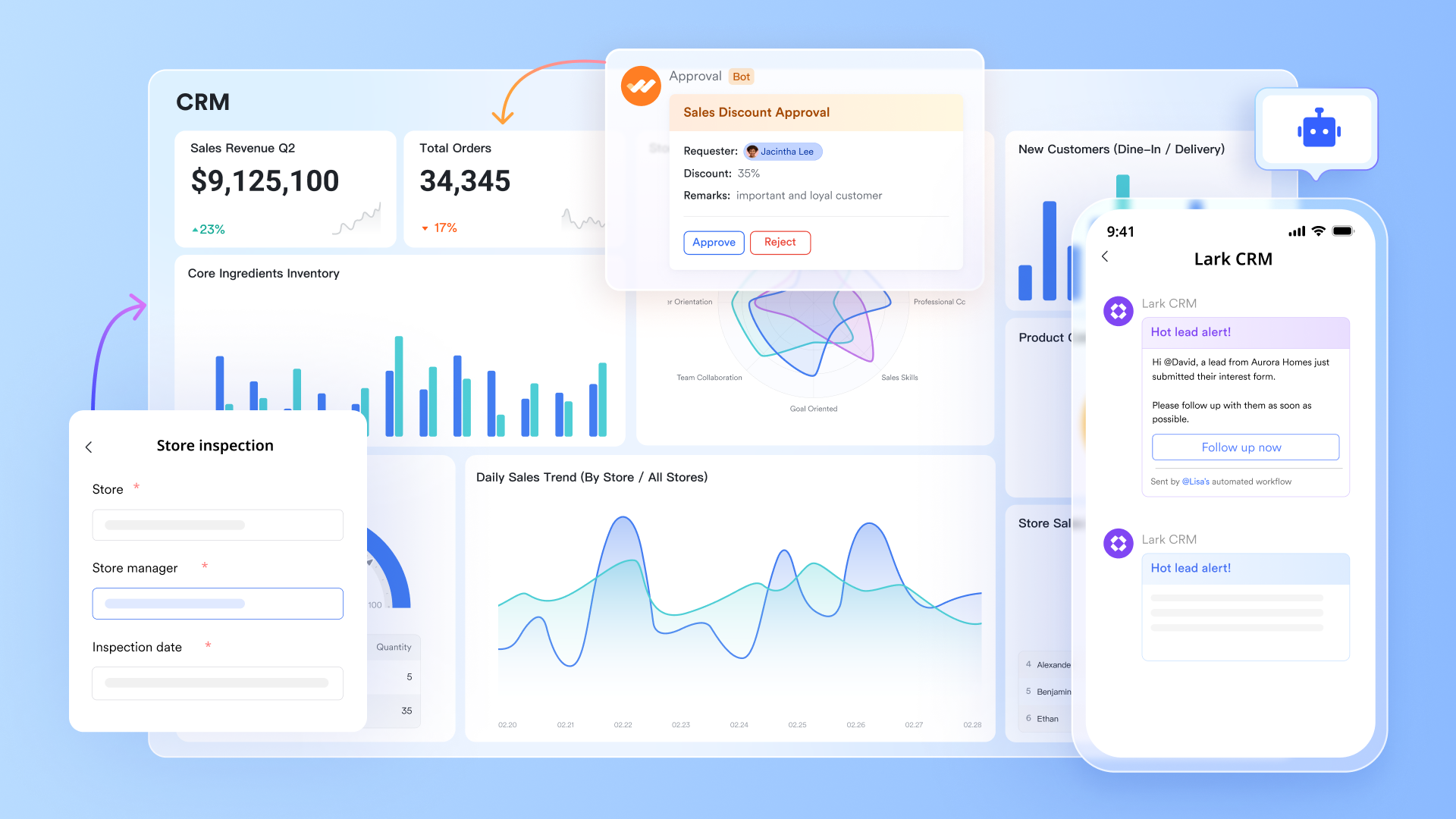
Lark Base & built-in dashboard: Visualize performance and progress in real time
Lark Base is a versatile data management platform within Lark that allows users to organize, present, and visualize data in a structured way. Its built-in dashboards give sales teams a complete snapshot of performance across all stages of the sales funnel. Managers can track company-wide KPIs such as total revenue, conversion rates, and deal velocity, while individual representatives can focus on their own targets and progress.
Dashboards can pull live data from Lark Base tables, displaying metrics like monthly sales growth, order completion rates, and client satisfaction trends. This live reporting eliminates the need for static spreadsheets or delayed reports, helping leaders make timely, data-backed decisions.
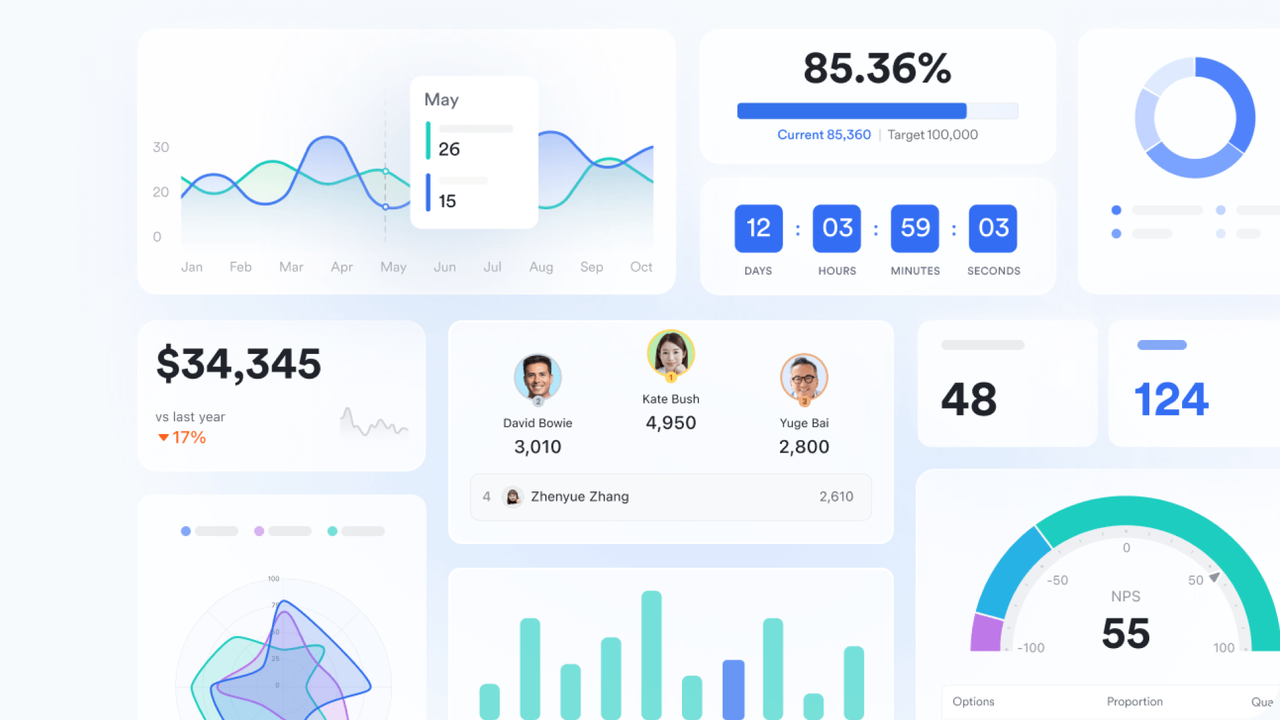
Multiple views on Lark Base: Flexible organization for every workflow
Every sales team operates differently, and Lark's multiple views give flexibility to visualize data in ways that make sense for the task at hand:
The Grid view organizes client lists, contact details, and order numbers in a clear, spreadsheet-like layout for easy analysis. Kanban view tracks deals through stages like Lead → Contacted → Proposal → Closed, helping teams spot bottlenecks quickly. Gantt view manages time-sensitive tasks such as contract timelines or campaign rollouts, keeping schedules aligned. Gallery view presents each deal or client as a visual card, ideal for high-value opportunities and strategic accounts. Together, these views give sales teams flexibility to manage pipelines, prioritize deals, and stay on top of performance.
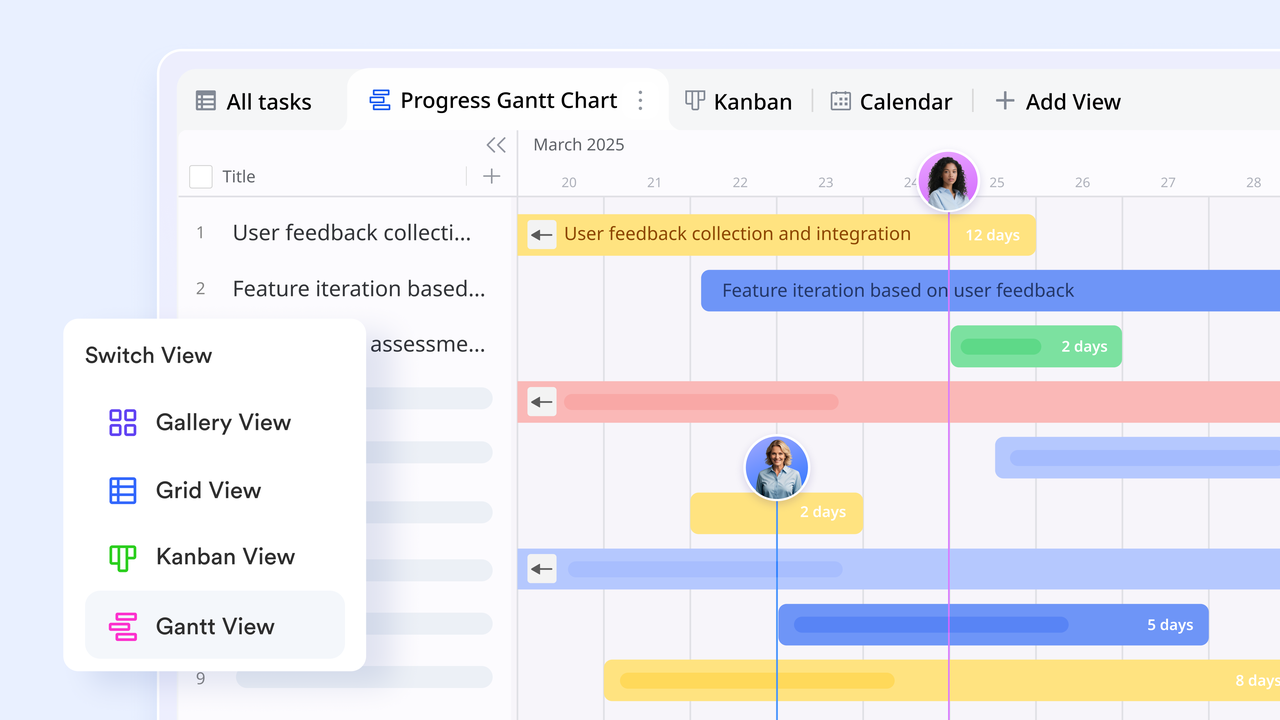
Automations: Eliminate manual tracking and boost speed
Repetitive administrative work slows down sales momentum. Lark Base's automations reduce this friction by triggering actions based on predefined conditions. For example, when a salesperson moves a deal from "Negotiation" to "Closed Won", Lark can automatically update the sales table, notify the account manager, and schedule a follow-up in Lark Calendar. Similarly, reminders can be sent before renewal deadlines or when client satisfaction scores drop below a threshold.
These automations not only keep the team informed but also maintain process consistency—ensuring every opportunity, update, or order transition is tracked without delays or manual oversight.
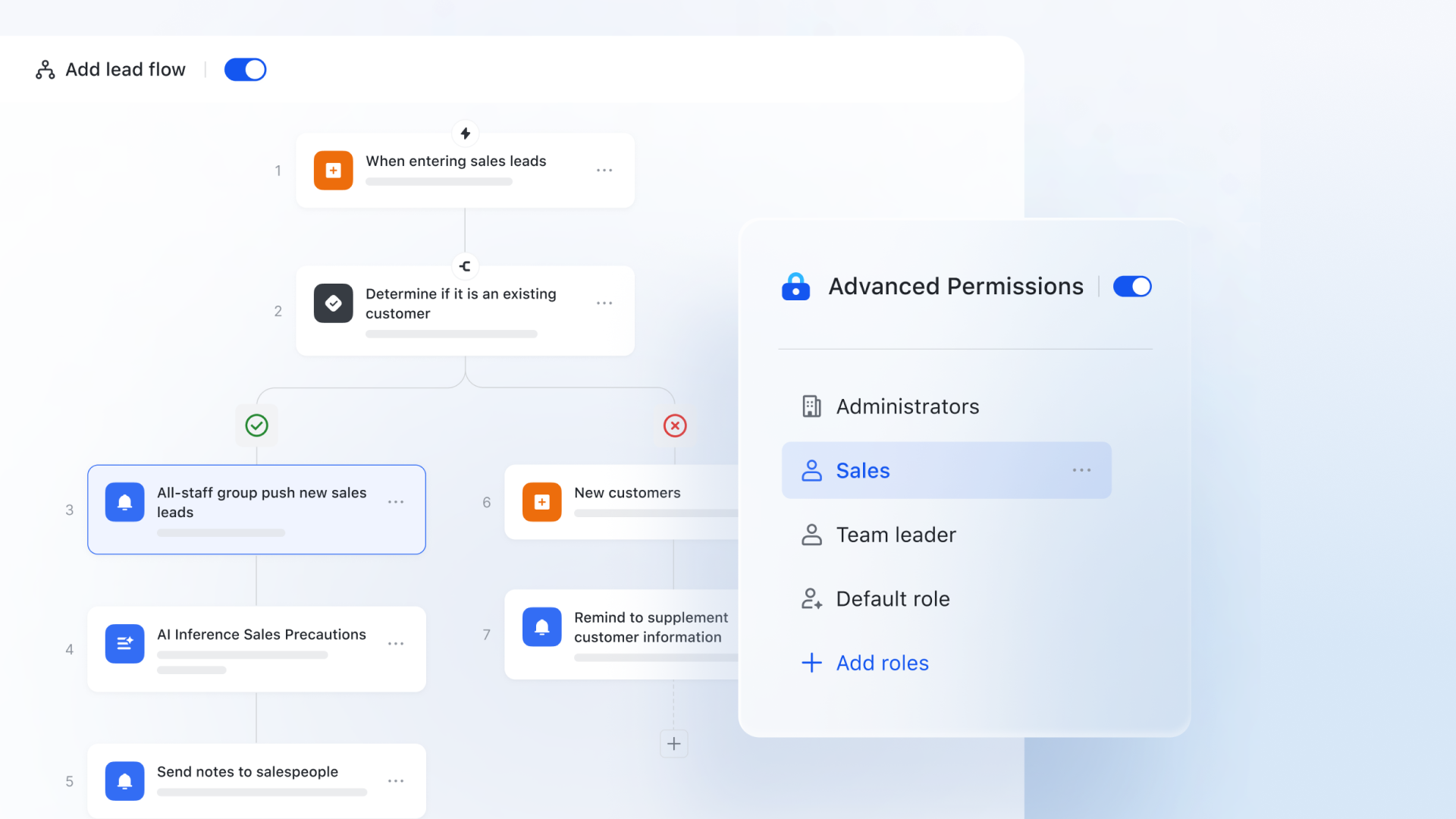
Lark Messenger: Turning ideas and communication into strategy
Beyond tools and automation, Lark connects people and data. Sales reps can discuss deals directly in Lark Messenger, link conversations to records in Base, or share real-time reports in a group chat for strategy sessions. This contextual collaboration ensures decisions are made based on live data, not outdated spreadsheets or scattered notes.
For instance, a regional sales manager preparing a quarterly review can pull insights from Dashboards, link order data from Base, and share the report instantly with the leadership team—all within Lark. This creates a feedback loop where every conversation and decision drives measurable improvement.
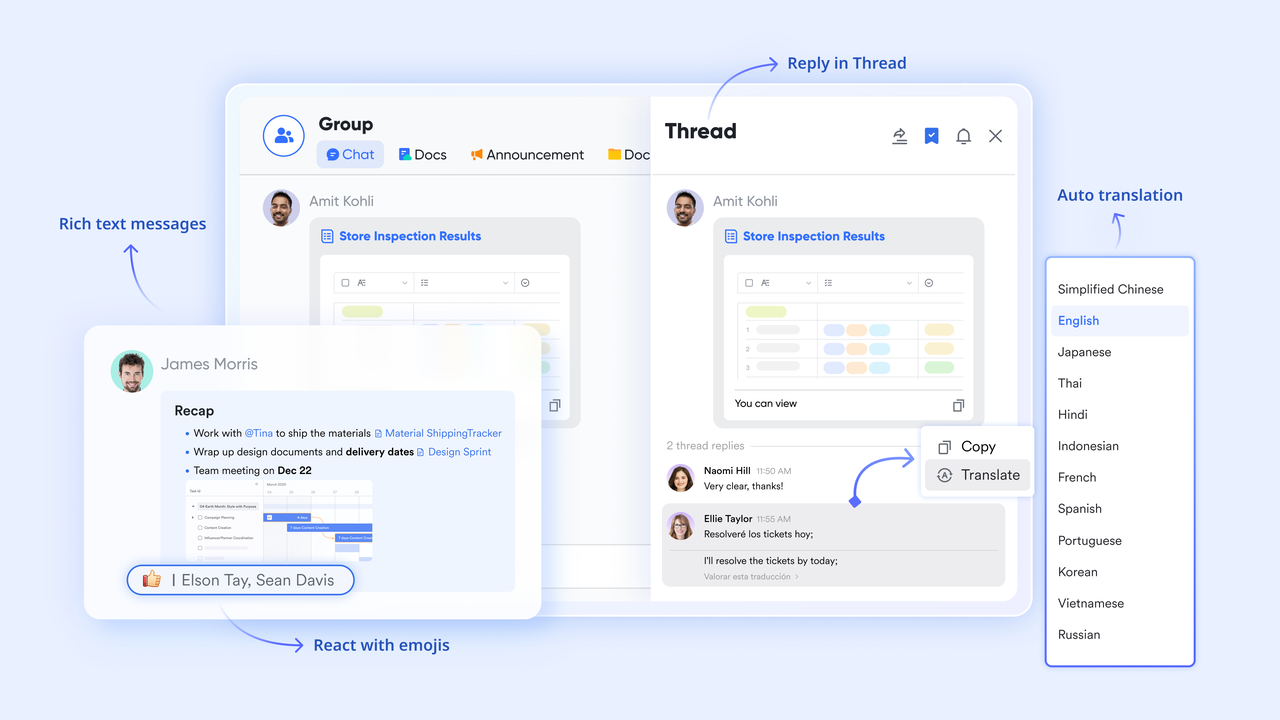
- Starter plan: Free forever plan that includes 11 powerful tools for up to 20 users. It also comes with 100GB of storage, 1000 automation runs, AI translations, and more.
- Basic plan: $6/user/month (billed annually) for up to 500 users. It includes everything in Starter plus group calling for up to 500 attendees, 5TB of storage, 1000 automation runs, and more.
- Pro plan: $12/user/month (billed annually) for up to 500 users. It includes everything in Starter plus group calling for up to 500 attendees, 15TB of storage, 50,000 automation runs, and more.
- Enterprise plan: Contact sales for custom pricing. Supports unlimited users and includes even more automation runs and advanced security, compliance, and management features.
2. Salesforce Sales Cloud: Best enterprise-grade CRM and sales management system
Salesforce Sales Cloud is a powerful, enterprise-level sales management system built to handle complex sales processes and large-scale data management. It offers advanced automation, AI-driven insights, and customizable workflows suited for fast-growing or global organizations. With deep integration across marketing, service, and operations, Salesforce ensures seamless data flow and customer visibility. Its scalability and robust ecosystem make it a leading choice for companies prioritizing performance and precision in sales execution.
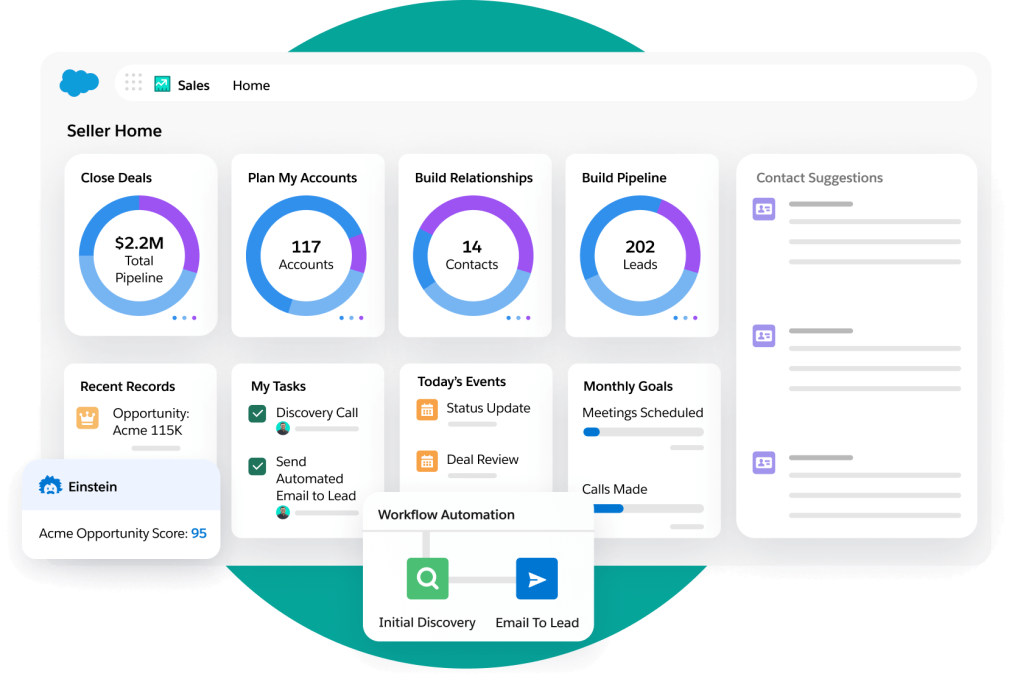
Image source: salesforce.com
Key features:
- Comprehensive lead, contact, and opportunity management for end-to-end visibility.
- AI-powered sales insights and predictive forecasting through Salesforce Einstein.
- Customizable dashboards and reports for data-driven decision-making.
- Extensive workflow automation and approval management.
- Integration with thousands of apps via the Salesforce AppExchange.
Pros:
- Highly customizable and scalable for enterprises.
- Advanced analytics and forecasting tools.
- Strong ecosystem with third-party integrations.
- Reliable support and continuous innovation.
Cons:
- Steep learning curve for new users.
- Higher cost compared to SMB-focused CRMs.
Pricing:
- Starter Suite: $25/user/month (billed annually) basic CRM features.
- Professional: $80/user/month complete sales automation and pipeline tools.
- Enterprise: $165/user/month advanced customization and AI insights.
- Unlimited: $330/user/month full feature access with premium support.
3. Freshsales (by Freshworks): Best for AI-powered lead scoring and workflow automation
Freshsales is an intuitive sales management system that blends CRM functionality with powerful automation and AI insights. Designed for growing teams, it helps streamline lead management, sales forecasting, and communication from a single dashboard. Its built-in Freddy AI assistant enhances lead prioritization and deal tracking, ensuring teams focus on high-value opportunities. With affordability and simplicity at its core, Freshsales is ideal for SMBs and mid-market teams.
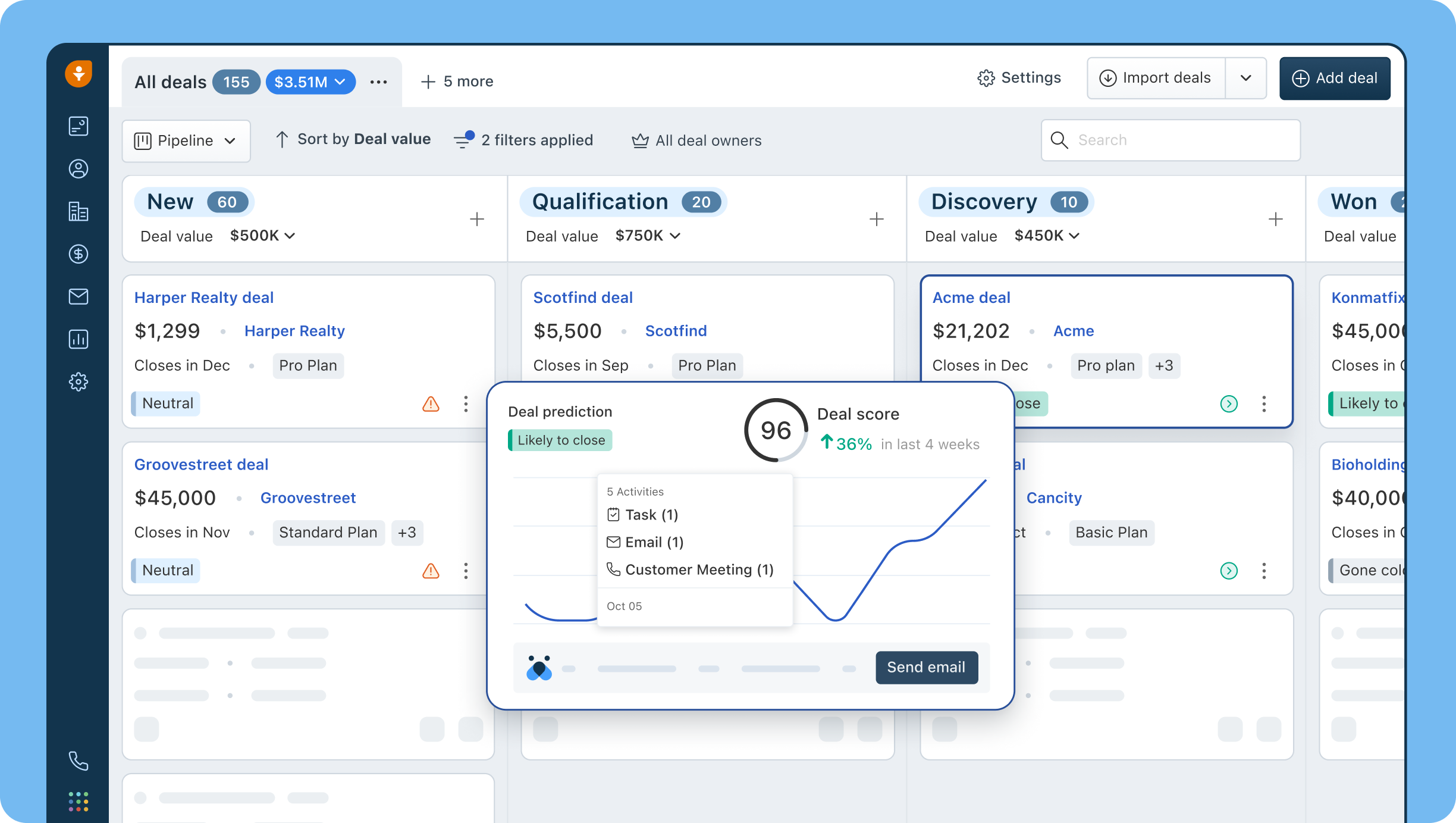
Image source: freshsales.com
Key features:
- Freddy AI for lead scoring and sales forecasting.
- Built-in phone, chat, and email for unified communication.
- Automated workflows for follow-ups and reminders.
- Customizable pipelines and drag-and-drop deal tracking.
- 360° customer view with interaction timelines.
Pros:
- Easy to use with minimal setup.
- Affordable and scalable pricing.
- Strong automation and AI features.
- Excellent customer support from Freshworks.
Cons:
- Limited advanced analytics on lower tiers.
- Fewer third-party integrations than enterprise CRMs.
Pricing:
- Free plan: Up to 3 users with basic CRM tools.
- Growth: $9/user/month.
- Pro: $39/user/month with advanced automation.
- Enterprise: $59/user/month with AI forecasting.
4. HubSpot Sales Hub: Best for inbound-driven sales management
HubSpot Sales Hub is built around the inbound methodology, making it perfect for businesses that attract and nurture leads through content and marketing. It connects seamlessly with HubSpot's marketing and service hubs for an all-in-one experience. The system automates outreach, manages pipelines, and tracks performance in real time—all with an easy-to-use interface. Ideal for SMBs and teams focused on inbound sales.
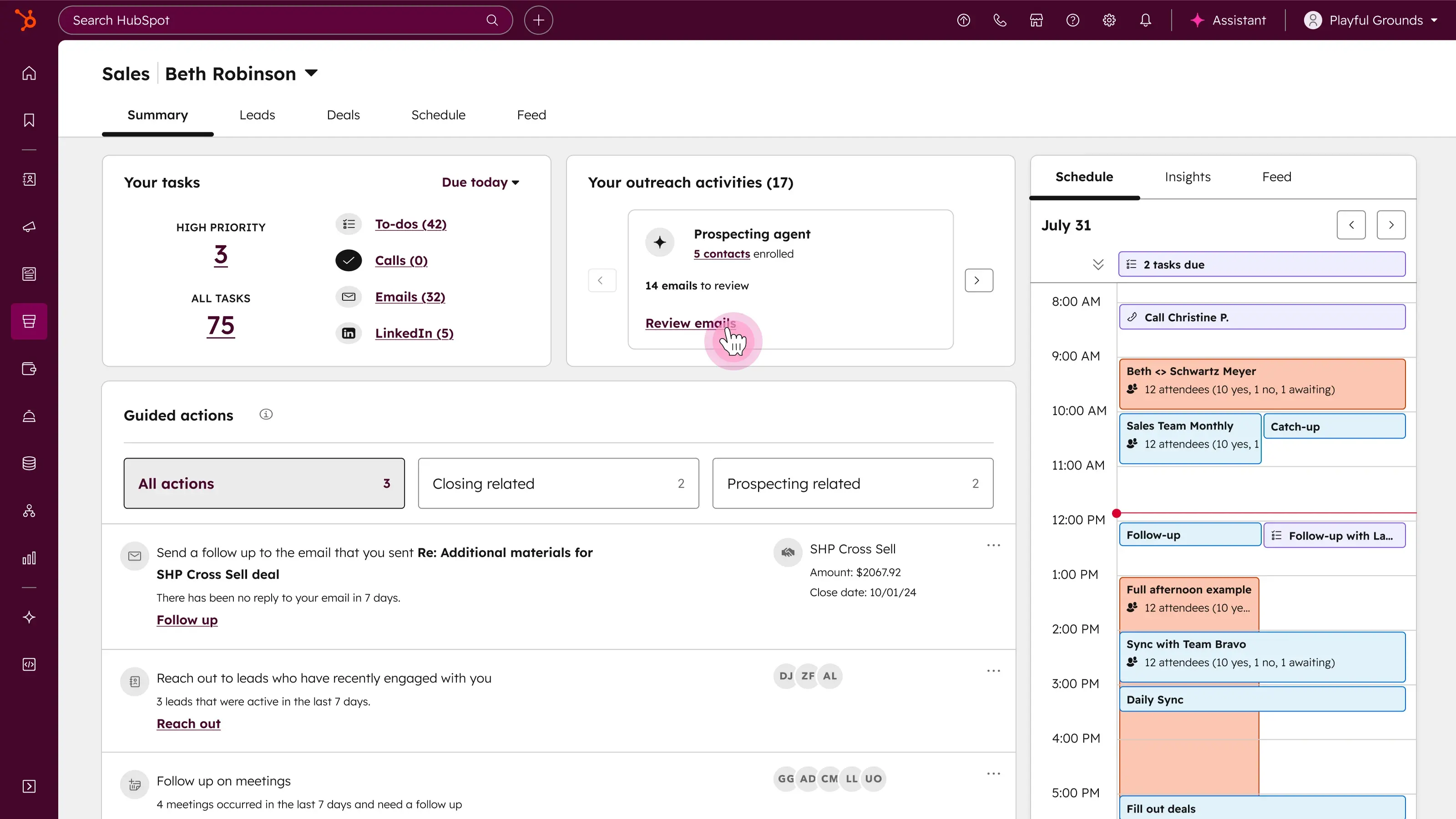
Image source: hubspot.com
Key features:
- Deal and pipeline management with drag-and-drop interface.
- Automated email sequences and follow-ups.
- Real-time email tracking and meeting scheduling.
- Integration with HubSpot CRM, Marketing, and Service Hubs.
- Sales analytics and performance dashboards.
Pros:
- Free CRM base with scalable paid upgrades.
- Smooth integration with marketing tools.
- Intuitive, beginner-friendly interface.
- Detailed reporting and contact tracking.
Cons:
- Premium features become expensive as teams grow.
- Limited customization options in lower plans.
Pricing:
- Free CRM: Core contact and deal management.
- Starter: $18/month (includes basic sales tools).
- Professional: $450/month (advanced automation).
- Enterprise: $1,200/month (custom reporting & permissions).
5. Zoho CRM: Best budget-friendly sales management software
Zoho CRM offers a cost-effective yet robust solution for managing leads, deals, and customer relationships. It's a favorite among small and midsize businesses looking for automation and flexibility without high costs. Zoho's AI assistant, Zia, provides intelligent recommendations, while its integrations and customization options make it adaptable to diverse industries.
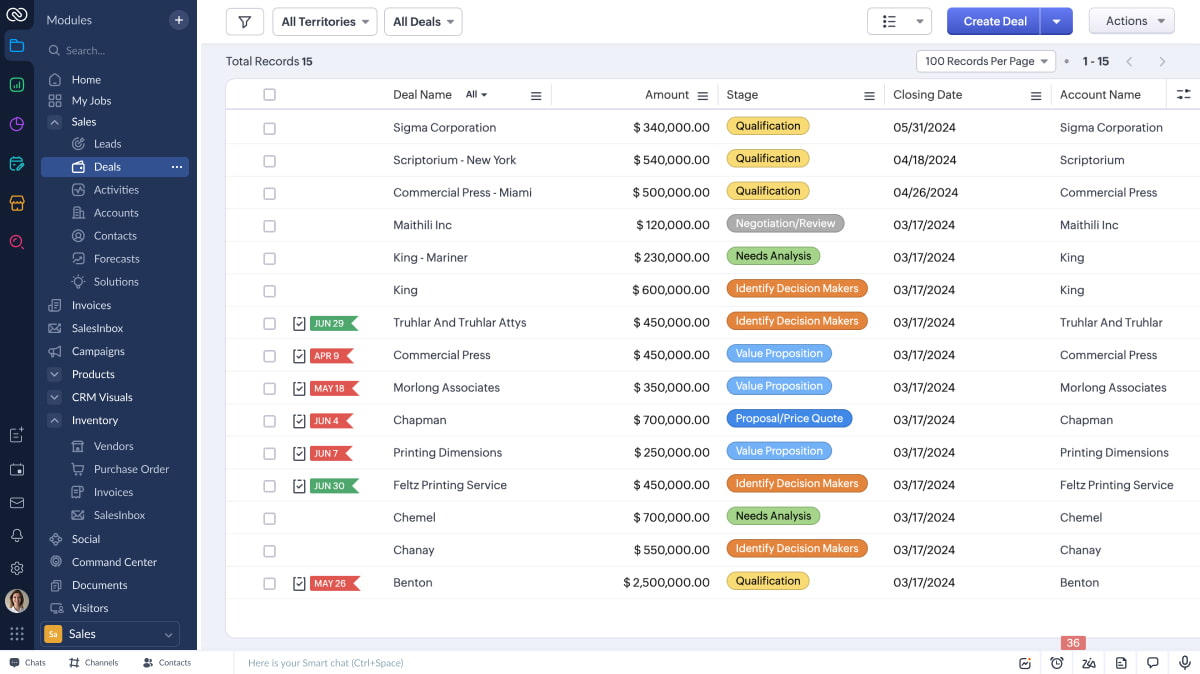
Image source: zoho.com
Key features:
- Lead and deal tracking with automation.
- Zia AI assistant for insights and forecasts.
- Omnichannel communication (email, chat, phone, social).
- Workflow automation and blueprint management.
- Real-time analytics and custom reports.
Pros:
- Very affordable pricing for feature depth.
- Strong automation and analytics features.
- Highly customizable dashboards and workflows.
- Large marketplace of Zoho and third-party apps.
Cons:
- UI can feel outdated compared to newer tools.
- Advanced features require setup time.
Pricing:
- Standard: $14/user/month.
- Professional: $23/user/month.
- Enterprise: $40/user/month.
- Ultimate: $52/user/month.
6. Pipedrive: Best for visual pipeline management
Pipedrive is a sales management system built with simplicity and visibility in mind. Its signature Kanban-style pipeline gives teams an at-a-glance view of deal progress. Designed for sales-first teams, it automates repetitive tasks, integrates with popular apps, and provides clear analytics to forecast revenue and performance.
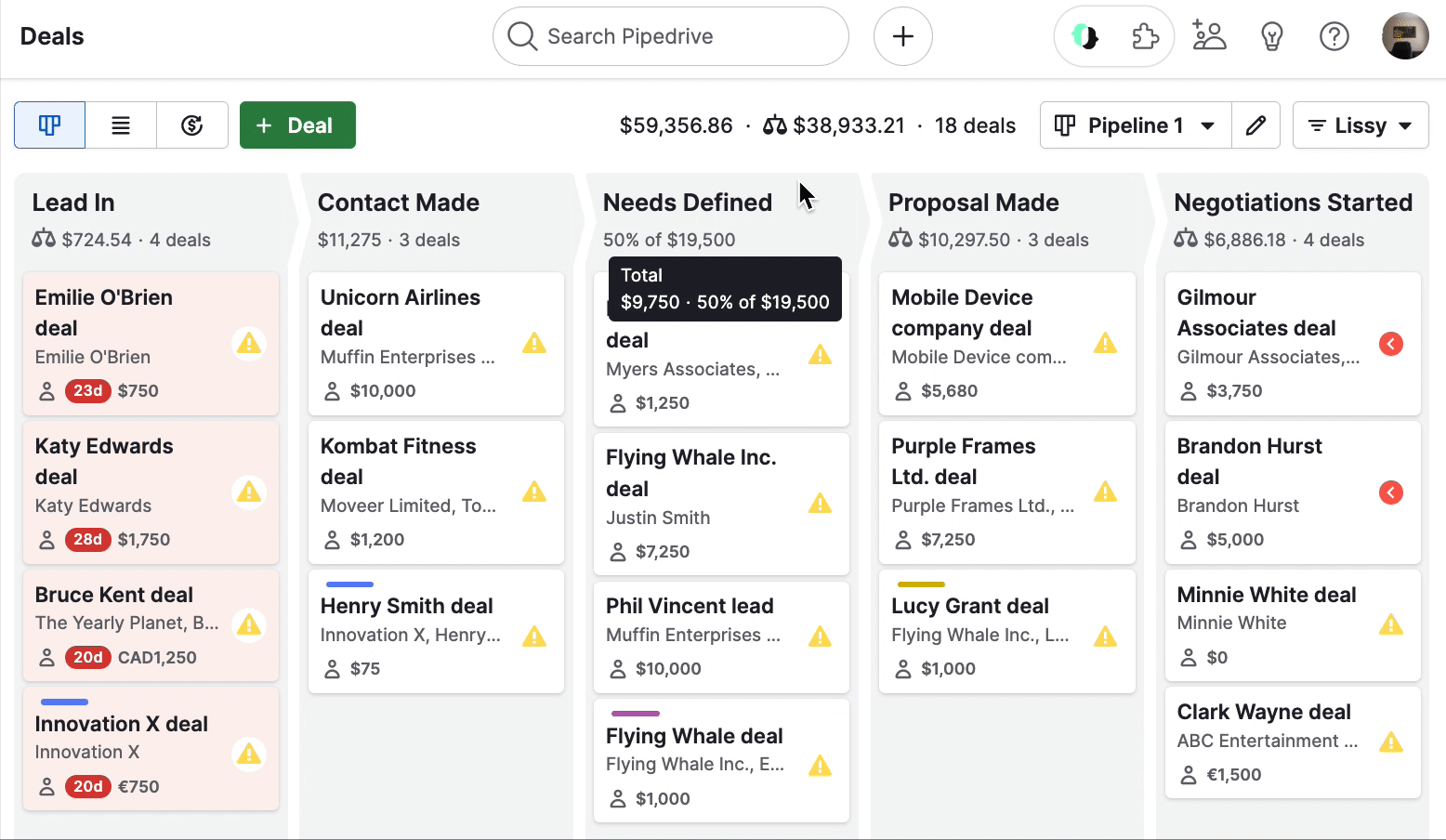
Image source: pipedrive.com
Key features:
- Visual, drag-and-drop sales pipelines.
- Email and activity tracking in one dashboard.
- Sales forecasting and goal tracking.
- Customizable stages, fields, and workflows.
- Integration with Gmail, Outlook, and Zapier.
Pros:
- Extremely user-friendly interface.
- Strong visual pipeline and analytics.
- Easy setup and quick onboarding.
- Great value for small and midsize teams.
Cons:
- Limited marketing automation features.
- Reporting less advanced than enterprise CRMs.
Pricing:
- Essential: $14.90/user/month.
- Advanced: $27.90/user/month.
- Professional: $49.90/user/month.
- Enterprise: $99/user/month.
7. Monday Sales CRM: Best for customizable sales pipelines
Monday Sales CRM, part of the Monday.com Work OS, offers flexibility and visual control for sales teams. It allows users to design custom boards and automate workflows tailored to their sales process. Ideal for teams that value adaptability, it combines CRM, task management, and collaboration in one place.
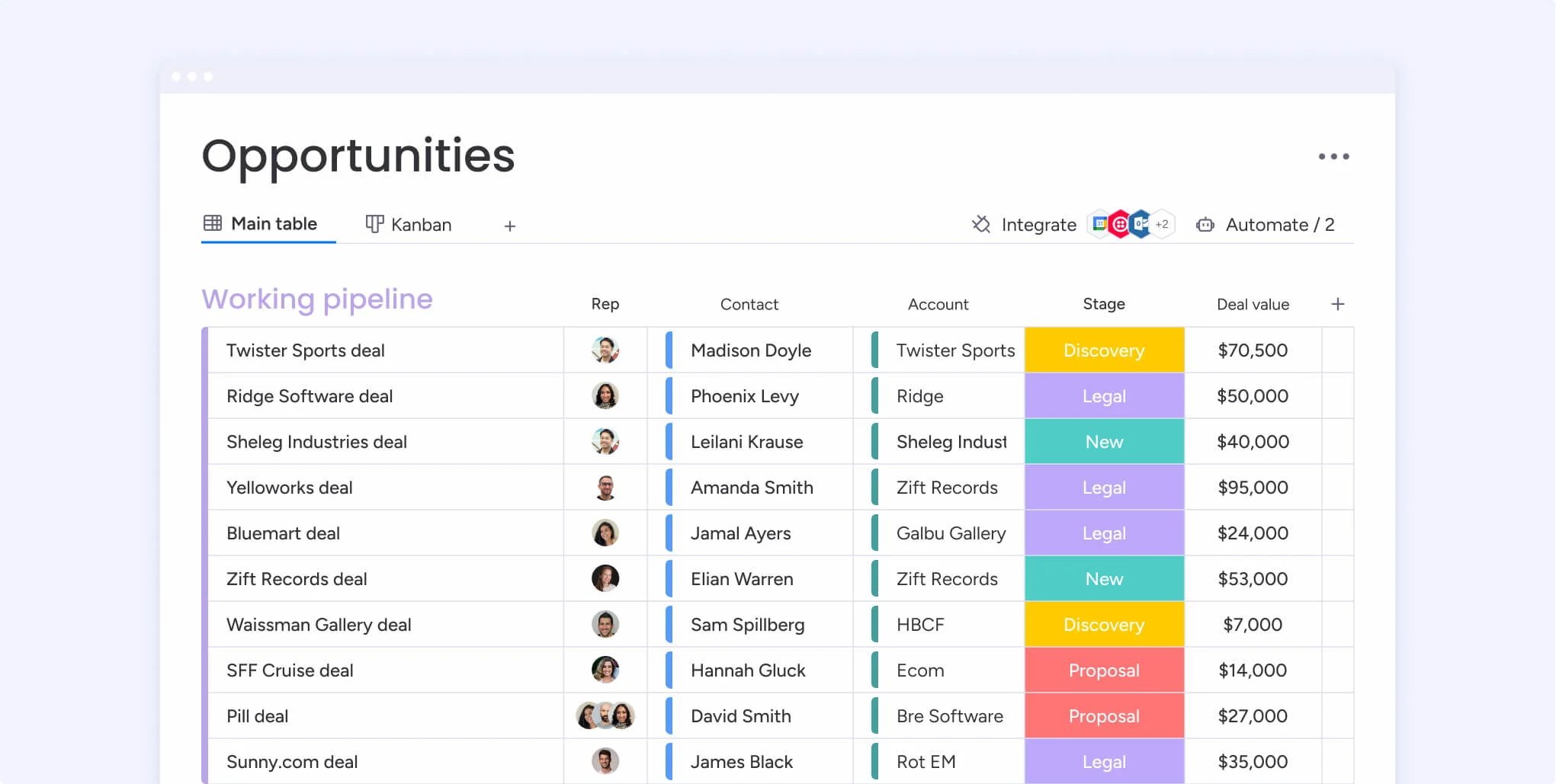
Image source: monday.com
Key features:
- Fully customizable pipelines and boards.
- Workflow automation for repetitive tasks.
- Deal tracking with integrated task management.
- Real-time dashboards and performance tracking.
- Integrations with Slack, Outlook, and Google Workspace.
Pros:
- Visually appealing and intuitive layout.
- High flexibility for unique workflows.
- Excellent collaboration features.
- Affordable and scalable pricing.
Cons:
- Lacks some advanced CRM-native analytics.
- Add-ons required for deeper automation.
Pricing:
- Basic: $12/seat/month.
- Standard: $14/seat/month.
- Pro: $24/seat/month.
- Enterprise: Custom pricing.
8. Nutshell CRM: Best for small to midsize teams focused on simplicity
Nutshell CRM is designed for small and medium-sized businesses that need an easy-to-use, no-frills system. It simplifies sales tracking, pipeline visualization, and reporting while promoting team collaboration. Its clean design and affordable plans make it an appealing choice for growing companies that value efficiency without complexity.
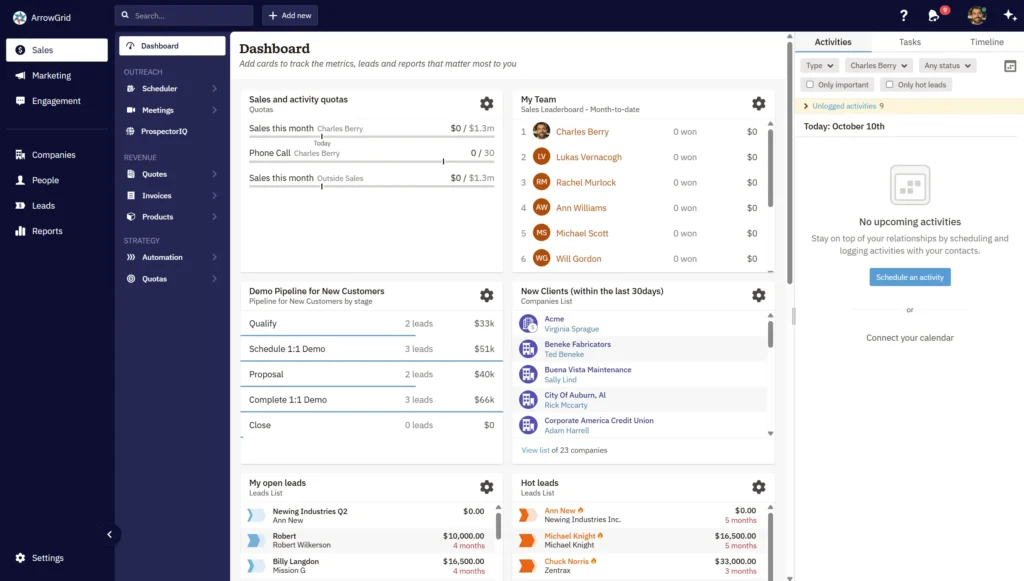
Image source: nutshell.com
Key features:
- Pipeline management with customizable stages.
- Contact and activity tracking in one place.
- Built-in email and marketing tools.
- Team collaboration with shared notes and reports.
- Integration with Google Workspace and Outlook.
Pros:
- Simple, user-friendly interface.
- Affordable with generous feature set.
- Quick setup and onboarding.
- Strong customer support reputation.
Cons:
- Lacks AI or predictive analytics.
- Limited scalability for large enterprises.
Pricing:
- Foundation: $16/user/month.
- Pro: $42/user/month.
9. Keap (formerly Infusionsoft): Best for small business automation
Keap combines CRM, sales, and marketing automation into a single platform. Tailored for small businesses, it helps teams capture leads, automate follow-ups, and manage invoices all in one place. Its focus on automation saves time and ensures no lead is lost in the process.
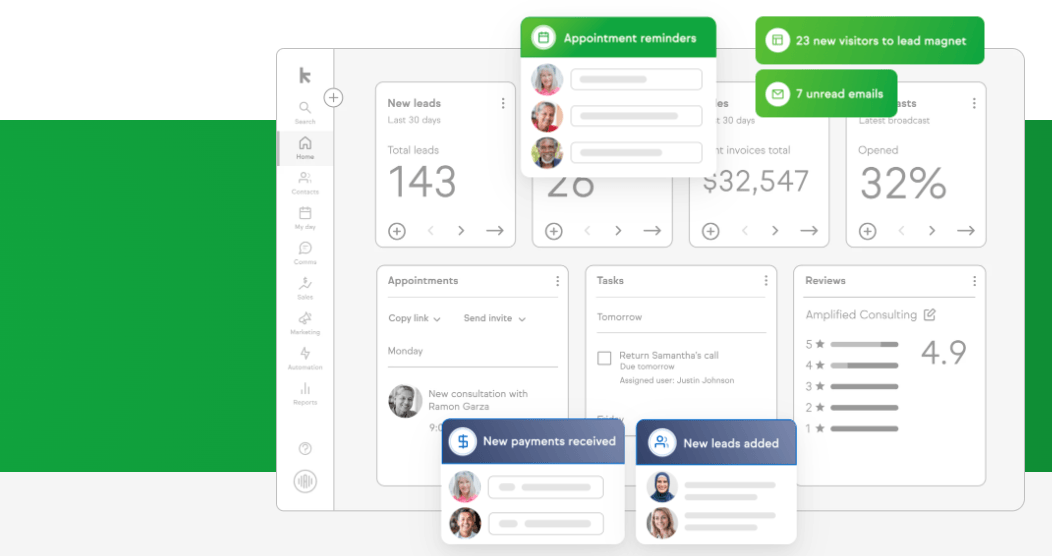
Image source: keap.com
Key features:
- CRM with built-in marketing automation.
- Lead capture forms and email sequences.
- Invoice and payment tracking.
- Pipeline management and reporting.
- Integration with eCommerce and payment tools.
Pros:
- Excellent for small business automation.
- Combines CRM, marketing, and payments.
- Easy to set up with templates.
- Responsive customer support.
Cons:
- Learning curve for advanced automation.
- Pricing higher than basic CRMs.
Pricing:
- Pro: $159/month (2 users included).
- Max: $229/month (3 users included).
- Custom add-ons available for scaling.
10. Insightly: Best for project-based sales tracking
Insightly bridges CRM and project management, making it ideal for service-based companies that manage both client relationships and deliverables. It helps track opportunities, assign tasks, and manage post-sale projects within a single system. With workflow automation and integrations, Insightly streamlines complex processes from sales to execution.
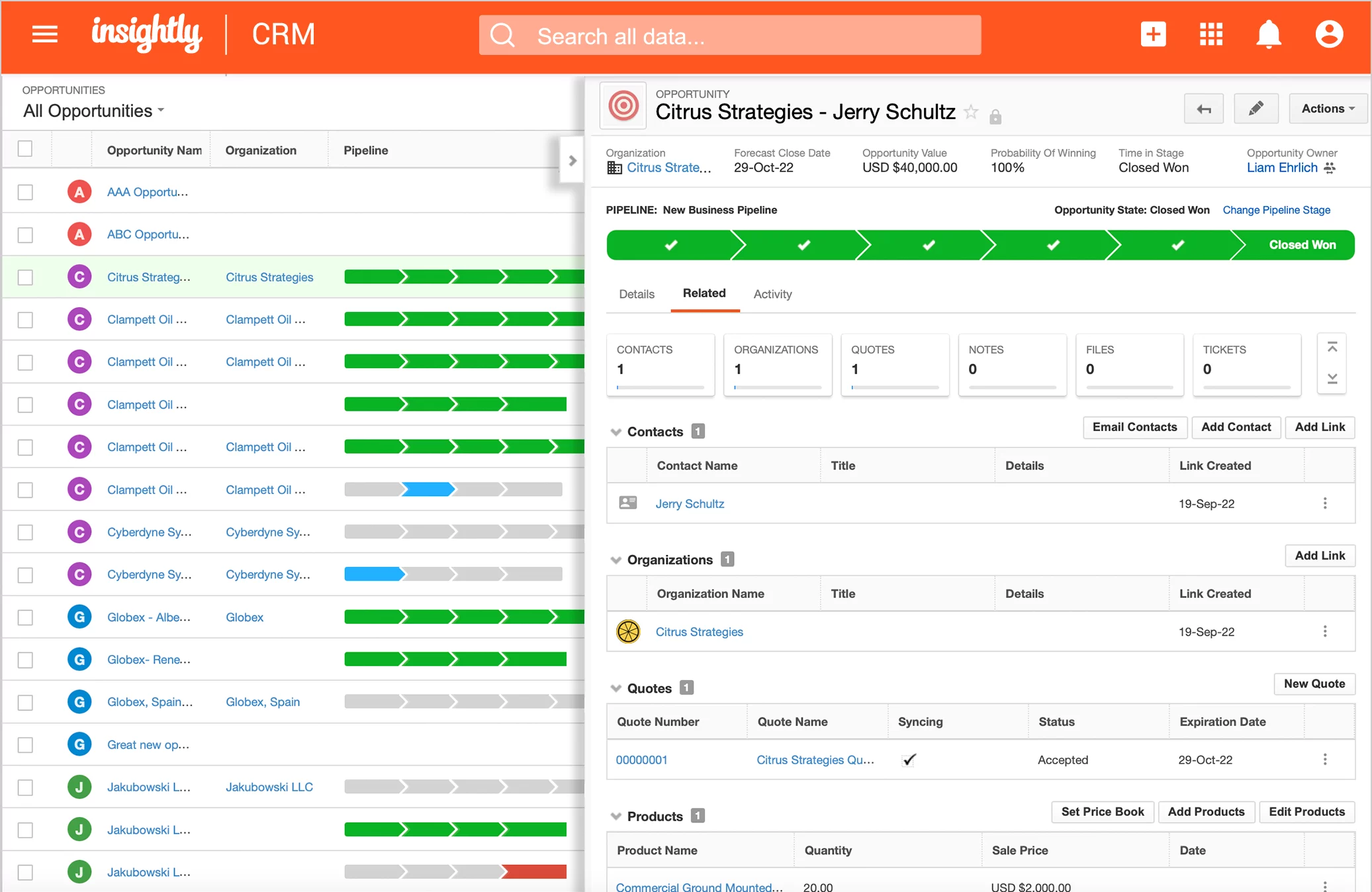
Image source: insightly.com
Key features:
- Unified CRM and project management modules.
- Lead, opportunity, and pipeline tracking.
- Workflow automation with custom rules.
- Task and milestone management.
- Integration with Google Workspace and Microsoft 365.
Pros:
- Ideal for teams handling project-based sales.
- Strong post-sale collaboration tools.
- Clean, easy-to-use interface.
- Good reporting and automation capabilities.
Cons:
- Limited customization in lower tiers.
- Slightly higher cost for advanced features.
Pricing:
- Plus: $29/user/month.
- Professional: $49/user/month.
- Enterprise: $99/user/month.
Key features of a great sales management system you should look for
A great sales management system goes beyond basic contact tracking—it empowers teams to manage relationships, visualize progress, and make data-driven decisions. The right features help streamline workflows, boost collaboration, and improve sales forecasting accuracy. Here's what you should look for when evaluating your next system:
- Lead and contact management: A strong CRM core is essential for storing and organizing customer data. It allows teams to capture, track, and nurture leads through every stage of the funnel. Centralized contact records ensure consistency and help sales reps personalize communication effectively.
- Pipeline visualization (Kanban or funnel views): Visual pipelines give teams instant insight into deal progress and potential bottlenecks. Kanban or funnel-style views make it easy to move deals through stages and monitor success rates. This clarity helps managers forecast more accurately and prioritize high-value opportunities.
- Task and follow-up automation: Automation eliminates repetitive tasks like reminders, status updates, and follow-up emails. By triggering actions based on deal movements or time intervals, the system keeps workflows running smoothly. This ensures that no opportunity slips through the cracks due to manual oversight.
- Performance dashboards and reporting: Dashboards provide real-time visibility into sales performance and KPIs. Teams can track metrics like deal value, conversion rates, and revenue growth. Visual reporting helps managers make informed decisions, identify trends, and improve strategy.
- Document management and approval tracking: Built-in document storage and version control simplify handling proposals, quotes, and contracts. Approval workflows ensure the right people review and sign off on key documents quickly. This reduces delays and maintains compliance across teams.
- Integration with communication and email tools: A good sales management system connects seamlessly with tools like Gmail, Outlook, or Slack. This integration keeps communication organized within the platform, reducing switching between apps. It also ensures all sales conversations are tracked and logged automatically.
- Forecasting and goal tracking: Accurate forecasting tools help predict revenue and measure progress toward sales targets. Goal tracking features allow managers to set, monitor, and adjust team objectives in real time. Together, they enable better planning and proactive decision-making.
Benefits of using a sales management system
Implementing a sales management system helps organizations streamline operations, improve team coordination, and make smarter business decisions. By centralizing data and automating workflows, it removes inefficiencies that slow down the sales process and ensures teams stay aligned toward shared goals. Here are the key benefits that make these systems indispensable:
- Centralized customer and deal data: All client information, deal history, and communication records are stored in one unified platform. This eliminates data silos and ensures teams always work with accurate, updated details. It also makes tracking relationships and opportunities simpler and more consistent.
- Real-time collaboration between departments: Sales, marketing, and operations can access shared data instantly, promoting transparency and teamwork. With integrated tools for messaging, file sharing, and updates, collaboration becomes smoother and faster. Everyone stays aligned without relying on long email threads or delayed reports.
- Faster approvals and fewer communication gaps: Automated notifications and approval workflows ensure that quotes, discounts, or contracts move quickly through the pipeline. This reduces back-and-forth communication and shortens turnaround times. Teams can respond to client needs promptly, improving customer experience and deal velocity.
- Improved forecasting and performance insights: Dynamic dashboards and analytics tools help visualize trends, predict revenue, and measure sales performance. Managers gain actionable insights into team productivity and deal success rates. These insights support better planning and goal setting for future growth.
- Automated workflows that save time and reduce errors: Routine administrative tasks like lead assignment, follow-ups, and reporting are handled automatically. This minimizes human error and ensures process consistency across the team. Automation frees up valuable time for sales reps to focus on building relationships and closing deals.
Conclusion
A well-chosen sales management system can redefine how your team operates turning fragmented workflows into a seamless, data-driven process. By centralizing customer information, automating repetitive tasks, and offering real-time visibility into performance, these tools empower teams to sell smarter and faster. Whether you're a startup managing a few deals or an enterprise handling complex pipelines, a strong system improves collaboration, forecasting accuracy, and decision-making. Platforms like Lark go a step further by combining communication, analytics, and automation within one connected workspace. The result is a streamlined, performance-focused sales operation where teams spend less time managing systems and more time closing deals and building lasting customer relationships.
FAQs
What's the difference between a CRM and a sales management system?
A CRM focuses on managing customer relationships and communication, while a sales management system covers the entire sales process from lead tracking and pipeline management to forecasting and team performance analysis.
How can automation improve sales management?
Automation streamlines repetitive tasks such as follow-ups, reminders, and data entry. It helps sales teams stay organized, respond faster, and focus more on building relationships and closing deals.
Are sales management systems suitable for small businesses?
Yes. Many modern systems offer affordable, scalable plans that help small businesses manage leads, automate workflows, and track performance without heavy setup or cost.
Can a sales management system integrate with marketing or inventory tools?
Most platforms integrate seamlessly with marketing automation, ERP, and inventory management tools—ensuring data consistency and better operational alignment.
How can sales managers measure performance effectively?
Through dashboards and analytics that track KPIs like revenue growth, deal velocity, win rates, and conversion ratios. Real-time reporting enables timely decisions and continuous improvement.
Related reading
Table of contents
Start using Lark today

Manage all your work in one place
Boost team efficiency by 10x
Save up to 70% on software costs
Table of contents
Start using Lark today
Manage all your work in one place
Boost team efficiency by 10x
Save up to 70% on software costs
Keep reading









2026 Lark Technologies Pte. Ltd.
Headquartered in Singapore with offices worldwide.






Explore: