














Territory Management: Meaning, Best Practices, and Top Tools

Ryan Tanner
Product Marketing Specialist
Sep 18, 2026
Ryan Tanner
Sep 18, 2026

19 min read


Managing territories effectively is key to achieving balanced workloads, stronger sales performance, and better customer coverage. Yet, many sales teams still struggle with outdated spreadsheets, limited visibility, and manual planning. Territory management today is no longer just about drawing boundaries, it's about aligning teams, data, and strategy to maximize results. In this guide, we'll explore what territory management means, why it matters, best practices for success, and the top tools that help modern teams stay coordinated. You'll also discover an all-in-one workspace, simplifies territory planning and performance tracking through connected data, collaboration, and automation.
Here is the list of the tools we will explore in the post:
1. Lark: All-in-one workspace for collaborative territory management
2. Salesforce Territory Management: Enterprise-grade account and territory mapping
3. Pipedrive: Visual sales and territory mapping for SMBs
4. Badger Maps: Route optimization and field sales territory management
5. HubSpot Sales Hub: CRM and territory segmentation for growing teams
6. Forma.ai: AI-driven territory and quota optimization
7. CaptivateIQ: Automated territory and incentive planning platform
8. Xactly AlignStar: Territory design and realignment visualization tool
9. Zoho CRM: Flexible and affordable territory management for SMBs
10. Geopointe: Territory mapping and analytics within Salesforce

What is sales territory management?
Sales territory management is the process of organizing and overseeing how sales teams cover specific regions, industries, or customer segments to maximize efficiency and revenue. It involves defining clear territorial boundaries, assigning sales representatives to those areas, and ensuring balanced workloads and fair opportunity distribution. Effective territory management aligns sales resources with market potential—preventing overlap, reducing internal competition, and improving customer coverage.
It also helps teams track performance by geography or account, identify underperforming regions, and make data-driven adjustments. Modern territory management goes beyond static maps or spreadsheets—it integrates CRM data, analytics, and automation to streamline planning, execution, and performance tracking. By managing territories strategically, organizations can boost sales productivity, enhance customer relationships, and achieve predictable growth.
Why territory management matters for sales success
Effective territory management isn't just about dividing regions—it's about driving alignment, focus, and measurable growth. When done right, it ensures teams work strategically, customers receive consistent attention, and business goals turn into tangible results.
- Aligns sales teams with organizational goals: Territory management ensures every rep's efforts directly contribute to the company's strategic objectives. By defining clear coverage areas, teams stay focused on the right markets and shared performance targets.
- Helps allocate resources efficiently based on geography, industry, or revenue potential: It allows managers to assign sales reps where demand and opportunity are highest. This balanced distribution maximizes sales potential while minimizing wasted effort and travel costs.
- Reduces internal competition and overlap: With well-defined boundaries, multiple reps don't pursue the same leads or clients. This clarity prevents confusion, promotes accountability, and strengthens team harmony.
- Enhances customer experience with clear ownership and response time: Customers know exactly who to contact for support or deals within their region. Faster response times and stronger relationships lead to higher satisfaction and retention.
- Supports better forecasting and performance measurement: Organized territories make it easier to analyze sales data and predict revenue trends. Managers can identify strong or weak regions and plan corrective actions quickly.
Core components of effective territory management
Successful territory management relies on structured planning, clear accountability, and continuous performance monitoring. Each component plays a crucial role in ensuring teams stay coordinated, data-driven, and aligned with business goals.
- Territory design: This involves defining boundaries based on geography, customer segment, or market potential. A well-designed structure ensures balanced workloads and maximized market coverage.
- Territory assignment: Once territories are defined, reps or teams are strategically assigned to specific regions or accounts. This clarity prevents overlap and ensures every customer receives dedicated attention.
- Performance tracking: Managers monitor KPIs such as revenue growth, win rate, and conversion efficiency per territory. These insights help identify top-performing areas and those needing realignment or support.
- Data visualization: Dashboards provide a visual overview of performance across territories. They make trends, coverage gaps, and opportunities easy to spot and act on.
- Communication and collaboration: Centralizing updates, strategies, and discussions keeps everyone aligned. It ensures sales, marketing, and management teams make informed, unified decisions in real time.
Quick overview of top 10 territory management software
Top 10 territory management tools
1. Lark: All-in-one workspace for collaborative territory management
Sales territory management isn't just about mapping regions; it's about keeping teams aligned, data organized, and goals measurable. Traditional tools handle mapping and quotas, but they often fall short when it comes to collaboration and real-time updates. Lark bridges that gap by connecting people, data, and daily workflows inside one shared workspace, ensuring every territory decision translates smoothly into coordinated action.
Lark Base: Structure your territory data for visibility and performance
Lark Base acts as your dynamic territory database. Teams can store all key information from regional boundaries and assigned reps to sales performance metrics in one place. You can create filtered views by region, industry, or revenue size, visualize coverage in Kanban or grid formats, and build automated dashboards to track performance. When territories need realignment, updates made in Base reflect instantly across connected tasks and documents, keeping everyone on the same page. Unlike static spreadsheets, Lark Base turns territory data into a live, interactive system that grows with your team.

Lark Docs: Build, share, and update territory plans collaboratively
Territory strategies evolve, and Lark Docs ensures that documentation always stays up to date. Teams can co-create sales territory plans, standard operating procedures, or coverage policies in real time. Regional managers and sales leaders can leave comments, make edits simultaneously, and maintain full version control for transparency. Once finalized, approved documents can be published to Lark Wiki for organization-wide access. This ensures that every rep from field sales to leadership refers to the latest, approved version of the plan, reducing confusion and misalignment across territories.
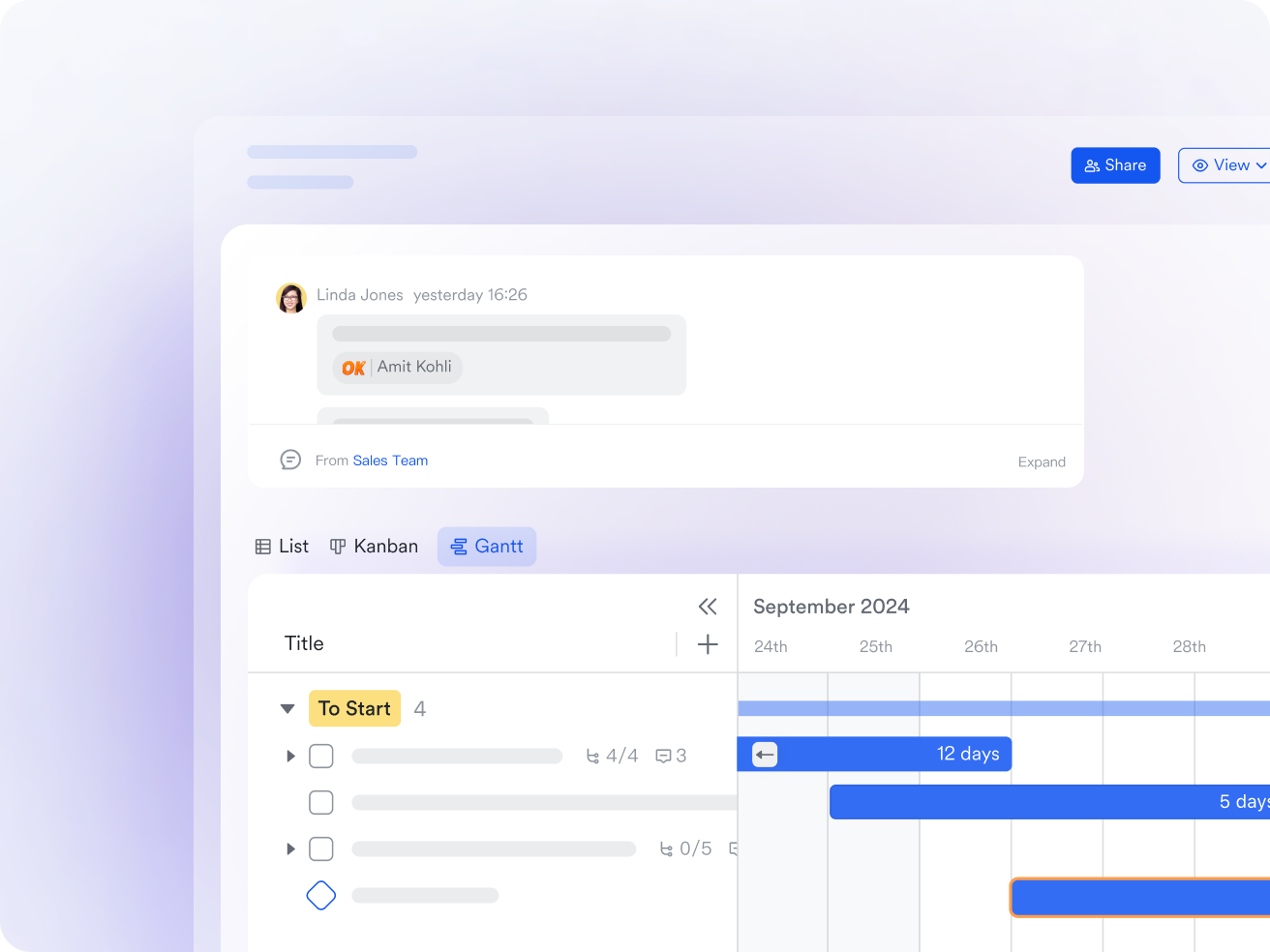
Lark Tasks: Assign ownership and track territory actions
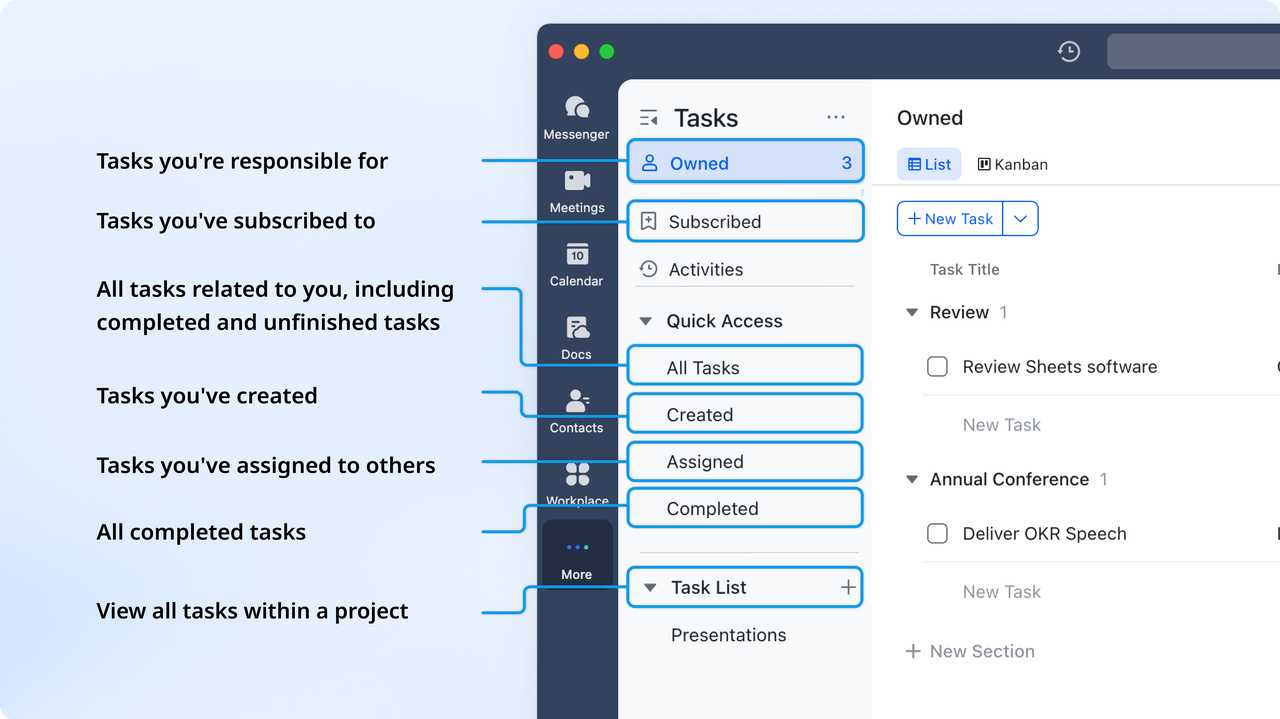
Once territories are defined, execution is everything. Lark Tasks makes it easy to assign responsibilities, whether it's updating customer lists, following up on regional leads, or preparing performance reports. Each task can be linked directly to a region or account, with precise due dates, owners, and progress tracking. With generated dashboards, Tasks provide a clear view of which territories are on track and where additional focus is required. This accountability-driven system ensures no region is overlooked and every activity is tied back to measurable outcomes.
Lark Messenger: Keep communication aligned across regions
Fragmented communication is one of the biggest barriers in territory management. Lark Messenger solves this by centralizing all discussions in one space, directly linked to relevant data or documents. Sales teams can set up chat groups for specific regions or territories, share updates, attach reports, and tag team members for quick responses. Instead of switching between emails, chat apps, and CRMs, everyone collaborates in context meaning fewer miscommunications and faster decisions when adjusting strategies or resolving conflicts.

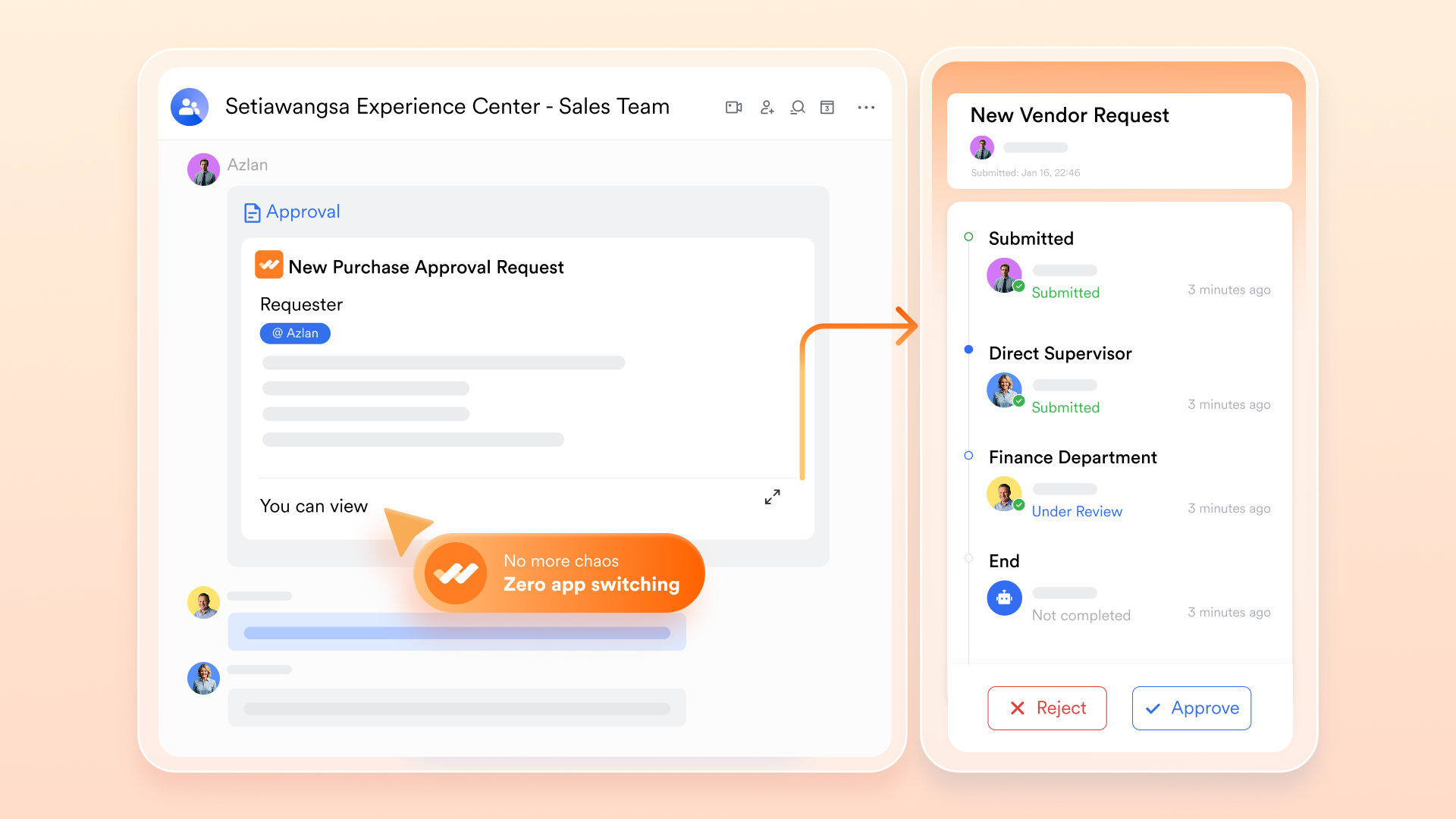
Lark Approval: Simplify territory changes and approval workflows
Approvals are a major part of territory management especially when reassigning accounts, adjusting quotas, or updating regional boundaries. Lark Approval automates this process with customizable workflows. Managers can set rules for territory change requests, assign reviewers, and receive instant notifications for sign-offs. All approval histories are logged, ensuring traceability and compliance. What once required long email threads can now be done in a few clicks, saving time while maintaining complete oversight.
- Starter plan: Free forever plan that includes 11 powerful tools for up to 20 users. It also comes with 100GB of storage, 1000 automation runs, AI translations, and more.
- Pro plan: $12/user/month (billed annually) for up to 500 users. It includes everything in Starter plus group calling for up to 500 attendees, 15TB of storage, 50,000 automation runs, and more.
- Enterprise plan: Contact sales for custom pricing. Supports unlimited users and includes even more automation runs and advanced security, compliance, and management features.
2. Salesforce Territory Management: Enterprise-grade account and territory mapping
Salesforce Territory Management is designed for large organizations with complex hierarchies and global sales operations. It helps businesses define and manage territories using rule-based models, ensuring accounts and leads are assigned efficiently. The system provides deep analytics, forecasting, and alignment with sales objectives. Ideal for enterprises already using Salesforce CRM for seamless integration.
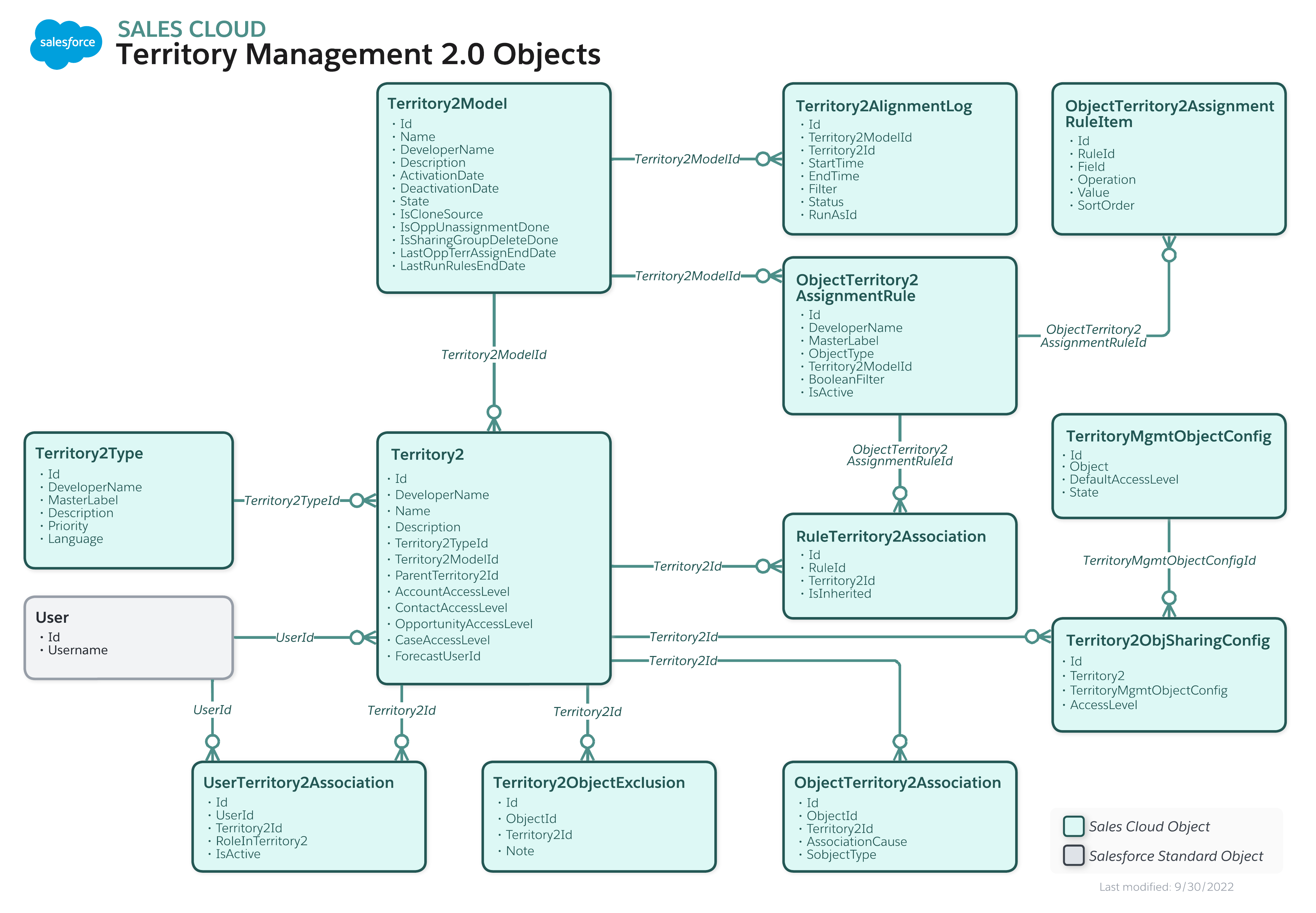
Image source: salesforce.com
Key features:
- Rule-based territory design by geography, size, or industry
- Automated account and lead assignment
- Forecasting and performance analytics
- Territory visualization and mapping
- Integration with Salesforce workflows and CRM data
Pros:
- Highly customizable for complex organizations
- Strong analytics and forecasting capabilities
- Automates routing and segmentation
- Deep integration within Salesforce ecosystem
Cons:
- Requires experienced setup and administration
- Costly for small to medium businesses
Pricing:
- Maps add-on: From $75/user/month (annual billing)
- Maps Advanced: From $150/user/month
- Additional Salesforce CRM licensing applies
3. Pipedrive: Visual sales and territory mapping for SMBs
Pipedrive offers a simple, intuitive platform for small and mid-sized businesses to manage sales pipelines and territories visually. With mapping integrations and territory segmentation, it enables teams to focus on high-potential regions. It's easy to set up, making it ideal for businesses seeking clarity and efficiency without enterprise complexity.
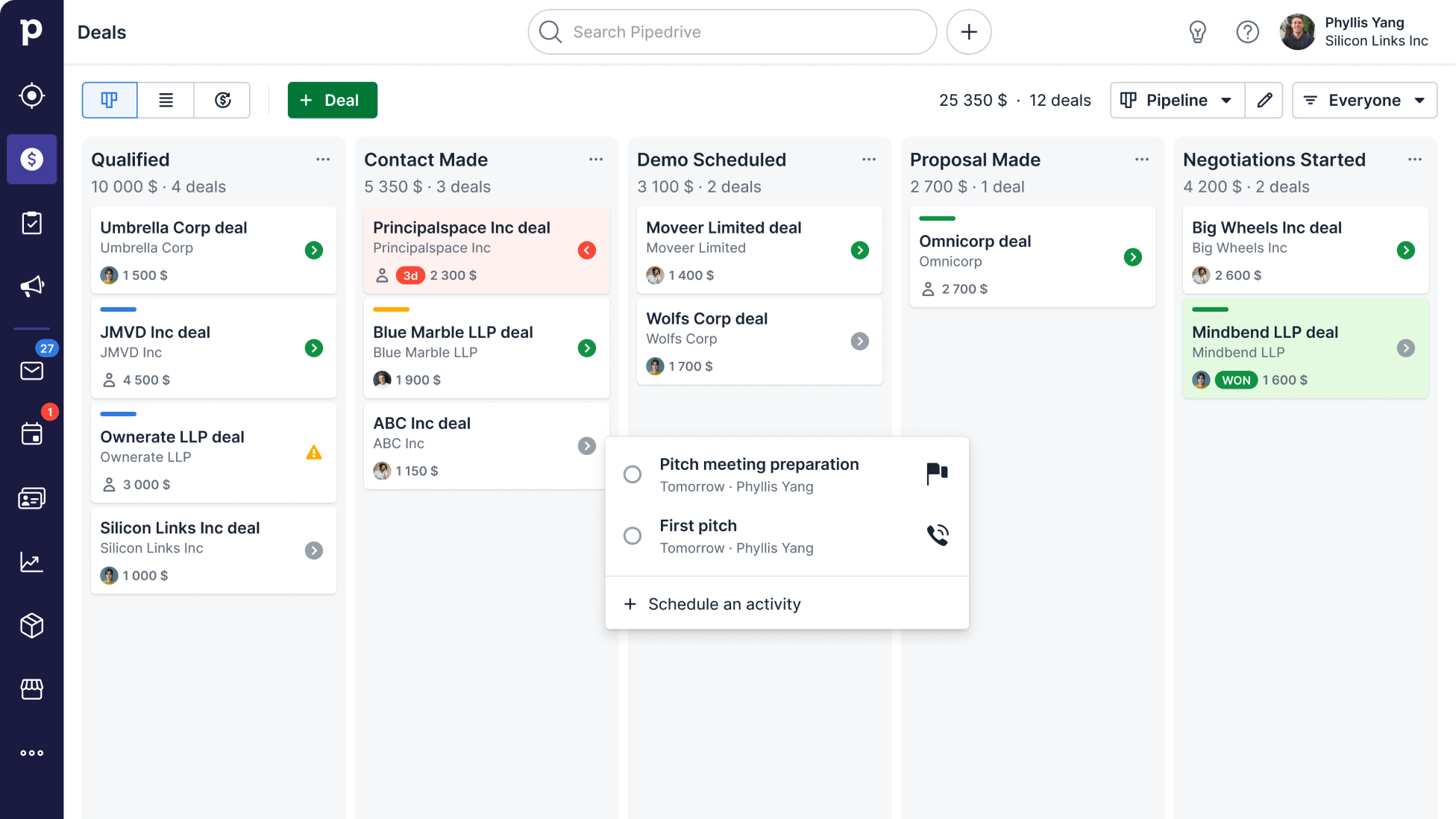
Image source: pipedrive.com
Key features:
- Visual pipeline tracking by region or territory
- Territory-based performance reporting
- Role-based access and assignment
- Map visualization and filtering
- CRM and Google Maps integration
Pros:
- Simple interface and fast onboarding
- Affordable and scalable for SMBs
- Great for visual sales management
- Customizable reporting and workflows
Cons:
- Limited automation for advanced teams
- Fewer enterprise-level analytics features
Pricing:
- Essential plan: From $14.90/user/month (annual billing)
- Advanced plan: From $27.90/user/month
- Professional plan: From $49.90/user/month
4. Badger Maps: Route optimization and field sales territory management
Badger Maps focuses on empowering field sales teams through route optimization and visual territory management. It helps sales reps plan efficient travel routes, visualize clients on a map, and track daily activities. Designed for teams that spend time on the road, it simplifies territory coverage and boosts productivity.
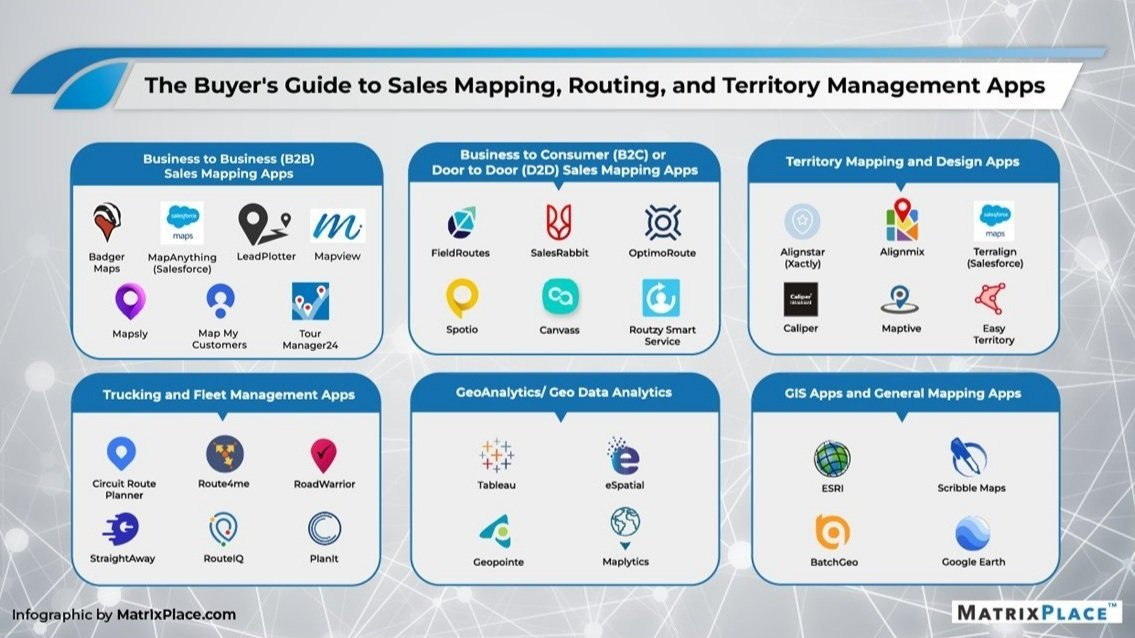
Image source: badgermaps.com
Key features:
- Route and travel optimization
- Customer and territory mapping
- Check-in tracking and visit reporting
- CRM integration with mobile access
- Team management and performance view
Pros:
- Great for field sales productivity
- Easy-to-use mobile interface
- Excellent route and map visualization
- Reduces travel time and costs
Cons:
- Primarily for field sales, not inside teams
- Limited customization outside mapping
Pricing:
- Business plan: $69/user/month (monthly billing)
- Enterprise plan: $95–$109/user/month
5. HubSpot Sales Hub: CRM and territory segmentation for growing teams
HubSpot Sales Hub provides powerful CRM and sales automation tools with built-in territory management capabilities. It helps businesses segment territories, automate lead assignments, and align sales teams with marketing and service workflows. Perfect for growing companies seeking a unified, easy-to-use platform.
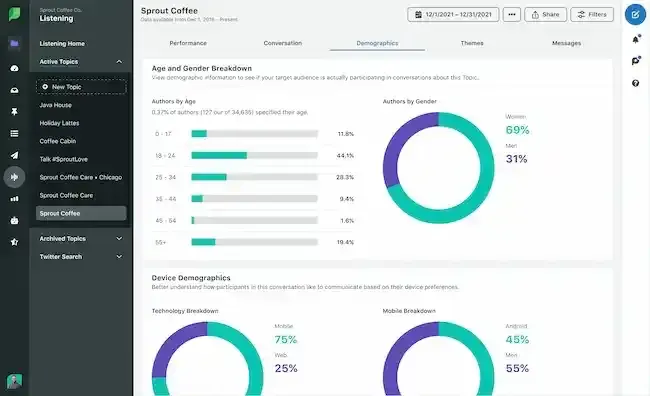
Image source: hubspot.com
Key features:
- Territory and lead segmentation
- Automated assignment workflows
- Real-time dashboards and forecasting
- Role-based access control
- Seamless integration with marketing and service hubs
Pros:
- Intuitive and beginner-friendly
- Free tier available for small teams
- Smooth integration across HubSpot ecosystem
- Strong automation and reporting features
Cons:
- Advanced features require higher-tier plans
- Not suited for highly complex territory models
Pricing:
- Starter plan: From $20/user/month (annual billing)
- Professional plan: From $100/user/month
- Enterprise plan: From $150/user/month
6. Forma.ai: AI-driven territory and quota optimization
Forma.ai leverages artificial intelligence to automate territory design, quota distribution, and sales planning. It enables organizations to simulate multiple scenarios, analyze data, and create optimized coverage models. Best suited for large enterprises that rely on data-driven decision-making and predictive sales planning.
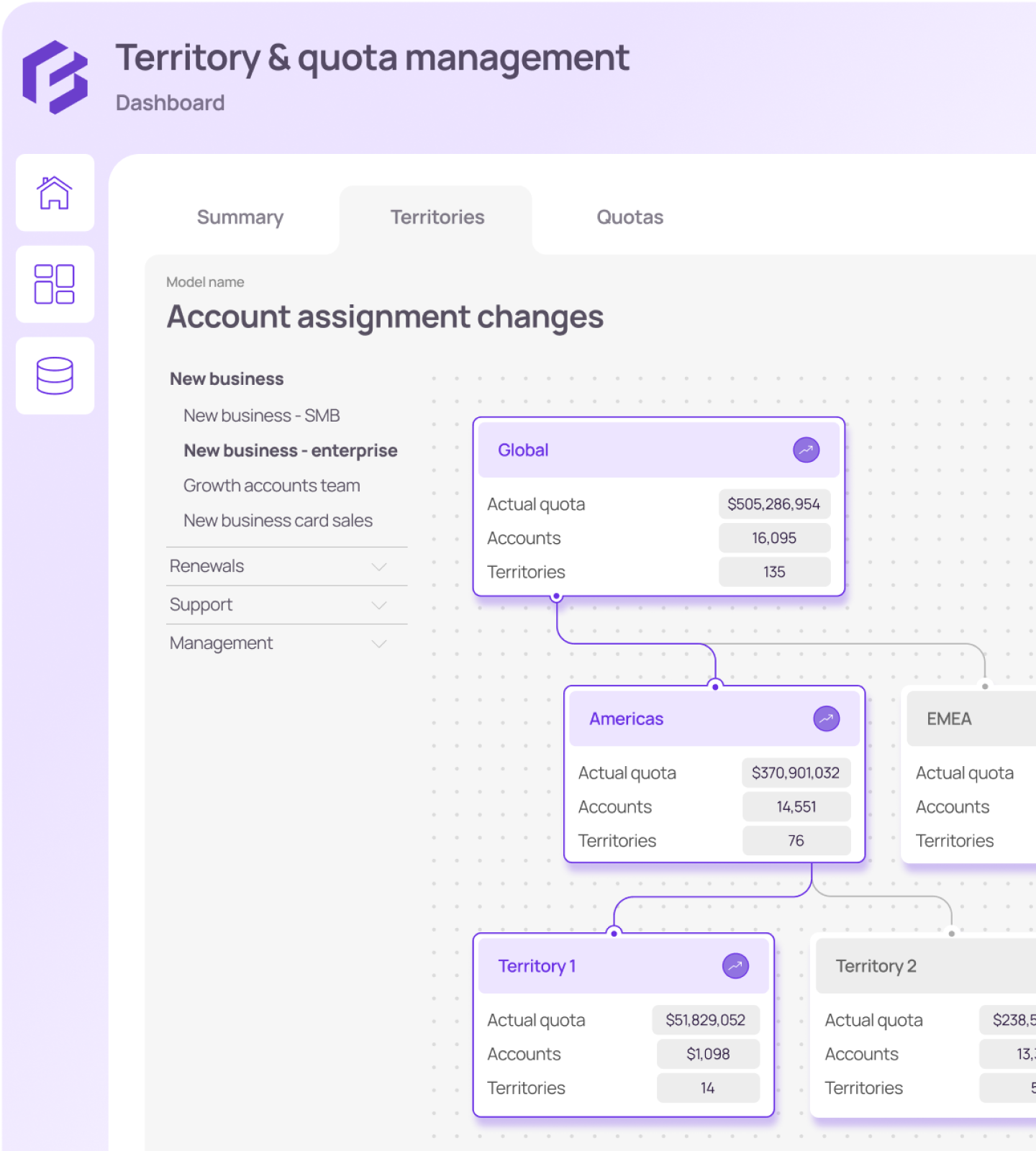
Image source: formaai.com
Key features:
- AI-powered territory planning
- Quota optimization and forecasting
- Scenario modeling and simulation
- Automated performance insights
- Integration with enterprise CRM systems
Pros:
- Predictive, data-driven decision-making
- Saves time on manual planning
- Ensures fair territory distribution
- Great for large and complex organizations
Cons:
- Custom pricing and setup required
- Too advanced for small teams
Pricing:
- Custom quote based on organization size
- Enterprise-level plans available upon request
7. CaptivateIQ: Automated territory and incentive planning platform
CaptivateIQ helps organizations align territory management with sales incentives and compensation. It automates planning, tracking, and payout calculations, ensuring fairness and transparency across sales teams. Perfect for large businesses managing complex performance structures.
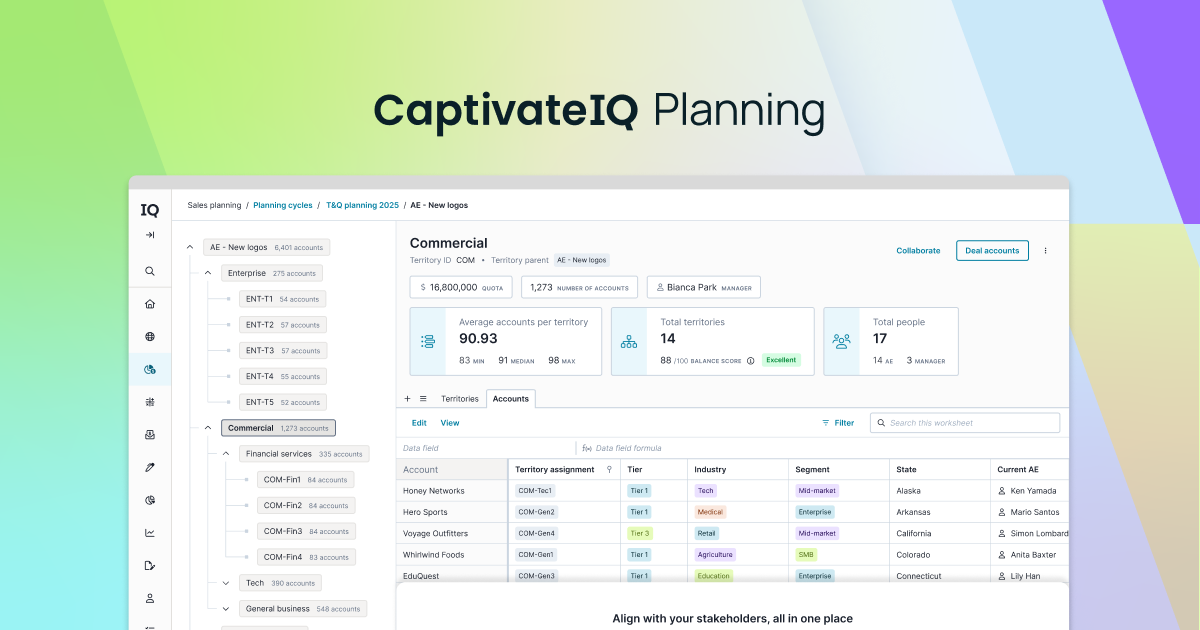
Image source: captivateiq.com
Key features:
- Automated territory and incentive management
- Performance tracking and reporting
- Custom dashboards and analytics
- Integration with CRM and payroll tools
- Collaboration and approval workflows
Pros:
- Reduces manual errors and payout issues
- Improves transparency and alignment
- Scalable for large sales teams
- Robust analytics and audit trails
Cons:
- Expensive for small or mid-sized teams
- Requires setup and configuration time
Pricing:
- Starts at approximately $7,200 per user annually
- One-time implementation fee may apply
8. Xactly AlignStar: Territory design and realignment visualization tool
Xactly AlignStar is a powerful visualization tool for designing and optimizing sales territories. It allows managers to realign territories dynamically using drag-and-drop features while balancing workload and potential. Ideal for large organizations undergoing frequent restructuring or expansion.
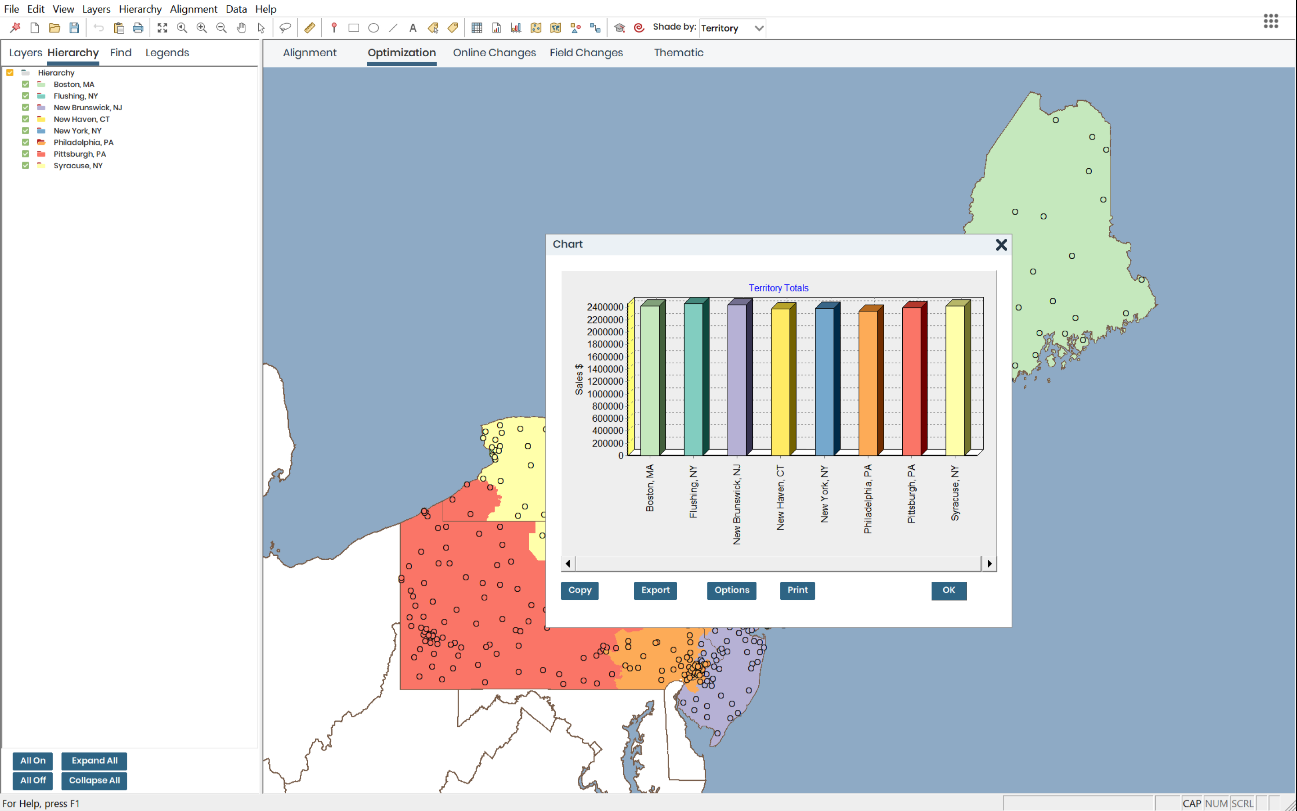
Image source: xactly.com
Key features:
- Visual territory mapping and modeling
- Real-time “what-if” simulations
- Workload and revenue balancing
- Integration with CRM and revenue tools
- Advanced reporting and analytics
Pros:
- Excellent visualization for redesigning territories
- Supports complex enterprise structures
- Enables quick, data-backed adjustments
- Provides accurate workload balancing
Cons:
- High enterprise pricing
- Requires training for full adoption
Pricing:
- Custom enterprise pricing available on request
- Typically included in broader Xactly suite
9. Zoho CRM: Flexible and affordable territory management for SMBs
Zoho CRM offers built-in territory management to help small and mid-sized businesses organize sales activities efficiently. It lets teams create territories, assign records, and monitor regional performance—all within an affordable CRM ecosystem. A practical choice for businesses seeking simplicity and cost-effectiveness.
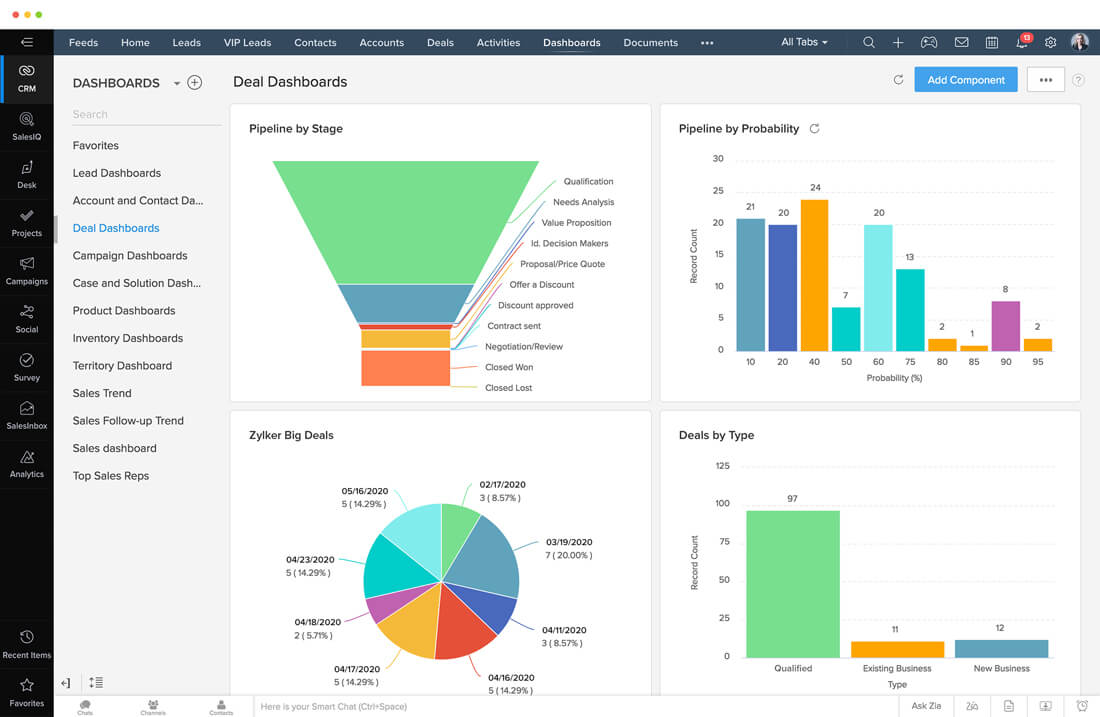
Image source: zoho.com
Key features:
- Territory creation and rule-based assignment
- Performance tracking by region
- Automated lead routing
- Role-based access control
- Integration with other Zoho tools
Pros:
- Cost-effective and feature-rich
- Easy to set up and customize
- Scales with business growth
- Strong automation and workflow tools
Cons:
- Limited advanced visualization features
- Interface feels less modern than competitors
Pricing:
- Standard plan: $14/user/month (annual billing)
- Professional plan: $23/user/month
- Enterprise plan: $40/user/month
10. Geopointe: Territory mapping and analytics within Salesforce
Geopointe enhances Salesforce with advanced mapping and territory analytics capabilities. It transforms CRM data into interactive maps, helping teams visualize performance, optimize routes, and manage territories effectively. Ideal for sales teams that rely heavily on location-based insights.
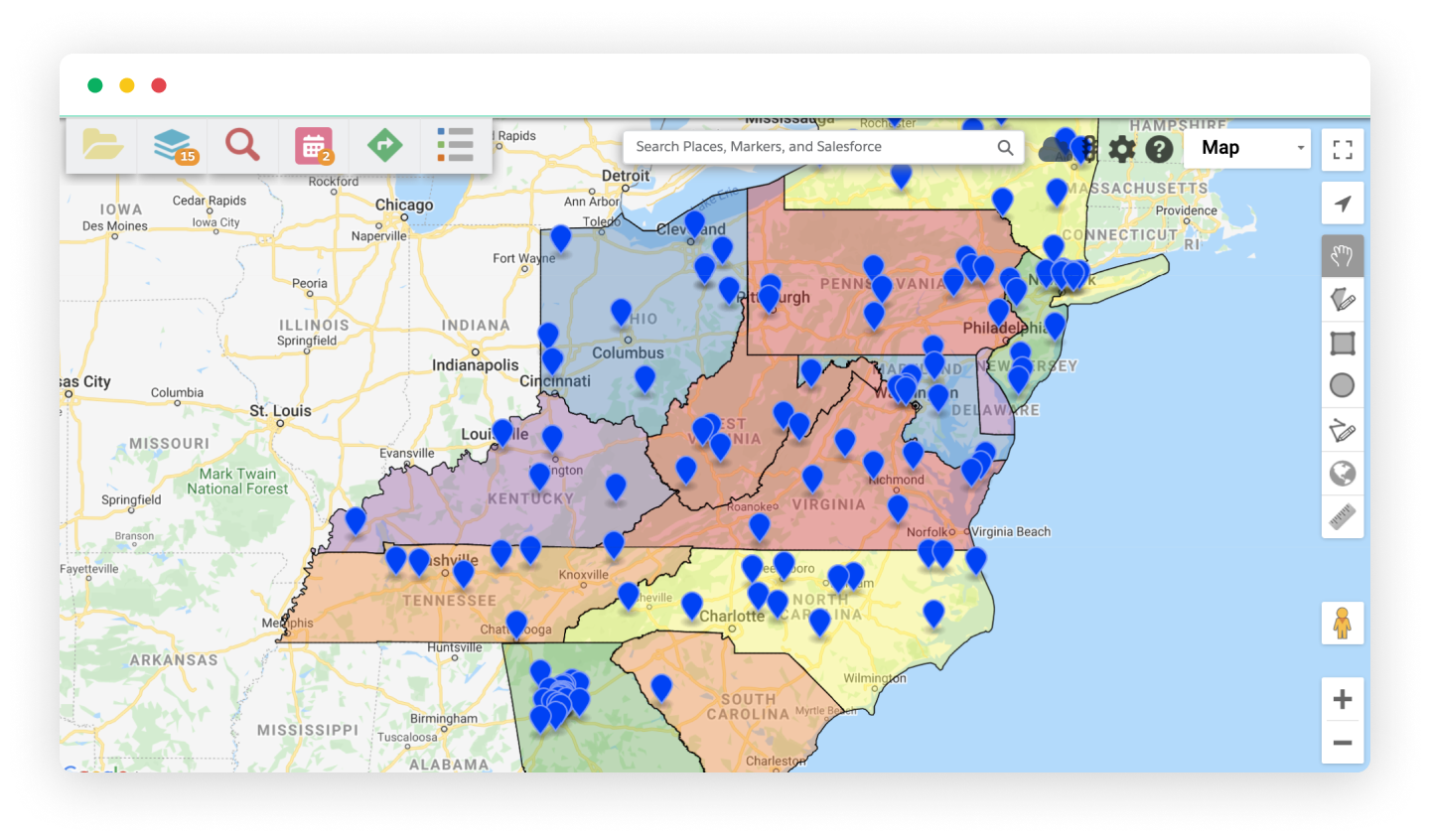
Image source: geopointe.com
Key features:
- Geographic and territory mapping
- Route planning and scheduling
- Visual performance analytics
- Integration with Salesforce CRM
- Real-time data syncing and reporting
Pros:
- Excellent mapping and route optimization
- Enhances Salesforce data visualization
- Great for field and regional teams
- Strong analytics and reporting functions
Cons:
- Requires Salesforce subscription
- Learning curve for first-time users
Pricing:
- Starting from $60/user/month
- Custom enterprise plans available
How to choose the right territory management tool
Selecting the right territory management software is about finding a balance between functionality, flexibility, and fit for your organization. The ideal solution should simplify planning, improve collaboration, and scale as your business grows. Here's what to consider before making your decision:
- Identify your business size and territory complexity: Start by evaluating how many territories, sales reps, and regions you manage. Small teams may need straightforward mapping and reporting, while large enterprises require advanced features like multi-level hierarchies, quota modeling, and forecasting. Choose a tool that aligns with both your current scale and future growth plans.
- Prioritize automation and reporting capabilities: Automation helps reduce manual tasks like assigning leads or updating boundaries, saving hours of administrative effort. Strong reporting and analytics capabilities are equally vital they enable leaders to track performance, visualize data trends, and make faster, evidence-based decisions.
- Evaluate integration with your CRM or collaboration tools: The best territory management systems connect seamlessly with your existing CRM, communication, and productivity platforms. This ensures all customer data, updates, and tasks stay synchronized, improving accuracy and eliminating data silos between departments.
- Consider ease of use and scalability: A powerful tool is only effective if teams can use it easily. Look for intuitive interfaces, customizable dashboards, and minimal training requirements. Additionally, ensure the platform can handle more users, data, and territories as your organization expands without major disruptions or extra costs.
Benefits of using modern territory management software
Modern territory management software transforms how sales teams plan, execute, and monitor performance. It brings clarity, speed, and coordination across regions—empowering teams to make smarter, data-driven decisions and achieve sustainable growth.
- Centralized visibility into performance metrics: All territory data such as sales numbers, conversion rates, and regional KPIs is stored in one place. This unified view helps managers quickly identify high-performing areas and address underperforming ones.
- Fairer workload and quota distribution: Automated tools analyze sales potential, territory size, and rep capacity to ensure even workload distribution. This balance prevents burnout and boosts overall team morale and productivity.
- Better coordination between teams: When data, communication, and workflows are connected, sales, marketing, and support teams can align seamlessly. This eliminates silos and ensures consistent customer engagement across regions.
- Improved sales forecasting accuracy: Real-time insights into territory performance lead to more reliable forecasts. Managers can anticipate revenue trends, adjust strategies, and allocate resources proactively.
- Faster decision-making through real-time insights: Instant access to live performance dashboards allows leaders to make timely adjustments. Whether it's reallocating accounts or updating goals, teams can act with confidence and speed.
- Reduced administrative overhead: Automation handles repetitive tasks like territory updates, reporting, and approvals. This saves time, minimizes human error, and allows sales reps to focus on selling instead of manual work.
Conclusion
Effective territory management is essential for driving sales performance, balancing workloads, and ensuring consistent customer coverage. Modern software solutions, like Lark, go beyond traditional mapping tools by combining collaboration, automation, and real-time analytics in one workspace.
With Lark products like Base, Docs, Tasks, and Approval—sales teams can manage territories, track performance, and make data-driven adjustments seamlessly. This connected approach reduces manual effort, improves communication, and accelerates decision-making across regions. Whether you're managing a few local territories or a global sales network, Lark helps you stay organized, aligned, and efficient. By adopting the right territory management tool, businesses can achieve higher productivity, greater transparency, and lasting sales success.
FAQs
What is the main goal of sales territory management?
The main goal is to balance workloads, maximize sales opportunities, and ensure fair coverage across regions or customer segments. It aligns sales efforts with business goals and prevents overlap or missed opportunities.
How often should sales territories be reviewed or realigned?
Territories should be reviewed at least once a year or whenever there are major changes in market conditions, team size, or customer distribution. Regular reviews help maintain fairness and optimize performance.
What's the difference between territory management and lead routing?
Territory management defines ownership of regions or customer segments, while lead routing assigns incoming leads to the right sales reps within those territories. Together, they ensure efficient coverage and response.
Can small businesses benefit from territory management software?
Yes. Even small teams can gain visibility, structure, and efficiency by using simple territory management tools. It helps improve customer focus, track performance, and plan smarter growth strategies.
How does Lark enhance collaboration in territory management?
Lark connects people, data, and workflows in one platform, enabling seamless communication and real-time updates. Teams can manage territories in Base, share plans in Docs, and track actions in Tasks—all in sync.
Related reading
Table of contents
Start using Lark today

Manage all your work in one place
Boost team efficiency by 10x
Save up to 70% on software costs
Table of contents
Start using Lark today
Manage all your work in one place
Boost team efficiency by 10x
Save up to 70% on software costs
Keep reading









2026 Lark Technologies Pte. Ltd.
Headquartered in Singapore with offices worldwide.






Explore: