














Zendesk vs Salesforce: Features, Pricing, and Key Differences

Satvik Saxena
Content Specialist
Nov 3, 2026
Satvik Saxena
Nov 3, 2026

15 min read
Add to preferred sources


When it comes to managing customer relationships and service operations, two platforms often lead the conversation: Zendesk vs Salesforce. Both help businesses enhance customer experiences but they approach it from different angles. Salesforce focuses on comprehensive CRM and sales management, while Zendesk specialises in customer support and ticket resolution. In this guide, we'll break down the core differences, pricing, and ideal use cases for each to help you make the right choice. And for teams seeking a more connected, collaborative approach, modern platforms like Lark offer a unified alternative that combines communication, tracking, and project visibility in one workspace.

Zendesk vs Salesforce: Quick comparison table
What is Zendesk?
Zendesk is a customer service and help desk platform designed to streamline support operations and improve customer satisfaction. It enables teams to manage inquiries from multiple channels—such as email, chat, social media, and phone within one unified dashboard. Zendesk focuses on simplifying ticket management, automating repetitive tasks, and tracking key service metrics like response time and CSAT scores. With features like self-service portals, AI-powered chatbots, and detailed analytics, it helps businesses deliver faster, more consistent support experiences. Its scalability and ease of setup make it popular among startups and SMBs, while its integrations and automation capabilities support larger organisations seeking efficient, data-driven service management without complex infrastructure.
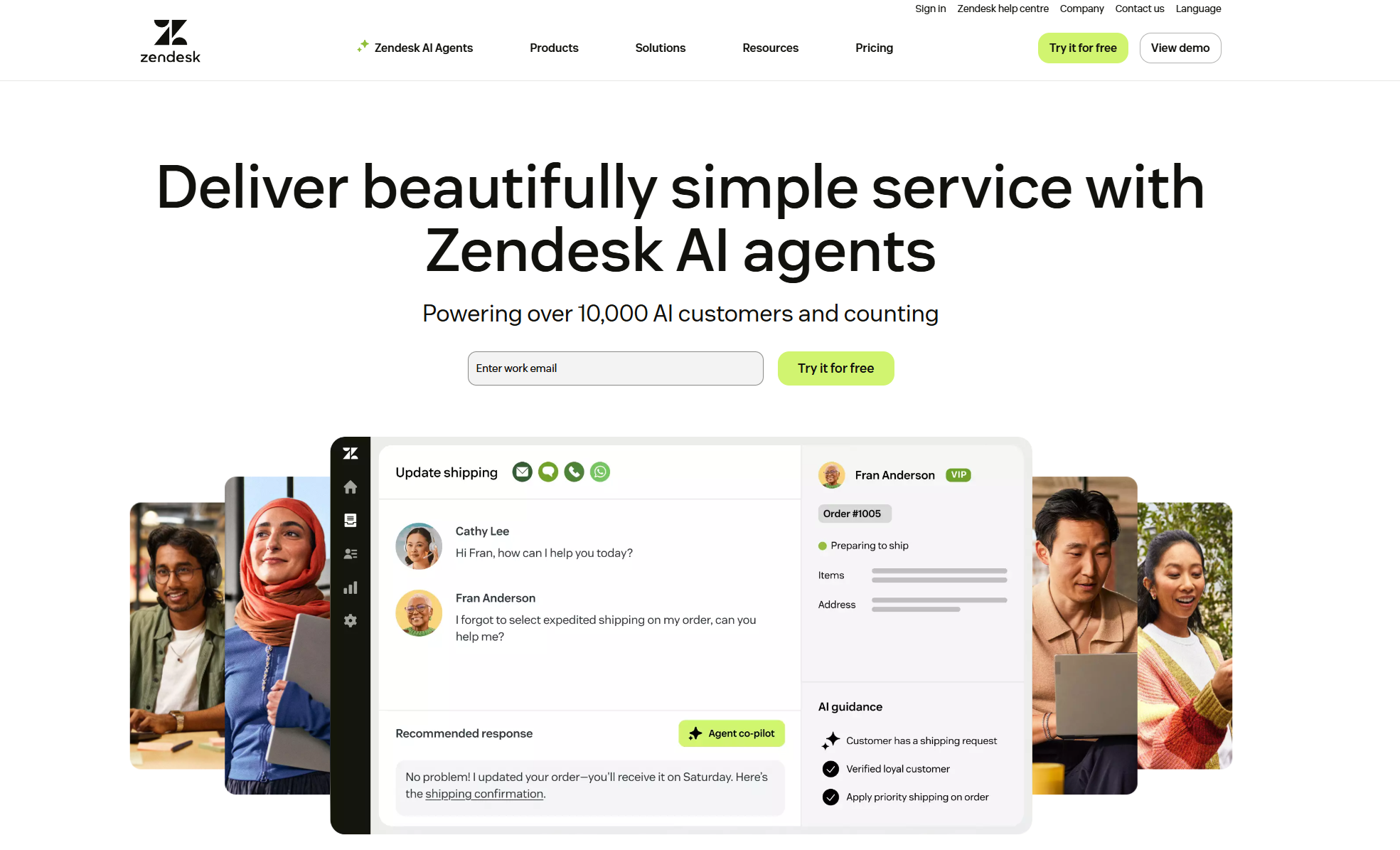
Image source: zendesk.com
What is Salesforce?
Salesforce is a leading cloud-based customer relationship management (CRM) platform that helps businesses manage sales, marketing, and service operations in one system. It offers tools to track leads, monitor customer interactions, automate workflows, and analyze performance across the entire customer journey. With its modular structure—including Sales Cloud, Service Cloud, and Marketing Cloud Salesforce provides flexibility for teams of all sizes. Its AI engine, Einstein, delivers predictive insights to improve decision-making and customer engagement. Highly customizable and scalable, Salesforce integrates with thousands of third-party apps, making it a powerful solution for enterprises seeking complete visibility into customer data, collaboration between departments, and growth-driven automation across every aspect of their business operations.
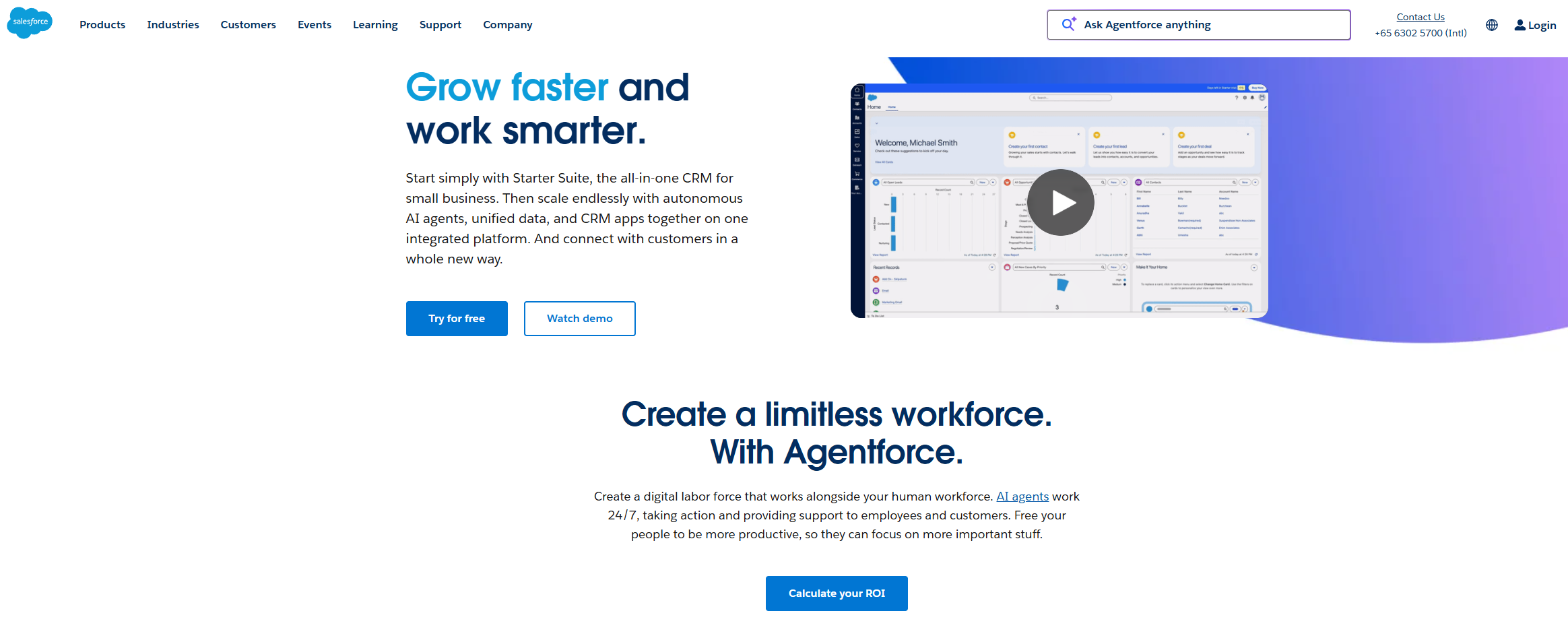
Image source: salesforce.com
Zendesk vs Salesforce: Feature-by-feature comparison
When comparing Zendesk vs Salesforce, both platforms excel in different areas—Zendesk in support efficiency and Salesforce in end-to-end customer relationship management. Below is a concise breakdown of their core feature differences.
Customer support and case management
- Salesforce: Salesforce Service Cloud integrates support operations within its broader CRM system. Every customer interaction, whether from email, chat, phone, or social media, is automatically logged under the same customer profile. This allows support agents to view full case histories, open opportunities, and prior communications. This complete view helps sales and service teams work together effectively and provide personalized experiences. Features like case assignment rules, escalation automation, and omnichannel routing ensure customers connect with the right expert.
- Zendesk: Zendesk focuses on efficient ticket management. Its system lets support teams track, prioritize, and resolve inquiries easily. Automation features such as triggers, macros, and workflow rules lighten the manual workload. Its self-service portals and AI-powered Answer Bot help deflect common issues. Zendesk offers omnichannel support, including chat, social, email, and voice, ensuring consistent experiences across customer interactions.
CRM and sales tools
- Salesforce: Salesforce Sales Cloud provides a complete CRM suite that supports the entire customer lifecycle, from lead generation and opportunity tracking to revenue forecasting and post-sale engagement. The platform offers pipeline visualization, automated follow-ups, and predictive scoring powered by Einstein AI. Sales managers can monitor performance metrics in real-time. Teams benefit from guided selling workflows, territory management, and quote-to-cash automation.
- Zendesk: Zendesk Sell offers a simpler CRM, mainly for small to mid-sized sales teams. It covers essentials like contact management, lead scoring, activity tracking, and pipeline visibility. While it connects easily with Zendesk Support for unified customer context, its analytical depth and workflow flexibility are more limited compared to Salesforce.
Automation and AI
- Salesforce: Einstein AI, Salesforce’s proprietary intelligence layer, brings predictive analytics and automation to every stage of the customer journey. It can forecast sales outcomes, recommend next steps, analyze sentiment, and extract insights from unstructured data. Workflow automation tools, such as Flow Builder and Process Builder, let teams automate complex processes without coding.
- Zendesk: Zendesk automates routine support tasks to improve efficiency and agent productivity. Its automation engine manages ticket categorization, routing, and escalation based on keywords, priority, or service level agreement (SLA) requirements. The AI-powered Answer Bot can quickly suggest knowledge base articles or route customers to the right agent, reducing response times.
Customization and scalability
- Salesforce: Salesforce excels at deep workflow customization. Through the AppExchange marketplace, users can access thousands of pre-built integrations and apps. Developers can extend the platform's functionality via custom APIs, Apex code, and Lightning Components. From custom dashboards to unique workflows, Salesforce can be tailored to meet the specific needs of any department or industry.
- Zendesk: Zendesk offers simpler customization through its Admin Center, allowing teams to create custom fields, triggers, and branded help centers. While it integrates well with third-party apps like Slack, Shopify, and Jira, its flexibility does not match that of Salesforce. Zendesk scales easily for mid-sized companies and distributed teams, providing reliability without extensive configuration.
Analytics and reporting
- Salesforce: Salesforce’s analytics engine offers strong business intelligence capabilities. Teams can build real-time dashboards showing key performance indicators (KPIs) like revenue, pipeline health, churn rates, and campaign ROI. Einstein Analytics (Tableau CRM) allows for predictive forecasting, territory performance analysis, and advanced segmentation. Executives can view consolidated metrics across sales, marketing, and service departments, supporting data-driven decision-making throughout the organization.
- Zendesk: Zendesk’s Explore reporting tool focuses on operational insights for support teams. Metrics like Customer Satisfaction (CSAT), First Response Time (FRT), Resolution Time, and SLA compliance are tracked automatically. Teams can visualize performance trends, identify bottlenecks, and improve staffing efficiency. While it lacks Salesforce’s extensive business analytics, Zendesk’s real-time dashboards are effective for ongoing service optimization.
Pricing and licensing
- Salesforce: Pricing depends on the specific cloud (Sales, Service, or Marketing), chosen tier, and number of users. The Essentials plan starts at around $25/user/month, while Professional and Enterprise tiers range from $80–$300+/user/month, adding features like automation, analytics, and API access. The modular structure offers flexibility, but costs increase quickly as teams expand.
- Zendesk: Offers transparent, tiered pricing from $19 to $115/agent/month depending on the edition. Plans focus on customer service channels, ticket management, and analytics, making them predictable and scalable for small and mid-sized businesses.
Choosing between Zendesk and Salesforce
Selecting the right platform depends on your business priorities whether you're focused on delivering exceptional support or managing customer relationships end-to-end. Both Zendesk and Salesforce offer unique strengths, but understanding their best use cases can help you make a more strategic choice.
Pick Zendesk if: You need a quick, efficient ticketing system that simplifies customer support workflows. Zendesk's intuitive interface, automation tools, and self-service options make it ideal for teams prioritizing fast response times and consistent service quality. It's especially suitable for SMBs or support-heavy operations seeking ease of use and lower setup costs.
Pick Salesforce if: You require a comprehensive CRM platform that unifies sales, marketing, and service data in one ecosystem. Salesforce helps teams track leads, analyze performance, and automate customer journeys with deep insights. It's the best fit for enterprises or growth-driven organizations aiming for advanced customization and cross-departmental collaboration.
Consider both: Some larger organizations use Zendesk for support and Salesforce for CRM, creating a dual-system setup. While this approach can work, it often leads to data silos, duplicate records, and fragmented visibility. Maintaining two platforms also increases operational costs and complexity, prompting many teams to explore unified alternatives that combine both capabilities.
Deep thinking: Why businesses look for alternatives
As businesses grow, managing customer relationships and support processes often becomes fragmented across multiple platforms. Teams juggle CRM tools like Salesforce for data management and Zendesk for service tickets creating silos, redundant updates, and slower collaboration.
Maintaining separate systems also means higher costs, inconsistent insights, and longer onboarding for new teams. Modern organisations now seek simpler, unified solutions that combine visibility, communication, and automation in one place. That's where Lark emerges as a powerful alternative, bringing CRM, support tracking, and team collaboration together in a single connected workspace that keeps every customer interaction clear, traceable, and effortless.
Lark: A unified alternative to Zendesk and Salesforce
When customer management moves beyond traditional CRM or ticketing systems, teams need more than just data—they need shared visibility, collaboration, and speed. Lark brings these elements together in a single workspace, combining team communication, tracking, documentation, and task management. Instead of switching between Zendesk for support, Salesforce for CRM, and Slack or Teams for messaging, teams can manage every stage of the customer relationship inside one connected platform.
Lark Base: Centralize customer operations and performance tracking
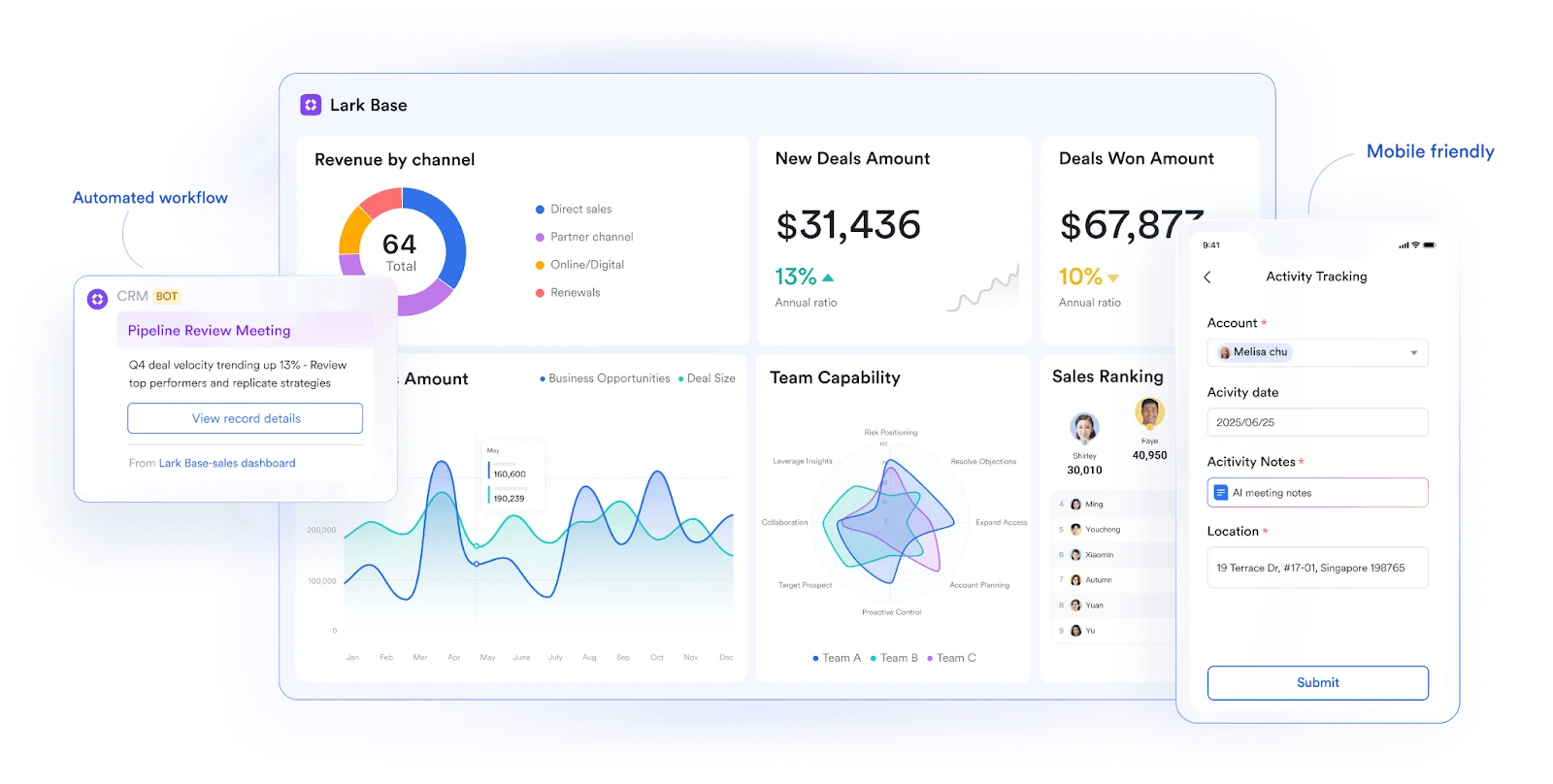
Lark Base is where your entire customer workflow comes together. You can create structured databases to log customer tickets, sales leads, client feedback, and track project milestones all in one place. Each record includes fields like customer name, issue type, owner, resolution time, and satisfaction score. Dashboards visualize ticket trends, SLA compliance, or deal progression in real time.
Example: A customer success team builds a Base for "Customer Tickets." As new support cases come in, Base automatically assigns them to agents, tracks resolution times, and updates a dashboard showing open vs. closed issues. When trends show delayed responses, managers can pinpoint bottlenecks instantly. This transforms what used to be static helpdesk reports into dynamic, actionable insights—without switching platforms.
Lark Messenger: Keep customer conversations in context
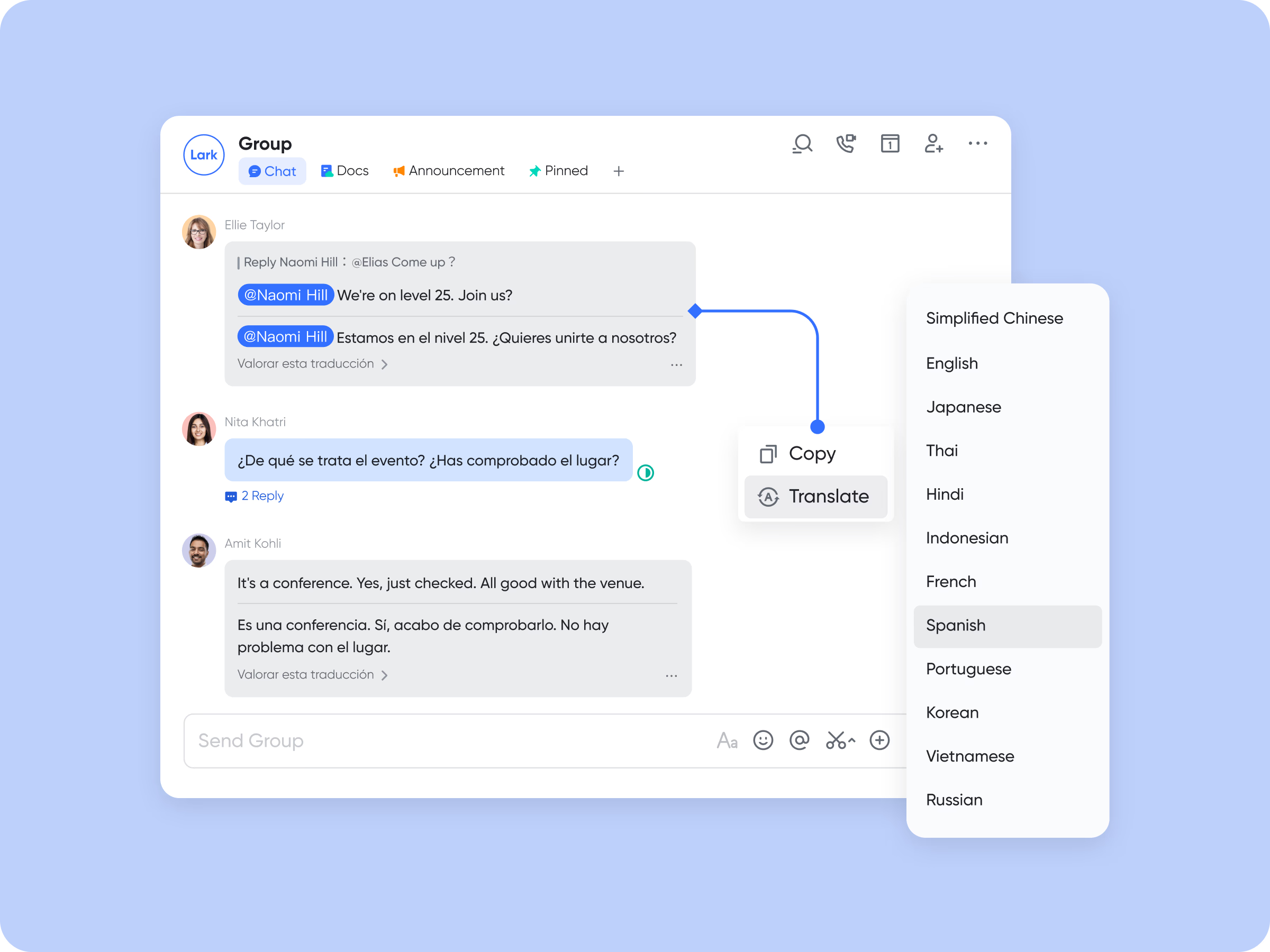
Lark Messenger eliminates fragmented communication between support, sales, and operations. Each update in Base triggers contextual alerts directly in Messenger. When a ticket status changes or a high-priority deal moves stages, relevant teams receive instant notifications in the right chat thread. This means no missed updates, no manual follow-ups, and no toggling between email or chat apps.
Example: When a client's issue escalates, Lark automatically notifies the account manager and support lead in Messenger. They can discuss the issue, share files, and tag the technical team—all within the same chat linked to that customer record in Base. Once the problem is resolved, the status update reflects instantly across the workspace, keeping everyone aligned in real time.
Lark Docs: Collaborative documentation for customer success
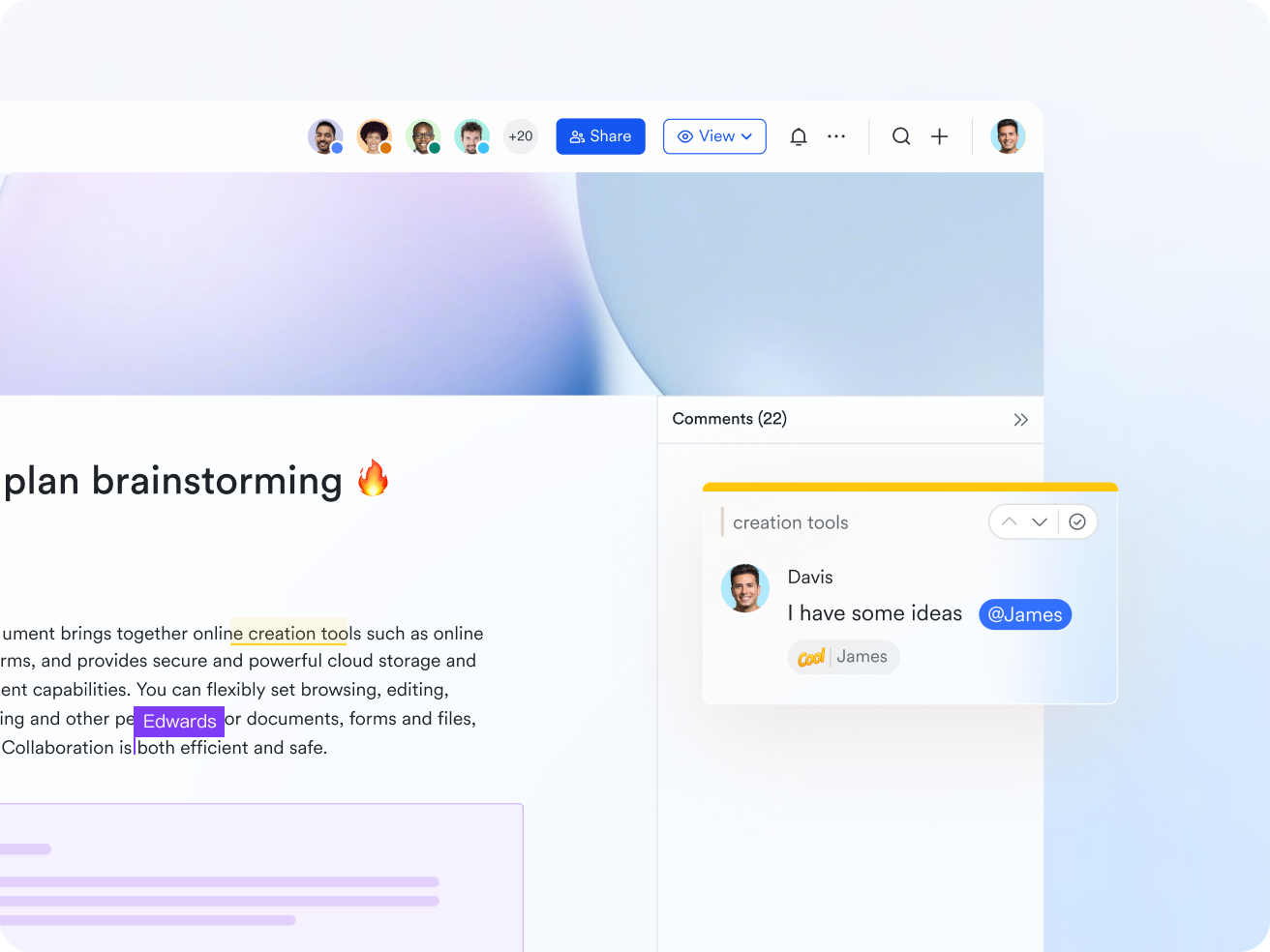
Lark Docs replaces disjointed document sharing and endless email threads. It allows teams to co-author customer playbooks, onboarding guides, or service-level agreements (SLAs) in real time. Each Doc supports comments, task tagging, and version history so teams always work from the latest, approved version. You can embed live tables or charts from Base to display up-to-date metrics right inside your documentation.
Example: A marketing team drafts a client campaign proposal in a shared Doc. Sales adds budget notes, design uploads creative samples, and legal inserts standard contract clauses all without leaving the file. The final approved Doc links directly to the customer record in Base, ensuring that everyone involved from account managers to finance has access to a single source of truth.
Lark Tasks: Turn follow-ups into results
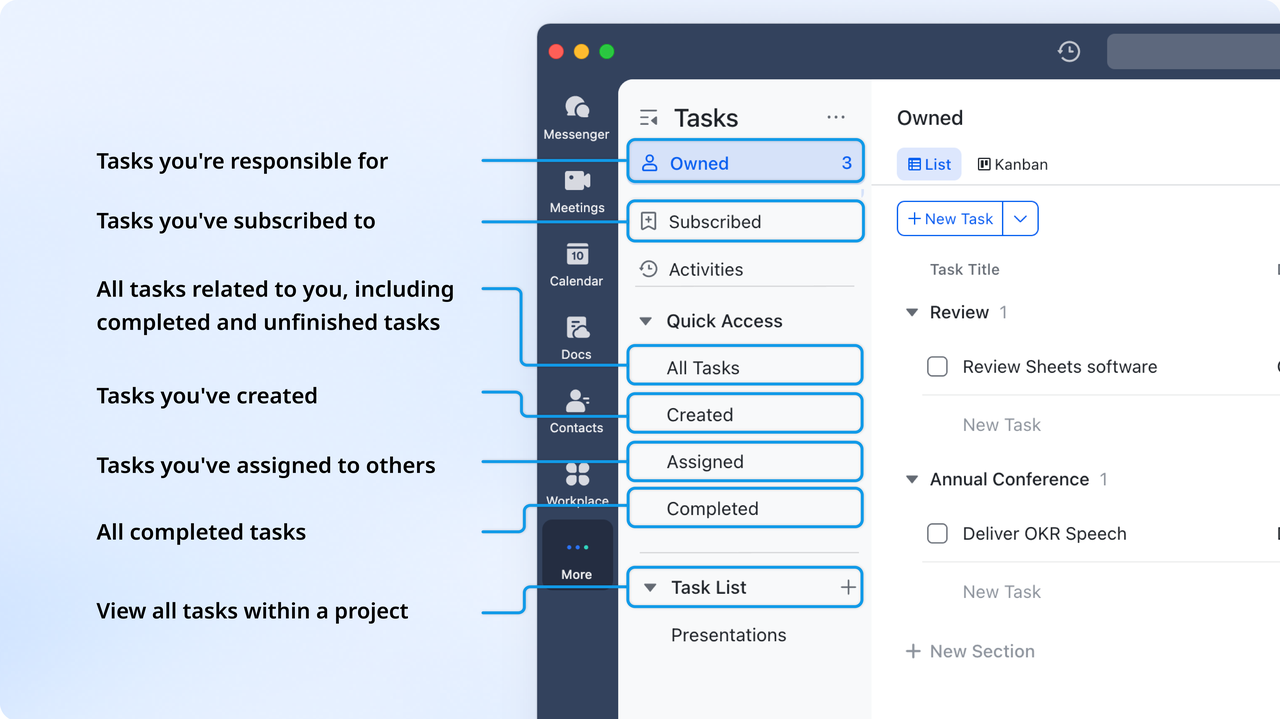
Lark Tasks bridges planning and execution by turning customer follow-ups into clear, trackable actions. When a customer request, sales lead, or service issue needs attention, you can create a task, assign it to the right person, set due dates, and monitor progress. You can insert a Task in Docs, convert a pinned message into a Task, or view the whole Task process in Lark, all ways ensuring that context is never lost between discussion and delivery.
Example: A support lead identifies that a client's issue requires a product update. They create a task titled "Implement bug fix for Client A" and assign it to the engineering team with a 48-hour deadline. The task is linked to the client's Base record and discussed in the Messenger thread. When completed, both the Base record and dashboard update automatically, closing the feedback loop instantly.
Lark Meetings: Discuss, decide, and act in one place
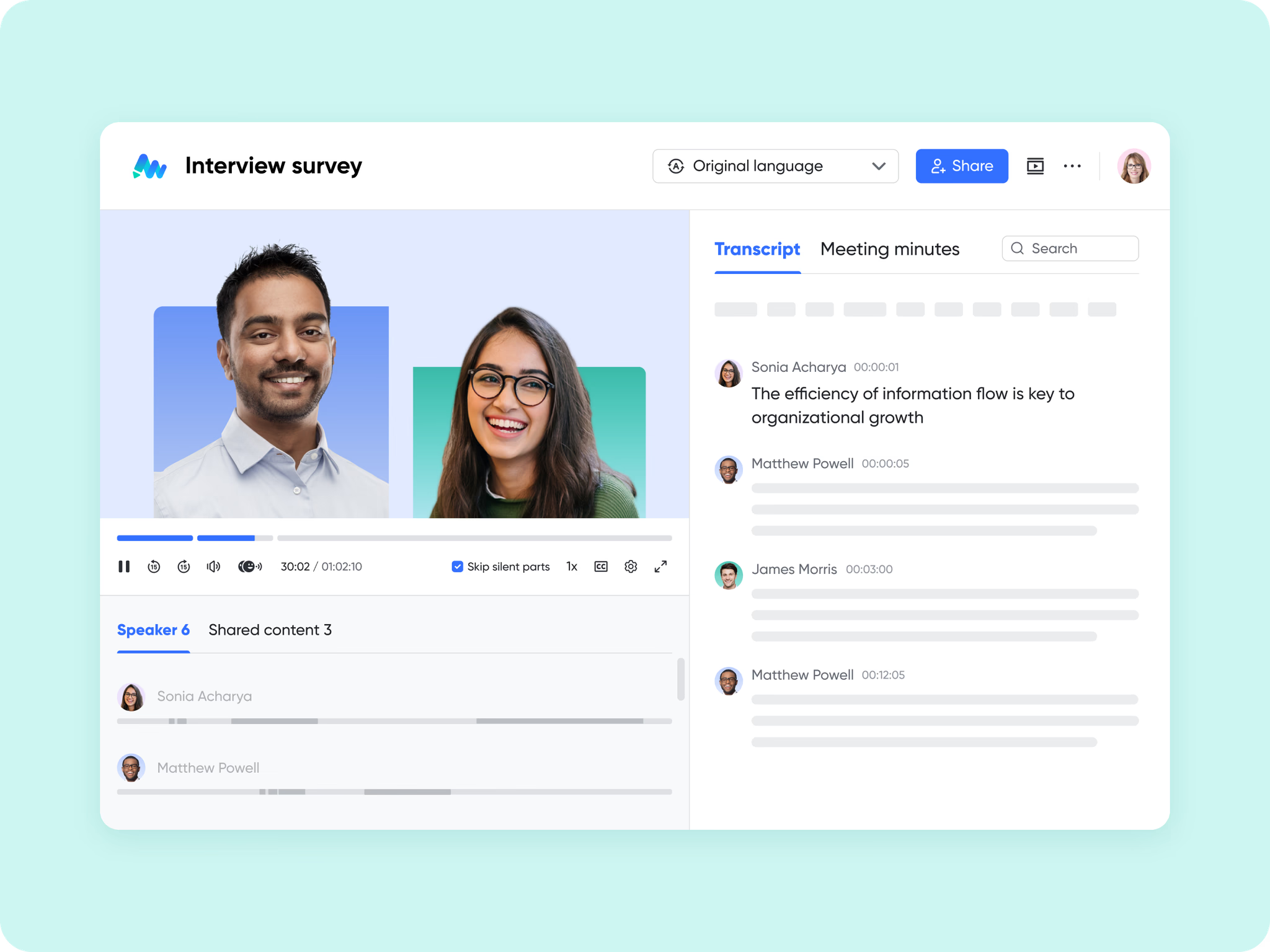
Lark Meetings makes collaboration actionable by connecting live discussions with real-time data. During customer check-ins, sprint reviews, or account planning sessions, teams can access Base dashboards, Slides, or Docs directly within the meeting interface. When Minutes is enabled, notes, decisions, and action items can be recorded live and automatically linked to the relevant projects or clients.
Example: A customer success manager hosts a quarterly review with a key client. During the meeting, they share Base dashboards showing ticket resolution trends and satisfaction scores. The team agrees on two action items: "Reduce first-response time by 20%" and "Launch new onboarding sequence." These are converted into Tasks before the meeting ends, ensuring accountability and follow-through without extra steps.
- Starter plan: Free forever plan that includes 11 powerful tools for up to 20 users. It also comes with 100GB of storage, 1000 automation runs, AI translations, and more.
- Pro plan: $12/user/month (billed annually) for up to 500 users. It includes everything in Starter plus group calling for up to 500 attendees, 15TB of storage, 50,000 automation runs, and more.
- Enterprise plan: Contact sales for custom pricing. Supports unlimited users and includes even more automation runs and advanced security, compliance, and management features.
Zendesk vs Salesforce vs Lark: Comparison Summary
Conclusion
Choosing between Zendesk and Salesforce ultimately depends on your business needs and priorities. If your goal is to streamline customer support, Zendesk offers simplicity, speed, and strong service analytics. If you need a comprehensive CRM to manage sales, marketing, and customer data, Salesforce delivers unmatched depth, customization, and scalability.
However, managing both can lead to inefficiencies and disconnected workflows. That's why many modern teams are shifting toward unified platforms like Lark, which combine communication, task management, and customer tracking in one connected workspace. Lark eliminates tool fragmentation and gives teams full visibility across support, sales, and operations—helping businesses move faster, collaborate smarter, and deliver exceptional customer experiences with far less complexity.
FAQs
Is Salesforce better than Zendesk for customer service?
Salesforce provides deeper integration across departments, making it ideal for enterprises needing end-to-end visibility. However, Zendesk is easier to deploy and better optimized for fast, efficient support operations. The best choice depends on whether you value scalability or simplicity.
Can Zendesk replace Salesforce CRM?
No, Zendesk primarily focuses on customer service and help desk management. While it offers Zendesk Sell for basic CRM needs, it lacks Salesforce's advanced automation, analytics, and cross-departmental integration. It's best suited for support-driven, not sales-focused, workflows.
Does Lark offer CRM and workflow tracking?
Yes, Lark's Base module lets teams create custom databases for leads, tickets, and customer operations. It integrates with Tasks and Docs to enable end-to-end workflow tracking and performance visibility. All updates sync automatically across the workspace.
What makes Lark a better alternative for smaller teams?
Lark combines communication, task management, and data tracking in one easy-to-use platform. Smaller teams save time and money by avoiding multiple disconnected tools. Its intuitive interface and built-in automation make scaling effortless.
Can Lark automate service tracking and reporting?
Yes, Lark automates customer updates, status changes, and reports generation through Base and Tasks. Dashboards visualize real-time performance metrics without manual input. This ensures faster insights, reduced errors, and consistent team accountability.
Related reading
Table of contents
Start using Lark today

Manage all your work in one place
Boost team efficiency by 10x
Save up to 70% on software costs
Table of contents
Start using Lark today
Manage all your work in one place
Boost team efficiency by 10x
Save up to 70% on software costs
Keep reading


Lark recognized in 2023 Gartner® Collaborative Content Workspaces and Meeting Solutions reports
Lark, the global superapp for productivity, is delighted to announce it receives recognition in the Gartner's 2023 Innovation Insight for Collaborative Content Workspaces and Market Guide for Meeting Solutions.




2026 Lark Technologies Pte. Ltd.
Headquartered in Singapore with offices worldwide.






Explore: