Digital note-taking has evolved far beyond simple text capture. Professionals, students, and teams now expect their notes to connect seamlessly with tasks, discussions, and shared knowledge. While Evernote once dominated this space, changing work habits and rising expectations have encouraged many users to explore Evernote alternatives that better align with modern productivity needs.
Today, people compare flexibility, collaboration, pricing, and scalability before choosing a tool. Some look for free alternatives to Evernote for personal use, while others evaluate the best Evernote alternatives for team collaboration. In this guide, we explore the best alternatives to Evernote and introduce platforms like Lark that extend note-taking into a connected workspace.
Key takeaways: Best alternatives to Evernote
1. Lark: All-in-one workspace for notes, docs, and collaboration
2. Microsoft OneNote: Flexible digital notebook for structured notes
3. Notion: Customizable workspace for notes, databases, and wikis
4. Obsidian: Local-first note-taking for personal knowledge management
5. Google Keep: Simple and lightweight note-taking app
See how modern teams take notes together
Overview snapshot of the best Evernote alternatives
The best Evernote alternatives 2026 cover a wide range of use cases, from simple personal notes to advanced and knowledge management. Key differences appear in collaboration features, , offline access, and pricing transparency, helping users choose based on their priorities.
Information source: Official vendor sites
Update time: 2025-12-19
Note: Pricing and plan details reflect publicly available data as of the update date and may vary based on region, billing cycle, and number of agents.
Compare note-taking tools for your team
What is Evernote, and why are users moving away from it
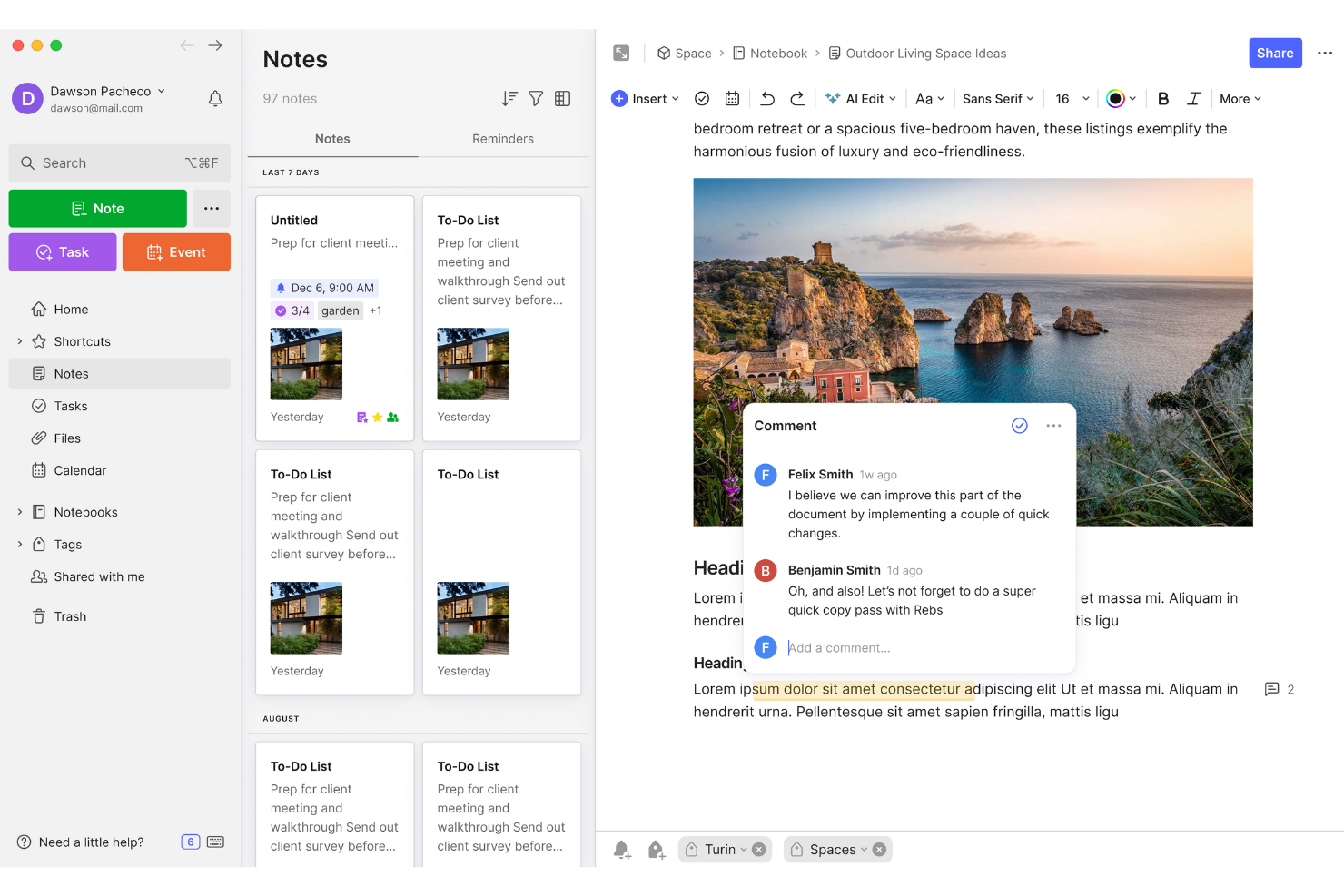
Image source: evernote.com
Evernote is a cloud-based note-taking application designed to help users store ideas, documents, images, and web clippings in one place. For years, it was considered one of the best Evernote alternatives to paper notebooks due to its cross-device syncing and powerful search. However, many users are now exploring alternatives to Evernote due to rising subscription costs and stricter limitations on the free plan. Others seek free alternatives to Evernote that offer greater flexibility or offline access. Teams also move away from Evernote when comparing the best alternatives to Evernote that support real-time collaboration and shared knowledge management. Best Evernote alternatives in 2026
The best Evernote alternatives in 2026 reflect how note-taking has evolved beyond simple storage into collaboration, knowledge sharing, and workflow support. Users now compare flexibility, pricing, and scalability when evaluating alternatives to Evernote. Some prefer free alternatives to Evernote for personal use, while teams focus on the best alternatives to Evernote that support . This section highlights tools that address different note-taking needs without locking users into a single approach.
1. Lark: All-in-one workspace for notes, docs, and collaboration
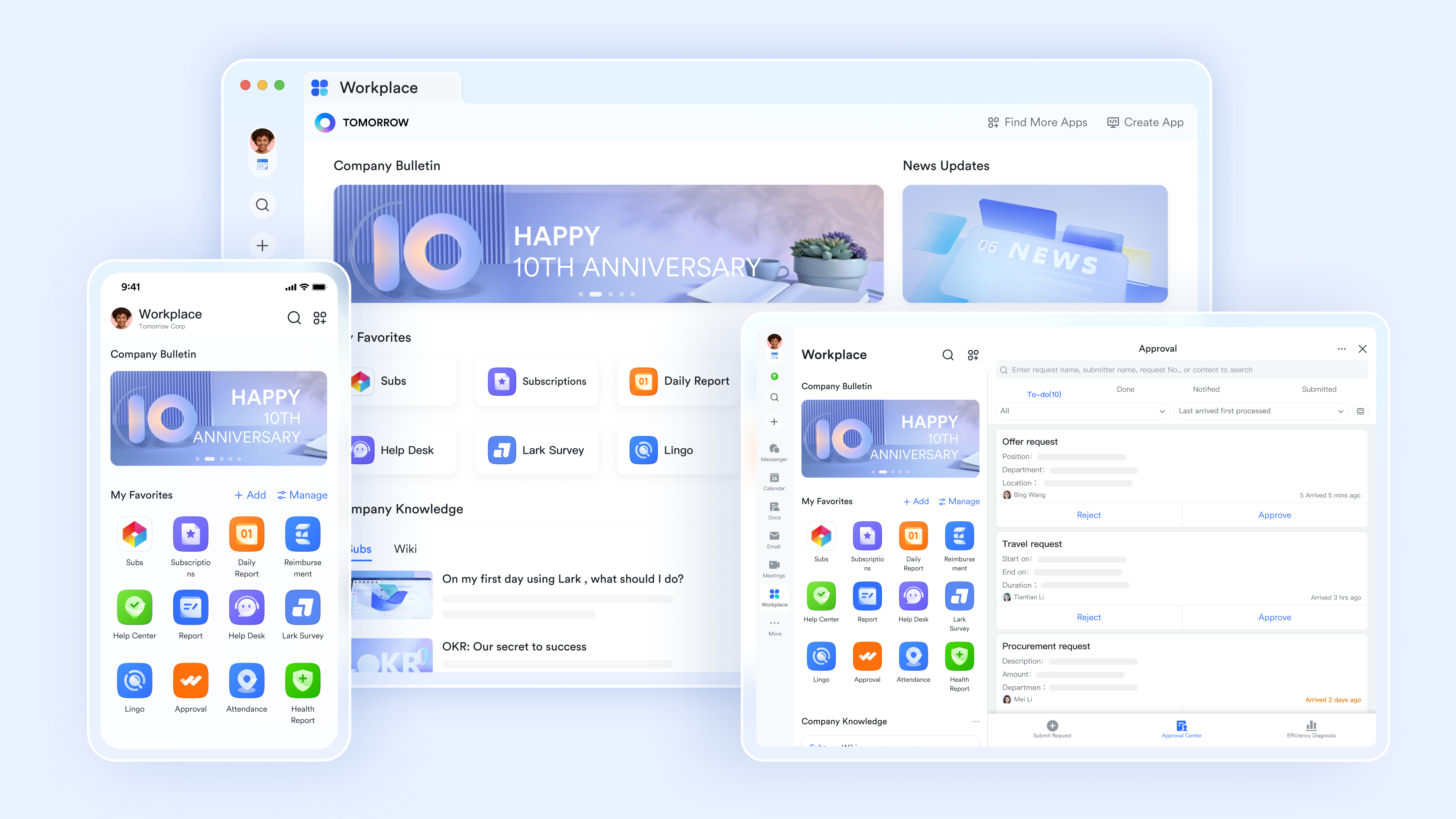
Lark is designed for users who want more than a standalone note app. As teams compare the best Evernote alternatives, many look for tools that combine note-taking with communication and shared documentation. Unlike free alternatives to Evernote that focus on personal notes, brings notes, documents, chat, and tasks into one connected workspace. This approach appeals to teams searching for the best alternatives to Evernote that support collaboration and .
Interactive documents built for real-time collaboration
serves as a powerful multimedia knowledge hub that transforms static notes into interactive workspaces. It combines rapid-capture tools like slash commands and Markdown with visual brainstorming features such as embedded mind maps and bi-directional linking. With Lark Docs and rich content support, you can map out complex ideas seamlessly. Its deep integration with the Lark suite enables real-time collaboration and @mentions, while offline mobile access ensures you can capture inspiration the moment it strikes. 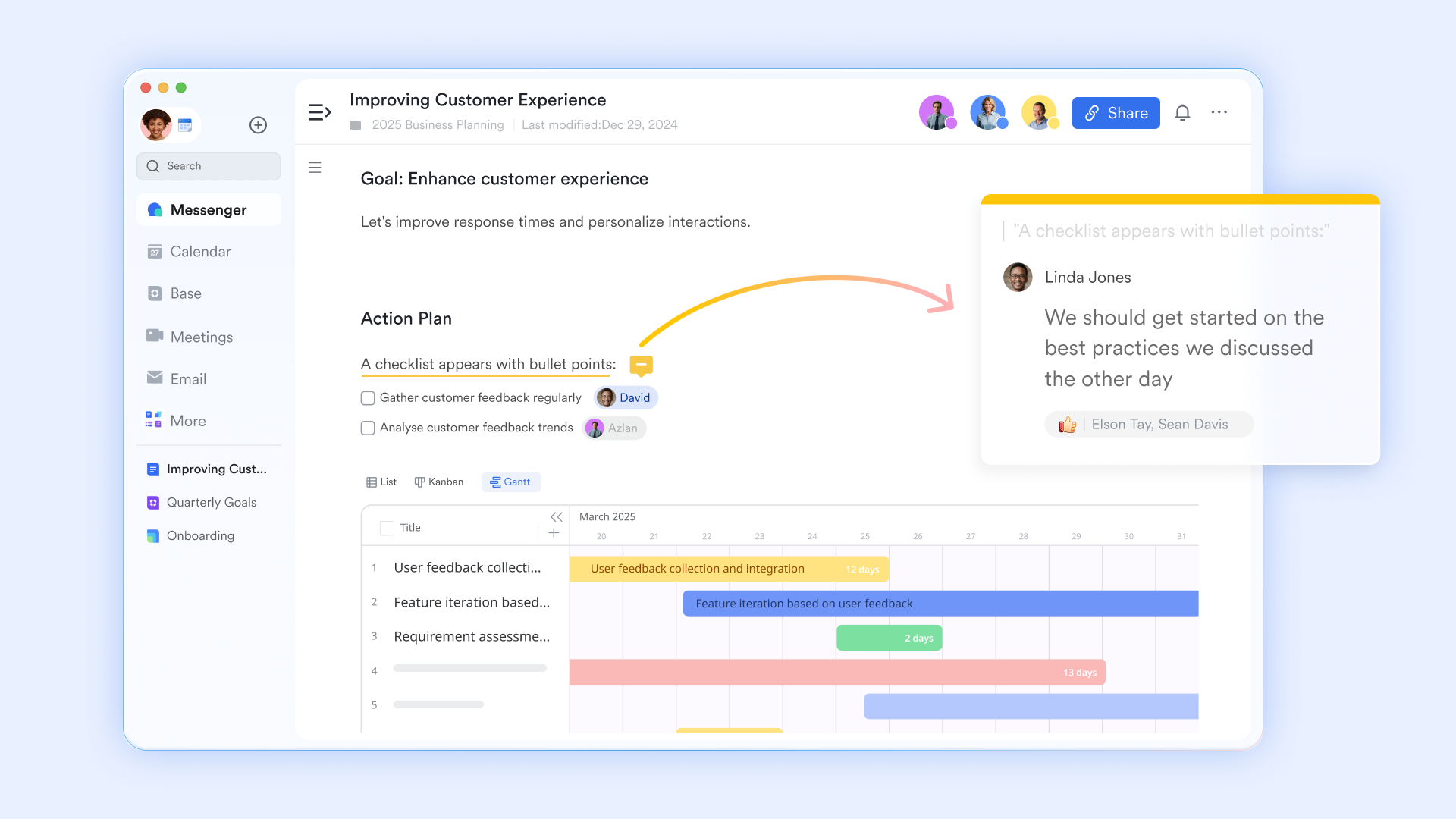
Visual thinking and structured ideation
Lark MindNotes enables teams to create outline-based or visual mind maps for brainstorming, planning, and knowledge structuring. Nodes can be expanded, collapsed, rearranged, annotated with images, and marked as completed. Users can zoom into specific nodes and share direct links to them, keeping complex ideas navigable. Commenting in Lark MindNotes respects document and folder permissions. Teams can allow viewers to comment or restrict comments to editors, depending on sensitivity. 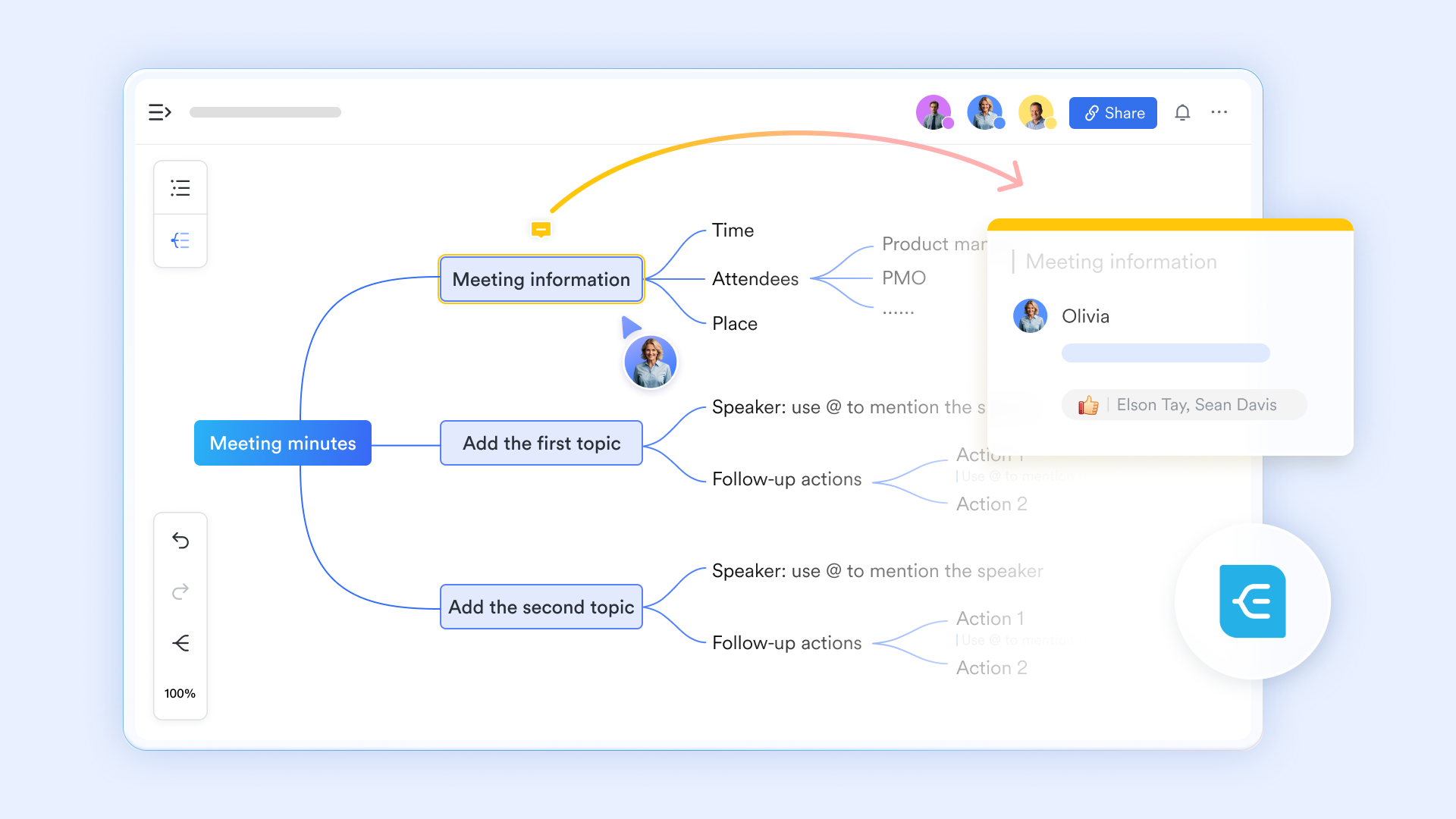
Organized knowledge base at scale
turns individual documents into a structured knowledge base using hierarchical pages, directories, and permission controls. Pages can be moved, reorganized, or removed from wiki spaces without losing ownership, allowing teams to evolve their knowledge structure over time. Granular page and space permissions ensure sensitive information stays controlled. 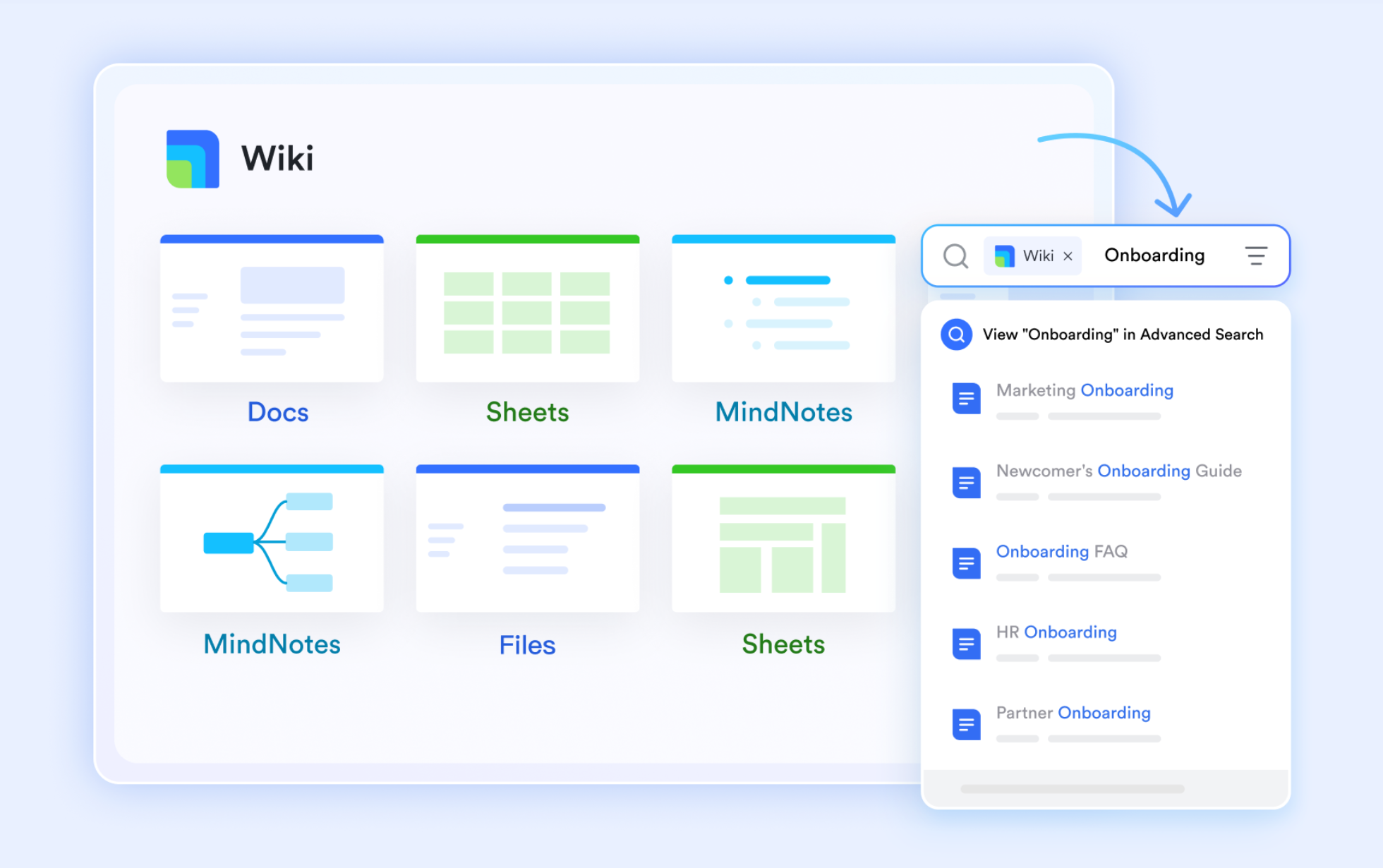
Automatic meeting capture with AI-enhanced meeting notes
can automatically generate AI Meeting Notes during and after meetings, including summaries, action items, transcripts, and smart chapters. Notes are delivered instantly to participants and can be edited, shared, or permission-restricted as needed. This removes the need to manually write or upload meeting notes. 
:
- Starter plan: Free forever plan that includes 11 powerful tools for up to 20 users. It also comes with 100GB of storage, 1000 automation runs, AI translations, and more.
- Basic plan: $6/user/month (billed annually) for up to 500 users. It includes everything in Starter plus group calling for up to 500 attendees, 5TB of storage, 1000 automation runs, and more. For more details, please .
- Pro plan: $12/user/month (billed annually) for up to 500 users. It includes everything in Basic plus group calling for up to 500 attendees, 15TB of storage, 50,000 automation runs, and more.
- Enterprise plan: for custom pricing. Supports unlimited users and includes even more automation runs and advanced security, compliance, and management features.
For small teams with simple communication needs

18 months message history
1000 Base automation runs/month
2000 rows per table in Base
Most POPULAR
For companies with comprehensive collaboration and management needs
Unlimited message history
500-participant video meetings
50k Base automation runs/month
20k rows per table in Base
For large companies with advanced security and organizational management needs
Get a personalized demo and pricing
Unlimited message history
500-participant video meetings
15 TB storage + 30 GB storage/user
500k Base automation runs/month
50k Base automation runs/month
Most POPULAR
For companies with comprehensive collaboration and management needs
Unlimited message history
500-participant video meetings
50k Base automation runs/month
20k rows per table in Base
2. Microsoft OneNote: Flexible digital notebook for structured notes
Microsoft OneNote is a digital notebook designed for users who prefer structured note-taking. It organizes information into notebooks, sections, and pages, making it easy to manage meeting notes, research, and personal ideas. OneNote works especially well for users already in the Microsoft ecosystem. Its free availability makes it a popular choice among alternatives to Evernote. The tool supports both typed and handwritten notes. It is commonly used in education and office environments.
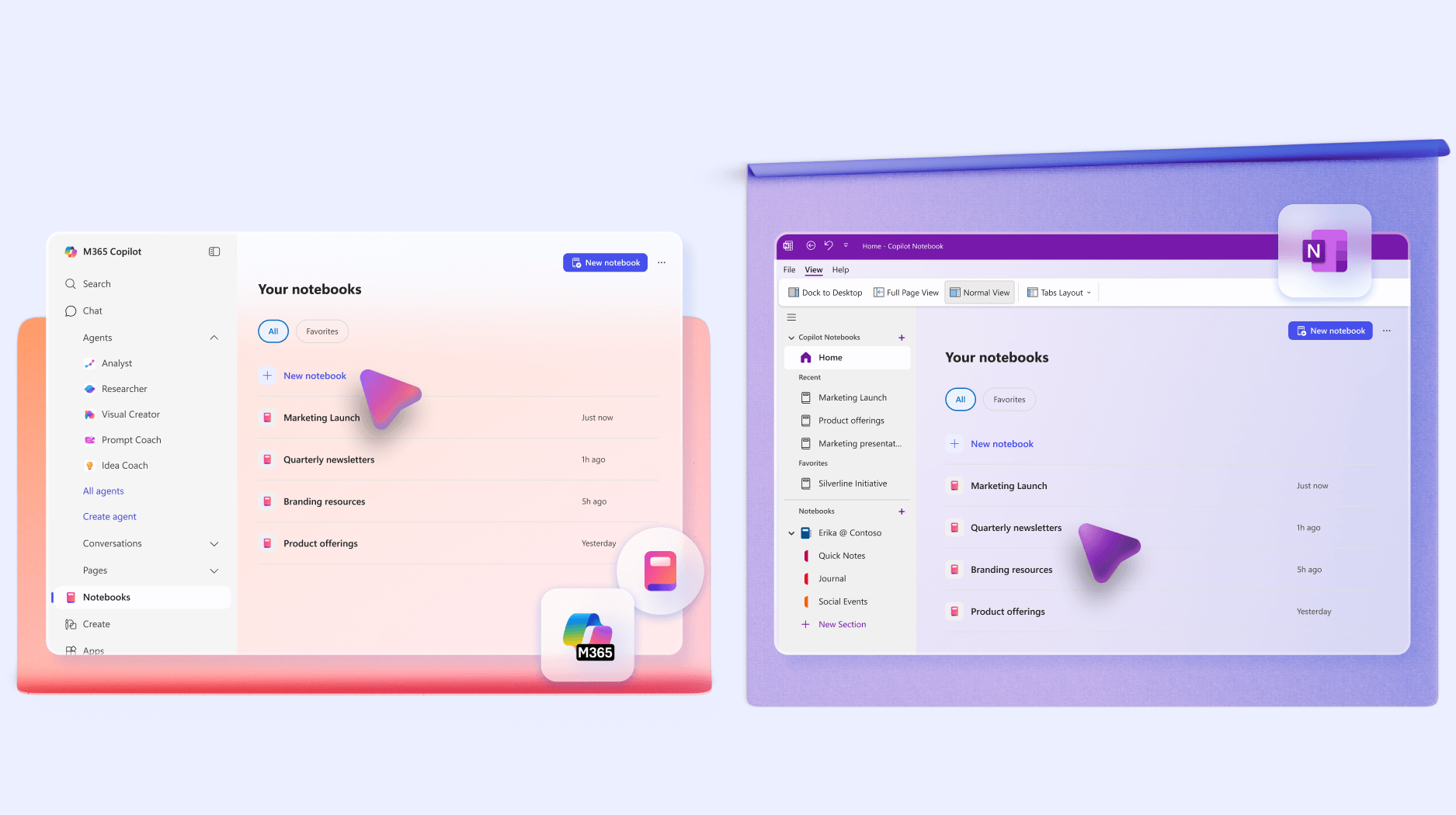
Image source: microsoft.com
Key features:
- Flexible notebook and page-based structure suitable for personal notes, meetings, and brainstorming.
- Supports typed notes, handwriting, drawings, and multimedia across devices.
- Deeply unified with the microsoft 365 ecosystem, including outlook, teams, and sharepoint.
Pros:
- Easy to use for anyone familiar with microsoft products.
- Offers generous features at no cost with a microsoft account.
- Works well for both personal and professional note-taking needs.
Cons:
- Collaboration features are weaker compared to newer cloud-native tools.
- Sync issues may occasionally occur across devices.
- The unstructured layout can feel cluttered for some users.
Pricing:
- Business standard: $12.50/user/month
- Business premium: $22.00/user/month
- Business: $18.00/user/month
3. Notion: Customizable workspace for notes, databases, and wikis
Notion combines note-taking with databases and documentation in a single workspace. It allows users to build custom layouts instead of using fixed notebooks. This flexibility makes it one of the best Evernote alternatives for structured information. Notion is popular among startups, creators, and remote teams. It supports both personal organization and team collaboration. However, it requires time to set up effectively.
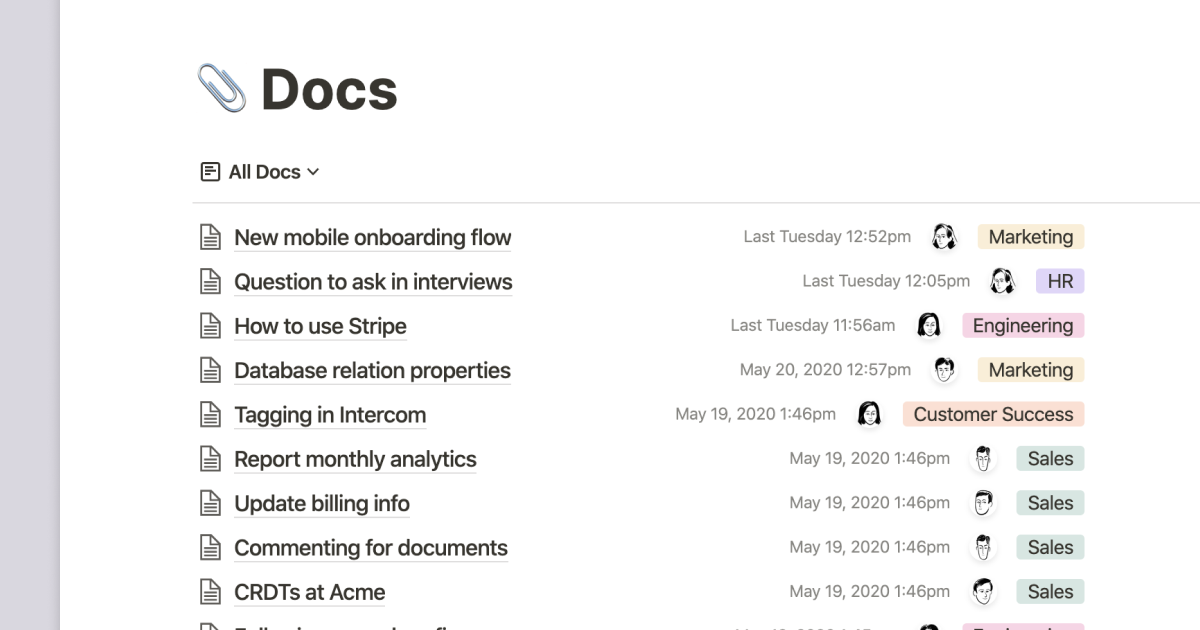
Image source: notion.com
Key features:
- Highly customizable workspace combining notes, databases, wikis, and lightweight project tracking.
- Strong template ecosystem and block-based editing for teams and individuals.
- Popular for knowledge management, but requires setup discipline as complexity grows.
Pros:
- Extremely versatile for both individuals and teams.
- Strong collaboration features support shared workspaces.
- Suitable for a wide range of use cases beyond note-taking.
Cons:
- The learning curve can be steep for new users.
- Performance may slow with large or complex pages.
- Offline functionality remains limited.
Pricing:
- Free plan: $0 user/month
- Plus plan: $10/user/month
- Business plan: $20/user/month
- Enterprise plan: Custom pricing
4. Obsidian: Local-first note-taking for personal knowledge management
Obsidian focuses on personal knowledge management rather than collaboration. Notes are stored locally using markdown files, giving users full data ownership. The app emphasizes linking ideas instead of folders alone. It is popular among researchers, writers, and developers. Obsidian works entirely offline by default. Collaboration requires additional setup or plugins.
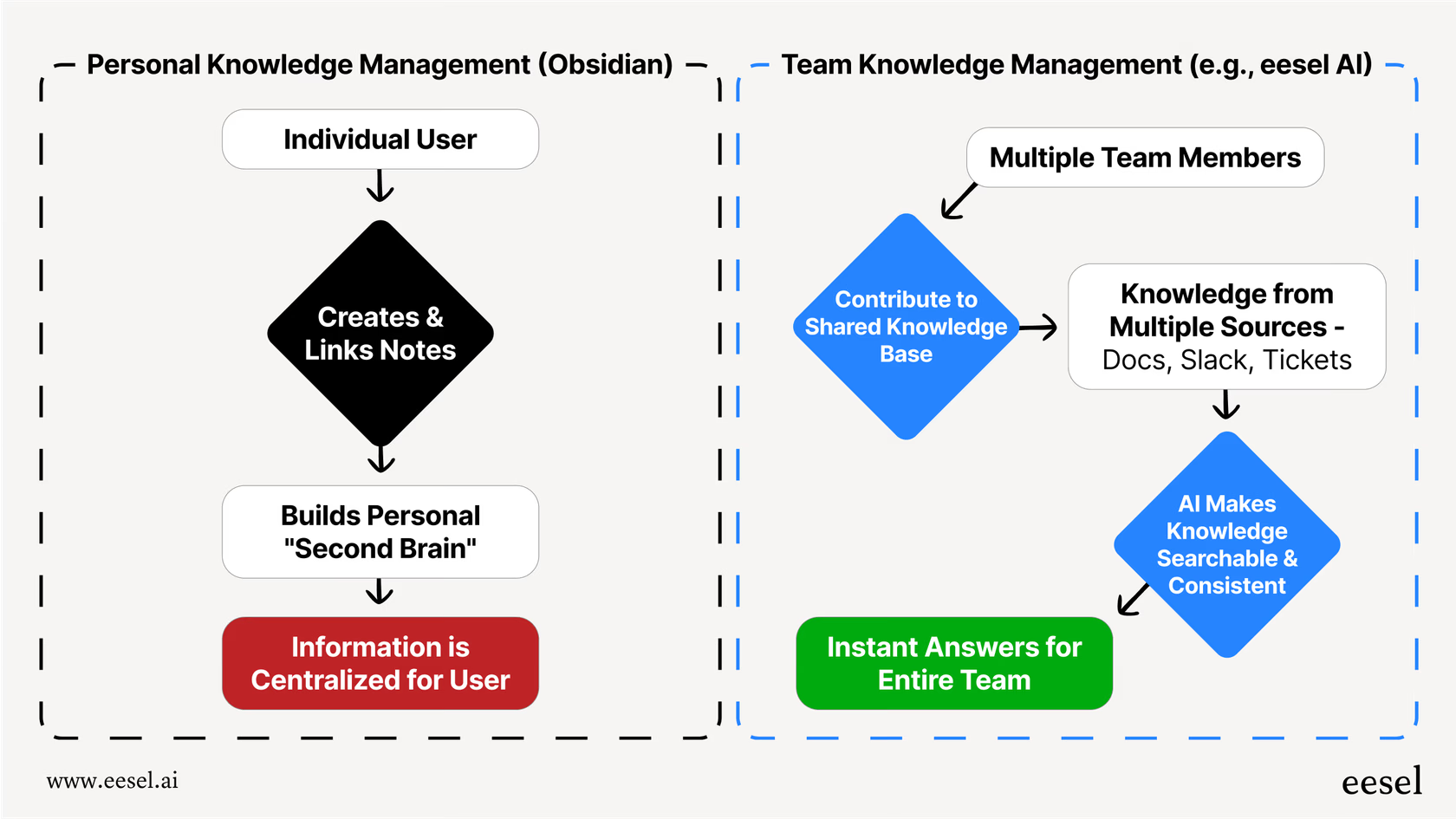
Image source: obsidian.com
Key features:
- Local-first markdown note system with full data ownership and offline access.
- Powerful bi-directional linking and graph view for building knowledge networks.
- Extensive plugin ecosystem for advanced users and personal knowledge bases.
Pros:
- Works completely offline without relying on cloud services.
- Offers excellent performance even with large note collections.
- Ideal for long-term knowledge management.
Cons:
- Does not include built-in cloud sync by default.
- Collaboration features are minimal.
- Initial setup can be complex for beginners.
Pricing:
- Enterprise: $1,250/user/year
5. Google Keep: Simple and lightweight note-taking app
Google Keep is designed for fast and simple note capture. It is best suited for short notes, reminders, and to-do lists. The interface is minimal and easy to use. Google Keep syncs instantly across devices with a google account. It is often chosen as a free alternative to Evernote for basic needs. However, it lacks advanced organizational features.
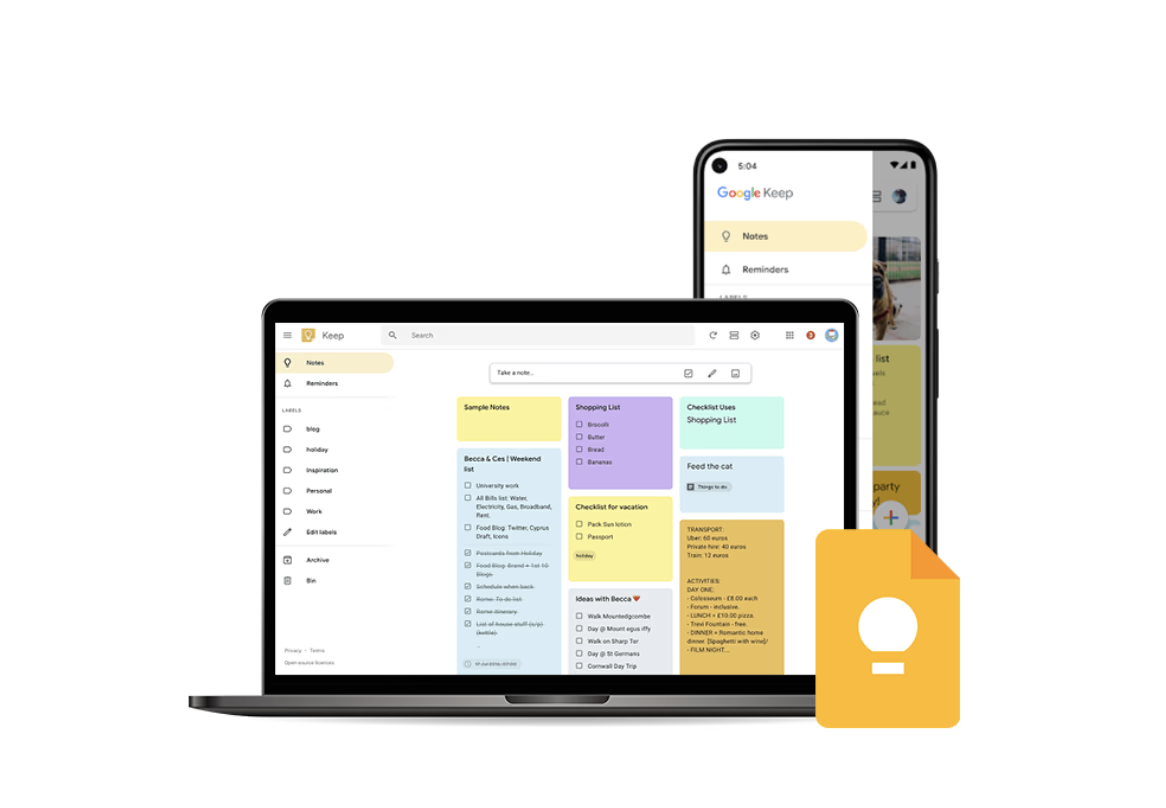
Image source: google.com
Key features:
- Fast, lightweight note capture with labels, colors, and reminders.
- Seamless syncing across devices using a google account.
- Best suited for quick notes and personal reminders, not structured knowledge.
Pros:
- Very simple and easy to use.
- Syncs instantly across devices using a google account.
- Completely free with no feature restrictions.
Cons:
- Lacks advanced formatting options.
- Organization features are limited.
- Not suitable for long-form or complex notes.
Pricing:
- Business: $7.20/user/month
- Enterprise: Custom pricing
- Read this article to know more about : Google Workspace Pricing: A Comprehensive Guide for 2026
6. Apple Notes: Native note app for apple ecosystem users
Apple Notes is built into iPhones, iPads, and Macs. It provides a smooth experience for users within the apple ecosystem. The app supports rich notes, document scanning, and handwriting. It works well for personal organization and light collaboration. Apple Notes is often considered by users seeking simple alternatives to Evernote. Cross-platform access remains limited.
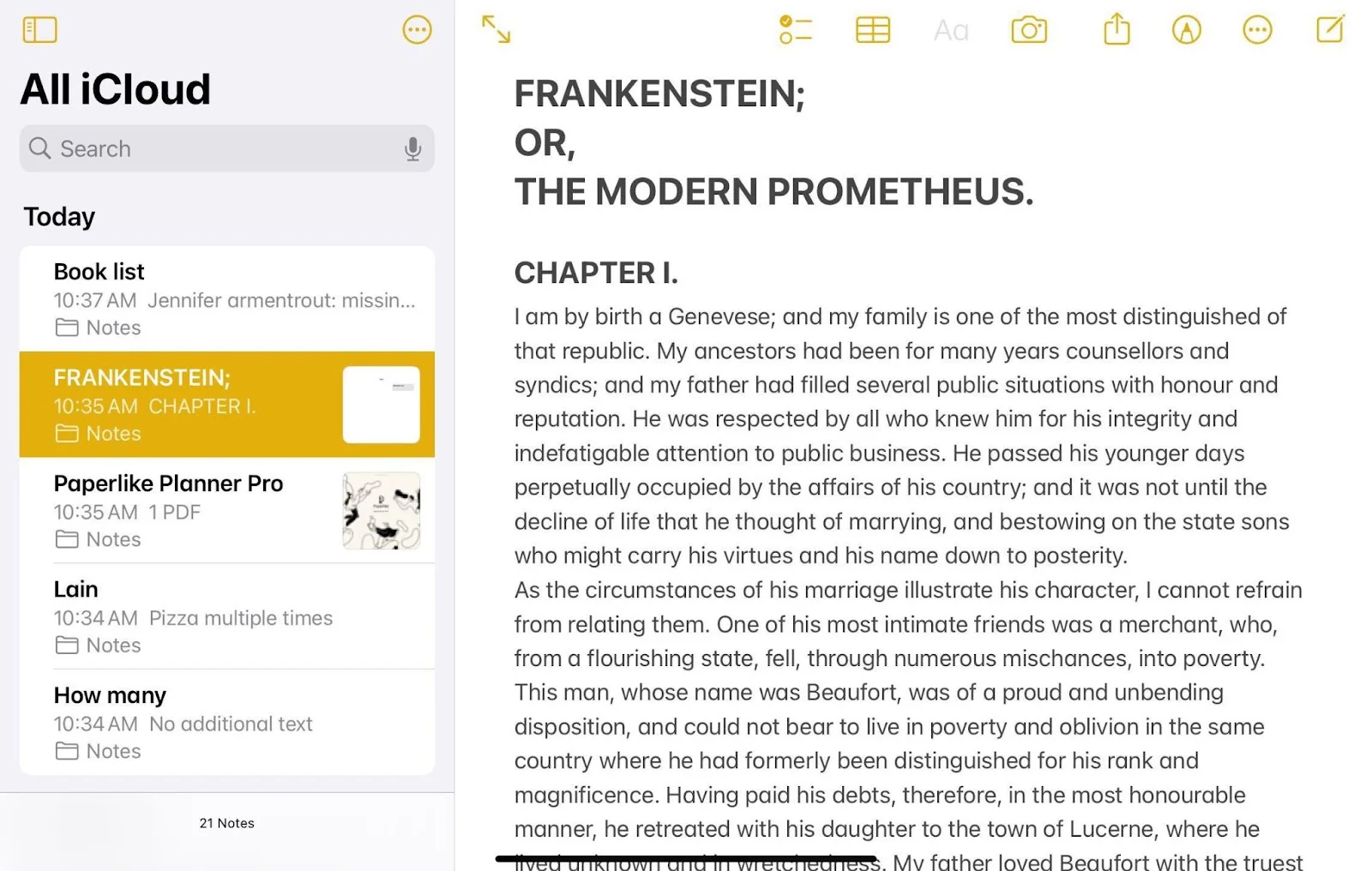
Image source: apple.com
Key features:
- Simple, native note-taking with rich text, document scanning, and handwriting.
- Tightly merged across apple devices with iCloud sync.
- Strong privacy and ease of use, but limited cross-platform collaboration.
Pros:
- Seamless integration within the apple ecosystem.
- Free and pre-installed on apple devices.
- Simple and clean user interface.
Cons:
- Limited availability outside apple platforms.
- Collaboration features are basic.
- Advanced customization options are lacking.
Pricing:
- Business: $2.99/user/month
- Enterprise: $12.99/user/month
7. Joplin: Open-source note-taking with encryption support
Joplin is an open-source note-taking app focused on privacy. It supports encrypted notes and offline access. Joplin appeals to users who value transparency and data ownership. Notes are written in markdown and stored locally or synced via cloud services. It is often compared to Evernote by privacy-conscious users. The interface is more functional than polished.
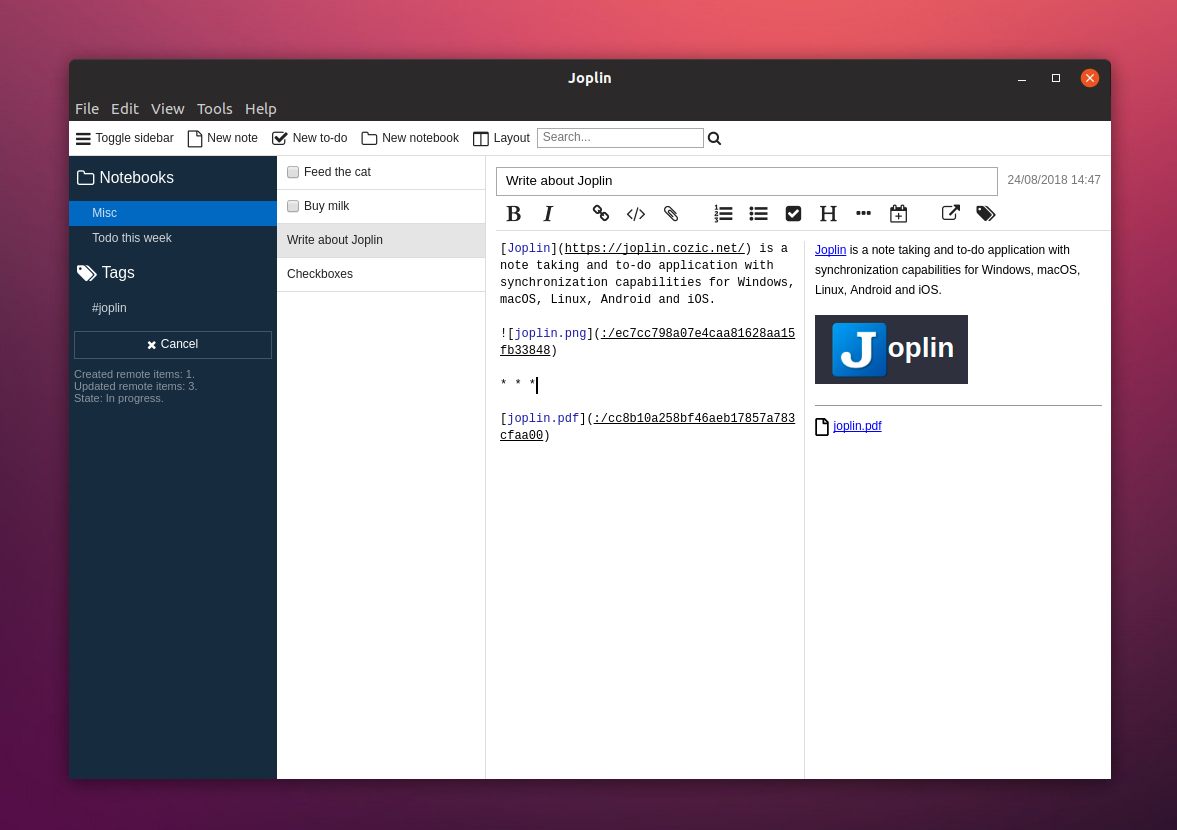
Image source: joplin.com
Key features:
- Open-source note-taking with markdown support and end-to-end encryption.
- Offline-first design with flexible sync options, including self-hosting.
- Favored by privacy-focused and technical users.
Pros:
- Strong focus on privacy and data security.
- Works offline and across multiple platforms.
- Suitable for technical and privacy-conscious users.
Cons:
- The user interface feels less polished.
- Set up and syncing require manual configuration.
- Collaboration features are limited.
Pricing:
- Free: open-source and free to use
- Business: $8.60/user/month
- Enterprise: custom quote
- Starting price for business use: $17.20/month
8. Bear: Minimalist writing-focused note-taking app
Bear is a clean and minimalist note-taking app designed for writers. It focuses on readability and writing flow rather than complex workflows. Bear uses tags instead of folders for organization. It is limited to apple devices. Many users choose bear as the best Evernote alternative for writing. Collaboration features are minimal.
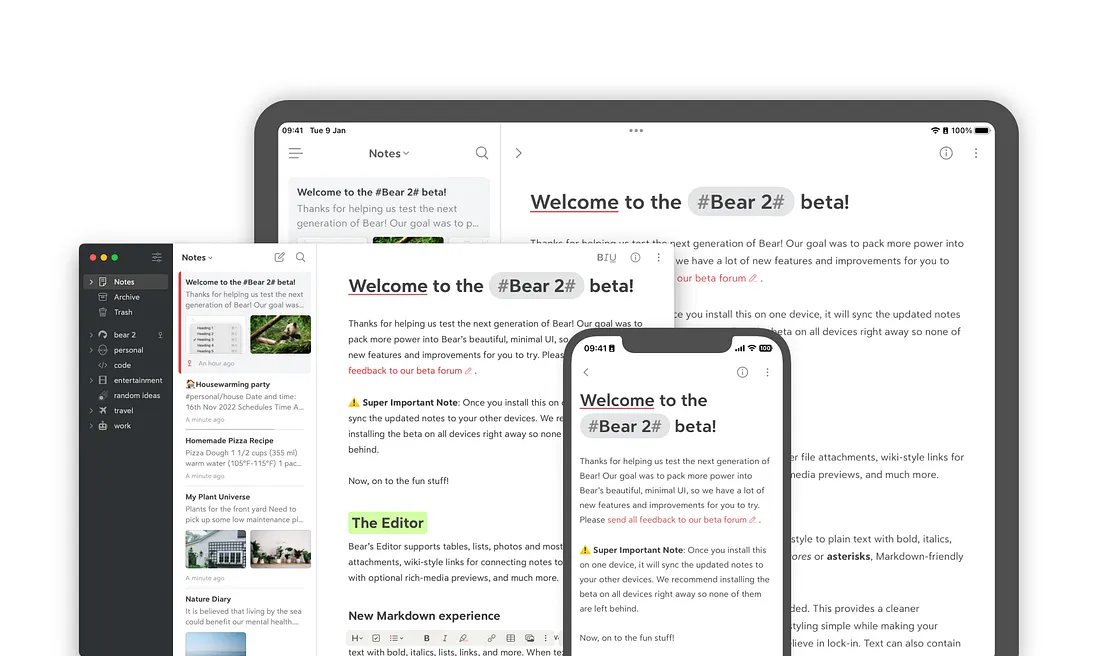
Image source: bear.com
Key features:
- Minimalist, distraction-free writing experience using markdown.
- Tag-based organization instead of folders for flexible categorization.
- Optimized for apple users with an elegant design and a focus on writing quality.
Pros:
- Clean and visually appealing interface.
- Excellent for writers and long-form notes.
- Fast and responsive performance.
Cons:
- Available only on apple platforms.
- Advanced features require a paid subscription.
- Collaboration options are minimal.
Pricing:
- Starting price: $2.99/user/month
9. Zoho Notebook: Visually organized notes for zoho users
Zoho notebook is a visually driven note-taking app with a card-based layout. It combines well with the zoho ecosystem. The app supports multiple note types, including text, images, and audio. Zoho notebook is easy to use and visually appealing. It suits users looking for alternatives to Evernote with a design focus. Advanced knowledge management is limited.
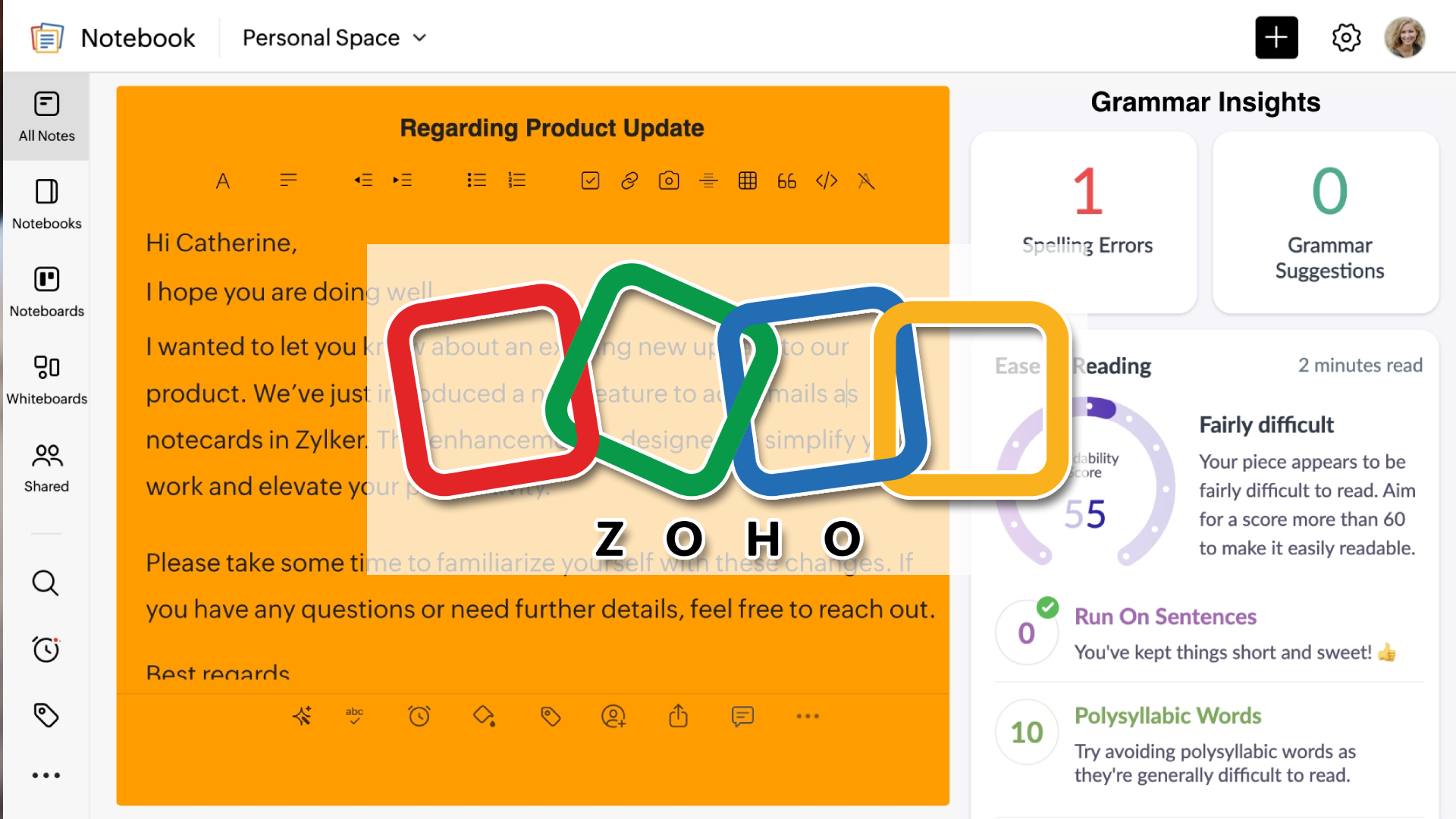
Image source: zoho.com
Key features:
- Card-style visual note organization for text, audio, images, and files.
- Clean interface designed for both personal and team note-taking.
- Merges well within the broader zoho product ecosystem.
Pros:
- Visually attractive and easy to use.
- The free plan offers useful core features.
- Works well for personal and light business use.
Cons:
- Collaboration features are limited.
- Fewer integrations outside the zoho ecosystem.
- Not ideal for advanced knowledge management.
Pricing:
- Plus plan: $1.99/user/month
- Business plan: $2.00/user/month
- Enterprise plan: $6.00/user/month
10. Simplenote: Distraction-free notes with fast sync
Simplenote focuses on speed and simplicity. It supports plain text notes with minimal formatting. The app syncs instantly across devices. Simplenote is often used as a free alternative to Evernote for basic note-taking. It is best for users who want no distractions. Advanced features are intentionally limited.
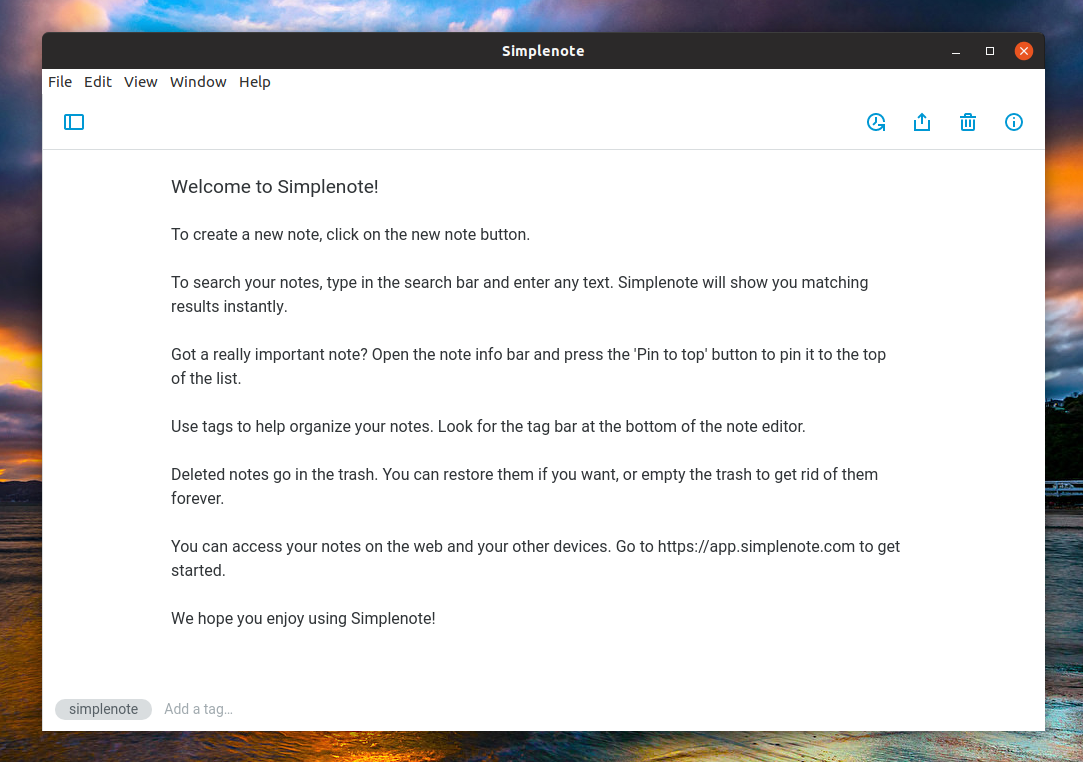
Image source: simplenote.com
Key features:
- Extremely lightweight plain-text note-taking with instant syncing.
- Free to use with version history and cross-platform support.
- Ideal for users who value speed and simplicity over advanced features.
Pros:
- Extremely fast and easy to use.
- Free with no feature limitations.
- Ideal for plain-text note-taking.
Cons:
- Lacks rich formatting and media support.
- Organization options are very basic.
- Not suitable for complex workflows.
Pricing:
- Plus plan: $19.99/user/month
How to choose the right Evernote alternative
Choosing the right Evernote alternative involves understanding how you work, what features matter most, and how a tool fits into your long-term workflow. Some users need simple note capture, while others require structured documentation and . Evaluating priorities like syncing, sharing, and scalability will help you select a solution that meets your needs without compromise.
- Personal vs team note-taking needs: If you primarily capture thoughts for yourself, lightweight and fast tools could be enough. Personal use favors free alternatives to Evernote with simple features. For teams, look for the best Evernote alternatives that support shared editing and .
- Cross-platform sync and offline access: Reliable syncing across desktop, web, and mobile ensures notes are available anywhere. Offline access becomes critical when working without consistent connectivity. Tools that balance both provide continuity and flexibility.
- Collaboration, sharing, and real-time editing: Teams need more than shared files. Real-time collaboration, commenting, and controlled sharing improve productivity. The best Evernote alternatives support multi-user editing and permissions for smooth teamwork.
- Knowledge management vs quick notes: Consider whether you need deeper organization for long-term knowledge. Structured wikis, tagging, and linking suit knowledge bases. For quick capture and reminders, lightweight alternatives may suffice.
- Security, privacy, and data ownership: If sensitive content is involved, encryption and data control matter. Open-source and encrypted tools give ownership. Managed platforms balance security with ease of use.
- Cost transparency and long-term scalability: Transparent pricing helps avoid surprises as teams grow. Evaluate storage, user limits, and feature tiers. Scalable tools adapt as personal use turns into team demand.
Conclusion
Choosing the right note-taking tool today requires more than replacing Evernote with a similar app. Users now evaluate how well a platform supports organization, collaboration, and long-term knowledge management. While free alternatives to Evernote are suitable for quick personal notes, teams often look for the best Evernote alternatives that scale with shared documentation and .
The best alternatives to Evernote vary based on individual needs, from minimalist tools focused on speed to advanced systems built for structured knowledge. Some users prioritize privacy and offline access, while others value real-time collaboration and merge with daily work. Platforms like represent a broader shift in how notes fit into connected workspaces, linking documentation with communication and execution. By understanding your priorities and comparing features carefully, you can choose from the best Evernote alternatives that support productivity today and adapt as your needs grow.
Upgrade note-taking and knowledge sharing with Lark
FAQs
Why did Evernote fail?
Evernote did not completely fail, but many users moved away due to increasing subscription costs and stricter limitations on free plans. As note-taking needs evolved, users began comparing alternatives to Evernote that offered better flexibility. Limited innovation and weaker collaboration features also contributed to declining interest. This shift opened the door for the best Evernote alternatives focused on . Platforms like Lark reflect how expectations have changed.
Is anything better than Evernote?
Many users believe the best alternatives to Evernote now offer more value, especially for collaboration and organization. Tools like notion and onenote provide flexibility, while others focus on simplicity. Teams often prefer platforms that connect notes with daily work. Lark stands out by combining documentation with chat, meetings, and tasks. This combined approach appeals to growing teams.
Can I import all my Evernote notes into another app without losing formatting?
Most Evernote alternatives support importing notes using ENEX files or built-in migration tools. Text content usually transfers accurately, but complex formatting may require minor adjustments. Users exploring alternatives to Evernote should test imports with sample data first. Some platforms provide step-by-step migration guidance. Team tools like Lark focus on structured documentation after import.
Which Evernote alternative works best for large teams with shared documentation?
Large teams need real-time editing, shared knowledge bases, and permission controls. Many of the best Evernote alternatives are designed specifically for collaborative documentation. Platforms like Lark support team wikis and centralized information sharing. This helps teams reduce fragmentation and improve alignment. Such features make them suitable for scaling organizations.
Are open-source Evernote alternatives safe for long-term note storage?
to Evernote are often chosen for transparency and data ownership. Many support , encryption, and offline access. Long-term safety depends on active development and regular backups. Some teams prefer managed platforms like Lark for reliability and security at scale. The best choice depends on privacy needs and technical comfort.
Related reading






























