A project that cannot be tracked cannot be managed. Tasks go missing, deadlines slip quietly, and no one has a reliable answer when a stakeholder asks for a status update. A project management tracker template Excel gives teams a structured starting point, tasks organized, owners assigned, deadlines visible, and progress recorded in one place. For many teams, it is the fastest and most accessible way to bring order to a project without purchasing new software. This guide covers what makes an Excel tracker worth using, the best templates organized by use case, and the emerging alternative for modern teams.
Key takeaways
- A tracker Excel template organizes tasks, owners, deadlines, status, and budget into a structured file. It gives every team member a shared reference point for what needs to happen and when.
- The best Excel tracker templates go beyond task lists. They include conditional formatting for overdue items, progress rollup calculations, Gantt-style timeline views, and separate tabs for budget, risk, and resource tracking.
- A project management plan template in Word works for documenting project scope and objectives, but lacks tracking capabilities.
- Lark is an AI-powered work management platform that gives teams the project-tracking capabilities they expect from dedicated , with built-in communication and automation that keeps every tracker live without manual updates.
What is a project management tracker template?
A project management tracker template is a structured, ready-to-use format that helps teams track tasks, deadlines, progress, and responsibilities in one place. It improves visibility, keeps work organized, and ensures nothing is overlooked during execution.
For example, many teams rely on project management templates on Smartsheet, a popular platform, to streamline this process. These are easy to customize and support better planning, making it simpler for teams to stay aligned, meet deadlines, and manage projects more efficiently from start to finish.
Key components of a strong Excel tracker template
A well-built Excel tracker keeps everything clear, structured, and easy to update. It helps teams monitor progress, assign ownership, and avoid delays.
- Task ID: A unique identifier for each task that makes it easy to track, reference, and avoid confusion, especially in large projects.
- Task name and description: A clear title with a short description that explains what needs to be done, ensuring everyone understands the task scope.
- Phase or work stream: Groups tasks into stages or categories, helping teams organize work and see how each task fits into the bigger project.
- Owner (single named person): Assigns responsibility to one person, improving accountability and ensuring there is a clear point of contact.
- Start date and due date: Defines when a task begins and when it should be completed, helping with scheduling and tracking.
- Duration (auto-calculated): Automatically calculates the time between start and end dates, reducing manual work and improving accuracy.
- Dependency (which task must be completed first): Shows , so teams know which tasks rely on others, helping prevent delays and bottlenecks.
Sync your team and project tracking with Lark today
Excel project management tracker templates
Excel offers a variety of templates designed to suit different project sizes and workflows. Choosing the right format depends on how detailed the project is and how teams prefer to organize their work:
Simple task tracker template
Single-tab layout for projects under 20 tasks with one PM. Clean and low-maintenance. Does not support multi-project views or .
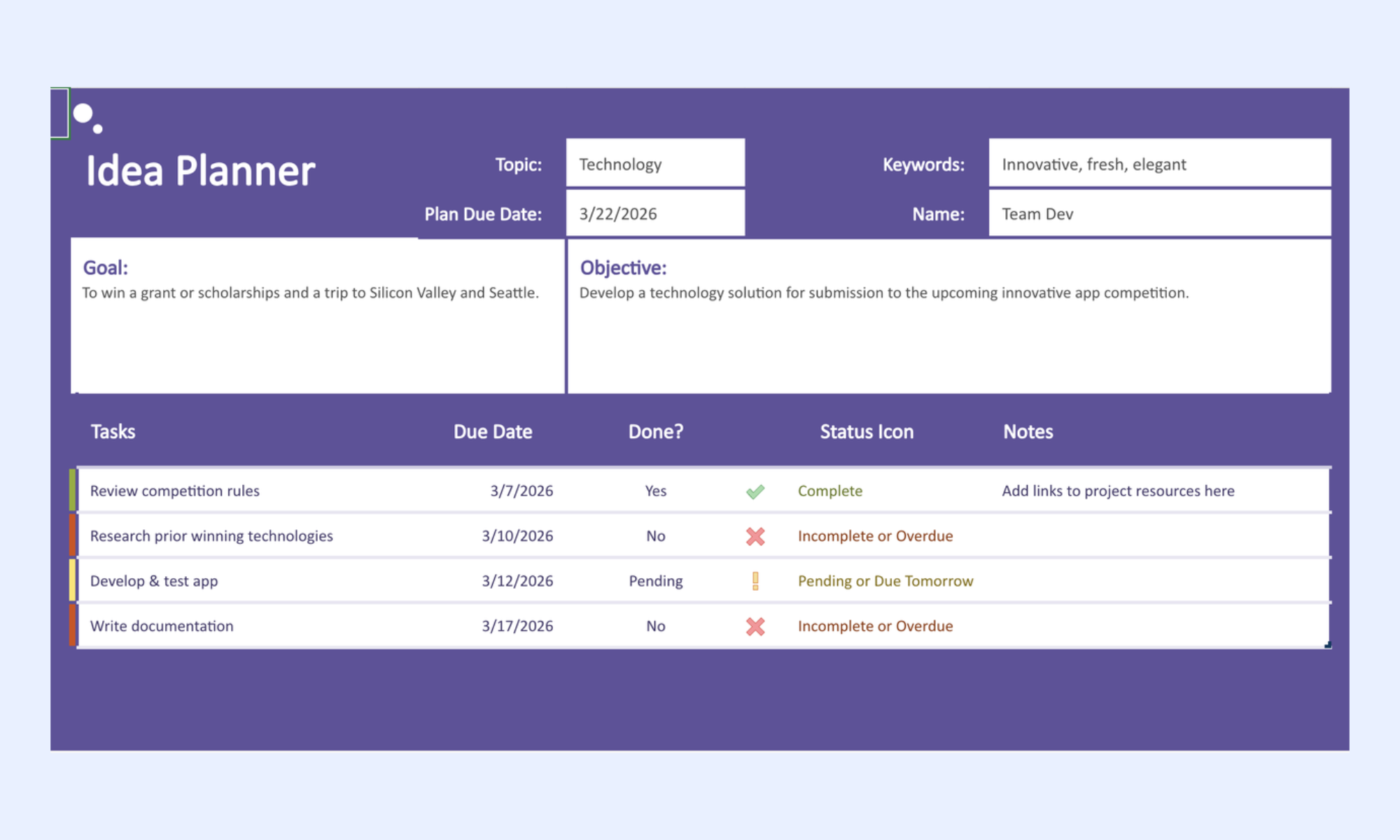
Image source: microsoft.com
Project management budget template Excel
Adds a dedicated budget tab with planned cost, actual cost, and variance columns per task, plus a phase-level rollup. Critical column: budget variance flagged by conditional formatting. Limitation: actual cost must be manually entered — Excel has no way to pull spend data automatically from a finance system. 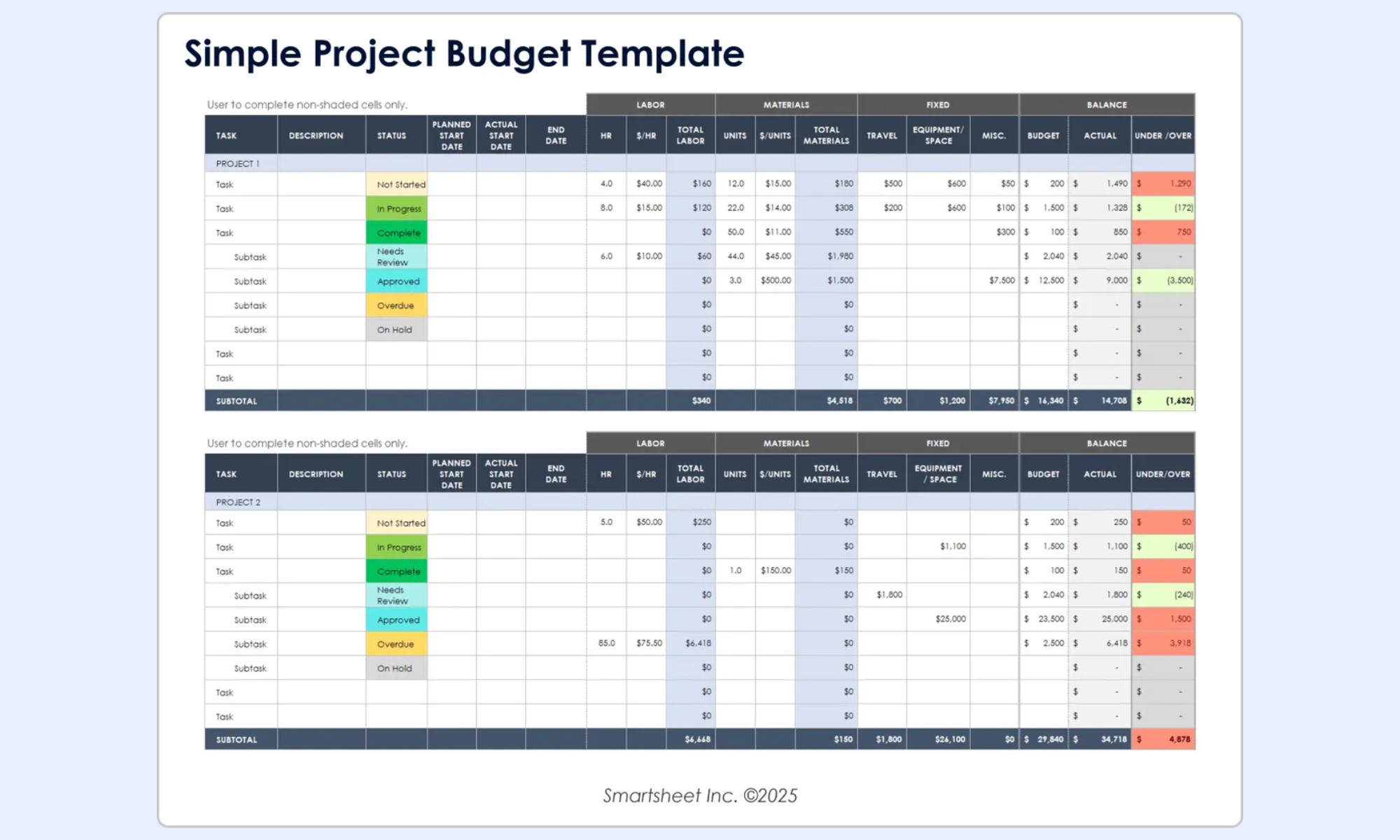
Image source: smartsheet.com
Project management report template Excel
Structured as a weekly or phase-end status snapshot with a traffic-light summary, status, budget utilization percentage, and risk count. Used for stakeholder reporting rather than day-to-day task management. Limitation: generated manually from the live tracker, with no automatic population.
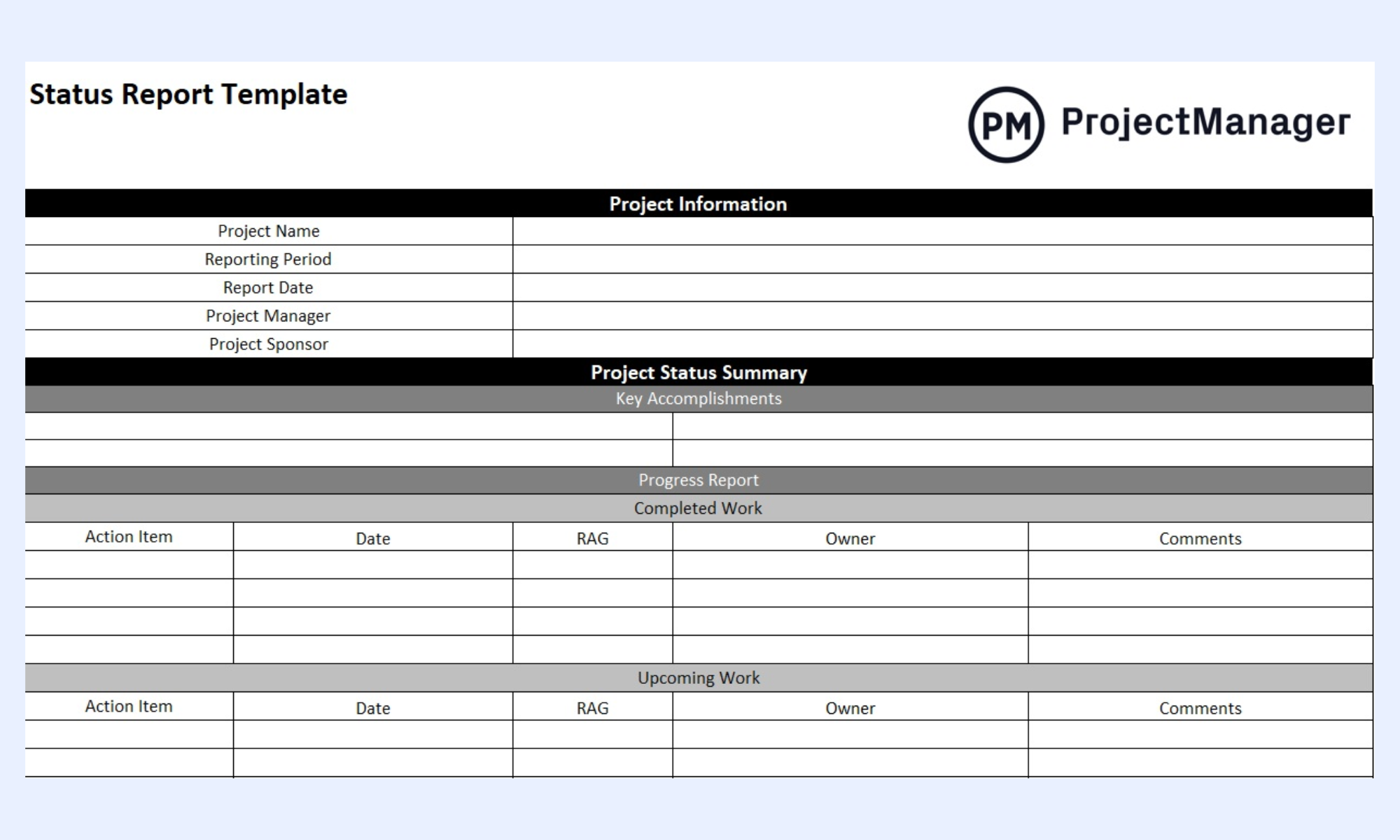
Image source: projectmanager.com
Project management roadmap template Excel
Maps project phases and milestones against a quarterly or annual timeline using a . Communicates the high-level delivery plan to executives. Limitation: dates need manual updating every time a milestone shifts, and the chart requires reconfiguration when the timeline changes significantly.
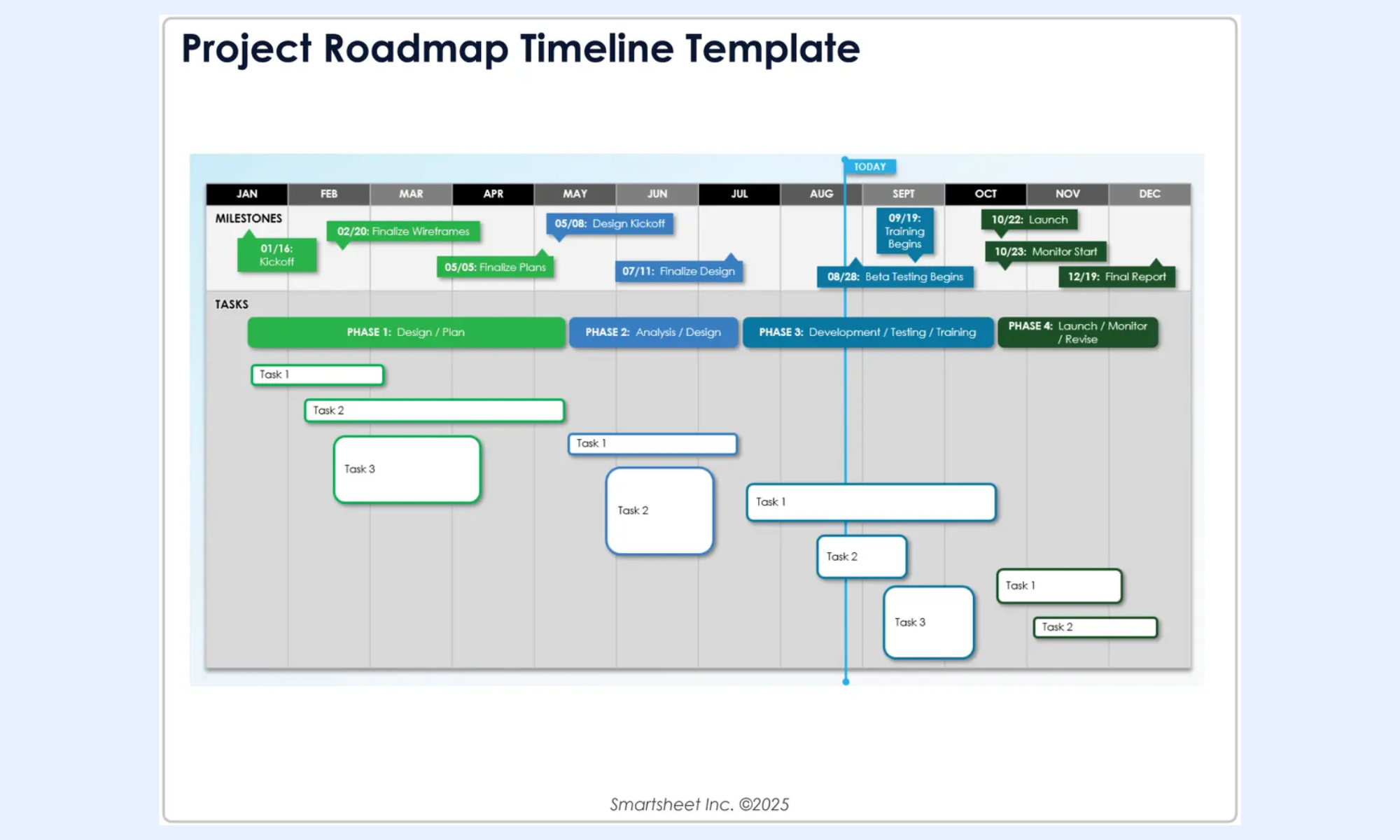
Image source: smartsheet.com
Multi-project tracker template
One file tracking multiple concurrent projects, with a summary sheet pulling status from individual project tabs via COUNTIF formulas. Used by PMs managing a portfolio of small to mid-sized projects. Limitation: file size grows quickly, simultaneous editing by multiple team members produces version conflicts, and formula maintenance across linked tabs becomes time-consuming. 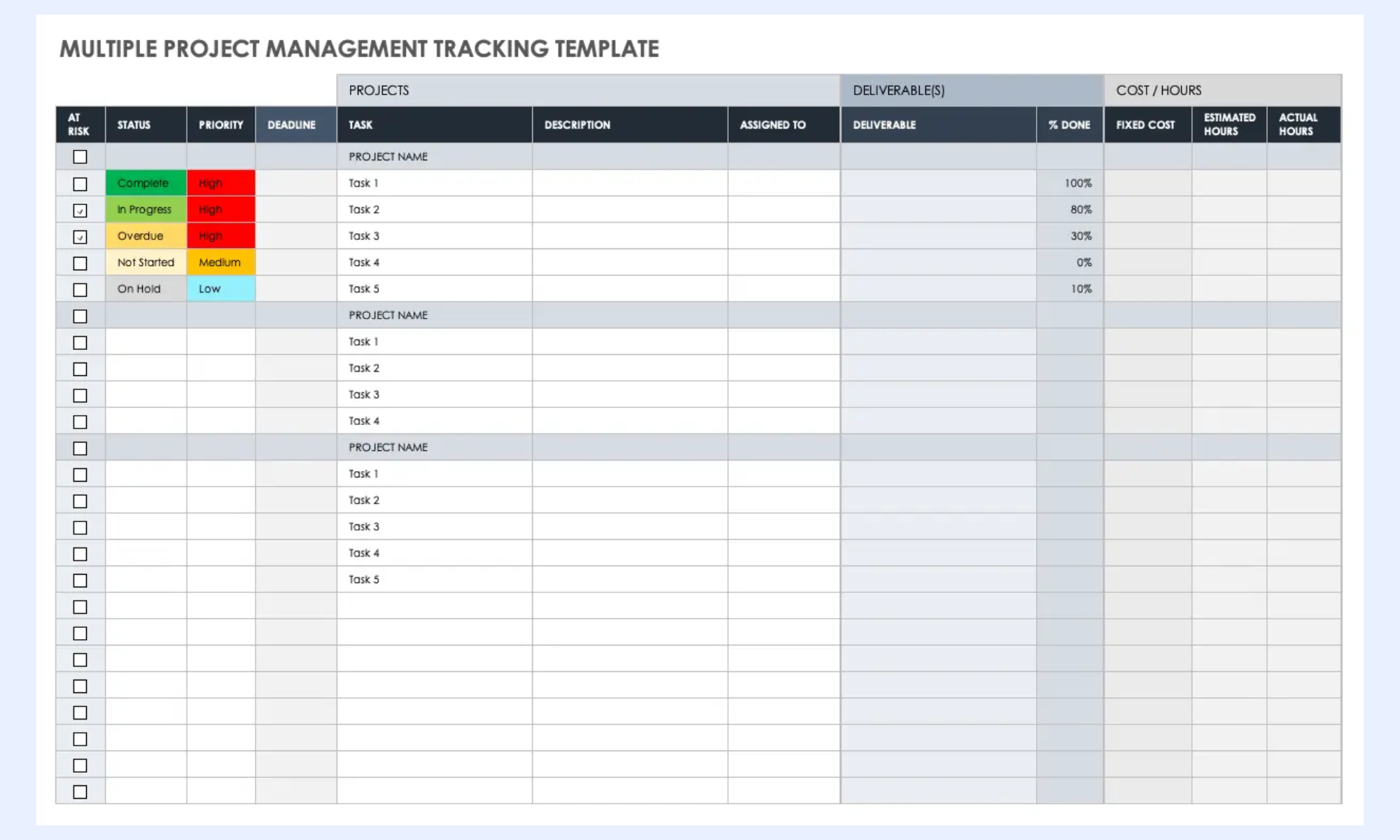
Image source: smartsheet.com
Drive productivity: Streamline workflows and project tracking with Lark
As projects grow more complex, teams need more than spreadsheets to stay on track. offers a smarter approach by combining task management, communication, and real-time collaboration in one place. Unlike Excel, it reduces manual work with automated updates, shared dashboards, and built-in . Teams can assign tasks, track progress, and communicate instantly without switching tools. It also improves visibility, so everyone stays aligned with priorities and deadlines. For growing teams or fast-moving projects, makes project tracking more efficient, organized, and easier to manage from start to finish.
One live tracker that every team member updates simultaneously
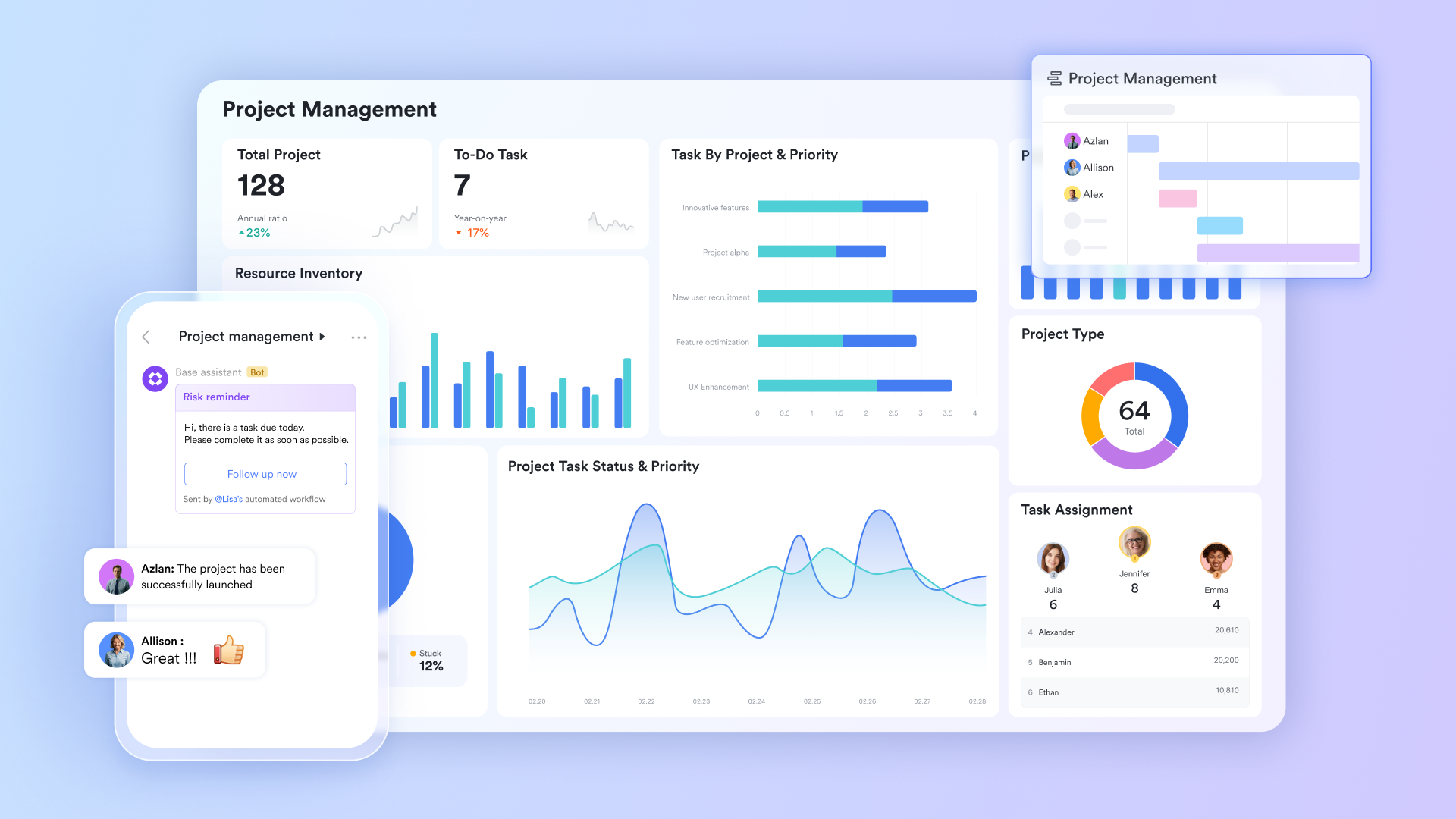
stores the project tracker as a structured database with custom field types: single-select status dropdowns with conditional coloring, date fields for start and due dates, formula fields that auto-calculate duration and budget variance, member fields for ownership, number fields for estimated and actual hours, and link fields mapping . Every field update is reflected across all users simultaneously, with a full change history automatically stored against each record.
Tracker, Gantt, and Kanban from one dataset
The same Lark Base project tracker renders in multiple formats without duplicating data. Grid view gives the PM a complete, filterable task list, the equivalent of the Excel tracker tab, but live and multi-user. Gantt view renders start dates, end dates, and dependencies as a visual timeline—Gantt bars reposition automatically when dates change, with no chart reconfiguration required. Kanban view group tasks by status, so team members drag cards across columns as work progresses. 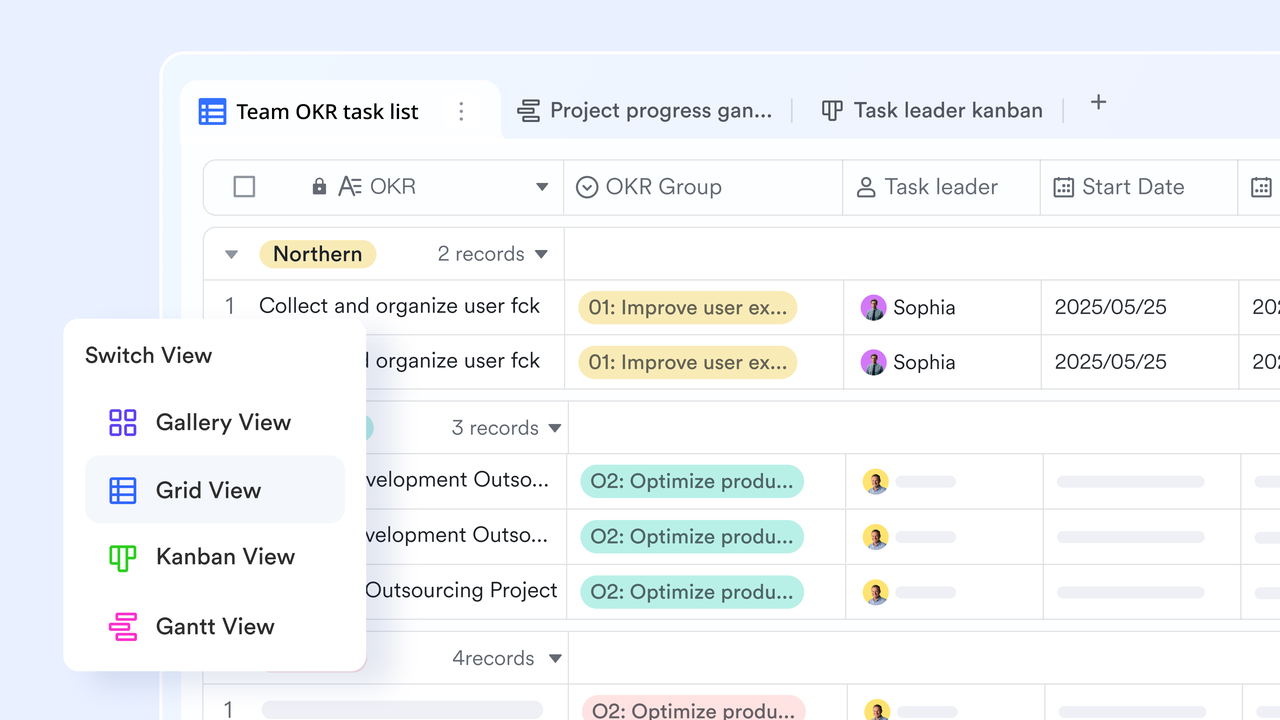
Deadline and budget alerts without anyone checking the file
Lark Base Automation lets project managers configure trigger-action rules to replace manual monitoring. When a task due date passes, and the status field is not complete, the automation sends a notification directly to the task owner in , with the task name, due date, current status, and a link to the record embedded in the message. 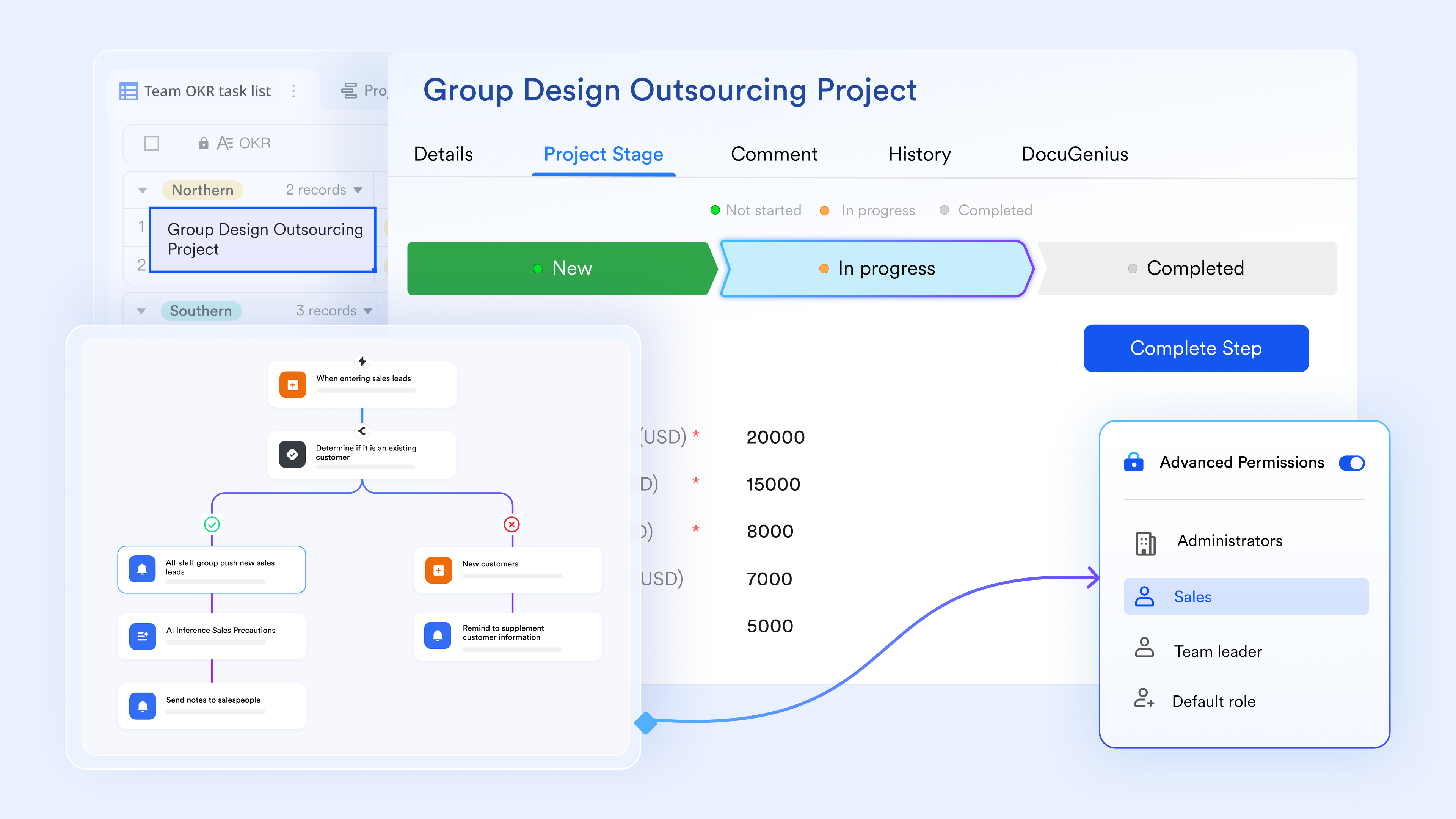
Project plan and reports linked directly to the tracker
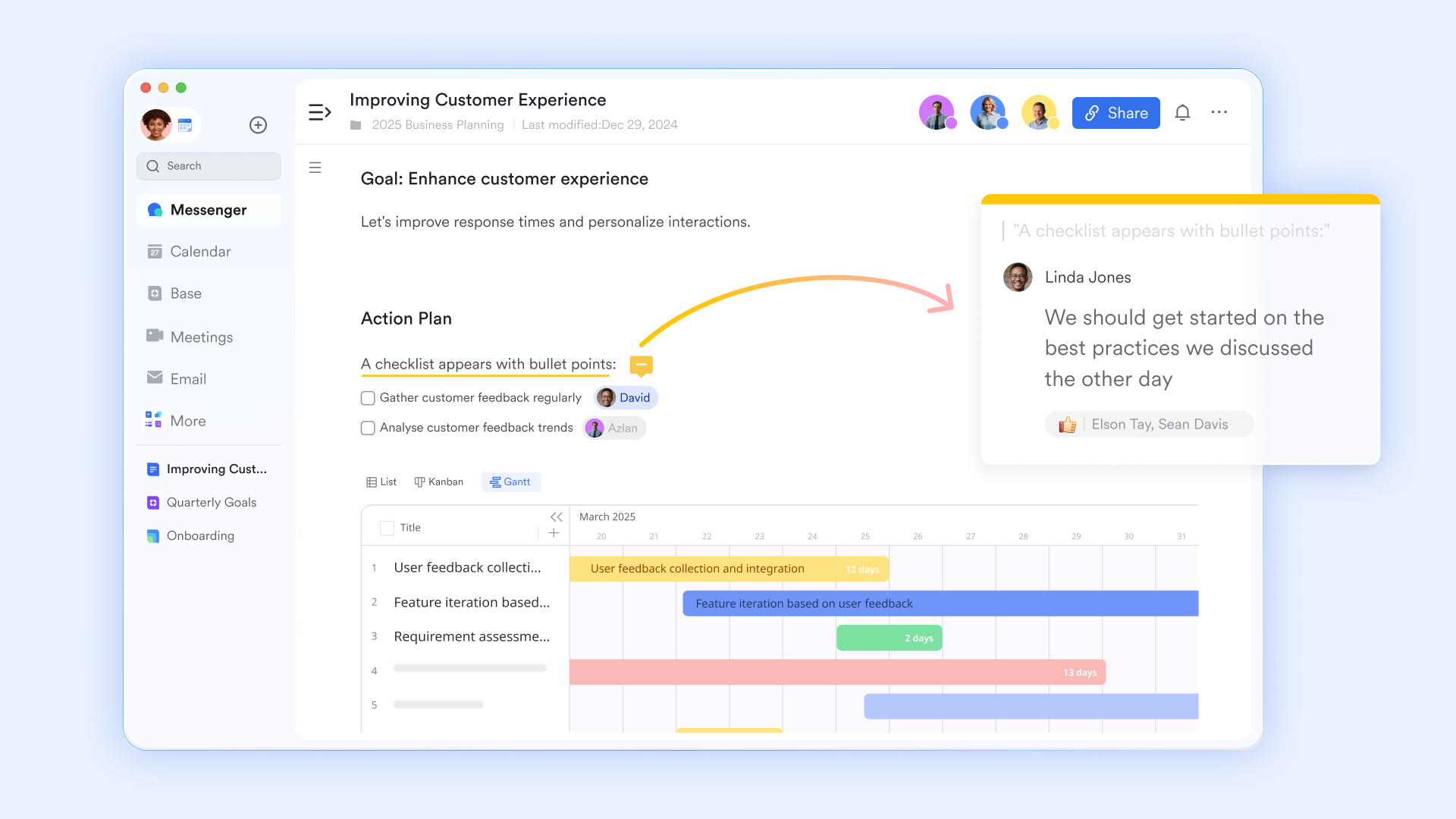
supports real-time collaborative editing with inline comments, version history, and structured content blocks, including tables and checklists. Project managers write the project management plan, scope document, and weekly in Lark Docs, then link each document to the relevant phase or milestone record in Lark Base.
Budget sign-offs and milestone approvals with a full audit trail
lets project managers configure structured approval flows for budget change requests, milestone sign-offs, and scope change decisions — triggered directly from within the Lark workspace. When a task's actual spend field in Lark Base exceeds the planned budget by a defined threshold, automation triggers a budget change approval request routed to the PM and project sponsor. Each approver receives a Lark Messenger notification with the task record and variance amount attached. 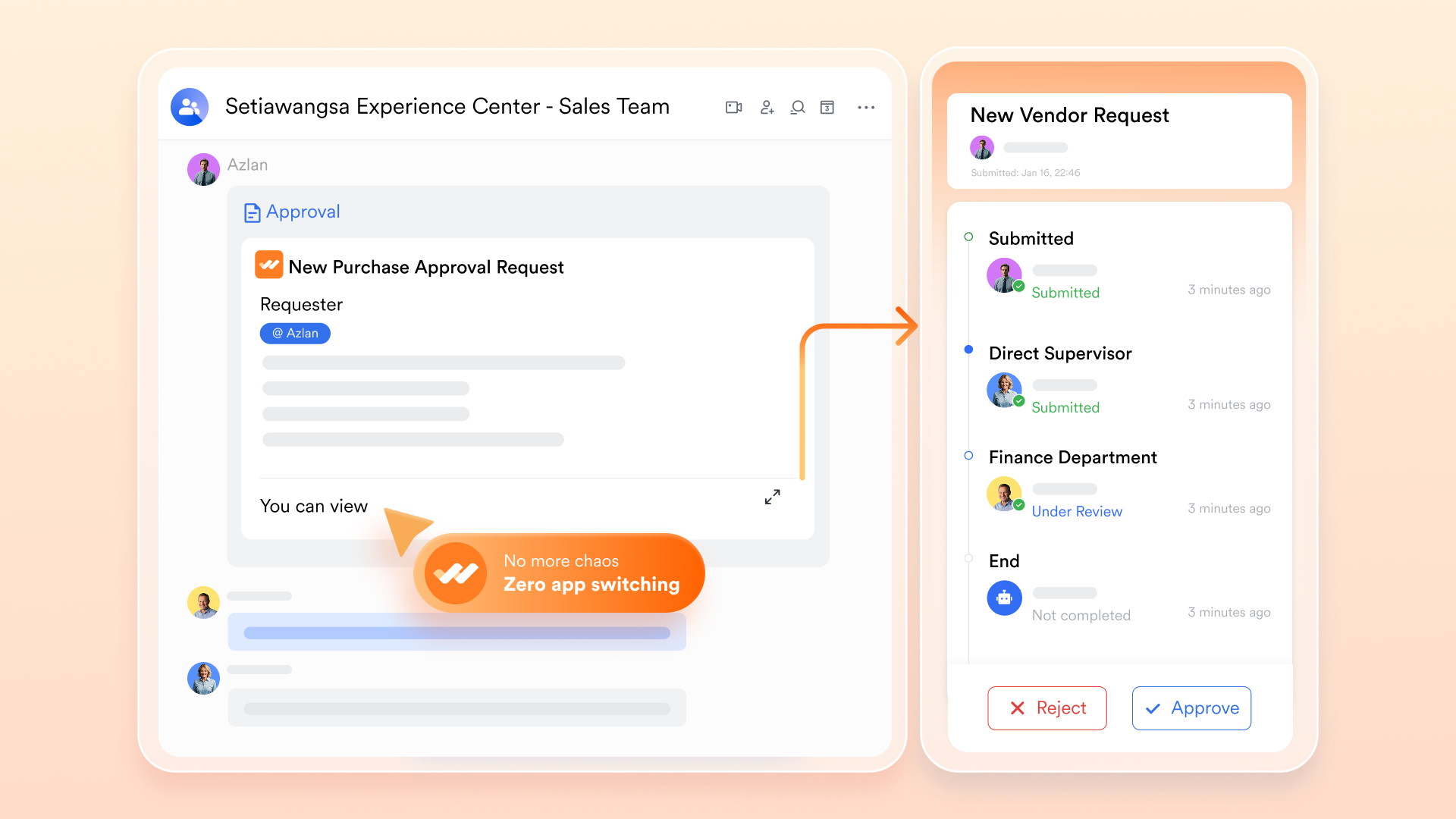
:
- Starter plan: Free forever plan that includes 11 powerful tools for up to 20 users. It also comes with 100GB of storage, 1000 automation runs, AI translations, and more.
- Pro plan: $12/user/month (billed annually) for up to 500 users. It includes everything in Starter plus group calling for up to 500 attendees, 15TB of storage, 50,000 automation runs, and more.
- Enterprise plan: for custom pricing. Supports unlimited users and includes even more automation runs and advanced security, compliance, and management features.
For small teams with simple communication needs

18 months message history
1000 Base automation runs/month
2000 rows per table in Base
Most POPULAR
For companies with comprehensive collaboration and management needs
Unlimited message history
500-participant video meetings
50k Base automation runs/month
20k rows per table in Base
For large companies with advanced security and organizational management needs
Get a personalized demo and pricing
Unlimited message history
500-participant video meetings
15 TB storage + 30 GB storage/user
500k Base automation runs/month
50k Base automation runs/month
Most POPULAR
For companies with comprehensive collaboration and management needs
Unlimited message history
500-participant video meetings
50k Base automation runs/month
20k rows per table in Base
Ready-to-use Lark project management tracker templates
Lark offers ready-to-use project management tracker templates that help teams get started quickly without building everything from scratch. These templates are designed to simplify planning, task tracking, and collaboration in one place:
Multi-project tracker template
This template is a complete project management solution designed to help you organize and track your work efficiently. It includes a Gantt chart to visualize progress, a task priority view to highlight critical activities, and customizable fields to fit your specific workflow. You can easily filter, group, and sort tasks based on factors like project, priority, status, and assigned person. It also keeps a clear record of start and end dates for each task, making it easier to manage timelines and stay on schedule.
Project tracking template
A project tracking template is a tool that helps monitor project progress and ensures tasks, timelines, and resources stay aligned with overall goals. It offers a clear and structured way to manage key elements such as tasks, deadlines, milestones, and budgets. Different types of project tracking templates are available, each designed to support specific workflows, team sizes, and project requirements, making it easier to choose one that fits your needs.
Project management plan template
A project management plan template is a detailed document that covers all key aspects of a project, including tasks, resources, timelines, and dependencies. It acts as a roadmap, guiding the team through each stage while keeping everyone aligned. The template typically includes fields such as task ID, task name, description, assigned person, start and end date.
Project status report template
Tracking a project's progress, budget, risks, and overall health can quickly become challenging. That’s where this project status report template comes in. With Lark, you can easily monitor every stage of your project, from development to launch. The template is flexible and customizable, allowing you to share specific views with team members or generate detailed reports in just a few clicks, making project tracking more efficient and organized.
Executive project status report template
Keeping track of multiple projects can be a daunting task. Each project has its own unique set of variables - from the project stage, budget, scope, lead, progress, goals, risks, improvement areas, to the timeline and last updated date. This is where our Executive Project Status Report Template comes in handy. With Lark's state-of-the-art features, you can track all these variables in one place, providing a comprehensive overview of all your projects.
Project roadmap Gantt chart template
The Project Roadmap Gantt Chart template is a visual tool for project planning and tracking. It allows you to display the project timeline, the tasks involved, and who is responsible for each task. It also provides a clear view of the project's progress, with tasks displayed against time. This template includes features such as task view, project view, priority view, and status view.
Roadmap template
This template offers a complete project management solution by outlining key details such as the project overview, purpose, scope, goals, and main stakeholders. It helps ensure everyone involved is aligned and working toward the same objectives. The built-in roadmap feature provides a clear visual of tasks and milestones, making it easier to monitor progress, stay organized, and manage the project.
Task management template
This task management template is designed to help you organize and track all your tasks in one place. It includes features like a task list, a status Kanban board, a progress Gantt chart, and a task calendar for better visibility. You can add records, customize fields, and easily filter, group, or sort tasks based on your needs. The template also uses color coding for quick visual reference.
Weekly status report template
Staying organized and on top of tasks is essential for success in any role. This Weekly Status Report template helps you track tasks, progress, and deadlines throughout the week in a simple and structured way. It allows you to quickly share updates on achievements, challenges, and upcoming priorities with your team. With Lark, you can collaborate in real time, stay accountable, and ensure that nothing important is overlooked.
Project budgeting template
Managing project budgets can be a daunting task, especially when unexpected costs arise or when actual expenses differ from estimated costs. That's where our project budget tracker template comes in handy. With this template, you can easily monitor your project's financial health, track estimated vs. actual costs, identify variances, and make informed decisions to keep your project on budget.
Budget Report Template
Keeping track of your budget, income, expenses, and net profit/loss is crucial for any business. This budget report template allows you to do just that. It includes fields for report ID, report title, date created, period covered, total income, total expenses, net profit/loss, prepared by, status, discrepancies noted, goals tracking, and comments. This template is designed to help you keep track of all your financial information in one place, making it easier to manage your finances and make informed decisions.
Conclusion
Managing projects effectively requires the right balance of structure, visibility, and collaboration. While Excel can handle basic tracking, it often falls short as projects become more complex. Tools like offer a more streamlined approach by combining , communication, and real-time updates into a single platform. Using a clear project management plan template, along with such tools, helps teams stay organized, track progress accurately, and avoid delays. This approach not only improves efficiency but also ensures better coordination, making it easier to deliver projects successfully from planning to completion.
Manage each stage of projects and drive results with Lark
FAQs
What is the difference between a project roadmap and a project plan?
A project roadmap gives a high-level view of goals, milestones, and direction over time. A project plan is more detailed and includes specific tasks, timelines, resources, and execution steps.
What is the best free tool for creating a project roadmap?
Some popular free tools include Trello, Notion, and ClickUp. They offer simple templates, visual boards, and collaboration features that work well for creating and managing roadmaps.
How often should a project roadmap be updated?
A roadmap should be reviewed regularly, usually every 2 to 4 weeks, or whenever there are major changes in priorities, timelines, or business goals.
Can I use a Google Docs project roadmap template for a large team?
Yes, but it may have limitations. Google Docs works well for basic collaboration, but larger teams often benefit from dedicated tools with better tracking, real-time updates, and task management features.
Related reading

















