In the modern digitalized world, where project teams are located in different locations and time zones, quick and clear communication is required. Email chains and documents are cumbersome to work with. Video provides a faster method of demonstrating changes, describing operations, and harmonizing teams. An experienced video editor will convert raw footage, screen records, and slides into organized content that will be used to achieve project objectives.
Video has become a tool that project managers use to monitor progress, recruit new members, provide instructions, and record workflows. The absence of the appropriate tools may make the process of creating and managing video assets complex. tools such as Clideo make it easier and are part of larger project management systems and automation processes. This guide discusses the role of video editing in the contemporary project management approach, the ways in which teams can optimize their workflows, and the ways in which such tools as Clideo can be used to organize, edit, and distribute project-related videos most efficiently.
The changing position of the video editor in project teams
Previously, video editors were primarily associated with marketing, films, or social media. Today, they are also involved in internal processes and project management. Organizations create videos because of:
- Project progress reports
A video editor on a project team does not simply cut video. They should be clear, consistent, and efficient. Their work has a direct impact on the speed at which stakeholders understand updates or instructions. As an illustration, a project manager can make a short walkthrough video instead of writing a long report. The editor cuts the irrelevant sections, inserts captions, emphasizes the important details, and publishes it in the right format to be distributed. This change makes video editing not only a creative but also an operational tool.
Master your design business effortlessly with Lark
Why project management requires structured video workflows
With the integration of video in day-to-day activities, teams should consider it as any other project asset. In the absence of structure, teams experience the following:
- Duplicate or outdated files
- Time lost in searching for the most recent version.
- Delays in editing and approval.
- Ineffective interdepartmental communication.
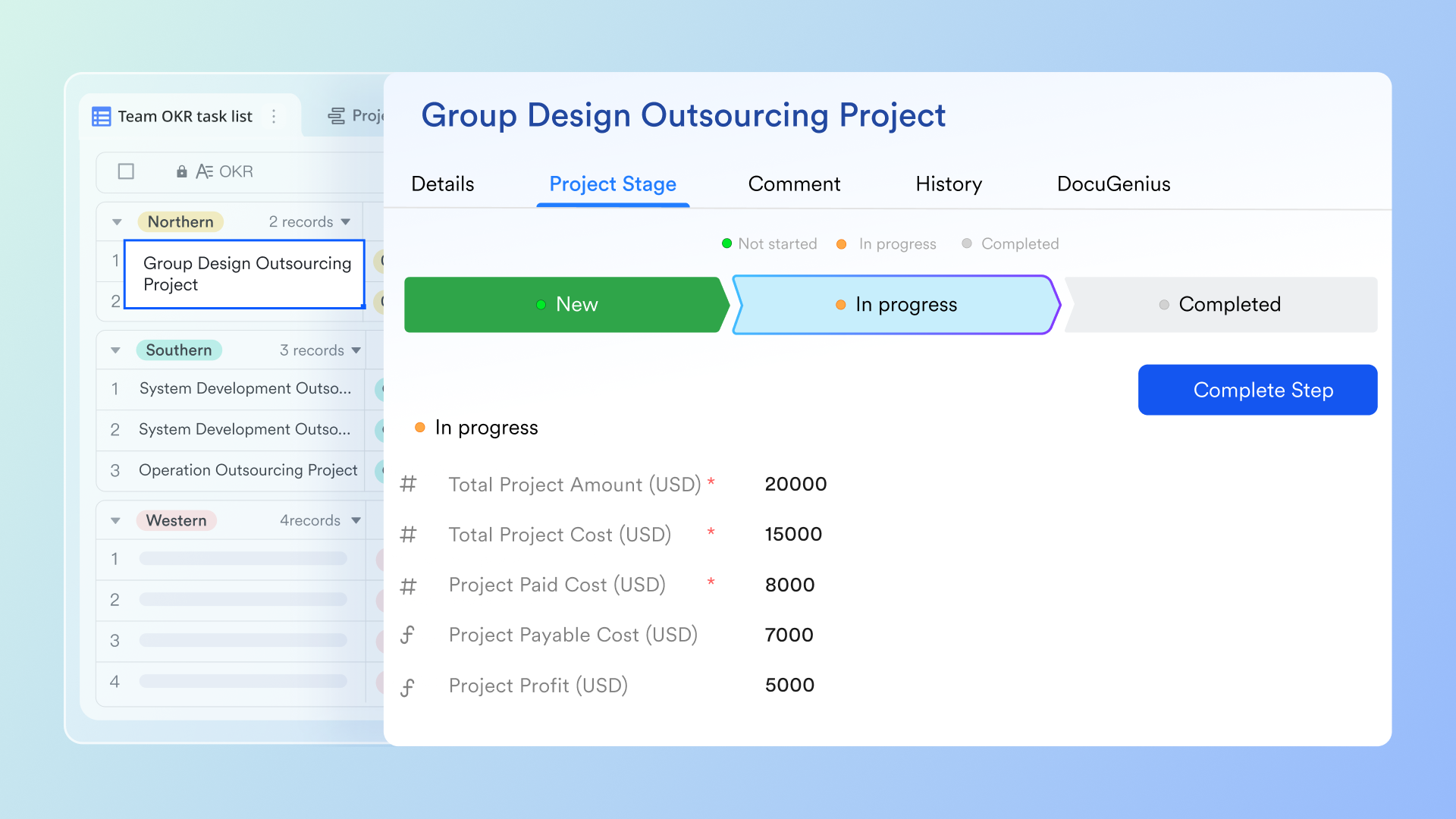
An organized workflow will make sure that video content is used to achieve project objectives rather than create confusion. A standard video workflow consists of:
- Preparing the content and purpose.
- Capturing raw video or screen capture.
- Revising and polishing the content.
- Watching and accepting the video publication or dissemination to stakeholders.
- Saving the final version in a central place.
Good video editing software makes these processes easier and keeps the projects on track.
Video editing in project management systems
Contemporary project management is based on digital tools: task managers, collaboration systems, and cloud storage. Video editing software should be integrated into these settings to maintain productivity. By integrating editing, teams can:
- Post pictures rather than lengthy posts.
- Minimize confusion in virtual teams.
- Monitor video-related activities in dashboards.
- Accelerate approvals and revisions.
An example is that a project manager may develop a task called Feature Update Explanation Video. The designated member captures the video, the editor polishes it, and the end product is uploaded and distributed to stakeholders—all in the project workflow. This design eliminates bottlenecks and enhances productivity.
Video editing projects automation workflow
One of the factors that enhances the efficiency of projects is automation. Automation in organizational video production saves repetitive tasks and simplifies teamwork. Opportunities include: Automated file management: folders are used to sort content by phase, department, or release. Template-based editing: apply templates to repetitive information such as weekly updates or training.
- Automated distribution: after completion, videos are automatically distributed to team channels, portals, or dashboards.
- Workflow triggers: when a new recording is uploaded, it triggers the editing tasks, and the editors are notified.
Integrating automation and video editing systems can reduce delays and human coordination.
Streamlining the process of editing with web-based tools
Conventional editing software may be robust, but it may need installation, technical expertise, and high processing power. Cloud-based solutions are more feasible for many project teams, particularly distributed teams. Online editing systems make it easier by allowing users to:
- Add and edit videos in a browser.
- Work together without having to carry huge files.
- View projects on any device.
- Rapidly export videos to presentations or documentation.
This simplicity is helpful to project managers who are not professional editors but need to produce clear and effective videos. The way aids in project-based video editing. Clideo is a video editing suite of online tools that makes the most frequent tasks in project-management environments easier. Rather than mastering complicated software, teams can complete necessary edits in a short amount of time with a clean and streamlined interface.
Lark: An all-in-one solution for video production teams' project management
Managing a video production project requires seamless coordination, clear communication, and efficient resource allocation across diverse teams and complex workflows. offers a comprehensive platform designed to meet these demands, making it an excellent choice for video production teams seeking effective project management tools.
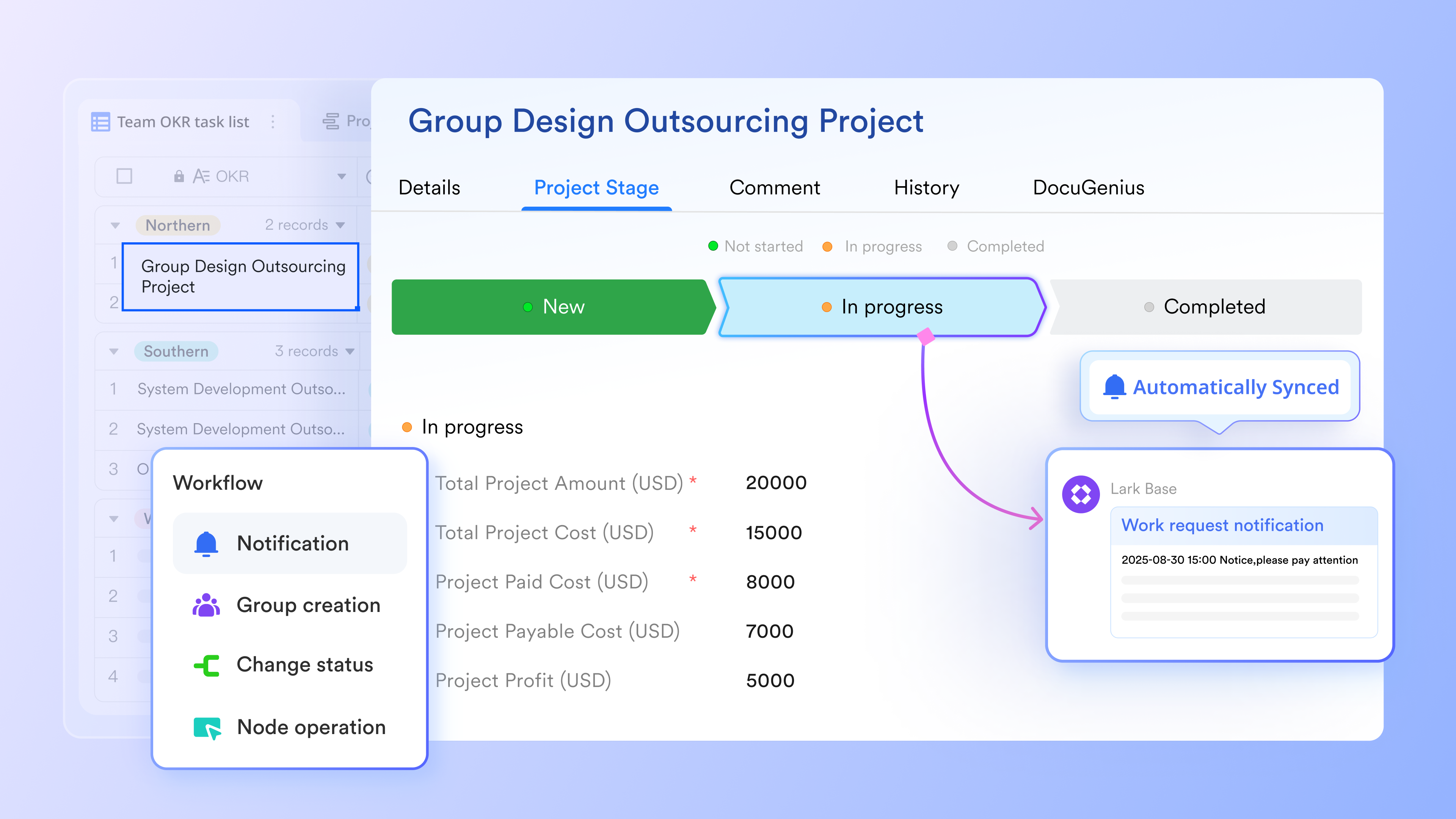
With , teams can organize and manage large video files, production schedules, and asset libraries in a centralized, accessible database tailored to their production workflow. Teams can use pre-set, customizable triggers to build automated workflows to manage the whole production process. For example, when the draft is done, the draft writer can click the button to change the status, and the next phase's owner will automatically receive a bot reminder to start the next step.
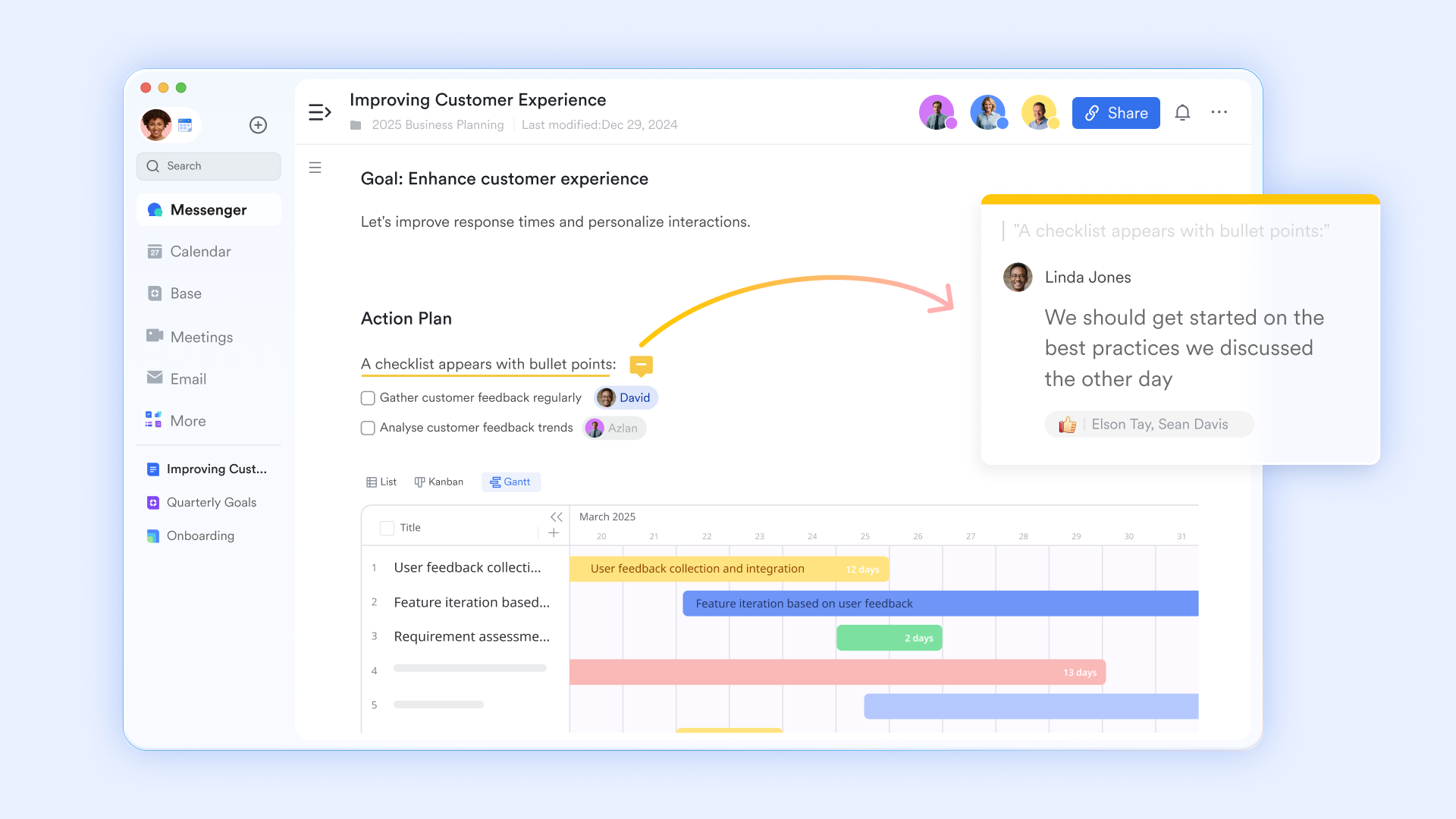
enables your entire team to collaborate in real time on scripts, storyboards, and production documents, ensuring everyone stays aligned on the creative vision. Team members can save every version of their video scripts, and the auto-sync documents can make sure that every members are always on the same page.
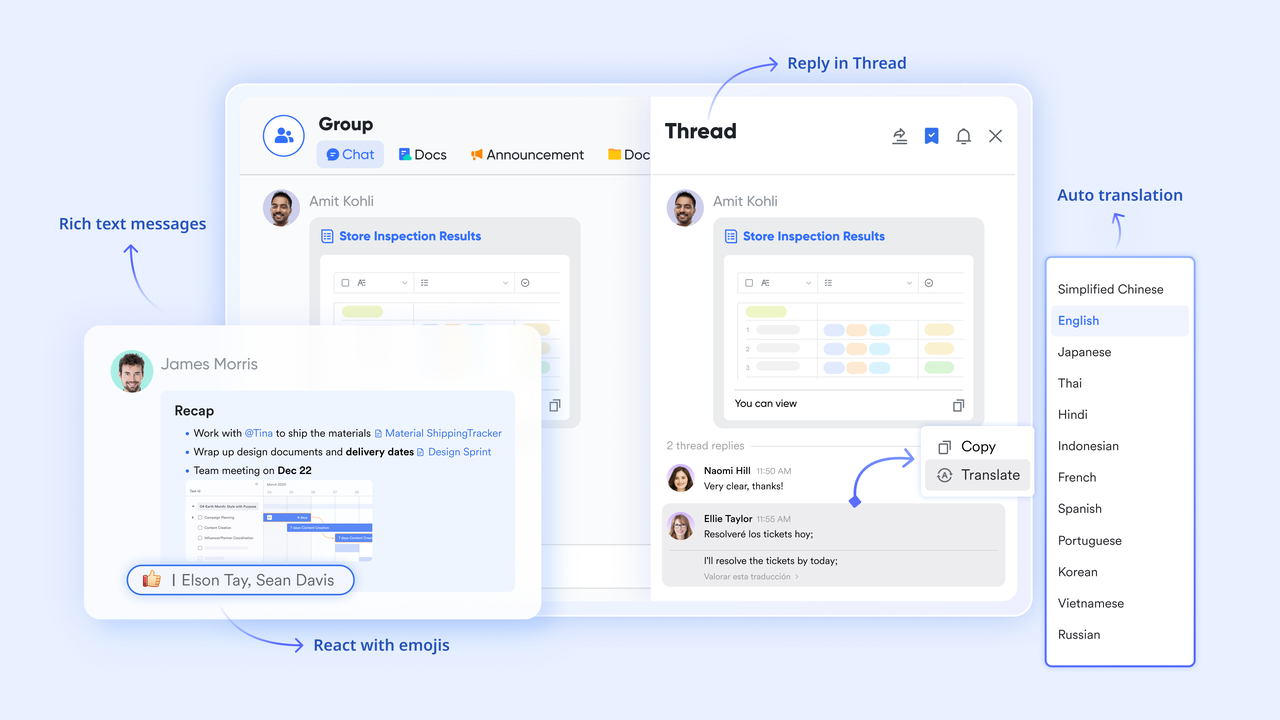
Lark Messenger provides instant communication channels, allowing team members to discuss project tasks, share updates, and resolve issues quickly, keeping the entire team on the same page.
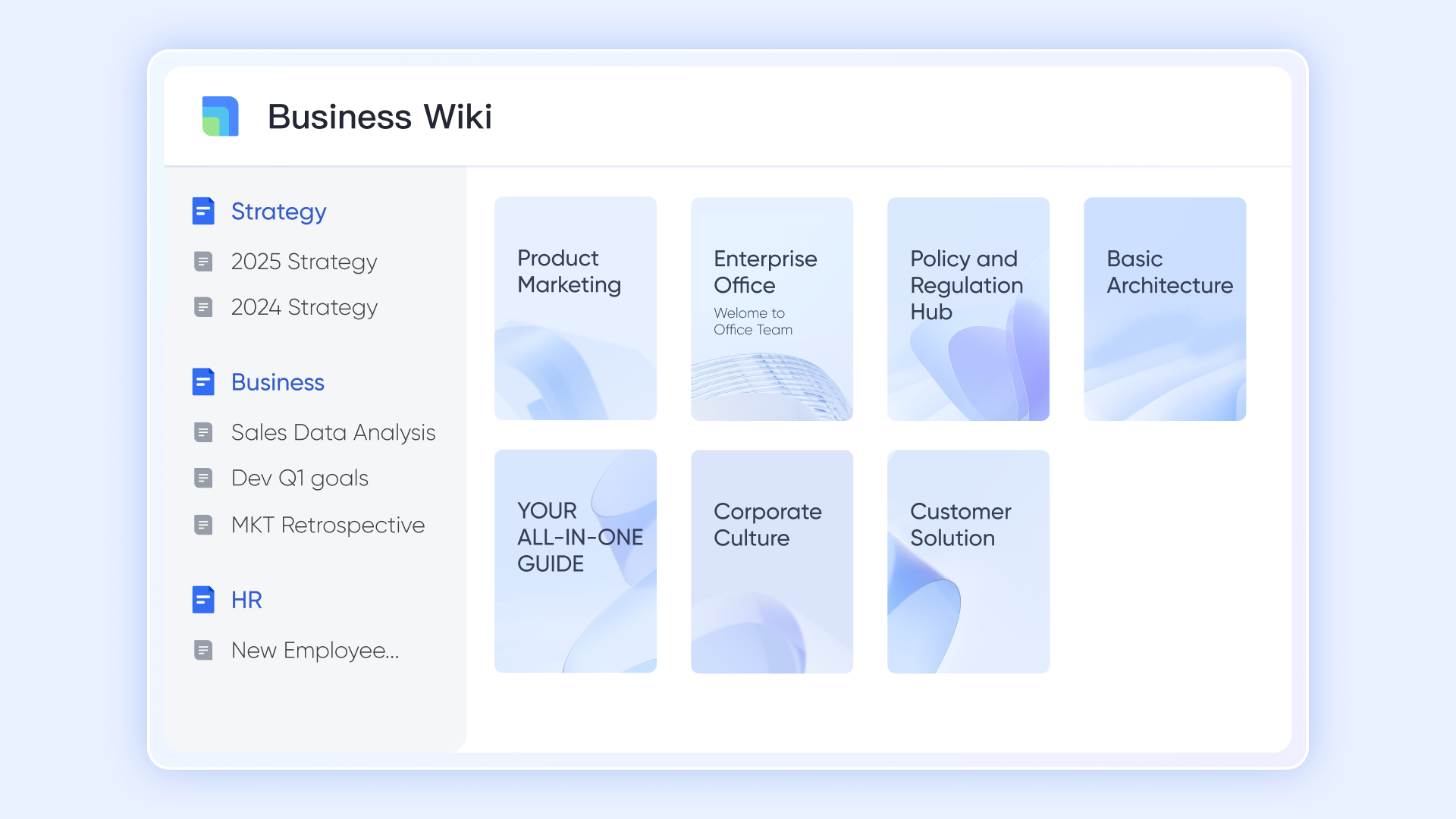
serves as a knowledge hub where best practices, project guidelines, and key performance indicators can be documented and easily referenced throughout the video production process.
helps coordinate shooting schedules, call sheets, and deadlines, offering visibility into upcoming tasks and ensuring smooth resource allocation.
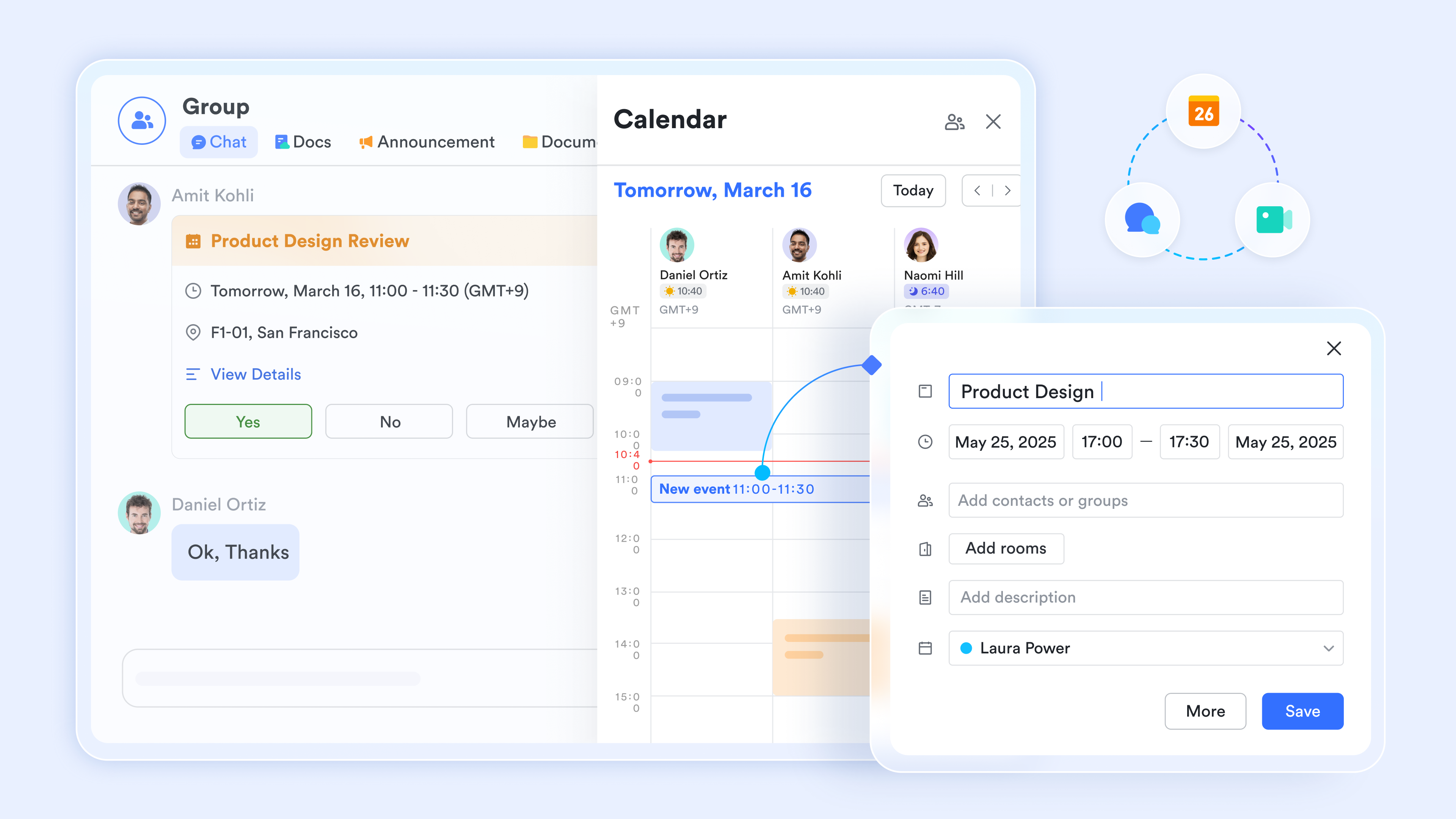
For meetings, offers high-quality video conferencing with screen sharing and recording features, ideal for remote collaboration during pre production, production, and post production phases.
Finally, Lark Tasks streamlines task assignment and progress tracking, helping project managers monitor the project's progress and keep video campaigns on schedule. 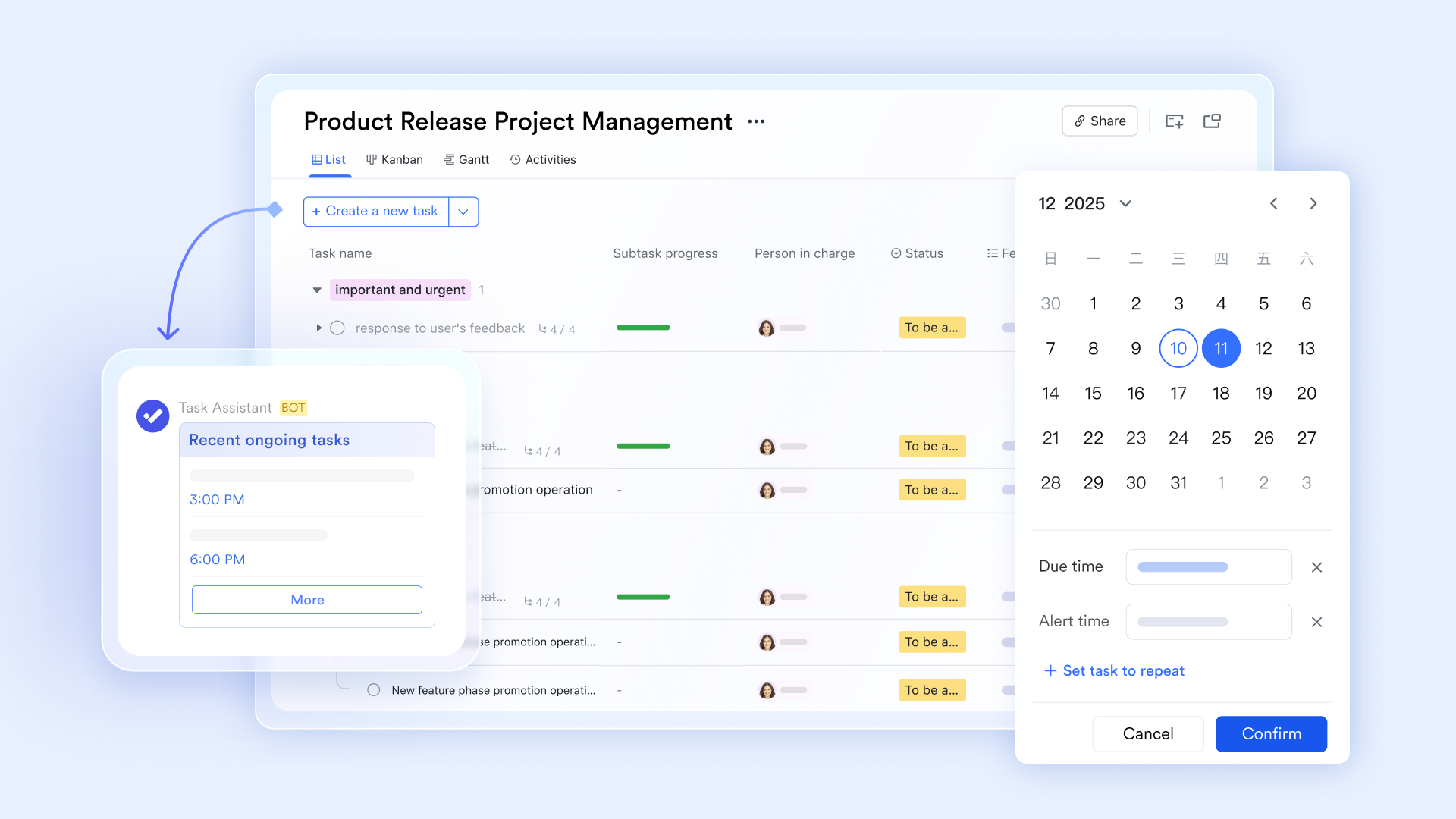
By unifying these essential functions into a unified workspace, Lark empowers video production teams to enhance team collaboration, maintain creative direction, and drive efficient video project management from initial idea to final cut.
:
- Starter plan: that includes 11 powerful tools for up to 20 users. It also comes with 100GB of storage space, 1000 automation runs, AI translations, and more. No credit card needed.
- Pro plan: (billed annually) for up to 500 users. It includes everything in Starter plus group calling for up to 500 attendees, 15TB of storage space, 50,000 automation runs, and more.
- Enterprise plan: for custom pricing. Supports unlimited users and includes even more automation runs and advanced security, compliance, and management features.
For small teams with simple communication needs

18 months message history
1000 Base automation runs/month
2000 rows per table in Base
Most POPULAR
For companies with comprehensive collaboration and management needs
Unlimited message history
500-participant video meetings
50k Base automation runs/month
20k rows per table in Base
For large companies with advanced security and organizational management needs
Get a personalized demo and pricing
Unlimited message history
500-participant video meetings
15 TB storage + 30 GB storage/user
500k Base automation runs/month
50k Base automation runs/month
Most POPULAR
For companies with comprehensive collaboration and management needs
Unlimited message history
500-participant video meetings
50k Base automation runs/month
20k rows per table in Base
The main advantages of project workflows
Quickly update projects
Project updates require fast turnarounds. Teams are able to cut videos, combine clips, and resize videos in real time, enabling managers to share updates immediately. further accelerates production by allowing teams to turn ideas into videos in seconds, reducing the time spent on repetitive editing tasks
Less complex interteam cooperation
Since the platform is online, team members are able to work in various locations and still have the same editing environment.
Stable production to the inside world
Project teams may require standardized video formats for presentations, documentation, or internal libraries. Export options are standardized, and everything is the same.
Lower technical barriers
Not all members are video-editing gurus. Simplicity-based tools enable non-experts to create refined content, assisting organizations to integrate video further into project-management activities.
A workflow team practical
To explain the role of video editing in project management, take the example of a normal product-development team.
Step 1: Project planning
A product manager realizes that he or she needs to clarify a new feature to internal teams and clients and develops a task in the project-management system.
Step 2: Recording the video
The team captures a screen demonstration of the feature. Raw footage is usually full of errors or redundant parts.
Step 3: Editing the video
A video editor polishes the recording by cutting parts, adding captions, and making it clearer. Small audio details can improve how information is presented, which is why some teams use an to add transitions, notifications, or ambient sounds to their videos.
Step 4: Review and feedback
The edited video is distributed to the stakeholders to get feedback. Minor amendments are done prior to approval.
Step 5: Distribution
After completion, the video is distributed to customer-support teams, sales departments, and clients.
Step 6: Archiving
The last version is saved in a project library where it can be accessed by future teams when required. This systematic methodology will make sure that video content does not drag down project objectives.
Build a workflow that boost your team's productivity
The relationship between CRM strategies and video editing.
Though here we are talking about project-management workflows, video editing is also closely related to CRM (Customer Relationship Management) strategies. Video is now being used by businesses to enhance communication and interaction with customers.
Examples:
- Sales teams respond to leads with personalized video responses.
- Customer-success teams produce tutorial videos.
- Step-by-step solutions are documented by support teams.
- Onboarding teams offer visual product instructions.
An efficient editing process ensures that these materials are updated, correct, and in line with customer requirements. When project management and CRM strategies are in line, organizations are able to develop a smoother experience internally and externally.
Best practices in video editing project management
In order to make the best use of video in project management, there are a number of best practices that teams should embrace, including ready-to-use templates, effectice , and strategies.
Define clear objectives
The purpose of each video must be training, updates, documentation, or communication.
Standardize video formats
Regular formats enhance organization and reuse.
Use centralized storage
A common video library eliminates duplication and confusion.
Implement review cycles
Accuracy and quality are maintained through structured review processes.
Promote teamwork
Teamwork should include video editing rather than being a solitary activity. These practices result in efficient, video-based project-management systems.
The future of video in project management
Remote and hybrid work models are now mainstream, and video will be even more important in coordination. The current trends that are defining this future are
- More asynchronous video updates.
- Smooth interconnection of video tools and project-management systems.
- AI-based editing that accelerates processes.
- Automated records by documented processes.
- More focus on visual knowledge sharing.
Video editors will become workflow facilitators who assist teams in communicating better. Editing tools that are easy to use and can be combined with collaborative systems are probably going to be key elements of project infrastructure.
Conclusion
Video editing is no longer a marketing or creative team-only activity. It has turned out to be a useful, effective project management tool that enables teams to share ideas, record processes, and keep track of alignment in complex workflows. With the introduction of automation and digital-collaboration tools in organizations, the value of video integration into project systems is growing.
The presence of a structured workflow, facilitated by available editing tools, makes video add productive rather than complex. Such tools as Clideo show how contemporary online tools can make the editing process easier and assist in teamwork and project productivity. Video editing is at the cross-section of these requirements, which is why it is a critical skill and ability of contemporary organizations. And with the help of effective project management tools like Lark, creative teams can boost better productivity.
FAQs
How does video editing change the pace and structure of modern project management?
Video editing turns project management into an iteration-heavy workflow where feedback loops matter as much as schedules. The work isn't just "edit then deliver"; it's briefing, asset intake, rough cut, reviews, revisions, approvals, exports, and distribution. The biggest shift is managing ambiguity: stakeholders often refine what they want only after seeing a cut. A strong PM sets stage gates, defines "done" per deliverable, and prevents late feedback from reopening locked decisions.
What's the best workflow for managing feedback and version control during video edits?
Use one source of truth for feedback, a single decision owner, and timecoded notes. I run a simple rule set: every comment must include a timestamp, a category (must-fix/should-fix/nice-to-have), and an owner who approves the final call. Then I batch feedback into review windows so editors aren't context-switching all day. For version control, keep consistent naming, a change log, and clear "picture lock" rules.
How can project managers reduce bottlenecks between video creators, editors, and reviewers?
I remove bottlenecks by designing the pipeline around constraints: reviewer availability, approval latency, and asset readiness. Start with an intake checklist (script, brand rules, aspect ratios, music/licensing constraints, export specs), then schedule fixed review windows and define what each round can change. I also pre-assign approvers for each gate so decisions don't float. Mini-scenario: if Legal only reviews on Tuesdays, you plan the rough cut accordingly and avoid last-minute compliance rewrites.
How can teams use PM tools to keep video editing projects aligned?
If your editing work gets scattered across tools, I'd use Lark as the unified workspace to keep execution connected: chat for day-to-day coordination, meetings for live reviews, docs/wiki for the creative brief and "definition of done," calendar for review windows, and approval workflows for stage-gate sign-off. Lark is positioned as an all-in-one suite that combines messaging, video meetings, cloud-native docs/sheets, calendar, email, wiki, approvals, OKR tracking, and automation tools in one place
Related reading