Stand-ups start in London, continue over lunch in New York, and wrap in Sydney. In a world this fast, ping‑ponging files and “final_final_v7” slows you down. Design collaboration tools turn scattered work into one shared space—live cursors, threaded feedback, realistic prototypes, and developer‑ready handoff—so ideas move in real time or asynchronously. By breaking silos for PMs, designers, and developers, these platforms speed delivery and keep teams aligned across UI/UX, prototyping, and marketing. Choosing the right design collaboration tools can dramatically elevate outcomes and team dynamics.
What are design collaboration tools?
Design collaboration tools are platforms that let teams ideate, design, review, and ship experiences together—synchronously and asynchronously. They combine shared canvases or editors with comments, annotations, and , so designers, engineers, PMs, and stakeholders can align without bottlenecks. Unlike generic productivity suites, they embed the design lifecycle: prototyping, version control, asset libraries, handoff to development, and change tracking. They also integrate with issue trackers, chat, , and storage, turning scattered feedback into a single source of truth for decisions and deliverables.
In practice, these products reduce meetings by capturing clear context where work happens: inside files, boards, user flows, or service request forms. They’re essential for distributed teams because they support async review cycles, time‑boxed workshops, and traceable approvals across time zones. Many leading collaboration tools for design teams bring docs, tasks, and into the same workspace, so a design review becomes instantly actionable. For web and app builders, the best design for teams bridge design and code with inspect views, variables, and component libraries.
Ultimately, design team collaboration tools create faster feedback loops, fewer implementation errors, and a reliable record of design decisions.
5 Core features of design collaboration tools
1. Real-time collaboration and feedback
The cornerstone of modern design collaboration tools is simultaneous editing with contextual comments, cursor presence, and live annotations. These capabilities in fully online design collaboration tools turn design into a shared, continuous conversation, eliminating version chaos and accelerating iteration. Because teams often span , consistently top tools for asynchronous design collaboration keep work moving with timestamped threads and notifications, while reliably top tools for effective team design collaboration reduce handoffs by capturing decisions in place and surfacing changes instantly for reviewers, producers, and developers.
2. Version control and design system management
Maintaining consistency across projects becomes effortless when highly visual collaboration tools provide robust version history, branching, and compare/restore features. Widely adopted design team collaboration tools pair this with shared component libraries, styles, and tokens, so updates propagate safely at scale. By governing naming, variants, and permissions, consistently leading collaboration tools for design teams enforce standards, reduce duplication, and keep every file aligned to a single source of truth—especially useful when exploring alternatives or responding to rapidly changing requirements.
3. Prototyping and developer handoff
Modern design collaboration tools bridge static comps and shipped products with interactive prototypes, flows, and micro‑interactions that invite realistic feedback before any code is written. Truly the best tools for responsive UI design collaboration support breakpoints, constraints, and variants, so interfaces adapt naturally across devices. When it’s time to build, decisively the best tools for efficient web design collaboration generate specs, design tokens, assets, and code snippets, minimizing guesswork and back‑and‑forth while preserving intent from design to development. Complementing these workflows, services like can provide ongoing design support to ensure assets and visuals remain consistent and aligned throughout the entire development process.
4. Integration capabilities and workflow connectivity
To maximize impact, the very best design collaboration tools connect seamlessly to , chat, issue tracking, DAM, and analytics, keeping design work visible inside broader delivery pipelines. Native connectors, webhooks, and APIs sync tasks, statuses, and approvals, so stakeholders stay aligned without context switching. This coherence ensures designers, engineers, and marketers contribute from their preferred apps while maintaining end‑to‑end traceability—exactly how design collaboration tools stay relevant and actionable across complex programs and multi‑team initiatives.
5. Access control and security management
Enterprise‑grade permissioning lets teams share confidently while protecting sensitive assets. Granular roles for view, comment, and edit—plus guest access, secure links, SSO/SCIM, audit logs, and watermarking—ensure only the right people can act on the right artifacts. Undoubtedly, the best design collaboration tools for teams combine compliance and governance with ease of use, enabling client reviews, vendor collaboration, and developer access without risking IP. This balance of openness and control keeps momentum high while safeguarding proprietary information and contractual obligations. Design together, decide faster
The best design collaboration tools at a glance
The 11 best design collaboration tools
1. Lark: All-in-one workspace for all-round design collaboration
Overview:
brings chat, meetings, docs, tasks, approvals, calendar, and Base into one hub. For teams evaluating design collaboration tools, this unified approach cuts context‑switching: your creative briefs, vendor threads, design reviews, and production timelines live together. In event planning scenarios—launch events, conferences, roadshows—Lark keeps design files, requests, schedules, and sign‑offs tightly aligned.
Key features:
Lark Base: Database workflows, forms, views, and automation
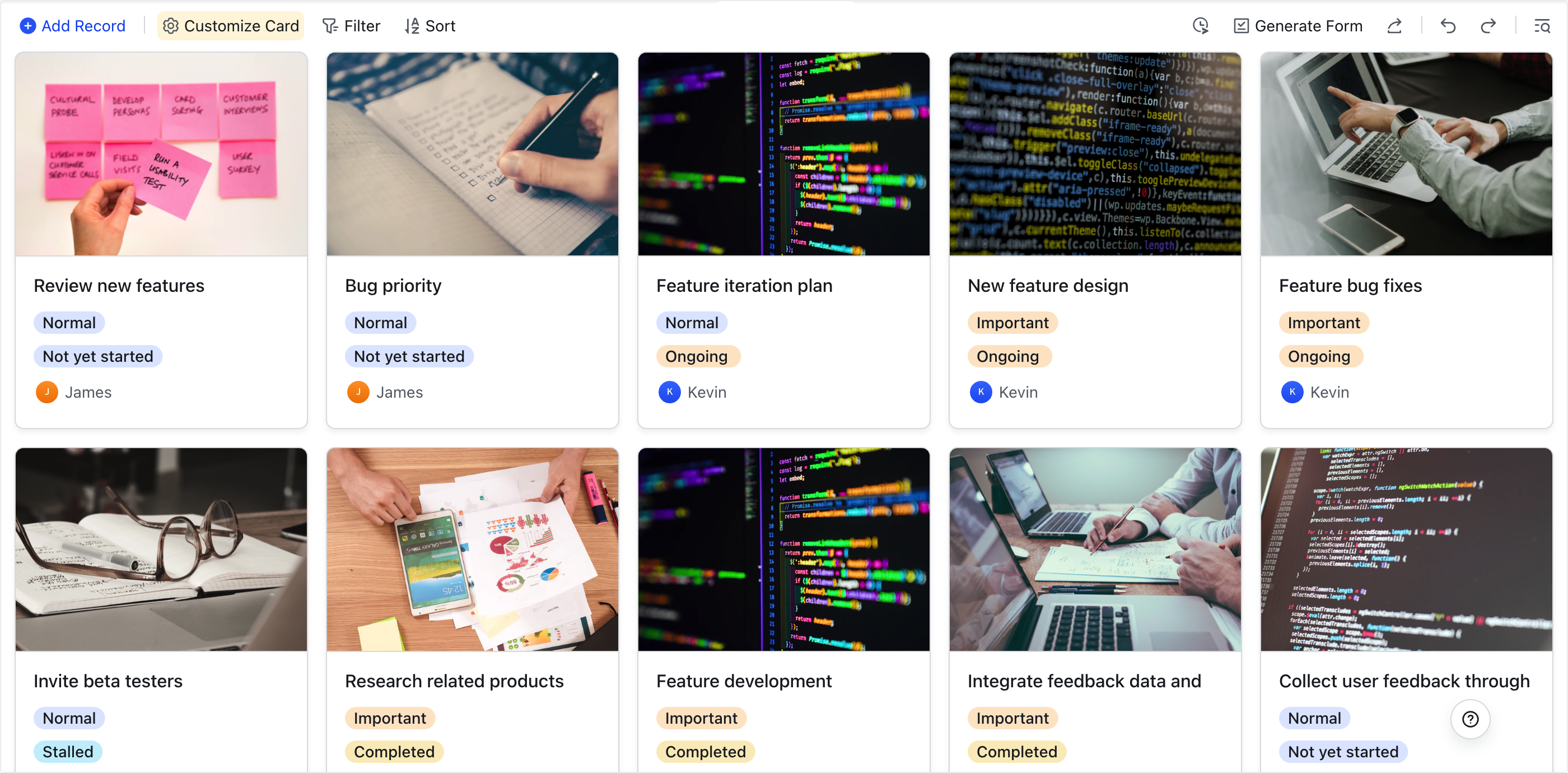
is a versatile platform that centralizes data, stakeholders, and resources in a unified workspace. You can model assets, requests, approvals, and vendors; collect submissions through Forms; and relate everything so each deliverable stays tied to its brief, files, and sign‑offs. Views adapt to your moment—Table for detail, Kanban for flow, Calendar for deadlines, Timeline/Gantt for dependencies, and Gallery to . Automations trigger on form submit, status change, or due dates to assign owners, update fields, mention reviewers, post summaries, and escalate risks. Permissions at table or view level keep sensitive work secure while enabling external read‑only sharing when needed. What this means in practice is a single source of truth that supports top tools for fully asynchronous design collaboration, where requests, decisions, and approvals move even when teammates are offline. Because Base ties creative context to operational reality, it complements widely adopted design team collaboration tools and helps large programs scale with consistency.
Lark Docs: Real‑time briefs, specs, and decision logs
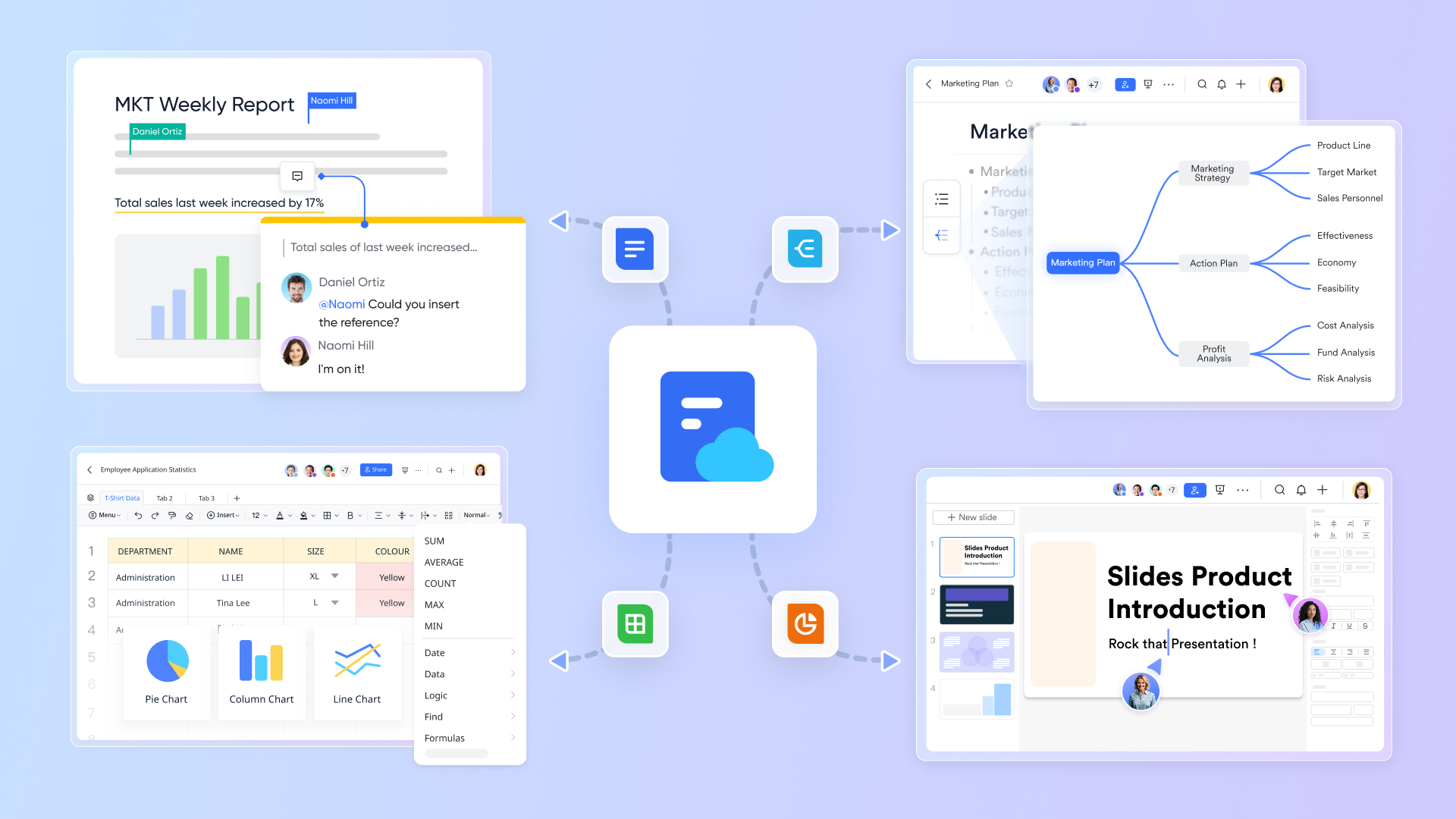
gives you multiplayer documents that evolve alongside the work. Teams co‑edit briefs, specs, and guidelines with comments, mentions, and suggestions so decisions are transparent and traceable. Rich embeds keep context close: embed Figma webpages directly in Lark Docs, insert interactive Base forms and views as embedded webpages, and place boards right inside the doc. Templates standardize creative briefs, review checklists, and post‑mortems, while granular permissions and guest access include stakeholders without sacrificing control. Tasks can be spun up from checklists or comments, and "what's changed" summaries make reviews fast.
Docs effectively turn your workspace into highly tools that keep context, feedback, and actions together. Because they're natively connected to Base and Calendar, Docs also strengthen your stack among the consistently leading collaboration tools for design teams that need durable knowledge and decision trails.
Lark Messenger: Real-time conversations that power design collaboration seamlessly
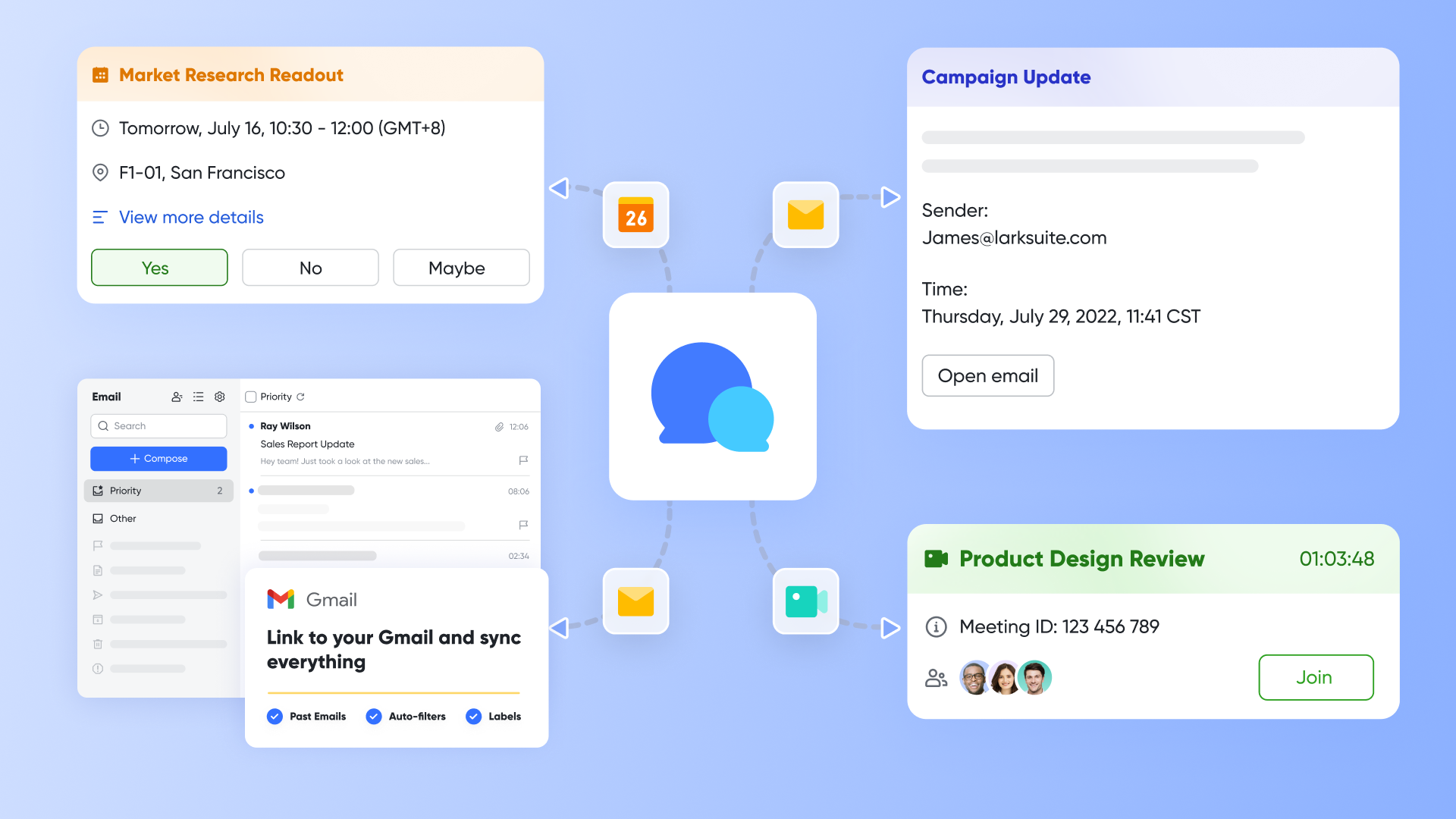
is the always-on communication layer in your design collaboration stack, built for fast, focused exchanges that move work forward. Teams can organize and sort chats with filters and labels, pin critical messages or threads for easy retrieval, start one‑to‑one conversations by searching a teammate, and share rich content—text, images, videos, folders, and rich‑text messages—in a single stream. Read receipts are instant and visible via a circular icon that turns green, while screenshots, emojis, and integrations with other Lark apps keep feedback clear and human.
In practice, Messenger shortens the loop from critique to decision across time zones, supporting both fully online design collaboration tools and top tools for fully asynchronous design collaboration. Designers can drop screenshots for pixel checks, PMs can pin final calls for quick alignment, and engineers can confirm they've seen time‑sensitive notes at a glance. Because Messenger integrates with Lark Docs, Base, Calendar, Meetings, and Tasks, conversations stay connected to briefs, status, schedules, and live reviews—helping teams deliver like the best tools for highly responsive UI design collaboration promise: fewer blockers, faster approvals, and clearer handoffs.
Lark Calendar: Multi‑time‑zone cadence tied to real work
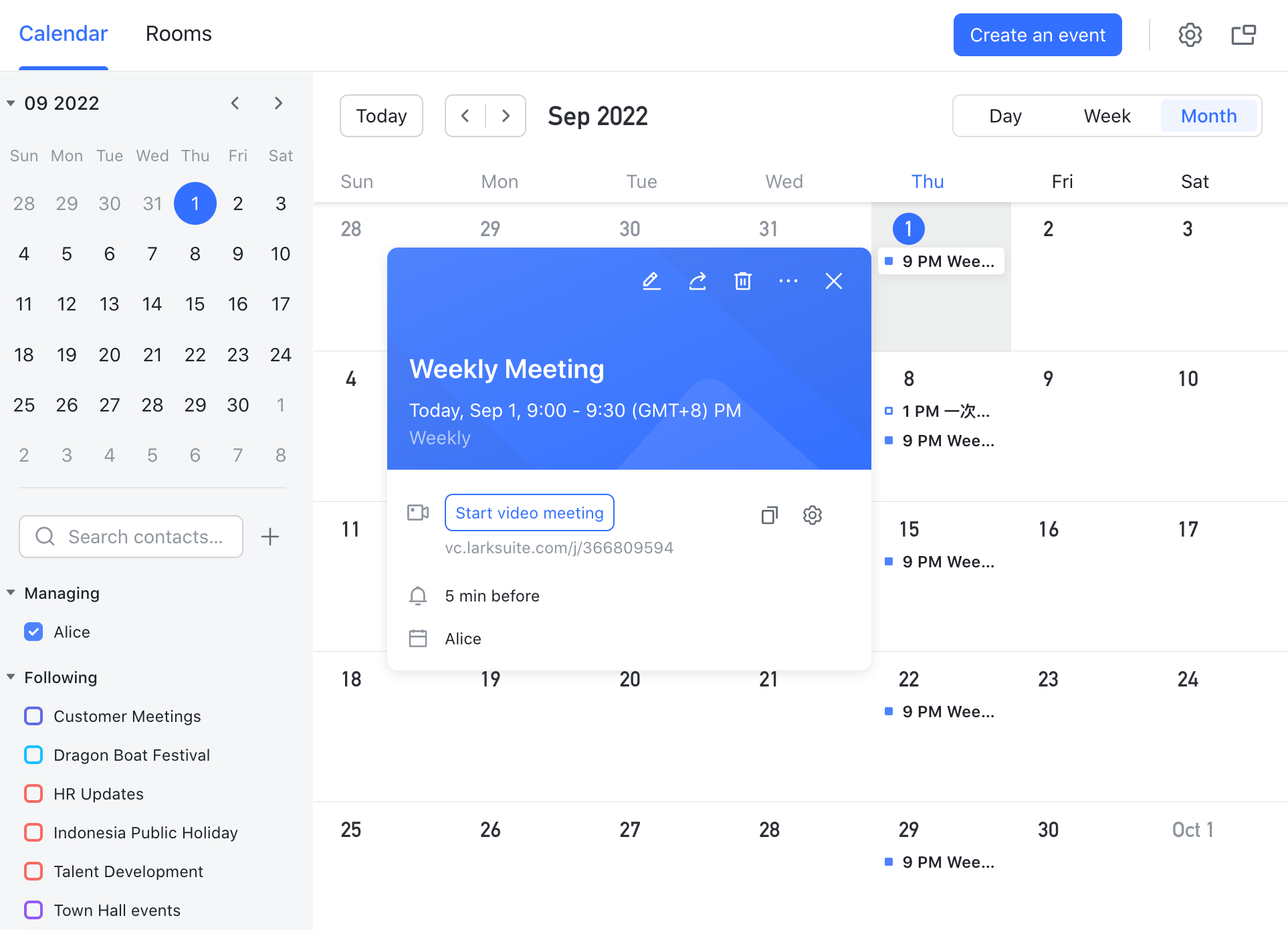
keeps critiques, approvals, and launch cutoffs on schedule across time zones. Create project calendars, recurring review series, and pre‑wired agenda links to the exact Doc or Base record you'll discuss. Availability looks across teams, conferencing is added automatically, and smart reminders help stakeholders arrive ready. Deliverable dates from Base can surface directly on calendars to prevent collisions and maintain flow.
This level of cadence is essential to the best tools for highly responsive UI design collaboration, where rapid iteration and tight feedback windows are the norm. When deadlines, discussions, and artifacts are linked, teams operate like the top tools for highly effective team design collaboration promise—fast, focused, and predictable.
Lark Meetings: Video collaboration where the work lives
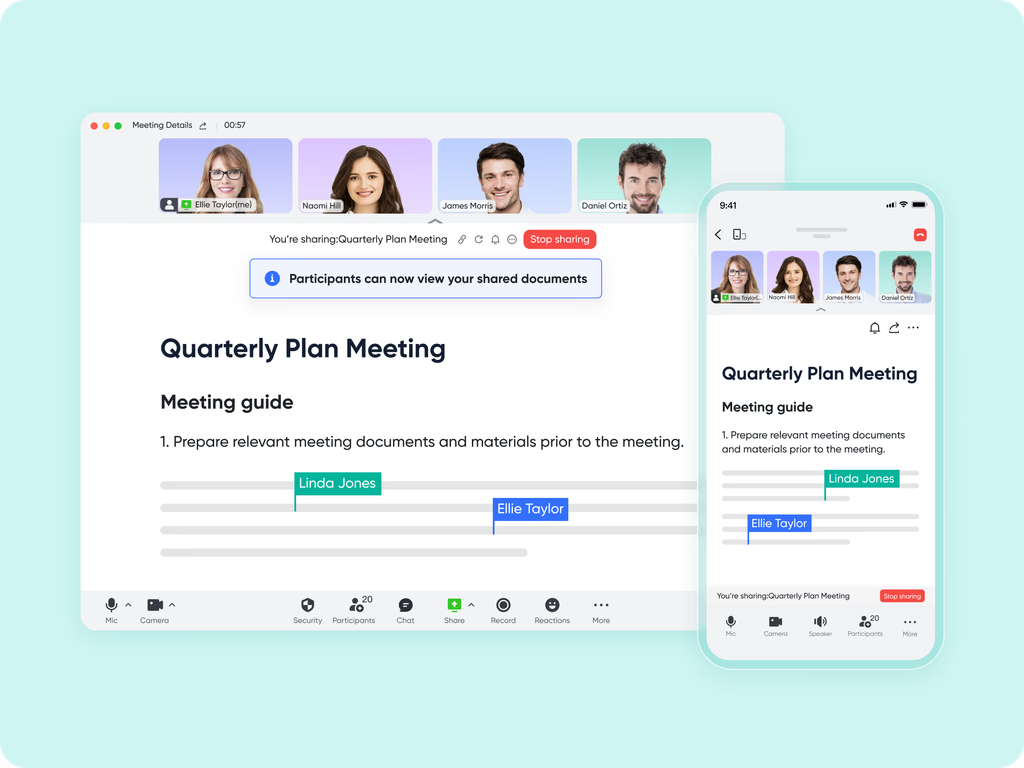
turns your docs and records into meeting launchpads. Start a call from Docs, Base, or Calendar, share screens fluidly, and capture notes or action items in the same place. Recordings and summaries live alongside the artifacts, so anyone who misses the live session can catch up asynchronously without losing context. By collapsing the distance between critique and follow‑through, Meetings help your team behave like the very best design collaboration tools for teams—minimizing rework and maximizing clarity in each review round.
Lark Tasks: Assignments, dates, reminders, and delivery
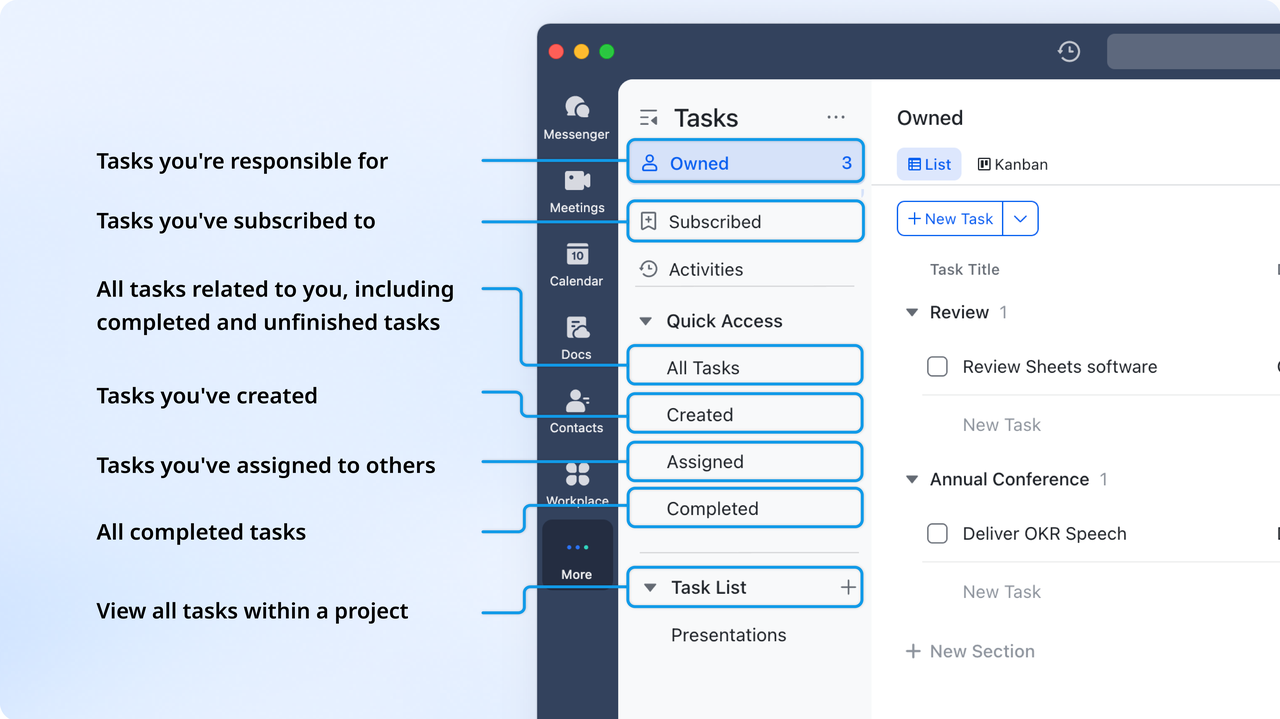
Lark Tasks converts conversations and plans into accountable execution. Create tasks from chat, comments, or docs; assign owners; add due dates and checklists; and view work in personal or team lists, boards, and calendars. This keeps momentum from idea to ship—particularly for web and app work that changes quickly—aligning with the best tools for highly efficient web design collaboration. Limitations
- A little extensive for simple, single‑purpose teams
:
- Starter plan: Free forever plan that includes 11 powerful tools for up to 20 users. It also comes with 100GB of storage, 1000 automation runs, AI translations, and more.
- Pro plan: $12/user/month (billed annually) for up to 500 users. It includes everything in Starter plus a group calling for up to 500 attendees, 15TB of storage, 50,000 automation runs, and more.
- Enterprise plan: for custom pricing. Supports unlimited users and includes even more automation runs and advanced security, compliance, and management features.
For small teams with simple communication needs

18 months message history
1000 Base automation runs/month
2000 rows per table in Base
Most POPULAR
For companies with comprehensive collaboration and management needs
Unlimited message history
500-participant video meetings
50k Base automation runs/month
20k rows per table in Base
For large companies with advanced security and organizational management needs
Get a personalized demo and pricing
Unlimited message history
500-participant video meetings
15 TB storage + 30 GB storage/user
500k Base automation runs/month
50k Base automation runs/month
Most POPULAR
For companies with comprehensive collaboration and management needs
Unlimited message history
500-participant video meetings
50k Base automation runs/month
20k rows per table in Base
: Switching to Lark's Pro plan can lead to significant cost savings— for example, a 100-employee company using Slack, Google Workspace, and Airtable could save approximately $25,200 annually by consolidating their tools with Lark.
Real user feedback:
Honestly, Lark has such a clean-cut management logic and comprehensive management forms. It’s the best management collaboration system out there, bar none—totally handles complex management tasks like a pro!
Best for:
Cross‑functional design, marketing, and ops teams orchestrating end‑to‑end—intake, scheduling, reviews, and approvals—alongside their preferred visual collaboration tools.
From intake to handoff, all in Lark
2. Figma: Real-time UI design and handoff
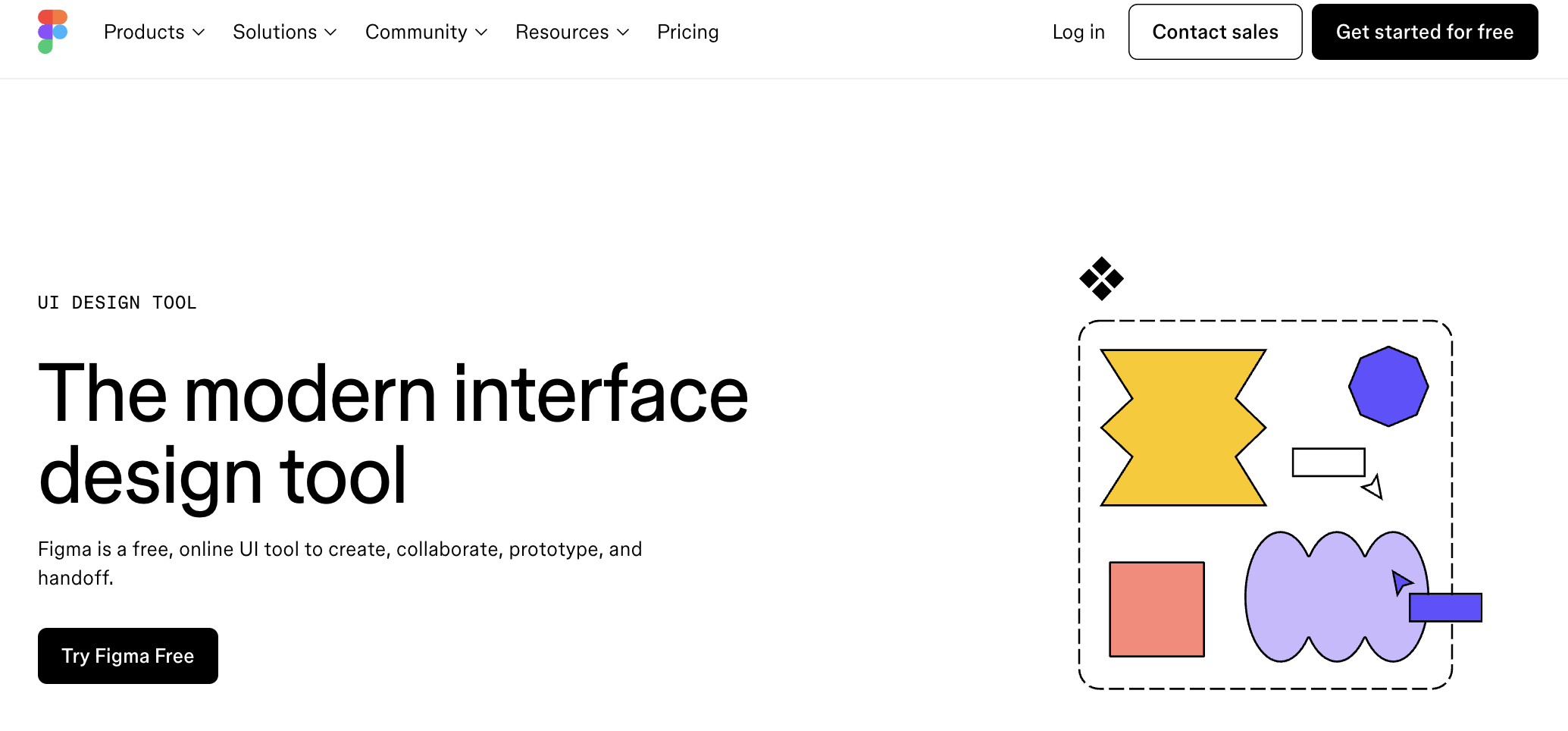
Image source: figma.com
Overview:
Figma stands out among online design collaboration tools by delivering real-time co-editing, robust components, and seamless prototyping that teams can reliably scale from concept to handoff. Its Auto Layout, variants, and Dev Mode make it one of the best tools for responsive UI design collaboration, while browser access ensures designers and engineers can collaborate asynchronously and globally. For event or web initiatives, Figma's shared libraries and comments keep feedback centralized, making it a staple within the best design collaboration tools for teams. As a widely adopted design team collaboration tool, it also supports efficient workflows that move from exploration to production remarkably quickly.
Key features:
- Multi‑cursor editing, comments, and shareable review links
- Components, libraries, and variables for consistent branding
- Interactive prototypes for stakeholder walk‑throughs
- Inspect mode with measurements and code snippets for devs
Limitations:
- Project management and approvals require integrations.
- Governance for large libraries needs discipline.
Pricing:
- Professional plan: $16/user/month(billed annually; full seat)
- Organization plan: $55/user/month(billed annually; full seat)
- Enterprise plan: Let's talk
Real user feedback:
Figma is our go‑to for UI design, and its components and Dev Mode speed developer handoff.
Best for:
UI/UX teams building and validating responsive event touchpoints and handoffs.
3. Miro: Collaborative whiteboarding and workshops
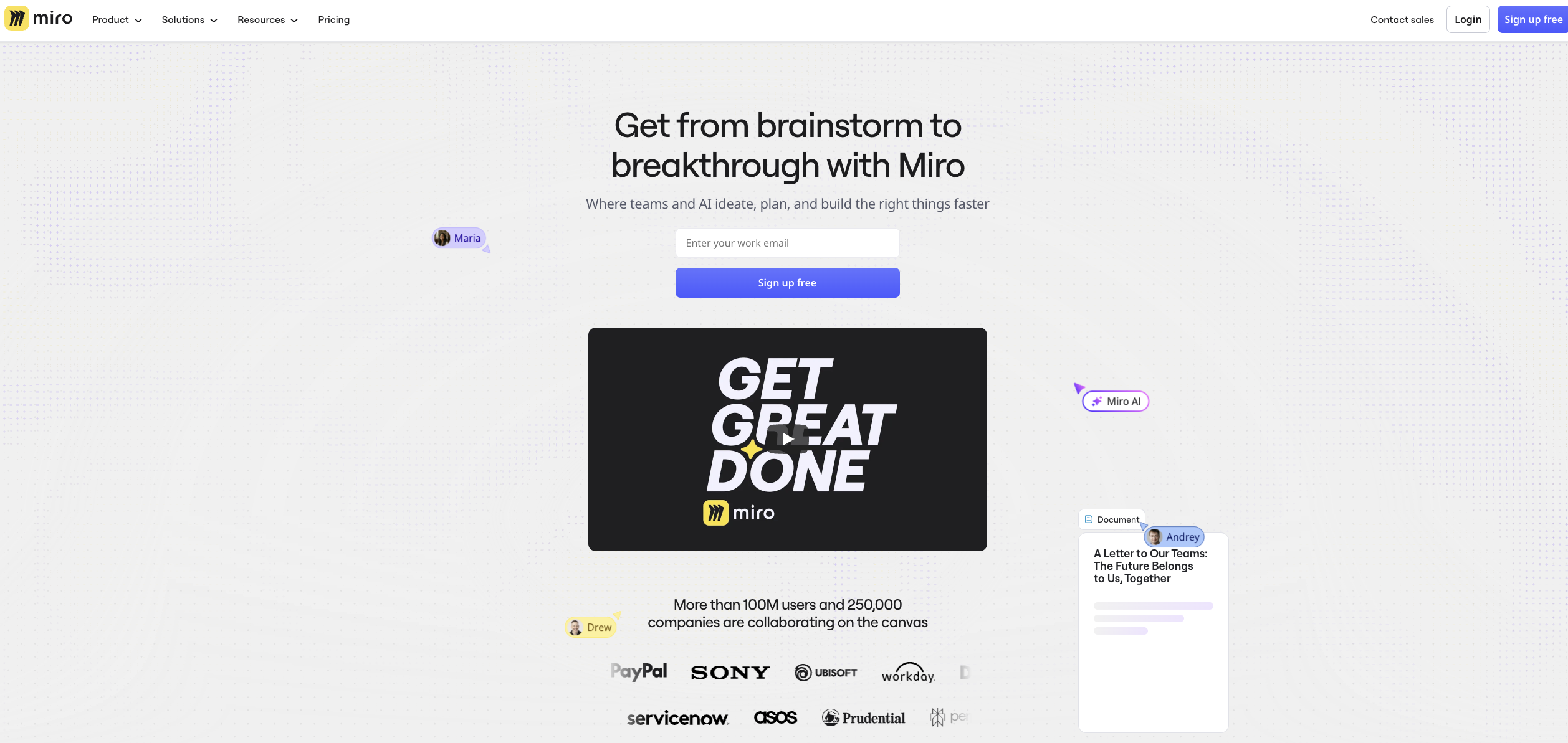
Image source: miro.com
Overview:
Miro excels as part of visual collaboration tools, giving teams an infinite canvas for workshops, journey maps, and stakeholder alignment well before pixels are placed. Templates, voting, timers, and frames make facilitation effortless, while comments and @mentions support top tools for asynchronous design collaboration—so discovery never stalls across time zones. Because boards embed links, files, and previews, Miro pairs naturally with other design collaboration tools, serving as the front door to ideation. Teams can rapidly map event flows, signage zones, or service blueprints and then pass decisions downstream. It is consistently viewed among the leading collaboration tools for design teams during early planning.
Key features:
- Infinite canvas, sticky notes, voting, and timers
- Templates for journeys, service blueprints, and retros
- Frames and presentation mode for async updates
- Integrations to PM and design suites
Limitations:
- Not a UI design or dev handoff tool.
Pricing:
- Starter plan: $8/user/month(billed annually)
- Business plan: $16/user/month(billed annually)
- Enterprise plan: Let's talk
Real user feedback:
We run workshops in Miro, which is great for mapping flows and async ideation.
Best for:
Discovery and workshop phases feeding into your design collaboration tools stack.
4. Trello: Simple visual tasking for small teams
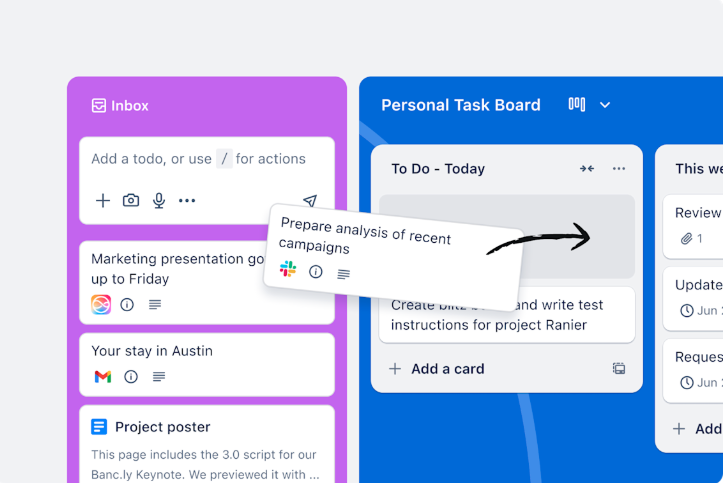
Image source: trello.com
Overview:
Trello is a lightweight complement to design collaboration tools, offering clear Kanban boards that small teams can adopt quickly for sprints, approvals, and launch checklists. Cards, labels, due dates, and Butler automations keep deliverables moving visibly, making it one of the top tools for effective team design collaboration when you want simplicity first. As part of online design collaboration tools, Trello integrates with docs, storage, and chat to centralize status updates without friction. For event crews, it reliably visualizes tasks like signage, booth assets, and vendor handoffs. Trello is also among widely adopted design team collaboration tools thanks to its approachable, scalable structure.
Key features:
- Cards, checklists, and due dates for quick planning
- Power‑ups for approvals, forms, and calendars
- Embeds and links to design files and prototypes
- Easy stakeholder sharing via boards
Limitations:
- Limited governance and reporting for complex programs.
Pricing:
- Standard plan: $5/user/month(billed annually)
- Premium plan: $10/user/month(billed annually)
- Enterprise plan: Let's talk
Real user feedback:
Trello is the easiest Kanban for our small teams, but scaling relies on power‑ups and can get messy.
Best for:
Small event teams coordinating design tasks with minimal overhead.
5. Canva: Fast brand content collaboration
Image source: canva.com
Overview:
Canva streamlines on-brand marketing and event collateral creation—badges, signage, social posts, and even assets enhanced with a while aligning cleanly with design collaboration tools focused on UI and production. Shared brand kits, templates, and approvals help non-designers contribute efficiently, making Canva a practical bridge within online design collaboration tools. Its real-time co-editing and comment threads support top tools for highly asynchronous design collaboration, so feedback flows smoothly across teams and vendors. While not a full UX system, Canva is invaluable for speed and consistency across channels. For web and campaign teams, it complements the best tools for efficient web design collaboration by delivering assets rapidly and reliably.
Key features:
- Brand kits, templates, and easy approvals
- Presentations and simple animations for event screens
- Commenting and share links for quick feedback
- Asset exports for vendors and social platforms
Limitations:
- Not intended for code‑ready UI specs or complex prototyping.
Pricing:
- Pro plan: $13.75/user/month(billed annually)
- Business plan: $20/user/month(billed annually)
- Enterprise plan: Let's talk
Real user feedback:
We use Canva for quick marketing assets, but it's not suited to complex product UI.
Best for:
Event marketing assets that need quick iteration and consistent branding.
6. Asana: Structured intake and approvals
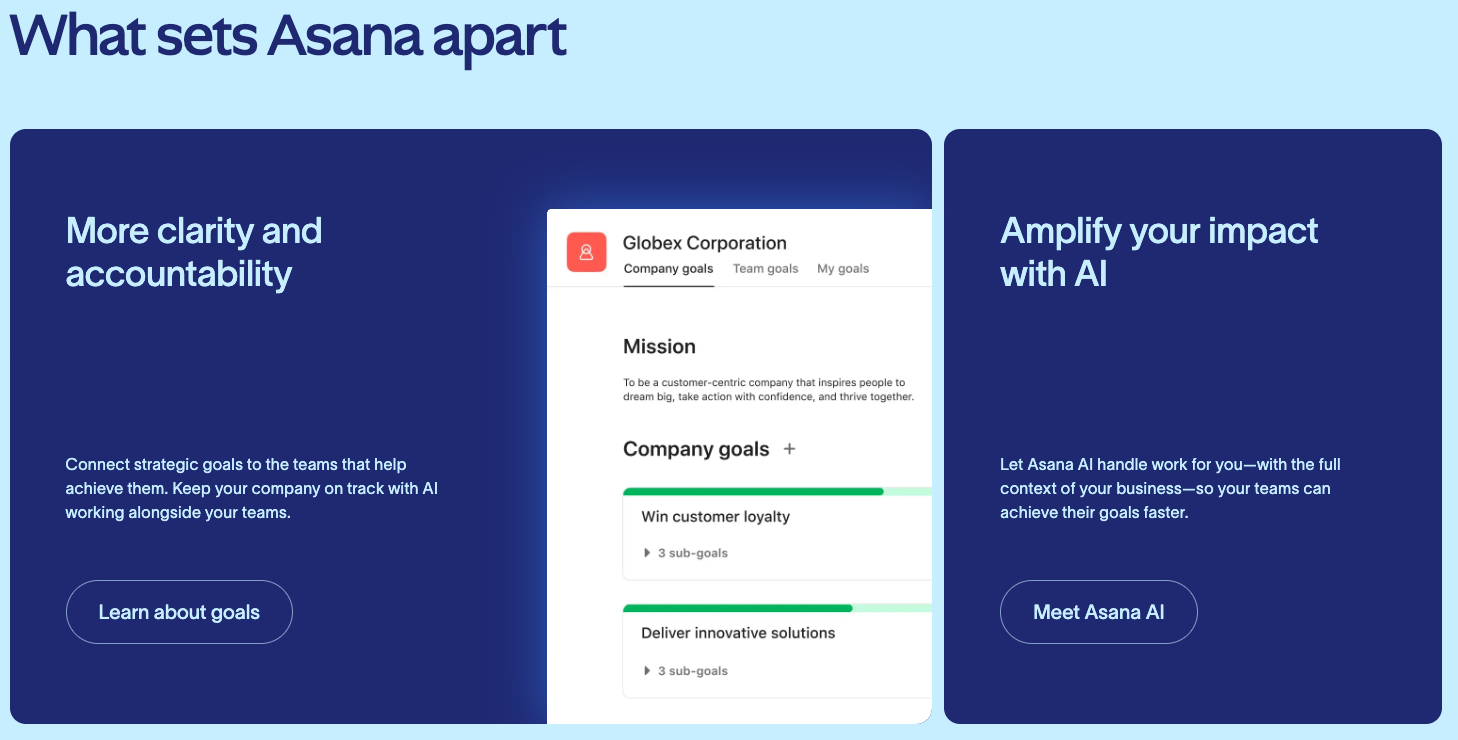
Image source: asana.com
Overview:
Asana adds orchestration to design collaboration tools with structured intake, timelines, dependencies, and approvals that drive predictable delivery. Portfolios and workload views give leaders clarity across programs, making Asana one of the leading collaboration tools for design teams and among the top tools for effective team design collaboration. Rules and forms power truly scalable governance, supporting top tools for asynchronous design collaboration when contributors work across regions. Asana's integrations centralize briefs, proofs, and handoffs within online design collaboration tools, ensuring nothing slips. For events or multi-site campaigns, it consistently coordinates milestones and resources with impressive precision.
Key features:
- Forms for design requests and prioritization
- Approvals and rules to move work forward
- Timelines and workload views for planning
- Rich integrations with design and file tools
Limitations:
- Not a whiteboard or UI editor; relies on integrations.
Pricing:
- Personal plan: Free (without AI)
- Starter plan: $10.99/user/month(billed annually)
- Advanced plan: $24.99/user/month(billed annually)
- Enterprise plan: Let's talk
Real user feedback:
We rely on Asana's timelines and automation rules for solid cross‑team coordination.
Best for
Orchestrating event design pipelines from request to sign‑off.
7. Monday.com: Configurable workflows and dashboards
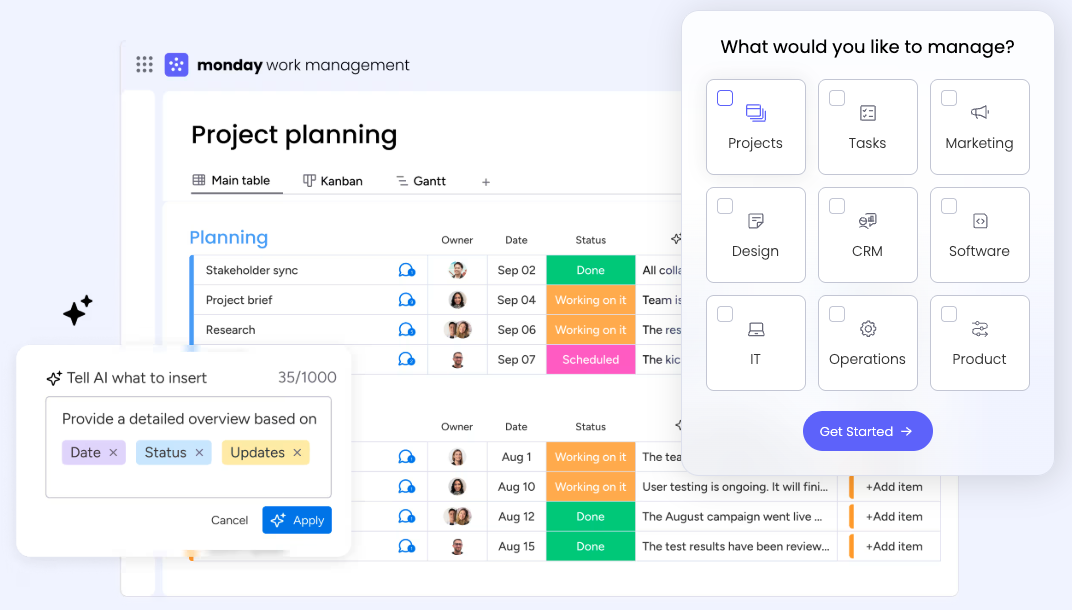
Image source: monday.com
Overview:
Monday.com brings flexible boards, automations, dashboards, and custom fields to design collaboration tools, letting teams tailor workflows for vendors, signage, and go-live readiness. Its views—Gantt, Kanban, calendar—create instantly visible progress, while automations reduce manual follow-up across channels. As part of online design collaboration tools, Monday.com integrates assets, approvals, and status, supporting top tools for asynchronous design collaboration when schedules are tight. Visual dashboards provide executives with portfolio-level insight, positioning it squarely among the best design collaboration tools for teams that need cross-functional alignment. Teams can progressively scale from simple boards to advanced pipelines, maintaining clarity throughout.
Key features:
- Custom boards with statuses, automations, and views
- Dashboards for cross‑stakeholder reporting
- Docs attached to items for briefs and notes
- Integrations across design and dev tools
Limitations:
- Can sprawl without governance.
Pricing:
- For teams of less than 40 people:
- Basic plan: $9/user/month(billed annually)
- Standard plan: $12/user/month(billed annually)
- Pro plan: $19/user/month(billed annually)
- Enterprise plan: Let's talk
- For teams of more than 40 people: Let's talk
Real user feedback:
Monday's flexible boards and dashboards work well for us, but they require disciplined schema design.
Best for:
Event programs needing stakeholder‑friendly dashboards tied to design tasks.
8. Notion: Design knowledge base and project docs
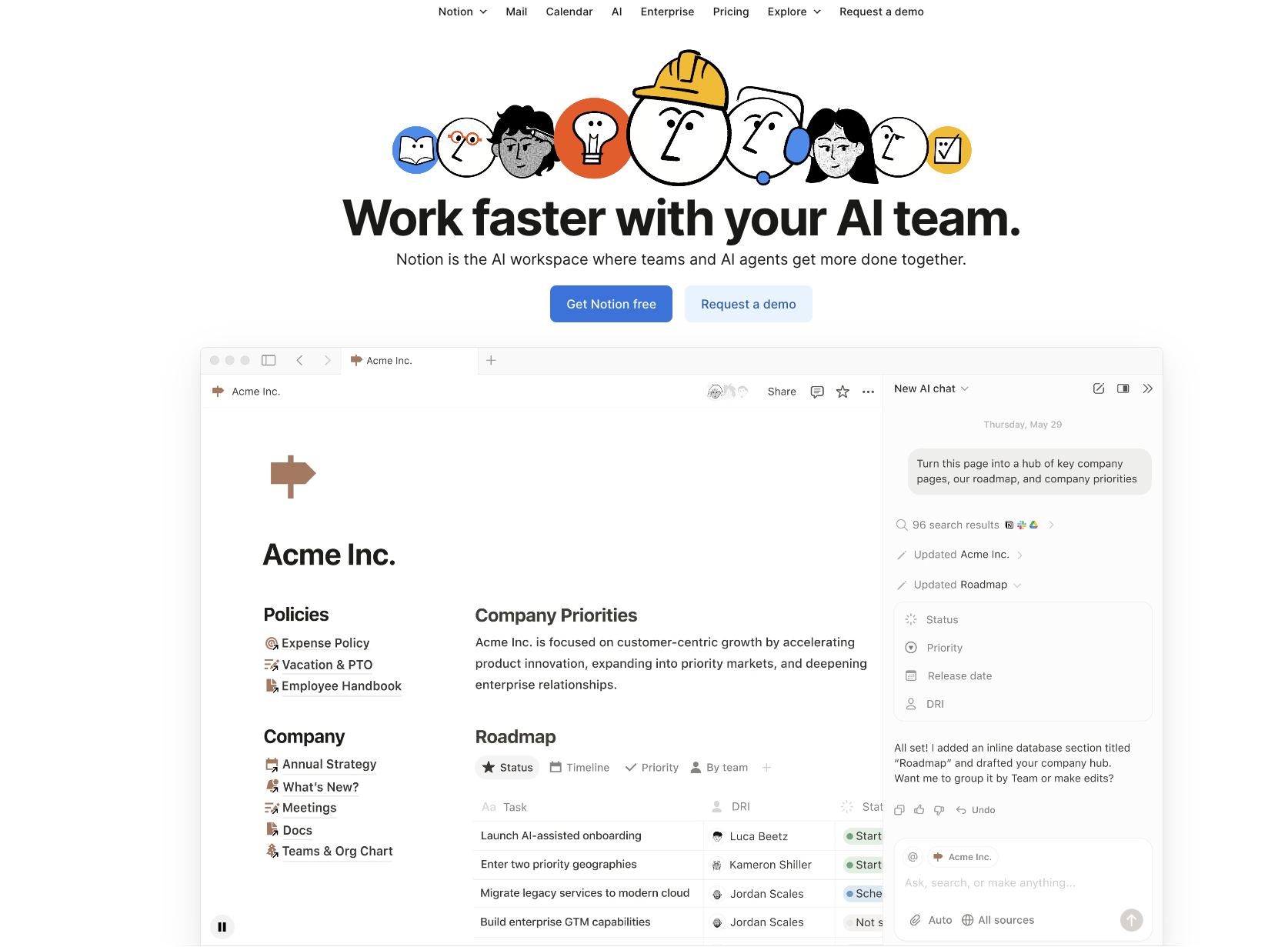
Image source: notion.com
Overview:
Notion functions as a flexible wiki-plus-database hub inside design collaboration tools, connecting briefs, specs, decision logs, and lightweight tracking in a single, neatly organized space. Linked databases, synced blocks, and granular permissions enable teams to document once and reuse everywhere, supporting top tools for systematically asynchronous design collaboration with clarity. Embeds and integrations make Notion a practical anchor within online design collaboration tools, so context and assets remain discoverable. For design reviews, it reliably centralizes outcomes and standards, helping teams scale operations. Notion is frequently counted among adopted design team collaboration tools because it adapts naturally to evolving processes.
Key features:
- Docs and wikis with comments, mentions, versions, and rich embeds (Figma, Miro, Loom)
- Databases with table/board/calendar/timeline views, relations and rollups for cross‑linking work
- Templates and synced blocks to standardize briefs, RFCs, and review checklists across teams
- Permissions and guest sharing to include stakeholders while protecting sensitive pages
Limitations:
- Not a UI/prototyping or dev handoff tool; can sprawl without naming/permission conventions.
Pricing:
- Plus plan: $10/user/month(billed annually)
- Business plan: $20/user/month(billed annually)
- Enterprise plan: Let's talk
Real user feedback:
Notion serves as our wiki and light database, though it can sprawl without clear ownership.
Best for:
Centralizing design knowledge, briefs, decision records, and light project tracking alongside your design stack.
9. Wrike: Creative operations and proofing
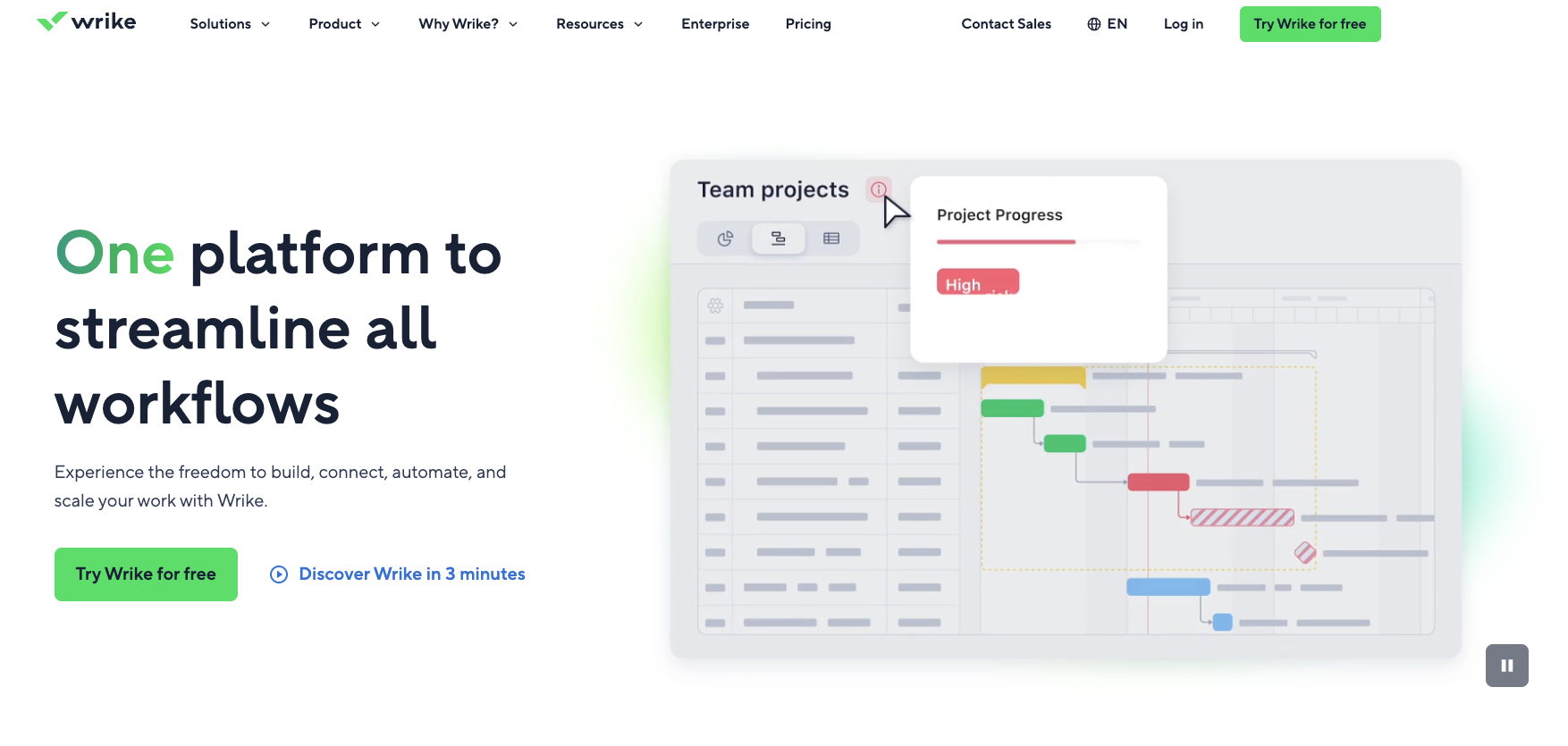
Image source: wrike.com
Overview:
Wrike targets creative operations within design collaboration tools by combining requests, proofing, versioning, and resource planning under one roof. Its robust approvals, SLAs, and workload balancing make it ideal for agencies or in-house teams managing complex asset pipelines. As one of the best design collaboration tools for teams that require auditability, Wrike supports top tools for flexibly asynchronous design collaboration with threaded feedback and clear histories. It integrates into online design collaboration tools effectively to keep briefs, assets, and schedules aligned end-to-end. For event-heavy roadmaps, Wrike reliably reduces risk by pairing capacity insights with structured delivery.
Key features:
- Built‑in proofing and markup for creative files
- Request forms and structured approvals
- Resource management and dashboards
- Whiteboards and visual briefs
Limitations:
- Configuration can be complex for simple projects.
Pricing:
- Team plan(2-15 users): $10/user/month(billed annually)
- Business plan: $25/user/month(billed annually)
- Enterprise plan: Let's talk
Real user feedback:
Wrike is strong for enterprise portfolios and proofing, but the setup is heavier than we prefer.
Best for:
High‑throughput event collateral workflows with multiple approvers.
10. Adobe XD: Interactive prototyping and handoff
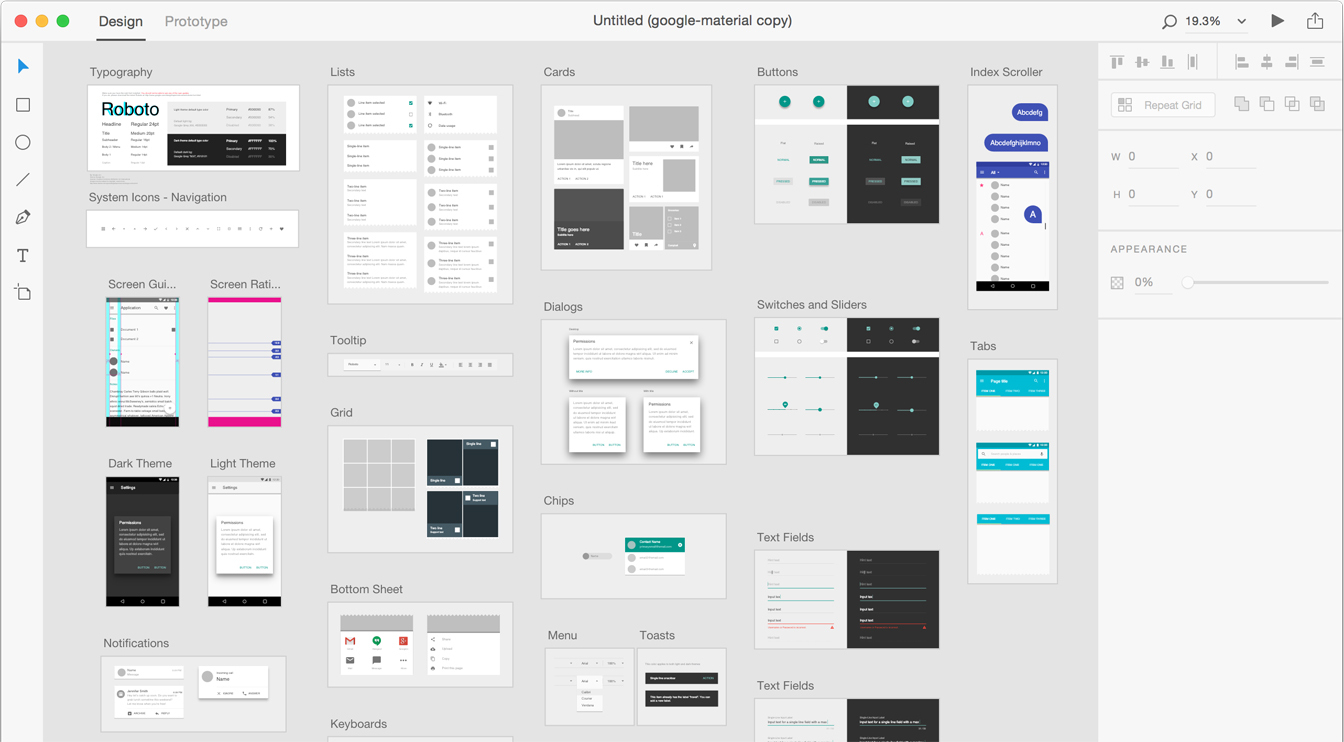
Image source: adobexdplatform.com
Overview:
Adobe XD centers on UI/UX flows, component‑based design, and shareable prototypes within a familiar Creative Cloud stack. Cloud documents, coediting, and comment threads support asynchronous reviews across product, design, and engineering, aligning with modern design collaboration tools. Developer‑friendly Design Specs links let teams inspect measurements, colors, and assets in one place. For event microsites or kiosk flows, teams can storyboard interactions, validate journeys, and iterate before build. Plugins extend workflows into tools like Slack and Jira for smoother handoff.
Key features:
- Prototyping with interactions, component states, and overlays
- Shared libraries and design systems with linked components
- Share links for prototypes and developer Design Specs
- Cloud docs, coediting, and comments for async reviews
- Repeat Grid for rapid list and gallery creation
- Plugin ecosystem and integrations for tracking and handoff
Limitations:
- Browser‑native multiplayer and large‑scale coediting are more limited;
- Availability for new licenses may vary by plan and region.
Pricing:
- Included in select Creative Cloud plans for $69.99/user/month; enterprise availability varies—check Adobe for current licensing.
Real user feedback:
Smooth for prototyping and developer handoff, though some teams prefer browser‑based tools for live, large‑scale collaboration.
Best for:
Product teams in the Adobe ecosystem needing clickable prototypes, specs, and structured handoff.
11. Kittl: Powerful browser-based graphic design platform
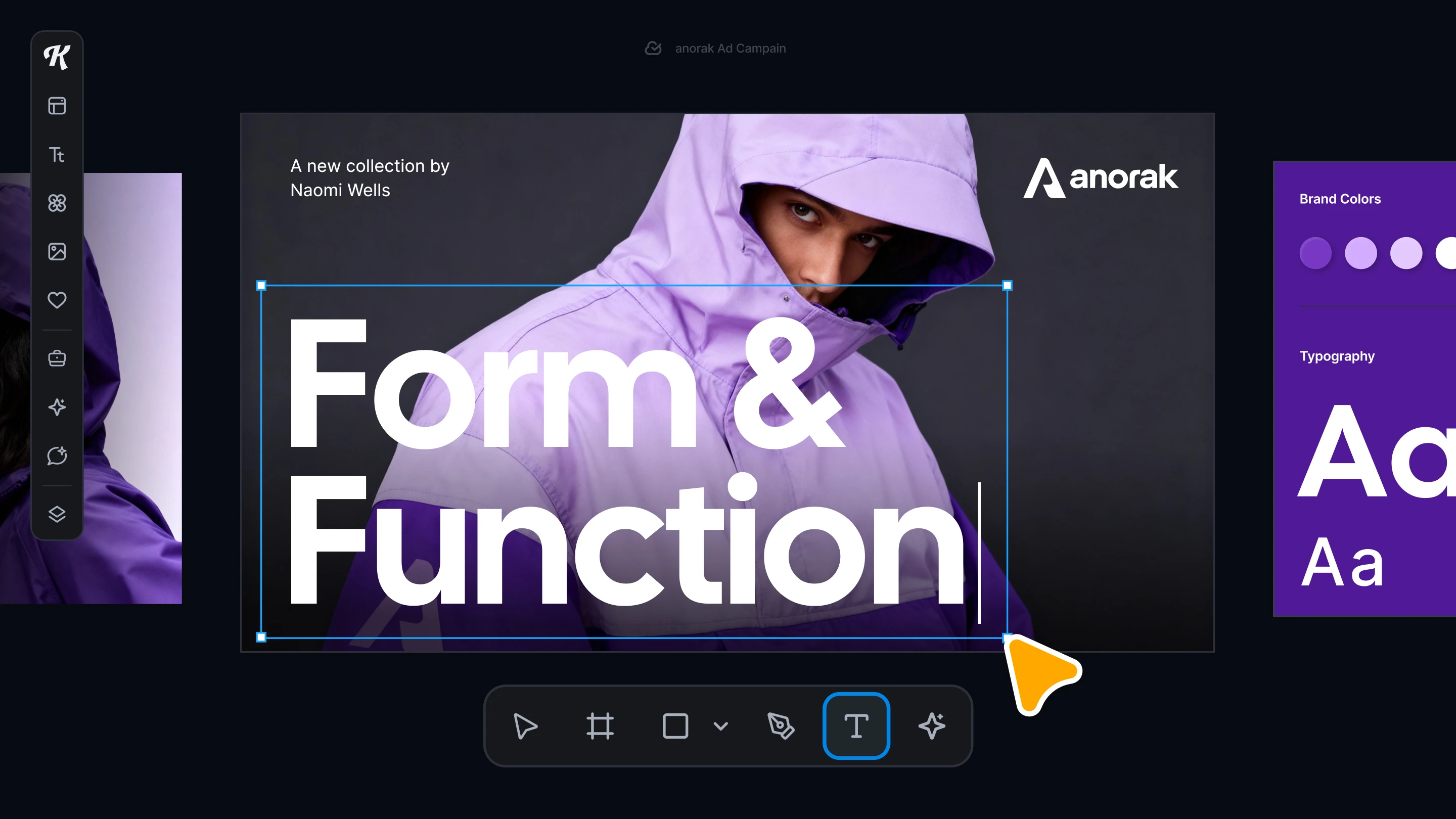
Image source: kittl.com
Overview: is a powerful, browser-based graphic design platform specializing in high-quality vector editing, advanced text manipulation, and artistic depth. It is built to streamline the creation of intricate, professional-grade designs for physical products like logos, apparel, posters, and merchandise. Unlike general-purpose design tools, Kittl prioritizes creative control, sophisticated typographic effects, and high-resolution, print-ready exports, making it a favorite for specialized artistic projects and small, creative teams.
Key features:
- Advanced typography: Offers powerful text effects, anchor point manipulation, and detailed customization options, enabling complex artistic lettering and vintage designs.
- Vector editing & export: Provides advanced vector editing capabilities and supports unlimited high-resolution vector exports (SVG, PDF) in paid plans, ensuring perfect scalability for printing.
- AI-powered creativity: Includes integrated AI tools for image generation, vectorization, and creating product mockups to accelerate the ideation process.
- Rich asset library: Features an extensive library of high-quality illustrations, textures, and premium templates geared towards detailed, artistic styles.
- Team collaboration: Includes basic collaboration features for sharing projects, managing roles, and working together on a single canvas, supporting small creative groups.
Limitations:
- Exclusively web-based with limited mobile functionality; not intended for code-ready UI specs or broad general-purpose documents (like multi-page presentations).
- Smaller template library compared to all-in-one design suites.
Pricing:
- Pro plan: $10/user/month (billed annually)
- Expert plan: $24/user/month (billed annually)
- Business plan: Contact sales (For large teams requiring custom upload space and advanced team collaboration features)
Best for:
Artistic designers, merchandise creators, and branding projects that require print-ready vector precision and sophisticated text effects.
Benefits of using design collaboration tools
Adopting dedicated design collaboration tools delivers transformative advantages that extend far beyond simple . These platforms fundamentally improve how teams create, communicate, and deliver work, providing tangible benefits across projects.
First and foremost, these tools create a single source of truth for all design assets, dramatically reducing version confusion and ensuring everyone works from the latest files. This centralized approach, combined with features like contextual commenting and real-time editing, streamlines feedback cycles. Instead of lengthy email threads or scattered messages, all discussions are tied directly to the relevant design elements, accelerating iteration and decision-making.
Furthermore, the best online design collaboration tools enhance alignment and transparency across the entire team, including stakeholders who may not be designers. With transparent workflows and clear visibility into , these tools help bridge the gap between design, , and development. This leads to fewer misunderstandings, a more efficient handoff process, and ultimately, a higher-quality final product that better meets user needs and business objectives.
Guidance for choosing your best design collaboration tools
Build a stack that keeps ideas, execution, and approvals tightly connected. Start by anchoring your work hub with an all‑in‑one platform like Lark so chat, docs, calendar, tasks, and approvals sit beside briefs, assets, and requests. This unified hub supports fully online design collaboration tools while aligning with widely adopted design team collaboration tools. By centralizing feedback and decisions, Lark helps you operate like consistently leading collaboration tools for design teams and moves you closer to the very best design collaboration tools outcomes.
- Platform hub: Use tools like , Figma and Canva to consolidate conversations, files, and follow‑ups. Its make it one of the highly visual collaboration tools that keep stakeholders aligned in real time and asynchronously—critical for top tools for highly effective team design collaboration.
- Specialized UI: Pair a UI tool for pixel‑accurate interfaces and smooth developer handoff—the hallmark of the best tools for highly responsive UI design collaboration and the best tools for exceptionally efficient web design collaboration.
- Visual ideation: Add a whiteboard for workshops, journey mapping, and discovery. Connect it to your intake and so your stack behaves like the top tools for truly asynchronous design collaboration.
- Orchestration: Layer program/portfolio management when you need multi‑team visibility across venues, vendors, and deadlines. This ensures structured execution that complements your online design collaboration tools.
This balanced blend gives you the very best design collaboration tools for teams: a single source of truth for ideas, decisions, and delivery. For fast‑moving campaigns or events, it shortens review cycles, preserves brand consistency, and ships on time—exactly what the very best design collaboration tools promise. With Lark as your operational backbone and complementary apps for UI, whiteboarding, and orchestration, your stack remains scalable, truly collaborative, and ready for growth.
Conclusion
Design collaboration tools become truly powerful when they orchestrate people, context, and time—not just files. In event planning, the winning setup connects intake, briefs, design, approvals, and production with clear ownership and SLAs. Pair a best‑in‑class UI tool for responsive work with a whiteboard for discovery, and centralize workflow, docs, and . Measure cycle times and revision counts to spot bottlenecks. Standardize approvals to reduce rework. Keep decisions and assets linked for auditability. Most importantly, minimize context switching so speed doesn’t compromise brand quality. Design collaboration softwares, such as Lark, can anchor this stack—combining Messenger, Docs, Base, Calendar, Meetings, Tasks, and Approval—so every asset moves from request to on‑brand delivery on time.
Build your design hub in Lark
FAQs
Is Canva a collaborative tool?
Yes. Canva supports real‑time co‑editing, comments, shared brand kits, and role‑based access—useful for marketing and event collateral. Beyond Canva, other tools including Lark unify chat, docs, calendar, meetings, tasks, and approvals in one workspace, so discussions, decisions, and follow‑ups stay with the work.
What is the best tool for collaboration?
There isn’t a single “best”—combine a UI suite (e.g., Figma), a whiteboard (e.g., Miro), and a work hub. Lark, for example, is a strong hub for docs, Base workflows, calendar, meetings, tasks, and approvals that tie the stack together.
What are the 7 keys of collaboration?
Shared goals, clear roles, open communication, trust and psychological safety, standardized processes, the right tools, continuous feedback and accountability.
Is Figma a collaboration tool?
Yes. Figma is cloud‑based with multiplayer editing, comments, prototypes, and developer handoff—ideal for distributed design teams.
Are design collaboration tools expensive?
Costs vary by tier and seat count; many offer free plans and affordable starter tiers. To maximize ROI, use tools like Lark and Trello to reduce tool sprawl and handoff friction, then add specialized tools only where they create clear value.
Related reading




















![What Is a 2-2-3 Work Schedule? Explanation and More [2026]](https://framerusercontent.com/images/uKHRfkp4v7y4azRNTYUmuteNQz8.png)








