Teams across industries are searching for whiteboard collaboration free solutions to brainstorm ideas, teach interactive lessons, and manage projects across distributed locations. Whether running a design sprint from three different time zones or tutoring students who cannot meet in person, the need for visual, real-time collaboration has never been greater. Readers often also search for "whiteboard online collaboration free" and "free online whiteboard real-time collaboration," looking for tools that remove barriers to getting started. This article will compare key features, explore practical use cases, and show how Lark Suite's whiteboard fits into a unified collaboration platform built for modern teams.
What free collaboration whiteboard really means today
Modern free have evolved far beyond basic drawing applications. These browser-based, multi-device platforms support large-scale visual collaboration, allowing users to visualize ideas, plan project workflows, add sticky notes, and collaborate in real time with others regardless of location. The focus has shifted from static sketching to dynamic, interactive sessions where all participants can contribute at the same time.
There are different types of free whiteboard offerings. Some provide full-featured free tools with no time limits, while others offer limited free tiers that restrict boards, collaborators, or features. Free trials give temporary access to premium functions, and open-source options allow self-hosting and customization. Each model serves different needs, from to enterprise-grade deployment. When evaluating online whiteboard collaboration free options, teams typically look for a baseline set of capabilities:
- Real-time cursors: See exactly where each participant is working on the board
- Sticky notes and text boxes: Capture ideas quickly in digestible chunks
- Shapes and connectors: Build diagrams, flowcharts, and visual hierarchies
- Infinite canvas: Expand freely without running out of space
- Export options: Save work as images, PDFs, or other formats for sharing
Core use cases for free online whiteboard real-time collaboration
With a clear definition of what free whiteboards offer, the next question is where they deliver the most value. These tools support an impressive range of workflows across business, education, and creative fields. Common use cases include:
- Agile ceremonies: Standups, sprint planning, retrospectives, and story mapping
- Design sprints: Rapid ideation, sketching, and concept validation
- Remote workshops: Facilitated sessions for teams that cannot gather in person
- Client discovery sessions: Collaborative exploration of requirements and goals
- Aligning objectives and key results across teams
- Visualizing timelines, dependencies, and priorities
Free online whiteboard collaboration supports both synchronous and asynchronous work. During live sessions, participants draw, comment, and react together. Between meetings, team members can leave comments, add content, and refine diagrams on their own schedule. This flexibility makes whiteboards valuable for distributed teams spanning different time zones.
Bring your team's ideas to life today
Free vs. open source whiteboard collaboration: What's the difference?
Confusion often arises between "free to use" and "open source whiteboard collaboration." While both involve zero upfront cost, they represent fundamentally different models with distinct implications for teams.
Open source means the underlying source code is publicly available, typically on platforms like GitHub. Organizations can inspect the code, modify it for specific needs, and host the software on their own infrastructure. This approach appeals to teams with strict data residency requirements, deep integration needs, or philosophical commitments to community-driven software.
In contrast, free SaaS whiteboards are hosted and maintained by vendors. Users access the service through the vendor's infrastructure without touching the underlying code. Tools like Lark Board fall into this category, offering convenience and polish in exchange for less direct control over the platform. Key trade-offs between open source and SaaS free tiers: - Control: Open source offers full customization; SaaS free tiers offer convenience
- Maintenance: Open source requires internal resources; SaaS free tiers handle updates automatically
- Security: Open source allows self-hosting; SaaS free tiers depend on vendor practices
- Features: Open source may lag behind commercial polish; SaaS free tiers often have smoother UX
- Cost: Both start at zero, but open source involves hidden costs for hosting and maintenance
When does an open-source whiteboard make sense?
Open-source whiteboards work best for teams with strict data rules, needs for custom integrations, or research groups that require high flexibility. However, they demand technical maintenance, offer a less smooth user experience, and still incur hidden costs. Many teams begin with free SaaS tools and shift to open source only when greater control is needed.
Why do many teams still pick SaaS free tiers?
SaaS free tiers remain the top choice for SMEs thanks to instant setup, automatic updates, easy-to-use design, built-in integrations, and no hosting costs. Just keep in mind that free tiers usually limit boards, collaborators, or storage. Reasons SaaS free tiers dominate for SMEs:
- Instant setup with no technical requirements
- Automatic updates and maintenance
- Polished user experience designed for non-technical users
- Built-in integrations with common workflow tools
- Support resources and documentation
- No infrastructure or hosting costs
8 best free tools for whiteboard collaboration in 2026
When you are looking for whiteboard collaboration free of high costs and complex setups, the market in 2026 offers some incredible choices. I have tested dozens of platforms, and these eight stand out for their balance of features, ease of use, and "free-tier" value.
1. Lark: The all-in-one workspace where ideas turn into action
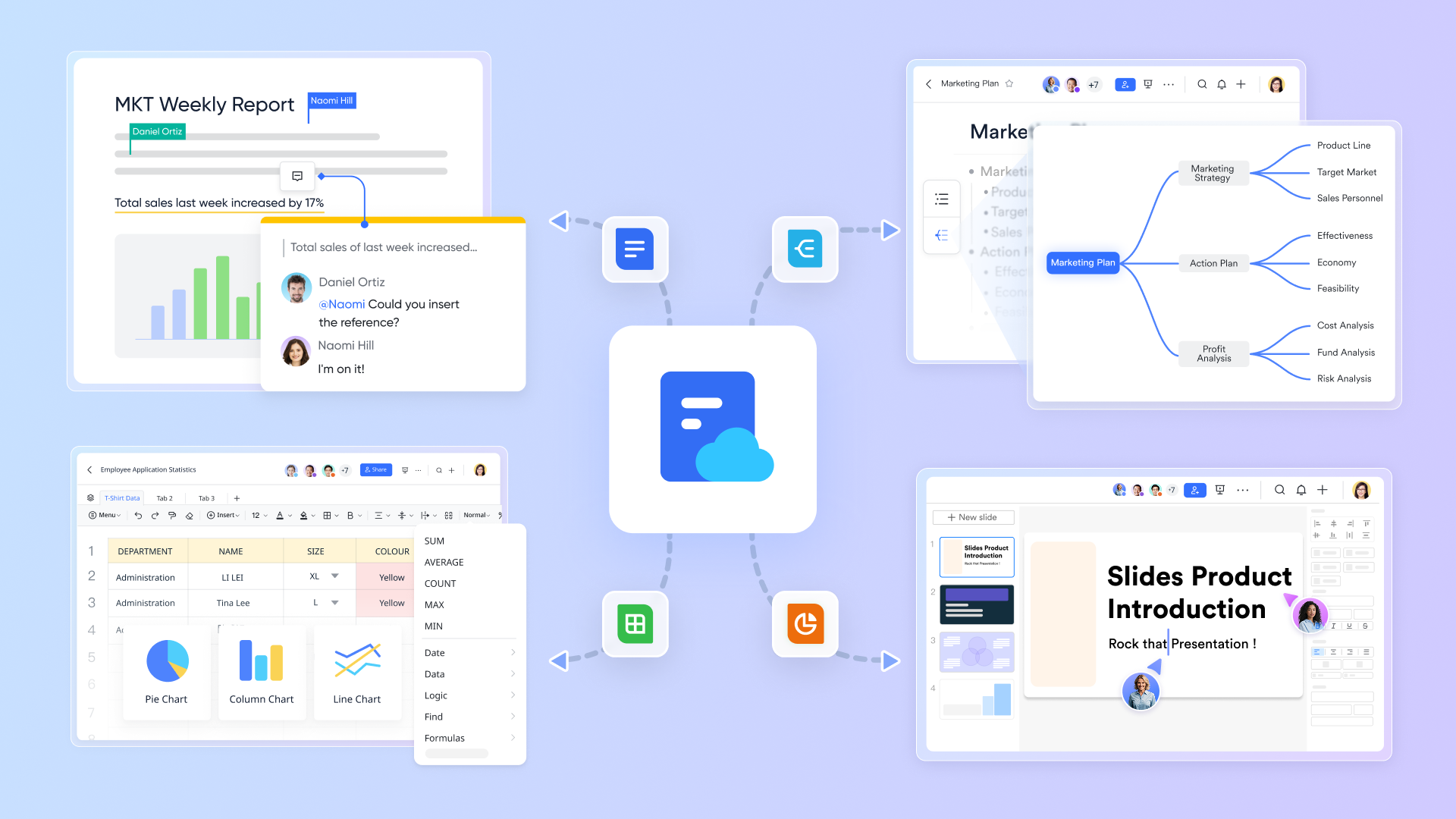
is a comprehensive that replaces your chat, , documents, and project management apps. Its whiteboard is a deeply integrated feature within this ecosystem, designed to let you brainstorm visually without ever leaving your main workspace. Instead of being a standalone drawing app, the Lark Board acts as a visual layer across your entire workflow. You can open a blank canvas directly inside a chat group or launch one with a single click during a video meeting. Because it is part of Lark, the whiteboard is uniquely designed to connect raw brainstorming to actual work execution, allowing elements on the board to interact with your team's databases and task lists.
Advantages
Rich set of tools for every creative need
A blank canvas offers freedom, but sometimes you don't know where to start. Lark Board provides a rich library of elements, so your team can find the right visual format for any idea. You can use shapes to build flowcharts, connectors to show relationships between items, and sticky notes to capture quick thoughts. You can even insert tables to organize structured data. For more complex needs, you can add Lark MindNotes to clarify logic or use Kanban views to manage workflows. This variety of tools makes Lark Board suitable for almost any team activity, from product design and project planning to brainstorming sessions. 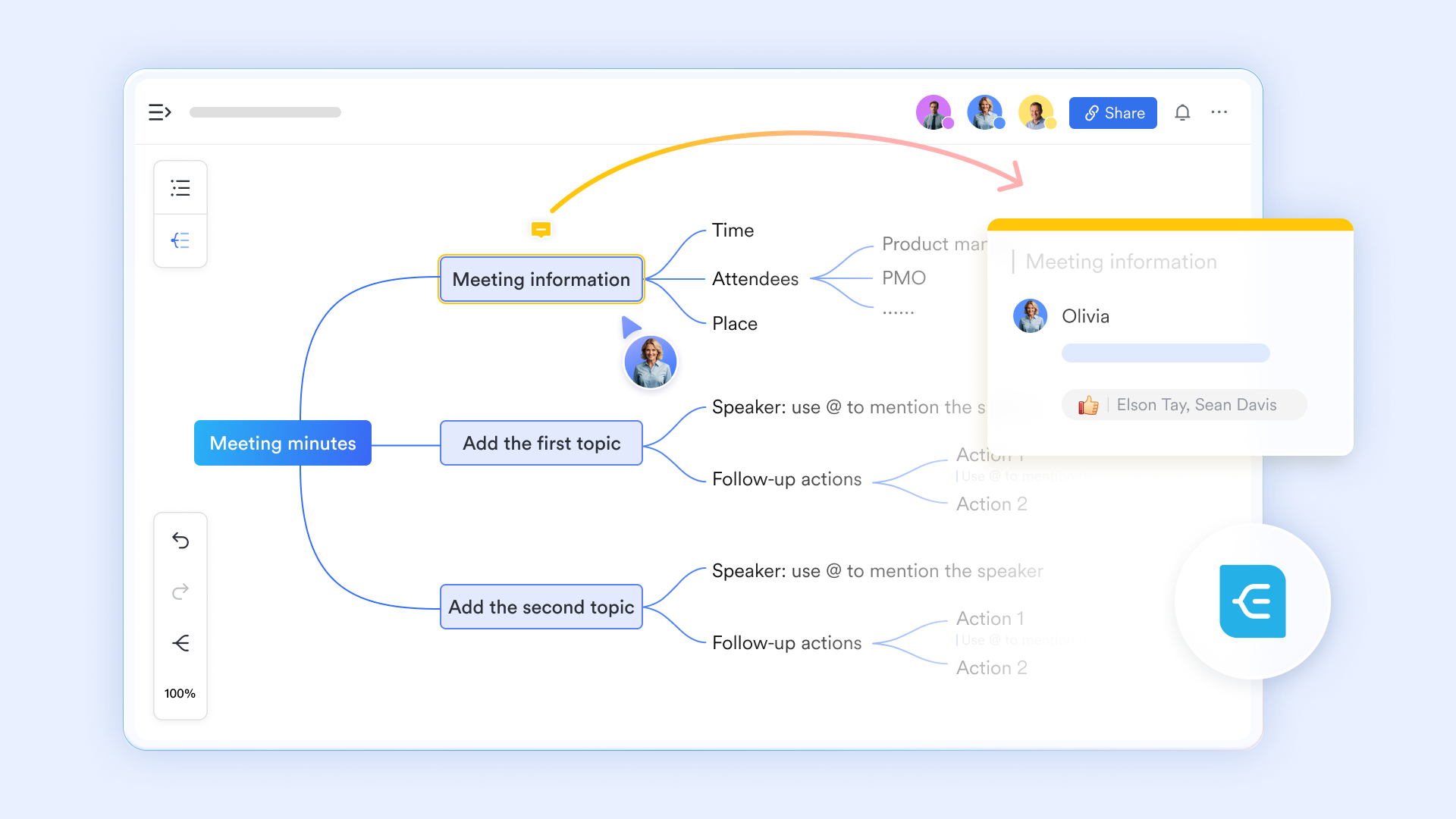
Templates: Start smart, not from scratch
Building a framework from zero can be time-consuming, especially for complex problems. Lark Board comes with a built-in template gallery covering everything from product design and to strategic planning. Whether you need a user journey map to analyze pain points, a business model canvas to clarify your strategy, or a product roadmap to align your team, you can find a professional starting point in the gallery. These templates provide standard structures and key elements, capturing industry best practices. Your team can simply use a template and focus on the content, achieving efficient, "out-of-the-box" collaboration. 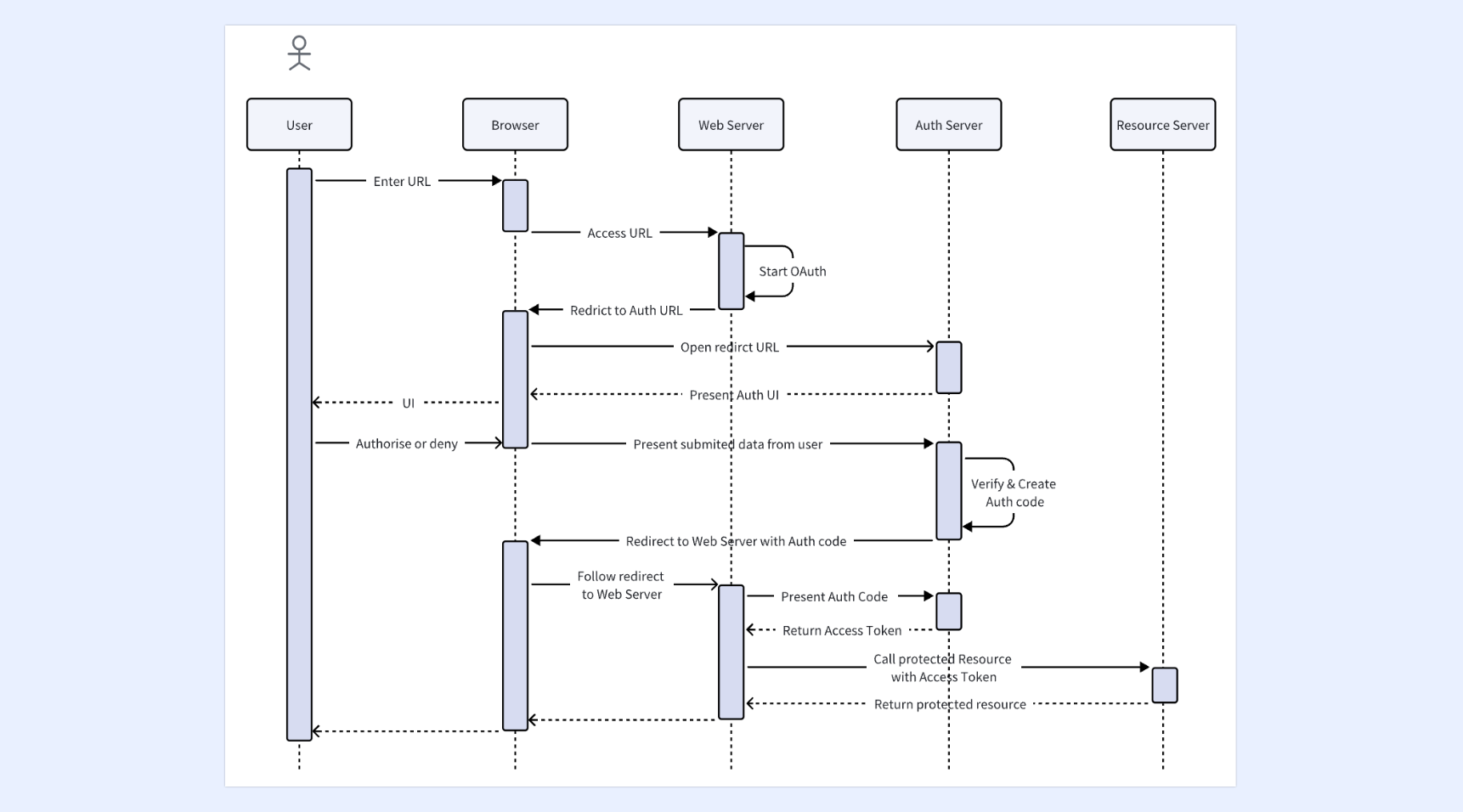
Live inside your documents, never isolated
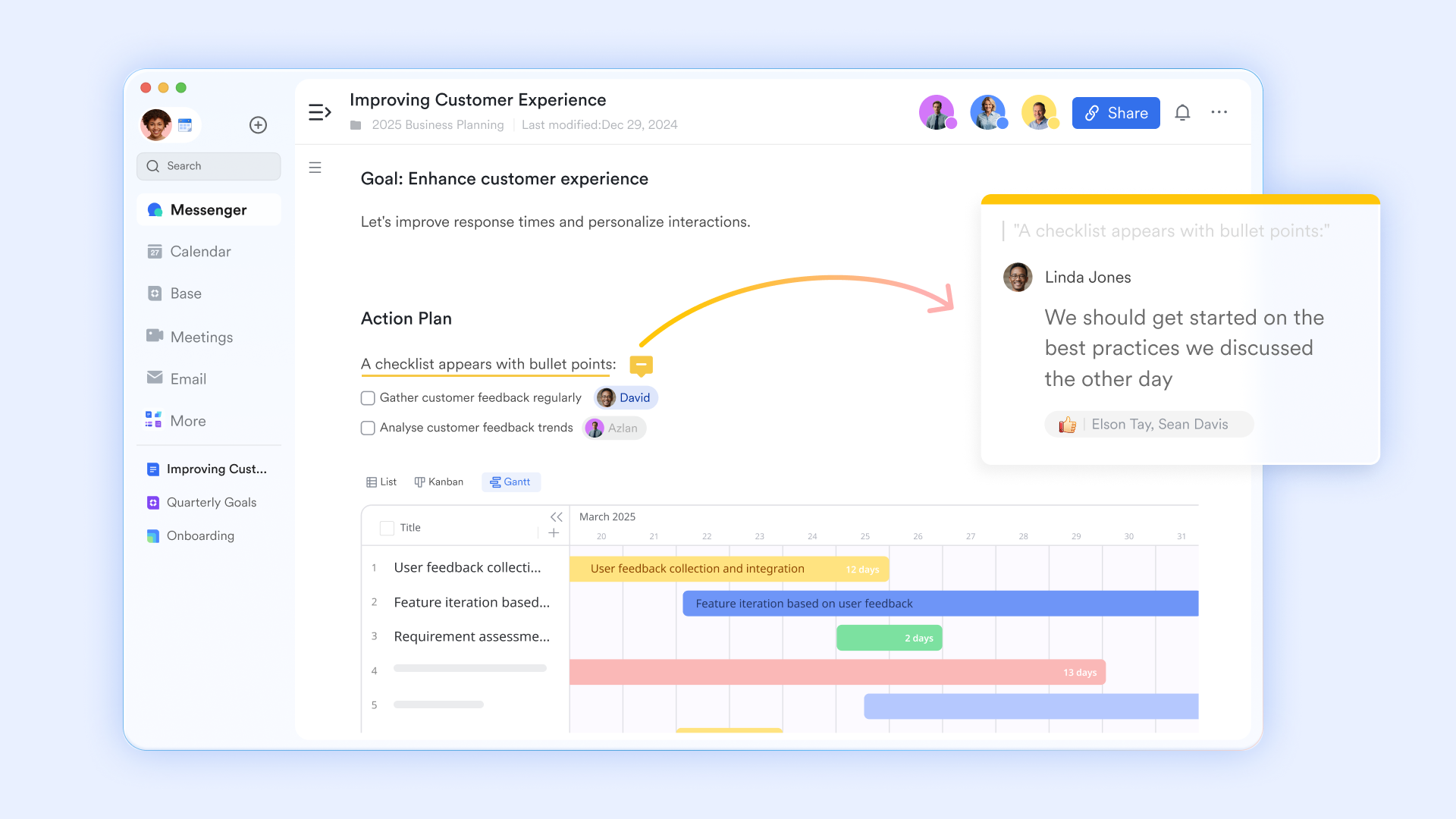
A major problem with traditional whiteboards is that they exist separately from your documents. Lark Board is naturally embedded within , living alongside your text and tables. This means you can insert a system architecture board right inside a product requirement document, then describe each module's function in detail next to it. Or you can embed a problem analysis board in a project retrospective doc, with a list of improvement actions right below it. The board is no longer a separate file you need to open and manage. It becomes a living, visual part of your document, making your information more complete and easier to understand.
Flexible sharing for every collaboration scenario
Lark Board offers flexible sharing options that work for different team situations. You can copy a link and share the board with teammates for asynchronous work. During , the host can share the board with one click for real-time viewing. More powerfully, with Magic Share's dual modes, team members can either "Follow the Presenter" to stay in sync or "View on My Own" to zoom and scroll independently. When they're ready, they can click to rejoin the presenter's view. This flexibility keeps synchronous whiteboard sessions organized while still letting everyone explore freely. 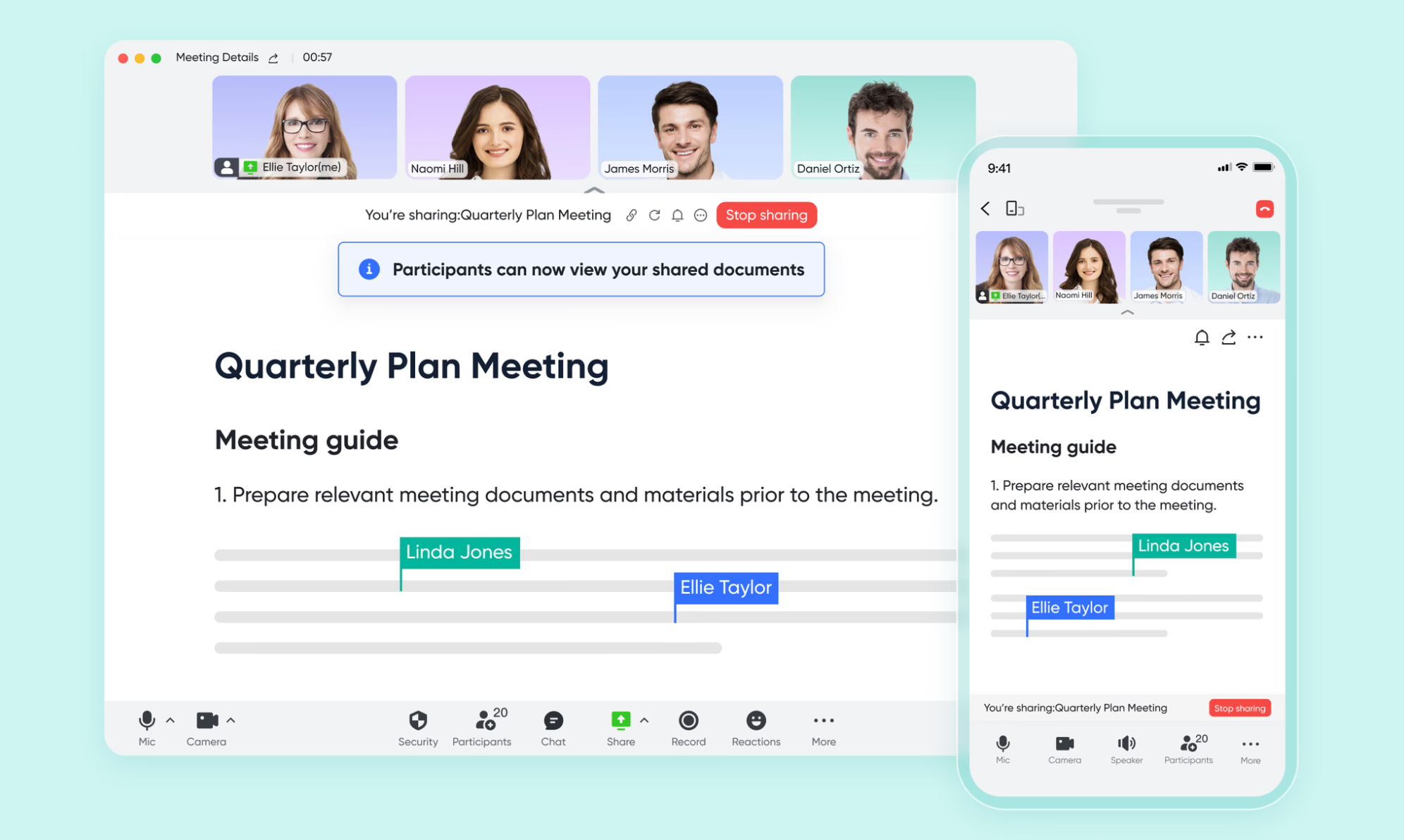
Share whiteboards in meetings for immersive remote discussions
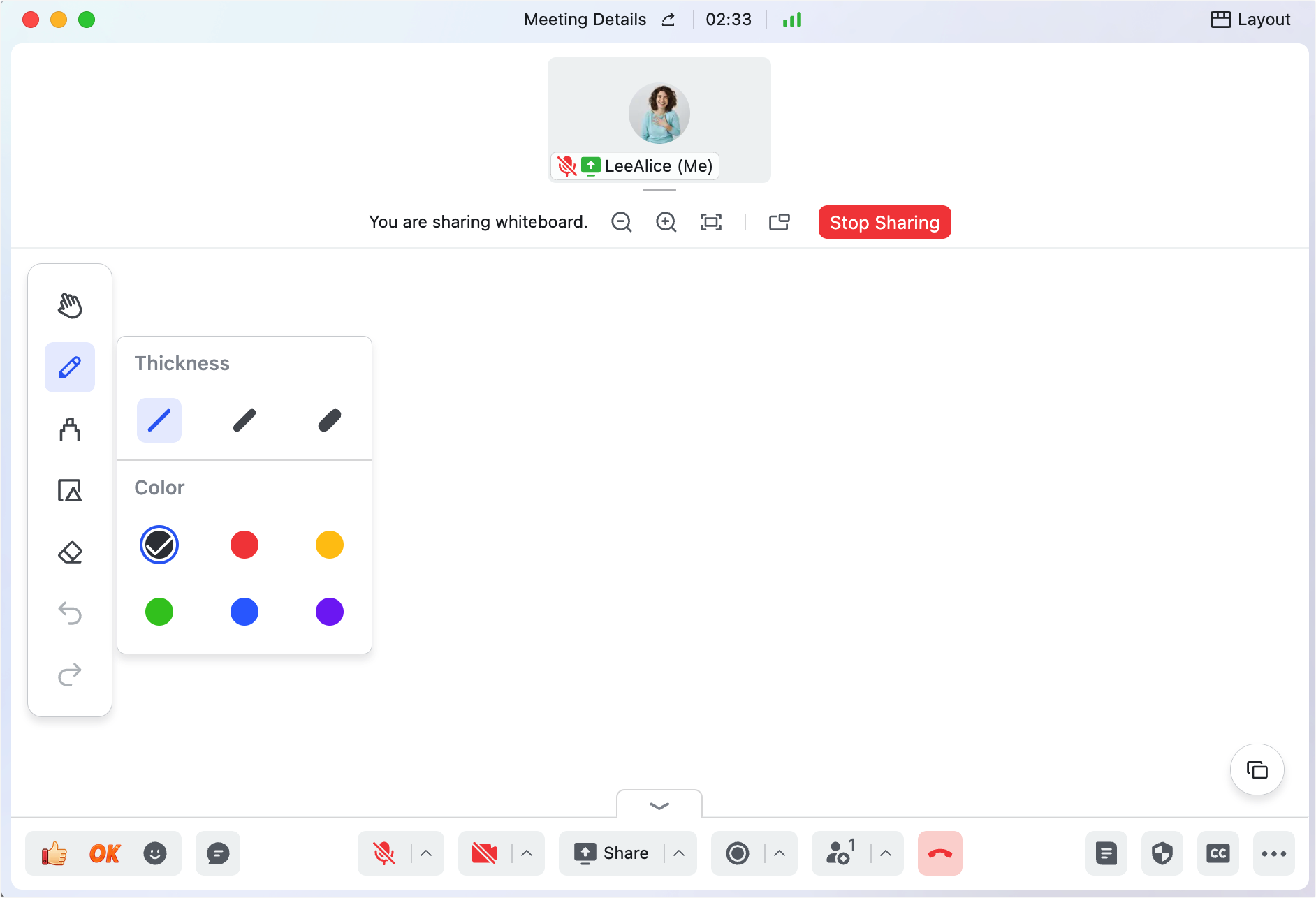
In remote meetings, words alone often aren't enough to explain complex ideas. The whiteboard unifies deeply with , letting participants launch a shared whiteboard with one click. This turns discussions from verbal descriptions into visual co-creation. The host clicks "Share" in the meeting toolbar, selects a whiteboard, and everyone sees the same canvas in real time. The team can draw together using pens, shapes, and sticky notes, making abstract concepts visual instantly. The host can also set flexible sharing permissions—for example, choosing "Only host can edit" to keep the presentation clear, or allowing everyone to draw freely for a . Need to cover multiple topics? You can create up to 10 whiteboard pages and switch between them smoothly.
Disadvantages
- It may take some time to adapt, but helps a lot.
Best for: Modern teams who want to bridge the gap between "visual brainstorming" and "project execution" without switching apps.
:
- Starter plan: Free forever plan that includes 11 powerful tools for up to 20 users. It also comes with 100GB of storage, 1000 automation runs, AI translations, and more.
- Basic plan: $6/user/month (billed annually) for up to 500 users. It includes everything in Starter plus group calling for up to 500 attendees, 5TB of storage, 1000 automation runs, and more. For more details, please .
- Pro plan: $12/user/month (billed annually) for up to 500 users. It includes everything in Basic plus group calling for up to 500 attendees, 15TB of storage, 50,000 automation runs, and more.
- Enterprise plan: for custom pricing. Supports unlimited users and includes even more automation runs and advanced security, compliance, and management features.
For small teams with simple communication needs

18 months message history
1000 Base automation runs/month
2000 rows per table in Base
Most POPULAR
For companies with comprehensive collaboration and management needs
Unlimited message history
500-participant video meetings
50k Base automation runs/month
20k rows per table in Base
For large companies with advanced security and organizational management needs
Get a personalized demo and pricing
Unlimited message history
500-participant video meetings
15 TB storage + 30 GB storage/user
500k Base automation runs/month
50k Base automation runs/month
Most POPULAR
For companies with comprehensive collaboration and management needs
Unlimited message history
500-participant video meetings
50k Base automation runs/month
20k rows per table in Base
2. Canva: The creative powerhouse for beautiful brainstorming
Canva is a globally recognized graphic design platform known for making visual creation accessible to everyone. Canva Whiteboards is their infinite canvas feature that brings their massive design library into a collaborative brainstorming space. Canva software is traditionally used for making presentations, social media posts, and print materials. Their whiteboard product takes that same intuitive, drag-and-drop editor and removes the page borders. It allows you and your team to use Canva's extensive library of stock photos, graphics, and fonts in a real-time, unstructured environment, making it incredibly easy to build visually stunning mood boards or workshop spaces.
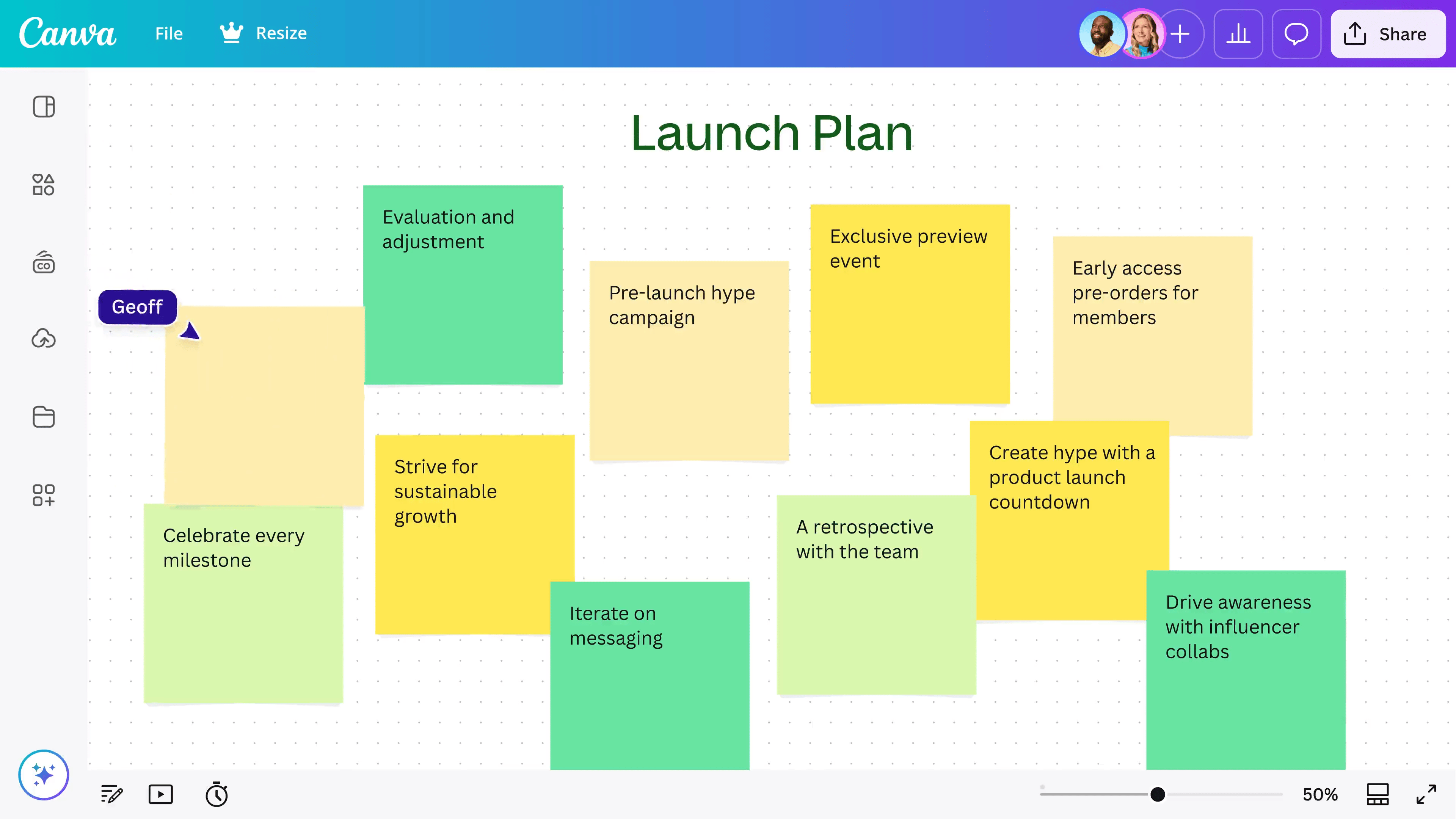
Image source: canva.com
Advantages
- Massive template library: Access thousands of professionally designed templates for everything from SWOT analyses to team icebreakers.
- Visual assets: Use the entire Canva graphics library to make your brainstorms more engaging and easier to understand.
- Interactive elements: Add timers, music, and "Magic Morph" shapes to keep team energy high during long workshops.
- Easy presentation mode: Convert your whiteboard into a polished Canva Presentation with a single click.
- Real-time feedback: Robust commenting and "sticker" reaction tools make asynchronous collaboration feel personal.
Disadvantages
- Limited workflow automation: It is difficult to turn your drawings into actionable project tasks or database entries compared to Lark.
- Graphic-heavy: If you just want to sketch a quick technical flow, the "design-first" interface can sometimes feel a bit distracting.
- Premium paywalls: Many of the best icons and templates are "Pro" only, which can limit the "free" experience.
Best for: Creative agencies and marketing teams who prioritize visual polish and presentation.
Pricing:
- Business: $240/year/user.
- Enterprise: Contact sales.
3. Miro: The industry giant for complex enterprise workshops
Miro is a dedicated visual workspace platform built specifically for distributed team innovation and project management. The Miro whiteboard is their core product, offering a highly robust, infinite digital canvas. Unlike suites that do many different things, Miro focuses entirely on being the best standalone whiteboarding software on the market. It is engineered to handle massive amounts of visual data, complex diagrams, and hundreds of simultaneous users. The platform is heavily geared toward structured corporate workflows, offering deep integrations with software development tools and providing a dedicated space where enterprise teams map out their entire product journeys.
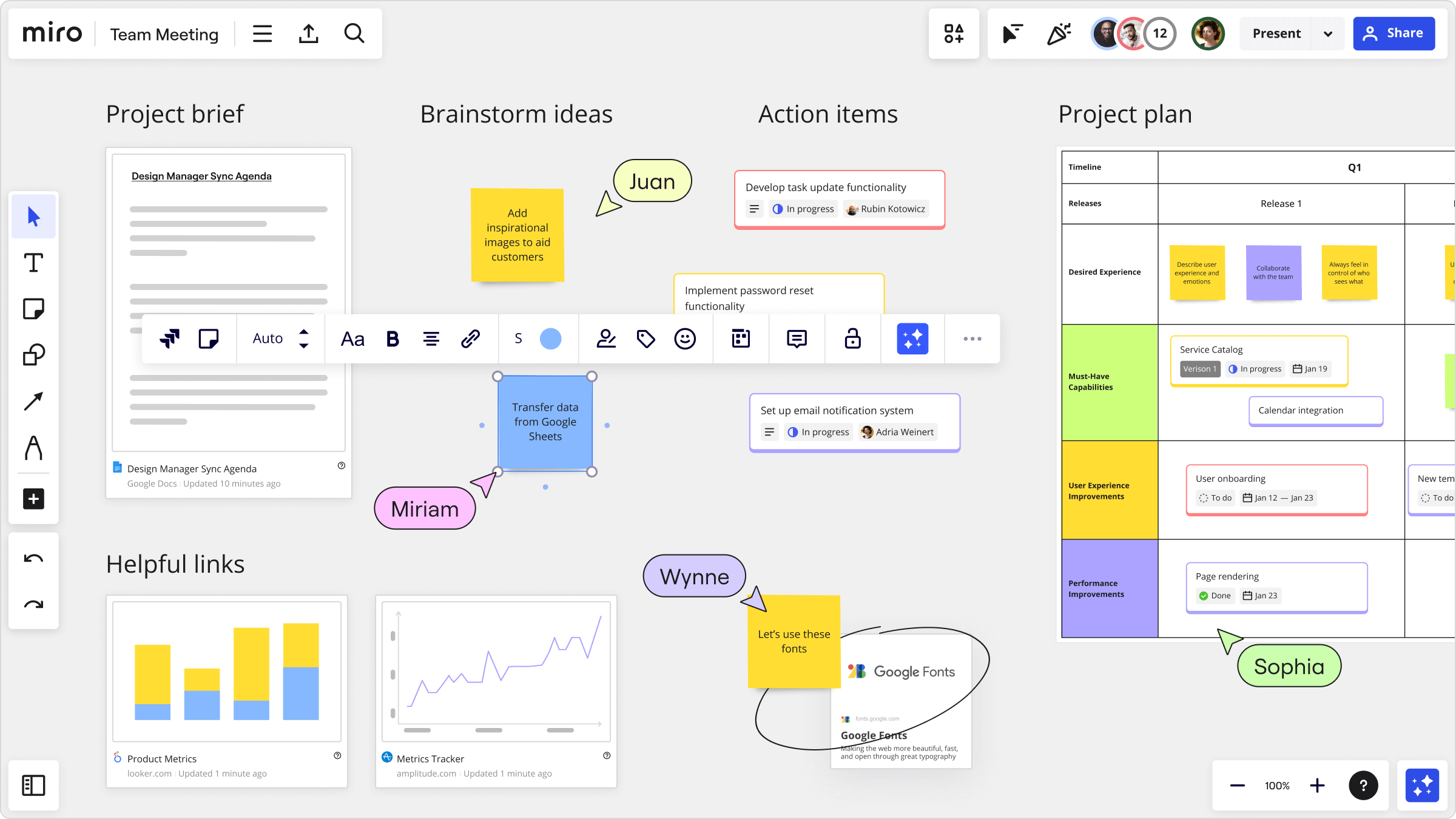
Image source: miro.com
Advantages
- Enterprise-grade integrations: Connects deeply with technical stacks like Jira, Confluence, and GitHub to sync data across platforms.
- Advanced facilitation tools: Features a "bring everyone to me" function, voting plugins, and built-in timers for workshop leaders.
- High scalability: Can handle hundreds of people moving objects simultaneously without significant lag.
- Niche framework support: Specific tools for specialized methodologies like SAFe (Scaled Agile Framework) or Service Blueprinting.
- Offline backup: Allows for robust exporting of boards into various high-resolution formats for archiving.
Disadvantages
- Restrictive free tier: The free version usually limits you to only 3 editable boards, which teams outgrow almost instantly.
- High complexity: The sheer number of buttons and options can be intimidating for casual users or external clients.
- Pricing jump: Moving from the free tier to a paid tier is a significant financial step for small startups.
Best for: Large organizations that need a dedicated, technical space for complex agile workflows and systems mapping.
Pricing:
- Business: $20/month/user.
- Enterprise: Contact sales.
4. FigJam: The designer's favorite for smooth ideation
Figma is the industry-standard software for collaborative UI and UX design. FigJam is a lightweight, collaborative whiteboard built directly alongside Figma, designed for early-stage ideation. Figma software is where high-fidelity app and website designs are built. FigJam was created because designers needed a messier, more casual space to brainstorm before doing the "real work." The FigJam whiteboard uses the same underlying technology as Figma, meaning it is incredibly smooth and fast. It offers a playful, simplified interface where product teams can map out user flows, run retrospectives, and drop in design files to discuss them visually.
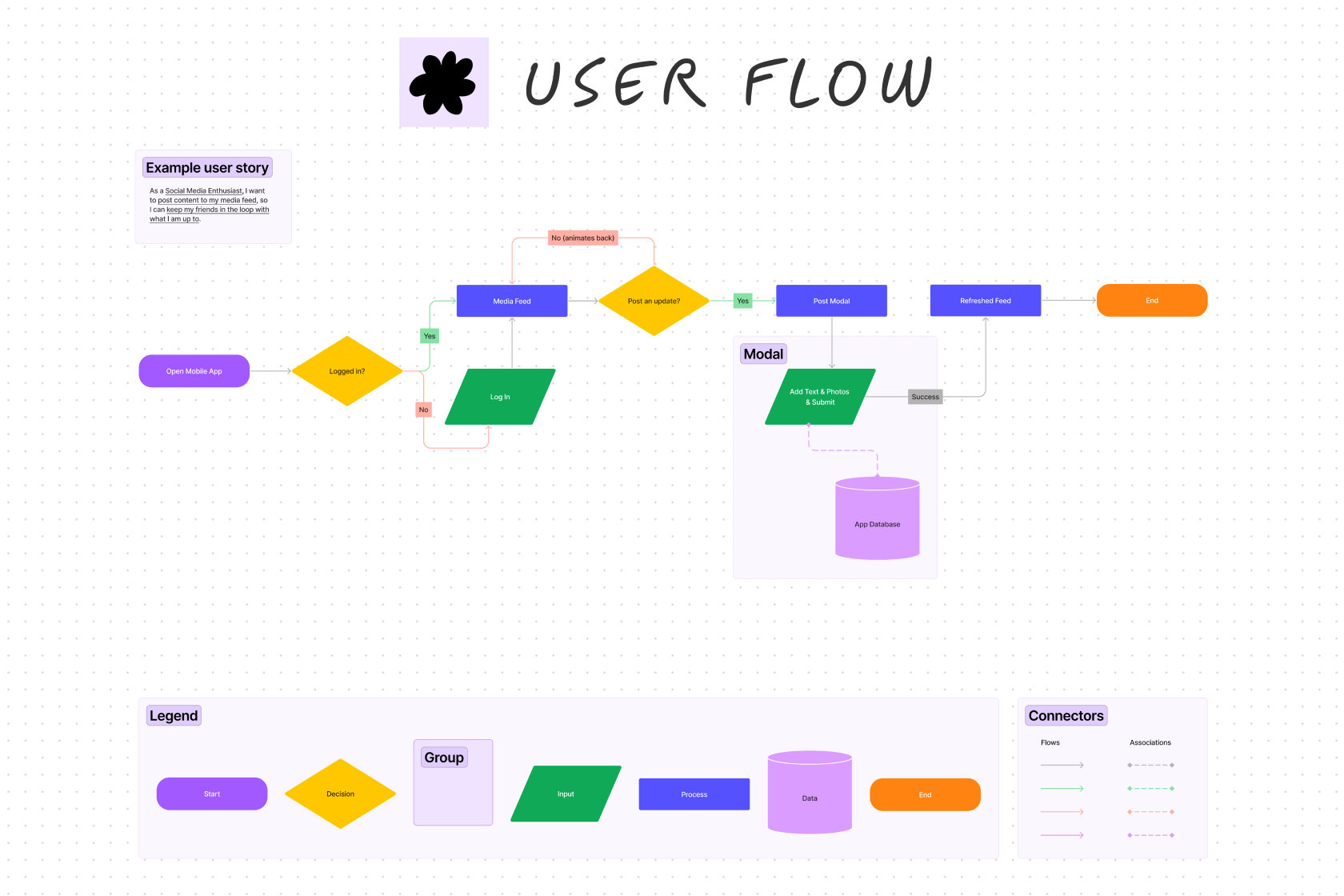
Image source: figma.com
Advantages
- Seamless Figma link: The transition between "rough ideation" in FigJam and "final design" in Figma is the best in the industry.
- Interactive widgets: Use community-built widgets like polls, dice, and even mini-games to break the ice during meetings.
- User-friendly UI: The toolbar is minimal and stays out of the way, making it easy for non-designers to jump in and start contributing.
- Collaborative "Stamps": A unique way for team members to give instant, visual feedback on ideas without cluttering the board with comments.
- iPad and Tablet support: Excellent palm rejection and stylus support for those who prefer to hand-draw their diagrams.
Disadvantages
- Standalone limitations: If you aren't using Figma for design, FigJam loses about 50% of its unique value proposition.
- Limited structure: It lacks some of the heavier project management features found in all-in-one tools like Lark.
- 3-file limit: Much like Miro, the free version limits you to 3 files, which can be frustrating for active teams.
Best for: Product teams, UI/UX designers, and developers who are already part of the Figma ecosystem.
Pricing:
- Professional: $3/month for Collab seat, $12/month for Dev seat, and $16/month for Full seat.
- Organization: $5/month for Collab seat, $25/month for Dev seat, and $55/month for Full seat.
- Enterprise: $5/month for Collab seat, $35/month for Dev seat, and $90/month for Full seat.
5. Mural: The facilitator's choice for guided sessions
Mural is a visual work platform heavily focused on team facilitation, guided methodologies, and remote workshops. Its whiteboard is a digital canvas structured specifically for meeting leaders. While many software tools just give you a blank page and a pen, Mural's software is built around the idea of "guided collaboration." It provides the structure needed to lead a group through a specific problem-solving framework. The Mural whiteboard acts as a virtual workshop room, placing a heavy emphasis on tools that allow a facilitator to control the flow of the meeting, manage participant attention, and ensure that everyone's voice is heard equally.
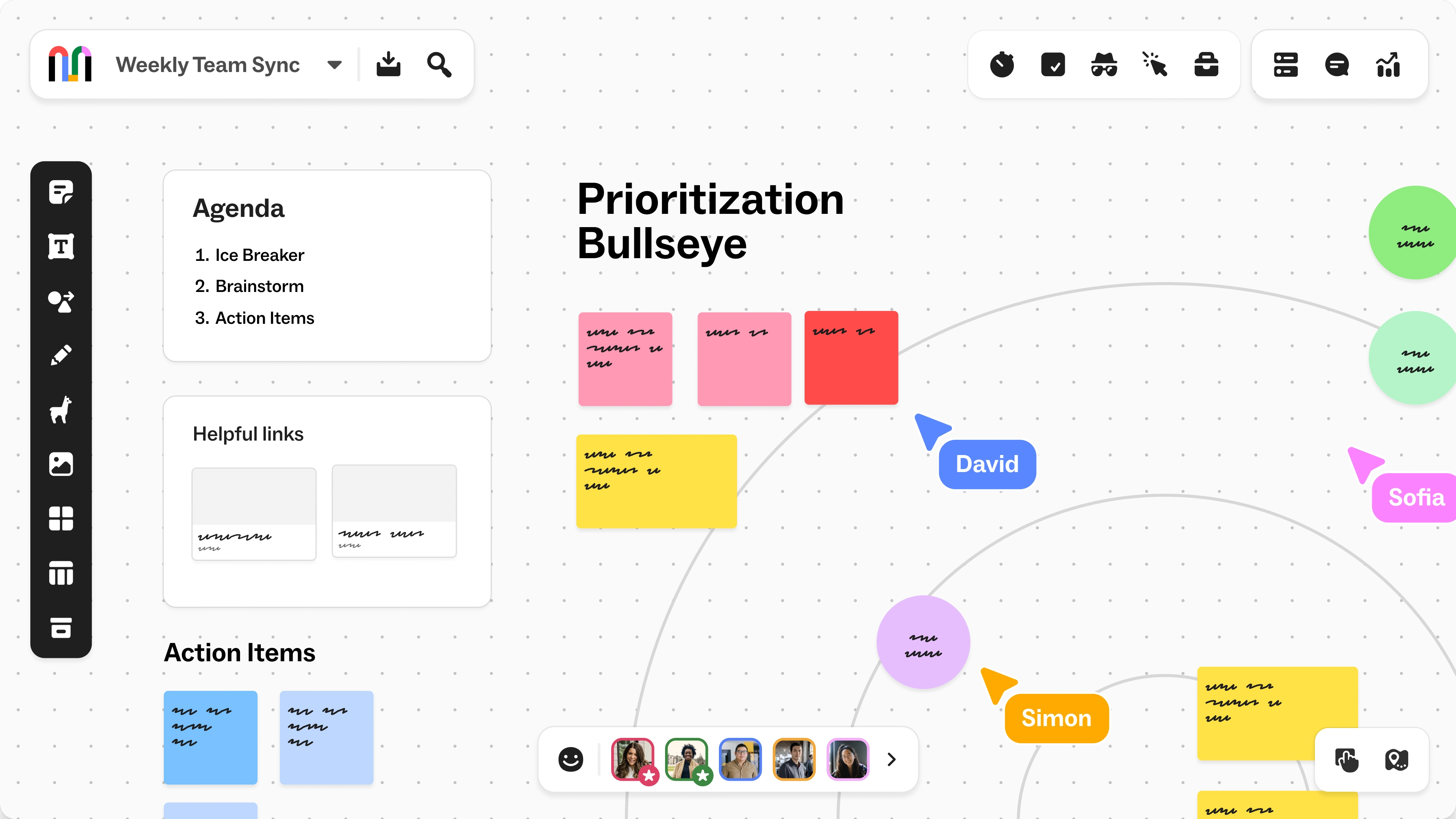
Image source: mural.com
Advantages
- Facilitator Superpowers: Lock objects, hide/reveal content, and guide participant views to maintain focus during complex workshops.
- Framework-focused: Excellent library of "Methodology" templates that teach you how to run a session while you're doing it.
- Private Mode: Allows participants to add ideas anonymously or privately before revealing them to the whole group, preventing "groupthink."
- Mural for Education: Offers a very robust free version specifically for students and teachers.
- Deep accessibility: Strong focus on making the canvas navigable for users with different accessibility needs.
Disadvantages
- Performance overhead: Because of its complex facilitation features, the board can sometimes feel slower to load than minimalist tools like TLDraw or Lark.
- Learning curve: Navigating the different "layers" of a Mural board can be confusing for first-time guests.
- Non-standard UI: Some of the keyboard shortcuts and navigation patterns differ from the "industry standard" set by Miro.
Best for: Consultants, professional facilitators, and large teams running structured "Design Thinking" workshops.
Pricing:
- Team +: $9.99/month/user.
- Business: $17.99/month/user.
- Enterprise: Contact sales.
6. TLDraw: the king of zero-friction collaboration
TLDraw is a lightweight, open-source drawing application. It does not belong to a larger, complex productivity suite; the software and the whiteboard are one and the same, focusing entirely on providing the fastest, most accessible multiplayer drawing experience on the web. Unlike massive corporate software platforms that require onboarding and tutorials, TLDraw strips away every unnecessary feature to provide a purely frictionless experience. The whiteboard itself is a beautifully minimalist canvas featuring a clever dot-grid background and highly responsive drawing tools. It is specifically designed for "ephemeral" use—meaning it is the perfect software to open when you are on a quick phone call, need to draw a concept to explain it to a colleague visually, and do not want to force anyone to create an account or log in.
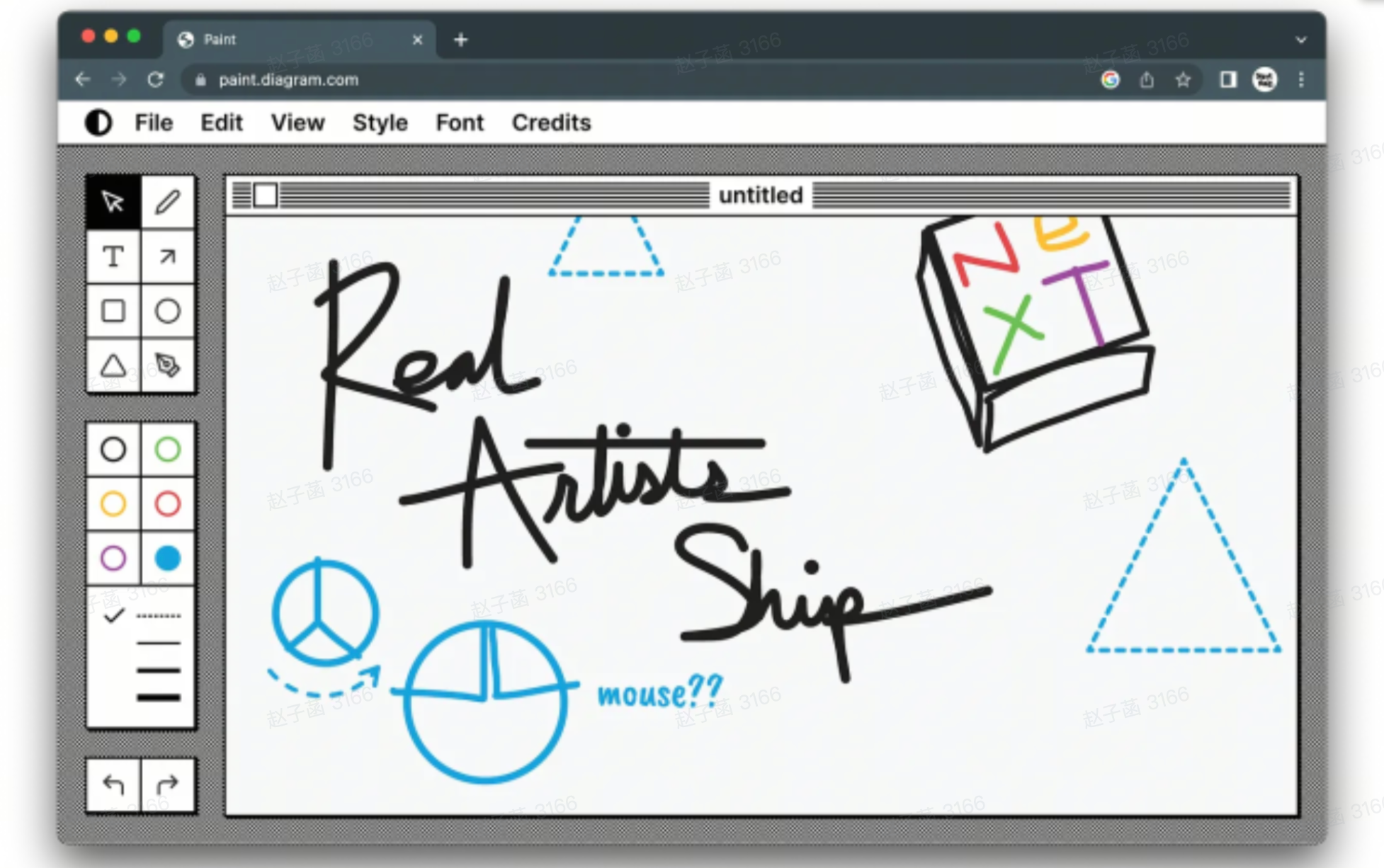
Image source: tldraw.dev
Advantages
- Unrivaled speed: Built on a hyper-fast, modern web engine, it is arguably the fastest-loading whiteboard software on the market.
- Zero-friction collaboration: There are no accounts, paywalls, or login screens. You simply draw, copy the URL, and send it to a teammate who instantly joins the session.
- Smart Selection: Features extremely intuitive tools for grouping, moving, and scaling objects that feel highly responsive and "sticky."
- Shared State multiplayer: Its syncing engine is incredibly robust, ensuring that even with multiple people drawing, you never see a lagging cursor.
- Developer-friendly: Because it is open-source, developers can easily embed the TLDraw whiteboard into their own custom software or self-host it for maximum privacy.
Disadvantages
- Zero advanced features: Do not expect corporate tools like project templates, sticky-note clustering, task tracking, or AI summaries.
- No persistent storage: In the free public version, if you lose the link or clear your cache, you lose the board. It is meant for the moment, not for long-term project archiving.
- Mobile limitations: While it works on tablets, the interface and tools are clearly optimized for a desktop mouse-and-keyboard experience.
Best for: Quick, ad-hoc brainstorms and casual meetings where raw speed, simplicity, and zero-login access are your top priorities.
Pricing:
7. Lucidspark: The strategic planner for data-heavy teams
Lucidspark is the virtual whiteboarding application within the broader Lucid Software suite, which is most famous for its professional diagramming tool, Lucidchart. The Lucid software ecosystem is designed for mapping out complex technical and business processes. Lucidspark serves as the messy, unstructured starting point for that work. The whiteboard is highly focused on capturing raw ideas quickly and then providing tools to categorize them. Because it is tied to Lucidchart, you can seamlessly transition your unstructured whiteboard sticky notes into formal, structured flowcharts and system architectures.
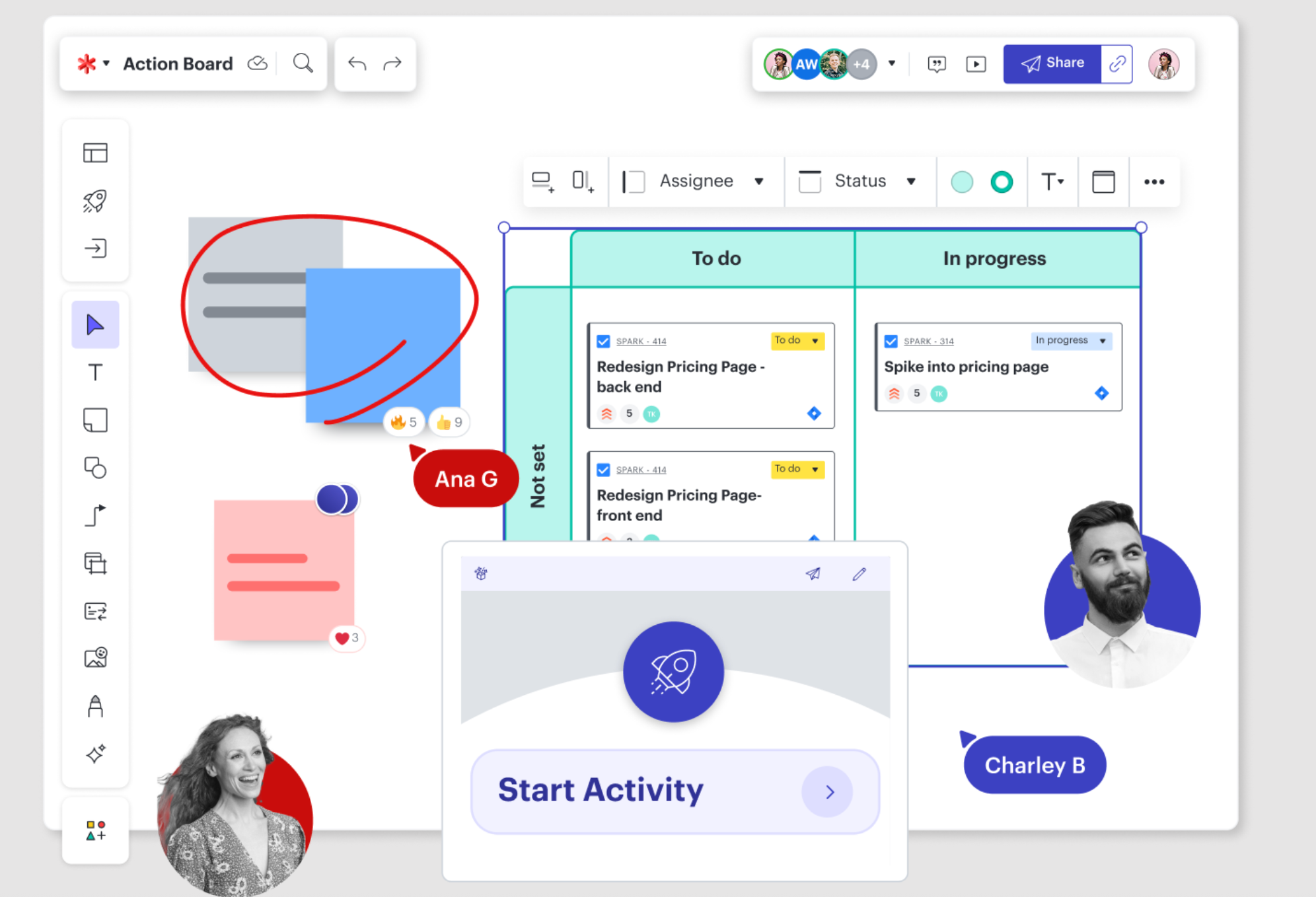
Image source: lucid.com
Advantages
- Breakout Boards: Allows you to split a large group into smaller "rooms" within the same file, then bring everyone back to the main board to share.
- Data-linking: Connect your sticky notes to external data sources or sync them with Lucidchart for formal documentation.
- Smart Containers: Automatically organizes and groups objects based on custom rules you set.
- Voting and Timer: Robust built-in tools for facilitating decision-making sessions.
- Timeline view: Easily convert a series of ideas into a linear project timeline.
Disadvantages
- Object limits: The free version is very strict, often limiting the number of objects (sticky notes, shapes) you can put on a single board.
- Corporate feel: The interface is very functional and professional, which might lack the "creative spark" some teams look for in a whiteboard.
- Subscription silos: To get the most out of it, you often need to pay for both Lucidspark and Lucidchart.
Best for: Operations managers, systems engineers, and anyone who needs to turn chaotic ideas into structured flowcharts.
Pricing:
- Individual: $9/month/user.
- Enterprise: Contact sales.
8. Excalidraw: The minimalist open-source favorite
Excalidraw is a standalone, open-source web application. It does not belong to a larger software suite; the platform and the whiteboard are one and the same, focusing entirely on a pure, distraction-free drawing experience. Excalidraw software is famous for its signature "hand-drawn" aesthetic. Everything you create on this whiteboard looks like a rough sketch drawn on a napkin with a marker. This is intentional—it helps teams focus on high-level concepts rather than obsessing over perfect alignments and colors. It is entirely browser-based, prioritizing speed, extreme simplicity, and privacy over complex corporate features.
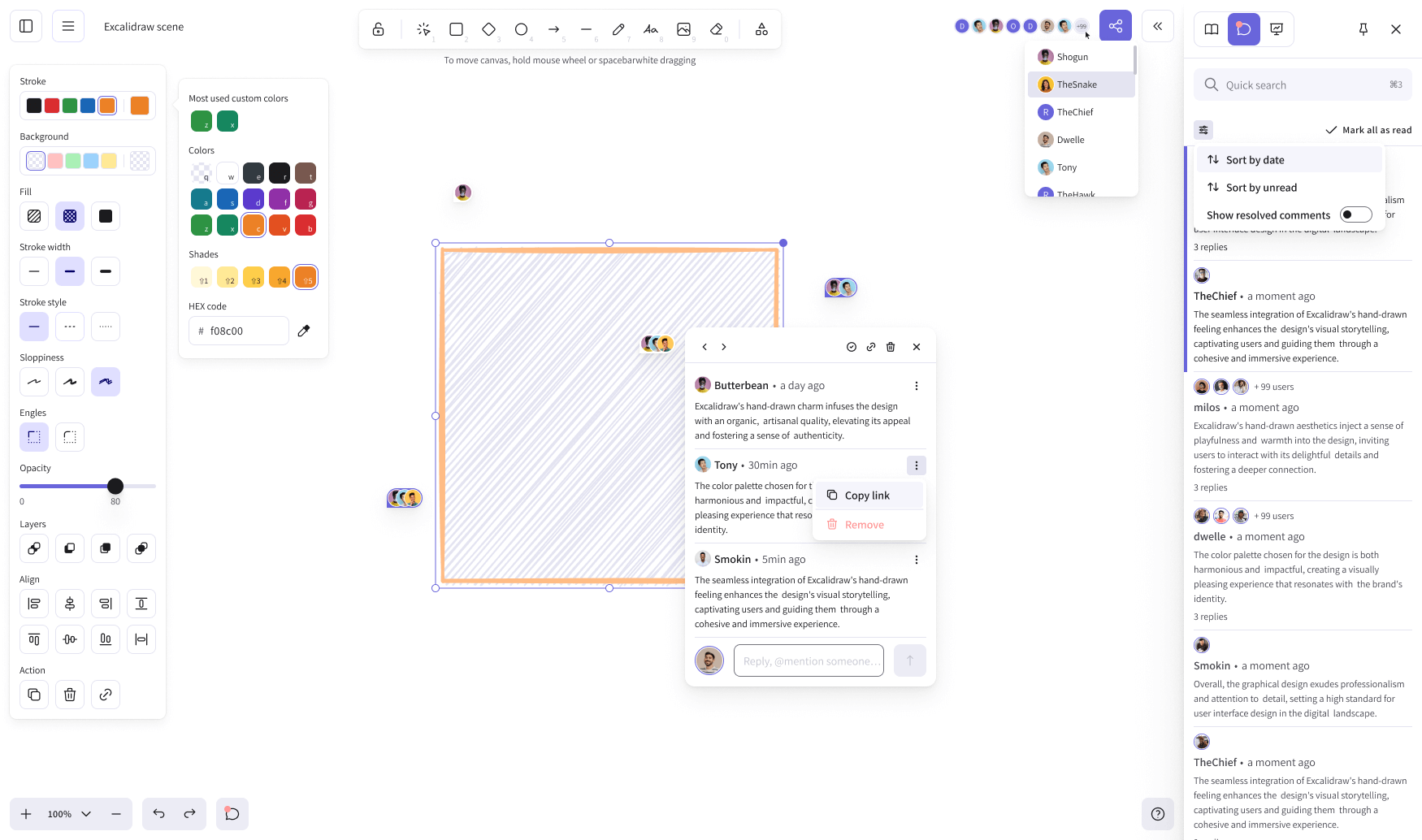
Image source: excalidraw.com
Advantages
- Instant start: No sign-up, no login, no onboarding. Open the site and start drawing immediately.
- Hand-drawn aesthetic: The unique "sketchy" look makes it perfect for wireframing without getting bogged down in design details.
- End-to-end encryption: Your data is secure and private, a rarity in the world of free web tools.
- Developer-friendly: You can easily embed Excalidraw into other tools or use its API for custom workflows.
- Libraries: A community-driven library of shapes (like AWS icons or UI elements) that you can drag and drop for free.
Disadvantages
- No project management: It has zero tools for tracking tasks, assigning owners, or setting deadlines.
- Basic collaboration: While you can share a link to collaborate, it lacks the advanced facilitator controls of Mural or Lark.
- No cloud storage (Free version): Unless you pay for "Excalidraw Plus," your boards are saved locally in your browser, which can lead to data loss if you clear your cache.
Best for: Developers, engineers, and individuals who want a fast, secure, and "rough" space to sketch out ideas.
Pricing:
Essential features of a great free whiteboard collaboration tool
A strong free whiteboard collaboration tool balances usability, functionality, and team-friendly design to support smooth visual work. Whether for brainstorming, , or , it must deliver reliable core features without hiding essential functions behind paywalls. Below are the key capabilities that define an excellent free whiteboard platform.
- and multi-user interaction: Real-time collaboration allows all team members to edit, draw, add sticky notes, and leave comments on the same canvas simultaneously. All changes sync instantly across devices, ensuring a fluid and coordinated group experience without delays or conflicting updates.
- Infinite canvas and essential creation tools: An infinite, zoomable canvas offers unlimited space for idea development and workflow mapping. It also includes practical built-in tools such as sticky notes, text boxes, basic shapes, arrows, and simple templates to support mind maps, process diagrams, and group ideation.
- Cross-device and browser-based accessibility: The tool works smoothly on desktops, laptops, tablets, and mobile phones through a standard web browser, with no complex software installation or system configuration required. This broad accessibility lets team members join and contribute from any location.
- and basic export functions: A good free whiteboard supports easy link sharing with customizable permissions, such as view-only or edit access. It also provides basic export options to formats like PDF or image files, allowing users to archive, present, or share whiteboard content outside the platform.
- Reasonable and fair free-tier limitations: The best free versions set practical limits on the number of boards, concurrent collaborators, and cloud storage. These restrictions should fully support regular use for small teams, students, or individual users without blocking core collaborative features.
Check these features in one powerful app
How to choose the right free whiteboard tool for collaboration
Selecting the right free whiteboard tool means matching its strengths to your team's size, usage scenarios, and existing workflow. A tool that works well for one team may not fit another, so it is important to focus on your real needs rather than extra features. The following steps will help you make a clear and practical choice.
- Define your team size and core usage goals: Begin by clarifying your primary use case, such as small-group brainstorming, remote workshops, or lightweight project planning. Understanding your exact goals helps you narrow down tools that align with your actual collaboration demands.
- Check free-tier limitations carefully: Review all restrictions in the free version, including limits on the number of whiteboards, active collaborators, storage space, and premium features. Understanding these constraints early helps avoid unexpected interruptions during actual team use.
- Prioritize ease of use and quick accessibility: Choose browser-based tools that require no installation and allow participants to join with just a link. A clean, intuitive interface ensures every team member can contribute easily, even with little technical experience.
- Match integrations to your existing workflow: If your team already uses a unified collaboration platform like Lark, select a whiteboard tool with deep native integration. This keeps all your work centralized and improves efficiency by eliminating constant app switching.
- Balance data control and convenience: Choose open-source whiteboards only if your team requires self-hosting, strict data compliance, or full code control. For most small and medium-sized teams, SaaS free tools provide better ease of use and lower maintenance costs.
- Test real-time collaboration stability: Before finalizing your choice, run a short live session to test synchronization speed, responsiveness, and stability with multiple users. Stable real-time performance is essential for productive and smooth teamwork.
Conclusion
Selecting the right free online whiteboard collaboration tool depends on matching capabilities to actual workflows. Key factors include real-time collaboration quality, infinite canvas flexibility, integration with existing tools, access across devices, and governance controls for security-conscious organizations. Understanding the difference between free SaaS tiers and open source whiteboard collaboration helps teams choose the model that fits their needs. Limitations on boards, participants, and exports require honest assessment against real use cases. Rather than chasing feature lists, teams benefit most from tools that embed visual collaboration into their broader work environment. For those seeking an integrated experience where chat, meetings, documents, and whiteboards work together, 's free plan offers a compelling starting point. Run your next workshop, planning session, or class inside Lark to experience how unified collaboration transforms teamwork.
Take the next step toward better whiteboard collaboration
FAQs
What is free whiteboard collaboration?
Free whiteboard collaboration allows teams to work together on a shared digital canvas in real time. Users can draw, add notes, and organize ideas together without paying for premium features. It's a simple and effective way to brainstorm and plan visually.
How many team members can use a free whiteboard collaboration tool?
Most free whiteboard tools support small to mid-sized teams, usually between 3–10 active users. Limits often apply to users, storage, or advanced features. Lark's free whiteboard supports real-time teamwork for common team sizes with core collaboration functions.
Are free whiteboard collaboration tools good for remote work?
Yes, free whiteboard tools are perfect for remote and hybrid teams. They support real-time editing, visual brainstorming, and easy sharing. Many work with video meetings to make remote discussions more engaging and productive.
Do free whiteboard collaboration tools include templates?
Most free whiteboard platforms offer basic templates like flowcharts, mind maps, and SWOT analyses. Templates help teams start quickly without building layouts from scratch. This makes visual collaboration faster and more structured.
Related reading






![What Is a 2-2-3 Work Schedule? Explanation and More [2024]](https://framerusercontent.com/images/uKHRfkp4v7y4azRNTYUmuteNQz8.png)