Effective collaboration requires more than just video calls and chat messages; it demands a shared space where ideas can take shape. As teams become increasingly distributed, the need for a central, visual hub has never been greater. A digital team whiteboard provides this solution, offering an infinite canvas where creativity and strategy meet.
Unlike physical boards that are erased after a meeting, an online team whiteboard creates a persistent record of your collective thinking. It allows distributed members to brainstorm, plan, and diagram simultaneously, regardless of their location. This guide will explore how to leverage a team whiteboard to improve alignment, streamline workflows, and ensure that your best ideas transition smoothly from a rough sketch to a finished project.
What is a team whiteboard?
At its simplest level, a team whiteboard is a that allows multiple people to write, draw, and manipulate objects on a shared digital screen in real-time. But defining it only as a "drawing tool" misses the bigger picture.
Think of it as an infinite virtual wall. Unlike a physical board limited by the size of your conference room, an online team whiteboard has no edges. It is a multimedia workspace where you can combine freehand drawing with sticky notes, typed text, images, uploaded documents, and even embedded web content.
Crucially, this is a shared environment. When you use a whiteboard for teams, every participant has a cursor. Everyone can edit simultaneously. It transforms the dynamic of a meeting from passive listening—where one person presents slides—to active participation, where everyone is building the solution together.
For modern organizations, a whiteboard team setup serves as a bridge. It connects the loose, creative thinking phase with the structured, linear documentation phase. It is the sandbox where raw concepts are tested and refined before they are locked into a project plan or a spreadsheet.
Benefits of adopting a team whiteboard for your workflow
Why should your organization invest time in yet another digital tool? The answer lies in how the human brain processes information and how modern teams communicate. Implementing a team meeting whiteboard strategy brings immediate improvements to clarity and engagement.
- Visualizing complexity: Text is linear; thoughts are not. When you are trying to map out a complex system architecture or a customer journey, writing a long document often leads to confusion. A whiteboard on teams allows you to map relationships visually. By using lines, shapes, and spatial organization, you can spot bottlenecks and opportunities that will remain hidden in a text-heavy document. Visual collaboration aligns everyone’s mental model of the project instantly.
- Democratizing contribution: In a physical conference room, the person holding the marker holds the power. They decide what gets written down. The quietest person in the room often has the best ideas but feels hesitant to walk up to the board. An levels the playing field. Everyone has their own digital "marker" and sticky notes. Introverted team members can draft their thoughts in a designated area without fighting for airtime, ensuring you capture the full collective intelligence of the group.
- Persistence and history: Physical whiteboards are ephemeral; they get erased to make room for the next meeting. A digital team whiteboard is persistent. You can work on a strategy on Monday, leave it, and come back on Thursday to find everything exactly as you left it. Furthermore, these platforms offer version history. If a whiteboard team's session goes in the wrong direction, you can simply revert the canvas to a previous state. This "infinite memory" creates a valuable record of how decisions were made.
- Asynchronous flexibility: We no longer work only in . With distributed teams across time zones, finding a slot for a live teams whiteboard session can be difficult. Digital whiteboards enable asynchronous collaboration. The marketing team in London can leave feedback on a concept board, and the design team in New York can pick it up hours later. The board acts as a living document that keeps the project moving forward around the clock.
Unlock powerful collaboration for your team
5 essential use cases for a team whiteboard
The versatility of the infinite canvas means it can be adapted for almost any collaborative task. However, five specific scenarios stand out where a team whiteboard adds significant value compared to standard documents or spreadsheets.
Structured brainstorming and ideation
This is the most common entry point. Instead of a chaotic shout-out session, use the whiteboard to run structured like "Crazy 8s" or "Mind Mapping." You can set up a timer and ask everyone to add as many sticky notes as possible to the board. Once the timer stops, use voting features (often built-in) to identify the top ideas. This moves the whiteboard with teams from generating noise to selecting actionable solutions.
Agile retrospectives
For and project management teams, the retrospective is a sacred ritual. Using a whiteboard on teams for this purpose creates a safe, engaging space. You can use simple templates like "Start, Stop, Continue" or "Mad, Sad, Glad." Team members populate the columns with their feedback. The visual nature of grouping similar sticky notes helps the Scrum master identify themes and patterns in the team's morale and performance effectively.
User journey mapping
Understanding the customer experience requires stepping into their shoes. A team whiteboard is the perfect place to aggregate screenshots of your product, snippets of customer feedback, and flowcharts. You can visually trace the user's path from discovery to purchase. By mapping this out collaboratively, marketing, product, and sales teams can all look at the same visual and agree on where the friction points lie.
Technical diagramming
Before a single line of code is written, engineers need to agree on the architecture. A whiteboard team session allows developers to draw server structures, database relationships, and API data flows. Unlike formal , which can be rigid, a whiteboard allows for "messy" preliminary sketches that are easy to iterate on during a discussion. It serves as the rough draft for technical documentation.
Strategic planning and OKRs
High-level strategy often feels abstract to employees. Using a team meeting whiteboard to visualize helps cascade goals down to the individual level. You can place the company mission at the center and branch out to departmental goals. This visual hierarchy helps every team member see exactly how their specific tasks contribute to the bigger picture, increasing alignment and motivation.
Mastering facilitation: How to run a whiteboard session effectively
Owning the right software is only half the battle. The true value of a team whiteboard is unlocked by how you use it. Without strong facilitation, a digital canvas can quickly become a chaotic mess of overlapping sticky notes and confusing doodles. To turn your whiteboard team sessions into productive workshops, you need to guide the process intentionally.
Prepare the "frame" before the meeting
One of the biggest mistakes facilitators make is opening a blank white screen at the start of a meeting. The "blank page syndrome" can freeze a team's creativity. Instead, prepare your whiteboard on teams in advance. Create a frame or structure for the discussion. If it's a brainstorming session, draw clear columns for different categories. When team members arrive, they should see a . This reduces cognitive load; participants know exactly where to put their cursor and where to add their input.
Manage the "quiet" participants
In a hybrid setting, dominant voices can easily take over the audio channel. A team whiteboard offers a unique way to counter this through a technique called "brainwriting." Instead of asking people to shout out ideas, set a timer for five minutes and ask everyone to add their sticky notes to the board in silence. This silence is powerful. It allows the introverts in your team to formulate their thoughts without interruption. Once the time is up, the team can review all the notes toget
Timebox your activities
Infinite canvases can lead to infinite discussions if you aren't careful. To maintain energy and momentum, use strict timeboxing for each activity on the board. Most tools include a built-in timer. Use it visibly. Tell your team, "We have 10 minutes to map out the user flow, and then we are moving to the voting phase." The visual countdown creates a healthy sense of urgency. It prevents the team from getting bogged down in minor details and encourages rapid iteration.
Experience the best team whiteboard solution for all-in-one collaboration
While standalone whiteboard apps are powerful, they often introduce friction into the workflow. You have to create a new account, manage a separate subscription, and constantly switch between your video call window and your browser tab. takes a different approach by embedding the team whiteboard directly into the ecosystem where your work already happens.
Embed live boards into documentation
Most project documentation is static text, while the visual context lives separately in a whiteboard app. This separation forces team members to hunt for links to understand the full picture.
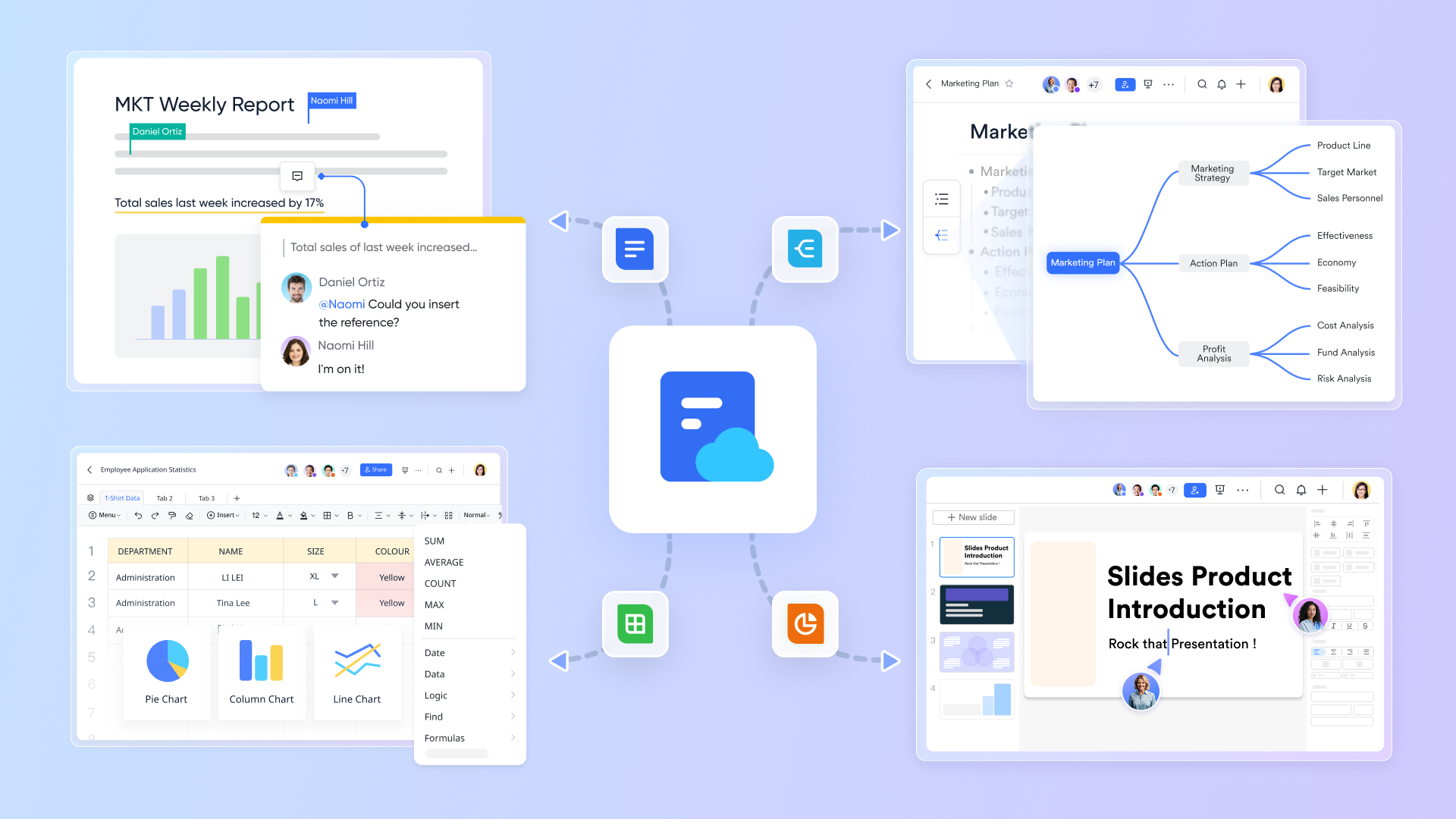
Lark allows you to insert a live board directly into. This is not a static screenshot; it is a fully functional window into the board. A product manager can write a and embed the user flow diagram right next to the technical specifications. Developers reading the doc can zoom in and pan around. This ensures that the "visual truth" of the project always stays attached to the written requirements. 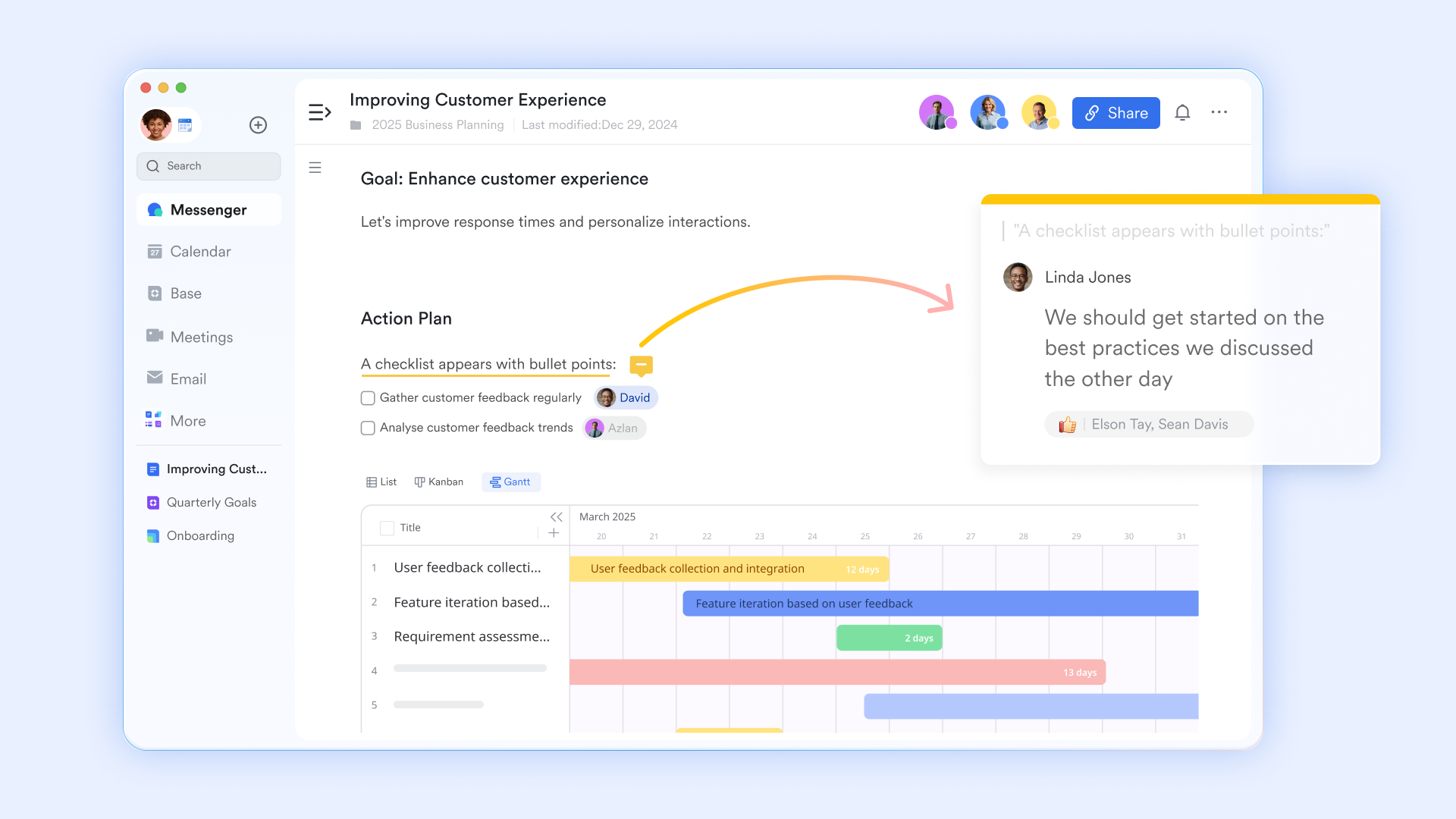
Kickstart your sessions with pre-built structures
The infinite canvas of a team whiteboard offers immense potential, but starting from scratch can be daunting and time-consuming. Deciding on layout and structure before ideating often slows down sessions.
Lark board templates solve this by providing immediate, pre-designed structures for common activities. Whether it's for brainstorming, user journey mapping, , or a sprint retrospective, a template offers an instant, organized starting point. This saves valuable setup time, ensures visual consistency across your sessions, and allows your team to dive directly into meaningful discussion. You can even customize and save your own templates, making sure your team's best practices are always readily available. 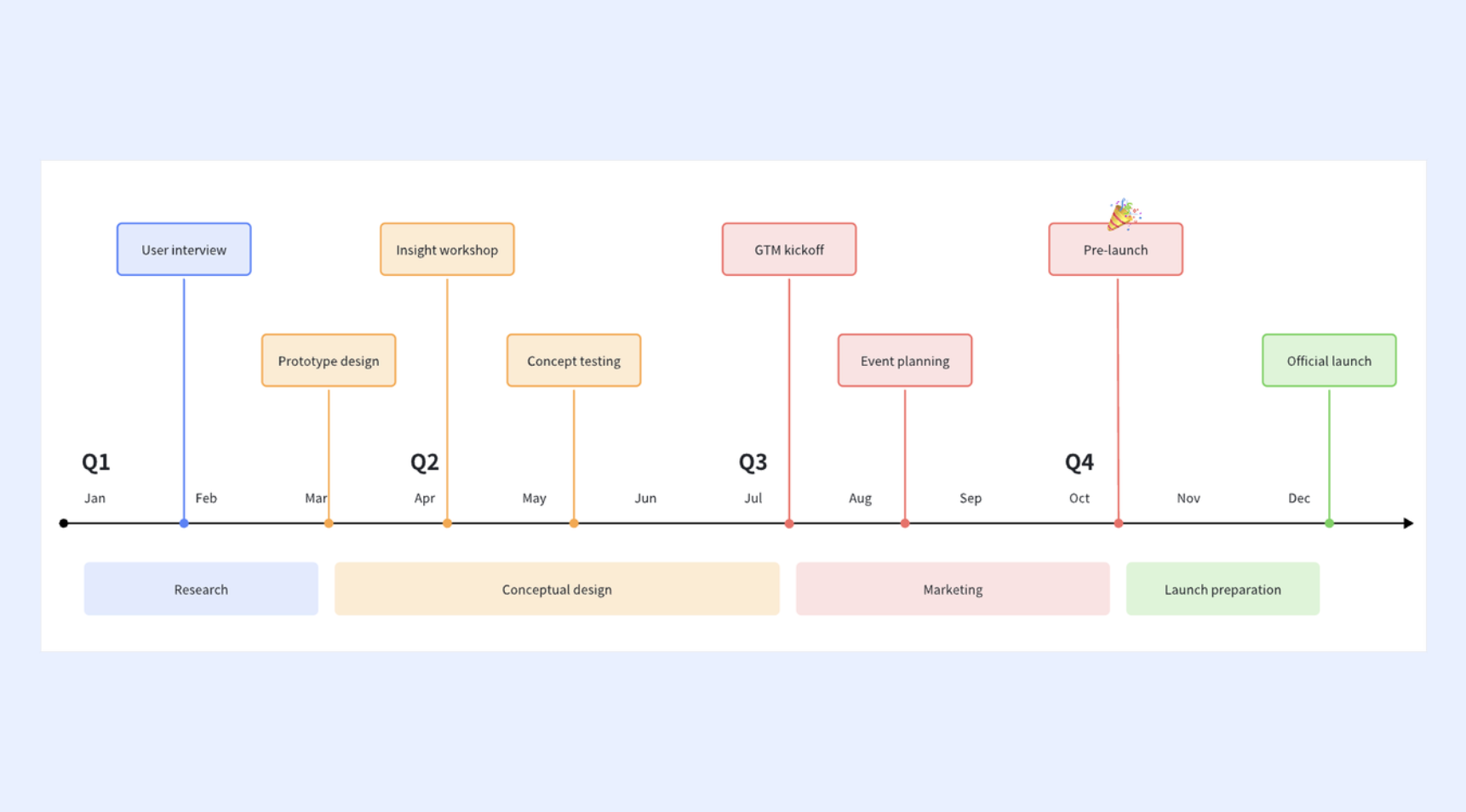
Edit together without leaving the video call
The biggest pain point in most team meeting whiteboard scenarios is the "tab toggle." Usually, one person shares their screen while everyone else watches passively, or everyone has to minimize the Zoom window to find the browser tab where the board is hosted. This kills engagement.
Lark solves this with Magic Share. When you launch a whiteboard during , it doesn't just share a video feed of your screen; it pushes the actual interactive board to every participant's meeting window. Everyone can edit, draw, and type directly inside the video interface. You can see your teammates' video feeds and the canvas simultaneously, ensuring that non-verbal cues and visual collaboration happen in the same space. It lowers the barrier to entry so significantly that even casual participants start contributing. 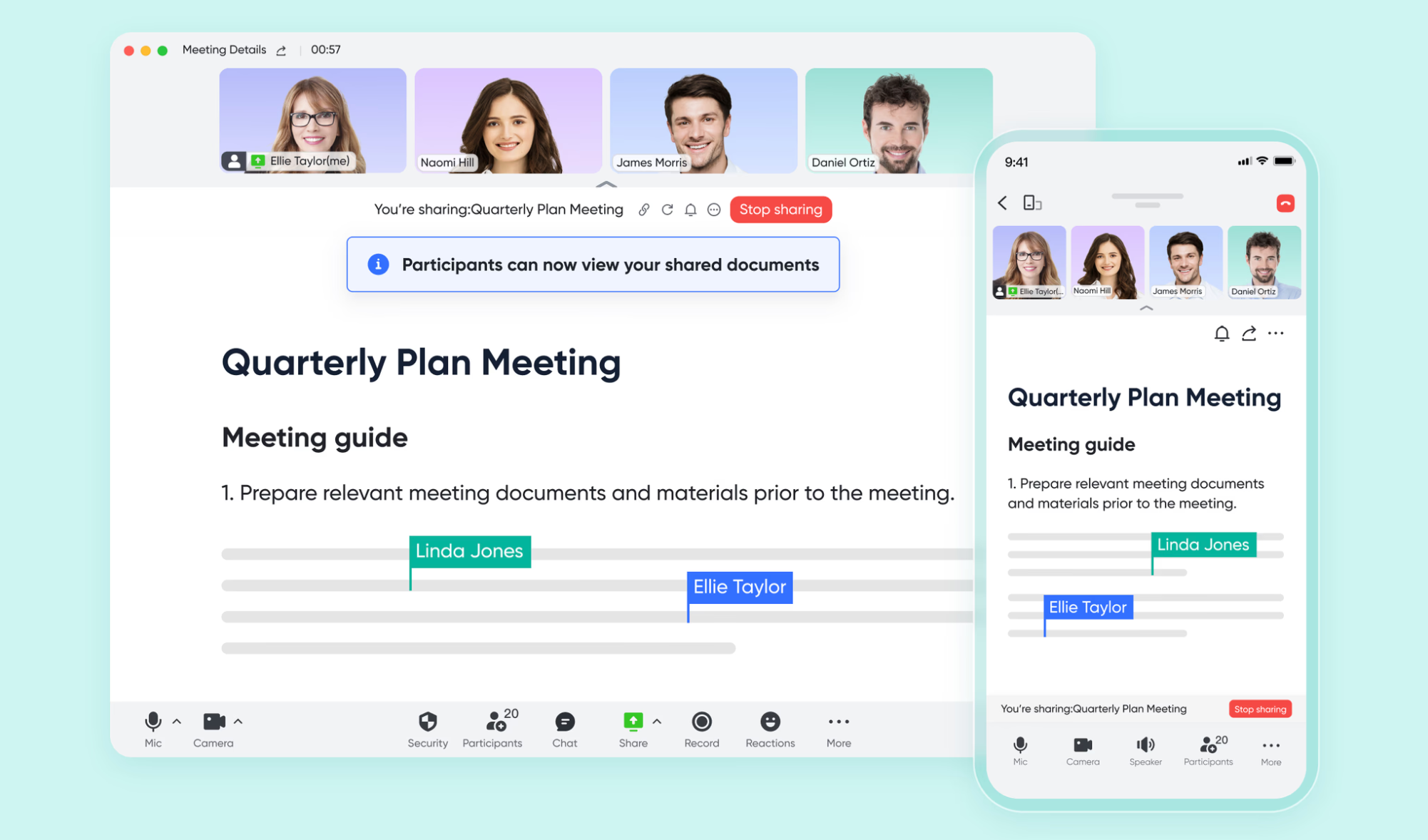
Keep the context in the chat
In many organizations, the link to a whiteboard on teams gets buried in an email chain or a Slack thread that eventually disappears. When you need to find that strategy map two weeks later, it’s gone.
With Lark, whiteboards are native citizens of the chat. You can pin a board to a message thread or a group chat's sidebar. Because the whiteboard lives in persistent chat history, the context is preserved. If a team member misses the meeting, they don't need to ask for the link; they simply open the group chat, click on the board, and see exactly what was discussed. The conversation and the canvas stay together, creating a complete archive of the project's evolution. 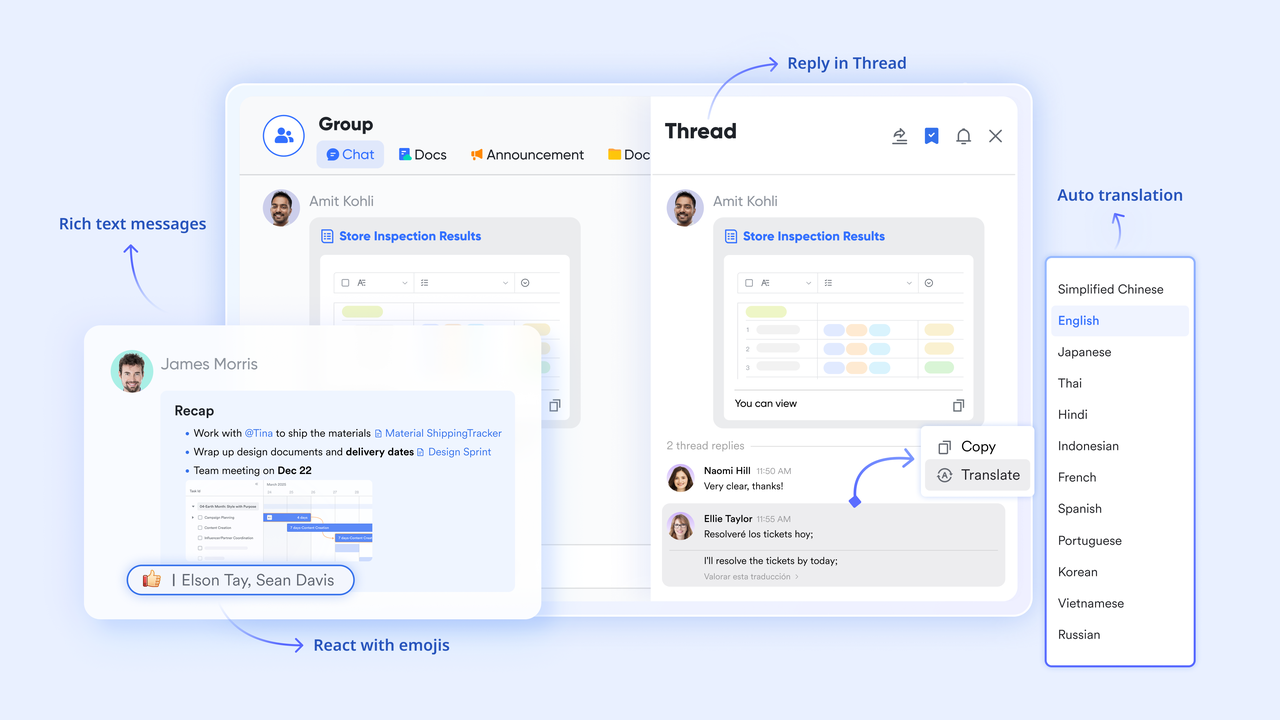
:
- Starter plan: Free forever plan that includes 11 powerful tools for up to 20 users. It also comes with 100GB of storage, 1000 automation runs, AI translations, and more.
- Pro plan: $12/user/month (billed annually) for up to 500 users. It includes everything in Starter plus group calling for up to 500 attendees, 15TB of storage, 50,000 automation runs, and more.
- Enterprise plan: for custom pricing. Supports unlimited users and includes even more automation runs and advanced security, compliance, and management features.
For small teams with simple communication needs

18 months message history
1000 Base automation runs/month
2000 rows per table in Base
Most POPULAR
For companies with comprehensive collaboration and management needs
Unlimited message history
500-participant video meetings
50k Base automation runs/month
20k rows per table in Base
For large companies with advanced security and organizational management needs
Get a personalized demo and pricing
Unlimited message history
500-participant video meetings
15 TB storage + 30 GB storage/user
500k Base automation runs/month
50k Base automation runs/month
Most POPULAR
For companies with comprehensive collaboration and management needs
Unlimited message history
500-participant video meetings
50k Base automation runs/month
20k rows per table in Base
Common challenges with standalone whiteboard apps
While dedicated drawing tools are useful, relying on a standalone online team whiteboard that isn't integrated with your daily workflow often creates more friction than it solves. Here are the most common hurdles teams face:
- The fragmentation of attention: When you use a separate app, participants usually have to choose between looking at their colleagues’ faces on the video call or looking at the canvas in a web browser. This constant tab-switching breaks the natural flow of conversation and creates a disconnect between verbal cues and visual collaboration.
- Data silos and manual entry: A standalone whiteboard for teams is excellent for ideation but often acts as a data trap. Action items and decisions made on the board remain locked inside that specific app. Moving them to a project management tool requires manual copy-pasting, which is tedious, prone to human error, and often leads to tasks falling through the cracks.
- Lost context and access friction: We have all heard the question, "Can you resend the link?" weeks after a meeting. Standalone boards frequently get buried in email threads or Slack messages. When a team member finally finds the URL, they often discover they need to request access permissions again, turning a quick check-in into an administrative headache.
resolves these specific pain points by consolidating your toolkit. Because the team whiteboard is native to the platform, it opens directly inside the interface—no tab switching required. Moreover, since the whiteboard is deeply integrated with Lark’s ecosystem, you can access past boards instantly from your persistent chat history, ensuring a seamless transition from brainstorming to execution.
Overcome common collaboration hurdles easily
Tips for bridging the gap between ideation and execution
The greatest risk with any team whiteboard session is that it becomes a "digital island"—a fun place to visit, but disconnected from the actual work. To ensure that your brilliant sticky notes transform into delivered projects, you need a disciplined approach to follow-through. Here is how to keep the momentum going after the meeting ends.
- Assign ownership immediately: Never leave a sticky note ambiguous. During the wrap-up phase of your whiteboard team session, adopt a rule: if an idea is worth keeping, it must have a name attached to it. Most online team whiteboard tools allow you to tag users directly on the element. If a task doesn't have an owner, it is just a wish. By visually tagging team members, you create accountability that remains visible every time someone re-opens the board.
- Establish a "system of record" protocol: While the team whiteboard is perfect for messy thinking, it is not always the best place for tracking progress. Establish a clear protocol for when an item moves from the board to your project management tool or database. You might decide that once a concept receives three "votes" on the board, it must be entered into the . This discipline prevents the whiteboard on teams from becoming a cluttered graveyard of old tasks and ensures your official roadmap stays up to date.
- Clean up the noise: After a session, a whiteboard with teams can look overwhelming. Before you close the tab, take five minutes to organize. Group related ideas, delete duplicates, and archive "parking lot" items that aren't relevant right now. A clean, organized board is inviting; a chaotic one repels people. If you want your team to return to the board asynchronously to add more value, you must leave it in a state that is easy to read and understand.
Conclusion
A team whiteboard is more than just a digital drawing pad; it is the visual engine of modern collaboration. By providing a shared space where distributed teams can brainstorm, plan, and align, it bridges the physical distance and keeps everyone on the same page. However, the true power lies in choosing a tool that doesn't just capture ideas but helps you execute them.
Don't let your team's creativity get stuck in a standalone app. Experience a seamless workflow where your whiteboard, chat, and project documents live together in one powerful platform. Try for free today and see how an all-in-one workspace can turn your best ideas into reality.
Start building your next big idea in a collaborative whiteboard
FAQs
Can you do a whiteboard on Teams?
Yes, most major video conferencing platforms offer a native team whiteboard feature that allows participants to collaborate visually during a call. However, for a more seamless experience where your board stays connected to your chats and documents even after the meeting ends, an all-in-one solution like Lark offers a more integrated workflow than standard standalone tools.
Is Teams whiteboard good?
It is a solid tool for basic sketching and quick brainstorming sessions. But if you need an online team whiteboard that does more—like converting sticky notes directly into database tasks or embedding live boards into project docs—you might find a comprehensive platform like Lark better suited for bridging the gap between a rough idea and a finished project.
How do I access the whiteboard from a team meeting?
In most software, you can launch a whiteboard team session by clicking the "Share" or "Share Content" button located in your meeting toolbar. From the menu that appears, simply select "Whiteboard," and the digital canvas will load for all participants, allowing everyone to view and edit simultaneously.
Can I draw on a whiteboard in Teams?
Absolutely. A whiteboard with teams is specifically designed for freeform interaction, allowing you to use digital ink, markers, and highlighters with your mouse or touchscreen. Beyond drawing, you can also add typed text, images, and sticky notes to structure your messy sketches into a coherent plan.
Related reading





















![What Is a 2-2-3 Work Schedule? Explanation and More [2026]](https://framerusercontent.com/images/uKHRfkp4v7y4azRNTYUmuteNQz8.png)








