














Agile vs Kanban: A Complete Guide for Teams

Ryan Tanner
Product Marketing Specialist
Sep 18, 2026
Ryan Tanner
Sep 18, 2026

15 min read


Every project team faces the same question: how to stay flexible without losing focus. Agile and Kanban offer two distinct ways to organize work, track progress, and maintain momentum — one structured around sprints, the other built for continuous flow. Choosing the right approach depends on your team's goals, pace, and collaboration style.
In this post, we'll explore the key differences between Agile and Kanban, their benefits, use cases, and the tools that make each method effective:
- Lark: Agile and Kanban project hub for connected teams
- Zoho Sprints: Sprint-focused Agile software
- Jira: Agile project management leader
- Taiga: Agile tool for developers
- Trello: Visual Kanban planning platform
- Asana: Flexible task tracking for cross-functional teams
- Monday.com: Team workflow visualization
- ClickUp: Customizable all-in-one work hub
- Wrike: Enterprise-grade Agile management
- OpenProject: Open-source Agile platform

What is agile and how does it work?
Agile is a project management methodology focused on adaptability, collaboration, and continuous improvement. Instead of delivering a project all at once, Agile breaks work into smaller, manageable iterations called sprints, enabling teams to deliver value quickly and adjust based on feedback.
The core principles of Agile emphasize customer satisfaction, teamwork, and responsiveness to change. Teams collaborate closely, review progress regularly, and refine goals as projects evolve. This iterative process promotes transparency, accountability, and faster decision-making across every stage of work.
Popular Agile frameworks include Scrum, which organizes work into short sprints; Extreme Programming (XP), which enhances software quality; and Lean, which minimizes waste. The benefits of Agile in project management are clear — higher flexibility, improved product quality, and stronger team alignment. It empowers teams to adapt to changing requirements while maintaining consistent progress toward goals.
What is kanban and how does it work?
Kanban is a visual project management methodology designed to help teams manage work efficiently and continuously. It focuses on mapping the entire workflow through visual boards — typically divided into stages like To Do, In Progress, and Done — allowing teams to see task status, dependencies, and bottlenecks in real time.
The core principles of Kanban are simple yet powerful: visualize the workflow, limit work in progress (WIP) to maintain focus, and pursue continuous delivery and improvement. By setting WIP limits, teams prevent overload and maintain consistent productivity without compromising quality.
Unlike Agile frameworks such as Scrum, which operate in time-bound sprints, Kanban emphasizes continuous flow with no fixed iterations. This makes it ideal for teams handling dynamic workloads or support tasks. The benefits of Kanban include greater transparency, reduced task switching, and improved delivery speed through clear visibility and smoother workflows.
Comparison table of agile vs kanban tools
10 Top agile vs kanban tools for teams
Choosing between Agile and Kanban tools isn't just about features — it's about finding a system that matches how your team actually works. In this section, we'll compare the top Agile and Kanban platforms trusted by teams worldwide. Each tool offers unique strengths, whether it's visual task management, sprint tracking, automation, or cross-team collaboration.
1. Lark: agile and kanban project hub
Lark, one of the best Google Workspace alternatives, is designed for modern teams that need flexibility and speed. It unifies task tracking, communication, and documentation, giving teams a central hub for both Agile sprints and Kanban boards. For organizations comparing kanban vs agile approaches, Lark allows seamless transitions between structured iterations and continuous workflows. Its real-time collaboration features make it easy to manage every project phase — from planning to delivery — in one place.
Visualize and manage work with Kanban and task boards
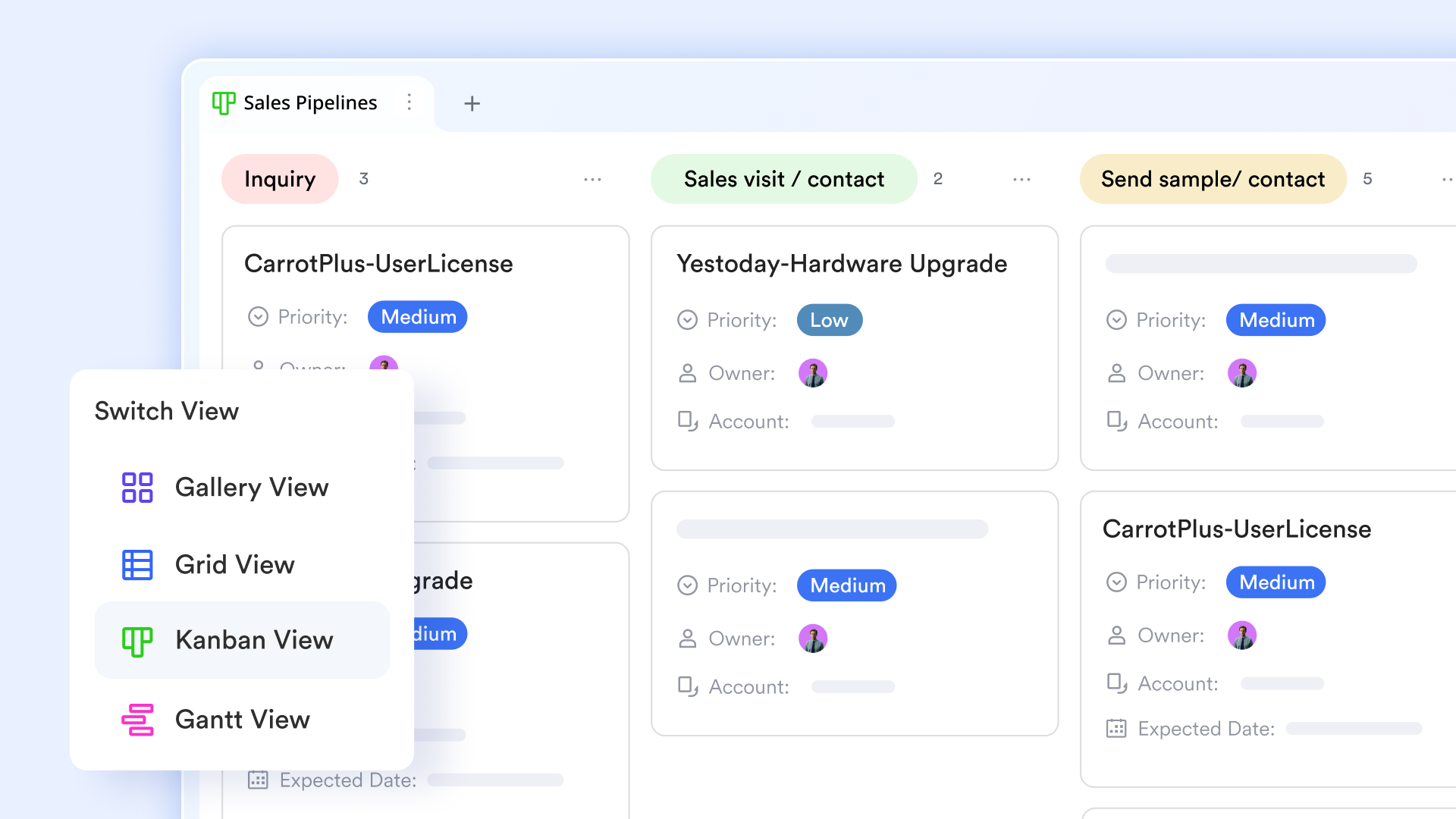
Lark's Kanban and task boards are the visual core of day-to-day work management. Boards are made of columns (stages) and cards (tasks) you can drag-and-drop; cards hold assignees, due dates, checklists, attachments, comments, and custom fields so every piece of work carries the context teams need. Typical setups include swimlanes for teams or priority tiers, custom columns for review/QA, and filters to show only what an individual or a role needs to see.
Automate routine tasks with Lark Base workflows
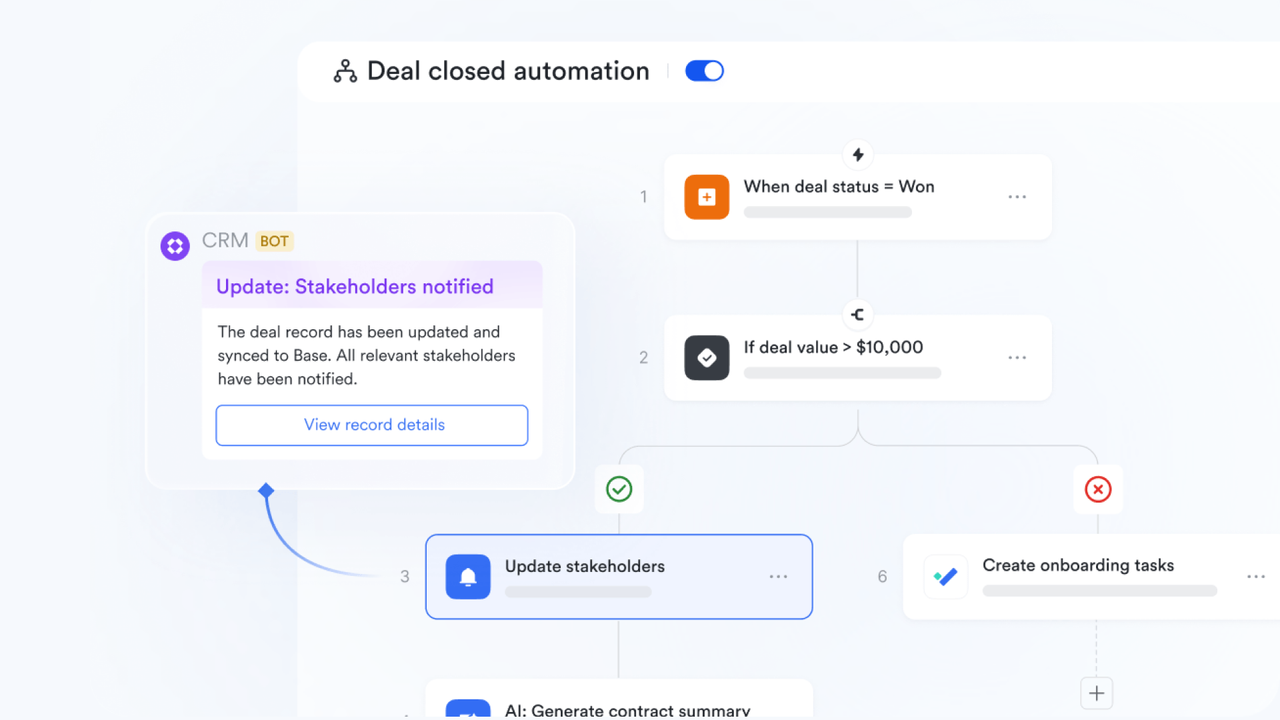
Lark Base makes automation effortless by turning repetitive steps into smart, self-running workflows. Instead of manually assigning tasks, sending reminders, or updating records, teams can set simple rules that keep projects moving automatically.
For example, when a task is marked "Ready for Review," Lark can automatically assign it to the reviewer, set a due date, and send a notification to the team—no follow-up needed.
These workflows can be triggered by events, schedules, or specific conditions, helping teams save time, stay organized, and focus on higher-value work.
By automating everyday actions, Lark Base helps reduce delays, improve accountability, and keep projects flowing smoothly—all without writing a single line of code.
Collaborate seamlessly through Lark Docs and Sheets
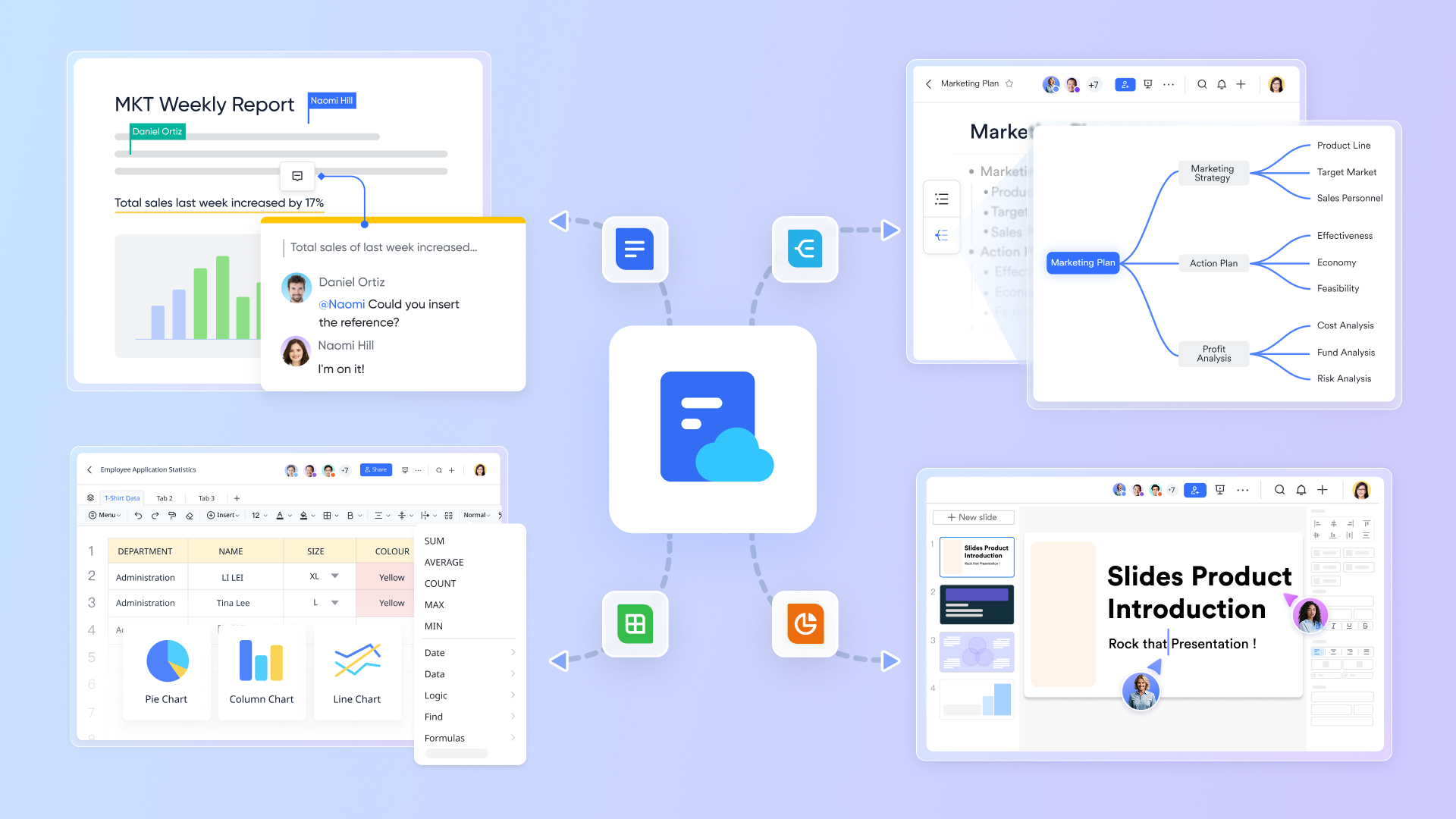
Lark Docs and Lark Sheets are the single-source documents where requirements, acceptance criteria, sprint notes, and decision logs live. They support real-time co-editing, inline comments, @mentions that surface in chat, version history, and granular permission controls so you can share drafts safely across stakeholders. Docs can be linked to task cards, and Sheets often hold release plans, capacity calculations, or simple burn-up/burn-down tracking.
Boost decision-making with AI assistance
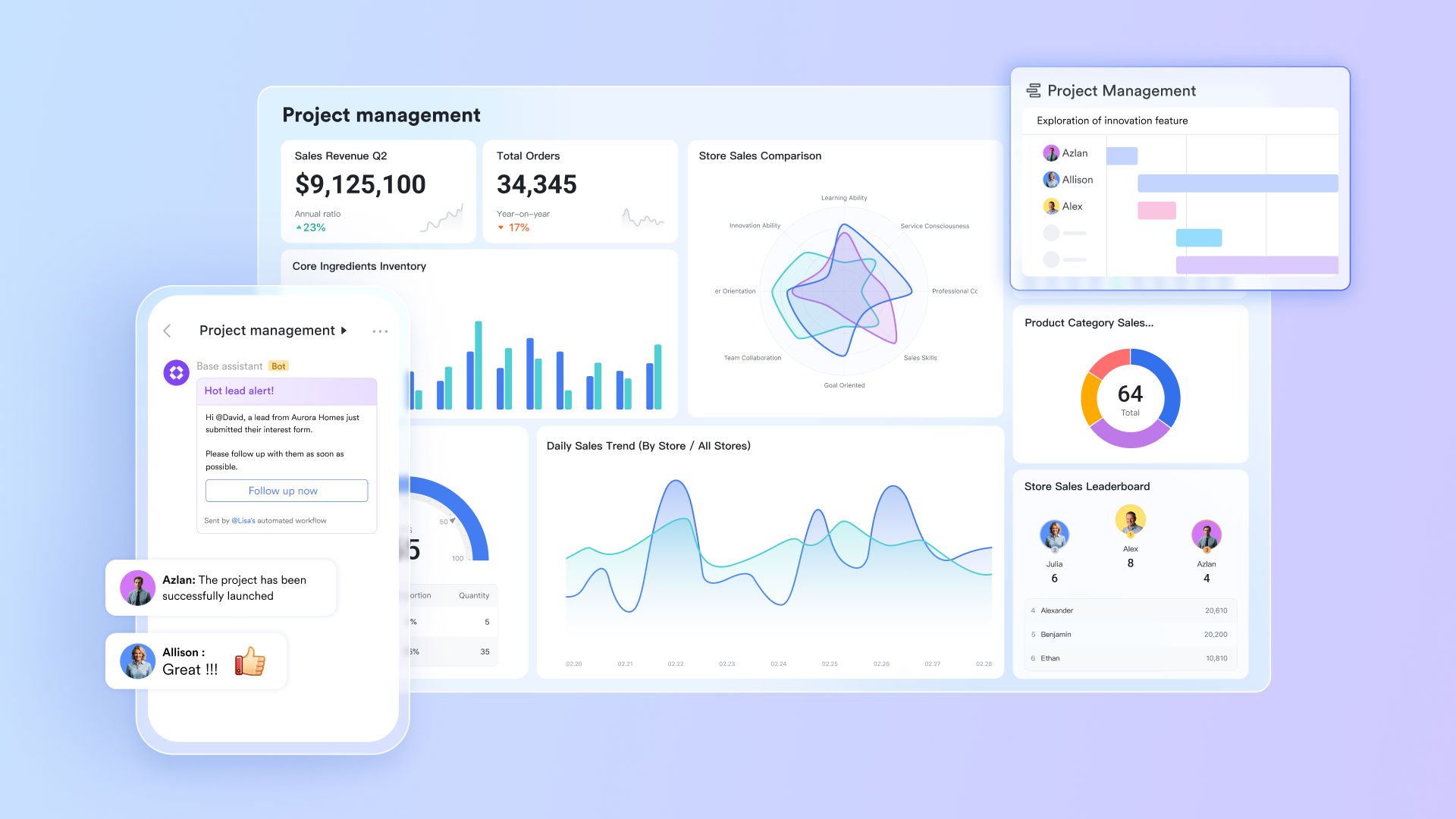
Lark's AI assistance accelerates day-to-day decision making by extracting signals from your workspace. Typical AI helpers include automated meeting summaries that convert notes into action items, task summarization that highlights blockers or stalled cards, and suggested next steps (e.g., "this issue references an unresolved dependency — assign to X"). AI can surface project-health flags (e.g., too many tasks aging in In Review) so teams spot risk earlier.
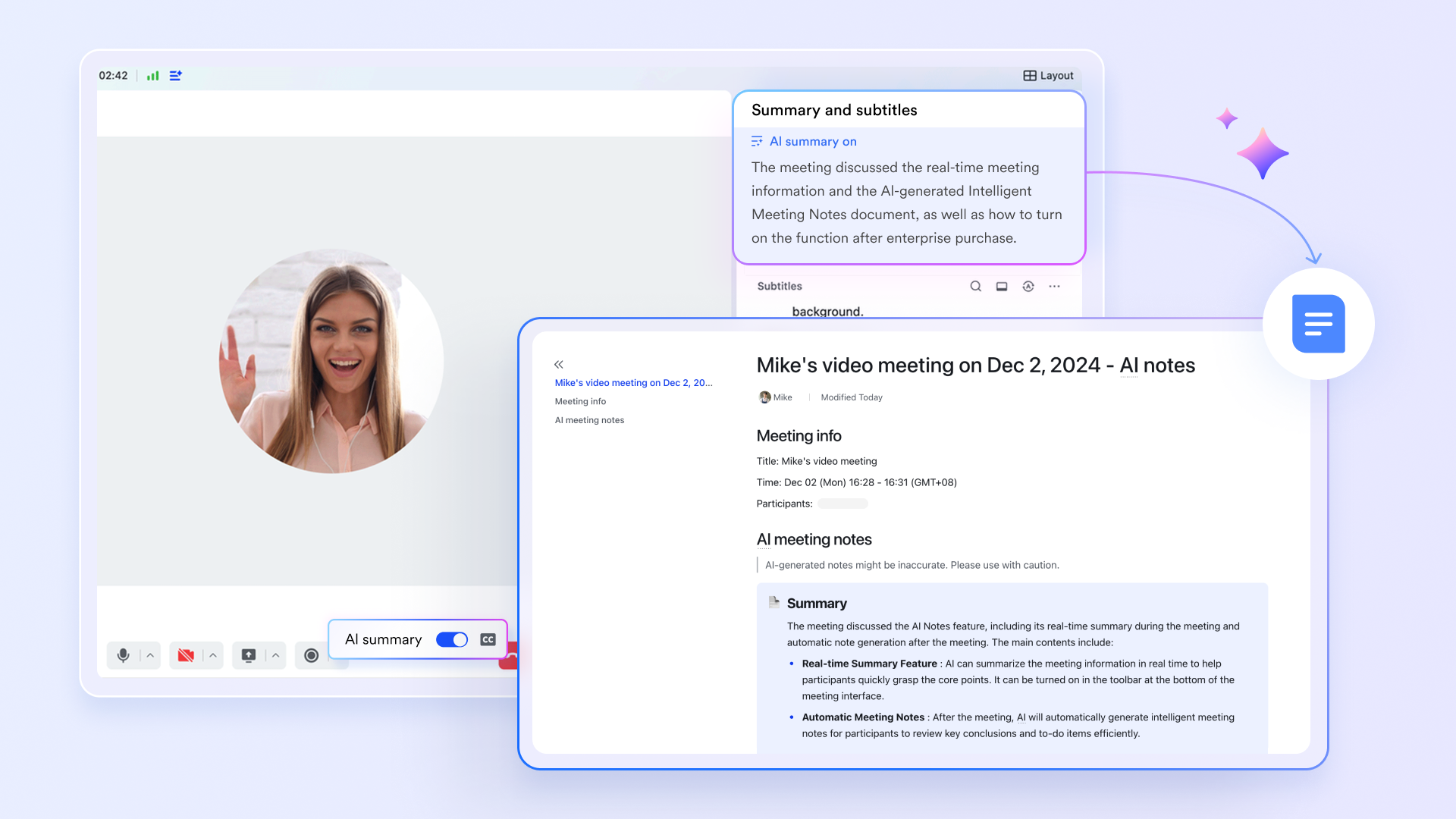
Kickstart projects faster with Agile-ready templates
Lark ships with pre-built Agile templates that let teams start fast: two-week sprint boards, backlog grooming templates, retrospective canvases, daily stand-up checklists, and release planning sheets. Templates pre-populate common fields (story points, priority tags, QA checklist), standard statuses, and suggested automations (e.g., "move to QA → notify QA channel").
Pros:
- Combines communication and task management in one workspace.
- Supports both Agile and Kanban without add-ons.
- Highly collaborative with shared documents and chats.
- AI tools enhance productivity and reporting.
Cons:
- Advanced features may take time for new users to explore.
- Some teams may prefer simpler dashboards.
- Starter plan: Free forever plan that includes 11 powerful tools for up to 20 users. It also comes with 100GB of storage, 1000 automation runs, AI translations, and more.
- Pro plan: $12/user/month (billed annually) for up to 500 users. It includes everything in Starter plus group calling for up to 500 attendees, 15TB of storage, 50,000 automation runs, and more.
- Enterprise plan: Contact sales for custom pricing. Supports unlimited users and includes even more automation runs and advanced security, compliance, and management features. Many teams also consider Google Workspace pricing and ClickUp pricing when assessing the value of alternative workplace solutions.
2. Zoho: Sprint-focused agile software
Zoho Sprints offers an intuitive Agile experience for small and medium teams that value speed and visibility. Built around Scrum methodology, it helps teams plan sprints, estimate effort, and review performance with detailed reports. For teams exploring agile vs scrum vs kanban, Zoho Sprints provides a lightweight environment that's easy to adopt and scale. It's ideal for businesses moving from spreadsheets to a more dynamic Agile framework.
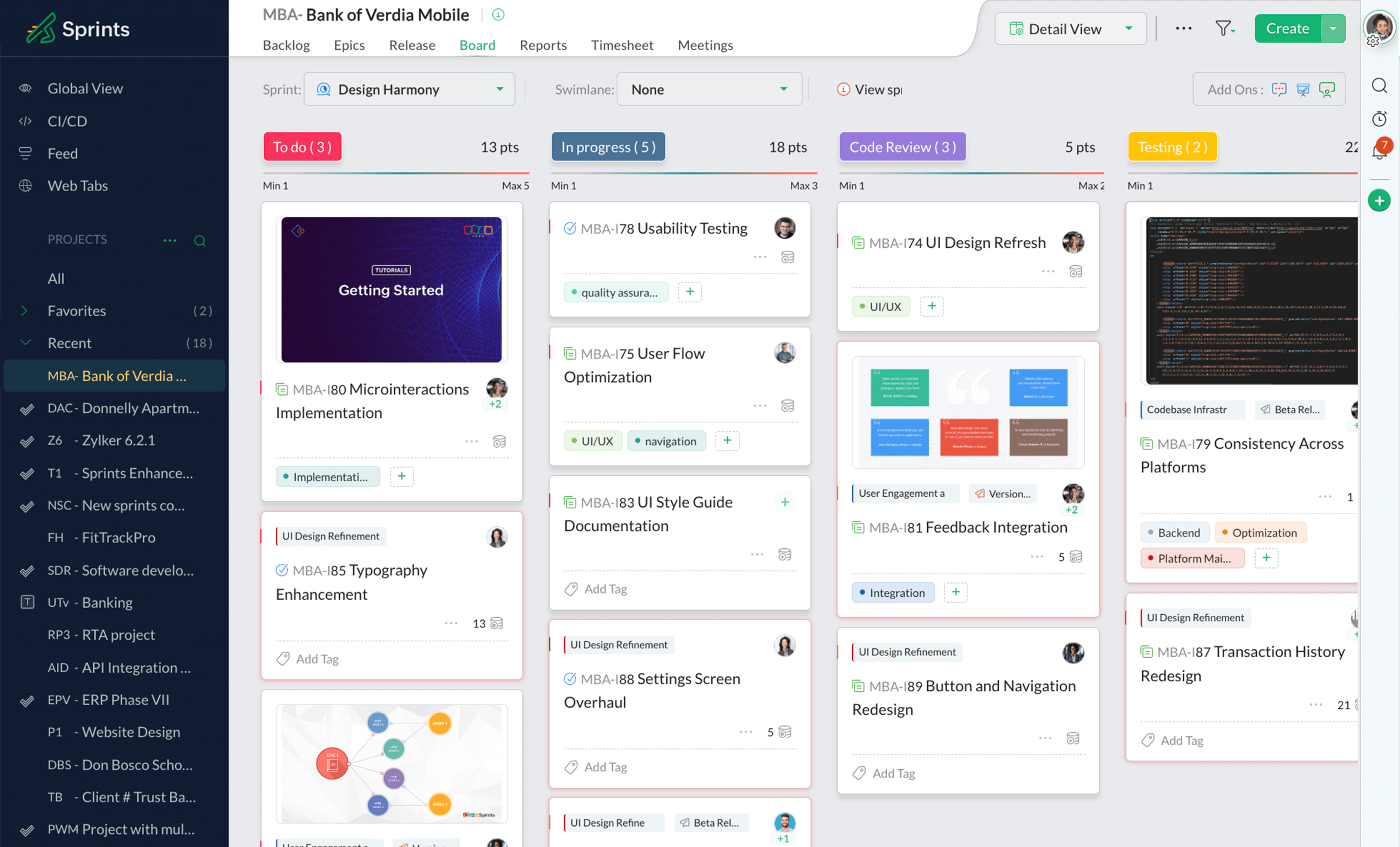
Image source: zoho.com
Features:
- Sprint and backlog planning boards.
- Story points and estimation tracking.
- Customizable burndown and velocity charts.
- Drag-and-drop sprint management.
- Integration with Zoho ecosystem and third-party tools.
Pros:
- Clean, beginner-friendly interface.
- Affordable for small and mid-sized teams.
- Strong reporting and analytics options.
- Works well with Zoho CRM and other tools.
Cons:
- Limited Kanban-style visualization.
- Basic automation compared to competitors.
Pricing: Starts at $6/user/month after a free trial.
3. Jira: Agile project management leader
Jira is a leading name in Agile project management, trusted by software development teams worldwide. It supports detailed sprint planning, backlog tracking, and release management for high-performance teams. Known for its flexibility, Jira is often the benchmark in the agile kanban vs scrum discussion, offering robust tools for tracking progress and managing dependencies. It's ideal for teams that need visibility, structure, and customization at scale.
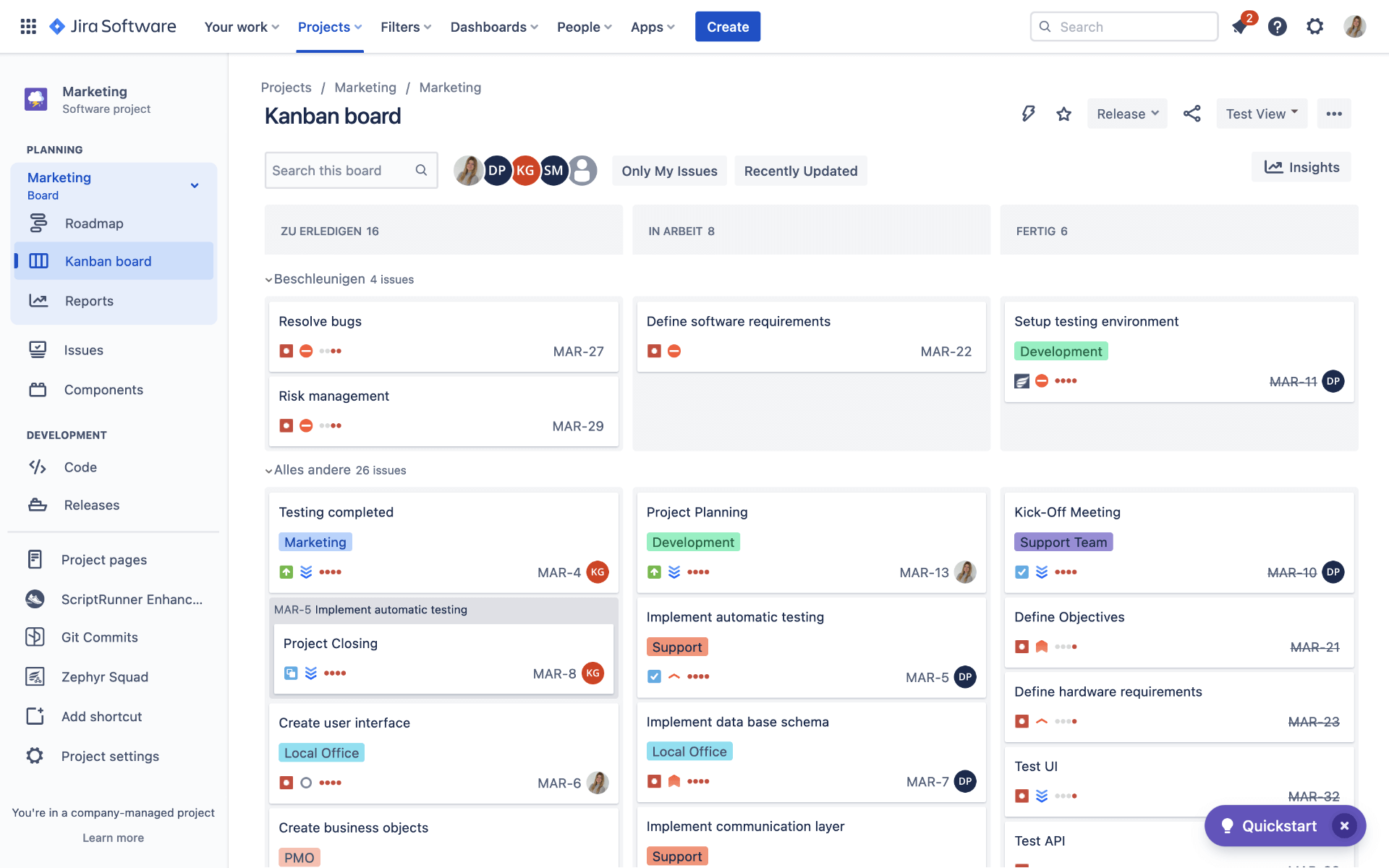
Image source: jira.com
Features:
- Customizable Scrum and Kanban boards.
- Advanced issue and bug tracking.
- Sprint planning with backlog prioritization.
- Real-time burndown, velocity, and sprint reports.
- Integration with Bitbucket, Confluence, and other dev tools.
Pros:
- Excellent for large-scale Agile projects.
- Deep analytics and progress tracking.
- Flexible board configuration.
- Reliable enterprise-level support.
Cons:
- Steep learning curve for beginners.
- Can feel heavy for small projects.
Pricing: Free for up to 10 users; Standard plan starts at $8.15/user/month.
4. Taiga: Agile tool for developers
Taiga is an open-source Agile tool created for developers who value control and simplicity. It combines sprint planning and Kanban boards to accommodate hybrid workflows, making it popular in kanban vs scrum vs agile comparisons. Taiga's focus on clean design and usability makes it perfect for software teams that want to stay Agile without overcomplicating their process. Its flexibility allows teams to start small and scale as their workflow matures.
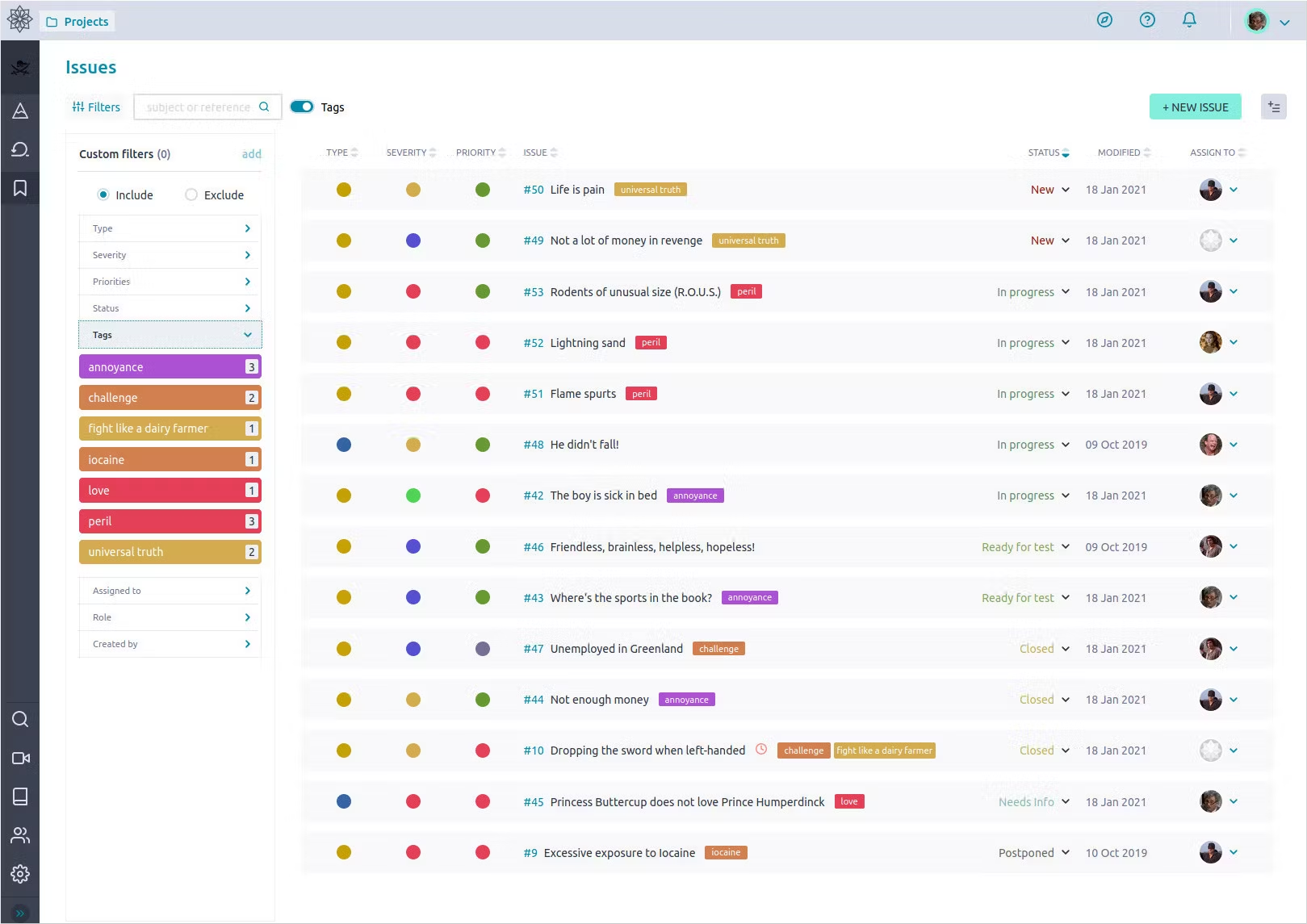
Image source: taiga.com
Features:
- Sprint and backlog management.
- Kanban-style workflow tracking.
- Issue and bug tracking.
- Customizable user roles and permissions.
- Open API for third-party extensions.
Pros:
- Free and open-source platform.
- Simple, intuitive interface for developers.
- Supports hybrid Agile-Kanban methods.
- Customizable and easy to self-host.
Cons:
- Limited native integrations.
- Smaller support community compared to big players.
Pricing: Free for small teams; premium hosting options available.
5. Trello: visual kanban planning
Trello brings visual simplicity to project management through its intuitive board-and-card system. It's the perfect tool for teams experimenting with kanban vs agile methods, offering clarity and structure without the need for complex setups. Trello helps teams visualize every stage of a project, stay organized, and maintain accountability. Its ease of use makes it especially popular with marketing, design, and content production teams.
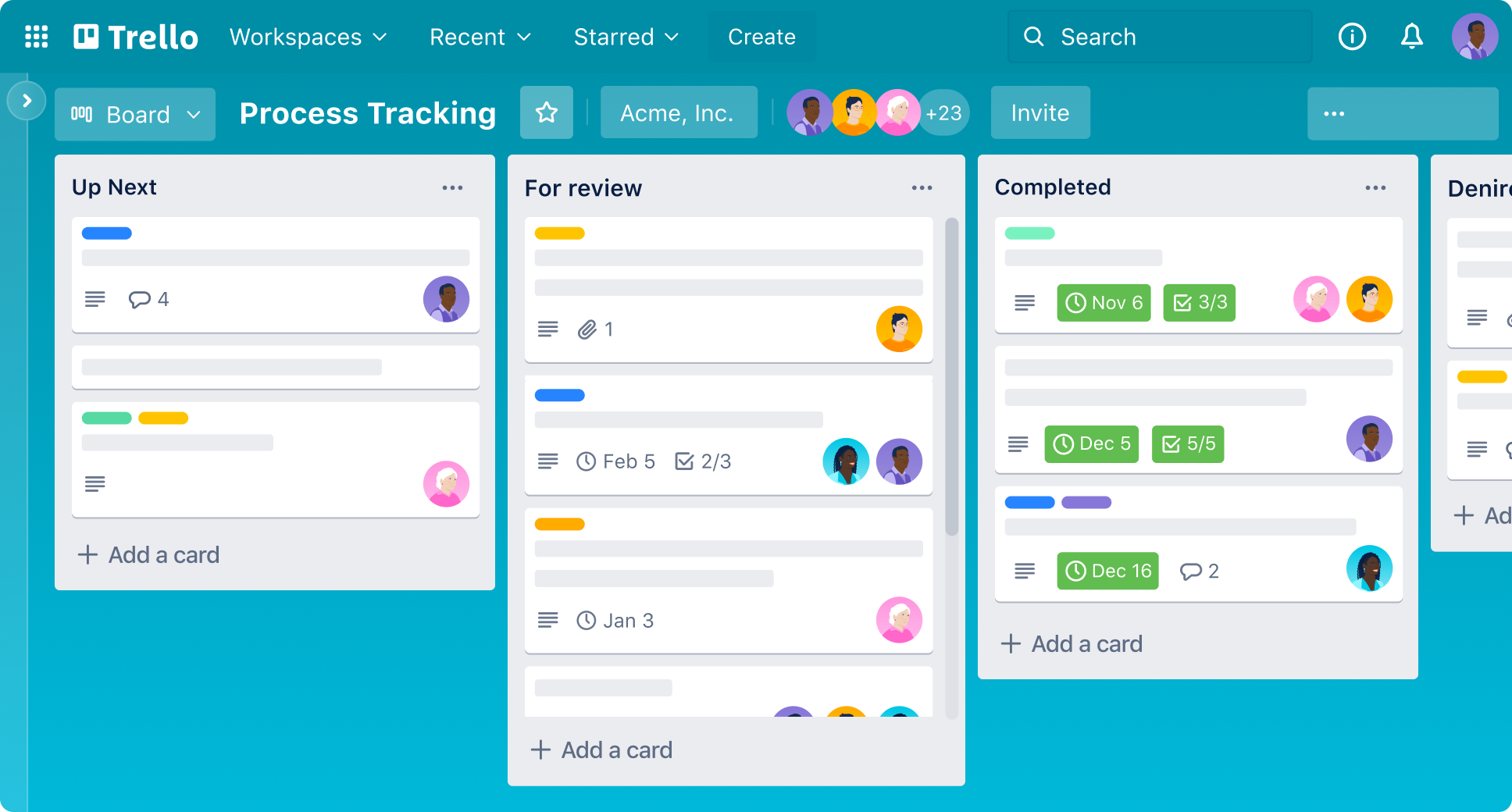
Image source: trello.com
Features:
- Drag-and-drop Kanban boards.
- Task automation via Butler.
- Labels, due dates, and checklists.
- Templates for Agile and marketing workflows.
- Power-Ups for integrations and reporting.
Pros:
- Extremely easy to use and visually clear.
- Quick setup for any team size.
- Free plan suits most small teams.
- Great mobile experience.
Cons:
- Limited built-in reporting.
- Not ideal for complex Agile projects.
Pricing: Free plan; Standard from $5/user/month, Premium from $10/user/month.
6. Asana: flexible task tracking
Asana combines structured planning with flexible task management, making it suitable for both Agile sprints and Kanban boards. It gives teams the freedom to organize work visually or in list format, making it ideal for teams navigating the agile vs scrum vs kanban decision. Asana's timeline and workload views provide clarity on priorities, ensuring balanced productivity across departments.
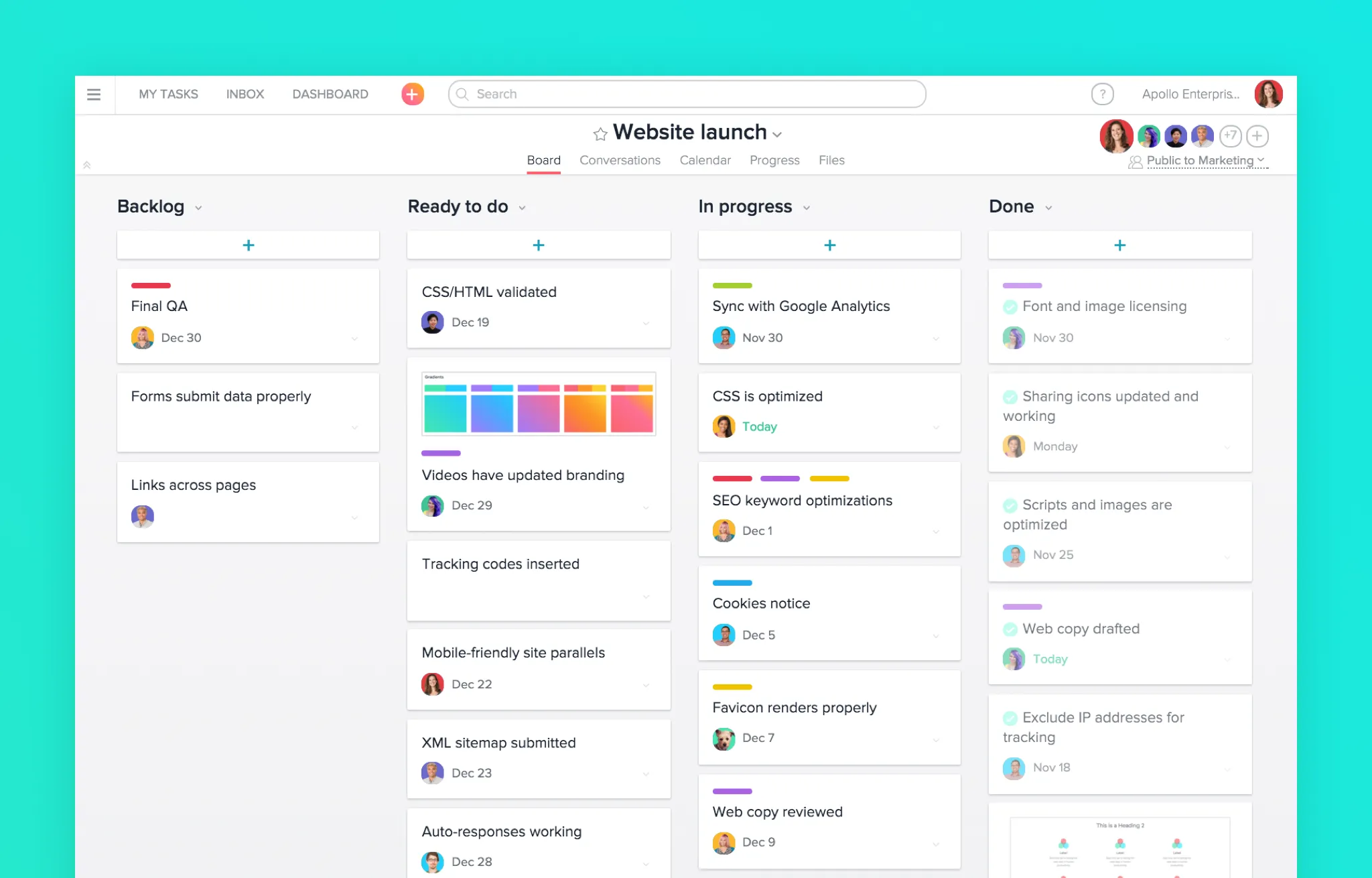
Image source: asana.com
Features:
- Multiple views: board, list, timeline, and calendar.
- Goal tracking and workload balancing.
- Milestone and dependency management.
- Automation for routine task updates.
- Real-time dashboards and progress reports.
Pros:
- Easy to navigate and visually engaging.
- Excellent for marketing, ops, and cross-functional teams.
- Scales well with growing teams.
- Advanced dashboard and reporting tools.
Cons:
- Complex features may need onboarding.
- Limited offline functionality.
Pricing: Free plan; Premium from $10.99/user/month.
7. Monday: team workflow visualization
Monday.com focuses on visual clarity, automation, and team alignment. Its colorful boards and dashboard views make it easy to track projects, deadlines, and resources. For teams comparing agile kanban vs scrum setups, Monday offers flexibility to manage both sprint-based and continuous workflows. It's especially powerful for marketing and operations teams that manage multiple workflows at once.
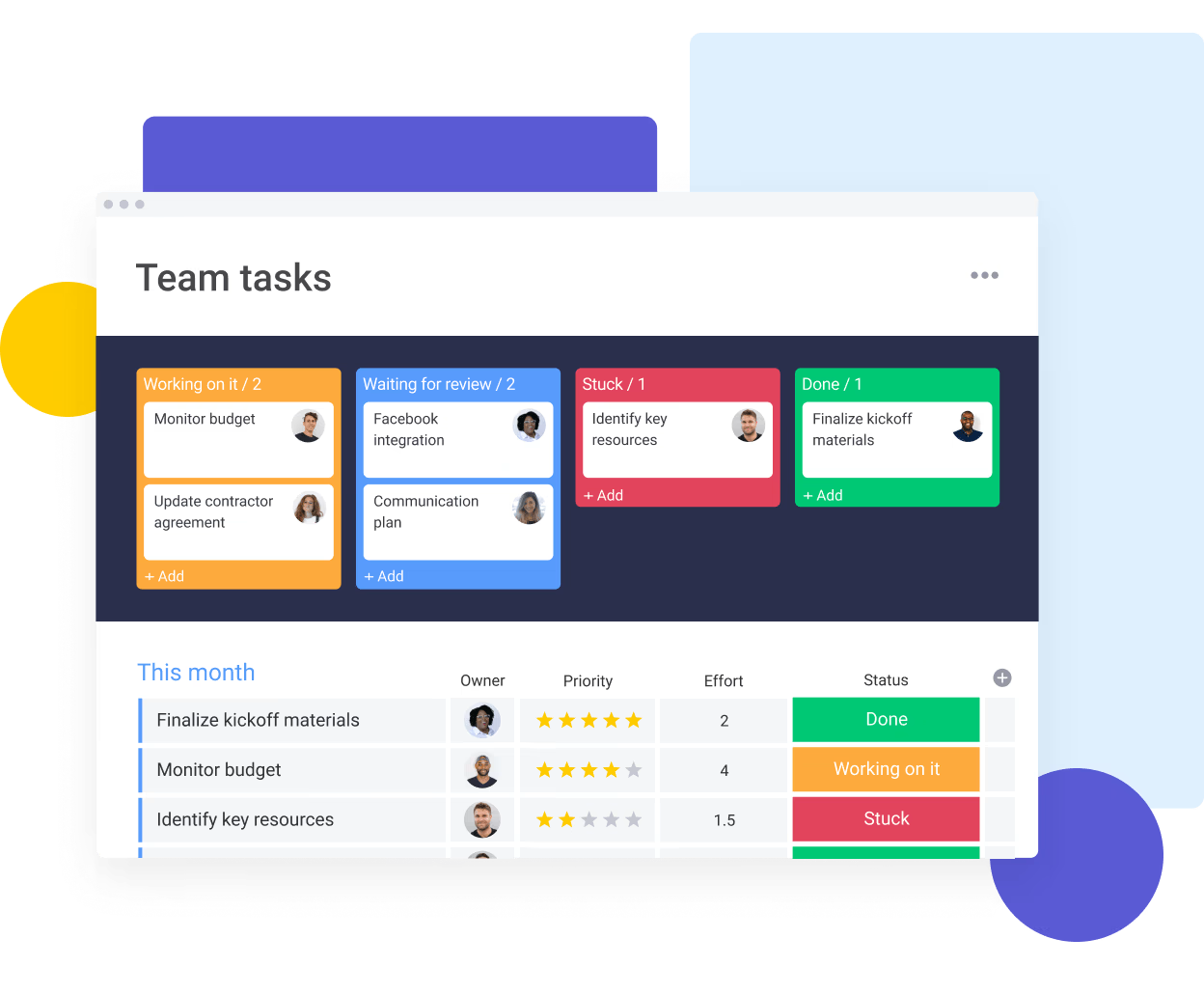
Image source: monday.com
Features:
- Visual dashboards for progress tracking.
- Gantt charts and timeline views.
- Automation recipes to reduce manual updates.
- Custom templates for sprints or Kanban workflows.
- Integration with Slack, Zoom, and Google Workspace.
Pros:
- Very visual and intuitive for teams.
- Great automation flexibility.
- Works across multiple departments.
- Fast setup with ready-made templates.
Cons:
- Can be pricey for large teams.
- Some reports require higher-tier plans.
Pricing: Basic plan from $9/user/month; Pro and Enterprise tiers available.
8. ClickUp: customizable work hub
ClickUp is an all-in-one workspace that combines tasks, documents, and goals in one platform. Its adaptability allows teams to toggle between Agile sprints, Kanban boards, or hybrid setups — making it a strong contender in kanban vs scrum vs agile comparisons. ClickUp's robust automation, goal tracking, and reporting features make it suitable for teams of any size seeking structure and flexibility.
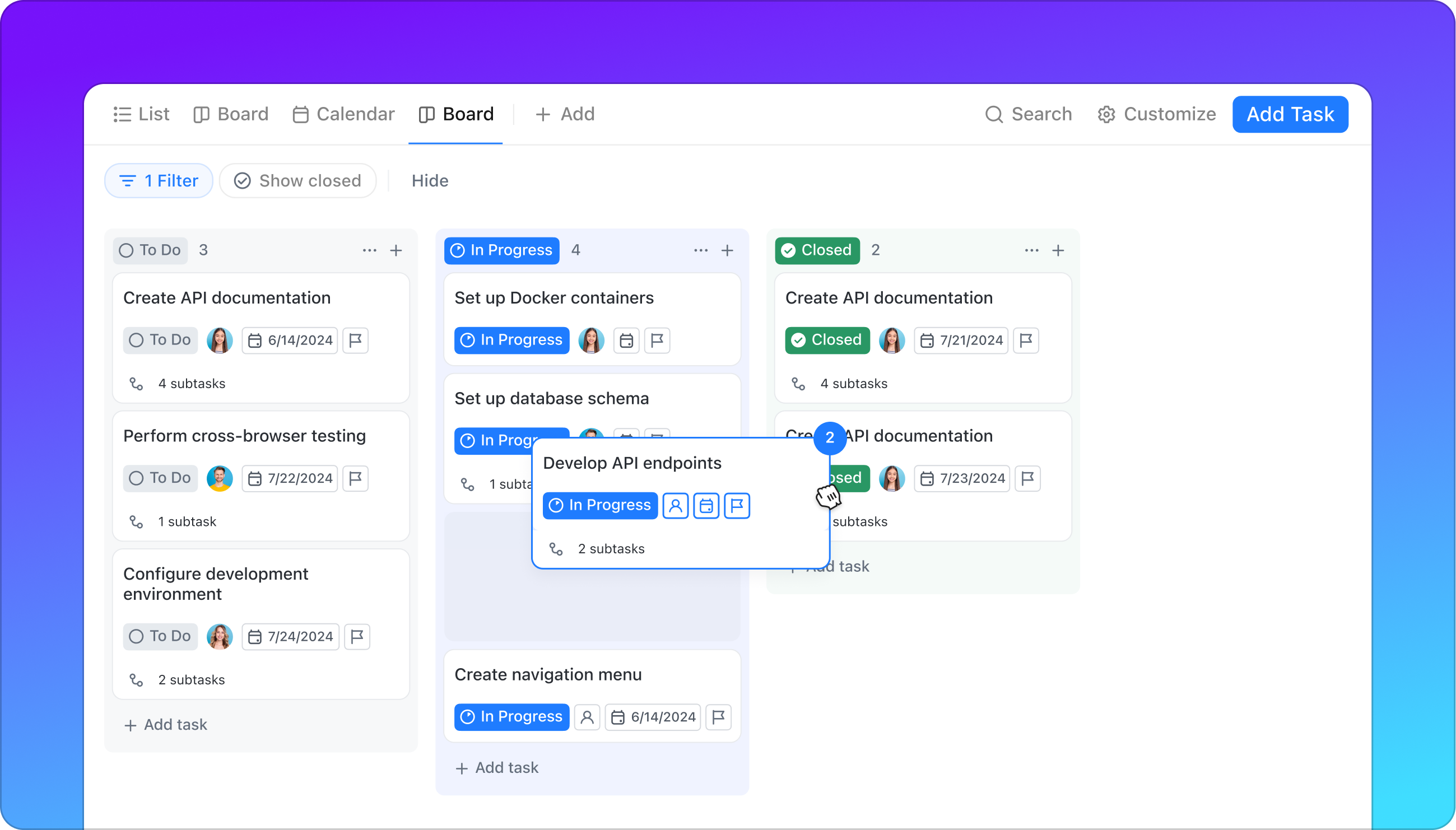
Image source: clickup.com
Features:
- Multiple views: List, Board, Gantt, and Calendar.
- Goals and OKR tracking system.
- Built-in Docs and whiteboards.
- Automation for recurring actions.
- Detailed reporting and dashboards.
Pros:
- Extremely customizable interface.
- Suitable for both teams and individuals.
- Great balance of Agile and Kanban support.
- Strong automation and visualization.
Cons:
- Overwhelming for first-time users.
- Occasional lag with large workspaces.
Pricing: Free plan; Unlimited plan from $7/user/month.
9. Wrike: enterprise agile management
Wrike caters to large organizations that need a balance between visibility, structure, and scalability. It supports both Agile and Kanban project types, providing advanced analytics and workload management tools. In many agile vs scrum vs kanban discussions, Wrike stands out for its reporting power and enterprise-grade security. It's ideal for global teams managing complex projects across departments.
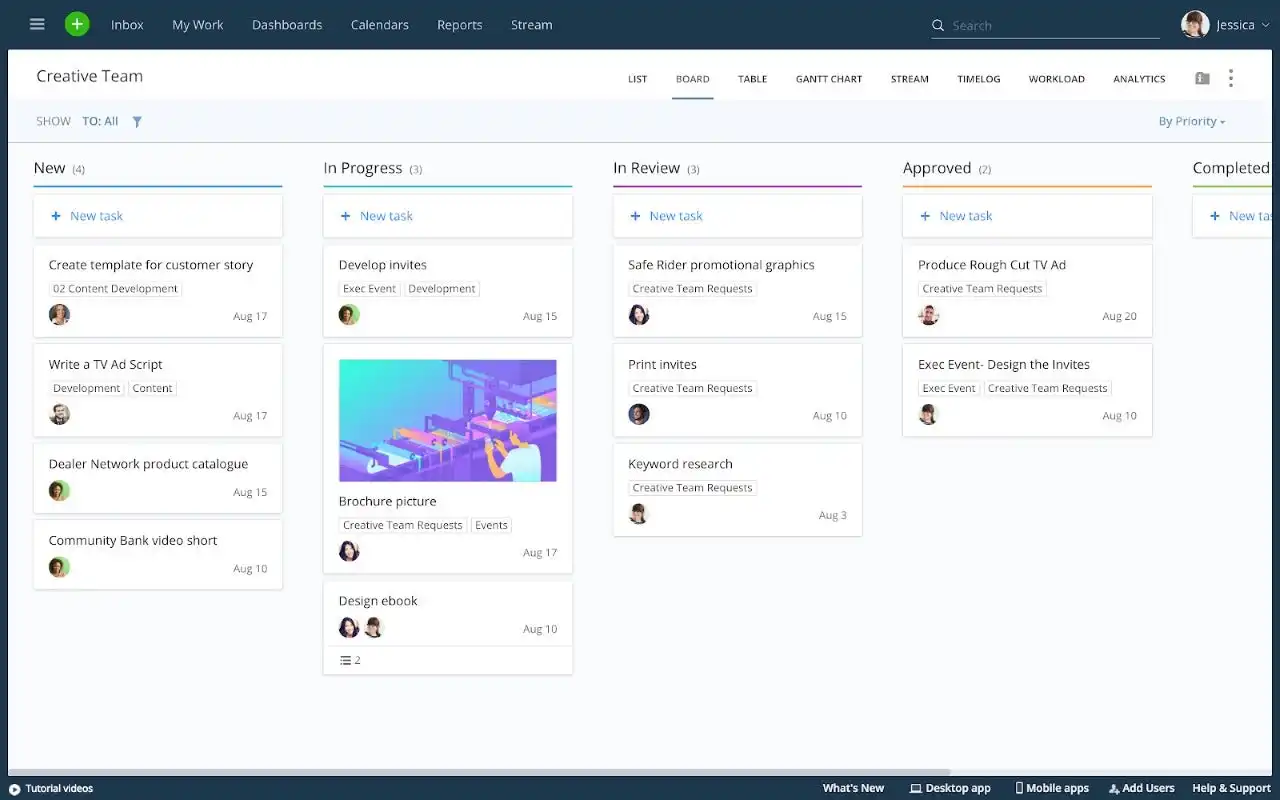
Image source: wrike.com
Features:
- Advanced dashboards and Gantt charts.
- Workflow automation and triggers.
- Real-time collaboration and proofing.
- Time tracking and workload view.
- Integration with 400+ tools.
Pros:
- Strong analytics and visual reporting.
- Excellent for distributed global teams.
- Enterprise-level customization.
- Secure and reliable infrastructure.
Cons:
- Requires initial setup time.
- High learning curve for new users.
Pricing: Professional plan from $9.80/user/month; custom enterprise pricing available.
10. OpenProject: open-source agile platform
OpenProject is a flexible, open-source platform built for teams that value transparency and control. Supporting both Agile and Kanban workflows, it allows teams to manage sprints, timelines, and documentation collaboratively. For teams evaluating kanban vs agile, OpenProject provides an adaptable environment that works equally well for traditional and hybrid methods. It's ideal for organizations seeking cost-effective, customizable project management.
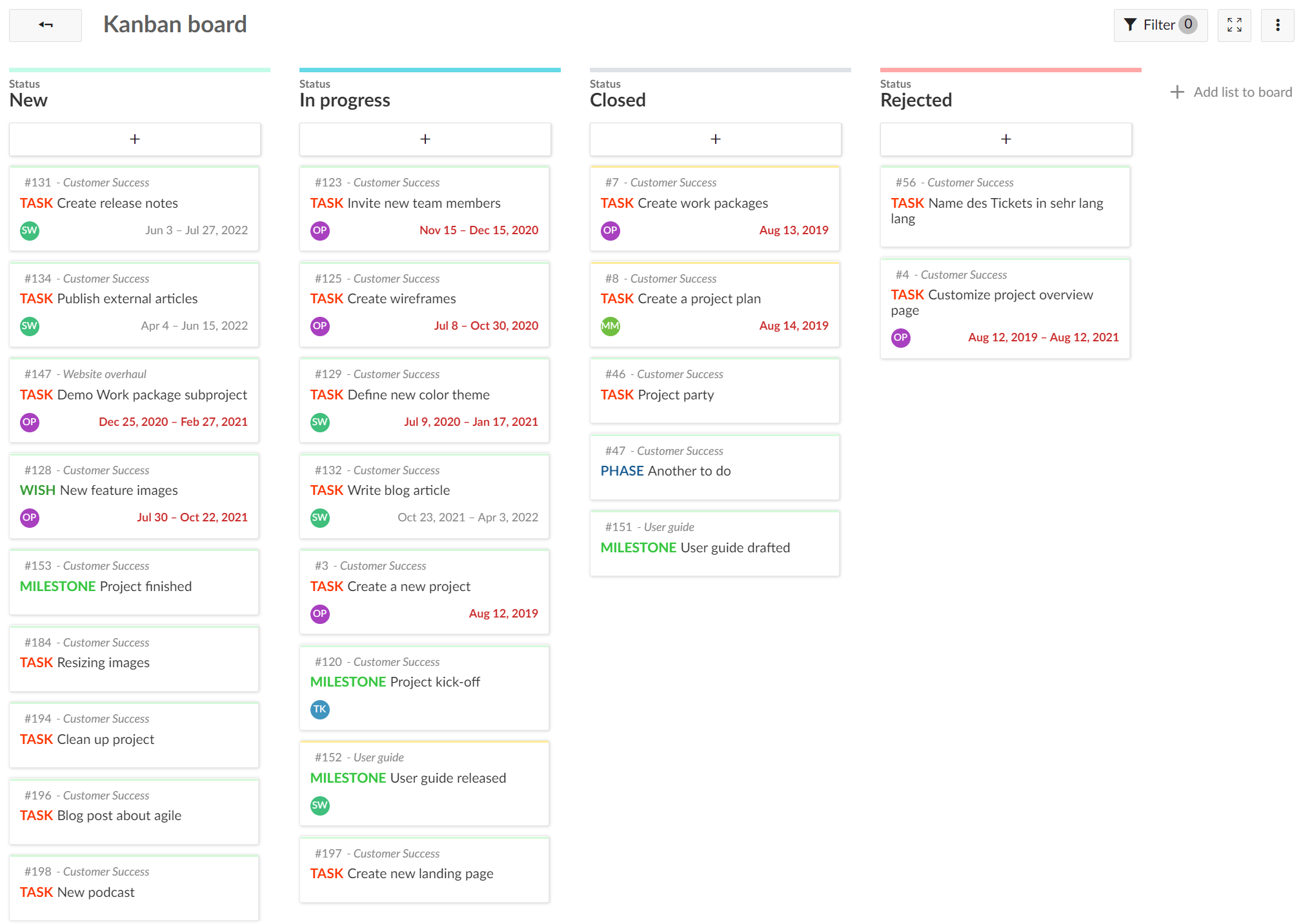
Image source: openproject.com
Features:
- Task boards for Agile and Kanban projects.
- Roadmaps and Gantt charts for planning.
- Backlogs and sprint management tools.
- Time tracking and reporting modules.
- Self-hosting and open-source customization.
Pros:
- Fully open-source with strong community support.
- Excellent transparency for distributed teams.
- Highly secure, customizable framework.
- Cost-effective for long-term use.
Cons:
- Interface feels dated.
- Requires hosting expertise for setup.
Pricing: Free community version; enterprise plans available for hosted deployment.
Use cases of agile and kanban tools by industry
Different industries apply Agile and Kanban methods in unique ways, depending on project scale, workflow complexity, and collaboration needs. From software releases to marketing campaigns, these tools help teams plan efficiently, stay transparent, and deliver consistent results.
Software development: (Jira, Taiga) Software teams depend on Agile sprints and backlog tracking to manage builds, bug fixes, and version releases. Tools like Jira and Taiga allow developers to plan iterations, monitor dependencies, and visualize their entire release cycle. Kanban boards further improve visibility, helping teams resolve blockers quickly and maintain continuous delivery.
Marketing teams: (Asana, Trello) Marketing teams benefit from Kanban-based visibility for campaign timelines, asset creation, and content reviews. Asana and Trello make it simple to manage deliverables, track progress, and coordinate feedback across designers, writers, and stakeholders. These tools help marketing teams maintain flexibility while meeting strict deadlines.
Enterprises: (Wrike, Monday) Large organizations require scalable tools to manage complex, multi-department projects. Wrike and Monday.com support enterprise-grade visibility with dashboards, workload tracking, and automation features. Their hybrid Agile-Kanban systems bring clarity to resource allocation and align strategy with day-to-day execution across departments.
Teams of all sizes: (Lark, Zoho Sprints) Whether you're a startup building fast or an enterprise managing global operations, Lark offers an all-in-one workspace built for every team size. It combines Kanban and Agile capabilities with real-time chat, Docs, and automated workflows—eliminating the need for multiple tools. Zoho Sprints is also a strong fit for small to mid-sized teams seeking focused sprint management and a simple setup. Together, they show how modern platforms can adapt to any team's structure and pace.
Kanban vs. agile: which one should you choose?
Choosing between Agile and Kanban isn't about right or wrong — it's about identifying which method complements your team's rhythm, goals, and structure. Agile offers focus through short, time-bound sprints, ideal for teams that thrive on iteration and feedback. Kanban, on the other hand, provides visual clarity and continuous flow, perfect for teams managing dynamic workloads and constant updates.
Find your best workflow: If your projects rely on structured milestones and frequent retrospectives, Agile keeps you moving with rhythm and accountability. But if your team values ongoing delivery and flexible prioritization, Kanban offers the simplicity and visibility to keep work flowing without interruption.
Choose smarter: Many modern teams adopt a hybrid approach — combining Agile's sprint discipline with Kanban's real-time tracking. Platforms like Lark make this balance effortless, allowing teams to switch between structured and continuous workflows within one unified workspace.
Decide with confidence: Whether you're scaling a global product team or running a lean startup, the right workflow drives collaboration, transparency, and measurable results. The key isn't just picking Agile or Kanban — it's using a tool that evolves with your process.
Challenges and solutions
Adopting Agile or Kanban can transform how teams work, but the transition isn't always seamless. Many organizations face operational, cultural, or technological hurdles that slow down adoption. Here's how to overcome the most common challenges and keep your projects moving forward smoothly.
- Resistance to change: Teams used to traditional processes often hesitate to shift to Agile or Kanban because it feels unfamiliar. The key is starting small — pilot one project, showcase quick wins, and involve team members early. Gradual adoption builds confidence and helps everyone see the benefits firsthand.
- Overcomplicated processes: Too many layers, stand-ups, or boards can overwhelm teams instead of helping them. Keep your workflow simple: define clear goals, limit WIP (work in progress), and prioritize transparency over perfection. The goal is flow, not formality — continuous improvement beats rigid adherence.
- Too many overlapping tools: Managing separate apps for communication, documentation, and task tracking often leads to confusion and lost time. Centralizing everything in one system helps teams stay aligned. Lark solves this by combining chat, Docs, Sheets, and task management — ensuring every update, approval, or discussion stays in context.
- Solutions that drive success: Successful Agile and Kanban adoption depends on clarity, consistency, and collaboration. Choose a tool that simplifies complexity, not adds to it. With Lark, teams can visualize work, automate repetitive steps, and maintain real-time visibility — no switching between disconnected systems, no missed deadlines.
Conclusion
Both Agile and Kanban empower teams to manage work smarter — Agile through structured sprints and collaboration, Kanban through visibility and continuous improvement. Together, they give organizations the flexibility to adapt, prioritize, and deliver results with precision.
For teams of every size, Lark stands out as the all-in-one workspace that brings these methods to life. It combines boards, Docs, chat, and automation in a single platform — helping teams plan projects, track progress, and communicate without switching tools.
If you're exploring the right project management tools for your business, start with Lark's free plan. Test workflows, customize boards, and experience how unified collaboration can turn daily work into measurable results.
FAQs
Which is better for small teams: Agile or Kanban?
For small teams, Kanban often feels easier to start with since it focuses on visual flow and flexibility rather than structured sprints. However, Agile can work just as well if your team prefers regular feedback loops and short cycles. With Lark, small teams can experiment with both — setting up simple Kanban boards first and later adding Agile templates for sprints, stand-ups, and retrospectives within the same workspace.
Can Kanban be used in non-software teams?
Absolutely. Kanban isn't limited to software development — it's ideal for marketing, HR, finance, and operations too. Any team managing tasks or approvals can benefit from Kanban's visual workflow. Lark makes this even easier by offering customizable boards, automated approvals, and Docs that adapt to any department's workflow, so even non-technical teams can manage projects efficiently.
What KPIs should be tracked for Agile and Kanban?
The key metrics for both frameworks include cycle time, lead time, work in progress (WIP), and team velocity. Agile teams also track sprint completion rates and backlog progress, while Kanban teams focus on flow efficiency and throughput. With Lark, teams can monitor these KPIs directly through task dashboards, Sheets, and automated reports — providing real-time visibility into productivity and project health.
Are free Agile tools sufficient for startups?
Yes — in the early stages, free plans often provide enough functionality to manage small projects and test workflows. The challenge is scalability as your team grows. Lark's free plan offers a complete toolkit — task boards, Docs, chat, and automation — all in one place, so startups can run full Agile or Kanban processes without juggling multiple tools or paying extra.
How do Agile tools improve remote team productivity?
Agile tools keep remote teams aligned by centralizing updates, tasks, and communication. Features like shared boards, chat, and file co-editing ensure everyone stays connected regardless of time zone. Lark enhances this further by combining meetings, Docs, and real-time notifications within one platform — ensuring distributed teams maintain transparency, speed, and accountability from planning to delivery.
Related reading
Table of contents
Start using Lark today

Manage all your work in one place
Boost team efficiency by 10x
Save up to 70% on software costs
Table of contents
Start using Lark today
Manage all your work in one place
Boost team efficiency by 10x
Save up to 70% on software costs
Keep reading



Lark recognized in 2023 Gartner® Collaborative Content Workspaces and Meeting Solutions reports
Lark, the global superapp for productivity, is delighted to announce it receives recognition in the Gartner's 2023 Innovation Insight for Collaborative Content Workspaces and Market Guide for Meeting Solutions.





2026 Lark Technologies Pte. Ltd.
Headquartered in Singapore with offices worldwide.






Explore: