Writing standard operating procedures manually is a painful process. I often speak with operations leaders who spend entire weeks drafting training manuals, only to find that their teams ignore the documents entirely. It is a frustrating cycle that slows down onboarding and creates compliance risks. AI SOP generators solve this problem by instantly documenting processes, saving hours of management time. In this guide, I will walk you through the best tools available, helping you choose the right software to streamline your workflow and ensure your procedures are actually followed.
Why static documents fail in modern operations
A standalone text document often becomes obsolete the moment it is saved in a folder. I have seen countless companies draft meticulous, 50 page manuals for their procurement process, only for employees to bypass the rules because the document was buried in a convoluted intranet structure. The core problem is the disconnect between the written policy and the daily execution of tasks.
Modern teams need living, executable processes. When an employee needs to request new hardware, they should not have to search for a PDF explaining the steps. The them naturally through the actual workflow tool they are using. Moving away from static files toward dynamic systems ensures that guidelines are visible exactly when and where the work happens.
Core features to look for in an AI SOP generator
- Workflow automation: Move beyond static text by turning written policies into actionable, self-executing steps. The software should trigger approval flows, assign follow-up tasks, and send notifications automatically based on conditional logic.
- Template generation: Standardize best practices across departments without facing a blank page. High-quality platforms use AI prompts to draft initial outlines and provide visual drag-and-drop tools to format procedures consistently.
- Multimedia capture: Reduce the manual effort of typing out complex digital processes. The best tools allow teams to record their screens, which the AI then translates into step-by-step written guides with annotated screenshots.
- Knowledge centralization: Keep procedures instantly searchable alongside daily team chats and . Centralized repositories ensure everyone accesses the most up-to-date version, breaking down information silos while managing access permissions.
Build smart standard operating procedures in Lark
Top AI SOP generator tools reviewed
To determine the best options on the market, I evaluated software based on their ability to move beyond simple text generation. I focused on workflow automation, knowledge centralization, and ease of use for growing teams. In this section, I will review tools ranging from highly visual mapping software to unified productivity suites that connect your procedures directly to daily work. Here are the specific software options evaluated for enterprise operations.
1. Lark: Best unified workspace for automated workflows
Lark is the best all-in-one solution designed to unify collaboration, documentation, and process management within a single workspace. Its flowchart feature, embedded in Lark Docs, enables teams to map complex processes, making workflows clear and actionable visually. Leveraging advanced tools like Lark Base, teams can automate repetitive tasks with no-code automation and utilize flexible views, tables, , , and gallery features to organize work and visualize project progress. Lark's AI capabilities also , summarize updates, and recommend next steps, helping teams create smarter, faster workflows. Ideal for businesses focused on efficient process mapping and team collaboration, Lark empowers productivity at scale while ensuring total clarity in project execution. 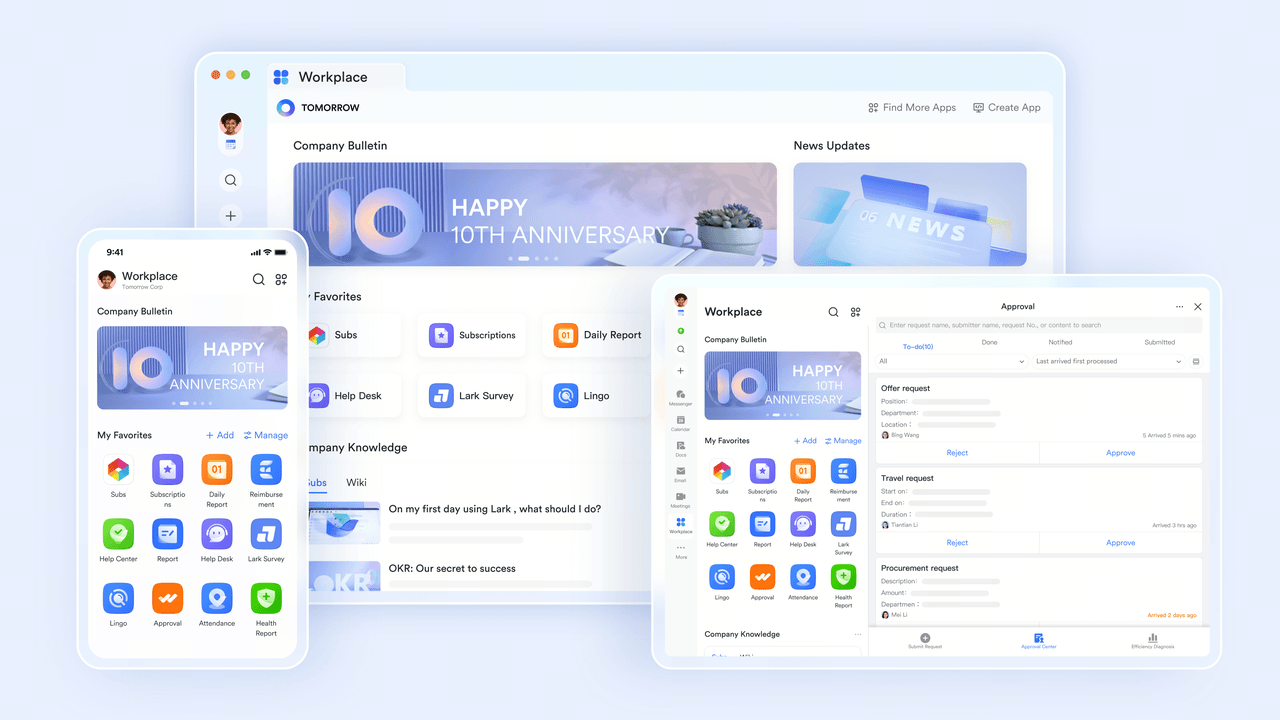
Draft and centralize procedures with AI
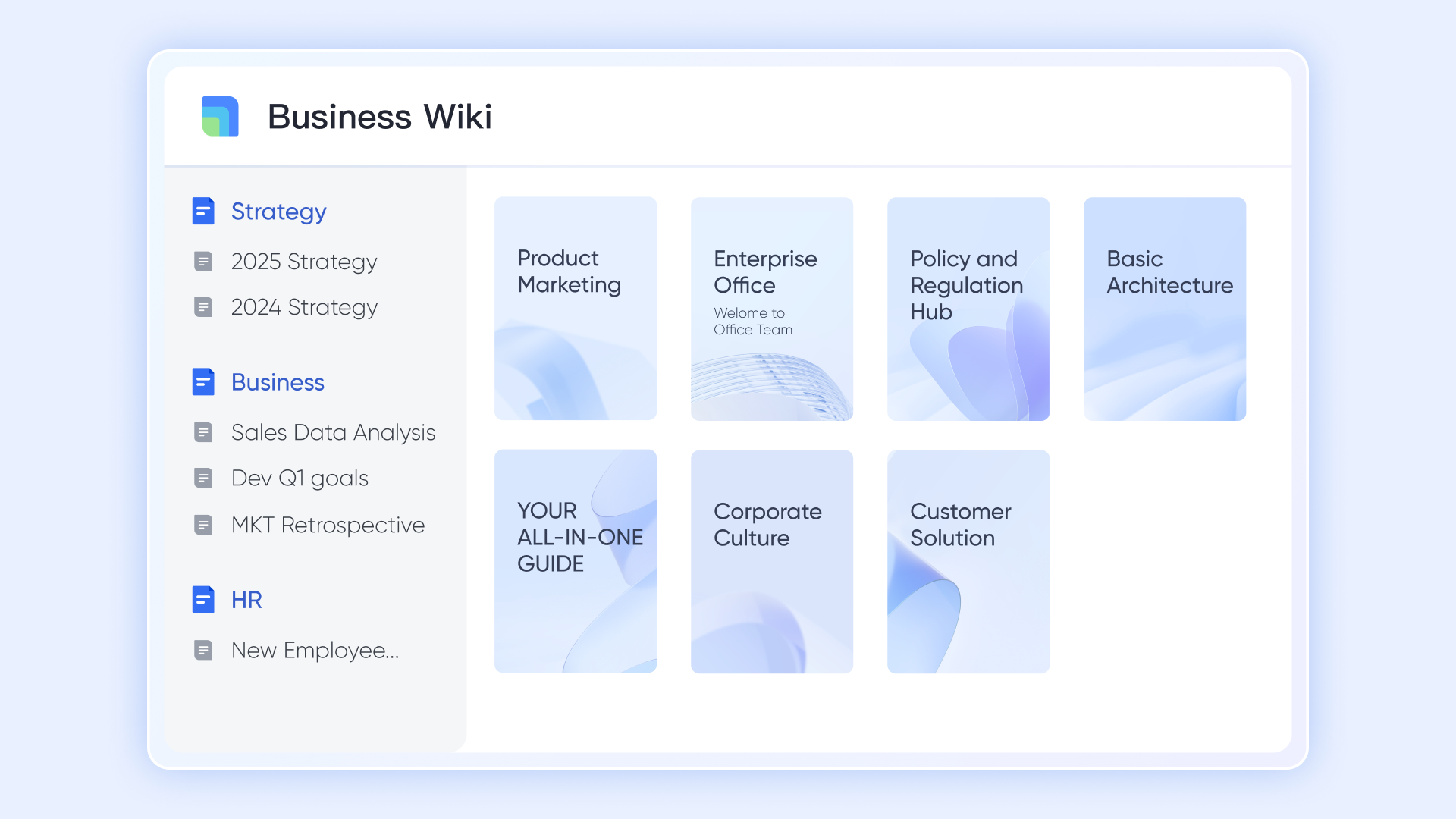
Your intelligent starting point for any standard operating procedure happens right in . Rather than staring at a blank page, you can prompt the built in AI assistant to generate initial templates, refine complex process descriptions, and correct tone instantly. Once the AI helps you finalize the draft, organizes these documents into a searchable, categorized library. For example, the human resources team can rely on AI to quickly draft compliance policies, then publish them centrally so every employee finds the exact rule they need.
Structure procedural data intelligently
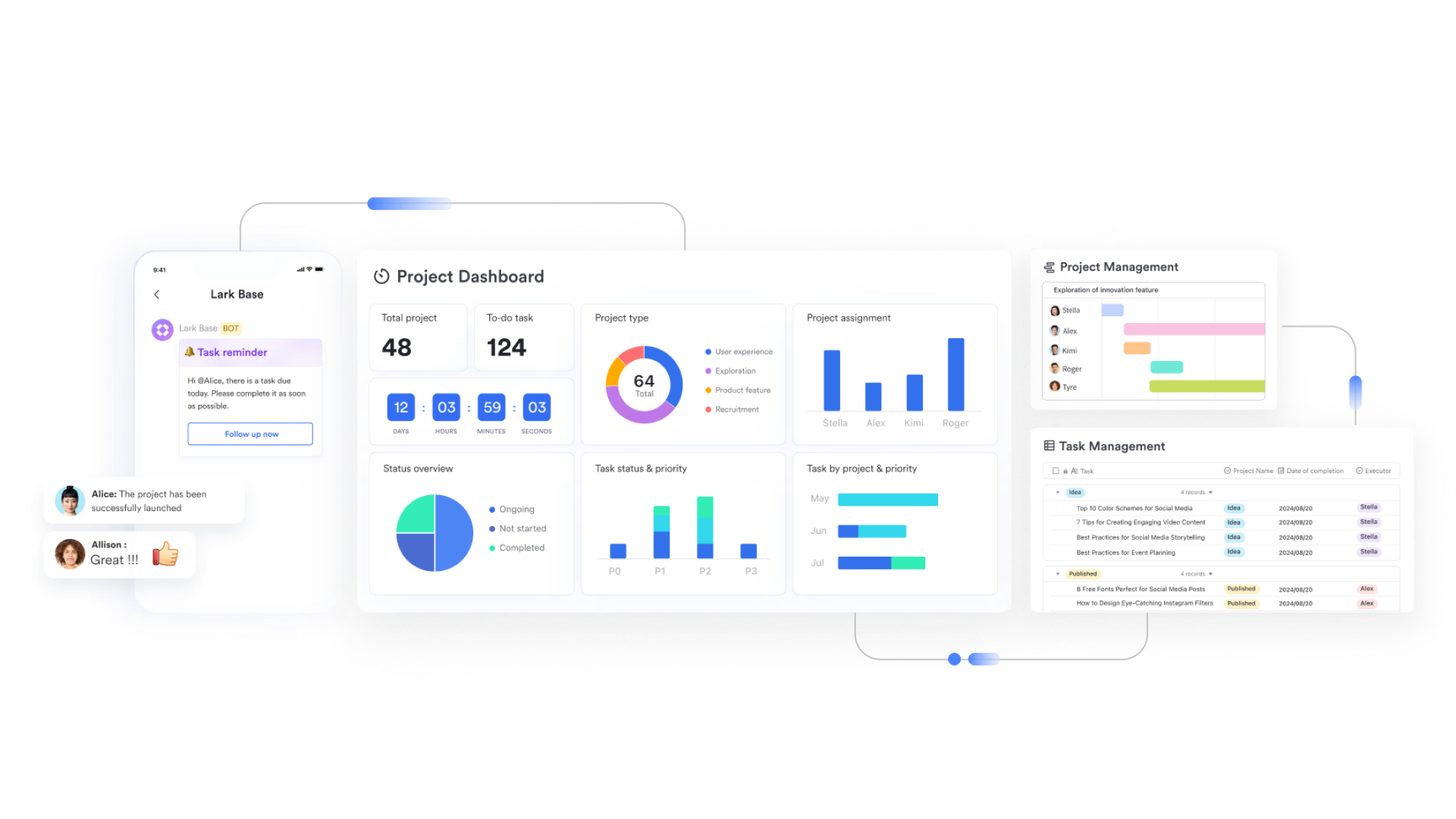
While standard documents handle the written text, transforms those procedures into structured, trackable databases. You can set up tables with fields like process owner, status, and timeline. By utilizing AI features, you can automatically extract key action items from text heavy manuals and categorize them directly into database rows. Operations teams use this to log safety checks with clear status tracking, ensuring that every written rule translates into visible data points.
Route review workflows automatically
Once an AI assisted draft is structured, it requires official sign off. Lark Approval removes the manual back and forth of email requests. You can build multi tier review paths that automatically route new or updated standard operating procedures to the correct department heads. A finance policy update, for example, triggers an approval request immediately after revision. The system logs reviewer comments and timestamps, maintaining a strict audit trail without requiring human intervention. 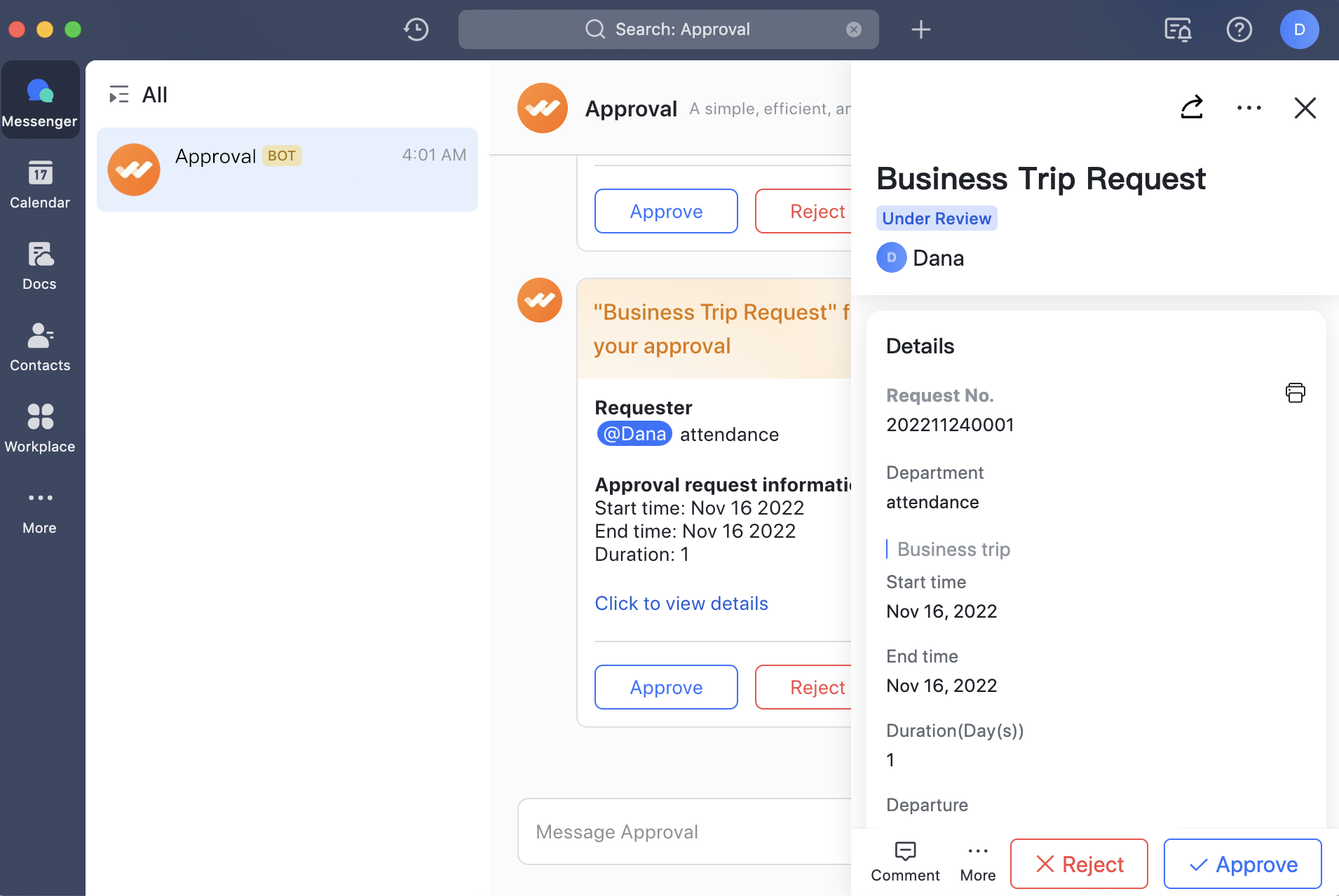
Assign execution steps dynamically
A documented process is only useful if people actually follow it. Lark Tasks turns the steps outlined in your standard operating procedures into actionable assignments. You can convert procedural requirements into specific tasks with strict due dates. For instance, when a new hire joins, the system parses the onboarding standard operating procedure and assigns individual setup duties to human resources, IT, and administration automatically. This ensures clear accountability and tracks real time completion across teams. 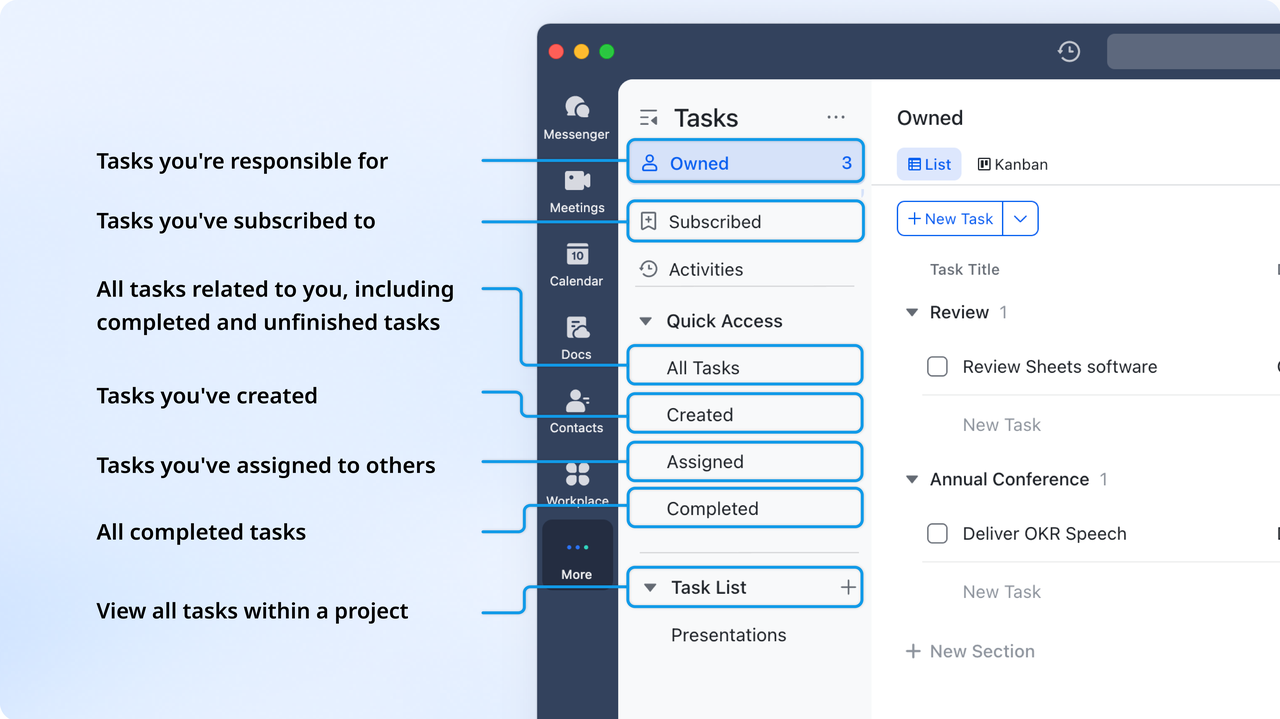
Measure SOP performance and compliance
To ensure your processes work efficiently in practice, Lark Sheets provides powerful spreadsheet dashboards with deep analytics on procedural adoption. You can monitor completion rates, overdue reviews, and training metrics in a centralized view. Smart data features help you spot bottlenecks quickly by analyzing execution times. Human resources leaders use these dashboards to monitor onboarding completion rates, identifying exactly where employees get stuck so they can refine the original policy. 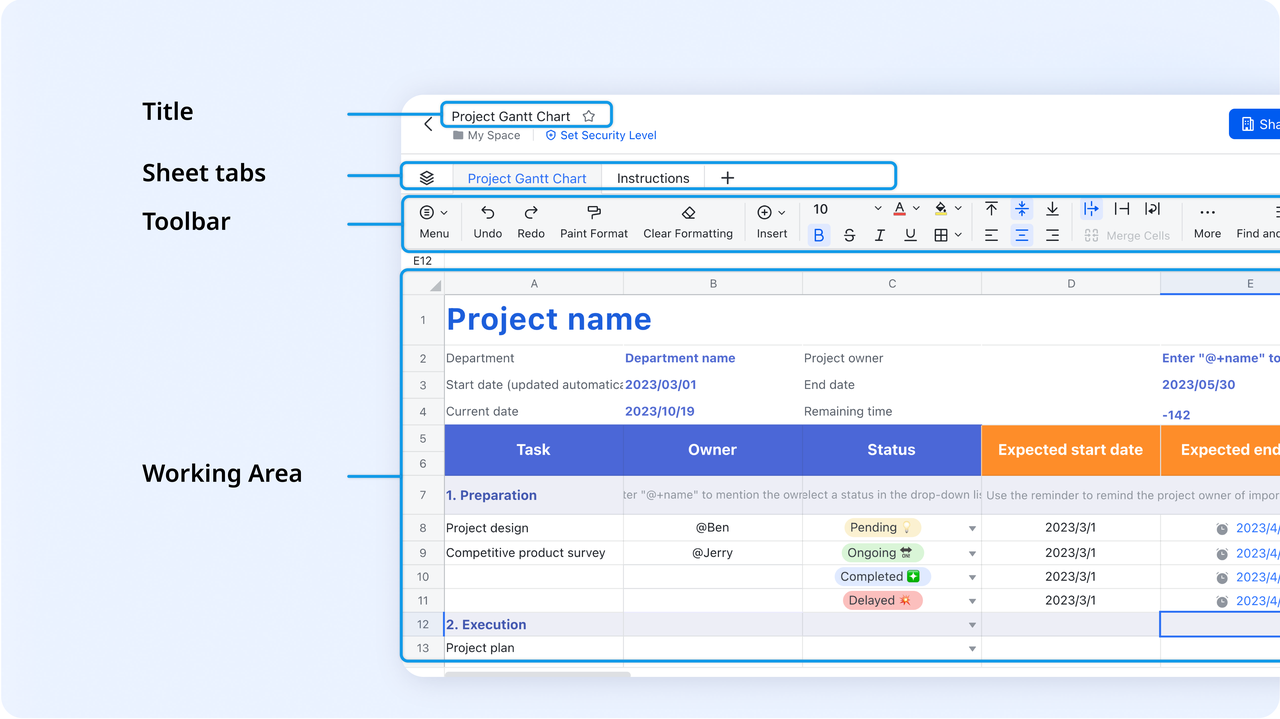
Pros:
- Connects written policies directly to automated approval flows.
- Combines documents, chat, and video meetings in one workspace.
- Eliminates the need for multiple fragmented software tools.
Cons:
- Can be overwhelming for teams wanting only a simple text generator.
- Requires a shift in how teams manage daily communication.
:
- Starter plan: that includes 11 powerful tools for up to 20 users. It also comes with 100GB of storage space, 1000 automation runs, AI translations, and more. No credit card needed.
- Basic plan: (billed annually) for up to 500 users. It includes everything in Starter and unlimited message history, 5TB of storage space, 1,000 automation runs, and more. Some users may need to to purchase this plan.
- Pro plan: (billed annually) for up to 500 users. It includes everything in Basic plus group calling for up to 500 attendees, 15TB of storage space, 50,000 automation runs, and more.
- Enterprise plan: for custom pricing. Supports unlimited users and includes even more automation runs and advanced security, compliance, and management features.
For small teams with simple communication needs

18 months message history
1000 Base automation runs/month
2000 rows per table in Base
Most POPULAR
For companies with comprehensive collaboration and management needs
Unlimited message history
500-participant video meetings
50k Base automation runs/month
20k rows per table in Base
For large companies with advanced security and organizational management needs
Get a personalized demo and pricing
Unlimited message history
500-participant video meetings
15 TB storage + 30 GB storage/user
500k Base automation runs/month
50k Base automation runs/month
Most POPULAR
For companies with comprehensive collaboration and management needs
Unlimited message history
500-participant video meetings
50k Base automation runs/month
20k rows per table in Base
2. Notion: Best for highly customizable workspace templates
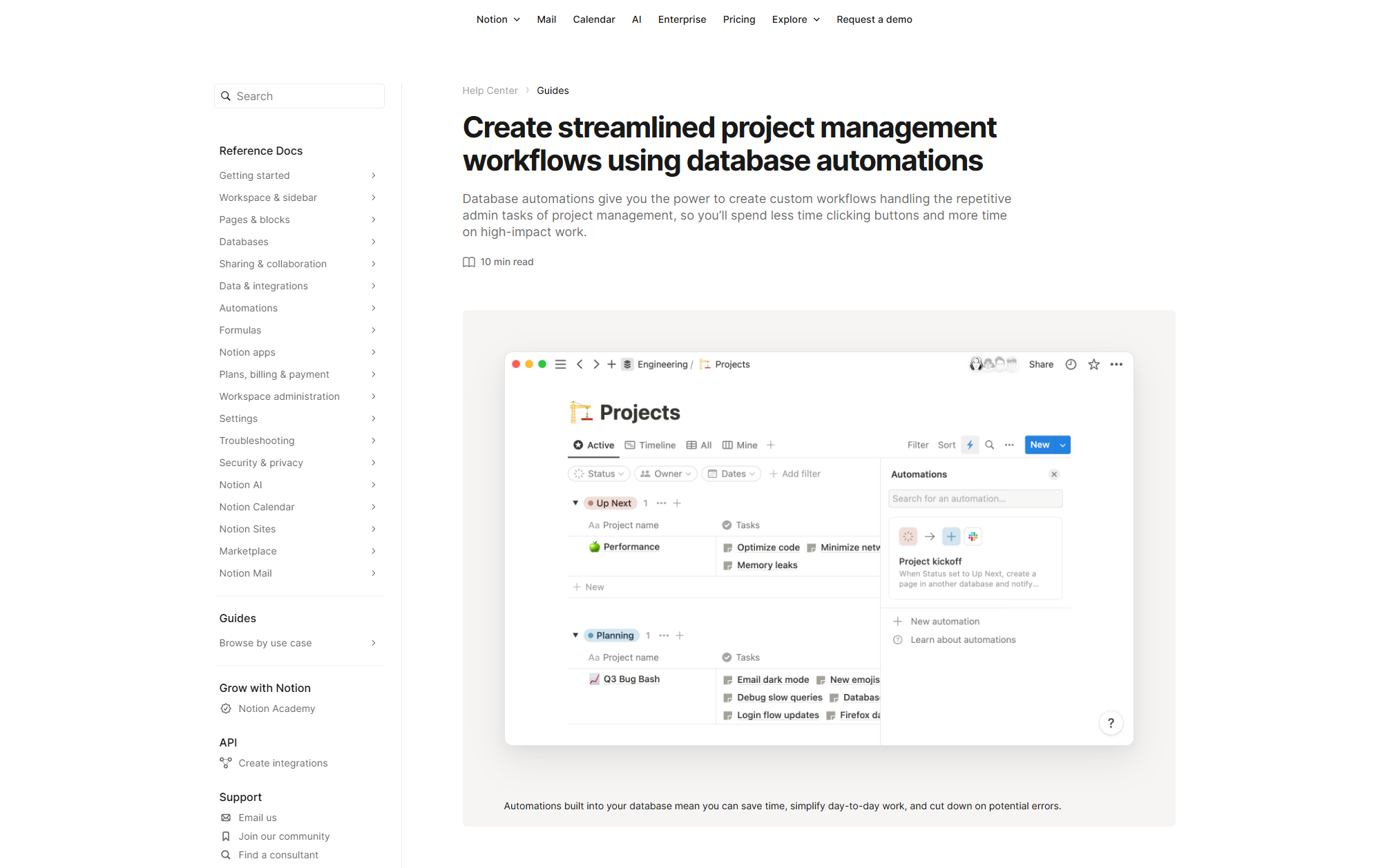
Image source: notion.com
Notion provides a highly flexible canvas for building company wikis and procedures. You can type a prompt, and the system generates structured guidelines, tables, and checklists instantly. The block based design allows managers to arrange text, videos, and embedded files exactly how they want them to appear.
This level of customization makes it a favorite for startups needing a centralized hub. However, while it is excellent for organizing information, it relies heavily on manual upkeep. If a process changes, a manager must manually update the text, as it lacks native capabilities to trigger complex automated approval flows based on those written rules.
Pros:
- Offers highly flexible page design and block formatting.
- Generates clear text and tables from simple text prompts.
- Centralizes knowledge in an easy to navigate wiki structure.
Cons:
- Requires manual updates when operational processes change.
- Lacks native workflow automation to execute documented rules.
Pricing:
- Free plan: $0 /user/month, unlimited for individuals; limited for teams.
- Plus plan: $12 /user/month, for small teams and professionals.
- Business plan: $24 /user/month, for growing businesses with enhanced permissions and security.
- Enterprise: Custom pricing for full-scale organizations.
3. ClickUp: Best for connecting docs to task management
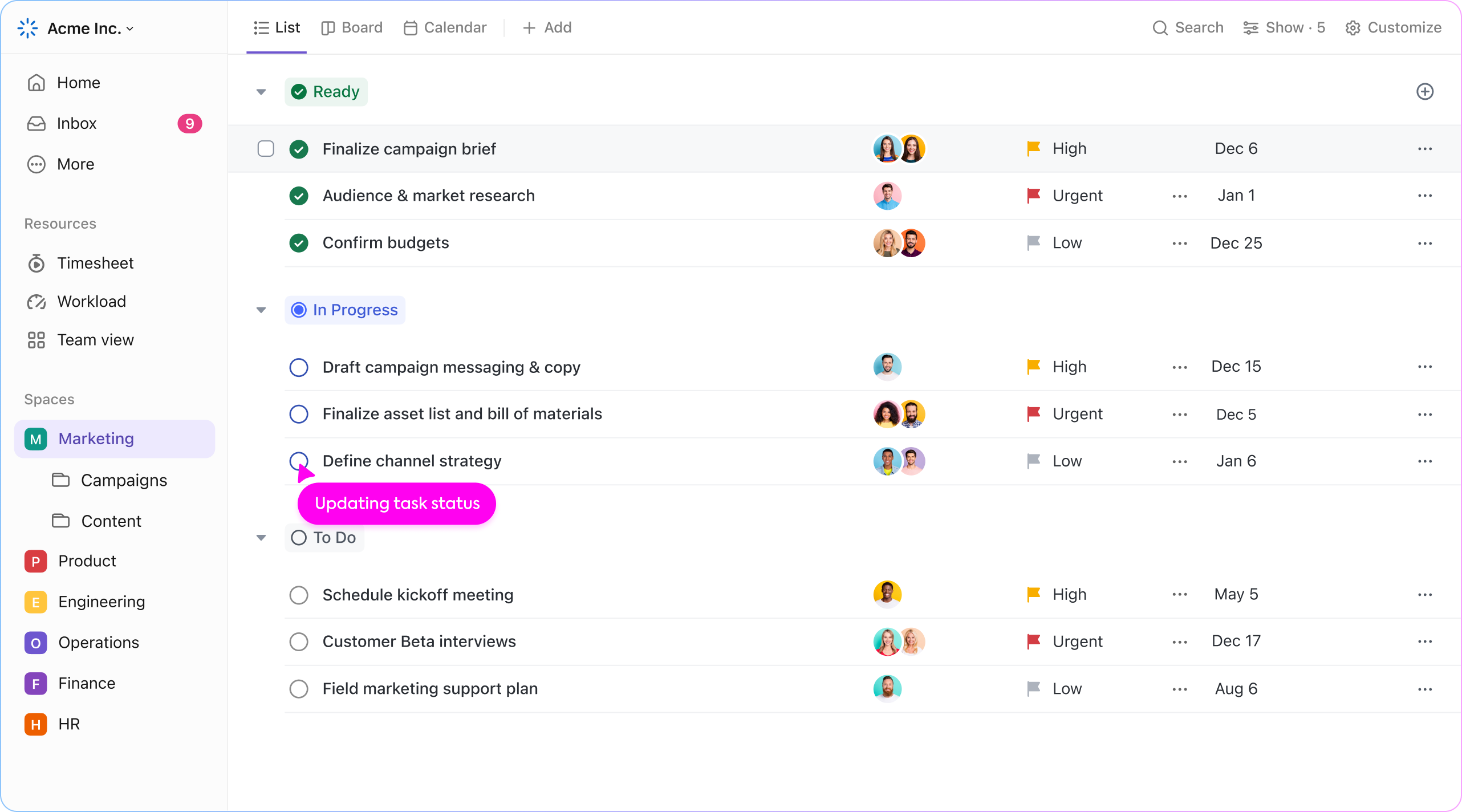
Image source: clickup.com
ClickUp approaches documentation by tying it directly to project management. Its built in document editor includes AI features that can draft standard operating procedures and instantly convert those steps into trackable tasks. If you generate a guideline for launching a marketing campaign, you can assign the resulting action items to specific team members right from the page.
This connection ensures that guidelines are immediately actionable. The platform is robust, offering multiple views like boards and calendars. Because it is so feature heavy, new users often experience a steep learning curve when trying to navigate between tasks, documents, and reporting dashboards.
Pros:
- Connects written guidelines directly to trackable team tasks.
- Offers multiple project management views like boards and calendars.
- Generates action items from documented procedures instantly.
Cons:
- Presents a steep learning curve for brand new users.
- The interface can feel cluttered with too many options.
Pricing:
- Unlimited plan: $7/user/plan
- Business plan: $12/user/plan
- Enterprise plan: Contact sales
4. Miro: Best for visual process mapping
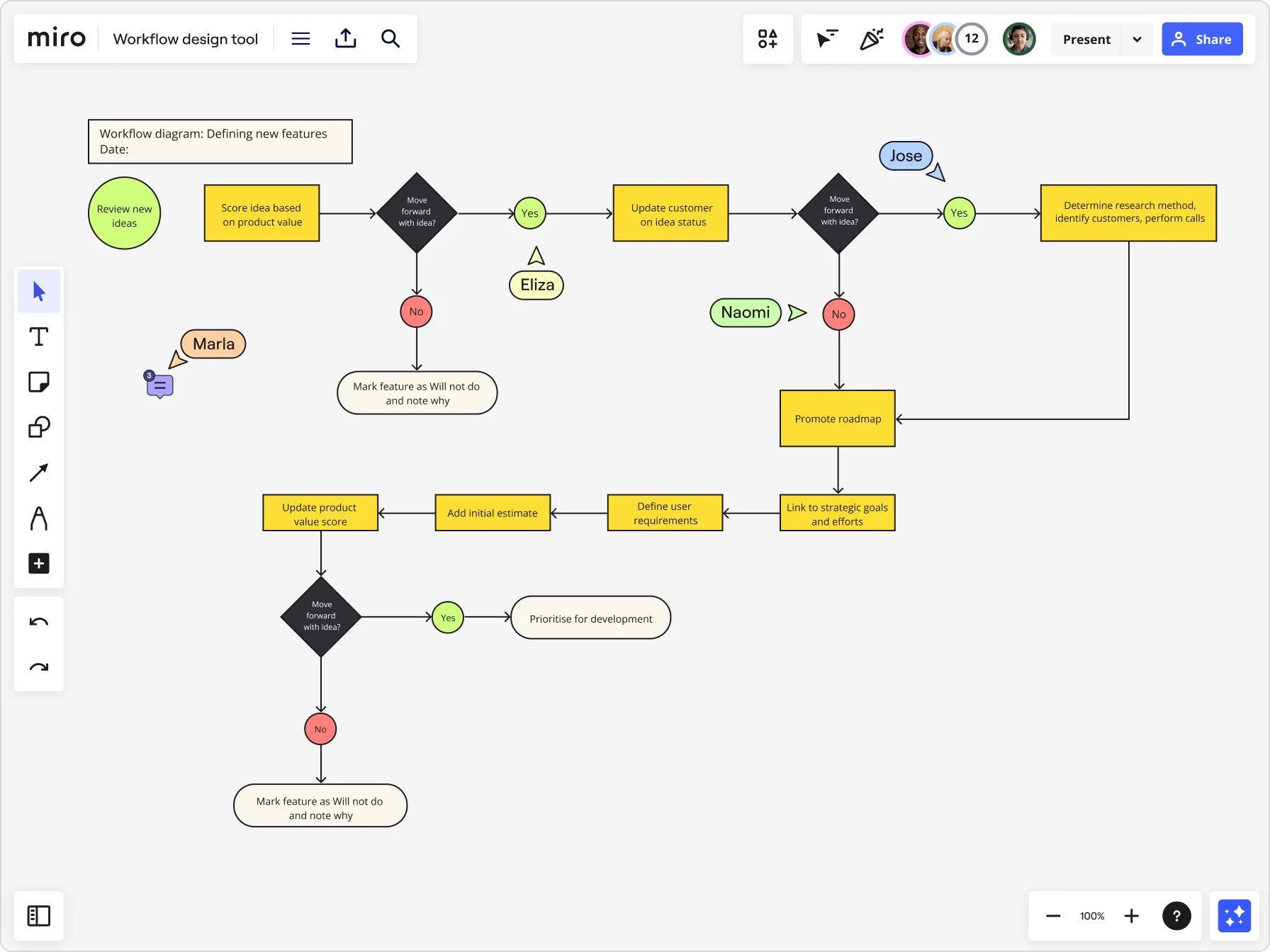
Image source: miro.com
Miro excels at visual process mapping, allowing teams to create standard operating procedures visually to align on best practices. Rather than reading a wall of text, employees can follow a clear, branched diagram that illustrates exactly what to do at each stage of a process. This is particularly useful for complex operations where decision trees and conditional logic dictate the next steps.
While it is exceptional for collaborative diagramming, Miro is not a traditional text editor. If your compliance department requires highly structured, text heavy manuals, this tool might not cover all those needs natively. However, for brainstorming and mapping out the initial logic of an operation before it becomes a formal policy, I find it highly effective.
Pros:
- Offers excellent visual tools for complex workflow mapping.
- Includes strong collaborative features for real time team diagramming.
- Provides numerous templates to quickly start visualizing processes.
Cons:
- Lacks robust features for drafting long form text manuals.
- Does not execute or automate the workflows it maps out.
Pricing:
- Free: $0 Per month, 3 boards
- Starter: $8 Seat cost per month
- Business: $20 Seat cost per month
- Enterprise: Contact sales for a custom quote
5. MindNode: Best for a seamless and aesthetic experience across the Apple ecosystem
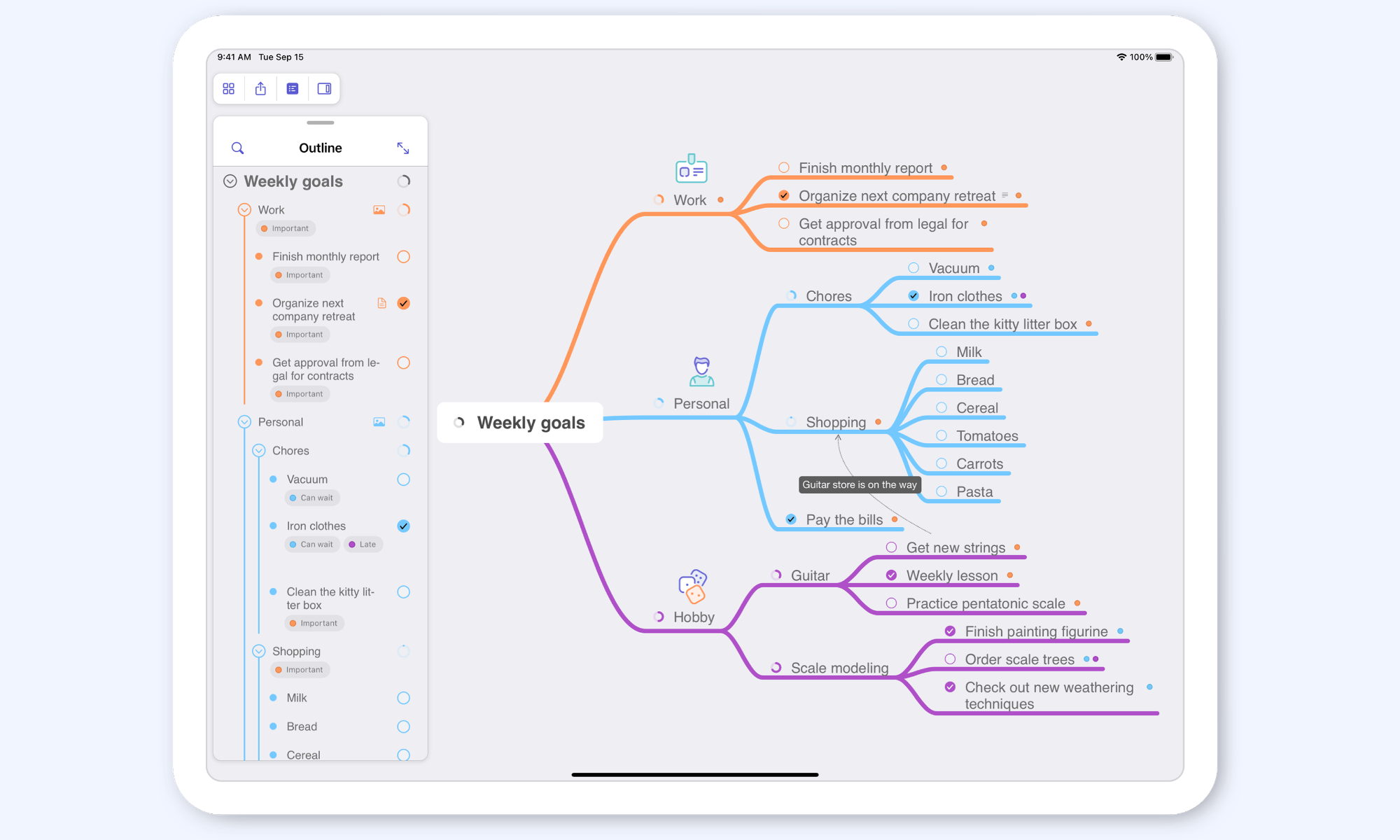
Image source: mindnode.com
MindNode is a polished mind map maker built specifically for macOS and iOS users. It emphasizes clean design, focus, and intuitive editing. Often described as one of the best mind map application options for Apple users, MindNode blends simplicity with strong visual clarity. If you prefer a distraction-free mind mapping tool that works smoothly across Apple devices, this is a top-tier choice.
Pros:
- Provides a highly polished experience built specifically for macOS and iOS users.
- Features a clean and distraction free interface that keeps the focus entirely on brainstorming.
- Blends simplicity with strong visual clarity to make editing incredibly intuitive.
Cons:
- Restricts access entirely to the Apple ecosystem with no Windows or Android options available.
- Prioritizes a simple design over the heavy organizational features needed for complex project management.
Pricing:
- Plus plan: $2.50/month (billed annually)
6. Whale: Best for employee onboarding and training
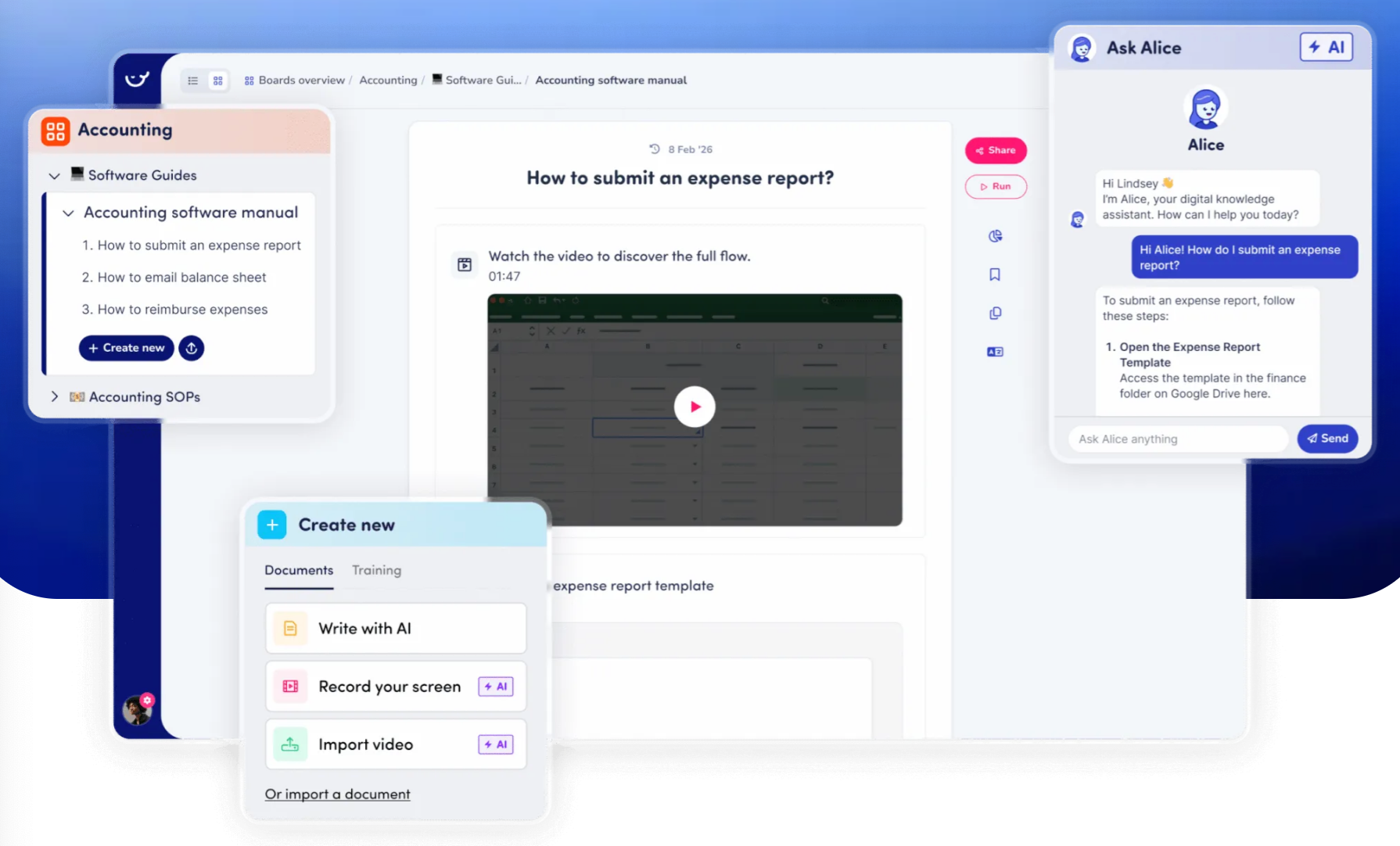
Image source: usewhale.io
Whale focuses heavily on knowledge centralization and employee onboarding. The tool allows managers to empower their team with AI generated standard operating procedures to scale training efficiently. Instead of handing a new employee a massive binder, you can assign them specific, digestible guides that track their reading progress and comprehension
This platform acts as a dedicated hub for company knowledge. It is particularly strong at organizing information so that it is easy to find during the daily flow of work. However, while it is excellent for reading and training, it is less focused on deep operational workflow management and syncing those rules into automated tasks.
Pros:
- Connects process documentation directly to employee training progress.
- Centralizes knowledge in an easy to navigate learning hub.
- Generates content quickly to speed up manual drafting.
Cons:
- Lacks advanced workflow automation for executing complex processes.
- Focuses more on reading guidelines than triggering operational tasks.
Pricing:
Free Plan: 5 members included
Scale: $249/ month
Advance:$499/ month
7. Tango: Best for capturing browser based workflows
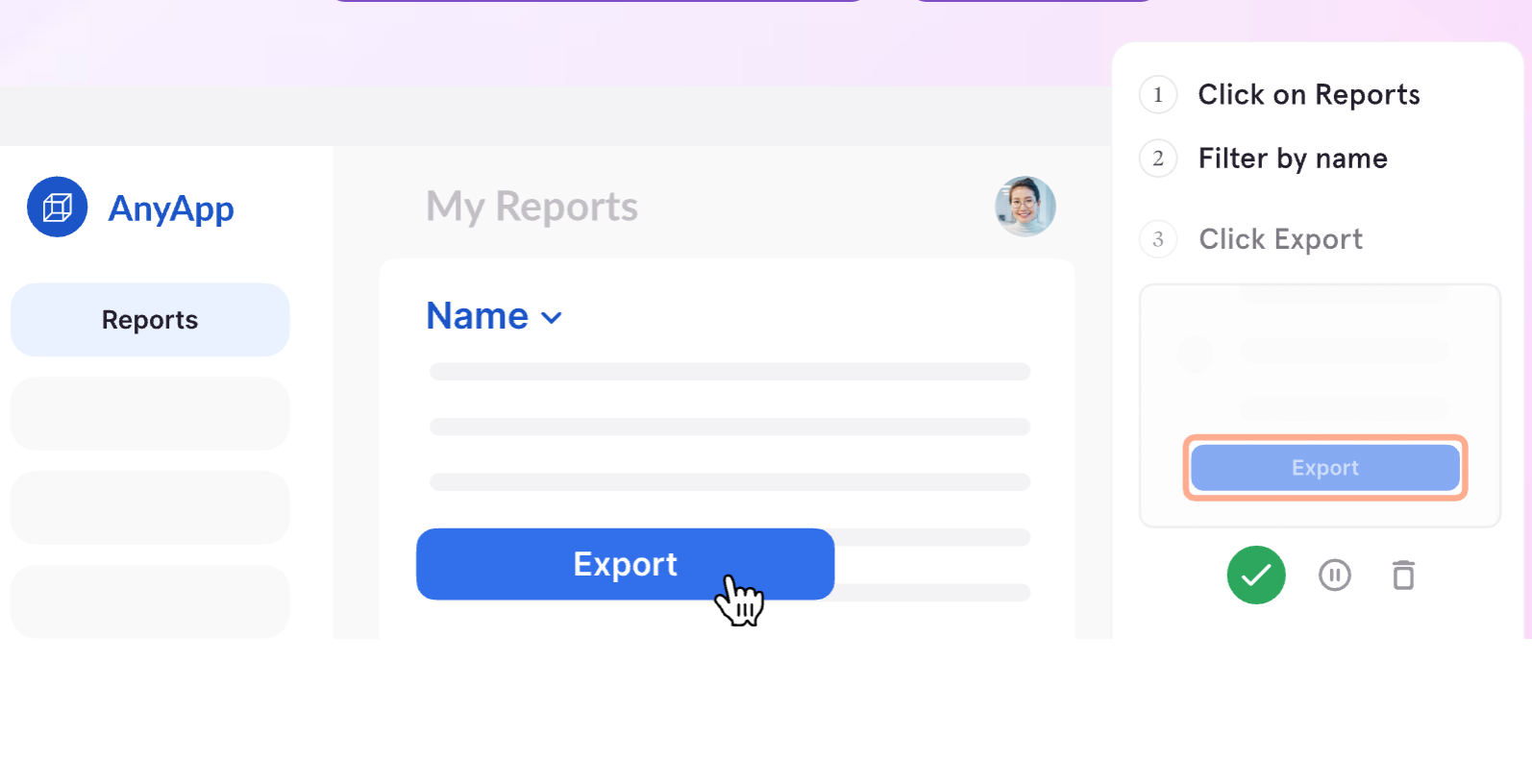
Image source: usewhale.io
Tango functions similarly to Scribe but focuses heavily on browser based processes. You run the extension, click through your normal workflow, and the software automatically builds a step by step guide with cropped screenshots and written instructions. It is incredibly efficient for documenting how to use web applications.
What makes it unique is its interactive guidance feature, which shows users where to click directly on their screen during training. While it is perfect for software tutorials, it is not built to handle overarching company policies, physical operational rules, or complex decision trees.
Pros:
- Automatically captures clicks and generates step by step guides.
- Provides interactive on screen guidance for easy training.
- Saves time by eliminating manual screenshot formatting.
Cons:
- Limited to capturing digital processes within a web browser.
- Cannot document overarching policies or physical workflows.
Pricing :
Free: $0 (5 shared Workflows)
Pro Team: $15/month per user
How to implement a new process documentation tool successfully
Rolling out new software requires more than just sending a login link to your team. To ensure high adoption rates and minimal friction, you need a clear implementation strategy. I always recommend treating this transition as a cultural shift rather than just an IT update.
- Establish a single source of truth: Move all existing guidelines from local computer drives and legacy folders into the new system. If employees know they can find every rule in one place, they will stop asking repetitive questions in group chats.
- Run a targeted pilot program: Choose a specific department, such as your customer support team, to test the software for two weeks. Gather their feedback on usability and refine your initial templates before a company wide launch.
- Measure workflow adoption: Track how often team members access the new guidelines and whether operational errors decrease. A successful rollout should result in fewer manual approval requests and a noticeable drop in onboarding time for new hires.
Conclusion
Choosing the right AI depends entirely on how your team operates. If your priority is visualizing complex decision trees, a diagramming software works best. For rapid digital training, screen recording is highly effective. However, if you want to turn static guidelines into executable automated workflows, a unified workspace like provides the highest long term value. Stop wasting hours drafting manuals that nobody reads. Transition to a dynamic system today, centralize your team knowledge, and start building processes that actually drive your daily operations forward.
Drive growth with streamlined SOPs in Lark
FAQs
What makes a good procedure document?
A strong procedure is concise, accessible, and actionable. It should live directly where the daily work happens rather than in an isolated folder, ensuring employees can reference the rules without disrupting their current tasks.
Can these documents be exported or shared externally?
Yes, most modern platforms allow you to export your guidelines as PDF files or share them via secure web links. This feature is particularly useful for aligning with external contractors or vendors who need to follow your exact company standards.
How secure is the generated data?
Enterprise grade tools prioritize data security by offering role based access controls and encrypted cloud storage. Always check the compliance certifications of a software provider before inputting sensitive operational data into a public or free tool.
Is it possible to generate standard operating procedures without creating an account?
Yes, some lightweight tools allow you to generate step by step guidelines automatically without creating an account. However, these basic options generally lack the security, version control, and collaboration features required to manage large teams effectively.
Related reading






























