Modern operations depend on a reliable cloud inventory system to track stock levels, process orders, coordinate warehouses, and provide real-time visibility across sales channels. As businesses scale beyond spreadsheets and legacy software, cloud-based inventory platforms offer centralized control, automation, and team collaboration. This guide compares today's best tools to help retailers, manufacturers, and logistics teams choose the right solution.
Key takeaways: Top 5 cloud-based inventory management systems
1. Lark: Cloud inventory workflows and team collaboration
2. Zoho Inventory: SMB inventory and order management
3. NetSuite Inventory Management: Enterprise ERP inventory control
4. inFlow Inventory: Barcode-based stock management system
5. Fishbowl Inventory: Manufacturing inventory control software
Manage your inventory with a smart tool today
First glance at the best cloud-based inventory management systems
This comprehensive guide evaluates 10 leading inventory management solutions, but we start by presenting the top 5 platforms focused on workflow and stock control.
Information source: Official vendor sites
Update time: 2025-12-07
Note: Pricing and plan details reflect publicly available data as of the update date and may vary based on region, billing cycle, and number of agents.
What is a cloud inventory system?
A is a software platform that allows businesses to manage stock, orders, and warehouse operations using cloud-based infrastructure. Unlike traditional on-premise or simple web-based inventory tools, cloud systems provide real-time data synchronization across multiple locations, sales channels, and devices. Teams can track inventory levels, process orders, and monitor fulfillment pipelines from anywhere, making them ideal for growing retailers, manufacturers, and distributors.
Modern cloud-based inventory management systems often include automation, workflow management, and team collaboration features, reducing manual errors and improving operational efficiency. Many platforms integrate with e-commerce, accounting, shipping systems, and communication platforms (for example, for SMS, via API or Zapier), serving as a complete cloud-based warehouse management or order management system. They also support mobile access, barcode scanning, and analytics dashboards, transforming inventory into a proactive tool rather than a passive record. By leveraging a web-based inventory management system or online inventory system, businesses can scale efficiently while maintaining accurate stock visibility across channels.
Choose the suitable approach for your business
10 best cloud-based inventory management systems
1. Lark: Cloud inventory workflows and team collaboration
is a versatile cloud inventory system designed to streamline , , and warehouse workflows. It combines automation, , and team collaboration in a single platform. Businesses can track inventory in real time, route approvals automatically, and coordinate multi-team operations efficiently. Lark is ideal for SMBs and enterprises seeking a unified cloud-based inventory management system.
Centralised & smart database for inventory management
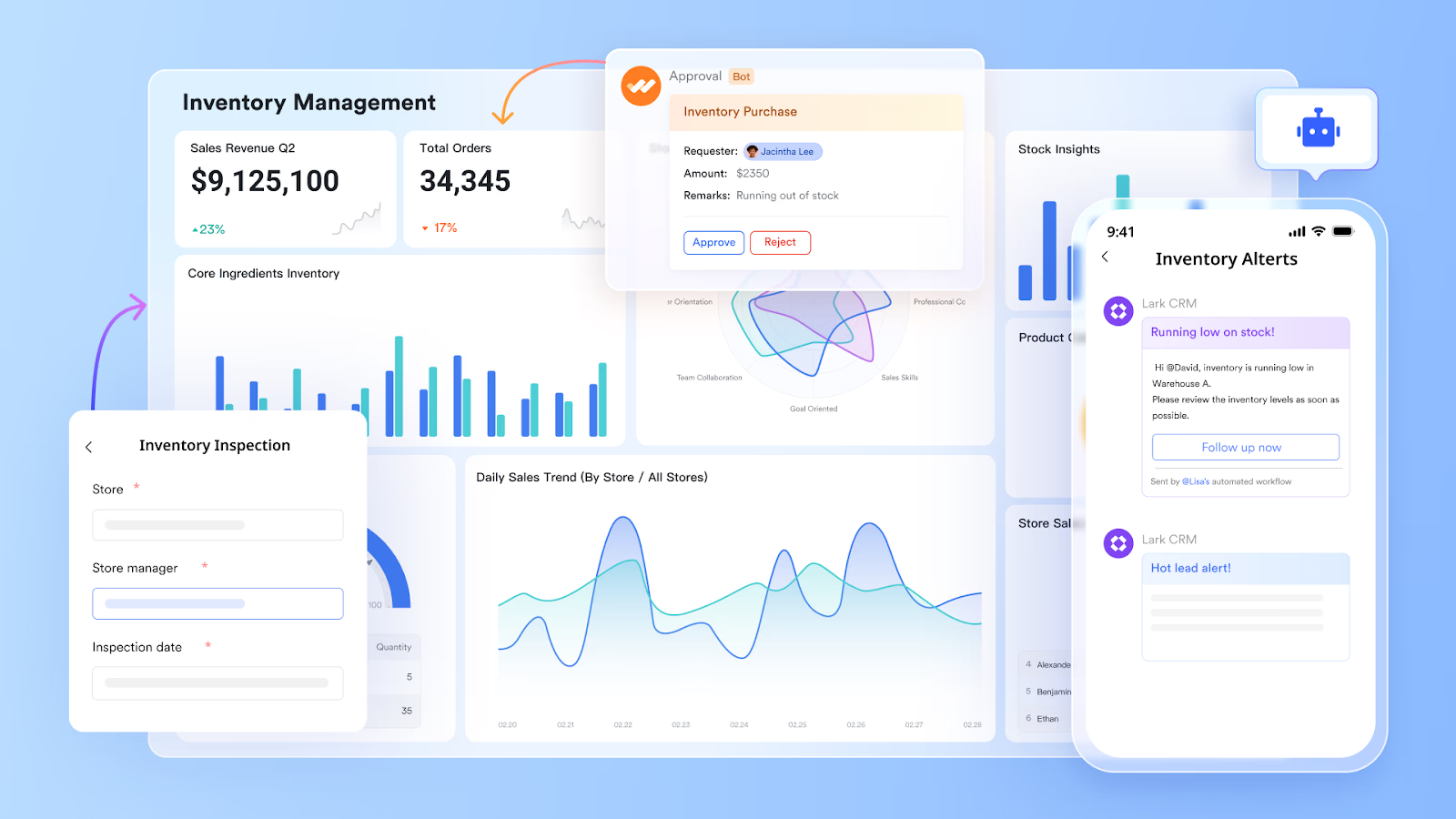
provides a central inventory management table designed to track all essential product details. With fields like name, barcode, category, price, and photos, you can easily build a centralized inventory hub. Also, a crucial feature is the automatic calculation of stock levels, which adjusts based on recorded customer orders, ensuring inventory is always accurate. With , Lark Base helps teams visualize inventory: the Grid view provides a traditional table of all product details and stock levels; the Kanban view groups items by status for streamlined tracking; and the Gantt view lets you monitor shipping schedules and spot irregularities.
First-glance insights & deep analysis
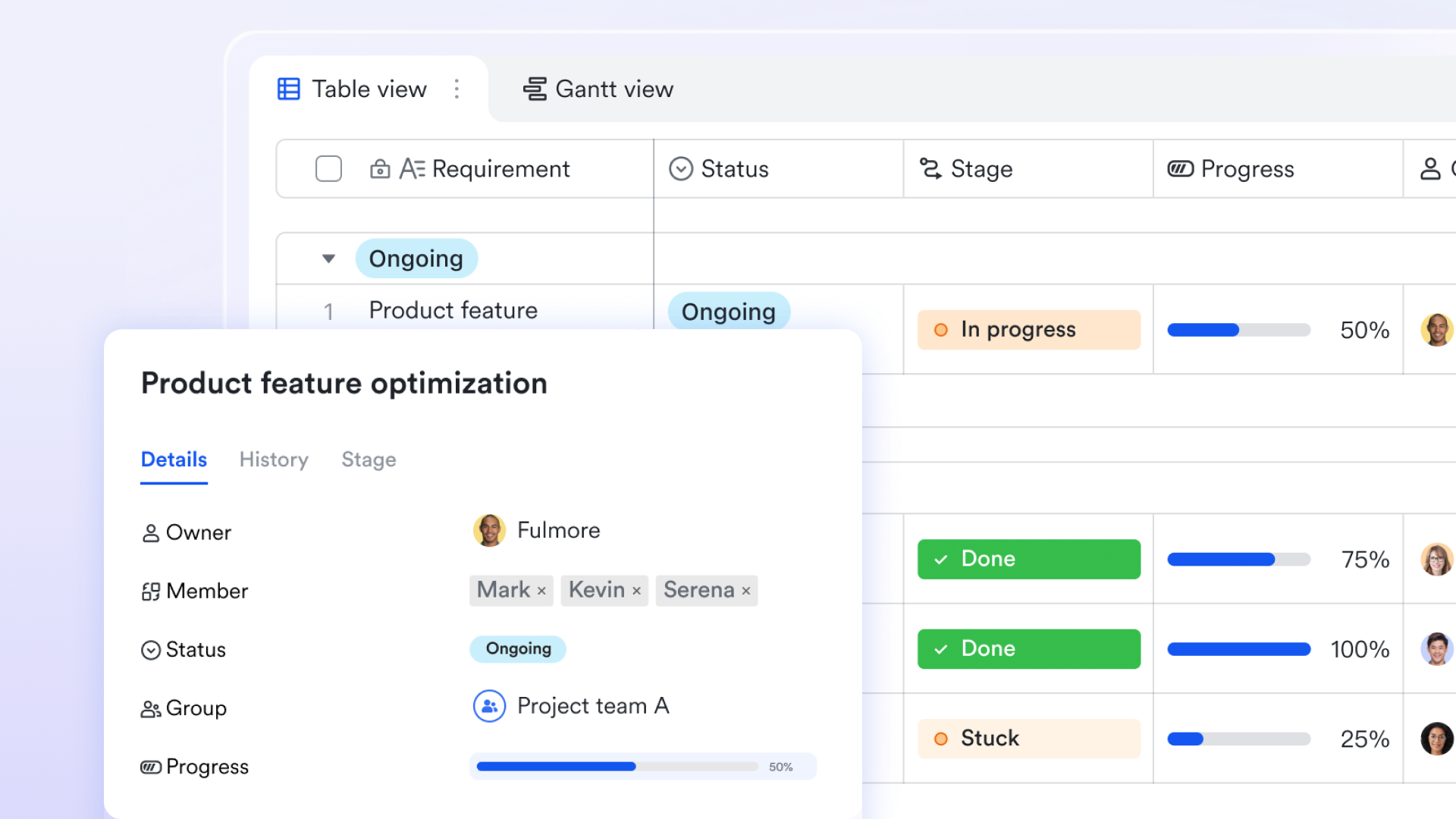
Lark Base dashboards transform inventory data into actionable insights through powerful visualization and analysis tools. By leveraging smart analysis, you can quickly generate summaries and charts to visualize stock levels, track key inventory metrics, and identify trends in sales or supply chain performance. Dashboards support multiple chart types (like line, bar, and column) and can be configured with filterable reports to display real-time information by product category, warehouse location, or time range. 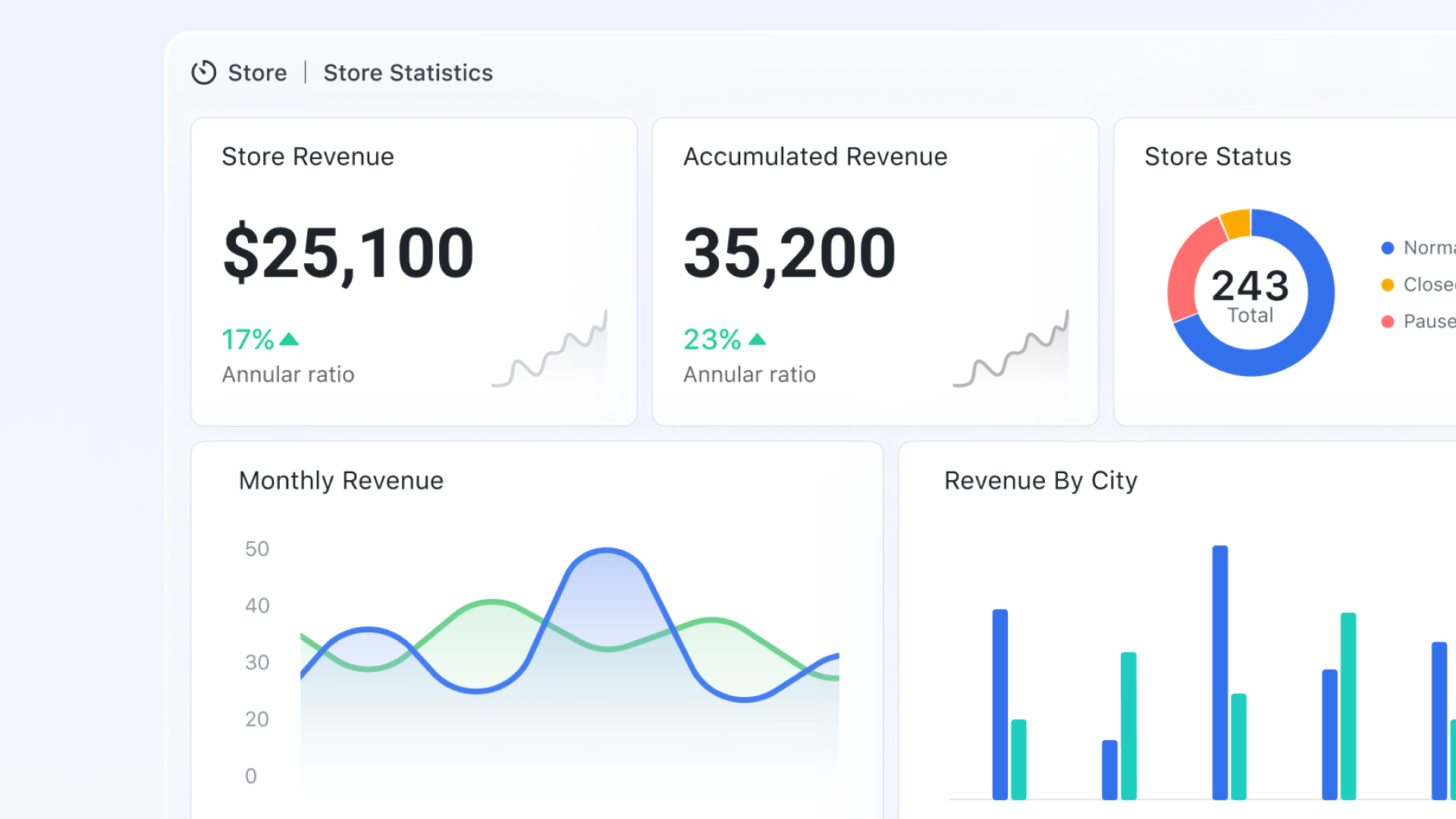
Automated workflow for end-to-end process automation
Workflow in Base enables teams to design visually, covering operations such as stock receiving, transfers, replenishment requests, quality inspections, dispatch approvals, and cycle counts. Each workflow stage represents an action or approval checkpoint where responsibilities can be assigned across teams. Status changes automatically route inventory records to the next step without manual data entry. This design removes spreadsheet handoffs and ensures inventory movements follow standardized, traceable operational procedures. 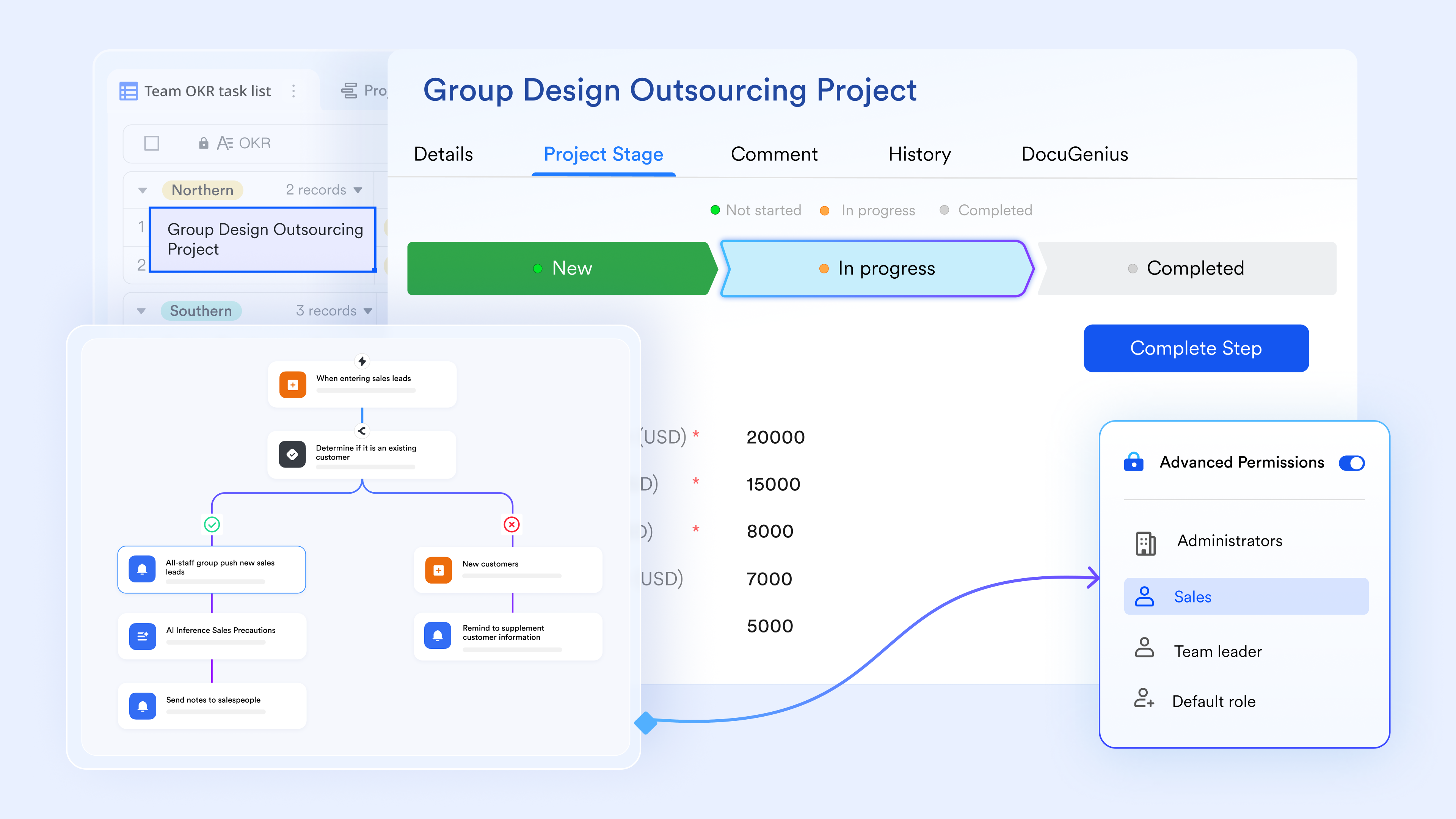
Cloud-based experience & mobility strengths
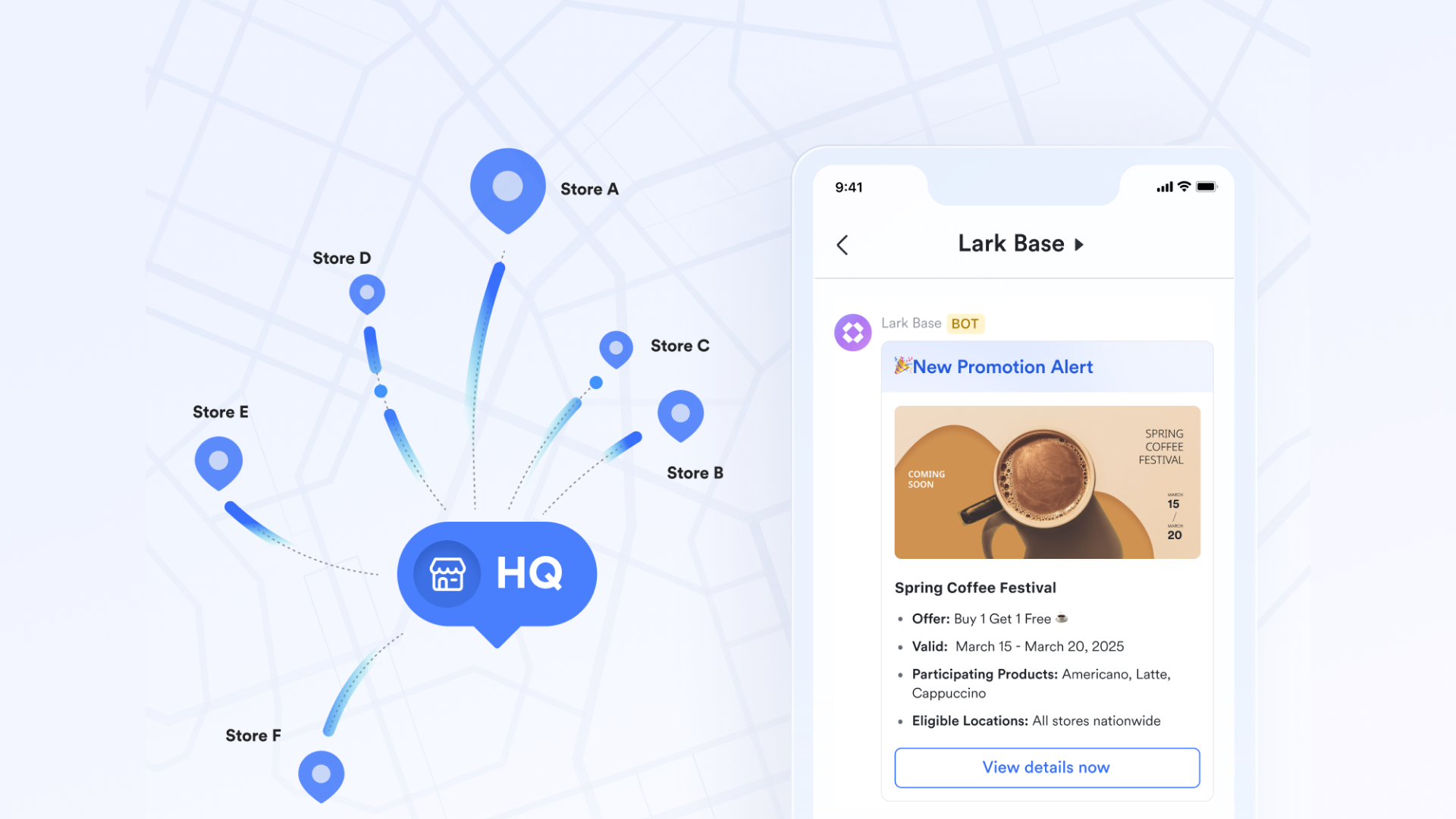
Lark ensures highly efficient inventory operations through its focus on accessibility and real-time data. is crucial, empowering frontline staff to scan barcodes, submit new products, and update inventory directly from their phones, making on-the-go operations seamless. All inventory levels and updates benefit from real-time sync across all devices and teams, guaranteeing that everyone always works with the latest data. Furthermore, browser-based access to Lark Base eliminates the need for local installation, ensuring easy, flexible access from any device.
Enterprise-grade security for data safety
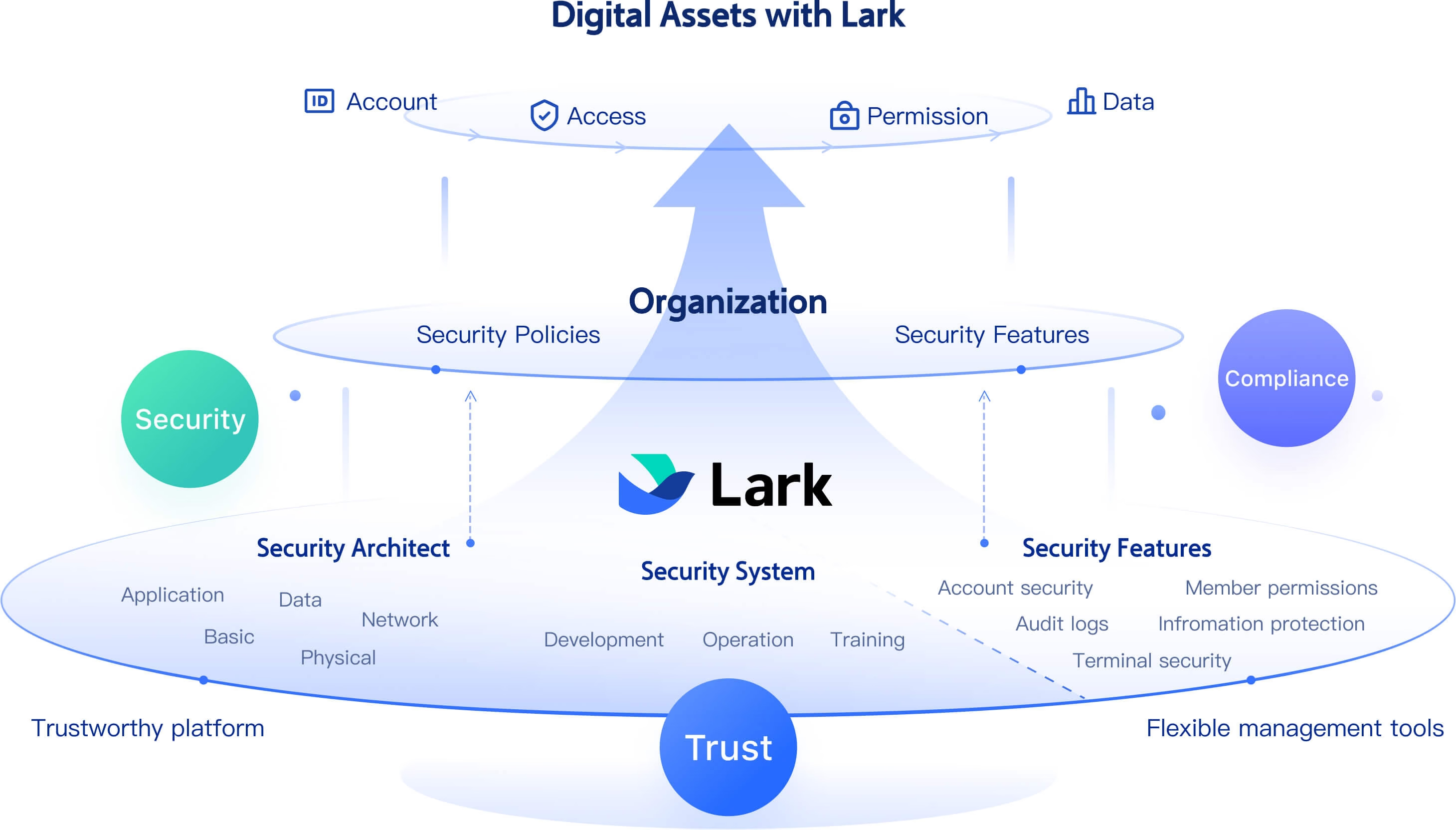
Lark secures cloud inventory and organizational data with a trustworthy, multi-layered powered by AWS cloud services. The system enforces defense-in-depth, covering infrastructure, network, and application security. For data integrity, Lark implements a complete data life cycle management process, offering solutions like Key Management Service (KMS) to enhance protection. On the other hand, it provides strong security capabilities, including flexible permission controls to restrict access to sensitive inventory records and data-leakage prevention features such as screen watermarking and mobile file encryption.
Ready-to-use Lark template for cloud inventory workflows
Lark provides prebuilt, that help teams launch operational workflows instantly—without needing complex setup. This retail order & inventory management template gives teams a structured Base to track SKUs, orders, stock levels, and fulfillment steps in real time. It's ideal for 3PLs, retail brands, and warehouse teams that want a fast, plug-and-play workflow foundation.
:
- Starter plan: Free forever plan that includes 11 powerful tools for up to 20 users. It also comes with 100GB of storage, 1000 automation runs, AI translations, and more.
- Basic plan: $6/user/month (billed annually) for up to 500 users. It includes everything in Starter plus group calling for up to 500 attendees, 5TB of storage, 1000 automation runs, and more. For more details, please .
- Pro plan: $12/user/month (billed annually) for up to 500 users. It includes everything in Basic plus group calling for up to 500 attendees, 15TB of storage, 50,000 automation runs, and more.
- Enterprise plan: for custom pricing. Supports unlimited users and includes even more automation runs and advanced security, compliance, and management features.
For small teams with simple communication needs

18 months message history
1000 Base automation runs/month
2000 rows per table in Base
Most POPULAR
For companies with comprehensive collaboration and management needs
Unlimited message history
500-participant video meetings
50k Base automation runs/month
20k rows per table in Base
For large companies with advanced security and organizational management needs
Get a personalized demo and pricing
Unlimited message history
500-participant video meetings
15 TB storage + 30 GB storage/user
500k Base automation runs/month
50k Base automation runs/month
Most POPULAR
For companies with comprehensive collaboration and management needs
Unlimited message history
500-participant video meetings
50k Base automation runs/month
20k rows per table in Base
2. Zoho Inventory: SMB inventory and order management
Zoho Inventory is a cloud-based inventory system designed for small and mid-sized businesses that need organized stock control and streamlined order fulfillment. It centralizes products, warehouses, sales channels, and shipping operations into a single interface. Retailers, wholesalers, and eCommerce brands use it to avoid stockouts, manage multi-channel sales, and automate routine workflows. With strong integrations across marketplaces and logistics partners, it simplifies end-to-end fulfillment. Zoho Inventory is especially valuable for growing teams that want scalable inventory tools without enterprise complexity.
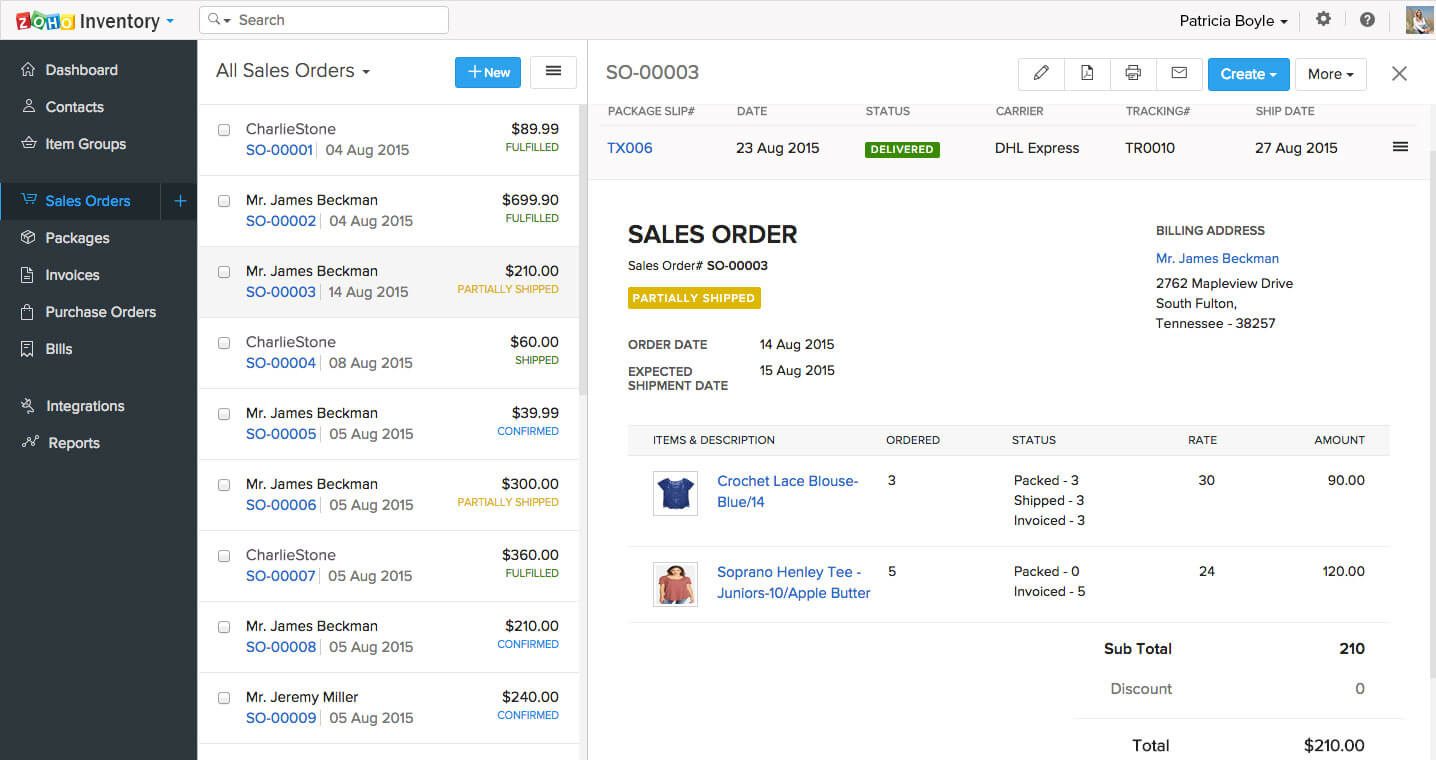
Image source: zoho.com
Key features:
- Multi-channel selling: Sync orders from Amazon, eBay, Etsy, Shopify, and other online marketplaces.
- Real-time stock tracking: Monitor inventory updates across warehouses with automated adjustments.
- Order & fulfillment workflows: Manage sales orders, purchase orders, backorders, and drop shipments.
- Shipping carrier integrations: Connect with DHL, FedEx, UPS, BlueDart, and more for end-to-end shipping.
- Warehouse & batch tracking: Track batches, serial numbers, and expiry dates for detailed stock control.
Pros:
- Affordable and easy for SMBs to adopt
- Excellent multi-channel and shipping integrations
- Clean UI with a fast learning curve
- Works seamlessly with the Zoho ecosystem
Cons:
- Limited advanced manufacturing features
- Automation options are basic compared to enterprise tools
Pricing:
- Standard: $11.12 / month
- Professional: $22.23 / month
- Enterprise: $83.38 / month
3. NetSuite Inventory Management: Enterprise ERP inventory control
NetSuite Inventory Management is an enterprise-grade inventory, supply chain, and operations platform built as part of Oracle NetSuite's unified ERP system. It's designed for large organizations with complex workflows, multi-warehouse operations, global supply chains, advanced demand planning, and real-time financial reporting. NetSuite delivers deep visibility across procurement, production, fulfillment, and distribution, making it ideal for enterprises that require end-to-end control and automation. With robust forecasting, automation, and real-time analytics, it supports high-volume, multi-location businesses operating at scale.
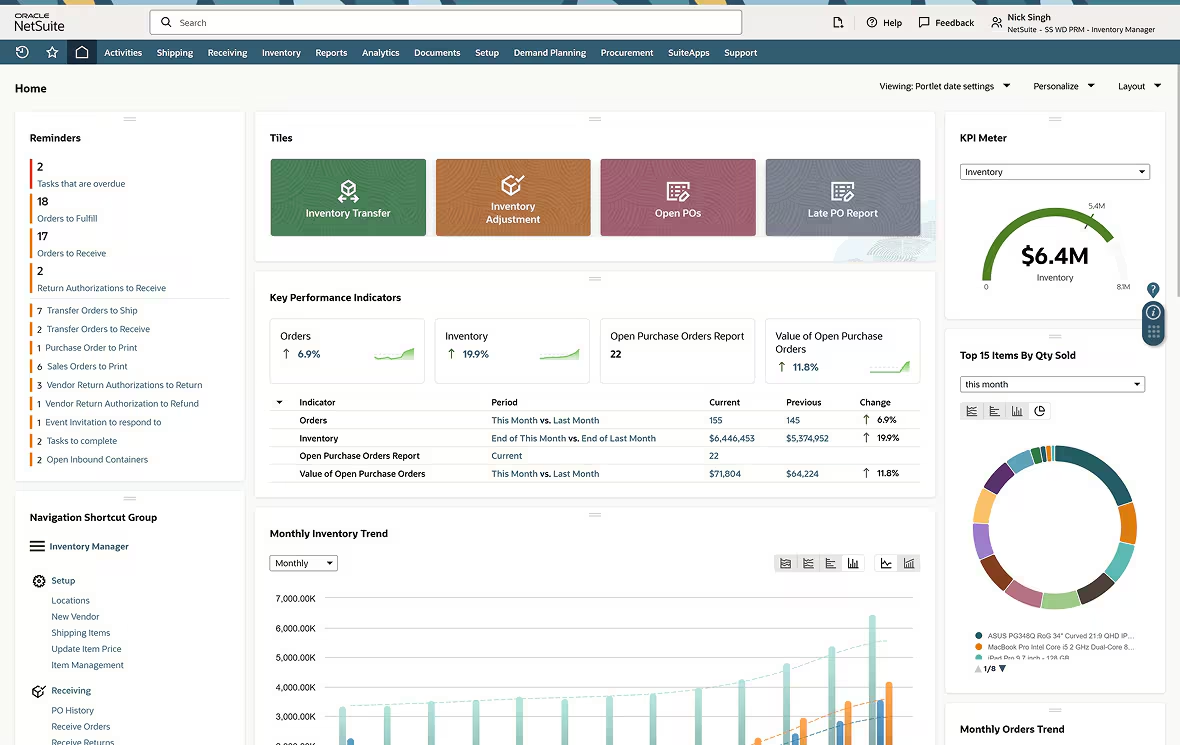
Image source: netsuite.com
Key features:
- Real-time inventory visibility: Track stock across global warehouses with automated updates and serialized inventory tracking.
- Advanced demand planning: Forecast demand using historical data, seasonality, supply constraints, and replenishment rules.
- Supply chain automation: Manage procurement, suppliers, work orders, and fulfillment through a unified ERP.
- Multi-location & multi-channel control: Sync inventory across ecommerce, retail, and B2B operations.
- Integrated financials: Unified accounting, billing, and reporting for accurate cost-of-goods and profit analysis.
Pros:
- Comprehensive ERP-level inventory control
- Highly scalable for enterprise operations
- Strong forecasting and demand planning tools
- Unified platform for finance, procurement, and inventory
Cons:
- Expensive for small businesses
- Requires longer setup and implementation time
- Steeper learning curve compared to SMB tools
Pricing:
- Small businesses: $15,000–$25,000/year
- Mid-market companies: $40,000–$80,000/year
- Enterprises: $100,000+/year, especially with multiple subsidiaries and global operations
4. inFlow Inventory: Barcode-based stock management system
The inFlow Inventory is a user-friendly inventory and designed for SMEs that rely heavily on barcode scanning, product tracking, and fast order fulfillment. It's especially popular among wholesalers, distributors, and light manufacturers who need an affordable, intuitive tool without the complexity of an ERP. With built-in barcode generation, mobile picking, B2B portals, and real-time stock updates, inFlow helps teams streamline their daily operations. Its cloud-based system supports multi-location tracking, simple purchasing workflows, and smooth sales order processing.
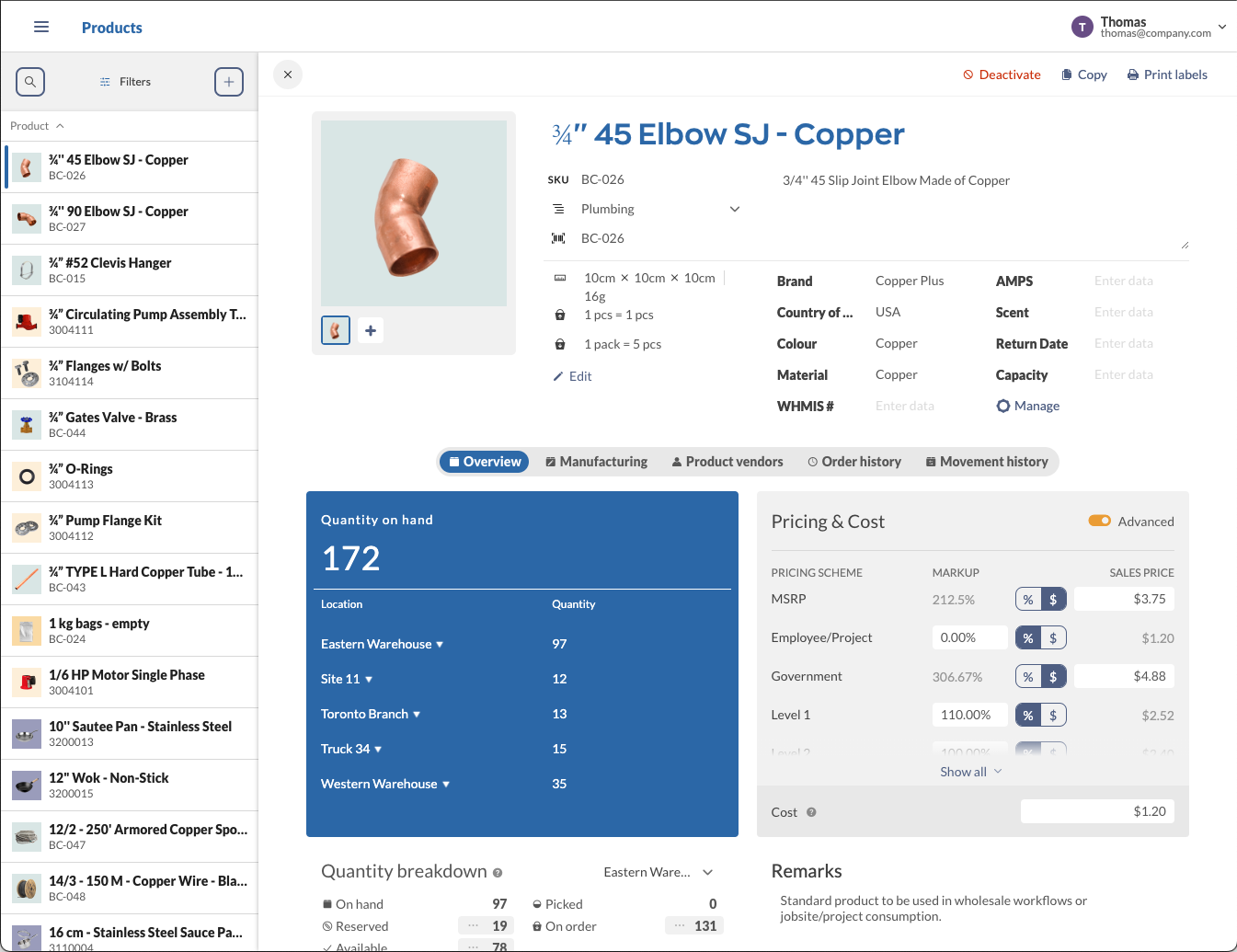
Image source: inflowinventory.com
Key features:
- Barcode scanning & generation: Create, print, and scan barcodes from mobile devices for faster, error-free stock updates.
- Multi-location tracking: Monitor inventory across warehouses, stores, and stockrooms with real-time visibility.
- B2B online showroom: Allow customers or partners to place orders directly through a branded portal.
- Purchase & sales order management: Automate ordering, track receipts, and manage quotes, invoices, and fulfillment.
- Manufacturing & kitting: Build assemblies, kits, and bundles with automatic component deduction.
Pros:
- Excellent barcode and scanning features
- Easy to set up and use for non-technical teams
- Affordable solution for small businesses
- Supports both retail and wholesale workflows
Cons:
- Limited advanced forecasting features
- Not suitable for complex enterprise manufacturing
- Mobile app functionality is basic for some users
Pricing:
- Entrepreneur: Starts at $129/mo (billed annually)
- Small Business: Starts at $349/mo (billed annually)
- Mid-Size: Starts at $699/mo (billed annually)
- Enterprise: Talk to Sales
5. Fishbowl Inventory: Manufacturing inventory control software
Fishbowl Inventory is a powerful inventory and manufacturing management system built for small to mid-sized production teams. It's designed to help manufacturers automate work orders, track raw materials, manage assembly workflows, and maintain accurate stock levels across warehouses. Fishbowl integrates deeply with QuickBooks, making it a popular choice for companies that need strong operational control without upgrading to a complete ERP. Its combination of MRP tools, barcode scanning, and production planning makes it ideal for growing manufacturers and distributors.
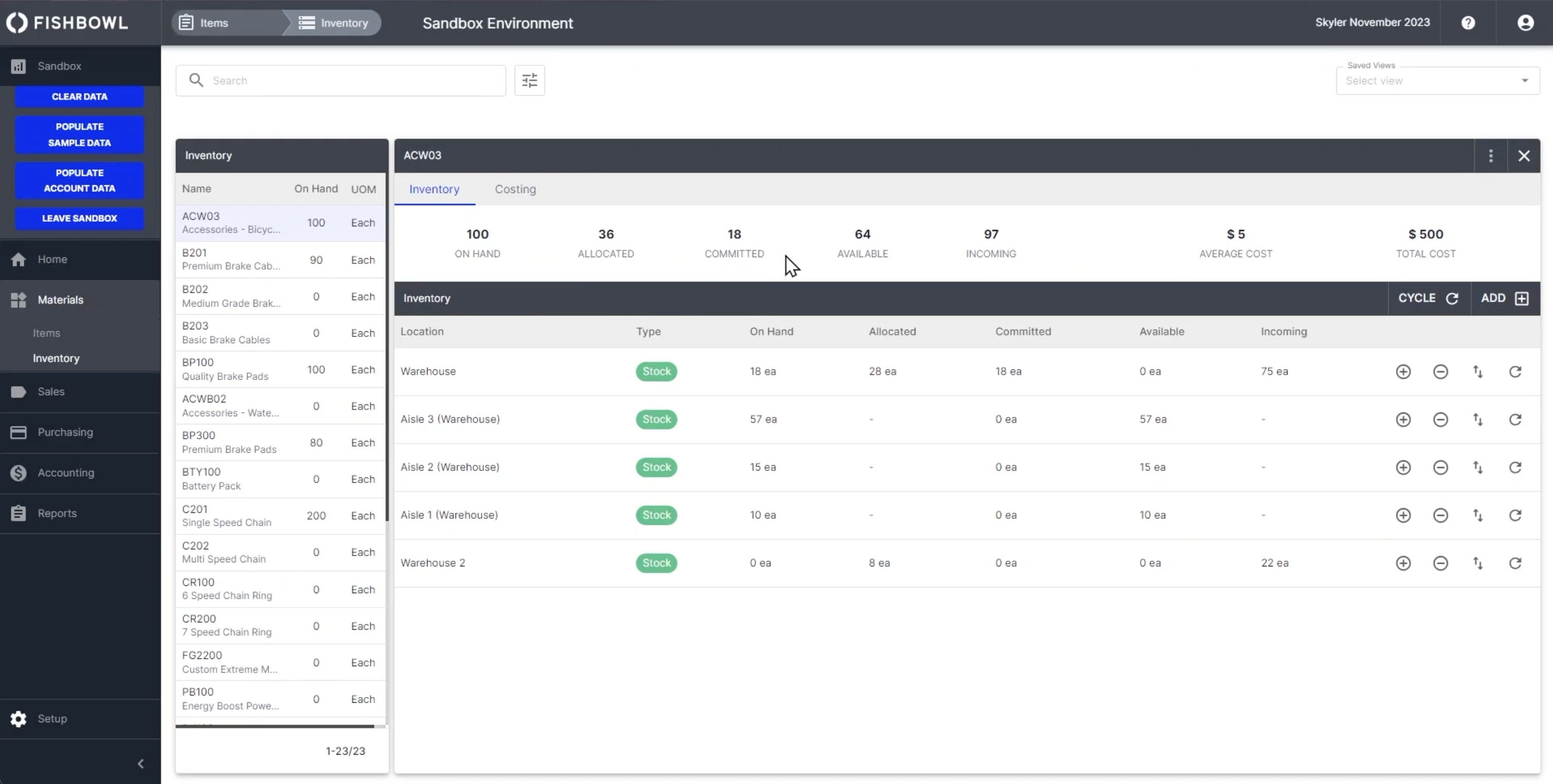
Image source: fishbowlinventory.com
Key features:
- Manufacturing work orders: Create, schedule, and track multi-step production orders from raw materials to finished goods.
- MRP & production planning: Forecast material needs, reduce shortages, and plan builds efficiently.
- Inventory control with barcodes: Use scanning to track stock movements, pick orders, and manage warehouses.
- QuickBooks integration: Sync inventory, costs, and orders seamlessly for accurate accounting.
- Multi-location warehouse management: Monitor inventory across multiple sites with real-time updates and transfer tracking.
Pros:
- Strong manufacturing and assembly workflows
- Excellent QuickBooks integration
- Scalable for growing production teams
- Robust barcode and warehouse tools
Cons:
- Outdated interface compared to newer cloud systems
- Setup can be complex for first-time users
Pricing:
- Advanced: Custom pricing
6. Cin7: Omnichannel retail inventory management platform
Cin7 is a cloud-based inventory and order management system designed for modern retail, wholesale, and DTC brands. It unifies inventory, POS, eCommerce, warehousing, and fulfillment into one centralized platform, making it ideal for businesses selling across multiple channels. Cin7 helps teams automate stock updates, manage product bundles, streamline order routing, and maintain accurate real-time inventory counts across online stores, marketplaces, and physical locations. With its deep integrations and automation capabilities, Cin7 is a strong fit for fast-growing retail brands that need end-to-end operational visibility.
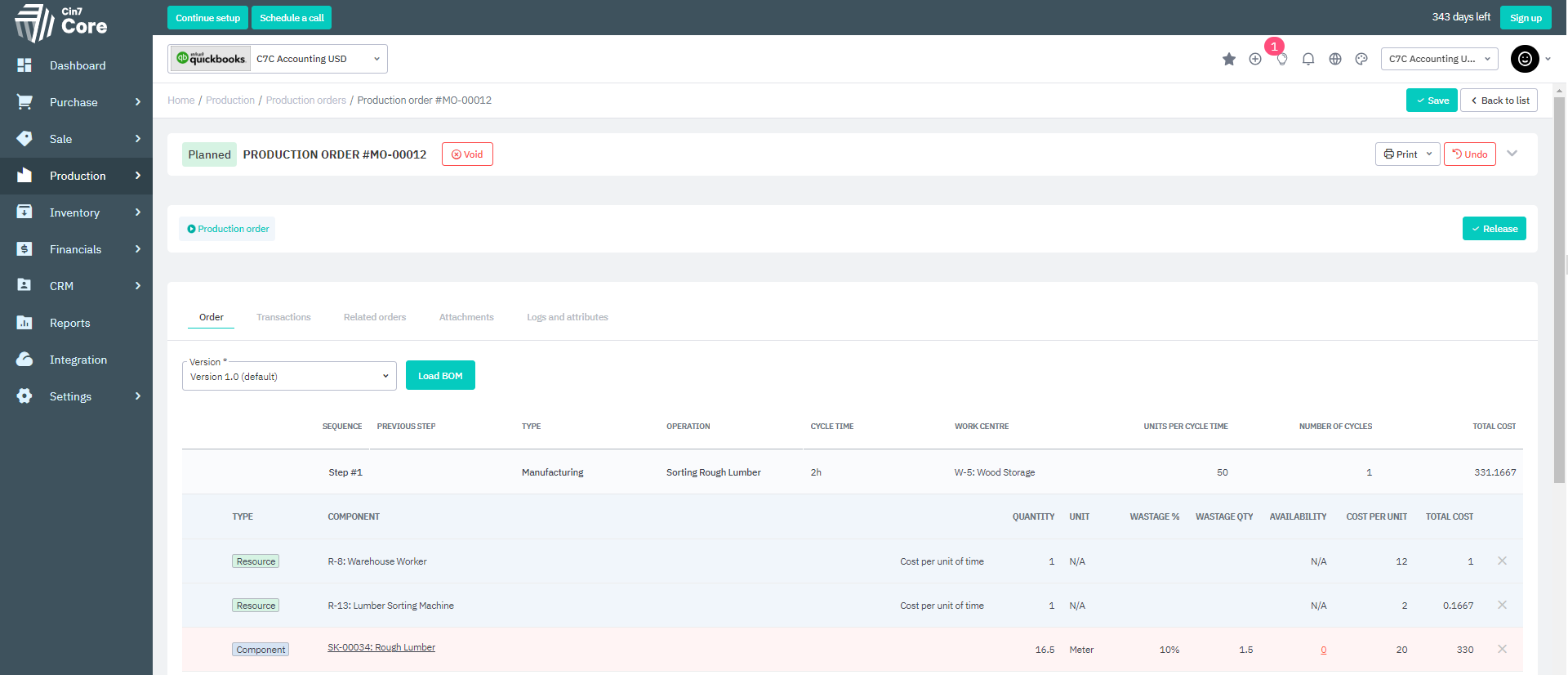
Image source: cin7.com
Key features:
- Omnichannel inventory sync: Keeps stock levels up to date across Shopify, Amazon, eBay, POS systems, and wholesale portals.
- Automated order routing: Directs orders to the right warehouse or fulfillment partner for faster delivery.
- BOM & light manufacturing: Supports simple assembly, kitting, bundling, and production workflows.
- Warehouse & 3PL management: Provides barcode picking, automated workflows, and integrations with leading logistics providers.
- Advanced reporting: Gives detailed insights into sales performance, inventory turnover, margins, and forecasting.
Pros:
- Excellent for multi-channel retail and DTC brands
- Deep eCommerce and marketplace integrations
- Strong automation for order and warehouse workflows
- Supports both retail and light manufacturing
Cons:
- Pricing may be high for small businesses
- It can be complex to configure for non-technical teams
Pricing:
- Omni: Contact for pricing
7. Rackbeat: Manufacturing workflow inventory solution
Rackbeat is a flexible cloud inventory management system designed for manufacturers, wholesalers, and production-focused businesses. It streamlines material tracking, production planning, order handling, and warehouse operations on a single platform. Rackbeat is especially useful for SMBs that need manufacturing-style inventory features, like BOMs, batch tracking, and work orders, without the complexity of traditional ERP software. With real-time data, a simple UI, and strong workflow customization, Rackbeat helps growing businesses optimize stock levels and production cycles.
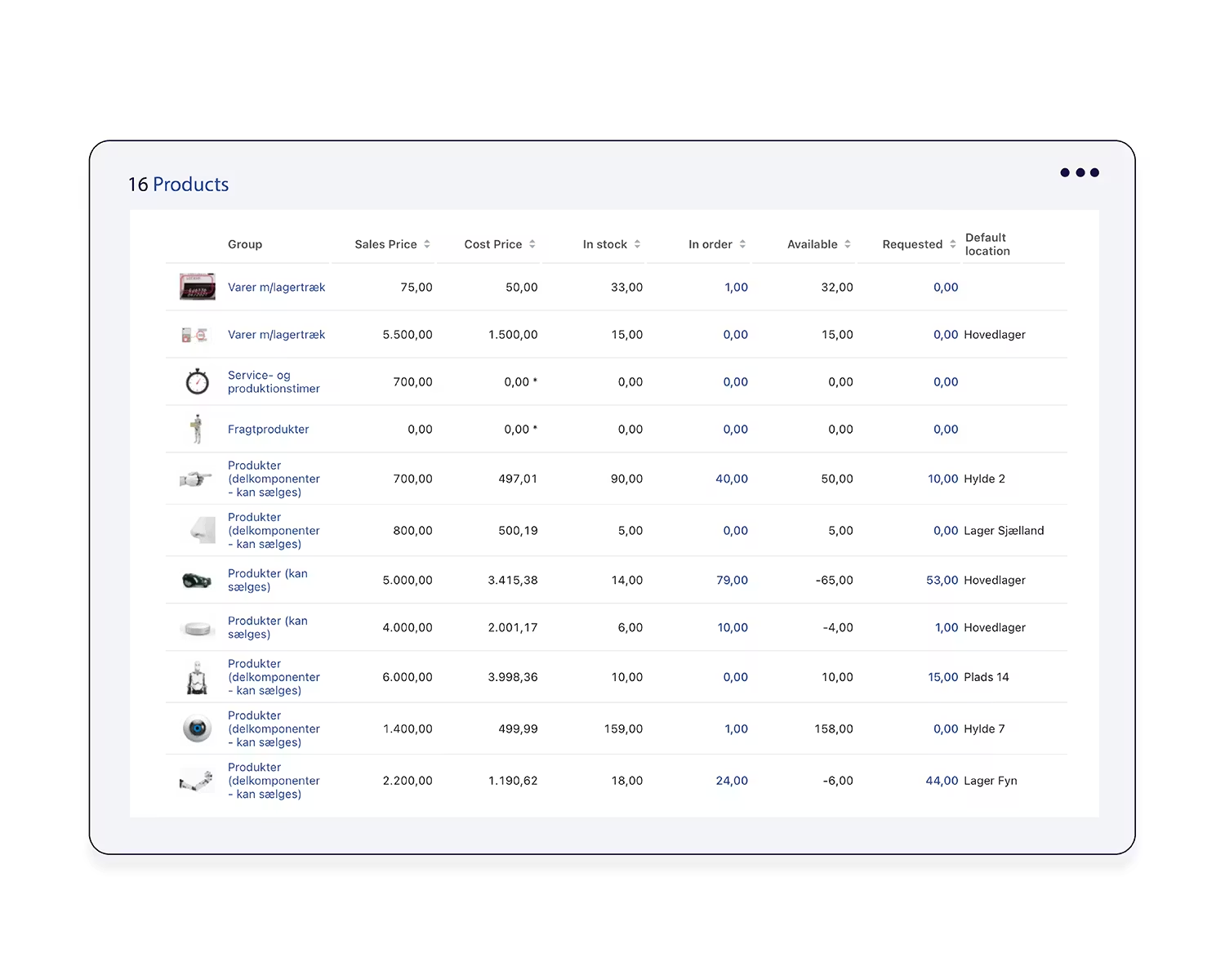
Image source: rackbeat.com
Key features:
- Production planning & work orders: Create, schedule, and track manufacturing tasks, raw material usage, and finished goods output.
- Bill of Materials (BOM) management: Define multi-level BOMs for assembly, kits, and production workflows.
- Warehouse management tools: Use picking lists, barcode scanning, and automated stock movements to improve warehouse accuracy.
- Supplier & purchase management: Manage procurement, supplier pricing, purchase orders, and replenishment cycles.
- Real-time inventory visibility: Access live stock levels, batch/lot tracking, and reorder alerts across multiple locations.
Pros:
- Tailored for manufacturers and production workflows
- Simple interface compared to heavy ERP tools
- Strong BOM and work order capabilities
- Real-time visibility across warehouses
Cons:
- Limited advanced forecasting features
- Not ideal for significant enterprise manufacturing complexity
Pricing:
- Premium+: $269 USD/month
8. Finale Inventory: High-volume order fulfillment software
Finale Inventory is a cloud-based inventory platform built for fast-growing eCommerce, wholesale, and distribution businesses. It specializes in handling high-order volumes, multi-warehouse operations, and barcode-driven workflows with speed and accuracy. The system provides real-time visibility across sales channels, warehouses, and fulfillment partners, ensuring teams always know precisely what's in stock. Its lightweight design makes it easier to adopt than a traditional ERP, while still offering powerful automation and forecasting features. Finale is an excellent choice for businesses scaling their order fulfillment operations without adding operational chaos.
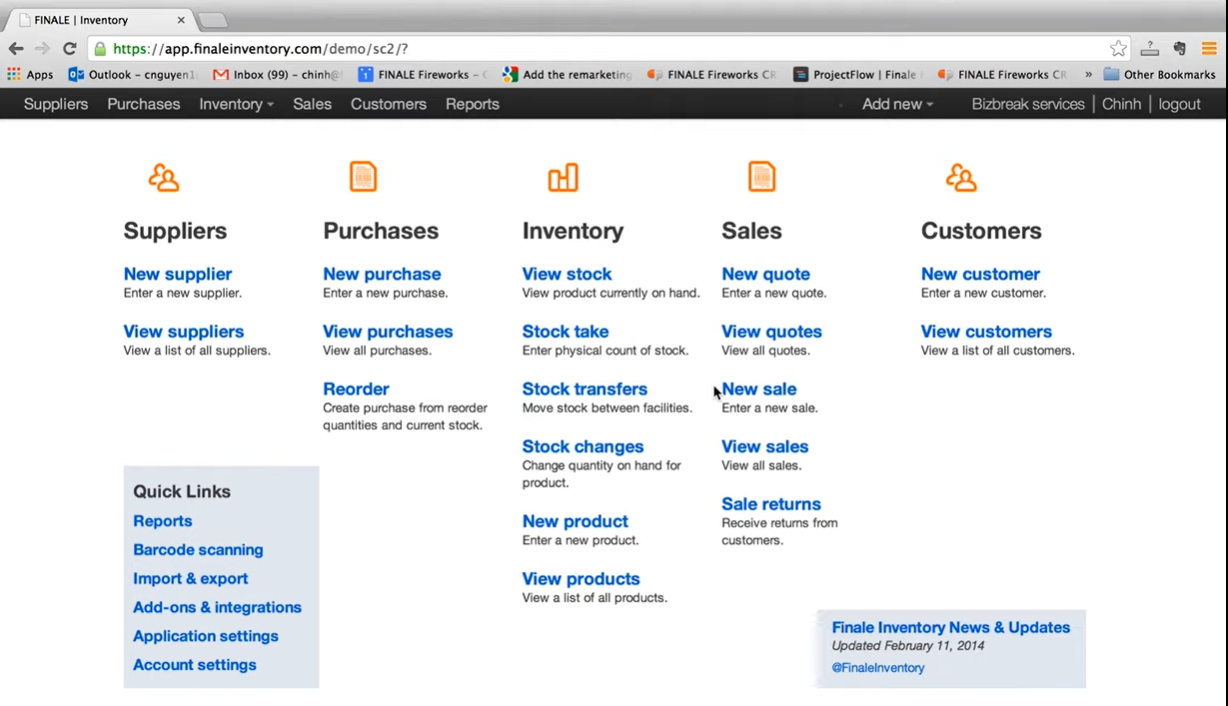
Image source: finaleinventory.com
Key features:
- High-volume order syncing: Supports large transaction loads across marketplaces, eCommerce platforms, and fulfillment partners.
- Barcode inventory system: Enables fast, accurate picking, receiving, and stock counts using mobile barcode devices.
- Multi-warehouse visibility: Track inventory across multiple storage locations, FBA sites, and 3PL partners.
- Reorder forecasting: Helps teams determine optimal reorder points and prevent stockouts or overstocking.
- Shipping & fulfillment integrations: Connects with ShipStation, UPS, USPS, and other tools for smoother shipping workflows.
Pros:
- Excellent for high-volume sellers and distributors
- Strong barcode and warehouse execution capabilities
- Reliable syncing with major eCommerce platforms
- Easy to scale as order volume grows
Cons:
- UI is more functional than modern
- No built-in manufacturing or production modules
Pricing:
9. SOS Inventory: Accounting-integrated stock management
SOS Inventory is a cloud inventory management platform built to work seamlessly with QuickBooks Online, making it a strong fit for small to mid-sized businesses that need deeper stock, order, and manufacturing features than QuickBooks provides. It helps teams manage inventory across locations, track assemblies, streamline purchasing, and handle sales orders in a centralized system. For growing wholesale, distribution, and light manufacturing businesses, SOS Inventory delivers substantial value by bridging accounting and operational workflows.
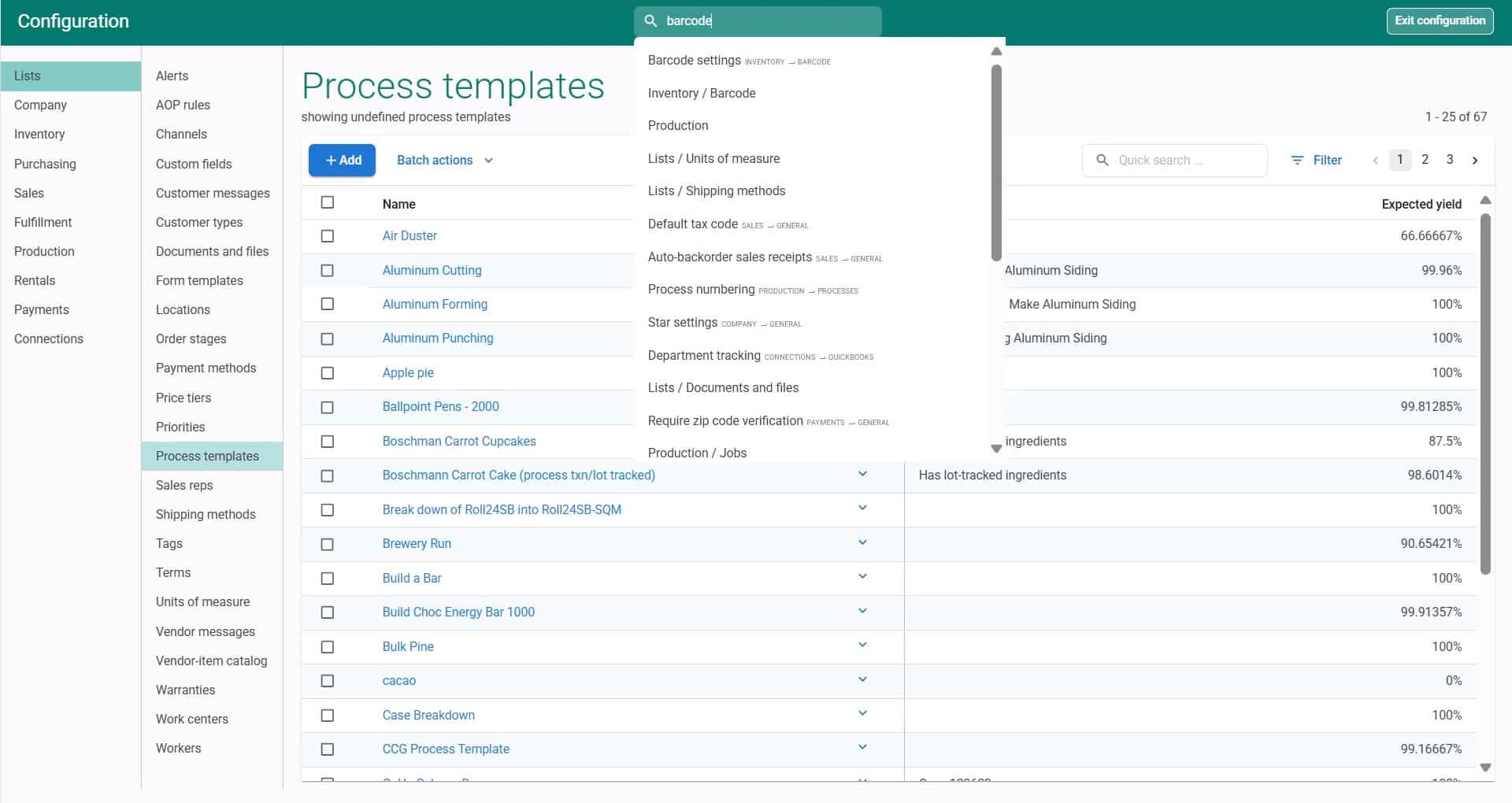
Image source: sosinventory.com
Key features:
- Deep QuickBooks Online integration: Syncs sales orders, invoices, purchase orders, and inventory adjustments seamlessly with accounting data.
- Multi-location inventory tracking: Manage stock across warehouses, retail stores, and storage facilities with real-time visibility.
- Assembly & light manufacturing: Assemble, kit, or finish goods per BOMs and track component consumption.
- Sales & order management: Create quotes, sales orders, pick lists, and invoices in one system.
- Purchase management: Handle supplier POs, cost updates, and replenishment to prevent stock shortages.
Pros:
- One of the best inventory tools for QuickBooks Online users
- Strong manufacturing and assembly workflows
- Clear, practical feature set suitable for SMBs
- Affordable compared to heavy ERP systems
Cons:
- UI is less modern than newer inventory systems
- Limited analytics and forecasting compared to advanced platforms
Pricing:
- Companion: $69.95/mo (2 users included, $25/additional)
- Plus: $139.95/mo (3 users included, $25/additional)
10. EasyReplenish: Demand forecasting and planning tool
EasyReplenish is a cloud-based demand forecasting and inventory planning tool built for growing retail, wholesale, and eCommerce businesses. It helps teams accurately predict demand, maintain optimal stock levels, and prevent costly stockouts or overstocking. Using data-driven forecasting, automated replenishment suggestions, and clear inventory insights, EasyReplenish is ideal for businesses looking to modernize their planning process without adopting a complete ERP. Its simplicity, affordability, and forecasting accuracy make it a strong fit for scaling teams.
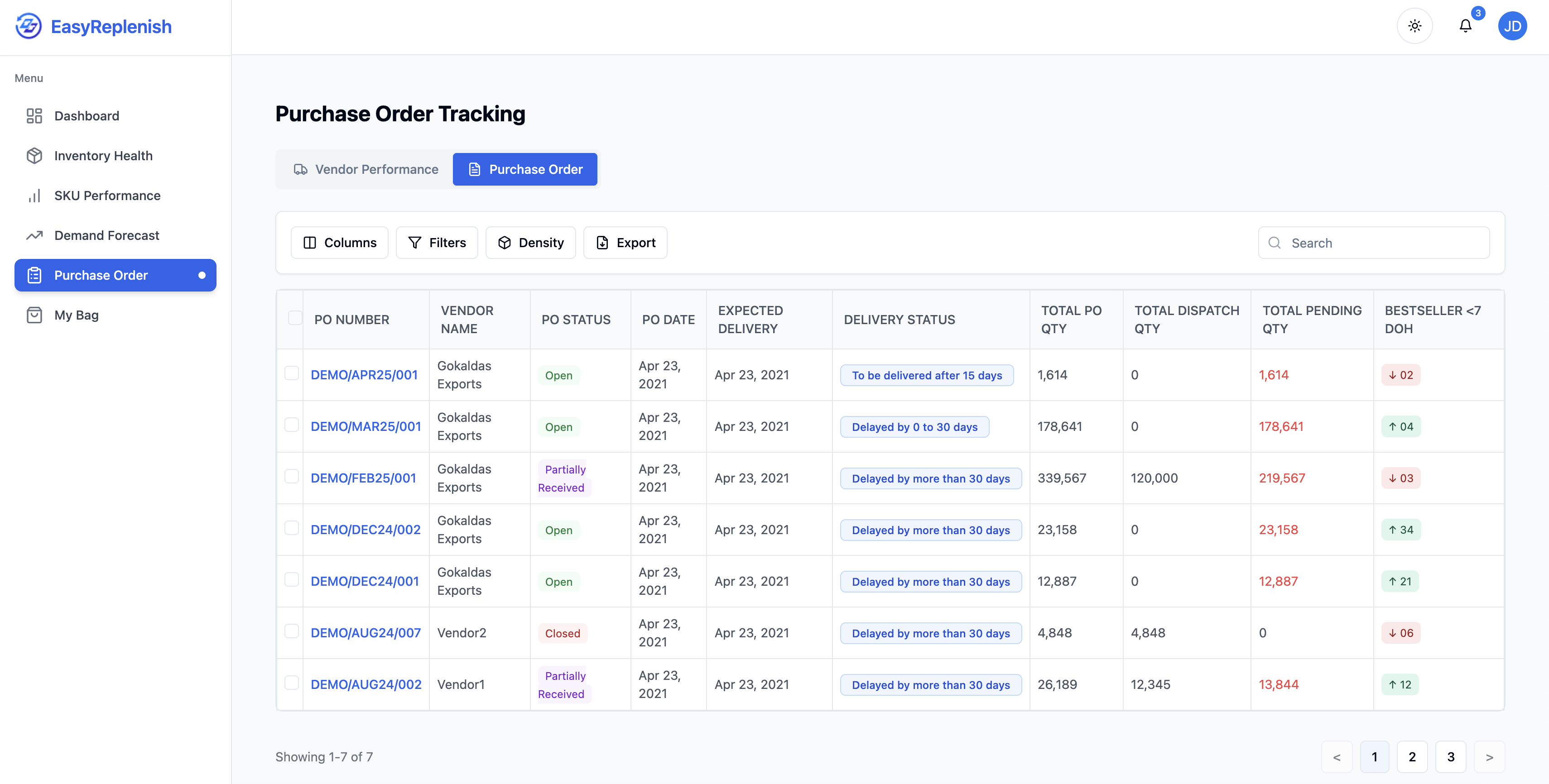
Image source: easyreplenish.com
Key features:
- AI-driven demand forecasting: Uses sales history and seasonal trends to generate accurate future demand predictions.
- Automated reorder suggestions: Recommends purchase quantities and reorder points to maintain balanced inventory levels.
- Multi-location forecasting: Supports demand planning across warehouses, retail branches, and online marketplaces.
- Supplier & lead-time management: Factors vendor performance and lead times into replenishment calculations.
- Inventory performance insights: Offers visibility into fast movers, dead stock, service levels, and stock coverage days.
Pros:
- Strong forecasting accuracy for retail and eCommerce
- Reduces overstocking and prevents stockouts
- Simple, intuitive planning interface
- Ideal for teams upgrading from spreadsheets
Cons:
- No manufacturing or production modules
- Limited integrations compared to complete inventory systems
Pricing:
- Starting price: $250/month
Bonus tips: Choose between cloud-based and web-based inventory management systems
When evaluating inventory tools, it's important to distinguish between cloud-based and web-based inventory management systems. Cloud platforms offer real-time syncing, , and across multiple locations. In contrast, web-based systems provide basic online stock tracking via a browser. In this guide, we explore the key differences to help businesses choose the right online inventory system.
Conclusion
A reliable cloud inventory system is essential for businesses looking to streamline stock management, automate workflows, and maintain real-time visibility across warehouses and sales channels. From SMB-friendly tools like Zoho Inventory and inFlow Inventory to enterprise-grade solutions like NetSuite and Fishbowl, cloud-based platforms help teams reduce errors, improve efficiency, and scale operations effectively. By integrating order management, analytics, and team collaboration, these systems transform inventory from a static record into a strategic operational asset. For businesses seeking a flexible solution that combines workflow automation with collaboration features, stands out as a strong choice to unify inventory and operational processes.
Marshall all inventory effortlessly with Lark
FAQs
How secure are cloud inventory systems for sensitive product data?
and cloud warehouse management systems use enterprise-grade encryption, role-based access, and activity logs to protect sensitive product data. Even cloud-based order management systems and online stock management systems provide secure access across devices. Compared to basic web-based inventory management systems or simple online inventory systems, cloud platforms offer stronger compliance, audit trails, and multi-layered security for business-critical data.
Can cloud systems support multi-currency inventory valuation?
Advanced cloud-based inventory management systems and cloud warehouse management systems allow multi-currency tracking for global operations. A cloud-based order management system or online inventory system can automatically convert costs, monitor valuations, and update accounting. Unlike basic web-based inventory management systems, robust online stock management systems seamlessly support international sales, currency fluctuations, and multi-location financial reporting. What onboarding challenges do warehouses face when switching platforms?
Transitioning to cloud-based inventory management systems or a cloud-based warehouse management system often requires data migration, process redesign, and team training. Integrating a cloud-based order management system or online inventory system with existing online stock management systems can be complex. Compared to simpler web-based inventory management systems, onboarding may involve workflow mapping, barcode setup, and configuring automation rules to ensure smooth adoption.
How do offline warehouses sync with cloud inventory platforms?
Modern cloud warehouse management systems and cloud-based inventory management systems support offline operations through caching or temporary storage. Changes made in a cloud-based order management system or online inventory system sync automatically once connectivity is restored. Unlike basic web-based inventory management systems or traditional online stock management systems, these cloud tools maintain real-time accuracy and prevent stock discrepancies even in low-connectivity environments.
Are barcode systems universal across all cloud inventory tools?
Barcode functionality varies across cloud-based inventory management systems, cloud warehouse management systems, and cloud-based order management systems. Some online stock management systems or online inventory systems support universal barcode formats, while others may require specific hardware or integrations. Basic web-based inventory management systems often lack barcode capabilities, making it essential to check compatibility before deploying across multiple warehouses or devices.
Related reading