














Inventory Management Explained: Tools, Templates & Tips

Ryan Tanner
Product Marketing Specialist
Sep 18, 2026
Ryan Tanner
Sep 18, 2026

25 min read


Effective inventory management is the backbone of any successful business. It ensures the right products are available at the right time without overstocking or running out. From tracking stock levels to forecasting demand, mastering this process can save time, reduce costs, and improve cash flow. In this guide, you'll learn what inventory management is, explore Lark practical tools and ready-to-use templates, and discover expert tips to streamline your operations. Here is the tool list:
1. Lark: All-in-one inventory collaboration platform
2. Zoho Inventory: Smart inventory tracking for growing businesses
3. Fishbowl Inventory: Manufacturing and warehouse inventory control
4. Sortly: Simple mobile inventory management app
5. Cin7: Cloud inventory and POS software suite
6. NetSuite Inventory Management: Enterprise-level inventory and ERP solution
7. Odoo: Open-source inventory and ERP system
8. Square Inventory: Retail inventory tracking and POS tool
9. Katana: Manufacturing and production inventory software
10. UpKeep: Mobile maintenance and asset inventory system
What is inventory management?
Inventory management is the process of tracking, organizing, and controlling a company's stock—from raw materials to finished goods. It helps businesses maintain the right balance between supply and demand, ensuring that products are available when needed without tying up excess capital in unsold items. This process includes monitoring inventory levels, managing orders, and forecasting future needs. Effective inventory management improves efficiency, reduces waste, and enhances customer satisfaction.
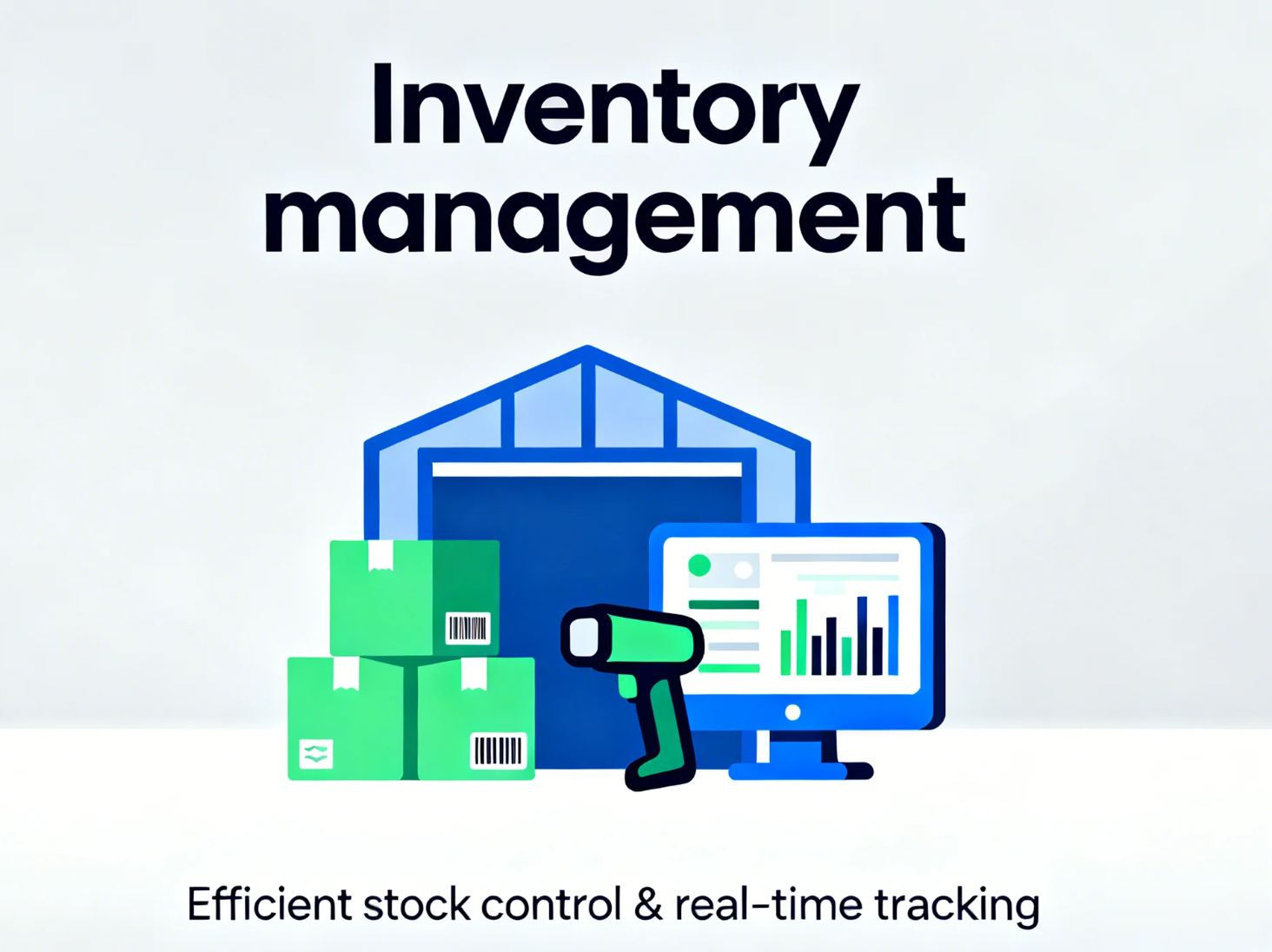
Image source: unsplash.com
Core components of effective inventory management
- Planning & forecasting: The foundation of inventory management starts with accurate planning and demand forecasting. This involves estimating future sales, setting reorder points, and maintaining safety stock to prevent stockouts. Good forecasting helps balance inventory levels and keeps working capital in check.
- Sourcing/receipt: This stage focuses on how and when stock is acquired. It includes selecting suppliers, scheduling deliveries, and managing inbound logistics. Timely and reliable sourcing ensures smooth operations and minimizes delays in production or fulfillment.
- Storage & warehousing: Proper storage ensures that inventory remains organized, accessible, and in good condition. This involves warehouse layout planning, batch or lot control, and maintaining suitable environmental conditions for different products. Efficient warehousing reduces handling time and minimizes losses.
- Inventory tracking & control: Tracking inventory accurately is crucial for maintaining visibility across the supply chain. Techniques such as barcode scanning, RFID tagging, and regular cycle counts help ensure stock accuracy. Tools like The QR Code Generator (TQRCG) can also streamline tracking by enabling teams to create custom QR codes for faster scanning and more accurate inventory visibility. Real-time tracking systems make it easier to monitor movement, avoid discrepancies, and improve accountability.
- Distribution & fulfilment: This component ensures that the right products reach customers on time. It includes order processing, packaging, shipping, and coordination with carriers or internal teams. Efficient fulfillment enhances customer satisfaction and builds brand reliability.
- Returns / reverse logistics: Managing returns, defective items, and excess stock is an essential but often overlooked part of inventory management. A structured reverse logistics process helps recover value through repairs, recycling, or liquidation while maintaining customer trust.
- Continuous review & optimisation: Effective inventory management is ongoing. Regular audits, performance reviews, and process improvements help identify inefficiencies and adapt to market changes. Businesses that continuously refine their inventory strategies—supported by digital tools like Lark—can reduce costs, minimize waste, and align inventory goals with overall business strategy.
Inventory management software & technology
- Modern inventory management relies heavily on technology to maintain visibility, control, and efficiency. Inventory Management Software (IMS) or sync system tools automate key processes such as tracking stock, managing orders, and forecasting demand. These systems give teams real-time insight into inventory levels, helping them make informed decisions and reduce manual errors.
- When choosing an IMS, look for features like real-time tracking, automated reorder alerts, and seamless linking with other platforms such as ERP or supply chain management systems. Multi-location support is also essential for businesses operating across warehouses or retail outlets..
- Emerging technologies are further transforming how inventory is managed. Mobile scanning tools and barcode or RFID systems simplify tracking, while IoT sensors monitor conditions like temperature or humidity in storage areas. AI-driven analytics enhance forecasting accuracy, and cloud-based platforms like Lark enable teams to collaborate, share data, and update inventory in real time—making management faster, smarter, and more connected.
Take a glance at the top 10 inventory management tools

Top 10 inventory management tools you need to know
1. Lark: All-in-one inventory collaboration platform
Lark brings every inventory function—tracking, ordering, auditing, and reporting—into one connected workspace. Instead of using separate apps for communication, approvals, and reporting, teams can coordinate all their inventory operations through Lark Base, Messenger, Tasks, Docs, Sheets, Calendar, and Approvals. With multiple views, AI features such as AI Meeting Notes, automated workflows, and mobile access, every team member can stay informed and act immediately.
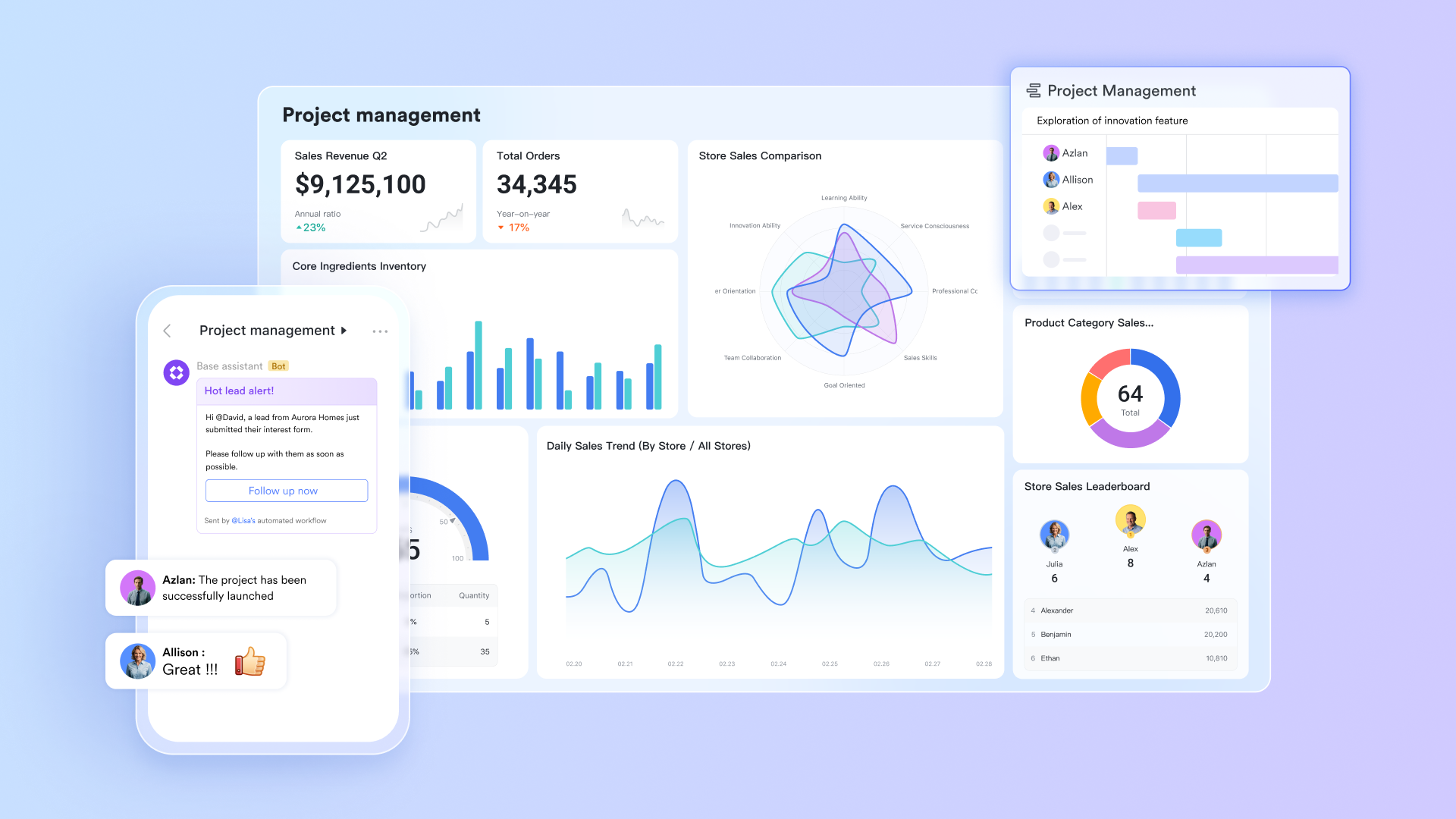
- Lark Base: Workflow visualization & stock databases
Lark Base functions as a centralized operations hub where teams can visualize workflows, organize data, and build automated databases tailored to business needs. It helps track stock levels, supplier data, and reorder workflows in a single visual dashboard.
Key uses:
- Create a dynamic inventory database with fields for item type, SKU, warehouse, reorder point, and supplier details.
- Use Kanban boards or table views to track product movement across stages —"In stock → Reserved → Shipped."
- Build automation rules to notify purchasing teams when an item's stock level drops below safety threshold.
Example: A retail business uses Lark Base to manage 4 warehouses. Each warehouse updates its local stock sheet daily. When any item's stock hits the reorder level, Lark automatically triggers a workflow: Adds a "Reorder" tag → Notifies the procurement lead in Lark Messenger → Generates a "Purchase Request" record in Lark Base.
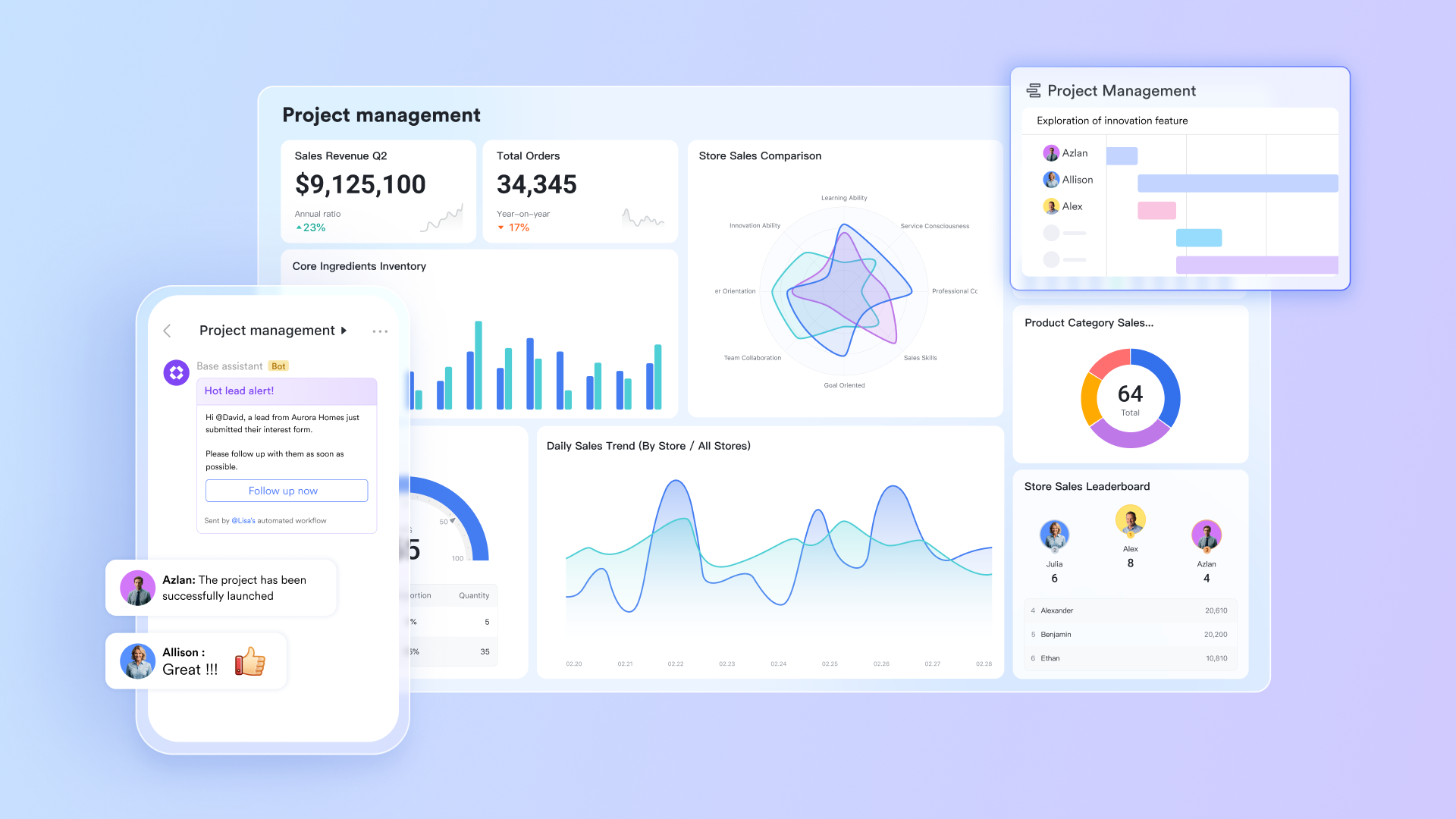
- Lark Messenger: Real-time updates across supply teams
Lark Messenger serves as the communication backbone of the workspace, enabling real-time messaging, file sharing, and instant notifications across teams. It allows procurement, warehouse, and finance teams to stay aligned with instant communication and file sharing in one channel.
Key uses:
- Create dedicated chat groups for each warehouse or product line.
- Use message threads to manage real-time updates—e.g.,"PO #456 awaiting vendor confirmation."
- Share Lark Docs, order receipts, and supplier quotes directly in the chat.
Example: A warehouse manager shares a delayed shipment alert in Lark Messenger, tagging the procurement head and attaching the vendor's confirmation PDF. Within seconds, the finance team updates the expected delivery date in Lark Messenger—no emails or manual tracking needed.

- Lark Tasks: Streamlined order tracking & accountability
Lark Tasks provides structured task management for turning daily operations into clear, actionable workflows, ensuring visibility and accountability across all stages. It helps convert every inventory action into an assigned, trackable task, keeping order fulfillment and audits on schedule.
Key uses:
- Create tasks for stock audits, reorder confirmations, and supplier follow-ups.
- Use the list or Kanban view to track fulfillment deadlines.
- You can turn the message in Messenger into a ready-to-task easily.
Example: The procurement manager assigns a task to "Verify delivery of 500 units of SKU #R102." The assigned warehouse staff marks it "In progress" and uploads a delivery receipt photo. When completed, Lark Tasks automatically updates the status in the stock dashboard.
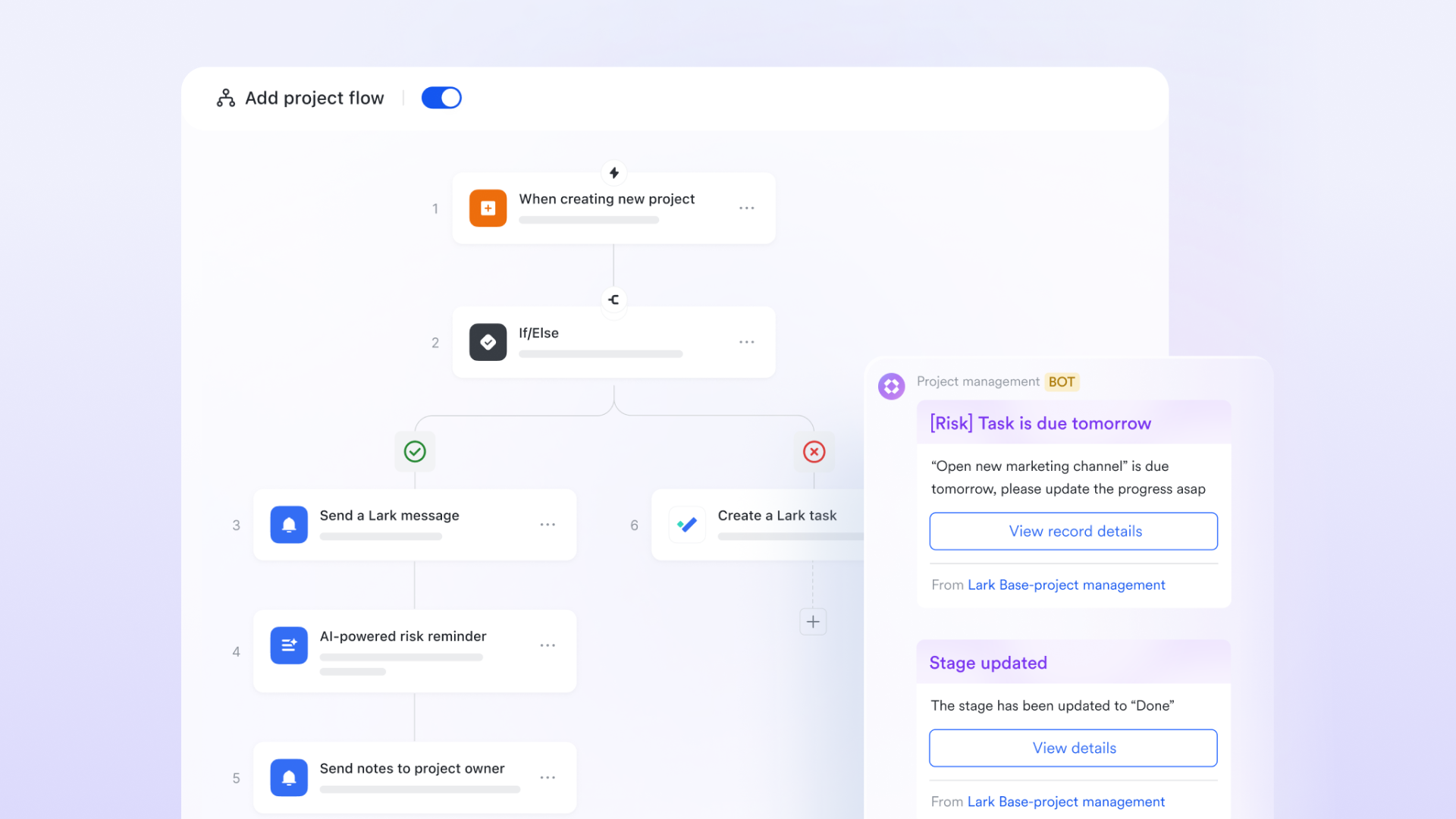
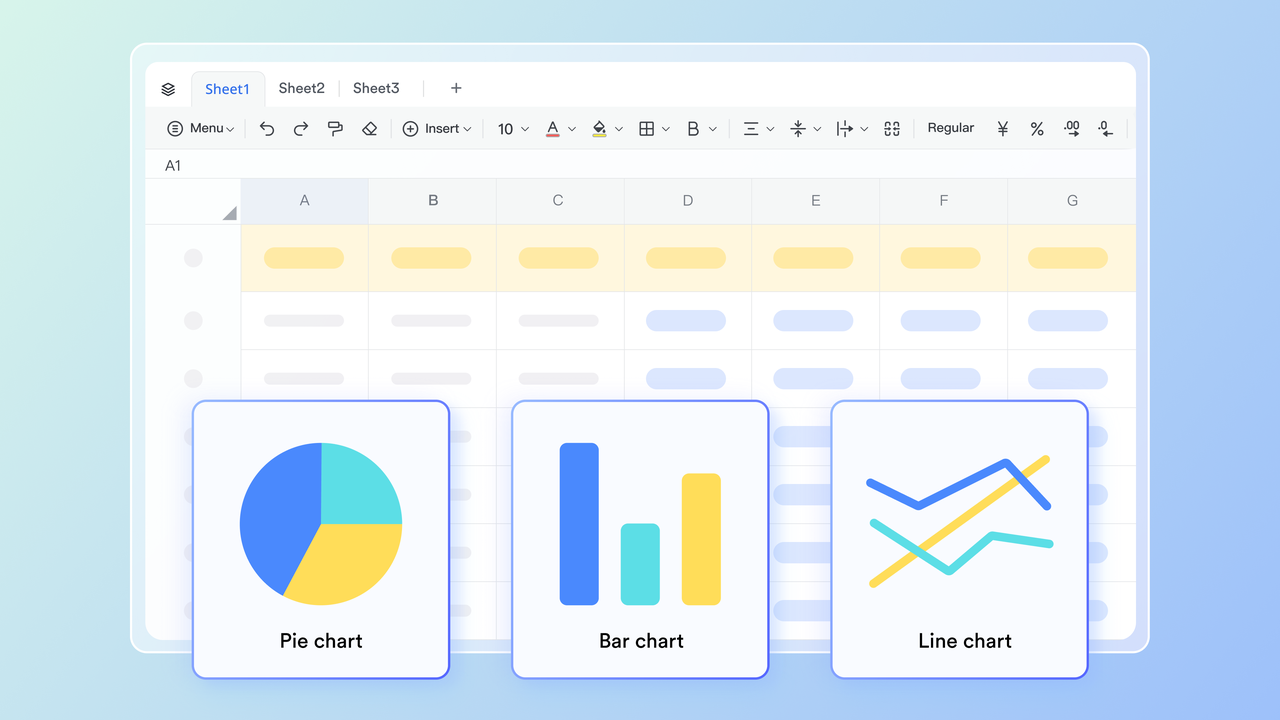
- Lark Docs & Sheets: Real-time inventory records
Lark Docs and Lark Sheets enable teams to co-edit documents and spreadsheets in real time, integrating data directly into workflows for full transparency. They help maintain live, collaborative inventory logs accessible to all departments, ensuring that records are always accurate and up to date.
Key uses:
- Store and update supplier lists, purchase order logs, and item cost sheets in one place.
- Use Sheets formulas to calculate reorder points or safety stock dynamically.
- You can either create a new base block in a document or insert an existing base file. Any edits, configurations, or changes made are automatically synced both ways
Example: Procurement maintains a live PO log in Lark Sheets, which updates automatically when warehouse teams confirm receipt of goods. Because sheets are shared across departments, finance can access cost data instantly for payment processing.
- Lark Approval: Faster purchase & expense decisions
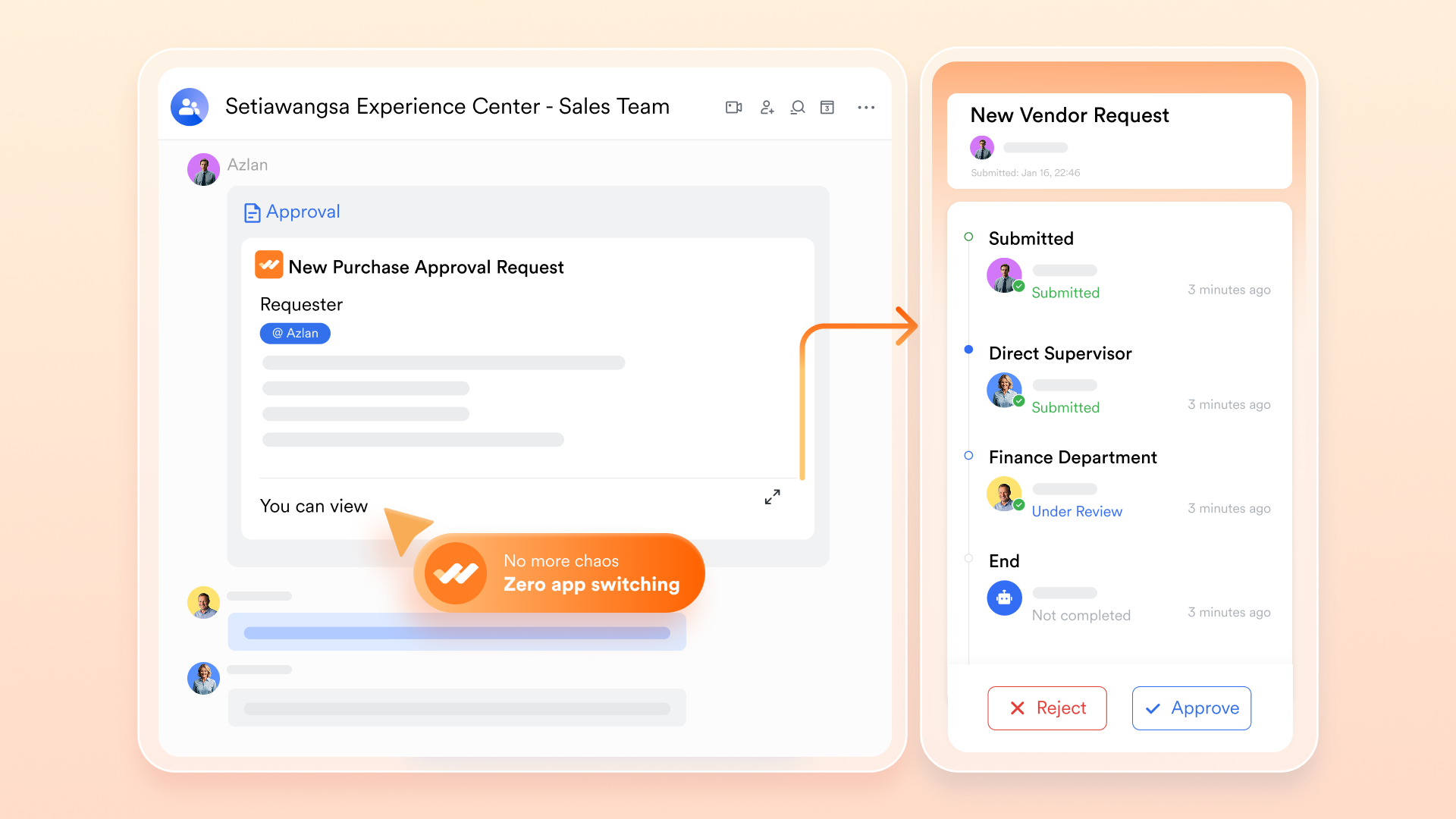
Lark Approval automates decision-making workflows, helping teams manage purchase requests, vendor onboarding, and expense approvals with structured digital forms. It simplifies procurement and supplier approvals, ensuring faster, transparent, and auditable processes.
Key uses:
- Set approval forms for purchase requests, vendor onboarding, or expense reimbursements.
- Configure multi-level authorization chains (e.g., warehouse → procurement → finance).
- Trigger automatic notifications in Lark Messenger when approvals are submitted or completed.
Example: When a warehouse requests additional packaging materials, a purchase request form is submitted through Lark Approval. The procurement manager receives a messenger alert, reviews details, and approves with one click. The workflow automatically logs approval in the dashboard for record keeping.
- Pricing:
- Starter plan: Free forever plan that includes 11 powerful tools for up to 20 users. It also comes with 100GB of storage, 1000 automation runs, AI translations, and more.
- Pro plan: $12/user/month (billed annually) for up to 500 users. It includes everything in Starter plus group calling for up to 500 attendees, 15TB of storage, 50,000 automation runs, and more.
- Enterprise plan: Contact sales for custom pricing. Supports unlimited users and includes even more automation runs and advanced security, compliance, and management features.
2. Zoho Inventory: Smart inventory tracking for growing businesses
Zoho Inventory is a cloud-based inventory management tool designed to help small to medium-sized businesses keep track of stock, manage orders and sales channels—all from one place. It gives visibility into stock levels, simplifies order and purchase workflows, and connects with other business tools so teams can get more done with less manual effort.
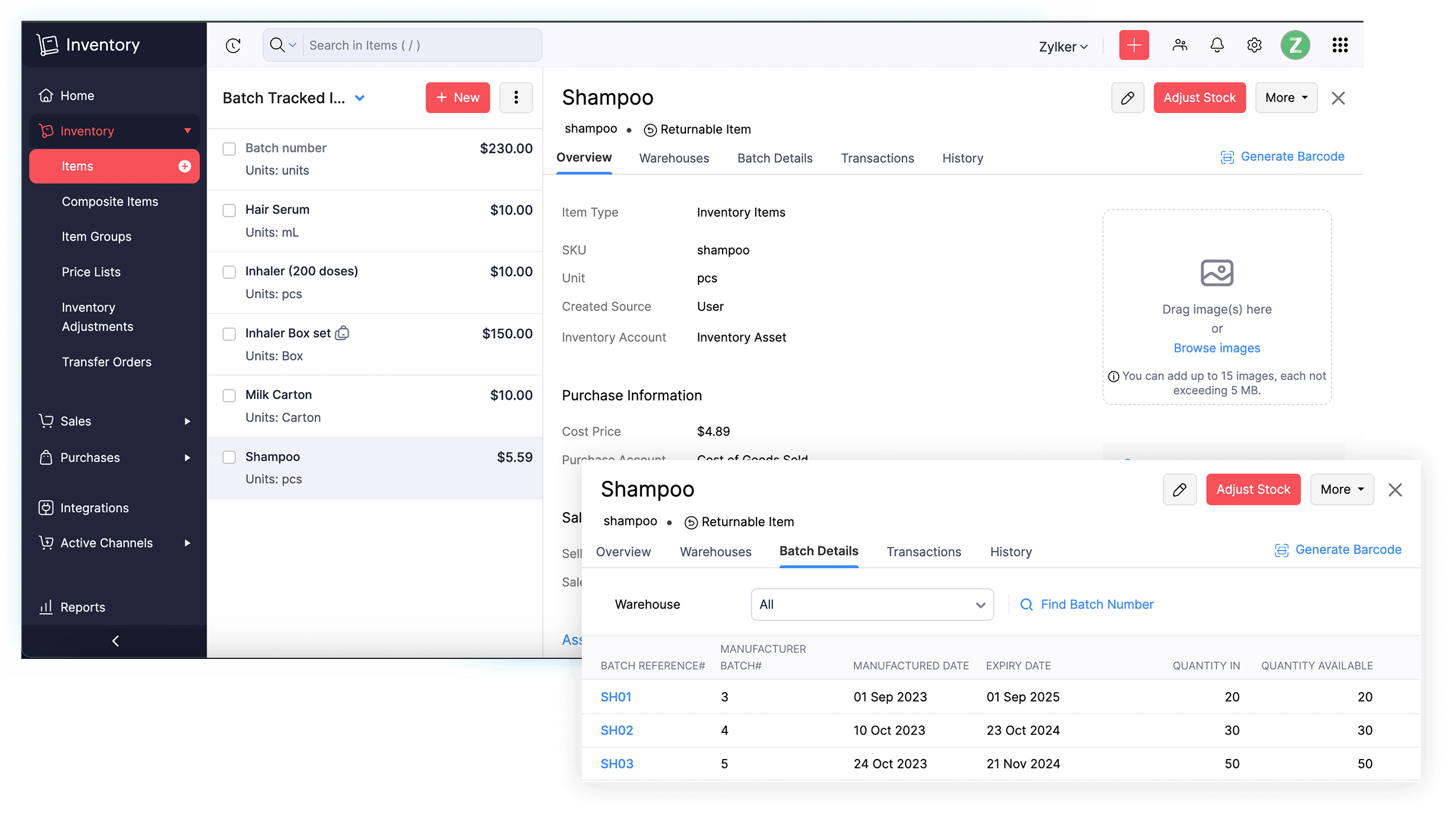
Image source: zoho.com
Features:
- Real-time stock tracking across multiple warehouses and locations
- Batch and serial number tracking for detailed item traceability
- Automated reorder points and workflow rules to prevent stockouts
- Multi-channel selling through sync with amazon, shopify, and eBay
- In-depth inventory and sales reporting for smarter decision-making
Why you'll like it:
- Centralizes all your stock, order, and sales data in one place
- Strong traceability for products with batch or expiry details
- Seamless e-commerce and accounting linking
- Scales easily as your business grows
Why you might not:
- Initial setup and configuration can take some time
- Some third-party linking may require extra setup or paid add-ons
3. Fishbowl Inventory: Manufacturing and warehouse inventory control
Fishbowl Inventory is a robust inventory and manufacturing management system designed for businesses that need detailed tracking of materials, production workflows, and warehouse operations all in one place. It offers strong support for manufacturing and warehousing teams, helping them control stock, trace parts, schedule builds, and streamline fulfillment.
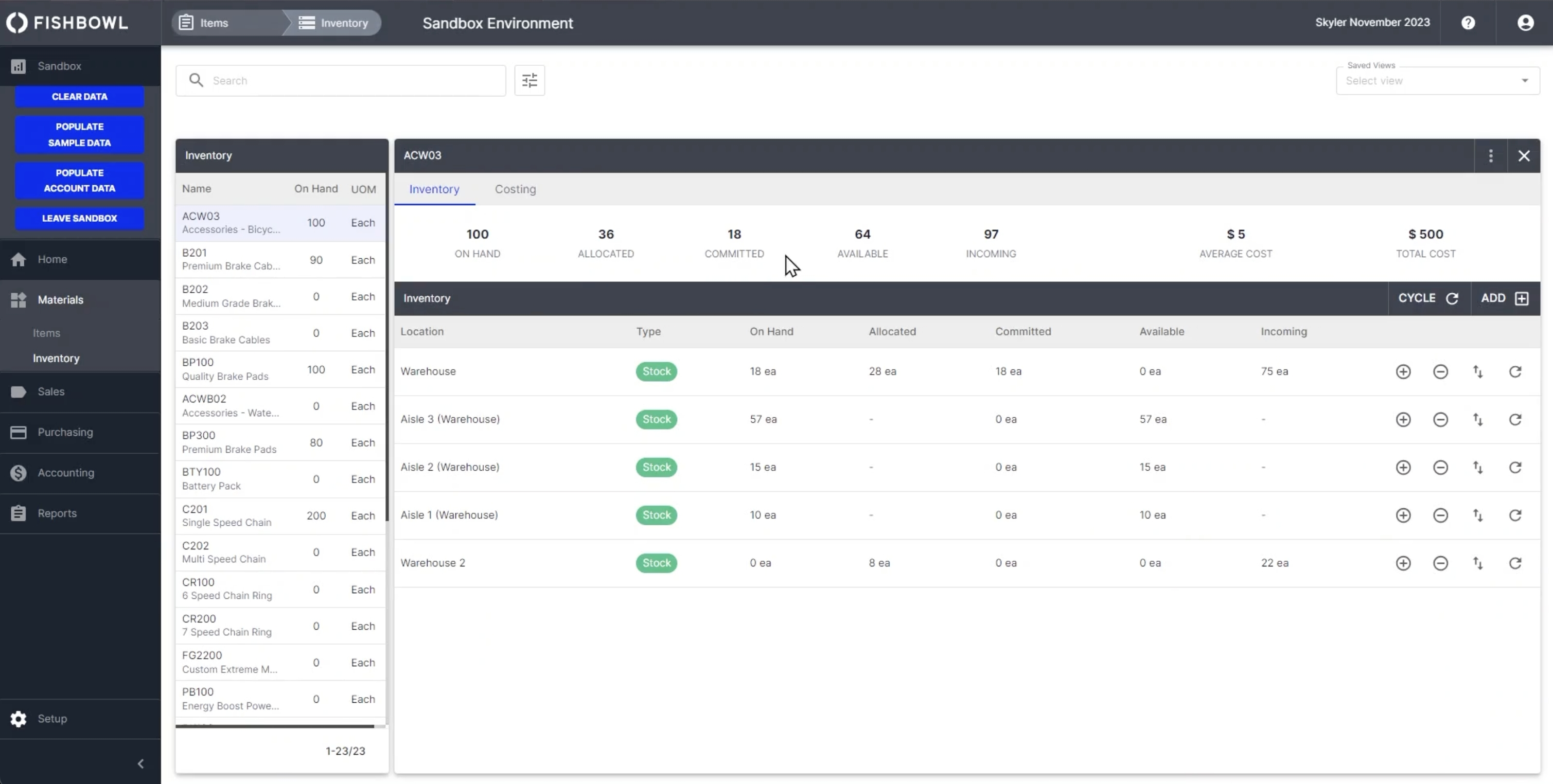
Image source: fishbowl.com
Features:
- Real-time inventory across multiple warehouses, lots, serials and expiry dates
- Multi-stage bill of materials (BOM) and work order management for production scheduling and tracking
- Barcode scanning and mobile support for warehouse operations like picking and transfers
- Automated reorder points and vendor management to avoid stock-outs or excess inventory
- 3PL and drop-shipping integrations, location management, bin control
Why you'll like it:
- It gives strong support for businesses that produce goods and have complex manufacturing workflows
- The warehouse operations side is very capable
- Integrates accounting systems with major e-commerce platforms
- Serial numbers or compliance across materials are finished goods
Why you might not:
- Implementation can be time-consuming
- Some users report that the user interface and reporting capabilities feel dated or less intuitive
4. Sortly: Simple mobile inventory management app
Sortly is a mobile-friendly inventory management solution built for small businesses and teams. With its colorful boards and flexible layouts, it's designed to give everyone a clear view of project progress in real time. It lets you track physical inventory, tools, supplies or equipment from your phone or tablet—with photo support, barcode/QR scanning and real-time sync so that you can manage inventory whether you're in the warehouse, on-site or remote.
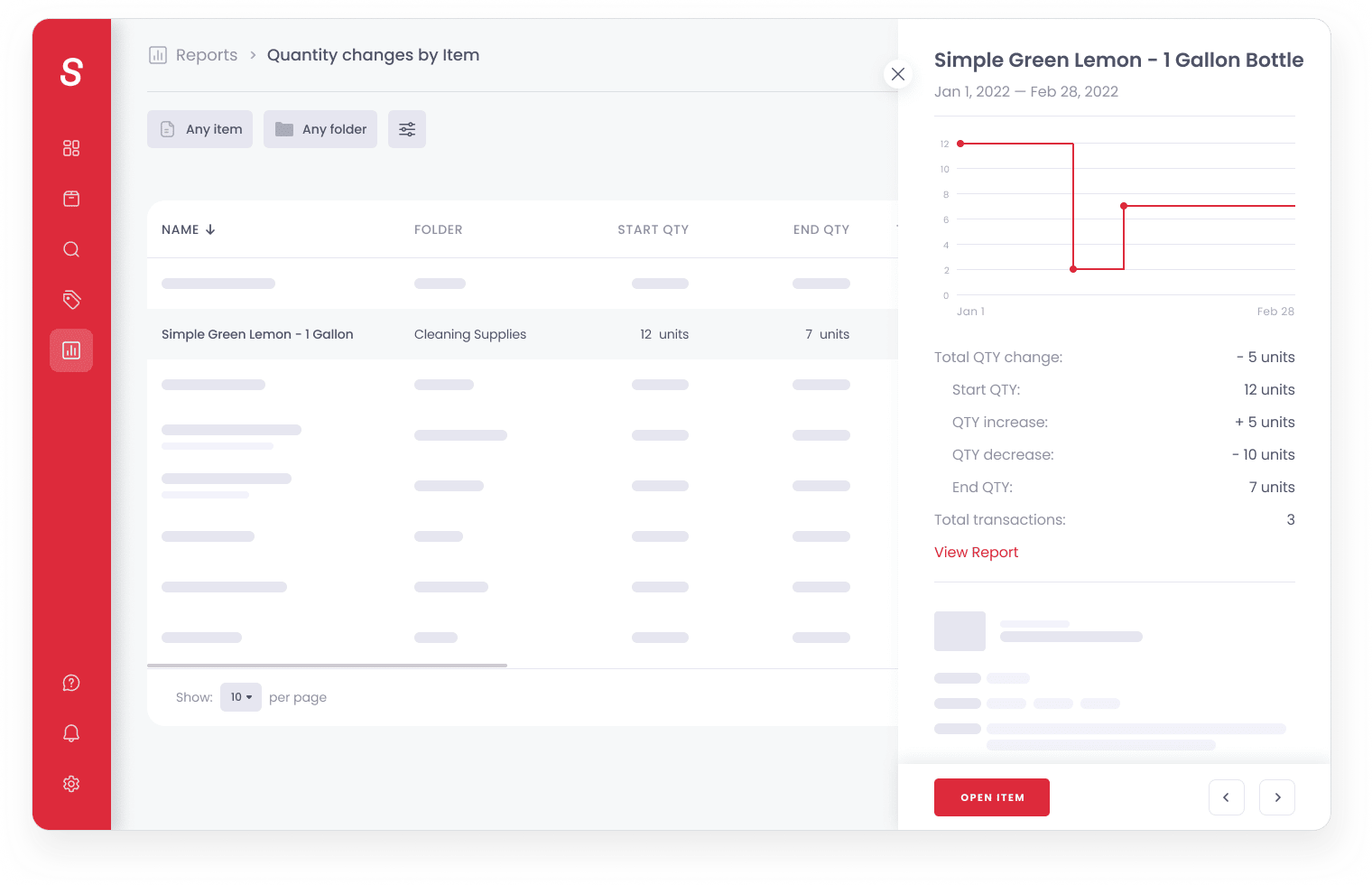
Image source: sortly.com
Features:
- Upload and organise items into folders/sub-folders, add photos, custom fields, tags and details
- Mobile barcode & QR code scanning to add or update items with your smartphone
- Low-stock and date-based alerts to remind you when items need reordering or maintenance
- Offline mobile access with automatic sync when connectivity returns—works across devices
- Basic sync with other tools plus reporting and export capability
Why you'll like it:
- It's very user-friendly and mobile-first
- Works well for businesses with simpler inventory tracking
- The photo and visual features help you see exactly "what" you have, not just "how many"
- Because it supports custom fields and folders, you get flexibility to adapt it to your business structure
Why you might not:
- If your business has very complex inventory demands , you may feel a bit limited
- Some users report pricing increases or that key features are locked into higher tiers
5. Cin7: Cloud inventory and POS software suite
Cin7 is a cloud-based inventory. It serves as a central space for teams to manage documents, making it easier to keep everyone aligned. and order management systems built for retailers, wholesalers, manufacturers that give visibility into stock levels, simplifies order and purchase workflows and direct-to-consumer brands that need real-time visibility across multiple sales channels, warehouses, and fulfillment workflows.
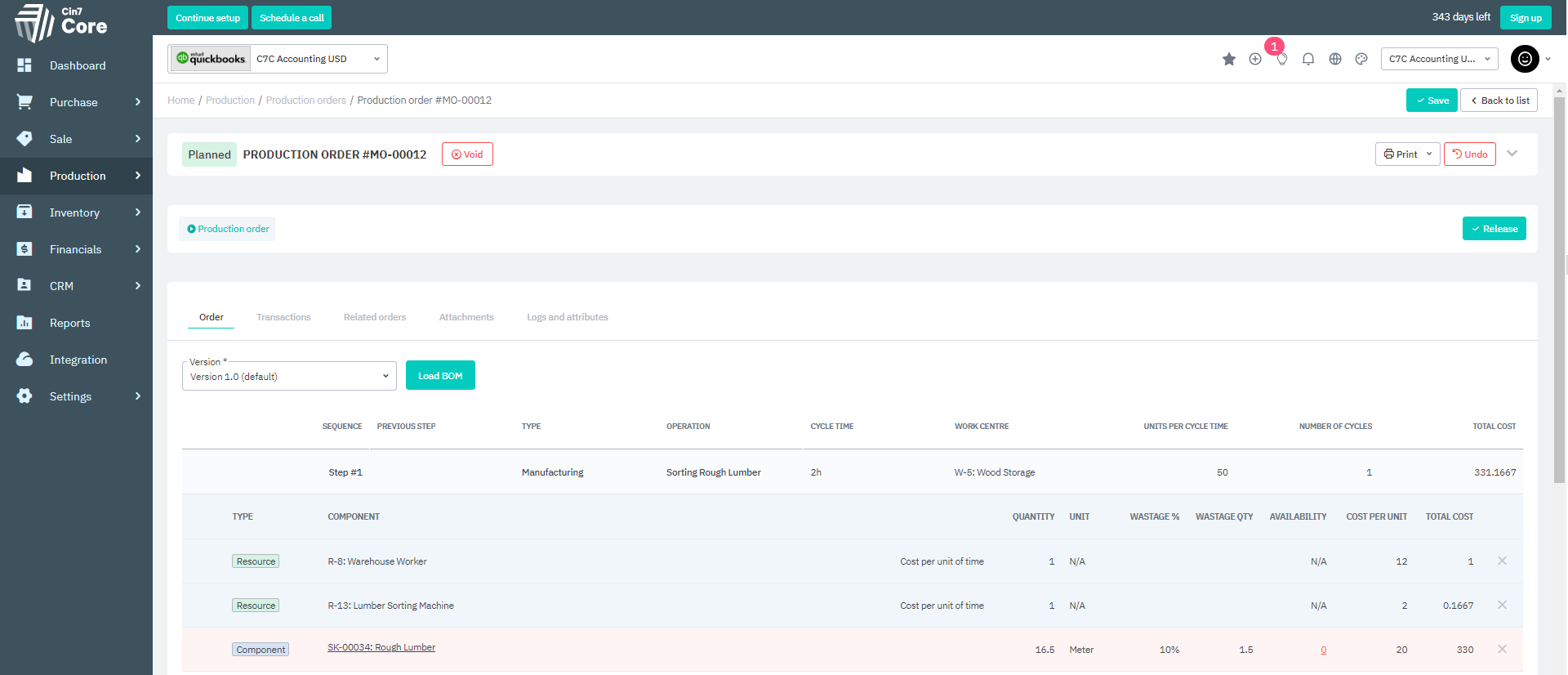
Image source: cinseven.com
Features:
- Real-time inventory tracking across multiple locations, sales channels and warehouses
- POS system that syncs with stock levels and sales across outlets, online and physical stores
- Manufacturing and assembly support, including BOM, component tracking and production workflows
- Warehouse management and fulfillment tools
- Large integration ecosystems help connect with accounting, e-commerce platforms, 3PLs, EDI and more
Why you'll like it:
- Gives you one unified system for inventory, channels, sales and fulfillment—reduces silos and mismatches
- Strong fit if you're selling through multiple channels and need everything connected
- Good support for manufacturing or complex product flows
- Real-time stock and POS integration
Why you might not:
- Setup and configuration can be significant
- Some users report that support, usability or cost become issues
6. NetSuite Inventory Management: Enterprise-level inventory and ERP solution
NetSuite Inventory Management is part of the larger NetSuite ERP suite designed for medium to large businesses that need a full-scale system covering inventory, finance, supply chain and more. It provides a real-time view of inventory across all locations, channels and warehouses, letting you tie stock movements to orders, financials and operations.
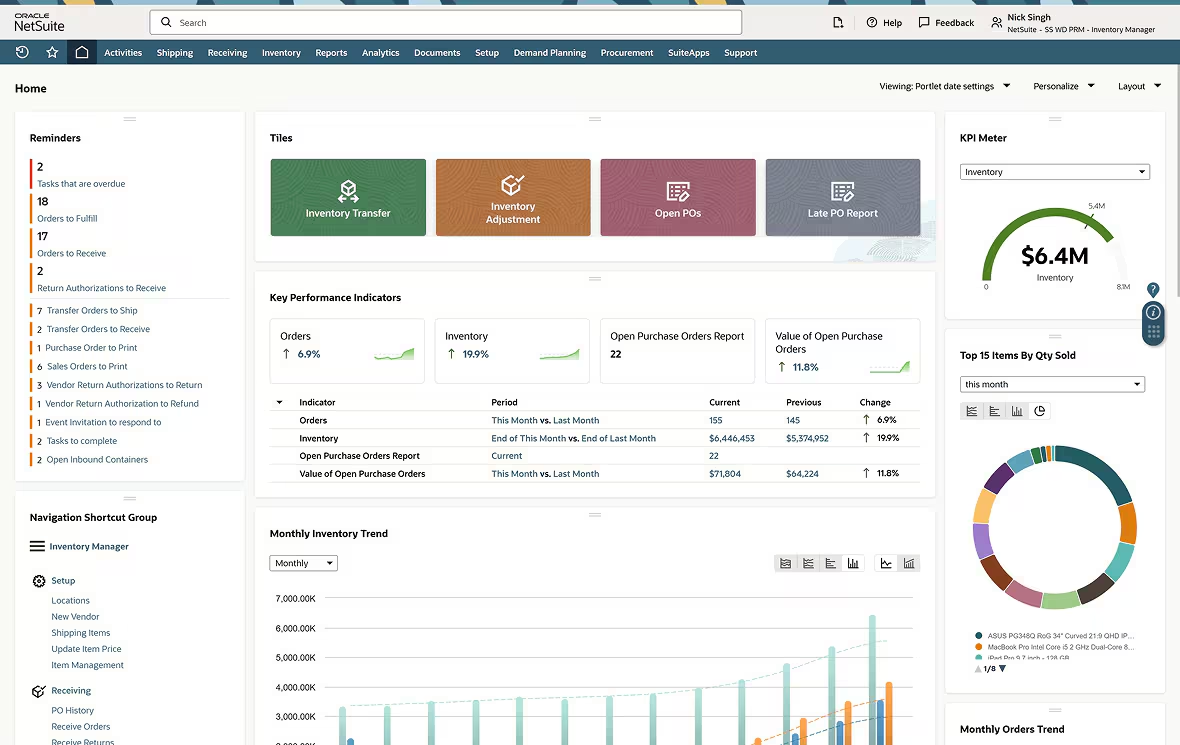
Image source: netsuite.com
Features:
- Track and transfer stock across warehouses and define fulfilment rules to avoid redundant shipments
- Using historical demand, lead times, seasonality and sales forecasts to set reorder points
- Mobile-enabled counting that doesn't freeze business operations, tracks changes during counts
- Manage lot numbers, serial numbers, expiry or status tracking
- Unified item-360 dashboards & advanced analytics
Why you'll like it:
- You get one system that spans operations, inventory, sales channels, and financials
- Real-time inventory visibility across locations helps reduce stockouts and avoid overstock
- Traceability and rich inventory controls help businesses with complex SKUs
- As your business grows, the system is built to expand
Why you might not:
- Implementation can be long, complex and costly
- The system is over-engineered and more expensive than needed
7. Odoo: Open-source inventory and ERP system
Odoo inventory is part of the larger Odoo ERP platform and provides end-to-end inventory and warehouse management capabilities. It's designed so that businesses can manage stock, warehouses, routes, and fulfilment while staying connected to purchasing, manufacturing, sales and accounting. The platform provides detailed tracking features that make managing large-scale initiatives easier.
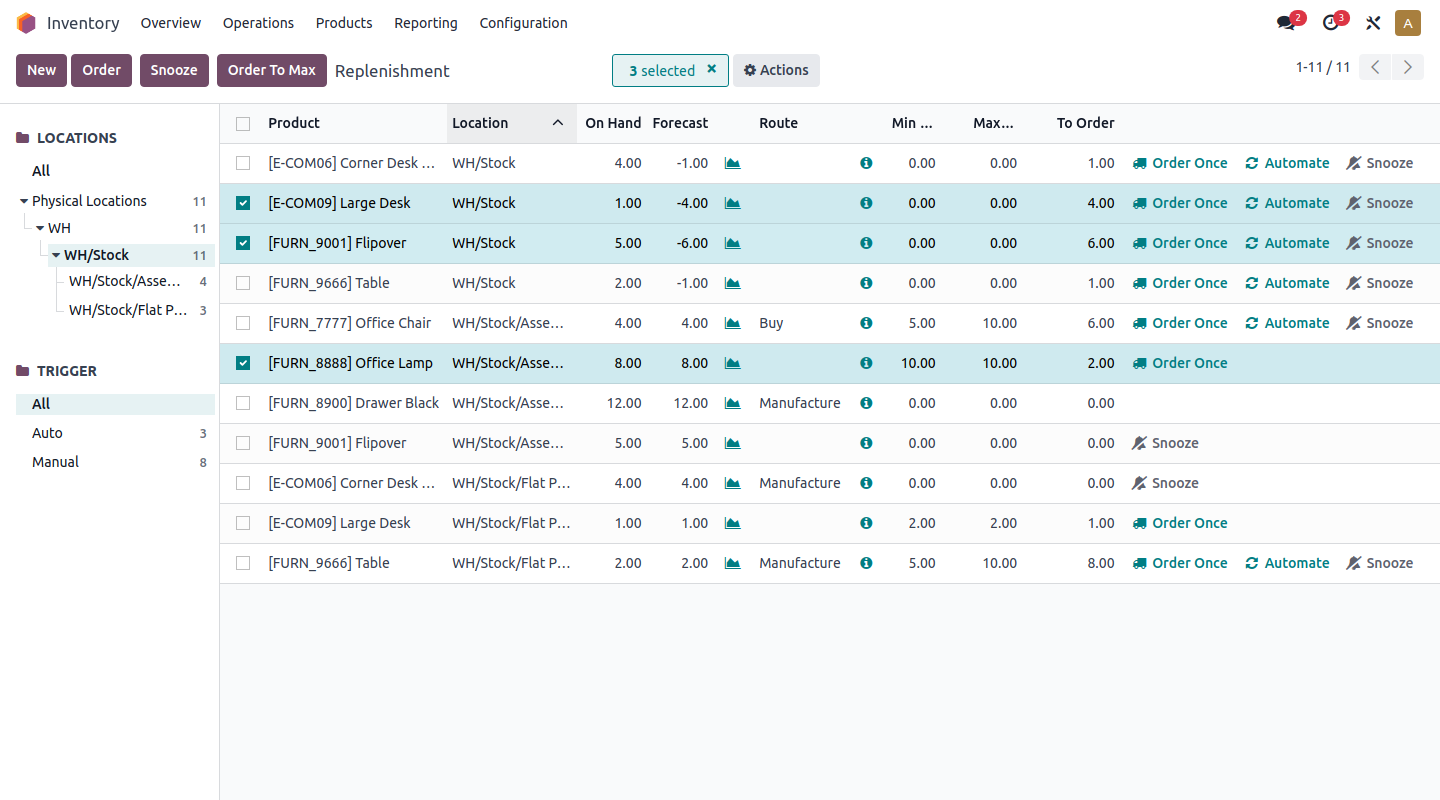
Image source: odoo.com
Features:
- Real-time stock tracking across multiple warehouses, locations and bins.
- Barcode scanning, lot/serial number tracking and advanced traceability for items from supplier to customer.
- Smart replenishment and routing.
- Support for complex warehouse operations.
- Flexible integration with other modules.
Why you'll like it:
- Because it's part of a full ERP environment, inventory management doesn't live in a silo.
- The open-source aspect means you have more freedom to customise workflows.
- It scales across warehouses and locations and supports advanced logistics workflows.
- The traceability and scanning features make it well suited if you deal with serialized items.
Why you might not:
- The flexibility and breadth come with complexity.
- Some users report that certain areas require extra modules or customisation.
8. Square Inventory: Retail inventory tracking and POS tool
Square Inventory is part of the broader square ecosystem and is built specifically for retailers who want to link point-of-sale sales, multi-location operations, and stock management into a single, seamless platform. It allows businesses to track what's on-hand in real time, make quick adjustments, receive new stock, and generate detailed reports—all directly within square's POS system and online dashboard.
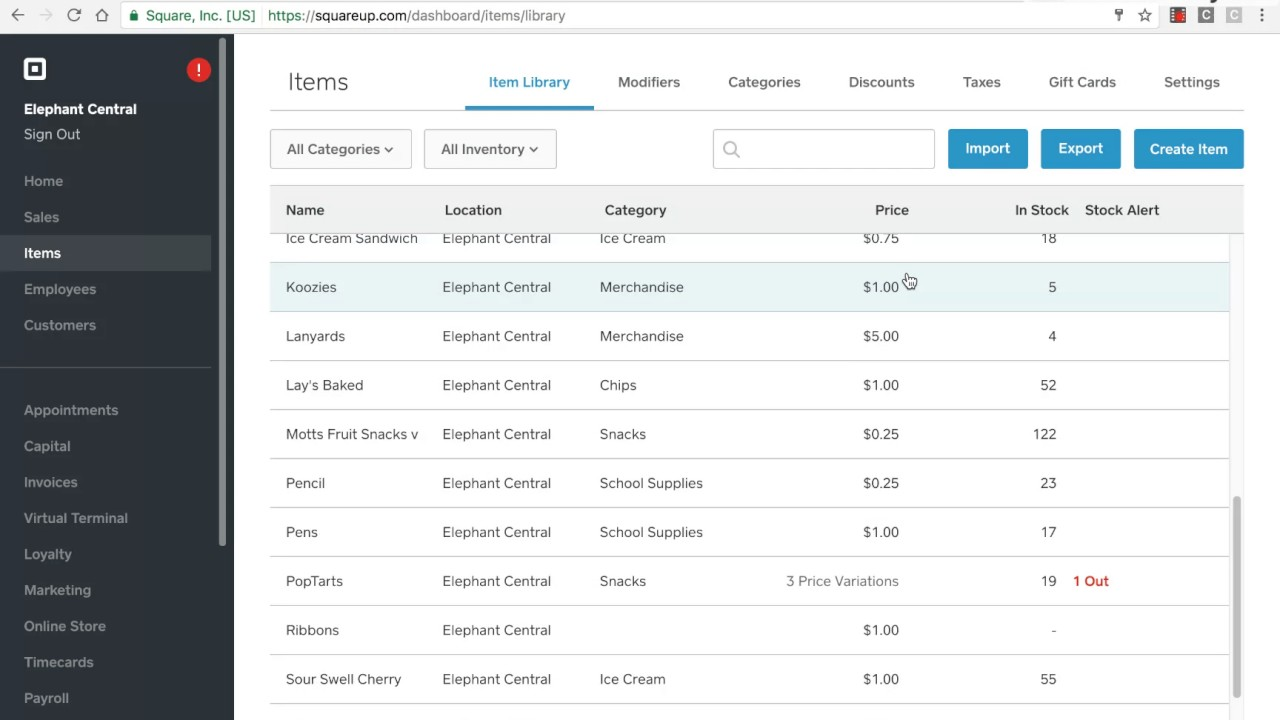
Image source: square.com
Features:
- Real-time stock level tracking and adjustments across locations using the square
- Bulk receiving and stock count actions via mobile/terminal
- Multi-location and multi-channel stock visibility
- Inventory reporting and forecasting tools
- Toggling inventory tracking for new items, enabling tracking for existing items
Why you'll like it:
- Sales, stock, locations, and reports are in the same system, so you avoid juggling separate tools
- Designed for store owners and POS use, so it's intuitive and aligned with everyday retail workflows
- You can start simple and grow to multiple outlets or channels while still using the same platform
- Mobile receiving and instant stock updates mean you're less likely to sell something that's out of stock
Why you might not:
- Some retailers report issues with advanced inventory workflows
- The more advanced inventory/warehouse features often require a higher-tier plan
9. Katana: Manufacturing and production inventory software
Katana is a cloud-based material requirements planning (MRP) system designed to streamline inventory, production, and order management for small to mid-sized manufacturers. It offers real-time visibility into stock levels, integrates seamlessly with sales channels, and provides tools for efficient production planning. Whether you're managing raw materials, work-in-progress, or finished goods.
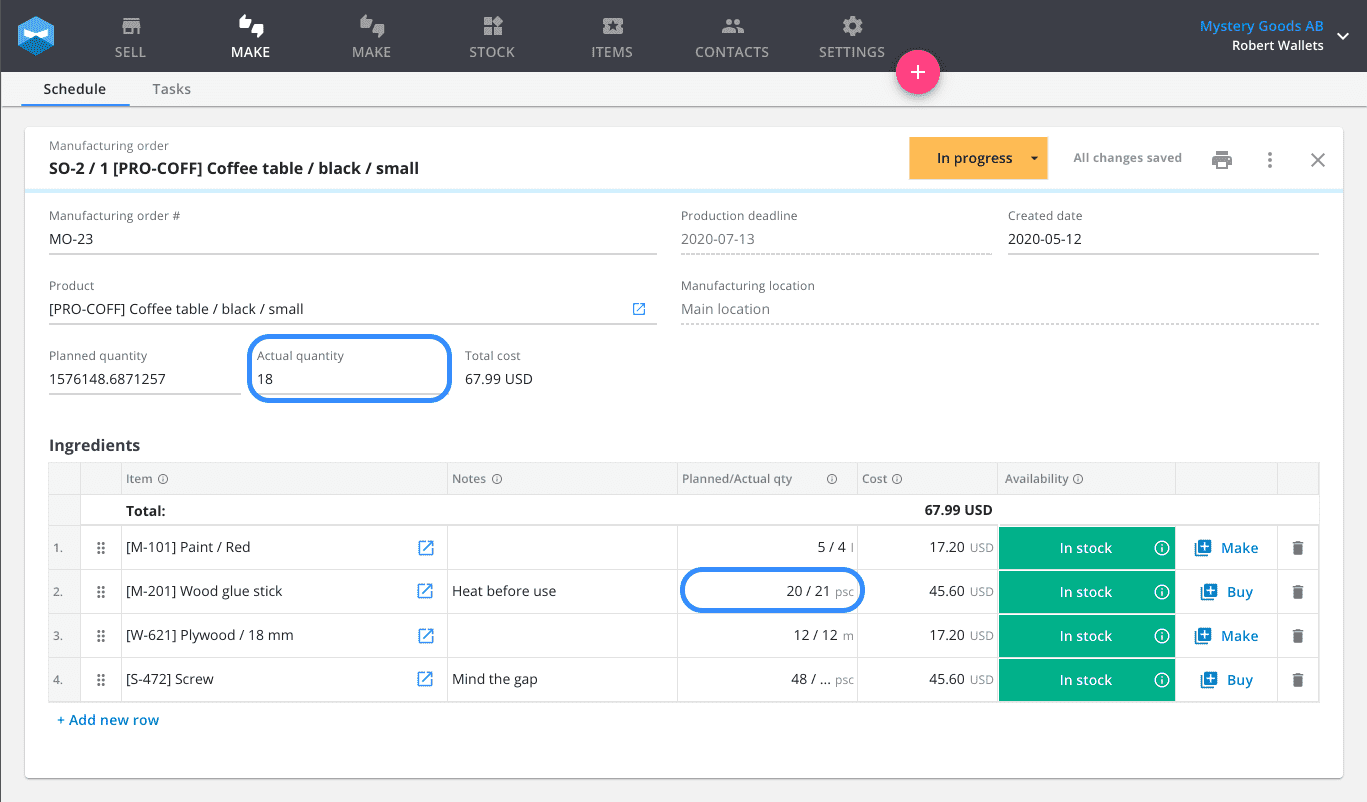
Image source: katana.com
Features:
- Monitor stock levels across multiple locations, track materials and finished goods
- Utilize bills of materials (BOMs) to plan and schedule manufacturing orders
- Sync orders from various sales channels, including e-commerce platforms
- Implement traceability for products and materials, facilitating quality control and compliance
- Use the mobile shop floor app to assign tasks, track progress, and manage operations directly
Why you'll like it:
- Katana's intuitive design reduces the learning curve.
- Easily connect with platforms to synchronize sales, accounting, and inventory data.
- Suitable for businesses ranging from startups to established manufacturers.
- Access responsive customer support and a wealth of resources to assist.
Why you might not:
- Some functionalities, such as advanced reporting, are available only in premium plans only.
- It offers robust features, businesses with highly specialized may find customization options limited.
10. UpKeep: Mobile maintenance and asset inventory system
UpKeep is a cloud-based, mobile-first maintenance management platform designed to streamline work orders, asset tracking, and inventory control. Tailored for industries like manufacturing, facilities management, healthcare, and education, UpKeep enables teams to manage operations efficiently from anywhere. Its intuitive interface and real-time capabilities help reduce downtime, enhance asset longevity, and optimize inventory levels.
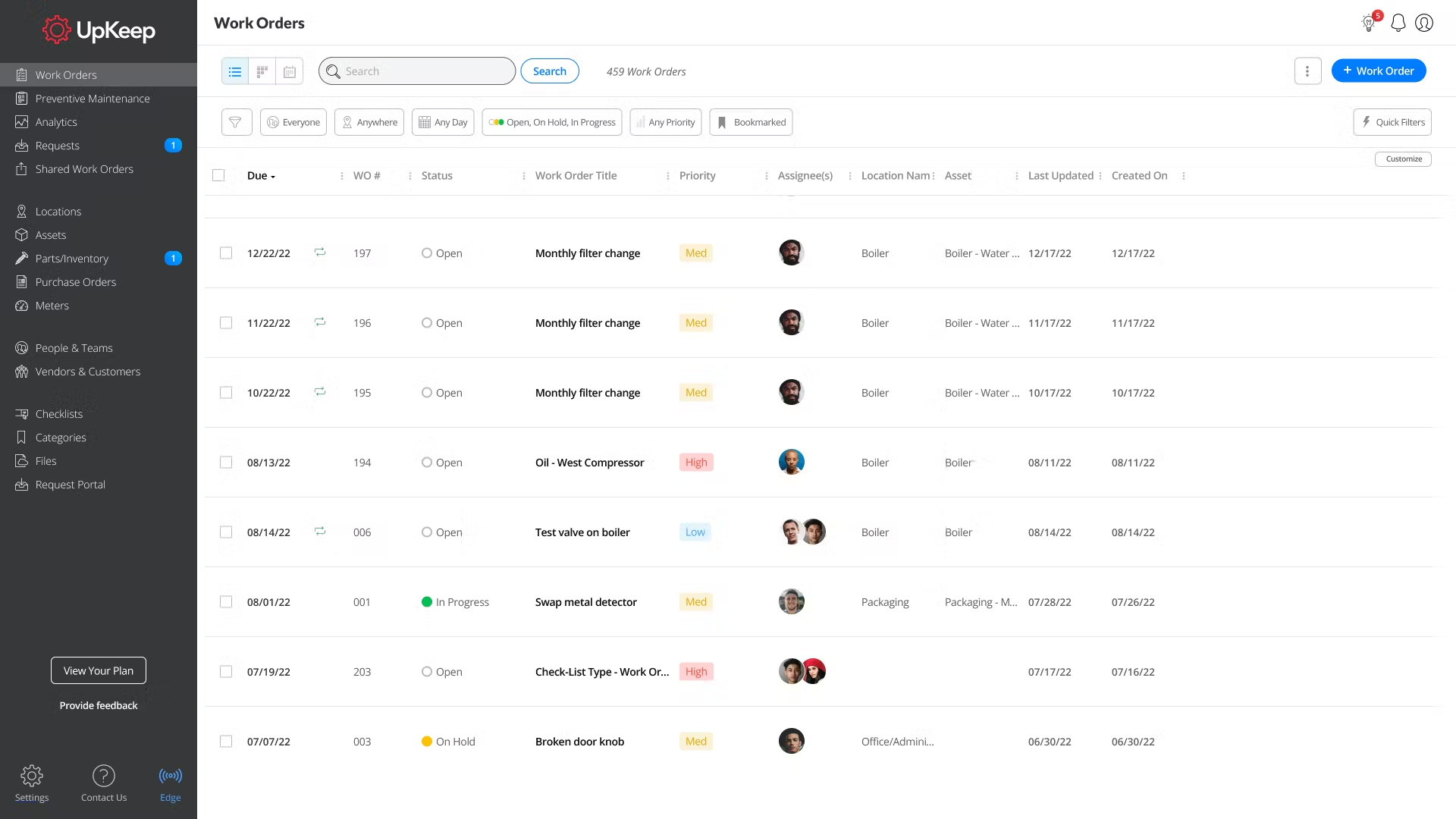
Image source: upkeep.com
Features:
- Create, assign, and track work orders on-the-go, ensuring timely maintenance and reducing paperwork
- Automate maintenance tasks based on time intervals or usage metrics to prevent equipment failures
- Monitor asset health and performance to make informed decisions about repairs or replacements
- Keep track of parts and supplies and receive alerts when items are low to avoid stockouts
- Use mobile devices to scan barcodes or QR codes for quick access
Why you'll like it:
- Designed for ease of use, reducing the learning curve and enhancing team adoption
- Access and update information instantly, improving communication and decision-making
- Optimizing maintenance schedules and inventory levels helps reduce emergency repair expenses
- Suitable for businesses of all sizes, from small to large enterprises, without requiring system overhauls
Why you might not:
- Some users report limited customization options
- Access to premium features may require higher-tier plans
Bonus tips: Ready to use templates for inventory management
Inventory management
Effective inventory management is vital for all businesses, particularly in retail. It encompasses monitoring and overseeing stock levels, ensuring the appropriate quantity is available when needed. The Lark inventory management template is designed to help you track your inventory, including product categories, item numbers, task owners, and inventory counts.
Order & inventory management
The order and inventory management system assists retailers in effortlessly monitoring all orders and automatically determines the remaining stock based on the orders made. It provides real-time updates on stock availability, helping businesses avoid overselling or running out of key items. By sync sales, purchasing, and warehouse data, the system ensures that every transaction is accurately reflected in inventory records.
Store inventory & revenue tracking system
This template facilitates comprehensive retail store inventory management by syncing fulfillment center tracking, managing inventory changes, and consolidating store revenue reporting. It helps teams gain real-time visibility into stock levels across multiple locations, ensuring that popular products remain available while minimizing overstock. With automated updates and centralized data, it simplifies coordination between inventory, fulfillment, and in-store teams.
Weekly planner
A weekly planner serves as a crucial resource for structuring your assignments, deadlines, and reflections to ensure a successful week. Using Lark's weekly planner template, you can efficiently outline your daily tasks, include due dates and team members for critical deliverables, jot down any events that could influence your work schedule, and contemplate your insights and noteworthy occurrences from the week.
Best practices for effective inventory management
Effective inventory management is key to running a smooth and profitable business. By following best practices, businesses can minimize waste and improve overall efficiency across their supply chain operations.
- Improve visibility: Know what you have, where it is, and how it moves. Use centralized dashboards and shared databases to give every department access to real-time stock information. With Lark Base, teams can create live dashboards to track stock status across locations and identify bottlenecks instantly.
- Use data & analytics: Monitor KPIs such as inventory turnover, stock-outs, and excess stock to make informed decisions. Lark Sheets allows teams to capture and analyze inventory data collaboratively, ensuring decisions are based on up-to-date insights.
- Automate routine tasks: Reorder alerts, cycle counts, and restocking notifications can be automated to save time and reduce manual errors. Using automated workflow in Lark Base or Lark Approval, businesses can automatically trigger purchase requests or supplier updates when stock levels drop below set thresholds.
- Align teams: Procurement, warehouse, and sales teams must stay in sync. Lark Messenger keeps communication contextual and instant, so every team is updated on supply levels, pending shipments, and incoming orders without email delays.
- Use the right software: Evaluate solutions for scalability, usability, and collaboration. Modern inventory management isn't just about tracking—it's about connecting data and people. Lark's all-in-one workspace combines communication, documentation, and workflow tools, enabling true visibility and coordination across operations.
- Build resilience: Prepare for multi-location operations, seasonal peaks, and unexpected disruptions. Create contingency plans and track risk indicators in Lark Base dashboards to improve responsiveness.
- Combine technology with process: Even the best software requires sound operational policies. Use digital tools, like Lark to reinforce best practices—centralize data, standardize approvals, and keep every stakeholder aligned throughout the inventory lifecycle.
Conclusion
Effective inventory management is vital for maintaining balance between supply, demand, and profitability. From accurate forecasting to streamlined fulfillment, each component plays a role in keeping operations efficient and customers satisfied. By adopting the right tools and technology, businesses can reduce errors, cut costs, and make better decisions. That's where Lark comes in—offering a sync platform that connects teams, automates workflows, and provides real-time visibility into inventory data. With Lark, businesses can manage orders, track stock, and collaborate seamlessly, turning complex inventory processes into a simple, efficient, and scalable system for growth.
FAQs
What are the main objectives of inventory management?
The main objectives of inventory management are to maintain the right balance between stock availability and cost efficiency. It ensures products are available when needed, prevents overstocking or shortages, and supports smooth production and order fulfillment. Other key goals include improving cash flow, reducing waste, and enhancing customer satisfaction through reliable delivery and accurate stock levels.
How can businesses improve warehouse inventory accuracy?
Businesses can improve warehouse inventory accuracy by implementing regular cycle counts, using barcode or RFID technology, and maintaining real-time tracking systems. Standardized receiving and storage processes also help reduce errors. Sync digital tools like Lark allow teams to update records instantly and share visibility across departments, ensuring consistent and accurate inventory data.
What is the best method for tracking inventory?
The best method depends on a company's size and needs, but most businesses benefit from using automated systems with barcode or RFID tracking. These methods reduce manual entry errors and provide real-time updates on stock movement. When sync with software like Lark, businesses gain complete visibility, automated reporting, and easier coordination across sales, purchasing, and warehouse teams.
How does Lark support multi-location inventory management?
Lark supports multi-location inventory management by connecting teams and data across all warehouses or outlets in one unified platform. It allows users to track stock levels, transfers, and orders from different locations in real time. With shared dashboards, automated alerts, and collaborative tools, Lark makes it simple to manage distributed inventory efficiently while maintaining full visibility and control across the entire supply chain.
Related reading
Table of contents
Start using Lark today

Manage all your work in one place
Boost team efficiency by 10x
Save up to 70% on software costs
Table of contents
Start using Lark today
Manage all your work in one place
Boost team efficiency by 10x
Save up to 70% on software costs
Keep reading







2026 Lark Technologies Pte. Ltd.
Headquartered in Singapore with offices worldwide.






Explore: