Meeting notes used to be simple. Someone typed. Someone missed a detail. Everyone moved on.
AI notes change the stakes. Now the "notes" can include a transcript, speaker labels, quotes you can search later, and action items pulled from the conversation. Consent-first isn't legal theater. It's how you keep meetings candid while still benefiting from automation.
Specific consent, not vague
The point: "We record sometimes" isn't consent. People need to know what's being captured and why, in words they'd actually use.
Most teams accidentally bundle three different actions into one fuzzy sentence:
- Recording audio or video
- Using AI to summarize and extract tasks
If your meeting does all three, say all three. When your wording is vague, people assume the most intrusive version and adjust how they speak.
Concrete example: a weekly partner call includes churn reasons, a draft discount policy, and one customer name. If someone later drops the transcript into a shared folder, you've created a searchable trail that didn't need to exist. Nobody intended harm, but trust still takes a hit.
Use consent language that's short enough to survive real meetings. Pick one invite line and one spoken opener, then reuse them.
Invite line options:
- "This meeting may be recorded and transcribed to produce notes and action items. If you'd rather not, reply and we'll switch to manual notes."
- "We use AI notes for action items and recap. If you're not comfortable with recording or transcription, tell me, and we'll keep it off."
Spoken opener options:
- "Quick heads-up: I'm turning on recording and AI notes so we don't miss action items. If anyone's not comfortable, say so, and I'll switch it off."
- "Before we start, are you OK with recording and transcription for internal notes? If not, we'll do manual notes."
Mini-checklist for consent you can defend later:
- Name what's happening: recorded, transcribed, summarized.
- Name the purpose: action items, recap, follow-ups.
- Offer a real alternative: manual notes, or record off.
- Re-ask when the meeting changes: new attendees or a sensitive segment.
- Keep a simple record of when consent was asked and what was agreed.
Experience a more intelligent meeting tool now
Capture less, so you don't create problems
The point: the safest transcript is the one you never create. You can't "secure" your way out of collecting the wrong material.
Consent-first isn't only about asking permission. It's also about boundaries: what you capture, when you capture it, and where the output is allowed to land.
Concrete example: a 45-minute planning call has three parts. Ten minutes of casual updates, twenty-five minutes of decisions, and then a surprise detour into staffing and performance concerns. If you record everything, the transcript will contain names, opinions, and context that people never expected to be searchable. If you record only the decision segment, you keep the value and ditch most of the risk.
Two patterns make this easy in practice.
Pattern 1: Recording windows
- Turn it on only during the agenda item that benefits from exact capture.
- Turn it off again for open discussion or anything sensitive.
Pattern 2: A pause phrase anyone can use
Pick one phrase and normalize it so it's not awkward:
- "Let's go off the record for a minute."
- "Manual notes for this part."
Make it culturally acceptable for anyone to trigger it, not just the host.
On a cloud cost review, for example, you might want AI notes so the action items are precise, and might be part of the conversation. Still, you don't need verbatim capture of every side comment to get a clean recap.
Mini-checklist for capturing less:
- Decide your default: full meeting, agenda-only, or recording windows.
- Agree on a pause phrase and use it the first time it's needed.
- Don't auto-share transcripts to broad groups or channels.
- Separate "summary for the team" from "transcript for a short window."
- Pause capture during screenshares that show confidential dashboards.
If you want a solid operational frame for "collect less, control access, reduce downstream risk," is a practical reference because it treats privacy like a managed risk, not a moral debate.
A simple retention policy with three buckets
The point: retention doesn't need to be complex. It needs to be consistent. If you keep everything forever, you will eventually keep something you wish you hadn't.
Most teams don't need a transcript archive. They need decisions and action items, plus a short window for accuracy checks.
Start with three buckets that anyone can remember.
Bucket 1: short-lived transcripts
Retention: 14–30 days
Use it for: weekly syncs, project standups, vendor demos, routine check-ins
Why it works: You get searchable clarity when it's fresh, then you delete before it becomes institutional memory.
Bucket 2: summaries and decisions
Retention: 6–12 months
Use it for: action items, decisions, approvals, assigned owners, deadlines
Why it works: This is what people actually need later, and it's far less sensitive than a full transcript.
Bucket 3: sensitive conversations
Retention: case-by-case, usually manual handling
Use it for: HR topics, legal matters, customer incident calls, anything heavy on personal data
Why it works: automation is the wrong default. You want controlled documentation, not passive capture.
Concrete example: an ops team keeps transcripts for 21 days. The recap and action list get saved for 9 months in the project space. One week, a customer escalation call drifts into a staff complaint. The host pauses recording, takes manual notes, and stores them with restricted access and a clear owner.
That's not over-engineered. It's a habit that holds up under stress.
Mini-checklist to make retention real:
- Pick one default transcript window: 14, 21, or 30 days.
- Keep summaries longer than transcripts.
- Define "recording off by default" meeting types.
- Assign an owner who can extend retention and must write a reason.
- Review monthly: what's being kept past the window, and why.
If you want AI notes to stay useful without becoming a storage problem, it helps to treat "notes" as a product output with a lifecycle. Lark's is a good reference point for the type of artifacts teams often generate, which makes it easier to decide what belongs in each bucket.
Turn policy into a workflow people follow
The point: policies fail when they rely on memory. Your workflow should make the safer choice the easy choice.
Here's a lightweight routine that works even when everyone's busy.
- Tag the meeting in the title
Examples:
- "Weekly Ops Sync — AI notes on"
- "Customer Escalation — recording off."
- "Vendor Demo — recording windows"
This sets expectations before anyone joins. It also reduces the "Wait, are we recording?" moment.
- Standardize one consent line in invites
Don't freestyle it. Reuse the same sentence across recurring meetings so people know what to expect.
- Produce two outputs, not one
- A shareable summary that's meant to circulate
- A transcript that's restricted and time-limited, if you keep it at all
- Lock down access before you need it
This is the part teams skip until something goes wrong. Decide who can view, share, or download meeting artifacts, and keep it consistent. Lark's help guidance on setting permissions for Minutes is useful when you're trying to avoid "anyone with the link can see it" sprawl. Concrete example: a cross-functional roadmap meeting includes people from sales, product, and support. The summary is shared with attendees. The transcript is limited to the host and two owners for 21 days. Someone asks for a quote two weeks later, and they can find it. Someone who wasn't there can't casually browse the whole conversation.
Mini-checklist for a durable workflow:
- Add a recording status tag to titles.
- Use one invite sentence for consent across recurring meetings.
- Default to summary sharing, not transcript sharing.
- Keep transcripts restricted and time-limited.
- Set a recurring "cleanup" moment owned by the meeting host.
One extra guardrail that protects culture: don't use transcripts as performance evidence. The moment people think AI notes are used to "catch" them, you'll get less honesty, more guarded language, and more requests to keep recording.
Use Lark for smarter automated workflows from today
Automated AI meeting notes with Lark: An all-in-one solution
is an all-in-one digital workspace that brings messaging, video calls, document collaboration, file sharing, project management, approvals, and AI-powered workflows into a single platform.
It has a powerful AI meeting note-taking function that seamlessly combines multiple features to enhance productivity and collaboration. At the heart of this capability is , a high-quality video conferencing tool that supports real-time communication with crystal-clear video quality and smooth screen sharing. During meetings, Lark's AI-driven technology automatically generates , capturing key points, action items, and decisions without distracting participants.
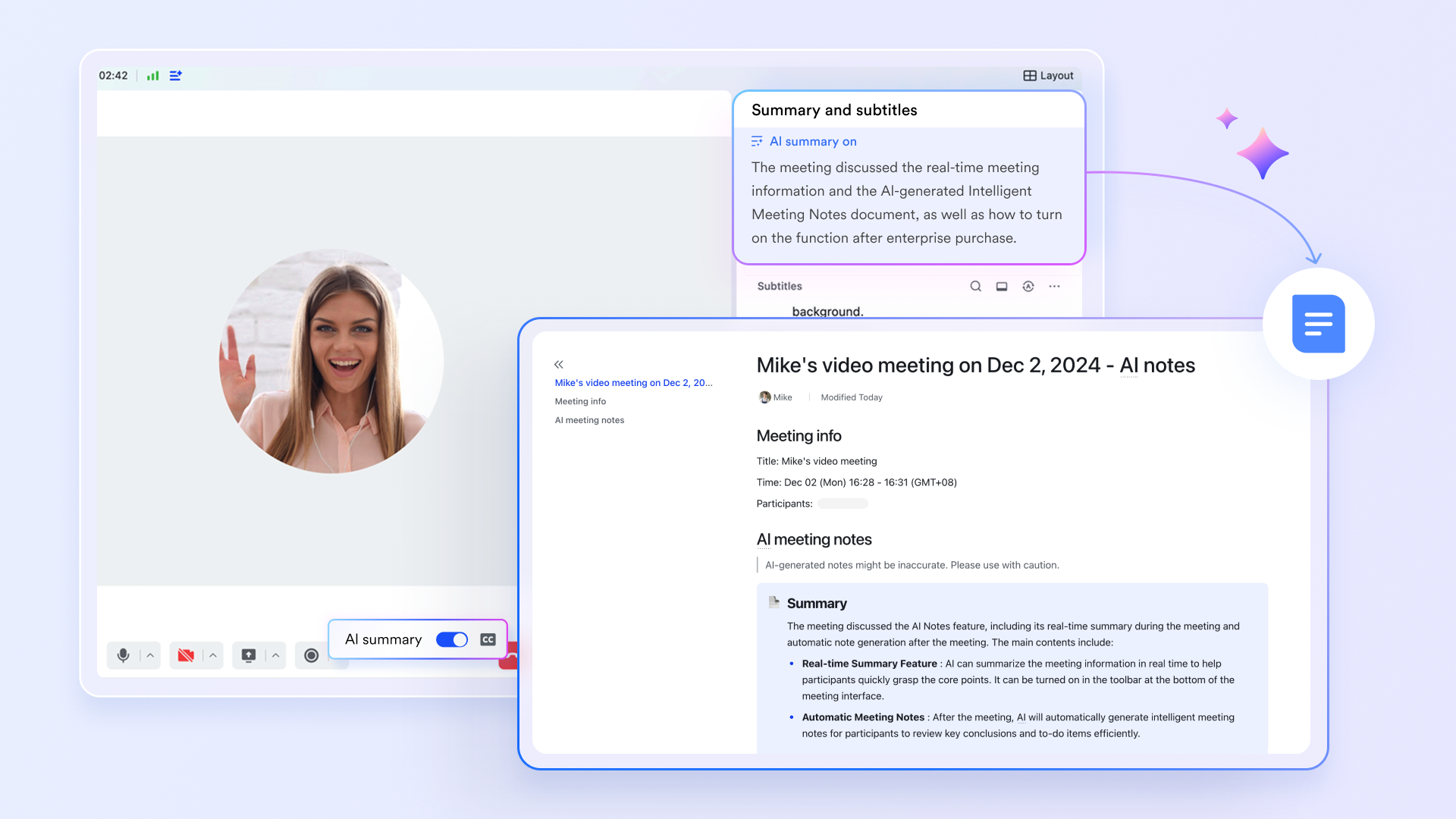
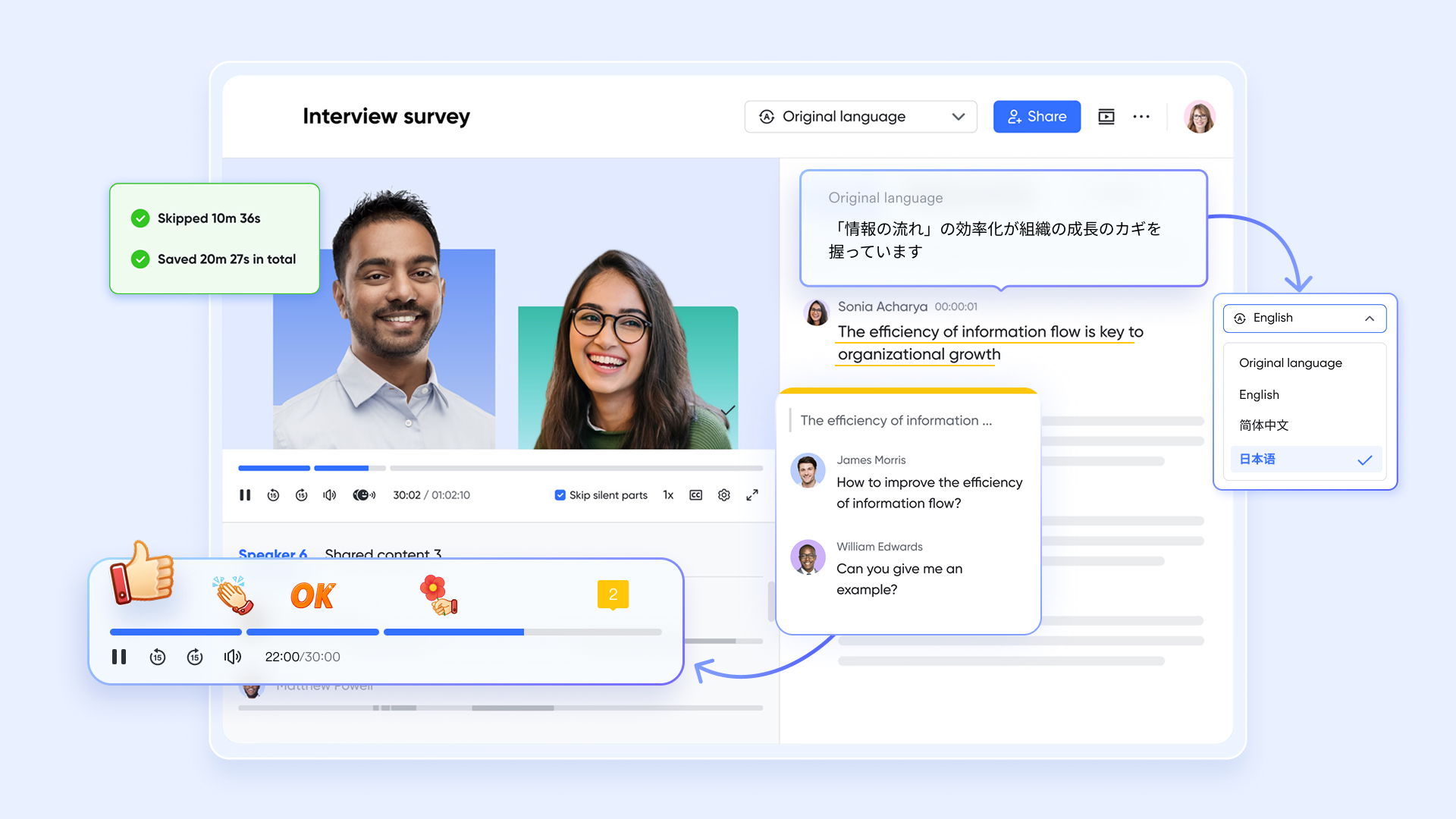
These notes are organized and managed within , a dedicated space that allows teams to review, edit, and track meeting outcomes efficiently. Lark Minutes ensures that all team members stay aligned by providing easy access to comprehensive meeting summaries and follow-up tasks.
Enhancing collaboration further, Magic Share enables participants to instantly share documents, slides, and other content during meetings, facilitating smooth information exchange without interrupting the flow of discussion. This feature supports real-time collaboration on shared files, making meetings more interactive and productive. 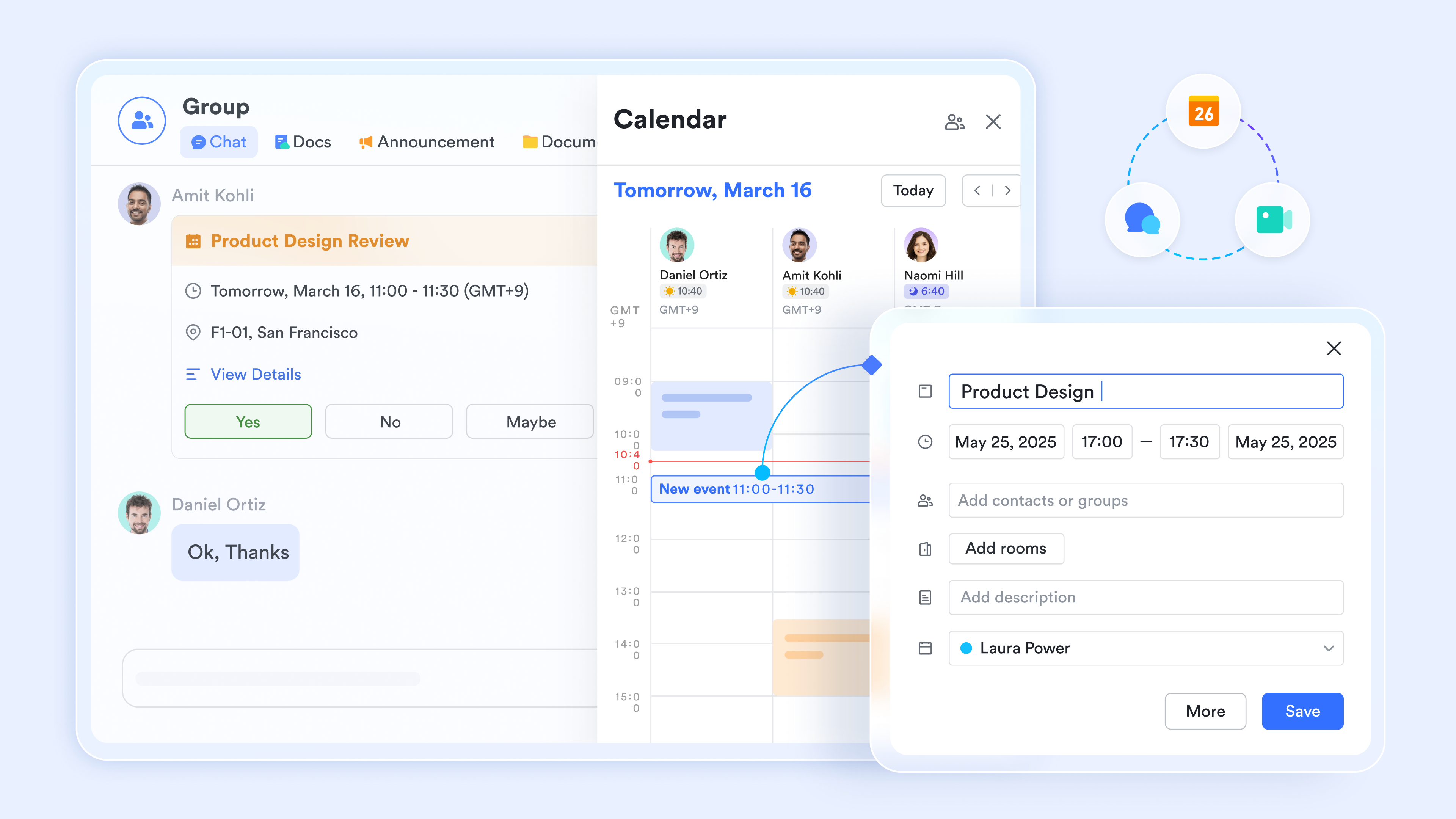
Communication beyond meetings is handled through , Lark's built-in chat function, where teams can continue discussions, assign tasks, and share files effortlessly. Lark Messenger supports group conversations and direct messaging, ensuring that team communication remains centralized and accessible.
Together, these features make Lark a comprehensive AI meeting note taker and collaboration platform, ideal for distributed teams seeking to improve meeting efficiency, streamline task management, and enhance overall team communication.
:
- Starter plan: that includes 11 powerful tools for up to 20 users. It also comes with 100GB of storage space, 1000 automation runs, AI translations, and more. No credit card needed.
- Pro plan: (billed annually) for up to 500 users. It includes everything in Starter plus group calling for up to 500 attendees, 15TB of storage space, 50,000 automation runs, and more.
- Enterprise plan: for custom pricing. Supports unlimited users and includes even more automation runs and advanced security, compliance, and management features.
For small teams with simple communication needs

18 months message history
1000 Base automation runs/month
2000 rows per table in Base
Most POPULAR
For companies with comprehensive collaboration and management needs
Unlimited message history
500-participant video meetings
50k Base automation runs/month
20k rows per table in Base
For large companies with advanced security and organizational management needs
Get a personalized demo and pricing
Unlimited message history
500-participant video meetings
15 TB storage + 30 GB storage/user
500k Base automation runs/month
50k Base automation runs/month
Most POPULAR
For companies with comprehensive collaboration and management needs
Unlimited message history
500-participant video meetings
50k Base automation runs/month
20k rows per table in Base
Conclusion
Store summaries where the work happens and keep transcripts on a short timer with restricted access. Your next action today is simple: update one recurring invite with a clear consent line and adopt a pause phrase your team can use the first time a meeting goes somewhere it shouldn't be recorded.
FAQs
Can I use AI to take meeting notes?
Yes, many collaboration and productivity platforms, such as Lark, now include AI-powered features that can automatically transcribe and summarize meeting notes, helping you capture key points without manual effort.
Can ChatGPT take meeting notes?
While ChatGPT can assist in generating meeting notes if provided with a transcript or key points, it does not directly record or transcribe meetings. Integrating ChatGPT with meeting transcription tools can help create detailed summaries.
Which AI assistant is best for meeting notes?
The best AI assistant for meeting notes depends on your specific needs and platform preferences. Popular options include Otter.ai for real-time transcription, Microsoft Teams' AI features, Zoom's Smart Recording, and tools that include AI Meeting Notes like Lark. Users can turn on the button to automatically record meeting notes and receive the notes from a chatbot.
Is there a free AI note taker?
Yes, some AI note-taking tools offer free plans with basic features. For example, Otter.ai provides a free tier with limited transcription minutes, and some collaboration platforms include free AI-powered note-taking within their basic offerings.
Related reading




















![What Is a 2-2-3 Work Schedule? Explanation and More [2026]](https://framerusercontent.com/images/uKHRfkp4v7y4azRNTYUmuteNQz8.png)








