














What Are CRM Features: Explanation, Example and Insights

Ryan Tanner
Product Marketing Specialist
Sep 18, 2026
Ryan Tanner
Sep 18, 2026

15 min read


Understanding CRM features is key for businesses that want to manage customer relationships effectively. From organizing contact data to tracking leads and opportunities, these features define how well a CRM system supports sales, service, and growth. Exploring both CRM essential features and advanced tools helps companies choose the right solution for their needs.
In this guide, we’ll look at what makes up the foundation of CRM, how advanced features drive long-term value, and what’s coming next in 2025. Drawing on insights from SAP, Salesforce, Business News Daily, SuperOffice, and Lark, we’ll compare the most important features of a CRM system and explore how they shape modern customer management.

What are CRM software features & why do they matter
CRM features are the core functionalities built into a customer relationship management system, designed to help businesses organize, track, and improve interactions with their customers. According to Salesforce, CRM tools provide a centralized platform for managing every touchpoint—from capturing leads to closing deals—while SAP highlights that CRM features enable stronger relationships by turning customer data into actionable insights. In simple terms, the features of a CRM system define how well a business can manage customer information and use it to deliver consistent value.
The impact of these features is direct: they streamline sales activities, improve customer retention, and allow teams to make better, data-driven decisions. CRM essential features like contact management and pipeline tracking help companies stay organized, while advanced capabilities such as automation and analytics add efficiency and predictability.
Modern businesses, however, require more than standalone CRM software. Teams also need collaboration, project management, and workflow capabilities to keep sales, service, and support aligned. This is where platforms like Lark stand out—by combining CRM functions with tools for communication, document sharing, and task automation. The result is an all-in-one workspace where customer data, teamwork, and business processes work together seamlessly.
CRM features checklist: What should you look for
When comparing CRM options, it’s helpful to measure them against the core CRM software capabilities that drive real business impact. Use this checklist to guide your evaluation:
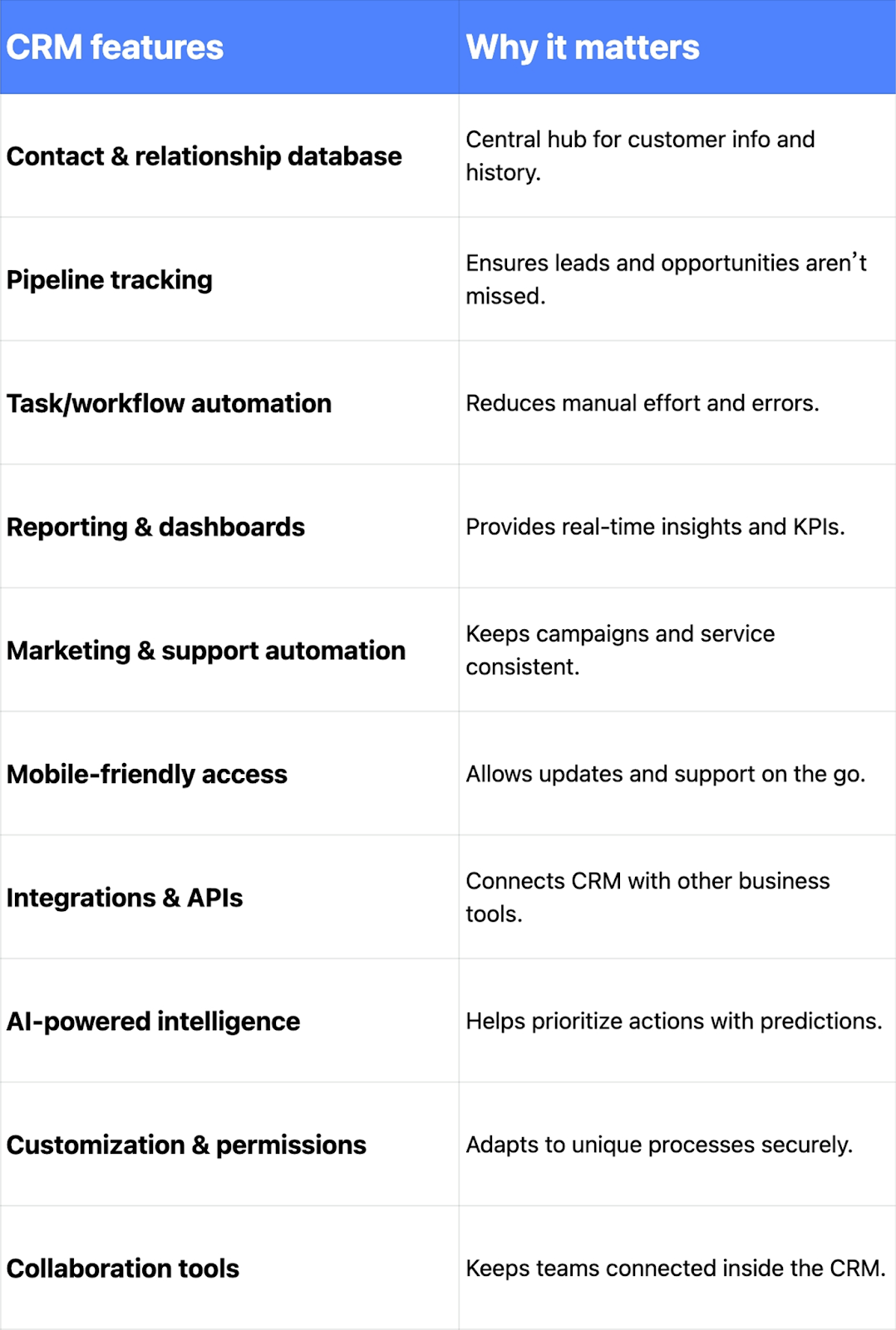
Core CRM essential features
Every CRM system is built on a foundation of core functionalities that make customer management easier. These CRM software features are the must-haves before businesses can benefit from more advanced CRM features. To provide a comprehensive overview, the following will outline Lark and its key features:
Contact & account management
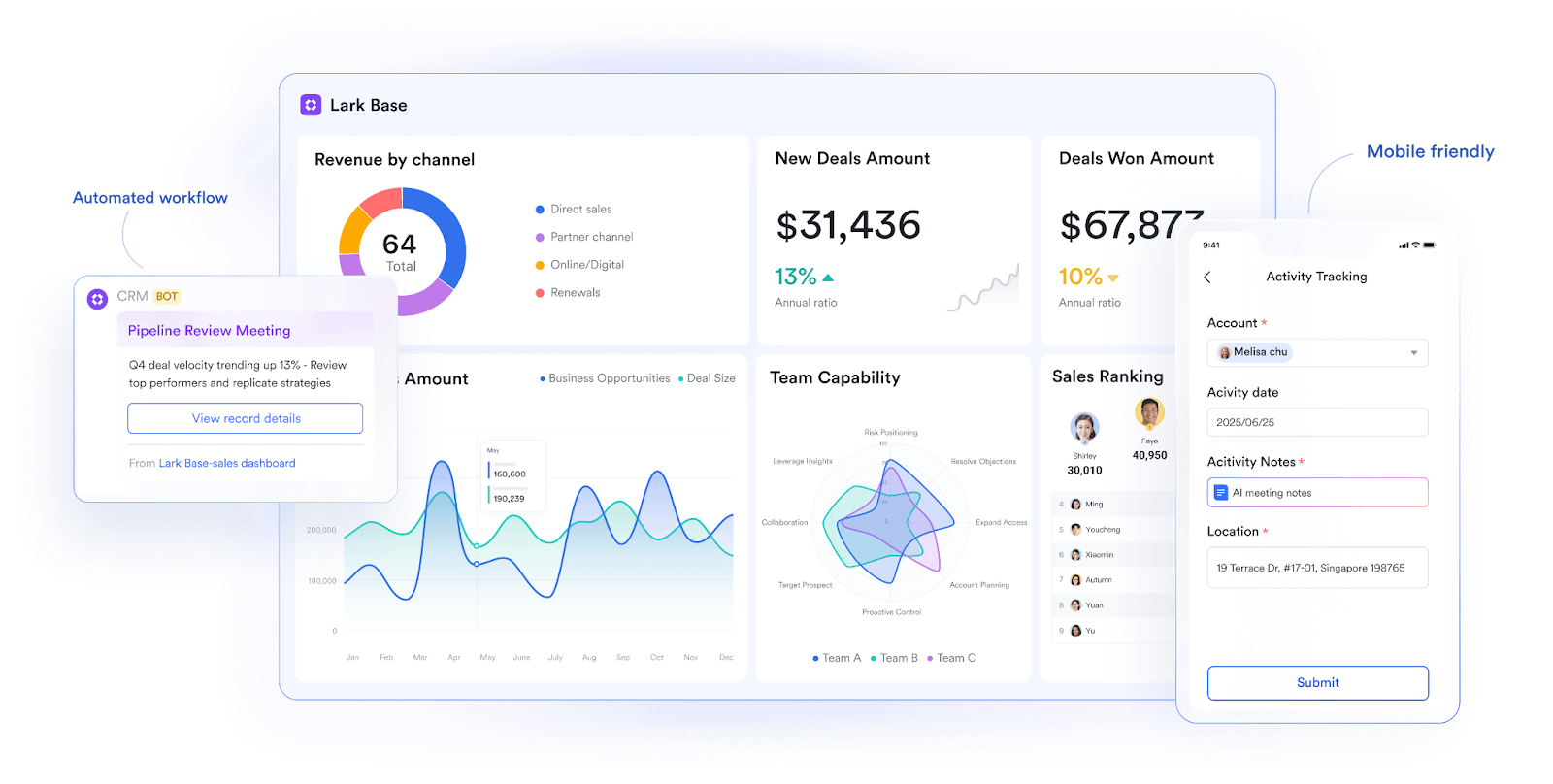
At the heart of CRM is a central hub for storing and organizing customer data. In Lark Base, businesses can create structured records with customizable fields—everything from contact details to purchase history. For example, a sales team could maintain different account views for enterprise clients versus small businesses, ensuring no critical information is lost. This makes it easier to understand relationships and personalize customer interactions.
Lead & opportunity tracking
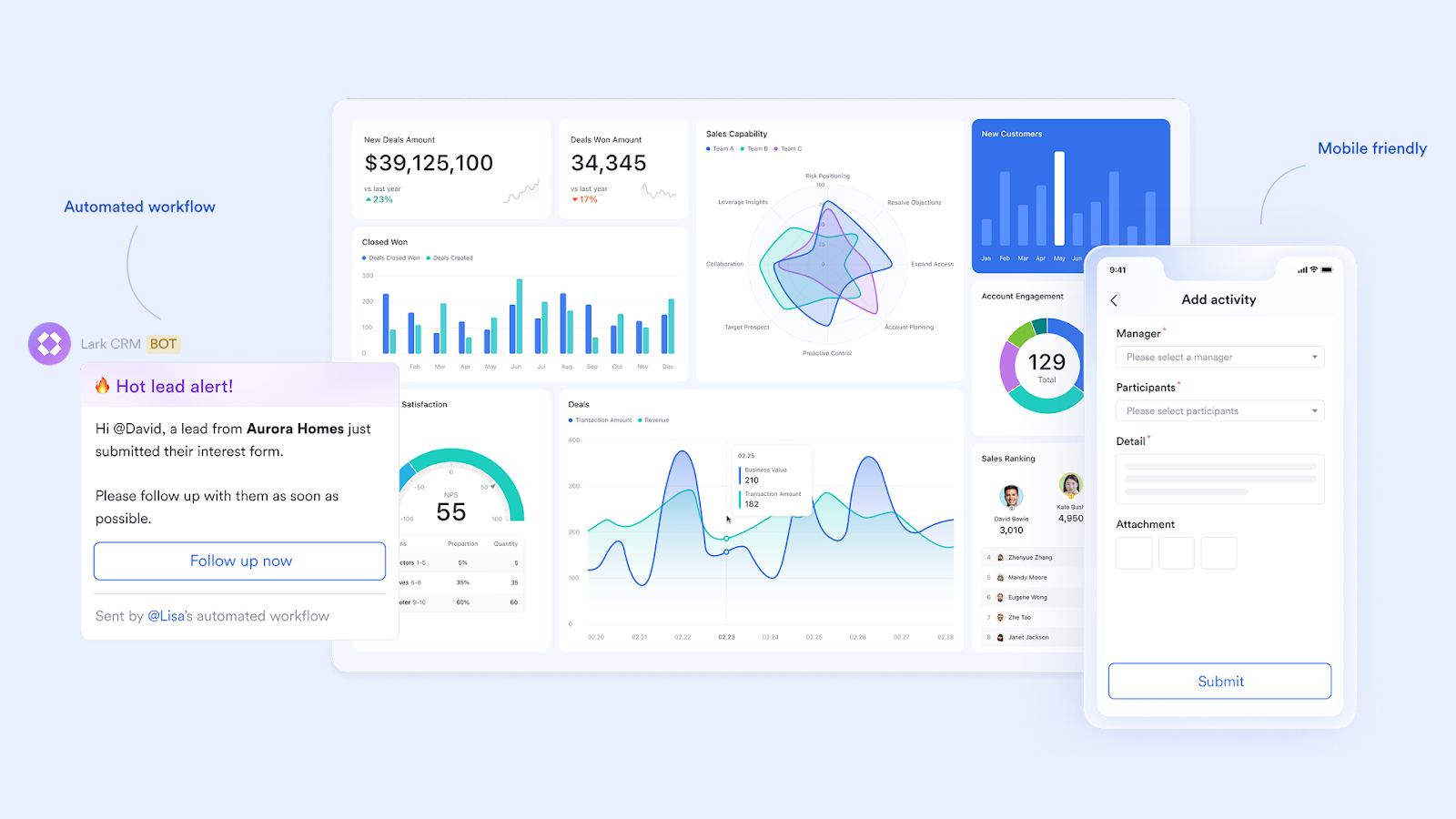
A good CRM goes beyond storing contacts; it tracks every stage of the sales pipeline. With Lark, leads can be automatically assigned to team members, complete with reminders to follow up. Imagine a marketing campaign generating 200 new leads—Lark ensures each lead is logged, prioritized, and visible, so sales teams don’t miss potential opportunities. This feature keeps deals moving and improves conversion rates.
Task automation & reminders
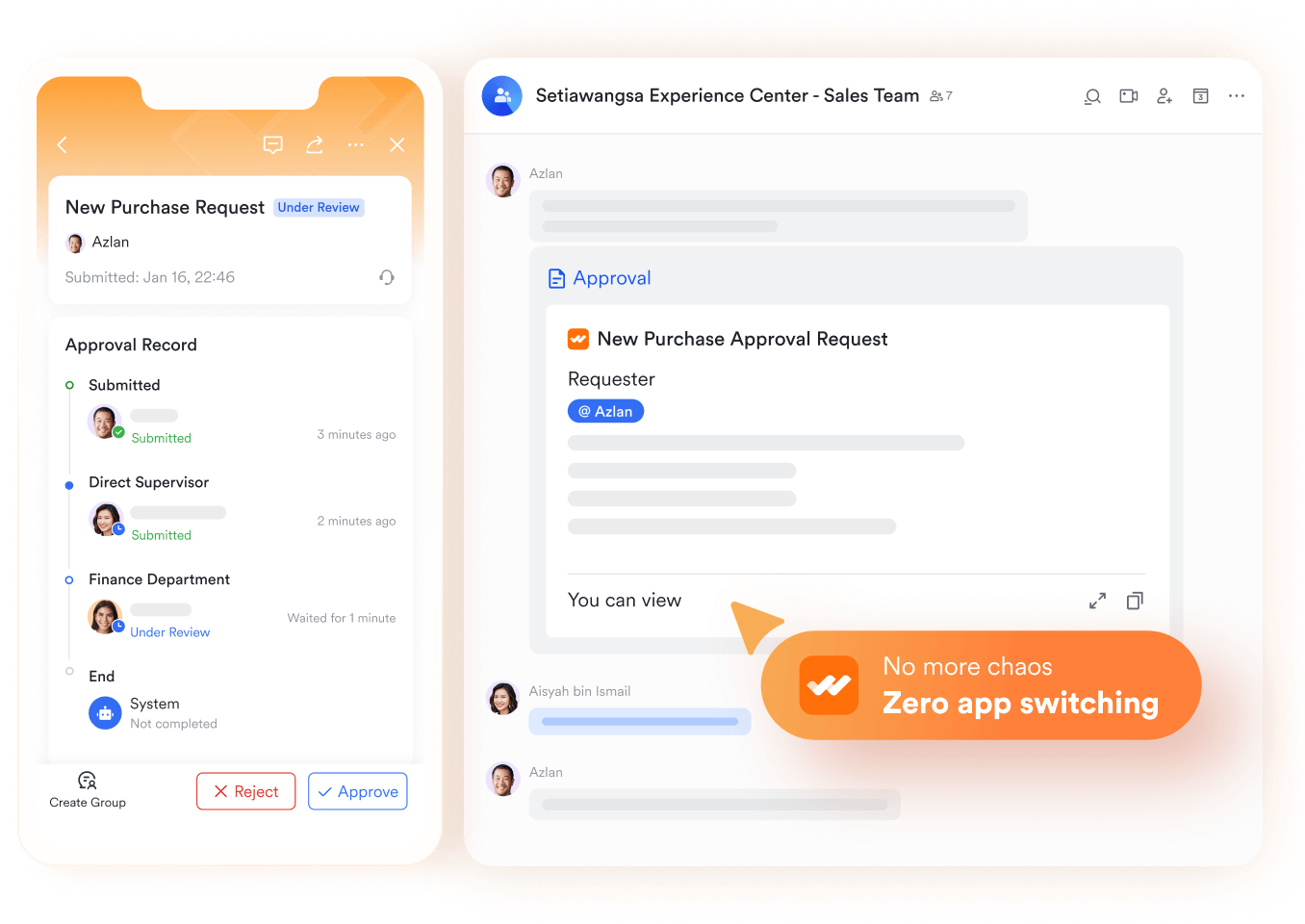
One of the most practical CRM software features is automation. Instead of relying on manual follow-ups, Lark Tasks and Lark Approval streamline repetitive work like sending reminders or routing approval requests. For example, when a proposal is submitted, it can automatically trigger an approval request in Lark Approval and create a follow-up task in Lark Tasks. This keeps workflows efficient and reduces the risk of missed deadlines.
Reporting & analytics dashboards
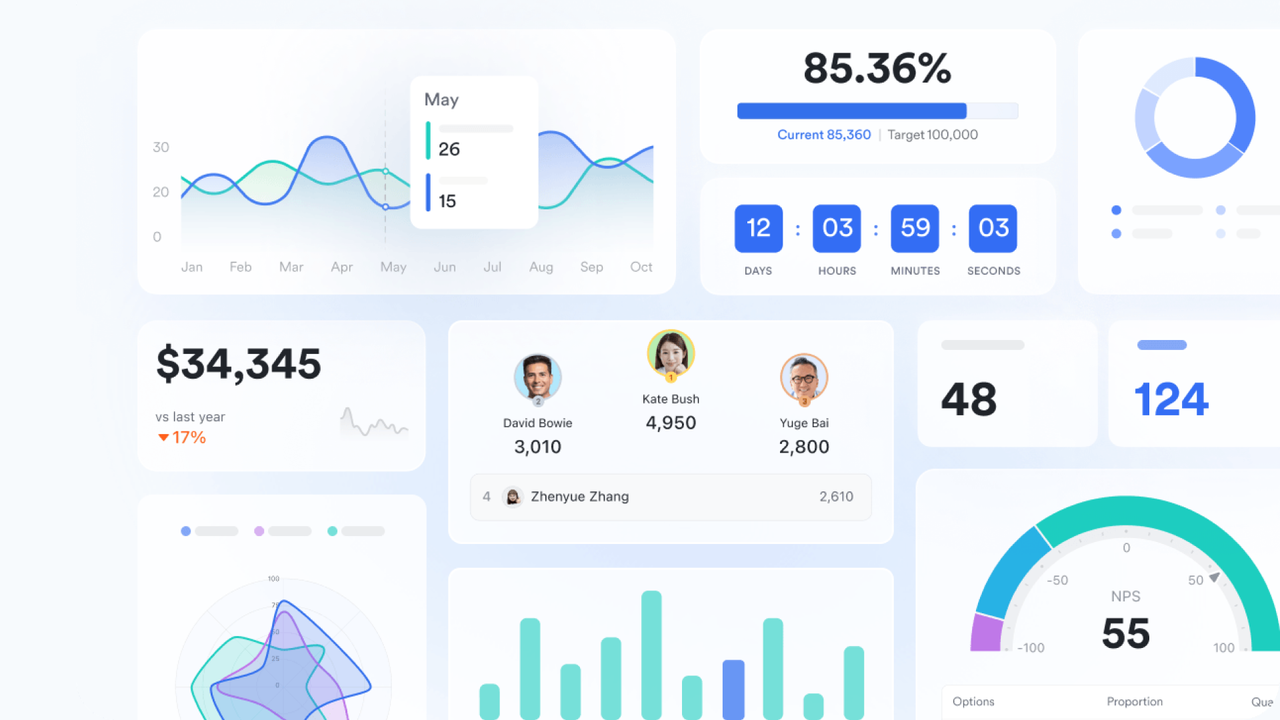
Decision-making relies on data, and CRM platforms provide dashboards to track performance. In Lark Base, managers can build dashboards that display KPIs like deal closures, revenue forecasts, or customer retention rates. For instance, a sales director could review monthly progress against targets in real time. Such reporting transforms raw data into actionable insights, helping businesses stay agile.
Email & calendar sync
A CRM becomes more powerful when communication tools are seamlessly connected. While many systems rely on external integrations, Lark Mail and Lark Calendar are built-in, making scheduling and correspondence part of the same workflow. For example, when a meeting with a client is scheduled, the details can link directly to their account record. This ensures communication history and timelines are always aligned with sales activity.
Advanced CRM features that drive growth
Once the essentials are covered, businesses can unlock real growth by adopting advanced tools within their CRM. These features go beyond day-to-day management and give teams strategic advantages.
Once the essentials are in place, advanced CRM tools help businesses move from managing relationships to accelerating growth. These features create stronger engagement, faster decisions, and more efficient workflows:
- Marketing automation: Many CRMs run campaigns, but with Lark Docs and Lark Sheets, teams can co-create pitch decks or campaign emails together in real time. A workflow could then auto-send follow-up emails to webinar attendees or assign new leads directly to sales reps, ensuring no opportunity is missed.
- Customer service tools: Lark Wiki lets support teams build a searchable knowledge base where customers find quick answers. For escalated cases, Lark Messenger allows frontline agents to loop in product or engineering teams instantly, cutting issue resolution time from days to hours.
- AI & predictive insights: Standard CRMs may score leads, but Lark Base dashboards go further by spotting customer behavior trends. For example, a manager can see which accounts show early signs of churn and proactively assign retention tasks to the account team.
- Customization: Every business workflow is unique. With CRM customization features in Lark Base, companies can add custom fields (e.g., industry type), use kanban views for sales stages, or gantt views for implementation projects, adapting the CRM exactly to their processes.
- Collaboration: Unlike siloed CRMs, Lark embeds collaboration directly into workflows. A sales rep reviewing a deal in Lark Base can open Lark Docs to update a proposal, schedule a call in Lark Calendar, and chat with a colleague in Lark Messenger—all without leaving the record. These CRM collaboration features keep context intact and reduce tool-switching.
CRM features comparison: Where Lark stands out
Most CRMs—like Salesforce, HubSpot, Zoho, and Lark—handle contact management, pipelines, and reporting effectively. However, their differences surface in collaboration, customization, and workflow efficiency. This is crucial when considering Google Workspace alternatives or even how well a CRM integrates with existing platforms. While Google Workspace pricing might offer core functionalities, more specialized CRMs or comprehensive platforms found in different ClickUp pricing tiers can offer deeper solutions for these emerging differences in team needs.
Salesforce
Salesforce is known for its comprehensive CRM functionalities, covering contacts, pipelines, and reporting. However, for email and calendar use, it relies on add-ons or Outlook/Gmail sync rather than built-in tools. Its collaboration tools are limited and depend on integrations like Slack or Chatter. While its customization options are high, they require significant technical setup. Salesforce provides advanced data dashboards and strong analytics, but its workflow automation is powerful yet complex to configure. Overall, it has a steep learning curve for new users.
HubSpot
HubSpot offers strong CRM capabilities with a clear sales and marketing focus. It integrates smoothly with Gmail and Outlook for email and calendar management. Its collaboration tools include basic chat but rely on external platforms for document handling. The customization is flexible and moderately complex, making it approachable for many teams. HubSpot also features good, user-friendly reporting dashboards and easy workflow automation for sales and marketing tasks. Its user experience is generally friendly but can feel fragmented.
Zoho’s CRM
Zoho’s CRM solution covers essentials affordably. It has built-in Zoho Mail and Calendar, reducing reliance on third-party integrations. Zoho also includes built-in chat for collaboration, although its document features are limited. It offers good customization options and standard dashboards for data reporting. A workflow builder is available, making automation accessible. Its user experience is affordable but less intuitive than some competitors.
Lark
Lark stands out with full CRM essentials built into Lark Base, combining CRM, communication, and productivity tools in one place. Email and calendar are native to Lark Mail and Lark Calendar, removing the need for integrations. Collaboration is seamless through embedded Messenger, Docs, Wiki, and Meetings, making it an all-in-one workspace. Lark Base also offers no-code CRM customization features, empowering teams without technical expertise. Users get real-time dashboards for data tracking and extended workflows through Lark Base and Lark Approval to automate processes. Its unified workspace eliminates tool-switching, creating a smooth and intuitive user experience.
Future-ready CRM features in 2026
CRM systems are evolving rapidly, and the next wave of capabilities will focus on intelligence, mobility, and adaptability. Here’s how the most important trends are shaping customer relationship management for the future:
- AI-enhanced workflows – CRMs will move beyond simple reminders to predictive actions. For example, with AI tools like smart analysis in Lark, you can identify at-risk accounts and automatically assign retention tasks, or suggest the best time to follow up with leads.
- Mobile-first CRM – As field teams and hybrid work expand, mobile access becomes non-negotiable. The Lark mobile app combines CRM data, chat, and scheduling, so sales reps can update deals or respond to clients immediately after a meeting.
- United collaboration – Instead of switching between separate tools, CRMs of the future will embed messaging, docs, and wikis directly into workflows. Lark already does this, ensuring every conversation and document stays tied to customer records.
- No-code customization – Flexibility will define modern CRMs. With Lark Base, teams can build no-code tables, workflows, and views tailored to their exact processes without needing developer support.
Conclusion
Understanding CRM features is essential for businesses aiming to manage customer relationships effectively. The foundation begins with core features like contact management and pipelines, while advanced tools such as automation, analytics, and customization unlock growth. Future-ready CRMs will rely heavily on AI, mobility, and embedded collaboration to stay competitive.
Lark blends both the essentials and the advanced: contact and lead tracking in Lark Base, built-in communication via Lark Messenger and Lark Mail, and automation through Lark Approval and workflows. By combining CRM with collaboration, Lark offers a unified workspace where customer data, teamwork, and decision-making come together seamlessly.
FAQs
What are the key CRM features every business should have?
At a minimum, businesses need contact management, pipeline tracking, task automation, and reporting dashboards. These ensure customer data is organized, opportunities are visible, and performance can be measured. With Lark Base for structured records and dashboards, and Lark Tasks for follow-ups, companies get all these essentials in one workspace.
How does Lark compare to traditional CRM software?
Traditional CRMs like Salesforce or HubSpot provide strong sales and reporting tools but often require third-party add-ons for communication or collaboration. Lark combines CRM features with Messenger, Docs, Wiki, and Calendar, reducing tool-switching and keeping everything customer-related in one place.
Can Lark automate lead follow-ups and approvals?
Yes. In general, CRM automation helps ensure timely follow-ups, task assignments, and smoother approval processes. With Lark Approval and Lark Tasks, leads can be automatically routed, reminders scheduled, and approvals completed without manual intervention.
Does Lark offer mobile CRM features?
A mobile CRM is critical for teams working in the field. Many CRMs provide apps, but they often separate communication and customer data. The Lark mobile app unifies both—sales reps can check records, update deals, message teammates, and schedule meetings all from one app.
Why is collaboration important in CRM features?
Collaboration ensures sales, service, and marketing stay aligned while managing customer relationships. Without it, data gets siloed and response times slow down. With Lark’s CRM collaboration features—like embedded chat, docs, meetings, and wikis—teams can resolve issues, update accounts, and make decisions together directly in the CRM workspace.
Related reading
Table of contents
Start using Lark today

Manage all your work in one place
Boost team efficiency by 10x
Save up to 70% on software costs
Table of contents
Start using Lark today
Manage all your work in one place
Boost team efficiency by 10x
Save up to 70% on software costs
Keep reading









2026 Lark Technologies Pte. Ltd.
Headquartered in Singapore with offices worldwide.






Explore: