














10 Best CRMs for Property Management: A Fully Reviewed List

Ryan Tanner
Product Marketing Specialist
Sep 18, 2026
Ryan Tanner
Sep 18, 2026

22 min read


Managing multiple properties, tenants, and maintenance requests is no easy task. Property management teams handle listings, contracts, communications, and finances daily—and without the right tools, it's easy for details to slip through the cracks. That's where a CRM for property management helps. Platforms like Lark, Salesforce, Monday.com, and Zoho CRM streamline operations, automate reminders, and centralize property data in one place. From tracking leads to managing maintenance, these solutions bring structure to complex workflows.
In this guide, we'll explore how property management CRMs work, their key features, and the best CRM software for property management.
1. Lark: Best all-in-one CRM for property management teams
2. Salesforce financial services cloud: Enterprise-grade solution
3. Monday.com CRM: Visual workflow builder
4. Pipedrive: Streamline leasing & sales
5. Zoho CRM: Affordable automation tool
6. HubSpot CRM: Best free marketing CRM
7. AscendixRE: Built on salesforce
8. Propertybase: Real estate integration
9. Bitrix24: Free plan for small teams
10. VTS: Lease & portfolio management

What is a CRM for property management?
A CRM for property management is a software solution designed to help real estate and property professionals manage relationships, operations, and communications more efficiently. Unlike general CRMs that focus mainly on sales pipelines or customer support, a property management CRM integrates tools specific to the real estate industry—combining lead management, property tracking, tenant communications, and maintenance workflows in one unified platform.
Image source: unsplash.com
These systems act as a central hub where all property-related data—from tenant details and lease agreements to maintenance histories—is securely stored and easily accessible.
Who uses property management CRMs?
- Property managers who need to oversee multiple buildings and tenants
- Landlords looking to track rent payments and occupancy
- Real estate teams manage listings, leads, and communications
- Restoration and facility management professionals are coordinating repair requests and vendor schedules
Why property managers need a CRM
Managing properties involves more than collecting rent—it's about balancing communication, maintenance, finances, and tenant relationships every day. Without a centralized system, property teams often struggle with missed maintenance follow-ups, scattered communications, and unorganized tenant data. Over time, this leads to inefficiency, lower tenant satisfaction, and lost revenue opportunities.
A CRM for property management brings order to this complexity. It connects your team, automates key processes, and gives a full view of every property, tenant, and task—all in one place. Here's how different professionals benefit:
- Property managers: They juggle dozens of listings, tenants, and service vendors. A CRM helps them automate rent reminders, assign maintenance requests, and track everything from lease renewals to inspection reports—reducing manual effort and improving response times.
- Landlords: Independent landlords often lack the time for detailed tracking. A CRM lets them monitor occupancy, manage tenant records, and receive automated alerts for rent payments and renewals, ensuring no revenue gaps.
- Leasing teams: Leasing professionals handle high lead volumes and multiple property showings. A CRM centralizes inquiries, automates follow-ups, and provides clear visibility into every prospect's status, improving conversion and speed to close.
- Facility management teams: They deal with daily maintenance tickets and vendor coordination. CRMs allow task management, progress updates, and instant communication between field teams and management—keeping operations seamless.
- Restoration professionals: For teams handling property restoration or damage repairs, a CRM enables better coordination with contractors, insurers, and tenants—ensuring updates, documents, and timelines stay aligned across projects.
Key features of a property management CRM
A CRM for property management brings all your tenant, property, and communication data into one unified platform. The right software doesn't just organize—it automates, collaborates, and analyzes, helping property teams save time and deliver better tenant experiences. Here are the key features to look for when choosing your CRM:
- Tenant and owner database management: Keep detailed records of tenants, owners, and properties in one centralized database. A CRM allows easy access to lease terms, contact information, and communication history—ensures quick responses and better relationship management.
- Lead and listing management: Track property listings, inquiries, and prospective tenants seamlessly. A property management CRM system helps you manage leads from multiple channels, automate follow-ups, and convert prospects faster.
- Automated reminders and task scheduling: Never miss a rent due date or maintenance task again. CRMs automate reminders for lease renewals, inspections, and service requests, ensuring your entire team stays on top of every deadline.
- Payment and maintenance tracking: Monitor rent payments, deposits, and maintenance requests in real time. A good CRM provides visibility into outstanding dues and pending repairs—helping you maintain cash flow and tenant satisfaction.
- Analytics and reporting: Gain actionable insights into occupancy rates, expenses, and performance metrics. A CRM for property management provides detailed reports to guide data-driven decisions and improve operational efficiency.
- Integration with accounting tools, email, and calendars: Connect your CRM with essential tools like QuickBooks, Gmail, or Outlook.This ensures smooth data flow, asynchronous communication, and simplified financial management—keeping everyone aligned even without real-time interaction.
- Mobile accessibility and cloud sync: Access your CRM anytime, anywhere. Cloud-based systems keep your data secure and up-to-date across devices—ideal for property managers and on-site staff working remotely.
- Collaboration and workflow automation: Modern CRMs like Lark go beyond data storage. They enable real-time collaboration with shared docs, task automation, and integrated chat—empowering teams to manage listings, tenants, and maintenance in one workspace.
- Centralized communication and collaboration: A unified communication hub keeps messages, calls, and documents connected to each property record. With Lark's built-in messaging and video meetings, your team can collaborate instantly without switching apps.
- Security and data privacy features: Safeguard sensitive tenant and financial information with enterprise-grade security. Top CRMs ensure data encryption, access controls, and compliance with privacy regulations.
- Customization and scalability: As your property portfolio grows, your CRM should grow with you. Choose a system that lets you customize workflows, add automation, and scale user access easily—from small teams to enterprise operations.
Take a glance at the best software for property management
We've reviewed the top property management CRMs to help you find the best match for your workflow. Whether you manage residential units, commercial spaces, or multiple client portfolios, these tools can streamline operations, automate tasks, and centralize communication.
10 Best CRM software for property management
1. Lark: Best all-in-one CRM for property management teams
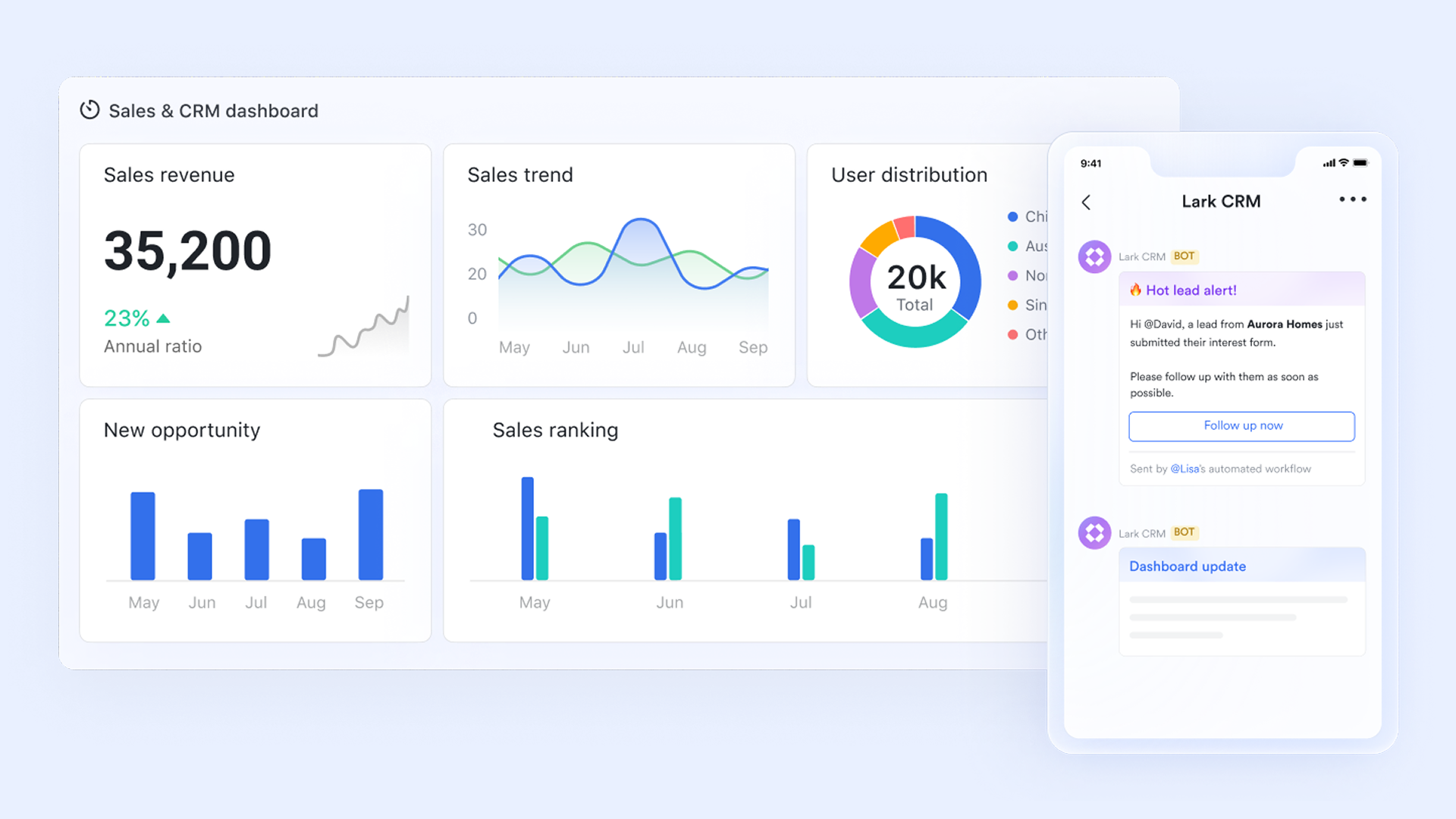
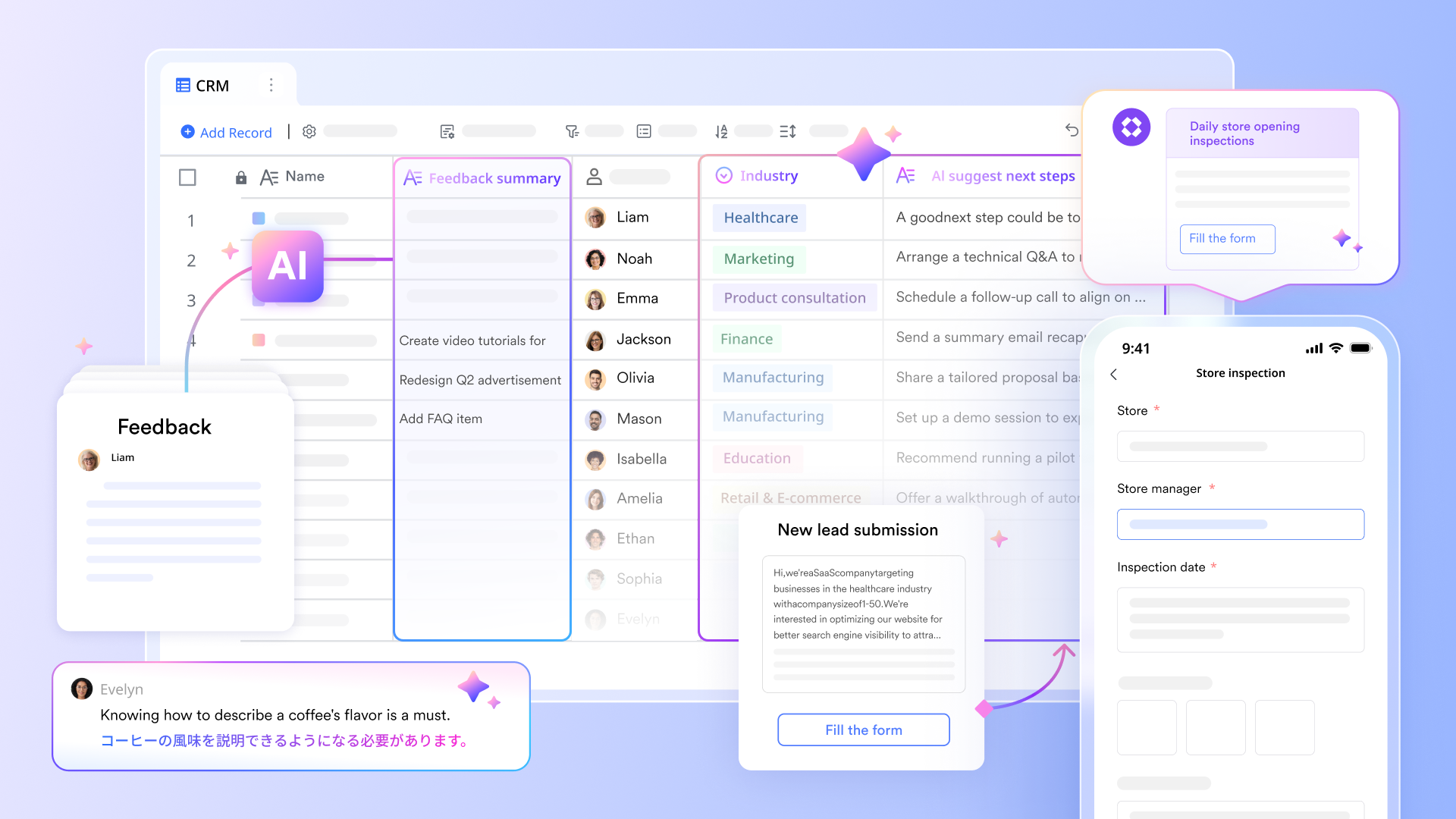
Lark is a productivity superapp that goes beyond traditional CRM, combining chat, docs, sheets, meetings, and workflow management in a single platform. Designed for property managers, it streamlines tenant communications, tracks listings, and organizes maintenance requests efficiently. Instead of juggling multiple tools for emails, rent tracking, and team coordination, Lark centralizes everything in one ecosystem.
With Lark Base, Messenger, Calendar, and AI-powered automation, teams can build customized workflows, collaborate in real time, and automate repetitive tasks. This makes Lark an ideal solution for property teams managing multiple properties and operations seamlessly.
Key features:
- Centralized tenant & property data in Lark Base:
At the core of Lark's CRM capability is Lark Base, a no-code database tool that acts as your digital property portfolio. Property managers can create a tenant database containing details like lease start and end dates, rent amount, contact management , and maintenance history. Each record is automatically linked to a specific property record, helping teams see the full tenant lifecycle at a glance.
For example, when a tenant reports a maintenance issue, you can instantly open their record in Lark Base, view their unit's history, and assign a task to the maintenance team—all without switching tabs or apps. This centralization keeps every piece of data connected and traceable.
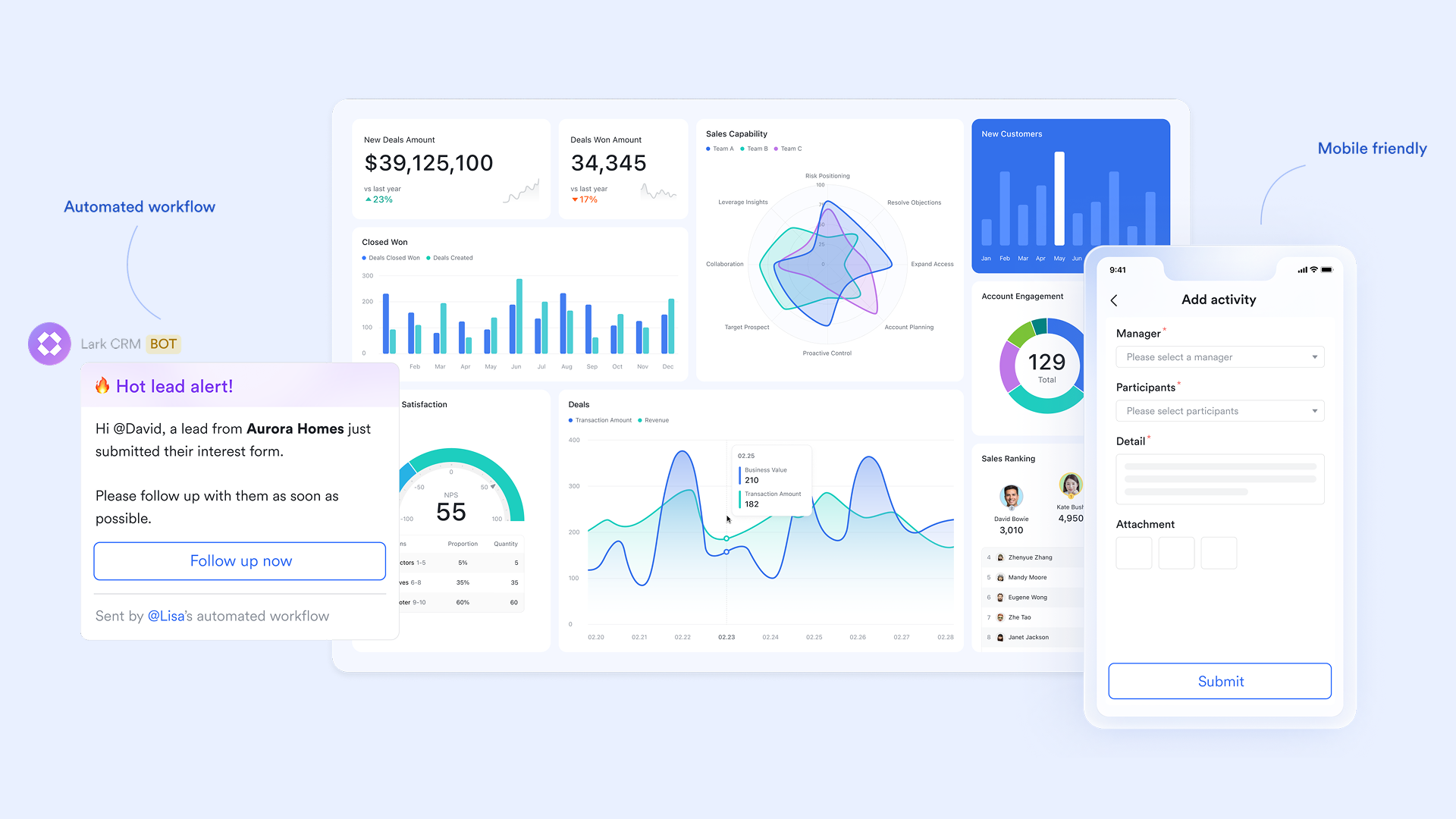
- Automated rent reminders & maintenance tracking
Late rent and delayed repairs are two of the biggest headaches for property managers. Lark automates both. You can set up recurring rent reminders that notify tenants via email or chat when payments are due, and automatically log payment confirmations in your Base. Similarly, maintenance tickets can be automated—when a tenant submits a request, it's routed to the right technician, tracked through each stage, and closed once the issue is resolved.
For instance, if a plumbing request is submitted through a shared Lark Forms, the system can instantly assign the job to a contractor, update the tenant when it's being handled, and mark it as "Resolved" when completed. This automation reduces manual follow-ups and ensures a smooth maintenance workflow.
- Real-time collaboration across teams
Lark is designed for collaboration-first property management. Every team—from leasing agents to accountants—may chat, meet, and co-edit documents in real time.If a new property listing is being prepared, leasing teams can draft descriptions in Lark Docs, attach property photos in Drive, and discuss details in Lark Messenger—all linked within the same workspace. Lark Calendar automatically schedules site visits, maintenance appointments, and rent review meetings are automatically scheduled and visible to everyone involved.
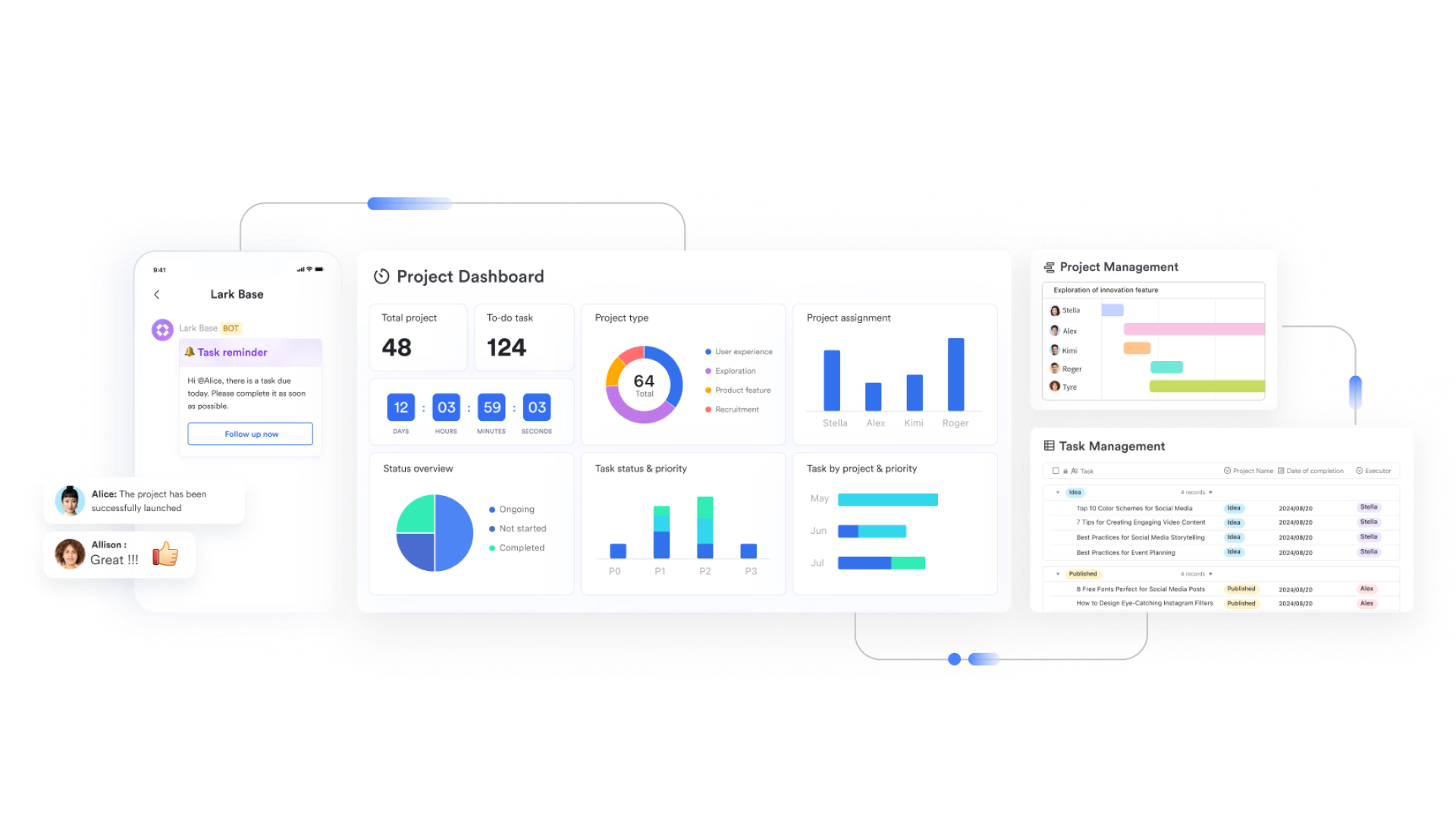
- Streamlined workflows for property listings
With Lark Base's pipeline views, property managers can visualize every stage of their leasing process—from inquiry to signed contract. Using kanban boards or timeline views, you can drag and drop listings as they move through stages like "New Lead," "Property Viewing," "Negotiation," and "Leased." Each stage can have automations that trigger next steps—such as sending a follow-up message after viewing or generating a digital lease form when a deal closes.
Example: A leasing manager can view all open units, see which ones are currently being shown to prospects, and identify bottlenecks—all from a single dashboard.
- AI-powered assistance & smart automation
Lark's AI assistant makes repetitive administrative tasks a thing of the past. AI can summarize tenant conversations, extract important details like rent amount or due date, and automatically update records in Lark Base. It can also generate reports, such as "Top 5 maintenance issues this quarter" or "Upcoming lease renewals."
With the AI Classify feature, tenant data can be categorized automatically—for instance, tagging "commercial," "residential," or "VIP" tenants—helping property managers segment and personalize communication.
Imagine receiving a daily AI summary of outstanding maintenance tickets, upcoming renewals, and overdue rents—ready in seconds without any manual data entry. That's the level of intelligent automation Lark brings to property management.
Why choose Lark
Lark goes beyond what traditional CRM software for property management can offer. For hybrid or remote property management teams, it creates a connected digital workspace where communication and operations run in sync.Whether you're managing 10 units or 1,000, Lark helps you centralize, automate, and scale your property management workflows effortlessly.
- Combines CRM + Collaboration: Chat, docs, and CRM tools live in one place.
- Ideal for hybrid or remote teams: Manage properties and coordinate teams from anywhere.
- Future-ready AI capabilities: Use automation and AI insights to boost efficiency and decision-making.
- Starter plan: Free forever plan that includes Sheets, Docs, Base, and 8 other powerful tools for up to 20 users. It also comes with 100GB of cloud storage, 1000 automation runs, AI translations, and more.
- Pro plan: $12/user/month (billed annually) for up to 500 users. It includes everything in Starter plus group calling for up to 500 attendees, 15TB of storage, 50,000 automation runs, and more.
- Enterprise plan: Contact sales for custom pricing. Supports unlimited users and includes even more automation runs and advanced security, compliance, and management features.
2. Salesforce financial services cloud: Enterprise-grade solution
Salesforce Financial Services Cloud is a premium CRM platform designed for large real estate and property management enterprises that need deep data intelligence and automation. Built on Salesforce's trusted infrastructure, it enables teams to manage investors, tenants, and property portfolios with precision. Its advanced analytics, segmentation, and AI tools make it ideal for complex, multi-location real estate operations. Teams can automate client communications, monitor leasing performance, and generate detailed forecasts in real time. While its cost and complexity may deter smaller firms, its scalability and reliability are second to none.
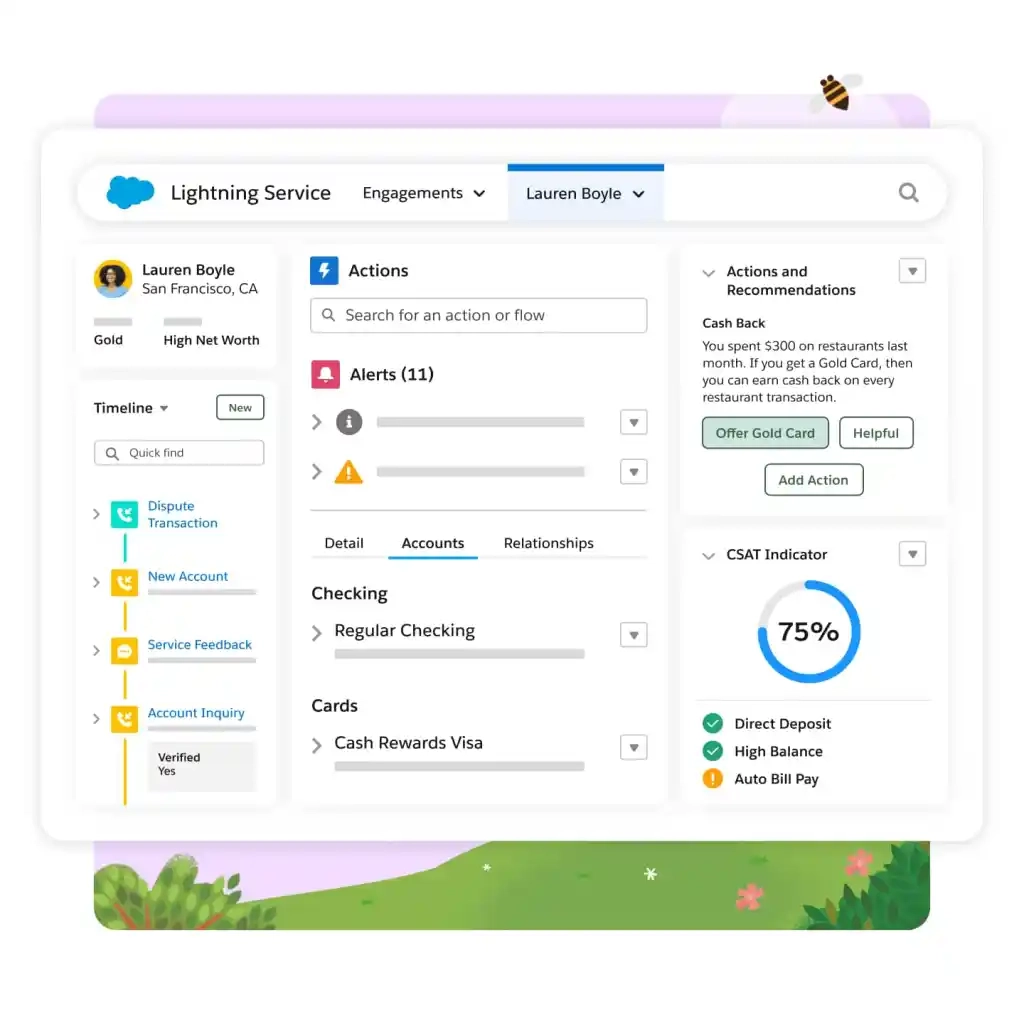
Image source: salesforce.com
Features:
- Custom dashboards for property and client management
- AI-driven insights for lead scoring and forecasting
- Automated workflows for lease renewals and client follow-ups
- Integration with marketing, accounting, and ERP systems
- Advanced data security and compliance features
Pros:
- Extremely scalable and customizable for enterprise use
- Deep automation and AI capabilities for property analytics
- Integrates seamlessly with the broader Salesforce ecosystem
- Powerful reporting and segmentation tools for high-value portfolios
Cons:
- Expensive setup and licensing costs
- Steep learning curve for new users
3. Monday.com CRM: Visual workflow builder
Monday.com CRM helps property teams manage tenants, deals, and projects through vibrant, visual workflows. Its drag-and-drop interface makes it easy to track leasing stages, automate notifications, and integrate with tools like QuickBooks and Mailchimp. Teams can centralize communication, track inquiries, and monitor financials—all, all within one board. Perfect for property managers who value transparency and team collaboration, Monday.com makes workflow automation approachable.
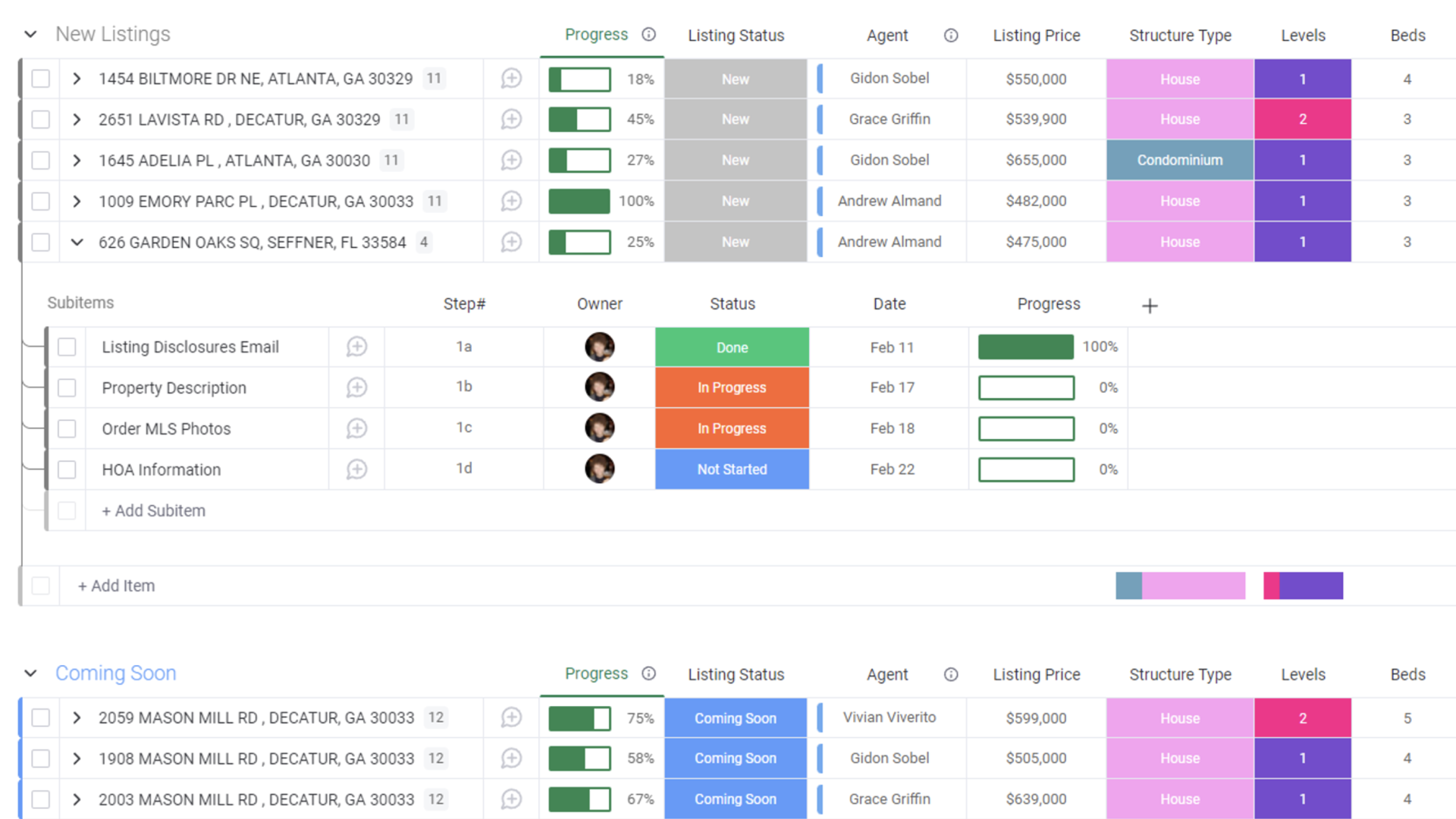
Image source: monday.com
Features:
- Visual boards to manage leads, tenants, and projects
- Integration with accounting, email, and marketing tools
- Customizable templates for leasing and maintenance tracking
- Real-time collaboration and progress updates
- Mobile app for on-the-go management
Pros:
- Extremely intuitive and visual interface
- Excellent automation and reminder system
- Great for hybrid or remote property teams
- Flexible templates for different property types
Cons:
- It can become costly as team size grows
- Lacks specialized real estate features out-of-the-box
4. Pipedrive: Streamline leasing & sales
Pipedrive offers an easy-to-use CRM that helps property managers and leasing agents track leads and close deals faster. Its pipeline-based interface simplifies lease tracking and deal progression. You can automate follow-ups, send proposals, and integrate with property marketing tools. Built for sales-driven teams, Pipedrive helps keep every client and property opportunity visible and actionable. It's perfect for agents juggling multiple leads across stages of negotiation.
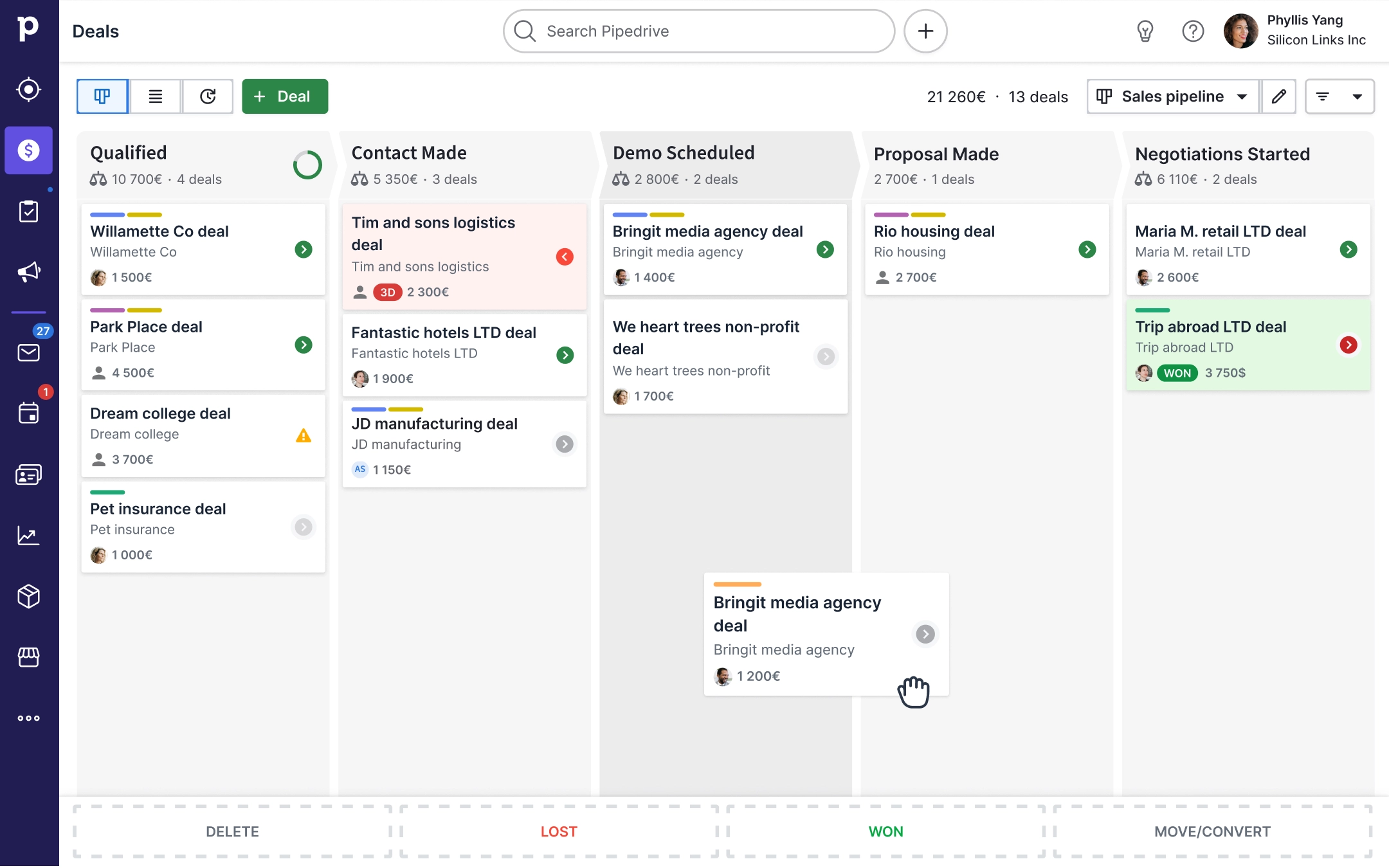
Image source: pipedrive.com
Features:
- Drag-and-drop visual pipelines
- Custom deal stages for leasing or sales
- Integrated calendar for showing appointments
- Email tracking and templates
- Workflow automation for follow-ups
Pros:
- Simple and clean interface for daily use
- Great reporting and pipeline visibility
- Integrates easily with real estate marketing tools
- Affordable for small to mid-sized agencies
Cons:
- Lacks built-in property modules
- Limited customization for complex operations
5. Zoho CRM: Affordable automation tool
Zoho CRM is an accessible solution for small to medium property management teams looking to automate tasks without breaking the bank. It offers a mix of lead tracking, communication management, and basic automation features. Users can connect emails, calls, and campaigns to each client or listing for full visibility. With its affordability and integration options, Zoho CRM stands out for budget-conscious teams. However, it may lack depth for large-scale property operations.
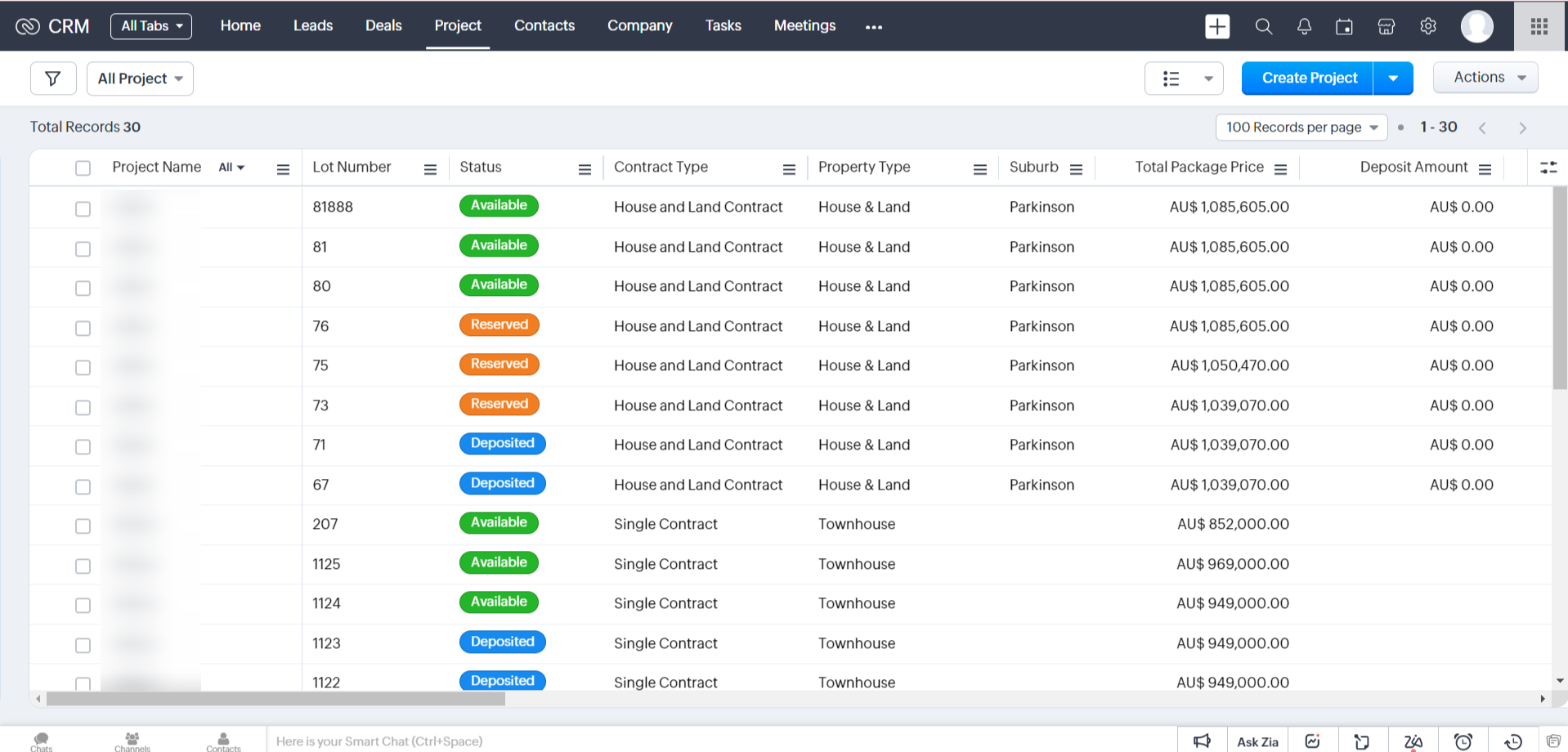
Image source: zoho.com
Features:
- Lead and deal management dashboards
- Workflow automation for follow-ups
- Integration with Zoho Campaigns and Google Workspace
- Custom fields for property and client data
- Mobile CRM app for remote agents
Pros:
- Cost-effective and scalable
- User-friendly with minimal setup
- Strong integration ecosystem
- Great for smaller teams or startups
Cons:
- Limited real estate–specific features
- Basic interface compared to modern CRMs
6. HubSpot CRM: Best free marketing CRM
HubSpot CRM is one of the most popular free tools for marketing-driven property management businesses. It combines contact management, email automation, and analytics in one easy-to-use platform. The free version offers marketing pipelines, web tracking, and basic automation suitable for agencies and landlords alike. Its strength lies in managing inbound leads from websites or social media campaigns. A top pick for property professionals focused on audience engagement and digital marketing.
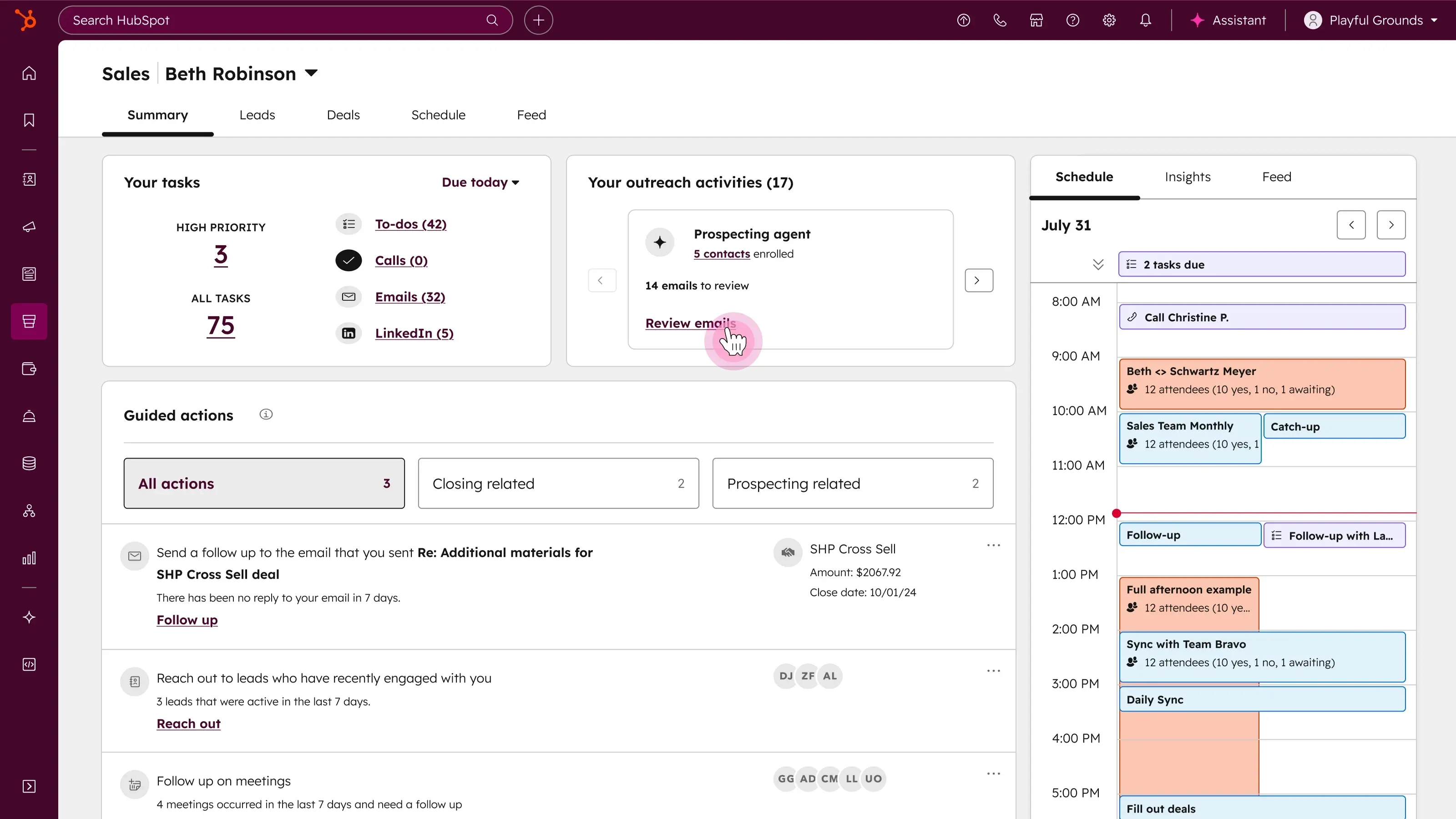
Image source: hubspot.com
Features:
- Free marketing and sales CRM
- Contact tracking with timeline view
- Integration with property listing websites and email tools
- Marketing automation workflows
- Real-time analytics and dashboards
Pros:
- Free forever plan with rich features
- Great for marketing and email automation
- Clean, intuitive interface
- Highly scalable with paid upgrades
Cons:
- Limited customization in free version
- Advanced features require paid tiers
7. AscendixRE: Built on salesforce
AscendixRE, built on Salesforce, is designed specifically for real estate professionals who need full control over client, property, and deal data. It enables teams to track listings, manage relationships, and automate daily operations using Salesforce's trusted infrastructure. Its mapping and data visualization tools help brokers identify opportunities and target clients geographically. Tailored for brokerages and large property developers, it merges CRM power with real estate intelligence.
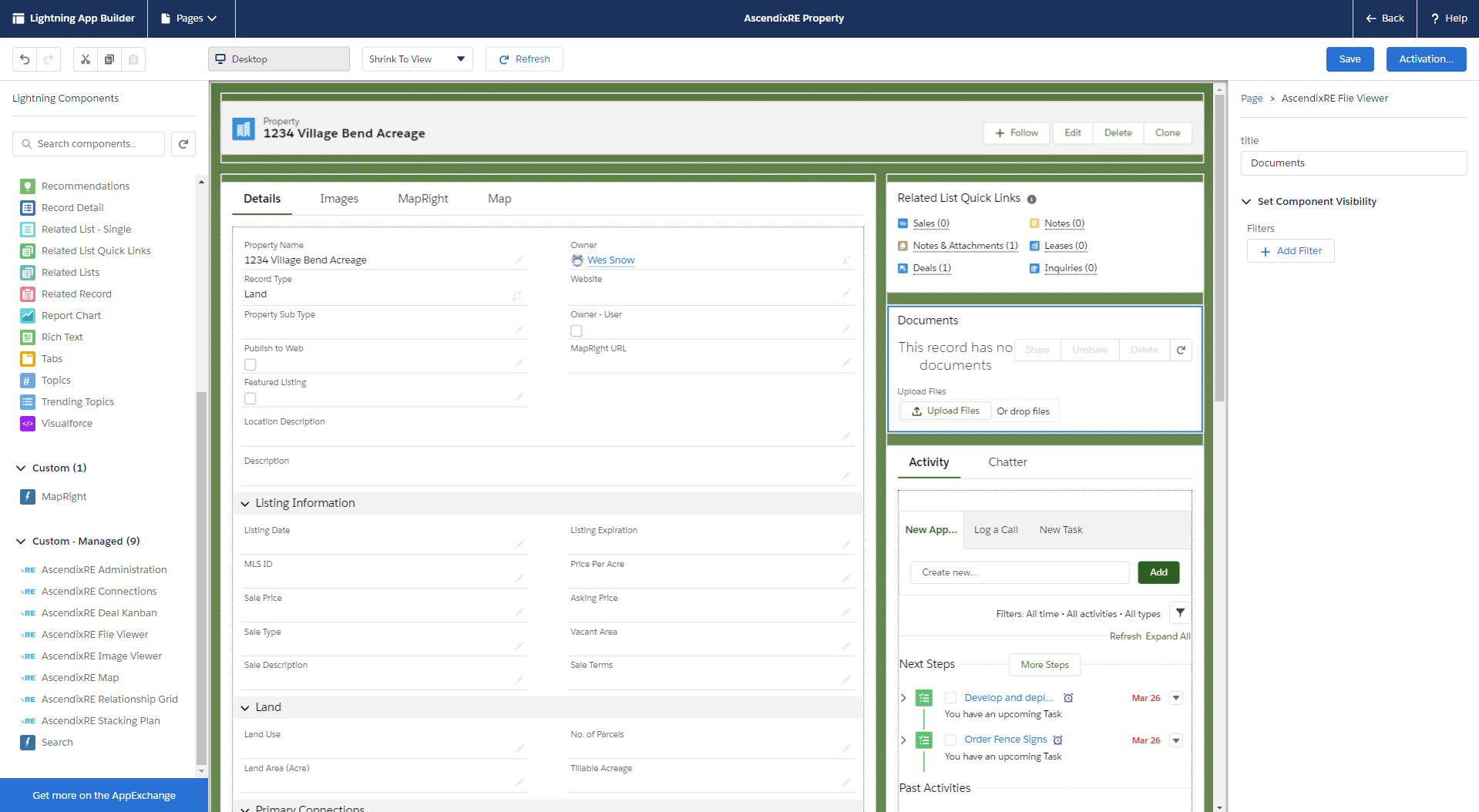
Image source: ascendixre.com
Features:
- Property listing management tools
- Contact and opportunity tracking
- Integration with Salesforce data ecosystem
- Geolocation and mapping insights
- Custom workflows for leasing and sales
Pros:
- Deeply specialized in real estate workflows
- Powerful Salesforce backend
- Great reporting and visual dashboards
- Reliable data security
Cons:
- Expensive for small agencies
- Learning curve for non-Salesforce users
8. Propertybase: Real estate integration
Propertybase combines CRM, marketing, and website management into one real estate–specific platform. It's built for brokers and developers who want to manage listings, automate campaigns, and analyze leads all in one place. The platform connects directly to MLS databases and marketing channels, reducing manual work. With features like listing automation, client portals, and performance dashboards, it helps real estate firms stay competitive in the digital space.
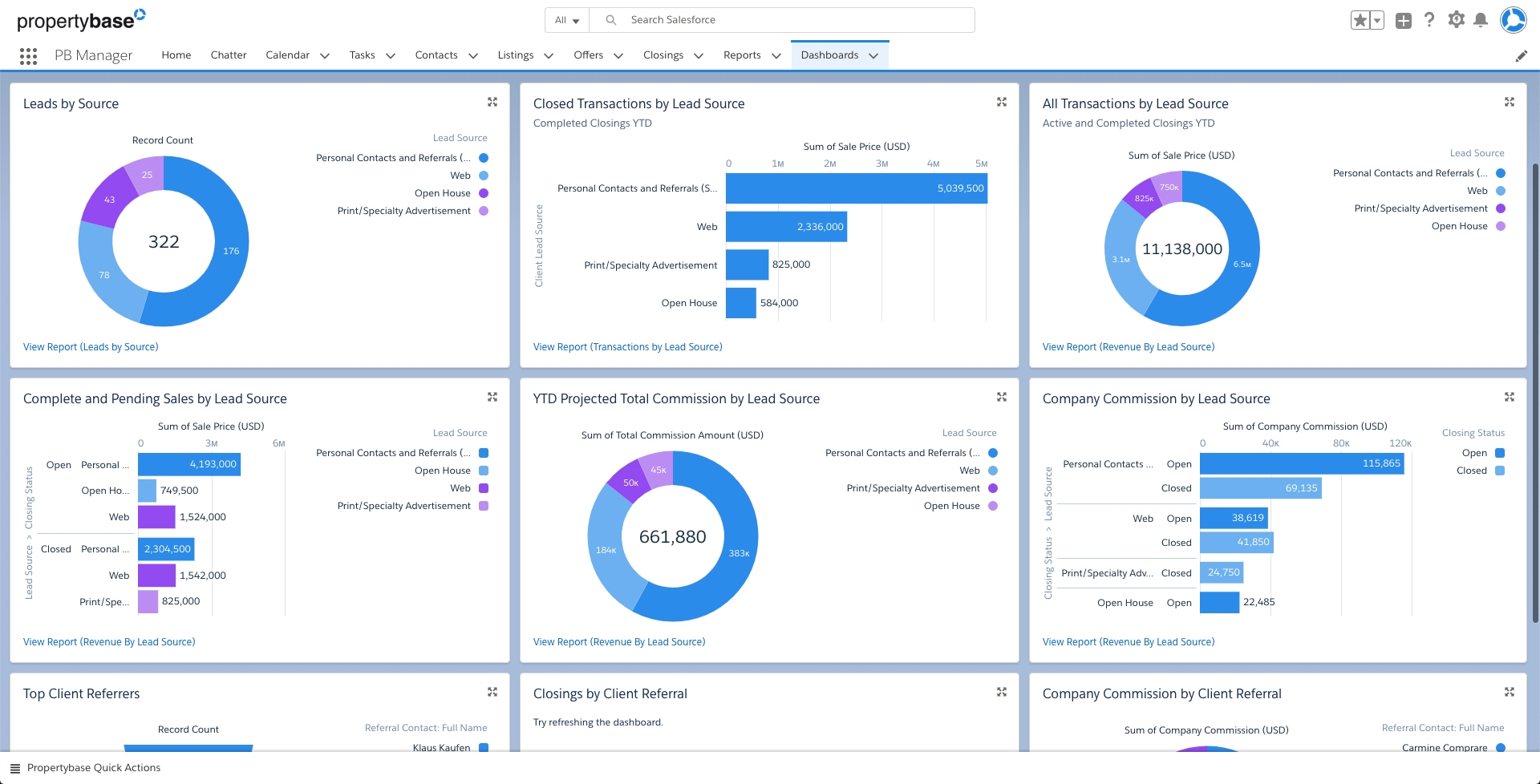
Image source: propertybase.com
Features:
- MLS integration for automated listings
- Built-in website and landing page tools
- Client communication and scheduling features
- Lead scoring and email marketing
- Custom reporting dashboards
Pros:
- Tailored for real estate businesses
- Excellent integration with property websites
- Strong marketing and analytics tools
- Saves time through automation
Cons:
- Pricey for smaller property agencies
- Limited flexibility outside real estate scope
9. Bitrix24: Free plan for small teams
Bitrix24 remains a favorite among property management startups and small landlords for its free CRM plan and built-in property templates. It combines task management, client tracking, and communication in one tool. Users can manage listings, track deals, and communicate via integrated chat—all without extra costs. Bitrix24's automation and document-sharing capabilities make it ideal for small real estate teams managing multiple clients or properties.
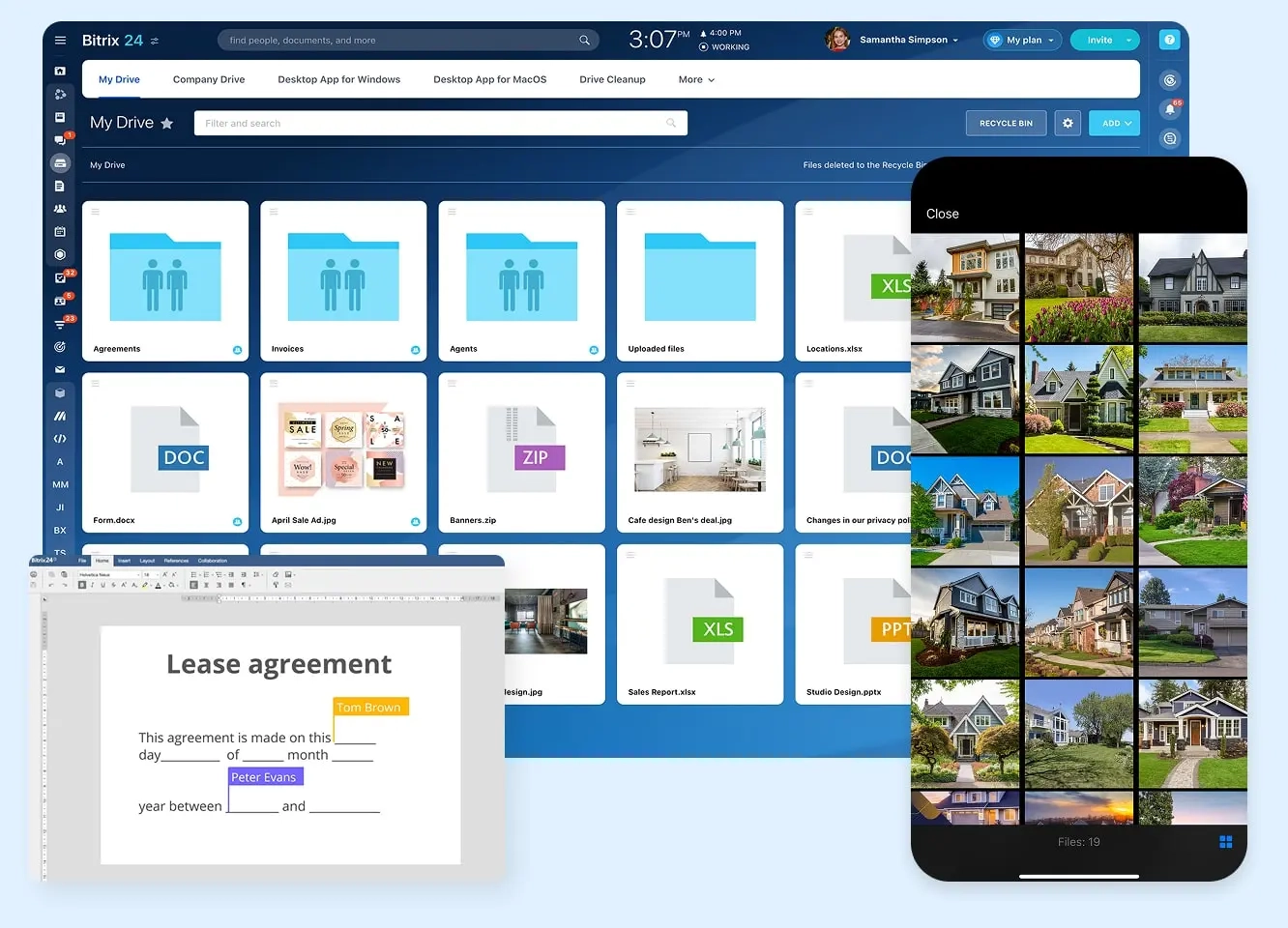
Image source: bitrix24.com
Features:
- Free CRM for up to 12 users
- Built-in property management templates
- Task and document management
- Automation rules for follow-ups
- Calendar and chat integrations
Pros:
- Free plan with solid CRM tools
- Good internal communication system
- Easy setup for small teams
- Combines project and CRM functions
Cons:
- Interface can feel cluttered
- Limited scalability beyond the free tier
10. VTS: Lease & portfolio management
VTS is a premium property management CRM built specifically for commercial real estate operations. It helps teams manage leasing pipelines, tenants, and portfolio performance in real time. The platform's analytics and reporting capabilities make it a favorite for asset managers and large landlords. It allows centralized communication between leasing teams and stakeholders. While it's best suited for enterprise use, its focus on operational visibility is unmatched.
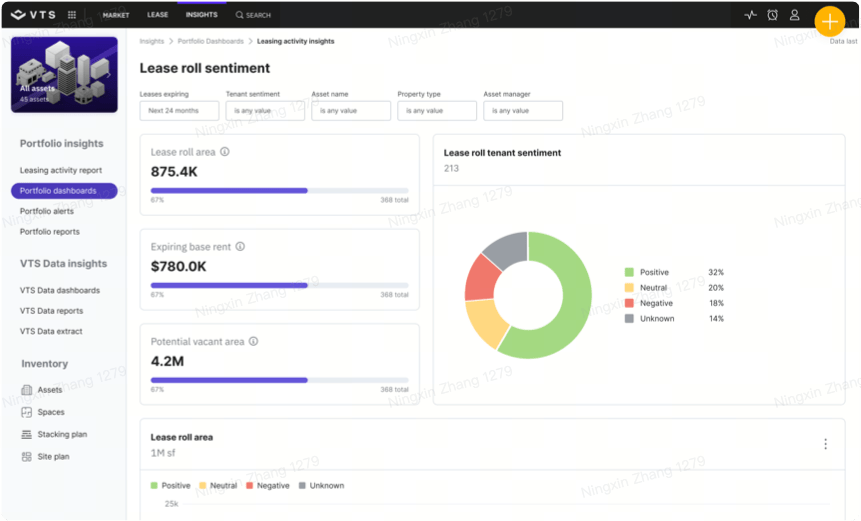
Image source: vts.com
Features:
- Real-time lease pipeline tracking
- Tenant communication and management
- Portfolio performance dashboards
- Custom reporting and analytics
- Secure data management system
Pros:
- Excellent for commercial property teams
- High-end analytics and visibility
- Centralized collaboration hub
- Scalable for enterprise portfolios
Cons:
- Expensive compared to SMB tools
- Overkill for small landlords
How to choose the right CRM for your property business
Selecting the best CRM for property management depends on your portfolio size, workflows, and team setup. A well-chosen CRM should grow with your business while simplifying daily operations—from tenant tracking to maintenance coordination.
Key evaluation criteria:
- Scalability: Choose a CRM that can expand with your portfolio—from a few units to hundreds—without performance issues.
- Automation: Look for tools that automate rent reminders, lease renewals, and follow-ups to reduce manual workload.
- Mobile access: Ensure your CRM works seamlessly on mobile, so field staff can update data in real time.
- Integrations: Opt for systems that connect with accounting tools, calendars, or email platforms to avoid data silos.
- Support & training: Strong onboarding, documentation, and customer support can make adoption much easier.
Bonus tips: How to set up a CRM for your property business
Step 1: Identify your goals
Decide what you want your CRM to solve—rent tracking, maintenance automation, or lead management—so you can choose the right fit for your operations.
Step 2: Choose the right platform
Compare CRM tools for automation, customization, and integrations. All-in-one platforms like Lark combine CRM, chat, and collaboration in a single workspace.
Step 3: Import and organize data
Upload tenant, property, and payment records. Clean up duplicates and outdated entries to start with reliable, organized data.
Step 4: Customize fields and pipelines
Set up workflows such as Inquiry → Lease Signed or Request → Resolved, adding custom fields for property details, rent terms, and maintenance notes.
Step 5: Automate repetitive tasks
Use automation to send rent reminders, assign maintenance requests, or trigger follow-ups automatically—saving valuable time and reducing manual errors.
Step 6: Train your team
Conduct short onboarding sessions to help your team learn how to update records, use dashboards, and leverage automation tools effectively.
Step 7: Monitor and optimize
Regularly track KPIs like occupancy rates, rent collection timelines, and maintenance turnaround. Refine your setup as your property portfolio expands.
Conclusion
Choosing the right CRM for property management can completely transform how your team operates. The right system helps you save time, minimize errors, and streamline everything from tenant communications to maintenance tracking and rent collection. With modern CRMs offering automation, analytics, and mobile accessibility, property managers can focus less on manual work and more on growth.
Lark combines CRM functionality, collaboration tools, and AI-driven automation in a single workspace. With Lark Base, you can customize data fields, automate recurring tasks, and generate live dashboards—all while AI assists in summarizing tenant communication, tagging records, and predicting follow-ups. This makes Lark not just a CRM, but a future-ready property management ecosystem that evolves with your business.
FAQs
Can a CRM replace traditional property management software?
A CRM for property management can handle tenant tracking, communication, and automation, replacing many traditional tools. However, specialized tasks like accounting may still need dedicated software—ideally integrated into a unified platform like Lark.
What challenges do property managers face when adopting a CRM?
Common challenges include data migration, training, and resistance to new systems. Choosing an intuitive CRM with built-in templates and guided onboarding can make adoption smoother for every team member.
How often should property managers update CRM data?
CRM data should be updated in real time or at least weekly to ensure accurate tracking and reports. Tools like Lark automate most updates, reducing the need for manual data entry altogether.
What is the difference between property management software and a CRM?
Property management software handles rent, leases, and maintenance, while a CRM focuses on managing relationships and communication. A property-focused CRM blends both to centralize data and improve tenant engagement.
How to calculate the ROI of a property management CRM?
Compare time and cost savings after CRM adoption versus manual workflows. Metrics like faster response times, fewer missed payments, and better occupancy rates reveal the return on investment clearly.
Related reading
Table of contents
Start using Lark today

Manage all your work in one place
Boost team efficiency by 10x
Save up to 70% on software costs
Table of contents
Start using Lark today
Manage all your work in one place
Boost team efficiency by 10x
Save up to 70% on software costs
Keep reading









2026 Lark Technologies Pte. Ltd.
Headquartered in Singapore with offices worldwide.






Explore: