














10 Best CRM Platforms for Smart Document Control

Ryan Tanner
Product Marketing Specialist
Sep 18, 2026
Ryan Tanner
Sep 18, 2026

16 min read


Managing customer data efficiently has become as critical as nurturing relationships themselves. Modern businesses need more than just a CRM; they need a CRM with document management to keep everything connected, transparent, and instantly accessible. The best solutions combine client tracking, document sharing, and collaboration in one place, reducing chaos and boosting productivity.
In this guide, we explore how document management elevates CRM systems, what to look for when choosing one, and the top tools you can consider. Platforms like Lark, Salesforce, and HubSpot are redefining how teams work together, unifying communication, data, and documentation into one seamless experience. We'll explore the 10 best CRM tools with document management capabilities:
1. Lark: Unified platform for communication, collaboration & CRM
2. Salesforce: Enterprise CRM with smart document control
3. HubSpot CRM: Simplified document tracking for Sales teams
4. Zoho CRM: Centralized client files & document library
5. Monday.com: Visual CRM with workflow & document sharing
6. Kylas: Affordable CRM with built-in document repository
7. Microsoft Dynamics 365: CRM integrated with sharepoint
8. Pipedrive: Sales CRM with file management for teams
9. Insightly: CRM with project & document tracking
10. Bitrix24: Free cloud CRM tool

What is CRM with document management?
A CRM with document management is a system that not only stores customer interactions and sales data but also provides a secure and centralized way to handle all related documents. Instead of juggling separate tools for storing proposals, contracts, invoices, or client IDs, teams can now upload and manage these files directly within their CRM.
Document management fits into the CRM ecosystem by linking every customer file to its respective contact or deal record. This ensures quick retrieval, clear ownership, and transparency across departments. For instance, a sales executive can pull up the signed contract within seconds during a client call, or a support representative can instantly access warranty documents while resolving a ticket. This integration reduces manual work and ensures your team always has the right information at their fingertips.
Key benefits of combining CRM and document management
Businesses today deal with vast amounts of data and paperwork. Integrating document management within your CRM ensures smoother collaboration and fewer bottlenecks. Here's how a CRM with document management helps:
- Centralized storage: Keep all client data, files, and communications in one secure place.
- Real-time collaboration: Teams can view, edit, and share documents without version confusion.
- Improved compliance: Audit trails and permission controls keep sensitive files protected.
- Faster processes: No more searching for missing attachments; everything is linked to the right contact.
- Enhanced client experience: Faster responses and accurate information build stronger trust.
How to choose the right CRM with document management
Selecting the best CRM with document management depends on your team size, workflows, and the level of automation you require. The right choice should simplify how your business stores and retrieves customer files while enhancing collaboration and security.
Look for cloud integration and file sharing capabilities—cloud-based CRMs ensure data is accessible anytime, anywhere, without dependency on local storage. Prioritize permissions and security features so that sensitive files are only accessed by authorized users, protecting customer data and internal documentation.
Next, evaluate automation and workflow compatibility. A good CRM should automate repetitive tasks like document routing, approval reminders, and file organization. The more you automate, the less you rely on manual follow-ups.
Ease of use and scalability are equally important. As your business grows, your CRM should scale smoothly without disrupting workflows. Finally, check for integration with daily tools such as Google Drive, Microsoft Office, or Slack. The goal is to ensure that all tools communicate effectively, preventing silos and maintaining an uninterrupted flow of work.
10 Best CRM tools with document management
1. Lark: Unified platform for communication, collaboration & CRM
Lark reimagines how teams collaborate by combining messaging, video calls, documents, and workflow automation all in one workspace. It's not just a communication platform; it's an integrated hub for work management and document collaboration that naturally supports CRM-style workflows.
With real-time co-editing, document sharing, and automated workflows, teams can manage client data and supporting files without switching tools. For example, you can store proposals directly within a shared workspace, collaborate on them live during meetings, and assign follow-up tasks instantly. Lark also supports seamless file versioning and access control, ensuring everyone works on the latest version.
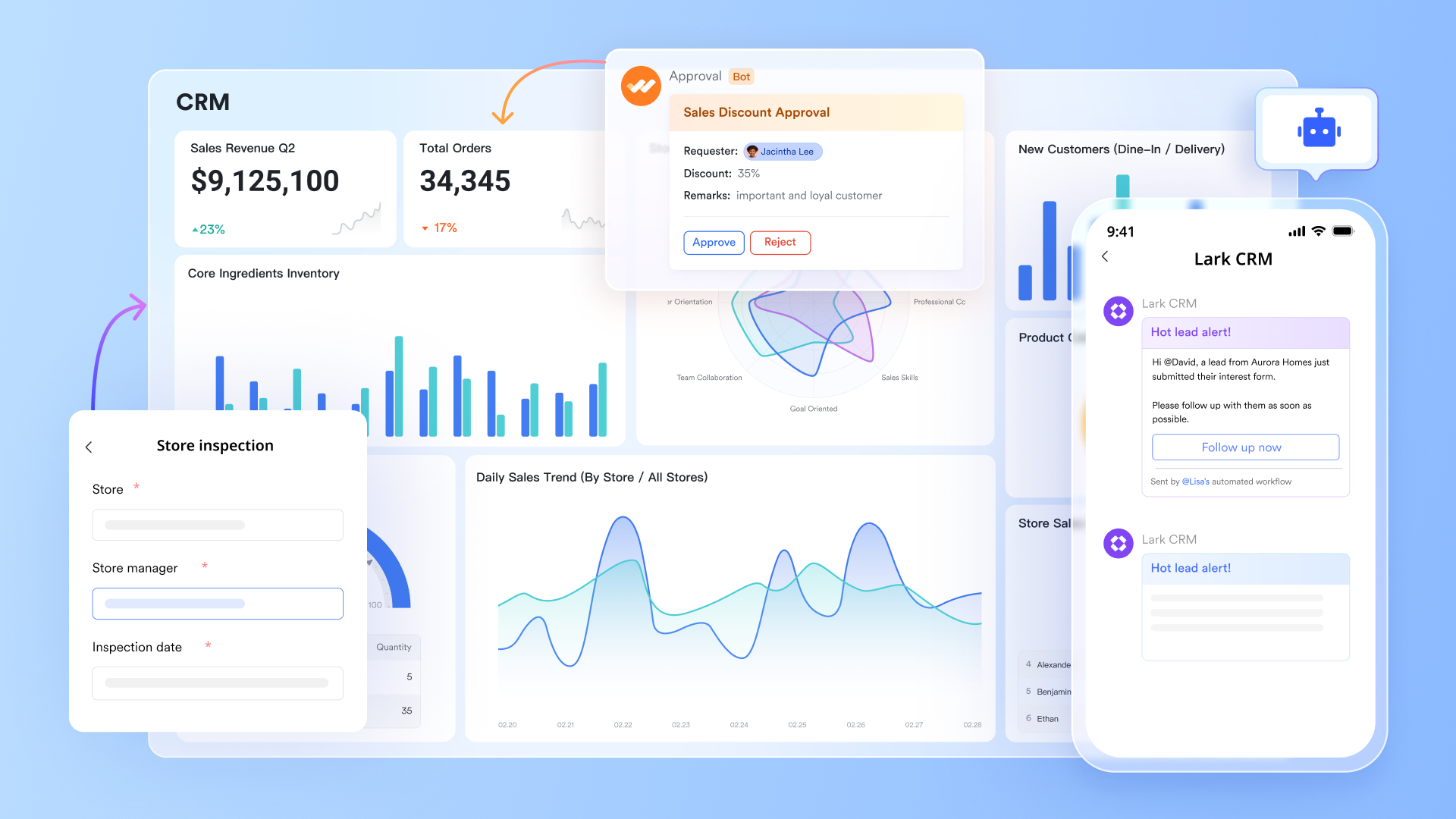
Key features:
Lark Base: Structured data meets smart document control
Lark Base brings the power of no-code data organization to document management. It acts like the CRM backbone of your workspace, allowing you to link documents with client records, approval stages, or project timelines. Instead of scattered folders, Base helps you track sales proposals, NDAs, or invoices through structured tables, Kanban boards, or Gantt charts. Its automation capabilities further streamline workflows by sending notifications or updating document statuses automatically, ensuring complete visibility from creation to closure.
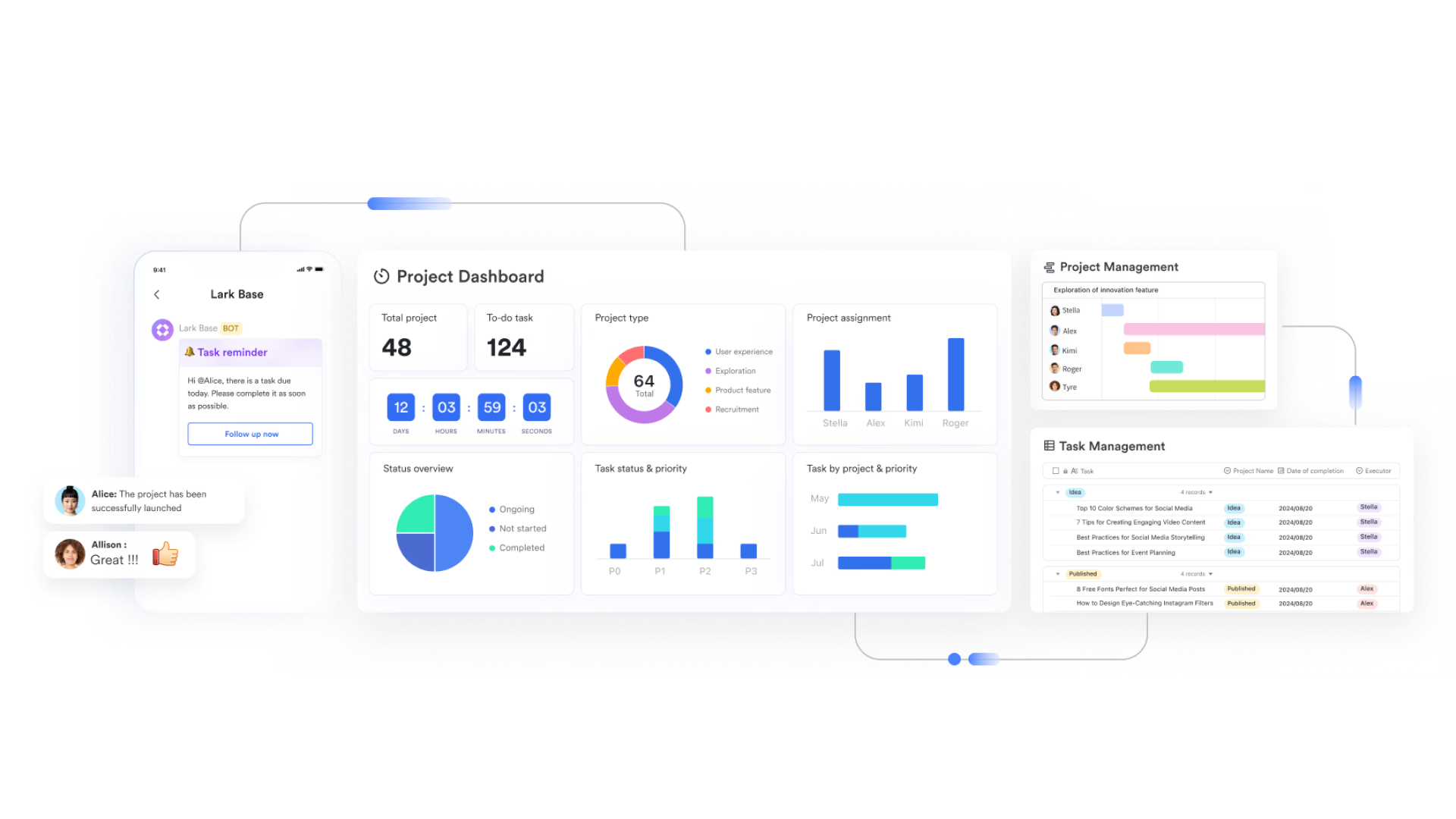
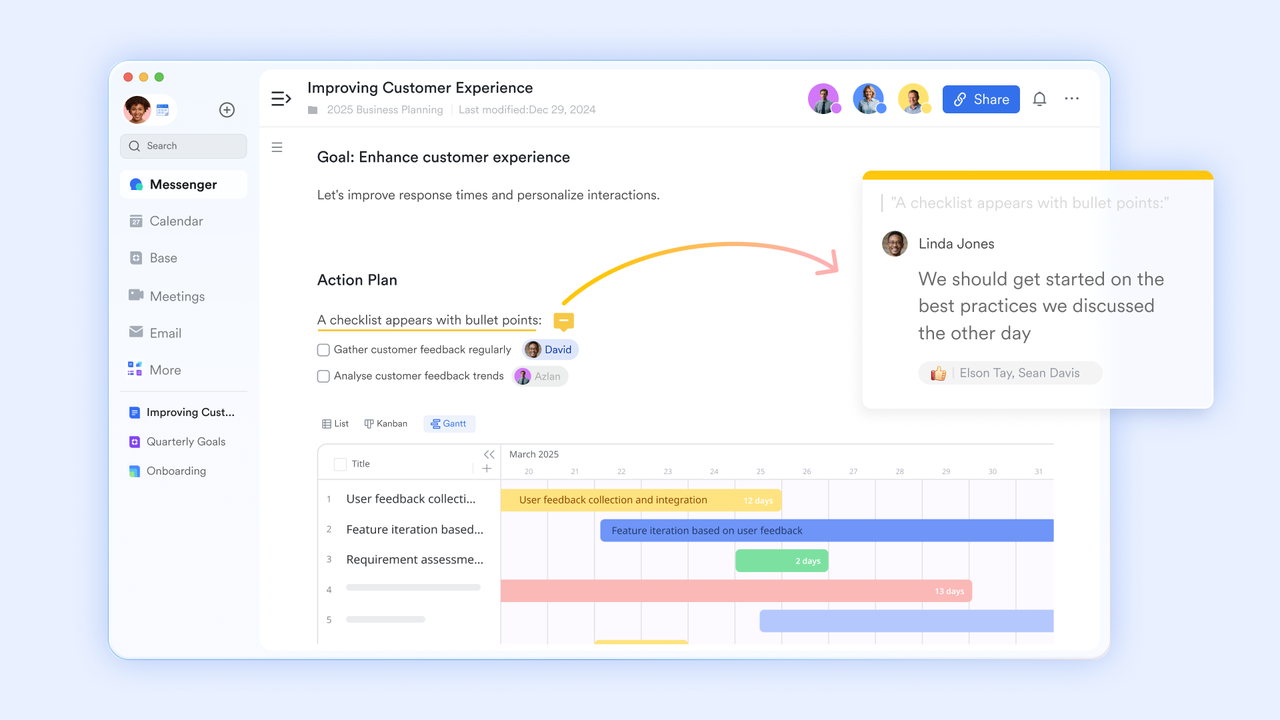
Lark Docs: Collaborative CRM documentation
Lark Docs transforms how teams create and manage sales or client-related content. Think beyond static proposals, teams can co-edit in real time, embed spreadsheets, and tag colleagues for instant feedback. From creating client pitch decks to updating contract terms on the go, Lark Docs ensures that every document stays current and connected to your customer data. Inline comments, live updates, and task assignments reduce endless back-and-forth emails, helping teams finalize deals faster.
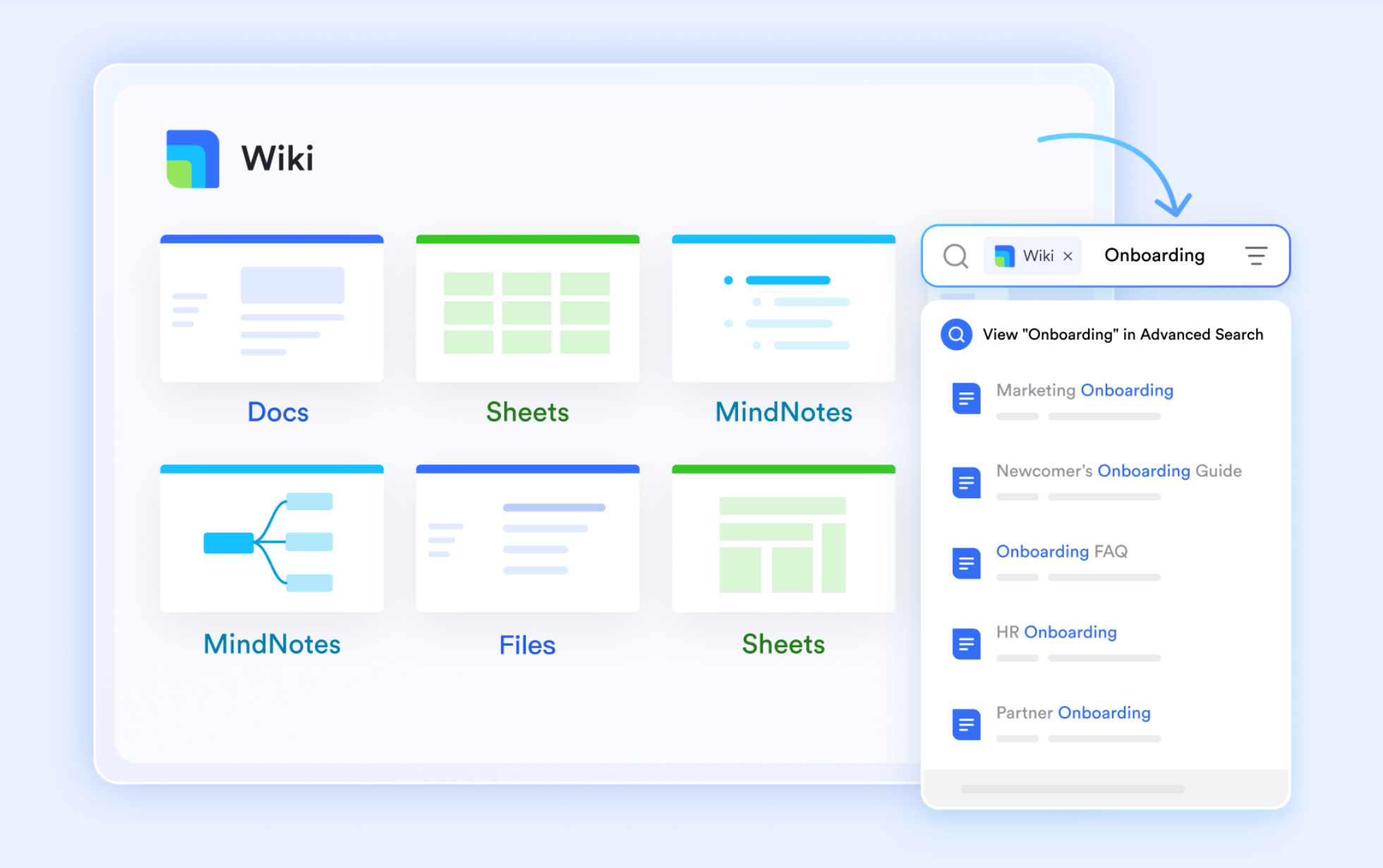
Lark Wiki: The central knowledge hub
Lark Wiki functions as a living knowledge center where teams can store and share standard operating procedures, sales playbooks, or client onboarding guides. It keeps organizational knowledge accessible and searchable, so your sales, marketing, and support teams always work with the latest approved materials. This consistency not only improves internal coordination but also strengthens client interactions by ensuring accurate, up-to-date documentation every time.
Other features:
- All-in-one workspace: Lark integrates Docs, Base, Wiki, Calendar, Email, and Messenger, creating a single source of truth for communication and CRM workflows.
- Automated workflows: Build custom approval processes with drag-and-drop simplicity. Automate proposal routing, send reminders, and track deal document approvals no manual follow-ups needed.
- Granular access control: Ensure data integrity and compliance with detailed permission settings. Define who can edit, comment, or share each document, protecting sensitive client information.
- Real-time collaboration: From internal teams to external partners, Lark enables simultaneous collaboration without version chaos or lost updates.
Best for: Lark is ideal for businesses of all sizes seeking an integrated platform that merges CRM functions with smart document management. It's especially suited for teams wanting to streamline sales cycles, approval processes, and collaboration, all while eliminating the inefficiency of juggling multiple disconnected tools.
- Starter plan: Free forever plan that includes Sheets, Docs, Base, and 8 other powerful tools for up to 20 users. It also comes with 100GB of cloud storage, 1000 automation runs, AI translations, and more.
- Pro plan: $12/user/month (billed annually) for up to 500 users. It includes everything in Starter plus group calling for up to 500 attendees, 15TB of storage, 50,000 automation runs, and more.
- Enterprise plan: Contact sales for custom pricing. Supports unlimited users and includes even more automation runs and advanced security, compliance, and management features.
2. Salesforce: Enterprise CRM with smart document control
Salesforce remains one of the most powerful CRM platforms globally, designed for businesses that rely on deep customization and robust integrations. Its document management capabilities seamlessly integrate through native tools and third-party apps like SharePoint, Box, and DocuSign, enabling teams to manage the full lifecycle of customer files from creation and review to approvals and archiving.
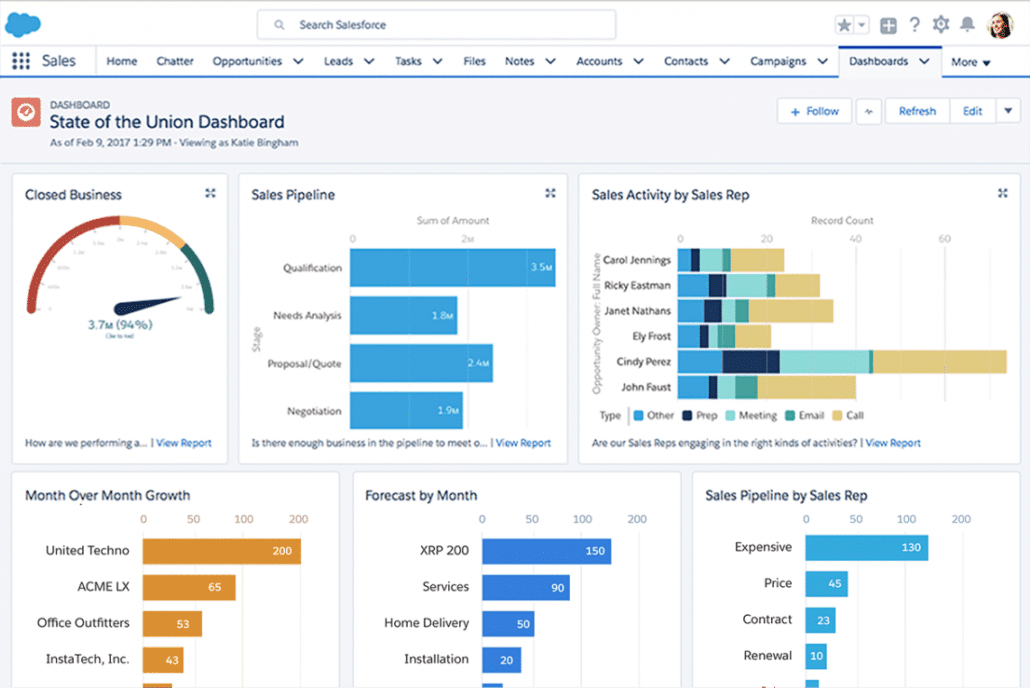
Image source: salesforce.com
Key features:
- Document versioning and control: Track every change made to client proposals or contracts to ensure transparency and compliance.
- Integrated workflows: Automate approvals, signatures, and document routing directly from within Salesforce records.
- Cloud integrations: Connect with Google Workspace, OneDrive, and Slack to unify communication and file management.
- Security and compliance: Enterprise-grade encryption and role-based permissions to protect sensitive client data.
Pricing: Salesforce pricing starts at $25/user/month for the Essentials plan, scaling up to $300+/user/month for advanced enterprise modules with document automation and AI capabilities.
Best for: Large enterprises or fast-scaling organizations that need a fully customizable CRM with advanced document management and integration flexibility.
3. HubSpot CRM: Simplified document tracking for Sales teams
HubSpot CRM brings together contact management, pipeline visibility, and document tracking in one intuitive interface. It's ideal for teams that want to send, monitor, and manage client-facing documents all while maintaining a streamlined workflow without switching apps.
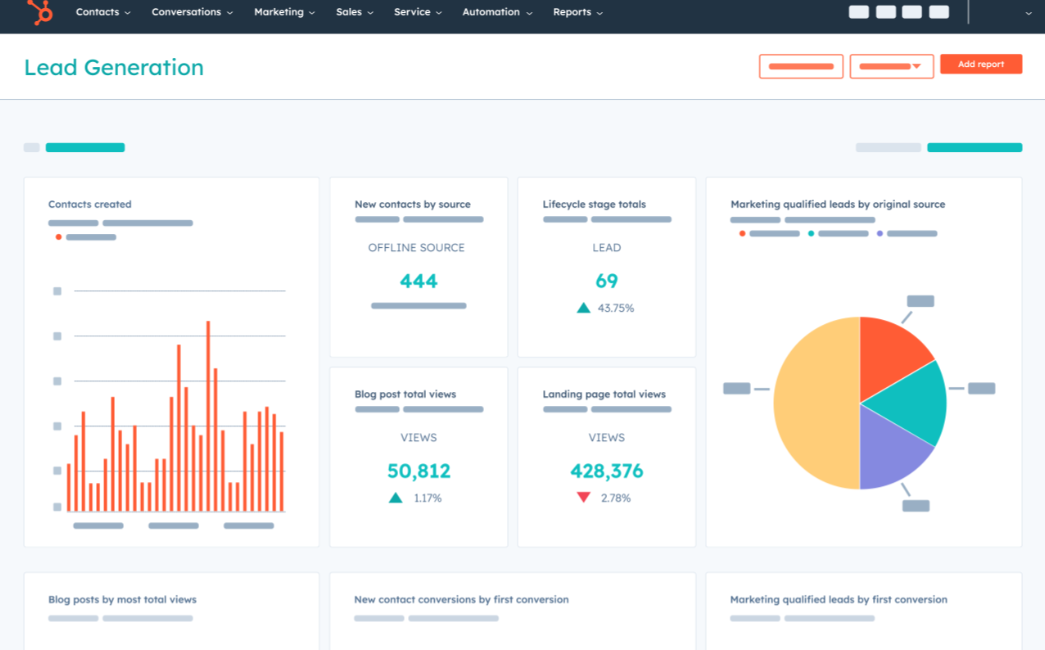
Image source: hubspot.com
Key features:
- Built-in document sharing: Upload proposals, sales decks, or quotes directly to deals and email templates.
- Real-time tracking: Receive instant notifications when clients view, download, or interact with shared documents.
- Template library: Standardize frequently used materials such as contracts or marketing collaterals.
- Integration ready: Syncs with Google Drive, Dropbox, and Slack for simplified collaboration.
Pricing: HubSpot offers a free forever plan, with premium Sales Hub tiers starting at $18/user/month, adding automation and advanced reporting tools.
Best for: Small to mid-sized businesses seeking an easy-to-use CRM with document tracking and sales automation capabilities.
4. Zoho CRM: Centralized client files & document library
Zoho CRM offers an end-to-end solution for managing customer data and documents within one ecosystem. Its document management module, integrated with Zoho WorkDrive, ensures that teams have quick access to proposals, invoices, and reports linked to client records.
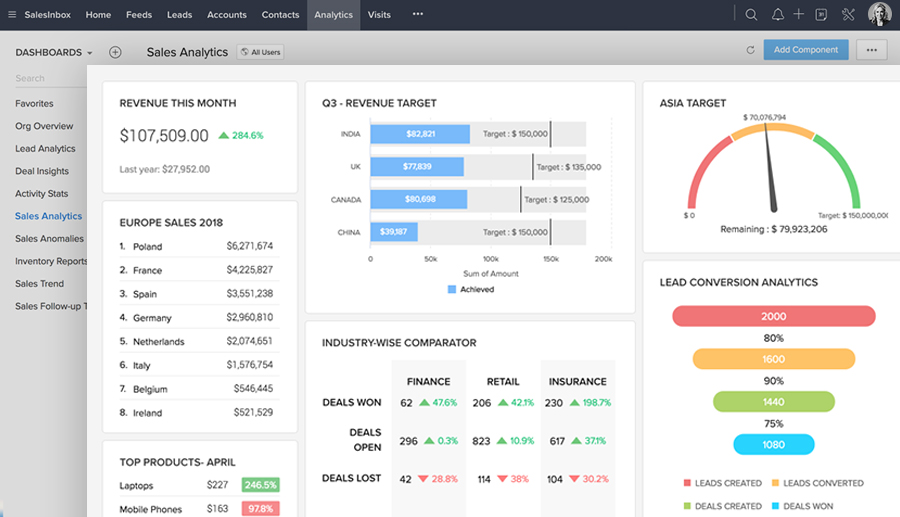
Image source: zoho.com
Key features:
- Built-in document repository: Store, organize, and share files directly from within customer profiles.
- Version control: Maintain and retrieve previous versions of critical business documents.
- Access permissions: Define user roles and privileges for secure document collaboration.
- Integration with Zoho suite: Sync with Zoho WorkDrive, Zoho Projects, and Zoho Sign for seamless automation.
Pricing: Plans start at $14/user/month, with the Enterprise plan at $40/user/month, offering full document management and AI-powered analytics.
Best for: Businesses that already use Zoho products or want an affordable CRM with centralized document storage and strong automation features.
5. Monday.com: Visual CRM with workflow & document sharing
Monday.com transforms CRM and document management into an intuitive visual experience. It allows teams to collaborate on deals, track document status, and automate workflows with no-code simplicity—ideal for teams that prefer visual project boards.
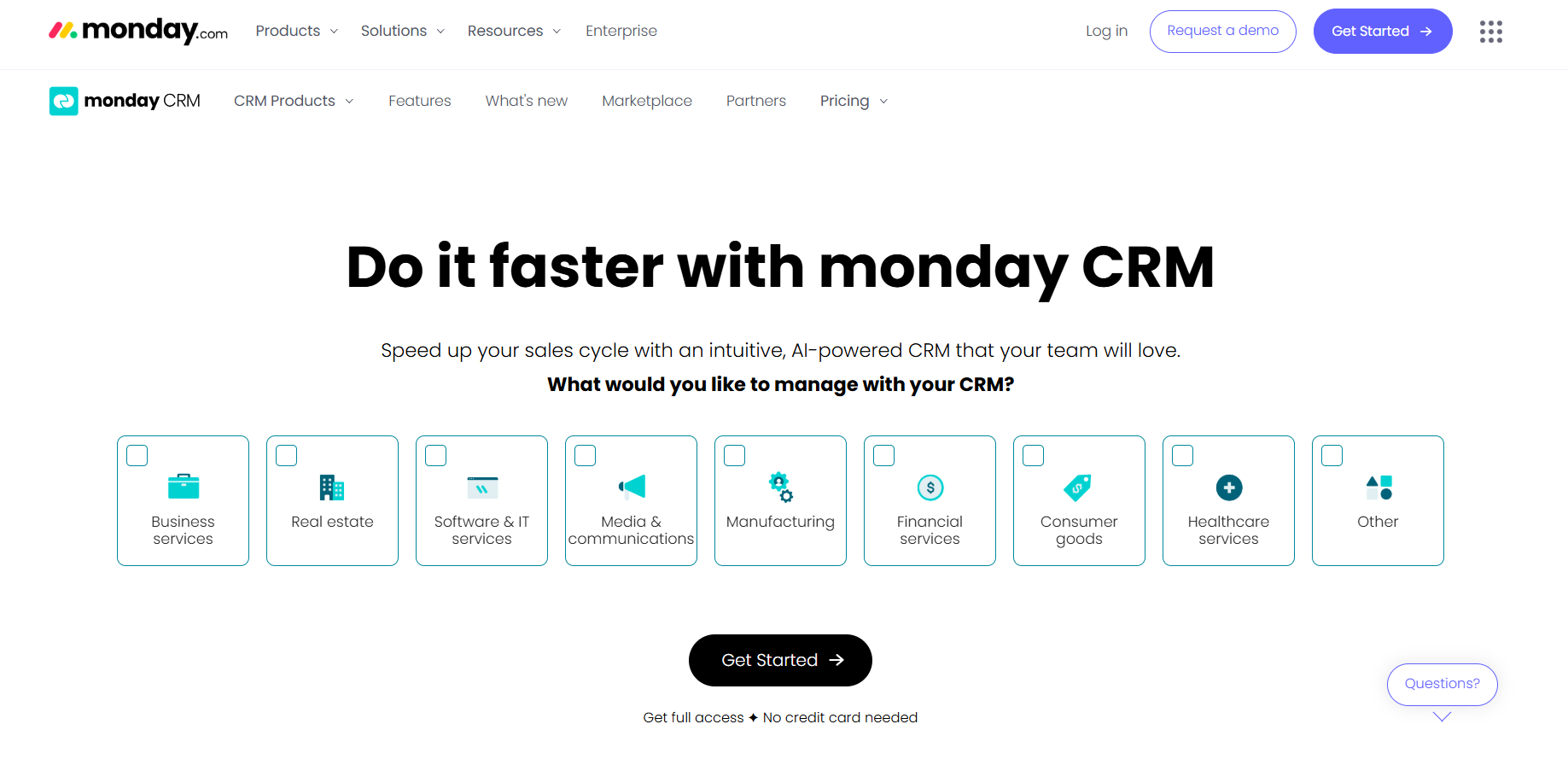
Image source: monday.com
Key features:
- File attachments and version control: Attach contracts or briefs directly to tasks or deals.
- Automated workflows: Notify stakeholders automatically when documents are approved or updated.
- Integration ecosystem: Works smoothly with Google Drive, Dropbox, and DocuSign.
- Visual dashboards: Monitor deal progress and document timelines in real time.
Pricing: Free plan available for up to 2 users. Paid plans start at $12/seat/month, with enterprise options offering advanced security and automation.
Best for: Creative, marketing, and sales teams that value visual collaboration with integrated document management features.
6. Kylas: Affordable CRM with built-in document repository
Kylas is an Indian-origin CRM tailored for small and medium businesses, offering built-in document repository capabilities without complex setup. It enables users to store, share, and retrieve customer-related files directly inside the CRM.
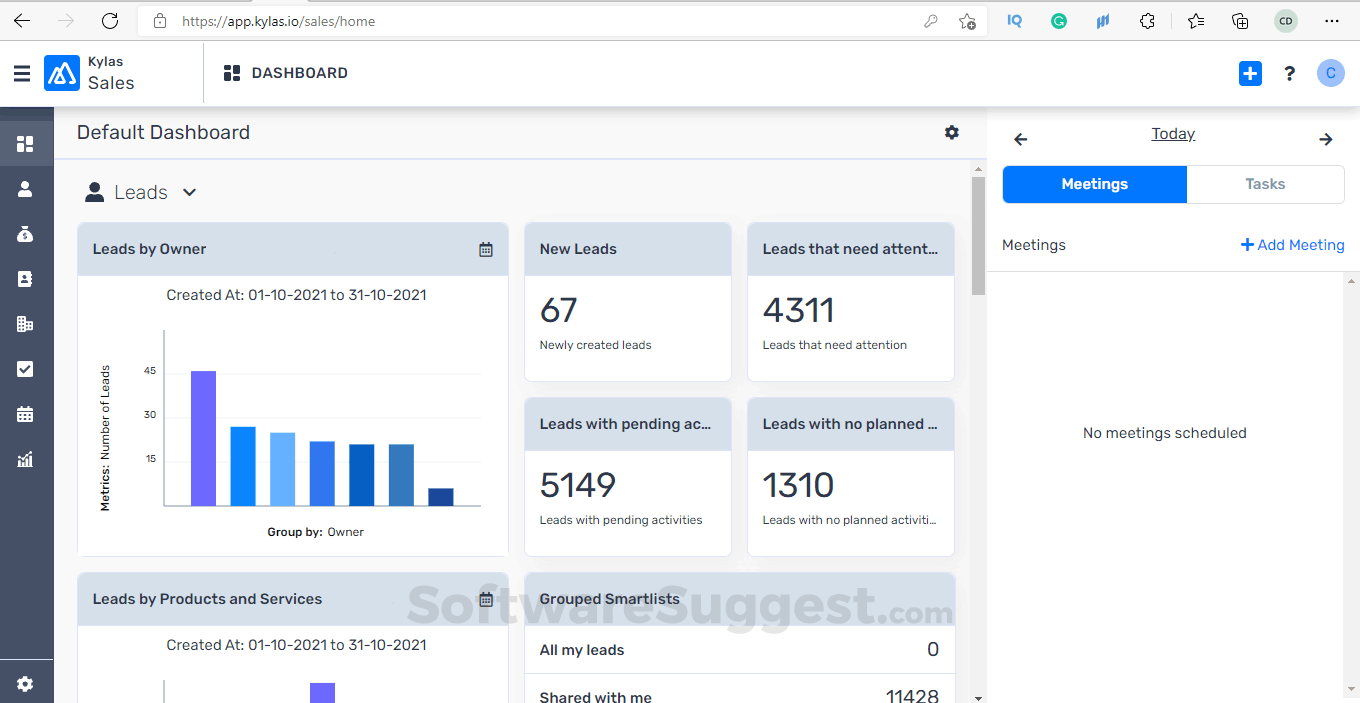
Image source: kylas.io
Key features:
- Integrated file repository: Manage proposals, agreements, and invoices in one centralized hub.
- Role-based access: Control visibility and editing rights across departments.
- Sales pipeline integration: Attach relevant documents to leads, deals, or clients for faster reference.
- Local support: Optimized for Indian SMBs with localized integrations and support.
Pricing: Kylas offers a flat pricing model at ₹12,999/month for unlimited users, making it one of the most cost-effective CRMs in the market.
Best for: Growing SMBs are seeking a budget-friendly CRM with a document repository and easy setup.
7. Microsoft Dynamics 365: CRM integrated with sharepoint
Microsoft Dynamics 365 combines CRM and ERP functionalities with seamless SharePoint integration, making it ideal for organizations heavily invested in the Microsoft ecosystem. It enables advanced document control and record management within customer workflows.
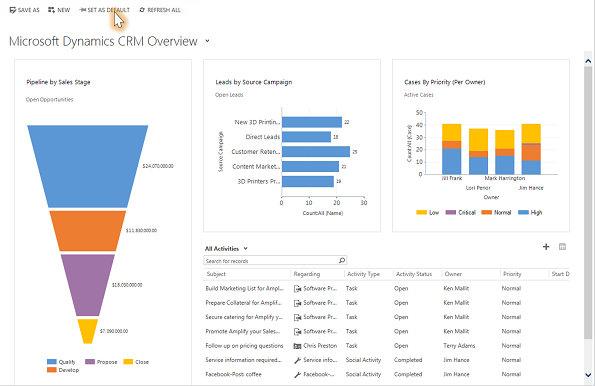
Image source: microsoft.com
Key features:
- SharePoint integration: Store and manage all CRM files in SharePoint for version tracking and collaboration.
- OneDrive and Teams sync: Directly share and edit client documents across Microsoft applications.
- Workflow automation: Streamline document approvals and audits using Power Automate.
- Security and compliance: Enterprise-grade encryption and Azure-based data management.
Pricing: Plans start from $65/user/month for Sales Professional, scaling up to $162/user/month for advanced modules and automation.
Best for: Enterprises that are already using Microsoft 365 tools but are looking for deep CRM-document integration with a compliance-ready infrastructure.
8. Pipedrive: Sales CRM with file management for teams
Pipedrive is designed to simplify the sales process through clear pipelines and easy document attachment features. It integrates document management seamlessly into every stage of the deal lifecycle, ensuring sales teams stay organized and efficient.
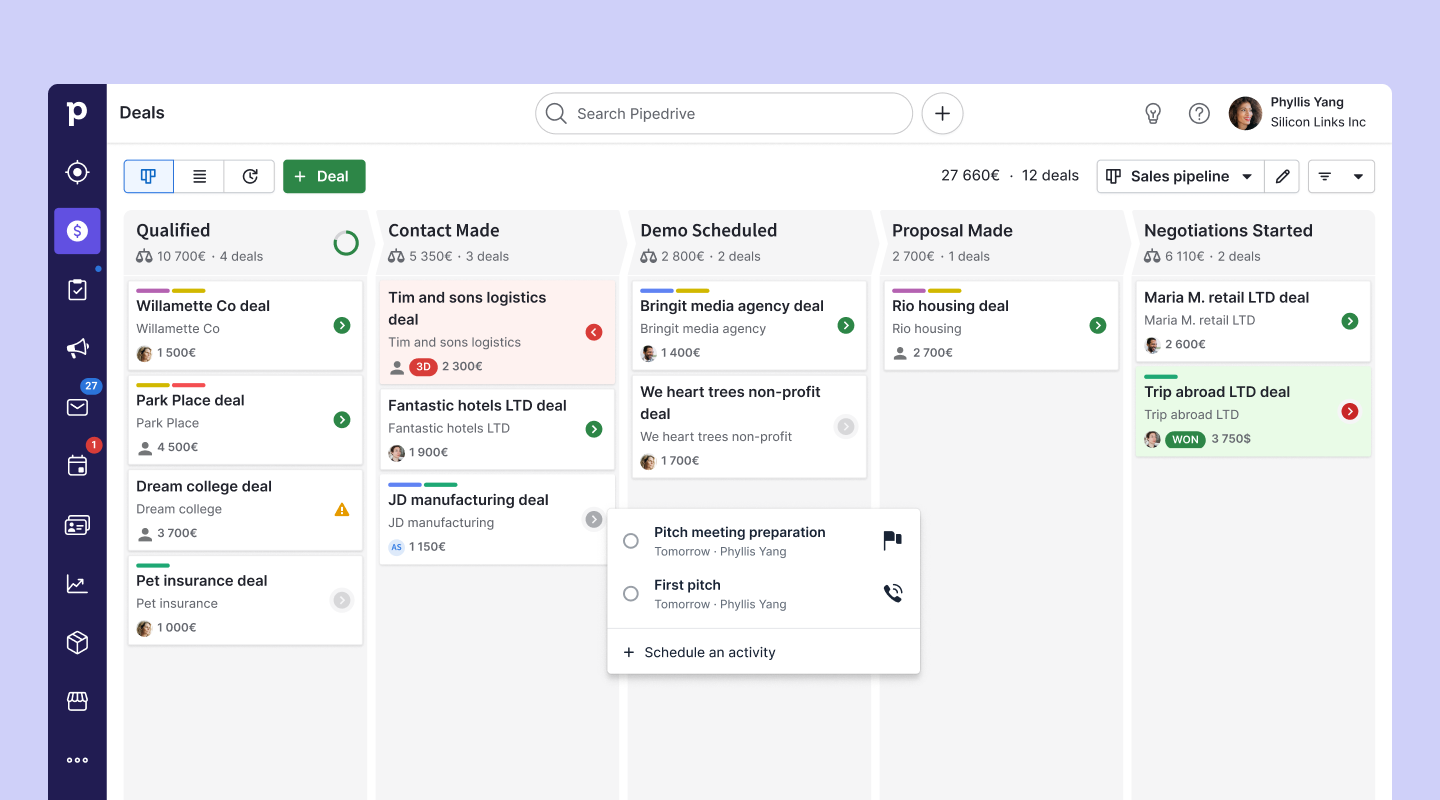
Image source: pipedrive.com
Key features:
- File attachments in deals: Upload and manage proposals, quotes, and invoices directly in deals or contacts.
- Google Drive and OneDrive integrations: Access and sync all related files instantly.
- E-signature support: Close deals faster with document signing right inside the platform.
- Mobile-friendly: Upload and view files on the go through the Pipedrive app.
Pricing: Plans begin at $14.90/user/month, with the professional plan adding automation and smart document routing.
Best for: Sales teams that need a lightweight CRM with quick file management and simple integration.
9. Insightly: CRM with project & document tracking
Insightly bridges the gap between CRM and project management by integrating document tracking throughout customer and project workflows. It helps teams manage deliverables, proposals, and project files in one unified workspace.
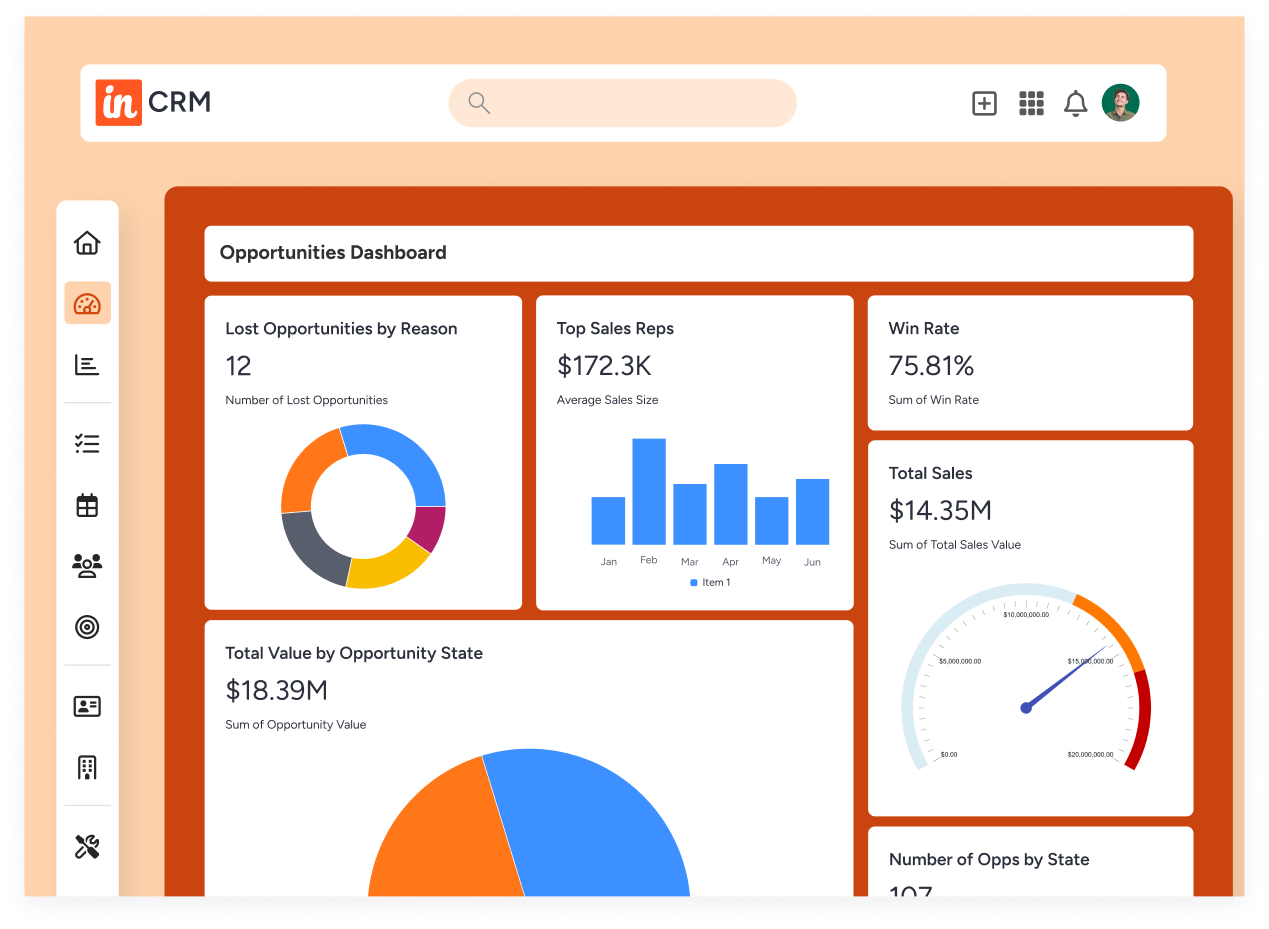
Image source: insightly.com
Key features:
- Project and file integration: Link relevant documents to customers, opportunities, and ongoing projects.
- Workflow automation: Automate notifications and file-sharing based on project stages.
- Google Drive and Dropbox support: Keep all your assets organized with external storage sync.
- Reporting and dashboards: Track document timelines and completion metrics visually.
For more Google Workspace's information, you can refer to Google Workspace Pricing and Google Workspace alternatives.
Pricing: Plans start at $29/user/month, with the Enterprise tier offering advanced automation and analytics tools.
Best for: Professional service firms or agencies managing multiple clients that need CRM with document and project visibility.
10. Bitrix24: Free cloud CRM tool
Bitrix24 is a versatile, all-in-one platform combining CRM, task management, and cloud storage, making it a perfect starting point for small businesses and startups. It provides an integrated space for customer communication and document sharing.
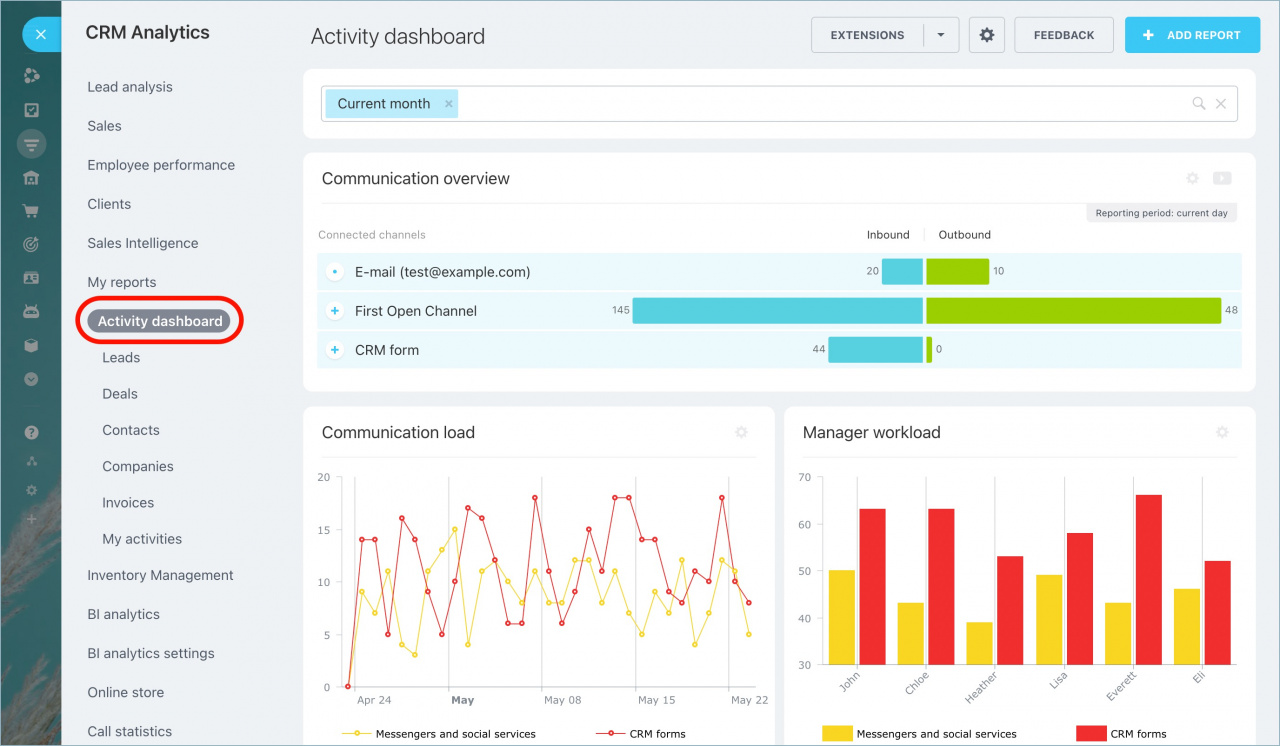
Image source: bitrix24.in
Key features:
- Free cloud storage: Manage and share files with clients via secure cloud storage.
- Collaborative editing: Multiple team members can co-edit documents in real time.
- Automation rules: Auto-assign document tasks and approvals.
- Built-in communication tools: Chat, video conferencing, and CRM modules in one place.
Pricing: Bitrix24 offers a free plan for basic CRM and file storage. Paid plans start at $61/month (5 users) for additional automation, integrations, and storage.
Best for: Startups and small teams looking for a free or low-cost CRM with document sharing and collaboration tools.
How document management enhances the customer journey
A unified CRM with document management transforms the customer journey from scattered touchpoints into a seamless flow. Picture this: a lead enters your CRM, the sales team uploads a proposal, and the manager reviews it instantly within the same platform. Once approved, the contract is shared with the client, all tracked within the CRM.
From lead capture → document sharing → approval → deal closure, every stage happens faster because files, messages, and actions are centralized. This transparency ensures that no client interaction slips through the cracks. Teams spend less time searching for attachments and more time nurturing relationships, which directly translates into higher customer satisfaction and faster conversion rates.
Common challenges (and how modern CRMs solve them)
Businesses often face recurring problems when managing documents alongside customer data. Traditional CRMs or separate storage systems can cause inefficiency. Here's how modern solutions address these challenges:
- Challenge: File duplication or version mismatches
Solution: Real-time co-editing and automatic synchronization keep everyone working on the latest version.
- Challenge: Limited storage or access control
Solution: Role-based permissions, encryption, and cloud archiving ensure both security and scalability.
- Challenge: Switching between multiple apps
Solution: Unified platforms like Lark integrate messaging, document editing, and CRM features in one dashboard—minimizing friction and saving valuable time.
By eliminating silos and ensuring all documents live within the CRM, teams become more aligned, efficient, and ready to respond instantly to client needs.
Conclusion
In a digital landscape, integrating CRM with document management isn't just convenient—it's essential for scaling operations efficiently. These unified systems help teams work smarter, communicate clearly, and provide seamless client experiences.
When selecting your tool, consider your team's workflow, collaboration style, and security requirements. The right platform should adapt to your processes, not the other way around.
Solutions like Lark lead this transformation by combining communication, collaboration, and CRM-like capabilities in one place—helping businesses of all sizes stay organized, efficient, and ready for growth.
FAQs
Can I integrate document management into my existing CRM?
Yes. Most modern CRMs like Salesforce, HubSpot, and Lark allow third-party document management integrations or have built-in modules. APIs or native apps make the process simple.
What types of documents can be stored in a CRM system?
You can store proposals, contracts, invoices, ID proofs, NDAs, marketing assets, and even customer communication records—anything linked to client interactions.
Is CRM with document management secure for sensitive files?
Absolutely. Reputed CRMs offer encryption, access control, and audit trails to ensure only authorized team members can view or edit documents.
How does document management improve customer experience?
It speeds up response times, reduces document errors, and provides instant access to client data—resulting in smoother communication and faster deal closures.
Which industries benefit most from CRM with document management?
Sales, real estate, finance, legal, and non-profits see the biggest gains, but any organization handling client paperwork or approvals benefits from this integration.
Related reading
Table of contents
Start using Lark today

Manage all your work in one place
Boost team efficiency by 10x
Save up to 70% on software costs
Table of contents
Start using Lark today
Manage all your work in one place
Boost team efficiency by 10x
Save up to 70% on software costs
Keep reading









2026 Lark Technologies Pte. Ltd.
Headquartered in Singapore with offices worldwide.






Explore: