














Boost Growth Using CRM with Social Media Integration

Ryan Tanner
Product Marketing Specialist
Sep 18, 2026
Ryan Tanner
Sep 18, 2026

17 min read


Businesses thrive on building lasting relationships through seamless customer interactions. Integrating CRM with social media channels not only unlocks a fuller view of customer preferences but also enables teams to engage in real time, automate key processes, and drive meaningful growth.
This blog explores leading social media CRM platforms, practical strategies, and key features to help you choose the best CRM tools with social media integration for your needs. While most tools excel at sales or support, Lark quietly stands out for its collaborative workspace and seamless team communication, offering a fresh approach to integrated social CRM tools and strategies for modern businesses.
1. Lark: Unified workspace with messaging, automation, and AI-driven insights.
2. Salesforce: Enterprise-level social media integration and automation tools.
3. HubSpot: Easy marketing and social engagement for growing teams.
4. Zoho CRM: SMB-focused, affordable tools for social lead capture and monitoring.
5. Freshworks: Real-time ticketing and multi-platform support integration.
6. Agile CRM: Basic social listening and automation for small businesses.
7. Salesflare: Automated social and email tracking for sales outreach.
8. Pipedrive: Visual pipeline CRM with flexible social data integrations.
9. Zendesk Sell: Centralizes social, support, and sales communications.
10. Microsoft Dynamics 365: Powerful analytics and custom workflows for enterprises.
11. Feedbird: Tech-enabled social media management company

What's the trend: Redefining CRM through social media
Businesses have always relied on CRM systems to track leads, manage contacts, and nurture relationships. In the past, CRM was largely focused on email, phone calls, and basic data entry—these systems helped organize customer info, but engagement happened through traditional channels. With social media's rapid evolution, customer interactions have become more dynamic and visible.
People now expect real-time responses, personalized content, and seamless brand experiences. Social CRM platforms help teams manage social interactions directly alongside traditional CRM records, capturing a 360-degree view of audience behavior, sentiment, and preferences.
Social CRM isn't just a trendy feature—it's a response to real shifts in how customers engage. Today, a tweet or a comment can be as important as an email, and conversations unfold across many platforms. Integrating social media gives companies richer profiles, more actionable insights, and instant notification of pressing customer needs.
What is social CRM?
Social CRM takes the basics of customer management—tracking contacts, sales, and support—and adds layers of real-time conversation and data from social platforms. It lets teams listen, learn, and respond across channels from one dashboard, giving a richer understanding of what matters to customers now.
Image source: unsplash.com
Key features of modern social CRM include:
- Social media listening and monitoring for brand mentions, sentiment, and competitor activity
- Unified inbox for social messages and traditional CRM entries
- Automated workflows to streamline response times and ticket creation
- Analytics and dashboards for campaign performance and engagement trends
Instead of relying only on email or call tracking, social CRM helps businesses meet customers "where they are"—often on their favorite apps and platforms.
Traditional CRM vs social CRM
Traditional CRM focuses on organizing customer data for sales, support, and marketing communications. Social CRM evolves this recognition by combining structured data with unstructured social signals, so teams understand what customers care about right now—and can jump into the conversation at the right moment.
Top 11 CRM platforms for social media integration
Businesses are increasingly turning to the best CRM with social media integration to unify communication, marketing, and sales. Platforms like Lark, which blend collaboration and customer management, are setting new standards for how teams engage on social media. We selected 11 tools, and here is the list of the first 5 CRM platforms for social media integration.
1. Lark: An ultimate social CRM platform
Lark is a powerful next-generation digital workspace, often described as an "all-in-one CRM" for business. It's built to bring together everything modern teams need—messaging, meetings, collaborative documents, cloud storage, project management, and workflow automation—into a single, seamless platform accessible on any device.
Key features:
Streamlined customer conversations — all in context
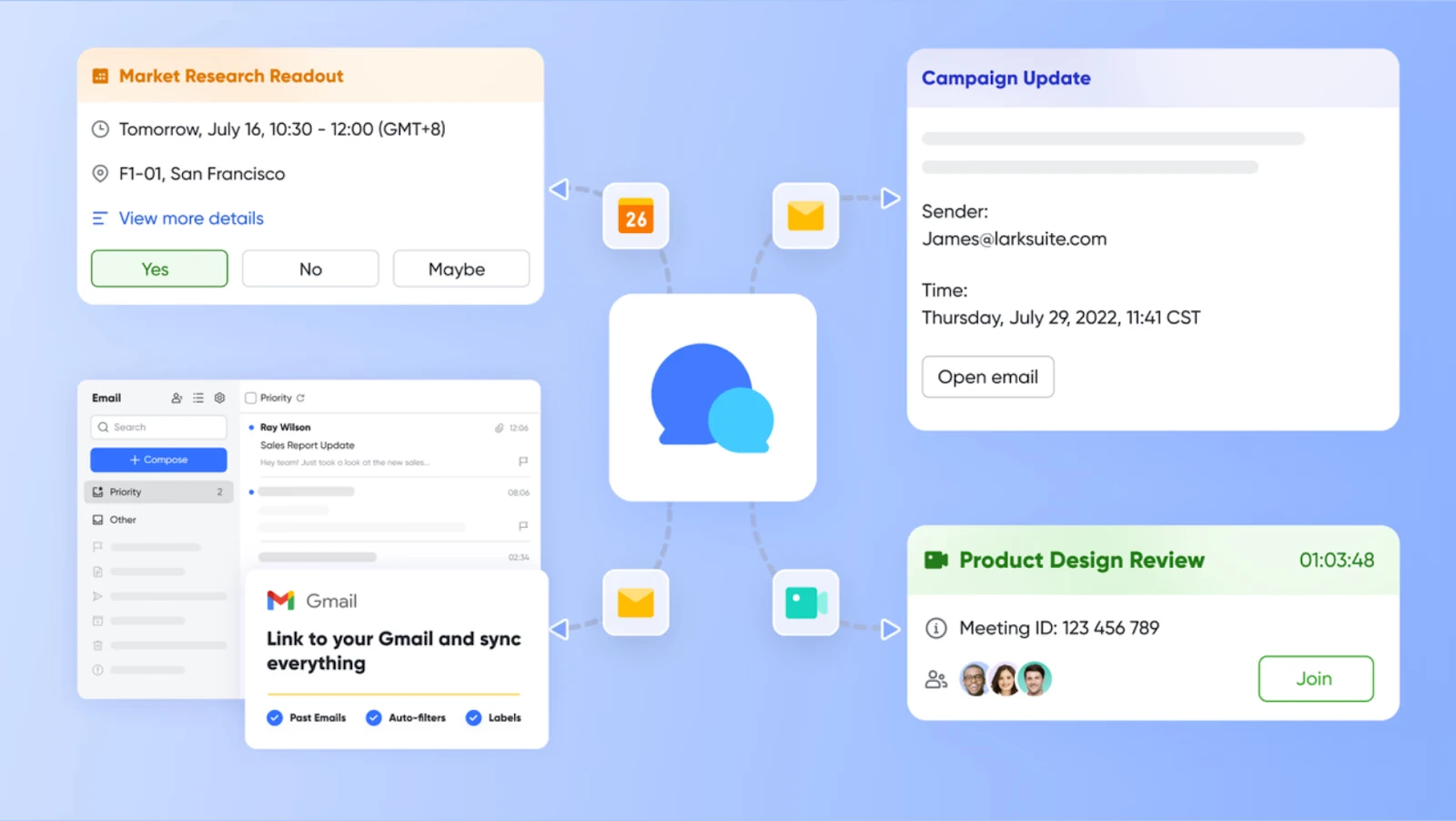
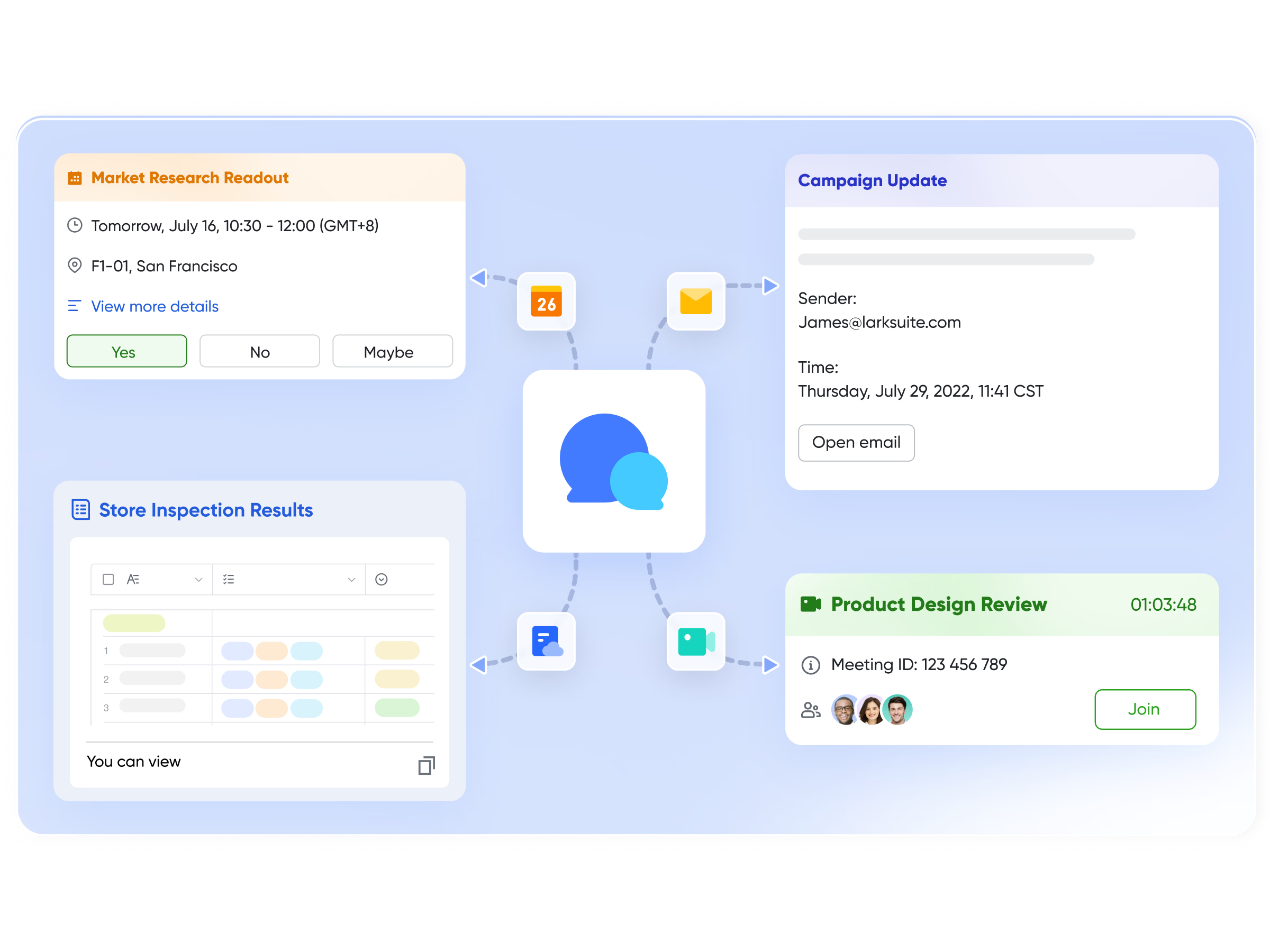
Lark Messenger helps teams manage customer communication more efficiently by keeping conversations organized and connected to the work behind them. Instead of switching between tools, teams can maintain shared chats with customers, add labels, and pin important information for quick access.
External stakeholders — such as clients, partners, and vendors — can join conversations through secure invite links or QR codes. Messenger threads stay connected to relevant Docs or Base records, ensuring every customer update has context and next steps nearby.
With search, translation, and threaded replies built in, Lark helps teams respond faster and maintain clarity — especially when multiple teammates are involved in supporting a customer.
Unified customer data and visualization
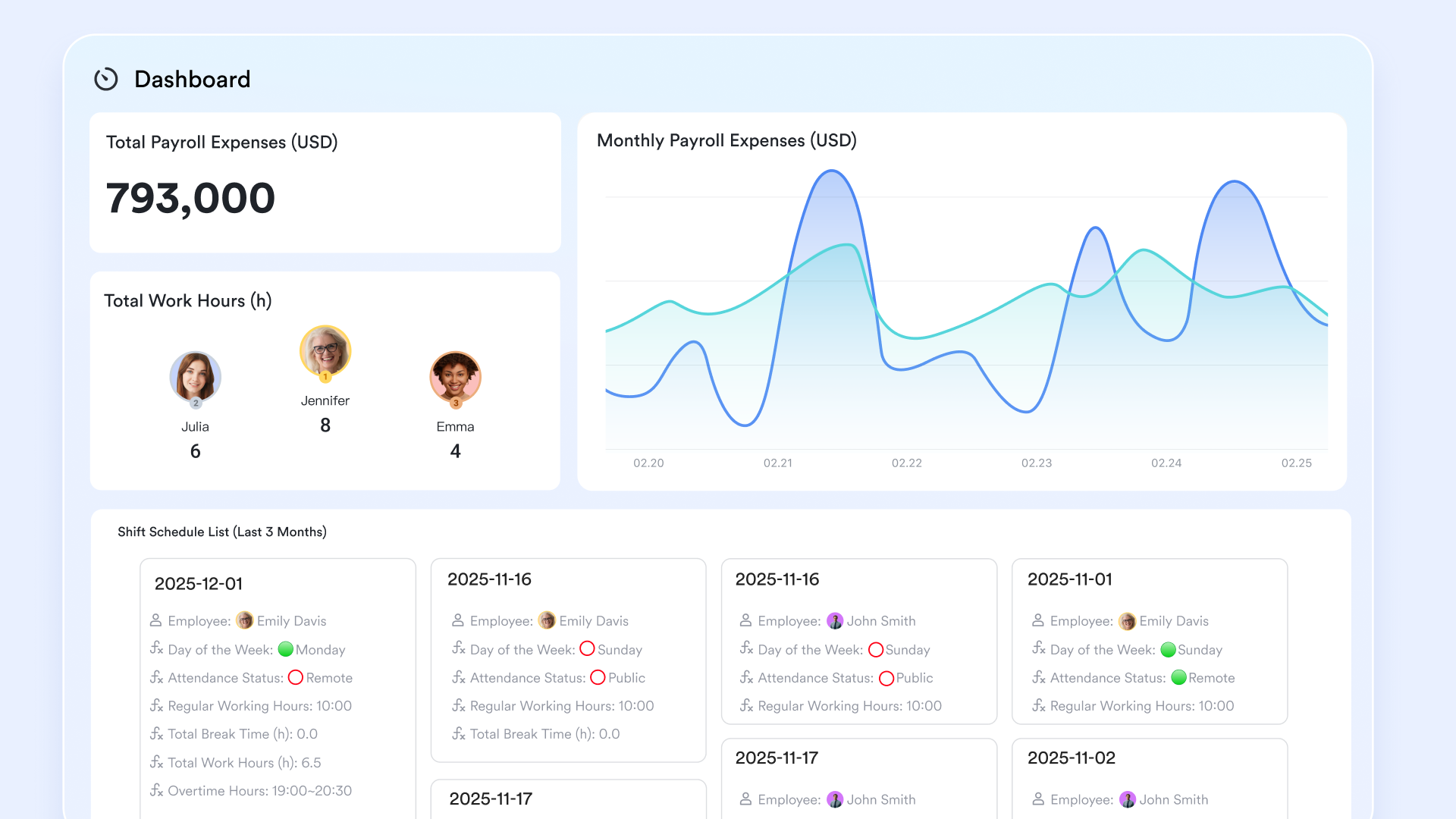
Lark helps you break down data silos by connecting various business tools and bringing all customer information together. With Lark Base, you can create personalized dashboards that show each customer's entire journey. You can share a Base record as a preview card in a Lark chat, allowing recipients to view or edit the record directly in the chat.
The dashboards are real-time and fully customizable, helping your team understand each customer's needs and give more personal, helpful responses. See how to build your own dashboards, or try the Light CRM System template to get started fast.
AI-powered summaries and smarter context sharing
Lark includes built-in AI that helps teams understand and act on information faster. Instead of sorting through long chat threads or meeting notes, AI Summary condenses key points, decisions, and pending actions into a clean recap that everyone can follow.
Teams can also use AI in Lark Base to query data using natural language — making it easy to interpret dashboards, find insights, and surface trends without digging through multiple fields.
These AI features ensure teams stay aligned, respond faster to customer needs, and make informed decisions with less manual effort — even as the volume of communication grows.
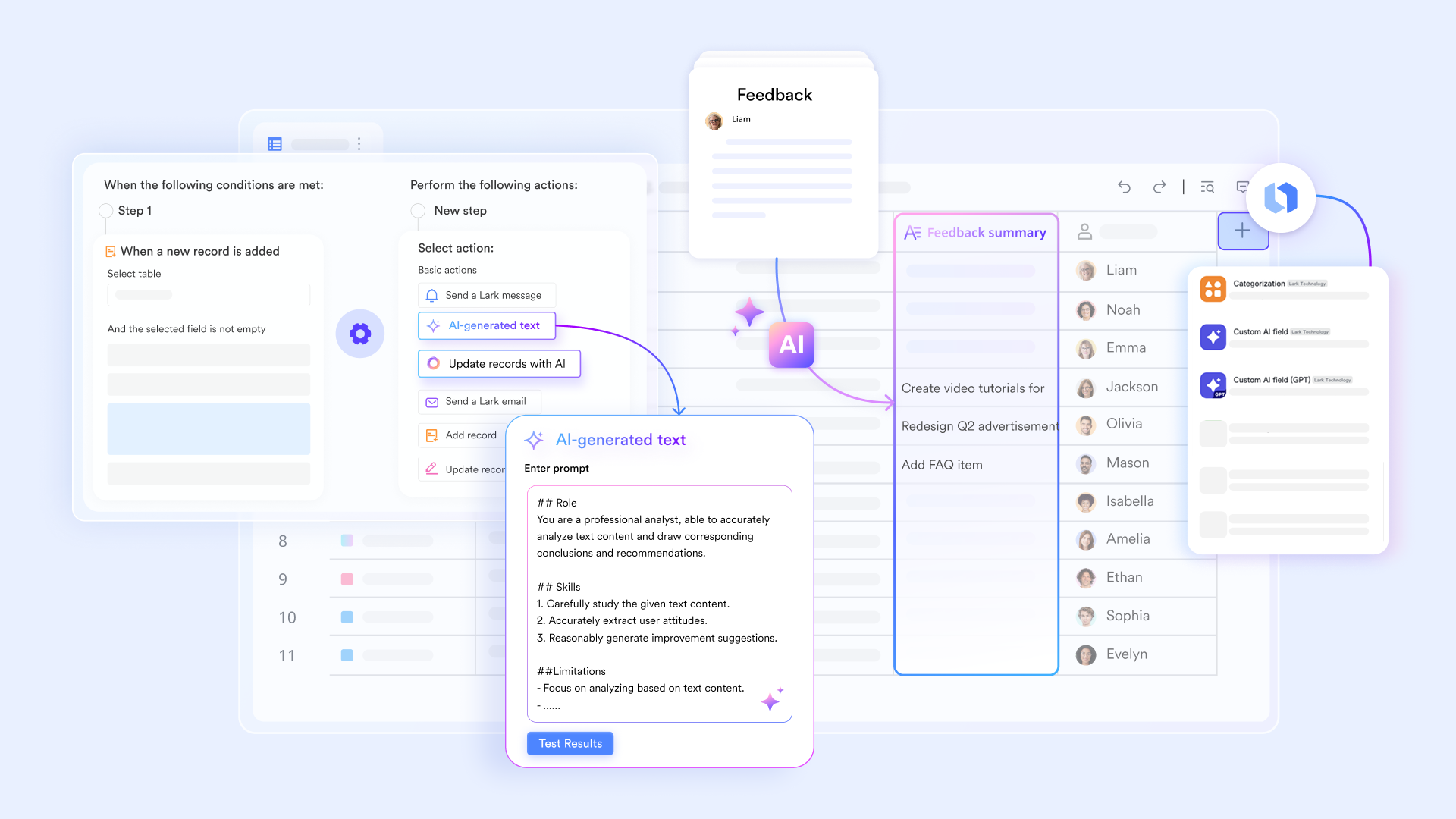
Customizable workflow automation
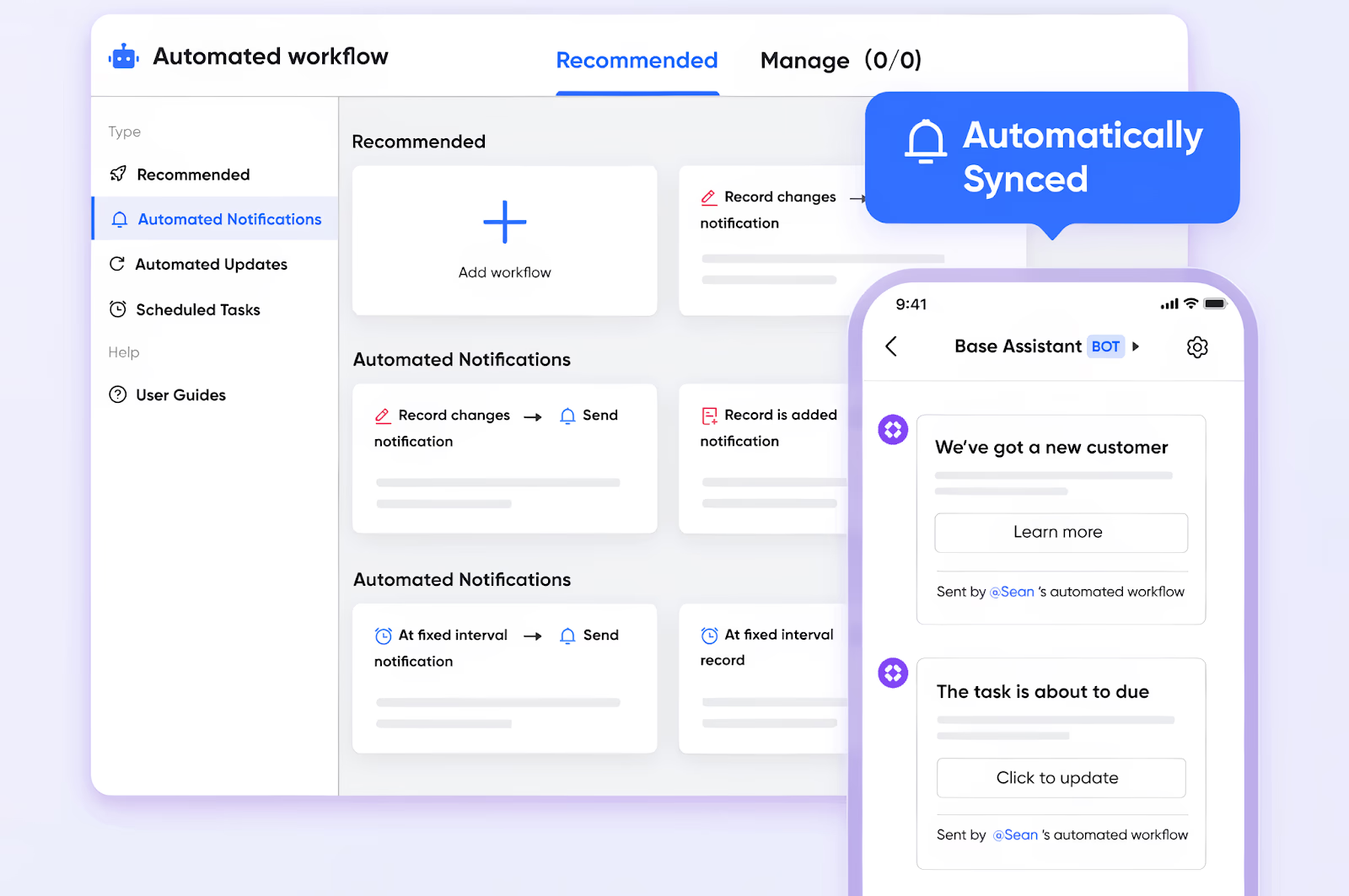
Lark makes repetitive social CRM tasks almost effortless. Using workflow automation in Lark Base, you can set up rules to automatically send social media tickets to the right people, follow up on messages, or create reminders for unresolved queries. This ensures nobody is left waiting and lets your team focus on building relationships instead of chasing messages.
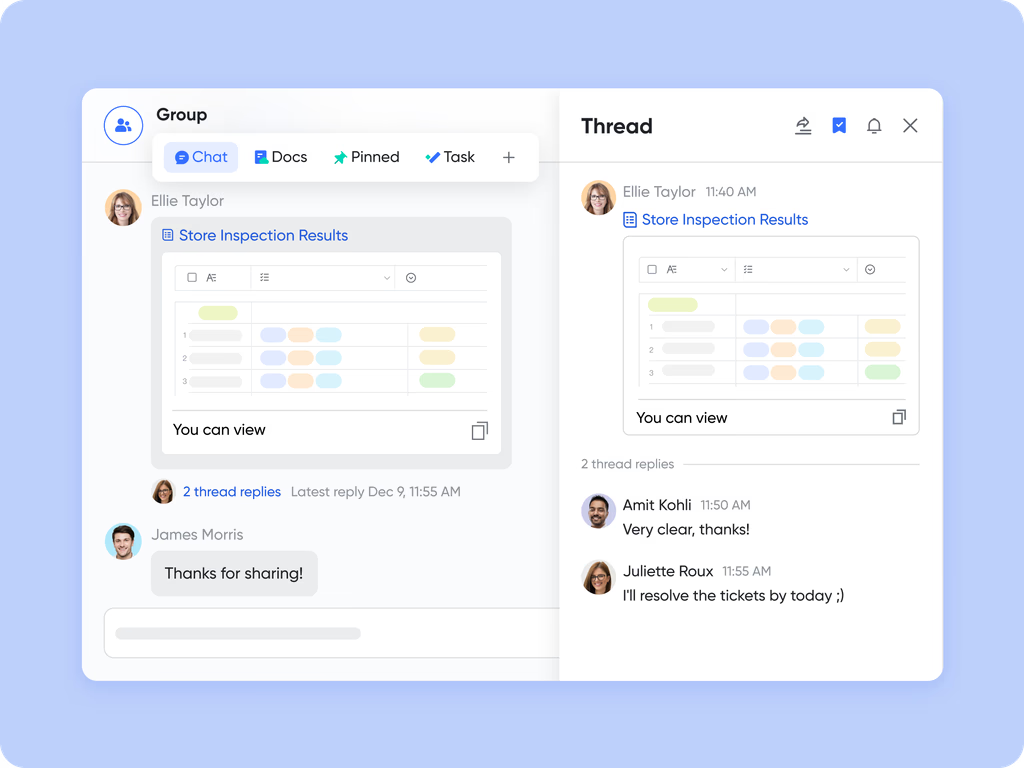
Real-time collaboration for customer queries
Whenever there's a tricky customer question, Lark brings every relevant teammate together instantly. Using threaded discussions and @mentions, you can attach social posts to chats, add extra context in shared docs, and tag team members to provide clear, coordinated answers.
This avoids siloed responses and ensures that customers always receive well-informed support as a team.
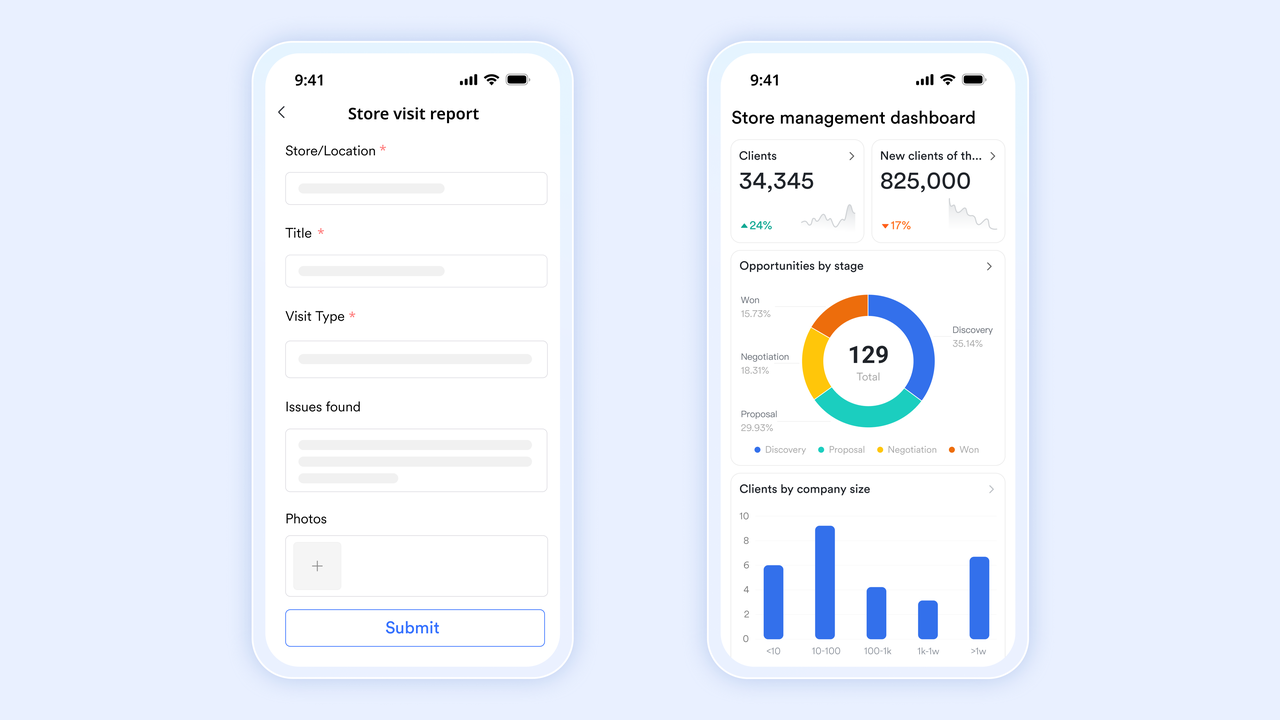
Dedicated mobile-first experience
Today's teams need to move fast and stay connected—even away from the office. Lark's robust mobile app lets you handle the full CRM workflow from anywhere.
Sales and marketing teams can answer messages, update customer info, and keep in touch in real-time, making sure that field reps and office staff work as a single unit, no matter where they are.
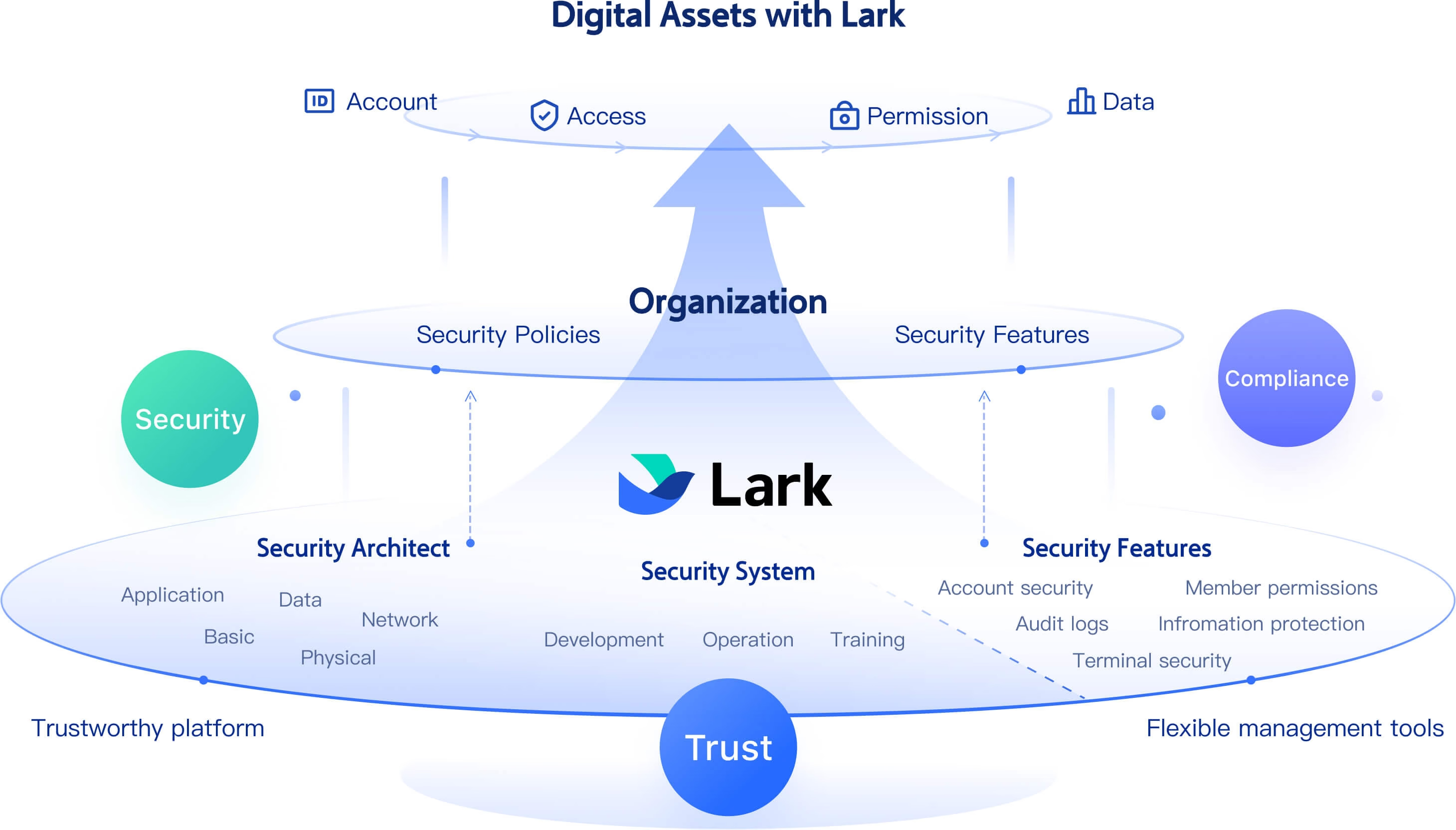
Secure, collaborative case management
Lark protects sensitive customer data with enterprise-grade security. Within Lark Tasks and shared notes, your team can assign and track customer cases, collaborate on solutions, and set granular permissions. Only authorized team members can access or edit customer information, giving peace of mind and compliance with data privacy standards. Read more about Lark's security commitment.
Pros:
- All-in-one platform combining communication, collaboration, and CRM
- Customizable workflows and automation suited to team needs
- Seamless real-time collaboration across sales, marketing, and support
Cons:
- May have a learning curve for some features
- Starter plan: Free forever plan that includes 11 powerful tools for up to 20 users. It also comes with 100GB of storage, 1000 automation runs, AI translations, and more.
- Pro plan: $12/user/month (billed annually) for up to 500 users. It includes everything in Starter plus group calling for up to 500 attendees, 15TB of storage, 50,000 automation runs, and more.
- Enterprise plan: Contact sales for custom pricing. Supports unlimited users and includes even more automation runs and advanced security, compliance, and management features. Cost-conscious organizations often use Google Workspace pricing and ClickUp pricing as a benchmark when evaluating alternatives.
2. Salesforce: Enterprise social integration
Salesforce is known worldwide as a leader in CRM, offering powerful solutions for large enterprises and organizations with complex needs. Its social CRM features integrate deep social media listening, engagement, and analytics right into the core CRM system, helping businesses truly understand their audience and react quickly. It's ideal for companies looking to manage huge customer bases and multi-channel workflows with a lot of flexibility
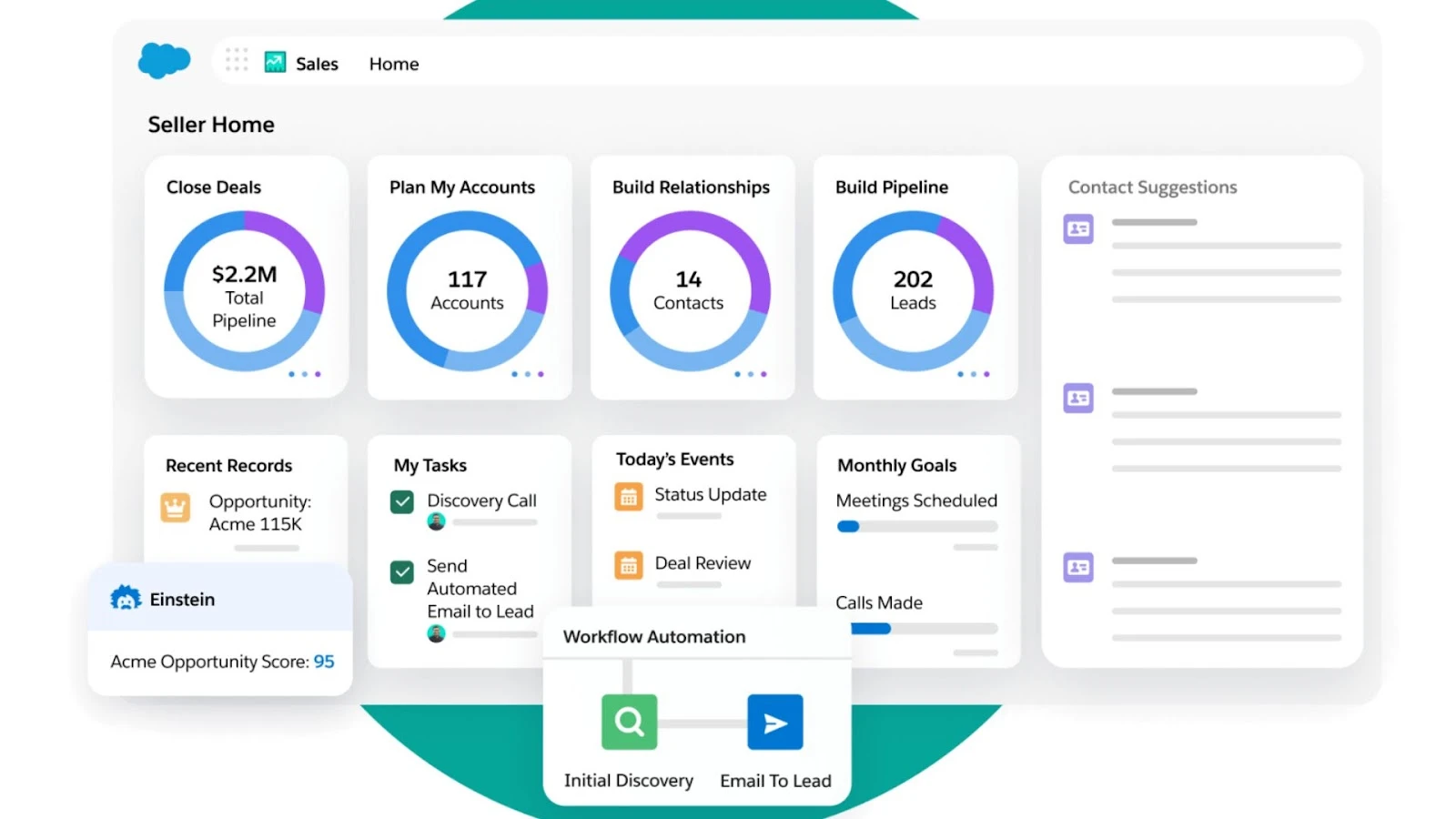
Image source: salesforce.com
Key features:
- Advanced social listening lets you track brand mentions, keywords, sentiment, and trends on platforms like Facebook, Twitter, and LinkedIn, all within your CRM.
- AI-powered tools automate routing, analyze customer mood, and recommend engagement strategies.
- Customizable dashboards deliver real-time insights into campaign performance, customer support cases, and social interactions.
- Seamless integration with marketing, sales, and service modules helps teams collaborate on every customer touchpoint.
- Workflows and automation streamline repetitive processes, boosting response speed and consistency.
Pros:
- Comprehensive, enterprise-level social CRM features.
- Advanced AI analytics for actionable customer insights.
- Seamless integration across the Salesforce ecosystem.
- Strong collaboration and workflow automation.
Cons:
- High cost—even the basic plans are expensive compared to most other tools.
- Setup and customization require time and dedicated administration.
- It may be too robust for small businesses or startups.
Pricing:
- Social CRM features are generally included in Salesforce's Marketing or Service Cloud editions.
- Entry-level pricing starts at around $25/user/month for basic CRM; most social/AI capabilities are available in Pro and Enterprise plans—these can range from $1,000/month to $12,000/month (billed annually), depending on exact needs. Free trials available.
3. HubSpot: Marketing and social CRM made easy
HubSpot brings an intuitive, marketing-driven approach to CRM, blending social media monitoring, email, content, and automation tools within an accessible platform. It's popular with growing businesses, marketers, and those embracing inbound marketing. Its social CRM features are especially strong in engagement tracking, integrated campaign management, and contact unification.
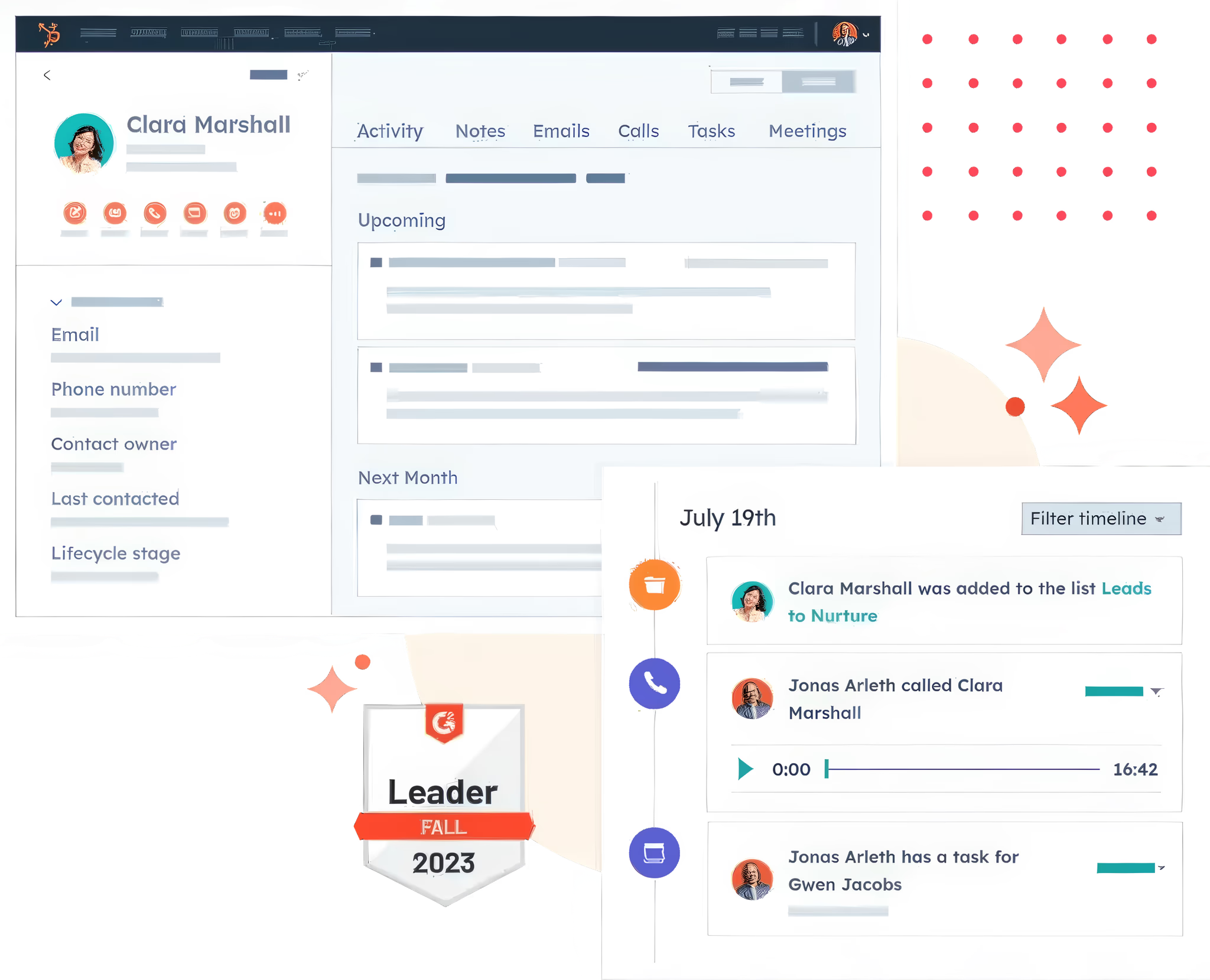
Image source: hubspot.com
Key features:
- Post scheduling, monitoring, and interaction tracking for Facebook, Twitter, LinkedIn, and Instagram from a single dashboard.
- Unified CRM stores social, email, and web interactions, maintaining a cohesive record for every customer.
- Reporting tools visualize engagement, clicks, campaign attribution, and conversion rates, helping teams refine their efforts.
- Automated lead nurturing and ticketing connect support and sales seamlessly.
- HubSpot's marketplace offers over 1,900 app integrations, including advanced marketing and AI functionality.
Pros:
- User-friendly and intuitive interface.
- Strong integration of marketing, sales, and social CRM features.
- Free tier available, suitable for startups.
- Extensive educational resources and community support.
Cons:
- Social CRM features less advanced than dedicated social CRM platforms.
- Pricing for premium plans can be high for small businesses.
- Limited customizability on free and lower-tier plans.
Pricing:
- Free basic CRM for unlimited users, with limited social features.
- Advanced marketing/social integration in paid "Marketing Hub" plans: Starting $15/user/month (Starter), $50/user/month (Professional), and $75/user/month (Enterprise); higher tiers include more automation and analytics.
4. Zoho CRM: Social-centric CRM for SMBs
Zoho CRM is designed for small and growing businesses needing strong adaptivity and value. Its social CRM capabilities tie together sales, marketing, and support, with native monitoring and engagement for Facebook, Twitter, Instagram, and LinkedIn. Zoho is known for accessible pricing and integrated business tools.
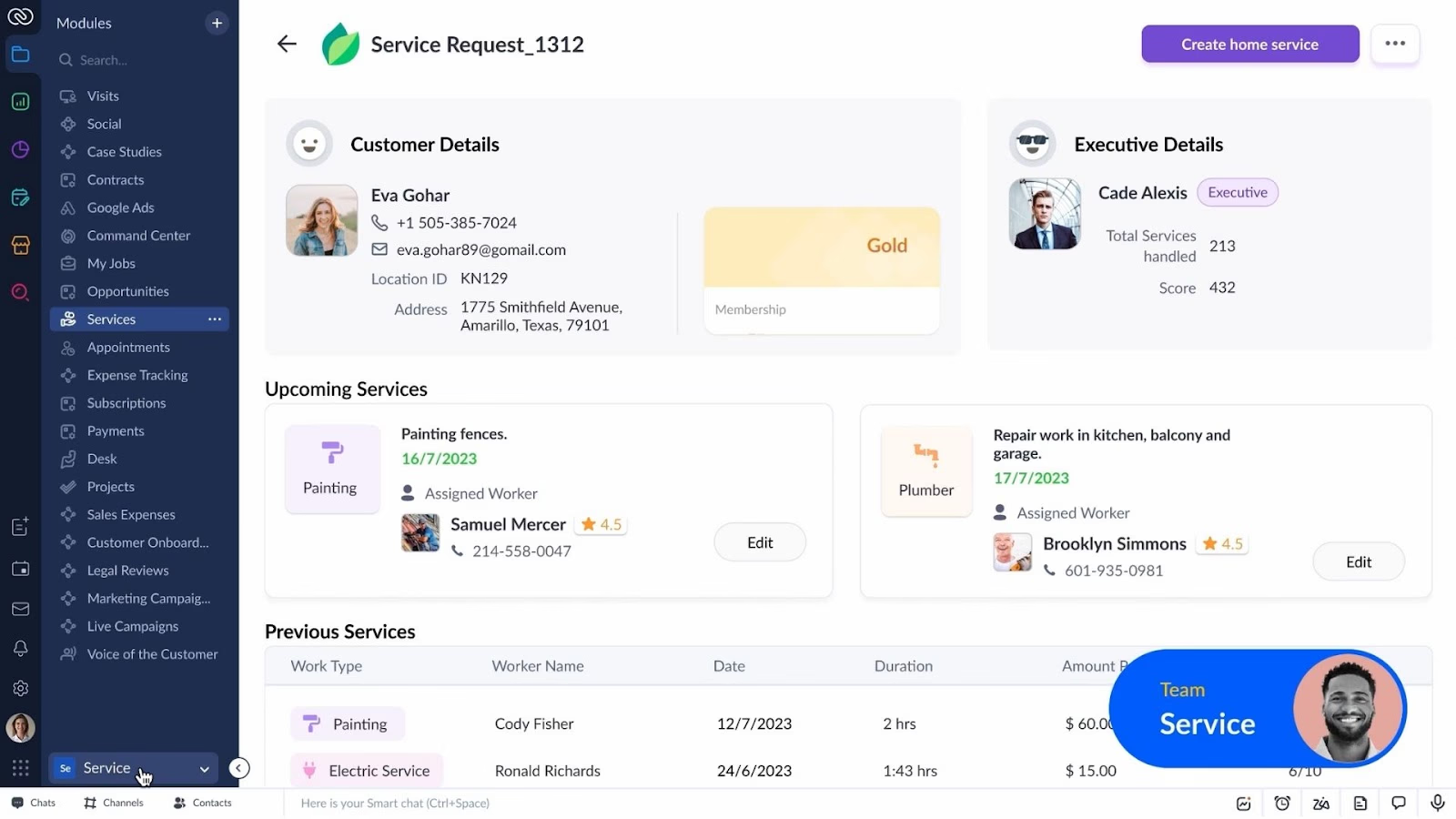
Image source: zoho.com
Key features:
- Built-in social modules instantly capture leads and log conversations from main platforms into CRM records.
- Automation rules allow your team to trigger actions—such as lead scoring, assignment, or follow-ups—based on real-time social engagement.
- Custom dashboards track social impressions, conversions, and customer sentiment, providing clear, actionable insights.
- Deep "omnichannel" approach connects social media, email, phone, live chat, and web forms in one place.
- Integrates seamlessly with Zoho's business suite and offers open APIs for custom workflows.
Pros:
- Manage all social media channels and CRM leads from one dashboard, streamlining workflows and saving time.
- Scheduling helps businesses maintain a steady content calendar, even during busy periods.
- Analytics and reporting in Zoho Social and its CRM integration help refine strategy using actionable insights.
- Seamless integration with Zoho CRM ensures that social media engagement directly feeds into lead and sales pipelines.
- Zoho Social CRM offers competitive pricing compared to many other platforms, making it accessible for small and mid-sized businesses.
Cons:
- Custom automation, reporting, and technical integration may demand technical expertise or professional help.
- Slowness and lag can occur during heavy usage or with large datasets, affecting productivity.
- The most advanced customization options are reserved for higher-priced tiers, which may be a barrier for small businesses.
Pricing:
- Free plan for 3 users (limited features).
- Paid plans start at $14/user/month (Standard), up to $40/user/month (Enterprise). Social CRM tools are included at entry levels; advanced automation in higher tiers.
5. Freshworks CRM: Social CRM for fast response
Freshworks CRM (formerly Freshsales) focuses on helping sales and support teams engage with customers in real-time, across multiple channels. Its social CRM suite blends omni-channel inboxes, AI-powered ticketing, and flexible workflow automation, making it particularly strong for efficiency and response management.
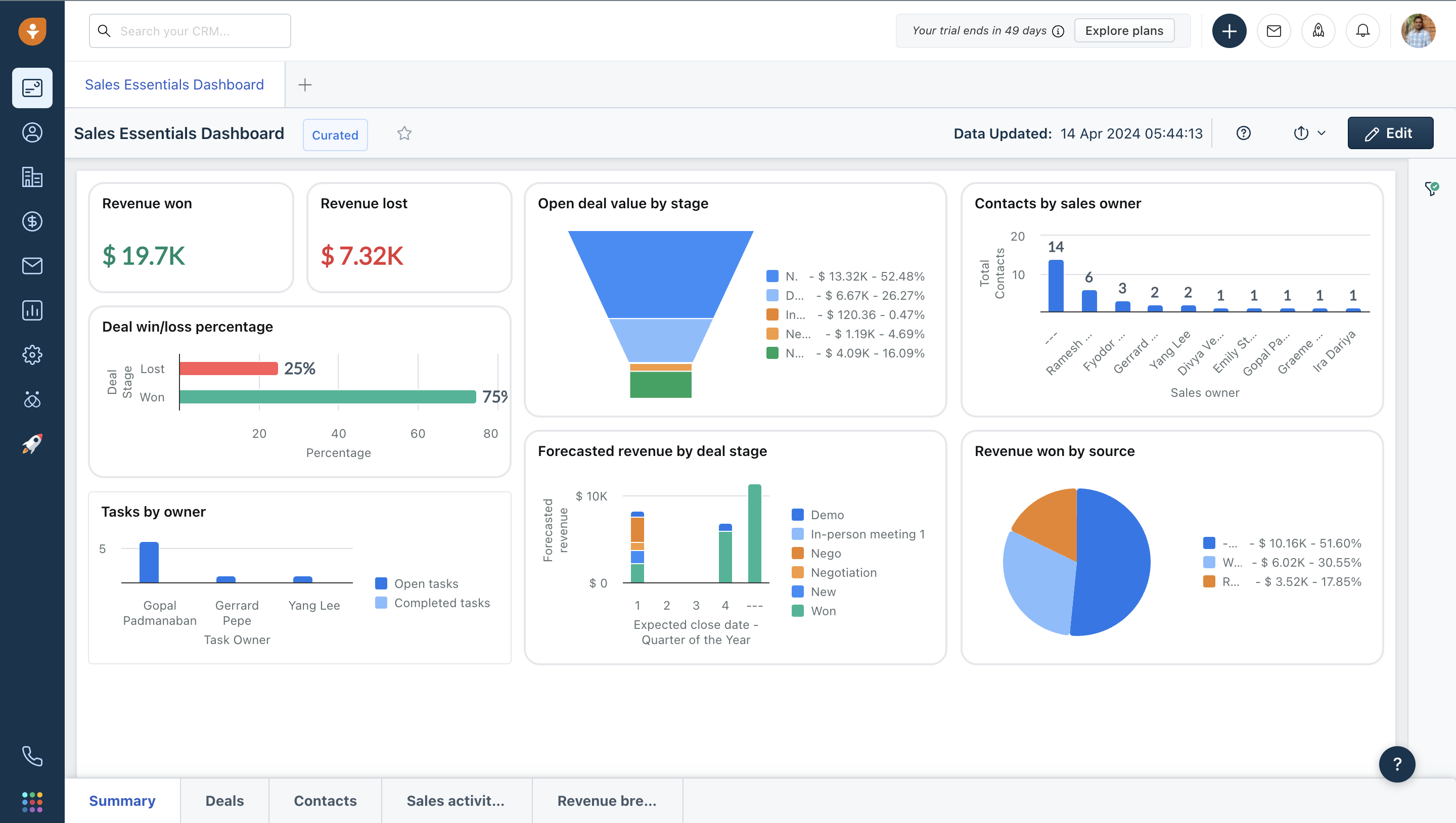
Image source: freshworks.com
Key features:
- Consolidated inbox to manage messages and support tickets from Facebook, WhatsApp, and other platforms.
- Automated lead capture and segmentation classify social prospects, speeding up sales processes.
- Built-in AI predicts sentiment, automates workflows, and highlights high-value interactions for quick follow-up.
- In-depth analytics help track engagement, agent performance, and campaign ROI in one dashboard.
- Supports collaborative tasks and internal messaging for seamless teamwork.
Pros:
- Easy to use, with fast onboarding and minimal training.
- Strong AI-driven automations and reporting.
- Designed for service-focused SMBs and support-heavy teams.
Cons:
- Full set of features only available on higher plans.
- Advanced configuration may need some IT guidance.
Pricing:
- Free trial available.
- Paid plans start at $9/user/month (Growth), with advanced social features in higher tiers ($39–$59/user/month).
6. Agile CRM: Social CRM for small businesses
Agile CRM suits small businesses and startups seeking basic social CRM within an all-in-one sales and marketing tool. It combines social monitoring, campaign automation, and contact enrichment, supporting direct management of Twitter, Facebook, and Google Plus from the CRM dashboard.
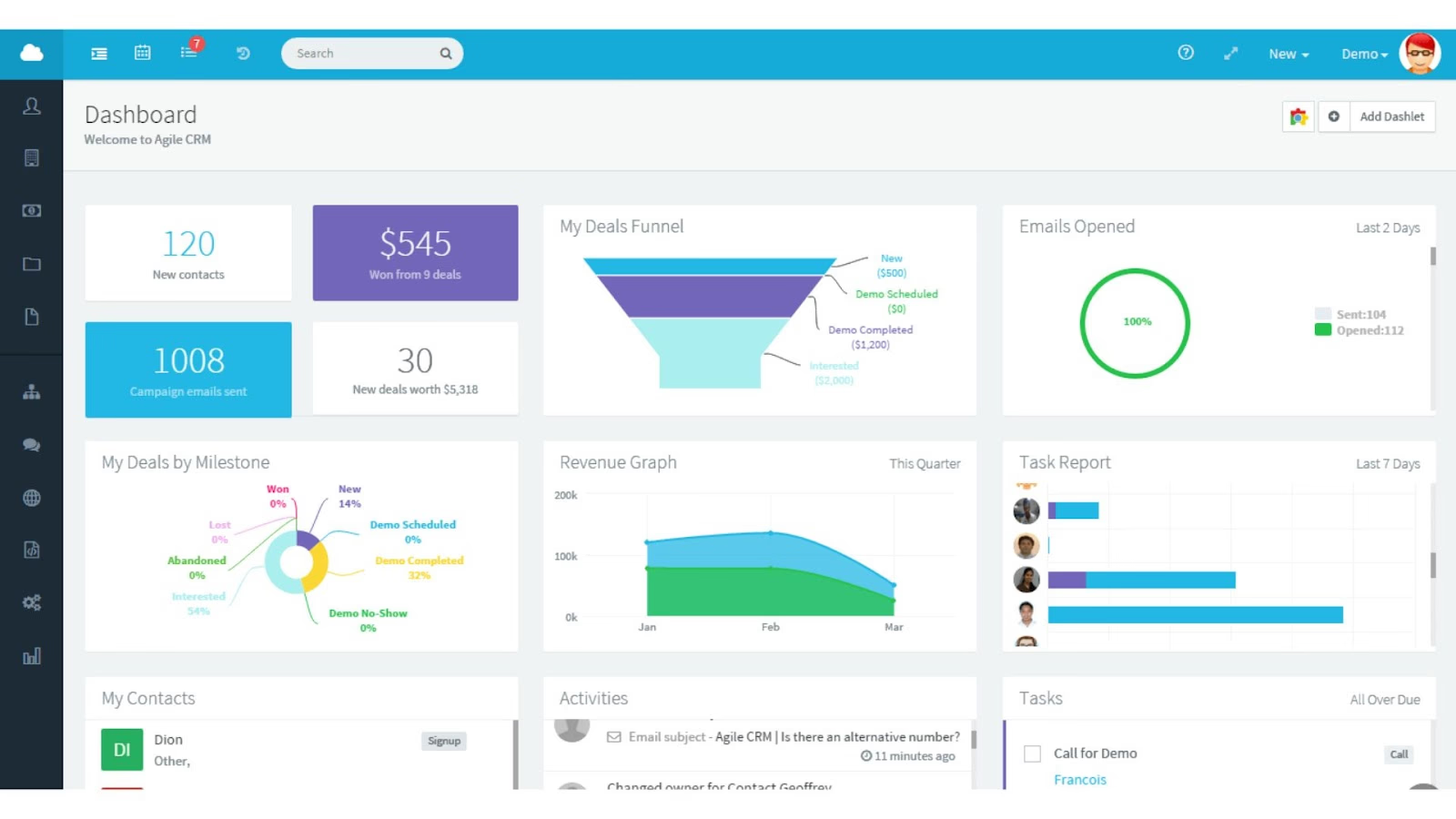
Image source: agilecrm.com
Key features:
- Monitors social activity and pulls profiles directly into contact cards, giving you a complete interaction history across channels.
- Lets you post updates, reply to customers, and manage support requests without switching apps.
- Automates sales and marketing workflows with triggers based on social actions or lead behaviors.
- Scheduling and campaign tools help you time content or outreach across multiple platforms simultaneously.
- Social suite allows teams to run keyword streams and create "hot prospect" lists directly from social signals.
Pros:
- Combines sales, marketing, and support tools.
- Visual workflow automation builder.
- Built-in appointment scheduling.
- Good integration with popular apps.
- Scalable plans suited for small teams.
- Free tier supports up to 10 users.
Cons:
- Outdated and cluttered interface.
- Limited advanced reporting on lower plans.
- Some features only on higher price tiers.
Pricing:
- Free for up to 10 users.
- Paid plans start at $8.99/user/month (Starter). More automation in Regular ($29.99/user/month) and Enterprise ($47.99/user/month).
7. Salesflare: CRM for smarter social outreach
Salesflare is aimed at sales teams who want a modern CRM with automatic data capture and simple, integrated social/email outreach. It streamlines updating contact info and tracking conversations, letting reps focus on selling instead of manual data entry.
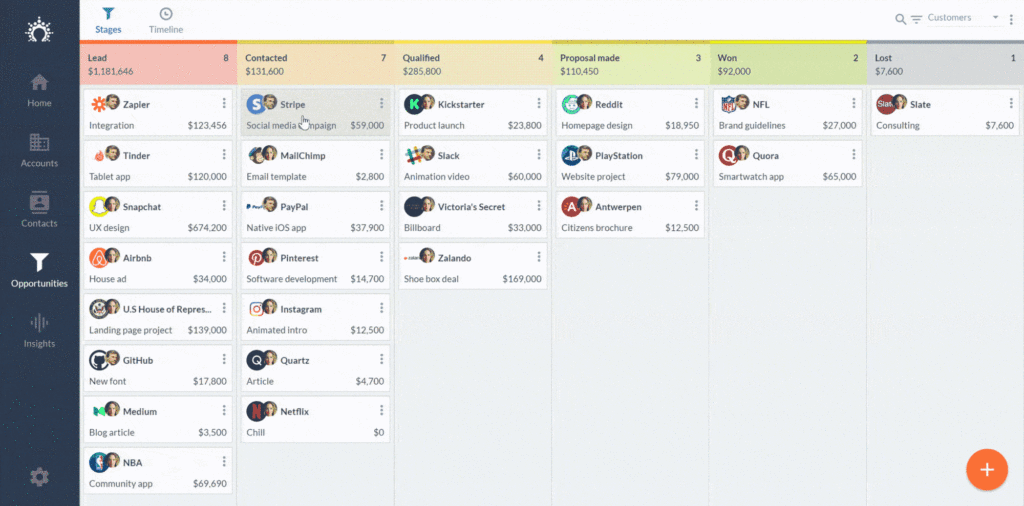
Image source: salesflare.com
Key features:
- Automatic enrichment of contacts with social media profiles and activities.
- Intelligent sales follow-up reminders based on interaction history.
- Email and social media activity tracking integrated into contact timelines.
- Smart pipeline management with automated updates.
- Integration with Gmail, Outlook, LinkedIn, and popular social channels.
Pros:
- Automates data entry by pulling info from social media and emails.
- Helps sales teams maintain consistent personalized outreach.
- Seamlessly integrates social signals into CRM workflows.
- User-friendly with minimal setup required.
Cons:
- Less suitable for large enterprises with complex CRM needs.
- Limited advanced marketing automation features compared to larger platforms.
- No free plan; pricing may be higher for small startups.
Pricing:
- Free trial available. Paid plans start at around $29 per user, per month, depending on feature needs.
8. Pipedrive: CRM with flexible social tools
Pipedrive centers its CRM on visual sales pipeline management, making it a favorite among B2B sales teams and SMBs. Its social CRM features are mainly delivered via marketplace integrations, third-party add-ons, and custom workflows, giving users flexibility in how they connect social channels.
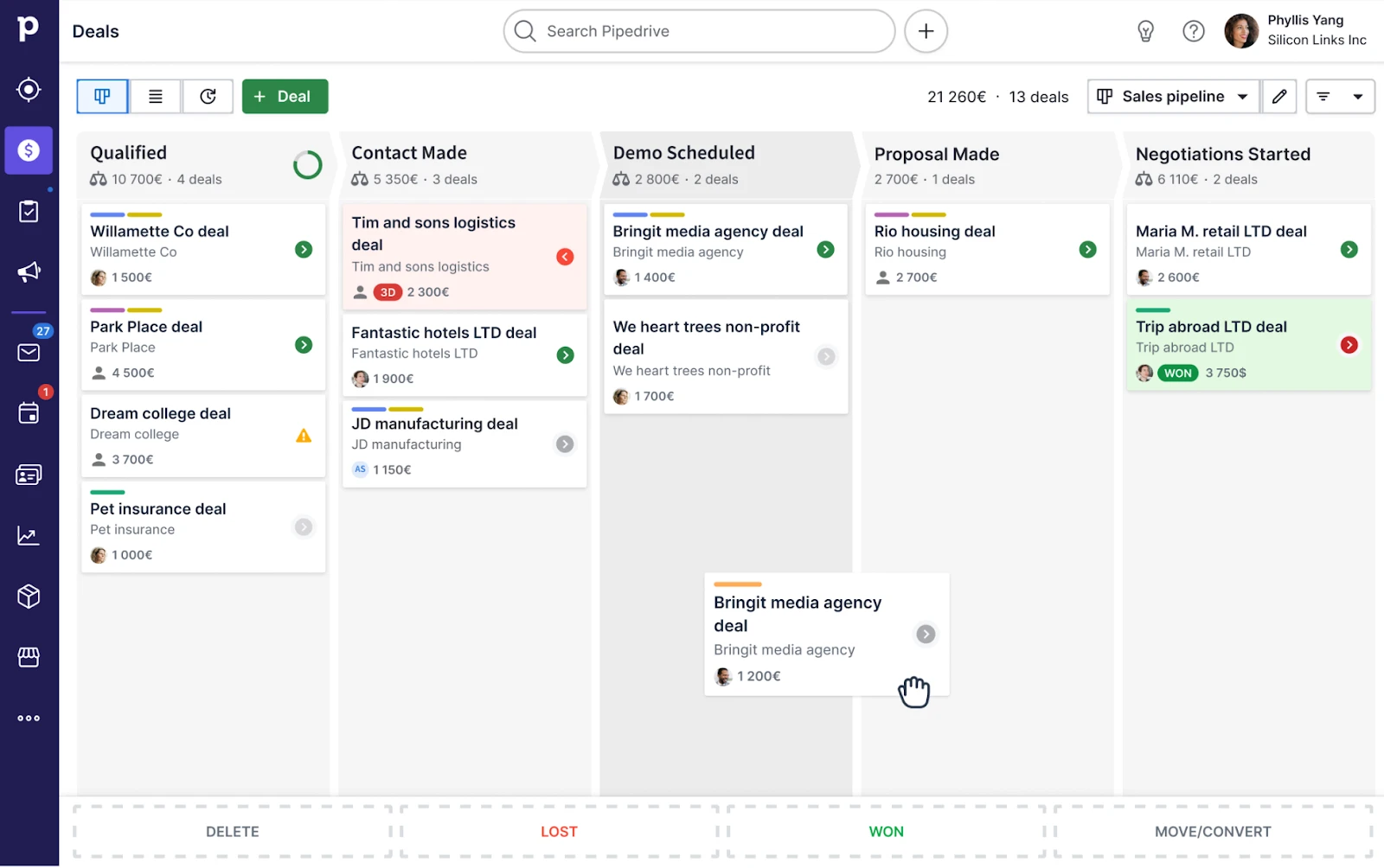
Image source: pipedrive.com
Key features:
- Visual pipelines allow you to drag and drop deals and track lead progress easily.
- Email and activity sync features help align client communication from multiple channels.
- Marketplace integrations connect you to networks like Facebook, LinkedIn, and Twitter—enabling lead enrichment and social data capture.
- Automation frees up time by sending reminders, assigning leads, or creating deals as social interactions happen.
- Custom reports and dashboarding give sales managers clear insights.
Pros:
- Visual pipeline management helps identify deal stages and prioritize opportunities.
- Simple interface ensures fast onboarding for new reps.
- Quick setup enables fast team adoption.
- Automation saves time by handling routine tasks.
- Integrates with 400+ tools for flexible use.
Cons:
- Limited customization compared to advanced CRMs.
- No free plan after trial, restricting small teams.
- Basic plans have limited access to support.
Pricing:
- Paid plans start at $14.90/user/month. Social integration depends on connected apps and plan choice (test via trial).
9. Zendesk Sell: Social CRM for helpdesk needs
Zendesk Sell connects sales and customer support in a centralized CRM platform. Designed to empower teams with full customer context, it offers integrated social, email, and telephony—ideal for support-driven organizations and those with high customer interaction volumes.
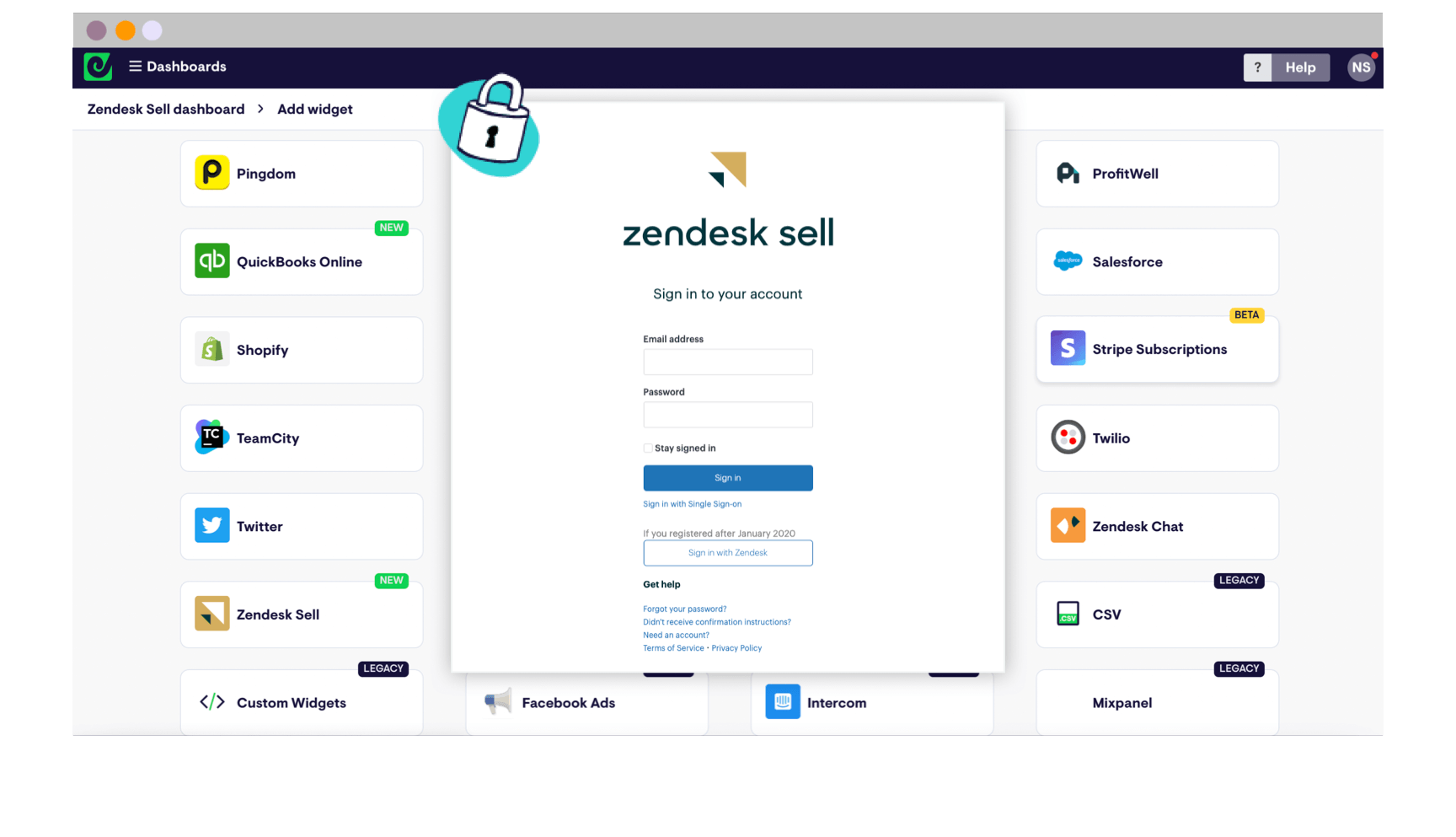
Image source: zendesk.com
Key features:
- The unified platform merges leads, contacts, account history, and social/email threads for a detailed view of every relationship.
- Automated task players, smart lists, and activity tracking simplify multi-touch outreach and follow-up.
- Social tickets and triggers automatically route messages, prioritize issues, and streamline engagement.
- Advanced reporting and customizable dashboards give full visibility into sales pipelines, performance metrics, and customer activities.
- Deep integration with Zendesk support suite joins sales and service for holistic customer management.
Pros:
- Seamless integration between sales CRM and customer support helpdesk.
- Strong automation to improve response times on social interactions.
- Good mobile experience for remote teams.
- Robust tracking of customer interactions across social media and other channels.
- Scalable for businesses growing customer service and sales simultaneously.
Cons:
- Higher pricing compared to basic CRMs.
- Learning curve for integrating sales and support workflows.
- Limited advanced social listening and sentiment analysis features.
Pricing:
- Paid plans start at $19/user/month, scaling up with features and team size.
10. Microsoft Dynamics: Advanced CRM for social data
Microsoft Dynamics 365 is an enterprise-grade CRM that tightly integrates sales, marketing, and service with collaborative and analytical tools. Its social CRM modules provide robust publishing, listening, and AI-powered insights—especially attractive for large organizations needing scalability and deep integrations.
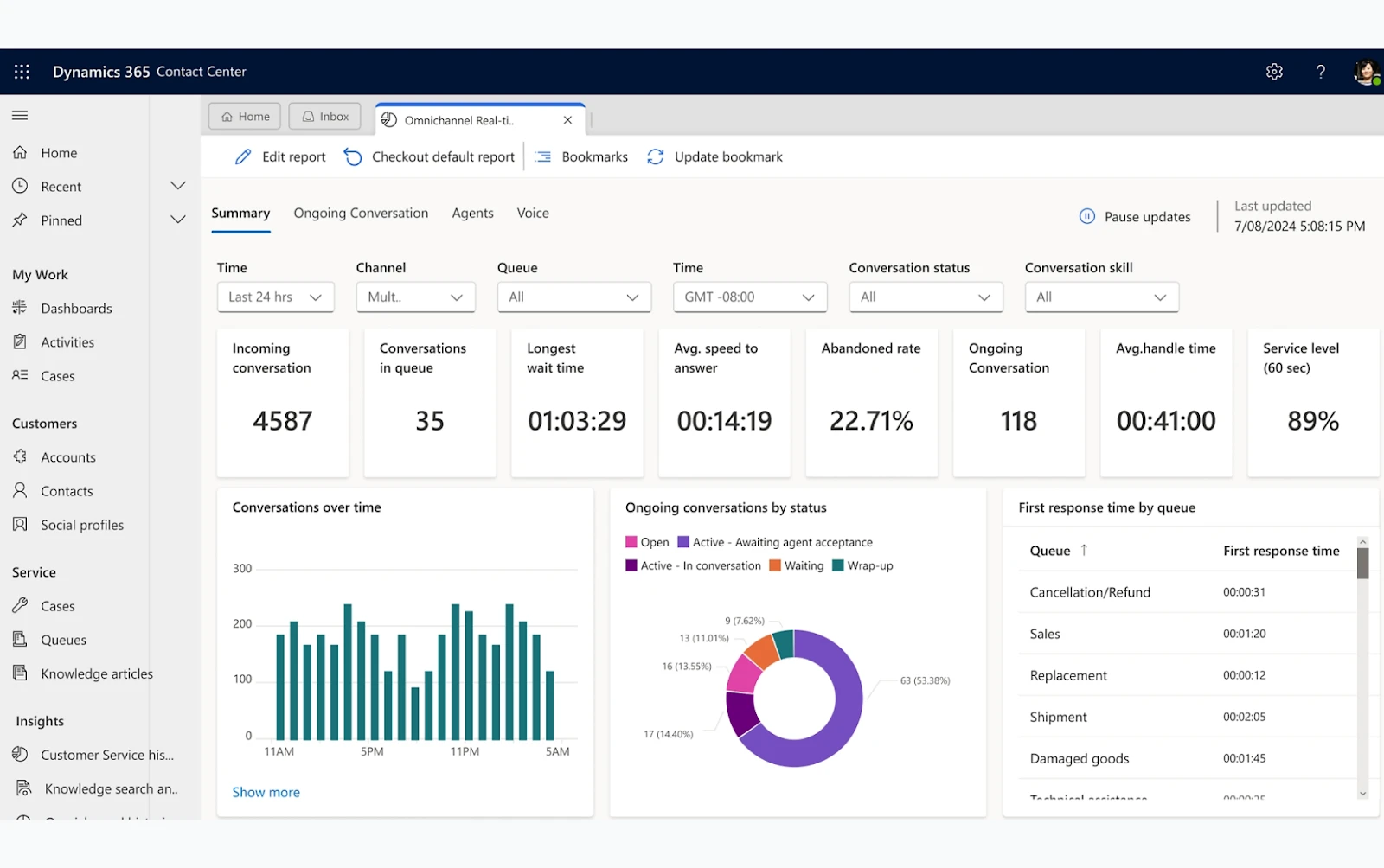
Image source: microsoft.com
Key features:
- Social publishing, brand monitoring, and AI-driven analytics surface trends, sentiment, and conversation insights from across platforms.
- Customizable workflows and dashboards allow tailoring to your industry, role, or compliance requirements.
- Deep ecosystem ties with Office 365, Teams, Power BI, and other Microsoft products ensure seamless collaboration and data flow.
- Intelligent forecasting, conversation intelligence, and opportunity scoring boost sales effectiveness and team productivity.
- Security, privacy, and compliance features meet strict industry standards.
Pros:
- Extremely customizable for complex processes and industry-specific needs.
- Deep, actionable intelligence with AI and advanced analytics for sales and marketing managers.
- Modular pricing lets businesses pay only for required functions.
- Well-suited for large or growing organizations with multi-region operations.
- Smooth collaboration with other Microsoft products increases productivity and user adoption.
- Strong automation saves time across sales, service, and marketing.
Cons:
- Steeper learning curve, especially for first-time users or SMBs.
- Cost can be high for advanced modules and large user counts.
- Some features are only unlocked in higher enterprise plans.
Pricing:
- Pricing for CRM (Sales Professional plan) starts at about $65/user/month. Social features included in Marketing or Customer Insights modules, often at additional cost.
11. Feedbird: Tech-enabled social media management company
Feedbird is a tech-enabled social media management company offering high-quality creative and marketing services starting from just $99/month. It combines proprietary technology with a fully in-house global team of 200+ experts to manage everything from content creation and scheduling to ads and analytics under a simple subscription model.
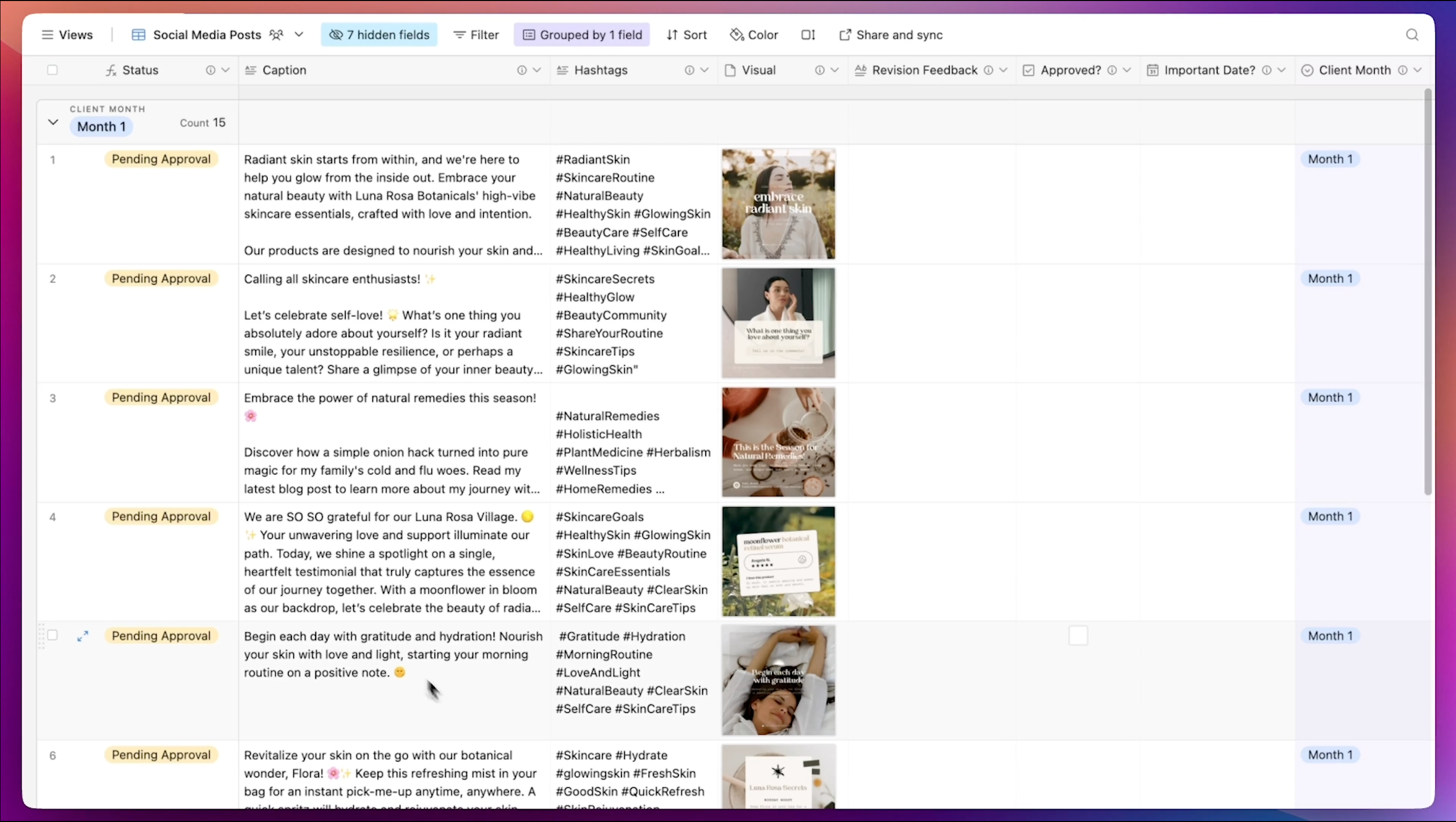
Image source: feedbird.com
With no long-term contracts, cancel-anytime flexibility, and dedicated account managers, Feedbird is trusted by 20,000+ businesses worldwide. Unlike traditional agencies that charge thousands per month, Feedbird delivers results at up to 80% lower cost, making professional social media management accessible for small businesses and agencies.
Key features:
- Social media management & publishing
- Short-form videos (TikTok, Reels, Shorts)
- UGC and ad creatives
- Meta & Google Ads management
- Instagram growth services
- SEO blogs & backlinks
- Email design
- White-label reseller program
Pros:
- Highly affordable: Great for startups with limited budgets.
- Saves massive time: Outsourcing manual posting frees up your schedule.
- Fast & easy process: Simple workflows with quick delivery times.
- On-brand once adjusted: Delivers good results after initial feedback.
Cons:
- Requires initial training: Takes time and feedback to nail your brand tone.
Pricing:
- Feedbird provides many services, including social media posts, short-form videos, and blog post creation and publication, email design and SEO backlinks, and so on. Start from $99 per month.
How to choose the right social CRM for your business
Selecting the best CRM with social media integration means finding a solution that perfectly fits your business goals, processes, and customer needs. Start by identifying where your customers are most engaged—strong social media and CRM integration lets you capture conversations from all relevant platforms. Look for a social media CRM platform that merges traditional contact records with real-time social activity, making it easy to unify sales, support, and marketing workflows.
Begin your search by asking:
- "What is social CRM in the context of your business?" Consider your touchpoints, team size, and integration needs.
- "Which channels matter most?" Review social media examples specific to your sector, such as Facebook support tickets or Twitter lead generation.
- "What level of automation and analytics do you need?" Some social CRM tools are basic, while others offer advanced AI-driven analysis and automation.
Assess each solution's implementation path for your team. Prioritize scalability, compliance, and user-friendliness. Testing a few options with free trials or demos—true social CRM strategy is about continuous improvement.
By choosing the right tool, you'll empower your team to provide outstanding, real-time service and engagement directly from your CRM, ensuring sustainable business growth.
Core benefits of social CRM integration
Social CRM isn't just about more channels—it's about deeper engagement and actionable business growth. Here are four core benefits explored in detail:
Real-time customer engagement and support
Social CRM platforms allow teams to see and respond to social conversations instantly, from new lead comments to feedback on a recent campaign. This visibility enables sales and support teams to:
- Resolve complaints before they escalate
- Answer product queries within minutes
- Build trust through timely and personal replies
- Identify new sales opportunities directly from social interactions
Integrated alerts and unified inboxes mean no message slips through unnoticed.
Rich customer profiles via social data
A key advantage of social CRM is combining traditional CRM entries (name, email, purchase history) with live social data (interests, recent posts, engagement history). This provides companies with:
- Multi-dimensional profiles for segmentation and targeting
- Deeper understanding of individual preferences and pain points
- Insights into customer sentiment by analyzing likes, shares, and comments
Sales reps, marketers, and support agents can tailor approaches to suit each individual, boosting results and customer satisfaction.
Targeted campaigns, lead generation, and conversion optimization
Social CRM platforms enable more effective, personalized marketing. By analyzing customer interaction patterns in real time, businesses can:
- Launch campaigns to specific segments based on current interests
- Automate follow-up sequences based on social actions
- Trigger lead nurturing workflows the moment someone interacts positively
- Track engagement, conversions, and attribution across channels for optimization
This makes marketing smarter and more efficient, with less wasted effort.
Amplified brand visibility, trust, and authentic relationships
By engaging with customers seamlessly across platforms, businesses are seen as approachable and connected. Social CRM tools help foster:
- Greater brand loyalty through authentic, timely communication
- Elevated public perception thanks to visible customer care
- More referrals and repeat business from positive experiences
Humanizing interactions is easier when every team member has full history and sentiment data at their fingertips.
Challenges and myths debunked in social CRM adoption
Integrating social CRM comes with a few common challenges and misconceptions, which businesses should address head-on:
Privacy and data security concerns
With deep integration of social channels, companies handle a range of personal data. Concerns include:
- Ensuring transparency in data collection and usage
- Complying with GDPR, CCPA, and other regulations
- Securing integration between social platforms and CRM databases
Modern social CRMs prioritize encrypted connections, granular permissions, and explicit consent options to protect both business and customer data.
Integration complexities
Some organizations worry that adding social CRM will be complicated or costly. Potential hurdles include:
- Connecting diverse platforms (Facebook, Instagram, WhatsApp, LinkedIn)
- Setting up APIs or third-party integrations
- Training staff on new workflows and dashboards
The best platforms (like Lark, Zoho, and Salesforce) offer simplified onboarding and support to ease the transition, often with step-by-step guides and trial plans.
Managing vast social data efficiently
With so much data generated daily, teams need robust tools to:
- Filter actionable insights from noise
- Automate tagging and sentiment analysis
- Create custom dashboards for specific KPIs
- Retain only relevant history for compliance
Advanced AI and automation make it possible to manage scale without sacrificing relevance.
Scalability and relevance
Not all social platforms matter equally. Social CRM teams should focus on:
- The platforms where their target audiences are most active
- Customizing integrations and automations for team size and vertical
- Regularly reviewing channels to stay up-to-date
Flexible tools allow businesses to expand their social CRM reach as they grow, or narrow it for sharper audience targeting.
Beyond integration: Future trends and best practices
As technology rapidly advances, the landscape of CRM with social media integration continues to evolve, offering new dimensions for customer engagement and data-driven decision-making. The next wave of social CRM tools will harness the power of artificial intelligence, enabling smarter automation, insightful analytics, and even predictive customer service.
Expect to see the best CRM with social media integration platforms featuring enhanced chatbots, automated sentiment detection, and deeper integration with messaging apps—delivering instant, personalized experiences at any touchpoint. Mobile-first design will become even more critical as teams want access to social CRM strategy tools anywhere, anytime.
For long-term success, businesses should follow these best practices:
- Regularly audit shifting customer preferences and make sure your social media CRM platform supports the right channels.
- Foster cross-team collaboration, so marketing, sales, and support all contribute to a unified customer view.
- Protect data privacy and comply with regulations as social data volumes grow.
- Continually invest in team training and process refinement, keeping workflows modern and efficient.
Future-ready companies will move past simple social media and CRM integration to create holistic, customer-centric operations—leveraging insights, automation, and seamless communication to drive ongoing business growth.
Conclusion
Social media integration has transformed CRM from a backend utility into a core business driver. Integrated platforms build deeper customer relationships, boost engagement, and position brands for sustainable competitive advantage. Solutions like Lark illustrate how combining collaboration, automation, and unified customer data gives modern teams the agility they need—without the frustrations of scattered platforms or silos.
Embracing social CRM sets organizations up for authentic connections, real-time insights, and measurable business growth in an era defined by customer choice and digital transparency.
FAQs
How does social CRM help in managing negative reviews on social media?
Social CRM helps manage negative reviews on social media by centralizing all feedback within a single dashboard, allowing teams to monitor, track, and respond to complaints in real time. This immediate visibility ensures negative comments or reviews are addressed quickly, turning issues into opportunities for resolution and demonstrating public accountability.
What role does automation play in social CRM for small businesses?
Automation in social CRM empowers small businesses by streamlining repetitive tasks such as monitoring social channels, responding to common queries, and routing leads or support requests. It enables teams to quickly identify customer needs, assign tasks, and follow up efficiently—freeing up resources for personalized engagement.
Can social CRM support influencer or partner relationship management?
Yes, social CRM can support influencer and partner relationship management. By integrating social channels into the CRM, businesses can easily identify, track, and engage with influencers or partners across platforms. Features like unified conversation histories, engagement tracking, and automated follow-ups help nurture collaborations, monitor campaign results, and maintain transparent communication.
What kind of analytics should businesses expect from social CRM platforms?
Businesses should expect social CRM platforms to provide analytics such as real-time engagement metrics, sentiment analysis, demographic insights, and campaign performance tracking. These tools typically offer dashboards that visualize social reach, response times, customer satisfaction trends, and conversion rates.
How does integrating social CRM impact team collaboration across departments?
Integrating social CRM significantly enhances team collaboration across departments by providing a unified platform where sales, marketing, and support teams can access all customer interactions, social conversations, and engagement histories in real time. This shared visibility breaks down information silos, enables faster and more informed decision-making, and ensures consistent messaging to customers.
Related reading
Table of contents
Start using Lark today

Manage all your work in one place
Boost team efficiency by 10x
Save up to 70% on software costs
Table of contents
Start using Lark today
Manage all your work in one place
Boost team efficiency by 10x
Save up to 70% on software costs
Keep reading









2026 Lark Technologies Pte. Ltd.
Headquartered in Singapore with offices worldwide.






Explore: