














Best 11 Document Control Software: Key Features and Full Review

Ryan Tanner
Product Marketing Specialist
Sep 18, 2026
Ryan Tanner
Sep 18, 2026

18 min read


Document control software ensures that every file, from policies to blueprint,s is organized, traceable, and compliant. Whether your team manages ISO documentation, quality manuals, or safety reports, the right tool prevents version confusion and approval delays.
In this guide, we compare the 11 best document control software solutions for businesses of all sizes, from flexible platforms like Lark to enterprise-grade systems like OpenText and MasterControl. You'll learn how each tool handles version tracking, permissions, automation, and compliance workflows helping you choose the best fit for your industry and team structure:
1. Lark: All-in-one workspace for document control and collaboration
2. M-Files: Metadata-driven document control and automation system
3. DocuWare: Secure cloud-based document management for growing teams
4. Dropbox Business: Secure, collaborative document management for modern teams
5. Zoho WorkDrive: Team-based document collaboration with control features
6. OpenText Content Suite: Enterprise-level information and records management
7. DocuPhase: Workflow automation and document control for digital transformation
8. SafetyCulture (iAuditor): Document control for safety and inspection workflows
9. MasterControl QMS: Quality management document control for manufacturing
10. Google Workspace (Drive + Docs): Cloud collaboration with version history
11. Zendesk: Integrated knowledge management and document control

What is document control software?
Document control software is a system designed to manage documents in a secure and organized way, namely the creation, review, approval, distribution, and storage of documents. It ensures that only the latest, approved versions of documents are accessible to the right people, minimizing confusion, duplication, and compliance risks. These platforms typically include features such as version tracking, access permissions, audit trails, and automated workflows for document approval and revision.
Document control software is essential for organizations that must meet strict regulatory standards, such as ISO 9001, FDA 21 CFR Part 11, or GMP requirements. Maintaining document integrity and traceability, it helps teams collaborate efficiently, reduces errors, and ensures all critical information remains compliant, controlled, and easy to retrieve when needed.
Key features to look for in document control software
The right document control software keeps your files organized, secure, and compliant throughout their lifecycle. It centralizes document handling, minimizes version confusion, and ensures accountability across teams. Below are the essential features to look for when choosing a solution:
- Version control: Tracks every change made, allows users to compare edits, and restores previous versions to maintain accuracy.
- Access permissions: Defines who can view, edit, or approve files, ensuring sensitive documents remain protected and compliant.
- Collaboration tools: Enable real-time co-editing, in-document comments, and file sharing to support smooth teamwork.
- Automation: Automates approvals, reviews, and updates through workflow triggers, reducing manual follow-ups.
- Compliance readiness: Supports ISO 9001, FDA 21 CFR Part 11, and other standards to meet regulatory needs.
- Search and retrieval: Offers quick keyword search and metadata tagging for fast, accurate file discovery.
- Integration-friendly: Connects with tools like email, project platforms, and workflow systems for unified management.
- Audit trail: Maintains a full record of document creation, edits, and approvals for transparent accountability.
Top 11 document control solutions for teams and enterprises
Choosing the right document control software is key to maintaining consistency, compliance, and collaboration across your organization. Whether you manage ISO-certified processes, engineering designs, or quality manuals, the right tool ensures every file stays accurate and traceable. Below are ten leading document control solutions:
1. Lark: All-in-one workspace for document control and collaboration
Lark serves as a unified digital workspace that seamlessly combines online communication, collaboration, and document management. Its document control capabilities go beyond simple file sharing—enabling teams to create, co-edit, approve, and organize documents within a single connected environment. With Lark Docs, Sheets, and Base, users can maintain version control, set granular access permissions, and collaborate in real time without switching between tools.
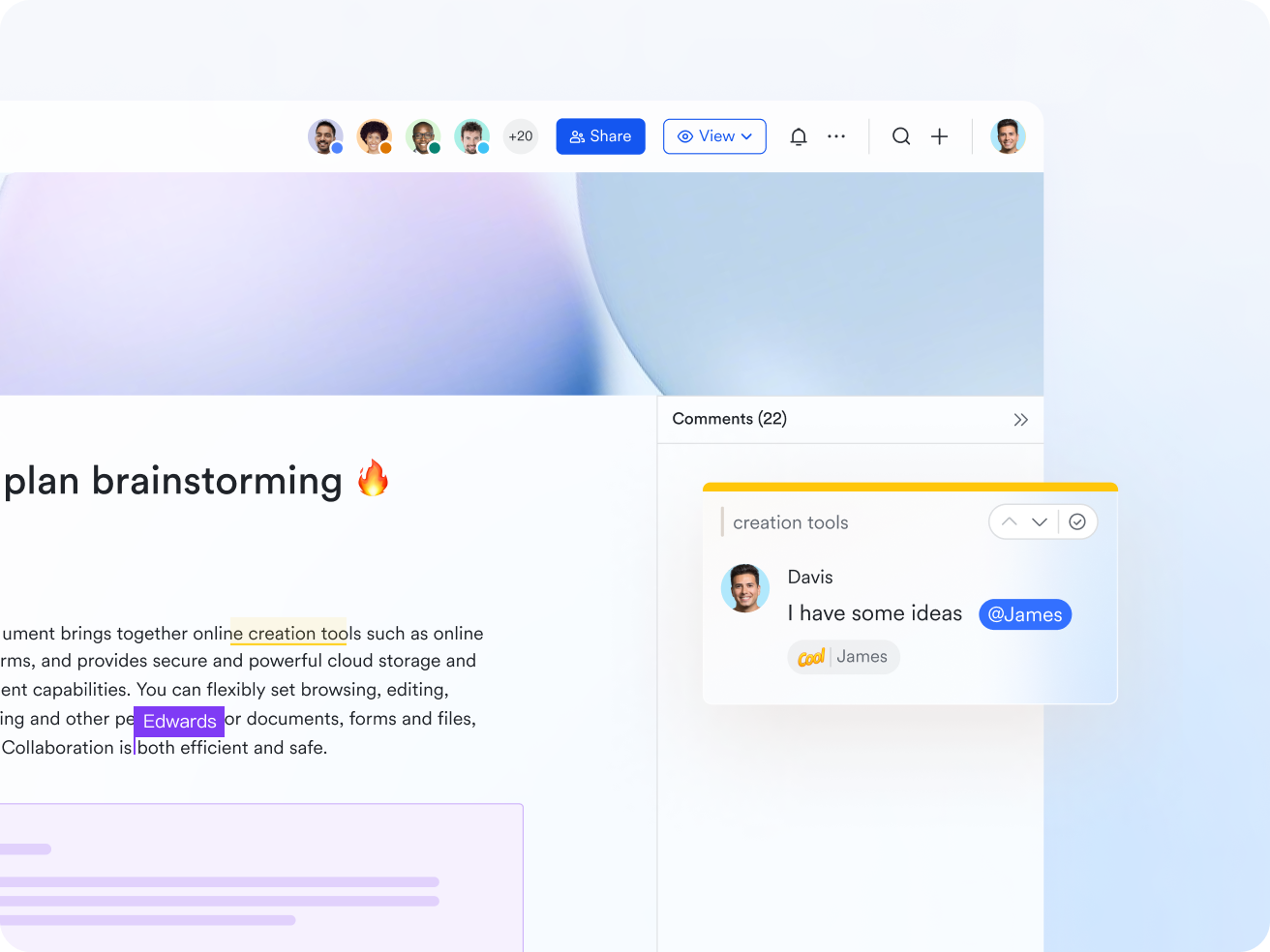
Lark Docs: Comprehensive document control in Lark Docs
Lark Docs offers powerful document control features, letting you assign granular permissions to users, groups, or departments. External sharing can be restricted, and action controls limit who can comment, copy, share, or download files. Document ownership can be easily transferred, while the details panel tracks history and user activity. For Enterprise users, Data Leakage Prevention (DLP) ensures sensitive documents cannot be shared, downloaded, or exported without authorization.
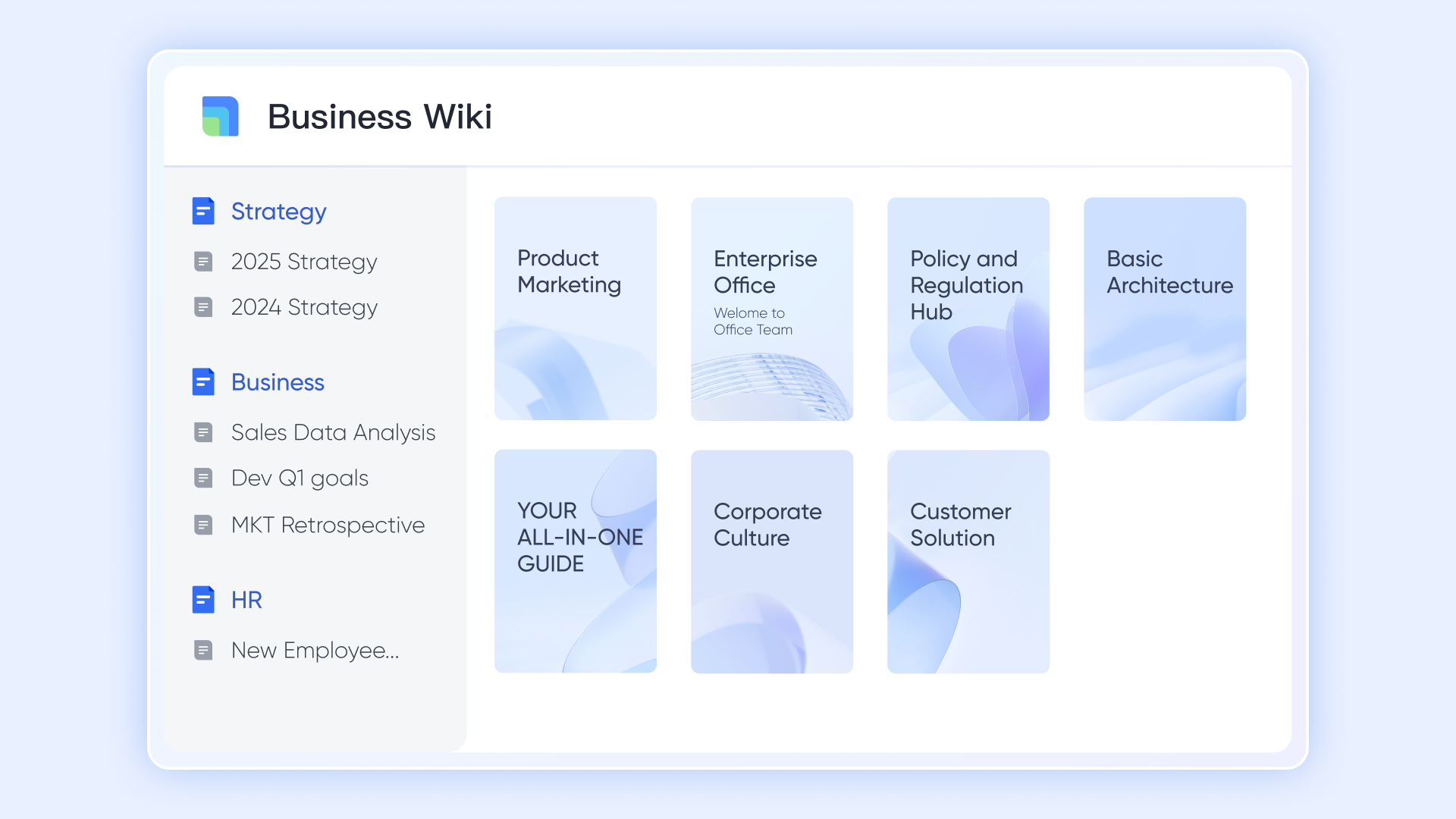
Lark Wiki: Granular permission management in Lark Wiki
Lark Wiki provides comprehensive document control with permissions at the organization, space, and page levels. Admins can manage who creates spaces and assign manage, edit, or view rights for members. Page-level settings control copying, downloading, printing, exporting, and commenting, while sub-pages inherit parent permissions with options for stricter control. History tracking and visitor identity settings give full transparency and enhanced oversight.
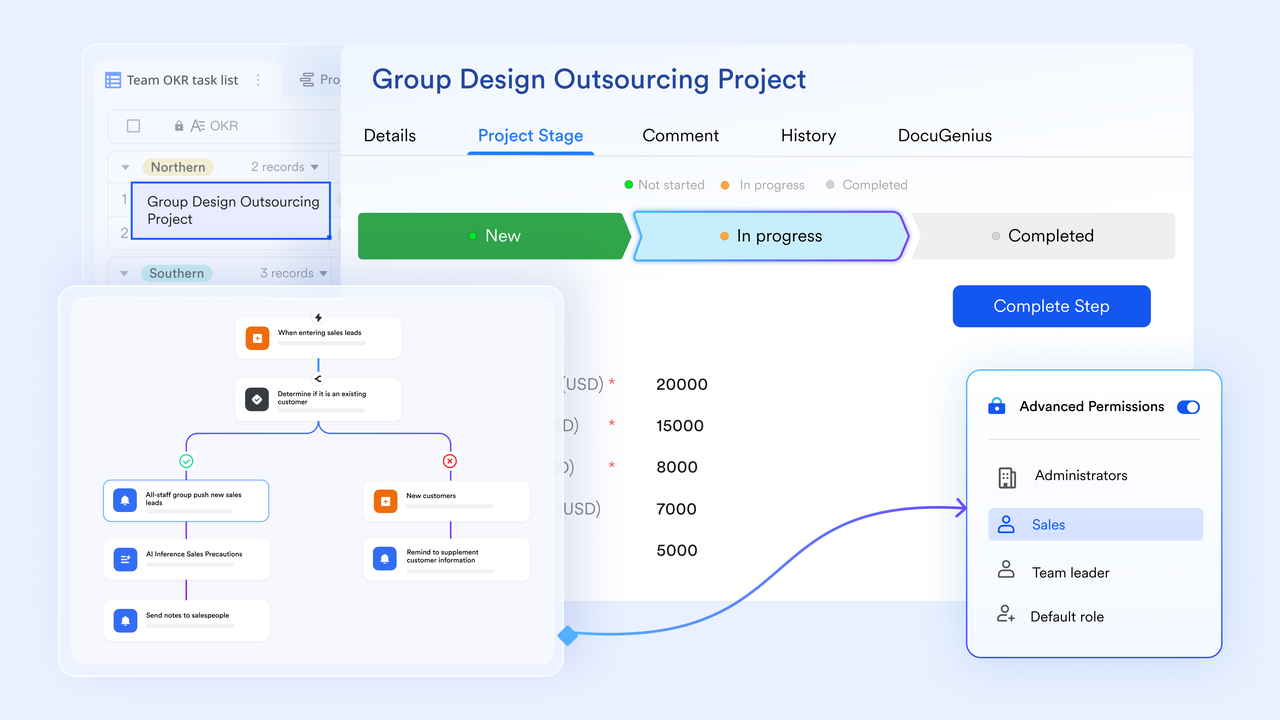
Lark Base: Structure and secure your compliance documentation
Lark Base acts as a centralized document repository for regulated content like compliance forms, audit reports, and training records. Its database-style layout allows teams to organize documents by category, approval stage, or department. Customizable permissions and filtered views ensure the right people have the right access protecting sensitive information while giving managers full visibility into document status. This structured approach replaces disconnected file systems with a governed, searchable control environment.
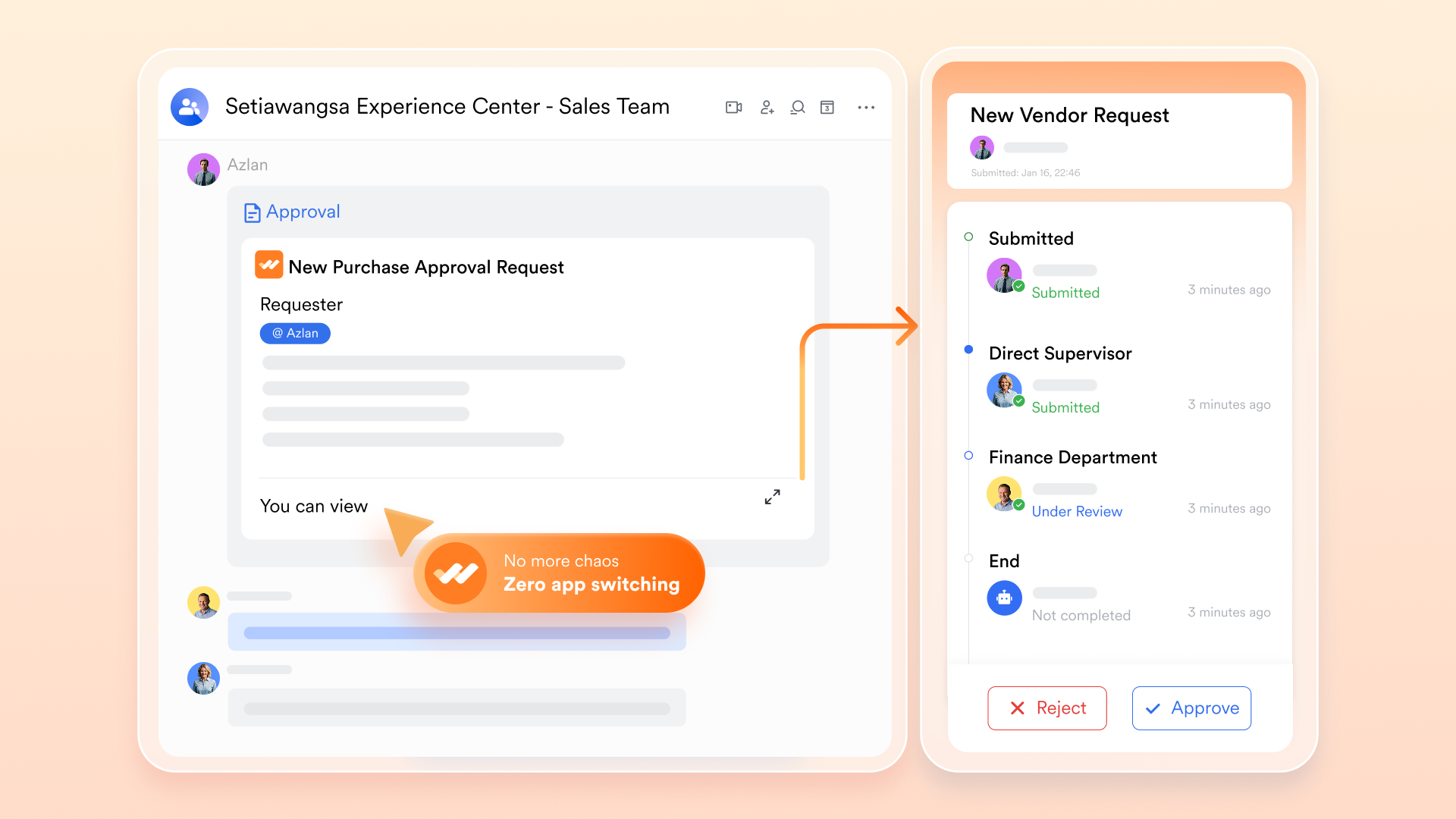
Lark Approval: Streamline document reviews and sign-offs
Managing document approvals manually through emails or spreadsheets can delay releases and introduce compliance risks. Lark Approval automates this process with customizable workflows. Teams can design step-by-step approval paths, for example, author → reviewer → quality manager → compliance head — with automatic notifications at each stage. Every approval action is logged, creating a full audit trail. The result: faster turnaround times and complete accountability, both critical in manufacturing, engineering, or ISO-driven environments.
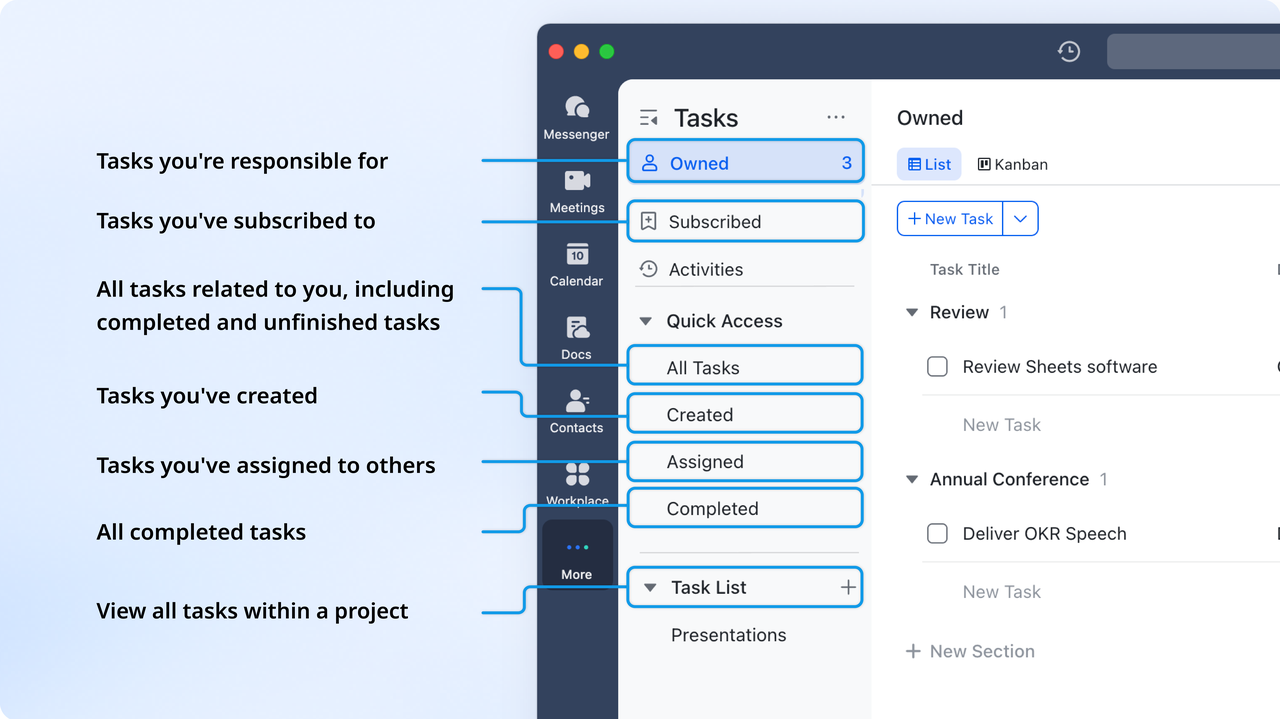
Lark Tasks: Turn document updates into accountable actions
Every controlled document goes through review cycles, and missed updates can lead to compliancefailures. Lark Tasks helps assign clear responsibility for document revisions or audits. Managers can create tasks linked directly to a file, set deadlines, and track progress. Automatic reminders and status dashboards keep everyone aligned. This converts document management from a reactive to a proactive process, ensuring updates, reviews, and renewals happen on time, every time.
- Starter plan: Free forever plan that includes 11 powerful tools for up to 20 users. It also comes with 100GB of storage, 1000 automation runs, AI translations, and more.
- Pro plan: $12/user/month (billed annually) for up to 500 users. It includes everything in Starter plus group calling for up to 500 attendees, 15TB of storage, 50,000 automation runs, and more.
- Enterprise plan: Contact sales for custom pricing. Supports unlimited users and includes even more automation runs and advanced security, compliance, and management features.
2. M-Files: Metadata-driven document control and automation system
M-Files is a powerful document control platform built around metadata, not folders meaning you find documents by what they are, not where they're stored. It helps organizations manage, automate, and secure business-critical information across departments. With built-in workflows, version tracking, and compliance support, M-Files ensures every document is properly approved and auditable. Ideal for enterprises managing complex compliance or quality requirements, it brings structure and intelligence to document-heavy operations.
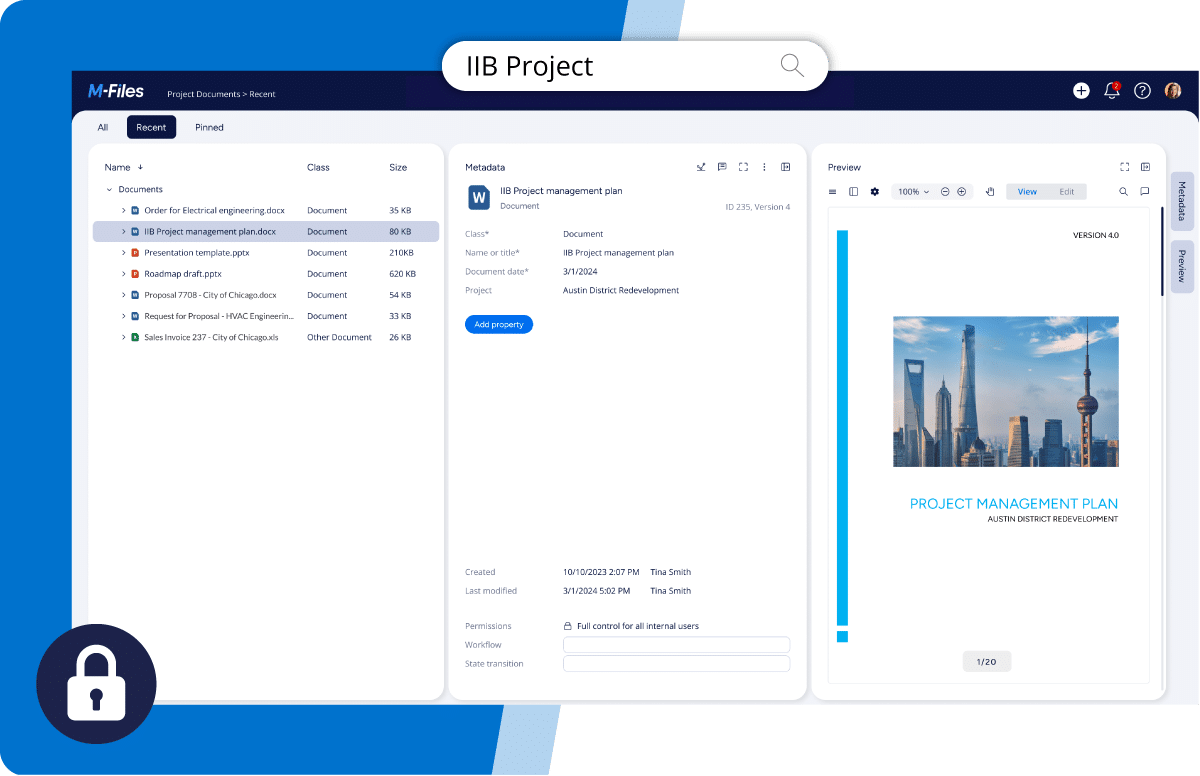
Image source: mfiles.com
Key features:
- Metadata-driven organization for faster document search and retrieval.
- Automated workflows for approvals, reviews, and routing.
- Advanced version control with audit trails and access permissions.
- Integration with Microsoft 365, Salesforce, and other enterprise systems.
- AI-assisted classification and document insights.
Liked:
- Eliminates folder chaos through metadata-based management.
- Strong compliance tools for ISO, FDA, and QMS requirements.
- Easy integration with popular business systems.
- Scalable for both mid-sized and large enterprises.
Disliked:
- Steeper learning curve for new users.
- On-premise setup can be complex compared to cloud-first tools.
Pricing:
- Custom pricing based on deployment (cloud or on-premise).
- Free trial available upon request.
- Enterprise packages include advanced automation and compliance modules.
3. DocuWare: Secure cloud-based document management for growing teams
DocuWare is a flexible document control system designed for mid-sized to large organizations that need secure storage, fast retrieval, and automated workflows. It helps teams digitize paper-heavy processes like approvals, recordkeeping, and compliance management. With cloud or on-premise options, it fits diverse IT setups and ensures files are always accessible, traceable, and compliant.
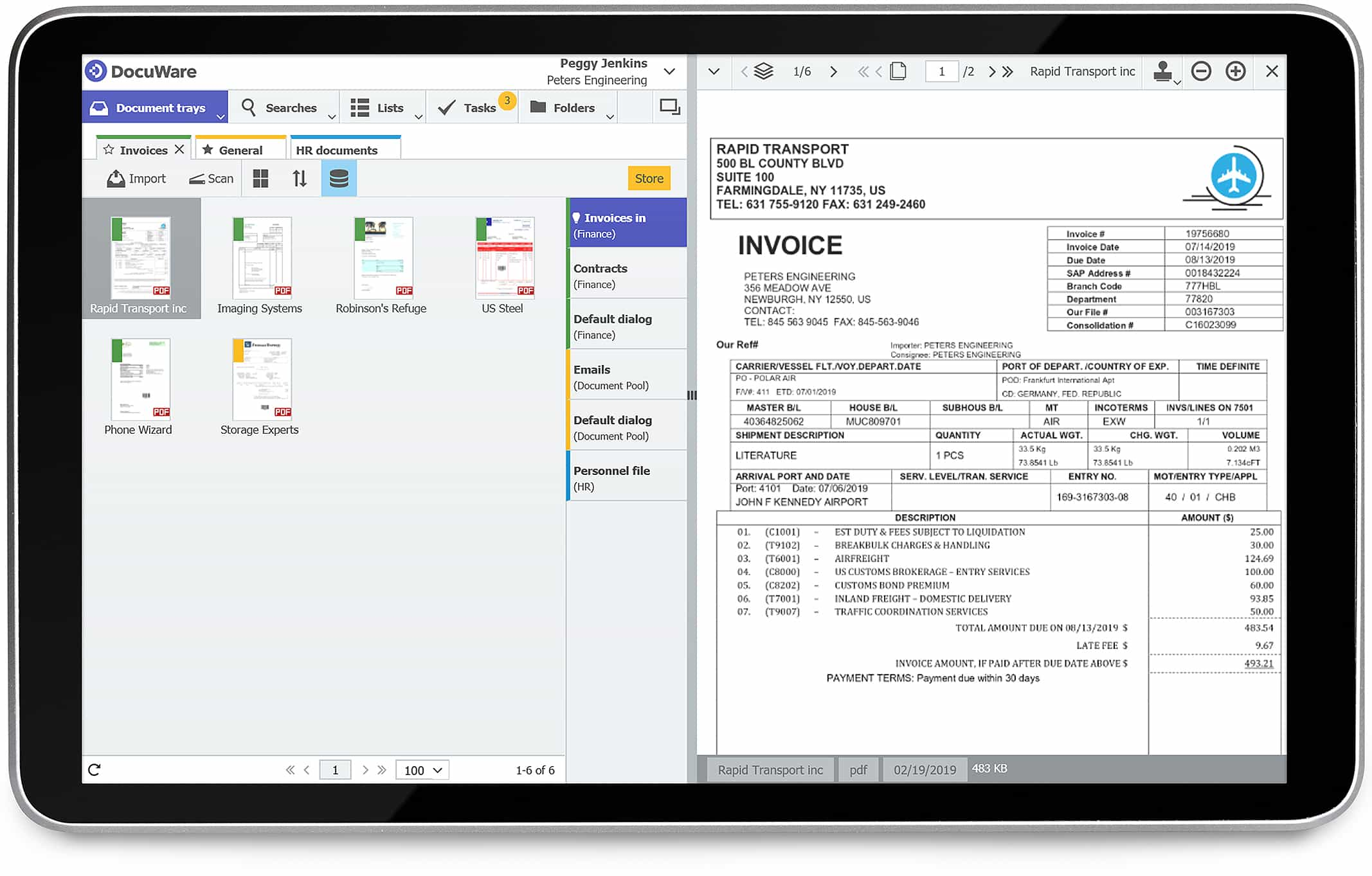
Image source: docuware.com
Key features:
- Centralized repository with full-text search and smart indexing.
- Automated workflows for approvals, routing, and document review.
- Version control and audit trail to track changes and restore older versions.
- Flexible deployment options including cloud, on-premise, or hybrid.
- Role-based access controls for secure and compliant data management.
Liked:
- Fast and accurate document retrieval saves time.
- Intuitive interface and strong automation capabilities.
- Scales well for departmental or company-wide deployment.
- Reliable for businesses with heavy documentation workflows.
Disliked:
- Initial setup and configuration can take time.
- Pricing details are available only via quote.
Pricing:
- Starts around $300/month for small teams.
- Custom pricing for enterprise or hybrid deployments.
- Implementation and training may add to total cost.
4. Dropbox Business: Secure, collaborative document management for modern teams
Dropbox Business is designed for organizations that need secure file storage, sharing, and collaboration across distributed teams. It combines simple file syncing with advanced admin controls and integrations, making it suitable for both SMBs and enterprises looking to streamline document workflows in the cloud.
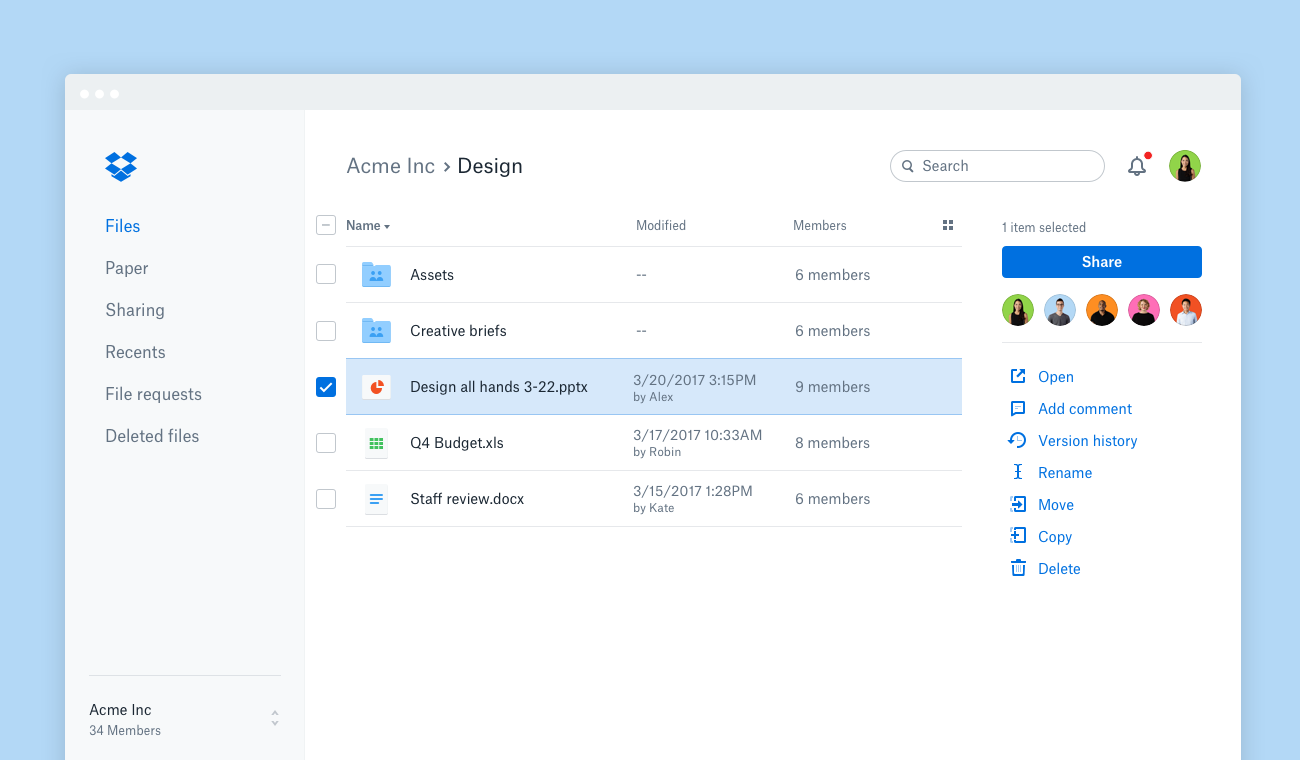
Image source: dropbox.com
Key features:
- Centralized cloud storage with file syncing across devices.
- Built-in version history, recovery, and granular access controls.
- Smart Sync and Dropbox Backup for easy data protection.
- Integration with tools like Slack, Zoom, Microsoft 365, and Google Workspace.
- Team-level admin dashboard with activity tracking and permissions.
Liked:
- Easy to use and quick to deploy across teams.
- Excellent collaboration features and cross-platform integrations.
- Reliable security with enterprise-grade encryption and compliance.
- Scalable storage with flexible sharing and permissions.
Disliked:
- Limited native workflow automation compared to competitors.
- Advanced admin tools reserved for higher-tier plans.
Pricing (U.S.):
- Essentials: $16.58/user/month (1 user, 3 TB storage)
- Business: $15/user/month (3+ users, 9 TB storage)
- Business Plus: $24/user/month (3+ users, 15 TB storage)
- Enterprise: Custom pricing (unlimited storage, advanced security
5. Zoho WorkDrive: Team-based document collaboration with control features
Zoho WorkDrive offers a secure, cloud-based workspace designed for small and medium businesses. It combines document storage, collaboration, and access control in one intuitive platform. Teams can create, share, and manage files while maintaining version accuracy and compliance.
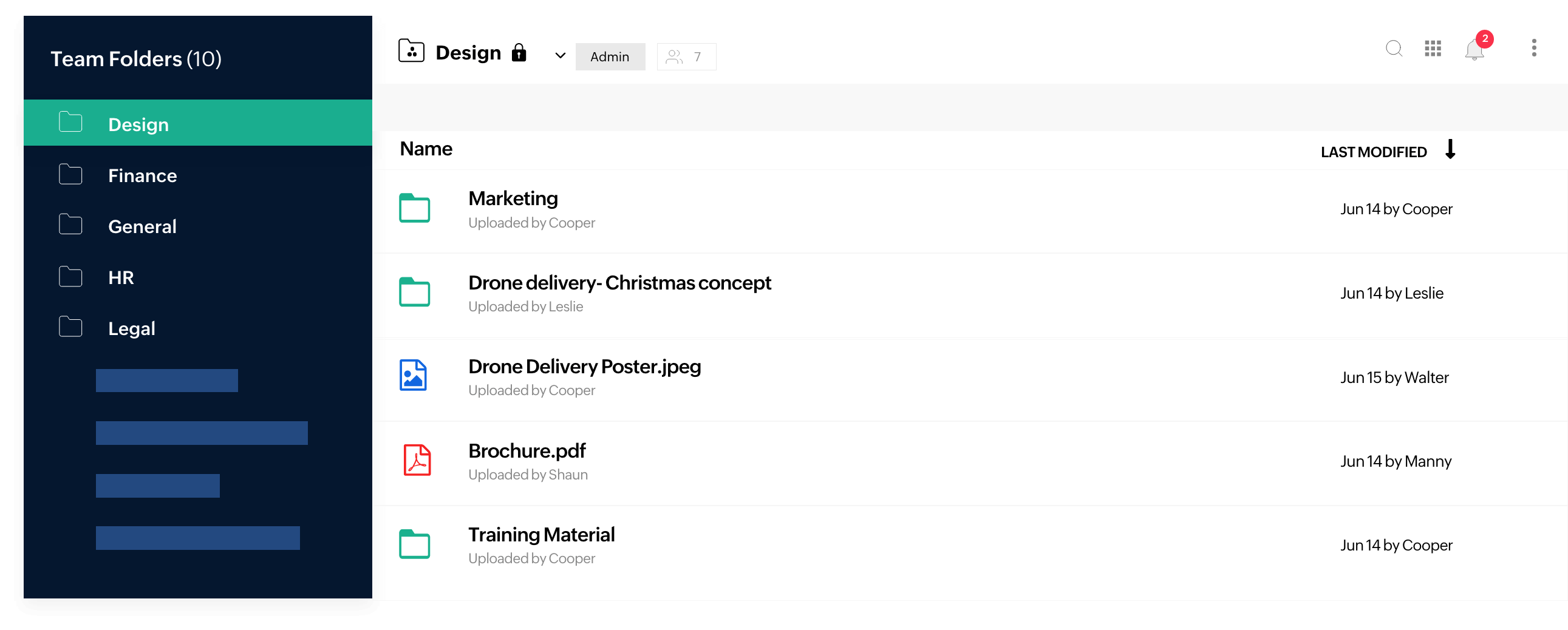
Image source: zoho.com
Key features:
- Real-time collaboration across documents, sheets, and presentations.
- Secure team folders with granular access control.
- File activity tracking and version restoration.
- Advanced search using keywords and tags.
- Built-in integration with Zoho apps and external platforms.
Liked:
- Affordable and simple for small teams.
- Easy to deploy with a clean, modern interface.
- Seamless integration within the Zoho ecosystem.
- Reliable file sharing and version management.
Disliked:
- Limited workflow automation compared to enterprise systems.
- Not ideal for heavy regulatory compliance.
Pricing:
- Free plan available for individuals.
- Paid plans start from $2.50/user/month.
- Scales with storage and advanced collaboration features.
6. OpenText Content Suite: Enterprise-level information and records management
OpenText Content Suite is a powerful enterprise content management (ECM) system designed for large organizations handling massive document volumes. It supports lifecycle management, recordkeeping, and compliance across departments, integrating seamlessly with tools like SAP and Microsoft 365.
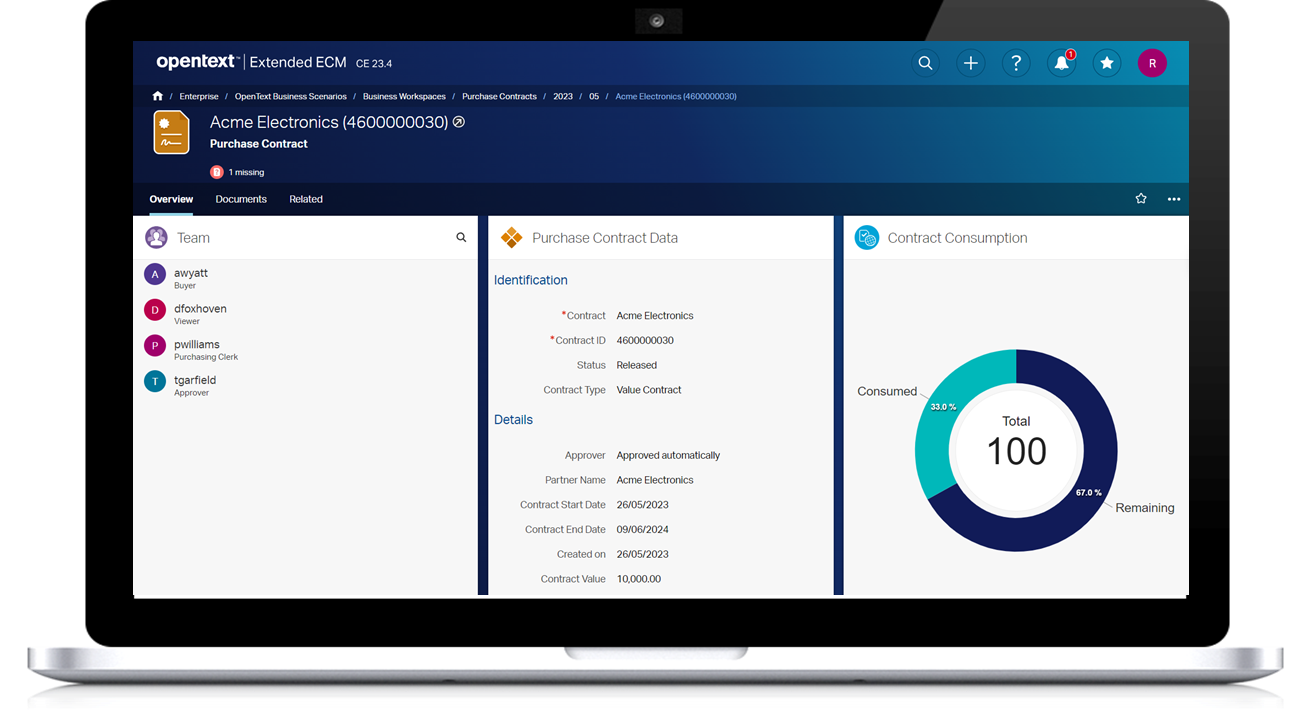
Image source: opentext.com
Key features:
- Comprehensive document lifecycle management and archiving.
- Advanced metadata tagging and retrieval.
- Integration with enterprise systems for unified information flow.
- Strict access controls and compliance enforcement.
- Scalable for multi-entity, global document governance.
Liked:
- Excellent for large enterprises with complex compliance needs.
- Highly customizable for industry-specific workflows.
- Strong governance and policy enforcement capabilities.
- Proven reliability and scalability at enterprise level.
Disliked:
- High licensing and implementation costs.
- Requires IT expertise for setup and maintenance.
Pricing:
- Starts at enterprise tier (approx. $90,000+ initial investment).
- Custom pricing for deployment and integration scope.
- Designed for organizations with advanced content governance.
7. DocuPhase: Workflow automation and document control for digital transformation
DocuPhase combines document management, workflow automation, and process optimization in one powerful platform. It helps organizations digitize approvals, invoices, HR records, and compliance files for better efficiency. With intelligent automation and version control, it eliminates manual data entry and ensures accuracy. Ideal for growing businesses, it streamlines operations and enhances visibility across departments.
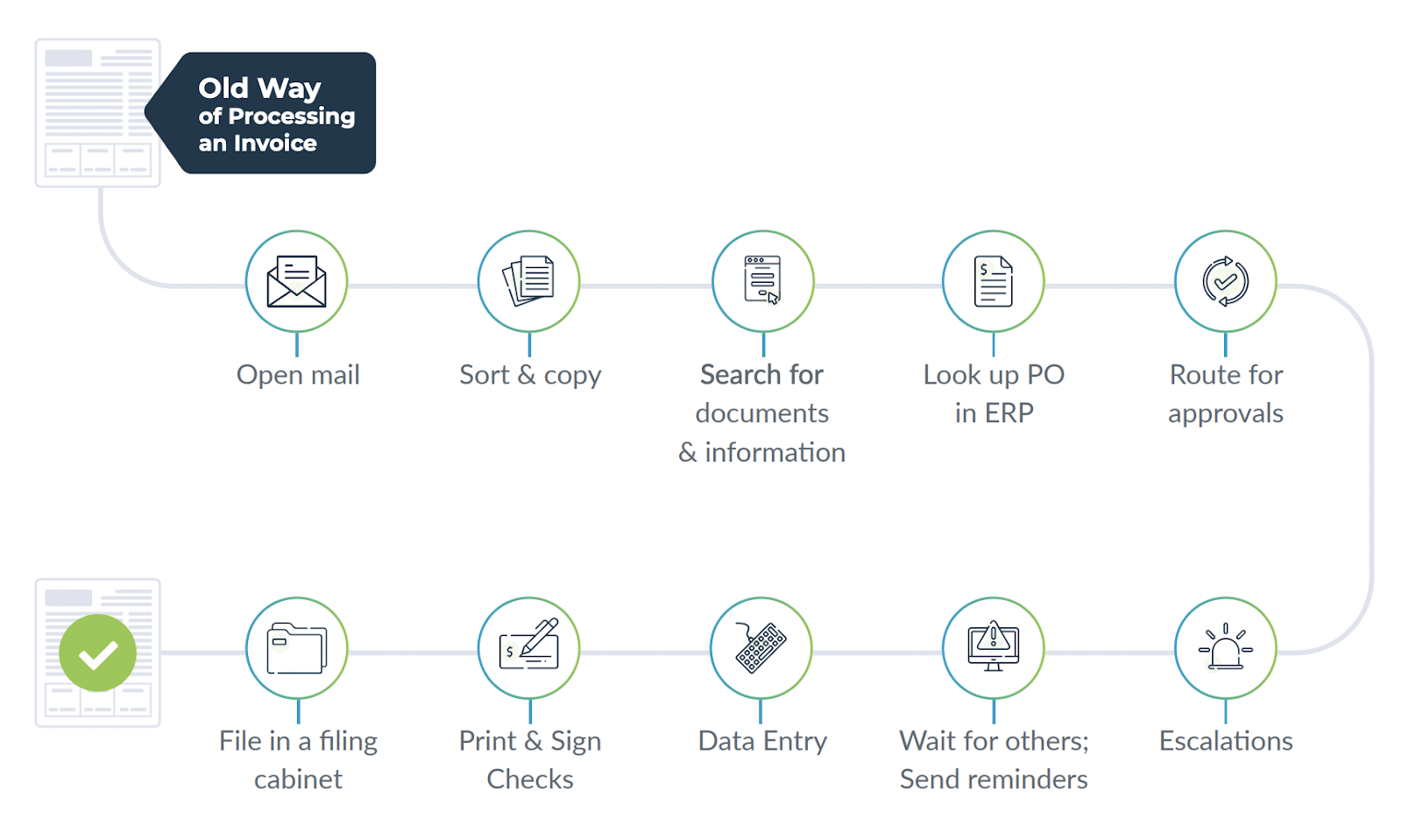
Image source: docuphase.com
Key features:
- Automated routing and approval workflows.
- OCR and intelligent data capture for document entry.
- Version control with detailed audit logs.
- Integration with ERP and CRM systems.
- Secure repository with configurable permissions.
Liked:
- Great mix of document control and automation.
- Reduces manual entry through OCR and AI features.
- Scales easily as business processes grow.
- Good integration across enterprise applications.
Disliked:
- Interface can feel dated to some users.
- Pricing structure can be unclear.
Pricing:
- Starts around $250/month for small teams.
- Custom enterprise pricing available.
- Includes automation and document routing features.
8. SafetyCulture (iAuditor): Document control for safety and inspection workflows
SafetyCulture's iAuditor helps teams manage inspection forms, safety audits, and compliance documents directly from mobile devices. It's built for industries like construction, manufacturing, and field operations that require fast, traceable document control.
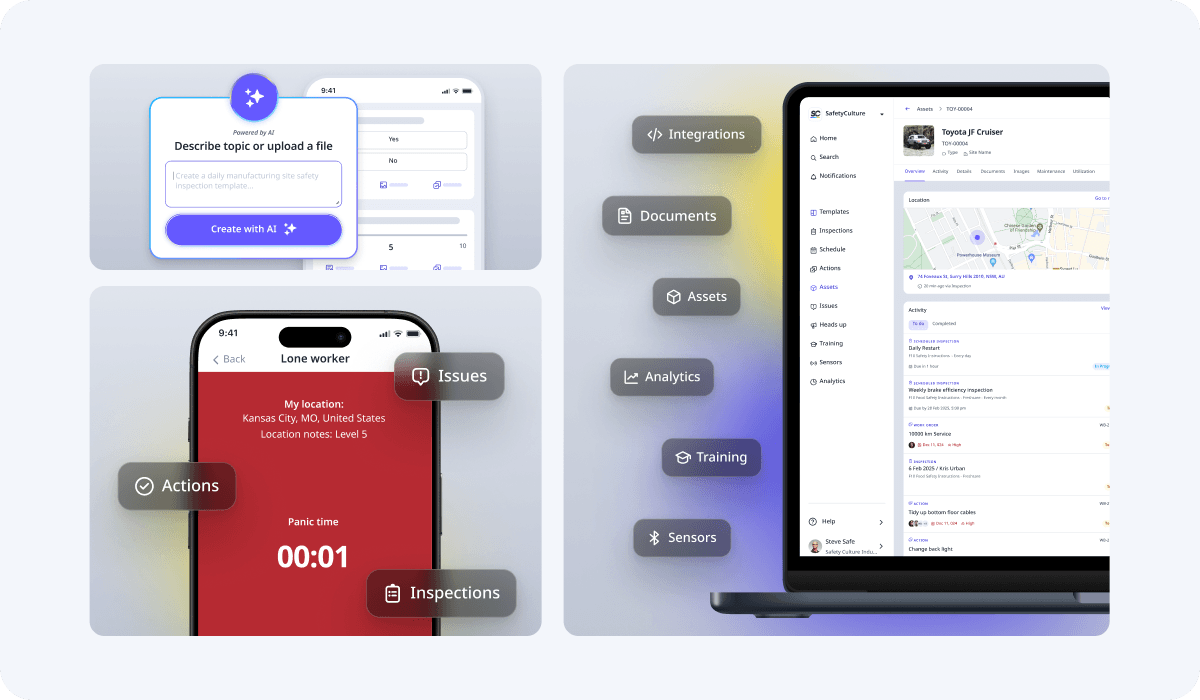
Image source: safetyculture.com
Key features:
- Mobile-first platform for audits and inspections.
- Role-based permissions and real-time reporting.
- Offline access with cloud sync when reconnected.
- Version tracking for inspection templates and records.
- Automated scheduling and corrective action tracking.
Liked:
- Extremely user-friendly and mobile-ready.
- Great for frontline teams and on-site use.
- Strong inspection history and traceability features.
- Affordable and quick to deploy.
Disliked:
- Limited advanced workflow customization.
- Not designed for full enterprise document control.
Pricing:
- Free version for up to 5 users.
- Paid plans start around $20/user/month.
- Enterprise pricing available upon request.
9. MasterControl QMS: Quality management document control for manufacturing
MasterControl QMS extends its core document control into a full quality management system built for manufacturing environments. It ensures all quality documents, SOPs, and production records are managed under strict regulatory compliance.
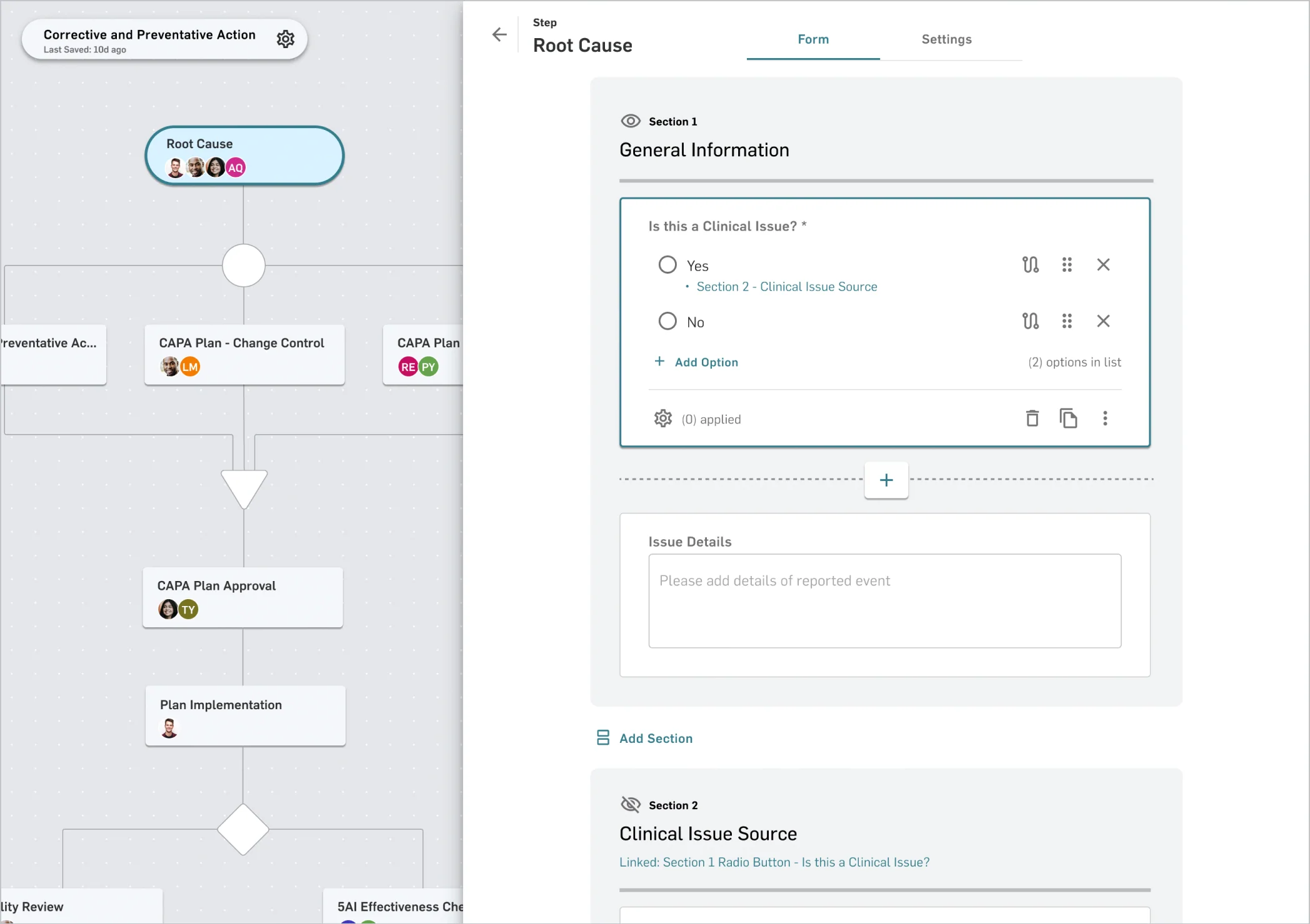
Image source: mastercontrol.com
Key features:
- Centralized QMS document repository.
- Automated workflows for document change control.
- Validation-ready templates for ISO and FDA compliance.
- Integration with training and CAPA modules.
- Real-time audit and traceability reporting.
Liked:
- Comprehensive for manufacturing and life sciences.
- Strong validation and regulatory support.
- Integrates seamlessly with enterprise quality systems.
- Trusted by major global manufacturers.
Disliked:
- High implementation cost.
- Complex to configure without dedicated admin support.
Pricing:
- Custom pricing based on organization size and modules.
- Typically part of the full MasterControl suite.
- Includes audit, training, and compliance integration.
10. Google Workspace (Drive + Docs): Cloud collaboration with version history
Google Workspace combines collaboration and document management for teams that need a lightweight, cloud-based solution. It's perfect for distributed teams looking for version control, co-editing, and secure file sharing without heavy compliance needs.
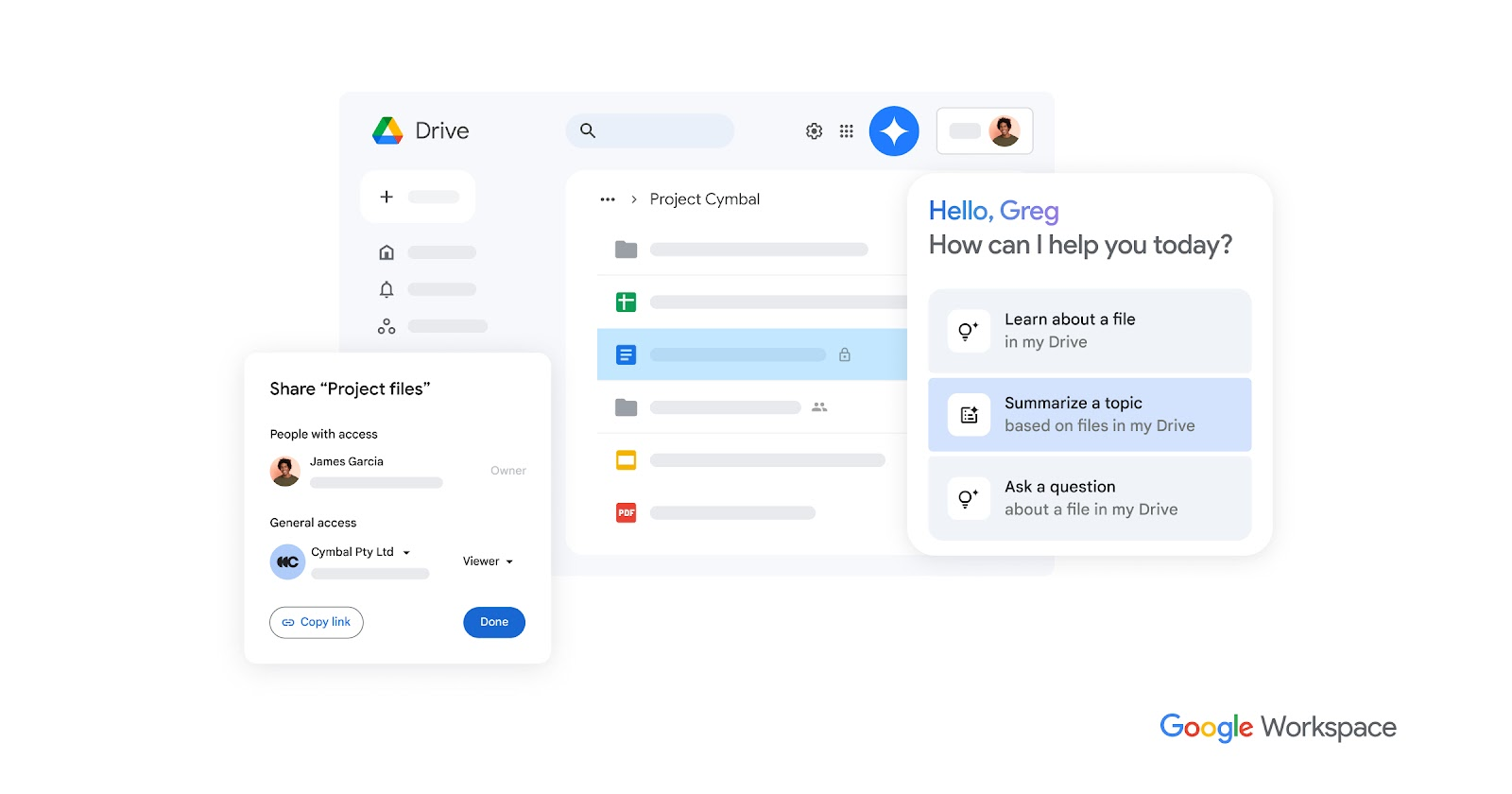
Image source: google.com
Key features:
- Real-time co-authoring with Docs, Sheets, and Slides.
- Version history and file restore functionality.
- Permission-based access control and link sharing.
- Cloud storage with automatic backups.
- Integration with thousands of productivity tools.
Liked:
- Familiar interface and easy onboarding.
- Strong collaboration and sharing flexibility.
- Affordable for small and growing teams.
- Reliable cloud infrastructure and accessibility.
Disliked:
- Limited regulatory and audit control features.
- Not ideal for complex compliance environments.
Pricing:
- Business Starter plan is $6/user/month.
- Business Standard plan is $12/user/month.
- Enterprise pricing is available with advanced admin controls.
11. Zendesk:Integrated knowledge management and document control
Zendesk is widely known for its customer service platform, but its Guide module offers powerful integrated knowledge management and document control. It allows teams to create a centralized, searchable repository for both internal and external documentation, ensuring that all stakeholders have access to the latest versions of policies, procedures, and manuals. With its focus on ease of use and scalability, Zendesk is an excellent choice for teams that want to bridge the gap between customer support and document governance.

Image source: zendesk.com
Key features:
- Centralized knowledge base with federated search across multiple sources.
- Content Blocks for creating and managing reusable, version-controlled documentation snippets.
- Team Publishing workflows that enable formal review, approval, and scheduling of content.
- Granular access permissions to manage document visibility and editing rights securely.
Liked:
- User-friendly interface simplifies content creation and organization.
- Excellent integration with support tickets for context-rich document linking.
- Robust analytics provide insights into document effectiveness and search trends.
Disliked:
- Advanced workflow and governance features are limited to Enterprise plans.
- The extensive feature set can have a learning curve for very small teams.
Pricing:
- Included in Zendesk Suite plans, starting at approximately $55 per user/month.
- Free trial available for all plan levels.
Document control software use cases by industry
Different industries rely on document control software to ensure accuracy, compliance, and work collaboration. From managing production manuals to maintaining audit-ready records, these systems adapt to unique operational and regulatory needs.
- Manufacturing: Manages QMS and ISO 9001 documentation, supplier manuals, and production guidelines. Ensures every version is approved, traceable, and compliant with regulatory standards.
- Construction: Organizes drawings, blueprints, and site audit reports with version-approved documentation. Keeps project teams aligned and prevents outdated file usage on-site.
- Healthcare & Life Sciences: Maintains FDA-compliant QMS documentation, SOPs, and medical records. Guarantees data integrity, validation, and audit readiness.
- Engineering: Controls CAD files, design revisions, and approval workflows. Simplifies collaboration across teams while maintaining strict version control.
- Technology & IT: Stores policy documents, sprint reports, and compliance certificates. Enhances security, transparency, and accountability across fast-moving digital projects.
Conclusion
Effective document control is essential for maintaining accuracy, compliance, and efficiency across any organization. Whether managing ISO documentation, safety reports, or engineering designs, the right software ensures every file is current, approved, and accessible to the right people.
From metadata-driven tools like M-Files to all-in-one solutions like Lark, modern platforms streamline version tracking, approvals, and collaboration in one place. Lark, in particular, simplifies complex document processes by combining Docs, Wiki, Base, and Approvals under a single workspace eliminating silos and manual tracking. Investing in a reliable document control solution not only strengthens compliance but also enhances productivity, accountability, and team alignment, helping businesses stay audit-ready and operationally efficient.
FAQs
What is the difference between document management and document control software?
Document management systems store and organize files, while document control software adds structure, approvals, and compliance tracking. It ensures that only the latest, approved versions are accessible, maintaining full audit and revision history.
How does document control software help with ISO compliance?
It enforces version control, approvals, and access permissions aligned with ISO standards. Automated workflows, audit trails, and validation ensure every document meets regulatory and quality management requirements.
Can small businesses use document control systems effectively?
Yes, many modern tools offer affordable, scalable options. Small teams can manage approvals, maintain version history, and ensure compliance without investing in complex enterprise systems.
What are the most important features in a document control system?
Key features include version tracking, access control, audit trails, automated workflows, and compliance readiness. These ensure accuracy, accountability, and complete traceability across all documents.
How does Lark simplify document control for distributed teams?
Lark unifies Docs, Wiki, Base, and Approvals in one workspace for seamless collaboration. Teams can co-edit, review, and track document changes in real time while maintaining full visibility and compliance.
Related reading
Table of contents
Start using Lark today

Manage all your work in one place
Boost team efficiency by 10x
Save up to 70% on software costs
Table of contents
Start using Lark today
Manage all your work in one place
Boost team efficiency by 10x
Save up to 70% on software costs
Keep reading


![What Is a 2-2-3 Work Schedule? Explanation and More [2026]](https://framerusercontent.com/images/uKHRfkp4v7y4azRNTYUmuteNQz8.png)



2026 Lark Technologies Pte. Ltd.
Headquartered in Singapore with offices worldwide.






Explore: