














10 Google Docs Alternatives for Better Collaboration (2026 update)

Alan Chan
Technical Product Marketing Specialist
Sep 18, 2026
Alan Chan
Sep 18, 2026


- Google Docs is still useful, but many teams now need better formatting, permissions, privacy, and offline support.
- Lark stands out as the best overall alternative for modern teams by combining docs, chat, calendar, meetings, tasks, and automation in one workspace.
- Other strong options include Microsoft Word for advanced formatting, Zoho Writer for offline editing, and Notion for flexible docs plus knowledge management.
- The right choice depends on whether your priority is collaboration, document control, privacy, or ecosystem fit.

Why not Google Docs: Disadvantages of Google Docs
- Limited formatting options: Google Docs is a helpful tool, but it lacks more advanced formatting features compared to other document editing software, making document editing harder. It has limited formatting and layout options compared to desktop word processors, and lacks advanced features like complex table of contents generation for long-form writing.
- Security and privacy challenges: Businesses' growing concern is the seemingly blurred line between corporate and personal documents. Since most people have a personal Gmail account, corporate documents can easily get leaked or duplicated as personal content.
- Furthermore, privacy-focused organizations worry about recent AI additions, as they do not want sensitive content processed for model training. Offline editing issues: Turning on offline document editing in Google Docs is quite a process. You must turn it on or install the Chrome extension on your drive app. Even then, offline access remains fragile, caching only recent docs, inconsistent browser support, and difficulty handling large files.
- Limited saving and organization options: Google Docs is like a small backpack for organizing documents. It might feel cramped when working on big, complicated projects that require more advanced saving features. File structures in Google Drive can quickly become unwieldy across dozens of projects.
What to look for in Google Docs alternatives
Dynamic collaboration options:
Ease of customization:
Roles and permissions:
Privacy and data control:
Top 10 Google Docs alternatives in 2026
1. Lark Docs
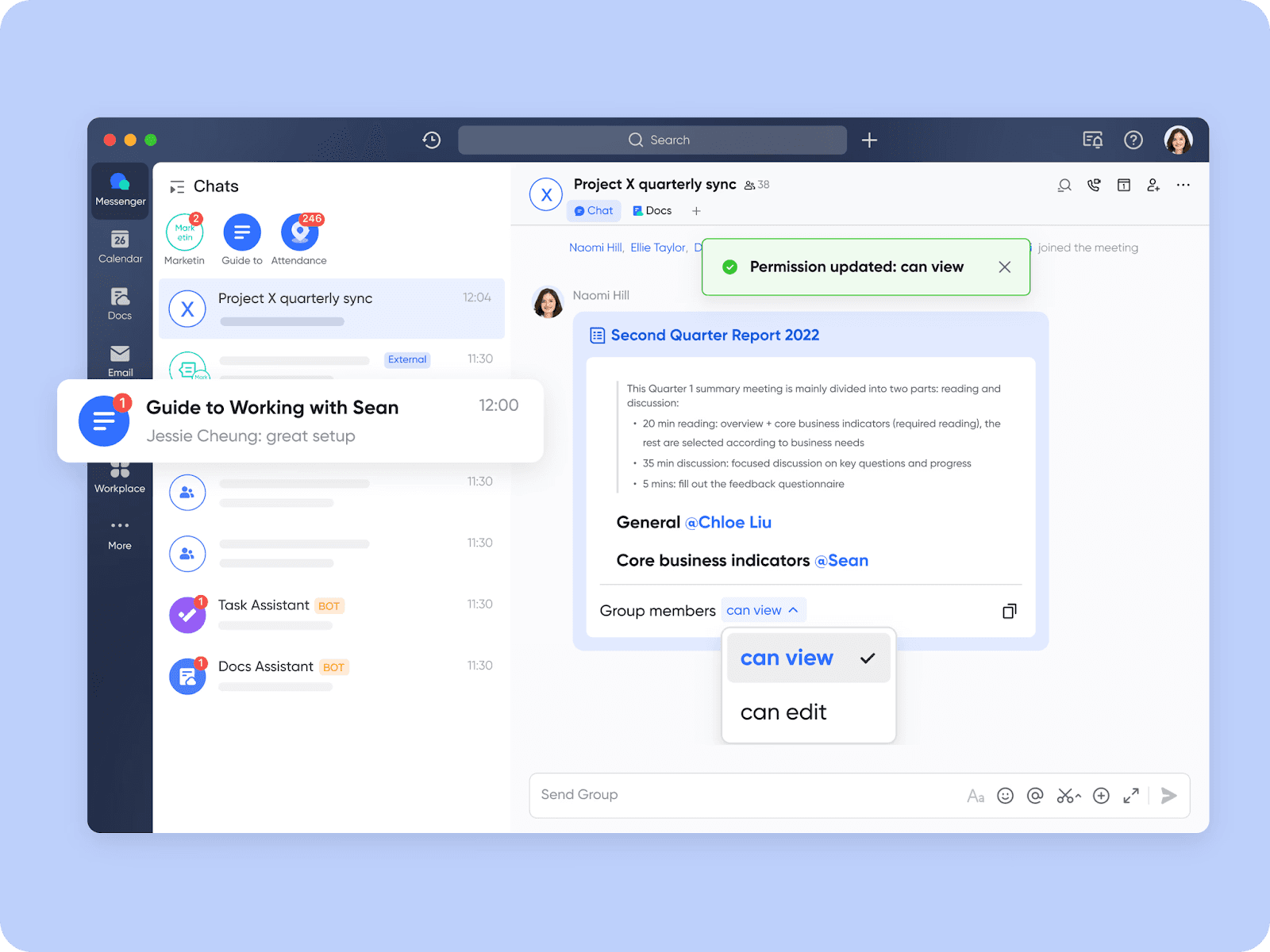 Lark Docs shared to a chat and view permission is granted directly in the chat. Lark Docs is a powerful word processor designed with online collaboration at its core. Tailored for the high demands faced by modern teams, Lark Docs offers an integrated solution that beats Google Docs on multiple fronts.
 Key features:
- Documents are automatically saved to the cloud, eliminating the need to email files back and forth and the risk of forgetting to save. Even the free plan includes over 1,000 automation runs, enabling teams to auto-create tasks from document comments.
- Enhances your document with images, tables, videos, files, boards, callouts, code blocks, polls, and many more features.
- Use several levels of permissions and roles for viewing, commenting, and editing.
- Markdowns and shortcuts in documents can instantly enhance your productivity.
- Add flow charts, UML diagrams, and structural diagrams to your documents in one click.
- Easily import and migrate files and documents into Lark for edits and collaboration.
- Bi-directional links are created when you reference another document, showing how all your documents are related.
Other features:
- Easily tag and mention your team to draw their attention to your document
- Supports multiple content types such as code blocks, callouts, equations, videos, to-do lists, etc
- Mention your document in a to-do list description or comment
- Use presentation mode
- Change page width for better reading and editing experience
- Follow comments and receive notifications when others comment on a document
- Offline editing in the mobile app
Pros
- Seamless integration, parallel use, and migration with other apps and productivity tools.
- Easily turn your document into a super file by inserting anything from polls to mind maps, chats, and spreadsheets.
- Collaborate and sync your ideas quickly and in real time using mind notes, rich media, and callouts.
- Lark Docs is free forever. No credit card is required. It fits best as the primary Google Docs alternative for remote SMEs and fast-growing startups wanting fewer vendors.
Cons
- Getting familiar with Lark's interface may take a bit of time initially.
Review rating
"To be the best retailer of convenience for the Philippines, we need to move with speed, clarity, and unity. At Philippine Seven Corporation, we hold ourselves to high standards of teamwork, reliability, and customer focus—and that means eliminating delays, closing gaps, and working as one. Partnering with Lark is helping us connect teams faster, cut down delays, and create conditions for better decisions every day. It's a critical step toward building a more responsive, data-driven organization that delivers on what we promise—both to our people and to our customers."

Francis Medina
Operations Division Director, Philippine Seven Corporation
- Starter plan: Free forever plan that includes 11 powerful tools for up to 20 users. It also comes with 100GB of storage space, 1,000 automation runs, AI translations, and more. No credit card needed.
- Basic plan: $6/user/month (billed annually) for up to 500 users. It includes everything in Starter and unlimited message history, 5TB of storage space, 1,000 automation runs, and more. Some users may need to contact sales to purchase this plan.
- Pro plan: $12/user/month (billed annually) for up to 500 users. It includes everything in Basic plus group calling for up to 500 attendees, 15TB of storage space, 50,000 automation runs, and more.
- Enterprise plan: Contact sales for custom pricing. Supports unlimited users and includes even more automation runs and advanced security, compliance, and management features.
Starter
For small teams with simple communication needs
$0
/ user / month

Pro
For companies with comprehensive collaboration and management needs
$12
/ user / month
Enterprise
For large companies with advanced security and organizational management needs
Get a personalized demo and pricing
Pro
For companies with comprehensive collaboration and management needs
$12
/ user / month
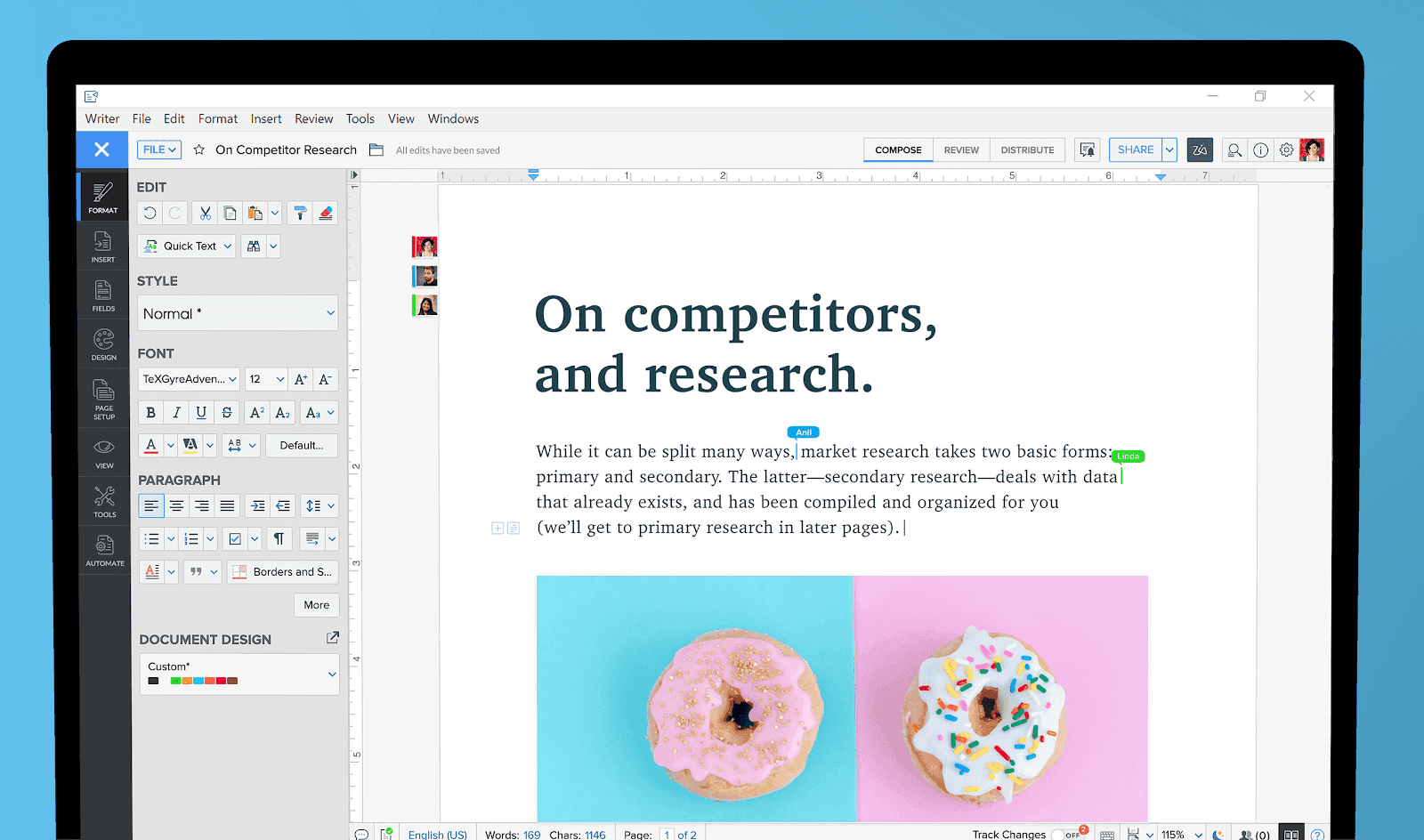 Image source: zoho.com
Key features:
- A writing assistant to assist users in creating and editing content by offering helpful suggestions and corrections.
- Multiple users can review and offer feedback on documents immediately. It includes chat features for real-time collaboration, plus advanced capabilities like mail merge and fillable forms.
- Users can easily edit their documents, even offline. Its "True Offline" mode means editing continues the moment your connection drops.
- It enables users to combine multiple documents into a cohesive file, simplifying document organization.
- It includes an electronic signature feature for secure document authentication.
- It is accessible on mobile devices, desktops, and iPads.
Pros:
- Real-time collaboration feature enables instant feedback, enhancing teamwork efficiency.
- Working offline is seamless, offering a meaningful advantage over Google Docs for teams in low-connectivity regions.
- The document merge feature simplifies combining multiple documents.
- Electronic signatures contribute to secure and convenient document authentication.
Cons:
- New users may face a learning curve, especially when exploring advanced features.
- The credit-based pricing model, starting from 200 free credits/month/organization, may require users to manage credits based on usage.
Price:
- Zoho Writer Free Plan: $0/month — for individuals and organizations, with Writer access, desktop/mobile apps, browser extensions, import/export, and Zia AI writing assistance.
- Business Paid Edition: No standalone Writer price published — for businesses using Zoho WorkDrive, with Zoho Office Suite, team folders, access controls, secure external sharing, and versioning.
Review rating
3. Microsoft Word
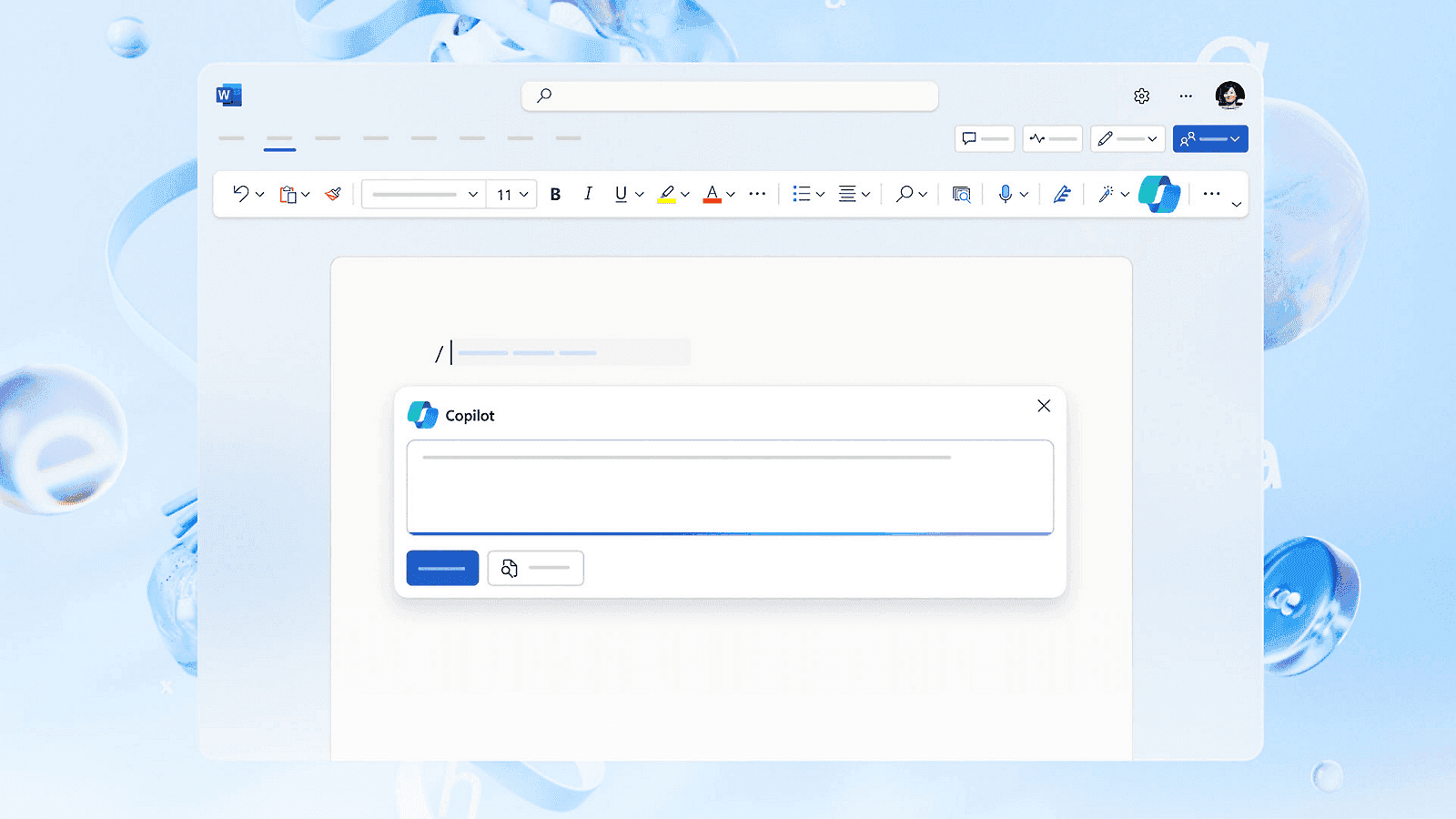 Image source: microsoft.com
Key Features:
- There are tools for creating, editing, and formatting documents with features like spell check and grammar correction. It is the best choice for formatting-heavy offline work where print layout and track changes matter.
- Microsoft Word online allows real-time collaborative editing, allowing several users to work on the same document simultaneously.
- Extensive formatting and design features, enabling users to create professional documents.
- Word 2007 introduced the compact DOCX format, reducing file sizes and addressing storage space concerns, becoming the document standard.
Pros
- Easy integration of documents with other media in the Office suite, such as graphs and worksheets, providing dynamic links for instant updates.
- With thousands of customizable templates, Word makes designing brochures and documents based on pre-existing designs effortless.
- A mobile version of Word is available on Windows phones and tablets, allowing on-the-go document creation and editing alongside powerful desktop apps.
Cons
- While powerful, the app can be expensive.
- The extensive functionality of Word can be overwhelming, as most users may only utilize some features, and the ribbon interface may add to the confusion. Additionally, Microsoft is investing heavily in AI via Copilot, meaning it is not AI-free—a potential drawback for strict privacy needs.
Pricing:
- Microsoft 365 Business Basic: $7/user/month, paid yearly — for teams needing web and mobile Word, with business email, Teams, web/mobile Office apps, and 1 TB cloud storage/user.
- Microsoft 365 Apps for Business: $10/user/month, paid yearly — for users needing desktop Word and Office apps, with Word, Excel, PowerPoint, Outlook, and 1 TB cloud storage/user.
- Microsoft 365 Business Standard with Copilot: $23.50/user/month, paid yearly — for businesses needing Office apps plus Copilot, Teams, business email, and cloud storage.
- Microsoft 365 Business Premium with Copilot: $32/user/month, paid yearly — for businesses needing productivity plus security, with Office apps, Copilot, identity management, device security, and threat protection.
Review Rating:
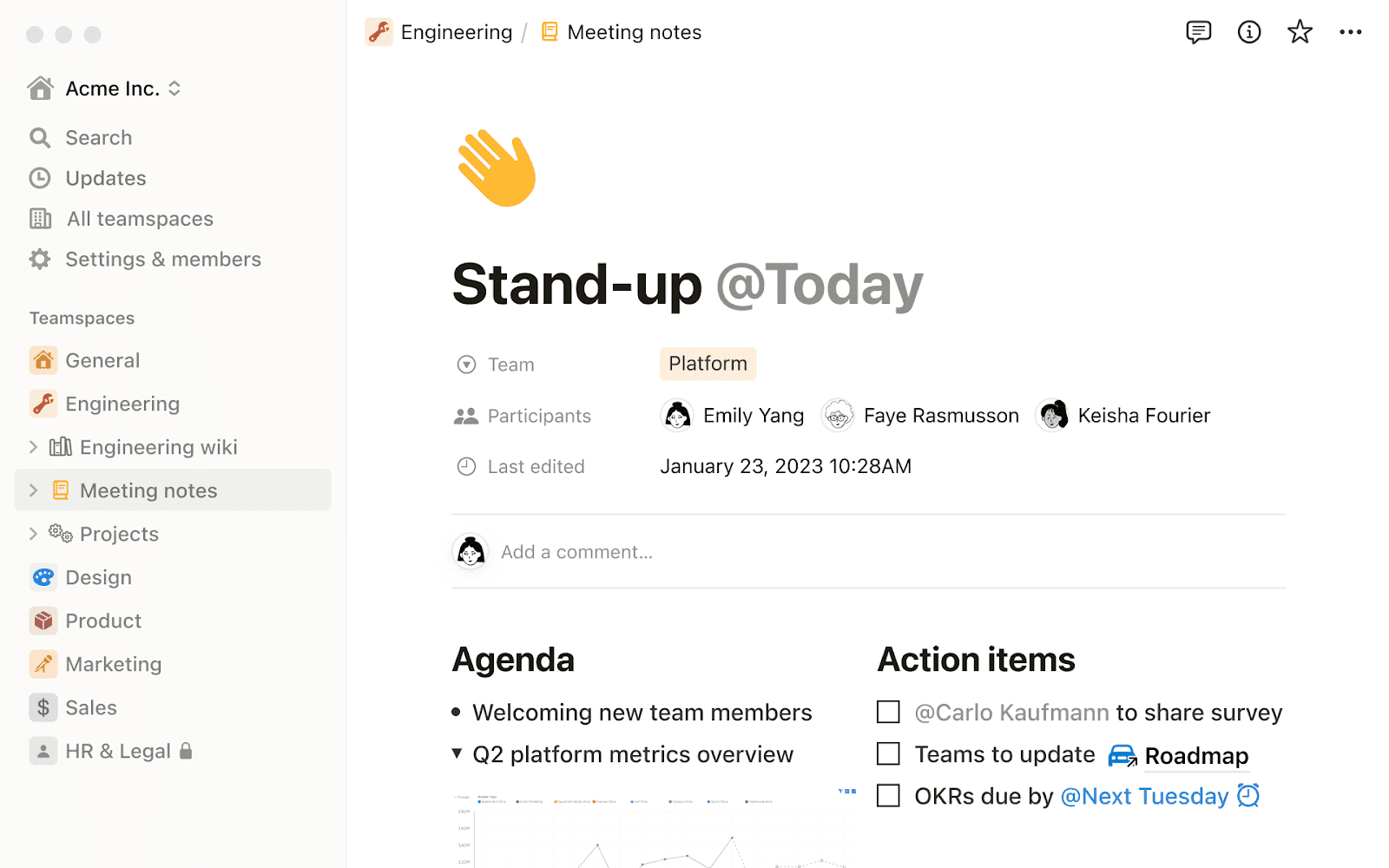 Image source: notion.com
Key features:
- A flexible and customizable database system, allowing users to create databases tailored to different document types and requirements.
- Notion enables team members to collaborate online on documents, databases, and projects. Its nested page structure and powerful database relations turn any document into a structured knowledge base entry.
Pros:
- The Notion is an all-in-one document creation tool consolidating note-taking, project management, and database functionalities in a single platform.
- Supports real-time collaboration on documents, fostering communication and teamwork among users.
- Notion is accessible across various devices and platforms.
Cons:
- Some users may find Notion challenging initially due to its extensive feature set, requiring a learning curve steeper than traditional word processors.
- While Notion offers offline access, it is not as robust as some dedicated offline-first applications.
Pricing:
- Free Plan: $0/member/month — for individuals, with basic forms, sites, databases, and a Notion AI trial.
- Plus Plan: $10/member/month — for small teams, with unlimited file uploads, custom sites, and unlimited charts.
- Business Plan: $20/member/month — for growing businesses, with Notion Agent, SAML SSO, and private teamspaces.
- Enterprise Plan: Custom pricing — for large organizations, with SCIM, audit log, and advanced security & compliance.
Review Ratings:
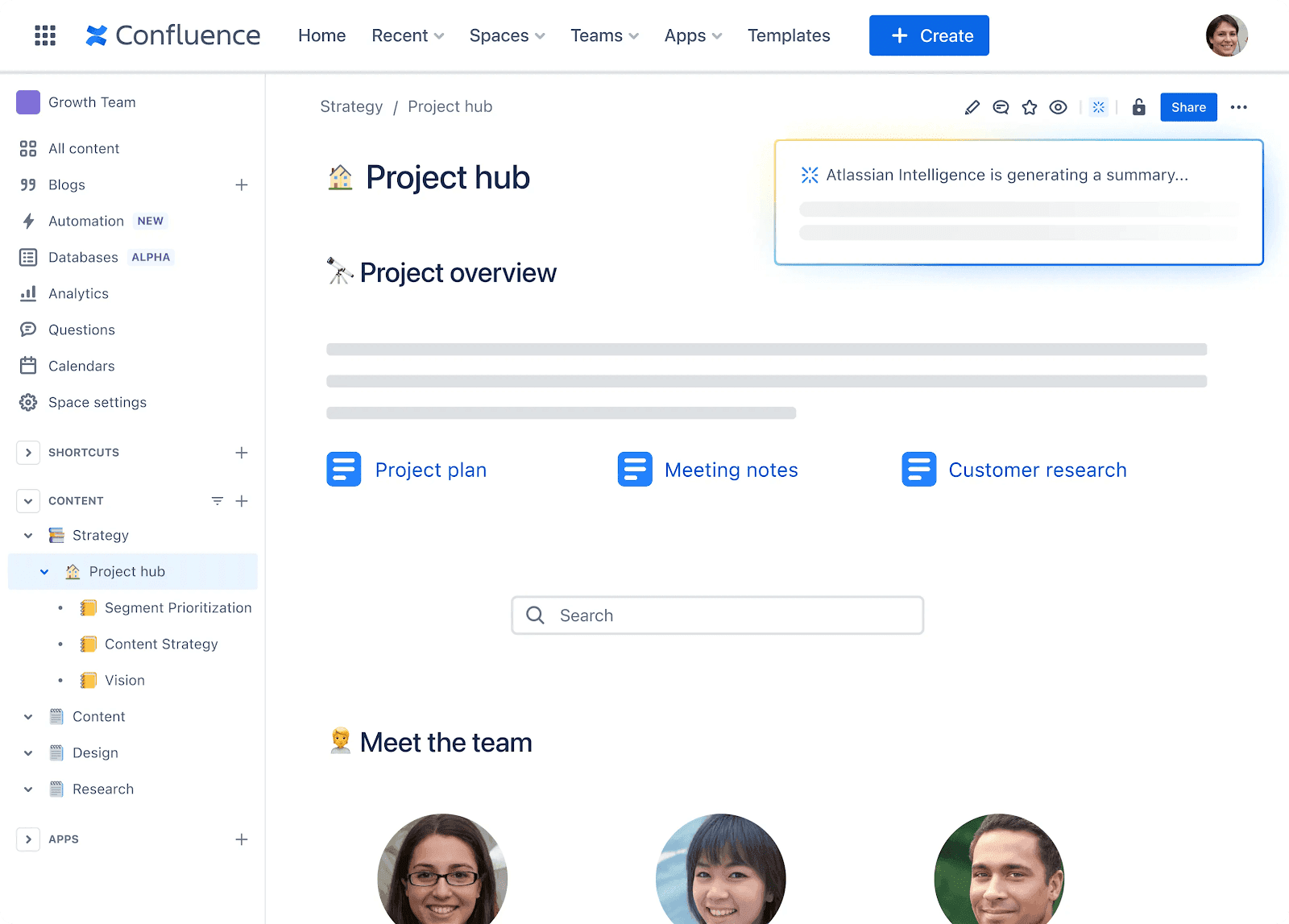 Image source: atlassian.com
Key features:
- Confluence streamlines the documentation process through a robust knowledge management system. It allows for establishing a knowledge base for documentation and product requirements.
- Intuitive page hierarchy and advanced search capabilities enhance information organization, making finding and managing pages easy.
- The platform tracks version history, providing insights into changes made and ensuring everyone stays informed.
- Role assignment features to manage user permissions, allowing administrators to control access to spaces and content.
- Supports Gantt charts as an add-on. The Easy Gantt Charts for Confluence app simplifies the creation of Gantt charts, timeline charts, and roadmaps.
Pros:
- The platform's knowledge management capabilities enhance information organization, making it easy to structure and find relevant content.
- Robust access control and role assignment features provide flexibility in managing user permissions and controlling access to content.
Cons:
- Some advanced functionalities come at an additional cost, potentially making Confluence a bit pricey for users seeking extensive capabilities.
- Users may need help to adjust to the software interface initially.
Pricing:
- Free Plan: $0/month — for up to 10 users, with pages, spaces, databases, templates, limited whiteboards, app integrations, community support, and 2 GB storage.
- Standard Plan: $5.42/user/month, billed annually — for growing teams, with guest access, advanced permissions, Rovo Search/Chat/Agents, 250 GB storage, and regional business-hours support.
- Premium Plan: $10.44/user/month, billed annually — for teams scaling collaboration, with unlimited pages/spaces, unlimited storage, advanced admin controls, 24/7 critical-issue support, and 99.9% uptime SLA.
- Enterprise Plan: Custom pricing — for enterprises, with Atlassian Analytics, Data Lake, advanced security/admin controls, Atlassian Guard Standard, unlimited automations, and 99.95% uptime SLA.
Review Rating:
Other notable alternatives
6. Evernote
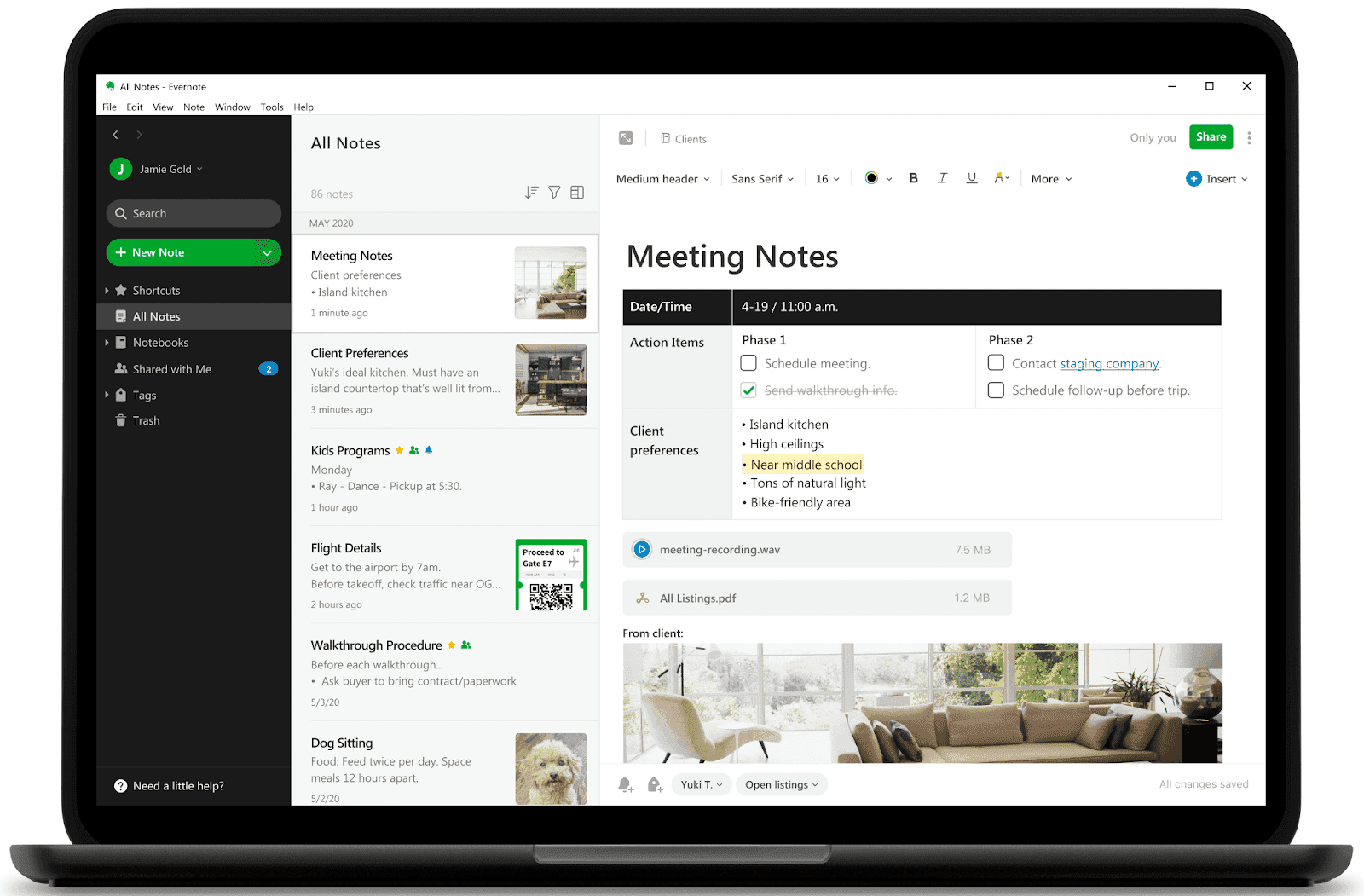 Image source: evernote.com
Key features
- Quick retrieval of information through powerful search capabilities.
- The integration with Google Calendar enhances schedule management. This feature provides context for meetings and notes, preventing information from getting lost and promoting efficient time management.
Pros:
- Evernote creates a personal knowledge base, allowing users to compile and organize ideas, thoughts, and administrative details in one central location.
- It provides a unified platform that covers notes, tasks, and schedules, offering a holistic project management and organization solution.
Cons:
- Sharing notes and content is restricted to within the Evernote platform.
- Limited features in the free plan
Pricing:
- Free Plan: $0/month — for basic note capture, with 50 notes, 1 notebook, 1 device sync, 1 GB storage, and core Evernote features.
- Starter Plan: $8.25/month, billed annually — for personal organization, with up to 1,000 notes, 20 notebooks, 1,000 attachments, 3 devices, and AI features.
- Advanced Plan: $20.83/month, billed annually — for power users, with unlimited notes, notebooks, attachments, device sync, and AI features.
- Enterprise Plan: Custom pricing — for organizations, with company ownership of business data, dedicated customer success, advanced administration, SSO, SCIM, and enhanced security/compliance.
Review Rating:
7. Dropbox Paper
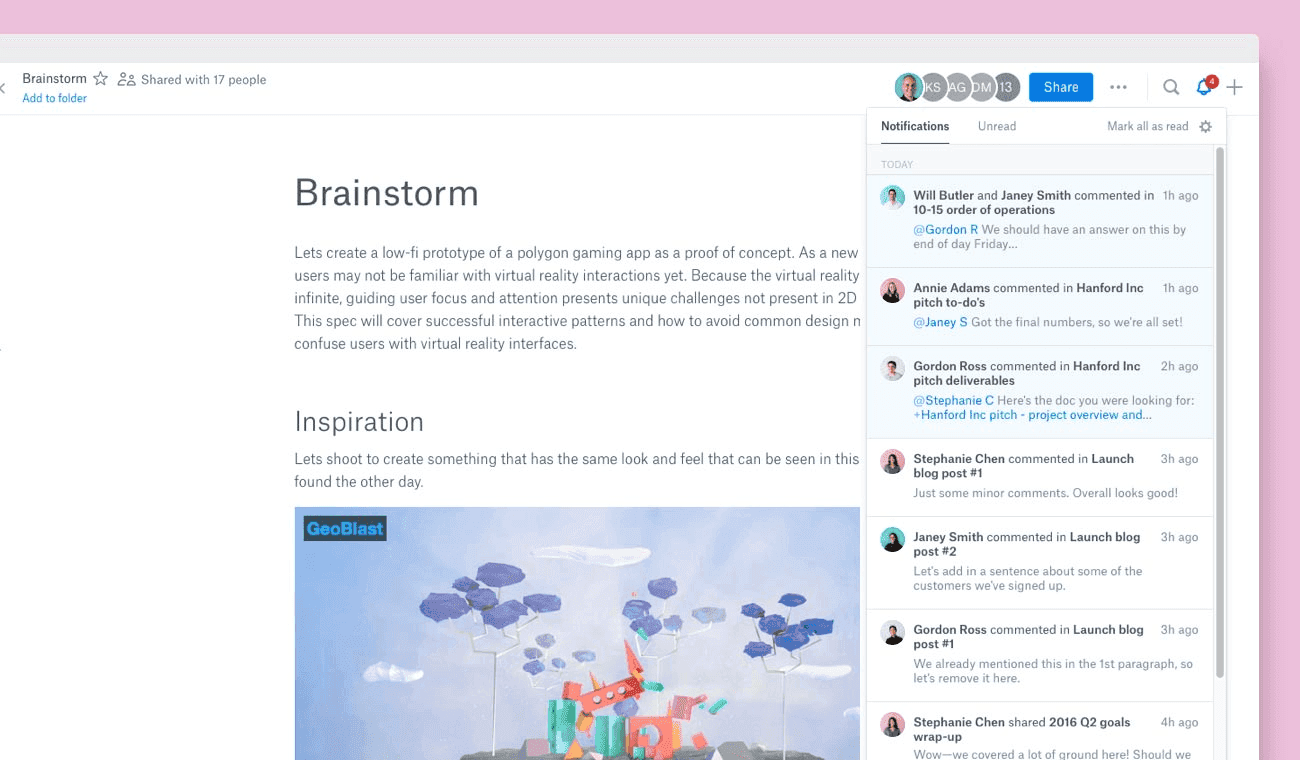 Image source: dropbox.com
Key features:
- It allows users to access stored files anywhere and anytime. It works best for teams already using Dropbox heavily for file storage.
- Offers advanced sharing permissions, allowing users to specify who can access, view, or edit files.
- The platform maintains a detailed file history, tracking changes and modifications.
- Dropbox facilitates easy file recovery, enabling users to retrieve previous versions or accidentally deleted files without issue.
Pros:
- The detailed file history ensures users can track changes and revert to previous versions, offering a safety net for document management.
- Group ownership of documents promotes a collective approach to file management, enhancing collaboration and shared responsibility.
Cons:
- While Dropbox offers flexibility in pricing with various plans, some users may find the pricing options complex or seek more cost-effective alternatives for basic storage needs.
- Limited word processing features. In 2026, Dropbox Paper is web-based only—mobile apps and desktop apps were discontinued in October 2025, making its long-term roadmap less certain than Google Docs.
Pricing:
Review rating:
8. Coda
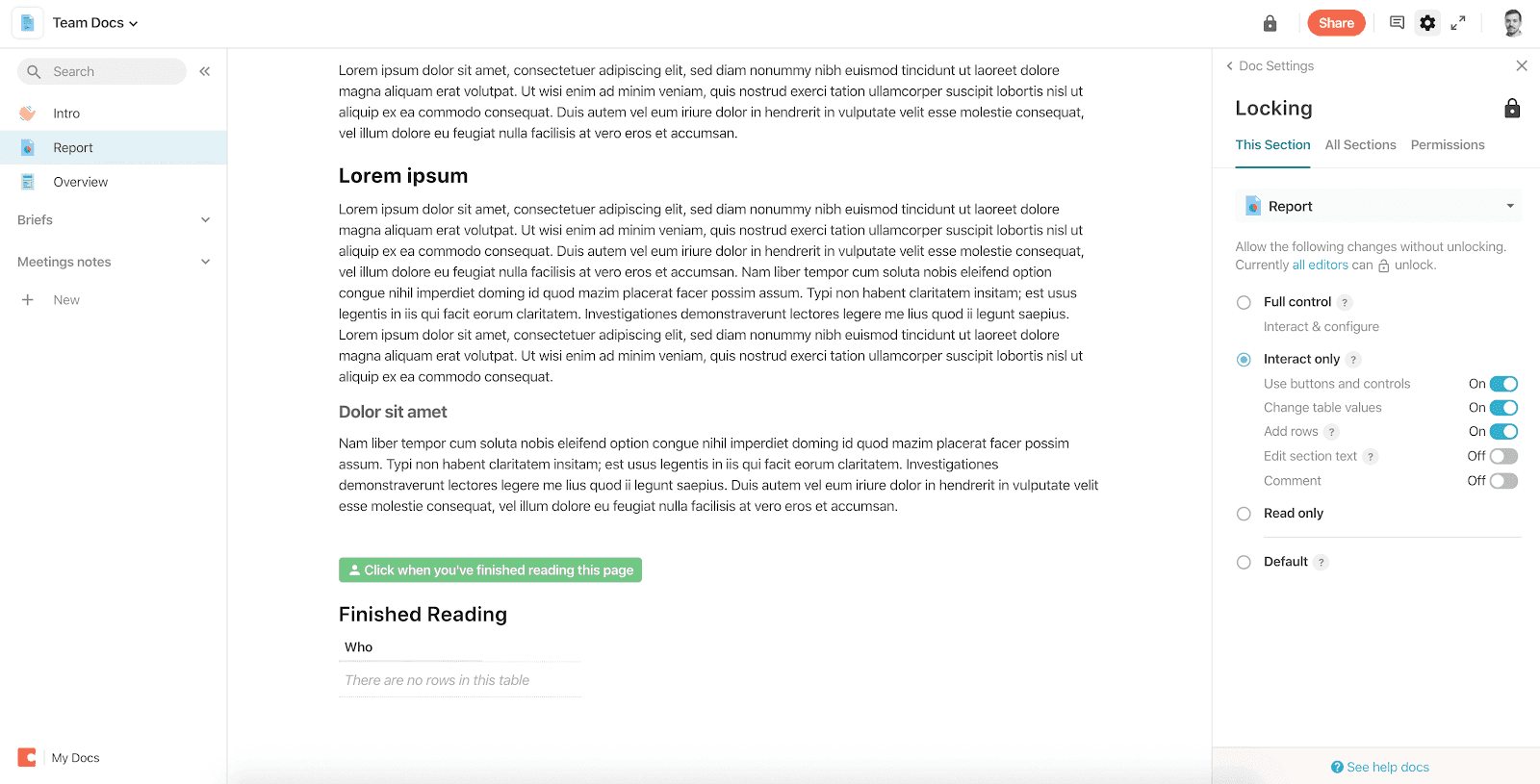 Image source: coda.io
Key features:
- A user-friendly drag-and-drop interface simplifies the creation of documents and spreadsheets.
- Easy media embedding, including images, videos, and GIFs.
- Integration with automation tools and popular apps, such as buttons, Google Drive, Slack, and formulas, optimize workflows and enhance productivity.
- Coda is available as a mobile app for iOS and Android devices.
Pros:
- Easy to Use: Coda's drag-and-drop interface makes it easy for anyone to create and work on documents and spreadsheets.
- Media-Friendly: Adding pictures, videos, and GIFs can make your documents more attractive.
Cons:
- Some users might initially find it challenging, especially when using advanced features.
Pricing:
- Free Plan: $0/month — for anyone getting started, with collaborative docs, connected tables, charts, kanban boards, forms, formulas, automations, and an AI trial.
- Pro Plan: $10/Doc Maker/month — for organizing business and life, with unlimited pages and objects, 30-day version history, hidden pages, custom domains, branding, and AI credits.
- Team Plan: $30/Doc Maker/month — for collaboration across teams and tools, with unlimited automations, unlimited version history, doc locking, folder access management, cross-doc sync, and Team Packs.
- Enterprise Plan: Custom pricing — for org-wide security and support, with SAML SSO, SCIM, advanced access controls, audit events, advanced user management, SOC 2 Type 2 report, and Pack controls.
Review Rating:
9. ClickUp
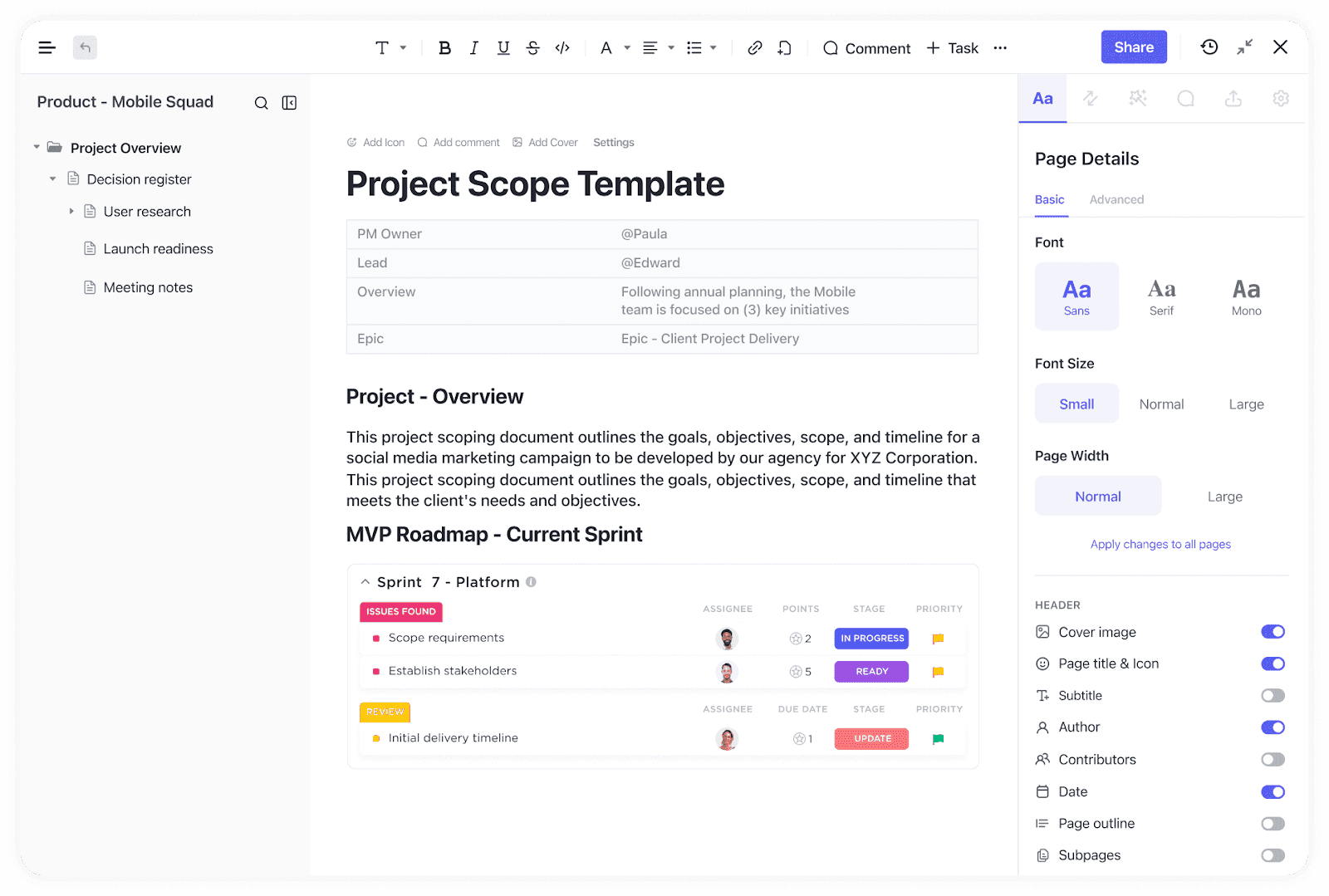 Image source: clickup.com
Key features
- Documents can be connected to existing workflows
- Allows for complex storage options, including building knowledgebases, nested pages, and roadmaps
- Wide range of add-ons and formatting options
Pros:
- Users appreciate ClickUp's ease of use and the simplicity of creating, formatting and accessing documents.
- Seamless collaboration with updated user and privacy controls
Cons:
- Users express dissatisfaction with the visual design, the font size is criticized for being too small, and the absence of a preferred dark mode is mentioned as a downside.
Pricing:
- Free Forever Plan: $0/user/month — for personal use, with Collaborative Docs, unlimited tasks, 60 MB storage, Kanban boards, calendar view, and 24/7 support.
- Unlimited Plan: $7/user/month, billed yearly — for small teams, with unlimited storage, unlimited integrations, unlimited forms, unlimited Gantt charts, custom fields, time tracking, and goals.
- Business Plan: $12/user/month, billed yearly — for mid-sized teams, with unlimited dashboards, unlimited message history, webhooks, 5,000 automations/month, mind mapping, private whiteboards, Google SSO, and SMS 2FA.
- Enterprise Plan: Custom pricing — for organizations, with enterprise permissions, unlimited custom roles, SAML SSO, SCIM, audit log, session management, enterprise API, data residency, and customer success support.
Review rating:
10. Quip
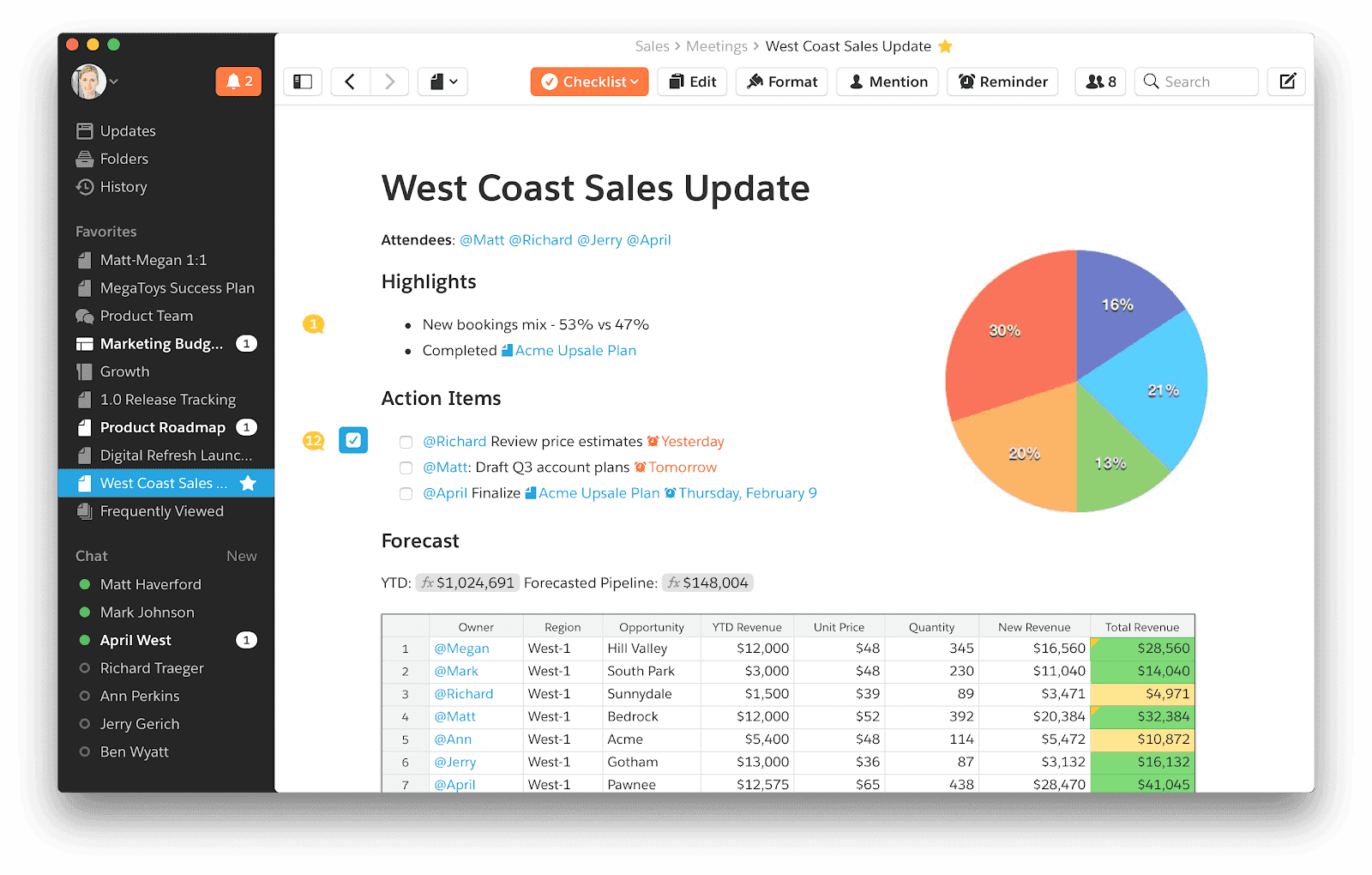 Image source: quip.com
Key features:
- Quip integrates documents and spreadsheets with chat functionality in a single workspace, providing a centralized hub for teams.
- Team members can collaborate on documents, enabling seamless editing, commenting, and communication.
- Quip is accessible on mobile devices, allowing users to stay connected and work on projects even on the go.
Pros:
- Quip provides a unified platform where documents, spreadsheets, and chat are integrated, making it easy for teams to collaborate in one place and tie shared documents directly to deal records and customer data.
Cons:
- For users requiring highly specialized features, Quip may lack certain advanced functionalities offered by other dedicated tools.
- Depending on the user's needs and expectations, Quip's pricing structure may be considered a drawback, especially for those seeking a more budget-friendly solution.
Pricing:
- Quip Starter Plan: $10/user/month, billed annually — for team collaboration, with unlimited documents and spreadsheets, built-in chat, group chat, 1-to-1 messages, and desktop/tablet/mobile access.
- Quip Plus Plan: $25/user/month, billed annually — for larger or more secure teams, with Starter features plus SSO, Enterprise API, customization, and custom Live Apps.
- Quip Advanced Plan: $100/user/month, billed annually — for Salesforce-connected sales planning, with live Salesforce data, two-way sync, embedded Salesforce documents, and enterprise customization.
Review Rating:
- Proton Docs: An end-to-end encrypted document editor built into Proton Drive. It offers encrypted cloud storage by default, and Proton explicitly states that content will not be used to train AI models. It includes a free version with 5GB of storage.
- CryptPad: Provides end-to-end encryption for document collaboration as an open-source, zero-knowledge office suite covering documents, spreadsheets, and kanban boards. It trades interface polish for uncompromising privacy.
- ONLYOFFICE: Top self-hosted Google Docs alternative for Microsoft-compatible editing on private infrastructure. It gives IT full control over where files are stored and offers the ability to use local AI models or disable cloud AI entirely.
- Specialized writing tools: Apps like Craft, Storyflow, LivingWriter, and Obsidian focus on giving writers a superior individual experience for focus, structure, and presentation—going far beyond what a standard word processor provides.
- Export and import: Start by exporting your Google Docs as .docx or Markdown files where appropriate, and bulk-download from Google Drive. Most modern platforms—Notion, ONLYOFFICE, and Lark Suite—offer import tools that handle batch uploads and preserve basic formatting.
- Run a pilot: Rather than migrating everything at once, pick one pilot project: a marketing campaign, product spec set, or policy handbook. Run it entirely in the new platform to validate collaboration features and version history handling before committing your whole team.
- Clean up permissions: Map Google Drive's folder-level permissions to new workspaces, teams, and channels. Migration is the best time to eliminate over-exposed shared documents.
- Google Workspace centers on Gmail, Drive, Docs, Sheets, and Meet. Its strengths are simplicity and widespread familiarity, but it lacks deep project management, approval workflows, and robust automation.
- Microsoft 365 brings Outlook, SharePoint, Teams, Word, Excel, and PowerPoint. It is strong for enterprises with Windows infrastructure, but the ecosystem can feel fragmented—multiple overlapping tools lead to constant context-switching.
- Lark Suite takes a different approach: chat, meetings, docs, calendar, email, wiki, OKRs, and workflow automation live in one coherent interface. Specific differentiators include Lark's built-in OKR management, approval workflows, powerful cross-platform search, and AI translation for global teams. These advanced features address gaps that neither Google Docs nor MS Word alone can fill.
How to Find the Right Alternative: 3 Quick Tips
- Highlight the features you miss in Google Docs: Take a moment to reflect on your experience with Google Docs. Identify any specific features or functionalities you find lacking or wish were more advanced.
- Research options: Research different document creation tools available. Look beyond the familiar and see what other platforms offer. Check out reviews, user feedback, and official documentation to understand the strengths and weaknesses of each tool.
- Try as many as possible until you find the perfect fit: The best way to truly understand if a tool meets your needs is by trying it out. Pay attention to how these tools handle the specific features you were missing in Google Docs. Take your time with the process and give each tool a fair chance. Run a 14–30 day pilot where one project lives entirely in your chosen alternative, then compare collaboration speed and document quality to your current setup.
Final thoughts
FAQs
Are there any free or cheap alternatives to Google Docs?
Yes, there are few products on this list that are not only free to try, but are free to use. ClickUp, for example, has a free tier, but is limited in features. In contrast to the structured Google Workspace pricing which requires a monthly subscription, Lark’s free forever plan offers more extensive features, giving you access to not only Lark Docs, but 10 other apps for seamless collaboration.
Are there any alternatives to Google Docs that are open source?
Yes, there are document editors that are open source, such as OnlyOffice and LibreOffice, but their features are limited compared to the options listed above. CryptPad is also an excellent open-source, zero-knowledge office suite for those strictly prioritizing privacy.
What is the best alternative to google docs for strict data privacy?
If you are looking for an AI-free, privacy-first environment, platforms like Proton Docs, CryptPad, or self-hosted ONLYOFFICE are highly recommended. These platforms ensure end-to-end encryption and prevent your internal documents from being used to train third-party AI models.
Is Microsoft Word Online better than Google Docs?
Microsoft Word Online is often considered better if your team relies heavily on precise formatting, complex page layouts, or offline desktop integration. However, Google Docs historically edges out Word Online when it comes to frictionless, lightweight real-time collaboration for users without a Microsoft 365 subscription.
Can I still collaborate in real time without using Google Docs?
Absolutely. Almost all modern document editing tools, including Lark Docs, Notion, Dropbox Paper, and Zoho Writer, offer robust real time document collaboration. Teams can edit the same document simultaneously, leave comments, and tag co-workers just as easily as they would in Google Docs.
Related reading

Start using Lark today

Manage all your work in one place
Boost team efficiency by 10x
Save up to 70% on software costs
Start using Lark today
Manage all your work in one place
Boost team efficiency by 10x
Save up to 70% on software costs
Keep reading



Lark recognized in 2023 Gartner® Collaborative Content Workspaces and Meeting Solutions reports





2026 Lark Technologies Pte. Ltd.
Headquartered in Singapore with offices worldwide.





