














10 Best HubSpot Alternatives for CRM & Marketing

Ryan Tanner
Product Marketing Specialist
Sep 18, 2026
Ryan Tanner
Sep 18, 2026

25 min read


Many teams start with HubSpot for its strong CRM and marketing automation tools. However, as businesses grow, they often encounter rising costs, complex feature sets, and limited collaboration across departments. This makes exploring a HubSpot alternative worthwhile—one that better matches specific workflows, budgets, and team structures. From visual sales CRMs to collaboration platforms, there are numerous options to consider.
In this guide, we explore ten leading HubSpot CRM alternative solutions to help you choose the right platform for your organization's sales, marketing, and customer management needs.
1. Lark: All-in-one workspace for CRM and collaboration
2. Pipedrive: Visual CRM built for sales performance
3. Freshsales (Freshworks CRM): AI-powered CRM for growing teams
4. Zoho CRM: Flexible and affordable CRM for scaling businesses
5. Salesforce Essentials: Scalable CRM for enterprise visibility
6. EngageBay: CRM and marketing automation in one platform
7. Insightly: CRM with built-in project and relationship tracking
8. Creatio: Process-driven CRM with business automation tools
9. Monday Sales CRM: Customizable, visual CRM for collaboration
10. Bitrix24: Free CRM with built-in communication tools

Why teams look for a HubSpot alternative
As companies grow, many teams begin reevaluating whether HubSpot remains the right fit for their evolving needs. While it offers an all-in-one CRM and marketing automation platform, scaling often brings challenges related to cost, usability, and integration. Businesses seeking flexibility, better value, and smoother collaboration frequently explore a HubSpot alternative that aligns more closely with their day-to-day workflows and growth goals.
- Pricing and scalability issues: HubSpot's pricing model can become restrictive as teams expand. Paid tiers rise quickly when adding users or accessing advanced CRM and marketing features. This makes long-term scalability difficult for small and mid-sized businesses seeking affordable growth.
- Feature overload: Many teams use only a fraction of HubSpot's extensive feature suite. The abundance of tools can overwhelm smaller organizations that only need core CRM or email marketing capabilities. This often leads teams to search for simpler, more focused CRM software alternatives.
- Limited collaboration: HubSpot's CRM and communication tools operate separately, which can fragment teamwork. Sales, marketing, and service departments may struggle to stay aligned without native, real-time collaboration features. Businesses often look for integrated CRM platforms that bring conversations and customer data together.
- Integration complexity: Managing multiple add-ons is a common pain point for HubSpot users. Connecting third-party tools requires additional setup, maintenance, and sometimes extra cost. Companies often prefer CRM systems with seamless integrations or built-in automation to streamline their workflow.
10 Leading alternatives to HubSpot for every business type
1. Lark: All-in-one workspace for CRM and collaboration
Lark wraps together CRM workflows and full team collaboration tools in a single digital workspace. Teams can manage customer interactions, track deals, and store contact data alongside chat, docs, calendars and automation—reducing the need to switch between separate tools.
It supports real-time teaming, shared documents, and integrated communication, so sales, marketing and support all work in the same environment. For organisations looking at a hubspot alternative, Lark offers a unified platform where CRM meets collaboration, helping streamline both customer-facing and internal workflows.
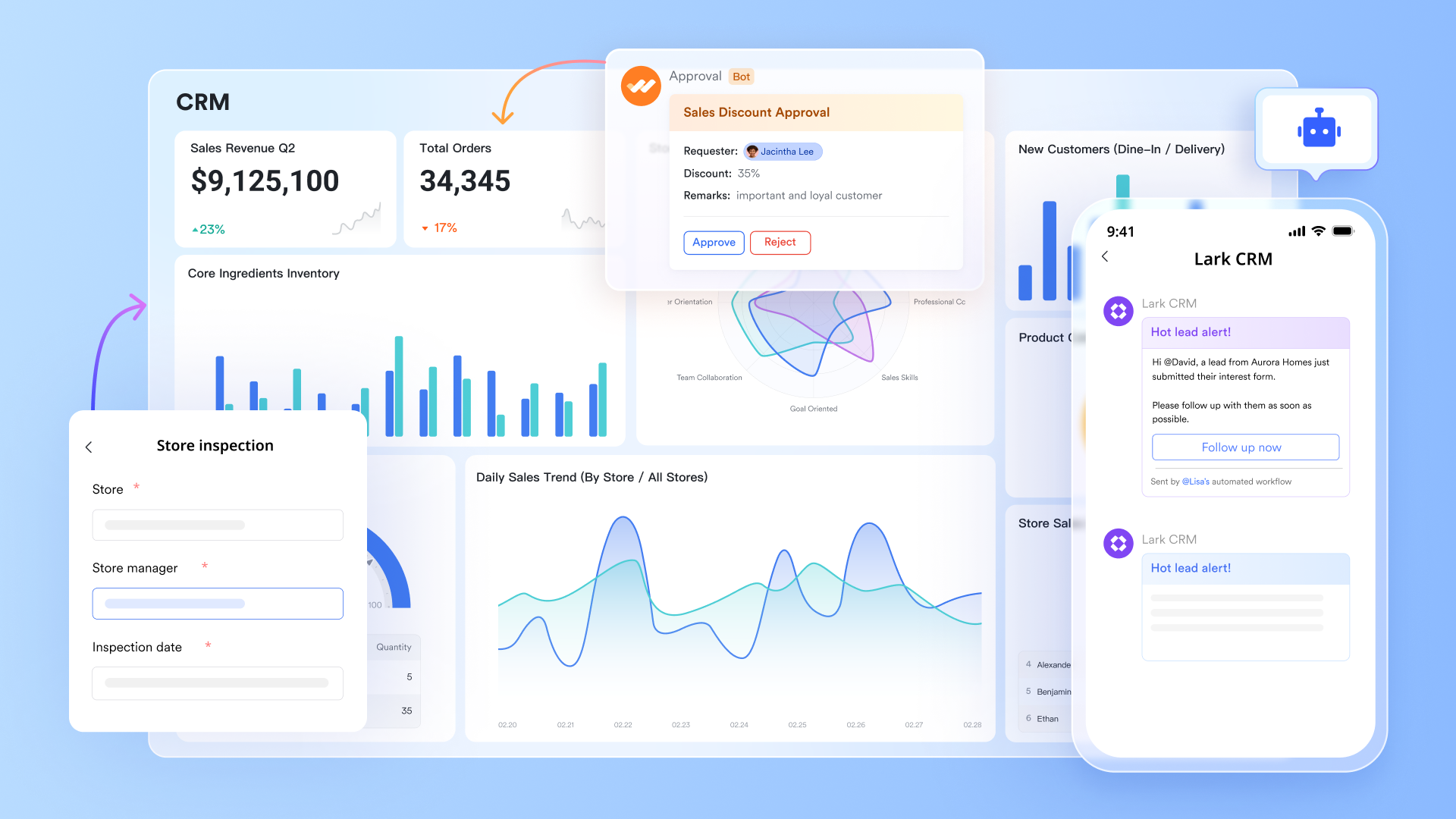
Lark Base: Structured CRM data with live workflows
Lark Base functions as the foundation for your CRM workflows. You can store, organize, and automate every piece of customer information—from lead details and company profiles to deal stages and follow-ups. Unlike static CRM tables, Base is fully customizable, letting you add calculated fields, filter segments, and link tables (e.g., clients → campaigns → support tickets).
Example in action: A sales team uses Lark Base to manage prospects across deal stages—"Discovery," "Negotiation," "Closed-Won." When a deal moves to a new stage, Base automatically updates the status, notifies the assigned owner in Messenger, and creates a Task for next steps. This turns CRM data into a living workflow that evolves in real time.
Why it matters: You eliminate the "update lag" common in traditional CRMs. Every team member always sees the latest information, and no lead falls through the cracks.
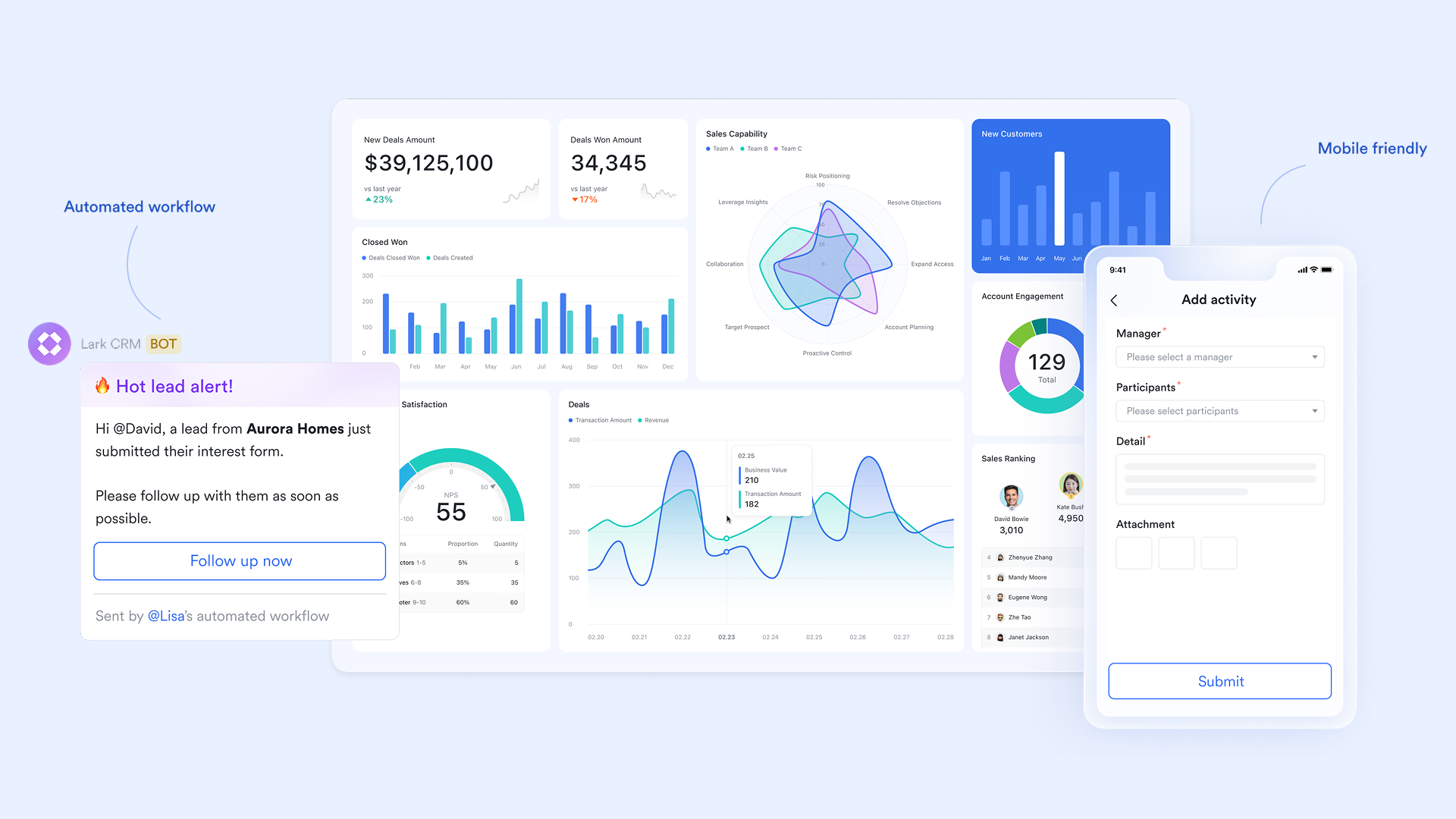
Lark Docs: Shared knowledge and collaborative assets
Lark Docs transforms how teams collaborate on CRM-related content. Instead of saving proposal templates or marketing plans in separate tools, Lark Docs lets everyone co-edit in real time. You can embed Base tables (for client lists), Sheets (for KPIs), and even link Tasks (for project ownership).
Example in action: A sales manager creates a "Client Proposal Template" in Docs. Marketing adds branding guidelines, finance includes pricing tables, and leadership adds approval notes—all in the same document. Once approved, the proposal links directly to the client's Base record for traceability.
Why it matters: Docs keeps information centralized. Instead of emailing attachments or switching between Google Docs and CRMs, every document becomes part of your CRM process.
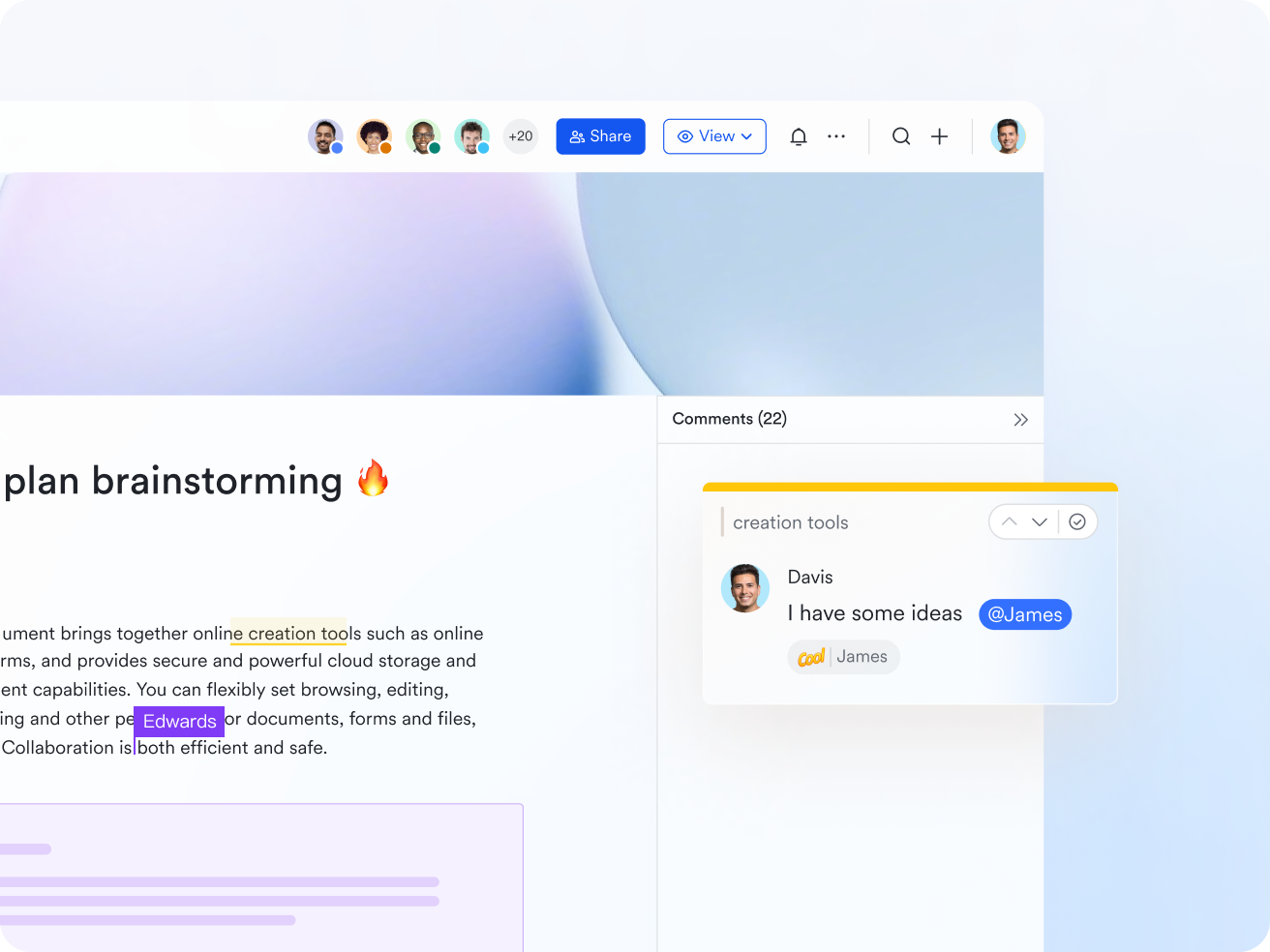
Lark Messenger: Context-rich communication without switching apps
One of Lark's greatest advantages over HubSpot is contextual communication. Lark Messenger allows users to reply to specific messages, retaining context in conversations. Users can share rich text, images, and files in message threads, making communication more effective and actionable. Lark enables quick access to chat history and resources, helping team members stay aligned and informed.
Example in action: When a customer's contract renewal is delayed, the account manager shares the Base record in Messenger. The finance lead comments with payment details, support adds notes from recent interactions, and leadership approves a discount—all inside the same chat thread.
Why it matters: No more toggling between your CRM, email, and Slack. Messenger keeps communication tied to data, improving speed, transparency, and accountability.
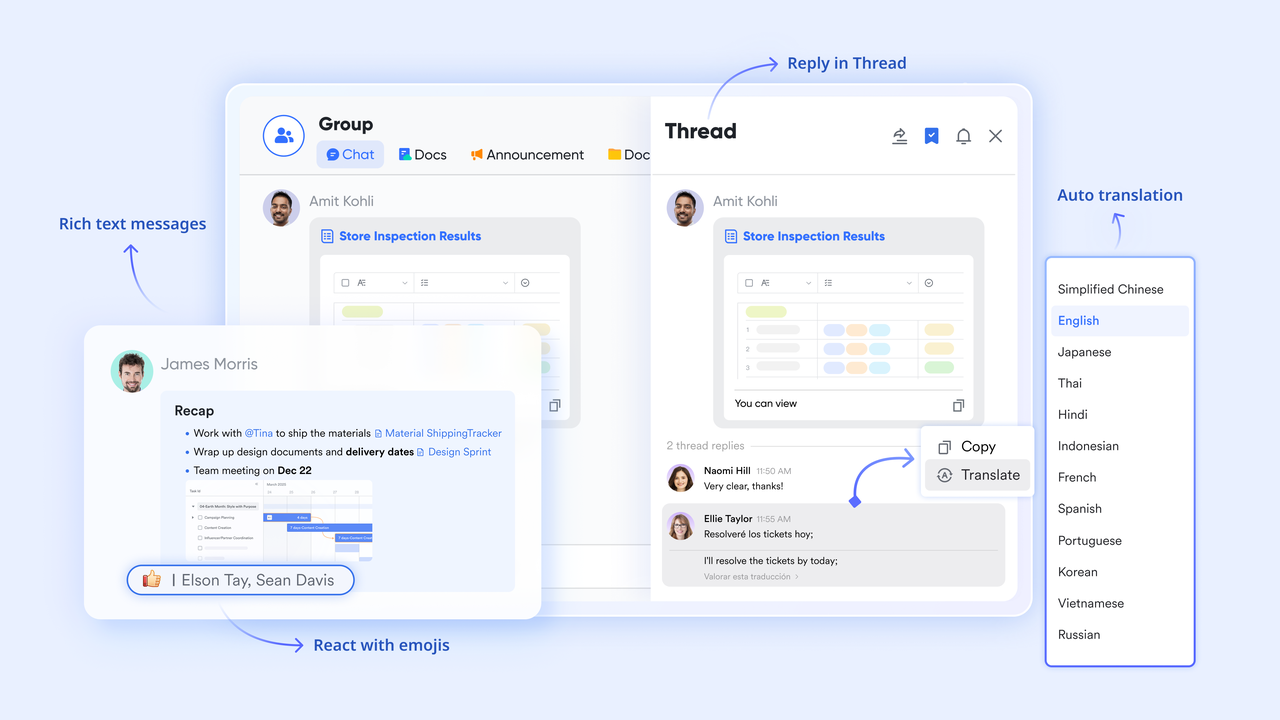
Lark Tasks: Accountability and follow-through on every deal
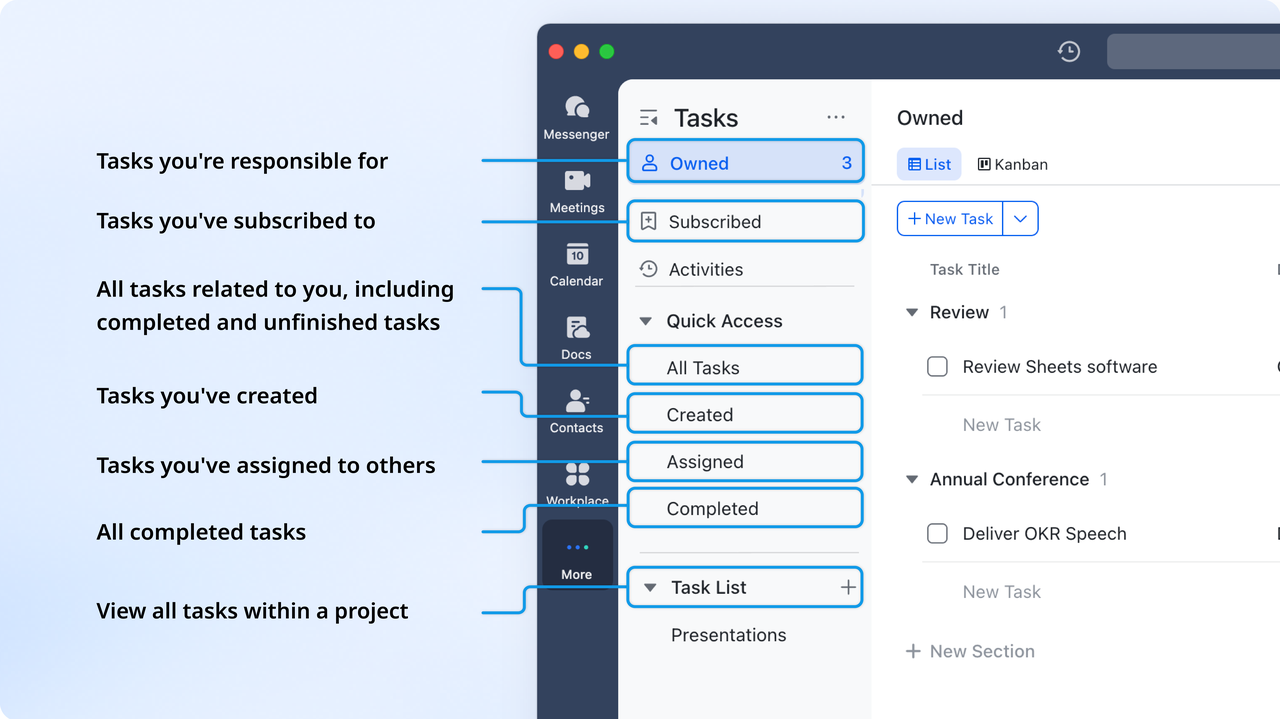
CRM insights only drive results if teams act on them. With Lark Tasks, every action item—whether it's a follow-up call, proposal revision, or demo scheduling—becomes visible, trackable, and owned. You can assign tasks directly from Base or Messenger, set deadlines, and link supporting Docs or Sheets.
Example in action: When a lead moves to "Qualified," an automated rule in Base creates a follow-up Task for the sales rep, a product demo Task for the technical team, and a proposal Task for marketing. All three link back to the same deal record.
Why it matters: Tasks close the CRM loop—insights become actions, and actions become measurable outcomes. Managers can monitor progress in one place and ensure nothing slips through.
Pros:
- Seamless integration of chat, video meetings, and documents in one workspace.
- Real-time collaboration improves alignment across sales, marketing, and support teams.
- Cloud-based access ensures flexibility for remote and hybrid work environments.
- Built-in automation and analytics enhance productivity and visibility.
Cons:
- May require onboarding time for teams transitioning from multiple tools.
- Starter plan: Free forever plan that includes 11 powerful tools for up to 20 users. It also comes with 100GB of storage, 1000 automation runs, AI translations, and more.
- Pro plan: $12/user/month (billed annually) for up to 500 users. It includes everything in Starter plus group calling for up to 500 attendees, 15TB of storage, 50,000 automation runs, and more.
- Enterprise plan: Contact sales for custom pricing. Supports unlimited users and includes even more automation runs and advanced security, compliance, and management features.
2. Pipedrive: Visual CRM built for sales performance
Pipedrive is a popular HubSpot alternative designed specifically to help sales teams manage pipelines visually and close deals more efficiently. Its drag-and-drop interface simplifies tracking leads through every stage, offering clarity and control over the sales process. The platform focuses on usability, making it easy for teams to adopt without heavy onboarding or technical setup. With built-in automation, reporting, and integrations, Pipedrive provides a streamlined CRM experience tailored to sales-focused organizations looking to boost performance and productivity.
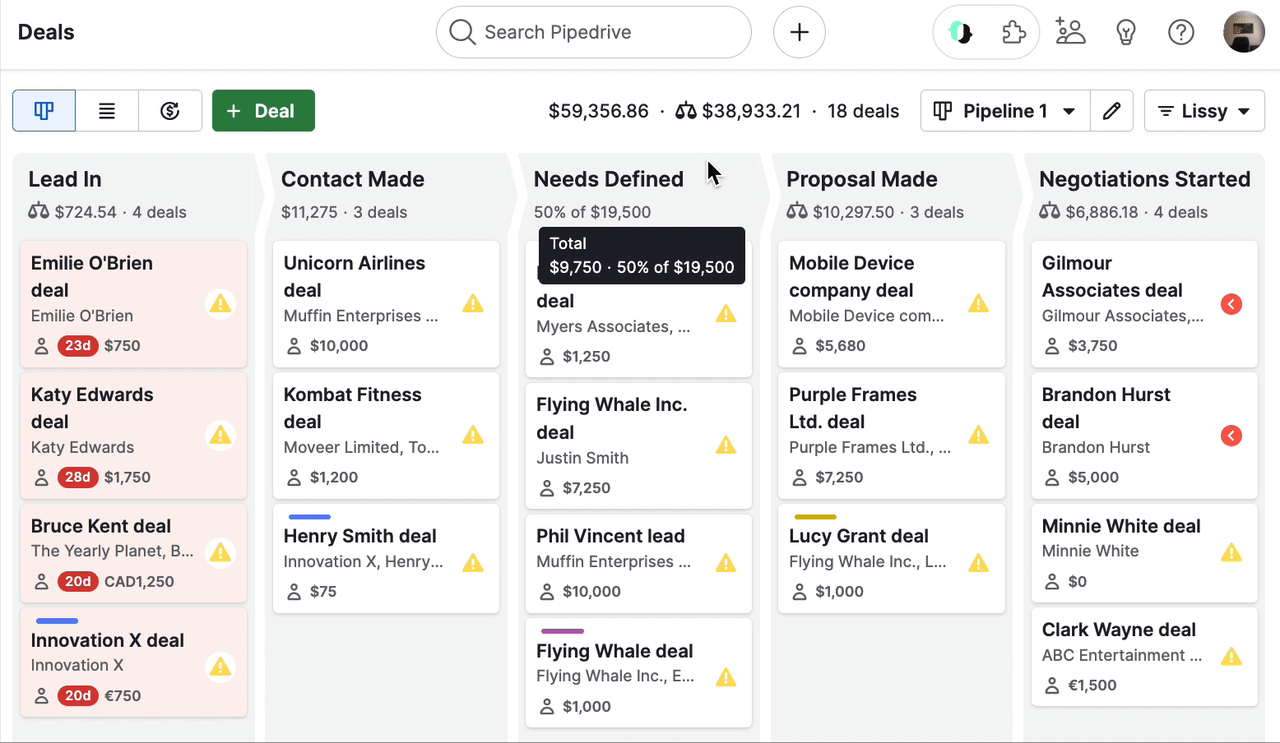
Image source: pipedrive.com
Features:
- Visual dashboards for sales metrics, activity tracking, and deal conversion.
- Filters and segmentations to track deal sources, stages, and durations.
- Goal-setting tools with automatic progress tracking and notifications.
- Integrations with Google Data Studio, Power BI, and other analytics tools.
Note: For more Google Workspace's information, you can refer to Google Workspace Pricing and Google Workspace alternatives.
Pros:
- Extremely intuitive and visually rich dashboards.
- Quick setup with minimal learning curve for sales teams.
- Affordable and ideal for growing SMBs.
- Strong third-party integrations for extended analytics.
Cons:
- Limited marketing and customer success analytics.
- Forecasting less advanced compared to enterprise CRMs.
- Requires external tools for deeper cross-department insights.
Pricing:
- Essential Plan: $14 per user/month (billed annually).
- Advanced Plan: $29 per user/month (billed annually).
- Professional Plan: $49 per user/month (billed annually).
- Power Plan: $64 per user/month (billed annually).
- Enterprise Plan: $99 per user/month (billed annually).
3. Freshsales (Freshworks CRM): AI-powered CRM for growing teams
Freshsales, part of the Freshworks suite, is an AI-driven CRM that helps growing businesses manage leads, automate workflows, and personalize customer engagement. Its built-in AI assistant, Freddy, offers predictive insights to improve conversions and optimize sales strategies. The platform combines contact management, deal tracking, and communication tools in one unified interface. With affordable pricing and scalability, Freshsales stands out as a HubSpot alternative for teams seeking intelligent automation and ease of use without the enterprise-level complexity.
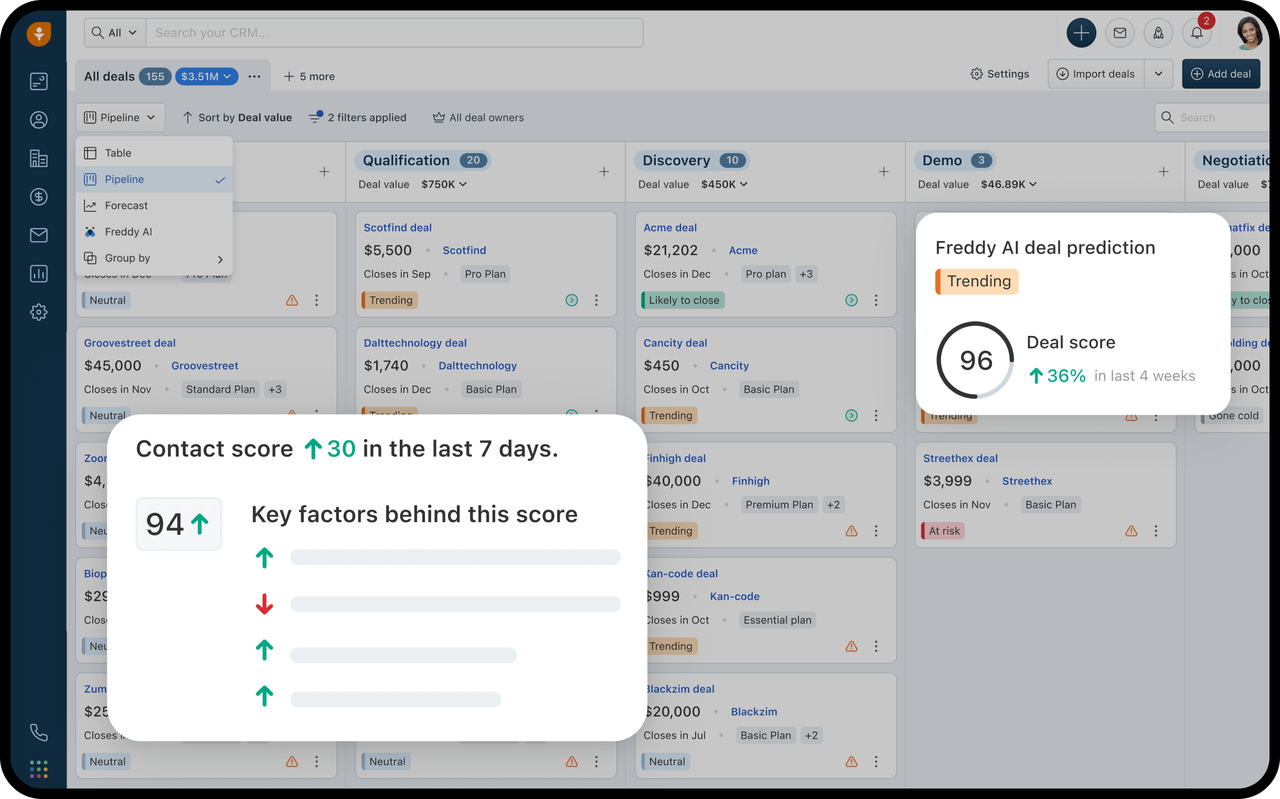
Image source: freshsales.com
Features:
- AI-based lead scoring and deal prediction powered by Freddy AI.
- Customizable dashboards and visual reports for real-time performance tracking.
- Pipeline and activity analytics to monitor team productivity.
- Email, phone, and chat integration for unified communication insights.
Pros:
- User-friendly interface with minimal setup required.
- Built-in AI tools simplify data-driven decision-making.
- Affordable pricing for small and growing teams.
- Strong automation and pipeline visibility.
Cons:
- Limited customization for enterprise-level analytics.
- Some integrations require higher-tier plans.
- Mobile experience can be inconsistent for analytics-heavy workflows.
Pricing:
- Growth Plan: $15 per user/month (billed annually).
- Pro Plan: $39 per user/month (billed annually).
- Enterprise Plan: $69 per user/month (billed annually).
4. Zoho CRM: Flexible and affordable CRM for scaling businesses
Zoho CRM is a well-established platform that offers flexibility, affordability, and a wide range of customization options for growing companies. It's designed to support sales, marketing, and customer service teams through an integrated ecosystem of apps. Businesses can tailor workflows, automate tasks, and gain insights through advanced analytics without breaking their budget. As a HubSpot alternative, Zoho CRM appeals to teams looking for an all-in-one yet cost-effective solution that scales seamlessly with business growth.
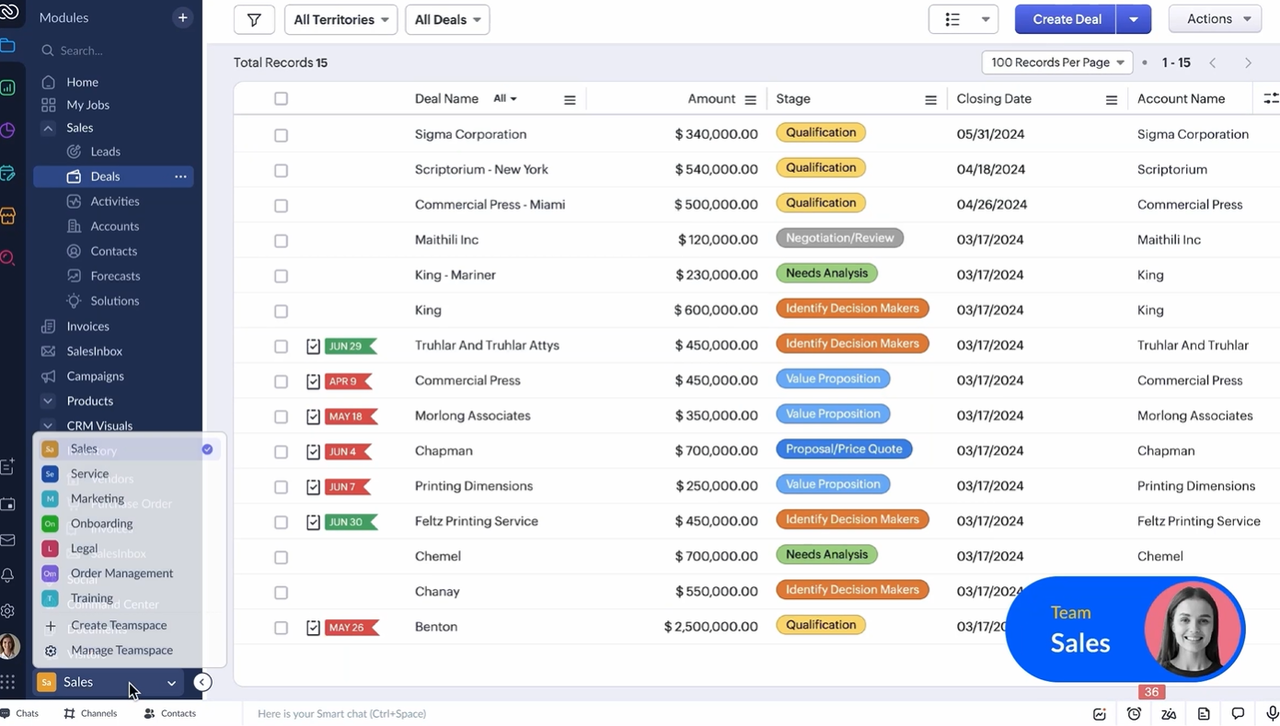
Image source: zoho.com
Features:
- Customizable dashboards and visual analytics powered by Zoho Analytics integration.
- Predictive lead and deal scoring to identify high-conversion opportunities.
- Cross-channel campaign tracking and customer behavior analytics.
- AI assistant (Zia) for trend detection and anomaly alerts.
Pros:
- Affordable compared to other analytical CRM software.
- Easy to use with a short learning curve for non-technical teams.
- Highly customizable reports and dashboards.
- Integrates well with the Zoho ecosystem and external apps.
Cons:
- Some advanced analytics require the Zoho Analytics add-on.
- Limited scalability for very large enterprises.
- Interface can feel less modern compared to premium CRMs.
Pricing:
- Standard Plan: $14 per user/month (billed annually).
- Professional Plan: $23 per user/month (billed annually).
- Enterprise Plan: $40 per user/month (billed annually).
- Ultimate Plan: $52 per user/month (billed annually).
5. Salesforce Essentials: Scalable CRM for enterprise visibility
Salesforce Essentials is designed to provide growing businesses with enterprise-grade CRM capabilities—without the complexity of large-scale deployments. It offers core tools for managing contacts, leads, opportunities, and dashboards, allowing teams to gain visibility into sales performance across the organization. The platform supports collaboration, task tracking and mobile access, making it a strong choice for businesses looking for a full-featured, scalable CRM. As you scale up, you can upgrade to more advanced editions to unlock deeper automation, forecasting and integrations.
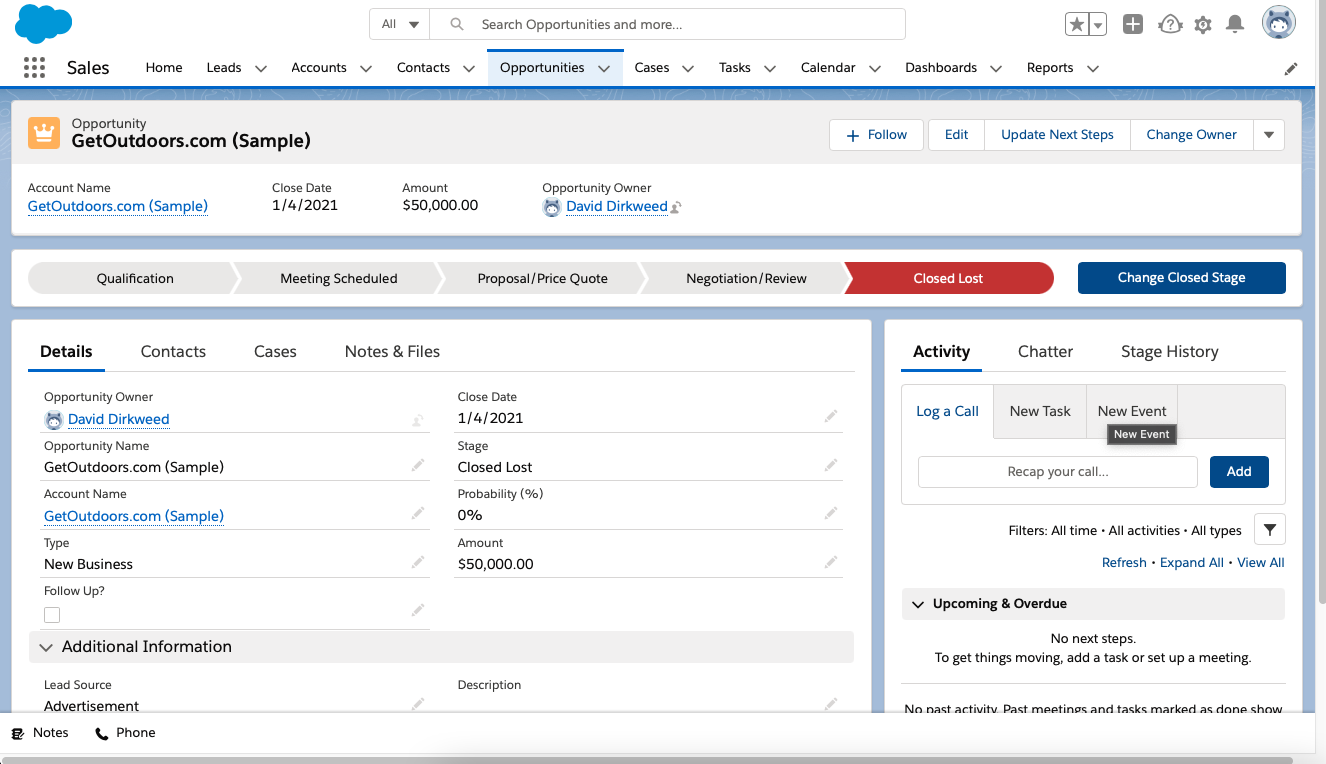
Image source: salesforce.com
Features:
- Lead, contact, account and opportunity management with mobile access.
- Customisable reports and dashboards to track sales performance and pipeline.
- Email integration (Gmail/Outlook), tasks & activity feeds for sales teams.
- Automations and workflows for sales process efficiency (in higher tiers).
Pros:
- Trusted enterprise-level platform with a robust ecosystem and scalability.
- Strong reporting and analytics capabilities give visibility into sales operations.
- Deep integration options and customisation allow tailoring to business needs.
- Mobile apps and collaboration tools help teams stay connected and aligned.
Cons:
- Cost per user can increase significantly as you need more advanced features.
- Implementation and onboarding may be more complex compared to simpler CRMs.
- Some key automation or integration features may only be available in higher tiers.
Pricing:
- Essentials Plan: $25 per user/month (billed annually).
- Professional Plan: $75 per user/month (billed annually).
- Enterprise Plan: $150 per user/month (billed annually).
- Unlimited Plan: $300 per user/month (billed annually).
6. EngageBay: CRM and marketing automation in one platform
EngageBay is an all-in-one CRM and marketing automation platform designed for startups and small to mid-sized businesses. It combines sales, marketing, and customer support tools into a unified system, helping teams manage the entire customer lifecycle from a single dashboard. The platform offers email marketing, lead nurturing, and helpdesk capabilities at an affordable price point. For teams seeking a HubSpot alternative with comprehensive features and lower costs, EngageBay delivers strong functionality without the enterprise price tag.
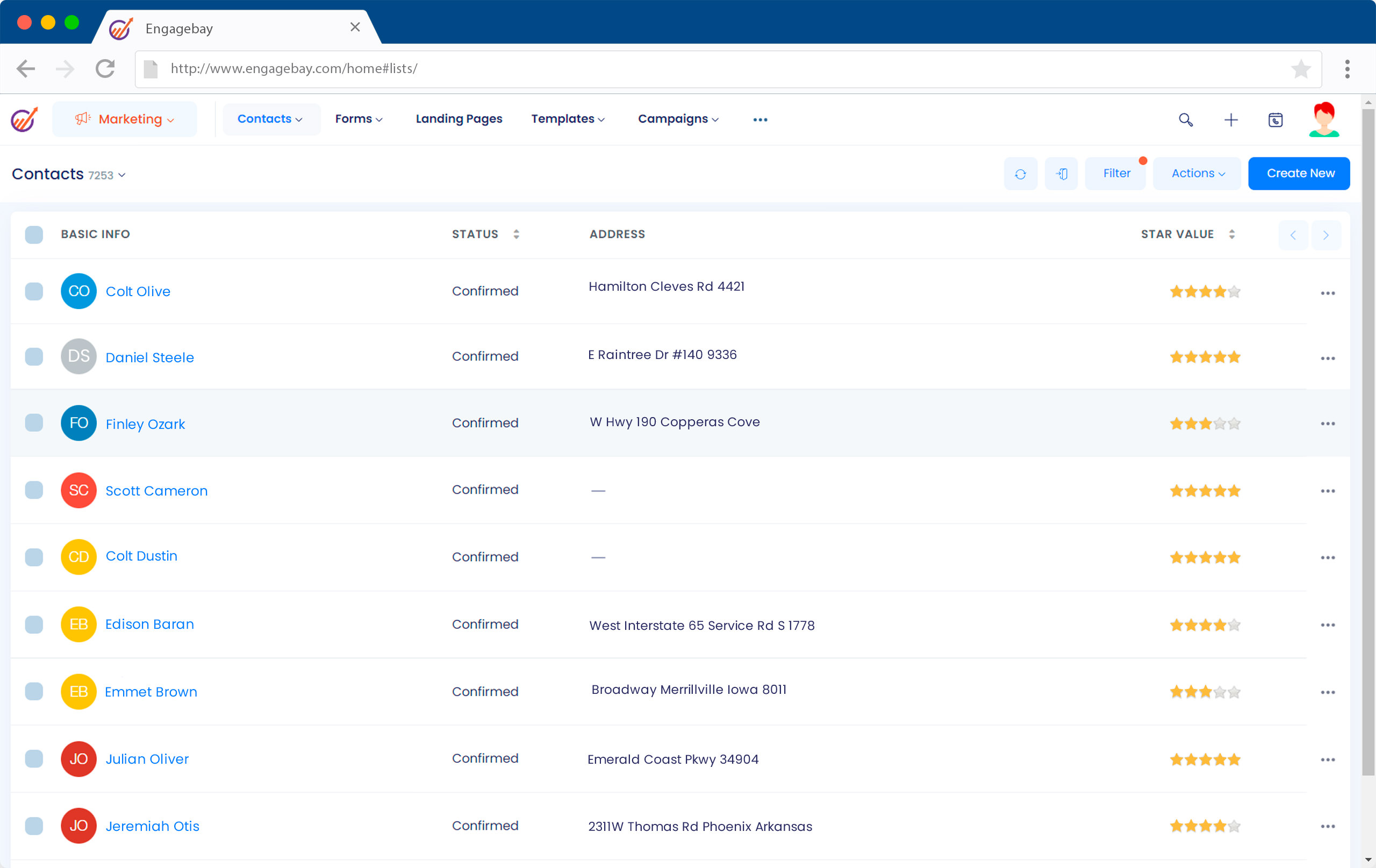
Image source: engagebay.com
Features:
- Contact and company management with unified 360° view of interactions.
- Visual sales pipelines, deal tracking and activity management.
- Marketing automation including email sequences, landing pages, lead scoring.
- Live chat, ticketing and help-desk support modules built in.
Pros:
- Affordable all-in-one platform combining CRM + marketing + service.
- Generous free tier and good value paid plans for small to mid-sized teams.
- Strong automation and workflow features for the price.
- Easy-to-use interface and reasonably quick onboarding for many users.
Cons:
- Integration ecosystem is smaller compared to major competitors.
- Advanced analytics, reporting or enterprise-grade features are somewhat limited.
- Some users report a learning curve with deeper functionality and slower onboarding.
Pricing:
- Basic Plan: $12.99/user/month (billed annually).
- Growth Plan: $42.49/user/month (billed annually).
- Pro Plan: $84.99/user/month (billed annually).
7. Insightly: CRM with built-in project and relationship tracking
Insightly is a versatile CRM platform that bridges the gap between customer relationship management and project execution. Designed for service-based businesses and agencies, it enables teams to manage leads, sales pipelines, and ongoing client projects all in one place. Its relationship-linking feature provides a complete view of customers, vendors, and partners, helping teams maintain strong connections throughout the client lifecycle. As a HubSpot alternative, Insightly stands out for combining CRM, project management, and workflow automation in a single, easy-to-navigate interface.
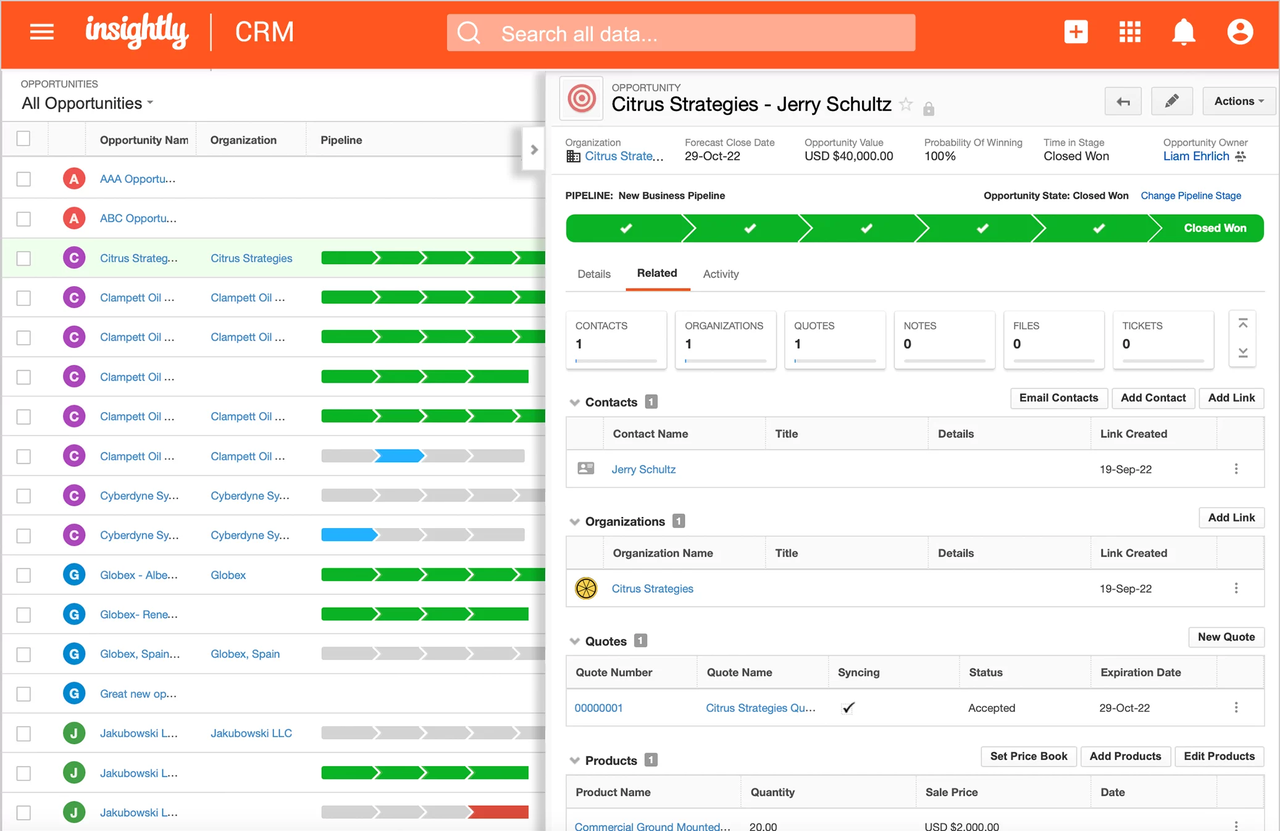
Image source: insightly.com
Features:
- Unified view of sales, marketing, and project data in one dashboard.
- Custom Power BI-based analytics with drag-and-drop visualization tools.
- Lead scoring, opportunity forecasting, and campaign performance metrics.
- Integration with G Suite, Microsoft 365, Slack, and Mailchimp for data sync.
Pros:
- Combines CRM and project management analytics in a single platform.
- Highly customizable dashboards and reports via Power BI.
- Intuitive interface suitable for cross-functional teams.
- Scalable for both SMBs and mid-market organizations.
Cons:
- Advanced analytics require integration setup with Power BI.
- Mobile analytics experience is limited compared to desktop.
- Some automation functions are locked behind higher plans.
Pricing:
- Plus Plan: $29 per user/month (billed annually).
- Professional Plan: $49 per user/month (billed annually).
- Enterprise Plan: $99 per user/month (billed annually).
8. Creatio: Process-driven CRM with business automation tools
Creatio CRM is built for organisations that want more than basic contact and deal tracking—it's designed around process automation, workflow modelling and enterprise-grade collaboration. With a low-code/no-code approach, teams can shape the CRM to reflect their unique operations rather than adjusting operations to fit the tool. It supports sales, marketing and service processes within a unified platform, making it a worthy alternative when searching for a hubspot alternative that emphasises process efficiency and business automation.
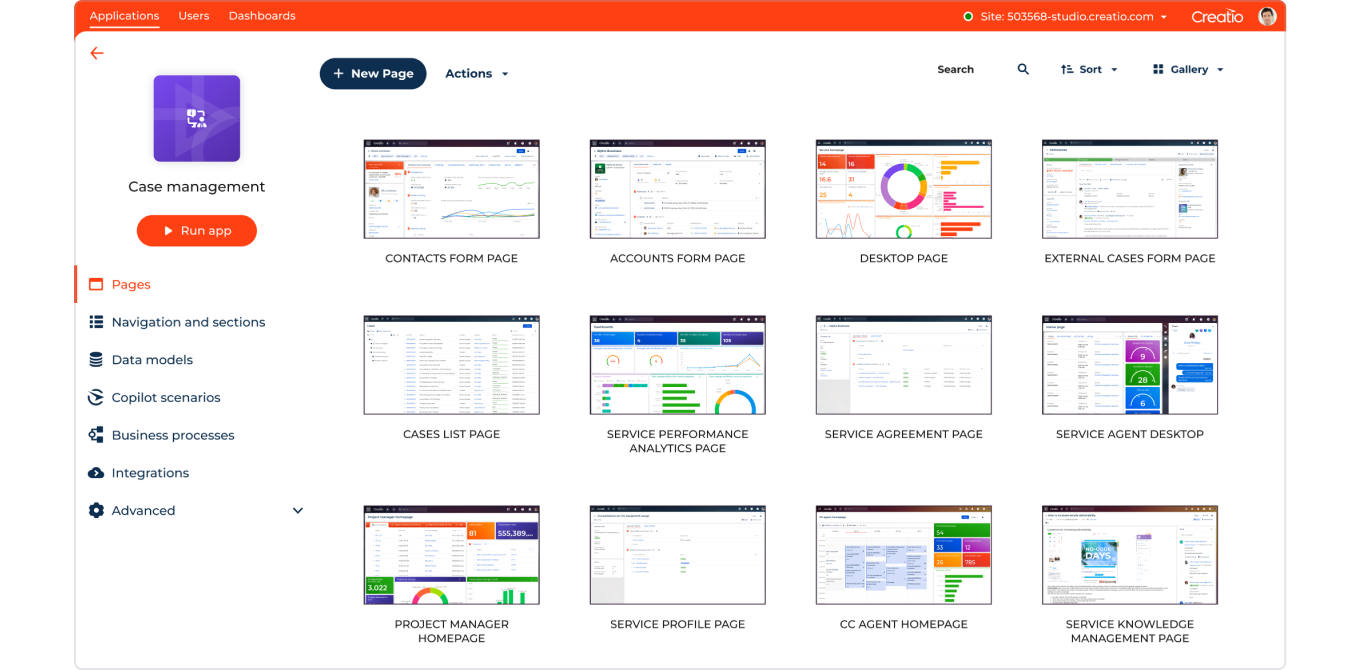
Image source: creatio.com
Features:
- Unified CRM covering sales, marketing, and service operations in one interface.
- Low-code/no-code workflow designer for creating automated business processes.
- 360° customer view with detailed records of all interactions and transactions.
- Real-time analytics and dashboards for performance tracking and insights.
Pros:
- Ideal for organizations with complex, process-driven workflows.
- Highly customizable without requiring deep technical expertise.
- Combines sales, marketing, and service modules for seamless coordination.
Cons:
- Higher cost and longer setup time than simpler CRMs.
- Overly advanced for small teams needing only basic CRM features.
- Implementation may require technical onboarding and training.
Pricing:
- Growth Plan: $25/user/month (billed annually).
- Enterprise Plan: $55/user/month (billed annually).
- Unlimited Plan: $85/user/month (billed annually).
9. Monday Sales CRM: Customizable, visual CRM for collaboration
Monday Sales CRM is designed for teams that prefer visual workflows and high customization over traditional CRM rigidity. The platform uses board-based interfaces (akin to Kanban/Sheets) to track leads, deals, contacts and post-sale follow-ups—making it a good fit if your sales, marketing and operations teams collaborate closely. With unlimited pipelines and contacts, plus built-in automations and email integrations, it offers a flexible alternative when more rigid CRMs become a bottleneck. If you're exploring a hubspot alternative, Monday Sales CRM stands out for its collaborative and configurable approach rather than being purely sales-pipeline-centric.
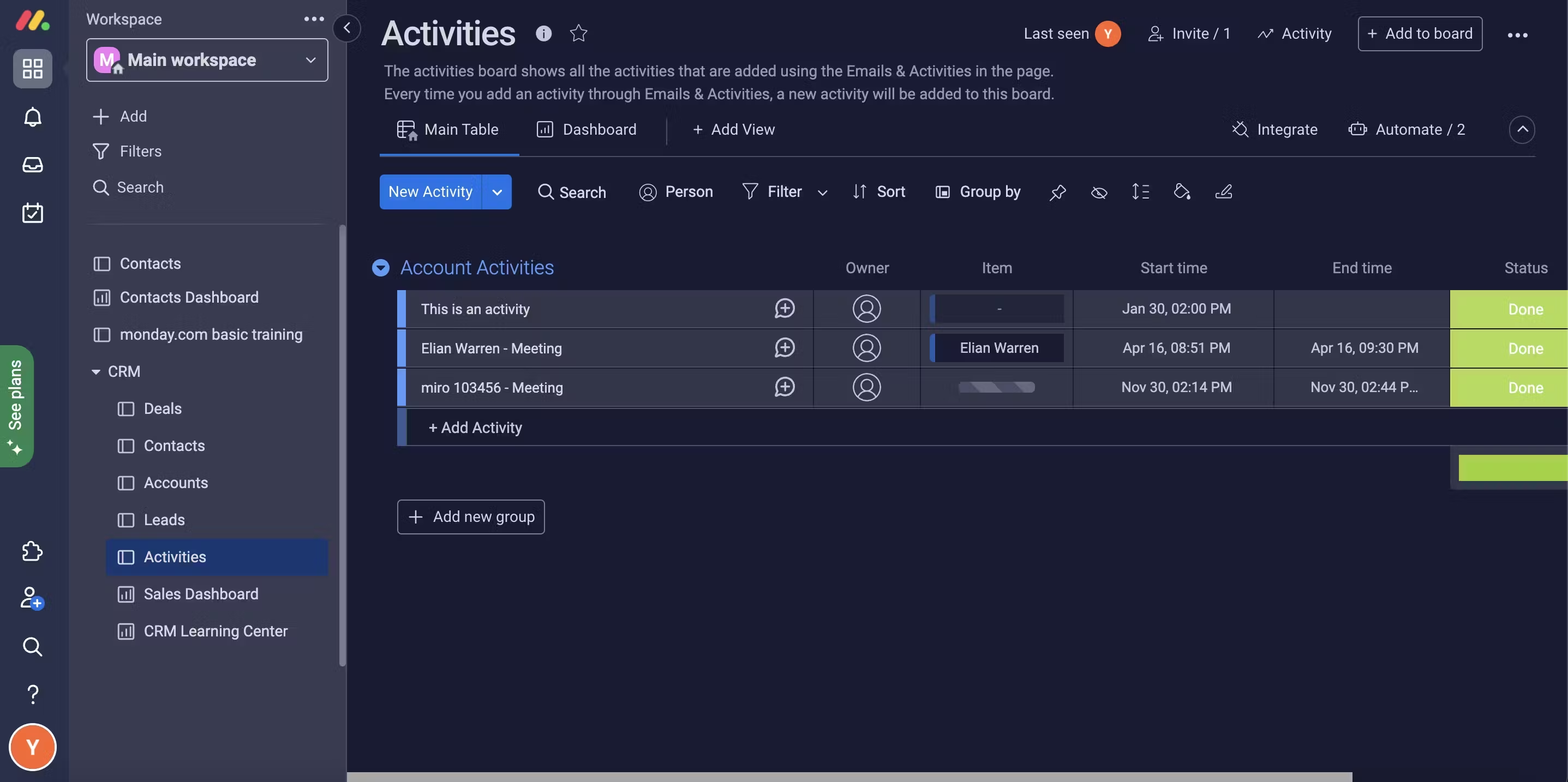
Image source: monday.com
Features:
- Two-way email sync (Gmail/Outlook), email templates, tracking, and mass-email capabilities.
- Workflow automations, custom integrations, and activity management to streamline sales processes.
- Sales forecasting, analytics dashboards and multiple view types (chart, map, workload) for deeper insight.
- Collaboration-centric tools: mobile apps, unlimited free viewers, guest access, and templates for sales, marketing and customer-workflow use.
Pros:
- Highly visual and intuitive board-style interface helps teams adopt faster and collaborate better.
- Strong flexibility: you can tailor pipelines, fields, automations and views to match your unique workflow.
- Good value for the price relative to many enterprise CRMs, especially for mid-sized teams.
- Unified environment means less context-switching between sales, marketing and operations teams.
Cons:
- Even though it's flexible, the setup and customization can be time-intensive for teams without admin resources.
- Some advanced features (e.g., heavy automations, integrations) are only available on higher-tier plans, which increases cost.
- Boards may become cluttered or less performant for very large datasets or enterprise-scale pipelines.
Pricing:
- Basic Plan: $12 per user/month (billed annually).
- Standard Plan: $17 per user/month (billed annually).
- Pro Plan: $28 per user/month (billed annually).
- Enterprise Plan: Custom pricing.
10. Bitrix24: Free CRM with built-in communication tools
Bitrix24 offers a powerful free-tier CRM that comes with integrated collaboration and communication features, making it ideal for teams that want both sales workflows and team coordination in one platform. The free version supports unlimited users and core CRM functions, reducing the barrier to entry for smaller organisations. Beyond that, paid plans scale in terms of storage, user-limits, and advanced features like automation, marketing tools and contact centre integration. If you're evaluating a hubspot alternative, Bitrix24 stands out for its generous free tier and broad feature set.
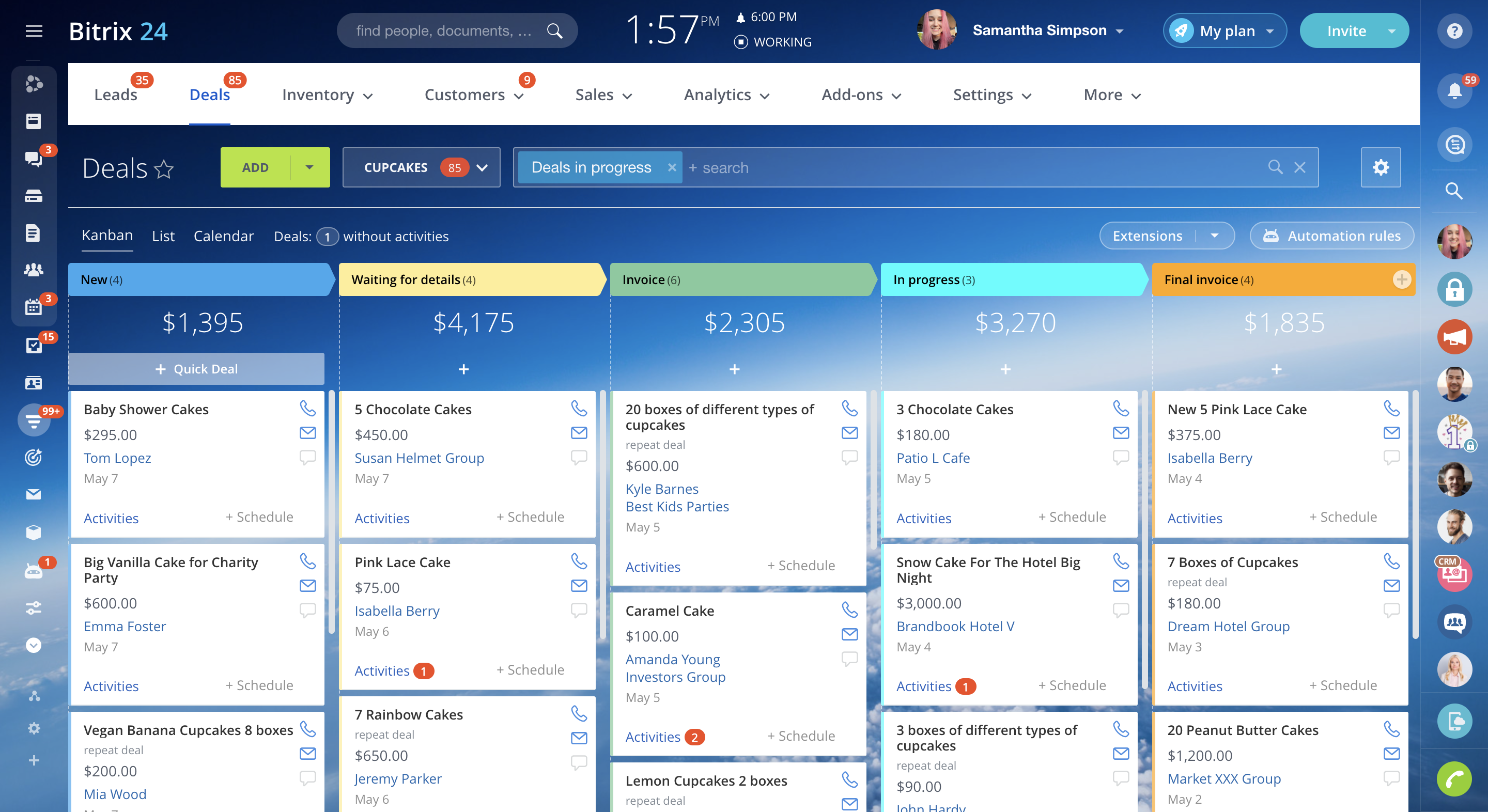
Image source: bitrix24.com
Features:
- CRM with unlimited contacts and deals, plus a visual pipeline and activity tracking.
- Built-in chat, video conferencing, tasks & projects, and file-sharing alongside CRM.
- Website/landing page builder and contact-centre integrations (calls, chatbots) included.
- Flat-fee plans (per organization) rather than per-user pricing; user limits defined per plan.
Pros:
- Free plan really allows unlimited users—excellent for teams just starting out.
- All-in-one workspace: CRM + communication + tasks reduce the number of separate tools needed.
- Flat pricing for organisations (instead of per-user) can deliver value at scale.
- Broad feature set means you can grow without switching platforms early.
Cons:
- Because it combines many functions, the user interface can feel cluttered and complex.
- The free tier is generous, but storage and advanced feature-limits may impose constraints.
- Higher-tier plans can still require significant onboarding and configuration to get full value.
Pricing:
- Basic Plan: $49/month (billed annually).
- Standard Plan: $99/month (billed annually).
- Professional Plan: $199/month (billed annually).
- Enterprise Plan: $399/month (billed annually).
Best practices when switching from HubSpot
Migrating from HubSpot to a new CRM platform requires careful planning to ensure a smooth transition without data loss or workflow disruption. Teams often underestimate the time needed for data mapping, automation setup, and user training. By following structured steps, you can make the switch efficiently while improving how your team collaborates and manages customer relationships. Here are key practices to keep your migration process seamless and effective.
- Export and clean your CRM data first: Before migration, export all contacts, deals, and activity data from HubSpot in a clean, structured format. Remove duplicates, outdated leads, and unnecessary fields that clutter your database. Clean data ensures accurate imports and reduces post-migration errors in your new CRM.
- Define what functions you actually use (don't overpay): Many teams pay for features in HubSpot they rarely use, leading to inflated costs. Before adopting a new CRM, list essential features that drive your sales and marketing workflows. Choose a plan that matches your needs, not one overloaded with extras you'll never use.
- Map new workflows in your chosen platform: Each CRM structures data and automations differently, so plan your workflows before implementation. Identify how leads move through your funnel, which tasks can be automated, and who's responsible at each stage. Proper mapping helps replicate (or improve) your current process efficiently.
- Recreate automation gradually, testing each step: Instead of importing all HubSpot workflows at once, build them gradually in your new system. Test automations for accuracy, triggers, and data flow before full rollout. This minimizes workflow errors and gives your team time to adapt to new systems.
- Use collaboration features to maintain team visibility: One common challenge post-migration is loss of team transparency. Use built-in collaboration tools like shared dashboards, comments, or activity logs to keep everyone aligned. This ensures that marketing, sales, and support teams continue to work cohesively after switching platforms.
Conclusion
Choosing the right HubSpot alternative depends on your team's size, budget, and workflow priorities. While HubSpot remains a strong contender in CRM and marketing automation, many growing businesses seek tools that offer better flexibility, collaboration, and cost efficiency. Platforms like Pipedrive, Freshsales, Zoho, and Monday Sales CRM provide excellent pipeline management and automation, while all-in-one workspaces such as Lark bring communication and execution together with CRM functionality.
If your team values seamless collaboration alongside data-driven customer management, Lark offers an integrated environment where chat, docs, sheets, and CRM workflows connect effortlessly. Instead of juggling multiple tools, teams can manage leads, track campaigns, and collaborate in real time—all in one place.
FAQs
What's the best free alternative to HubSpot?
Lark can be a strong contender if you're seeking a free hubspot alternative that goes beyond CRM to include team collaboration, document sharing, and communication tools in one workspace. It's ideal for startups or small teams that want to centralize work without switching between multiple apps. However, for teams looking for a more traditional CRM focus, other tools like Bitrix24 or EngageBay also offer generous free tiers. The best choice depends on your workflow priorities and scaling plans.
Which HubSpot alternative is best for small businesses?
For small businesses, the best hubspot alternative is one that's simple, cost-effective, and easy to adopt without technical setup. Tools like Pipedrive, Freshsales, or Zoho CRM offer intuitive dashboards, pipeline tracking, and light automation features suitable for small teams. The key is to find a CRM that fits your sales process rather than overwhelming it with unnecessary add-ons. Scalability and transparent pricing make these platforms appealing for startups and growing firms alike.
Is Lark a CRM or a full business workspace?
Lark is more than a CRM—it's an integrated business workspace combining communication, project management, and CRM capabilities. Teams can manage leads, share files, host meetings, and automate workflows in one connected environment. This makes it ideal for teams that value collaboration and real-time visibility. While it's not a traditional CRM, it bridges the gap between sales tools and workplace collaboration systems.
How do I migrate data from HubSpot to another platform?
To migrate data from HubSpot, first export your contacts, companies, and deals into CSV files, then clean and standardize the information. Next, import it into your new hubspot alternative and map each field correctly to ensure consistency. Test with small batches to verify accuracy before migrating everything. Finally, recreate automations, pipelines, and reports to align with your new system's structure.
What's the cheapest HubSpot alternative with automation?
If automation is your priority but cost is a concern, consider CRMs like EngageBay or Zoho CRM, which offer workflow automation in low-cost plans. These platforms help small teams automate emails, lead scoring, and deal tracking without steep subscription fees. Look for tools that include automation even in entry-level tiers, so you don't pay extra for scaling later.
Related reading
Table of contents
Start using Lark today

Manage all your work in one place
Boost team efficiency by 10x
Save up to 70% on software costs
Table of contents
Start using Lark today
Manage all your work in one place
Boost team efficiency by 10x
Save up to 70% on software costs
Keep reading









2026 Lark Technologies Pte. Ltd.
Headquartered in Singapore with offices worldwide.






Explore: