














Complete Review: Neo Mail Pricing, Features & Alternatives for SMBs

Cecilia Lin
Go-to-Market Associate
Nov 3, 2026
Cecilia Lin
Nov 3, 2026

10 min read
Add to preferred sources


Email is one of the core business tools for SMBs. It is the platform where deals are closed, customer requirements are understood, and long-term relationships are built. That’s why most SMBs often feel overwhelmed when choosing the right email hosting solution for their business. But, Why? Isn’t there a multitude of email hosting options available in the market that claim to offer the best features and affordable business email plans?
Yes, they do, but most of them either lock the important capabilities for the higher-tiered plans, lack flexibility for growing teams, or add unnecessary complexity that small businesses do not need.
Neo Mail claims to position itself differently. Designed especially for SMBs, Neo Mail features and pricing plans are built to provide professional email capabilities, modern productivity features, and transparent email pricing without any additional complexity.
This complete Neo Mail review takes a detailed look at the features, pricing, pros and cons, and capabilities as compared to popular Neo Mail alternatives for SMBs.
Neo Mail: An overview
Neo Mail is a business-oriented email hosting platform that is ideally designed according to the requirements of small business owners. It offers professional email address creation using custom domains, manages email communication through rich productivity tools, and also provides the ability to generate intuitive AI brand-aligned websites without any coding or technical knowledge.
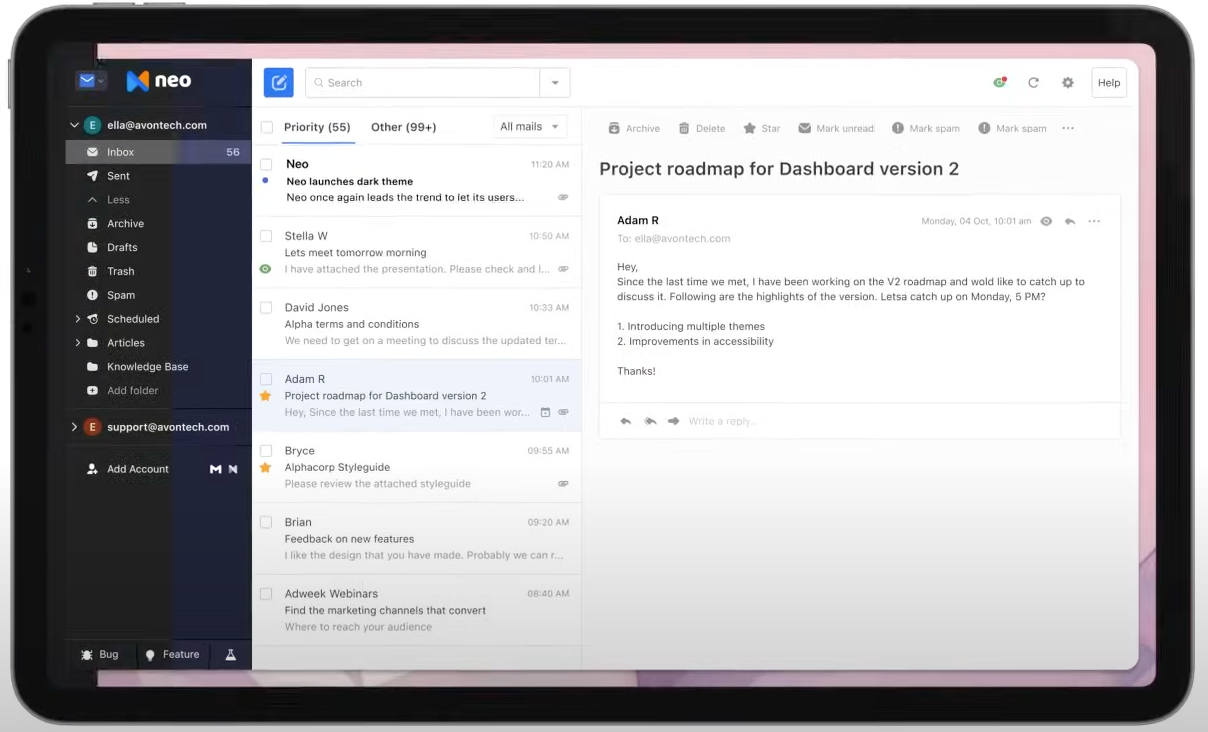
Image source: neo.space
However, apart from the powerful email tools and website-building capabilities, what attracts most SMBs is the Neo Mail pricing. The email pricing plans are straightforward, budget-friendly, and do not include any hidden fees.
Like several SMBs evaluating the best email solution for small businesses, these capabilities make Neo Mail worth a closer look.
Let’s get started.
Neo Mail pricing
Most SMBs have a fixed or limited budget; thus, pricing is one of the most important factors when selecting an email hosting solution for SMBs. Before selecting a productivity suite, it's worth reviewing the latest Google Workspace pricing and ClickUp pricing plans.
The pricing plans are divided into three tiers. Let’s explore them:
Starter
Priced at $1.99/mailbox/month, it offers 15 GB of email storage and is perfect for small businesses that are just starting.
What does it offer?
Professional email with custom domain, Android & iOS apps, and basic essential features, including in-built calendar, IMAP/POP app, 50 read receipts, 1 email template, 1 contact group, capacity to send 500 emails/day, 1 forwarder, custom DKIM, 2FA, encryption, email rules, auto-reply, and shareable calendar.
Standard
Priced at $3.99/mailbox/month, it offers 50 GB storage and is good for small teams that need productivity tools, increased email storage, and email hosting.
What does it offer?
In addition to offering all the features of the Starter plan, it comes with grammar and spell check, full read receipts, the capacity to send 1000 emails/day, and 3 forwarders.
Max
The top-tier plan is priced at $7.99/mailbox/month and offers 100 GB of storage.
What does it offer?
You get all the features of the Standard plan plus the capability of a powerful business suite that includes features like appointment booking, signature designer, campaign mode, advanced tracking, and AI email writer.

Neo Mail features
Features form the core of any email hosting platform, and Neo Mail is not just another mailbox. It understands what SMBs need and offers the right capabilities that appeal to most small teams.
1. Custom domains for professional emails
Neo Mail knows how important it is for a brand to create its online presence with a domain that represents its brand. Therefore, it allows users to create business emails with custom domains. What’s most interesting is that it does not matter whether you already have a registered domain (through a third-party) or not.
For example, if you have registered a domain like yourbusinessname.com, Neo Mail will check its authority, and once verified, it will allow you to create a business email address like: yourname@yourbusinessname.com.
But, if you don’t, then you can enter the preferred domain name of your choice, and Neo Mail will add a (.co.site) extension to it. Further, you can use this domain for free for the first year (with yearly plans) and use it to create a professional email address like: yourname@businessnmae.co.site.
Benefit: You can use this newly created professional email address for free for 15 days (A free trial period).
2. Email management tools
To simplify managing inboxes, Neo Mail offers features like email rules, priority inbox, turbo search, one-click import, send later, follow-up reminders, contact groups, HTML-in composer, block sender, allow list, auto-reply, and multi-account support.
3. Email productivity features
A built-in calendar, meeting bookings, and appointments help in managing schedules every day. Teams get everything in one place, so sharing the availability with customers and teams becomes easier.
4. AI-powered capabilities
Neo Mail offers powerful AI-assistance. Its AI Smart Write feature simplifies email writing by assisting in drafting and writing emails. Similarly, its AI content generation capabilities can generate content for business websites within seconds.
5. Neo Site Builder
Neo Mail goes beyond email hosting and offers a powerful AI website builder that is built on a no-code platform and allows users to build stunning AI-smart websites for their businesses. What’s interesting is that the users have the flexibility to change the fonts, colors, layout, background, and also change the template of the AI website.
Benefit: It offers a free one-page website with each email plan. This allows users to create a strengthened online presence with a branded email and website.
6. Email tracking and site analytics
Small businesses are creating their presence in customers' inboxes, that’s why Neo Mail features come enriched with capabilities like email tracking and read receipts that let you know when your email was opened. Similarly, understanding how your website is performing is crucial for businesses to make data-driven decisions. To address this, the platform offers site analytics and flexibility to add contact forms to websites to drive lead conversions.
7. Advanced security
Even though Neo Mail focuses on essential capabilities, it does not compromise on email and data security. The platform comes integrated with features like two-factor authentication, data encryption, solid antivirus and antispam, and custom DKIM.
8. Neo Growth Suite
It also offers powerful email marketing tools to manage email campaigns and email templates, and allows users to integrate signatures and manage bookings.
Is setting up Neo Mail easy?
Small businesses do not have enough resources or budget to spend extra on technical assistance or take the time to understand the learning curve for setting up an email platform. Neo Mail successfully addresses this challenge. It offers a quick setup that even a user with no technical background can carry out easily.
Here’s how to start:
1. Open the Neo Mail website and click on the ‘Get Started’ button.
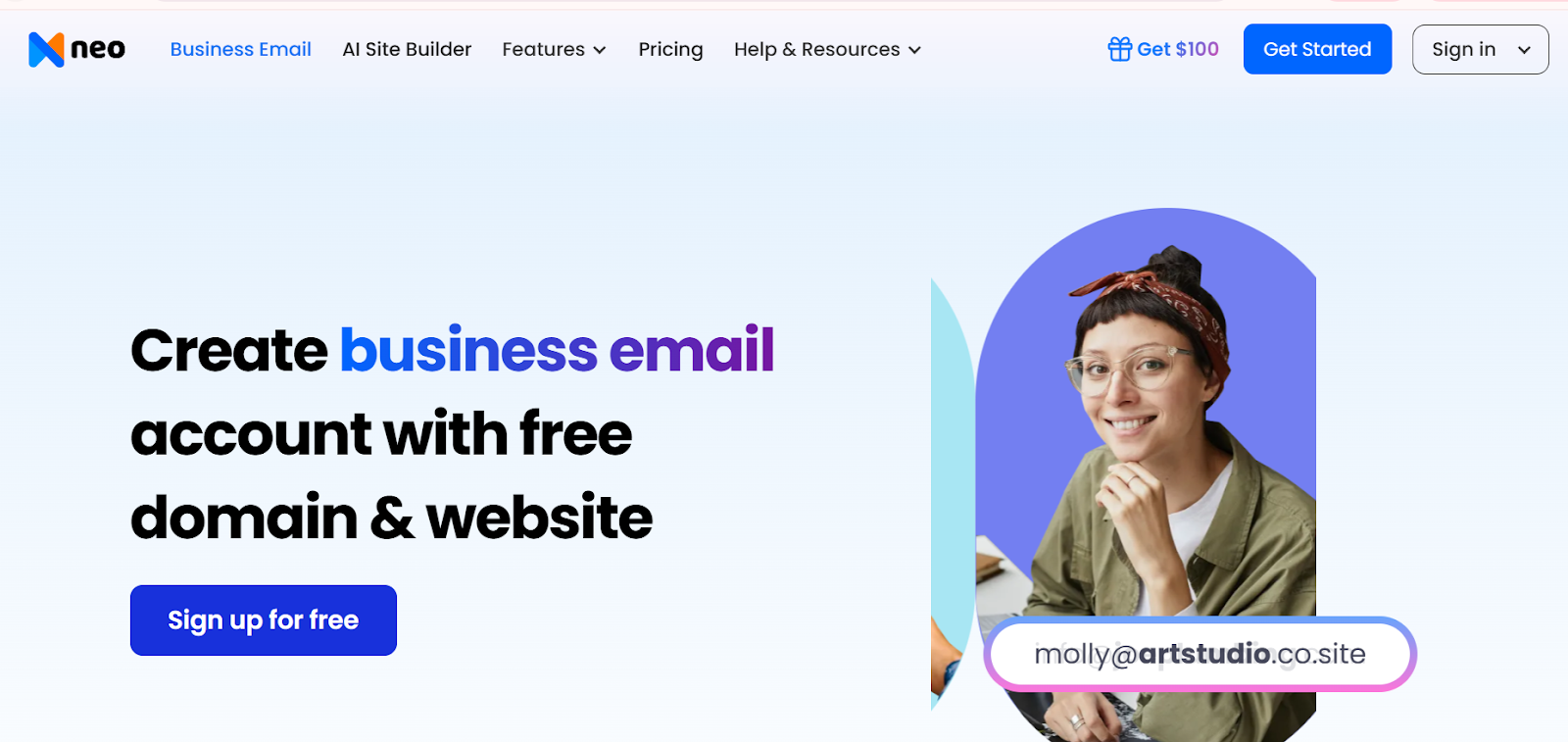
Image source: neo.space
2. You will be guided to a page that asks you to enter your preferred domain. At this stage, if you already have a registered domain, you can click on ‘Use a domain I own’ to continue with it, or else type in the predefined domain name.
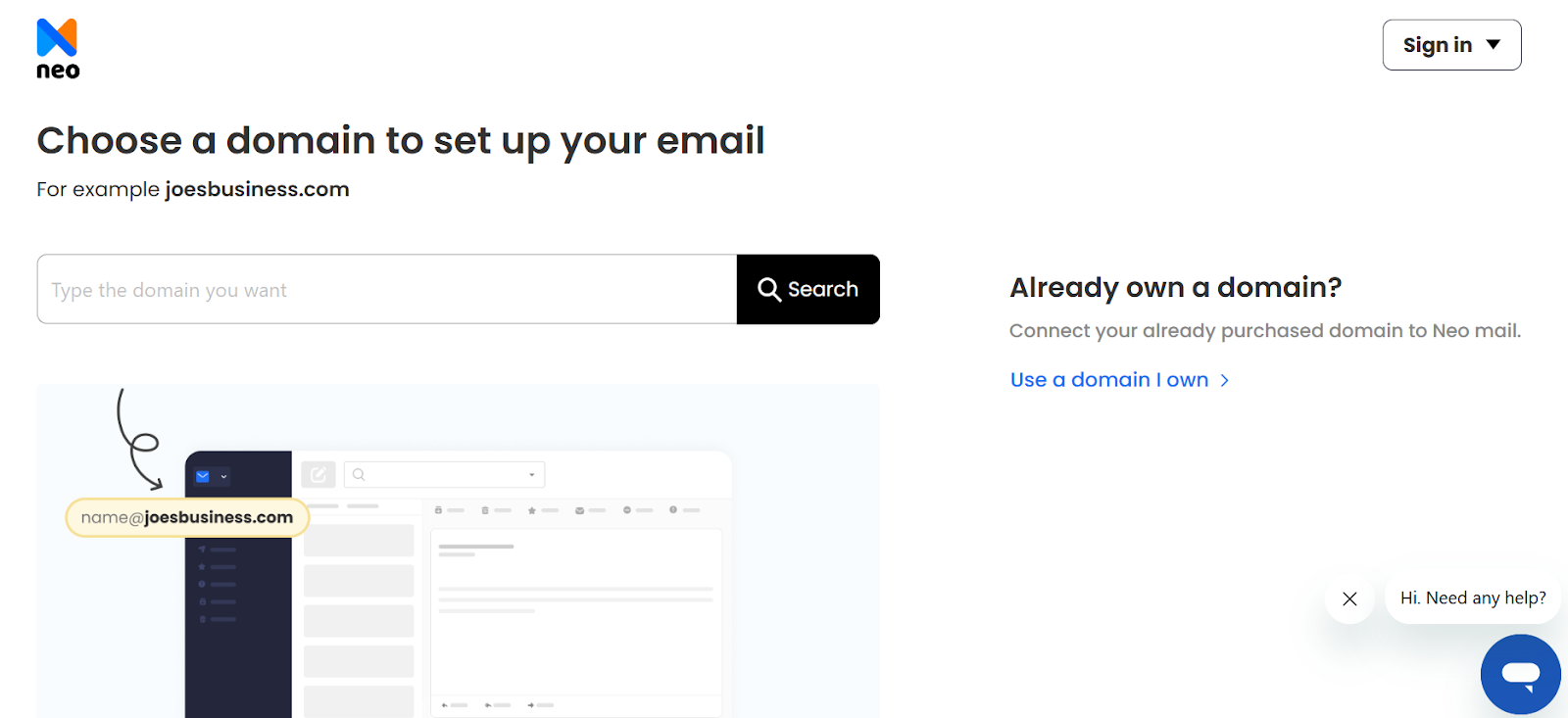
Image source: join.neo.space
3. Next, if your preferred domain name is available, Neo Mail will add an extension (.co.site) to it. Click on ‘Use this domain’ to continue.
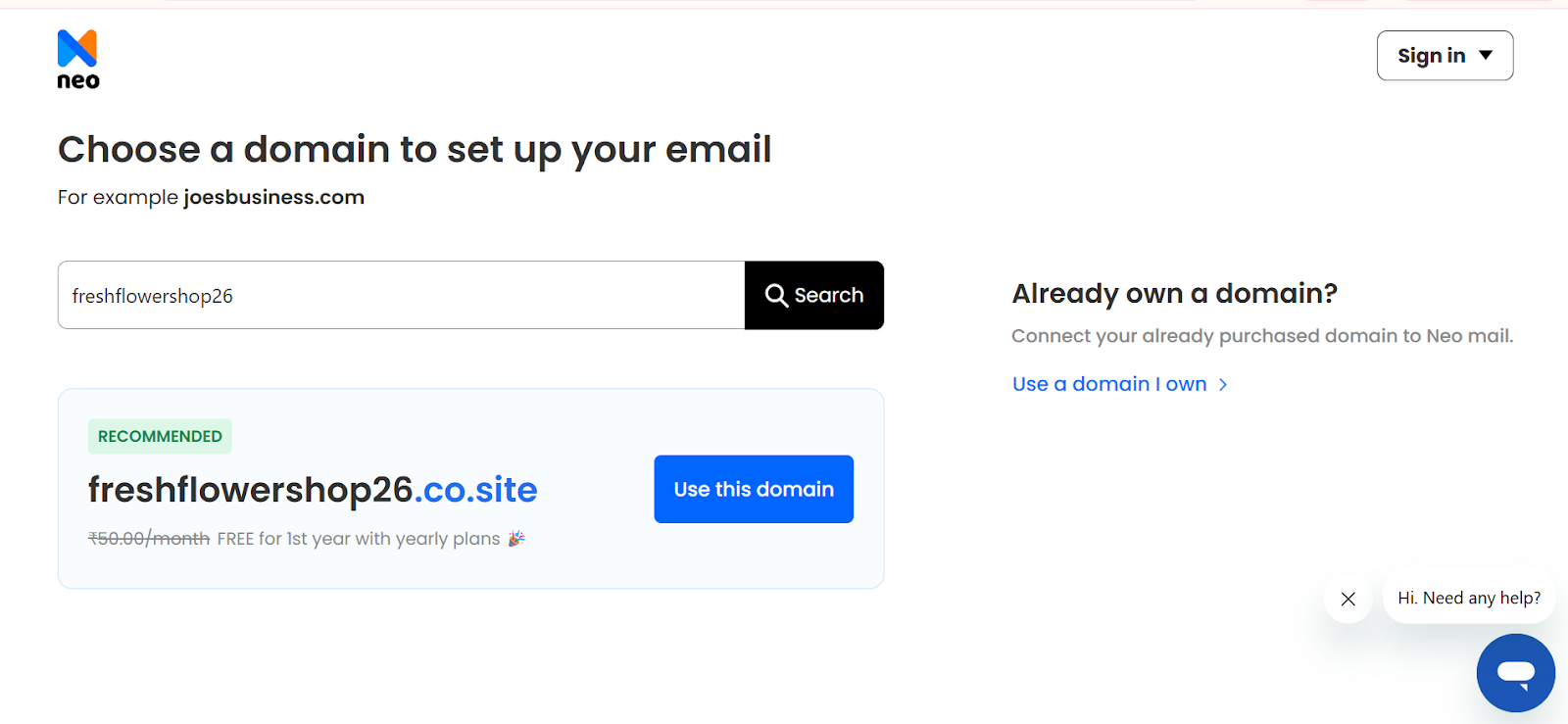
Image source: join.neo.space
4. Now, create your customer account by entering the essential information as asked.
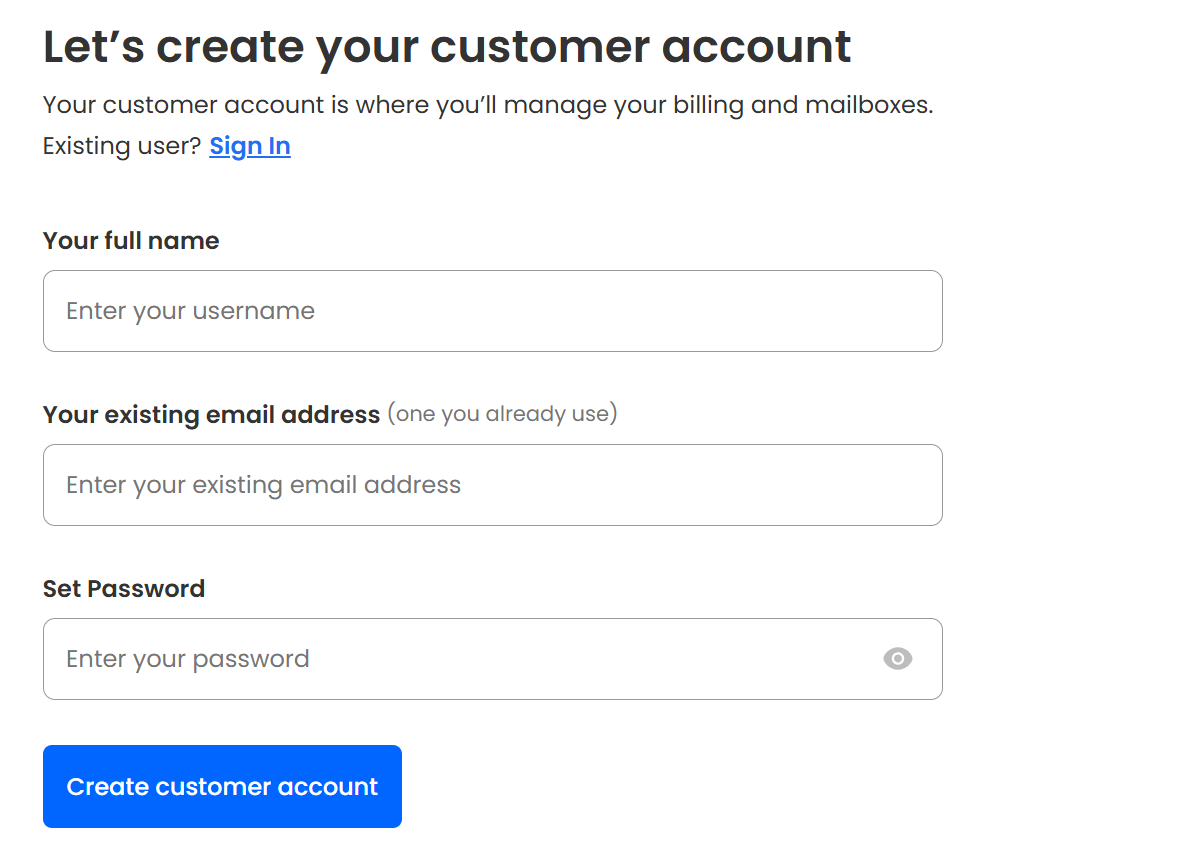
Image source: join.neo.space
5. Once you have created the customer account, you can create the admin professional email address and also create multiple aliases for your teams and users. For example, you can create business emails for departments like marketing@, logistics@, finance@, etc.
6. For users who have created a custom domain (with a .co.site) on Neo Mail, they need not worry about DNS configurations; the platform takes care of it on its own. However, users who have used an already existing domain must perform DNS setup (simple steps) to allow emails to move through Neo Mail’s server.
Pros and cons of Neo Mail
While Neo Mail is packed with all the essential features, it comes with certain limitations too. To simplify, here’s a table highlighting the pros and cons:
Pros | Cons |
Affordable business email plans. | Limited third-party integrations. |
A free domain extension (.co.site), a 15-day free trial period, and a free one-page website. | Basic analytics and contact management features. |
Allows creating a custom domain for business emails. | Advanced features like AI-assistance are available with the higher-tiered plan. |
Powerful AI-assisted features for writing emails and creating websites. | Large teams might find limitations with features in terms of scalability. |
Easy setup with no complex configurations | Not suitable for large enterprises that need full project management tools along with email hosting. |
How does Neo Mail compare to its alternatives for SMBs?
This review cannot be complete without analyzing how Neo Mail compares to its top competitors.
Here are the top two Neo Mail alternatives for SMBs:
1. Zoho Mail
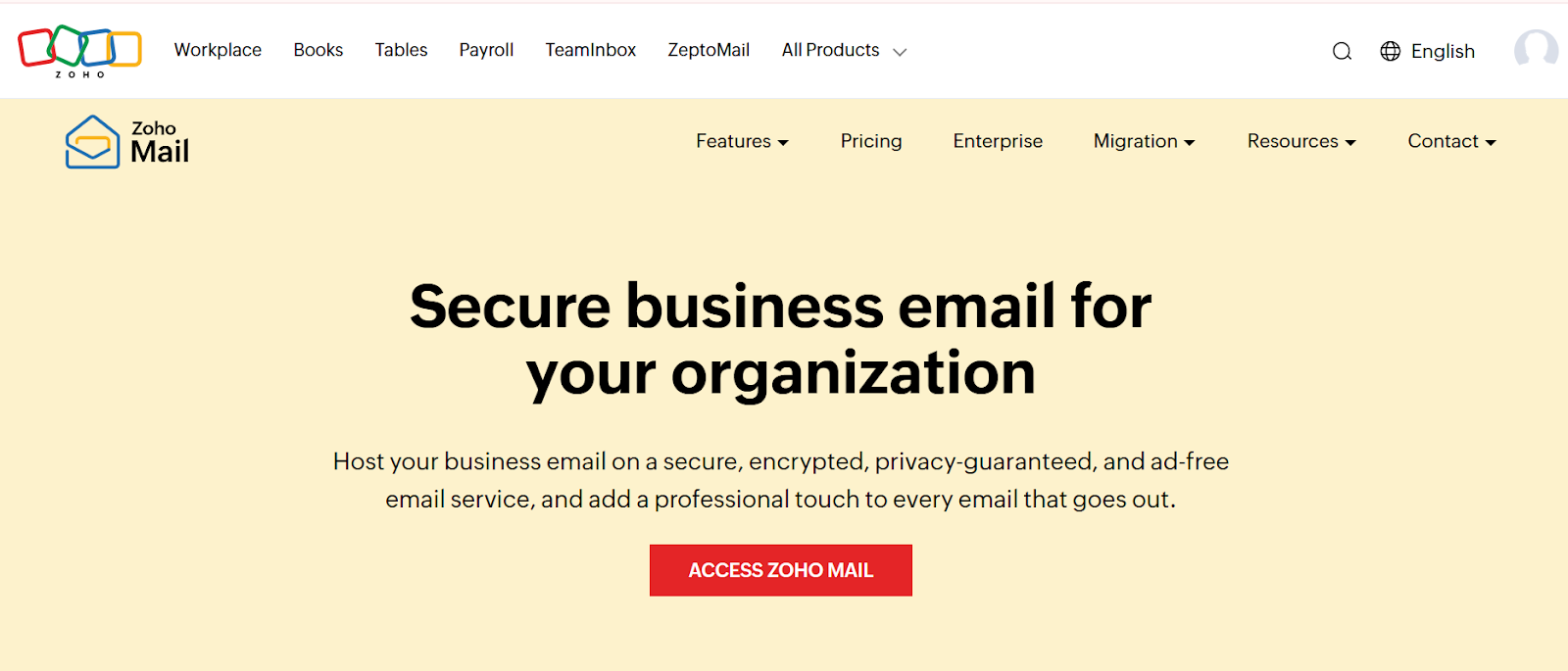
Image source: zoho.com
Similar to Neo Mail, Zoho Mail offers cost-effective pricing plans (plus a forever-free plan with limited capabilities), a robust email and collaboration suite, custom domains, a shared calendar, tasks, notes, document integration, and enhanced security.
Where Neo Mail performs well | Where Zoho Mail has the advantage |
Lower entry-level pricing is ideal for small or growing businesses. | A forever-free plan (with limits) is best for very small teams or for testing the performance of business email. |
Quit setup that requires no technical assistance. | Richer collaboration tools. |
Built-in AI writing assistant. | Comes with an integrated document editor. |
Neo Site Builder for generating AI-powered websites. | Seamless integration within Zoho’s ecosystem |
Simple, clean, and a single interface for managing every capability. | Powerful admin controls for users and groups. |
Ideal for startups and SMBs that do not need a full office suite. | Best for growing teams that want to work within Zoho’s environment. |
2. Google Workspace
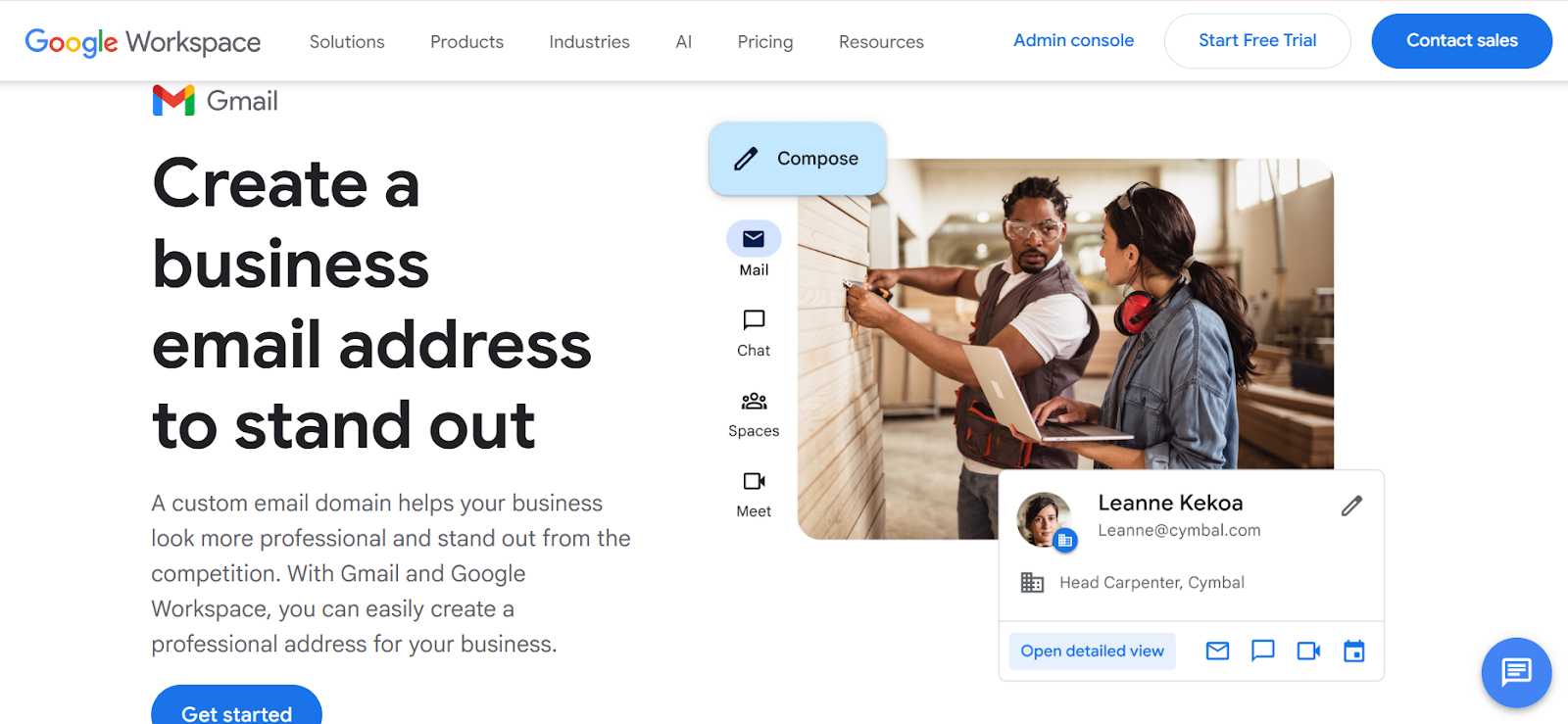
Image source: workspace.google.com
Google Workspace is the most popular platform for email hosting. Known worldwide for its dynamic security capabilities, collaboration-first productivity suites, and professional email hosting that offers tight integration with Google Docs, Drives, Sheets, Vids, and Meet.
Although the platform offers industry-leading performance, let’s see a comparison between Neo Mail vs Google Workspace:
Where Neo Mail Shines | Where Google Workspace has an advantage |
Budget-friendly pricing plans are compared to Google Workspace. | Although expensive, all plans offer AI-assistance (Gemini). |
Simple setup that is ideal for non-technical users. | Offers advanced collaboration tools. |
AI-based writing assistance for emails. | Real-time document collaboration. |
Essential security features for SMBs. | Enterprise-grade security with capabilities like phishing protection, endpoint management, secure LDAP, and DLP. |
Comes bundled with website creation tools and is designed for email-centric workflows. | Offers deeper third-party integrations and works seamlessly with collaboration-centric workflows. |
Designed for small businesses, freelancers, and startups. | Best for mid-size and large-scale enterprises that work in Google’s ecosystem. |
3. Lark Mail
Lark is an all-in-one team collaboration platform that brings chat, calendars, documents, meetings, and workflows into a single product, reducing the need to switch back and forth between different tools. Lark Mail is its enterprise email module, designed with a focus on “intelligence and security,” and it connects email seamlessly with team communication—for example, by sharing an email in a chat so multiple people can collaborate and stay aligned around the same message.
Seamless collaboration across Lark

- Share an email directly to Lark Messenger, so the team can discuss, decide, and follow up in a single chat thread—closing the loop across channels.
- Convert email content into a task and add it to Lark Tasks for clear ownership and execution.
- As part of the Lark suite, Lark Mail emphasizes a secure, intelligent experience and works within the same unified workspace as other Lark apps.
Email automation to reduce manual follow-ups

- Set up triggers and actions in Base automations/workflows to send emails automatically based on conditions (e.g., status changes, form submissions, notifying stakeholders).
- Receive bot-delivered notifications and announcements tied to your mailbox activity, helping reduce the risk of missing important email events.
Third-party email and tool integration for cross-platform workflows

- In workflows and automations, use third-party apps as triggers or action nodes (e.g., Gmail, Outlook, Slack, Microsoft Teams) to connect email-driven processes across tools.
While Neo Mail is built with an email-first approach, several growing teams need an integrated platform that brings all functionalities to manage business teams in one place. Lark Suite is an all-in-one productivity platform that combines Lark Mail (Business email) with other capabilities like messenger, docs, meetings, minutes, calendar, videos, and workflow automation. For business emails, it also supports custom domains, offline reading, mail syncing across multiple devices, email notifications, etc.
Comparison to Neo Mail: For businesses that see email as their primary operational tool, Neo Mail is the best option. However, for businesses that work with collaboration-driven teams, Lark can be a good option.
Neo Mail reviewed: Does it fit in the SMB email landscape?
Considering the price-to-value ratio, ease of use, simplicity, AI-assistance, and transparency, it can be said that Neo Mail is one of the best email solutions for small businesses. Especially for SMBs and startups that have budget constraints, the Neo Mail business email pricing eliminates the friction to adopt professional emails with custom domains without compromising on the necessary functionality.
It can also be said clearly that Neo Mail is not trying to replace its competitors like Zoho Mail or Google Workspace; rather, it is just focusing on what SMBs actually need to build a successful online presence with a branded professional email. Overall, Neo Mail does deliver meaningfully in the SMB email landscape, and even if you need a complete solution that goes beyond business email and website, then Lark Suite is an option that you can consider.
FAQs
Does Neo Mail support mobile applications?
Yes, Neo Mail functions efficiently across mobile applications (supports both iOS and Android).
Which is better, Neo Mail or Google Workspace?
Both are powerful email hosting platforms, but while Neo Mail is more email-centric, Google Workspace focuses more on collaboration capabilities.
Is Neo Mail ideal for startups and small businesses?
Yes, Neo Mail is purposely designed to address the email hosting requirements of small businesses, startups, and freelancers.
Related reading
Table of contents
Start using Lark today

Manage all your work in one place
Boost team efficiency by 10x
Save up to 70% on software costs
Table of contents
Start using Lark today
Manage all your work in one place
Boost team efficiency by 10x
Save up to 70% on software costs
Keep reading



Lark recognized in 2023 Gartner® Collaborative Content Workspaces and Meeting Solutions reports
Lark, the global superapp for productivity, is delighted to announce it receives recognition in the Gartner's 2023 Innovation Insight for Collaborative Content Workspaces and Market Guide for Meeting Solutions.






2026 Lark Technologies Pte. Ltd.
Headquartered in Singapore with offices worldwide.






Explore: