














Pipedrive vs Salesmate: Which CRM Is Right for Your Sales Team

Nidhi
Freelance Content Writer
Nov 3, 2026
Nidhi
Nov 3, 2026

15 min read
Add to preferred sources


When it comes to managing leads, tracking deals, and closing faster, both Pipedrive and Salesmate rank among the most popular sales CRM platforms. Each helps teams gain better pipeline visibility, automate follow-ups, and analyze performance but they take different paths to achieve these goals. Pipedrive is known for its simplicity, visual pipelines, and ease of setup, making it ideal for smaller teams focused on deal tracking. Salesmate, on the other hand, offers deeper automation, built-in communication tools, and greater flexibility for growing sales operations. In this guide, we'll compare Pipedrive vs Salesmate in usability, features, pricing, and scalability and explore how Lark provides a connected, all-in-one alternative built for modern, data-driven sales teams.

Overview: Pipedrive and Salesmate at a glance
What are Pipedrive and Salesmate?
Pipedrive and Salesmate are customer relationship management (CRM) platforms designed to help sales teams manage leads, track deals, and improve conversion rates.
Pipedrive is a sales-focused CRM known for its simple, visual pipeline interface. It allows users to track deals through customizable stages, automate routine tasks, and monitor progress with intuitive dashboards. Its ease of use makes it a favorite among small to midsize sales teams seeking straightforward deal management and forecasting tools.
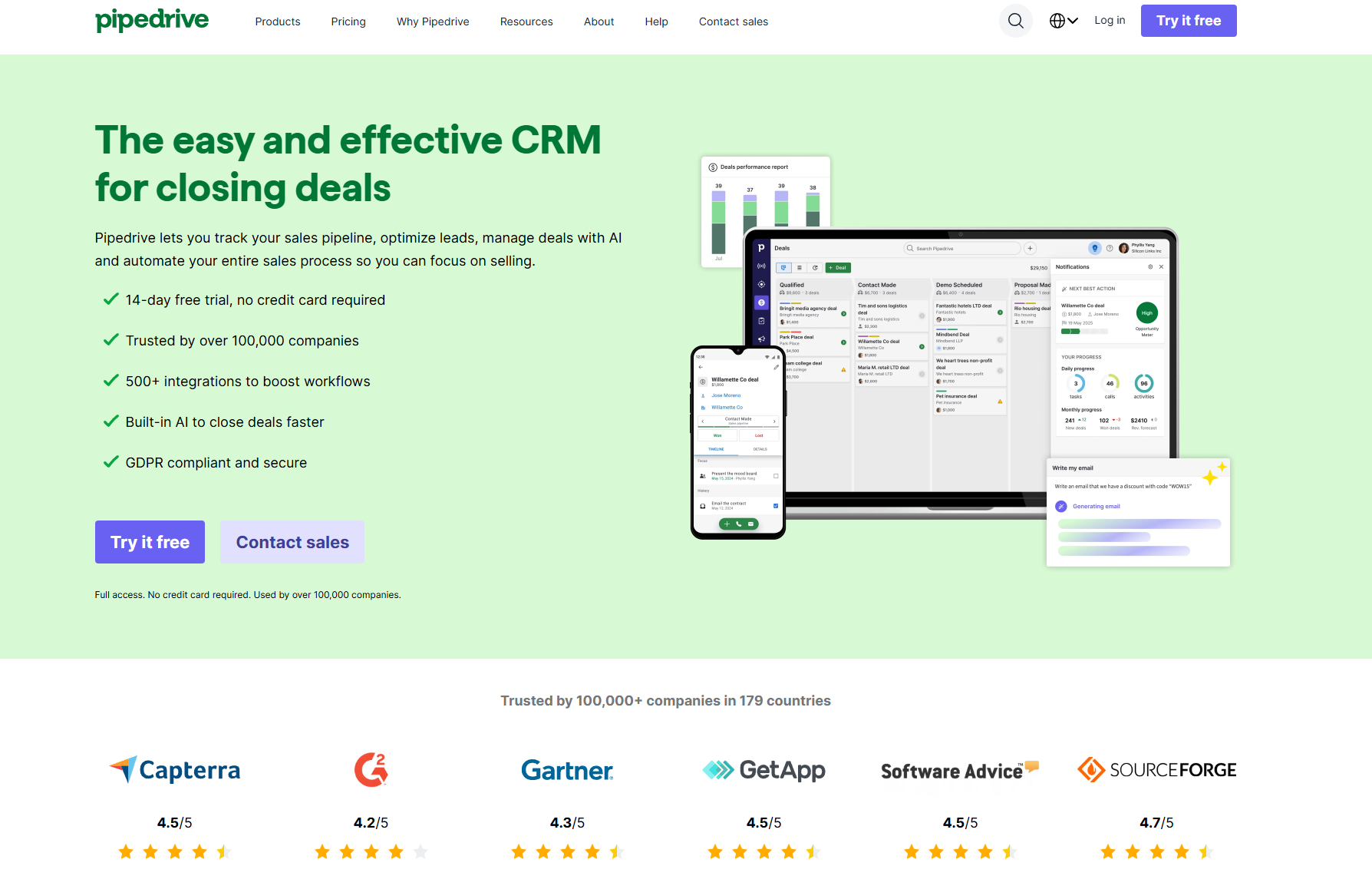
Image source: pipedrive.com
Salesmate, on the other hand, is an all-in-one CRM that combines deal tracking with built-in communication and automation features. It supports calls, emails, SMS, and workflows within the platform, helping teams manage multi-channel outreach efficiently. Salesmate is ideal for growing businesses that need automation, personalization, and data-driven insights.
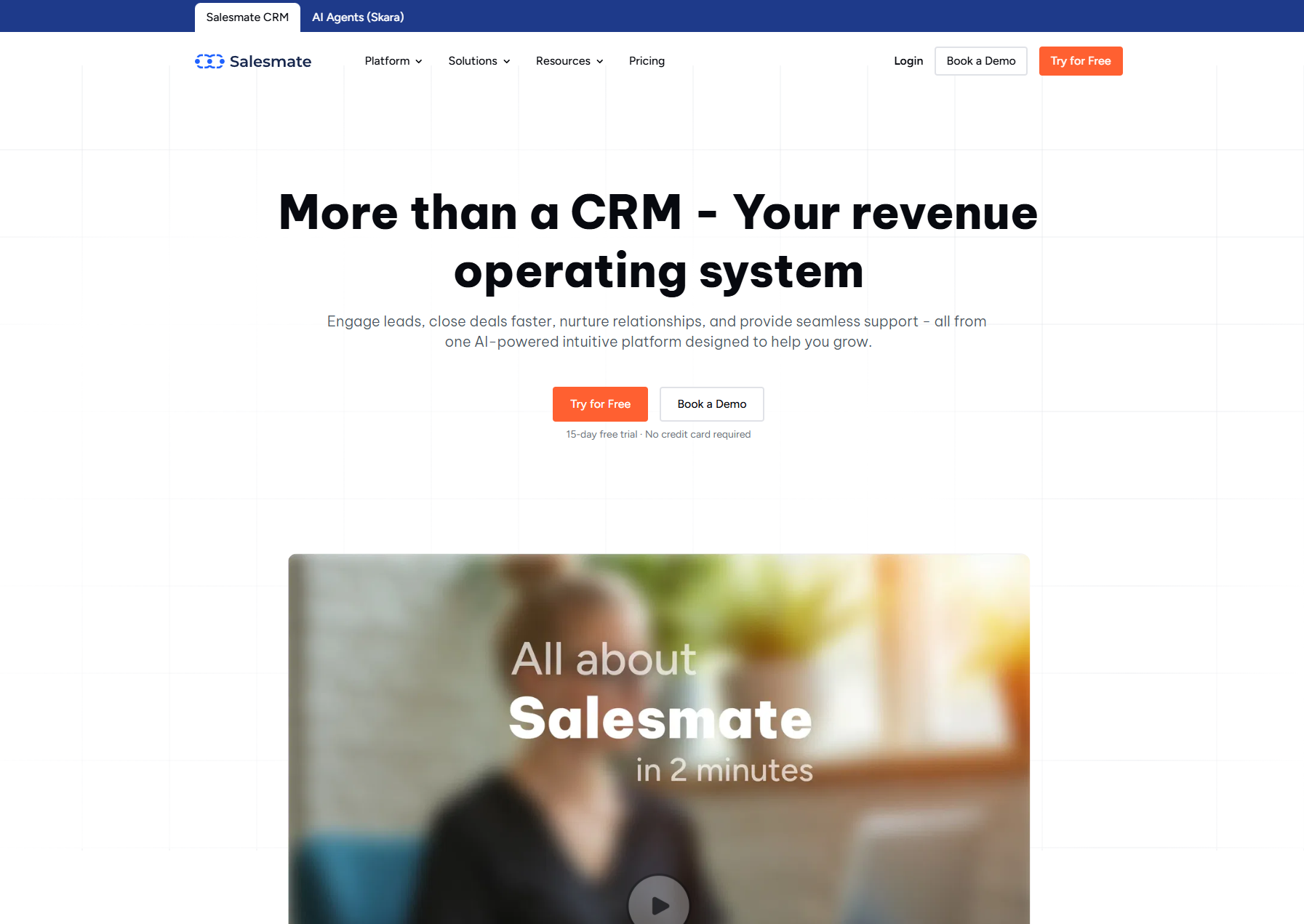
Image source: salesmate.com
In short, while Pipedrive simplifies sales tracking, Salesmate enhances productivity with integrated communication and advanced automation capabilities.
Salesmate vs Pipedrive : Feature-by-feature comparison
Ease of use
Pipedrive is known for its intuitive interface. Pipedrive's drag-and-drop pipeline makes deal tracking simple. Sales reps can visualize stages clearly, but customization options can feel limited for teams with complex sales structures.
Salesmate has a slightly steeper learning curve, but it is more flexible. Its interface supports automation setup, multiple pipelines, and integrated calling ideal for teams managing high-volume communication.
✅ Verdict: Pipedrive wins on simplicity, while Salesmate is better for teams that need more customization and communication features.
Contact and deal management
Pipedrive offers visual pipelines where users can move deals between stages manually. Each deal card displays activities, notes, and revenue potential. However, managing multiple pipelines can require add-ons or manual setup.
Salesmate provides unified contact profiles that combine communication history, activities, and sales sequences. It automates contact follow-ups and integrates SMS and calls directly into deal workflows.
✅ Verdict: Salesmate offers stronger communication features, while Pipedrive focuses purely on deal tracking.
Automation and workflow management
Pipedrive offers basic workflow automation (e.g., sending follow-up emails or updating fields after deal stage changes). Automations work well for standard sales cycles but can feel limited for complex operations.
Salesmate provides advanced automation for lead nurturing, deal movement, and personalized follow-ups. Users can build multi-step automations that blend email, SMS, and task creation.
✅ Verdict: Salesmate leads here, offering richer automation that saves time and reduces manual effort.
Reporting and analytics
Pipedrive delivers essential reports on deals, revenue, and conversion rates. Dashboards are clear and easy to use, but lack deep customization. Advanced insights are available on higher-tier plans.
Salesmate offers flexible reporting dashboards with drag-and-drop widgets for KPIs like pipeline velocity, team performance, and revenue forecasting. Custom metrics can be tracked easily.
✅ Verdict: Salesmate's reports are more robust, while Pipedrive remains simpler and faster for quick overviews.
Support and integrations
Pipedrive offers more CRM-focused add-ons and API integrations, making it highly customizable for sales teams that need tailored workflows, advanced reporting, and seamless connections with other business tools.
Salesmate connects better with marketing and telephony tools, providing strong support for omnichannel sales teams. By integrating email, phone, and messaging channels directly into the CRM, Salesmate allows reps to manage all customer interactions in one place.
✅ Verdict: Both tools collaborate with email, Google Workspace, and third-party apps like Slack, Mailchimp, and Zoom. Salesmate has the edge for teams that rely on communication-heavy workflows. This makes Salesmate a strong contender as a Google Workspace alternatives, particularly when considering the diverse functionality it offers compared to the modular approach and varying Google Workspace pricing structures for its individual services.
Pricing comparison
Pipedrive
- Lite: Paid from $14/user/month. Includes lead, calendar & pipeline management; AI‑powered report creation; real-time sales feed; 500+ integrations; personalized onboarding.
- Growth: Paid from $39/user/month. Includes everything in Lite, plus full email sync with tracking, automations & sequences, subscriptions & forecast reports, meeting scheduler, contacts timeline, live chat support.
- Premium: Paid from $59/user/month. Includes everything in Growth, plus lead generation & routing, custom scoring and company data enrichment, AI‑powered multi‑email tools, contracts & e‑signatures, enhanced customization for teams, reports & data fields.
- Ultimate: Paid from $79/user/month. Includes everything in Premium, plus fortified account security with rules & alerts, phone & email data enrichment, sandbox testing account, extended phone support, partnership discounts.
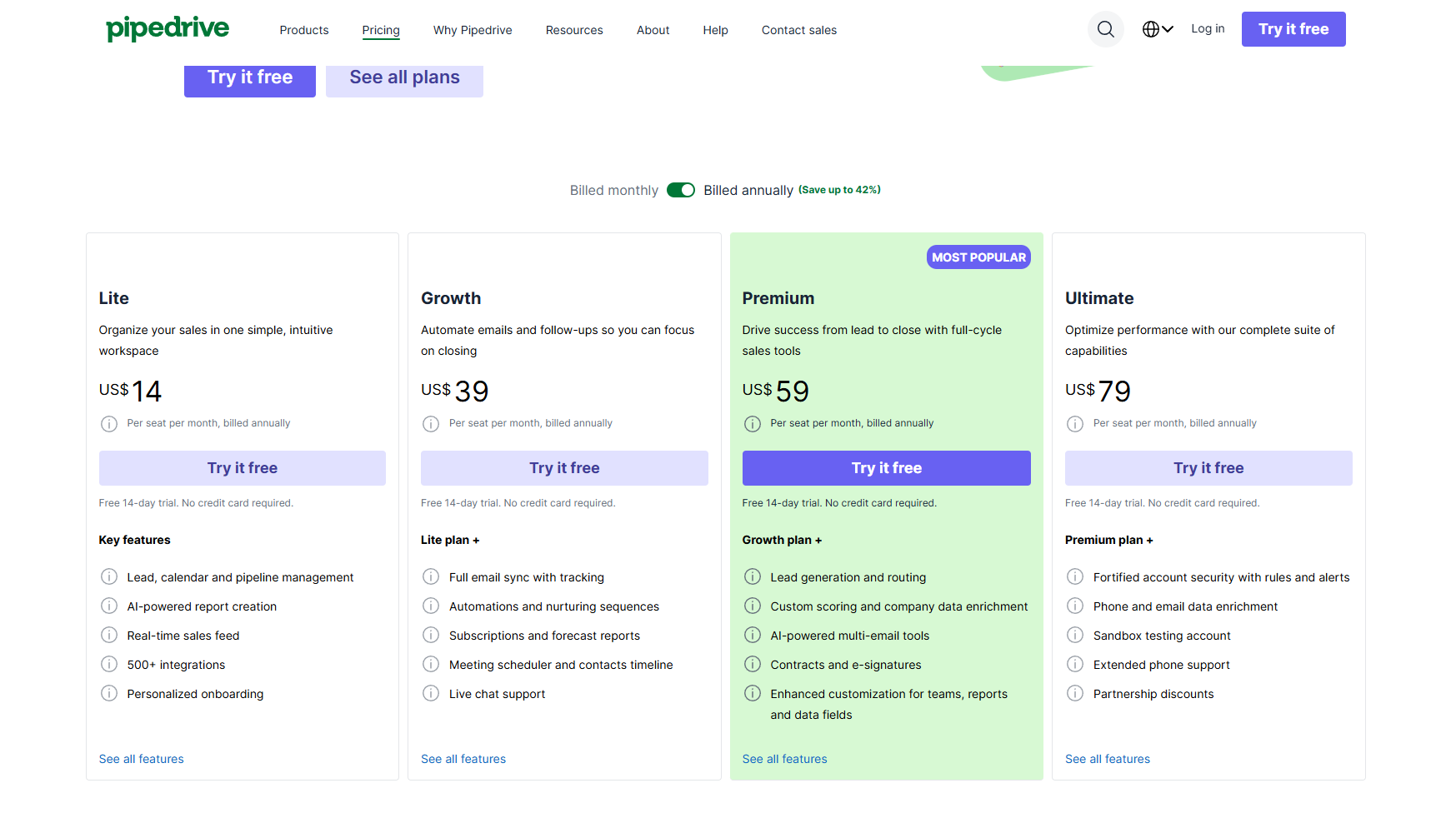
Image source: pipedrive.com
Salesmate
- Basic: Paid from $23/user/month. Includes contact, company & deal management; email sync & tracking; multiple pipeline management; workflow automation; web forms; custom fields.
- Pro: Paid from $39/user/month. Includes everything in Basic, plus sequences; quotes management; product management; team inbox; team management; custom reports & goals; formula fields; field‑based permissions.
- Business: Paid from $63/user/month. Includes everything in Pro, plus team management, power dialer, custom modules, increased workflow limits, advanced analytics & reporting.
- Enterprise: Custom pricing. Includes all Business features plus a dedicated account manager, personalized onboarding, and premium support.
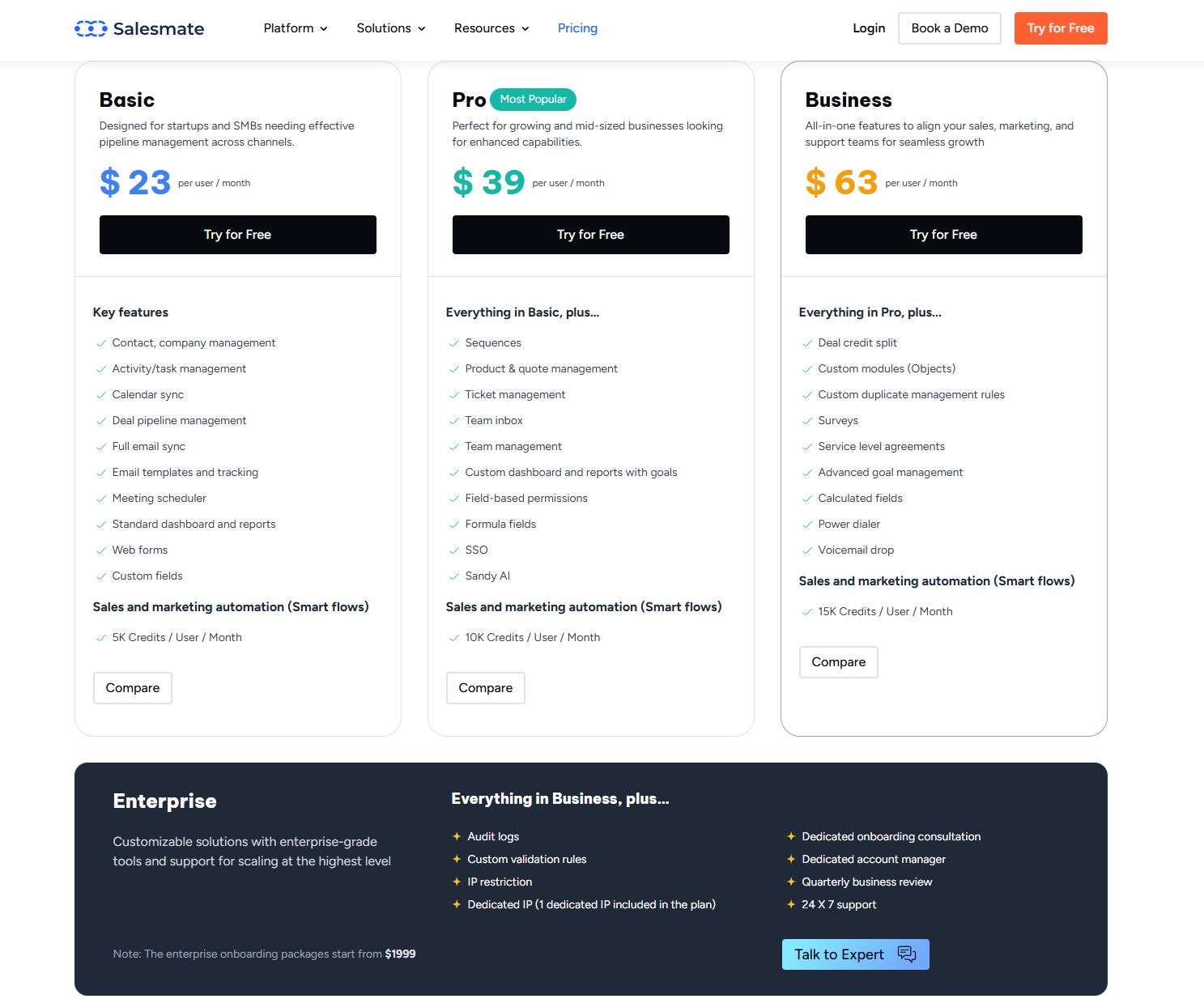
Image source: salesmate.com
✅ Verdict: Pipedrive offers better entry-level value for pipeline-focused teams, while Salesmate provides stronger built-in email and multi-channel features at a higher starting price.
How Pipedrive and Salesmate compare in real-world use
When selecting a CRM for your sales team, the decision often comes down to how well the tool fits how you work—not just what features it offers. Examining real-world use cases for Pipedrive and Salesmate highlights the differences in usability, scalability and team impact.
- Usability and onboarding
- In practice, Pipedrive is frequently chosen by smaller sales teams or companies looking for a fast, intuitive setup. Users report that its drag-and-drop pipeline and polished interface help new reps hit the ground running.
- On the other hand, Salesmate tends to show up in organizations where communication (calls, SMS, omnichannel touchpoints) is important. Its setup may require more initial configuration, but teams say it pays off with richer workflows and built-in outreach.
- Real-world tip: If your team needs a lean pipeline tool with minimal setup, Pipedrive is appealing. If you depend heavily on multi-channel engagement or automation, you're likely to get more from Salesmate.
- Communication & deal flow
- Actual usage reveals that Salesmate often gains favor in teams that rely on integrated calling, SMS, and sequences beyond email alone. Reviewers note that its unified contact views and native communication tools reduce tool switching.
- Meanwhile, Pipedrive excels in clear deal-stage visuals, simple pipelines, and fast tracking of opportunities. For teams where the process is straightforward and the focus is on deal movement rather than deep communication workflows, this matters.
- Real-world tip: If your sales process is highly communication-centric (calls, SMS, personalised sequences), Salesmate may reduce friction. If you primarily track leads to close with minimal channel complexity, Pipedrive offers clarity and speed.
- Automation and scaling
- As organizations grow, automation and workflow complexity become major differentiators. In multiple reviews, Salesmate is praised for offering more advanced automation capabilities at lower tiers, enabling multi-step sequences and richer follow-up logic.
- Pipedrive, while offering automation, often places deeper functionality in higher-cost tiers. For teams scaling rapidly or with many stages and rules, this can become a constraint in practice.
- Real-world tip: For growing teams with complex workflows, sequences or multi-step nurturing, Salesmate often accommodates faster. For simpler scaling or basic pipelines, Pipedrive remains efficient.
- Reporting and insights
- From the actual reviews: Pipedrive delivers clean, visual dashboards and ease of use in analytics. One review highlighted how its drag-and-drop report builder made insights very accessible.
- Salesmate provides deeper custom metrics and more flexible dashboards in many cases, though some users note the interface requires more exploration.
- Real-world tip: If you need quick, easy-to-digest reporting for a lean team, Pipedrive shines. If your team needs to slice data across many dimensions, customise metrics and drill into workflows, Salesmate may serve better.
- Collaboration & ecosystem in action
- Real-world teams often note that Pipedrive's broader marketplace of collaboration makes connecting with legacy tools or external systems easier. However, Salesmate's tighter suite of built-in communication tools means fewer add-ons for everyday usage, reducing complexity in practice.
- Real-world tip: If your stack contains many tools needing deep custom connectors or you are already embedded in many external systems, Pipedrive may integrate more seamlessly. If you want fewer systems and more built-in functionality, Salesmate may reduce overhead.
While both Pipedrive and Salesmate deliver reliable CRM functionality, modern sales organizations need more than pipeline tracking and automated follow-ups they need connected visibility across every stage of the customer journey. That's where Lark stands out. Designed as a unified sales management workspace, Lark goes beyond deal tracking to connect teams, data, and decisions in one environment. From real-time performance dashboards to collaborative Docs, automated workflows, and built-in communication tools, Lark enables sales teams to move faster, stay aligned, and close smarter.
Meet Lark: A better alternative for connected sales management
Lark brings together the core elements of sales management data, automation, reporting, and collaboration into one seamless workspace. Each tool is designed to eliminate silos, improve visibility, and help teams move faster from prospect to closed deal.

Visualize your sales pipeline and client database: Build views in Lark Base
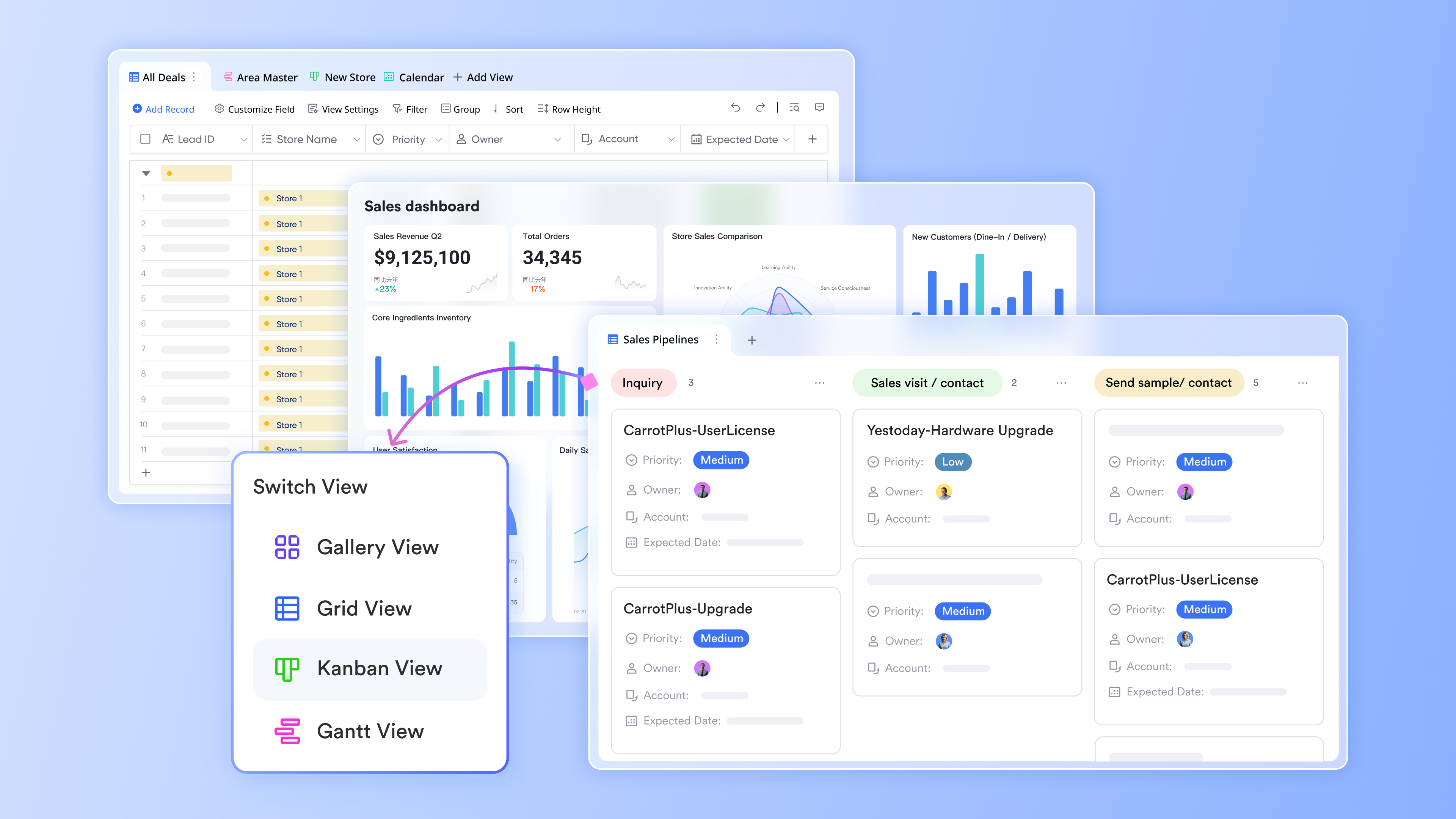
Lark Base acts as the central hub for managing customer data and tracking every opportunity from first contact to deal closure. Teams can choose between Grid View for structured data entry or Kanban View for visualizing the sales process. Each client or lead has its own record, complete with status, owner, and next action columns.
For example, sales managers can quickly filter clients by region, stage, or deal size to see where progress is stalling. Team members can update customer information directly, ensuring that everyone has access to the most current data. With linked tables, deal status updates automatically cascade across related records, eliminating manual edits and ensuring accuracy across the entire pipeline.
Why it matters: This gives teams full visibility into where each opportunity stands, helping them prioritize outreach and manage workloads effectively.
Keep the team aligned without manual effort: Automation in Lark Base
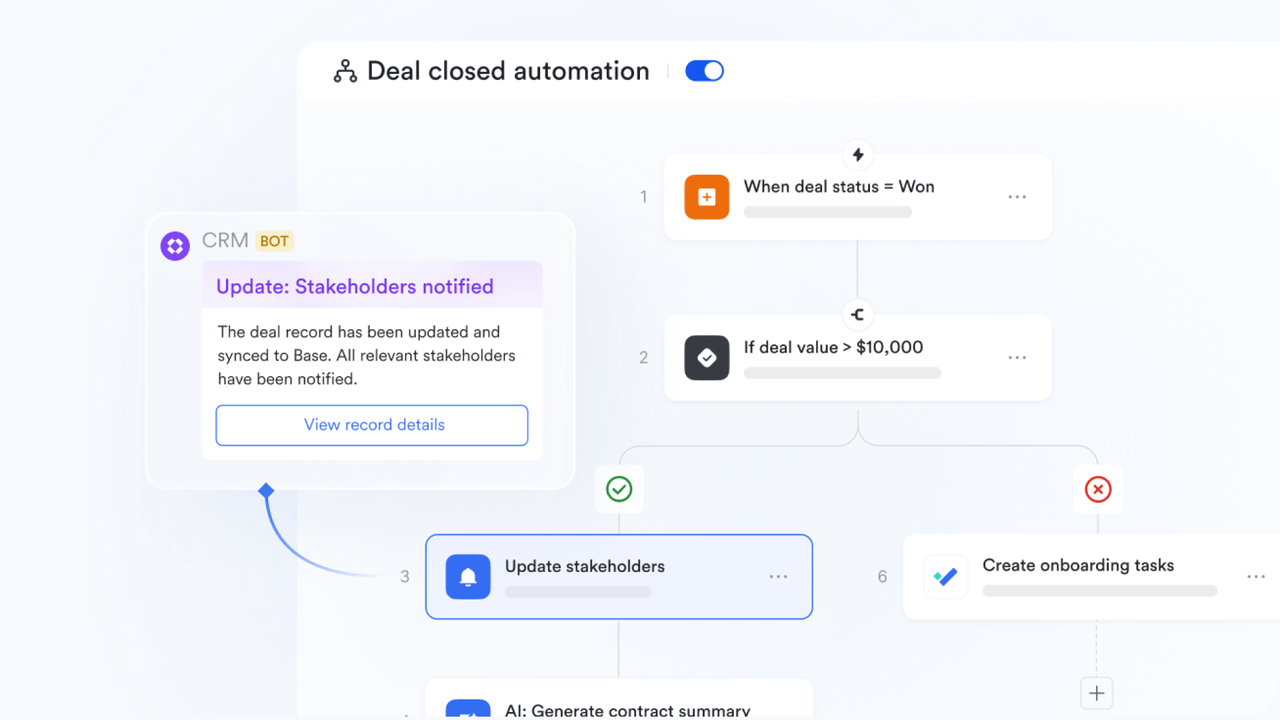
Lark Base's automation capabilities remove the need for repetitive updates and ensure that no critical changes go unnoticed. When a customer's status changes, for example, from "Proposal Sent" to "Negotiation"—Lark can automatically notify the assigned account executive or manager through Lark Messenger or email. You can also create rules for task assignments, reminders for follow-ups, or alerts when deals remain idle beyond a set timeframe.
Why it matters: Automation minimizes the risk of missed opportunities and keeps communication flowing smoothly across departments without needing constant manual tracking.
Turn real-time data into strategic insights: Dashboard in Lark Base
The Lark Base dashboard transforms sales activity into visual, data-driven insights. It consolidates performance metrics such as total revenue, pipeline health, deal velocity, and client satisfaction into one dynamic view. Sales leaders can monitor KPIs across individuals or teams, identify top performers, and detect trends like increasing sales in specific regions or slower conversions at certain stages. Dashboards update automatically as data changes in Lark Base, ensuring reports are always current.
Why it matters: Dashboards empower teams to make proactive, informed decisions—aligning daily execution with long-term growth goals.

Simplify tracking with customizable templates: Lark Sheets
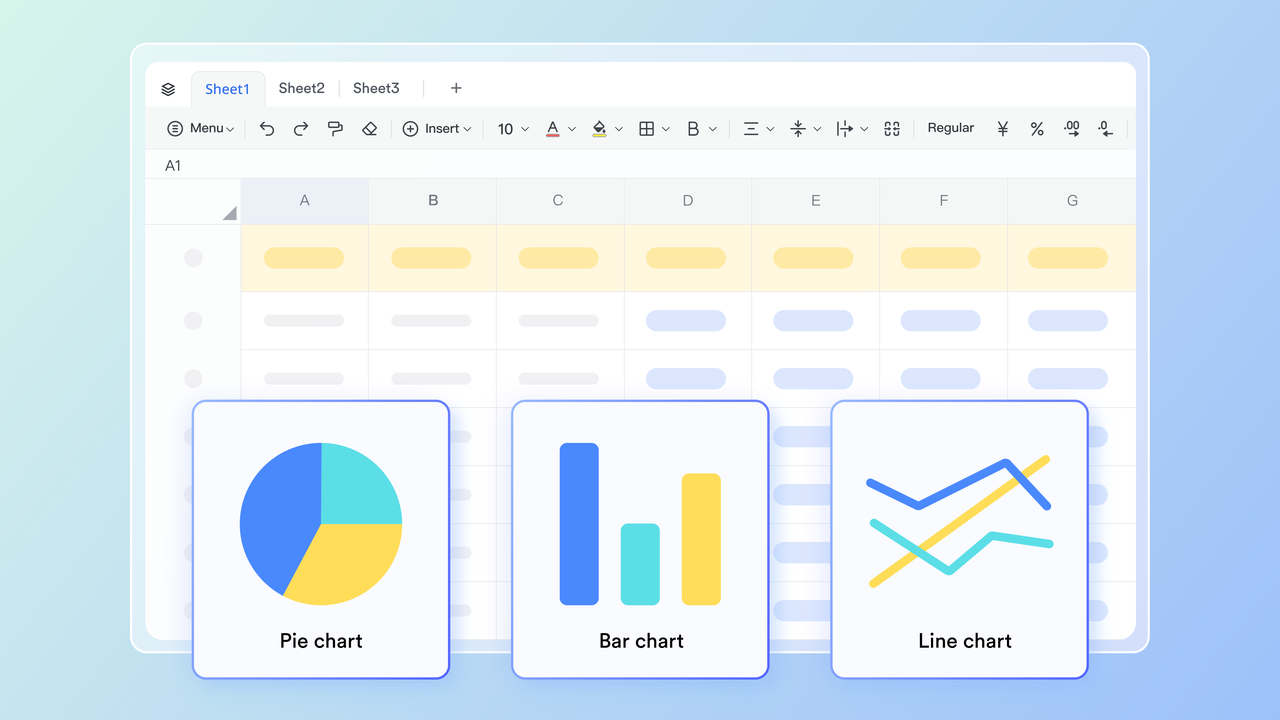
For teams that prefer a straightforward approach, Lark Sheets provides flexible templates for tracking customer status, leads, or campaign performance. Unlike traditional spreadsheets, Sheets in Lark are cloud-based and collaborative, meaning multiple team members can update information simultaneously without overwriting each other's data.
You can build a simple tracker for customer touchpoints, assign ownership, and calculate metrics like conversion rate or response time using built-in formulas. Sheets can also pull live data from Lark Base, ensuring consistency between detailed databases and quick daily summaries.
Why it matters: Lark Sheets is ideal for smaller teams or quick reporting needs—providing structure and clarity without complexity.
- Starter plan: Free forever plan that includes 11 powerful tools for up to 20 users. It also comes with 100GB of storage, 1000 automation runs, AI translations, and more.
- Basic plan: $6/user/month (billed annually) for up to 500 users. It includes everything in Starter plus group calling for up to 500 attendees, 5TB of storage, 1000 automation runs, and more.
- Pro plan: $12/user/month (billed annually) for up to 500 users. It includes everything in Starter plus group calling for up to 500 attendees, 15TB of storage, 50,000 automation runs, and more.
- Enterprise plan: Contact sales for custom pricing. Supports unlimited users and includes even more automation runs and advanced security, compliance, and management features.
Comparison summary table: Lark vs Pipedrive vs Salesmate
When choosing a sales CRM, clarity on purpose and capabilities is key. Pipedrive delivers strong pipeline management with a clean, easy-to-use interface. Salesmate builds on that by adding built-in calling, SMS and more automated workflows for growing teams. Meanwhile, Lark steps further; it not only handles sales tracking, it also integrates communication, collaboration, and automation into one workspace. Put simply, Pipedrive excels at deal tracking, Salesmate at outreach & automation, and Lark at unified sales management and team coordination. Below is a summary table comparing all three.
Conclusion
Both Pipedrive and Salesmate are excellent choices for sales teams looking to improve lead management, deal tracking, and overall productivity. Pipedrive shines with its intuitive design and visual pipeline simplicity, making it ideal for smaller teams or those seeking a quick setup. Salesmate, meanwhile, offers deeper automation, integrated communication tools, and flexible workflows that suit growing multi-channel teams.
However, for businesses aiming to go beyond sales tracking, Lark delivers a more connected experience. By uniting communication, collaboration, automation, and analytics in one platform, Lark empowers teams to work seamlessly, make data-driven decisions, and accelerate deal closures. It's not just a CRM—it's a complete sales management ecosystem built for modern, fast-moving organizations.
FAQs
Is Pipedrive a CRM or a sales management tool?
Pipedrive is a sales-focused CRM designed to help teams manage leads, track deals, and forecast revenue. It provides visual pipelines and activity tracking to simplify the sales process. While often referred to as a sales management tool, its core function remains customer relationship management.
Does Salesmate offer built-in calling or automation?
Yes, Salesmate includes built-in calling, SMS, and email features directly within the CRM. It also supports advanced automation, allowing teams to create multi-step workflows, personalized follow-ups, and task reminders. These tools help streamline outreach and reduce manual work.
Can Lark replace a traditional CRM?
Yes, Lark can function as a complete CRM alternative. Its Base module lets teams manage pipelines, automate workflows, and track customer data. Combined with built-in chat, video, and document tools, Lark unifies CRM, communication, and collaboration in one connected workspace.
Which tool is better for small sales teams?
For small teams seeking simplicity and quick setup, Pipedrive is ideal due to its intuitive interface and visual pipelines. Salesmates is better suited for teams that want automation and integrated calling features. Both are scalable, but Pipedrive wins for straightforward sales tracking.
Does Lark integrate with existing systems?
Yes, Lark integrates seamlessly with popular productivity and CRM tools. Teams can connect Lark to platforms like Google Workspace, Microsoft 365, and others through APIs and automation connectors. This flexibility ensures a unified workflow without disrupting existing systems.
Related reading
Table of contents
Start using Lark today

Manage all your work in one place
Boost team efficiency by 10x
Save up to 70% on software costs
Table of contents
Start using Lark today
Manage all your work in one place
Boost team efficiency by 10x
Save up to 70% on software costs
Keep reading



Lark recognized in 2023 Gartner® Collaborative Content Workspaces and Meeting Solutions reports
Lark, the global superapp for productivity, is delighted to announce it receives recognition in the Gartner's 2023 Innovation Insight for Collaborative Content Workspaces and Market Guide for Meeting Solutions.






2026 Lark Technologies Pte. Ltd.
Headquartered in Singapore with offices worldwide.






Explore: