For modern business, information is the most valuable currency. For project managers, the ability to distill complex data into a clear, actionable narrative isn't just a "nice-to-have" skill—it's a survival requirement. This is where the project status report template becomes indispensable.
Whether you are overseeing a small creative team or a multi-million dollar infrastructure project, consistent reporting ensures that stakeholders stay informed, risks are mitigated before they become crises, and the team remains aligned with the overarching mission.
In this comprehensive guide, we will explore the anatomy of a high-performing project status report, provide a library of ready-to-use templates, and demonstrate how digital tools like Lark are revolutionizing the way teams communicate progress.
What is a project status report template?
A project status report template is a structured format for communicating a project's current progress, health, and performance. It provides a consistent framework for summarizing key information, including completed tasks, upcoming milestones, risks, , timeline updates, and overall project health.
Instead of creating reports from scratch each time, project managers use templates to ensure all critical areas are covered in a clear and organized way. It helps stakeholders quickly understand where the project stands, what challenges exist, and what actions are required. A well-designed project status report template improves transparency, supports better decision-making, and keeps teams aligned throughout the project lifecycle.
Key components in standard project management status report templates
A strong project management status report template captures the most important performance indicators in a structured and easy-to-review format. Each section should provide clarity, support decision-making, and accurately reflect the project's real health.
- Task progress tracking: This section outlines completed tasks, work currently in progress, and upcoming deliverables. It typically includes percentage completion, responsible team members, and milestone updates. Clear helps stakeholders understand whether the project is moving according to plan or facing delays. It also highlights dependencies and bottlenecks that may require attention. When progress is documented consistently, it becomes easier to measure productivity and maintain accountability across teams.
- Budget usage summary: Provides insight into planned versus actual spending. It tracks allocated funds, current expenditures, and any cost variances. This component helps identify overspending risks early and ensures financial control remains intact. Including forecasted costs for upcoming phases adds transparency and allows leadership to make informed financial decisions before issues escalate.
- Risk identification logs: document potential threats that could affect scope, schedule, cost, or quality. Each identified risk should include its likelihood, potential impact, and mitigation strategy. Maintaining a clear risk register demonstrates proactive management and preparedness. It also ensures that stakeholders are aware of uncertainties and the steps being taken to minimize disruptions.
- Timeline performance indicators: Timeline indicators measure how actual progress compares to the planned schedule. It may include milestone completion rates, schedule variance, and critical path updates. These metrics provide a quick view of whether the project is on track, ahead, or behind schedule. Clear reporting allows teams to adjust priorities and allocate resources effectively to maintain delivery targets.
Automate your project status reports with ease
Ready-to-use project status report templates
Using a ready-made template saves time and ensures your reporting stays structured and professional. These free options help project managers deliver clear, consistent updates without starting from scratch each week.
Project status report
The project status report template is designed to help businesses track and manage project progress and health with ease. It provides a comprehensive overview of project details, including reporting periods, milestones, budget utilization, risks and issues, upcoming tasks, and overall project health.
Weekly status report
The weekly status report template is designed to help professionals track and manage their short-term tasks and team progress efficiently. It provides a comprehensive overview of the week's activities, including task accomplishments, specific areas for improvement, upcoming deadlines, and team accountability metrics.
Daily report
The daily report template is designed to help individuals and team leaders track and manage daily work progress and productivity. It provides a comprehensive overview of daily output, including completed tasks, reflections on work performance, outstanding or delayed items, and specific planning for the next business day.
IT project status tracker
The IT project status report template is designed to help technical teams track and manage the lifecycle of IT implementations and system updates. It provides a comprehensive overview of technical milestones, including resource utilization, quality assurance metrics, risk management, and action plans for upcoming technical phases.
Client account status
The client account status reports template is designed to help businesses track and manage client accounts efficiently. It provides a comprehensive overview of client details, including client ID, client name, account number, contact information, account opening date, last transaction date, account balance, and account status.
Executive project status report
The executive project status report template is designed to help leadership teams track and manage multiple high-level projects in one centralized location. It provides a comprehensive overview of the project portfolio, including project stages, budget status, scope, lead owners, progress goals, and critical improvement areas.
Project status report template example
The project status report template is designed to help teams track and manage project progress across various formats, including Excel, Word, and PowerPoint. It provides a comprehensive overview of project health, including project components, task descriptions, KPI values, risk details, and milestone scoring to ensure stakeholders remain informed.
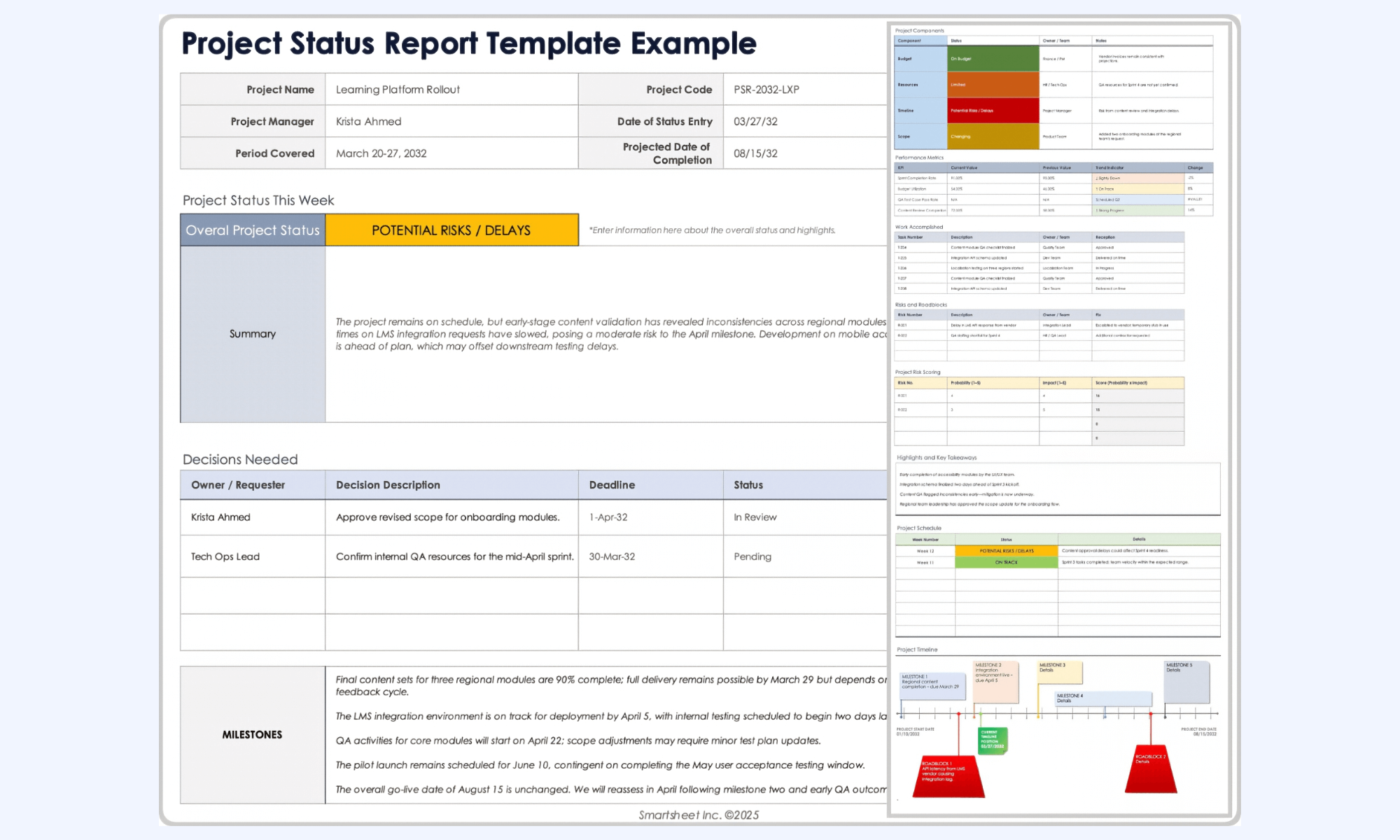
Image source: smartsheet.com
Project report template
The project report template is designed to help project managers streamline communication and deliver impactful updates to key stakeholders. It provides a comprehensive overview of project health, including budget spent, schedule variance, milestone achievements, and a RAG (Red-Amber-Green) status for risks and issues.
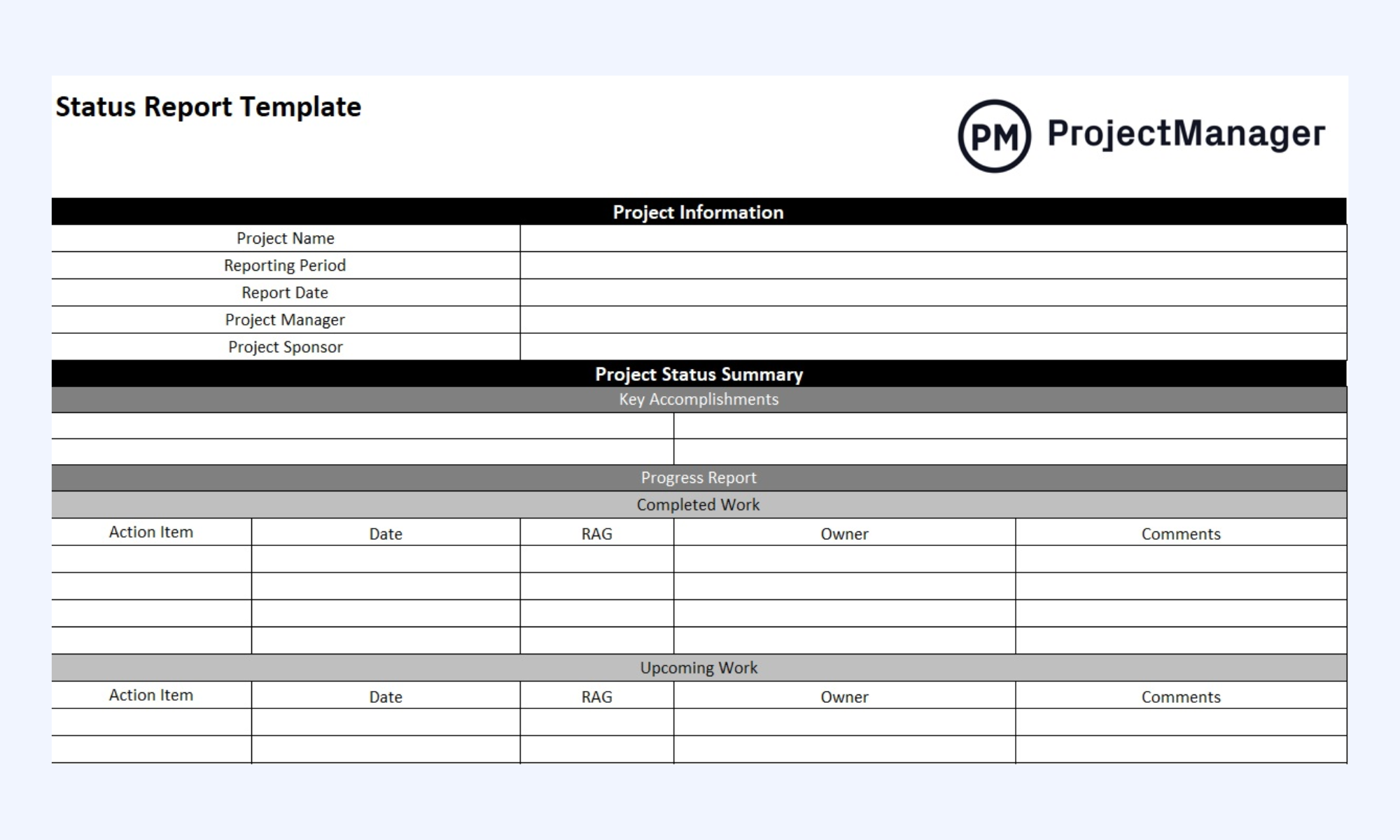
Image source: projectmanager.com
Status report
The status report template is designed to help managers document the project lifecycle and maintain a clear record of team productivity. It provides a comprehensive overview of the bigger picture, including major objectives, action items, significant decisions, and visual metrics such as Gantt charts and percentages to keep investors and participants aligned.
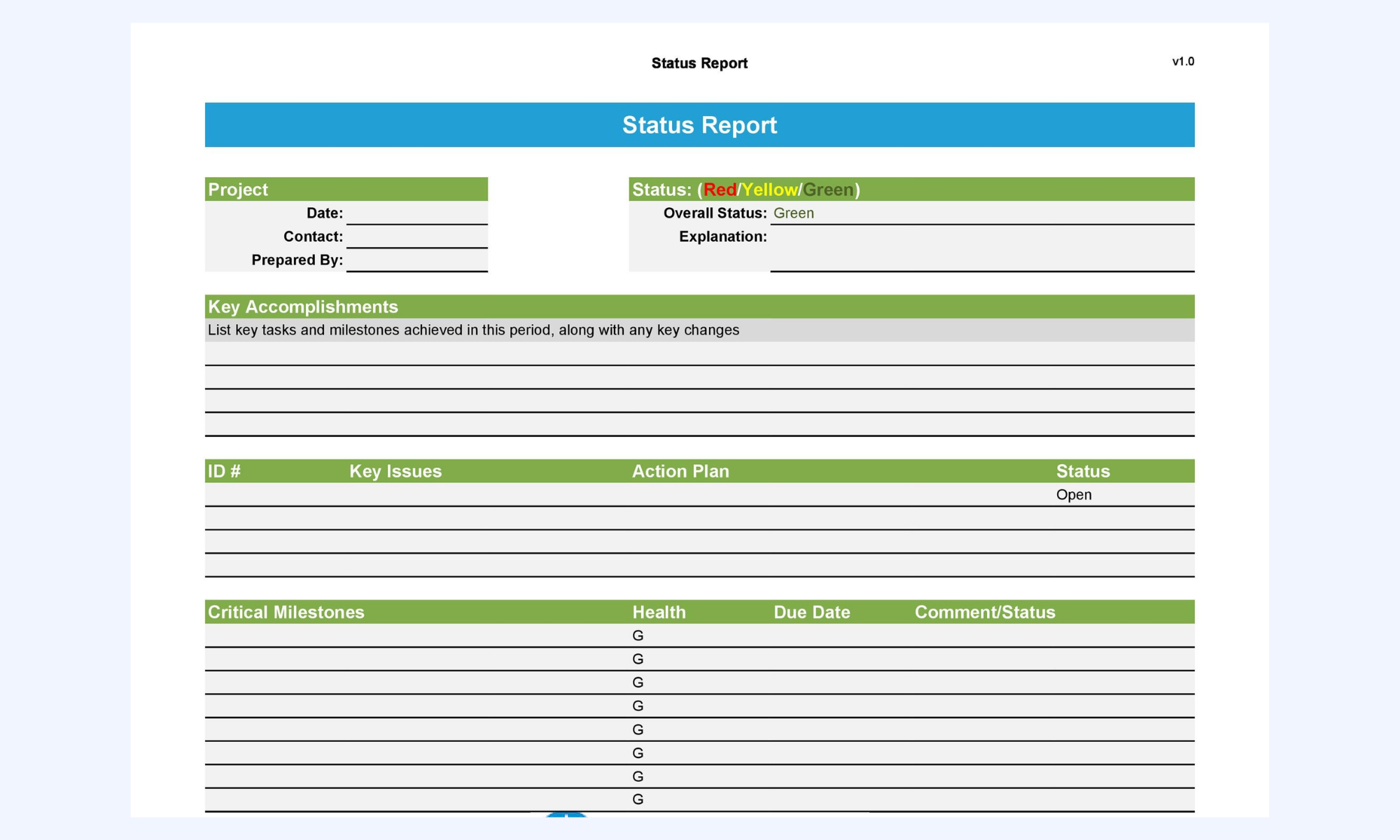
Image source: templatelab.com
Project status report
The project status report template is designed to help sponsors and project boards receive succinct progress updates in a professional Word or PDF format. It provides a comprehensive overview of the "Iron Triangle," including status summaries for schedule and budget, milestone review tables, and specific requests for executive assistance or escalation.
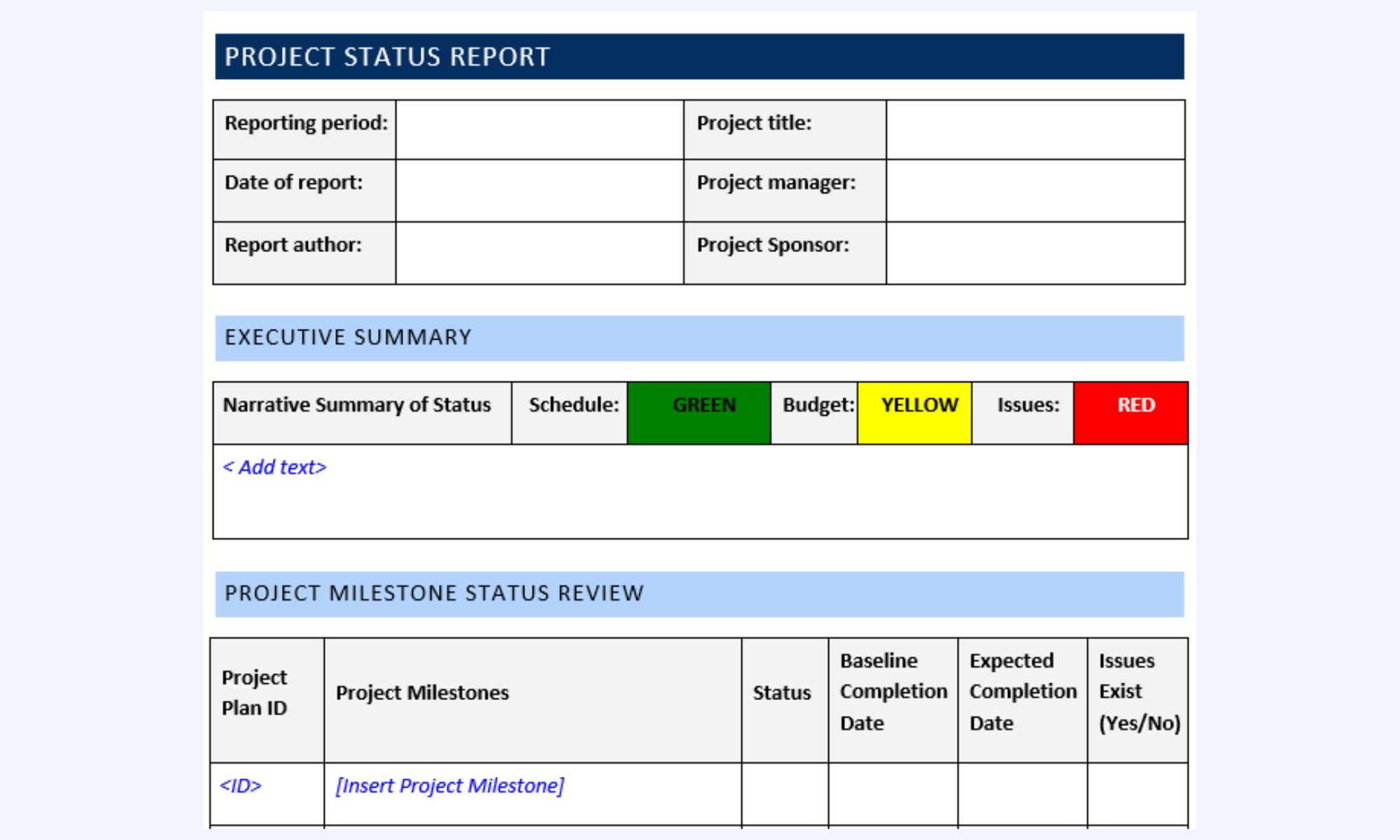
Image source: stakeholdermap.com
Modern choice: Use Lark to manage reporting workflows with ease
In a traditional environment, reporting is often a manual "copy-paste" ordeal where data is moved from spreadsheets into slide decks, often becoming outdated the moment it is shared. transforms this workflow by turning the status report into a living, collaborative ecosystem. With robust features, teams can ensure that project updates are not just archived documents, but active drivers of project success.
Collaborative commenting in Lark Docs
Project reports should spark conversation, not just provide a one-way data dump. When you use to host your project status report, every chart, milestone, and risk entry becomes interactive. Stakeholders can highlight specific budget lines or timeline delays and leave inline comments to ask for clarification. This turns a static report into a collaborative workspace where roadblocks are discussed and resolved directly on the document, creating a transparent audit trail of all project-related decisions. 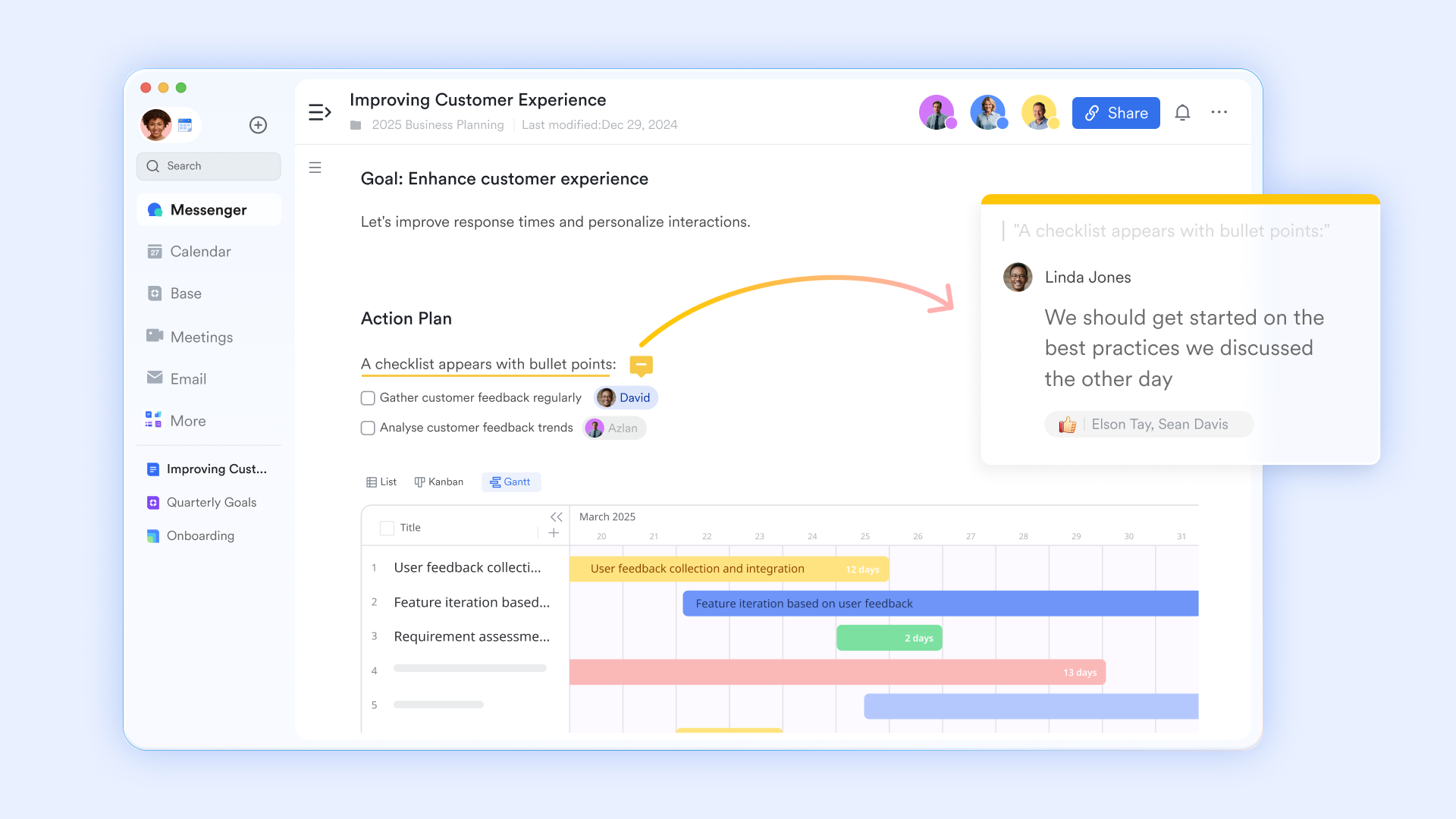
Standardized data entry and field updates
To ensure that status reports are consistent, teams can use Lark Forms to collect updates from various departments. Instead of chasing team leads for their weekly summaries, project managers can send out a standardized form where members input their progress, blockers, and risks. The data submitted via the form automatically populates your central , which in turn updates your live dashboards and report documents. 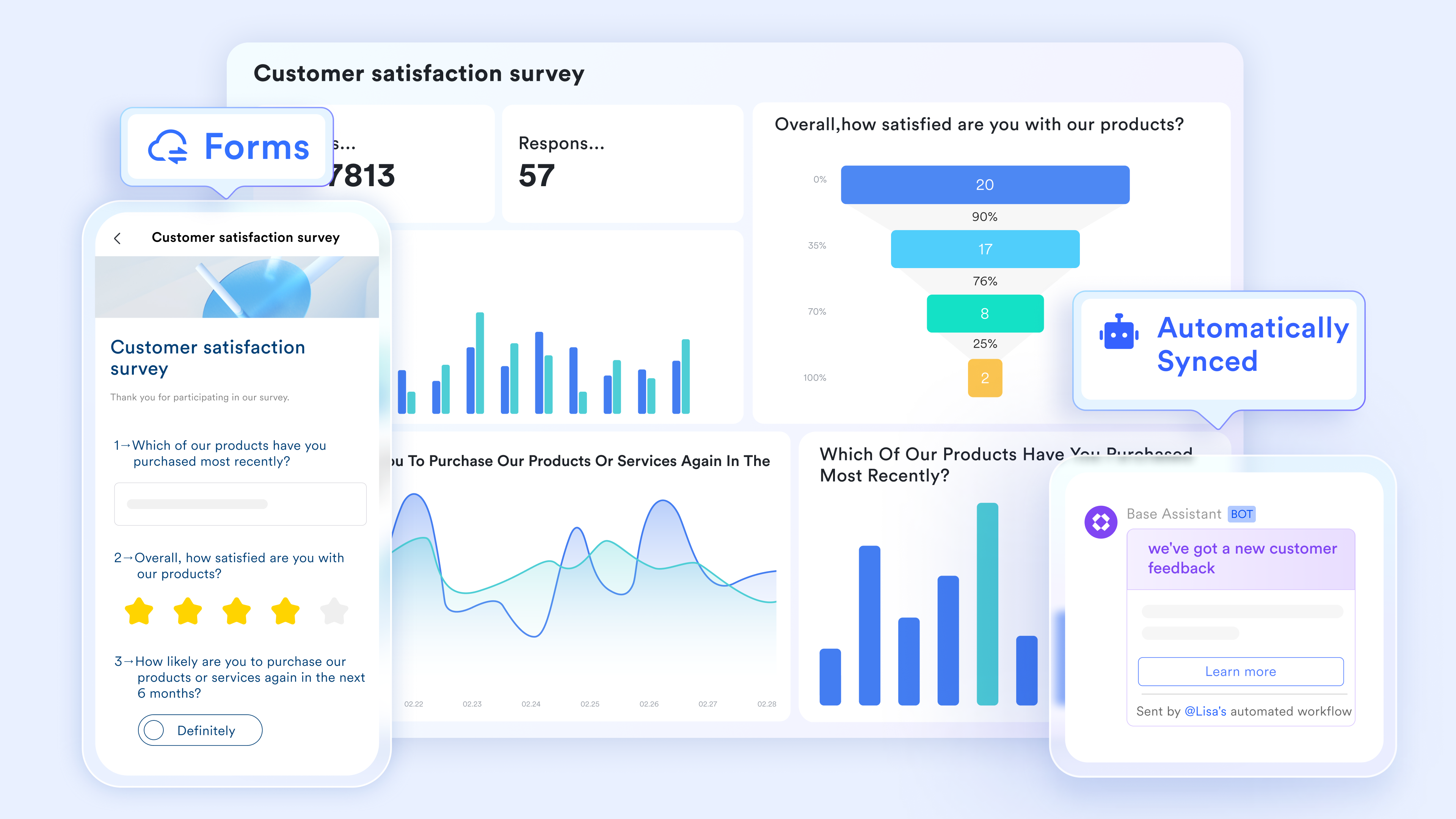
Live dashboards for visual KPI tracking
Lark Dashboards provide a centralized "command center" for visualizing project health without manually building charts every week. By pulling data from your project bases, Lark Base dashboard creates real-time visual representations of task completion rates, budget adherence, and team workloads through bar charts, pie charts, and countdown timers. This feature allows project managers to provide stakeholders with a high-level overview that is always accurate, enabling "at-a-glance" decision-making and reducing the need for lengthy update meetings. 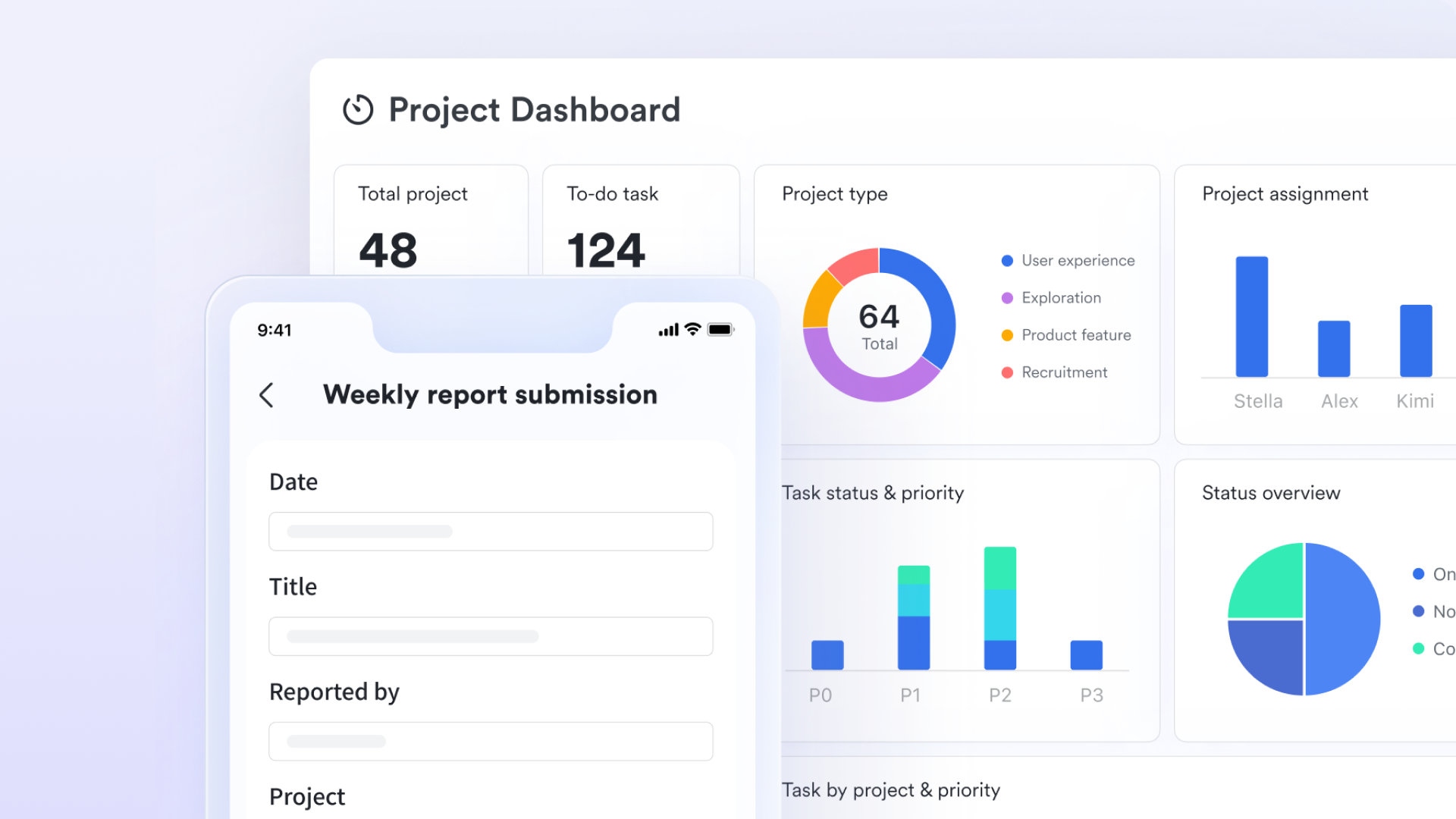
Automated status notifications and bots
The foundation of a great reporting workflow is ensuring the right people see the data at the right time. allows you to move beyond manual email updates by using automated bots to push status reports directly into project groups. You can schedule a "Weekly Pulse" bot to aggregate key metrics from your project base and post a summarized message card every Friday. This ensures that stakeholders stay informed within the same interface where they communicate, eliminating the "inbox clutter" that often causes reports to be ignored. 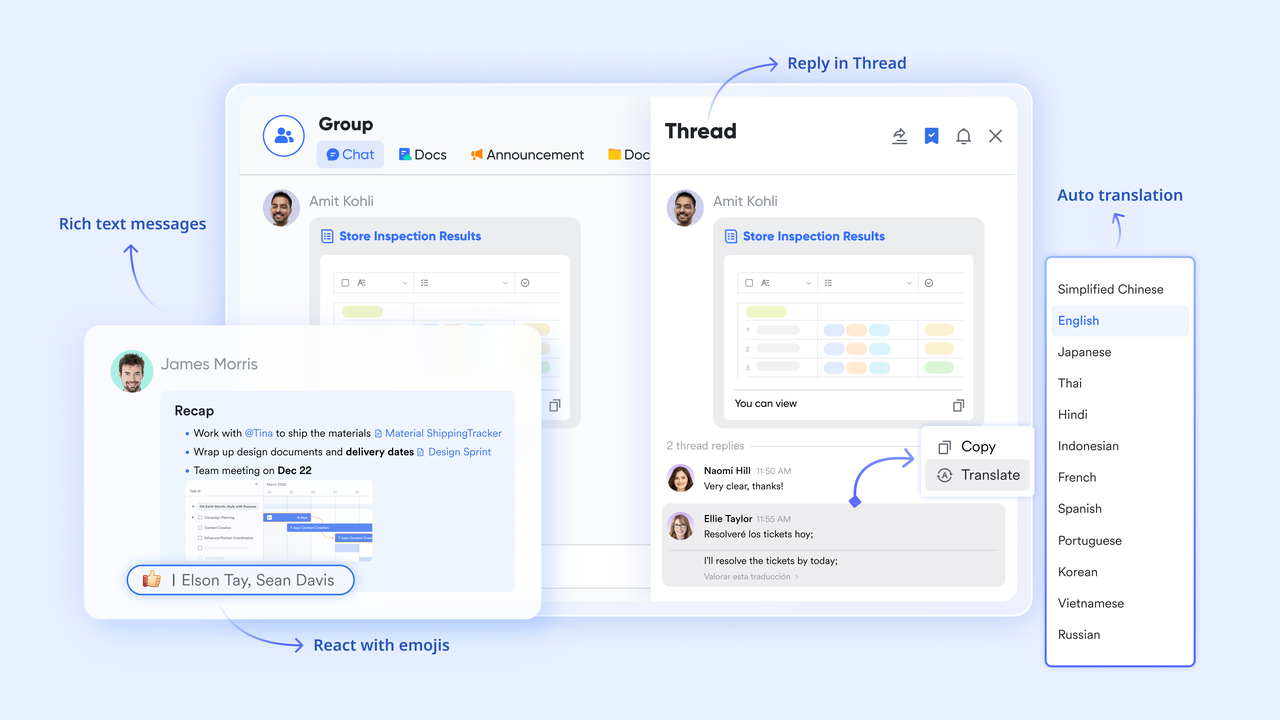
:
- Starter plan: Free forever plan that includes 11 powerful tools for up to 20 users. It also comes with 100GB of storage, 1000 automation runs, AI translations, and more.
- Pro plan: $12/user/month (billed annually) for up to 500 users. It includes everything in Starter plus group calling for up to 500 attendees, 15TB of storage, 50,000 automation runs, and more.
- Enterprise plan: for custom pricing. Supports unlimited users and includes even more automation runs and advanced security, compliance, and management features.
For small teams with simple communication needs

18 months message history
1000 Base automation runs/month
2000 rows per table in Base
Most POPULAR
For companies with comprehensive collaboration and management needs
Unlimited message history
500-participant video meetings
50k Base automation runs/month
20k rows per table in Base
For large companies with advanced security and organizational management needs
Get a personalized demo and pricing
Unlimited message history
500-participant video meetings
15 TB storage + 30 GB storage/user
500k Base automation runs/month
50k Base automation runs/month
Most POPULAR
For companies with comprehensive collaboration and management needs
Unlimited message history
500-participant video meetings
50k Base automation runs/month
20k rows per table in Base
Best practices of the status report template
A well-designed status report template keeps teams aligned, improves transparency, and saves time. Following proven best practices ensures your reports are clear, actionable, and easy to review.
- Keep it clear and structured: A status report should be simple and logically organized. Use clear headings such as objectives, completed tasks, in-progress work, risks, and next steps to make information easy to scan. Avoid cluttered layouts or long paragraphs—bullet points and short summaries improve readability. A structured format ensures stakeholders can quickly understand progress without searching for key details.
- Focus on outcomes, not just activities: Instead of listing every small task, highlight measurable results and business impact. For example, rather than saying "worked on , "specify "launched email campaigns resulting in a 15% increase in open rates."This outcome-driven approach provides meaningful insights and helps leadership assess performance and progress effectively.
- Include clear metrics and deadlines: Incorporating , percentages, timelines, and deadlines adds clarity and accountability. Metrics help track performance trends, while deadlines keep projects on schedule. Visual elements such as progress bars or status indicators (on track, at risk, delayed) can further improve clarity and decision-making speed.
- Identify risks and action plans: A strong status report doesn't just show progress—it flags potential blockers. Include a dedicated section for risks, challenges, and mitigation plans. Clearly explain the issue, its impact, and the steps being taken to resolve it. This proactive approach builds trust and allows teams to address problems before they escalate.
- Maintain consistency and simplicity: Use the same format weekly to create familiarity and make comparisons easier over time. Avoid overcomplicating the design with excessive colors or unnecessary sections. A consistent, streamlined template saves time, improves efficiency, and ensures everyone knows exactly where to find the information they need.
Conclusion
An effective project status report template is more than just a document—it's a strategic tool that keeps teams aligned, stakeholders informed, and projects moving forward with clarity. By focusing on structured reporting, measurable outcomes, clear risks, and actionable next steps, project managers can improve transparency and drive better decision-making.
With the right tools in place, reporting becomes faster and more collaborative. Platforms like empower teams to create, share, and update status reports in real time, ensuring seamless communication and accountability. By combining a strong template with Lark's collaborative features, project managers can streamline and deliver successful projects with confidence.
Turn plans into measurable results with Lark today
FAQs
What should be included in a weekly project status report template?
A well-structured weekly project status report template should include key sections such as project objectives, completed tasks, ongoing activities, upcoming milestones, risks or blockers, KPIs, and next steps. It should also clearly highlight deadlines and task ownership to ensure accountability. Many teams use a standardized project management status report template to maintain consistency and make it easier for stakeholders to quickly review weekly progress.
How does the project status report template Excel improve tracking?
Using a project status report template in Excel format improves tracking by enabling structured data entry, automated calculations, and visual progress indicators such as charts or conditional formatting. Excel templates help teams monitor timelines, budgets, and performance metrics in one place. With formulas and dashboards, managers can quickly identify delays, measure KPIs, and maintain accurate records for reporting and analysis.
When should executive project status reports be used?
An executive project status report template is best used when reporting to senior leadership or stakeholders who need high-level insights rather than detailed task lists. These reports focus on overall project health, budget status, timeline adherence, major risks, and strategic impact. They are particularly useful during key milestones, board meetings, or when decision-making support is required.
Can reporting templates be automated for teams?
Yes, reporting templates can be automated using digital tools and project management platforms. Automated project management status report template systems can pull real-time data from task trackers, time logs, and dashboards. This reduces manual effort, minimizes errors, and ensures reports are always up to date. Automation also allows scheduled report sharing, keeping teams and stakeholders informed without additional administrative workload.
What are the benefits of digital project reporting tools?
Digital reporting tools enhance collaboration, transparency, and efficiency. They allow teams to update a weekly project status report template in real time, attach supporting documents, and track changes instantly. Compared to static spreadsheets like a Excelproject status report template, modern tools offer dashboards, notifications, and cloud access. They also make it easier to create tailored reports, including an executive project status report template, ensuring the right level of detail for every audience.
Related reading





























