














Best SaaS CRM Software: Top 10 Picks for 2026

Jennifer Taylor
Product Demand Generation Specialist
Sep 18, 2026
Jennifer Taylor
Sep 18, 2026

28 min read


I've watched too many SaaS teams juggle spreadsheets, a generic CRM, and disconnected billing or analytics tools, only to miss renewal risks and expansion timing. In a subscription world, you need a single place where pipeline, product usage, and invoices come together. That is exactly where SaaS CRM software shows its value—turning scattered signals into timely actions and reliable forecasts. More teams now also work inside an all‑in‑one collaboration platform that blends chat, docs, calendar, meetings, tasks, and approvals with a no‑code database, automations, and flexible views. When that workspace connects cleanly to your CRM, notes, follow‑ups, and approvals flow straight into deals and accounts. The result is fewer context switches, higher data quality, and faster cycle times. Finance, support, sales, and product finally see the same customer truth without chasing five systems. This guide focuses on how to choose well and avoid avoidable re‑platforming later.
Key takeaway: Top 10 picks for SaaS CRM
1. Lark: Your smart hub for streamlined team collaboration
2. Salesforce: Best for complex, multi‑team scaleups and enterprises
3. HubSpot CRM: Best for unified marketing + sales + CS on one platform
4. Zoho CRM: Best for value and broad app suite
5. Pipedrive: Best for pipeline‑centric sales teams
6. Close: Best for inside sales and calling‑first teams
7. Freshsales: Best for fast‑moving SMB SaaS
8. Monday sales CRM: Best for flexible board‑style processes
9. Microsoft Dynamics 365 Sales: Best for Microsoft ecosystem
10. OnePageCRM: Best for focused, action‑driven SMB sales
What is a SaaS CRM?
A SaaS CRM is a cloud‑delivered customer relationship management platform designed for the specific realities of subscription businesses. Beyond traditional CRM basics—managing leads, accounts, deals, and activities—a SaaS-oriented system models the entire subscriber lifecycle. This includes tracking trials, self-serve conversions, recurring revenue, entitlements, renewals, upgrades and downgrades, and usage-based pricing. Instead of just recording one-time transactions, it becomes the operational and analytical backbone for ongoing value delivery and customer expansion.
How SaaS CRM software differs from a generic CRM
Fundamentally, generic CRM tools were shaped around linear, one‑time transactions, while SaaS CRM software is purpose‑built for recurring revenue, circular journeys, and always‑on collaboration. Historically, many CRMs became cloud‑based because their vendors are themselves SaaS; however, CRM saas companies now demand more than hosting—they need adoption‑friendly UX, powerful data handling, and headroom to grow for 5–10 years without re‑platforming.
- Subscription‑native data model
- Generic CRMs often bolt on renewals and subscriptions as custom fields. By contrast, software CRM saas treats plans, terms, seats, entitlements, usage, MRR/ARR, co‑terming, and cancellations as first‑class objects. This lets finance, RevOps, and CS share one truth. Critically, saas billing software with most crm integrations synchronizes invoices, proration, refunds, tax/VAT, and dunning to the account, ensuring clean ARR math and auditable histories.
- Event‑driven, PLG‑aware automation
- In modern CRM software for saas, product telemetry (trials started, activation milestones reached, limits exceeded) triggers routing, scoring, playbooks, and human approvals. Instead of manual status chasing, event streams launch tasks, sequences, and meetings with clear SLAs—exactly what the best CRM SaaS software should do to minimize latency and handoff risk.
- Collaboration embedded where work happens
- Winning platforms pair CRM records with an all‑in‑one collaboration layer—chat, docs, tasks, approvals, calendar/meeting—so notes, decisions, and artifacts attach directly to accounts, opportunities, and subscriptions. This design materially increases adoption and data quality across distributed teams.
- SaaS‑specific analytics and forecasting
- Beyond win rates, leaders need activation, PQL conversion, MRR/ARR bridges, cohort‑based churn risk, expansion/downgrade trends, and renewal forecast variance. Mature CRM SaaS software blends pipeline and subscription data to produce finance‑trusted forecasts and proactive CS playbooks.
Notably, the line between "CRM" and "SaaS CRM" is no longer about where the software runs but how completely it models recurring value, automates event‑driven work, and embeds collaboration. If you are evaluating options today, prioritize composability (data warehouse, analytics, support desk, billing), ruthless usability, and proven billing sync. Select vendors that demonstrate clear patterns for integrations, governance, and scaled admin ergonomics, because the platforms that thrive in the saas based CRM software market are the ones that keep your revenue truth consistent while keeping humans in flow. Ultimately, anchor your choice in evidence—pilot real scenarios, verify billing and product events, and choose the best CRM saas software that demonstrably fits your current motion and future growth.

5 tips to choose SaaS CRM software without regret in 2026
The market is saturated with options that all promise pipeline clarity and revenue growth, yet not all platforms are created equal. Beyond checkbox features, the truly best CRM saas software is defined by architectural rigor, seamless operations, and reliable adoption across teams. As CRM saas companies scale, they need systems that automate revenue motions, integrate cleanly with billing and product data, and deliver trustworthy analytics without piling on technical debt. When you evaluate CRM software saas in the rapidly evolving, globally competitive saas based CRM software market, anchor your choice in the five principles below.
Tip 1: Demand seamless automation and workflow orchestration
A modern CRM must act, not just store. Leading CRM saas software offers robust no‑code builders so operators orchestrate lead assignment, follow‑ups, enrichment, playbooks, renewals, and discount approvals without engineering tickets. Critically, CRM software for saas should support automate routine workflows that trigger from product usage milestones, billing events, support tickets, and form submissions. This eliminates "manual status chasing" and enforces consistent SLAs. Lightly but effectively, consider pairing your CRM with an all‑in‑one collaboration layer that also includes a no‑code database, automation, and flexible views; when conversations spawn tasks and in‑thread approvals tie to records, process compliance becomes the path of least resistance.
Tip 2: Prioritize an unparalleled integration ecosystem
Your CRM is the hub of a connected stack, not an island. Objectively, saas billing software with most CRM integrations is pivotal; subscription changes, invoices, proration, refunds, payments, and dunning must sync as first‑class objects. In a sandbox, simulate top saas billing software CRM integration scenarios—trial‑to‑paid, mid‑cycle upgrades/downgrades, co‑terming, multi‑entity tax/VAT, and credit notes—and confirm ARR math matches finance. Beyond billing, require certified connectors to marketing automation, help desk, product analytics, enrichment, data warehouses, reverse ETL, and your collaboration suite. This ecosystem approach lets the CRM remain your system of record while a workspace becomes the system of action, ensuring alerts become routed tasks and approvals instead of lost emails.
Tip 3: Make adoption non‑negotiable with an adaptable, intuitive UX
CRM ROI equals daily usage. Increasingly, CRM saas companies expect role‑aware interfaces: fast search, inline edits, keyboard shortcuts, guided flows, and clean list views that mirror how reps, CS, and RevOps work. The best CRM SaaS software pairs simplicity with flexibility—custom fields/objects, modular layouts, and admin‑friendly no‑code builders—so teams can tailor processes without creating maintenance headaches. Practically, software CRM SaaS should align with your motion (PLG, sales‑led, or hybrid). Adoption accelerates when CRM actions surface inside your collaboration tools: chat‑to‑task, meeting notes to opportunity, calendar‑linked reminders, and in‑thread approvals tied to records. Don't overlook mobile parity; leaders and field reps need the same speed and context on the go.
Tip 4: Require actionable intelligence and explainable forecasting
Data only matters when it changes behavior. Strategically, CRM software for saas must deliver dynamic dashboards and real‑time analytics that blend pipeline with MRR/ARR bridges, expansion/downgrade trends, churn signals, renewal forecast variance, and cohort analyses. Sales needs conversion funnels and coverage; marketing needs multi‑touch attribution and PQL conversion; CS needs activation, adoption, and risk scoring. Favor platforms that integrate directly with warehouses and reverse ETL, ensuring your BI and CRM stay in sync. In today's competitive landscape, the best CRM saas software exposes trustworthy, explainable models—so operators see why a forecast changed and what actions will move it.
Tip 5: Evaluate scalability, governance, and true TCO with a pilot
Selecting a CRM is a strategic commitment, so replace demo theater with evidence. Start by auditing your lifecycle from lead to renewal and expansion; map handoffs, manual choke points, and data silos between billing, product analytics, and support. Translate pains into pilot KPIs (e.g., PQL routing accuracy, renewal forecast variance, dunning recovery rate) and run a 30‑day sandbox with real data. Include stakeholders across sales, marketing, CS, finance, and data so your shortlist reflects operational reality. Model total cost of ownership beyond license price: admin hours, integration subscriptions, services, training, migration, and the cost of slow adoption. Platforms that scale features/pricing transparently—and can be configured by RevOps rather than engineers—minimize surprises. As you scale, demand SSO/SCIM, granular permissions, audit logs, IP allow‑listing, sandboxes, versioned automations, and safe schema evolution. In short, choose CRM software saas that grows with you, not against you.
Choosing wisely is less about the longest feature list and more about fit: Automated, event‑driven workflows; a billing‑first integration spine; an interface people love; trustworthy analytics; and governed scalability. When those pillars are paired—sometimes elegantly—with an all‑in‑one collaboration platform, process discipline becomes effortless. Use this blueprint to compare software CRM saas options confidently, and you'll end up with a partner that keeps revenue truth consistent while keeping humans in flow—exactly what the modern saas based CRM software market rewards.
The best SaaS CRM software: My top picks in 2026
1. Lark: Your smart hub for streamlined team collaboration
Overview:
Lark is a collaboration‑first workspace that unifies Messenger, Docs, Calendar, Meetings, Tasks, and Approvals with Base—a no‑code database offering workflow, automation, and flexible views. In modern SaaS CRM software environments, this combination turns planning and execution into a single, traceable loop. For event planning linked to CRM campaigns or product launches, Lark centralizes timelines, ownership, risk, and decisions so stakeholders can move from chat to task to approval without context switching. Teams orchestrate kickoff to CAB to post‑mortem with minutes captured in‑record, align change windows to calendar availability, and resolve conflicts before they create downstream revenue impact. The result is faster coordination, cleaner audit trails, and fewer handoff errors across sales, marketing, product, and vendors.
Key features:
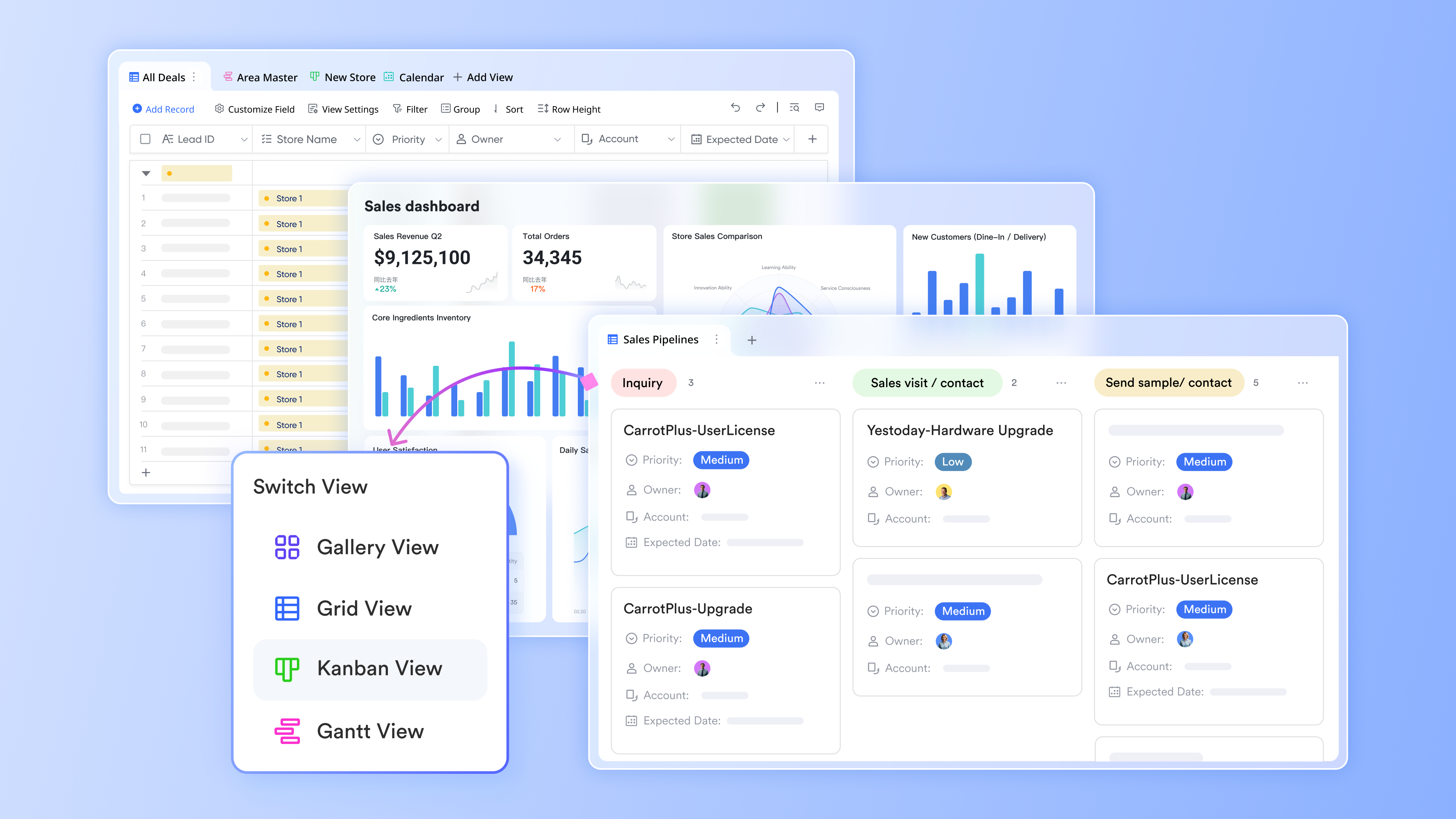 At the center of Lark's CRM experience is Lark Base, a relational data layer you can shape into Accounts, Contacts, Opportunities, Subscriptions, Activities, Tickets, and custom objects. You can link records across tables, roll up metrics, and enforce validation rules so your revenue truth remains consistent.
- Design the schema you need today—and evolve it without code tomorrow. Create tables for Deals, Products, Usage Events, and Renewals; add lookup/rollup fields to compute MRR/ARR, seat counts, or last‑touch activity.
- Capture leads via Forms that write directly to Base and notify owners instantly in chat. Set deduplication checks with formulas and validation to prevent noisy data.
- Provide role‑specific views: sales reps work in Kanban by stage, CSMs track renewal calendar views, finance sees ARR bridges, and leadership watches chart views for pipeline health and NRR.
- Control access with granular permissions at table, view, and field levels. Sensitive fields (pricing, margin, credit notes) can be restricted, while shared lists remain visible.
Because Base is embedded across the suite, you can insert live tables or filtered views into Lark Docs, pin them to chats, or present them in meetings. That makes it not only a system of record but the canvas for daily decisions—exactly what clearly CRM software for saas needs to avoid context switching and stale data.
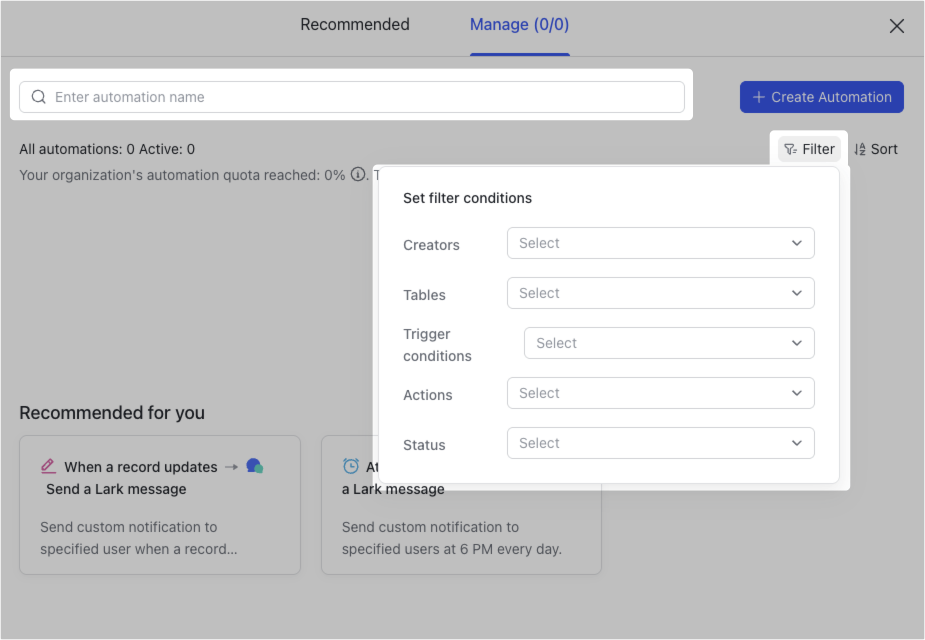
A modern SaaS motion is event‑driven. Lead submissions, product milestones, usage thresholds, billing events, and support escalations should automatically route work to the right people. Lark's no‑code automation connects Base, Messenger, Calendar, Tasks, and Approvals so outcomes are consistent, fast, and traceable.
Strategically, CRM software SaaS must combine automation with governance. Lark supports versioned flows, staged rollouts, and audit trails of changes, so RevOps can safely iterate. When approvals, tasks, and reminders all run in Messenger and Base, process adherence becomes the easiest path—exactly how adoption should feel.
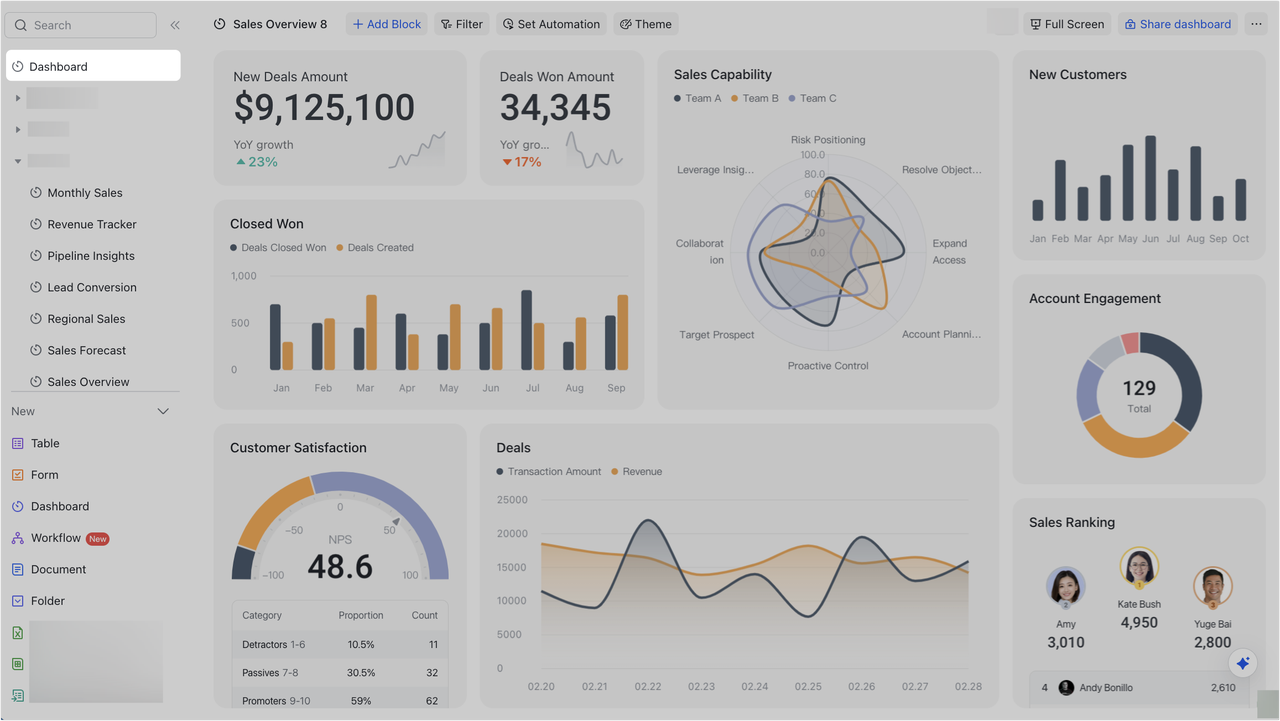
Dashboards matter only if they drive action. Base chart views and embedded analytics in Docs let you track:
- Pipeline health by segment, owner, and stage velocity
- Activation milestones, PQL conversion, and trial‑to‑paid rates
- ARR/MRR bridges, expansion versus contraction, and renewal forecast variance
- Success metrics such as adoption trendlines, CSAT, and ticket backlogs
Because dashboards live next to the conversation—pinned in Messenger or placed in weekly QBR Docs—owners can assign tasks and start approvals without leaving the context. This tight loop is how the best teams turn insights into outcomes. Notably, CRM software saas that stays embedded in collaboration makes "report → action" a single step instead of a weekly ritual.
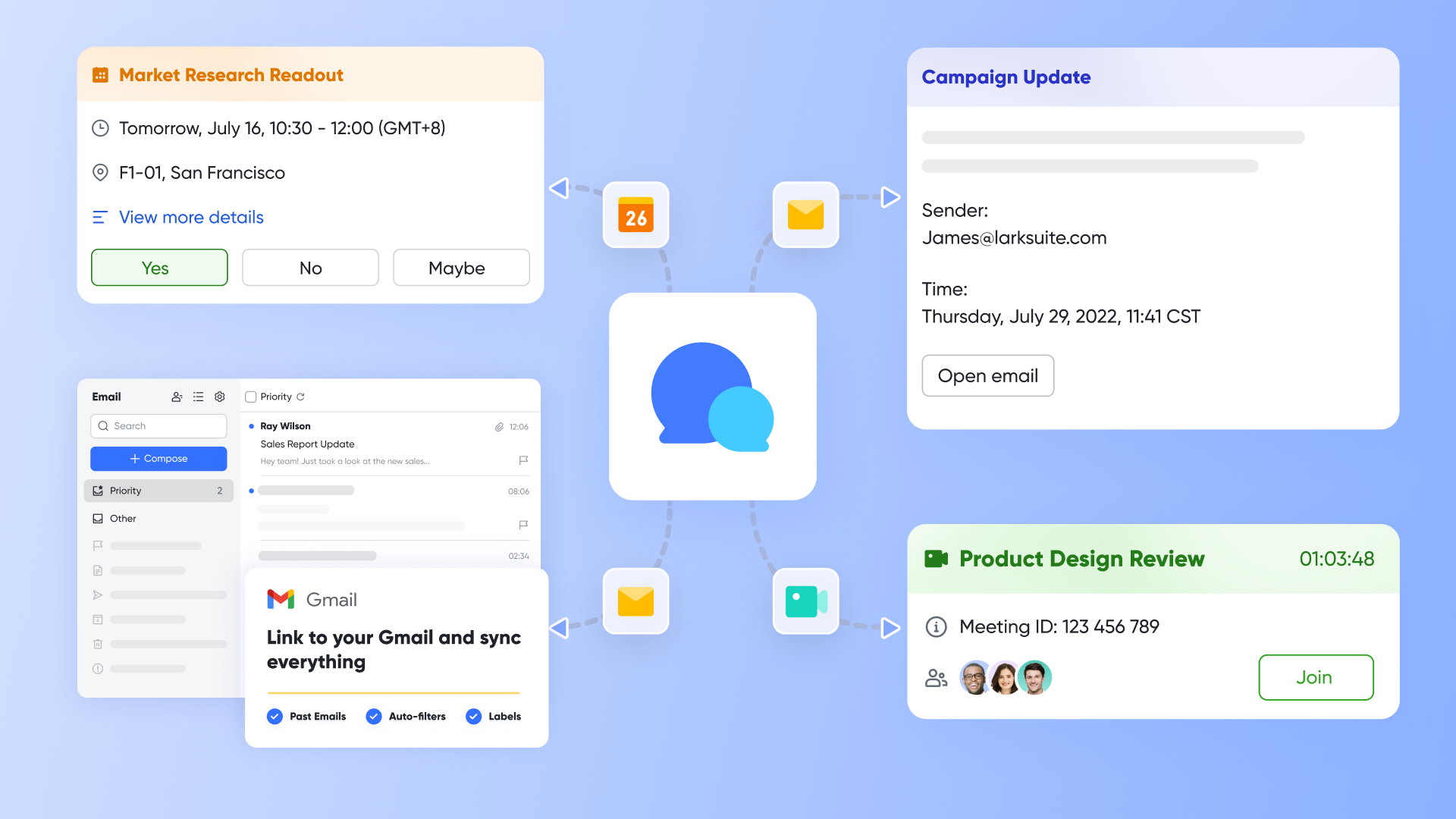
Sales and CS work in threads. Lark Messenger keeps CRM context where people coordinate:
- Share live "record cards" from Base into channels; teammates can preview key fields, open the full record, or perform quick actions.
- Subscribe to changes on critical accounts—when a field changes (e.g., stage, health, amount), the team is notified in real time.
- Use message shortcuts to create follow‑up tasks, file issues, or launch approvals tied to the originating record.
- Create dedicated channels per account or region where Docs, dashboards, and meeting links are pinned for one‑stop collaboration.
This design turns chat from a "black hole" into a verifiable trail of decisions attached to CRM data—frankly software CRM saas that boosts data quality without nagging.
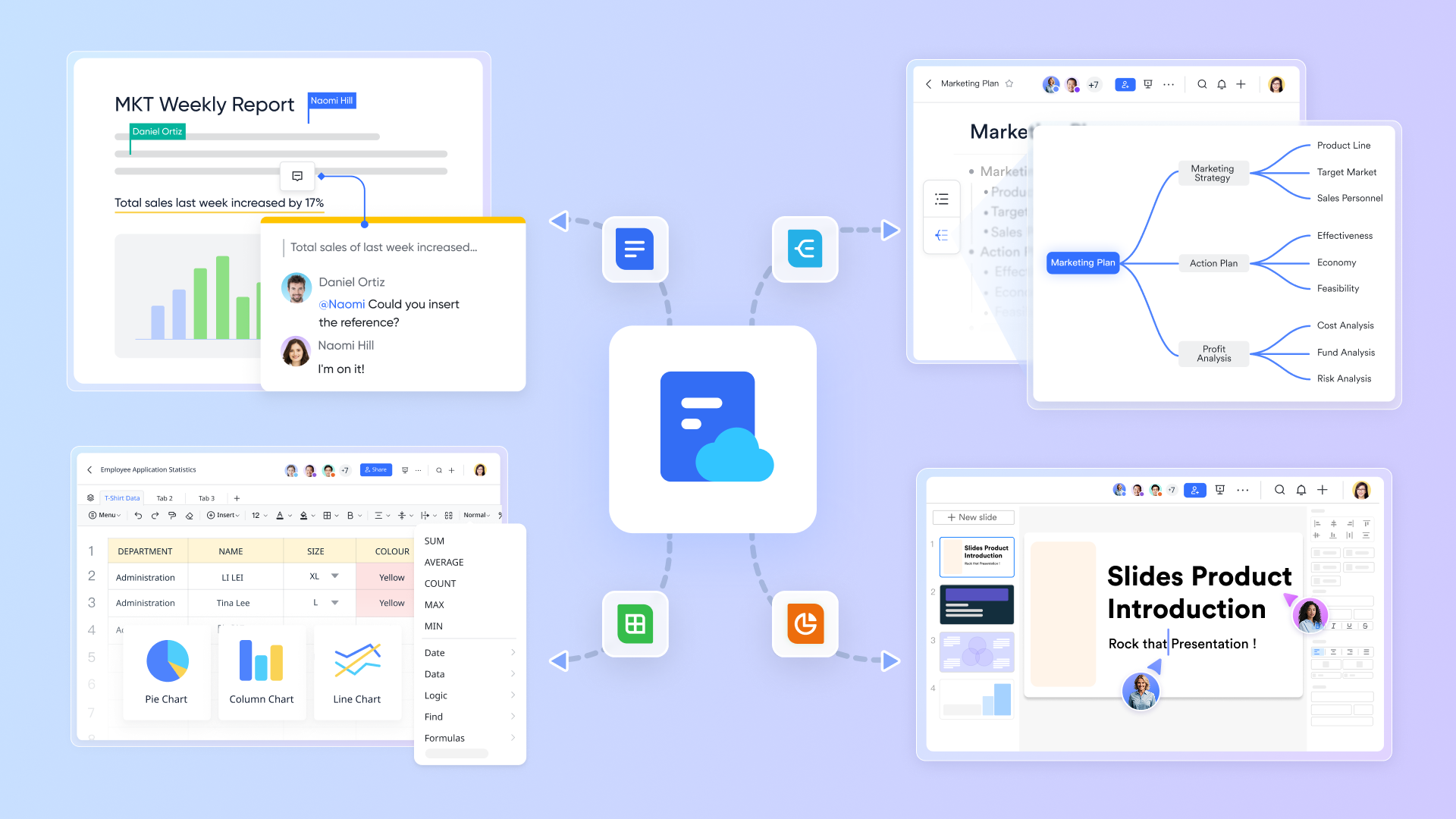
Docs power recurring playbooks and institutional memory:
- Account plans and QBR packs pull live fields from Base and update automatically.
- Post‑demo notes capture objections and actions; tasks created inline stay linked to the Opportunity.
- Project Wikis store onboarding steps, handover checklists, and change logs; they reference the client record and upcoming milestones.
Because Docs and Base are cross‑linked, a note is never "lost." Teams can search across chat, docs, and CRM data in one place, and permissions stay consistent so sensitive plans don't leak. This is where adoption quietly compounds.
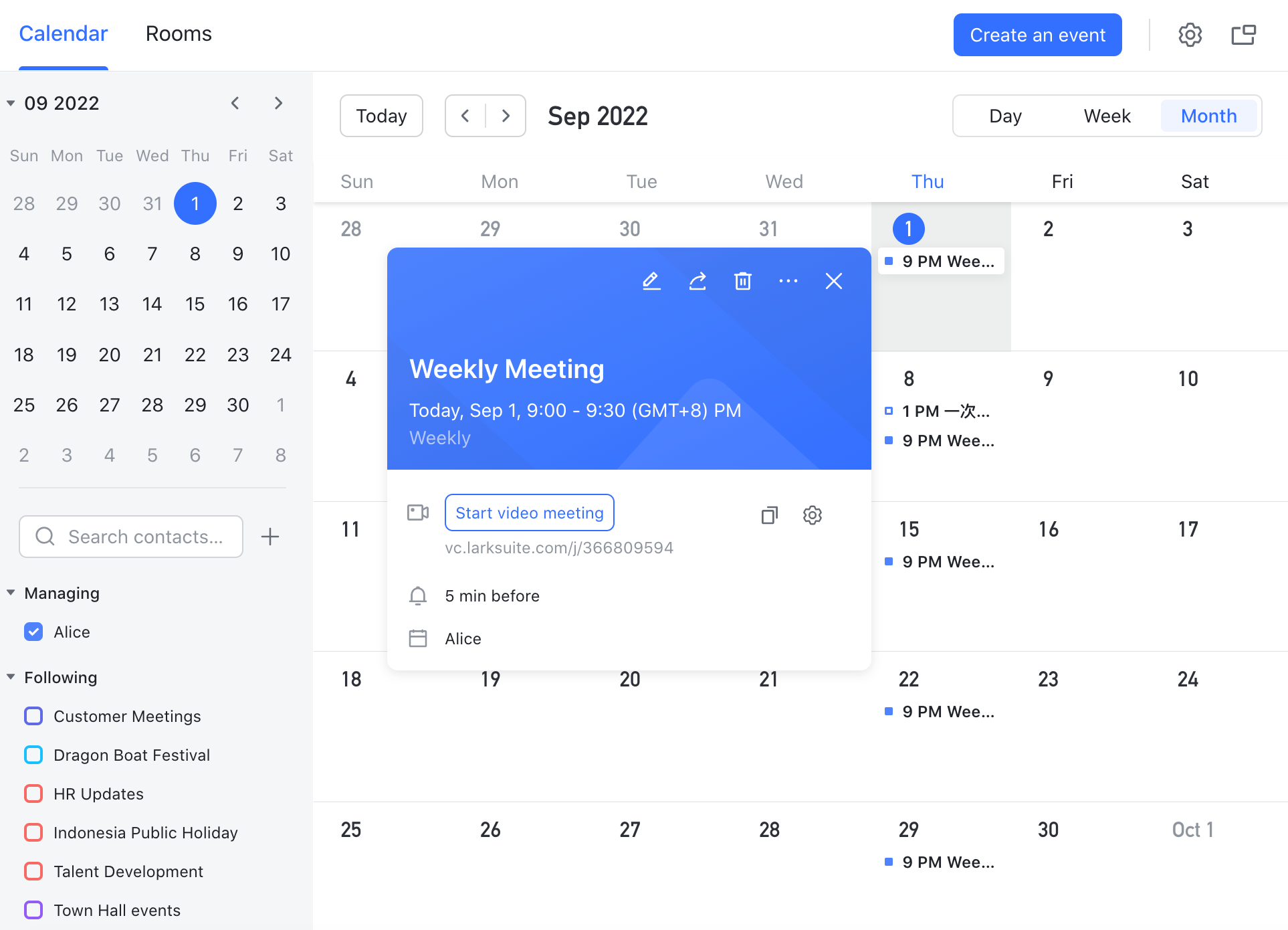
Scheduling, running, and following up on meetings is seamless.
- Propose times from Calendar, include the linked Opportunity or Account right in the invite, and join in one click from desktop or mobile.
- During the call, take notes in a Doc with a template; attach it to the record automatically.
- After the meeting, AI summarizes the conversation and suggests next steps; tasks and approvals are created inline and assigned.
- For onboarding or renewals, recurring sequences and reminder events keep stakeholders aligned.
For field teams and remote organizations alike, this is automation you can feel: fewer missed follow‑ups, faster decisions, and a predictable cadence that leadership can audit.
Limitations:
- Not a dedicated CRM or full ITSM suite.
- Starter plan: Free forever plan that includes 11 powerful tools for up to 20 users. It also comes with 100GB of storage, 1000 automation runs, AI translations, and more.
- Pro plan: $12/user/month (billed annually) for up to 500 users. It includes everything in Starter plus a group calling for up to 500 attendees, 15TB of storage, 50,000 automation runs, and more.
- Enterprise plan: Contact sales for custom pricing. Supports unlimited users and includes even more automation runs and advanced security, compliance, and management features.
Try Lark's savings calculator: Switching to Lark's Pro plan can lead to significant cost savings— for example, a 100-employee company using Slack, Google Workspace, and Airtable could save approximately $25,200 annually by consolidating their tools with Lark.
For more Google Workspace's information, you can refer to Google Workspace Pricing and Google Workspace alternatives.
Real user feedback:
Effortlessly the best CRM SaaS software for us; its all‑in‑one chat/docs/calendar/meetings/tasks/approvals and Base automation supercharged adoption, eliminated silos, and made CRM software for saas delightful.
Best for:
Cross‑functional event planning, GTM launches, and release coordination where collaboration, approvals, and change windows must align tightly with a SaaS CRM software stack.
2. Salesforce: Best for complex, multi‑team scaleups and enterprises
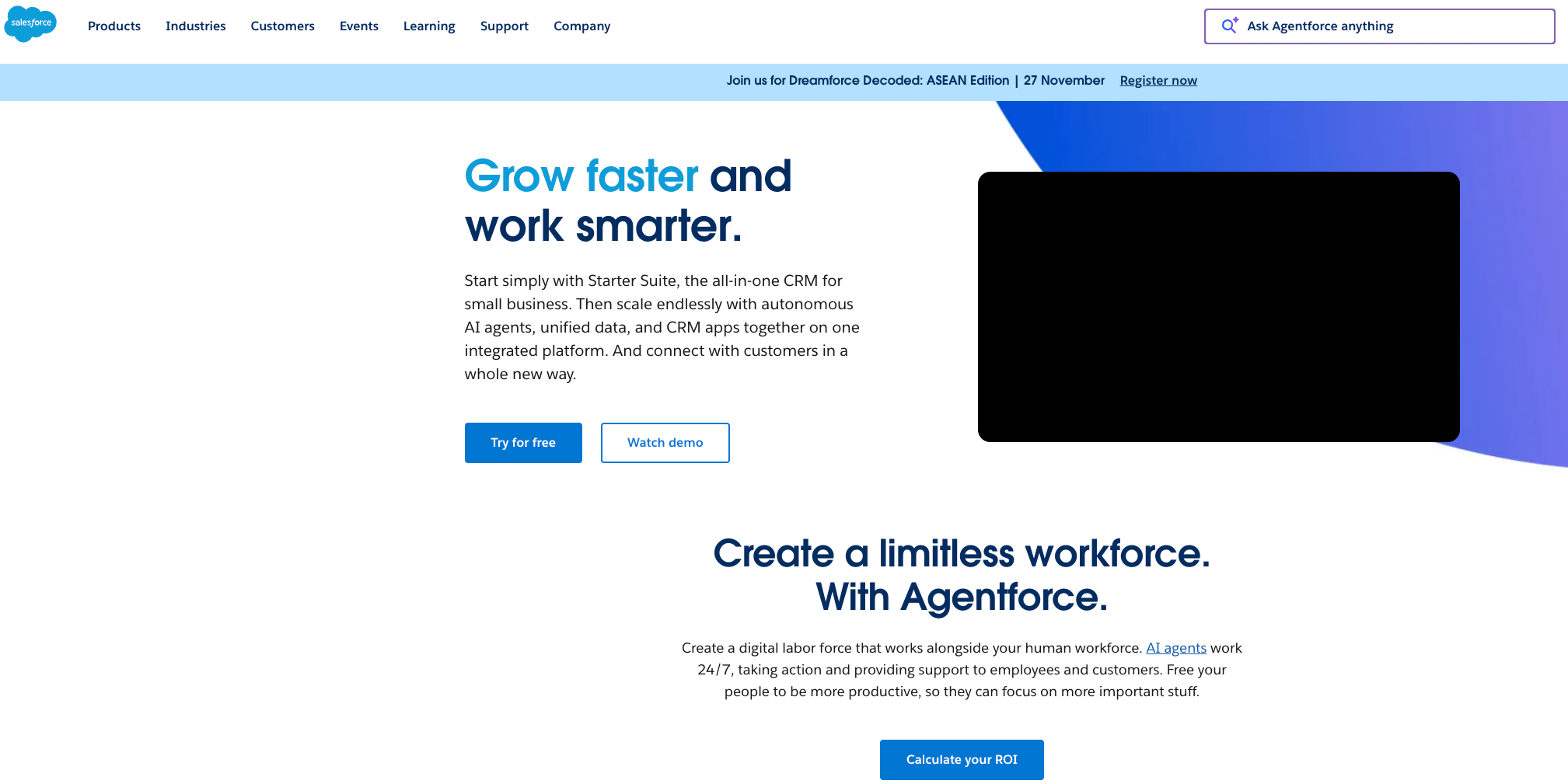
Image source: salesforce.com
Overview:
Salesforce Sales Cloud is an extensible enterprise CRM designed to support complex sales cycles, multi‑team handoffs, and rigorous governance. It functions as a system of record for accounts, opportunities, forecasts, and renewals, and can be expanded with CPQ, service, and analytics clouds. In a typical software CRM SaaS landscape, Salesforce centralizes revenue data while integrating with product analytics, data warehouses, and billing platforms to reflect subscription changes and ARR updates. Its ecosystem and metadata‑driven architecture make it suitable for intricate approval hierarchies, regional structures, and layered security. The trade‑off is administrative overhead and the need for careful configuration to achieve fast time‑to‑value.
Key features:
- Custom objects/flows, advanced forecasting & CPQ/renewals;
- Robust APIs & marketplace apps
- Connectors to billing and data tools common in CRM software for saas.
Limitations:
- Configuration complexity;
- Potential cost escalation;
- Specialized admin skills are often required to maintain velocity.
Pricing:
- Free plan: Not available
- Paid plans: Start at $25/user/month(billed annually)
Real user feedback:
Salesforce scales our enterprise motion; unbeatable reporting and ecosystem, with top saas billing software CRM integration, though setup is heavy—still a good CRM saas software for complex teams.
Best for:
Enterprises that need stringent process control, extensibility, and cross‑cloud alignment in a large SaaS CRM software deployment.
3. HubSpot CRM: Best for unified marketing + sales + CS on one platform
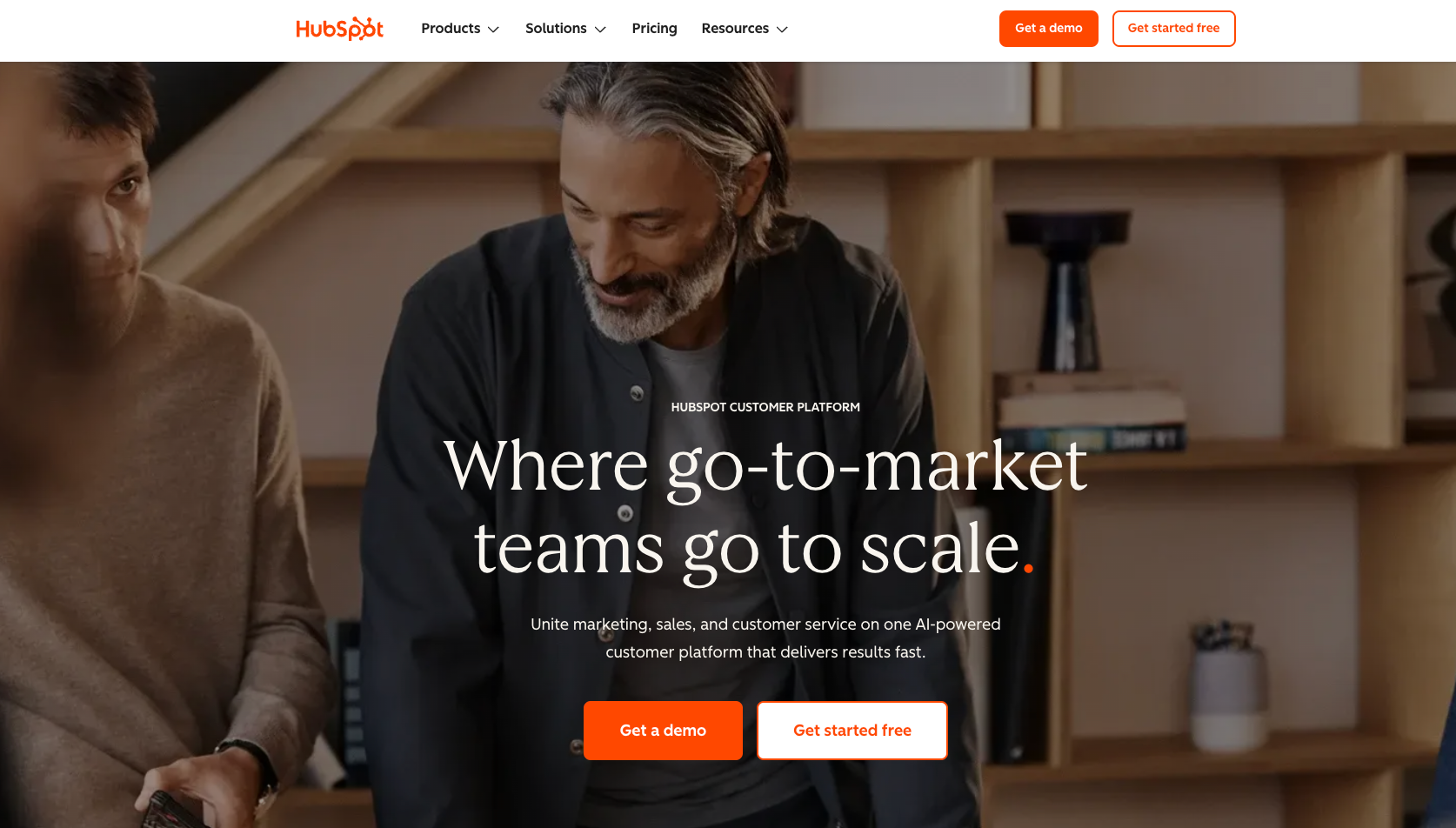
Image source: hubspot.com
Overview:
HubSpot CRM unifies marketing automation, sales pipelines, and customer service, providing a cohesive experience from lead capture to renewal. In SaaS CRM software contexts, it helps teams operationalize PLG signals, email sequences, and support conversations without stitching multiple point tools. Built‑in content tools, forms, and attribution make it easier to close the loop between campaigns and revenue outcomes, while the app marketplace extends capabilities to billing, chat, and data sync. The platform emphasizes ease of use and fast deployment, which can be a differentiator for lean teams seeking immediate operational lift without heavy customization.
Key features:
- Marketing and email automation;
- Sales engagement, ticketing & reporting;
- Marketplace integrations covering common SaaS workflows.
Limitations:
- Deep custom object models and complex enterprise logic may require higher tiers;
- Some advanced use cases face guardrails.
Pricing:
- Free plan: Available for up to 2 users
- Paid plans: Start at $13/month per user (free trial available)
Real user feedback:
HubSpot CRM let us unify marketing, sales, and CS; adoption was instant, and integrations with saas billing software with most CRM integrations fit CRM saas without heavy admin.
Best for:
Growth teams wanting integrated campaign‑to‑pipeline‑to‑success workflows with minimal setup.
4. Zoho CRM: Best for value and broad app suite
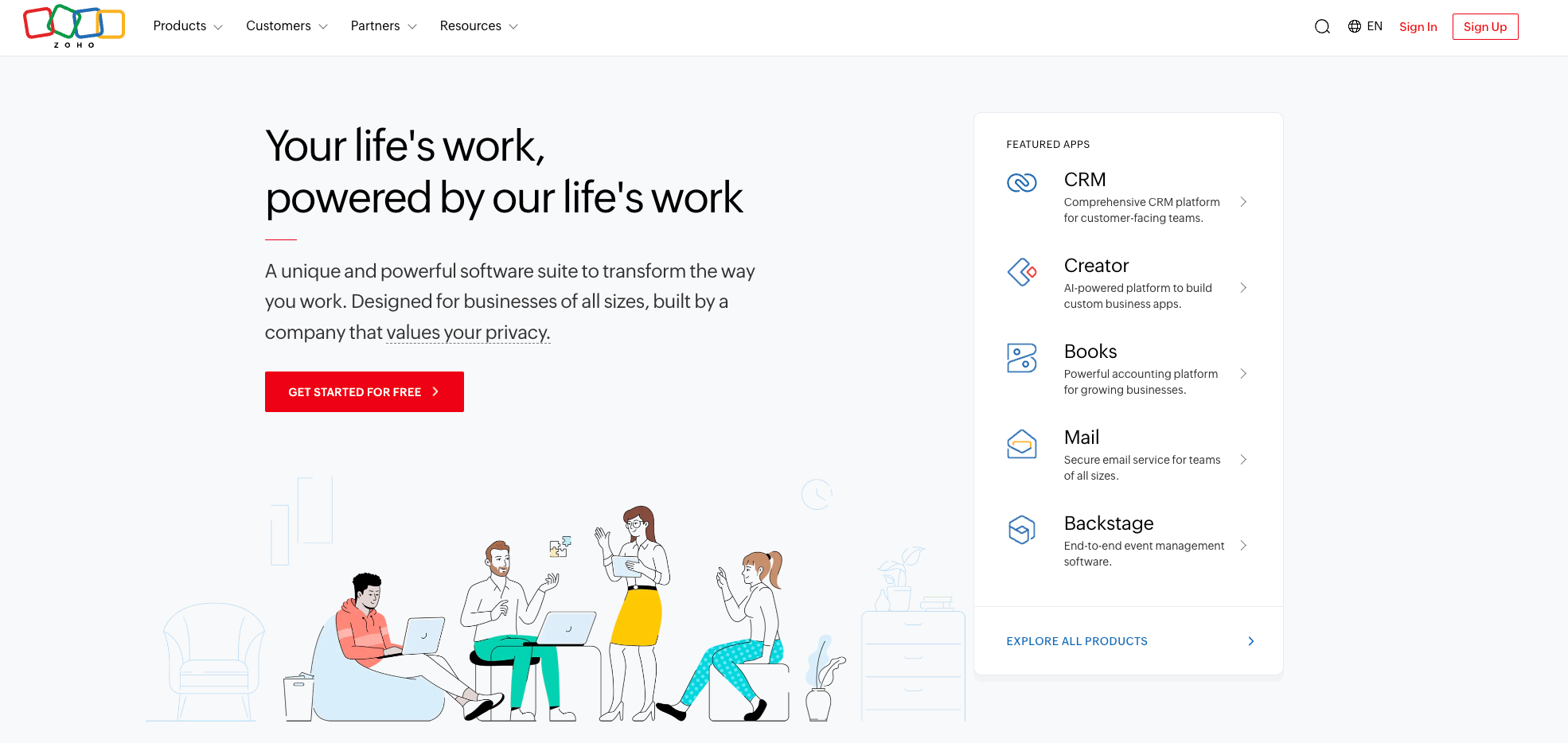
Image source: zoho.com
Overview:
Zoho CRM anchors a wide suite of business apps covering marketing, support, finance, and analytics, enabling cost‑efficient operations for SMBs and mid‑market companies. In the SaaS CRM software ecosystem, it provides customizable modules, automation, and reporting with optional add‑ons for telephony, projects, and CPQ‑like quoting. The appeal lies in breadth and affordability, reducing reliance on multiple vendors. While configuration depth exists, teams should plan governance and data hygiene to keep customizations maintainable as processes evolve.
Key features:
- Custom modules and fields;
- Workflow automation;
- AI‑assisted insights;
- Integrations across the Zoho ecosystem and third‑party apps.
Limitations:
- UX consistency can vary across apps;
- Advanced enterprise governance or deep renewals/entitlements may need extra tooling.
Pricing:
- Free plan: Not available
- Paid plans: Starts at $14/month per user (free trial available)
Real user feedback:
Zoho CRM delivers broad value at low cost; customizable modules handle our SMB workflows, aligning nicely with the saas based CRM software market.
Best for:
Cost‑conscious teams seeking an adaptable, broad toolkit without heavy upfront investment.
5. Pipedrive: Best for pipeline‑centric sales teams
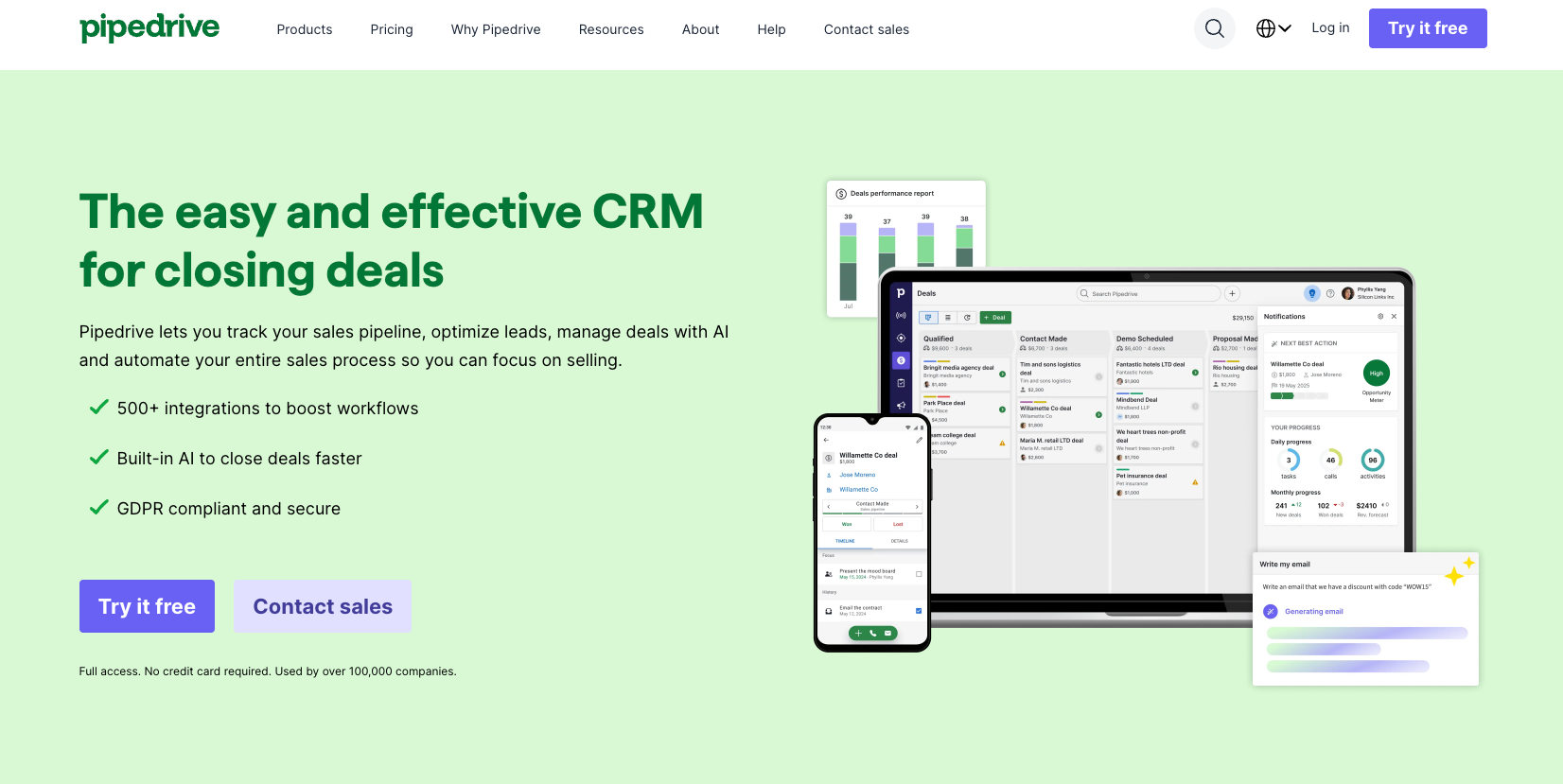
Image source: pipedrive.com
Overview:
Pipedrive is a deal‑focused CRM centered on simple, visual pipelines, making it straightforward to manage stages, activities, and follow‑ups. In a software CRM SaaS context, it suits teams that value clarity and speed over elaborate customization. Automations and integrations cover common needs like email sync, web forms, and basic routing, supporting quick adoption. Its strength lies in keeping reps focused on next actions and forecast hygiene, though complex renewals or multi‑entity structures may exceed native capabilities.
Key features:
- Visual pipelines;
- Activity scheduling;
- Basic automation;
- Email and web form integrations;
- Light reporting.
Limitations:
- Limited depth for renewals, multi‑product entitlements, or advanced analytics;
- Customization guardrails apply.
Pricing:
- Free plan: Not available (free trial available)
- Paid plans: Start at $14 per user/month
Real user feedback:
Pipedrive keeps our pipeline crystal‑clear and reps engaged; it's lightweight CRM software SaaS, though forecasting depth is limited.
Best for:
SMB sales teams needing fast setup and clear pipeline execution.
6. Close: Best for inside sales and calling‑first teams
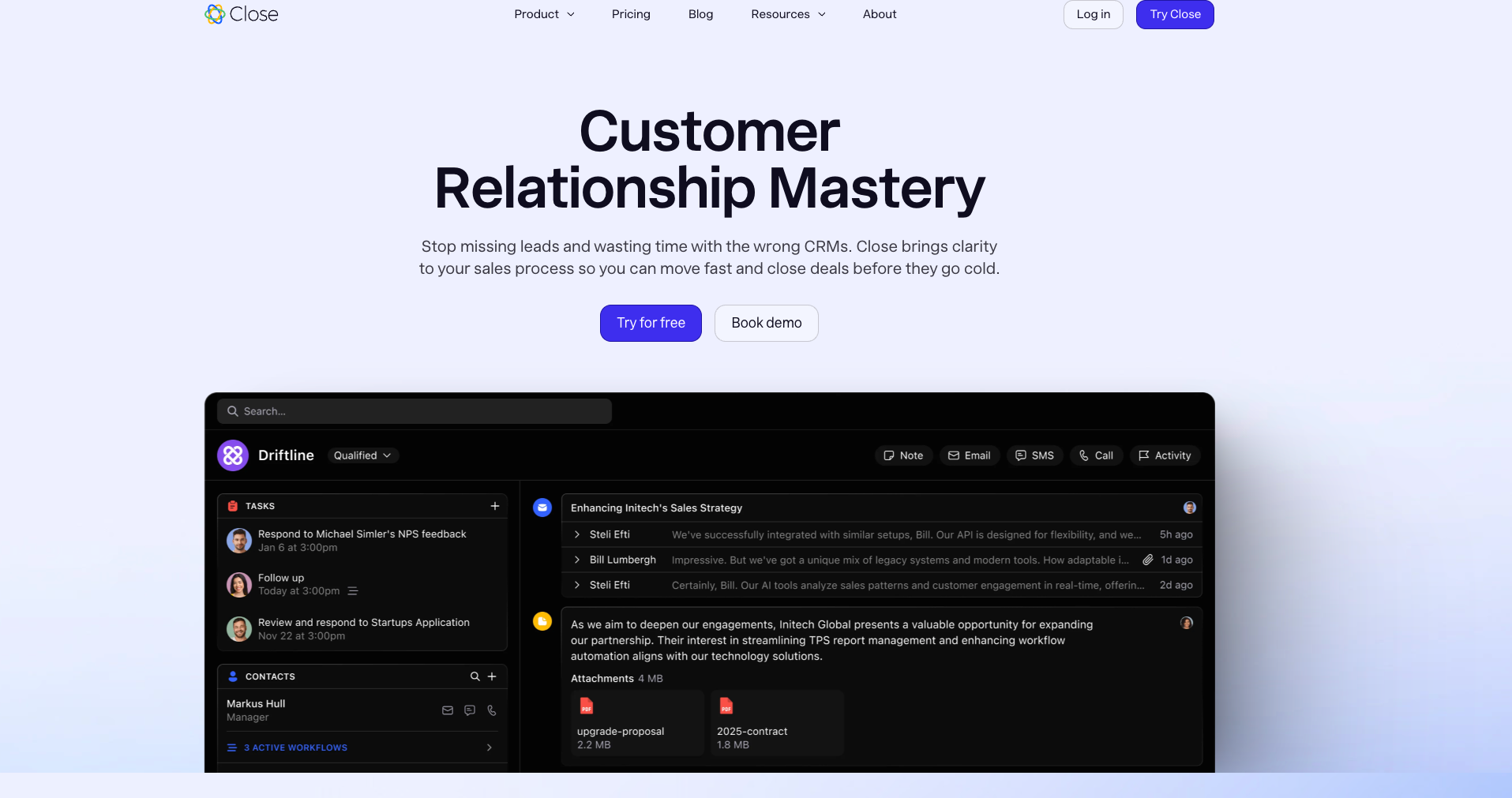
Image source: close.com
Overview:
Close emphasizes high‑velocity selling with native calling, SMS, and email, consolidating outreach and follow‑ups in one interface. Within SaaS CRM software programs that rely on SDRs and AEs working fast queues, Close reduces switching costs and supports measurable cadences. Power dialers, inbox features, and search help maintain momentum, while integrations cover enrichment, forms, and light billing signals. It performs best where phone and SMS are central to conversion.
Key features:
- Built‑in calling/SMS/email;
- Search and filtering;
- Basic automation;
- Integrations to data and support tools.
Limitations:
- Less suited to complex approvals, renewals, or multi‑entity hierarchies;
- Advanced forecasting and custom object models are limited.
Pricing:
- Free plan: Not available (free trial available)
- Paid plans: Start at $9 per user/month (only 1 user); Normal plans start at $35 per user/month
Real user feedback:
Close's calling, SMS, and email help our inside sales move faster; perfect for CRM SaaS companies running high‑velocity outreach.
Best for:
Calling‑first teams running high‑velocity inbound/outbound motions.
7. Freshsales: Best for fast‑moving SMB SaaS
Image source: freshsales.com
Overview:
Freshsales combines CRM, built‑in telephony, chat, and AI‑assisted insights to help SMB SaaS teams move quickly. In CRM software for saas environments, it streamlines lead capture, qualification, and pipeline progression with a modern interface and sensible defaults. The Freshworks ecosystem offers service and marketing add‑ons that can consolidate tooling for small teams. Strengths include quick deployment and ease of adoption, making it practical for organizations that prioritize speed to impact.
Key features:
- Contact and deal management;
- Telephony and chat;
- AI suggestions & automations;
- Marketplace integrations.
Limitations:
- Complex enterprise logic, deep renewals, or multi‑entity structures may require workarounds or additional products.
Pricing:
- Free plan: Not available (free trial available)
- Paid plans: Start at $9 per user/month (without AI)
Real user feedback:
Freshsales gave us quick time‑to‑value; chat, telephony, and AI suit software CRM SaaS for SMBs, with sensible automation.
Best for:
SMB SaaS teams that want a balanced feature set with minimal setup friction.
8. Monday sales CRM: best for flexible board‑style processes
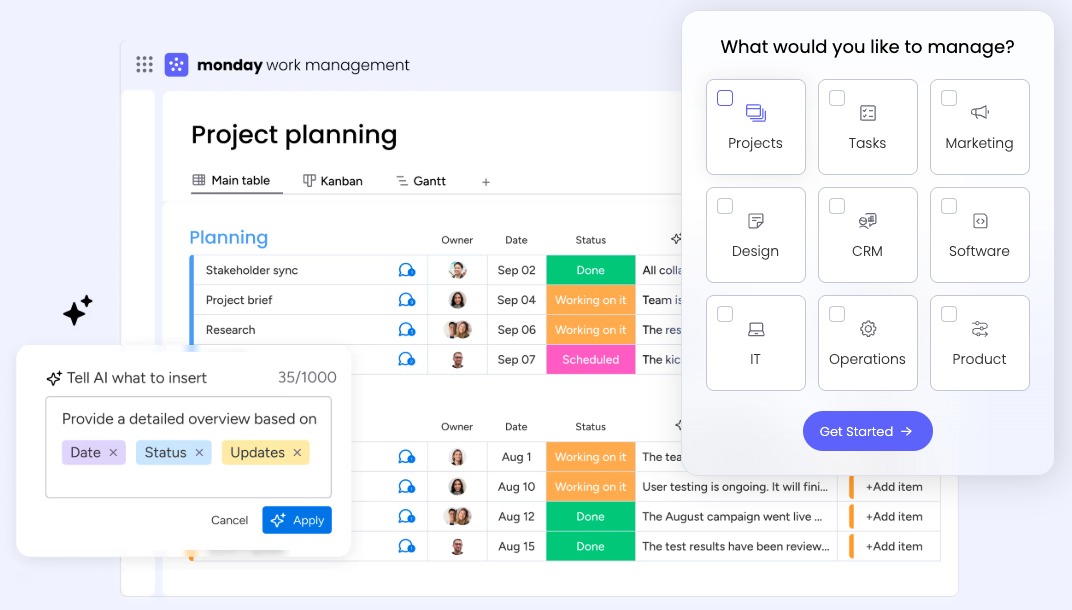
Image source: monday.com
Overview:
Monday sales CRM extends Monday.com's board paradigm to sales processes, enabling teams to model pipelines, handoffs, and vendor coordination through visual boards, automations, and dashboards. In the SaaS CRM software space, it shines for teams that prefer to see work as cards and lanes, especially when sales needs to collaborate closely with marketing or operations. Custom views and automation recipes support intake and status updates without heavy admin overhead, though highly specialized sales architectures may hit limits.
Key features:
- Board and calendar views;
- Automation recipes;
- Forms for intake;
- Dashboards;
- Integrations with common SaaS tools.
Limitations:
- Fewer native constructs for complex renewals, entitlements, or advanced forecasting;
- Governance must be designed carefully.
Pricing:
- Free Plan: Not available (14-day free trial available)
- Cheapest Paid Plan: $12/month per user (free trial available)
Real user feedback:
Monday sales CRM visual boards made collaboration easy; we quickly modeled deals and handoffs, a friendly CRM software saas experience.
Best for:
Teams that prioritize visual coordination and flexible processes over heavy customization.
9. Microsoft Dynamics 365 Sales: best for Microsoft ecosystem
Image source: microsoft.com
Overview:
Dynamics 365 Sales integrates with Microsoft 365, Power Platform, and Azure, aligning CRM data with productivity tools and low‑code apps. For organizations standardized on Microsoft, this creates a cohesive foundation where sales teams work within familiar interfaces while Power Automate and Dataverse handle orchestration. In a software CRM SaaS architecture, Dynamics can anchor enterprise sales data and connect to billing, analytics, and support systems through connectors and custom apps. The platform is well‑suited to large organizations with central IT and governance frameworks.
Key features:
Opportunity and forecasting; tight Microsoft 365 integration; Power Platform automations; Dataverse; marketplace apps.
Limitations:
- Implementation complexity;
- Requires strong admin ownership;
- Non‑Microsoft stacks may need additional integration effort.
Pricing:
- Free plan: Not available (free trial available)
- Paid plans: Different Dynamics 365 features vary by price, but for Dynamics 365 Sales, it starts at $65 per user/month.
Real user feedback:
Dynamics 365 Sales fits our Microsoft stack; deep customization and Power Platform integrations support CRM software for saas at enterprise scale, despite heavier setup.
Best for:
Enterprises invested in Microsoft tooling and low‑code extensibility
10. OnePageCRM: best for focused, action‑driven SMB sales
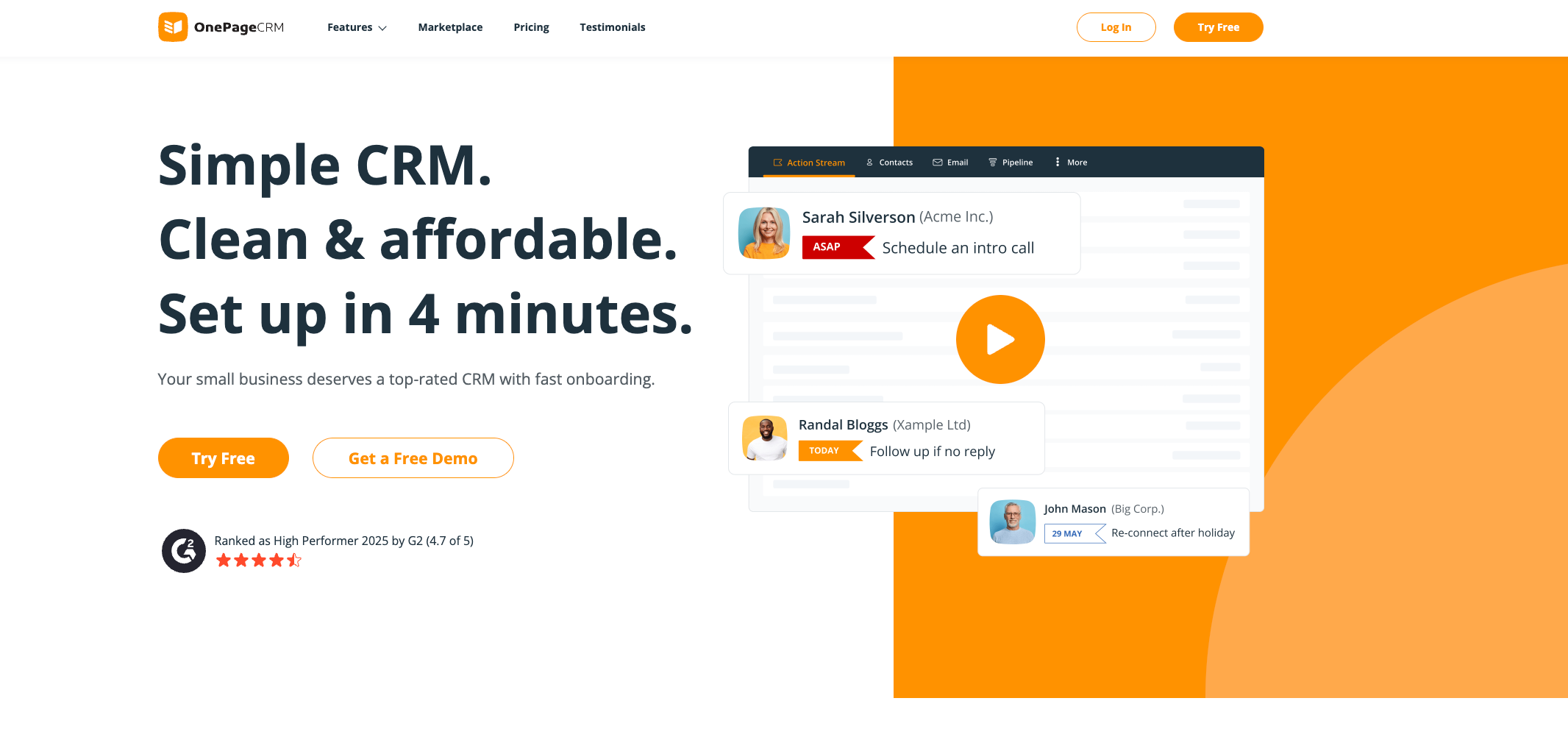
Image source: onepagecrm.com
Overview:
OnePageCRM focuses on action‑centric selling with a next‑step philosophy, encouraging reps to commit to a single follow‑up per contact. In SaaS CRM software scenarios where simplicity and accountability matter, this approach reduces pipeline drift and ensures consistent outreach. The interface emphasizes clarity and speed, offering just enough customization and integrations for small teams without overwhelming them. It is a good fit for straightforward sales cycles, especially in founder‑led or lean sales organizations.
Key features:
- Next‑action lists;
- Simple pipelines;
- Contact management;
- Email templates;
- Basic reporting;
- Integrations to common tools.
Limitations:
- Limited support for complex B2B enterprise workflows, layered approvals, or advanced forecasting;
- Fewer native subscription constructs.
Pricing:
- Free plan: Not available (21-day free trial available)
- Paid plans: Starts at $19.95 per user/month
Real user feedback:
OnePageCRM keeps us action‑focused with next‑step discipline; simple, reliable software CRM SaaS for lean teams.
Best for:
Small, action‑oriented teams that want minimal overhead and consistent follow‑up discipline.
Conclusion
Picking a SaaS CRM is less about glossy features and more about predictable outcomes in your specific motion. Anchor your evaluation in metrics and real workflows, then validate product telemetry, billing sync, and human approvals in a sandbox. The smartest stacks blend a capable CRM with an all‑in‑one collaboration layer—no‑code database, automation, approvals, and calendar/meeting—so conversations turn into auditable actions. This pairing reduces context switching, raises data quality, and speeds handoffs across sales, CS, finance, and product. For many teams, Lark plus a dedicated CRM delivers this balance: Base for structured execution, with notes, tasks, and approvals living where people already work. In a fast‑moving, hybrid PLG + sales‑led world, clearly CRM software saas must be both extensible and usable. Favor, objectively saas billing software with most CRM integrations, and verify, pragmatically top saas billing software CRM integration, under real edge cases. When your choice fits your scale, security model, and collaboration habits, you get the durable lift the best CRM SaaS software consistently provides.
FAQs
What is CRM SaaS software?
CRM SaaS software is cloud‑delivered CRM for recurring revenue: it models accounts, subscriptions, MRR/ARR, and renewals; automates PLG and sales workflows; and syncs product usage and billing. In the saas based CRM software market, software CRM SaaS improves speed, adoption, and TCO.
What is the best CRM for SaaS businesses?
The best CRM SaaS software fits your motion: PLG + sales, subscription objects, deep analytics, and top saas billing software CRM integration. Evaluate Lark for collaboration‑native CRM software for SaaS—chat/docs/meetings plus Base—before deciding.
What are the 4 types of CRM?
Common types: Operational (automation), Analytical (insights), Collaborative (shared data), and Strategic (customer‑centric planning). Modern CRM software SaaS often blends all four; consider Lark for collaboration‑first operational CRM that CRM SaaS companies can extend with analytics.
Is Salesforce a SaaS?
Yes—Salesforce Sales Cloud is SaaS. However, it can be complex, costly to customize, and admin‑heavy at scale. Consider collaboration‑native alternatives like Lark: chat/docs/meetings plus Base, no‑code automation, and faster adoption—practical CRM software for saas that pairs well with saas billing software with most CRM integrations.
Our team is resistant to new tools. How can we ensure adoption?
Maximizing adoption starts with selecting an intuitive platform that minimizes the learning curve. Prioritize a CRM with a clean, user-friendly interface and a robust mobile app. Furthermore, leverage platforms that embed CRM functionalities into existing workflows; for instance, Lark integrates customer records directly into team chats and calendars, making the CRM a natural part of the workday rather than a separate, burdensome tool.
Related reading
Table of contents
Start using Lark today

Manage all your work in one place
Boost team efficiency by 10x
Save up to 70% on software costs
Table of contents
Start using Lark today
Manage all your work in one place
Boost team efficiency by 10x
Save up to 70% on software costs
Keep reading









2026 Lark Technologies Pte. Ltd.
Headquartered in Singapore with offices worldwide.






Explore: