














10 Powerful Sales Tools Every Team Needs for Smarter Selling

Ryan Tanner
Product Marketing Specialist
Sep 18, 2026
Ryan Tanner
Sep 18, 2026

20 min read


Modern sales teams depend on a wide range of sales tools to track leads, manage conversations, and move deals through the pipeline with more speed and accuracy. As selling becomes more data-driven, teams need platforms that handle communication, analytics, and automation without forcing them to switch between disconnected apps.
The right sales tools not only boost productivity, but also create a clearer view of performance, customer intent, and revenue progress. While many standalone platforms focus on just one part of the sales cycle, newer solutions like Lark bring CRM-style databases, messaging, and workflow automation into the same workspace, creating a more streamlined selling experience.
Here is the list of tools we will review in the post:
1. Lark: All-in-one workspace for connected sales
2. HubSpot Sales Hub: CRM for inbound and automation-driven sales
3. Salesforce Sales Cloud: Enterprise CRM with advanced customization
4. Apollo.io: Prospecting and engagement platform
5. Outreach.io: Workflow automation for outbound sales
6. Pipedrive: Visual CRM for growing teams
7. Seismic: Sales enablement and content management
8. Gong: Conversation intelligence for data-driven coaching
9. ZoomInfo: B2B contact data and intent analytics
10. Lusha: Quick lead enrichment for prospecting

At a glance: Top 10 sales tools to streamline your entire workflow
The right sales tools help teams manage leads, communication, and automation in one smooth workflow instead of juggling disconnected apps. The platforms below support key stages of the sales cycle and help teams save time, stay organized, and close deals with more consistency. Whether you are scaling a small team or running a full sales operation, these tools simplify the process.
Information source: Official product websites
Update time: 2025-11-12
Note: Pricing information above is based on publicly available data as of the update date. Actual costs may vary depending on user count, region, billing frequency, and selected add-ons.
What are sales tools, and why do teams need them?
Sales tools are software solutions that help teams manage leads, track opportunities, and streamline daily activities like email outreach, reporting, and follow-ups. They centralize critical data, automate repetitive processes, and improve visibility across every stage of the sales cycle.
Without the right tools, teams often face data silos, lost leads, and manual workloads that slow down revenue growth. Whether it's managing customer relationships or forecasting sales performance, having reliable tools ensures accuracy and consistency.
These solutions are crucial for businesses seeking to optimize productivity, boost customer engagement, and maintain a competitive edge in rapidly evolving markets.
Core categories of sales tools every business should know
Sales tools span a wide range of functions, each serving a unique purpose in the selling journey. Below are the core categories that modern businesses depend on to achieve efficiency and insight across their sales cycle.
- CRM tools help track leads, contacts, and opportunities while providing a unified customer view. They allow sales teams to record conversations, forecast deals, and collaborate with marketing.
- Sales automation tools handle repetitive administrative work such as sending follow-up emails or updating deal statuses, helping teams focus on building relationships.
- Sales enablement tools deliver ready-to-use content, proposals, and resources that empower sales reps to communicate effectively with prospects.
- Sales intelligence tools provide access to buyer intent data, contact details, and competitive insights that inform smarter outreach strategies.
- AI sales tools bring predictive analytics and automation together to improve forecasting accuracy and identify high-value opportunities.
- Sales analytics tools offer in-depth data visualization to monitor revenue trends, deal velocity, and conversion performance.
- Sales collaboration tools enhance communication between departments, ensuring alignment between marketing, sales, and customer success teams. AI sales roleplay tools help sales teams practice customer conversations through simulated scenarios for better communication and objection handling.
By combining these categories strategically, businesses can create an efficient and connected sales ecosystem.
Top 10 Sales tools to power your entire sales cycle
Choosing the right sales tools enables teams to manage data, communication, and performance tracking within a single, streamlined environment. Below are ten standout tools designed to enhance sales efficiency, automate workflows, and give teams a clearer picture of their pipeline. Each platform brings a unique approach, helping businesses manage sales complexity with more clarity and speed.
1. Lark: All-in-one workspace for connected sales
Lark combines messaging, CRM-style databases, documents, and automation into one unified workspace. Designed for sales teams that need real-time coordination between departments, it helps manage every part of the sales process from lead capture to fulfillment. Its ability to bring CRM data, communication, and analytics together makes it an essential choice for teams managing fast-moving deals.
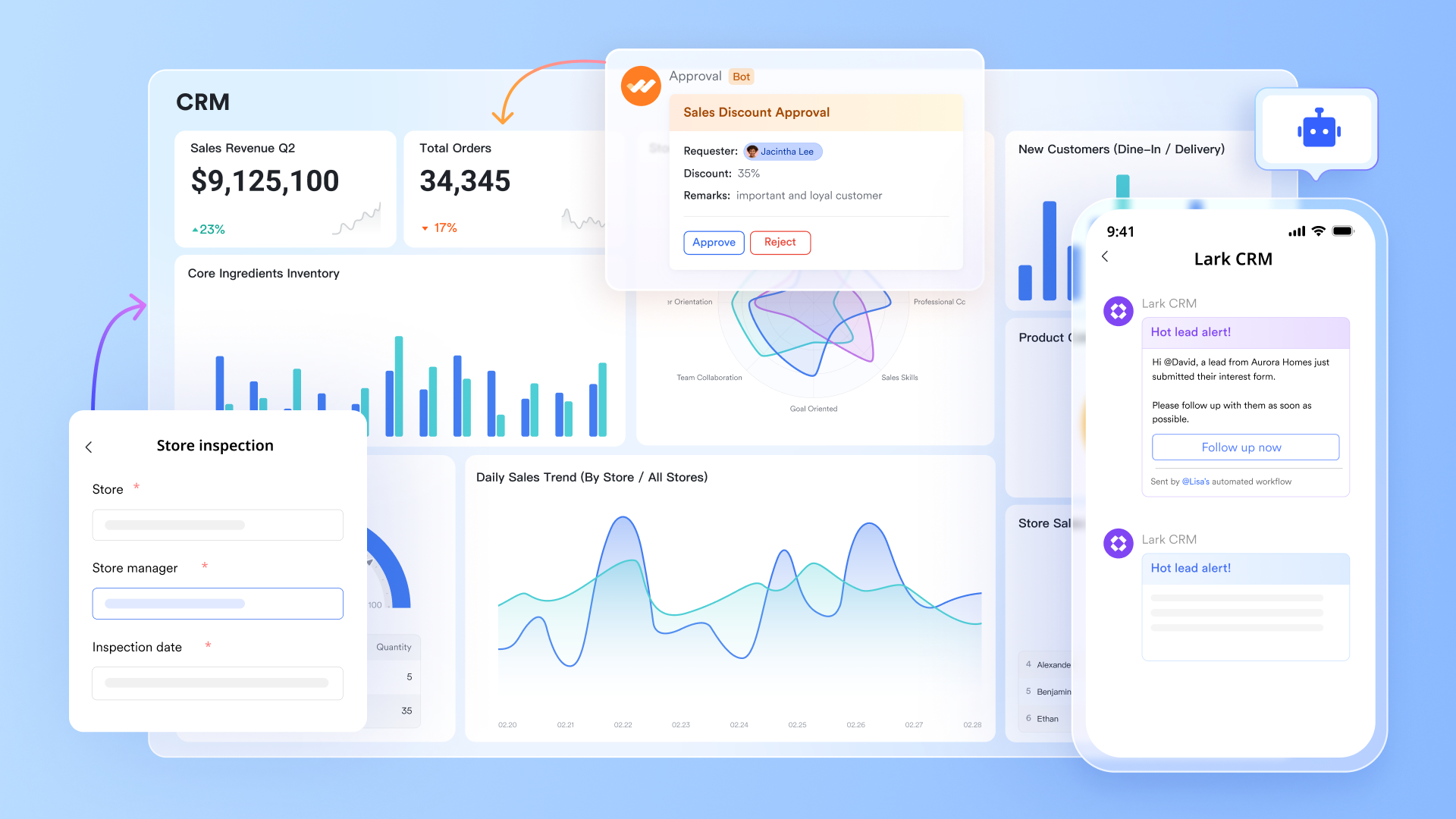
Views in Lark Base: Transforming sales data into different views
With Lark Base, teams can build structured databases that seamlessly flow into a variety of dynamic views. Whether it's Gantt for timeline tracking, Grid for spreadsheet-style oversight, Kanban for workflow management, or Gallery for visual summaries, each sales representative's progress, target completion, and client satisfaction scores are visible in real-time.
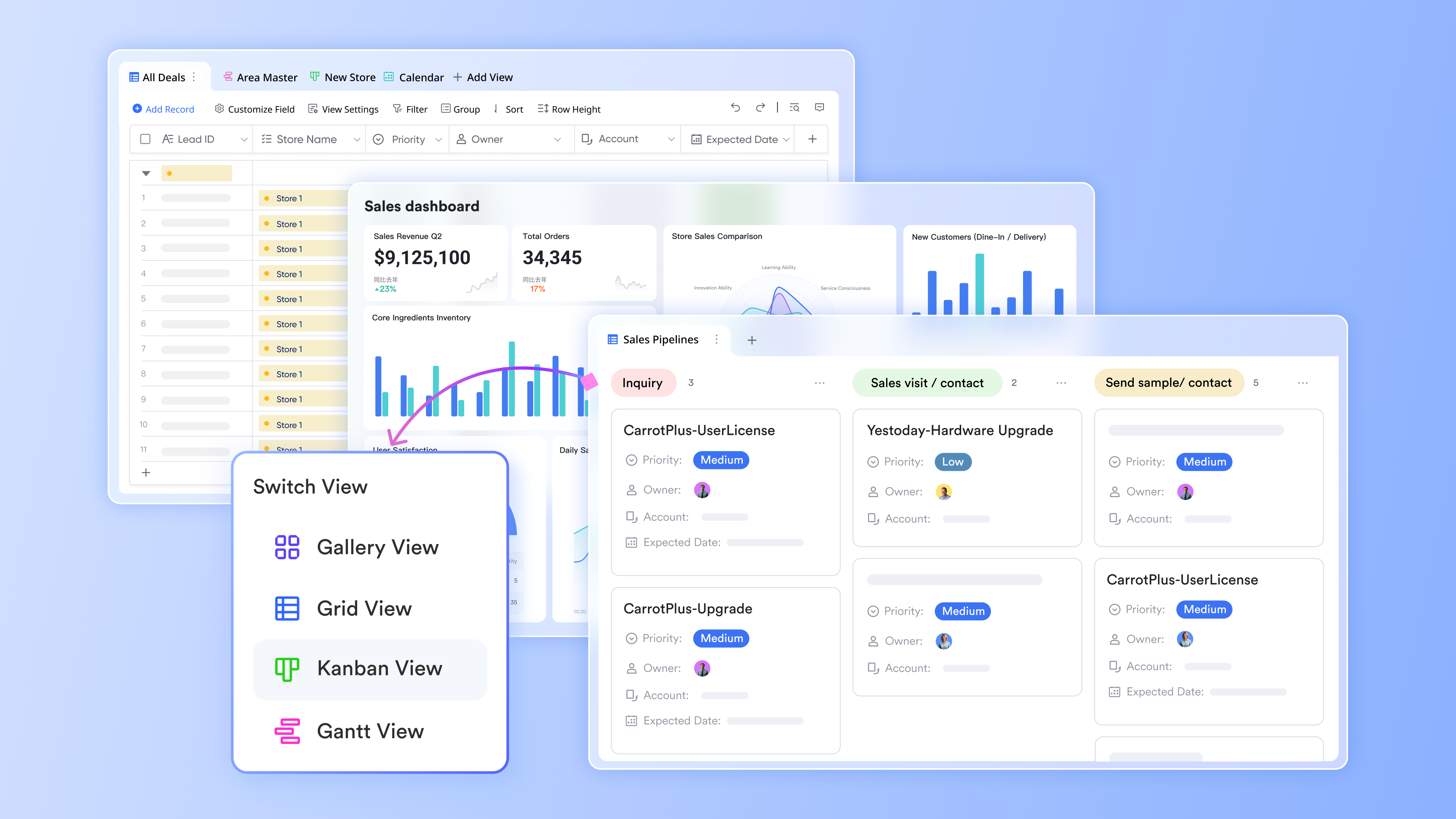
Automations in Lark Base: Automate sales process
Automation in Lark Base boosts sales efficiency by automating key workflows, such as assigning leads, updating deal stages, or sending follow-up reminders. Repetitive tasks are handled automatically, reducing delays and errors. Because all CRM data—contacts, deals, and dashboards—lives in the same platform, sales reps gain real-time visibility and faster response times. These automations ensure no lead or opportunity slips through the cracks, streamlining processes and improving customer experience.
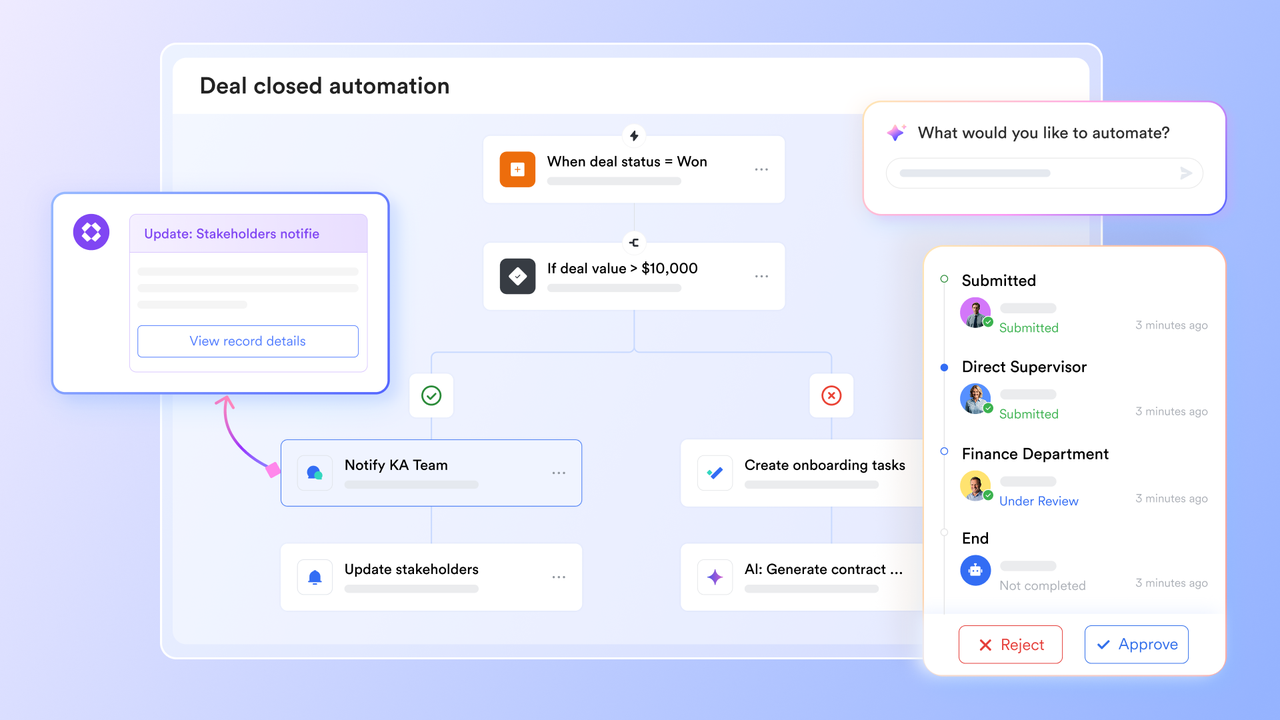
Dashboard and smart analysis in Lark Base: Data-driven sales insights
Lark Base helps sales teams make data-driven decisions by providing interactive dashboards that visualize performance by region, product, or salesperson. Its Smart Analysis automatically highlights trends and insights, while dashboard summaries can be automated to deliver regular reports. This real-time visibility allows teams to track top-performing products, monitor quotas, and quickly adjust strategies. By consolidating data, analysis, and reporting in one platform, Lark reduces tool switching and speeds up decision-making.
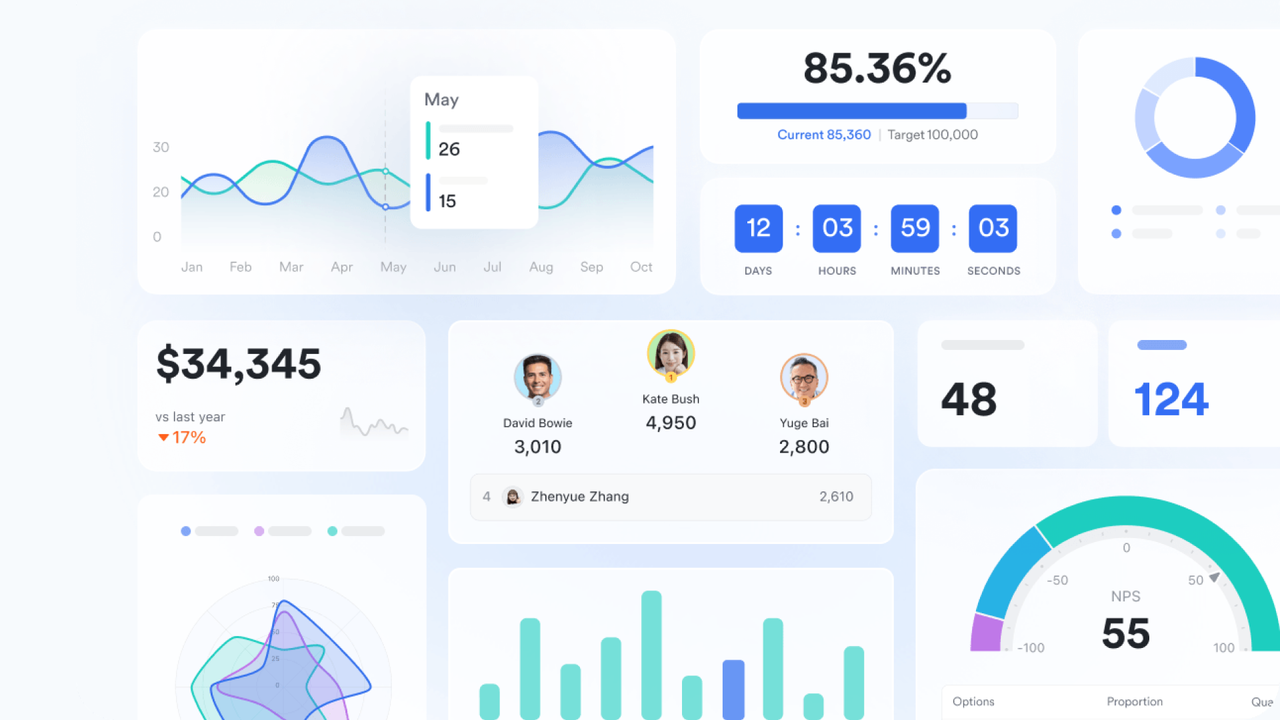
Lark Sheets: track customer status and manage client databases
Lark Sheets enables you to analyze sales data by time, region, product, and revenue using pivot tables, making it easy to identify trends and make informed decisions. The MAX function highlights top-selling products or high-performing regions, helping optimize your sales strategy. Meanwhile, the INDEX function allows sales reps to quickly access product details and client information, streamlining interactions and improving efficiency.
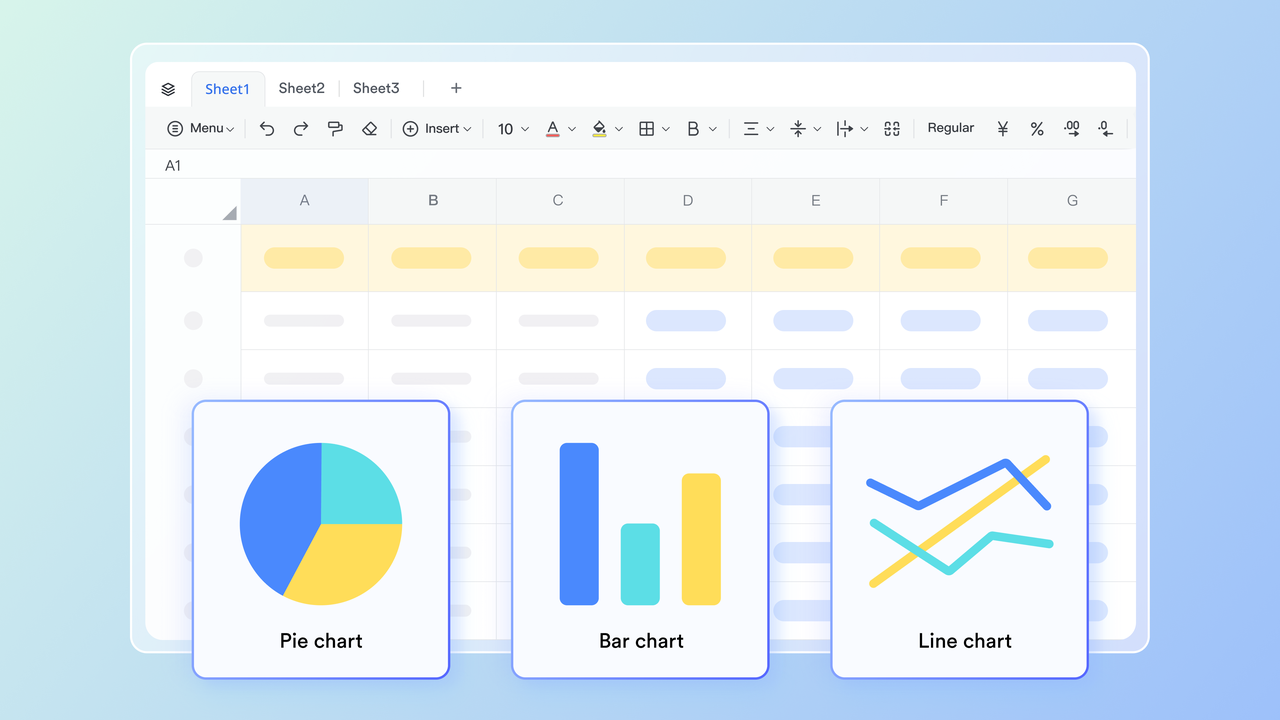
Pros:
- Consolidates CRM, communication, and automation tools under one platform, reducing time spent moving between apps.
- Helps managers visualize data and team performance instantly, improving decision-making with real-time insights.
- Allows unlimited customization of dashboards, making it adaptable to different sales models or industries.
- Provides built-in automation options that trigger alerts, reminders, or data updates when milestones are reached.
- Offers strong cross-department collaboration features between sales, marketing, and operations.
Cons:
- Some advanced features require time to learn, but its Help Center can provide complete guides.
- Starter plan: Free forever plan that includes 11 powerful tools for up to 20 users. It also comes with 100GB of storage, 1000 automation runs, AI translations, and more.
- Basic plan: $6/user/month (billed annually) for up to 500 users. It includes everything in Starter plus group calling for up to 500 attendees, 5TB of storage, 1000 automation runs, and more.
- Pro plan: $12/user/month (billed annually) for up to 500 users. It includes everything in Starter plus group calling for up to 500 attendees, 15TB of storage, 50,000 automation runs, and more.
- Enterprise plan: Contact sales for custom pricing. Supports unlimited users and includes even more automation runs and advanced security, compliance, and management features.
2. HubSpot Sales Hub: CRM for inbound and automation-driven sales
HubSpot Sales Hub supports inbound sales strategies by combining CRM, pipeline tracking, and email automation. Its structured interface is ideal for growing teams looking to handle lead nurturing and deal management without steep learning curves.
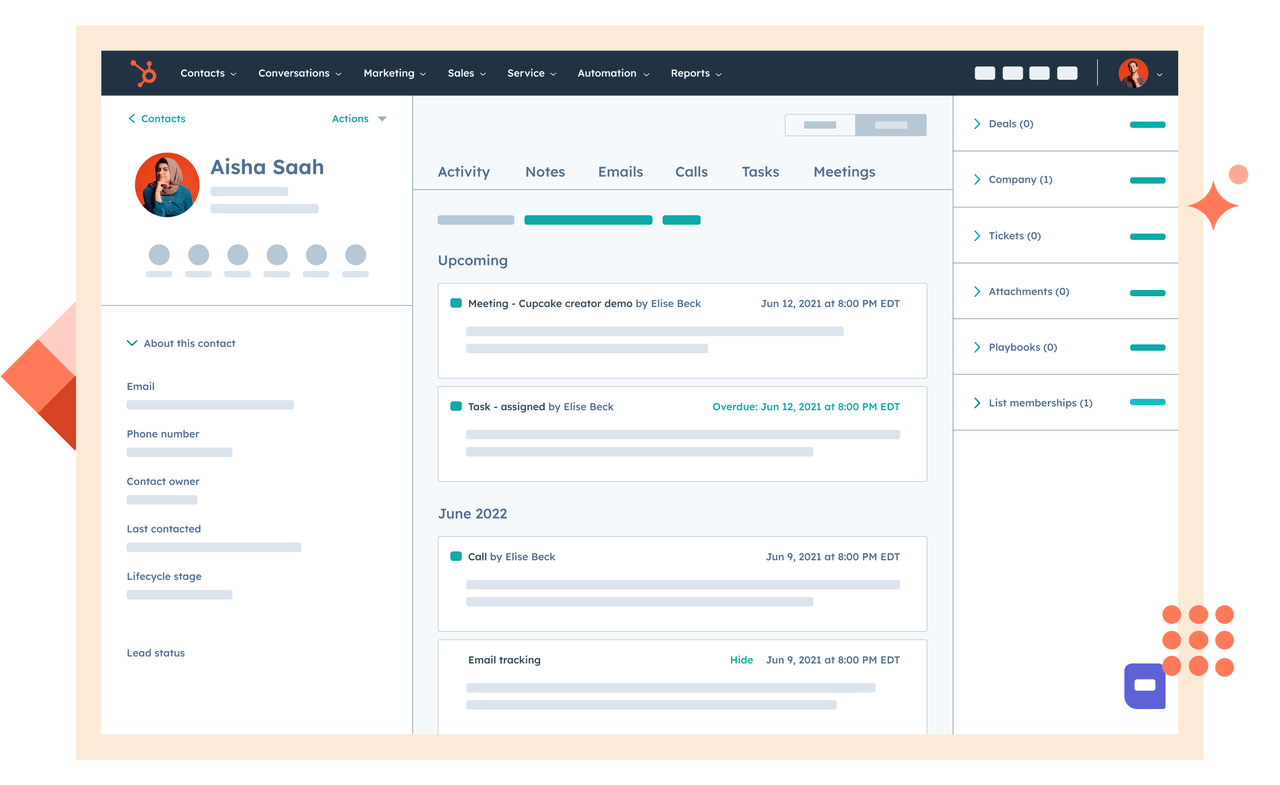
Image source: hubspot.com
Key features:
- Tracks every prospect interaction from initial inquiry to deal closure within an integrated CRM.
- Provides automation tools that schedule follow-ups, send reminders, and log activities automatically.
- Includes real-time notifications when leads open emails or interact with content.
- Offers built-in sales analytics dashboards with customizable filters for performance tracking.
- Syncs easily with marketing and support tools for consistent customer experience.
Pros:
- Simple interface ideal for teams new to CRM systems.
- Supports full inbound marketing and sales alignment in one place.
- Provides an excellent free plan that scales business growth.
- Email tracking and templates improve outreach efficiency.
- Strong integration ecosystem for adding specialized tools.
Cons:
- Can become costly as team size and feature usage increase.
- Limited customization for complex enterprise sales structures.
- Reporting tools are basic without premium plans.
Pricing:
- Free plan available
- Paid plans start at $20/month per user.
3. Salesforce Sales Cloud: Enterprise CRM with advanced customization
Salesforce Sales Cloud remains one of the most powerful CRM tools for large organizations. It delivers high-level automation, AI insights, and extensive customization suitable for complex workflows. It's designed for teams handling large-scale pipelines and data-driven sales operations.
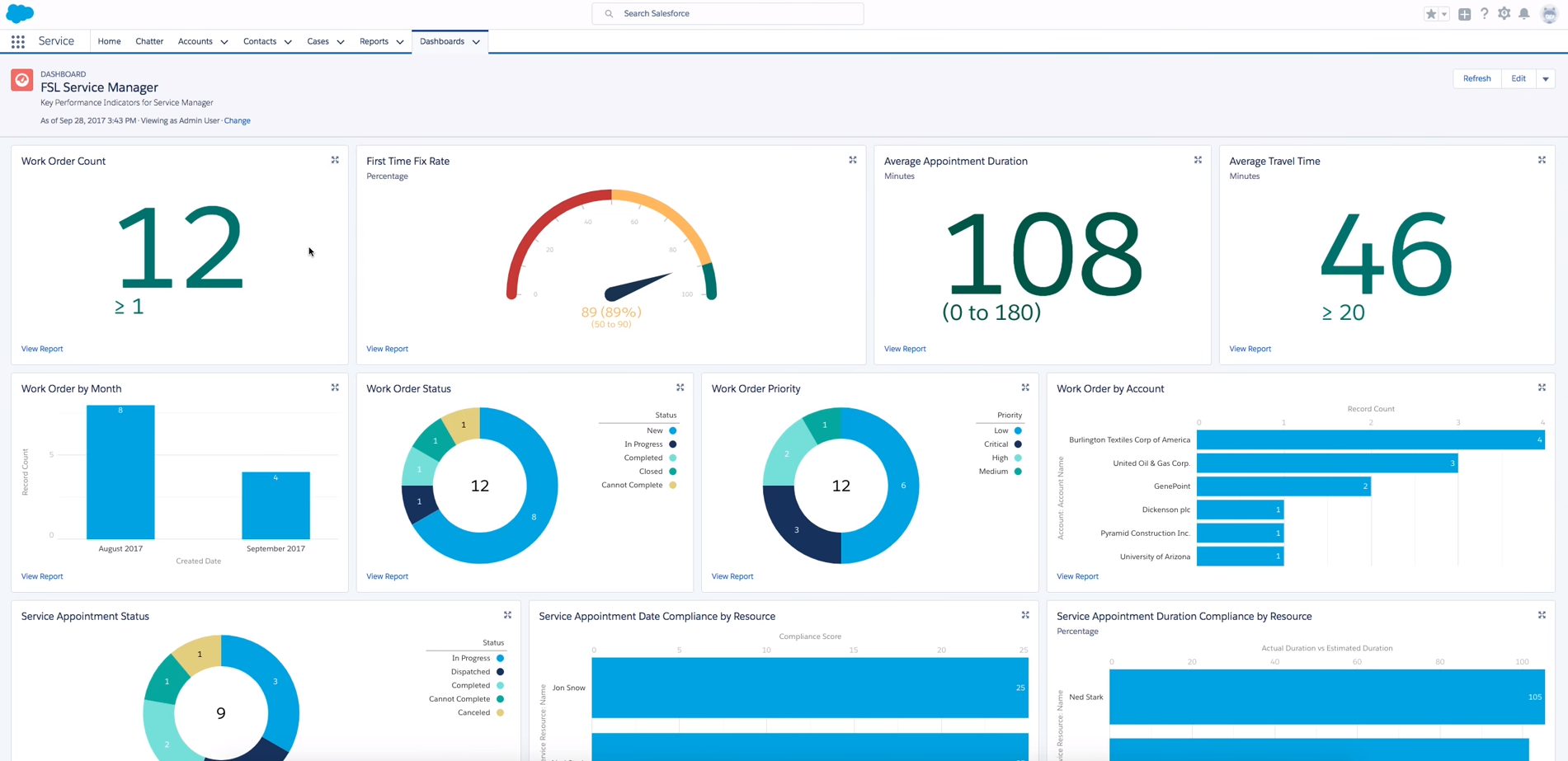
Image source: salesforce.com
Key features:
- Provides AI-driven insights through Einstein Analytics, predicting deal closure probabilities and suggesting next actions.
- Allows deep customization for dashboards, workflows, and sales reports across multiple teams.
- Enables complete contact and opportunity management with role-based access control.
- Integrates forecasting tools to monitor targets, quotas, and sales trends.
- Offers a mobile app for sales tracking on the go.
Pros:
- Best suited for enterprise-level customization and scalability.
- Strong ecosystem of extensions for sales, marketing, and customer success.
- Detailed pipeline analytics support forecasting and resource planning.
- Highly secure and compliant with enterprise standards.
- Large user community and knowledge base for support.
Cons:
- Steeper learning curve for small or mid-sized teams.
- High cost of ownership compared to other sales tools.
- Customization setup can require technical support.
Pricing:
- Starts at $25/user/month, with advanced plans offering additional AI and forecasting capabilities.
4. Apollo.io: Prospecting and engagement platform
Apollo.io is built for B2B sales prospecting, combining a lead database with automation and engagement tools. It provides verified contact data, sequence management, and integrated analytics for outreach optimization.
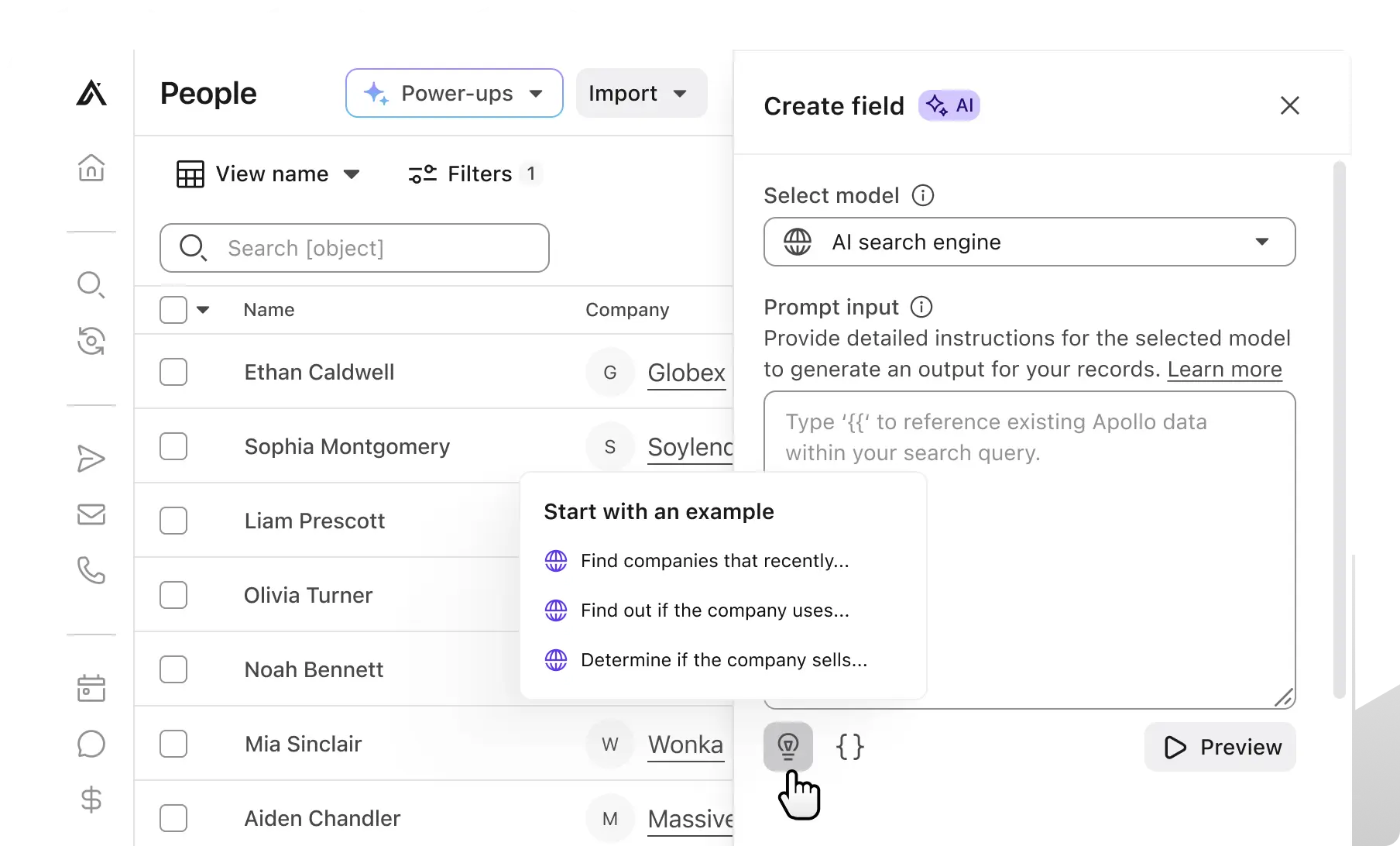
Image source: apollo.io
Key features:
- Provides a vast B2B contact database for targeting leads with accurate intent data.
- Automates outbound sequences with built-in email scheduling and follow-up rules.
- Tracks engagement metrics such as open rates and response behavior.
- Integrates with CRMs for seamless contact syncing.
- Uses AI scoring to prioritize high-quality prospects.
Pros:
- Offers one of the most comprehensive lead databases in the B2B space.
- Simplifies outbound outreach with strong automation controls.
- Delivers accurate analytics on email campaigns and prospect performance.
- Helps sales teams scale lead generation quickly with minimal manual effort.
- Affordable entry-level pricing compared to larger CRMs.
Cons:
- Can feel overwhelming for smaller teams due to its depth of data.
- Email deliverability depends on configuration quality.
- Limited reporting customization outside of standard dashboards.
Pricing:
- Starts at $49/month per user.
5. Outreach.io: Workflow automation for outbound sales
Outreach.io focuses on automating repetitive tasks for outbound teams. It connects sales reps with prospects through sequences, analytics, and task automation to increase pipeline efficiency and close rates.
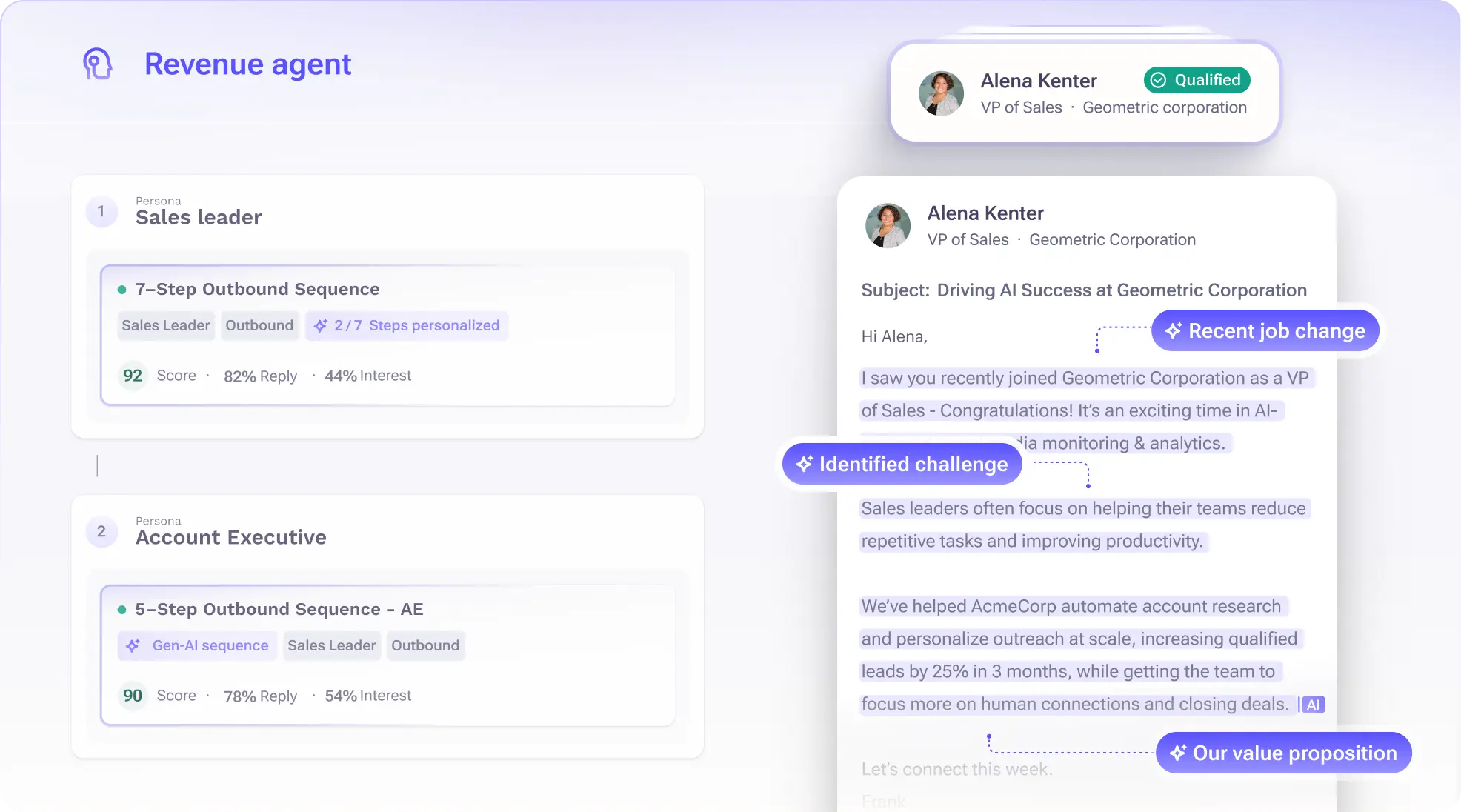
Image source: outreach.io
Key features:
- Manages personalized outreach campaigns with automated follow-up sequences.
- Provides built-in analytics to measure conversion effectiveness at every touchpoint.
- Includes a task management system that prioritizes daily sales activities.
- Offers coaching tools with call recording and performance feedback.
- Supports integrations with CRMs, calendars, and collaboration apps.
Pros:
- Excellent automation for outbound workflows.
- Enhances team performance through detailed analytics and feedback.
- Reduces manual effort with intelligent task suggestions.
- Integrates seamlessly with other sales and marketing software.
- Improves communication consistency across the team.
Cons:
- Requires proper setup for sequence timing to avoid over-emailing prospects.
- Pricing is not transparent and can vary by deployment size.
- Steeper learning curve for beginners.
Pricing:
- Custom pricing based on team size and feature needs.
6. Pipedrive: Visual CRM for growing teams
Pipedrive offers a simple, visual pipeline interface for small to mid-sized sales teams. It emphasizes usability, ensuring users can manage deals and forecasts without technical knowledge.
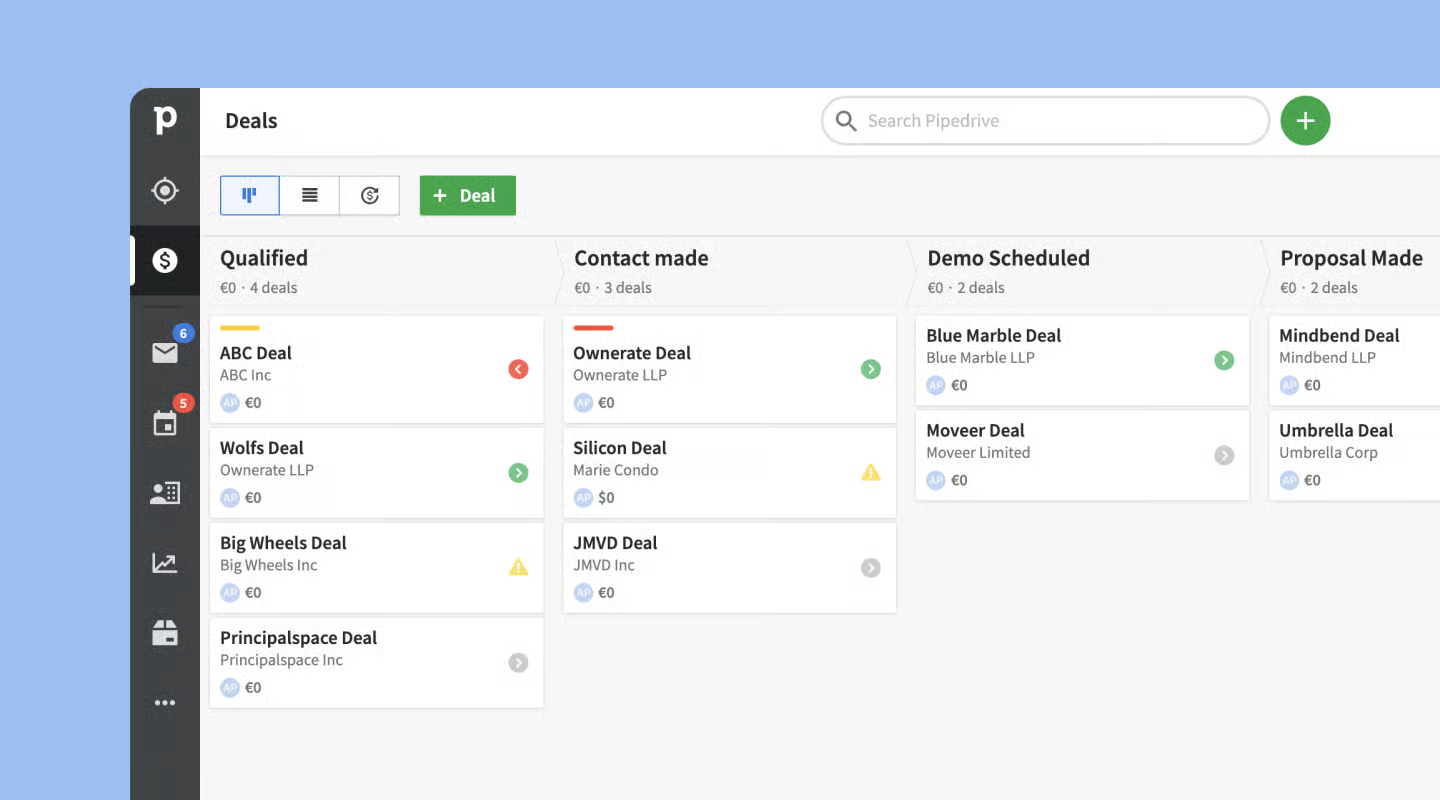
Image source: pipedrive.com
Key features:
- Uses drag-and-drop pipeline stages for easy deal management.
- Sends automated reminders for follow-ups and overdue tasks.
- Provides goal tracking and performance reports in one dashboard.
- Integrates with over 300 tools including marketing automation software.
- Offers mobile access for sales reps on the move.
Pros:
- Highly intuitive interface for quick onboarding.
- Visual layout simplifies sales tracking and planning.
- Supports automation without complicated setup.
- Affordable compared to many enterprise CRMs.
- Offers strong customization through add-ons.
Cons:
- Limited advanced analytics without higher-tier plans.
- Basic reporting may not suit large organizations.
- Fewer AI capabilities compared to newer tools.
Pricing:
- Starts at $12.50/user/month.
7. Seismic: Sales enablement and content management
Seismic helps large sales organizations centralize, manage, and share sales materials like decks, proposals, and guides. It's designed for teams focused on content readiness and sales enablement efficiency.
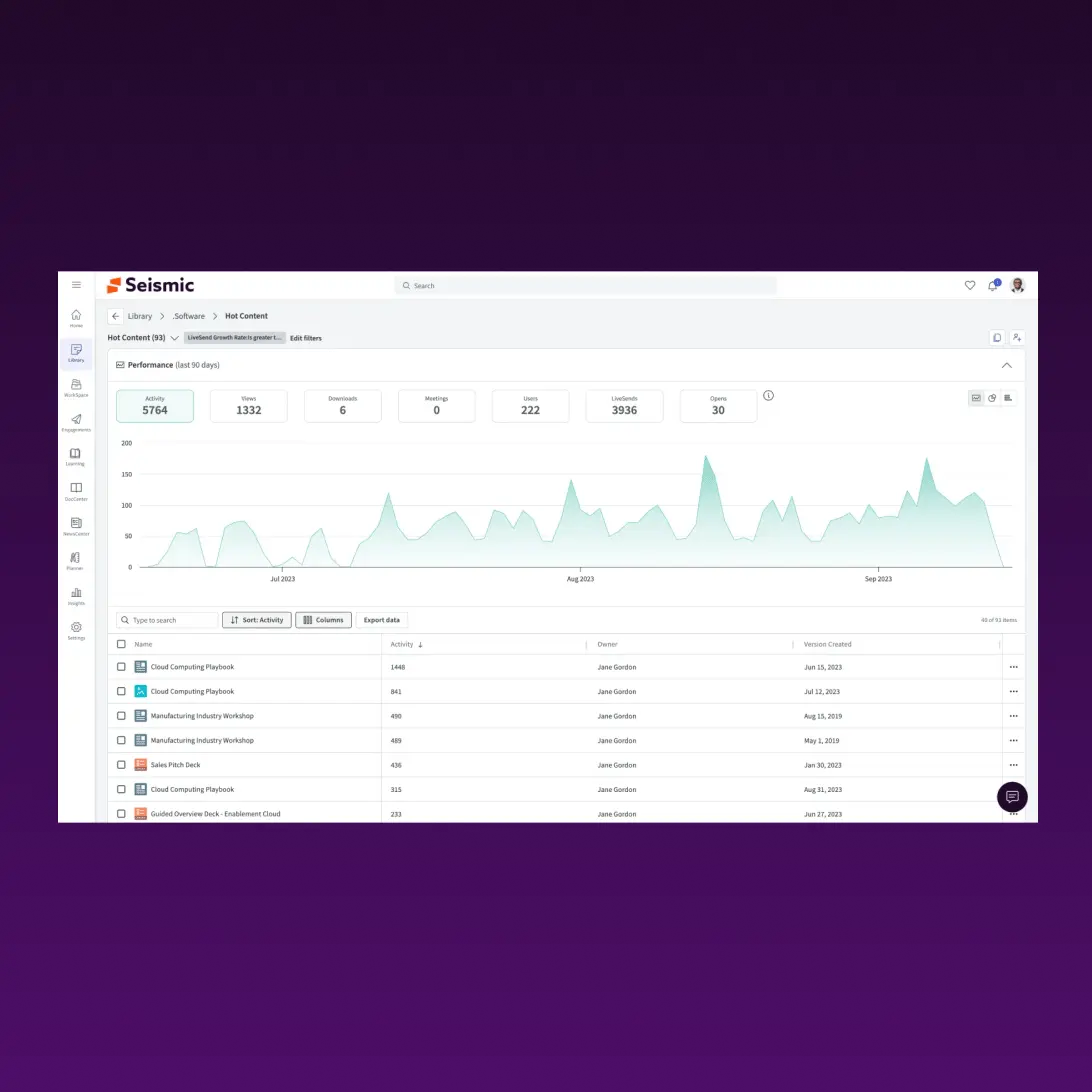
Image source: seismic.com
Key features:
- Centralizes marketing and sales collateral for quick access.
- Provides content version control to ensure teams always use updated materials.
- Tracks engagement metrics to identify high-performing content.
- Offers AI recommendations for which materials work best per deal stage.
- Supports global teams with localization and permissions management.
Pros:
- Enhances consistency in brand and message delivery.
- Saves reps time searching for updated materials.
- Improves content ROI through engagement analytics.
- Scales well for large distributed sales teams.
- Integrates smoothly with CRMs like Salesforce and HubSpot.
Cons:
- Best suited for enterprises, may be complex for small teams.
- High setup effort for content structuring.
- Limited native automation options.
Pricing:
- Custom pricing is based on business size and features.
8. Gong: Conversation intelligence for data-driven coaching
Gong captures and analyzes customer conversations across calls, emails, and meetings to reveal insights that improve sales performance. It's widely used for coaching and pipeline visibility.
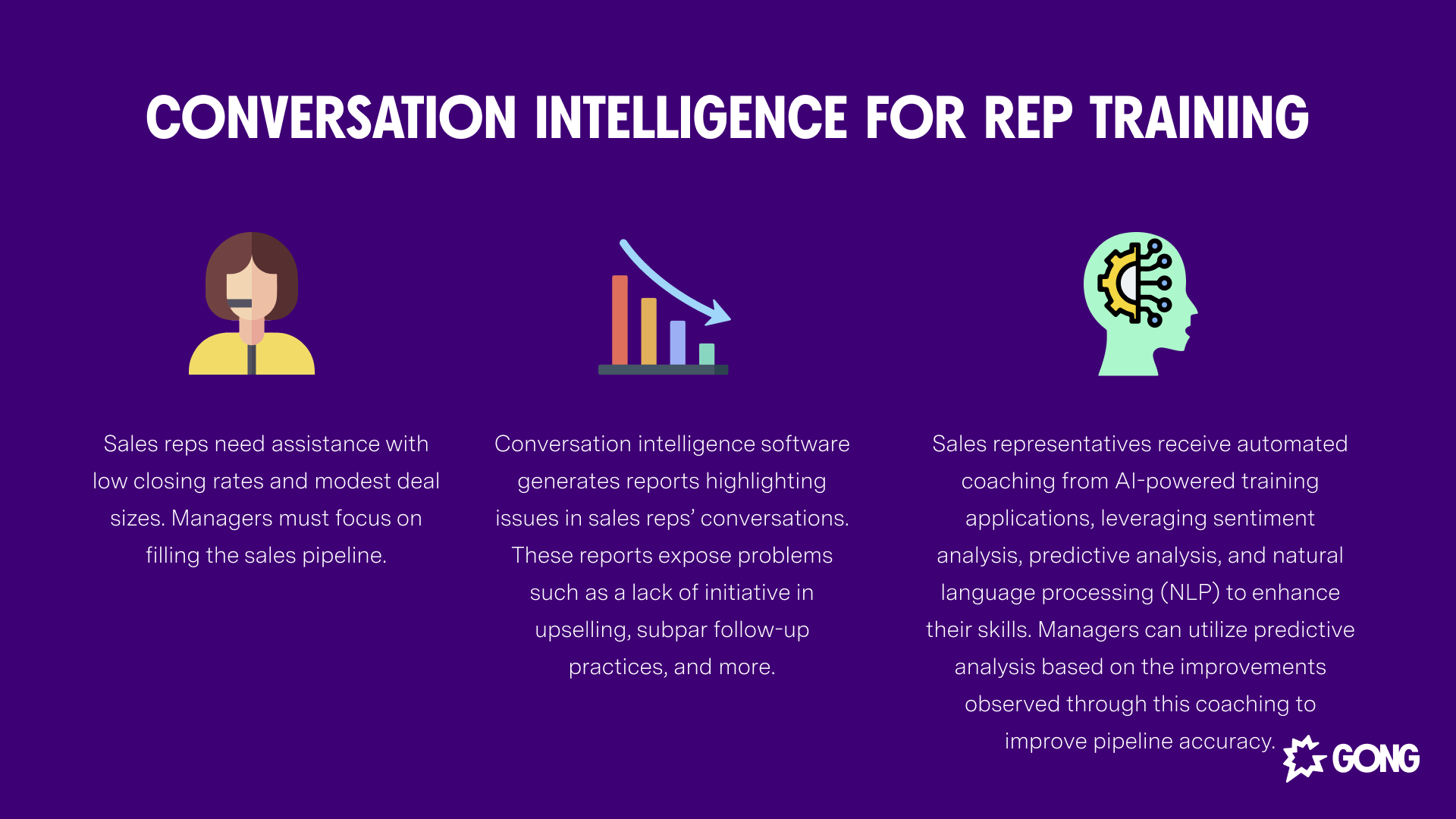
Image source: gong.io
Key features:
- Records and transcribes sales calls for review and analysis.
- Identifies patterns in communication and objection handling.
- Provides deal insights through engagement trend analysis.
- Helps managers coach reps based on real call data.
- Integrates with CRMs to update deal information automatically.
Pros:
- Deep insights into rep performance and dealing with health.
- Enhances sales training with real examples.
- Automates analytics for time-saving reporting.
- Improves win rates with AI-driven recommendations.
- Supports scalable sales coaching programs.
Cons:
- High cost for smaller businesses.
- Data storage and transcription depend on plan limits.
- Requires user discipline for consistent recording setup.
Pricing:
- Custom pricing depends on deployment scale.
9. ZoomInfo: B2B contact data and intent analytics
ZoomInfo is a well-known platform offering verified contact information and intent signals to help teams identify high-value prospects. It's ideal for companies focusing on data-driven B2B sales.
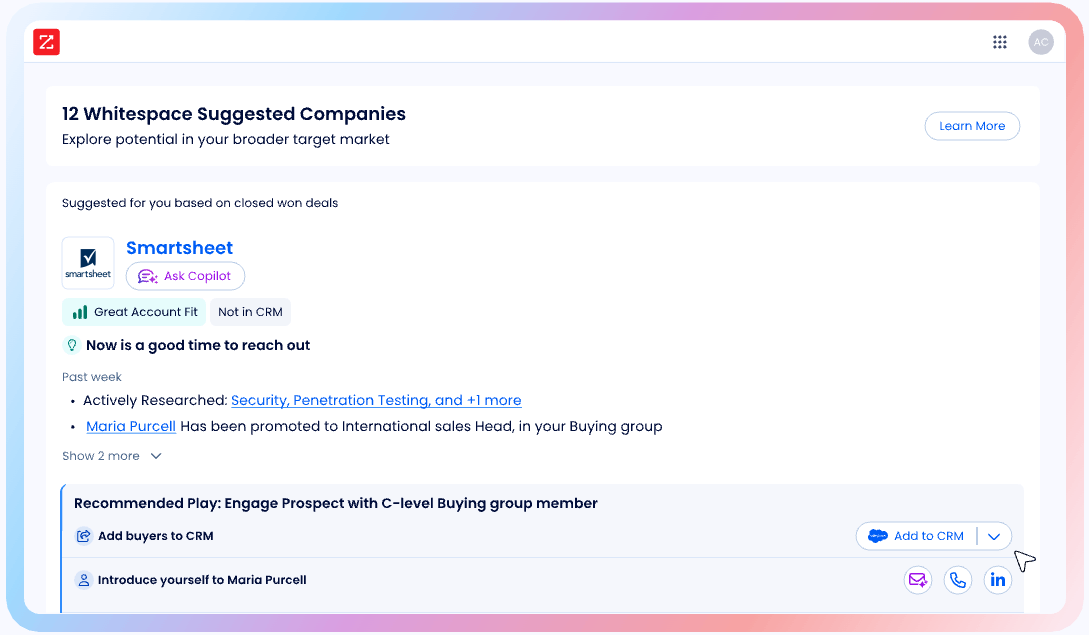
Image source: zoominfo.com
Key features:
- Offers verified B2B contact data with organizational insights.
- Provides buyer intent analytics for targeted campaigns.
- Allows segmentation and lead scoring for priority outreach.
- Supports CRM and marketing automation integrations.
- Provides regular data enrichment updates to maintain accuracy.
Pros:
- Excellent for lead discovery and research.
- Data accuracy and coverage are industry-leading.
- Powerful intent analytics improve targeting.
- Integrates seamlessly with most sales CRMs.
- Scales well for large B2B teams.
Cons:
- High pricing compared to smaller data tools.
- Interface may feel complex for new users.
- Occasional data update lags on niche industries.
Pricing:
- Custom pricing depends on data volume and licenses.
10. Lusha: Quick lead enrichment for prospecting
Lusha offers a simple browser extension and platform for finding verified B2B contact details. It's widely used by sales teams that need fast, reliable prospect data.
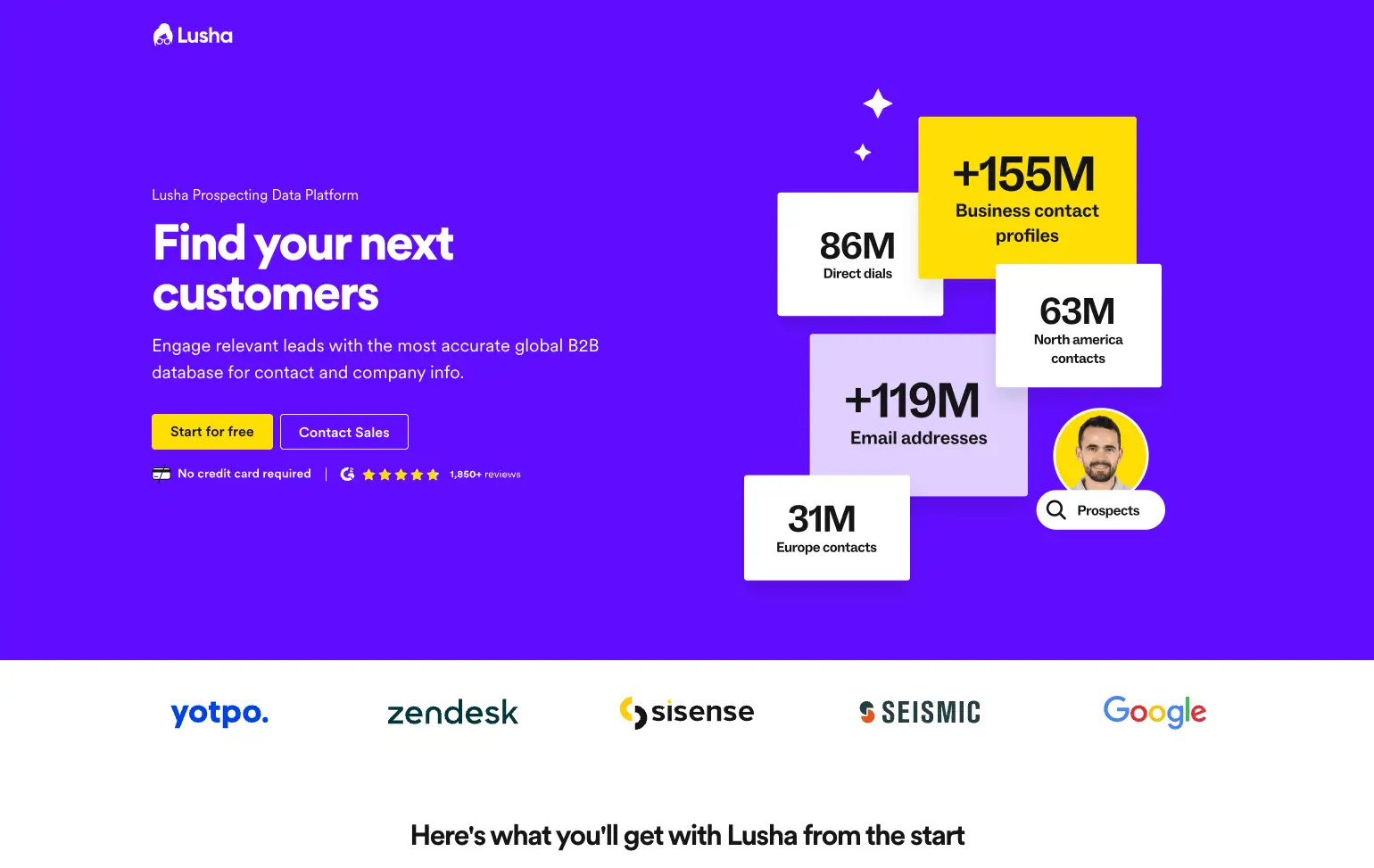
Image source: lusha.com
Key features:
- Find verified emails and phone numbers instantly.
- Syncs with CRM tools for quick data entry.
- Provides bulk enrichment for contact lists.
- Includes Chrome extension for easy access while browsing LinkedIn.
- Offers compliance checks for secure data usage.
Pros:
- Easy to use with minimal onboarding.
- Saves time during outbound prospecting.
- Affordable for smaller teams.
- Reliable contact data accuracy.
- Works well with major sales CRMs.
Cons:
- Limited automation features.
- Smaller database than Apollo.io or ZoomInfo.
- Basic analytics reporting.
Pricing:
- Plans start at $29/month.
How to choose the right sales tools for your team
Selecting the right sales tools begins with understanding where your team struggles most. Every business has different priorities, whether it's deal tracking, forecasting accuracy, or faster lead engagement. Instead of choosing tools based only on features, it helps to evaluate how they will fit into daily workflows, existing systems, and long-term growth.
Key factors to consider:
- Identify the biggest bottlenecks in your current sales process, such as manual data entry, lost leads, or slow handoffs between teams.
- Check how easily the tool scales with new team members, higher deal volume, or growing datasets.
- Review total cost of ownership, including add-ons, storage, automation limits, and user-based upgrades.
- Look for tools that support real-time collaboration across sales, marketing, and operations, not just isolated task automation.
- Prioritize platforms that reduce context switching, allowing reps to work from one system instead of five.
Conclusion
Sales teams today depend on a mix of CRM systems, engagement platforms, analytics dashboards, and automation tools to move deals from prospecting to close. While this helps teams operate at scale, it also introduces more tools, more logins, and more manual coordination. The most effective sales environments are not the ones with the most apps, but the ones where information, communication, and workflows stay connected.
That is where platforms like Lark offer a more modern direction by combining CRM data management, messaging, shared documents, tasks, and automation in one place. Instead of paying per feature or struggling to sync data across different systems, teams can run sales operations, internal collaboration, and reporting from the same workspace. For teams looking to reduce friction, improve visibility, and spend more time selling rather than managing tools, a connected platform approach delivers a clear advantage over traditional, fragmented setups.
FAQs
What's the difference between sales automation and CRM tools?
Sales automation tools focus on removing repetitive work like follow-up emails, lead routing, and activity tracking. CRM tools store customer data, monitor deal stages, and help teams understand the history of each relationship. Many platforms now include both, but they serve different core functions inside the sales workflow.
How can AI improve sales team performance?
AI helps sales teams prioritize high-value leads, predict deal outcomes, and personalize outreach based on customer behavior. It also assists managers by highlighting risk patterns, missed follow-ups, or pipeline gaps that affect forecasting. As more data flows through the system, AI becomes more accurate and useful for decision-making.
Do small businesses really need advanced sales tools?
Yes, even small teams benefit from structured tools that organize contacts, automate email sequences, and track deals in one place. Many platforms offer free or low-cost plans, making it possible to adopt smarter systems early without heavy investment. A well-chosen tool helps teams avoid messy spreadsheets and lost opportunities.
How do I choose the right sales tool for my team's workflow?
Start by mapping your full sales process, from lead capture to post-sale follow-up. Identify where time is lost, where data gets manually copied, or where deals stall. Then look for tools that combine communication, workflow automation, and reporting instead of adding more disconnected software.
Can sales tools work across marketing and customer success teams too?
Yes, the best modern platforms support more than sales alone. Shared tools help align messaging, handoffs, and customer data across multiple teams. That is why platforms like Lark are built to support sales, marketing, and support functions inside the same workspace instead of forcing separate tools for every team.
Related reading
Table of contents
Start using Lark today

Manage all your work in one place
Boost team efficiency by 10x
Save up to 70% on software costs
Table of contents
Start using Lark today
Manage all your work in one place
Boost team efficiency by 10x
Save up to 70% on software costs
Keep reading









2026 Lark Technologies Pte. Ltd.
Headquartered in Singapore with offices worldwide.






Explore: