















18 min read
Add to preferred sources


Tracking time efficiently is essential for productivity, accurate billing, and team accountability. With the right time tracking app, businesses can monitor work hours, identify inefficiencies, and make smarter project decisions.
From freelancers using Toggl Track or Clockify, to agencies leveraging Harvest and remote teams relying on Hubstaff, and Lark as a unified workspace, the market now offers a wide range of powerful tools. In this guide, we compare the best time tracking apps, covering features, pricing, and ideal use cases.
1. Lark: Beyond time tracking: Unified project and productivity insights
2. Toggl Track: Simple and intuitive time tracking
3. Clockify: Free forever time tracking for teams
4. Harvest: Time tracking with expense management
5. RescueTime: Focus and productivity tracking
6. Hubstaff: Time tracking for remote teams
7. QuickBooks Time: Time tracking for payroll accuracy
8. ClickUp: Time tracking within project management
9. Clockodo: Simple time tracking for small businesses
10. Everhour: Transparent time tracking for teams

What is a time tracking app?
A time tracking app is a digital tool that helps individuals and teams record how much time they spend on tasks, projects, or clients. It replaces manual timesheets and spreadsheets, providing accurate data for billing, payroll, and productivity analysis. According to Harvest, such tools offer real-time insights into resource usage, cost, and profitability, while eLearningIndustry notes they also support planning and performance tracking.
Key features:
- Timer or manual entry to start, stop, or log hours for tasks and projects
- Project or task association to link time with specific clients or deliverables
- Reporting and analytics to generate insights on utilisation, billable hours, and performance
- Billing and invoicing integration for seamless client payments
- Multi-device access across mobile, web, and desktop for flexibility
- Integrations with tools like Asana, ClickUp, Trello, or QuickBooks to connect workflows
- Ease of use to encourage adoption across teams
- Free, freemium, and paid options to suit different business sizes
- Privacy and data handling features to ensure compliance and secure management of time data
Why your team needs a time tracking app
In fast-moving workplaces, it's easy to lose sight of how time is spent. A time tracking app brings structure, visibility, and accountability to daily work. Here's how it helps your team work smarter and more efficiently:
- Improved productivity: Time tracking reveals exactly where hours are spent, helping teams spot inefficiencies and reduce distractions. By analysing patterns, managers can optimise workflows and prioritise high-impact tasks.
- Accurate billing: Automatically capture billable hours for every client or project. This eliminates guesswork, ensures fair invoicing, and builds trust through transparent, error-free reporting.
- Transparent workload management: View each team member's workload in real time to prevent burnout and underutilisation. Balanced task distribution leads to happier, more productive employees.
- Project forecasting: Historical time data helps predict future project durations, resource needs, and costs more accurately. Teams can plan better, meet deadlines, and improve profit margins.
- Compliance & accountability: Maintain accurate time records for payroll, audits, or contracts. Reliable tracking ensures every hour is documented, fostering accountability and compliance across teams.
1. Lark: A unified, collaborative platform with time tracking features
Lark goes far beyond being just a time-tracking app; it's a comprehensive platform that unifies attendance, project management, collaboration, and productivity insights in one place. Instead of switching between multiple tools, teams can plan, track, communicate, and analyse all within Lark's connected workspace. Its modular design integrates time tracking seamlessly into everyday workflows.
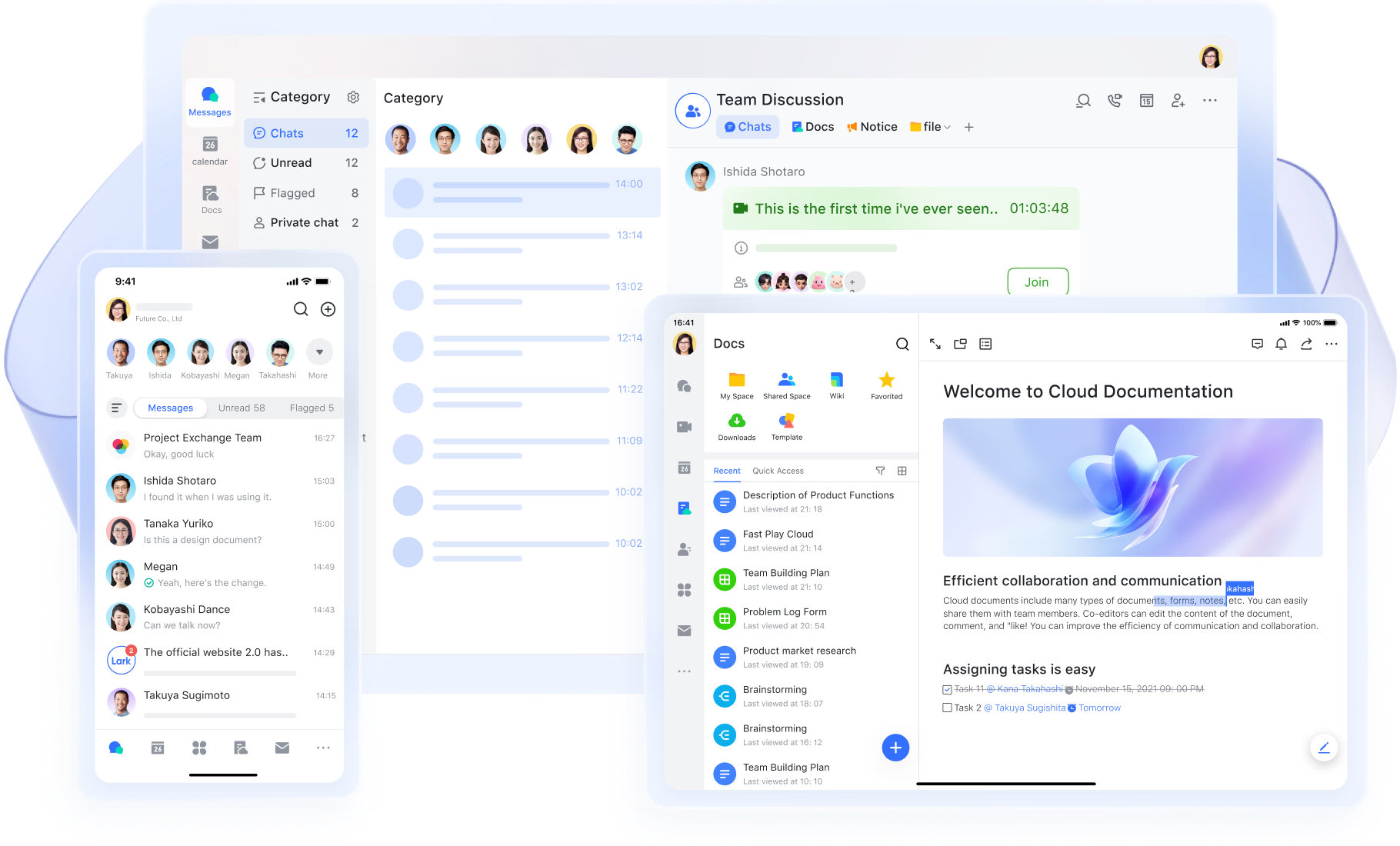
Lark Attendance: Track work time accurately with Lark
Lark Attendance helps track work time accurately by allowing employees to clock in and out through the app. It records working hours, late arrivals, early departures, overtime, and leave requests. Customizable rules, such as requiring a photo, Wi-Fi, or GPS, ensure reliable attendance tracking. The system also provides reminders, notifications, and attendance summaries, making it easy for teams and managers to monitor schedules and time usage efficiently.
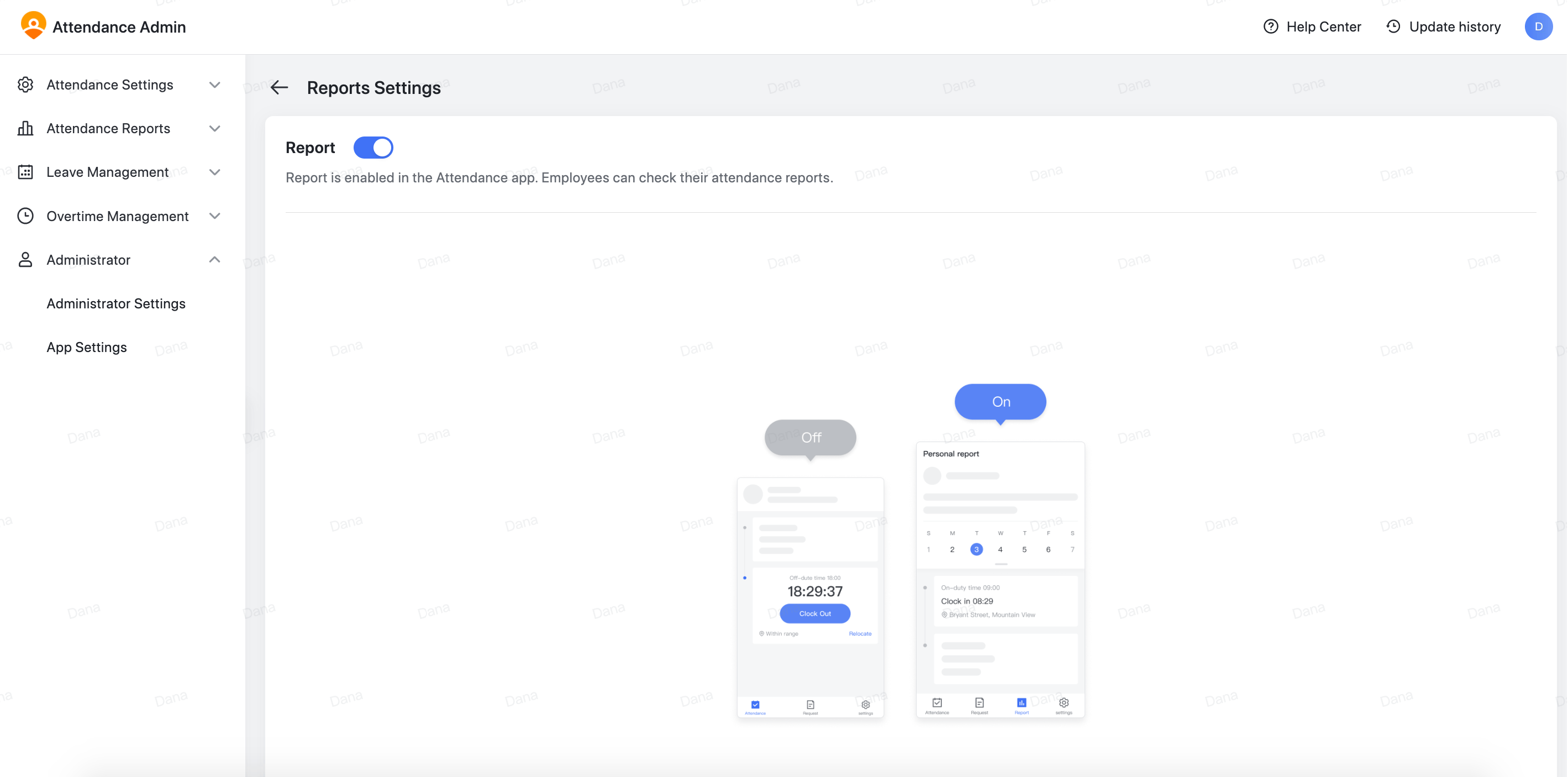
Lark Calendar: Organize your day and manage time with Lark
Lark Calendar helps you organize your day by scheduling meetings, focus time, and task blocks. Create separate calendar entries for each task to clearly plan your workload and prevent overlaps. Mark events as "Busy" so colleagues know when you’re unavailable. Add reminders to each event or time block to stay on track, and customize reminder times in Calendar settings to match your workflow.
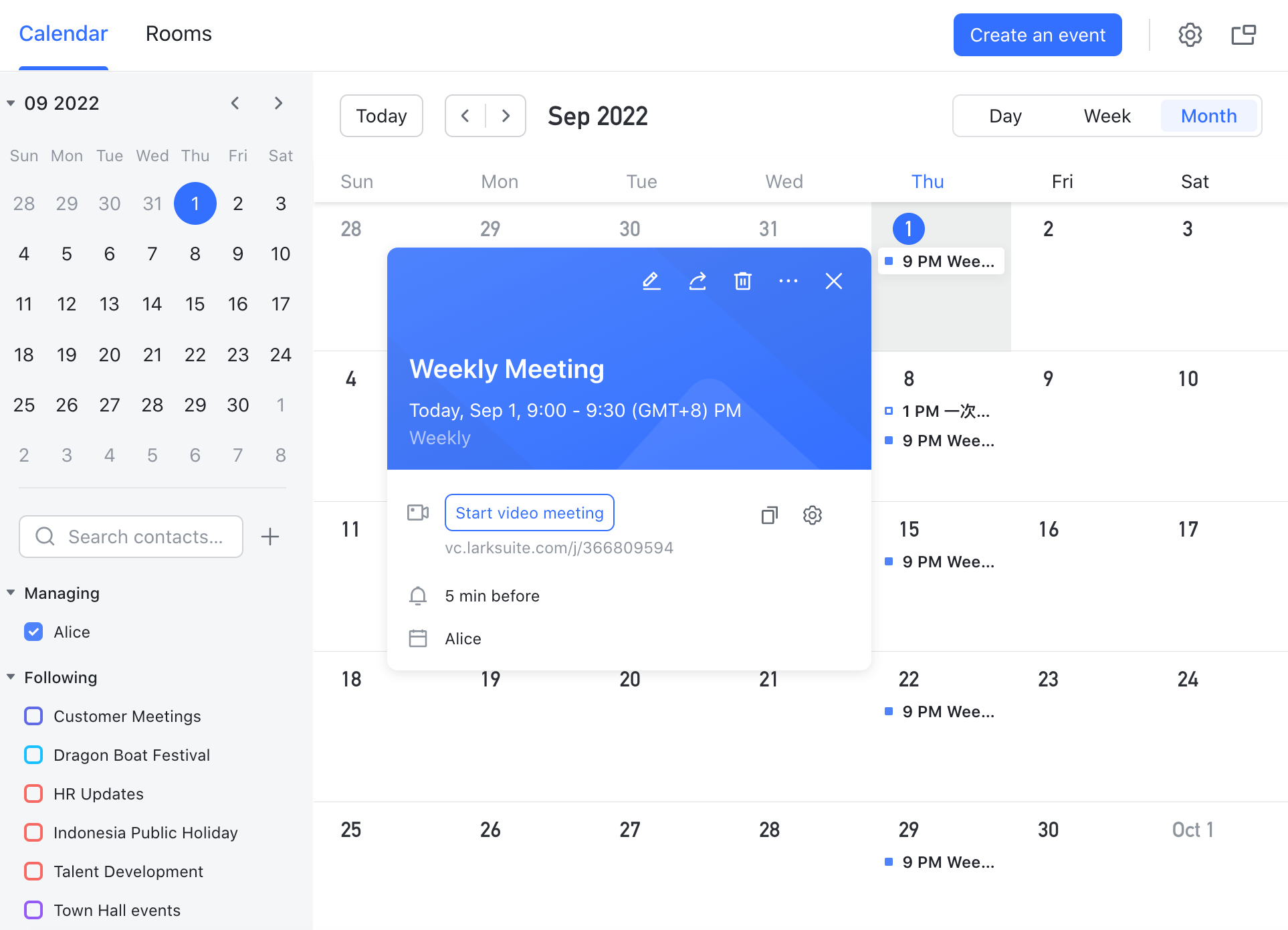
Lark Docs: Stay organized and streamline work with Lark
Lark Docs helps you stay organized by capturing meeting notes, project details, and tasks all in one place. You can link Docs directly to Calendar events, making it easy to access relevant information during meetings or focused work sessions. Structured with headings, checklists, and embedded content, Docs help break complex goals into clear, actionable steps. Keeping them updated ensures decisions and progress are easy to track without losing time searching for information.
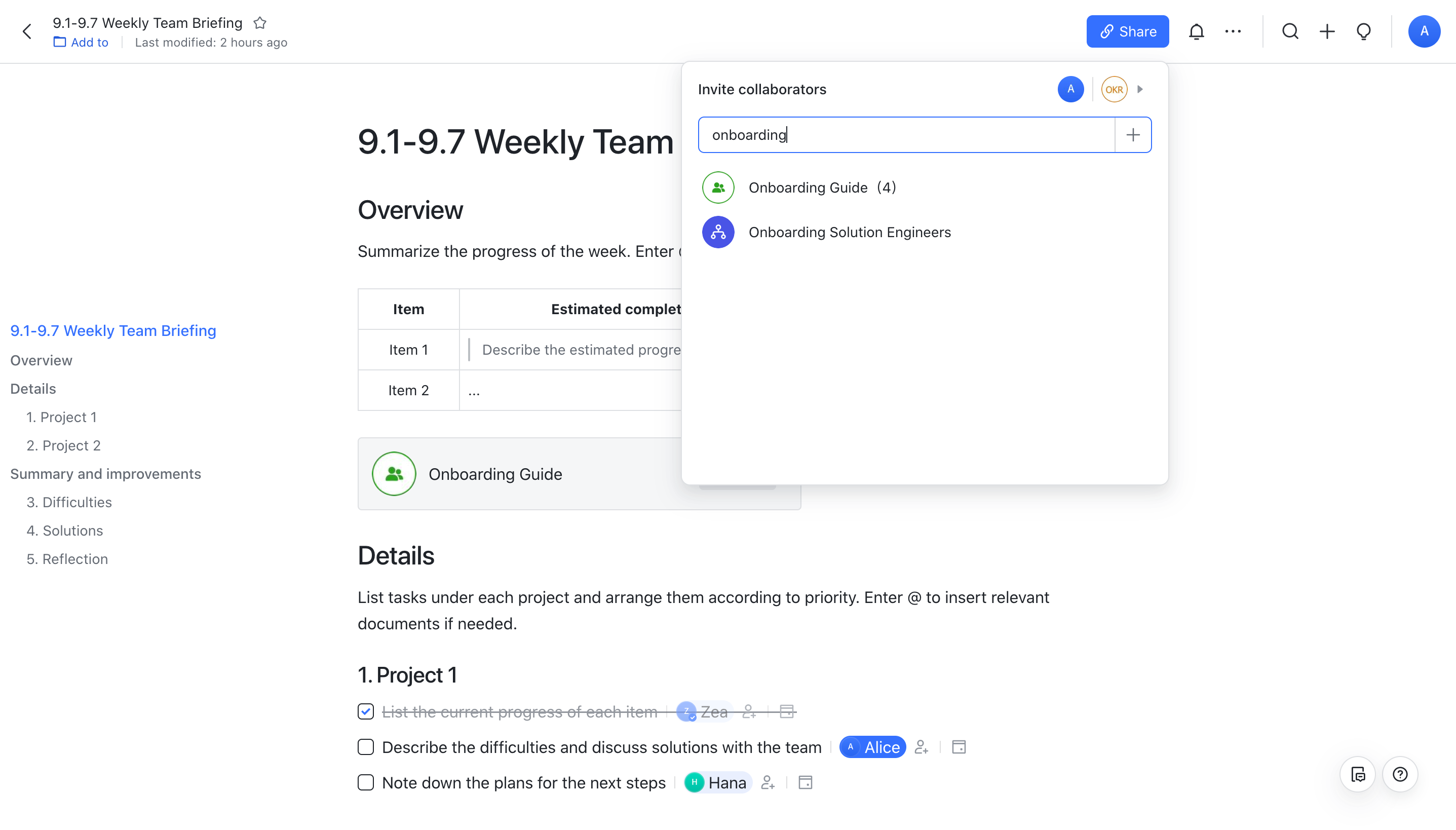
Lark Messenger: Track important messages and tasks with Lark
Lark Messenger helps you keep track of important messages and tasks by allowing you to and conversations. When you flag a message or chat, it serves as a visual reminder to revisit these tasks later. You can also use the Flagged filter to quickly find flagged chats and sort them by recent messages, ensuring you never miss a follow-up.
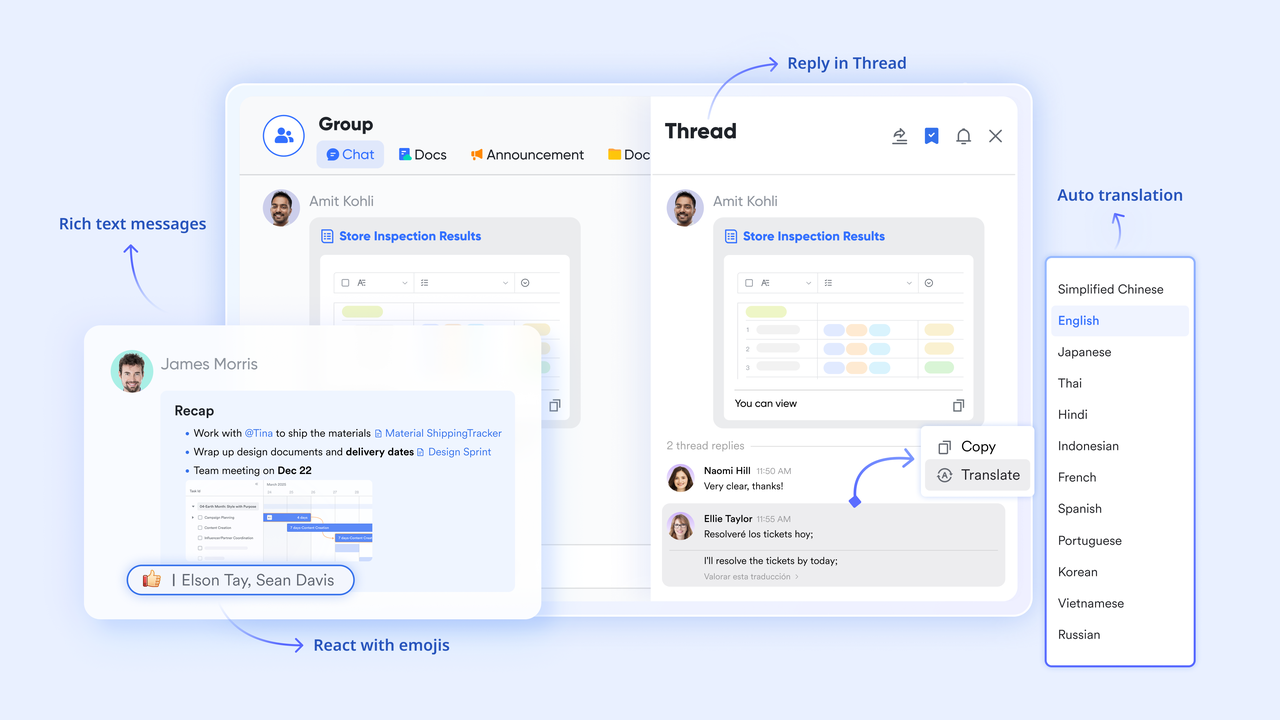
- Starter plan: Free forever plan that includes 11 powerful tools for up to 20 users. It also comes with 100GB of storage, 1000 automation runs, AI translations, and more.
- Pro plan: $12/user/month (billed annually) for up to 500 users. It includes everything in Starter plus group calling for up to 500 attendees, 15TB of storage, 50,000 automation runs, and more.
- Enterprise plan: Contact sales for custom pricing. Supports unlimited users and includes even more automation runs and advanced security, compliance, and management features.
2. Toggl Track: Simple and intuitive time tracking
Toggl Track is one of the most popular time tracking apps known for its simplicity and clean interface. Designed for freelancers, consultants, and small teams, it focuses on effortless time logging without unnecessary complexity. Its browser extensions, mobile apps, and integrations make tracking seamless across all workflows. Toggl helps users stay organised and bill clients accurately with minimal setup or training.
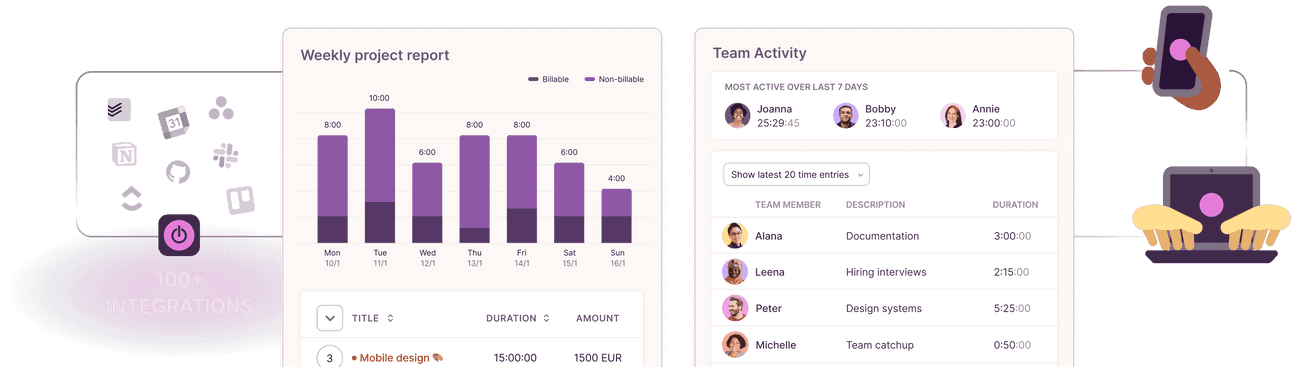
Image source: toggle.com
Features:
- One-click timer and manual time entry options
- Project and client tagging for clear categorisation
- Detailed reports and visual summaries of tracked hours
- Integrations with tools like Asana, Trello, and Google Calendar
- Idle detection to prevent inaccurate tracking
Pros:
- Extremely easy to use with no learning curve
- Generous free plan for individuals and small teams
- Works across web, desktop, and mobile devices
- Strong reporting and export capabilities for clients and teams
Cons:
- Limited advanced features in the free version
- Lacks built-in invoicing and expense tracking
Pricing:
- Free Plan: Core tracking features for up to 5 users
- Starter Plan: $10/user/month – billable rates, time rounding, and project templates
- Premium Plan: $20/user/month – advanced reporting, team dashboards, and time audits
- Enterprise Plan: Custom pricing – tailored support and dedicated success manager
3. Clockify: Free forever time tracking for teams
Clockify is a widely used free time tracking app that supports unlimited users, making it ideal for teams and small businesses on a budget. It's simple, scalable, and perfect for tracking productivity, billable hours, and project progress. Whether for client billing or internal reporting, Clockify offers a balance of flexibility and cost efficiency.
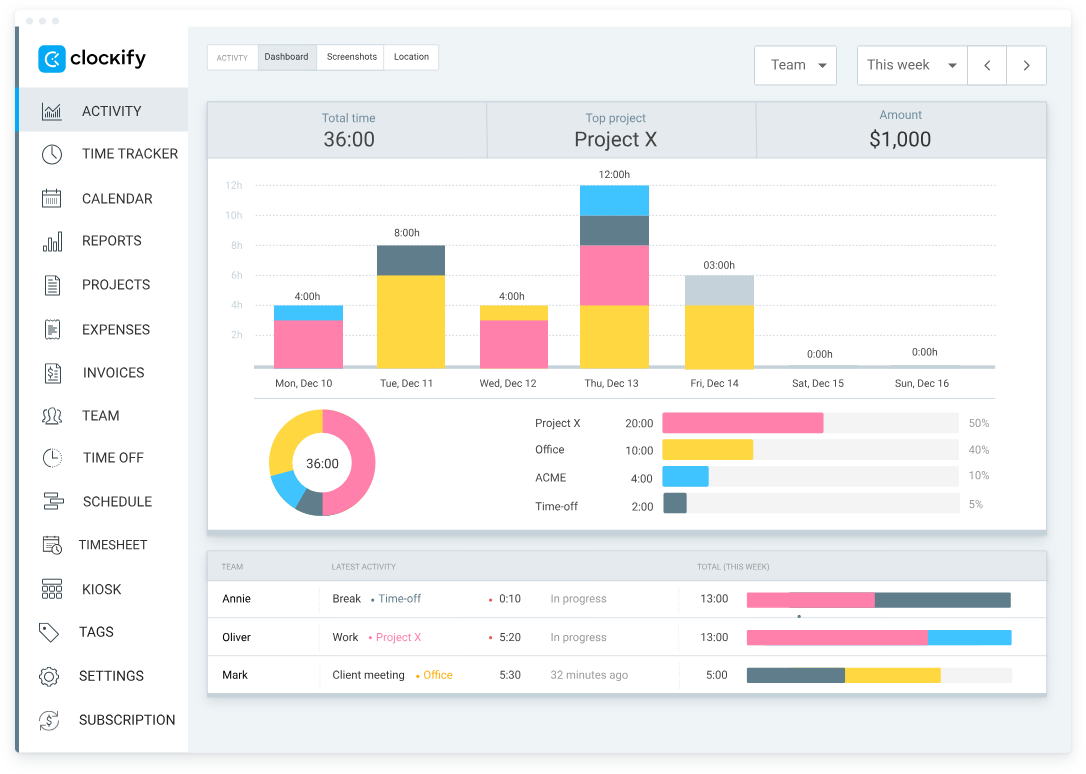
Image source: clockify.com
Features:
- Unlimited users and projects even on the free plan
- Manual and timer-based time tracking
- Visual time reports and analytics dashboards
- Billable hours tracking and invoicing
- Integration with project management tools like Trello, Asana, and Jira
Pros:
- 100% free core version with no user limits
- Simple and fast setup with intuitive navigation
- Great reporting features for teams and clients
- Cross-platform support for web, desktop, and mobile
Cons:
- Limited automation in the free plan
- Interface can feel basic for enterprise users
Pricing:
- Free plan: Unlimited users and tracking features
- Basic plan: $4.99/user/month – additional admin controls
- Standard plan: $6.99/user/month – timesheet approvals, lock entries
- Pro plan: $9.99/user/month – forecasts, budgets, expenses
- Enterprise plan: $14.99/user/month – custom fields, SSO, premium support
4. Harvest: Time tracking with expense management
Harvest combines time tracking and expense management in one elegant interface, making it ideal for agencies and service-based teams. It simplifies project tracking, invoicing, and resource management while offering deep integration with accounting tools.
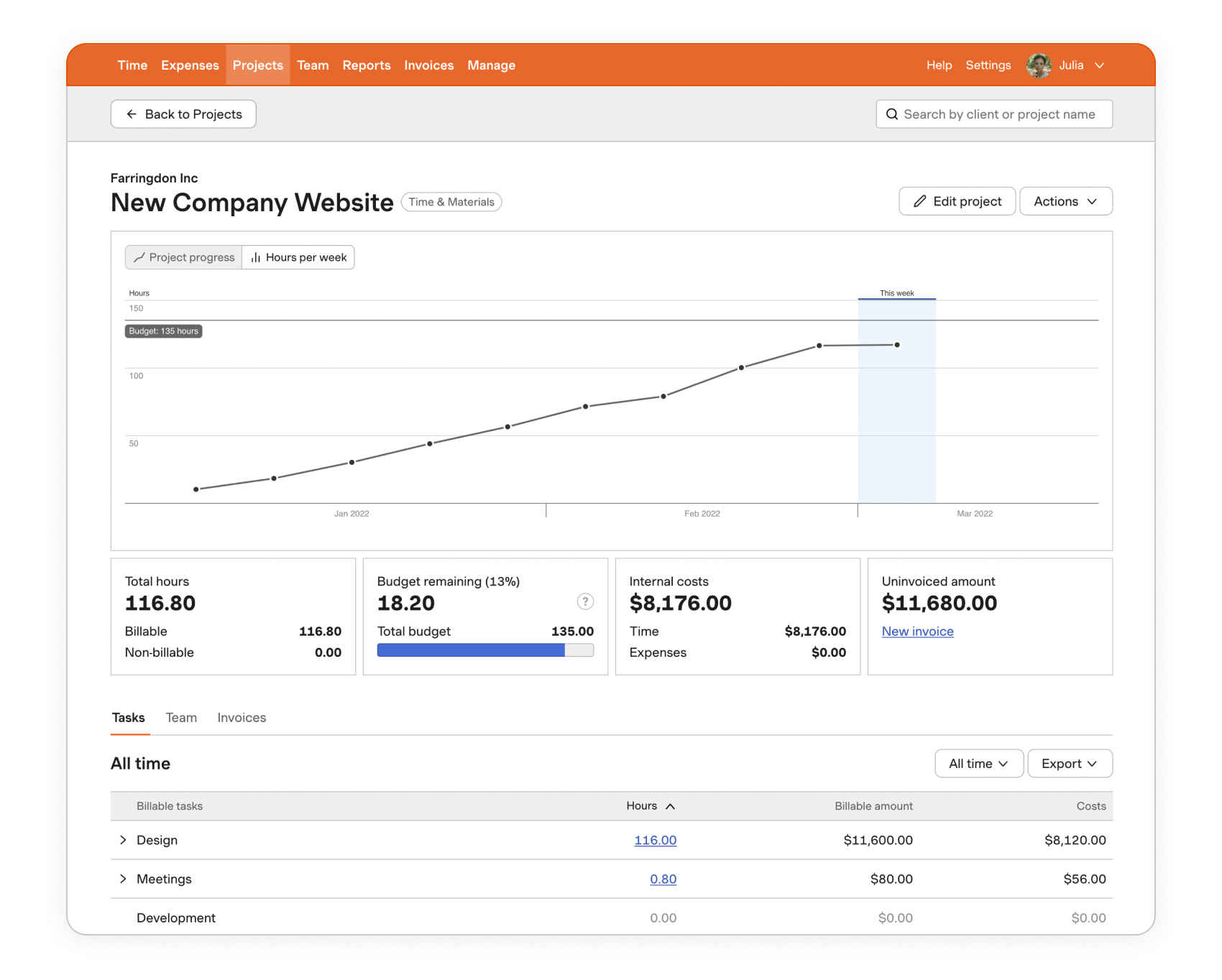
Image source: harvest.com
Features:
- Easy time tracking via desktop, mobile, or browser
- Expense logging with receipt uploads
- Built-in invoicing and payment tracking
- Powerful project and budget reporting
- Integrations with QuickBooks, Xero, and Asana
Pros:
- Excellent for client billing and expense reporting
- Clean, user-friendly interface
- Insightful visual reports for projects and costs
- Strong third-party integrations
Cons:
- Limited free plan (only for two projects)
- Higher pricing for larger teams
Pricing:
- Free plan: 1 user, 2 projects
- Pro plan: $12/user/month – unlimited projects, reports, and invoicing
5. RescueTime: Focus and productivity tracking
RescueTime is built for individuals and teams who want to improve focus and understand how time is spent. It runs automatically in the background, tracking app and website usage to help users stay on task. It's ideal for improving digital habits and boosting productivity.
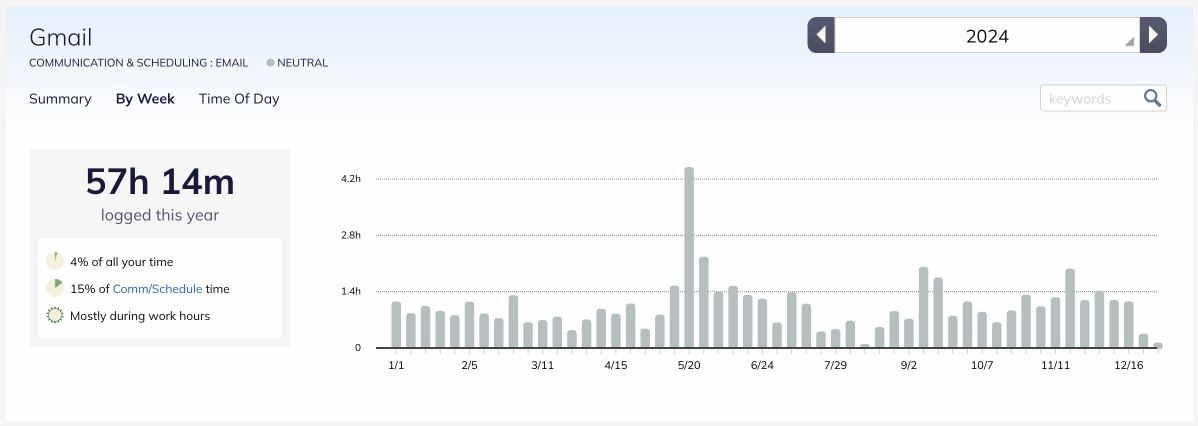
Image source: rescuetime.com
Features:
- Automatic background tracking of apps and websites
- Focus sessions to minimise distractions
- Productivity scoring by activity type
- Daily and weekly performance summaries
- Goal-setting for better time management
Pros:
- Hands-free automatic tracking
- Excellent productivity insights
- Ideal for individuals improving focus
- Works on desktop and mobile seamlessly
Cons:
- Limited manual tracking options
- Less suitable for billing or team projects
Pricing:
- Free plan: Basic activity tracking
- Premium plan: $12/month – advanced reports, goal setting, and focus tools
6. Hubstaff: Time tracking for remote teams
RescueTime is built for individuals and teams who want to improve focus and understand how time is spent. It runs automatically in the background, tracking app and website usage to help users stay on task. It's ideal for improving digital habits and boosting productivity.
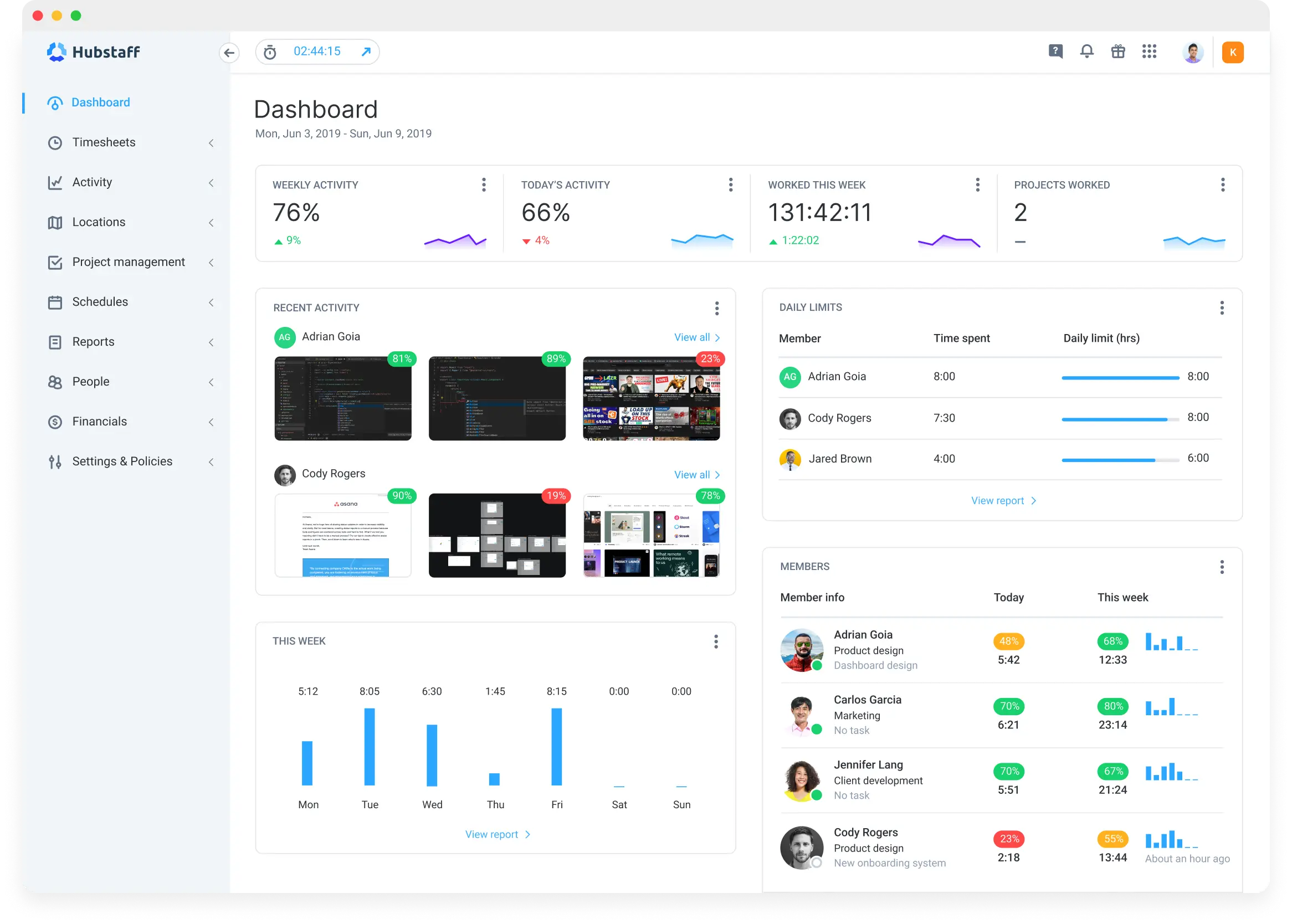
Image source: hubstaff
Features:
- Timer-based tracking with optional screenshots
- GPS and geofencing for field teams
- Productivity metrics and idle time detection
- Project budgets and automated payroll
- Integrations with Trello, Asana, and GitHub
Pros:
- Ideal for remote, hybrid, and field teams
- Strong employee monitoring features
- Built-in payroll and invoicing options
- Supports GPS and mobile tracking
Cons:
- May feel intrusive to some employees
- Complex setup for smaller teams
Pricing:
- Starter: $4.99/user/month – basic tracking and screenshots
- Grow: $7.50/user/month – reports, timesheets, and budgets
- Team: $10/user/month – payroll and productivity tracking
- Enterprise: Custom pricing – API access, advanced controls
7. QuickBooks Time: Time tracking for payroll accuracy
QuickBooks Time is built for businesses that manage hourly employees and need accurate payroll processing. It seamlessly integrates time tracking with accounting and job costing for precise reporting. Teams can clock in or out via mobile with GPS tracking and geofencing. It's ideal for field-based teams or organisations needing payroll-ready time data.
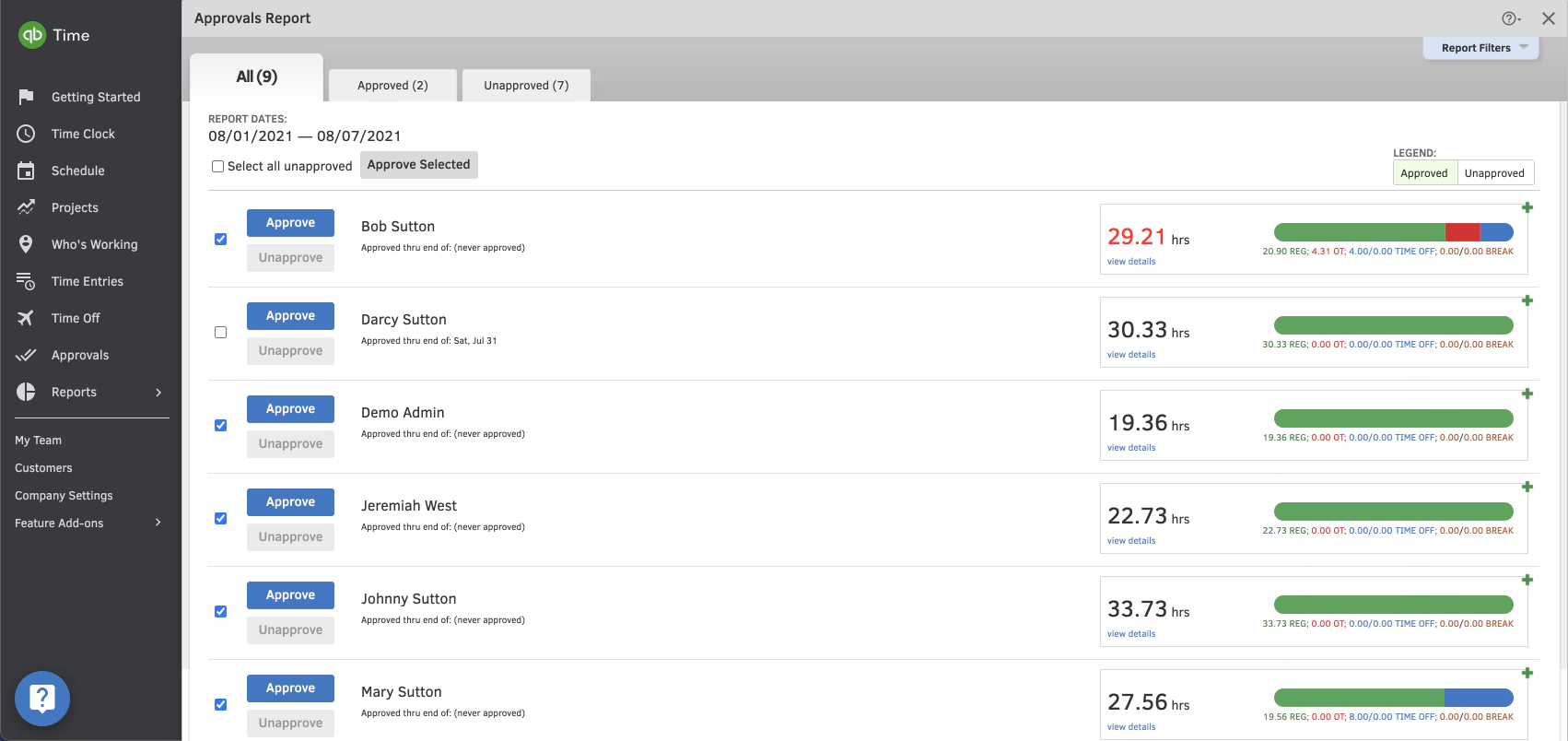
Image source: quickbooks.com
Features:
- Mobile clock-in/out with geofencing
- Scheduling and shift management
- Timesheet approvals and overtime alerts
- Integration with QuickBooks for payroll and invoicing
- GPS-based location tracking for field workers
Pros:
- Perfect for payroll and compliance
- Real-time mobile tracking
- Excellent QuickBooks integration
- Strong customer support
Cons:
- Not ideal for freelancers or small teams
- Pricing can increase with add-ons
Pricing:
- Premium plan: $20/month base fee + $8/user/month
- Elite plan: $40/month base fee + $10/user/month
8. ClickUp: Time tracking within project management
ClickUp combines time tracking and project management in one powerful workspace. Teams can track time directly on tasks, monitor progress, and manage budgets without switching tools. It integrates seamlessly with calendars and workflow automations. Perfect for agile, sprint-based, or cross-functional teams seeking complete visibility.
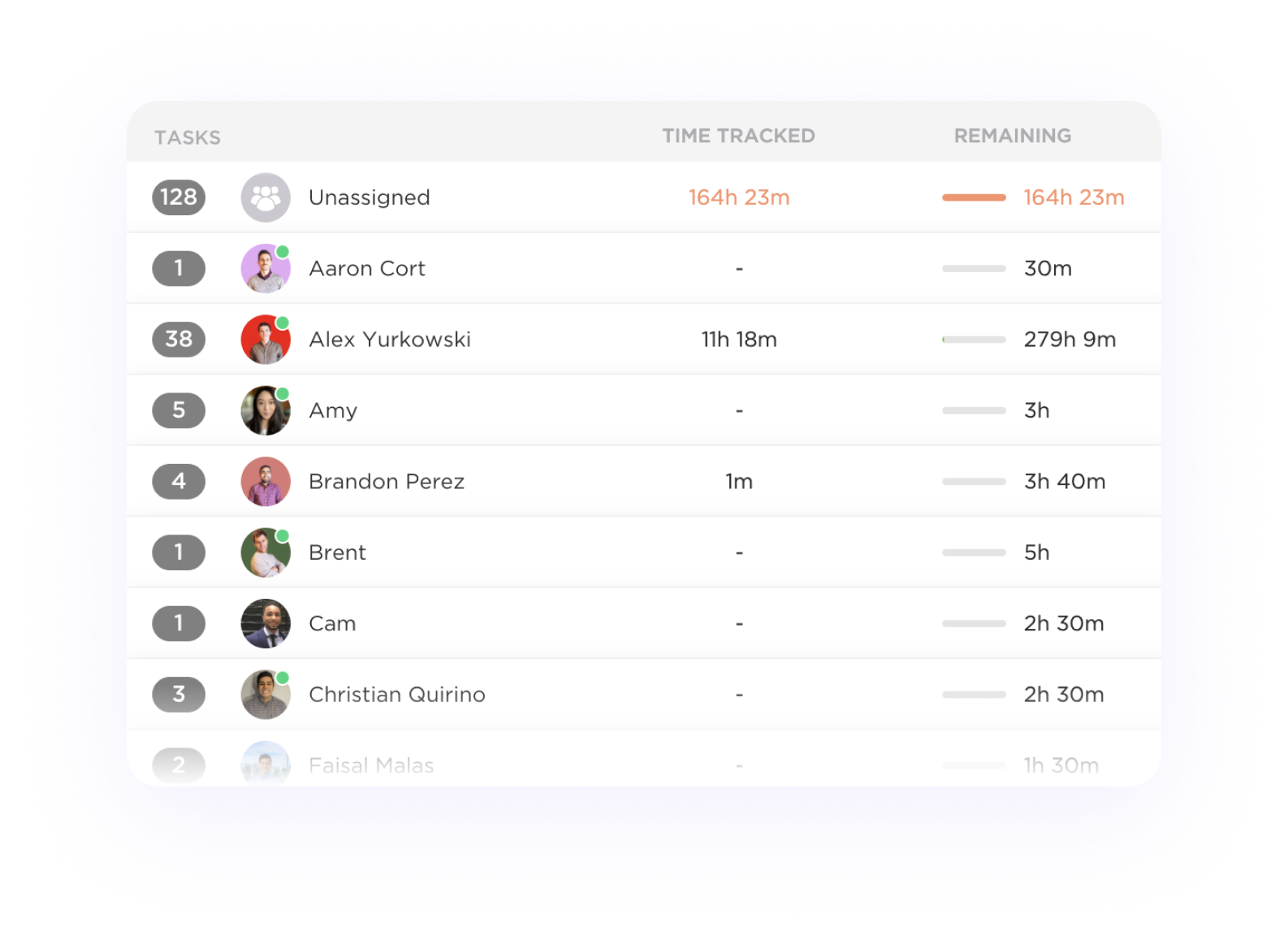
Image source: clickup.com
Features:
- Time tracking per task or project
- Start/stop timers or manual entries
- Reporting dashboards and time estimates
- Billable time tracking with budget alerts
- Integrations with calendars and third-party tools
Pros:
- Fully integrated with task and project management
- Highly customisable and flexible
- Great for agile and sprint-based teams
- Affordable pricing for feature depth
Cons:
- Can feel overwhelming for new users
- Mobile app less polished than desktop
Pricing:
- Free plan: Basic time tracking features
- Unlimited plan: $10/user/month – advanced reports and dashboards
- Business plan: $19/user/month – automations, custom fields, and workload views
9. Clockodo: Simple time tracking for small businesses
Clockodo is a straightforward time tracking tool designed for small businesses and consultants. It enables fast time logging, project tracking, and simple client billing. The interface is clean, easy to use, and ideal for teams that need accurate yet uncomplicated tracking.
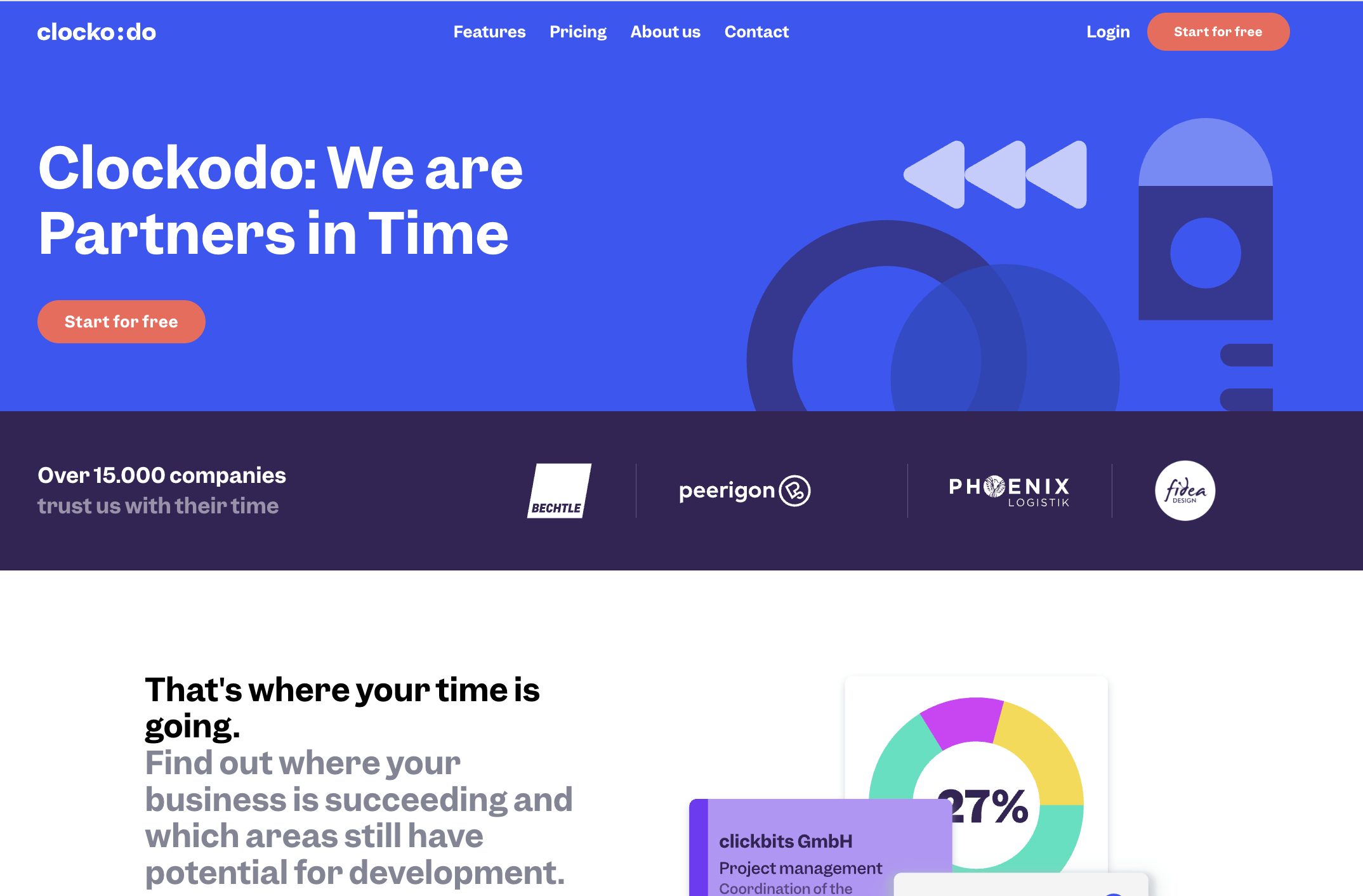
Image source: clockodo.com
Features:
- Time tracking via timer or manual entry
- Client and project-based reports
- Cost and revenue tracking
- Team management and absence logging
- Export-ready invoices and summaries
Pros:
- Clean, easy-to-use interface
- Transparent pricing and reports
- Excellent for service-based SMEs
- Reliable customer support
Cons:
- Limited integrations compared to larger tools
- Basic design and dashboard customisation
Pricing:
- Free trial: 14 days
- Standard plan: $8/user/month – full access to time, projects, and reports
10. Everhour: Transparent time tracking for teams
Everhour focuses on transparency and integration, bringing time tracking directly into your existing project management tools. It offers detailed budget tracking, expense monitoring, and team reports in real time. Ideal for agencies and project-based teams that prioritise accountability and visibility.
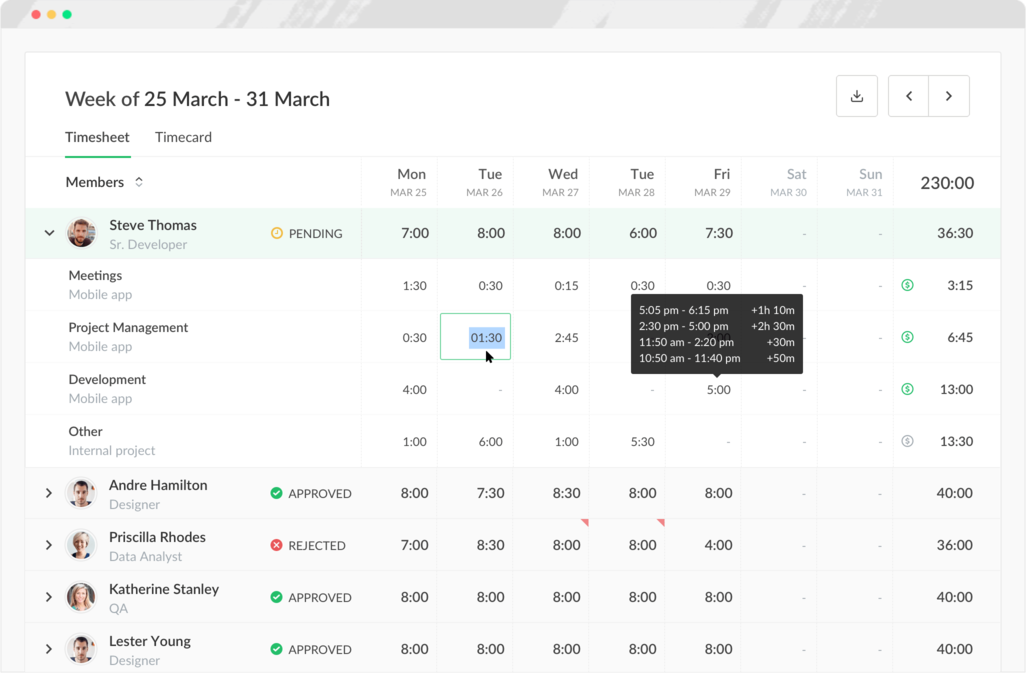
Image source: everhour.com
Features:
- Time tracking directly inside project management tools
- Budget and cost tracking by project or client
- Detailed team reports and analytics
- Expense tracking and invoicing
- Real-time dashboards for project health
Pros:
- Excellent integration with existing PM tools
- Transparent time and budget management
- Detailed reporting for agencies and consultants
- Simple, intuitive design
Cons:
- Limited standalone functionality without integrations
- No offline tracking mode
Pricing:
- Lite plan: $6/user/month – core tracking and reports
- Team plan: $10/user/month – budgets, invoicing, and integrations
- Enterprise: Custom pricing – advanced analytics and admin tools
Why teams choose Lark over standalone time trackers
Traditional time tracking tools record effort but often miss the bigger picture of how work actually moves forward. Lark connects time tracking with the entire workflow: from planning tasks to approving deliverables and communicating results.
- No app-switching: Time tracking is built directly into Lark's project databases, allowing teams to log and review hours without moving between multiple tools. This ensures accuracy and keeps all data centralised in one workspace.
- Built-in automation: Lark automatically sends reminders for timesheet submissions and approval workflows. It reduces manual follow-ups, helping teams stay on schedule with minimal administrative effort.
- Cross-department visibility: Managers, HR, and finance teams can access the same unified dashboard for complete transparency. Everyone sees real-time updates on hours, costs, and approvals—improving coordination and decision-making.
The result is a smoother workflow with minimal manual effort and greater accuracy across teams. You spend less time managing data and more time focusing on meaningful, productive work.
How we evaluated the best time tracking apps
To identify the best time tracking apps, we compared leading tools based on usability, features, and value. Our evaluation focused on real-world functionality, team experience, and how each app supports productivity and business growth.
- Ease of use: We assessed how intuitive each interface is for teams to adopt quickly, minimizing onboarding friction and resistance.
- Core time-tracking features: We looked at how each tool supports manual entries, automatic timers, GPS tracking, and other foundational time-logging capabilities.
- Reporting & analytics: We evaluated dashboards and reports for insights into productivity, billable hours, team utilisation and budget variances.
- Collaboration options: We checked whether apps facilitate teamwork through chat, task-linkage, file sharing, or embedded communications.
- Value for money: We compared feature richness vs cost-per-user and determined which tools deliver the strongest return on investment.
Conclusion
Choosing the right time tracking app depends on your team's goals, workflow, and budget. For freelancers or small teams, tools like Toggl Track and Clockify offer simplicity and affordability. For agencies or growing businesses, Harvest, Hubstaff, or QuickBooks Time provide advanced billing and payroll features. And for teams seeking an all-in-one workspace, Lark stands out by integrating time tracking with collaboration, automation, and project management. The right tool doesn't just record hours, it transforms how teams plan, execute, and analyse work. By aligning time data with outcomes, you can improve productivity, accuracy, and accountability across your organisation, turning every hour into measurable progress.
FAQs
What is the best free time tracking app for small businesses?
Lark, Clockify and Toggl Track are top free choices, offering unlimited projects and users. They're easy to set up, intuitive, and ideal for small teams managing time and billing efficiently.
Can I track time automatically on mobile?
Yes, many apps like Lark, RescueTime and Timely offer automatic mobile tracking. They record activity in the background, helping you monitor work hours without manually starting timers.
How do time tracking apps help with payroll?
These apps record accurate work hours, including overtime and billable time. The data integrates with payroll systems, ensuring fair compensation and reducing manual errors.
How is Lark different from dedicated time tracking tools?
Lark provides features like Calendar for time blocking, Docs for creating time management matrices, and Attendance management, focusing on overall productivity, communication, and project management. However, dedicated time tracking tools are specialized for monitoring work hours and productivity.
Related reading
Table of contents
Start using Lark today

Manage all your work in one place
Boost team efficiency by 10x
Save up to 70% on software costs
Table of contents
Start using Lark today
Manage all your work in one place
Boost team efficiency by 10x
Save up to 70% on software costs
Keep reading








2026 Lark Technologies Pte. Ltd.
Headquartered in Singapore with offices worldwide.






Explore: