














12 Best Timesheet Apps for Accurate Work Hours & Payroll Management

Nidhi
Freelance Content Writer
Nov 3, 2026
Nidhi
Nov 3, 2026

19 min read
Add to preferred sources


Modern organisations rely on structured tracking to manage payroll, projects and hybrid work. Teams often compare options such as an employee timesheet app free or advanced tools built for industry needs. Many companies also look for the best timesheet app for construction because field teams require GPS, mobile access and reliable job site records. As teams grow, choosing a tool that supports accuracy, visibility and collaboration becomes more important. Lark appears gradually in these comparisons as a unified workspace where teams can manage time and communication together.
The list below gives a quick overview of the top platforms so organisations can understand what each one does before exploring deeper details.
Key takeaways: Top 5 timesheet app
1. Lark: Best unified timesheet app with team workflows and approvals
2. Clockify: Best free timesheet app for simple hour tracking
3. Toggl Track: Best timesheet app for freelancers and project-based teams
4. Hubstaff: Best mobile timesheet app with GPS and workforce tracking
5. QuickBooks Time: Best payroll timesheet app for SMBs

Overview table: 12 best employee timesheet app
Information source: Official vendor sites
Update time: 2025-11-29
Note: Pricing and plan details reflect publicly available data as of the update date and may vary based on region, billing cycle, and number of agents.
What is a timesheet app?
A timesheet app is a digital tool that helps employees record work hours, track activities and submit accurate timesheets for payroll, billing or project management. These apps replace manual spreadsheets, which often lead to errors, missing entries, and limited visibility for managers. With a timesheet app, teams can automate calculations for regular hours, overtime, and paid leave while maintaining clear records for audits and compliance checks.
Many organisations use an employee timesheet app or an online timesheet app because it supports faster approvals, centralised reporting, and better workforce oversight. Modern systems often include mobile access, so field workers, hybrid staff, and remote employees can clock in from any location. A mobile timesheet app also helps reduce time fraud by capturing timestamps, locations, or supporting documents. By offering structured workflows and reliable time data, a timesheet app helps teams improve accuracy, accountability and operational efficiency across the entire organisation.
Essential features every modern timesheet app should offer
This section introduces the main capabilities that businesses expect from a modern tool across industries and workforce sizes.
- Mobile-friendly logging: A mobile timesheet app is essential for field teams, retail workers and staff who move between sites. Mobile logging makes time capture reliable because employees can record entries immediately rather than waiting until the end of the day. Offline support further reduces gaps in logging when internet connectivity is limited.
- Project-level time allocation: Teams working with clients or cost centres rely heavily on detailed hour segmentation. A work timesheet app lets users assign time to tasks, phases or budgets. Managers can later use this data to analyse project performance, calculate billable revenue or adjust workloads.
- Review and approval workflows: Timesheets often pass through multiple layers before acceptance. A timesheet app for multiple employees needs structured checks that include employee submission, supervisor review and final approval. This prevents inaccurate entries from moving into payroll or billing.
- Workforce scheduling: Many teams require schedules along with attendance. A timesheet app with project management tools helps managers assign shifts, monitor availability and ensure proper coverage. This improves reliability for high-volume work environments like hospitality or retail.
- GPS or location verification: A construction timesheet app and field-focused tools often include location verification. This ensures accountability for job site attendance and supports logistics planning. GPS records help confirm that shifts are completed in the right place and time.
- Payroll export: Payroll teams depend on cleanly formatted outputs. A payroll timesheet app provides files compatible with payroll software, so finance teams can process payments quickly. This prevents manual data re-entry and reduces administrative workload.
- Compliance and audit-ready records: Small mistakes in timekeeping can lead to regulatory issues. Modern systems track edits, retain history and timestamp approvals. These audit-ready logs support compliance checks and reduce the risk of penalties.
12 best timesheet apps for employees and teams
Many organisations look for reliable tools that can simplify time tracking across different roles, locations, and workflows. This section compares the leading platforms used by small teams, field crews, and large enterprises. Each tool offers different strengths in accuracy, mobility, approvals, and reporting. These comparisons help teams identify which timesheet solution fits their daily operations and long-term needs.
1. Lark: Best unified timesheet app with attendance, workflows, & approvals
Lark is designed for organisations that want timesheets connected to their daily communication and workflow tools. It brings attendance, collaboration, and approvals into one workspace, so teams do not rely on separate systems. This helps managers track time more accurately while employees benefit from a simple mobile experience. Lark also supports advanced policies and automation, making it suitable for fast-growing or multi-location teams.

Attendance settings & custom fields configuration
Lark Attendance gives organisations complete control over how attendance is tracked, allowing admins to configure work hours, shift cycles, clock-ins and clock-outs, leave types, overtime policies, and more. These settings ensure attendance aligns with company policy, whether the workforce is fixed-schedule, flexible, or shift-based. Admins can also customise which fields appear in attendance reports, such as clock-in time, clock-out time, overtime hours, or leave status, so the data exported or reviewed matches the exact workflows the business relies on.
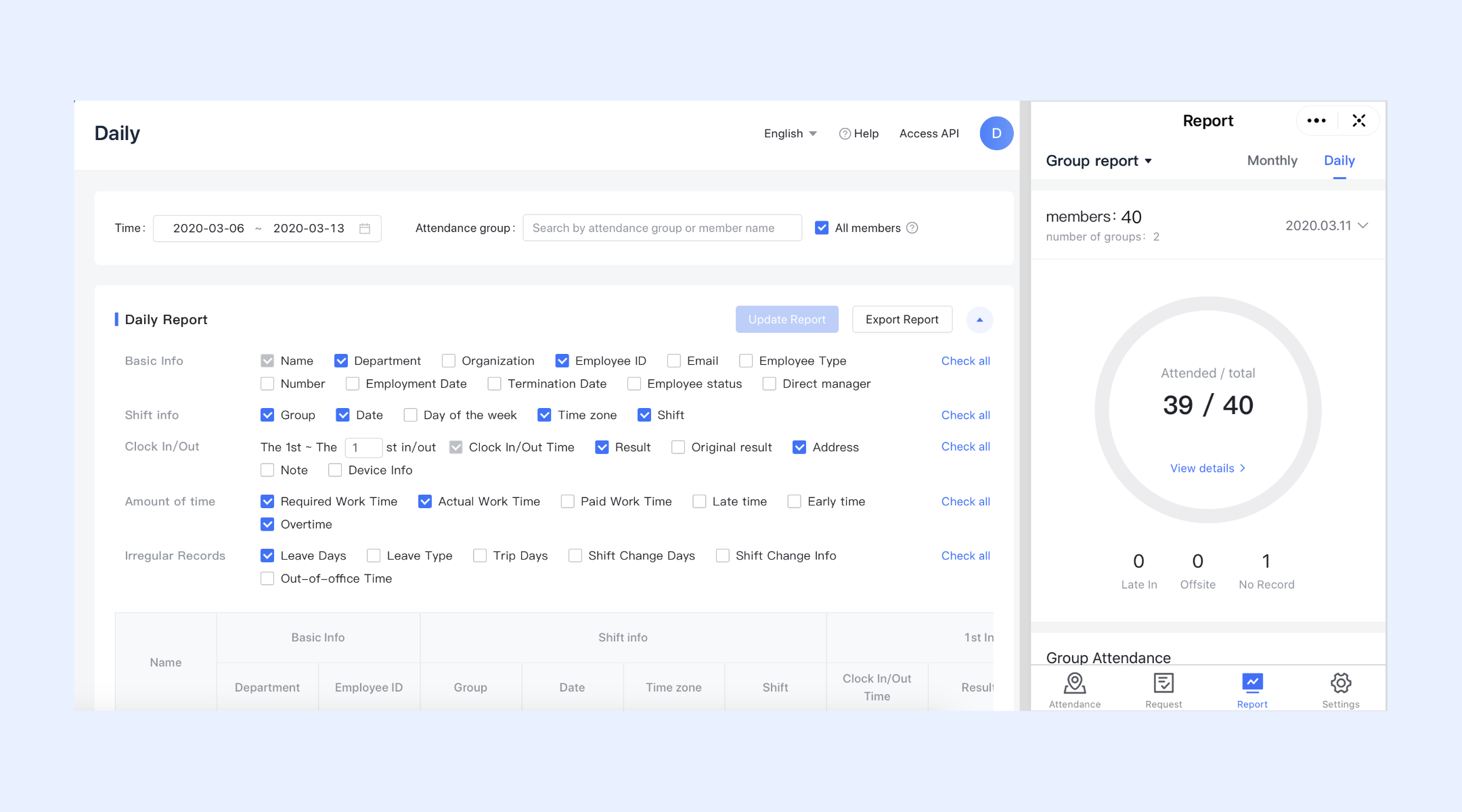
Attendance reporting & attendance timesheet generation
Lark provides managers with clear, actionable attendance insights by offering daily records, period summaries, overtime statistics, and attendance trend data. Admins can view or export full attendance reports and drill into individual entries when needed. Lark also supports attendance-based timesheets, combining clock-in/clock-out data, leave, and overtime into a unified timesheet view, making it easier to verify work hours, manage payroll, or reconcile project-level time requirements.
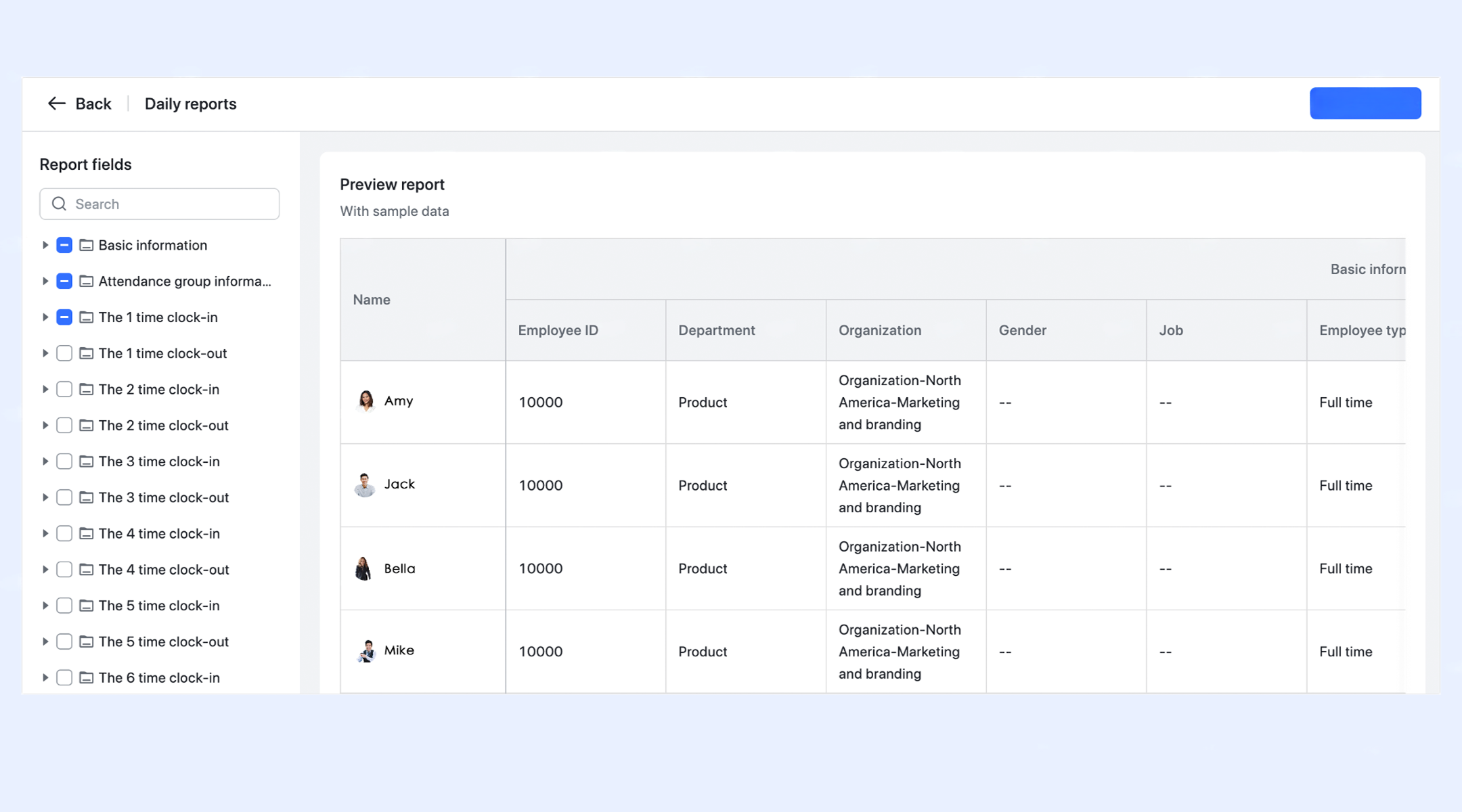
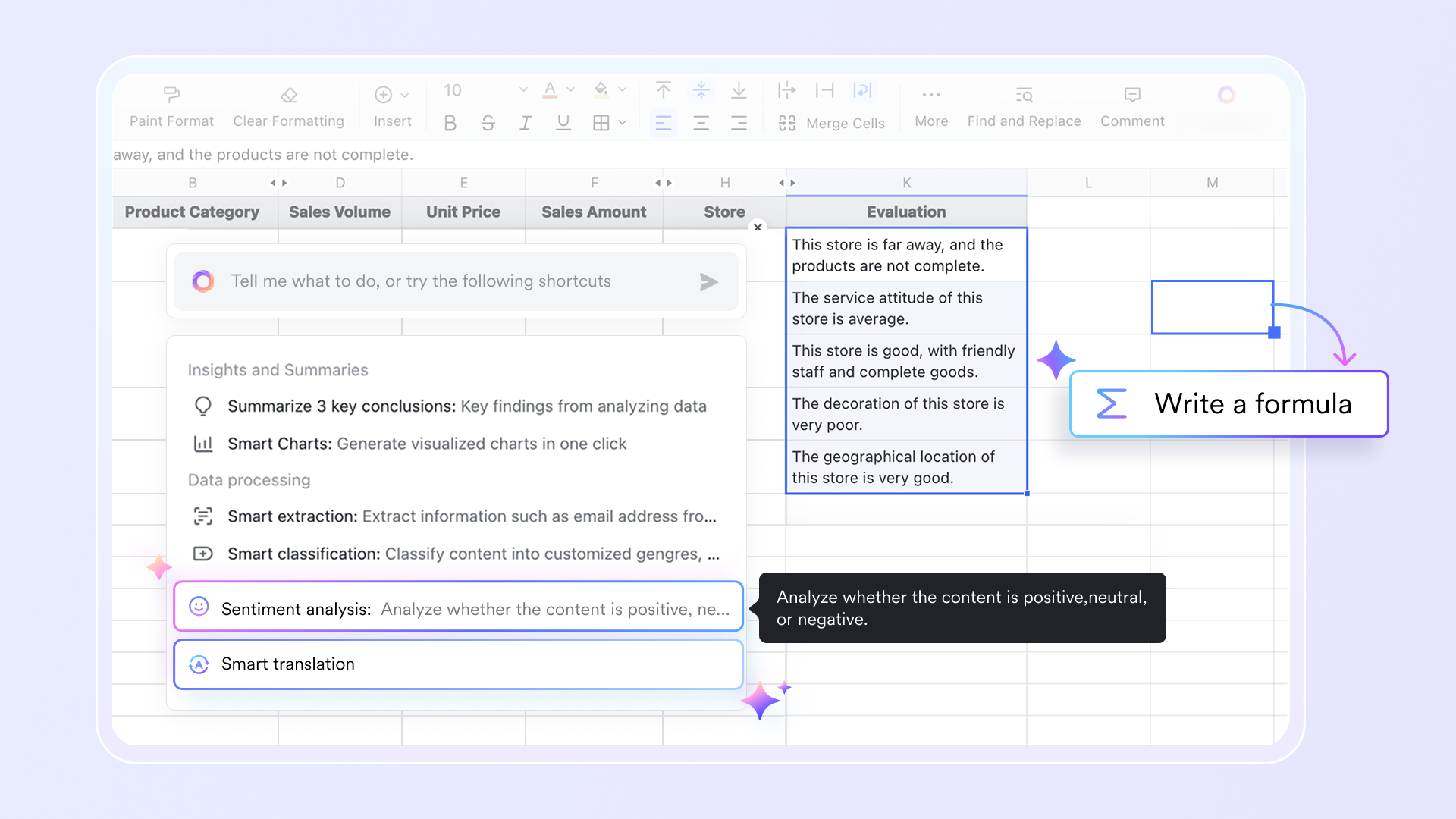
Arrange timesheet with accurate tracking & formula calculation
Lark Sheets helps teams manage timesheets by allowing accurate work-hour tracking and calculations. Using functions like TIME and TIMEVALUE, you can record hours, convert numbers to time, and format entries. Financial and statistical functions, like COUNTIF, support payroll calculations and analysis, making timesheet management more efficient and precise.
Ready-to-use timesheet templates at your disposal
Lark provides ready-to-use templates that simplify employee time tracking and salary calculations. Templates like time log and consultant timesheet let teams record hours, tasks, and billable time efficiently. Payroll templates automatically calculate salaries, deductions, and bonuses. With pre-built fields and formulas, teams save time, reduce errors, and gain clear visibility into work hours and payroll expenses.
Pros
- Provides a unified workspace that blends attendance, tasks, chat, and approvals for smooth coordination.
- Strong fit for multi-team environments because permissions and workflows are fully configurable.
- Mobile-friendly for employees who need to review logs and clock in from any location.
- Supports deep customisation for complex attendance structures across departments.
- Delivers clear audit-ready logs that help payroll and compliance teams work efficiently.
Cons
- Large teams may need guided onboarding to align policies, but its Help Center provides complete guidance.
- Starter plan: Free forever plan that includes 11 powerful tools for up to 20 users. It also comes with 100GB of storage, 1000 automation runs, AI translations, and more.
- Basic plan: $6/user/month (billed annually) for up to 500 users. It includes everything in Starter plus group calling for up to 500 attendees, 5TB of storage, 1000 automation runs, and more. For more details, please contact sales.
- Pro plan: $12/user/month (billed annually) for up to 500 users. It includes everything in Basic plus group calling for up to 500 attendees, 15TB of storage, 50,000 automation runs, and more.
- Enterprise plan: Contact sales for custom pricing. Supports unlimited users and includes even more automation runs and advanced security, compliance, and management features.

Starter
Pro
Enterprise
Starter
For small teams with simple communication needs
$0
/ user / month
20 users max
18 months message history
1-on-1 video meetings
100 GB storage
Lark Docs & Mail
1000 Base automation runs/month
2000 rows per table in Base
Pro
For companies with comprehensive collaboration and management needs
$12
/ user / month
500 users max
Unlimited message history
500-participant video meetings
15 TB storage
Lark Docs & Mail
50k Base automation runs/month
20k rows per table in Base
Enterprise
For large companies with advanced security and organizational management needs
Get a personalized demo and pricing
Unlimited users
Unlimited message history
500-participant video meetings
15 TB storage + 30 GB storage/user
Lark Docs & Mail
500k Base automation runs/month
50k Base automation runs/month
Single sign-on (SSO)
Pro
For companies with comprehensive collaboration and management needs
$12
/ user / month
500 users max
Unlimited message history
500-participant video meetings
15 TB storage
Lark Docs & Mail
50k Base automation runs/month
20k rows per table in Base
2. Clockify: Best free timesheet app for simple hour tracking
Clockify is built for teams wanting a straightforward way to log hours using timers, basic timesheets, and light project tagging. It works for freelancers, individuals, and small teams needing unlimited free tracking. Clockify focuses on minimal configuration, so users can start recording hours immediately. It is a preferred option for those who want simple time tools without budgeting for software.
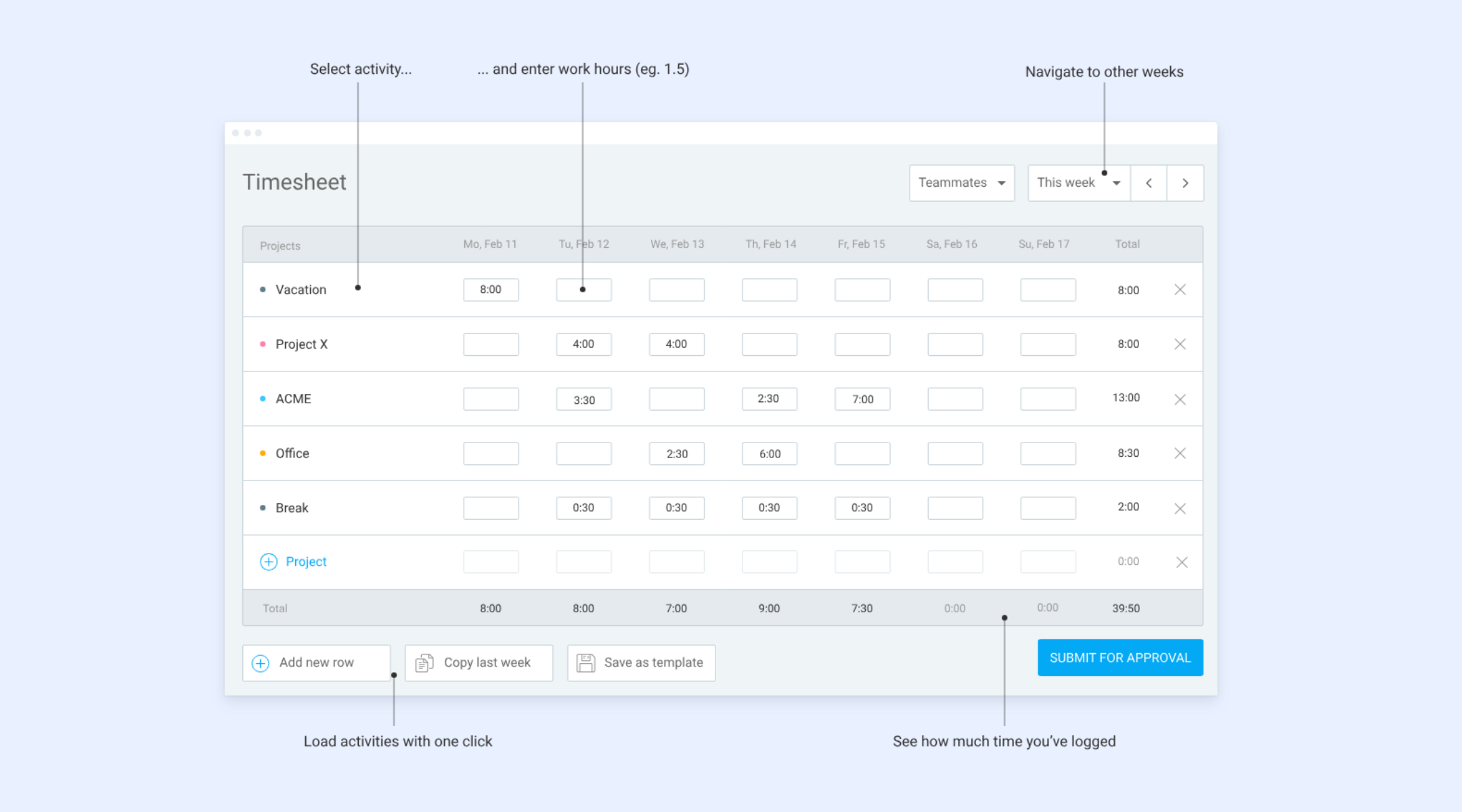
Image source: clockify.me
Features
- Timer-based tracking that helps users capture real-time activities without manual input across devices.
- Weekly timesheet interface that supports manual entries and quick editing for planned or delayed logs.
- Project and task organisation that allows basic job grouping so teams can label activities by client or category.
- Reporting dashboards that summarise time entries, totals, and billable segments for simple analysis.
- Team visibility tools that allow supervisors to monitor who is logging hours and how time is allocated.
Pros
- Extremely easy to adopt because the interface focuses only on essential time functions.
- Unlimited free tracking makes it ideal for individuals, freelancers, and small teams with minimal budgets.
- Works across mobile, desktop, and browser extensions for convenient access.
- Offers lightweight reporting for daily and weekly monitoring.
- Good option for users who only need logging without complex workflows.
Cons
- Lacks deep approval flows that larger teams require for payroll or audits.
- Many advanced insights, exports, and administration tools are locked behind paid plans.
- Limited scheduling and workforce management functions.
Pricing
- Free plan with unlimited tracking.
- Basic: $3.99 per user per month.
- Standard: $5.49 per user per month.
- Pro: $7.99 per user per month.
- Enterprise: $11.99 per user per month.
3. Toggl Track: Best timesheet app for freelancers and project-based teams
Toggl Track supports workers who handle multiple clients and need simple but accurate time logging. Its clean interface and one-click timers help users capture billable hours effortlessly. Teams rely on it to organise time across projects and understand cost distribution. It is well-suited for freelancers and smaller project teams looking for flexibility.
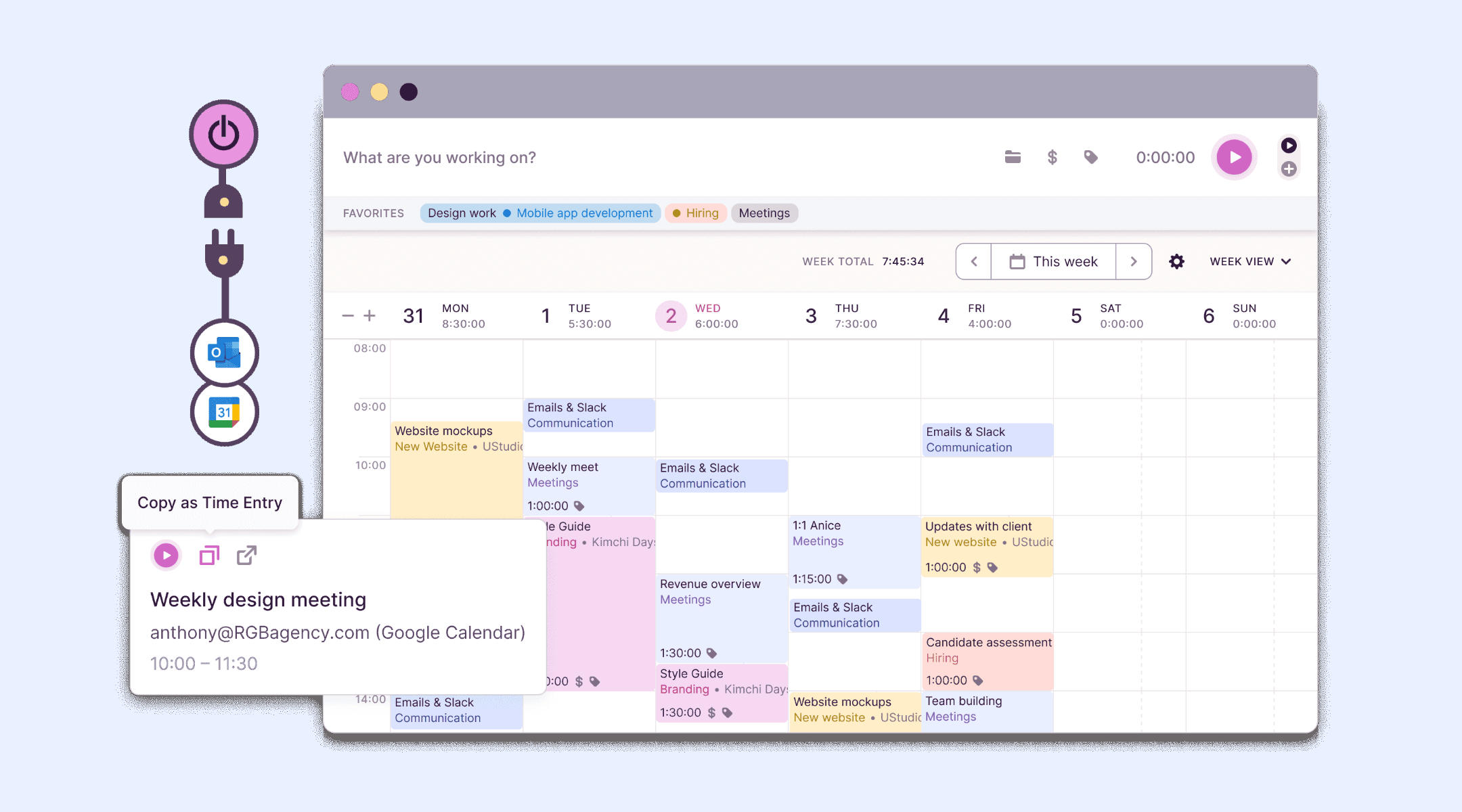
Image source: toggl.com
Features
- Offers instant timers that let users begin or end tracking with one tap.
- Organises time under clients, projects and tasks for clear cost grouping.
- Provides billable rate settings so users can calculate revenue automatically from tracked hours.
- Includes filtered reports that help users analyse time by project, date or team member.
- Supports multi-platform logging on web, mobile and desktop.
Pros
- Very clean interface that helps freelancers track billable hours without friction.
- Works well for client-based projects due to clear tagging and grouping.
- Multi-device access makes logging easy during travel or remote work.
- Supports lightweight project cost insights with minimal setup.
- Popular among independent professionals due to its simplicity.
Cons
- Does not include scheduling or shift management.
- Approval workflows require higher-level plans.
- Limited GPS features for field teams.
Pricing
- Free plan with core time tracking.
- Starter: 9 USD per user per month.
- Premium: 18 USD per user per month.
- Enterprise: Custom plan.
4. Hubstaff: Best mobile timesheet app with GPS and workforce tracking
Hubstaff helps organisations with field teams verify attendance using GPS logs, geofencing and mobile time tracking. It provides detailed activity insights that help supervisors understand remote work patterns. The platform suits industries like construction, delivery and service. It ensures accurate shift verification and real-time workforce visibility.
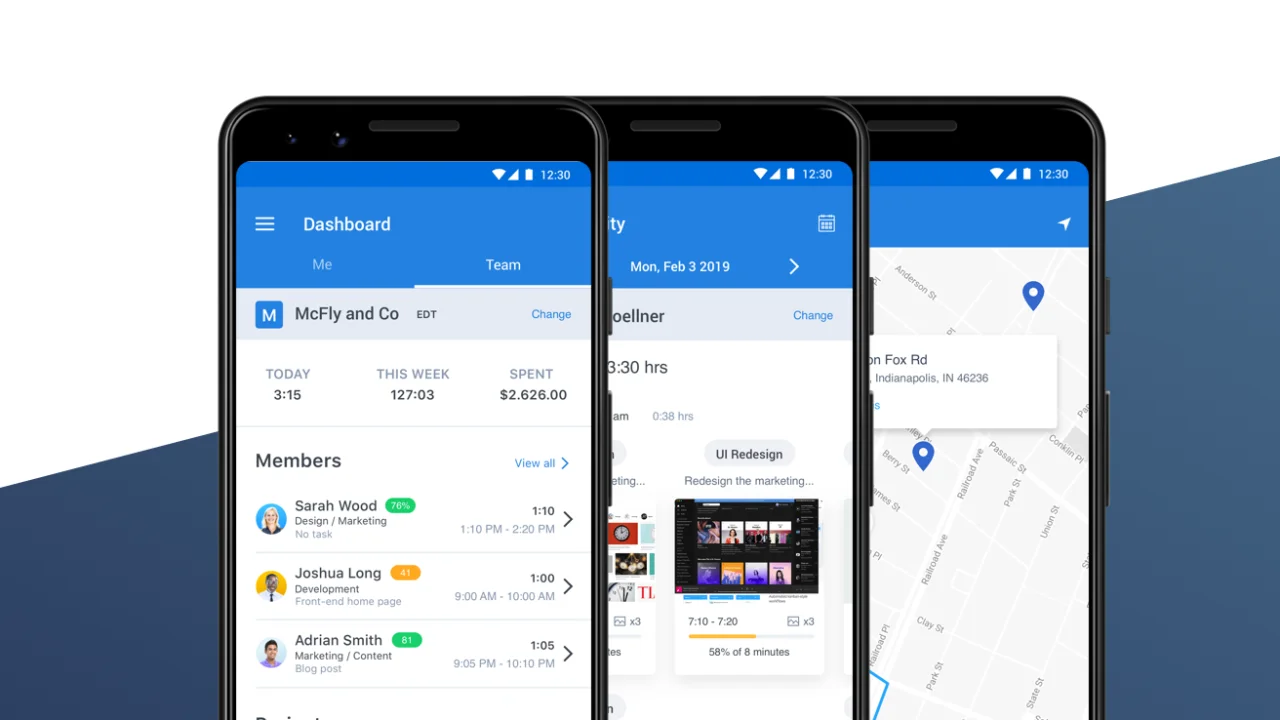
Image source: hubstaff.com
Features
- Tracks GPS routes to confirm job site attendance and movement across locations.
- Provides optional activity monitoring with screenshots for deeper visibility.
- Supports mobile timesheets so employees can log hours from the field.
- Includes geofencing to automatically detect clock-in when workers enter job areas.
- Offers productivity analytics that highlight activity trends and idle time.
Pros
- Very strong fit for field and mobile teams that need location verified records.
- Provides detailed GPS logs that help validate job site work.
- Helpful for supervisors managing distributed or remote teams.
- Supports cross-device tracking for flexibility.
- Good for companies with travelling staff.
Cons
- Monitoring features may feel intrusive for some users.
- Higher-tier features increase costs.
- GPS accuracy may depend on connectivity.
Pricing
- Starter: $7 per user per month.
- Grow: $9 per user per month.
- Team: $12 per user per month.
- Enterprise: Custom plan.
5. QuickBooks Time: Best payroll timesheet app for SMBs
QuickBooks Time supports accurate payroll management by combining time tracking, scheduling and overtime rules. It works well for organisations that already use QuickBooks for accounting. The platform ensures that employee hours move cleanly into payroll calculations. It is ideal for small and mid-sized teams with structured shifts.
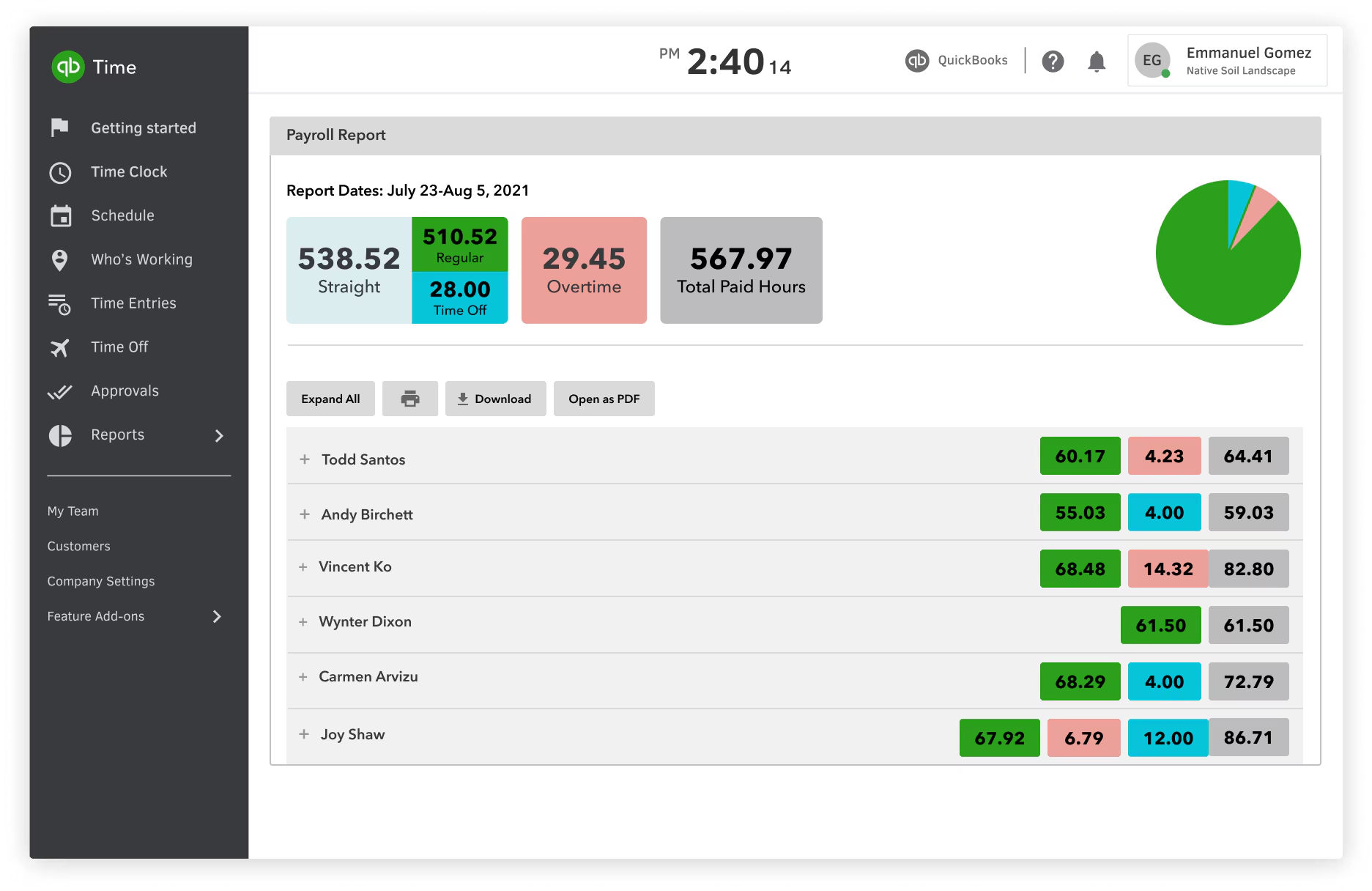
Image source: quickbooks.intuit.com
Features
- Tracks timesheets with payroll integration so finance can run pay cycles quickly.
- Provides scheduling tools to plan shifts and monitor staffing levels.
- Sends GPS pings to verify on-site attendance.
- Automates overtime calculations based on company rules.
- Allows payroll exports compatible with major accounting platforms.
Pros
- Very strong fit for payroll-driven teams that need accurate calculations.
- Syncs smoothly with QuickBooks accounting software.
- Works well for SMBs with hourly staff.
- Offers clear reporting for audits and labour compliance.
- Mobile tools help front-line workers submit hours easily.
Cons
- Higher starting price than basic time trackers.
- Setup requires time for new users.
- Limited collaboration capabilities.
Pricing
- Premium: $20 base fee plus $8 per user per month.
- Elite: $40 base fee plus $10 per user per month.
6. Buddy Punch: Best timesheet app for identity-verified clock-ins in hourly workforces
Buddy Punch was designed to answer a single question that comes up every payroll cycle: did the hours on this timesheet actually happen? The answer comes from a stack of identity checks built into every punch: facial recognition, a webcam photo, a PIN kiosk, a QR code, or a mobile app locked to an approved device or IP. Around that core, the platform handles the everyday work of time tracking, scheduling, PTO, and payroll integrations, with every entry able to be tied to a geofenced job site so a clock-in from the wrong parking lot never makes it onto a paycheck.
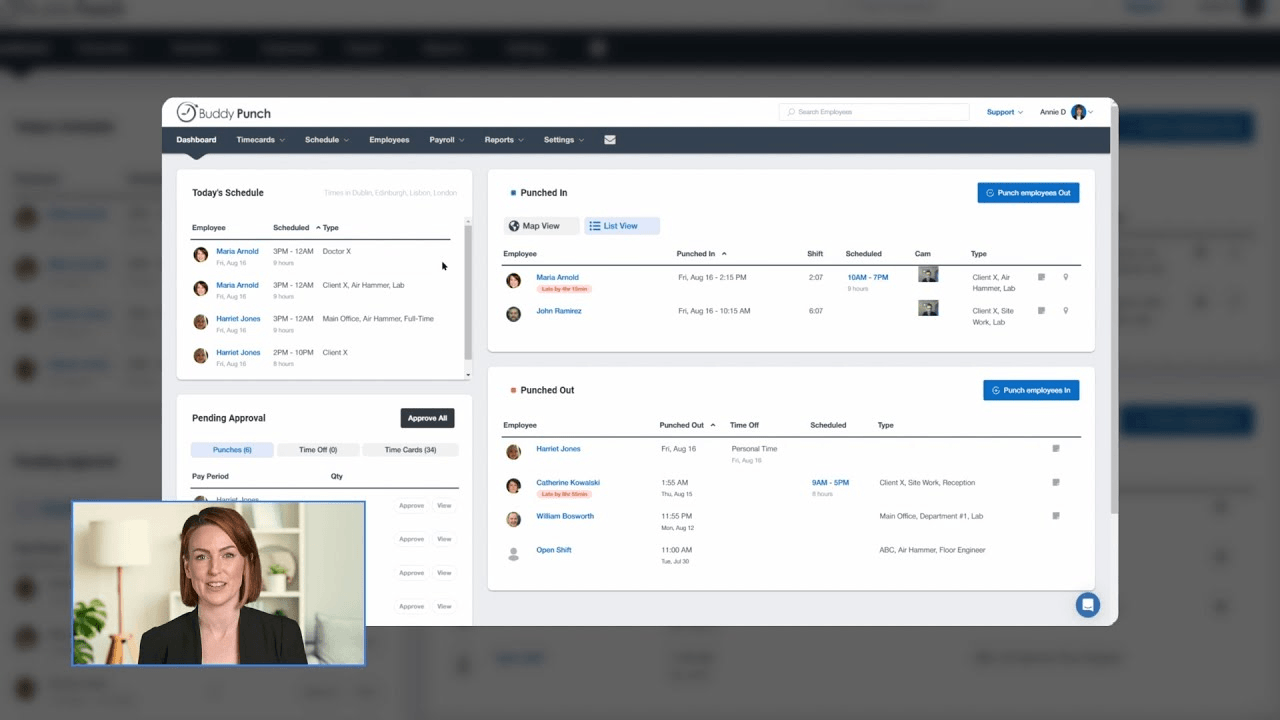
Image source: buddypunch.com
Features
- Verifies identity at every punch via Face ID, photo, PIN, QR, or password.
- Offers text-to-punch via SMS and group punch for foremen clocking in entire crews.
- Captures real-time GPS with breadcrumb tracking and geofenced punch zones.
- Controls labor costs with punch limiting, auto clock-outs, and overtime alerts.
- Doubles as a full payroll provider with tax filings in all 50 U.S. states.
Pros
- Strong fit for hourly teams plagued by buddy punching and forgotten clock-outs.
- Active-employee billing keeps costs predictable for seasonal or rotating staff.
- Unlimited free admin seats suit multi-location operations with multiple supervisors.
- Multiple clock-in methods let office, field, and on-site staff each pick their style.
- Google, Okta, and OneLogin SSO cut login friction for office and hybrid workers.
Cons
- Scheduling is a paid add-on on the Starter plan.
- Built around U.S. labor laws, with thinner localisation for international teams.
- No built-in HR functions like performance reviews or onboarding.
Pricing
- Starter: $4.49 per user per month plus a $19 monthly base fee.
- Pro: $5.99 per user per month plus a $19 monthly base fee.
- Enterprise: $10.99 per user per month plus a $19 monthly base fee.
7. Harvest: Best timesheet app for project costing and client billing
Harvest is widely used by agencies and consulting teams that rely on accurate billable hour tracking. It combines time logs, expenses and invoicing in one workflow. The platform helps users monitor project budgets and profitability. It suits organisations where client billing is a major part of operations.
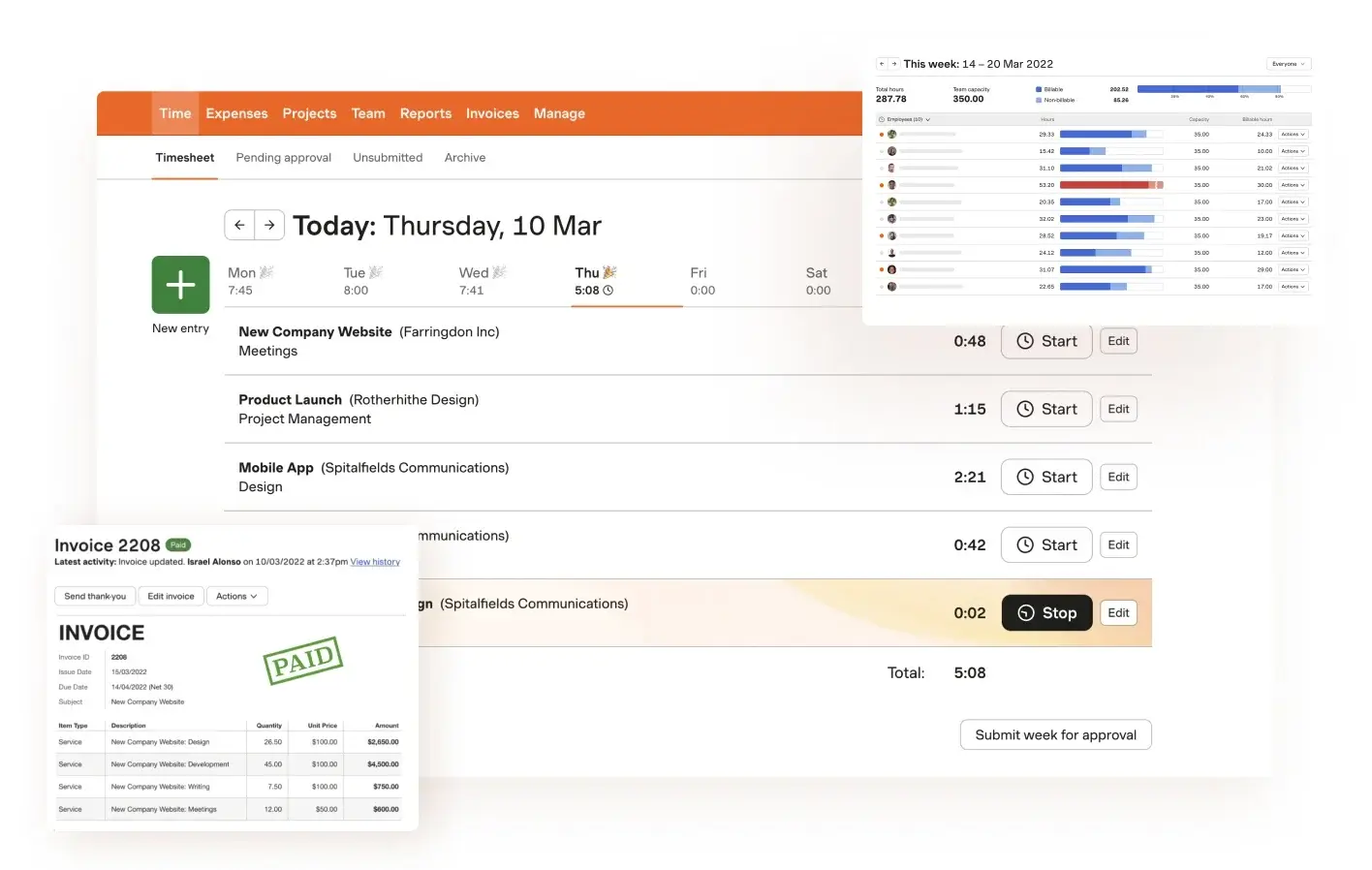
Image source: getharvest.com
Features
- Tracks time across multiple clients, tasks, and internal items for detailed cost visibility.
- Supports expense tracking with receipts for complete project reporting.
- Converts tracked hours into invoices for easy billing.
- Provides budget tracking that shows remaining hours and cost burn.
- Offers clear reports that break down project performance.
Pros
- Excellent fit for agencies and client-based service teams.
- Simple workflow linking time, expenses, and invoices.
- Clean interface for easy onboarding.
- Strong profitability and budget insights.
- Works well for small to mid-sized project teams.
Cons
- Pricing may be high for larger user groups.
- Lacks scheduling and workforce tools.
- No deep GPS or field tracking options.
Pricing
- Free plan for one user.
- Pro: $12 per user per month.
8. Homebase: Best timesheet app for shift-based teams and payroll integration
Homebase is built for small businesses who manage hourly teams across shifts and need time tracking connected directly to payroll. It combines scheduling, clocking tools, and payroll processing so managers can move from timesheets to paychecks without switching apps. More than 150,000 small businesses use Homebase to manage their teams, primarily in industries like hospitality, retail, and food service where shift-based work and compliance are daily concerns.
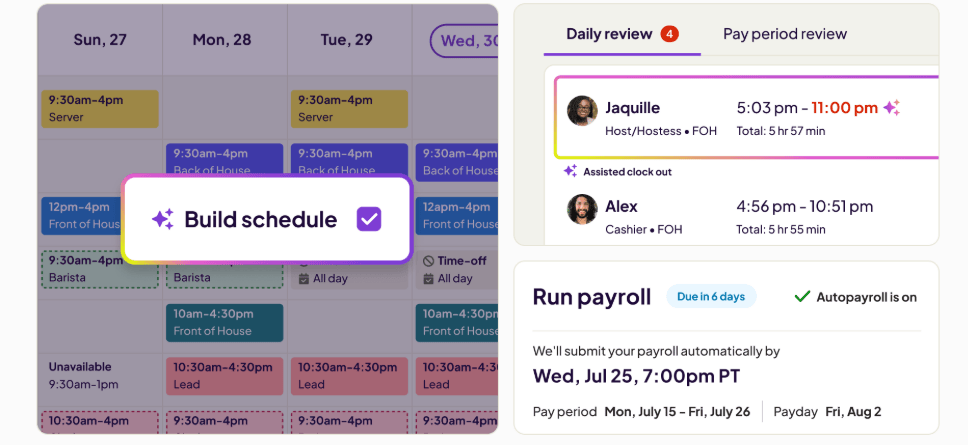
Image source: joinhomebase.com
Features
- Shift scheduling that lets managers build and publish team schedules with tools like schedule duplication and templates, and texts employees with their shift as well as allowing them to view their shifts, request time off, and swap shifts, on mobile.Builds shift-based schedules that cover daily and weekly staffing needs.
- Time clock functionality that allows team members to clock in and out from any device, with automatic alerts for overtime and missed breaks.
- Payroll processing that pulls approved timesheets directly into payroll runs, removing manual data entry and re-keying of hours.
- Hiring and onboarding tools that allow businesses to post jobs, collect applications, and send offer letters from within the same app.
- Built-in team messaging that lets managers and employees keep conversations about work all in one place.
Pros
- Combines scheduling, time tracking, and payroll all in one app, reducing the need for multiple tools.
- Automatic overtime and missed break alerts help small businesses stay compliant without manual monitoring.
- Mobile-first design lets hourly team members clock in, view schedules, and communicate with the rest of the team from their phones.
- Well-suited for shift-based and hourly industries like retail, hospitality, and food service.
Cons
- Goes beyond time logging; may be more feature-rich than some teams need.
- Designed for North American businesses; limited fit for international payroll needs.
Pricing
- Basic: Free (1 location, up to 10 employees).
- Essentials: $30 per month per location.
- Plus: $70 per month per location.
- All-in-One: $120 per month per location.
- Payroll add-on: $39 per month + $6 per employee per month.
9. When I Work: Best timesheet app for shift-based employee scheduling
When I Work supports hourly teams that depend on flexible scheduling and quick communication. It helps managers build rosters, manage availability and track attendance with minimal effort. The platform reduces scheduling conflicts through shift swap tools. It is ideal for hospitality, restaurants and retail teams.
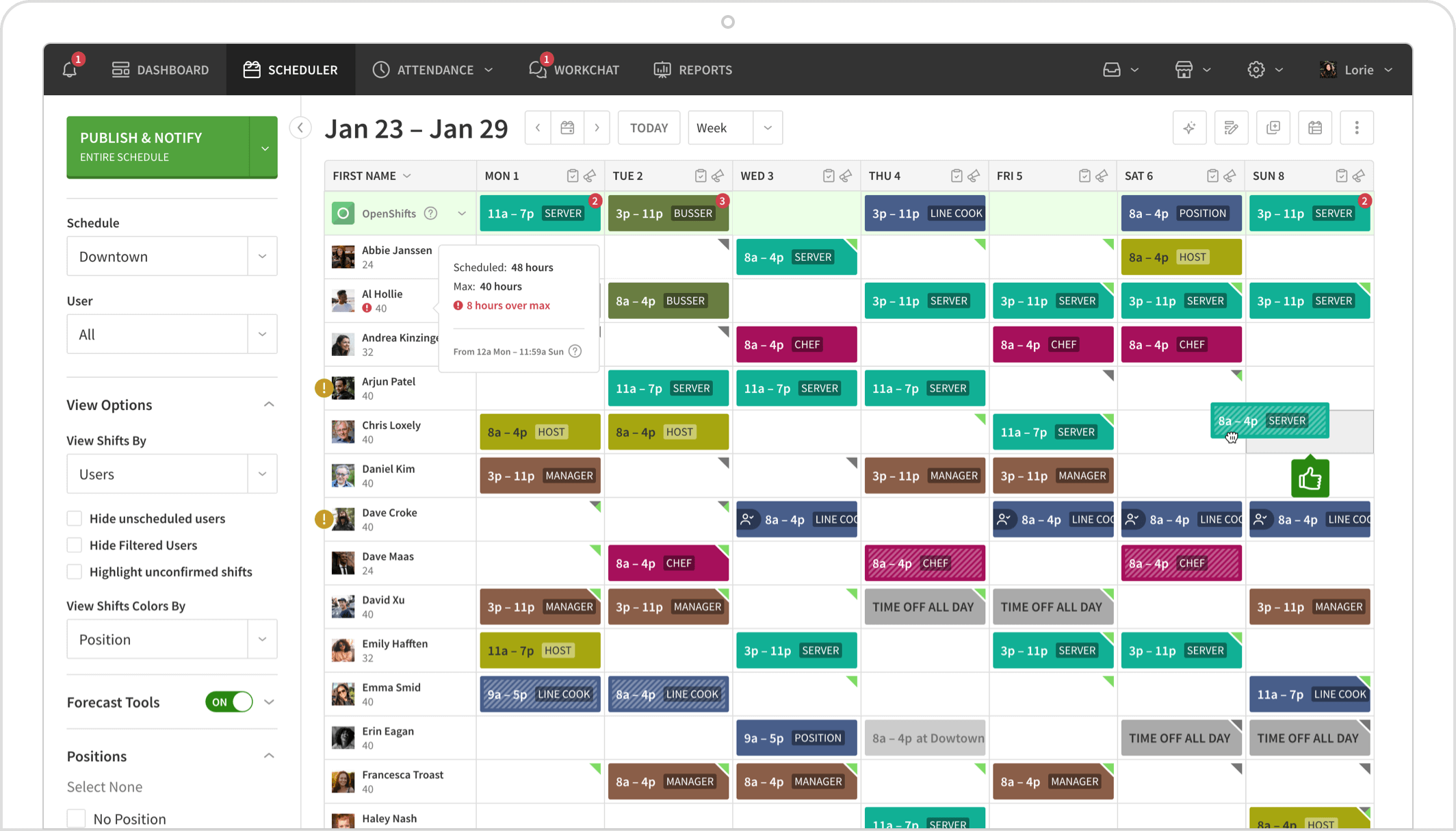
Image source: wheniwork.com
Features
- Builds shift-based schedules that cover daily and weekly staffing needs.
- Connects time tracking to schedules for accurate attendance verification.
- Sends alerts when employees miss shifts or clock in late.
- Offers communication tools for quick team updates.
- Allows shift swaps and availability updates to reduce scheduling issues.
Pros
- Perfect fit for hourly workers and shift-heavy teams.
- Very easy for employees to check and manage shifts via mobile.
- Helps prevent scheduling conflicts with clear visibility.
- Provides reliable attendance data for payroll.
- Supports fast-paced environments needing flexibility.
Cons
- Advanced reporting is limited.
- Some features require separate modules.
- Adoption depends strongly on employee engagement.
Pricing
- Single Location plan: $2.50 per user per month.
- Multiple Locations plan: $5 per user per month.
10. Deputy: Best online timesheet app for retail and hospitality teams
Deputy supports industries with repeating shifts, high staff rotation and compliance requirements. It offers scheduling, attendance and payroll exports in one system. Managers use it to ensure coverage and avoid labour rule violations. It works well for large retail and hospitality teams.
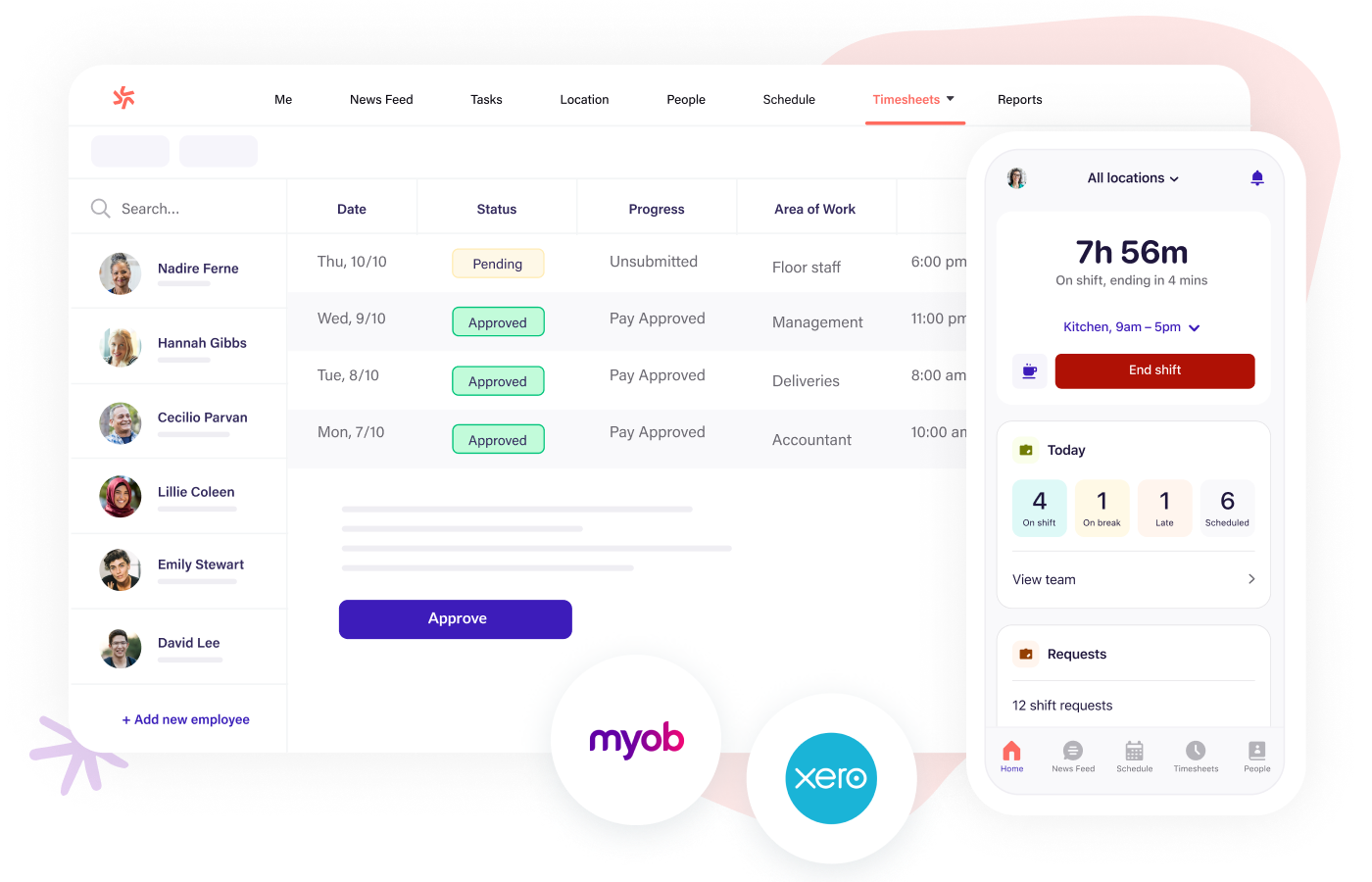
Image source: deputy.com
Features
- Provides online timesheets for accurate shift logging.
- Offers scheduling with drag and drop tools for easy roster creation.
- Delivers compliance alerts for overtime and breaks regulations.
- Exports payroll-ready files for major providers.
- Supports mobile apps for employee shift access.
Pros
- Very strong fit for retail, hospitality and service industries.
- Helps reduce compliance risks with real-time alerts.
- Scheduling is simple and intuitive for managers.
- Mobile access works smoothly across teams.
- Speeds up payroll processing with structured approvals.
Cons
- Costs increase quickly as team size grows.
- Some modules need training for effective use.
- Limited project billing functions.
Pricing
- Scheduling: $3.50 per user per month.
- Time and attendance: $3.50 per user per month.
- Premium: $4.90 per user per month.
11. ClockShark: Best construction timesheet app with GPS job tracking
ClockShark targets construction, field service and trade organisations needing accurate job site verification. It provides GPS tracking, crew timesheets and job costing tools. Supervisors use it to manage distributed teams across multiple sites. It supports teams that rely on location accuracy for project billing.
Image | |
Alt text | ClockShark: Best construction timesheet app with GPS job tracking |
Image source: clockshark.com
Features
- Tracks GPS routes and job site presence throughout the workday.
- Supports crew-based timesheets to help supervisors manage teams.
- Link hours to job costs so organisations can track budget usage.
- Enables mobile time logging for technicians and field workers.
- Includes a kiosk mode for shared devices at job sites.
Pros
- Ideal for construction, field service and trade businesses.
- GPS accuracy helps validate on-site work.
- Crew tools help supervisors manage multiple locations.
- Job costing supports financial tracking for projects.
- Mobile apps work well in field conditions.
Cons
- Higher pricing than basic trackers.
- Limited project management depth.
- Reporting flexibility could improve.
Pricing
- Standard: $8 per user per month.
- Pro: $10 per user per month.
12. Connecteam: Best timesheet app for multiple employees and field teams
Connecteam supports large mobile workforces with attendance, tasks, workflows and checklists. It is popular in logistics, delivery and field service because it centralises operations. The platform helps supervisors coordinate remote teams efficiently. It suits organisations that want timesheets and operational tools in one place.
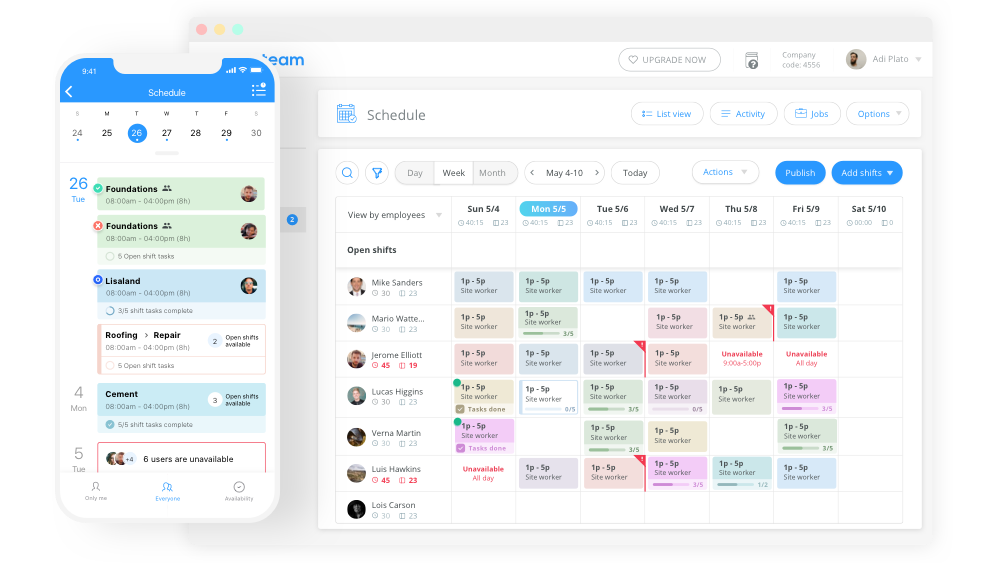
Image source: connecteam.com
Features
- Provides employee timesheets with breaking rules and approval flows.
- Offers mobile workflows for field reports, job updates, and daily tasks.
- Includes custom forms for inspections, safety checks, and compliance.
- Supports task management for assigning work across teams.
- Uses GPS-based time tracking to confirm on-site presence.
Pros
- Strong fit for distributed field teams with many daily tasks.
- Offers flexible operational workflows beyond just time tracking.
- Scales well for organisations with large headcounts.
- Mobile interface is built for outdoor and mobile workers.
- Supervisors get clear dashboards for multi-team coordination.
Cons
- Advanced tools are only available in higher tiers.
- The interface may feel dense for new users.
- Limited project billing functions.
Pricing
- Free plan for small teams.
- Basic: $29 per month for the first 30 users.
- Advanced: $49 per month for the first 30 users.
- Expert: $99 per month for the first 30 users.
- Enterprise: Custom plan.
How to choose the right timesheet app for your business
Choosing the right timesheet app depends on how your team works, how complex your processes are and which integrations you need. Organisations should consider budget, workforce size and the level of detail required for approvals or billing. Field teams, hybrid staff and office workers may need different tracking capabilities. The best choice aligns with your daily operations while supporting long-term accuracy and scalability.
- Budget: Companies should compare free timesheet app options with premium tools. The right choice depends on feature needs, team size and scaling expectations.
- Complexity: Simple organisations may only need manual timesheets or timers. Larger companies handling multiple projects require deeper capabilities like costing, GPS and multi-departmental flows.
- Workforce type: Desk workers, field teams and construction crews need different workflows. A construction timesheet app may require GPS and job costs, while office teams need project logging.
- Mobile requirements: A mobile timesheet app is essential for hybrid and remote teams. Offline access, one-tap logging and GPS support help maintain accuracy throughout the workday.
- Payroll sync: A payroll timesheet app that works with accounting tools reduces effort for finance teams. This prevents manual re-entry and lowers the chance of salary disputes.
- Client billing: Service-based teams depend on billable accuracy. A work timesheet app helps track activities by client, phase or deliverable.
Why teams need timesheet apps today
This section explains the growing importance of structured time tracking as hybrid work and multi-location operations increase.
- Hybrid work visibility: Hybrid teams require tools that make attendance, activity hours, and on-site logs easy to review. A timesheet app provides unified visibility across locations. Managers can check hours without manual calls or messages, and employees can submit timesheets even when working remotely. This helps prevent missing entries and improves payroll preparedness.
- Payroll accuracy: Incorrect manual logs often create payroll disputes and salary adjustments. A payroll timesheet app ensures accurate records that reflect the correct work hours, paid leave, overtime and break rules. Finance teams rely on this accuracy because timesheet data flows cleanly into payroll calculations without manual editing.
- Client billing: Project-based organisations depend on billable hours. The best timesheet app helps teams record client hours promptly and link them to service statements. This reduces conflicts with clients, improves invoice transparency, and supports better cost recovery.
- Avoiding manual spreadsheets: Spreadsheets lack approval controls, real-time validation or location data. An online timesheet app ensures consistent structures and audit-friendly logs. This removes confusion caused by version conflicts and missing entries.
- Compliance and audit trails: Many industries require documented proof of hours worked. A timesheet app provides timestamped records, change history, and review logs. These audit trails support compliance with labour regulations, overtime rules, or external reviews.
Conclusion
Timesheet apps help organisations replace unreliable spreadsheets with accurate logs that are ready for payroll, billing, and audits. Teams can choose between an employee timesheet app, a free timesheet app, a construction timesheet app, a mobile timesheet app, and an online timesheet app, depending on workforce type and operational needs.
For companies seeking simplicity, many lightweight tools handle basic time capture. For more complex organisations, platforms offering workflows, project tracking, reporting, and approvals make compliance easier. As teams grow and adopt hybrid models, mobile-friendly tracking becomes essential for consistent data accuracy.
Some organisations adopt platforms like Lark as part of a wider collaboration environment where attendance, tasks, approvals, and communication work together. By choosing the best timesheet app for your specific business needs, teams can ensure accuracy, accountability, and smoother payroll cycles.
FAQs
How do timesheet apps reduce payroll errors?
Timesheet apps reduce payroll errors by capturing accurate work hours through mobile logging, structured workflows, and automated calculations. This removes manual entry mistakes and gives payroll teams cleaner data to work with. Clear approval paths and timestamped logs help prevent disputes during salary processing. Platforms like Lark also support unified attendance data, so payroll teams can verify hours more confidently.
Can timesheet apps work offline for field teams?
Some mobile timesheet app options support offline mode so field workers can continue logging hours without connectivity. The app stores entries locally and syncs them automatically when the device reconnects. This helps remote and on-site teams maintain uninterrupted time records. Tools such as Lark complement this by allowing mobile access across different work environments.
What's the difference between a timesheet app and a time clock system?
A time clock system focuses mainly on clock-in and clock-out events using physical or fixed digital devices. A timesheet app offers broader capabilities, including project time, approvals, reporting, and mobile submissions. This makes timesheet apps more flexible for modern teams. Solutions like Lark also combine time tracking with communication and workflow tools for smoother coordination.
How do timesheet apps help with project cost control?
Project-based teams depend on accurate hour tracking linked to clients, tasks or deliverables. A timesheet app captures this data clearly so managers can monitor budgets, workload, and billable hours. This supports better forecasting and improves profitability. When teams use platforms like Lark, project tracking becomes easier because time data can blend with tasks and workflow records.
What security measures do timesheet apps use to protect employee data?
Most timesheet apps use encryption, role-based permissions, multi-factor authentication, and audit trails to secure sensitive information. These safeguards protect time records, personal data, and activity logs from unauthorised access. Organisations can maintain compliance more easily with structured security controls. Tools like Lark follow enterprise-grade protections to ensure time and attendance data remains private.
Related reading
Table of contents
Start using Lark today

Manage all your work in one place
Boost team efficiency by 10x
Save up to 70% on software costs
Table of contents
Start using Lark today
Manage all your work in one place
Boost team efficiency by 10x
Save up to 70% on software costs
Keep reading








2026 Lark Technologies Pte. Ltd.
Headquartered in Singapore with offices worldwide.






Explore: