


Complete Guide to Software Development Tracking: Review of 25 Tools

Matthew Sia
Product Marketing Manager
Aug 5, 2026
Matthew Sia
Aug 5, 2026

17 min read


The landscape of modern software creation is dynamic, marked by intricate processes, evolving requirements, and tight deadlines. Engineering teams constantly strive to deliver high-quality products efficiently, but navigating this complexity requires more than just skilled developers. It demands clear vision, streamlined workflows, and a systematic approach to oversight.
This comprehensive guide is dedicated to software development tracking. We will explore its fundamental principles, delve into the criteria for evaluating the best software development tracking tools, and outline how to choose the ideal solution to empower your team. From understanding crucial metrics to unlocking the benefits of robust project oversight, our aim is to equip you with the knowledge to transform your development process. Let's embark on a journey to enhance your team's productivity and success.
What is software development tracking?
Software development tracking is the systematic monitoring, management, and reporting of software projects across their lifecycle. It exceeds basic task lists, delivering a framework for real-time visibility into project status, team contributions, and potential roadblocks.
Effective tracking tools serve as the backbone of engineering efforts, letting teams track feature progress, bug fixes, and unexpected challenges. This ensures focus, efficient resource allocation, and transparent communication—turning complex projects into measurable, predictable endeavors with clarity and control.
Best 10 software development tracking tools reviews
Choosing the right software development tracking tool is a pivotal decision that can significantly impact a team's productivity, collaboration, and overall success. I've evaluated these tools based on their standout features, limitations, and pricing plans.
1. Lark: Unified platform for team collaboration
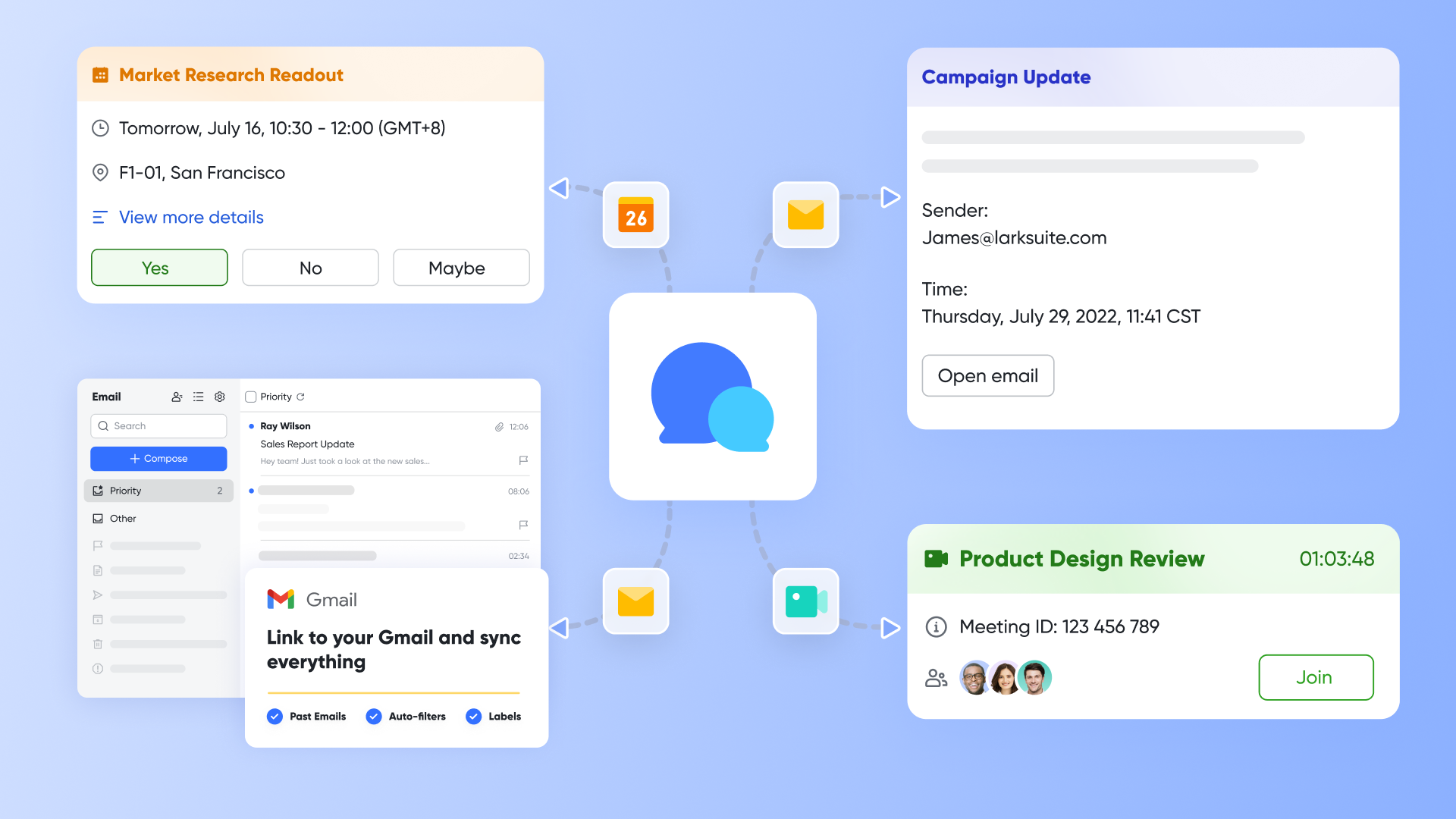
Lark stands out as a truly integrated solution, going beyond traditional software development tracking by consolidating communication, collaboration, and project management into a single platform. For development teams, this means an end to the frustrating context switching that often plagues engineers using disconnected tools. Instead of managing tasks in one application, communicating in another, and documenting in a third, Lark unifies these critical functions. Its architecture is designed to foster seamless workflows where discussions, decisions, and documentation are intrinsically linked to the tasks and projects at hand.
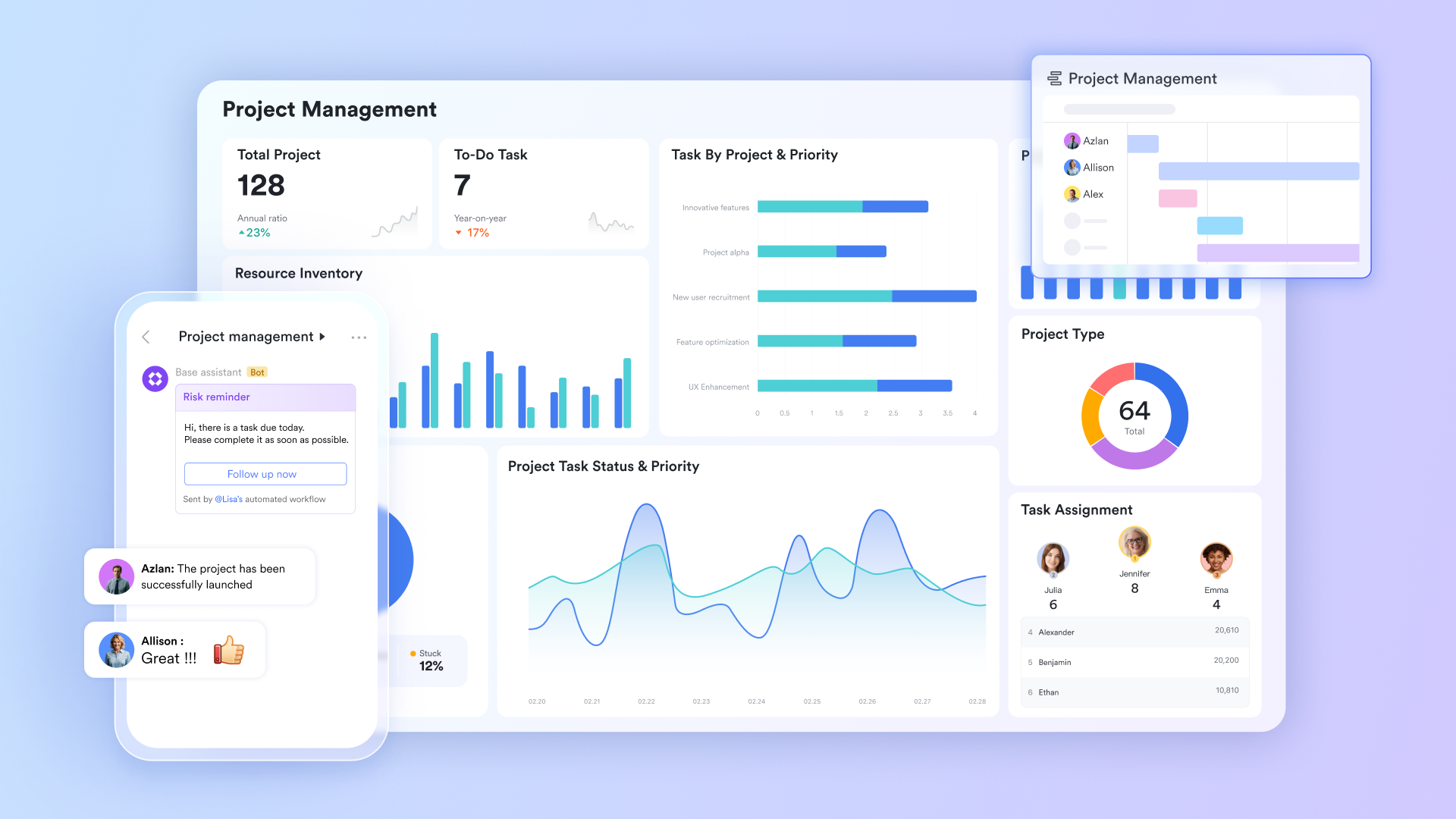
Why I picked Lark: I chose Lark for its powerful unification that directly addresses the pain point of disconnected tools in software development tracking. It centralizes chat, documents, and custom databases, fostering organic collaboration and a holistic view of projects. This makes it a standout professional development tracking software.
Standout features:
Customizing tracking systems for development needs
Lark Base allows teams to build highly adaptable tracking solutions using its customizable database feature. Developers can define specific issue types like "Bug Report" or "Feature Request", each with custom fields for severity, affected version, stage, and progress. This flexibility ensures the tracking system perfectly mirrors the team's unique workflow for managing development tasks and serves as a robust error tracking development software.
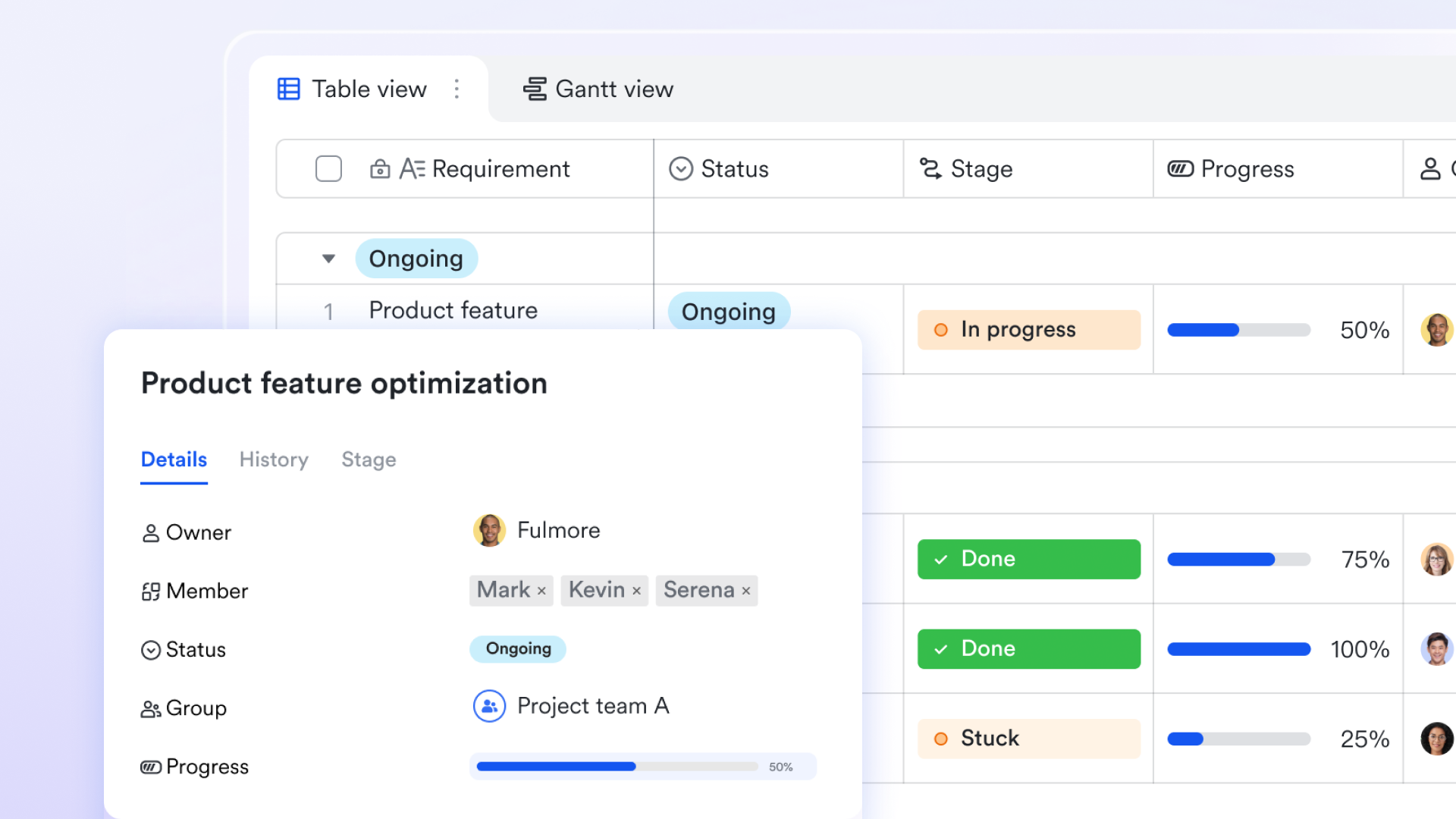
Automating repetitive development workflows
Lark Base automation capabilities significantly streamline routine tasks, freeing up developer time. Teams can set up rules to automatically assign a bug to the QA team once its status changes to "Ready for Test," or send a notification to the product owner when a high-priority feature is completed. This reduces manual overhead and ensures consistent adherence to development processes within the development tracking software.
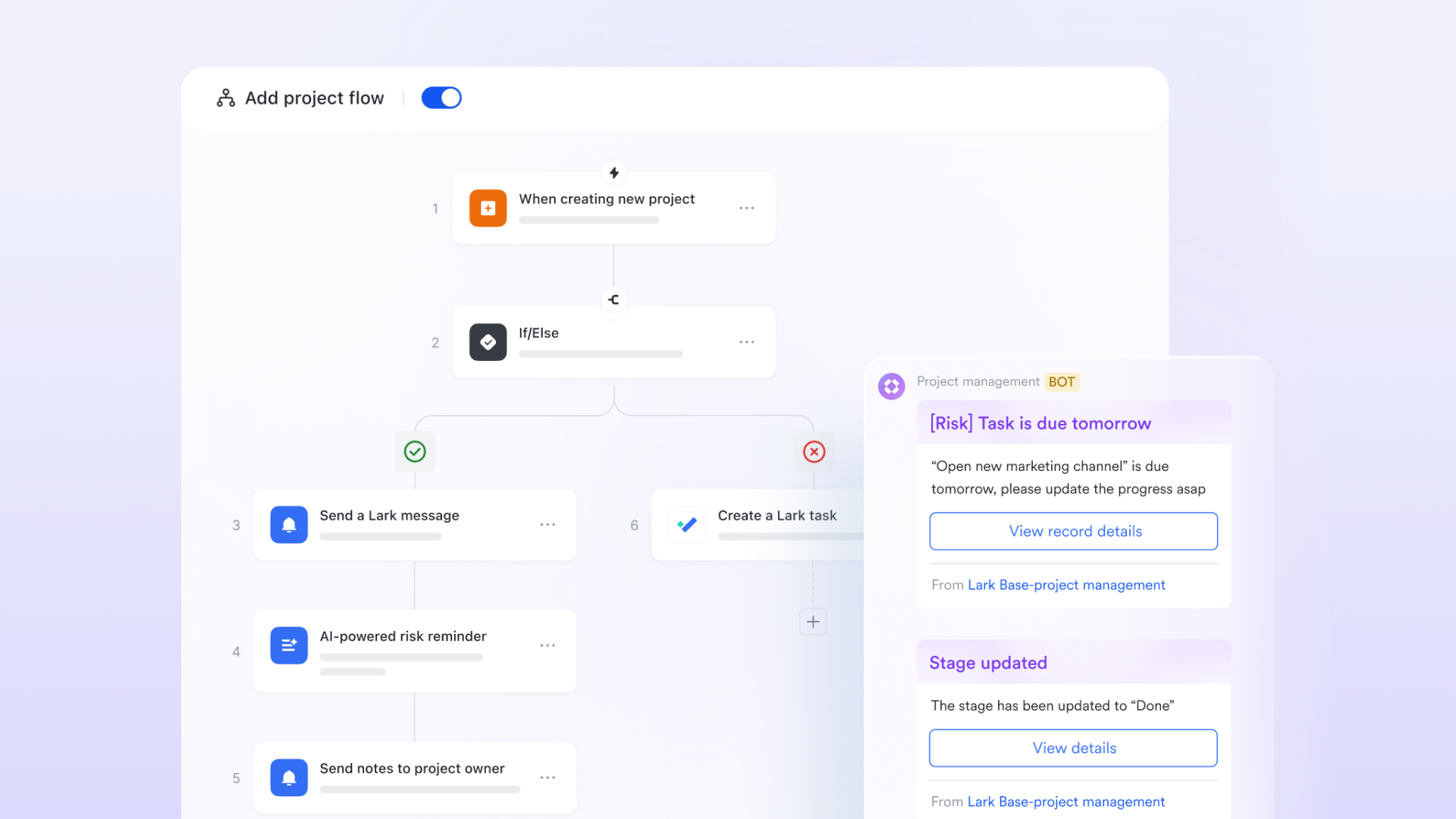
Real-time project oversight & performance insights
Lark Base provides centralized dashboards that offer a clear, up-to-date overview of project progress. Project managers and leads can view burn-down charts for ongoing sprints, monitor the status of critical features, track individual developer workload, and quickly identify potential bottlenecks. This data-driven insight allows for proactive resource allocation and informed decision-making to keep the development project software on track.
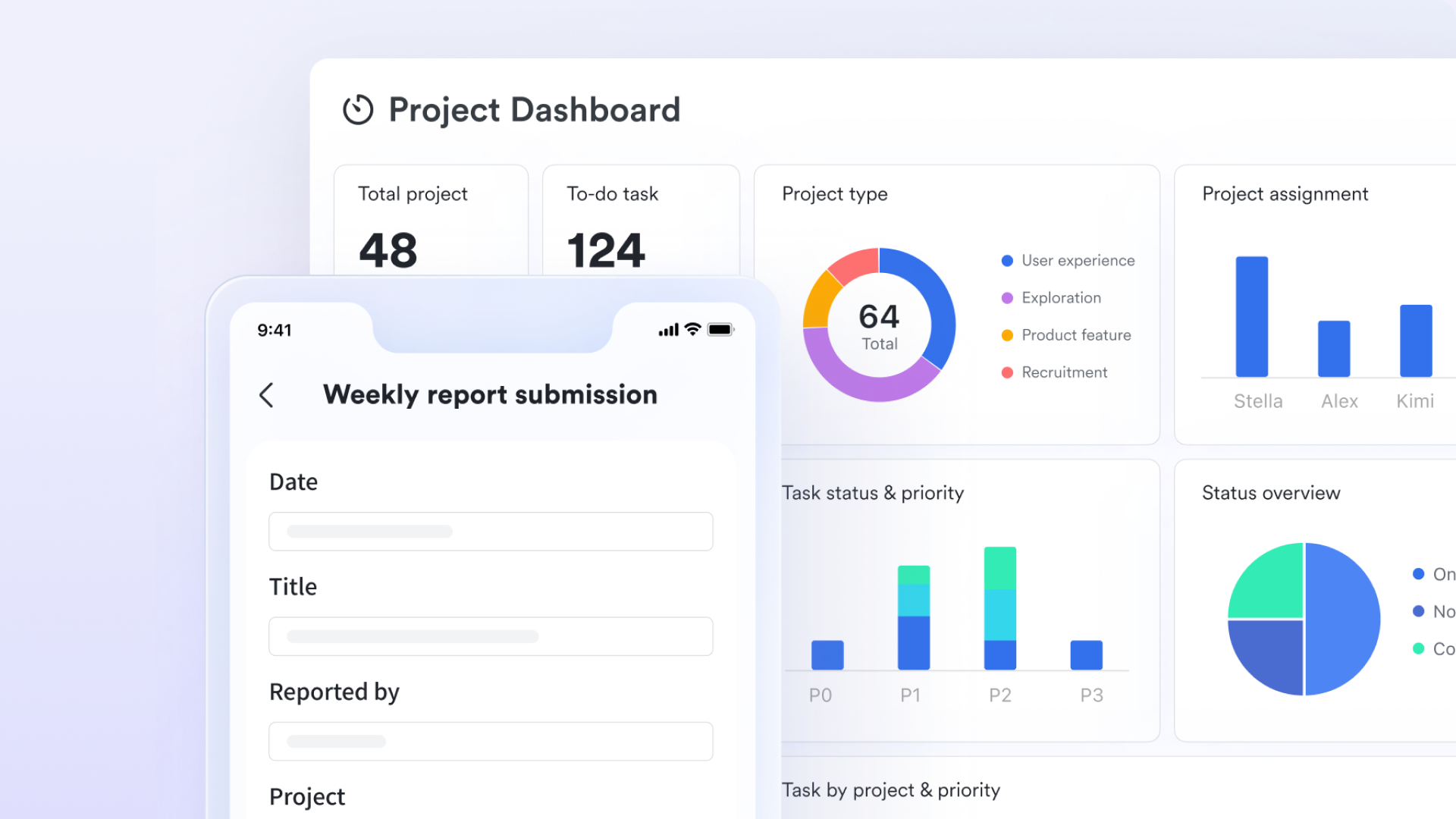
Contextual collaboration and instant communication
Instead of jumping between chat apps and task managers, Lark embeds real-time discussions(Lark Messenger), comments, and even video meetings(Lark Meetings) directly within workspaces. If a developer encounters a blocker on a feature, they can start a group chat with the relevant product manager or QA, resolve the query, and the entire conversation becomes part of the task's history, ensuring all context is preserved.
Limitations:
- It may take some time to adapt, but Lark Help Center helps a lot.
Pricing:
- Starter plan: Free forever plan that includes 11 powerful tools for up to 20 users. It also comes with 100GB of storage, 1000 automation runs, AI translations, and more.
- Basic plan: $6/user/month (billed annually) for up to 500 users. It includes everything in Starter plus group calling for up to 500 attendees, 5TB of storage, 1000 automation runs, and more. For more details, please contact sales.
- Pro plan: $12/user/month (billed annually) for up to 500 users. It includes everything in Basic plus group calling for up to 500 attendees, 15TB of storage, 50,000 automation runs, and more.
- Enterprise plan: Contact sales for custom pricing. Supports unlimited users and includes even more automation runs and advanced security, compliance, and management features.
2. Monday.com: Flexible solution for varied team projects
Monday.com is a highly visual and intuitive work operating system providing teams with a flexible platform for managing projects, tasks, and workflows. It's renowned for its user-friendly interface, making it easy to set up and visualize complex project information. While not exclusively for software development, its adaptability allows engineering teams to customize boards for software development tracking, bug reporting, sprint planning, and release management. The platform is built around "boards," customizable spreadsheets configured with various column types to track any kind of information. It's a strong choice for project management for developers who appreciate visual clarity.
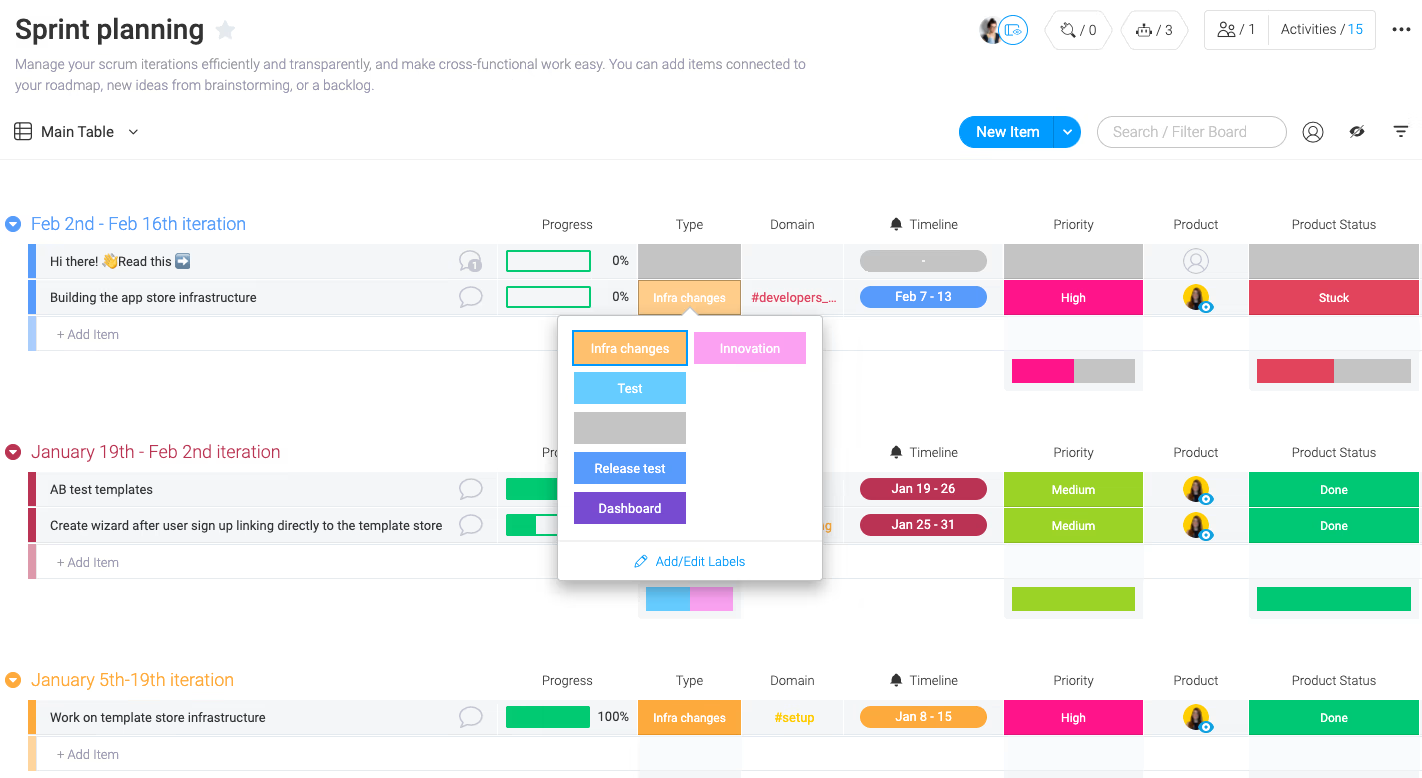
Image source: monday.com
Why I picked Monday.com: I included Monday.com for its exceptional flexibility and visual clarity, which agile teams often seek. Its customizable nature allows adaptation to specific agile practices, simplifying complex development project software needs with intuitive drag and drop functionality and powerful automation.
Standout features:
- Customizable boards: Build specific boards for feature backlogs, bug tracking, sprint planning, or even continuous integration pipelines.
- Visual workflows: Kanban, Gantt, Timeline, and Calendar views offer diverse ways to visualize project progress and resource allocation.
- Automation recipes: Automate repetitive tasks such as sending notifications, changing statuses, or creating items based on predefined triggers.
- Guest access: Easily collaborate with external stakeholders or clients on specific boards without giving them full access.
- Dashboards: Create custom dashboards that pull data from multiple boards to provide a high-level overview of projects and team performance.
Limitations:
- Extensive customization options can sometimes lead to inconsistent setups across teams.
- Deeper, specialized error tracking development software features might require workarounds for very complex needs.
- Visual strength can be less ideal for highly text-heavy or code-focused documentation.
Pricing:
- Free: Up to 2 seats.
- Standard: $12/seat/month, billed annually.
- Pro: $19/seat/month, billed annually.
- Enterprise: Custom pricing.
3. Lucidchart: Visual workspace for technical planning
Lucidchart is not a traditional software development tracking tool in the same vein as a task manager. Instead, it's a web-based diagramming and whiteboarding application that enables teams to visualize complex processes, systems, and data. For project management for developers, this translates into a powerful capability for creating flowcharts, UML diagrams, network diagrams, wireframes, and architectural schematics. It plays a crucial role in the planning and documentation phases of development project software, helping teams clarify concepts, design solutions, and communicate technical details visually, which in turn feeds into more effective tracking down the line.
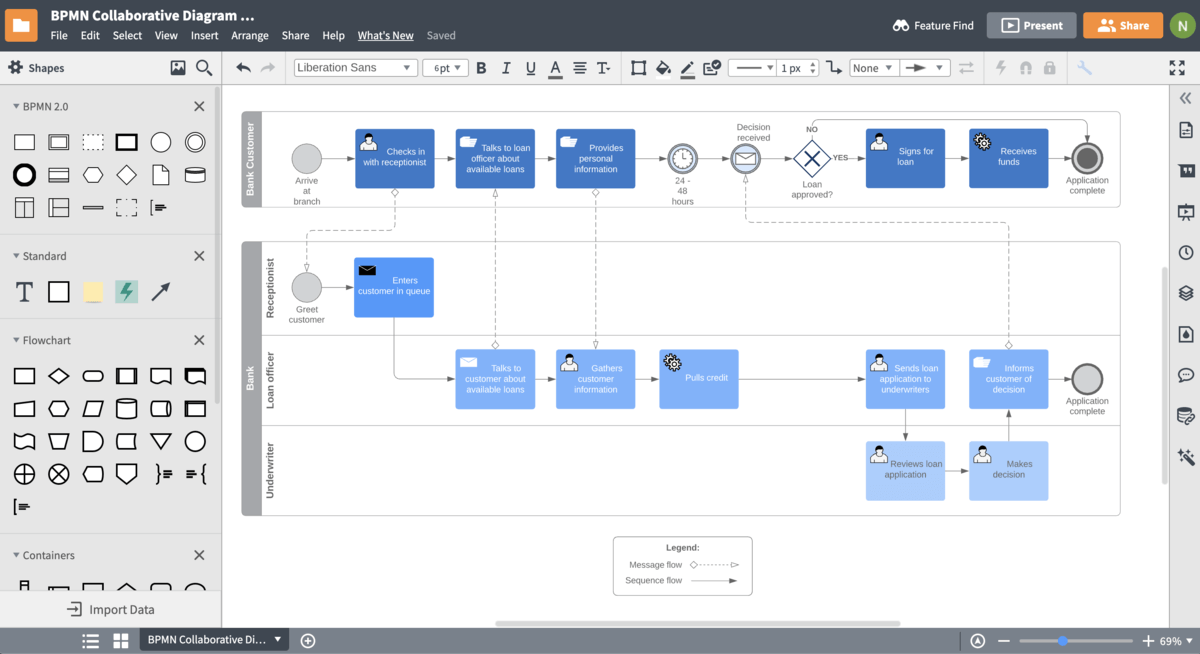
Image source: lucidchart.com
Why I picked Lucidchart: I included Lucidchart because effective software development tracking often begins with clear planning and design. This tool excels at bringing clarity to complex technical concepts, crucial for preventing misunderstandings and errors. It's an indispensable asset for visual thinkers and teams needing robust design documentation.
Standout features:
- Intuitive diagramming: Easy drag-and-drop interface for creating professional diagrams of all types, from flowcharts to cloud architecture.
- Real-time collaboration: Multiple users can work on the same diagram simultaneously, with cursor tracking and in-editor chat.
- Extensive template library: A vast collection of templates for various technical diagrams, ensuring consistency and speeding up creation.
- Data linking: Connect diagram shapes to live data sources, allowing visual representation of actual project status or system performance.
- Presentation mode: Turn diagrams into professional presentations directly within the application.
Limitations:
- Primarily a diagramming tool; lacks direct task management, time tracking, or agile board functionalities.
- Serves as a complement, not a standalone solution, for daily execution tracking.
- Its value is limited to planning and documentation, not day-to-day project execution.
Pricing:
- Free: $0/month, billed annually.
- Individual: $9/month, billed annually.
- Team: $10/month, billed annually.
- Enterprise: Custom pricing.
4. ClickUp: Comprehensive work management platform
ClickUp positions itself as "one app to replace them all," aiming to be a comprehensive productivity platform suitable for various team types, including software development. It's highly customizable, offering a vast array of features for task management, project planning, document creation, and goal setting. For software development tracking, ClickUp provides flexible views (like Kanban boards, Gantt charts, and lists) and functionalities such as bug tracking, sprint management, and custom workflows, making it a powerful contender for teams seeking adaptable and feature-rich development project software.
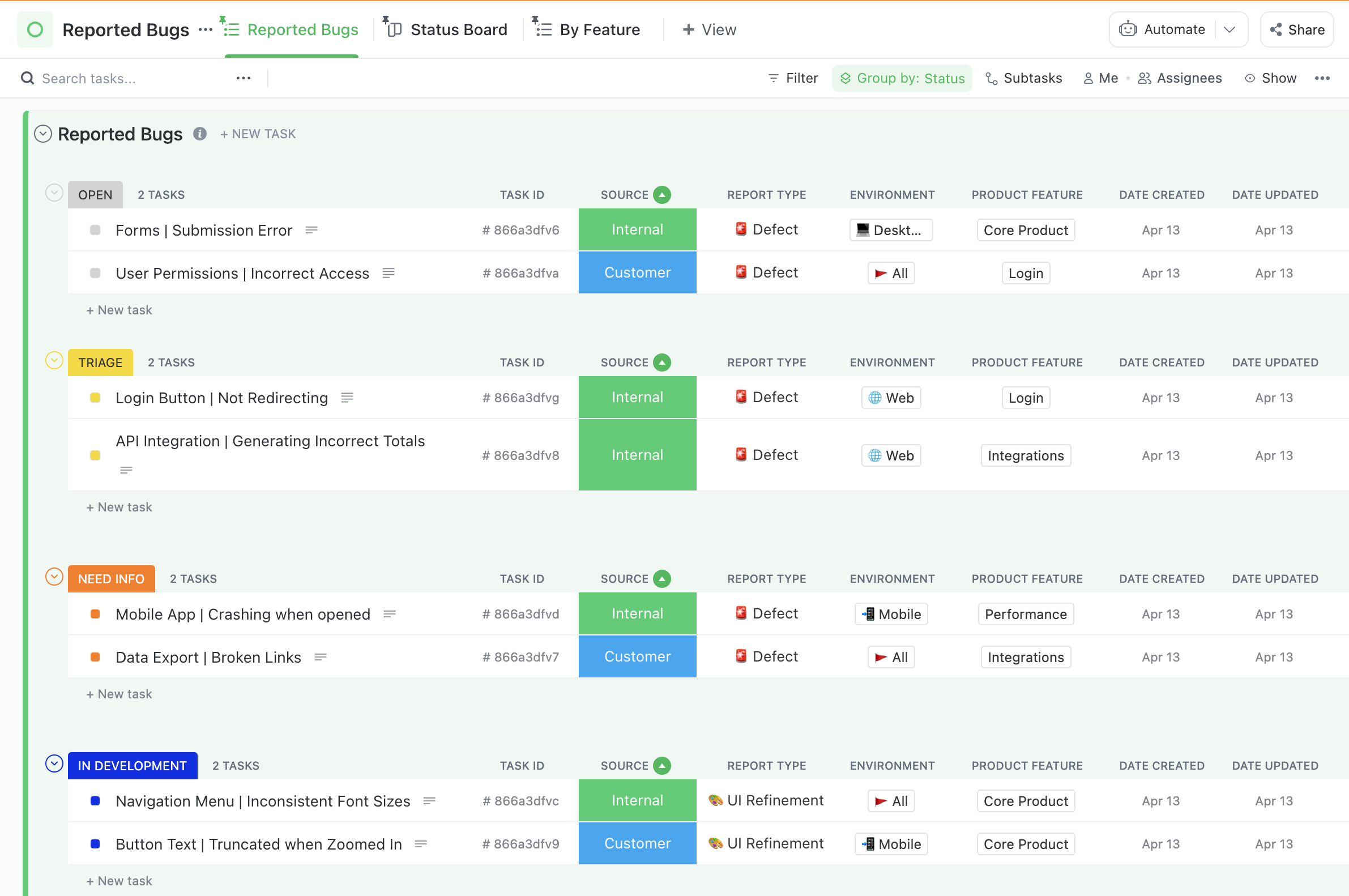
Image source: clickup.com
Why I picked ClickUp: I included ClickUp because its all-in-one ambition resonates with teams aiming to centralize software development tracking and minimize tool sprawl. Its extensive customization and diverse features mean teams can configure it precisely to their needs, covering many aspects of project management for developers.
Standout features:
- Customizable views: Choose from List, Board (Kanban), Calendar, Gantt, Box, and more to visualize tasks and projects.
- Custom fields: Tailor information stored for each task to match your specific tracking requirements (e.g., priority, dev environment, story points).
- Goals & OKRs: Set and track overarching objectives and key results, linking daily tasks to strategic business goals.
- Docs: Create and collaborate on documents directly within the platform, linking them to tasks or projects.
- Automation: Extensive automation capabilities to streamline workflows, send alerts, and update task statuses.
- Bug tracking: Dedicated functionalities for logging, tracking, and resolving bugs with custom statuses and workflows.
Limitations:
- The sheer number of features can lead to a steep learning curve for new users.
- Significant setup time may be required to configure it optimally for specific software development tracking needs.
- The user interface can feel cluttered due to the density of features.
Pricing:
- Free forever: $0/month.
- Unlimited: $7/month.
- Business: $12/month.
- Enterprise: Custom pricing.
5. Zoho Projects: Comprehensive, cost-effective project management
Zoho Projects is a well-rounded project management solution that's part of the larger Zoho ecosystem. It provides a strong set of features for planning, tracking, and collaborating on projects, making it a viable option for software development tracking. It offers traditional project management functionalities like Gantt charts, task management, and timesheets, alongside agile features such as Kanban boards. For teams seeking a comprehensive yet often more budget-friendly solution, Zoho Projects provides a robust platform for managing the various phases of a development project.
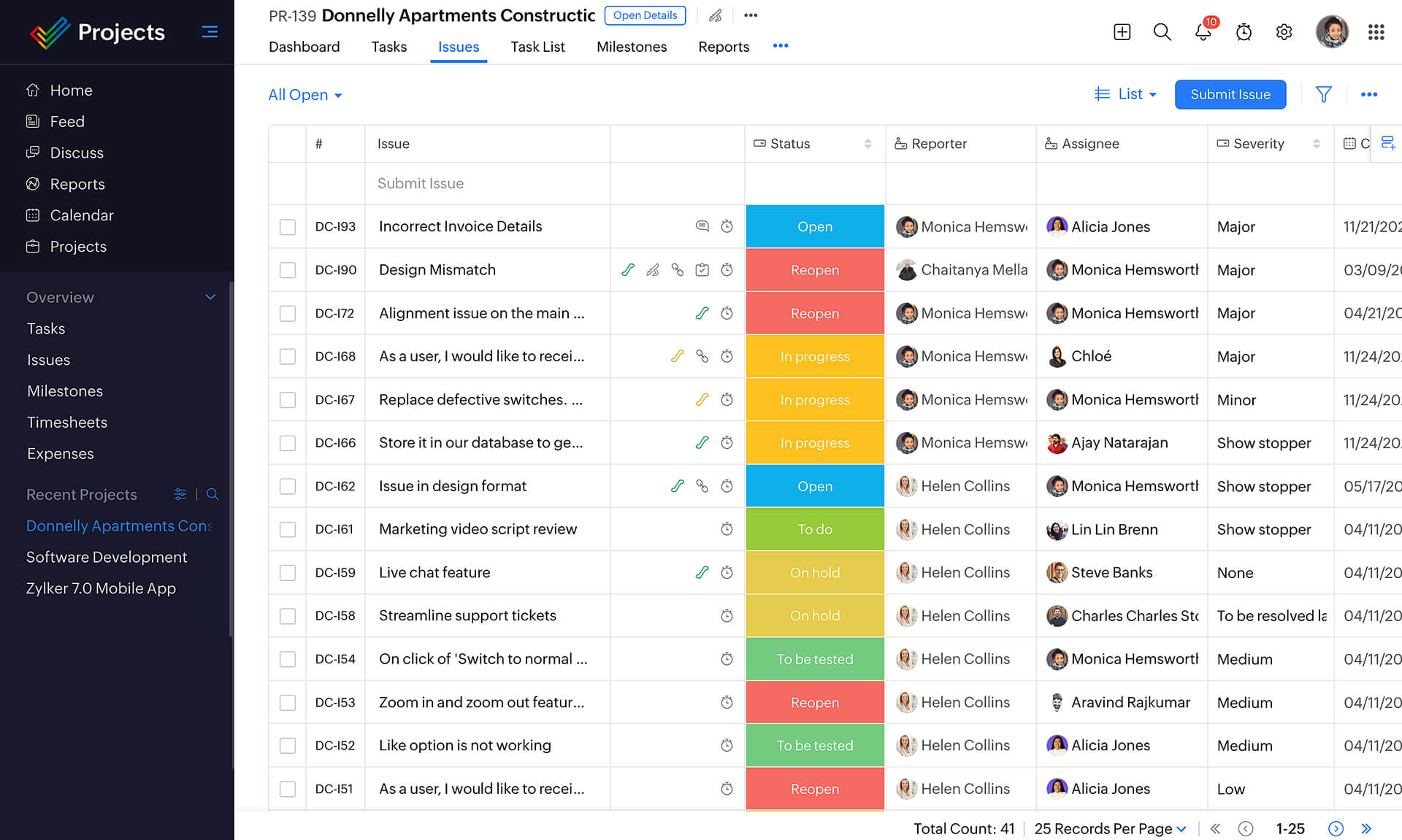
Image source: zoho.com
Why I picked Zoho Projects: I selected Zoho Projects for its comprehensive feature set at a competitive price, appealing to small to medium-sized development teams. It balances traditional and agile tools, offering flexibility for diverse project management approaches for developers. Its integrated software development time tracking is particularly valuable.
Standout features:
- Task management: Create, assign, and track tasks with dependencies, subtasks, and recurring options.
- Gantt charts: Visualize project timelines and dependencies, crucial for detailed software development planner activities.
- Agile views: Kanban boards for visual workflow management and sprint planning.
- Timesheets: Built-in software development time tracking for accurate billing, resource allocation, and project cost analysis.
- Issue tracker: A robust system for logging, prioritizing, and resolving bugs and issues, serving as an effective error tracking development software.
- Reporting: Generate customizable reports on project progress, team performance, and resource utilization.
Limitations:
- The user interface can sometimes feel less modern or intuitive compared to newer competitors.
- Performance might occasionally be slower, especially with very large projects.
- Customization options, while good, may not be as extensive as some dedicated "work OS" platforms.
Pricing:
- Free: $0, up to 5 users.
- Premium: $4/user/month billed annually.
- Enterprise: $9/user/month billed annually.
- Ultimate: $14/user/month billed annually.
- Plus: Custom pricing.
6. Wrike: Scalable work management for enterprises
Wrike is a powerful work management platform designed for both small teams and large enterprises, offering high scalability and extensive customization. It provides a centralized hub for software development tracking, project management, and collaboration, supporting various methodologies, including agile frameworks. Wrike is known for its strong emphasis on automation, detailed reporting, and granular access controls, making it suitable for organizations with complex workflows and stringent security requirements for their development project software.
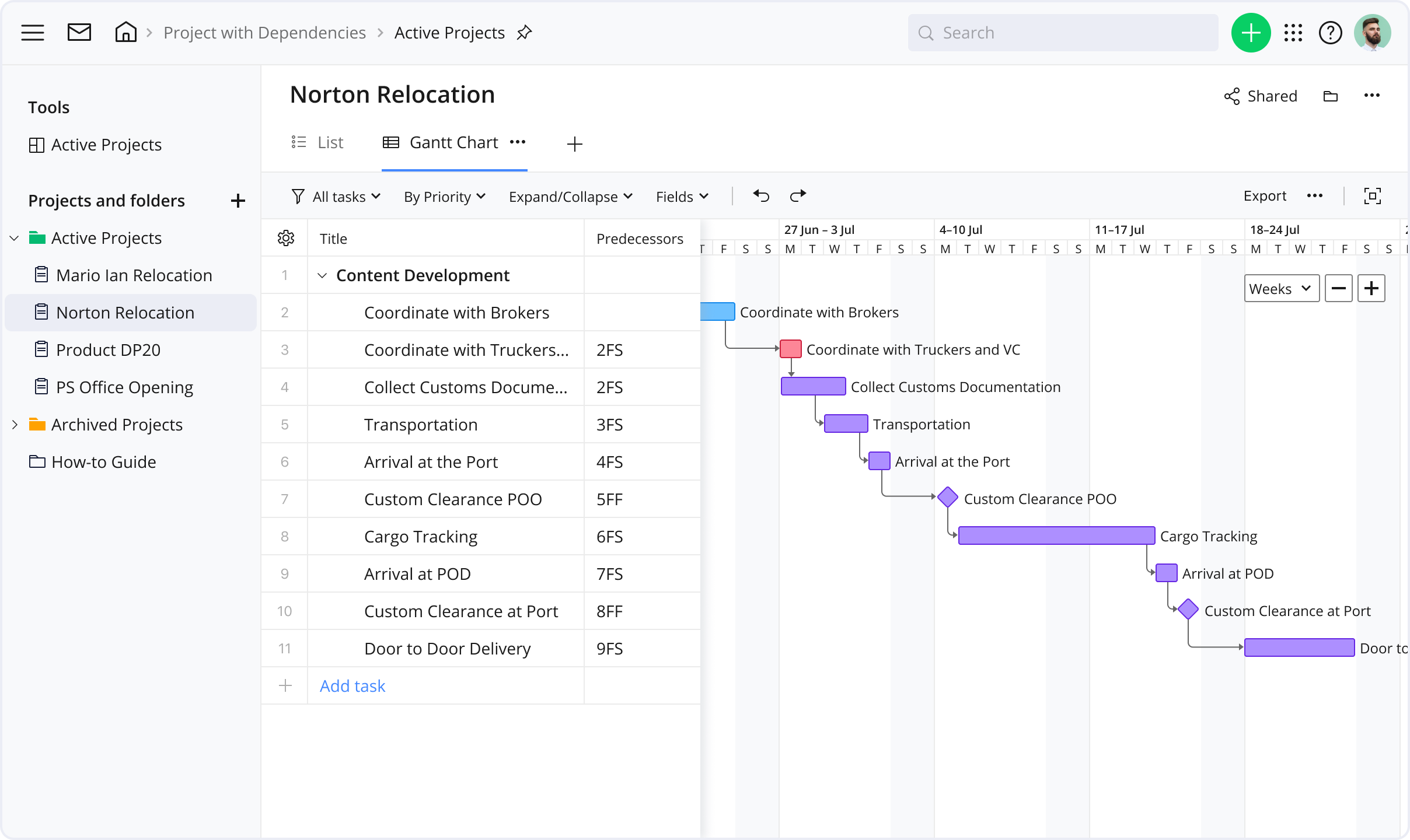
Image source: wrike.com
Why I picked Wrike: I included Wrike for its enterprise-grade scalability and robust features, crucial for larger organizations with complex software development tracking needs. Its support for intricate workflows, coupled with advanced reporting, makes it an excellent choice for leaders needing comprehensive oversight and data-driven insights. It shines as professional development tracking software.
Standout features:
- Interactive gantt charts: Dynamic timeline views with drag-and-drop functionality for project planning and dependency management.
- Customizable dashboards & workflows: Create tailored dashboards for different roles and design specific workflows to match your development process.
- Proofing and approval: Streamlined review processes for creative assets and documentation, useful for UI/UX stages.
- Time tracking & budgeting: Integrated software development time tracking for accurate resource management and project cost control.
- Advanced analytics & reporting: Deep insights into project performance, resource utilization, and team productivity.
- Workload management: Tools to visualize and balance team members' workloads, preventing burnout and optimizing capacity.
Limitations:
- An extensive feature set can lead to a steeper learning curve for new users.
- A higher price point might be a barrier for startups or budget-conscious SMBs.
- The interface, while functional, can occasionally feel busy due to information density.
Pricing:
- Free: $0.
- Team: $10/user/month.
- Business: $25/user/month.
- Pinnacle: Custom pricing.
- Apex: Custom pricing.
7. Jira: Agile powerhouse for development teams
Jira, by Atlassian, is arguably the most widely recognized and adopted software development tracking tool, especially within agile environments. It was purpose-built for software development teams, offering robust functionalities for bug tracking, issue tracking, and project management using Scrum, Kanban, and other agile methodologies. Jira provides a highly configurable framework for defining workflows, managing backlogs, planning sprints, and releasing software, making it an indispensable development project software for countless engineering organizations globally. Its strength lies in its deep specialization for developer needs.
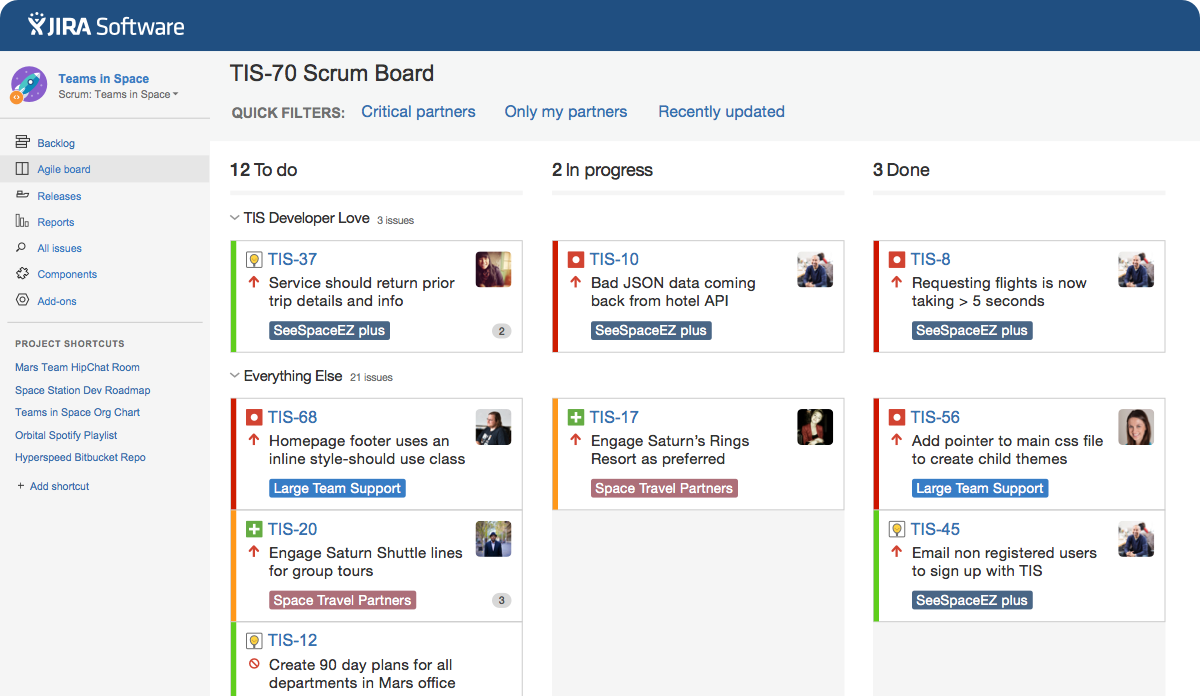
Image source: atlassian.com
Why I picked Jira: Jira is essential for any list of software development tracking tools due to its industry-standard status, especially for agile teams. Its native support for Scrum and Kanban, powerful issue tracking, and extensive customization make it a primary choice for project management for developers, particularly for error tracking development software.
Standout features:
- Configurable agile boards: Scrum and Kanban boards with customizable columns and swimlanes to match your workflow.
- Advanced issue tracking: Highly detailed issue types (bugs, tasks, stories), custom fields, and robust workflows for lifecycle management.
- Backlog management: Effectively prioritize and groom your product backlog.
- Sprint planning & reporting: Tools for planning, tracking, and reporting on sprint progress, velocity, and burndown charts.
- Roadmaps: Visualize high-level projects and product roadmaps to communicate strategic direction.
- Powerful search (JQL): Jira Query Language allows for complex queries to filter and analyze issues.
Limitations:
- Significant learning curve, potentially overly complex for smaller or new agile teams.
- Setup and administration often require dedicated expertise.
- User interface, while improved, can sometimes feel less intuitive than newer tools.
- Pricing can escalate for larger teams, and performance can be an issue with very large instances.
Pricing:
- Free: $0, for 10 users.
- Standard: $7.91/user/month for a 300-user team.
- Premium: $14.54/user/month for a 300-user team.
- Enterprise: Custom pricing.
8. Teamwork.com: Client-focused project delivery
Teamwork.com is a comprehensive project management platform designed to help client service teams, agencies, and internal teams manage projects, track time, and collaborate effectively. While not exclusively a software development planner, its robust feature set for task management, project planning, and communication makes it a strong contender for software development tracking, particularly for teams that need to manage client expectations and deliverables alongside their development work. Its emphasis on profitability and client visibility sets it apart.
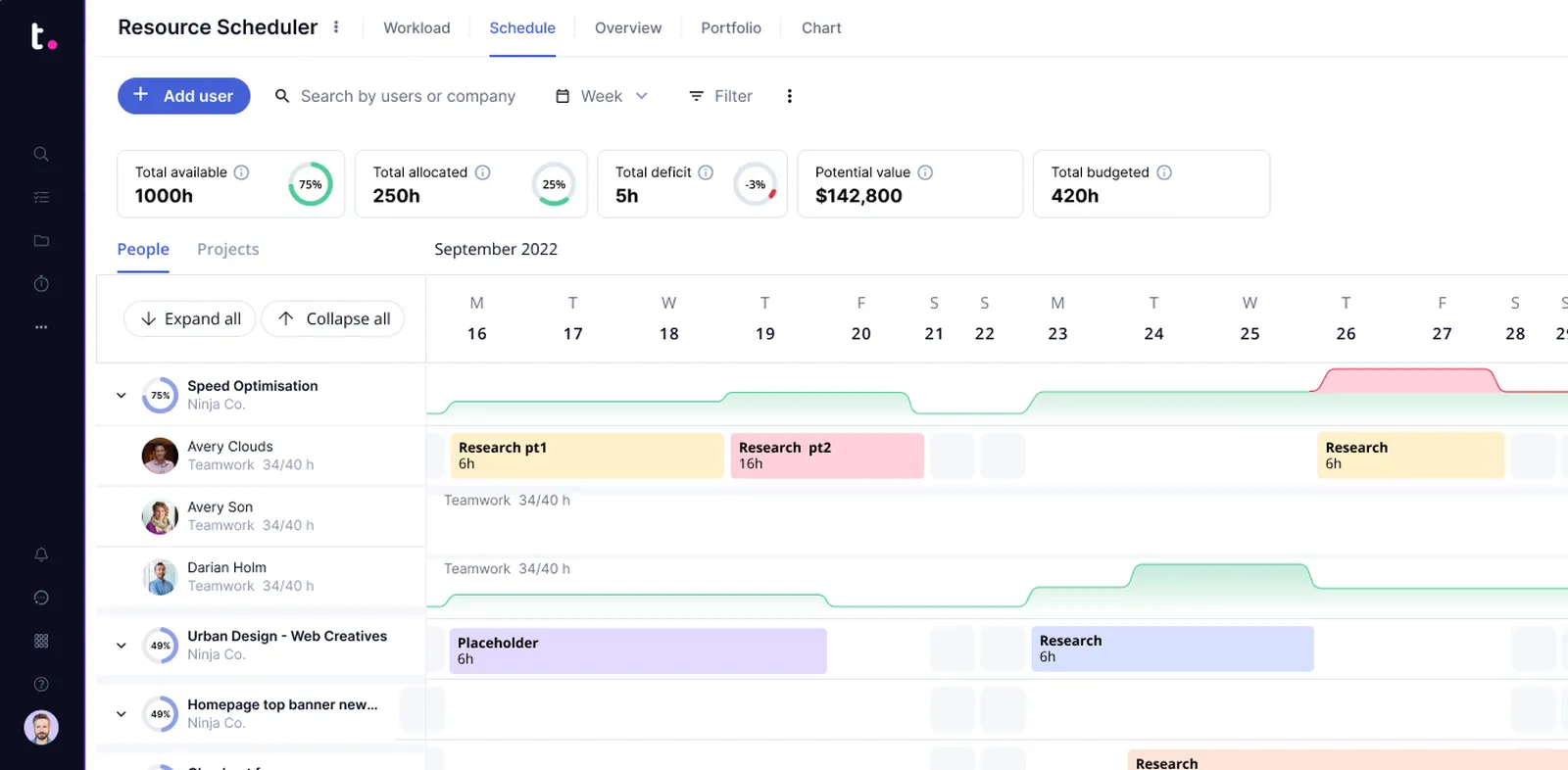
Image source: teamwork.com
Why I picked Teamwork.com: I chose Teamwork.com for its strong focus on profitability and client collaboration, a valuable angle for software development tracking when external stakeholders are involved. Its integrated time tracking, invoicing, and guest access are invaluable for transparent project delivery and financial management, bridging execution and client satisfaction.
Standout features:
- Detailed task management: Create complex task lists with subtasks, dependencies, and recurring options.
- Gantt charts & boards: Visualize project timelines and workflows with traditional Gantt charts and agile-friendly Kanban boards.
- Integrated time tracking: Robust software development time tracking directly within tasks, ideal for client billing and project costing.
- Client users: Grant limited access to clients to track progress, review deliverables, and communicate efficiently.
- Team chat & notebooks: Internal communication tools and collaborative notebooks for detailed project documentation.
- Project templates: Save common project structures as templates to speed up new project setup.
Limitations:
- May lack some deeply specialized error tracking development software features or advanced agile reporting compared to dedicated development tools.
- Interface can sometimes feel dense due to the number of features.
- Not as specialized for pure technical development needs as some competitor platforms.
Pricing:
- Free: $0.
- Deliver: $10.99/user/month, billed annually.
- Grow: $19.99/user/month, billed annually.
- Scale: Custom pricing.
9. ProofHub: All-in-one project planning and collaboration
ProofHub positions itself as an all-in-one project management and team collaboration software that streamlines workflows and centralizes communication. It's designed to bring all project needs under one roof, from planning and organizing to delivering and tracking. For software development tracking, ProofHub offers features like task management, Kanban boards, Gantt charts, file sharing, and integrated discussions. It aims to reduce reliance on multiple applications by providing a cohesive environment for teams to manage their development project software from start to finish.
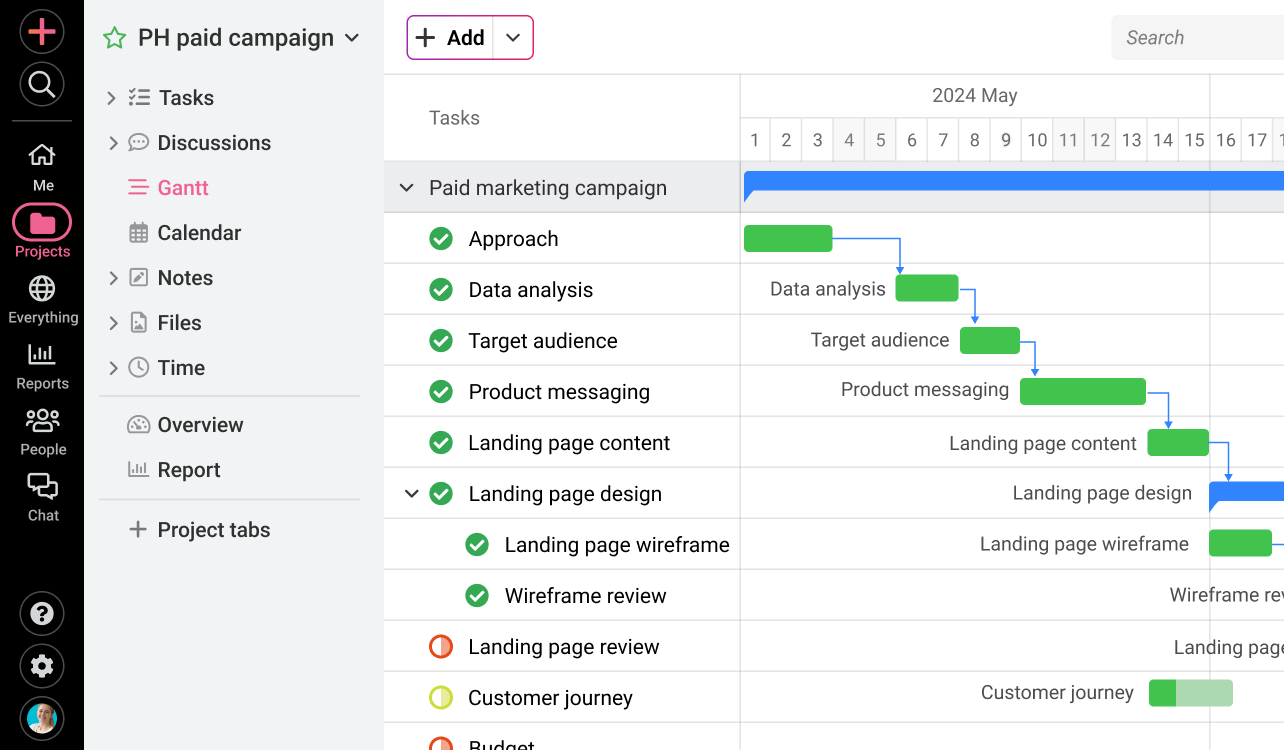
Image source: proofhub.com
Why I picked ProofHub: I included ProofHub for its commitment to providing an all-in-one solution with simplicity and a flat pricing model. For teams aiming to consolidate project management for developers and communication, ProofHub offers a refreshing, comprehensive alternative with an intuitive interface.
Standout features:
- Task management: Create tasks, subtasks, and recurring tasks with deadlines and assignments.
- Kanban boards: Visual workflow management for agile teams, allowing easy tracking of task progression.
- Gantt charts: Plan projects visually, manage dependencies, and track timelines.
- Discussions & chat: Centralized communication within the project context, reducing email clutter.
- Notes & files: Collaborative note-taking and secure file storage directly linked to projects.
- Proofing tool: An integrated online proofing tool for reviewing and annotating design files, useful for UI/UX elements in development.
- Timesheets: Built-in software development time tracking for efficient resource management and project billing.
Limitations:
- As an "all-in-one" solution, it may lack deep specialization in areas like error tracking, development software, or very advanced agile metrics.
- Reporting capabilities might not offer the same depth or customization as enterprise-focused solutions.
- The interface, though clean, might be less configurable than tools like ClickUp or Monday.com.
Pricing:
- Essential: $45/month, billed annually.
- Ultimate control: $89/month, billed annually.
10. Smartsheet: Dynamic spreadsheet for complex workflows
Smartsheet is a dynamic workspace platform known for its powerful spreadsheet-like interface combined with project management functionalities. It leverages the familiarity of a spreadsheet but enhances it with collaboration, automation, and reporting capabilities. For software development tracking, teams can configure Smartsheet to manage backlogs, track bugs, plan sprints, and oversee projects using highly customizable sheets, grids, Gantt charts, and Kanban boards. It's particularly strong for users who appreciate the control and flexibility of a spreadsheet but need more robust project management features.
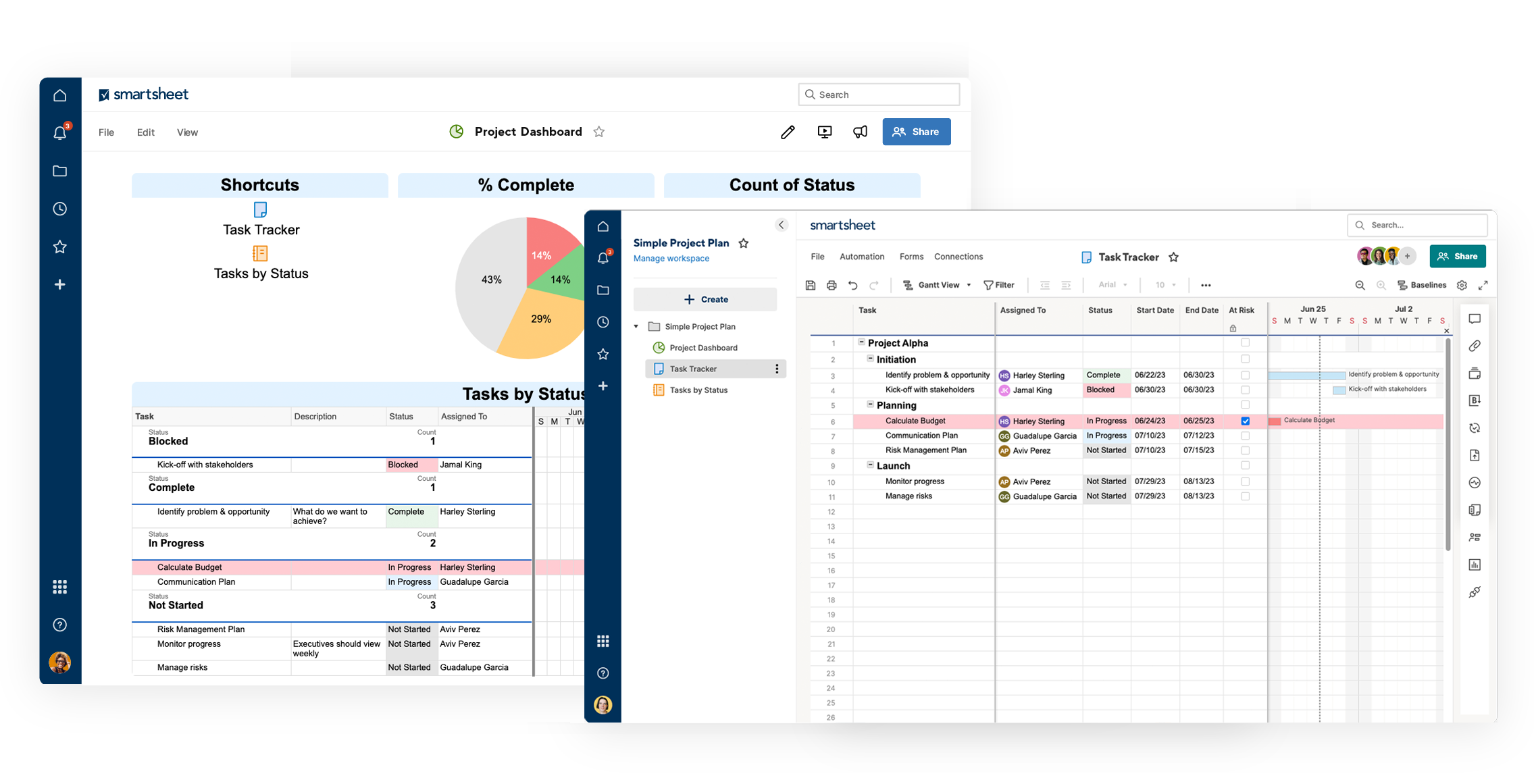
Image source: smartsheet.com
Why I picked Smartsheet: I included Smartsheet because its spreadsheet-based approach provides unparalleled flexibility, which is powerful for teams with unique software development tracking requirements. It allows users to design custom tracking systems with advanced formulas, making it a robust professional development tracking software for those valuing customization.
Standout features:
- Familiar spreadsheet interface: Easy for anyone familiar with Excel or Google Sheets to pick up and use.
- Customizable Grid, Gantt, card (Kanban), and calendar views: Adapt your project data visualization to suit your needs.
- Automation: Set up rules to automate alerts, update status, and request approvals, streamlining development tracking software processes.
- Reporting & dashboards: Create real-time dashboards and reports that aggregate data from multiple sheets, providing a high-level overview of project health.
- Resource management: Tools to track team member allocation and capacity.
- Web forms: Create custom forms to collect data (e.g., bug reports, feature requests) directly into your sheets.
Limitations:
- Its spreadsheet-like interface, while a strength, can be a weakness for those expecting a more traditional, templated PM tool.
- Initial setup for complex software development tracking workflows can require significant time and planning.
- May feel less intuitive for real-time chat-based collaboration compared to platforms with native communication features.
Pricing:
- Pro: $9/member/month, billed annually.
- Business: $19/member/month, billed annually.
- Enterprise: Custom pricing.
- Advanced work management: Custom pricing.
Other 15 software development tracking tools
While the above tools are among the best for comprehensive software development tracking, the market is rich with other excellent options that cater to specific needs or preferences. Here are 15 more tools that deserve consideration, often excelling in particular niches or offering unique value propositions for project management for developers:
- Asana: Intuitive task management, visual project tracking
- Trello: Simple, visual Kanban for agile development tracking
- Basecamp: Streamlined communication, core project management for teams
- GitHub Projects: Native project boards, integrate with code repositories
- GitLab Issues/Boards: DevSecOps platform with integrated tracking capabilities
- Azure DevOps: Microsoft's suite for end-to-end software delivery
- Linear: Fast, minimalist issue tracking for high-performance teams
- Targetprocess: Enterprise agile planning, portfolio management for scaled frameworks
- YouTrack: JetBrains' flexible issue and project tracking, customizable
- Shortcut: Agile project management, developer-friendly speed
- Assembla: Remote development solution: Git/SVN, ticket tracking, collaboration
- Redmine: Open source, flexible project management, error tracking
- OpenProject: Open source PM, Gantt charts, Scrum, bug tracking
- Axosoft: Dedicated Scrum software for backlogs, sprints, and releases
- CodeLobster IDE: IDE with integrated software development planner features

Key features of effective software development tracking tools
When you're searching for the ideal software development tracking tool, you're looking for more than just a place to list tasks. You need a solution that deeply understands the unique demands of software creation. The best tools are designed to streamline workflows, enhance collaboration, and provide actionable insights. Here are the key features that truly elevate tracking software development:
- Granular task and issue management: The ability to break down large features into manageable tasks and subtasks, assign them to team members, set priorities, and track their progress through customizable statuses. This includes a robust error tracking development software component for logging, categorizing, and resolving bugs efficiently.
- Flexible workflow customization: Software development methodologies vary widely. An effective tool must allow you to define and adapt workflows (e.g., Scrum sprints, Kanban boards, hybrid approaches) to match your team's unique process, ensuring it functions as a true software development planner.
- Integrated collaboration and communication: Developers spend significant time communicating about tasks. Tools that embed chat, comments, mentions, and even video calls directly within project items reduce context switching and keep discussions tied to the work, supporting effective project management for developers.
- Comprehensive reporting and analytics: Dashboards and reports that provide a clear, real-time overview of project status, team workload, progress against deadlines, and key performance indicators. This data is invaluable for identifying bottlenecks and making informed decisions.
- Documentation and knowledge management: The ability to link requirements, architectural decisions, technical specifications, and user stories directly to tasks ensures all context is readily available. This helps maintain a living project history and accelerates onboarding.
- Automation capabilities: Reducing manual, repetitive tasks is a game-changer. Automated notifications, status updates, task assignments, and reminders free up valuable developer time, making the development tracking software more efficient.
- Software development time tracking: Built-in features to log time spent on tasks are crucial for accurate project costing, client billing, resource allocation, and refining future estimations, making it an essential component of professional development tracking software.
Benefits of using a software development tracking tool
Implementing a dedicated software development tracking tool can be transformative for any engineering team. It's not just about oversight; it's about empowering your team, enhancing product quality, and accelerating delivery. Here are some of the most significant benefits you can expect:
- Enhanced visibility and transparency: A central tracking system provides everyone—from individual contributors to senior leadership—with a clear, up-to-date view of project status. This reduces information silos and fosters a shared understanding of goals and progress.
- Improved project predictability and planning: With organized data on tasks, timelines, and resources, teams can make more accurate estimates, plan sprints effectively, and better predict delivery dates. This data-driven approach strengthens project management for developers.
- Streamlined collaboration and communication: By providing a single source of truth for all project-related information and discussions, these tools minimize miscommunications and ensure everyone is aligned. Questions get answered faster, and decisions are captured in context.
- Faster problem identification and resolution: Centralized bug tracking and issue management mean problems are identified quickly, assigned efficiently, and resolved systematically, reducing their impact on the project timeline and quality. This is where effective error tracking development software truly shines.
How to choose a software development tracking tool
Choosing the right software development tracking tool is a strategic decision—with countless options, a structured approach ensures a team-aligned choice. Evaluate these core factors:
- Team methodology & needs: Define your framework (Agile/Scrum/Kanban/hybrid), team size/structure, and current tool pain points to narrow options.
- Core features: Pinpoint 5-7 non-negotiables (e.g., error tracking, time tracking, custom reporting) and focus on these.
- UX & adoption: Choose intuitive tools with a gentle learning curve; run small pilots/trials to gather team feedback.
- Scalability & flexibility: Opt for customizable, future-proof tools that grow with your team and adapt to changing workflows.
- Pricing: Review per-user costs, feature tiers and add-on fees (storage, support); pick transparent, budget-aligned pricing.
- Trials & demos: Test tools with real workflows/data via free trials/demos to validate real-world performance before committing.
Evaluating these factors will help you select a tracking tool that empowers your team, streamlines processes and drives development project success—beyond just feature checklists.
Software development metrics to guide your success
Effective software development tracking isn't complete without the right metrics. These insights provide objective data to measure progress, identify areas for improvement, and validate the impact of your efforts. Here are essential metrics to guide your team's success:
- Velocity: Average amount of work (e.g., story points) a team completes per sprint, crucial for future planning.
- Lead time/cycle time: Measures the total time from an issue's creation to its completion, indicating overall efficiency.
- Defect density: Number of defects found per unit of code, reflecting code quality and the effectiveness of error tracking development software.
- Burndown/burnup charts: Visual representations of work remaining or completed in a sprint or release, showing progress towards a goal.
- Time to resolution (TTR): The duration from when an issue (especially a bug) is reported until it is fully resolved, impacting customer satisfaction.
- Code churn: How often code is changed, indicating stability or areas needing refactoring.
- Deployment frequency: How often new code is deployed to production, reflecting release cadence and agility.
Tracking these metrics helps you understand your team's performance, refine processes, and make data-driven decisions that elevate your development project software outcomes.
Conclusion
In summary, effective software development tracking is the backbone of successful projects, offering unprecedented clarity and efficiency. By leveraging the right tools and metrics, teams can achieve their goals faster and with higher quality, fostering continuous improvement and driving sustainable product evolution. The strategic choice of a tracking solution profoundly impacts your team's synergy, productivity, and overall success. For a truly unified platform that streamlines every aspect of your development process and empowers seamless collaboration, consider giving Lark a try.
FAQs
Why is software development tracking so important for team productivity?
Effective tracking provides clear visibility into project progress, task assignments, and potential roadblocks, ensuring everyone knows what needs to be done and by whom. It significantly reduces guesswork and improves accountability. This transparency, especially with integrated platforms like Lark, fosters better communication and helps teams maintain focus on delivering value efficiently.
My team is small. Do we really need a sophisticated software development tracking tool?
Absolutely. Even small teams benefit immensely from structured tracking. It establishes good habits early on, prevents information overload as you grow, and ensures critical details aren't lost. Tools like Lark offer free or affordable plans with robust features that can scale with your team, helping you build a solid foundation without overcomplicating things.
How can a tracking tool help improve our code quality and reduce bugs?
A dedicated tracking tool, especially one with strong issue management capabilities, allows for systematic logging, prioritization, and resolution of bugs and technical debt. By analyzing historical bug data, teams can identify recurring patterns or process weaknesses, leading to targeted improvements. Lark's customizable Lark Base, for instance, can be configured to manage detailed bug tracking workflows, ensuring no bug goes unnoticed.
What are the biggest challenges when implementing a new tracking tool?
The primary challenges often include user adoption resistance, the initial learning curve, and ensuring proper configuration to match existing workflows. Teams might also struggle with integrating the new tool into their current ecosystem. Choosing an intuitive, all-in-one platform like Lark can mitigate these issues by minimizing context switching and simplifying the transition process.
Related reading
Table of contents
Start using Lark today

Manage all your work in one place
Boost team efficiency by 10x
Save up to 70% on software costs
Table of contents
Start using Lark today
Manage all your work in one place
Boost team efficiency by 10x
Save up to 70% on software costs
Keep reading








2026 Lark Technologies Pte. Ltd.
Headquartered in Singapore with offices worldwide.






Explore: