














Resource Management: Meaning, Types & Best Practices

Isak Sandvik
Growth Content Marketer
Oct 30, 2026
Isak Sandvik
Oct 30, 2026

17 min read
Add to preferred sources


Resource management is the practice of planning and allocating people, budgets, time, and equipment to ensure projects run smoothly and efficiently. It helps businesses balance workloads, reduce waste, and make sure the right resources are available at the right time. From managing staff schedules to controlling costs, resource management is a foundation of both project management and everyday business operations.
In this guide, we'll cover what resource management means, the different types, processes, templates, and real-world examples that highlight its importance. We'll also examine popular tools and strategies, including how collaborative platforms like Lark can streamline resource planning and enable teams to manage people, time, and budgets more effectively.

What does resource management mean?
At its core, resource management refers to the process of planning, allocating, and monitoring resources so that projects and operations are completed efficiently. These resources can include people, money, tools, or time, and managing them well ensures organizations can deliver results without unnecessary delays or costs. It is a structured approach that gives teams clarity on what is available and how it should be used.
The main purpose of resource management is to balance workloads, reduce waste, and maximize productivity. By keeping track of how resources are distributed, businesses can prevent over-allocation, avoid bottlenecks, and ensure that every task has the right support. This leads to more predictable project outcomes and better overall performance.
Resources typically fall into five categories:
- Human resources (skills and people)
- Time (scheduling and availability)
- Financial (budgets and costs)
- Equipment and tools (assets needed for work)
- Knowledge or information (data and documentation).
Together, these make up the foundation of effective resource management.
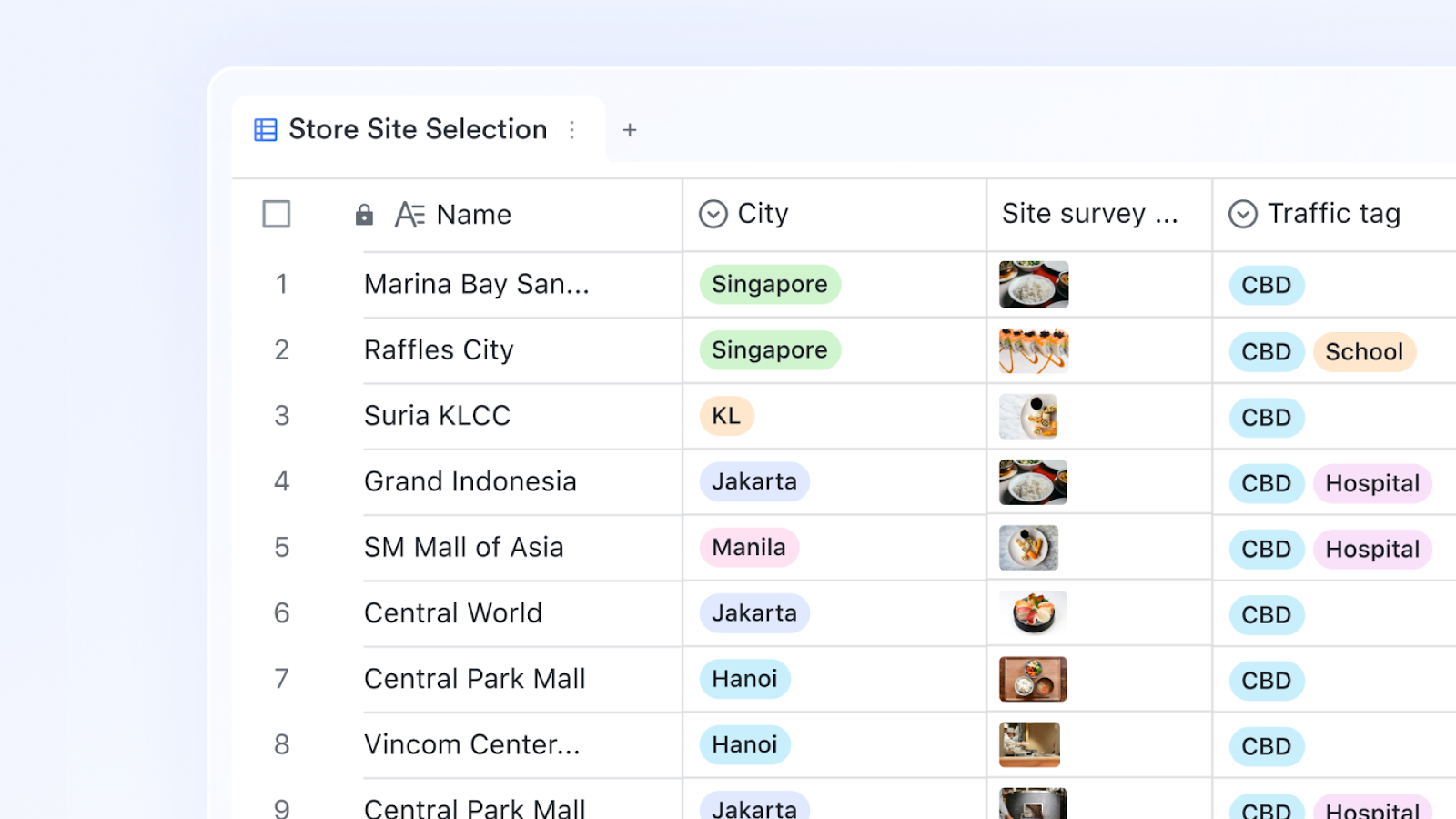
Why is resource management important?
Effective resource management in project management is critical for keeping teams productive, budgets under control, and clients satisfied. It ensures that people, time, and money are used wisely, reducing waste and maximizing value.
Prevents burnout by balancing workloads
When team members are overloaded, mistakes and delays are inevitable. Resource management distributes tasks fairly across people, helping staff work at sustainable levels. By tracking availability and capacity, managers can avoid over-assigning work and reduce employee turnover caused by burnout.
Improves project efficiency
Clear allocation of resources ensures projects move smoothly from start to finish. By knowing who is responsible for each task and when materials are available, teams can eliminate bottlenecks. This level of planning shortens delivery times and keeps projects on schedule, improving efficiency across the board.
Ensures financial accountability
Budgets are a limited resource, and poor oversight can quickly eat into profits. Resource management helps businesses monitor costs against allocated budgets and forecast expenses. With better visibility, companies can make smarter decisions about where to invest and avoid cost overruns that jeopardize project success.
Boosts customer satisfaction through timely delivery
Clients expect projects to be delivered on time and within budget. Resource management ensures deadlines are realistic and achievable by aligning people, schedules, and tools. Meeting these expectations consistently strengthens client trust and increases the likelihood of repeat business or referrals.
Supports better decision-making with data
Resource management systems provide data on utilization, costs, and performance. This information allows managers to see where resources are over- or under-used and adjust accordingly. Informed decisions help optimize processes, reduce inefficiencies, and ensure future projects are planned with greater accuracy.
Types of resource management
Resource management isn't limited to just people—it spans time, budgets, equipment, and knowledge. Each type plays a role in ensuring projects are delivered on schedule, within budget, and at the highest quality.
1. Human resource management – allocation of people and skills
Human resource management focuses on assigning the right people to the right tasks. For example, a project manager might allocate senior engineers to complex design work while junior staff handle routine reporting. This approach ensures that skills are used effectively, improving both team performance and project outcomes.
2. Time resource management – schedules, deadlines, availability
Time is one of the most critical resources. Effective time management involves creating schedules, monitoring availability, and ensuring deadlines are realistic. For instance, in a marketing campaign, aligning designers, writers, and developers to meet a product launch date avoids last-minute delays and stress.
3. Financial resource management – budgeting and cost control
Financial management ensures that project budgets are allocated wisely and tracked closely. A construction firm, for example, might allocate funds to labor, equipment, and permits, then monitor spending against those budgets. This prevents overruns and allows the company to protect profit margins while delivering on client expectations.
4. Equipment & tools management – assigning assets efficiently
Tools, machinery, and technology are resources that need careful allocation. In IT, this could mean managing access to software licenses; in construction, it might involve scheduling the use of heavy machinery across multiple sites. Efficient allocation avoids downtime, reduces costs, and ensures assets are available when needed.
5. Knowledge/resource information management – centralizing data and documentation
Knowledge is a resource too. By organizing documentation, guidelines, and data in a centralized system, teams save time and reduce errors. For example, a consulting agency can keep client contracts, reports, and project templates in one place so that consultants spend less time searching for files and more time serving clients.
Resource management process
The resource management process provides a structured flow to ensure people, budgets, and tools are used effectively. Here's how it works step by step:
Step 1: Identify available resources
Begin by listing all resources you currently have—people, budgets, time, and equipment. For instance, a project manager might review team capacity, existing commitments, and available tools. This step creates a clear baseline of what's possible before taking on new work.
Step 2: Forecast project demand
Look ahead and estimate the resources each upcoming project will require. A marketing team, for example, might forecast design hours, ad spend, and campaign timelines. Forecasting prevents resource shortages and allows teams to prepare in advance.
Step 3: Allocate resources across tasks and projects
Assign resources strategically, matching skills and availability with project needs. For example, senior engineers may be allocated to complex work, while junior staff handle routine tasks. This ensures priorities are met without overloading individuals or overspending budgets.
Step 4: Monitor utilization and adjust
Track how resources are being used as projects move forward. If one person is over-allocated while another has bandwidth, rebalancing ensures efficiency. Similarly, if equipment is sitting idle, it can be reassigned to avoid waste and delays.
Step 5: Report and optimize performance
At project close, generate reports on resource utilization, costs, and outcomes. This helps highlight where resources were stretched too thin or underused. Over time, these insights improve planning accuracy and make future resource allocation more effective.
Resource management examples
Project management – allocating developers across sprints
In software projects, managers need to balance developer workloads across sprints. Without proper planning, some team members end up overbooked while others are underutilized. With Lark Base and Lark Tasks, managers can track assignments, see availability, and distribute work evenly, ensuring faster delivery and fewer bottlenecks.
Marketing team – managing campaign budgets and timelines
Marketing teams often run multiple campaigns at once, each with different deadlines and spending limits. Tracking budgets and schedules manually can cause overspending or missed launches. Lark Calendar and Base allow teams to align timelines with budgets, keeping every campaign visible and on track.
Construction projects – scheduling equipment and labor
Construction firms must coordinate labor crews, machinery, and timelines across job sites. Double-booked equipment or unassigned workers can cause costly delays. With Lark Calendar and Lark Approval, managers can schedule assets, approve changes, and share real-time updates between field and office teams.
Consulting agencies – balancing client hours and billing
Consulting firms need to manage billable hours across multiple clients without overextending staff. A lack of visibility can result in missed billing or uneven workloads. Using Lark Dashboards and Tasks, managers can track client allocations, monitor time spent, and ensure accurate billing while keeping consultants' workloads balanced.
Education sector – assigning teachers, classrooms, and materials
Schools and training institutes often face challenges in scheduling teachers, classrooms, and teaching materials efficiently. Overlapping assignments or missing resources can disrupt classes. With Lark Calendar, Lark Docs, and Lark Wiki, administrators can assign classrooms, publish teaching schedules, and share lesson plans in one place for easy access.
Popular resource management tools in 2026
How Lark supports resource management as a complete solution
Effective resource management requires not just tracking but also collaboration and visibility across every department. Lark brings these capabilities together in one platform, giving teams the clarity they need to plan, allocate, and optimize resources.
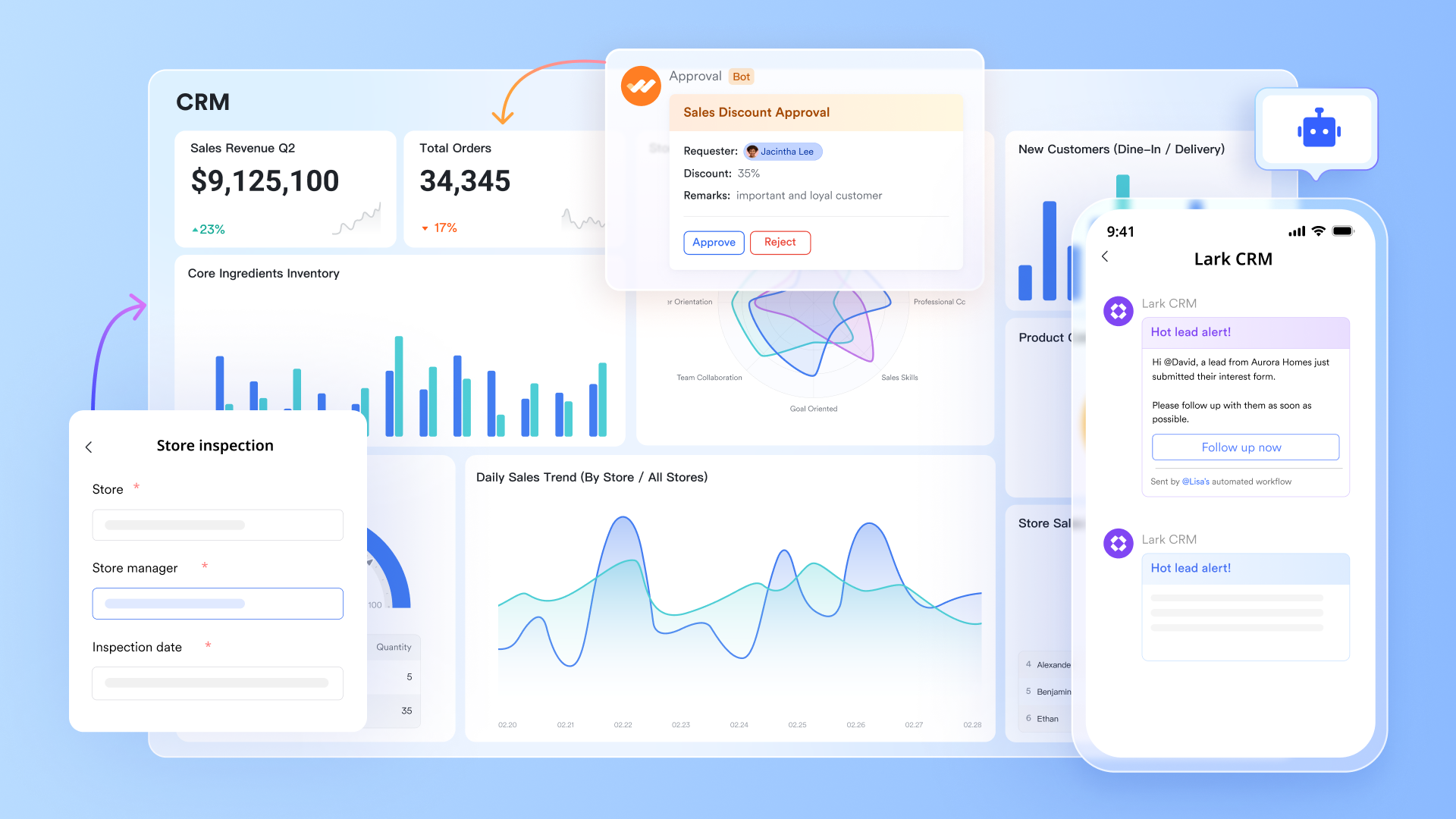
Lark Base: Structured allocation and forecasting
With Lark Base, managers can design custom databases that reflect how their organization allocates people, budgets, and time. Kanban views make it easy to track who is working on what, while Gantt charts visualize resource timelines across multiple projects. Dashboards inside Base also allow leaders to forecast demand, compare planned vs. actual usage, and spot potential bottlenecks before they happen.
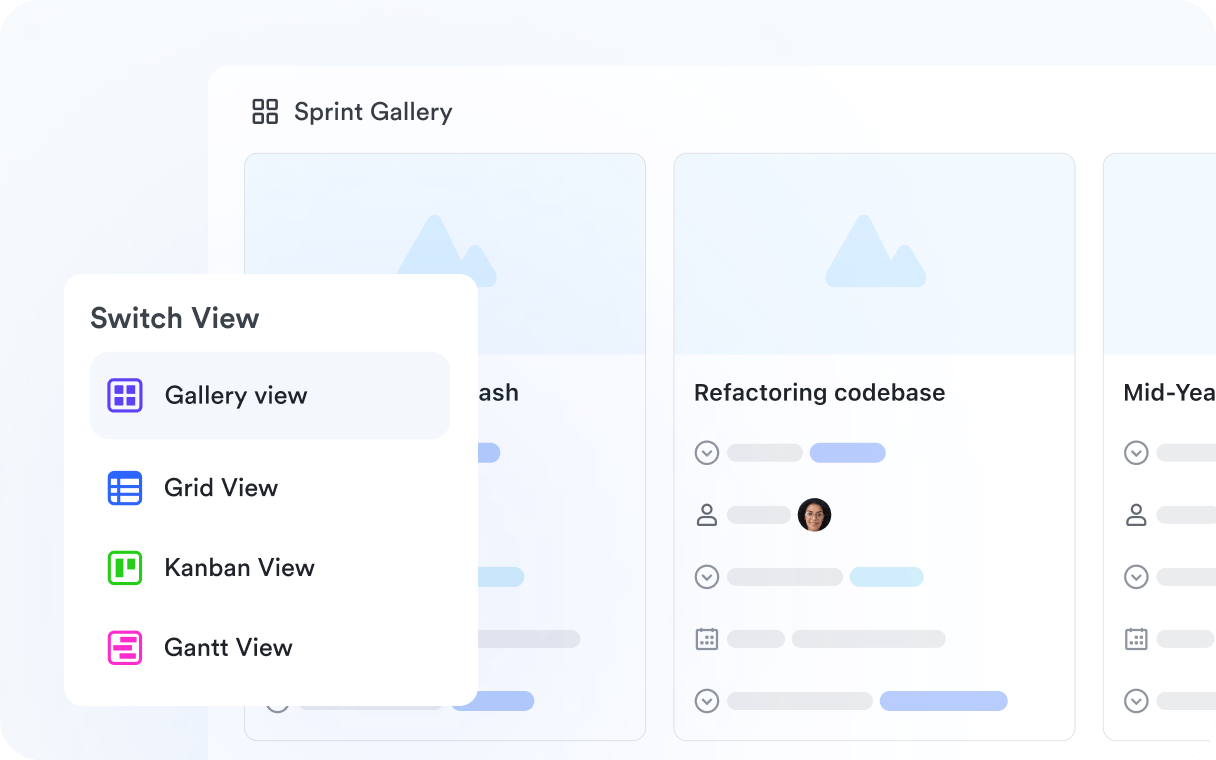
Lark Tasks: Workload balance at scale
Resource planning doesn't end with assignments—it extends to making sure workloads are sustainable. Lark Tasks provides a central hub to assign responsibilities, set deadlines, and monitor progress. Managers can quickly see if team members are overloaded and redistribute tasks where needed. This level of transparency reduces burnout and ensures critical work never slips through the cracks.
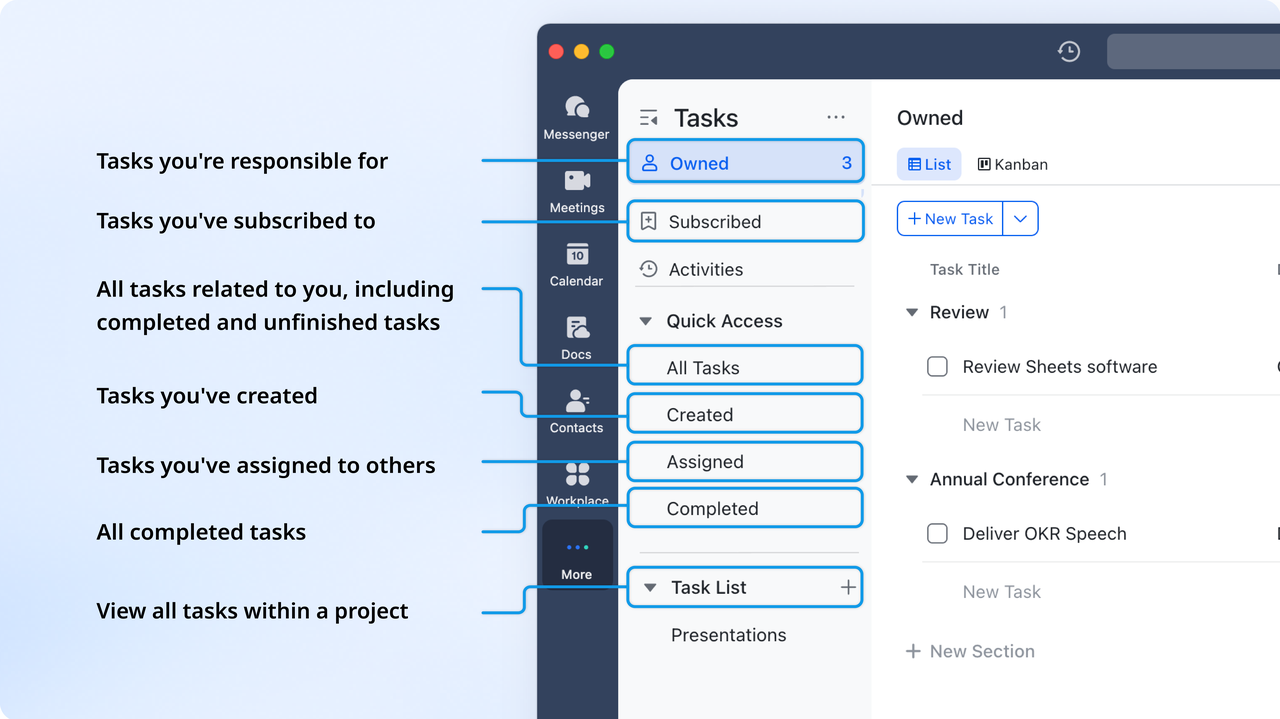
Lark Calendar: Unified scheduling and availability
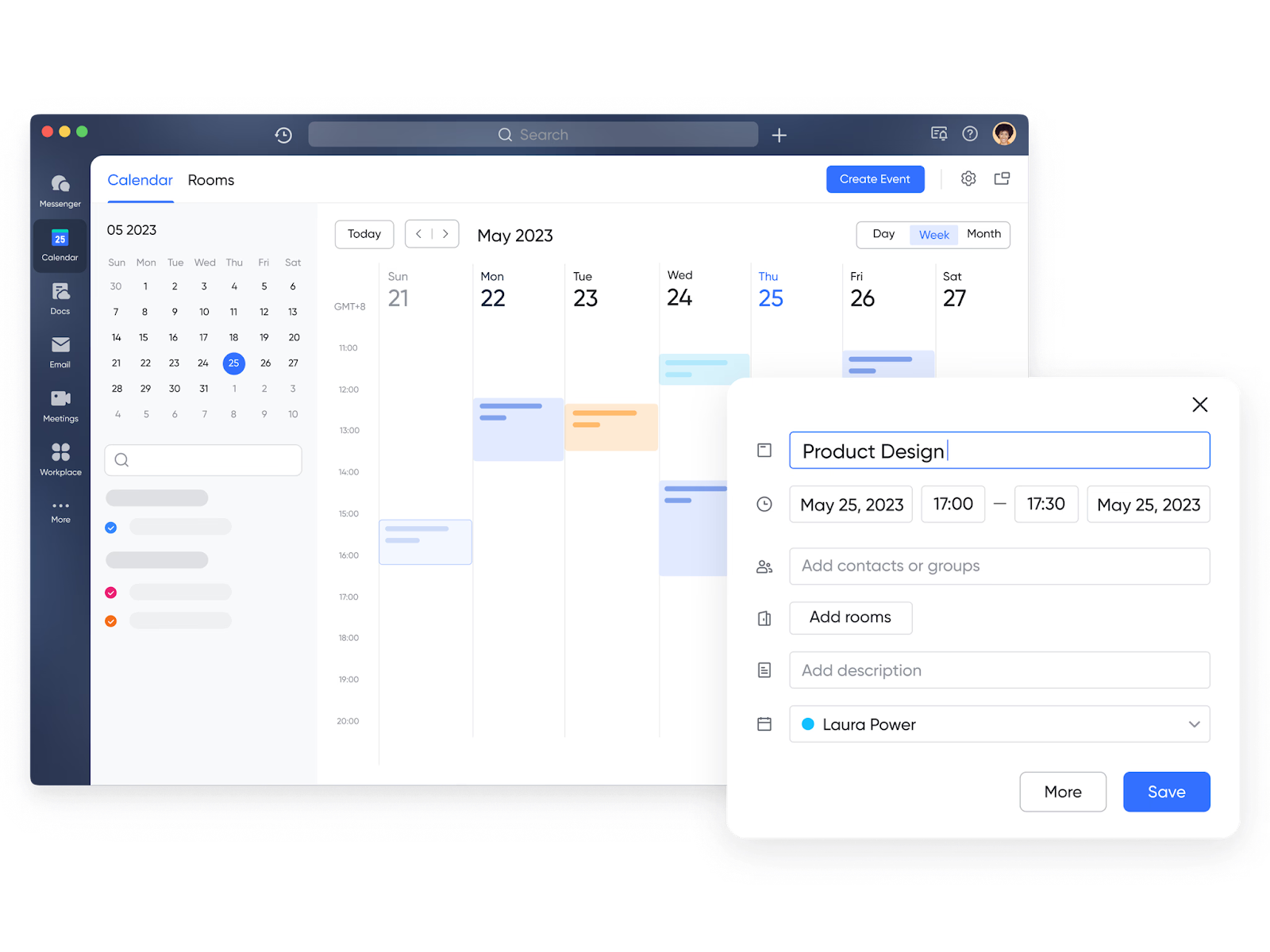
Time is often the hardest resource to manage. Lark Calendar combines personal schedules with team-wide timelines, making it easier to check availability before assigning tasks or approving project milestones. Teams can view deadlines alongside meetings, events, and project milestones in one place, ensuring better alignment and fewer scheduling conflicts.
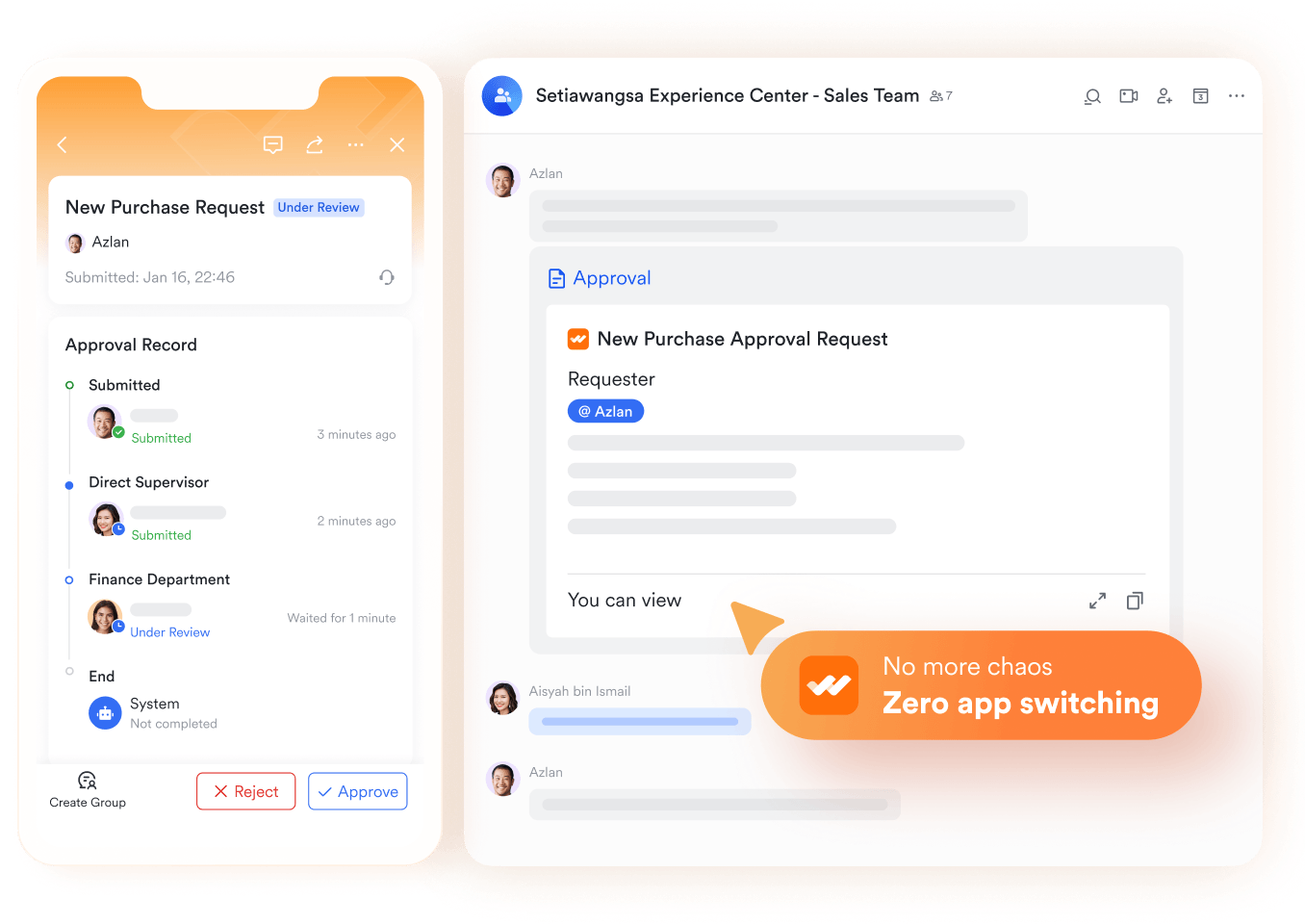
Lark Approval: Faster budget & resource decisions
Resource allocation often depends on approvals—whether it's signing off on extra budgets, approving the use of equipment, or validating overtime requests. Lark Approval streamlines these processes with pre-set templates and . Decisions flow directly through Messenger, which speeds up responses and reduces delays that typically stall resource planning.
Dashboards: Real-time utilization insights
Having resources allocated is one thing; knowing how effectively they're used is another. Dashboards in Lark Base pull data from across your Base to give leaders real-time insights into utilization, budget spend, and project progress. This makes it easier to measure efficiency, spot inefficiencies, and make informed adjustments on the fly.
Collaboration-first approach: Transparent resource planning
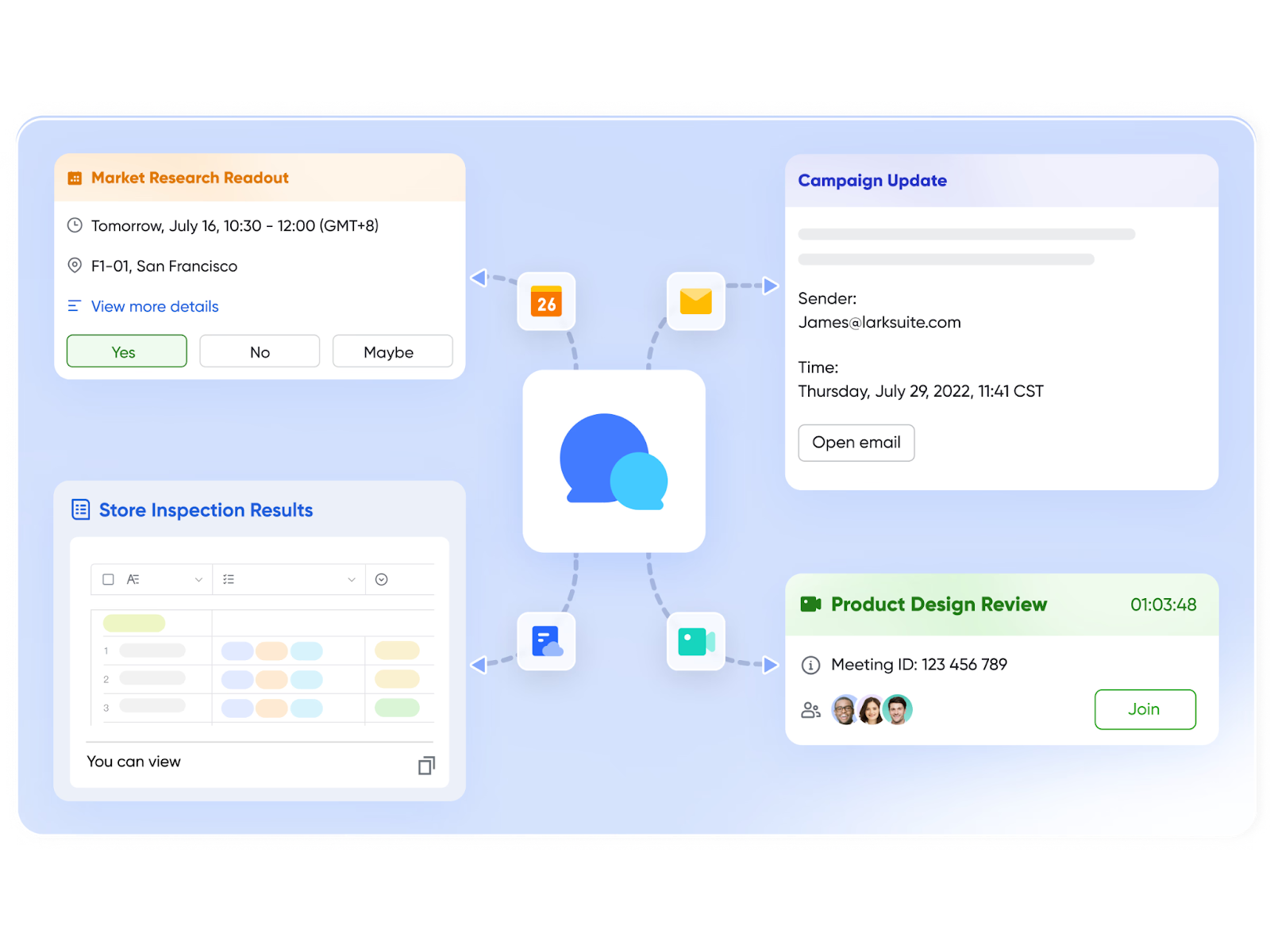
The most overlooked part of resource management is communication. With Lark Messenger, Docs, and Meetings, resource planning becomes transparent and collaborative. Teams can share updates instantly, document allocation strategies, and meet virtually to resolve conflicts. This keeps everyone aligned—whether they're in finance, HR, or project delivery.
- Starter plan: Free forever plan that includes 11 powerful tools for up to 20 users. It also comes with 100GB of storage, 1000 automation runs, AI translations, and more.
- Pro plan: $12/user/month (billed annually) for up to 500 users. It includes everything in Starter plus group calling for up to 500 attendees, 15TB of storage, 50,000 automation runs, and more.
- Enterprise plan: Contact sales for custom pricing. Supports unlimited users and includes even more automation runs and advanced data security, compliance, and management features.
Effective resource management strategies and how Lark helps
Forecast demand accurately
Strategy: Successful projects start with knowing what resources will be needed weeks or months ahead. Forecasting demand ensures that people, budgets, and tools are available before bottlenecks occur.
How Lark helps: With Lark Base dashboards, managers can track resource usage trends, compare planned vs. actual capacity, and anticipate future needs using real-time data. This prevents shortages and helps teams prepare with confidence.
Prioritize high-value projects
Strategy: Not all projects deliver the same impact. Focusing resources on initiatives that drive the most business value improves ROI and ensures critical goals are met first.
How Lark helps: In Lark Base, teams can build custom views that rank projects by deadlines, revenue potential, or strategic importance. This makes it easier to direct resources where they will create the most impact.
Track utilization and avoid over-allocation
Strategy: Overloading people or assets leads to burnout, errors, and inefficiency. Tracking utilization helps balance workloads and ensures resources are assigned realistically.
How Lark helps: With the Views or the Dashboard feature inside Lark Base, managers can monitor task distribution in real time. If someone is over-allocated, workloads can be adjusted quickly to maintain productivity without strain.
Encourage transparent communication
Strategy: Resource management works best when everyone knows what's available, what's changing, and what's approved. Transparency reduces misunderstandings and keeps projects on track.
How Lark helps: Lark Messenger and Calendar provide real-time updates on changes, while Lark Approval centralizes requests for resources. This creates a single, transparent channel for communication across departments.
Use tools to automate resource planning
Strategy: Manual tracking of resources often leads to errors and wasted time. Automating reminders, approvals, and updates ensures consistency and frees teams to focus on delivery.
How Lark helps: By configurating Automations in Lark Base, repetitive tasks such as follow-ups on budgets or reminders for scheduling are automated. This reduces manual effort, minimizes delays, and makes resource planning more efficient.
Challenges in resource management
Even with the right tools, managing resources effectively can be difficult. Businesses often face operational, financial, and communication hurdles that limit efficiency and impact project outcomes.
Limited visibility into workloads
Without a clear view of who is working on what, teams risk uneven distribution of tasks. Some employees may be overloaded while others sit underutilized, leading to inefficiencies and frustration.
Conflicting project priorities
When multiple projects run simultaneously, deciding which tasks deserve immediate attention becomes difficult. This conflict often leads to delays, missed deadlines, or dissatisfied clients.
Budget constraints
Tight budgets make it challenging to allocate funds to the right areas. If financial resources are stretched too thin, projects may be forced to cut corners or delay essential activities.
Lack of collaboration across teams
Silos between departments make it difficult to share updates on resource availability and project changes. Without proper communication, resource allocation decisions are delayed or misinformed.
Inaccurate forecasting
Many organizations struggle to predict future resource needs accurately. This often results in shortages during peak demand or wasted resources during slow periods.
Resistance to change and adoption
Even when new systems are introduced, teams may resist using them due to lack of training or comfort with older methods. This slows down the effectiveness of resource management strategies.
Data silos and poor reporting
If data is scattered across spreadsheets, emails, and disconnected tools, leaders lack the insights needed to make informed decisions. Poor reporting leads to recurring inefficiencies and missed opportunities.
Conclusion
Resource management is the foundation of effective project delivery, enabling businesses to allocate people, budgets, and time where they have the greatest impact. By applying structured processes, teams can avoid burnout, manage costs effectively, and deliver projects on schedule. As organizations grow, the need for visibility and collaboration in managing resources becomes even more critical. This is where modern project management tools make a real difference. With its blend of planning, tracking, and teamwork features, Lark offers a comprehensive workspace for more effective resource management. It ensures that every resource—from people to budgets—is used effectively, keeping teams aligned and projects on track.
FAQs
What should a resource management plan include?
A resource management plan should cover available resources, allocation strategies, workload distribution, scheduling, and budget considerations. It also needs a reporting framework to track utilization and performance. With Lark Base and Dashboards, teams can create structured plans, forecast needs, and monitor performance in real time—all in one collaborative workspace.
What tools are best for project resource management?
The best tools are those that allow teams to allocate people, track budgets, monitor workloads, and adapt quickly to changes. Popular options include ClickUp, Smartsheet, and Wrike. However, Lark goes beyond traditional tools by combining resource planning with communication—using Lark Tasks, Calendar, and Messenger to ensure allocation and collaboration happen in the same place.
How does Lark compare to ClickUp or other resource management tools?
ClickUp and similar platforms provide strong workload and task management, but they often rely on separate apps for communication and documentation. Lark unifies resource management with built-in collaboration, offering Docs, Messenger, and Meetings alongside Base, Tasks, and Approvals. This means fewer silos and more transparency across teams.
What are the 5 important points of resource management?
Resource management helps prevent burnout, improves efficiency, ensures financial accountability, boosts customer satisfaction, and supports better decision-making. While many systems track resources, Lark strengthens all five areas by offering dashboards for utilization, Approvals for financial accountability, and Calendar for customer-focused delivery.
Can small businesses use resource management software?
Yes, resource management software isn't just for large enterprises—small businesses benefit from visibility and better allocation too. Many tools, however, can be costly or complex for smaller teams. Lark offers a free plan with Base, Tasks, and Calendar, making it accessible to small businesses that want resource management and collaboration without the extra overhead.
Related reading
Table of contents
Start using Lark today

Manage all your work in one place
Boost team efficiency by 10x
Save up to 70% on software costs
Table of contents
Start using Lark today
Manage all your work in one place
Boost team efficiency by 10x
Save up to 70% on software costs
Keep reading







2026 Lark Technologies Pte. Ltd.
Headquartered in Singapore with offices worldwide.






Explore: