Defect tracking remains one of the most critical pillars of quality assurance across modern development workflows. The best defect management tools help QA, engineering, product, and compliance teams collaboratively log, prioritize, investigate, verify, and close defects—without losing key communication or audit trails. This guide reviews the top defect management software tools, covering enterprise-grade platforms, free defect management systems, and modern workflow solutions designed for distributed QA teams performing shift-left testing and release governance.
1. Lark: Best All-in-one defect management system
2. Jira: Best agile defect tracking software
3. Zephyr: Best QA test case management tool
4. Tuskr: Best dedicated test management tool
5. Bugzilla: Best open-source defect management tool
6. MantisBT: Best lightweight free defect tracker
7. YouTrack: Best agile QA management platform
8. Redmine: Best self-hosted defect management system
9. ClickUp: Best business QA tracking tool
10. Asana: Best non-technical issue management tool
11. Zoho BugTracker: Best SMB QA defect tracker
12. Linear: Best startup defect tracking tool
13. Trac: Best technical defect tracking platform
Improve defect management with a popular tool
Tool overview snapshot for defect tracking
To help evaluate the landscape, the following table provides a high-level snapshot of popular defect management tools. This first section highlights the top 6 choices, with a total of 13 tools mentioned below for a broader view.
Information source: Official vendor sites
Update time: 2025-12-02
Note: Pricing and plan details reflect publicly available data as of the update date and may vary based on region, billing cycle, and number of agents.
What is a defect management tool?
A defect management tool is a software platform used to capture, track, prioritize, and resolve defects throughout the software development lifecycle. It provides a centralized space where QA teams, developers, and product stakeholders can log issues with detailed information such as severity, priority, environment, screenshots, logs, and reproduction steps. Each defect moves through defined —from discovery and triage to fixing, retesting, and closure—ensuring accountability and traceability at every step. These tools also support role-based access, audit trails, and compliance documentation to maintain quality standards across releases.
Beyond tracking bugs, a supports collaboration and process control. Teams use built-in dashboards, reports, and automation to monitor defect trends, escalate critical issues, assign ownership, and . Integration with testing platforms, CI pipelines, and helps connect defects to test cases, builds, and releases. This end-to-end visibility improves quality assurance efficiency, reduces backlog clutter, and enables faster, more reliable software delivery.
Full list: 13 Best defect management tools list
1. Lark: Best all-in-one defect management system with smart features
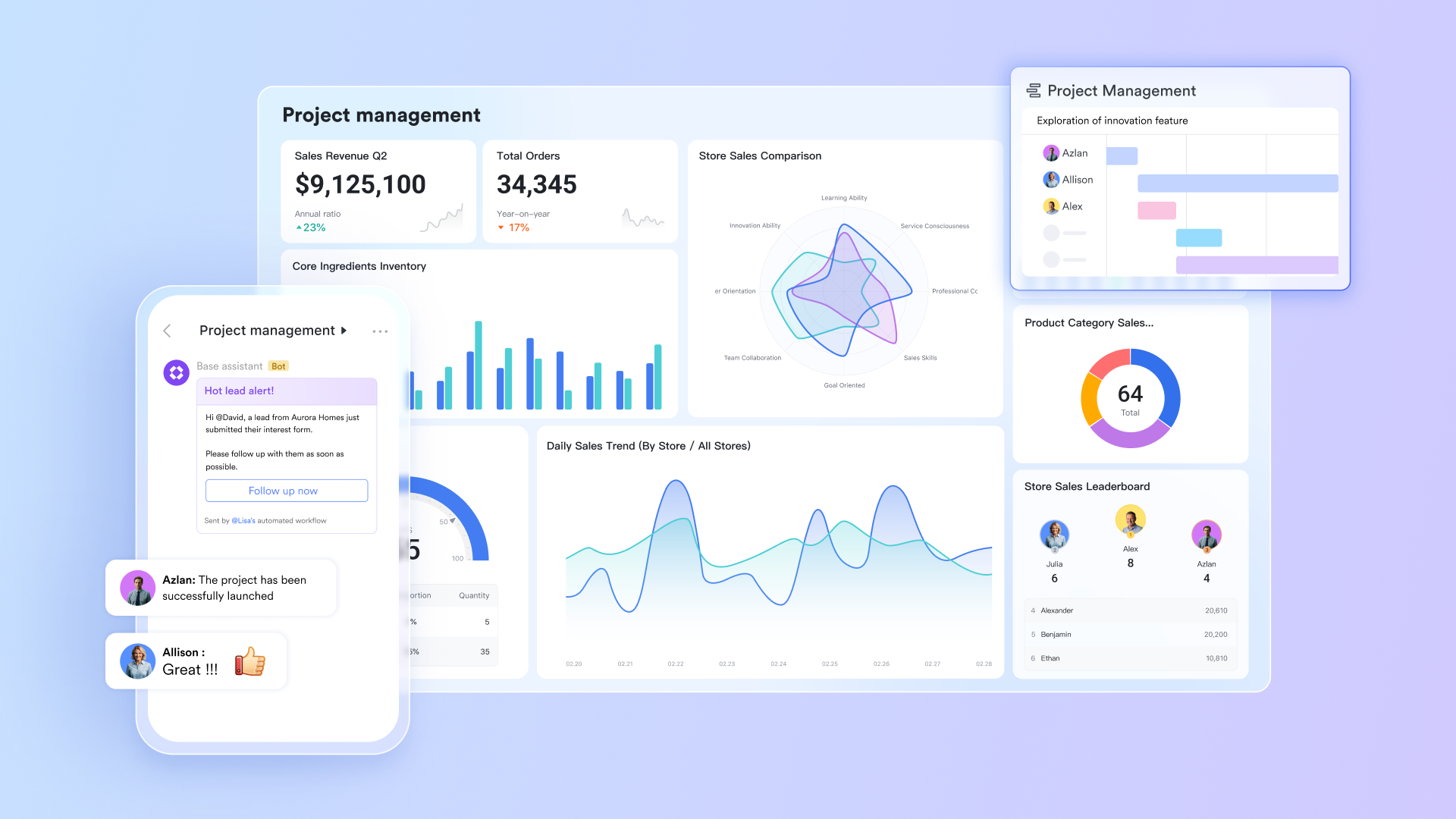
Among modern defect management software, stands out by unifying structured , collaboration, automation, and reporting inside one workspace. QA teams log defects in customizable databases while automation routes issues to the right developers and stakeholders instantly.
Discussions, evidence sharing, , and task tracking all remain directly connected to each defect record. This eliminates tool switching and keeps the investigation context intact. With real-time dashboards and flexible workflows, Lark enables distributed testing teams to manage the entire defect lifecycle efficiently without sacrificing clarity or operational visibility.
Centralized defect tracking with Lark Base
acts as a powerful centralized repository for managing all your structured data, perfect for things like detailed bug tracking. You can customize fields to perfectly match your team's workflow, including statuses and other essential attributes. With intelligent flow fields and , Lark tracks the lifecycle of every item and sends targeted reminders to the relevant personnel. Since all edits and updates sync in real time, you can ensure your team is always informed of the latest changes, keeping your data accurate and your workflow smooth. 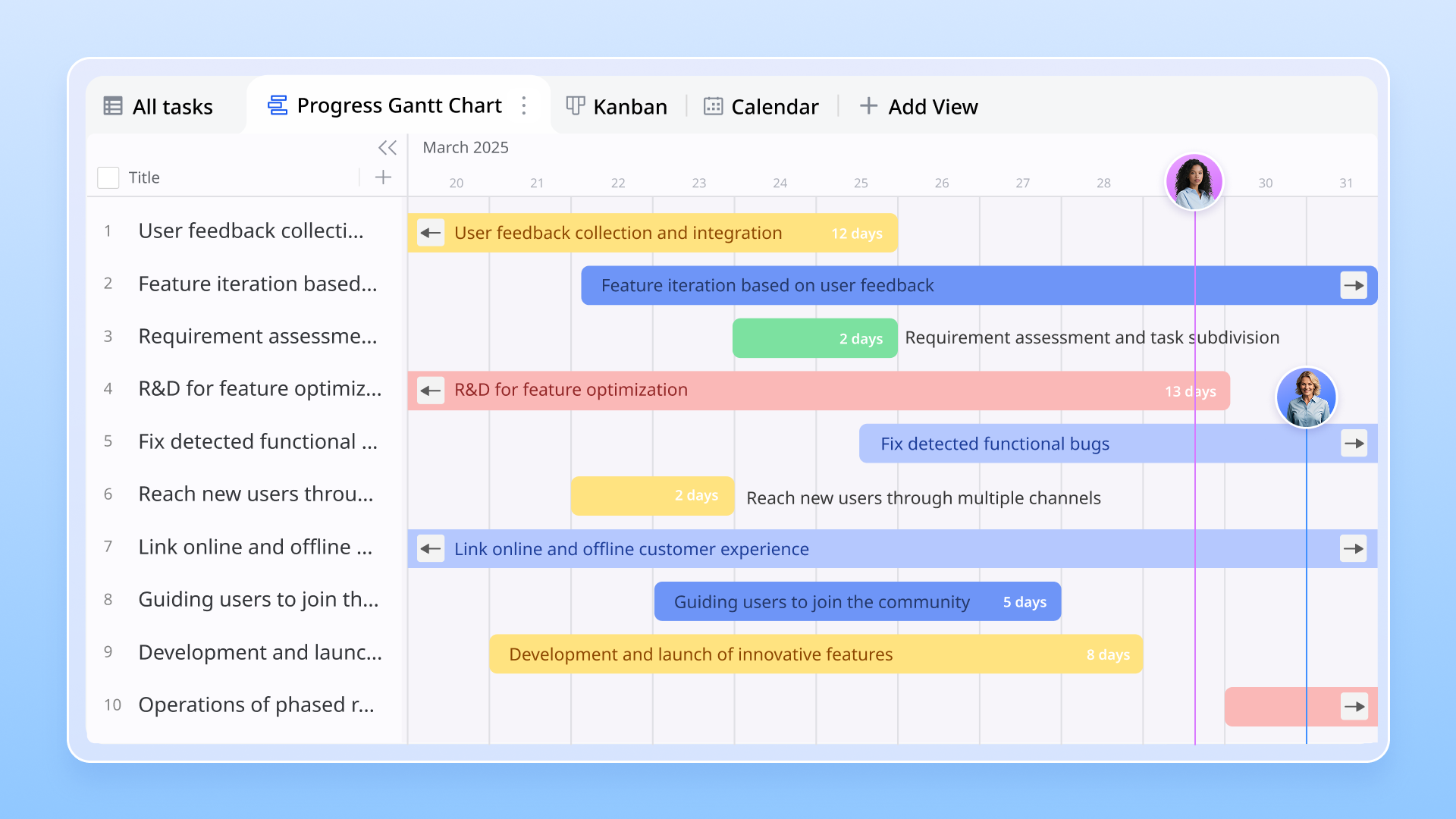
Visual dashboards for defect monitoring and reporting
Lark Dashboards in Base are essential for effectively tracking defects and managing projects. Project managers can instantly visualize and analyze key data using various charts and graphs to monitor overall progress and spot potential delays. By focusing on specific issues like defects and incomplete tasks, managers can set custom filters and groups to quickly zero in on problem areas. This efficient view allows you to assign clear owners for follow-up actions, enabling the fast tracking and resolution of defects throughout the entire . Also, team members can submit defect reports directly through . All submitted entries are synced to dashboards in real time, allowing instant visibility and tracking. 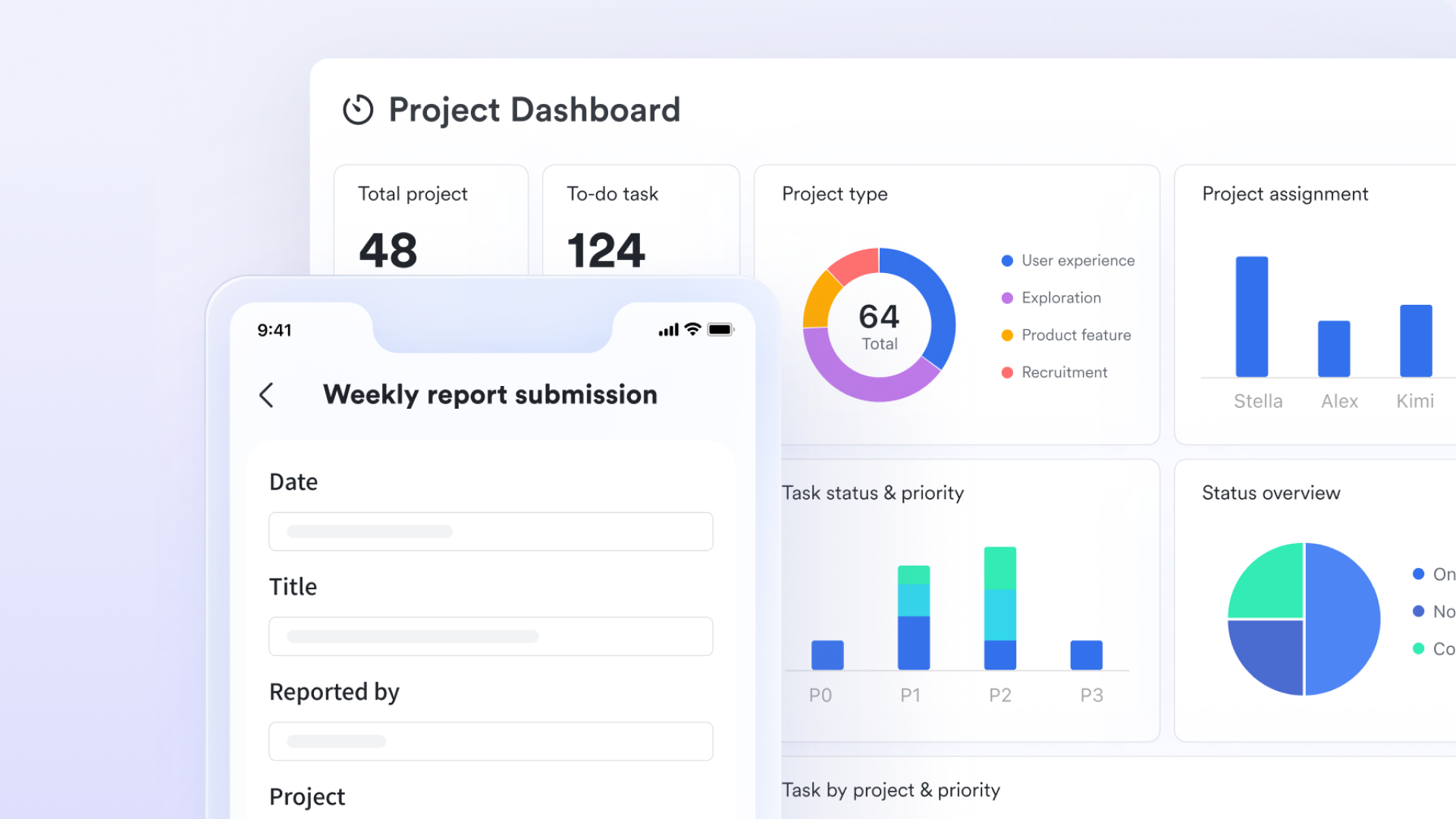
Automated bug collection and notification workflows
Lark uses intelligent bots and automations to drastically reduce manual work. You can install a bug-collection bot directly in group chats that automatically collects and filters issues, even integrating with tools like Jira. Similarly, data monitoring bots can send automated messages and summaries to relevant groups, keeping everyone instantly updated on key metrics. By leveraging Lark Base automations, you can define triggers like message updates to notify responsible parties automatically. 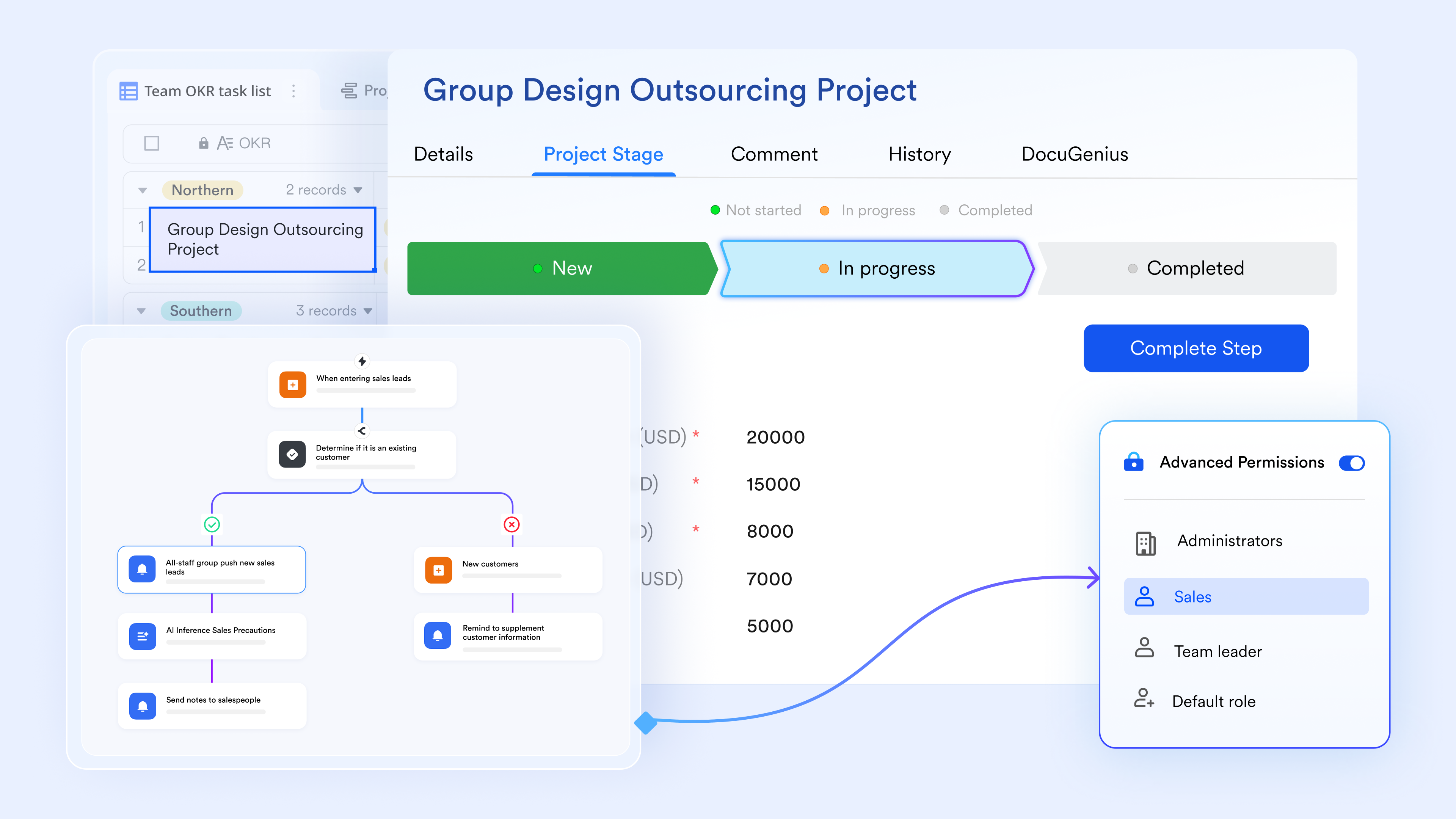
Contextual collaboration via Docs and Messenger
Lark provides powerful tools to keep communication clear and on track. Within , team members can add comments and view activity logs directly on the document, enabling transparent communication between QA, developers, and product teams. You can use mentions in comments or chat messages to ensure fast responses, as tagged members are notified instantly. Furthermore, offers comprehensive attachment and evidence support, letting you easily add images, screenshots, videos, and logs to any message or report for swift resolution.
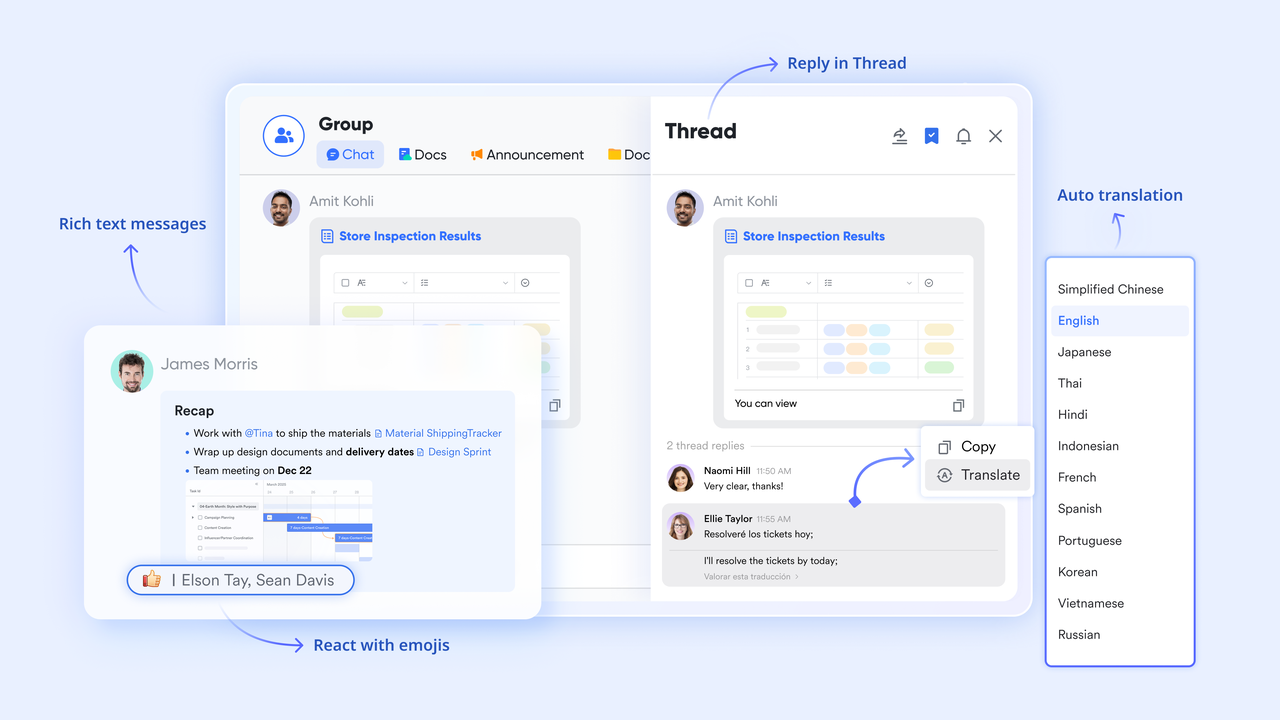
:
- Starter plan: Free forever plan that includes 11 powerful tools for up to 20 users. It also comes with 100GB of storage, 1000 automation runs, AI translations, and more.
- Basic plan: $6/user/month (billed annually) for up to 500 users. It includes everything in Starter plus group calling for up to 500 attendees, 5TB of storage, 1000 automation runs, and more. For more details, please .
- Pro plan: $12/user/month (billed annually) for up to 500 users. It includes everything in Basic plus group calling for up to 500 attendees, 15TB of storage, 50,000 automation runs, and more.
- Enterprise plan: for custom pricing. Supports unlimited users and includes even more automation runs and advanced security, compliance, and management features.
For small teams with simple communication needs

18 months message history
1000 Base automation runs/month
2000 rows per table in Base
Most POPULAR
For companies with comprehensive collaboration and management needs
Unlimited message history
500-participant video meetings
50k Base automation runs/month
20k rows per table in Base
For large companies with advanced security and organizational management needs
Get a personalized demo and pricing
Unlimited message history
500-participant video meetings
15 TB storage + 30 GB storage/user
500k Base automation runs/month
50k Base automation runs/month
Most POPULAR
For companies with comprehensive collaboration and management needs
Unlimited message history
500-participant video meetings
50k Base automation runs/month
20k rows per table in Base
2. Jira: Best agile defect tracking software
Featured in nearly every defect management tools list, Jira remains the industry standard for agile software teams managing bugs alongside user stories and sprints. It provides highly configurable workflows, permissions, status transitions, and board views optimized for Scrum and Kanban environments. QA teams can link issues directly to development tasks, epics, and releases to maintain traceability across planning cycles. It can also support workflows related to by helping teams track environment-specific bugs and deployment issues efficiently. With robust reporting and marketplace extensions, Jira adapts to teams of all sizes, though its complexity may grow as workflows and scaling requirements expand.
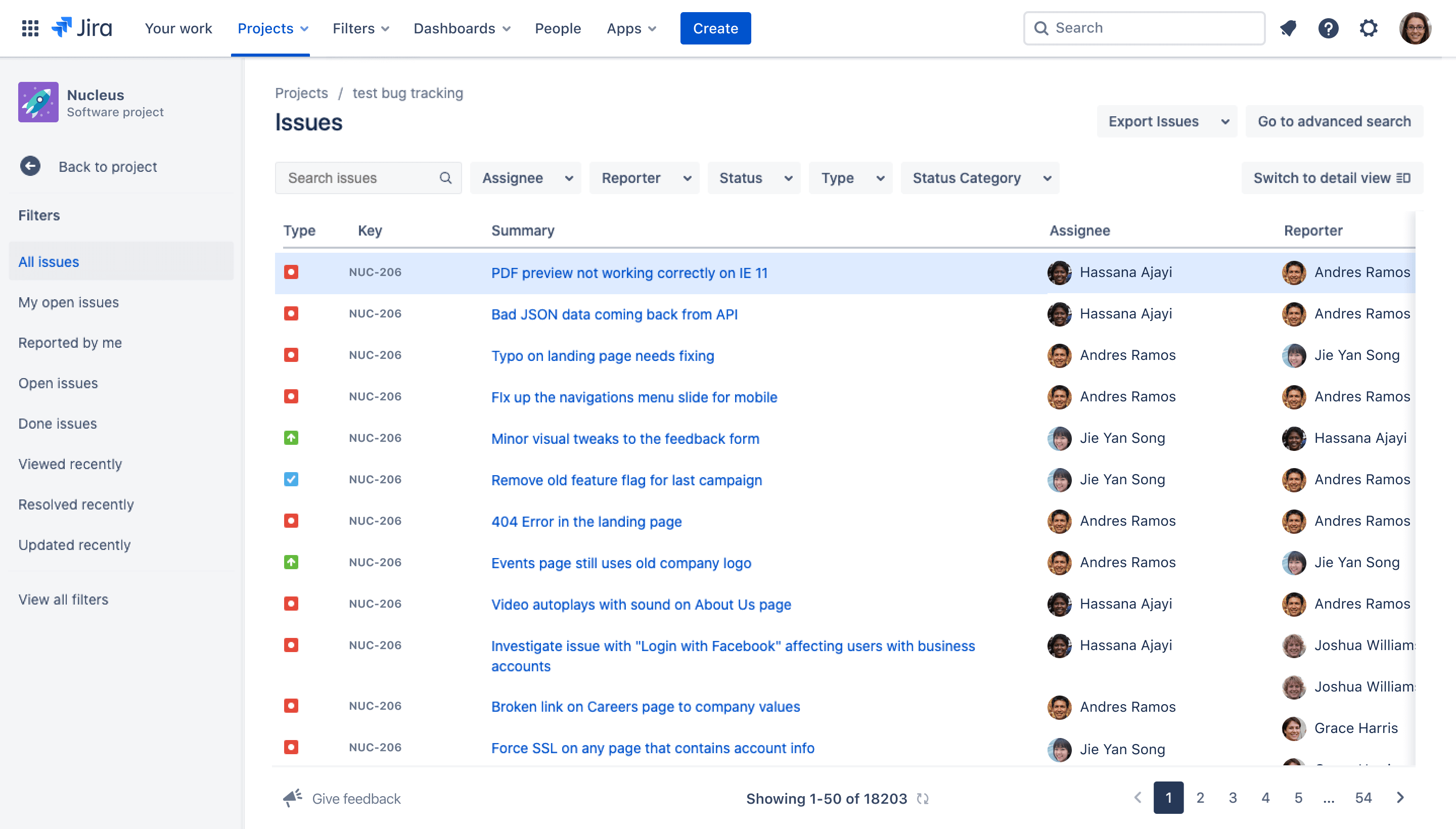
Image source: jira.com
Key features:
- Structured test case creation and management.
- Test cycle planning and execution tracking.
- Defect linking directly to failed test cases.
- Regression tracking and validation dashboards.
- Integration with Jira and CI pipelines.
Pros:
- Ideal for QA teams practicing formal testing discipline.
- Excellent traceability between tests and defects.
- Strong compliance documentation capabilities.
- Industry adoption within enterprise QA departments.
Cons:
- Requires Jira or external tools for full issue workflows.
- Higher licensing cost than basic trackers.
Pricing:
- Standard plan: $23,500/year (billed annually).
- Premium plan: $43,500/year (billed annually).
- Enterprise plan: Custom pricing.
3. Zephyr: Best QA test case management tool
Often grouped among the top defect management tools for QA-driven organizations, Zephyr is designed primarily for test management with built-in defect linking. QA teams manage structured test cases, execution cycles, and results, while pushing discovered defects into integrated trackers like Jira. This test-to-defect traceability ensures issues are validated properly throughout regression and acceptance cycles. Zephyr works well for quality organizations emphasizing formal testing discipline and documentation, making it particularly useful for organizations that operate under structured release processes and audit standards.
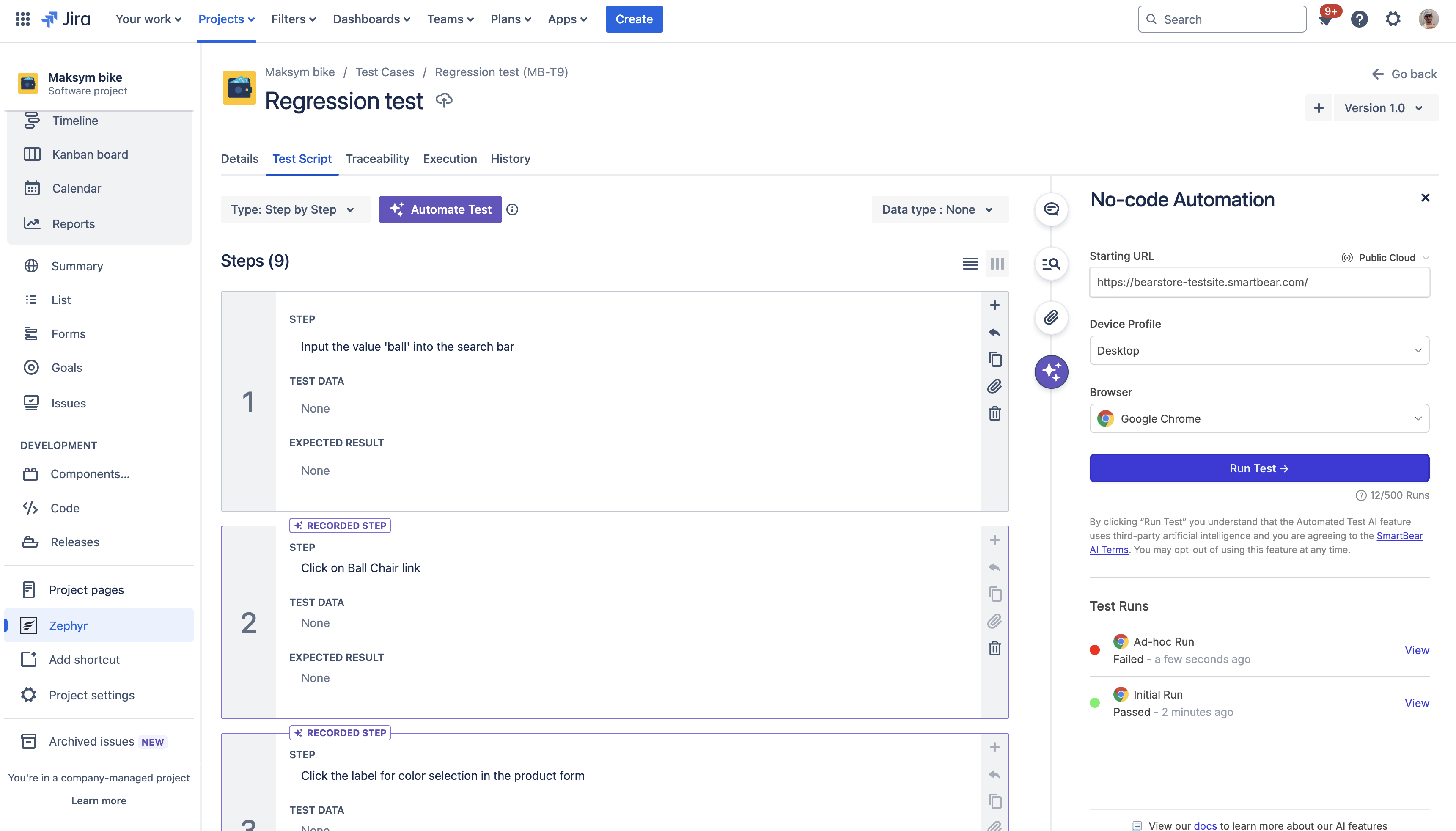
Image source: zephyrproject.org
Key features:
- Structured test case creation and management.
- Test cycle planning and execution tracking.
- Defect linking directly to failed test cases.
- Regression tracking and validation dashboards.
- Integration with Jira and CI pipelines.
Pros:
- Ideal for QA teams practicing formal testing discipline.
- Excellent traceability between tests and defects.
- Strong compliance documentation capabilities.
- Industry adoption within enterprise QA departments.
Cons:
- Requires Jira or external tools for full issue workflows.
- Higher licensing cost than basic trackers.
Pricing:
- Starting price: $10/per user/month
4. Tuskr: Best dedicated test management tool
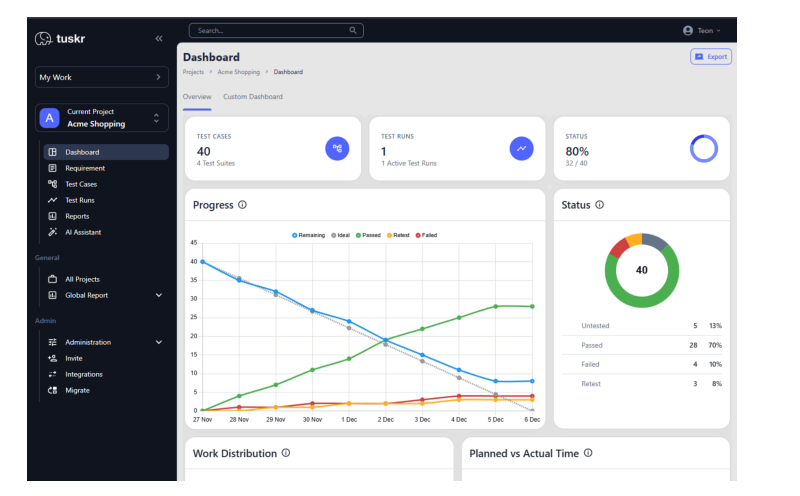
Image source: tuskr.app
is a purpose-built test case management platform and bug reporting that unifies manual test cases, automated results, and real-time dashboards in a single workspace. What sets it apart from generic trackers is its use of Generative AI, which automatically creates comprehensive test cases from requirements and balances tester workloads across the team. Teams use Tuskr to plan test runs, capture bugs with rich detail using its WYSIWYG editor, and monitor defect resolution through visual dashboards with full dark mode support. Native integrations with Jira, GitHub, Slack, and major CI/CD pipelines keep it embedded in existing developer workflows.
Key features:
- Unified manual and automated test case management in one view
- AI-generated test cases from requirements with workload balancing
- Real-time visual dashboards with dark mode support
- Integrations with Jira, GitHub, Slack, and CI/CD pipelines
- Audit trail, two-factor authentication, and SSO across all plans
Pros:
- Generative AI saves significant test planning time
- Intuitive modern UI with minimal onboarding friction
- Generous free plan for up to 5 users, 5 projects, and 1,000 test cases
- Affordable and transparent pricing with no hidden fees
Cons:
- Fewer native integrations than established enterprise suites
- Advanced reporting can be limited for highly complex datasets
- API access and webhooks are restricted to paid tiers
- Newer ecosystem compared to legacy tools like Bugzilla or Zephyr
Pricing:
- Free plan: Completely free for up to 5 users
- Paid plan: Starting from $9/user/month
5. Bugzilla: Best open-source defect management tool
The long-standing defect management tools market includes Bugzilla as one of its most recognizable open-source platforms. Bugzilla focuses on technical defect tracking with support for custom states, severity classifications, dependencies, and extensive metadata fields. Its robustness appeals to engineering teams that want full data ownership through self-hosting without ongoing software licensing costs. While collaboration and automation tools are minimal compared to modern platforms, Bugzilla remains reliable for technically driven teams that prioritize stability, transparency, and process enforcement over user interface polish.
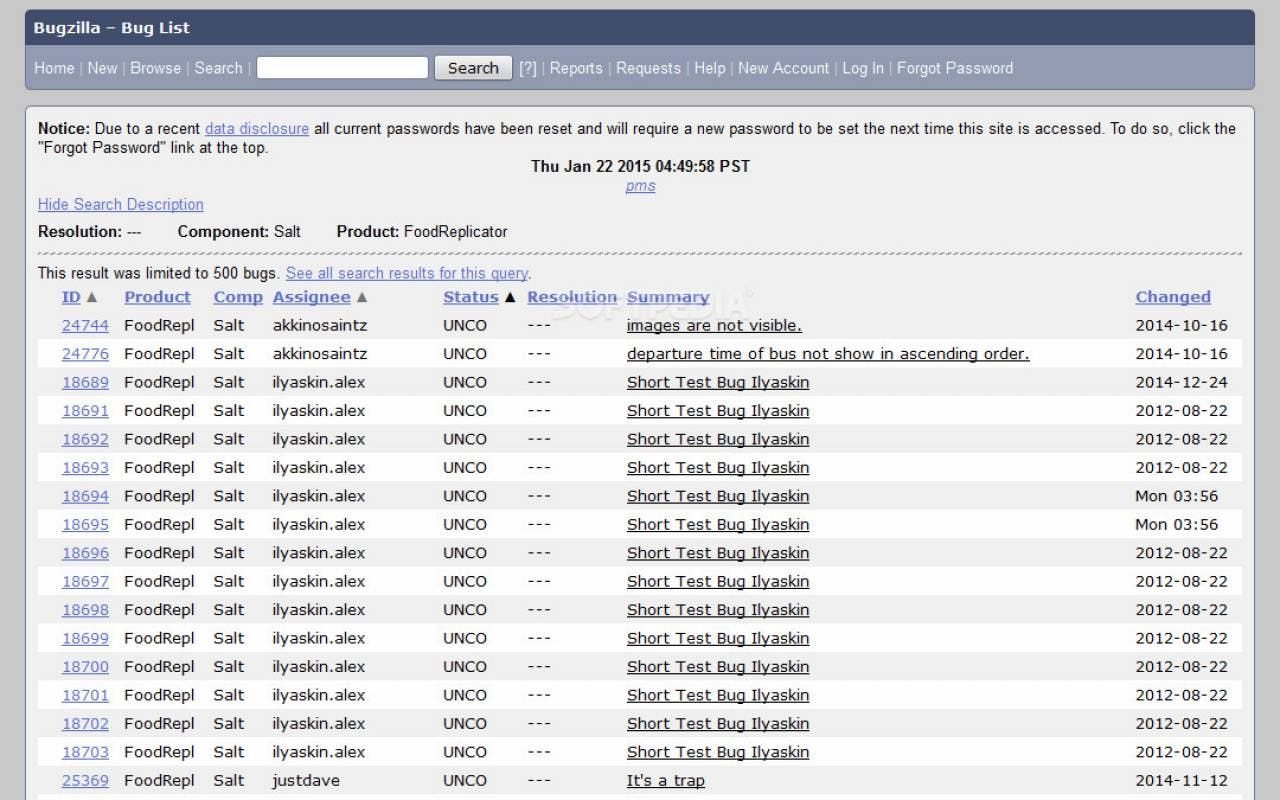
Image source: bugzilla.org
Key features:
- Configurable defect workflows and fields.
- Severity, priority, and dependency tracking.
- Email-based notifications and ticket creation.
- Advanced search and reporting filters.
- Self-hosted deployment model.
Pros:
- No licensing cost for open-source usage.
- Full control over data hosting.
- Proven reliability for large projects.
- Powerful filtering and metadata handling.
Cons:
- Outdated user interface experience.
- Limited collaboration features.
Pricing:
- Bugzilla is entirely free to download.
6. MantisBT: Best lightweight free defect tracker
Among practical defect management software tools, MantisBT serves small teams seeking straightforward logging without unnecessary layers of complexity. It offers web-based defect capture, status workflows, user role management, and email notifications without heavy configuration. For teams that want minimal setup and low maintenance costs, MantisBT delivers enough functionality to manage routine defects effectively. Although its interface and reporting are basic, its simplicity keeps onboarding friction small and makes it suitable for internal tools and early-stage projects.
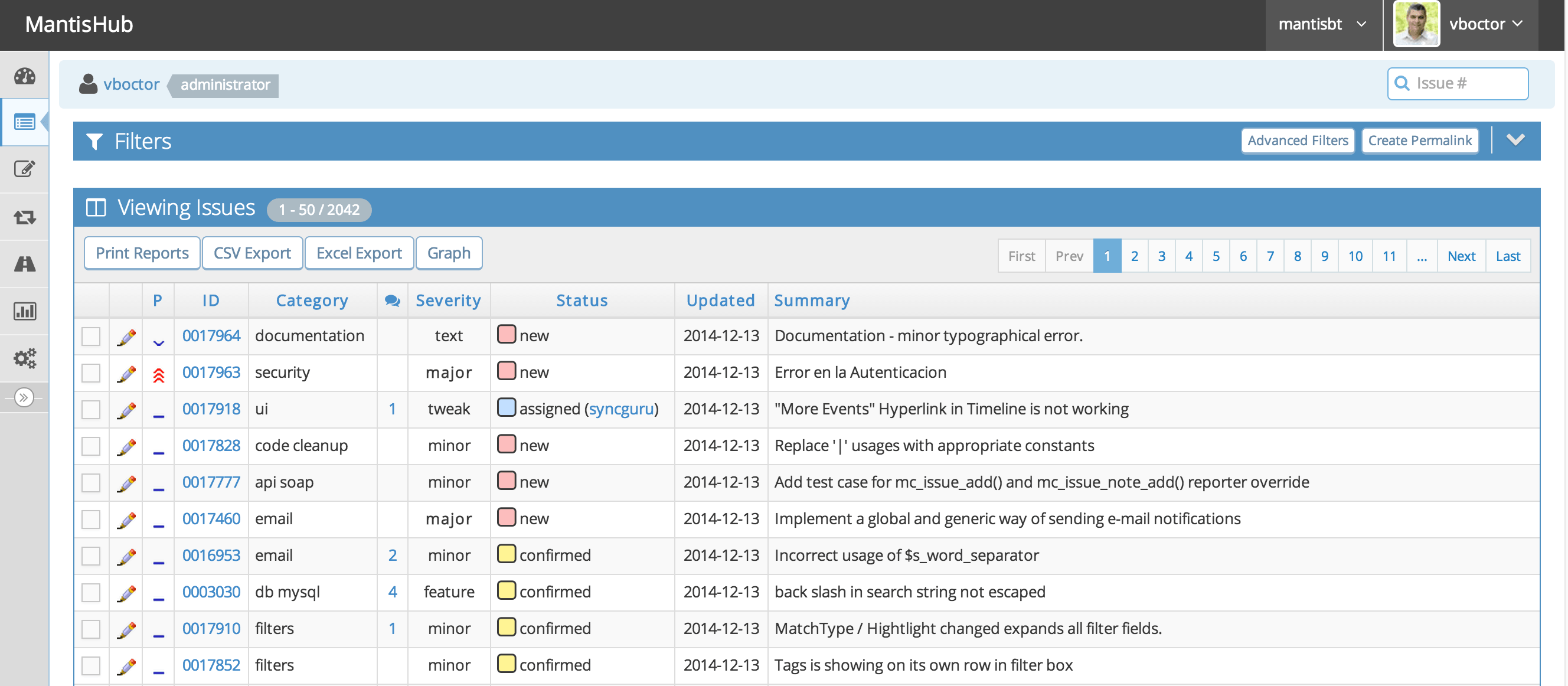
Image source: mantisbt
Key features:
- Web-based defect capture and tracking.
- Role-based user permissions.
- Basic workflow states and transitions.
- Email notifications for issue updates.
- Plugin-based extensibility.
Pros:
- Easy deployment and configuration.
- Completely free and open source.
- Low learning curve for new QA teams.
- Minimal infrastructure requirements.
Cons:
- Limited reporting depth.
- Basic UI compared to modern platforms.
Pricing:
- MantisBT is entirely free and open-source for all users.
7. YouTrack: Best agile QA management platform
Recognized as one of the more modern defect management tools in testing, YouTrack blends agile issue tracking with defect workflows built specifically for developer-QA collaboration. It supports smart filters, customizable boards, auto-tagging, and command-based updates that automate repetitive tasks. YouTrack also offers strong integration with JetBrains development tools, streamlining handoffs between coding and QA workflows. Its flexible design suits fast-moving engineering teams that want structured tracking without the heavier administrative overhead of more complex enterprise platforms.
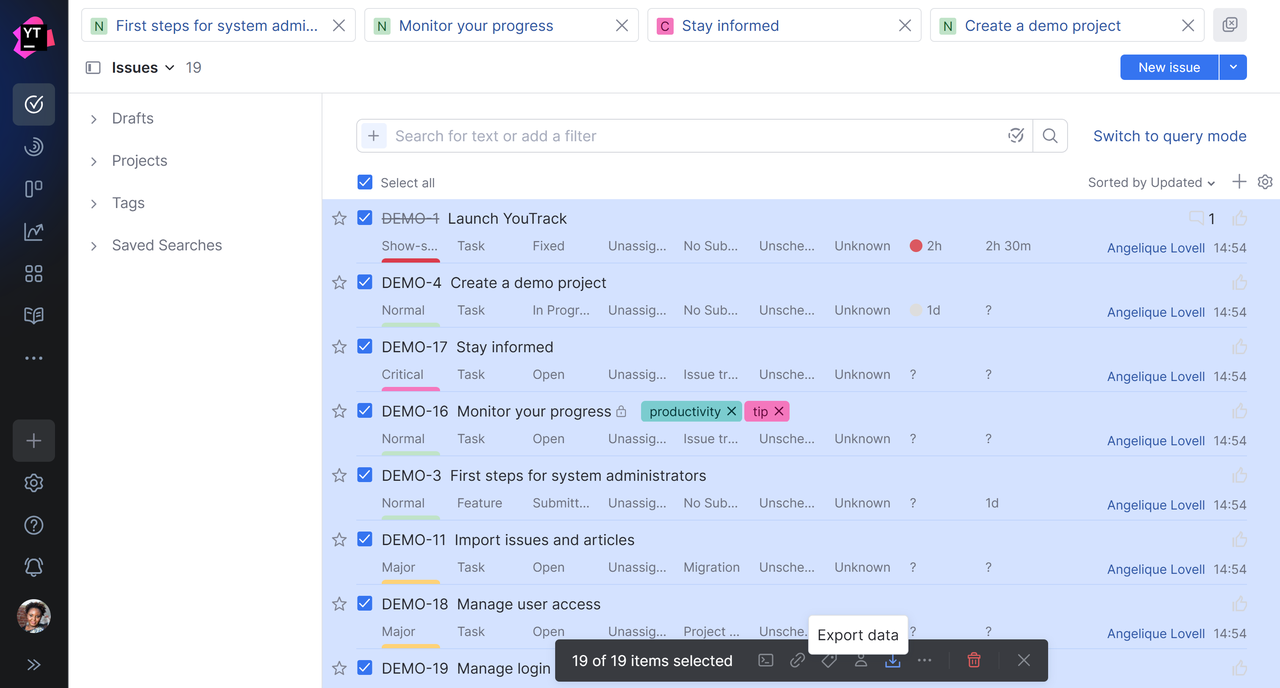
Image source: youtrack.com
Key features:
- Agile boards for sprints and defect tracking.
- Command-based workflow automation.
- Smart filters and saved issue searches.
- Built-in time tracking and reporting.
- Integration with JetBrains development tools.
Pros:
- Fast user experience and modern interface.
- Powerful automation with minimal setup.
- Excellent developer-side adoption.
- Highly flexible workflow configurations.
Cons:
- Reporting less advanced than large enterprise platforms.
- Limited compliance tracking features.
Pricing:
- Free plan: for 1-10 users
- 11+ users: $4.50/user/month (billed annually).
8. Redmine: Best self-hosted defect management system
In discussions around defect management tools in software testing, Redmine frequently appears as a dependable self-hosted alternative for organizations requiring open control. Built around projects, issue types, and custom fields, Redmine enables QA teams to track bugs alongside documentation, wikis, time tracking, and version milestones. Its plugin ecosystem extends functionality into automation and reporting. Redmine works best for companies comfortable maintaining their own servers while tailoring workflows to match internal QA processes across teams and projects.
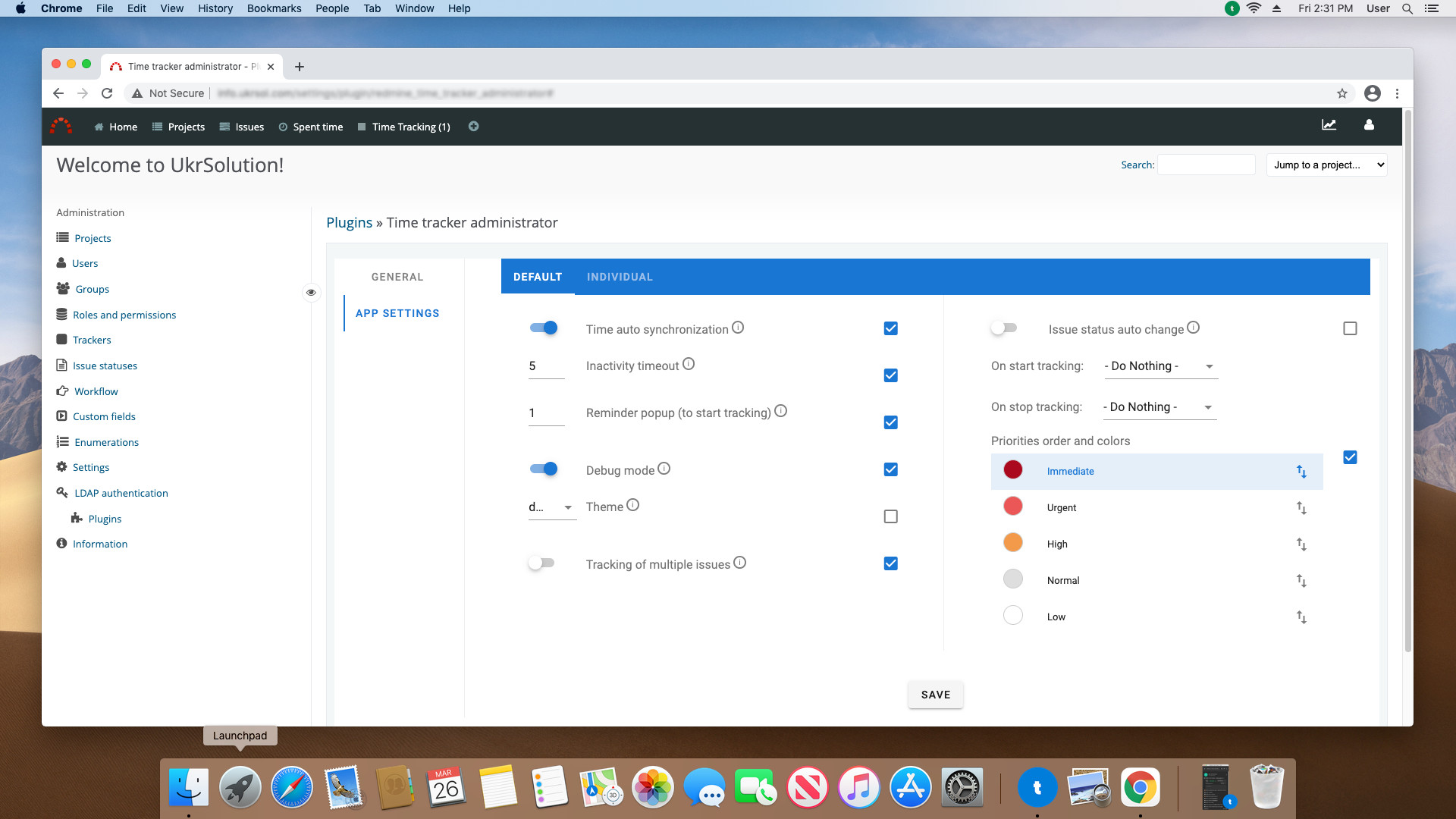
Image source: redmine.com
Key features:
- Multi-project defect and issue tracking.
- Milestone and release planning tools.
- Integrated wiki documentation.
- Time tracking and activity logging.
- Plugin marketplace for additional functionality.
Pros:
- Self-hosted data ownership.
- Highly customizable workflows.
- Large community plugin ecosystem.
- No per-user licensing fees.
Cons:
- Setup requires technical resources.
- Interface lacks modern UX refinement.
Pricing:
9. ClickUp: Best business QA tracking tool
In the evolving defect management tools market, ClickUp attracts business-focused QA teams who prefer versatility over specialized tooling. It offers task lists, boards, automations, documentation, and dashboards that can easily be configured into defect management workflows. Bugs function as tasks with owners, priorities, comments, and file attachments, enabling cross-department collaboration with non-technical stakeholders. While it lacks native error telemetry, ClickUp’s flexibility suits organizations managing QA alongside broader project management, operations, or product planning needs.
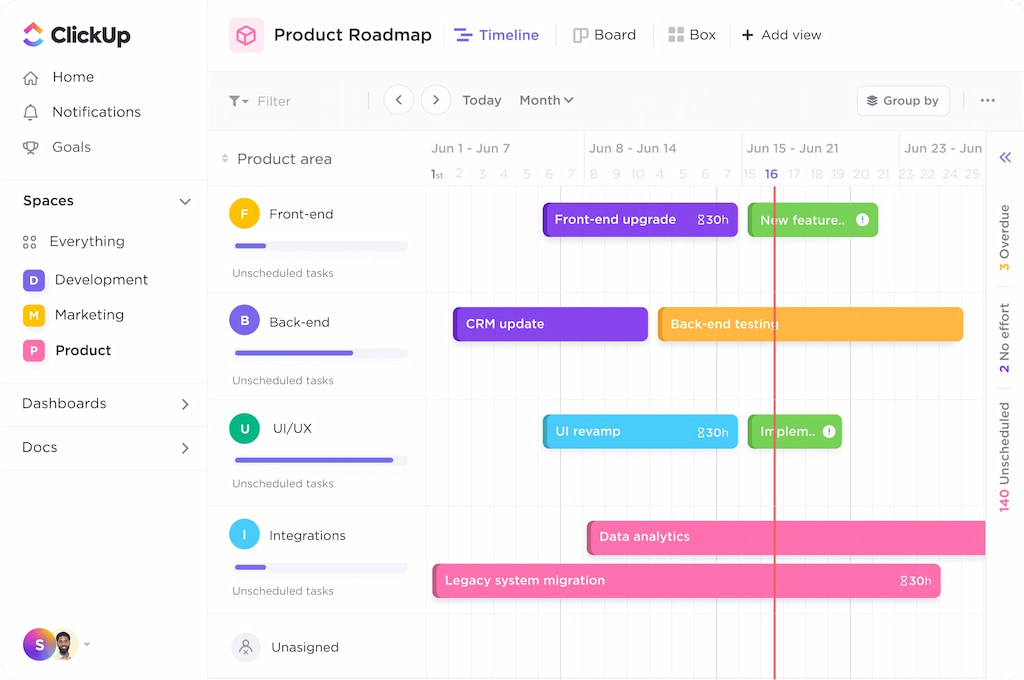
Image source: clickup.com
Key features:
- Task-based bug tracking workflows.
- Automation for assignments and reminders.
- Collaborative Docs and commenting.
- Dashboards for QA progress visualization.
- Form-based issue intake for internal teams.
Pros:
- Extremely versatile platform.
- Excellent collaboration features.
- Clean visual dashboards for leadership reporting.
- Strong cross-department adoption potential.
Cons:
- Not purpose-built as a technical defect tracker.
- Lacks native error telemetry tools.
Pricing:
- Unlimited plan: $7/user/month (billed annually).
- Business plan: $12/user/month (billed annually).
- Enterprise plan: Custom pricing.
10. Asana: Best non-technical issue management tool
Often included in a broader defect management tools list, Asana isn’t a traditional bug tracker but provides lightweight issue management well-suited for cross-functional reporting environments. Teams submit defects through forms or tasks that route to engineers for investigation. Visual boards and timeline views help managers balance QA priorities against project deadlines. While lacking deep testing or development integration, Asana works well for organizations where product managers, support agents, and designers collaborate heavily with QA teams on quality feedback processes.
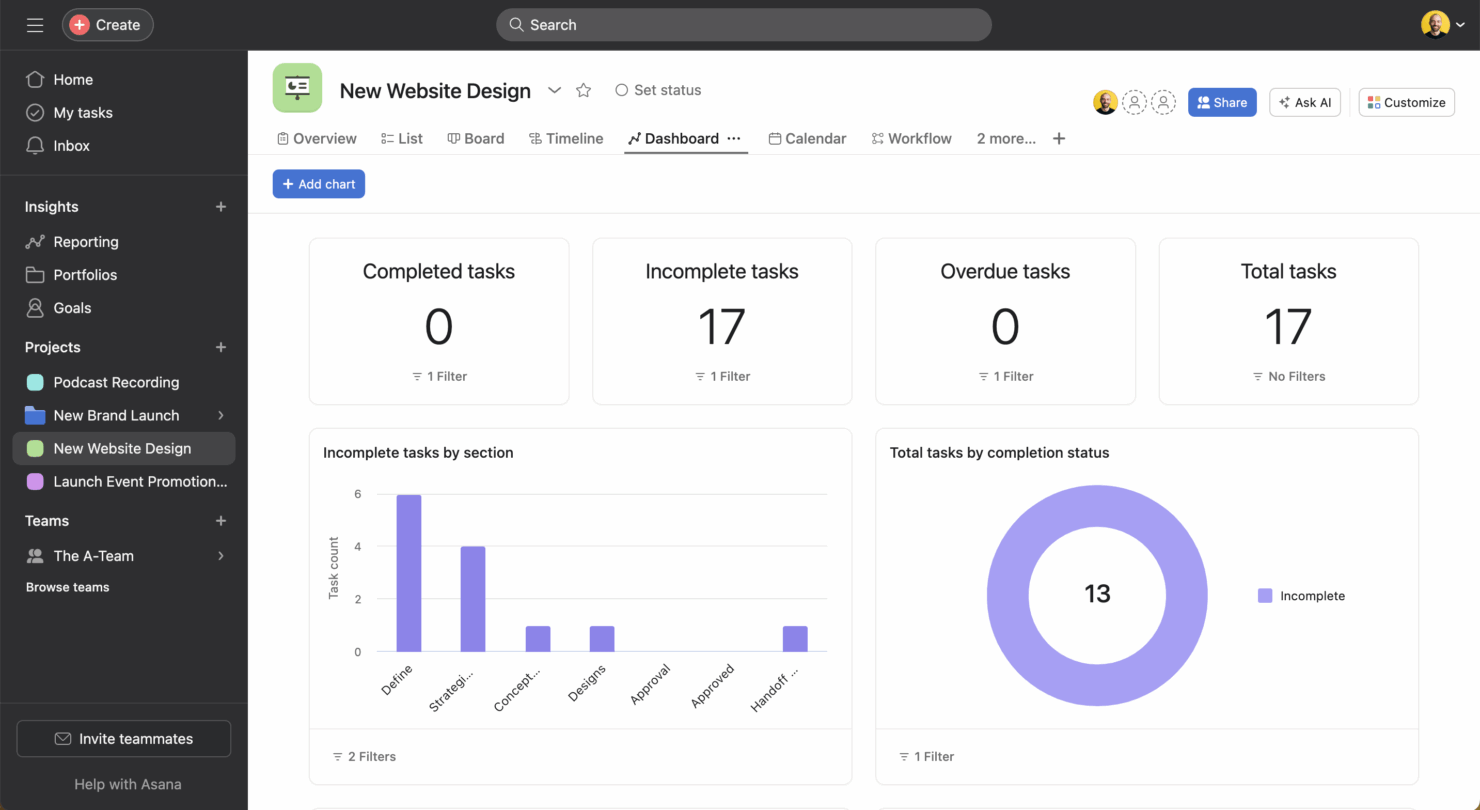
Image source: asana.com
Key features:
- Form-based defect intake workflows.
- Boards and timelines for visual tracking.
- Task dependency management tools.
- Collaboration comments and file sharing.
- Portfolio dashboards for reporting.
Pros:
- Easy onboarding for business teams.
- Clean, intuitive interface design.
- Strong cross-team communication tools.
- Good for marketing, support, and design QA tracking.
Cons:
- No native testing or telemetry features.
- Limited technical QA reporting depth.
Pricing:
- Premium plan: $10.99/user/month (billed annually).
- Business plan: $24.99/user/month (billed annually).
- Enterprise plan: Custom pricing.
11. Zoho BugTracker: Best SMB QA defect tracker
Standing out in the realm of defect management software, Zoho BugTracker is purpose-built for small and mid-sized teams needing dedicated QA tools without enterprise complexity. It supports structured bug forms, customizable workflows, SLA tracking, and time logging linked directly to project management modules. Native integration with Zoho Projects allows defects and task remediation to remain aligned. Its affordable pricing and easy onboarding make it a strong option for SMBs transitioning from spreadsheets to a proper QA defect management workflow.
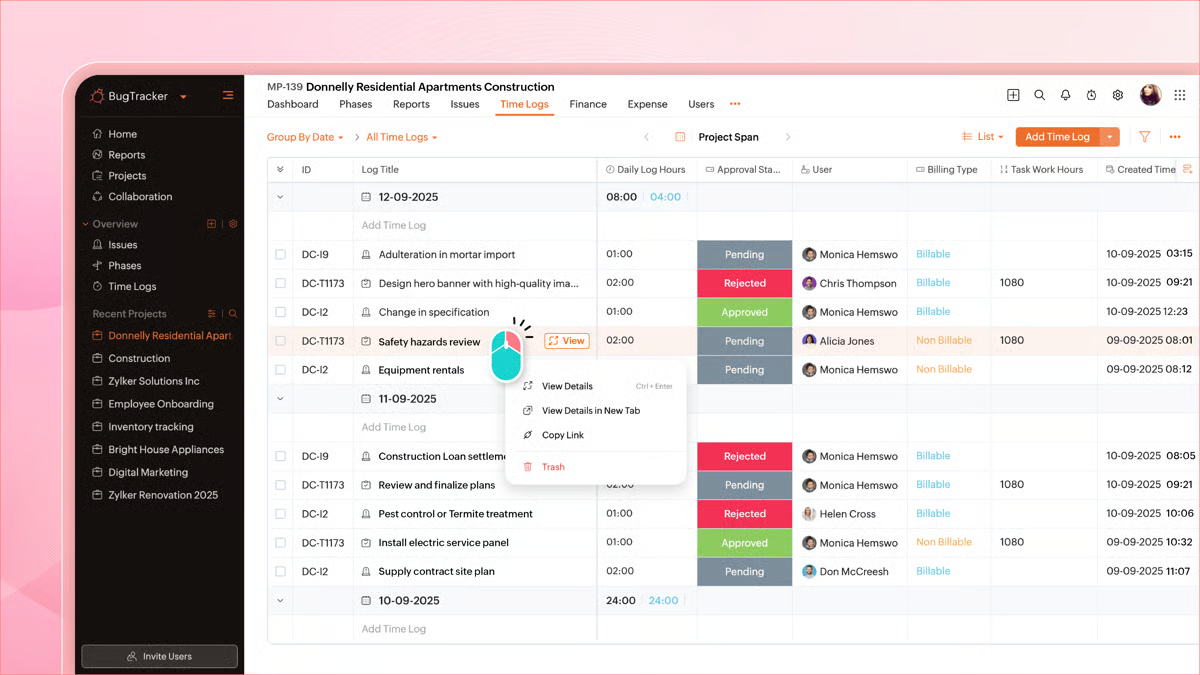
Image source: zoho.com
Key features:
- Custom bug submission forms and workflows.
- SLA tracking and priority management.
- Time logs connected to defect activity.
- Native links to Zoho Projects.
- Analytics dashboards for team performance.
Pros:
- Affordable pricing for small teams.
- Simple learning curve for quick adoption.
- Integrates tightly with Zoho ecosystem.
- Adequate reporting for SMB QA operations.
Cons:
- Limited advanced customization.
- Smaller integration ecosystem.
Pricing:
- Premium plan: $5/user/month (billed annually).
- Enterprise plan: $10/user/month (billed annually).
12. Linear: Best startup defect tracking tool
Frequently referenced among top defect management tools for startups, Linear prioritizes speed, usability, and developer adoption. Its minimalist interface enables lightning-fast issue creation, triage, and sprint placement. Bugs sit alongside product issues and roadmap work, ensuring frictionless planning cycles. Automation rules handle state transitions and assignments without manual intervention. Linear suits high-velocity product teams where keeping QA workflows lightweight matters as much as traceability, even though advanced compliance and reporting remain more limited.
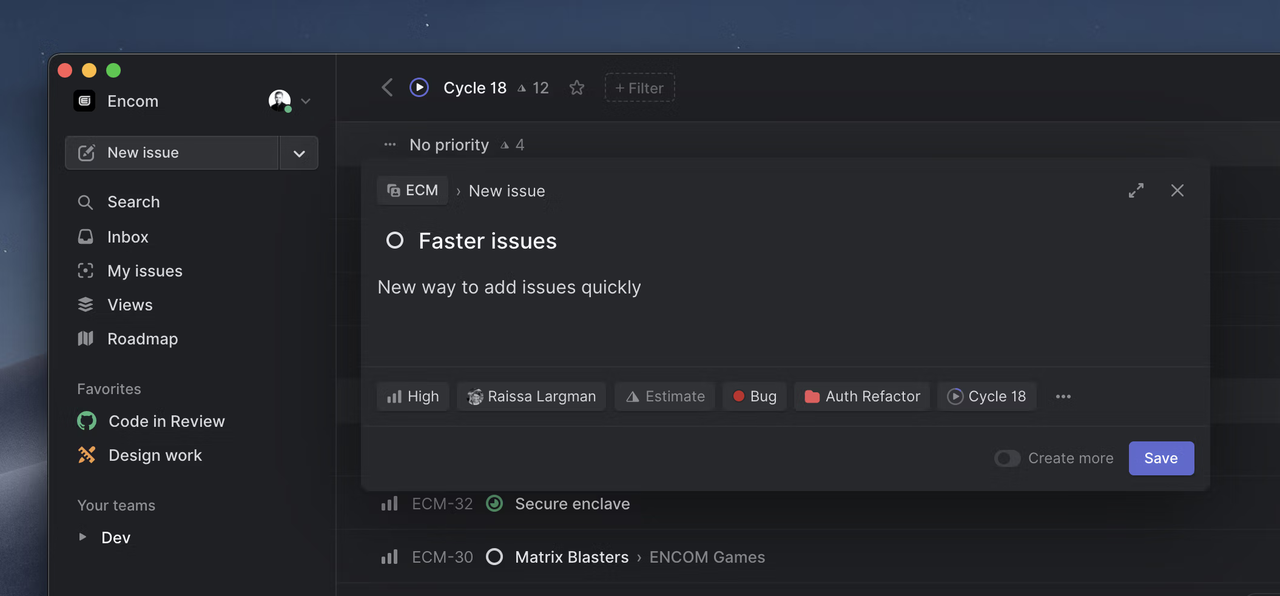
Image source: linear.com
Key features:
- Ultra-fast issue creation and triage.
- Sprint and roadmap integration.
- Workflow automation for state transitions.
- GitHub and GitLab linking capabilities.
- Minimalist visual interface.
Pros:
- Extremely fast and user-friendly experience.
- Popular with developer-first organizations.
- Low maintenance overhead.
- Focus encourages disciplined backlog grooming.
Cons:
- Limited compliance tooling.
- Fewer reporting options than enterprise tools.
Pricing:
- Basic plan: $10/user/month (billed annually).
- Business plan: $16/user/month (billed annually).
- Enterprise plan: Custom pricing.
13. Trac: Best technical defect tracking platform
As a classic defect management system, Trac combines ticket tracking, wiki documentation, milestone planning, and version-control integration in an open-source package. Teams self-host Trac to maintain full data ownership while tracking defects closely linked to code commits and release schedules. Its simplicity appeals to technical teams that want structured documentation and transparent tracking without cloud dependencies. While automation and UI polish are minimal, Trac remains effective for smaller engineering groups and internal development projects.
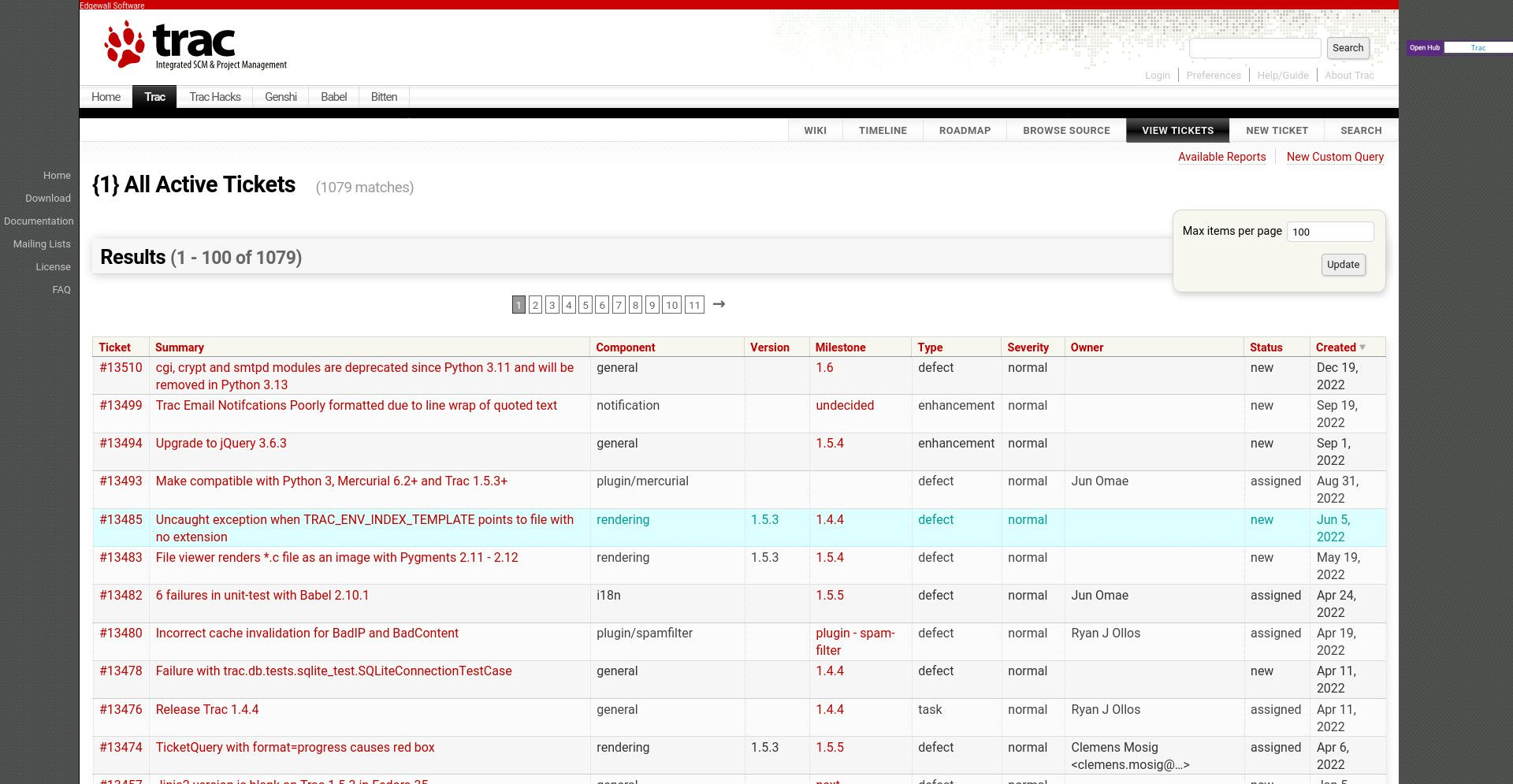
Image source: trac
Key features:
- Ticket management tied to version control.
- Milestone and release planning.
- Integrated wiki documentation.
- Self-hosted open-source deployment.
Pros:
- Combines code tracking with bug reporting.
- Fully open source and license-free.
- Lightweight for small developer teams.
- Complete data control through self-hosting.
Cons:
- Minimal automation features.
- Outdated interface and UX.
Pricing:
What makes the best lead tracking system
- Multi-channel capture visibility: An effective system from websites, email, ads, chat, phone calls, and social platforms into one centralized dashboard. This ensures every inquiry is visible, traceable, and assigned without manual data entry.
- AI-based lead qualification scoring: analyzes behavior, engagement history, and demographic data to rank leads by purchase intent. Sales teams focus on high-quality opportunities instead of guessing which prospects matter most.
- Automated follow-ups and reminders: trigger emails, messages, or tasks when leads enter pipelines or remain inactive. This ensures consistent engagement and prevents missed follow-ups caused by human oversight.
- SLA ownership enforcement: Clear ownership rules assign each lead to a specific salesperson with response-time alerts. maintains accountability and guarantees prompt outreach for new inquiries.
- Fraud and duplicate detection: Detection tools flag spam submissions and merge duplicate records automatically. This protects data accuracy and prevents sales teams from wasting time on invalid or repeated leads.
- Full lead-to-revenue attribution reporting: End-to-end reporting connects marketing channels to closed deals. Teams can identify which campaigns drive conversions and optimize budgets based on real revenue performance.
Track, resolve, and verify bugs in one platform
The building blocks of successful defect management
- Full lifecycle tracking: The system tracks defects from discovery through triage, fixing, retesting, and final closure. Every stage is documented, ensuring ownership and preventing issues from slipping through the cracks.
- Approval checkpoints for regulated releases: allow QA leads, compliance teams, or managers to review and validate fixes before deployment. This ensures releases meet internal standards and external regulatory requirements.
- Automated escalations for critical bugs: Severity-based rules automatically alert stakeholders or reassign ownership when high-impact defects arise. This speeds response times and minimizes production risk.
- Role-based QA verification access: Permissions define who can verify fixes, change defect statuses, or approve closures. This protects workflow integrity and maintains quality governance.
- Change history audit logs: Every update to a defect record is logged with timestamps and user details. These reviews and post-release investigations.
- Test coverage traceability: Defects link directly to cases, builds, and requirements to show validation coverage. This improves regression planning and ensures critical areas are fully tested.
Conclusion
Defect management tools play a vital role in ensuring software quality by helping teams log, track, verify, and resolve issues throughout the testing lifecycle. The most effective solutions go beyond basic bug tracking, offering workflow automation, collaboration tools, reporting dashboards, and compliance controls to keep both QA and development teams aligned.
stands out by unifying all these capabilities into one workspace—connecting defect databases, messaging, documentation, task tracking, approvals, and analytics. This seamless flow reduces tool switching, speeds up communication, and keeps issue context intact, enabling teams to resolve defects faster and maintain consistent quality across every release.
Manage defects collaboratively and deliver releases faster
FAQs
What are defect management tools used for?
Defect management tools are used to capture, organize, and track software issues from discovery through resolution. They help QA and development teams assign ownership, manage workflows, and verify fixes systematically. These tools ensure consistent communication, traceability, and accountability throughout the testing lifecycle.
Is there free defect management software available?
Yes, several platforms offer free tiers suitable for small teams or early-stage projects. These versions usually support basic logging, assignment, and status tracking functions. However, , reporting, and compliance features are often limited to paid plans.
What is the best defect management tool for QA teams?
The best tool depends on team size, workflow complexity, and compliance needs. Lark stands out for many QA teams by combining flexible tracking, , automation, and reporting in one system. This unified setup reduces tool switching and speeds defect resolution.
How are defect management systems different from bug trackers?
Bug trackers mainly record and list issues, focusing on ticket creation and basic workflows. Defect management systems extend far beyond this by supporting verification cycles, approvals, compliance tracking, and testing traceability. They provide end-to-end quality governance rather than simple issue logging.
Can defect management tools support regulated industries?
Yes, enterprise-grade platforms are designed specifically for regulated environments. They offer , approval checkpoints, access controls, and compliance reporting. These features help organizations meet regulatory standards while maintaining structured QA operations.
Related reading





























