Zoho timesheet is essential for organizations that need structured ways to track employee hours, manage payroll, monitor productivity, and support client billing. Zoho offers time-tracking features across Zoho People, Zoho Projects, and Zoho Books, but most teams rely on Zoho People's HR-driven timesheet module for accurate, centralized hour logging. This guide breaks down how the Zoho timesheet system works end-to-end—including login steps, user roles, approval workflows, pricing, and common challenges teams face. You'll also see how modern tools such as Lark can serve as a lighter, more unified alternative for teams seeking a more straightforward approach to collaboration and time logging.
What is the Zoho timesheet system?
The Zoho timesheet system is a structured time-tracking module designed to help organizations record employee work hours for payroll, , and client billing. Available primarily within Zoho People, the platform's human resource management system (HRMS), it supports attendance tracking, , payroll preparation, and detailed time logging. Its timesheet features allow teams to capture working hours against projects, tasks, or cost categories, enabling accurate payroll processing, internal productivity analysis, and billable time reporting. Zoho People is especially popular among HR-driven teams that need compliant, employee-centric timesheet workflows, offering a more structured approach than tools built solely for project tracking.
Employees typically access the module through the Zoho timesheet login page, where they can submit hours, track progress, and view their pending approvals. Managers gain visibility into team utilization, overtime, and deviations, while finance teams can connect approved entries to Zoho Books for . The system supports both desktop and mobile use, making it suitable for distributed teams. Overall, the Zoho timesheet system centralizes time tracking within an HR-aligned environment and integrates with other Zoho applications for end-to-end operations.
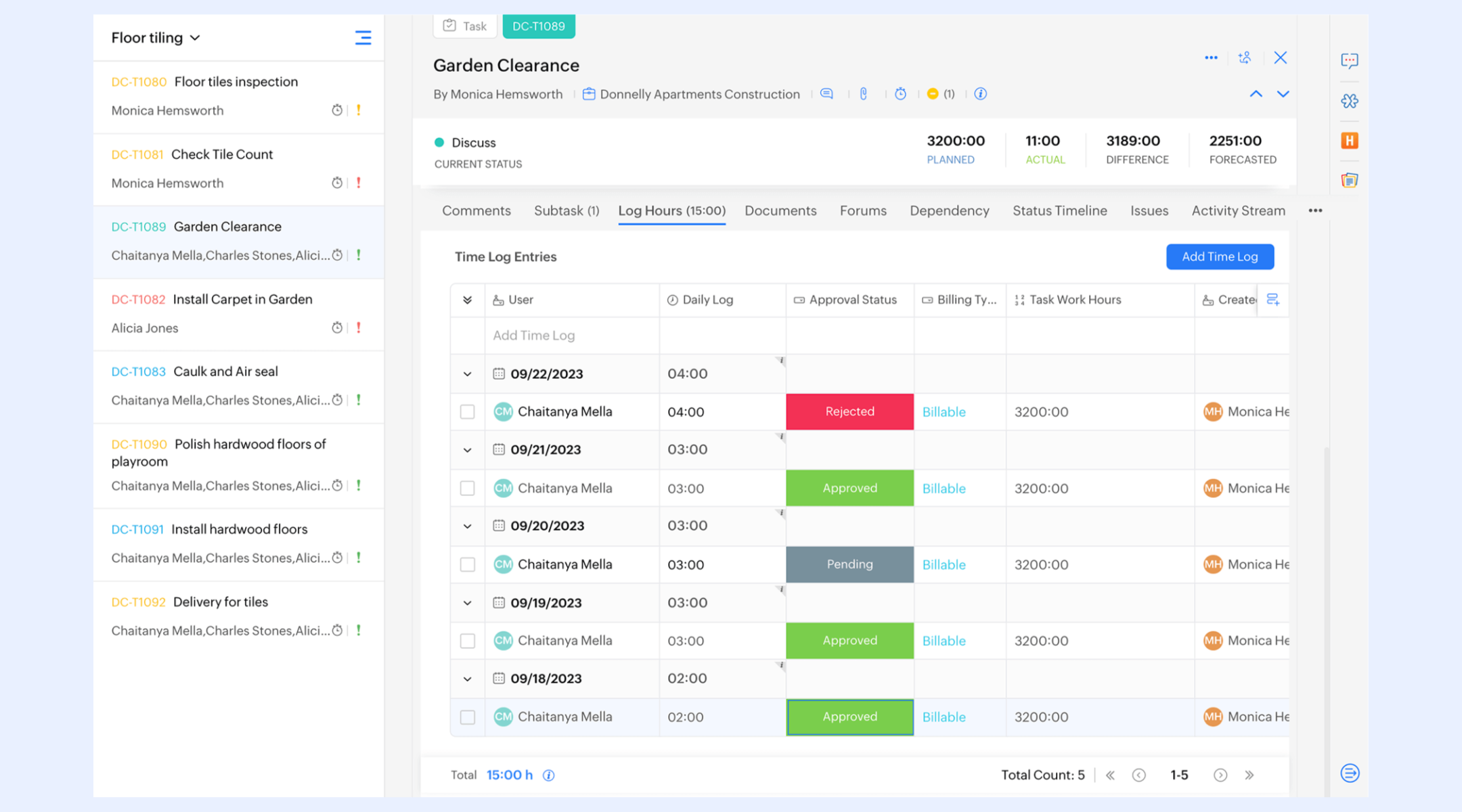
Image source: zoho.com
Zoho timesheet login process for daily users
Employees can enter hours through daily or weekly views, selecting projects, tasks, or jobs from assigned lists. Each entry allows notes, billable tagging, or task-level classification to ensure accurate reporting. The interface highlights required fields to prevent incomplete submissions. Users can review, edit, or delete entries before sending them for review. This structured logging approach is part of the guided Zoho Timesheet tutorial experience for new users.
Role distinctions:
- Employees: Employees primarily focus on logging hours, viewing past submissions, and responding to correction requests. They can only access projects or tasks assigned to them, ensuring clarity and preventing misallocation. Employees submit timesheets at the end of each day or week, per company policy. They also to avoid payroll delays. Their interaction remains streamlined and straightforward, separate from advanced features like Zoho Timesheet approval used by managers.
- Managers: Managers review submitted entries for accuracy, allocation, and workload distribution before approving or rejecting them. They also add comments when entries require correction or additional clarification. Managers monitor utilization trends and ensure compliance with internal time policies. Their into team-level progress and pending submissions. This oversight role connects deeply with Zoho people create timesheet guidelines for multi-level review.
- Finance/HR admins: Finance and HR administrators handle policy enforcement, audit readiness, and payroll reconciliation. They configure approval chains, billing rates, overtime rules, and project cost centers. Admins also handle export formats for invoicing or analytics reports. Their access is broader, covering all employees, departments, and time-related settings. This centralized capability aligns with the wider structure taught in the Zoho Timesheet tutorial.
- Mobile vs desktop experiences: On desktop, users get a whole dashboard with rich reporting, batch entry options, and managerial tools. The mobile app focuses on quick logging, reminders, and approvals on the go. Mobile users benefit from simple interfaces but may not access every advanced configuration. Syncing ensures entries remain consistent across devices. This flexibility supports distributed teams and smooth workflows around Zoho Timesheet approval.
- Access permissions challenges: Permissions often depend on job roles, , and HR policies, making the initial setup complex. Some users may see missing tasks if not correctly mapped to projects. Cross-department approvals can require careful rule configuration. Teams may spend time adjusting visibility settings to prevent unnecessary access. These challenges are common when organizations begin working with Zoho people create timesheet structures.
Before creating Zoho timesheet: First-time setup
Getting started with Zoho's timesheet module requires a structured setup to ensure accurate tracking from day one. First-time administrators must configure accounts, assign roles, and prepare project structures. A smooth setup ensures employees can log hours without confusion or access issues. The process also helps ensure compliance with internal HR and billing policies. This step-by-step guide walks you through the essential stages of configuring your Zoho timesheet environment.
Step 1: Creating an account
To begin, organizations must create a Zoho People account and add all employees who will log or approve hours. Administrators set up departments, job roles, and reporting lines to ensure clean workflows. includes sending activation emails and defining permissions. Once accounts are active, employees gain access to the Timesheet module. This foundational step ensures the system recognizes the right users for logging and reviewing time.
Step 2: Setting up projects and tasks
Next, admins create projects, jobs, or cost centers that employees will track time against. Each project includes associated tasks, owners, and assigned team members. Clear task structures prevent misallocated hours and simplify future reporting. Managers can by team or client. Proper setup here ensures employees see only relevant items when logging time.
Step 3: Defining billable vs non-billable work
Organizations must specify which tasks or projects are billable to clients and which are internal activities. Administrators assign rates, billing types, or client codes depending on business requirements. This classification ensures accurate invoice generation and profitability analysis. Non-billable categories can include training, admin duties, or internal meetings. Distinguishing the two prevents revenue leakage and improves financial reporting.
Step 4: Enabling approvals
Finally, approval workflows ensure logged hours are reviewed before entering payroll or billing cycles. Admins configure manager chains, escalation rules, and review timelines. Approvers can approve, reject, or request changes to entries. minimize delays and maintain compliance with organizational policies. Enabling structured approvals creates accountability and supports accurate, audit-ready timesheet records.
Zoho timesheet tutorial: Create timesheets in Zoho People
Creating timesheets in Zoho People follows a structured workflow designed to ensure accuracy, compliance, and smooth approval cycles. Whether your team tracks project hours, client work, or internal activities, the platform guides users through each step with clear forms and predefined fields. Both employees and managers interact with the same central module but with different permissions. The process ensures that time entries flow seamlessly from submission to approval and finally into payroll or billing systems.
Below is a simple step-by-step breakdown of how timesheets are created and processed in Zoho People.
Step 1: Log in to your Zoho People account and navigate to the Timesheet module from the dashboard.
Users begin by signing into their Zoho People account through the standard login or single sign-on. Once inside the dashboard, they navigate to the Timesheet module, which houses all time-entry functions. This module presents daily, weekly, and monthly views depending on admin settings. It also highlights pending submissions or incomplete logs that require action. This initial step ensures users are correctly positioned to begin logging their hours.
Step 2: Select or create a Project / Job and assign employees to enable tracking.
Administrators or project owners set up projects, jobs, or cost centers that employees will log time against. During setup, they assign team members, define roles, and choose billing preferences when necessary. This ensures only relevant employees see and access the project in their timesheet view. Precise project mapping prevents errors like logging hours to the wrong client or task. Proper setup here forms the backbone of .
Step 3: Employees open timesheets, click Add Entry, enter the date, project or job name, hours worked, and task details.
Employees navigate to the timesheets section and click "Add Entry" to log their work. They choose the date, project or job name, task category, and enter hours worked. Notes or descriptions can be added for clarity, especially for client-facing work. The system checks for required fields to prevent incomplete submissions. Users can review or edit entries before finalizing them.
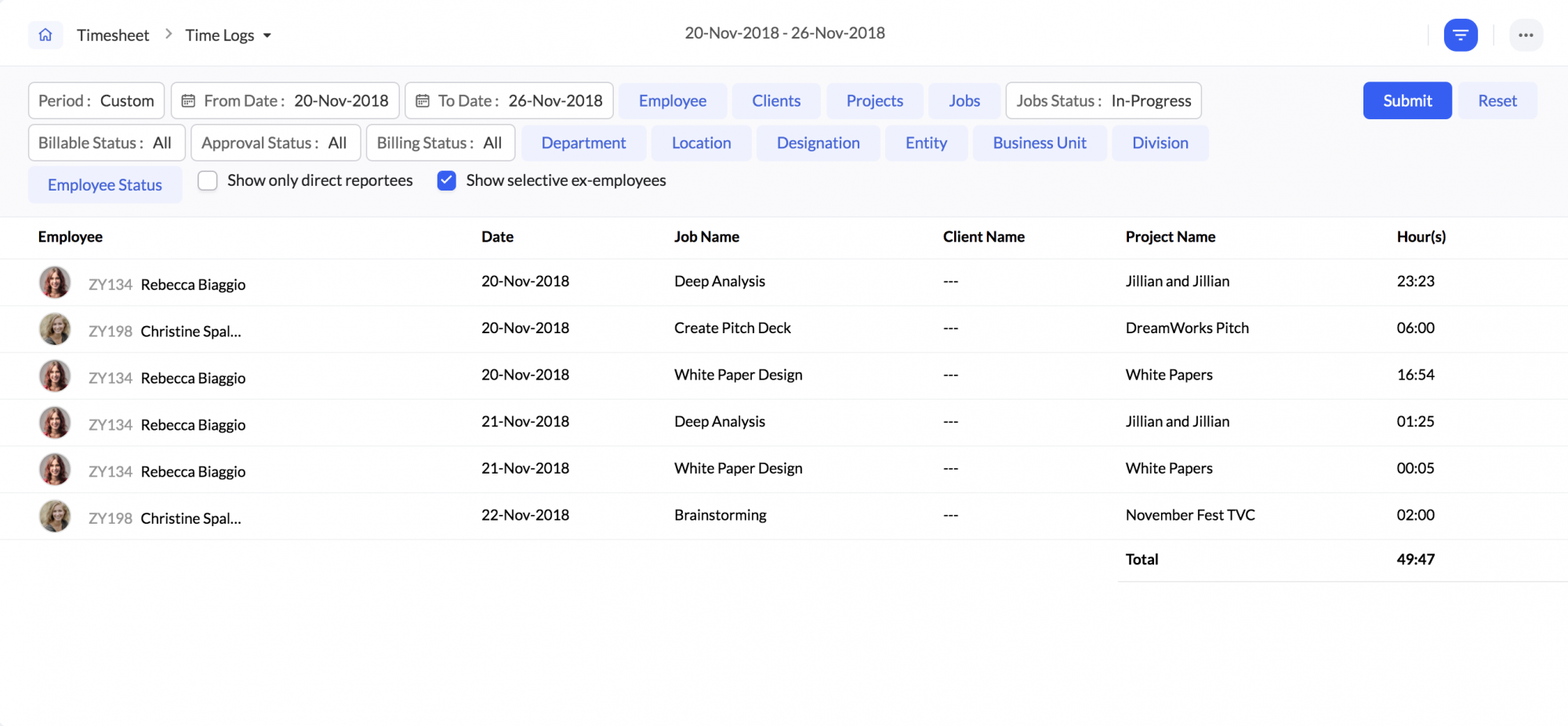
Image source: zoho.com
Step 4: Submit the timesheet for review once entries are complete for the day or week.
Once daily or weekly entries are complete, employees submit their timesheet for approval. Submission locks the entries from further editing unless returned or rejected. The system notifies employees of any missing days or inconsistencies before the final send-off. This step ensures managers receive a consolidated set of hours to review. Regular submission cycles help avoid payroll delays.
Step 5: Managers receive the entry for approval or rejection, with comments for corrections if required.
Managers receive submitted timesheets in their approval queue for verification. They check for accuracy, alignment with the project, and compliance with internal rules or client requirements. Managers can approve, reject, or send back entries with comments requesting corrections. This communication loop ensures accountability and prevents mistakes from moving downstream. The approval step is critical for clean reporting and audit readiness.
Step 6: Approved timesheets become available for payroll processing, reporting, or billing exports.
Once managers approve entries, they become available in Zoho People for payroll processing and internal analytics. If integrated with Zoho Books or , approved hours can be converted directly into invoices for billable work. HR teams use this data to calculate attendance-linked pay, overtime, or shift differentials. Reports derived from approved hours help track utilization and project health. This final step completes the timesheet lifecycle within the Zoho ecosystem.
Managing approvals within Zoho timesheets
in Zoho timesheets ensure that submitted hours are checked for accuracy before being entered into payroll, reporting, or billing systems. The process helps maintain compliance with organizational policies and client requirements. Approvals also create accountability by giving managers complete visibility into employee work patterns. With structured rules and automated notifications, the system prevents delays and ensures hours are processed on time. Below are the key components that make Zoho's approval system robust and audit-friendly.
- Manager approval steps: Managers receive submitted timesheets in their approval dashboard, where they can filter by employee, project, or date range. They review hours for correctness, alignment with assigned tasks, and compliance with workload expectations. Managers can approve entries directly or return them with comments requesting clarification. Notifications keep both parties informed throughout the process. This ensures smooth and consistent validation of employee time records.
- Escalation rules: Zoho allows organizations to define escalation paths when timesheets are not reviewed within a set timeframe. If a manager does not act, the approval request automatically moves to the next designated approver in the hierarchy. This prevents bottlenecks and ensures payroll cycles are not delayed due to pending reviews. Escalations may include department heads, HR managers, or project leads. These rules help maintain timely approvals even during absences or peak workloads.
- Rejected or edited submissions: When a timesheet contains errors or lacks sufficient detail, managers can reject it and request corrections. The system sends the employee a notification with comments outlining the required changes. Employees can then modify entries and resubmit them for approval. This loop ensures accuracy without compromising . It also prevents incorrect or incomplete hours from moving into the final payroll or billing stages.
- Audit trail tracking: Zoho maintains a detailed audit trail that records every action taken on a timesheet—from creation to approval. This includes timestamps, user actions, edits, and comments added during the review process. Audit logs help organizations comply with regulatory standards and internal policies. They also provide transparency during audits or dispute resolution. Having a complete historical record ensures accountability and reinforces data integrity across the system.
Client billing: Connecting Zoho Books to timesheets
Connecting Zoho Books to Zoho timesheets enables organizations to convert approved work hours into accurate client invoices without relying on manual calculations. Once integration is enabled, timesheet data from Zoho People or Zoho Projects flows directly into Zoho Books, where each entry is linked to a specific client, project, or billing rate. This ensures that billable hours are captured in real time and minimizes the risk of missing or misallocated work.
Finance teams can set hourly rates, choose between project-based or , and generate invoices instantly based on approved hours. The system also supports multiple currencies, tax rules, and retainer billing, making it suitable for agencies, IT firms, and service-based companies. All invoiced hours remain traceable back to the original timesheet entry, maintaining transparency and audit readiness. Overall, connecting Zoho Books to timesheets , increases billing accuracy, and reduces administrative overhead for client service teams.
Zoho timesheet pricing overview
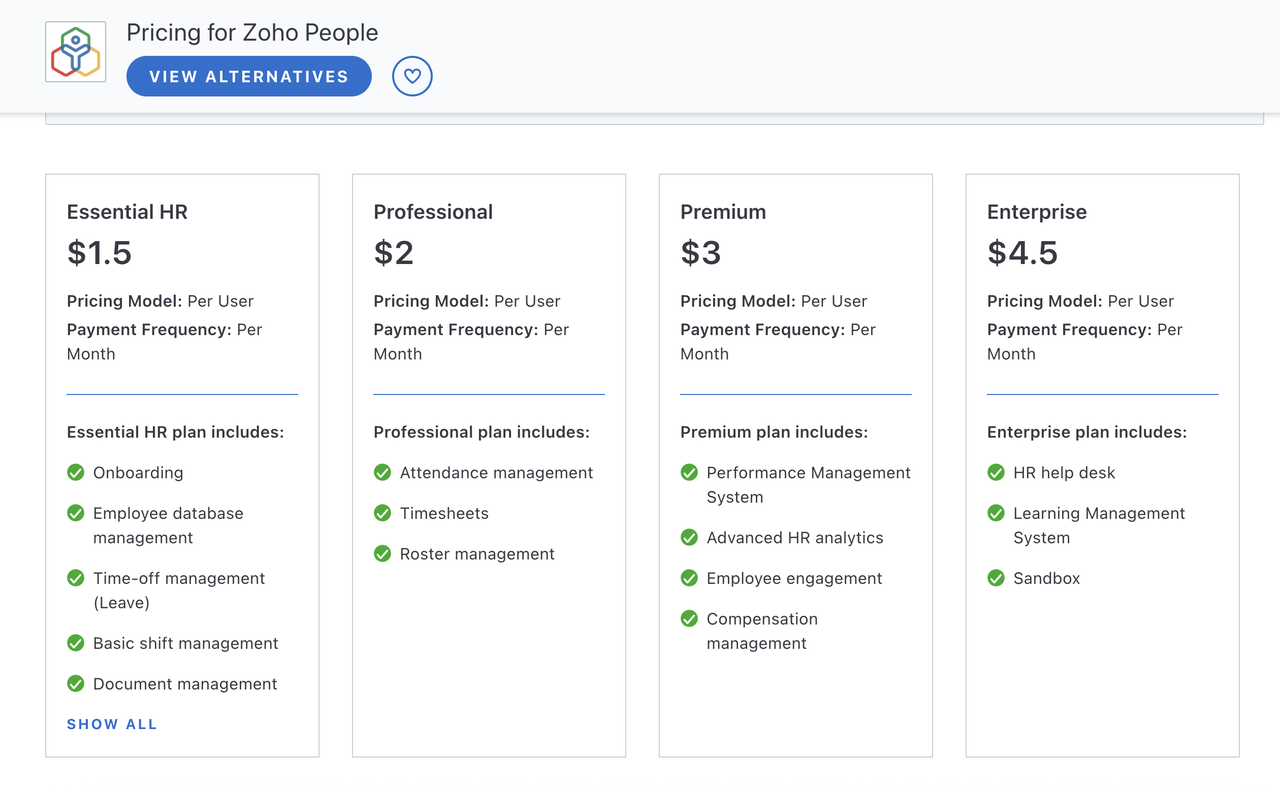
Zoho does not offer a separate pricing plan specifically for timesheets. The timesheet feature is bundled inside the broader Zoho People pricing structure, meaning access depends entirely on which Zoho People subscription tier your organization chooses rather than on a standalone timesheet product.
Information source: zoho.com
Update time: 2025-12-02
Note: Pricing and plan details reflect publicly available data as of the update date and may vary based on region, billing cycle, and number of agents.
Based on the current Zoho People plans:
Essential HR: $1.50 per user/month
The Essential HR plan provides core HR functions for teams that need basic workforce management. It includes onboarding tools to streamline new-hire setup and an employee database for storing key records. Time-off management is built in, allowing teams to track leave with simple workflows. Basic shift management supports for smaller teams. Document management helps centralize policies, files, and employee paperwork. This plan offers foundational HR essentials without advanced automation or analytics.
Professional: $2 per user/month (Entry tier for timesheets)
The Professional plan introduces more advanced operational tools, making it suitable for growing teams. helps track employee attendance through methods such as check-ins and roster rules. The inclusion of timesheets supports structured hour logging for payroll or project tracking. Roster management allows managers to create, adjust, and publish work schedules efficiently. It builds on the Essential plan by adding precision workforce controls. This tier is the entry point for teams that require time tracking.
Premium: $3 per user/month
The Premium plan expands to higher-level HR functions for performance- and analytics-driven organizations. It includes a complete for structured evaluations and goal-setting. Advanced HR analytics help leadership monitor trends and workforce health. Employee engagement tools enable feedback collection, survey responses, and sentiment tracking. Compensation management supports salary planning and pay-related workflows. This plan suits organizations that want deeper visibility and strategic HR capabilities.
Enterprise: $4.50 per user/month
The Enterprise plan offers the most comprehensive HR infrastructure in the Zoho People lineup. It includes an HR help desk for managing employee queries and service tickets efficiently. The Learning Management System enables organizations to deliver training, track progress, and certify employees. A sandbox environment lets teams test workflows or configurations safely before applying changes to the live system. This tier supports large or complex organizations needing advanced control and scalability. It provides enterprise-grade features for mature HR ecosystems.
Free tier availability:
Zoho does not offer a permanent free plan for timesheet tracking, so organizations must subscribe to a paid tier to access this feature. Timesheets are available only on the Professional plan and are locked in all lower tiers. While Zoho occasionally offers limited-time free trials, these are temporary and intended only for evaluation, not for long-term use. This makes the platform less suitable for teams seeking a no-cost, ongoing . As a result, businesses planning to use timesheets must budget for a paid Zoho People subscription.
Strengths of the Zoho timesheet approach
Zoho's timesheet system is built to support organizations that require structured, compliant, and finance-connected time tracking. Its design focuses on accuracy, traceability, and alignment with HR and billing workflows. The platform integrates multiple Zoho applications to create a unified data flow from time entry to payroll and invoicing. This makes it especially suitable for service-based teams and HR-led operations.
Below are the core strengths that make Zoho's timesheet approach effective for formalized environments.
- Deep HR+finance integration: Zoho timesheets connect seamlessly with Zoho People, Zoho Books, and Zoho Projects, creating an end-to-end workflow across departments. Time entries flow directly into payroll calculations, leave deductions, and wage calculations. Finance teams can use the same data for budgeting and . This reduces manual data transfer and eliminates discrepancies between HR and finance teams. The integration ensures operational consistency and centralized oversight.
- Invoice-ready billing: Approved timesheet data can be converted into invoices instantly through Zoho Books, making client billing fast and error-free. Each hour logged can be tied to a specific client, project, or billing rate for precise charge calculations. This minimizes revenue leakage and simplifies recurring or project-based billing cycles. Service teams benefit from faster invoice turnaround times without relying on manual spreadsheets. The feature is particularly valuable for consulting, IT services, and agencies.
- Strong approval compliance: Zoho offers multilayered approval workflows that ensure only verified hours are processed for payroll or billing. Managers can review submissions, send corrections, or escalate approvals based on organizational hierarchy. Automated notifications help teams meet deadlines and reduce bottlenecks. These controls maintain data accuracy and uphold internal compliance standards. The structured approval system is ideal for teams that operate under strict audit or client requirements.
- Detailed cost tracing: Every time entry can be mapped to tasks, projects, clients, or cost centers, enabling precise cost allocation. This helps organizations track profitability across different services or departments. Finance and project managers get access to granular data for forecasting, budgeting, and . Cost tracing also helps identify inefficiencies or overutilized resources. This level of detail supports more intelligent operational decision-making and long-term financial planning.
Limitations teams experience with Zoho timesheets
While Zoho's timesheet system is feature-rich, many teams encounter friction when using it alongside other Zoho applications. The ecosystem requires users to move between modules for billing, project updates, approvals, and reporting, disrupting daily workflows. As organizations grow, configuration demands also increase, making it harder for admins to maintain clean structures. Non-HR teams often find the interface rigid or overly formal compared to . Below are the most common limitations teams report when working with Zoho timesheets.
- Fragmented workflows across multiple Zoho apps: Zoho's time-tracking experience often spans Zoho People, Zoho Books, and Zoho Projects, requiring users to navigate several apps for end-to-end work. Employees may log hours in one place, while managers approve them in another, and finance teams process billing elsewhere. This fragmentation can slow down coordination and create inconsistencies if data doesn't sync cleanly. Teams must also manage multiple interfaces and settings. The scattered workflow becomes challenging for organizations seeking a unified experience.
- Administration complexity for growing teams: As teams scale, configuring roles, permissions, job structures, and becomes increasingly complex. Admins must map employees to departments, projects, and cost centers with precision to avoid access errors. The system also requires frequent updates to maintain alignment with evolving team structures. Larger organizations often need dedicated HR or IT support to manage configurations. This makes administration heavier compared to simpler, all-in-one platforms.
- User friction for non-HR or non-finance roles: Zoho People's interface is designed through an HR-first lens, which may feel rigid for teams like marketing, design, or support. These users may struggle with the form-heavy entry process and strict data fields. The system's terminology and workflows may also feel unfamiliar to non-HR roles. As a result, companies often experience slower adoption across cross-functional teams. This friction reduces the overall efficiency of time tracking.
- Reporting split between People/Projects/Books: Insights are often scattered across multiple Zoho apps, requiring users to pull reports from different modules to get a complete picture. Timesheet data may reside in Zoho People, project progress in Zoho Projects, and billing summaries in Zoho Books. This scattered reporting approach makes it harder to generate unified dashboards. Teams may resort to manual consolidation or external tools to bridge the gaps. The lack of centralized reporting limits real-time visibility.
- Collaboration gaps: Zoho's timesheet module operates independently of everyday collaboration tools like chat, document sharing, and task discussions. As a result, employees must switch between different Zoho apps or about their work before logging hours. This separation disrupts workflow continuity and increases users' cognitive load. Teams may struggle to keep context when conversations, documentation, and time entries live in disconnected spaces.
These challenges highlight a common theme: while Zoho's timesheet tools offer structure, many teams struggle with fragmented workflows, heavier administration, and limited collaboration context that come with managing time across separate modules. As organizations seek simpler, more unified systems that streamline communication, task updates, and time tracking in one place, many turn to platforms that remove this friction entirely. This is where Lark stands out as an all-in-one, collaboration-driven environment.
Explore flexible time-tracking options today
Meet Lark: A unified platform for accurate time, project, & expense tracking
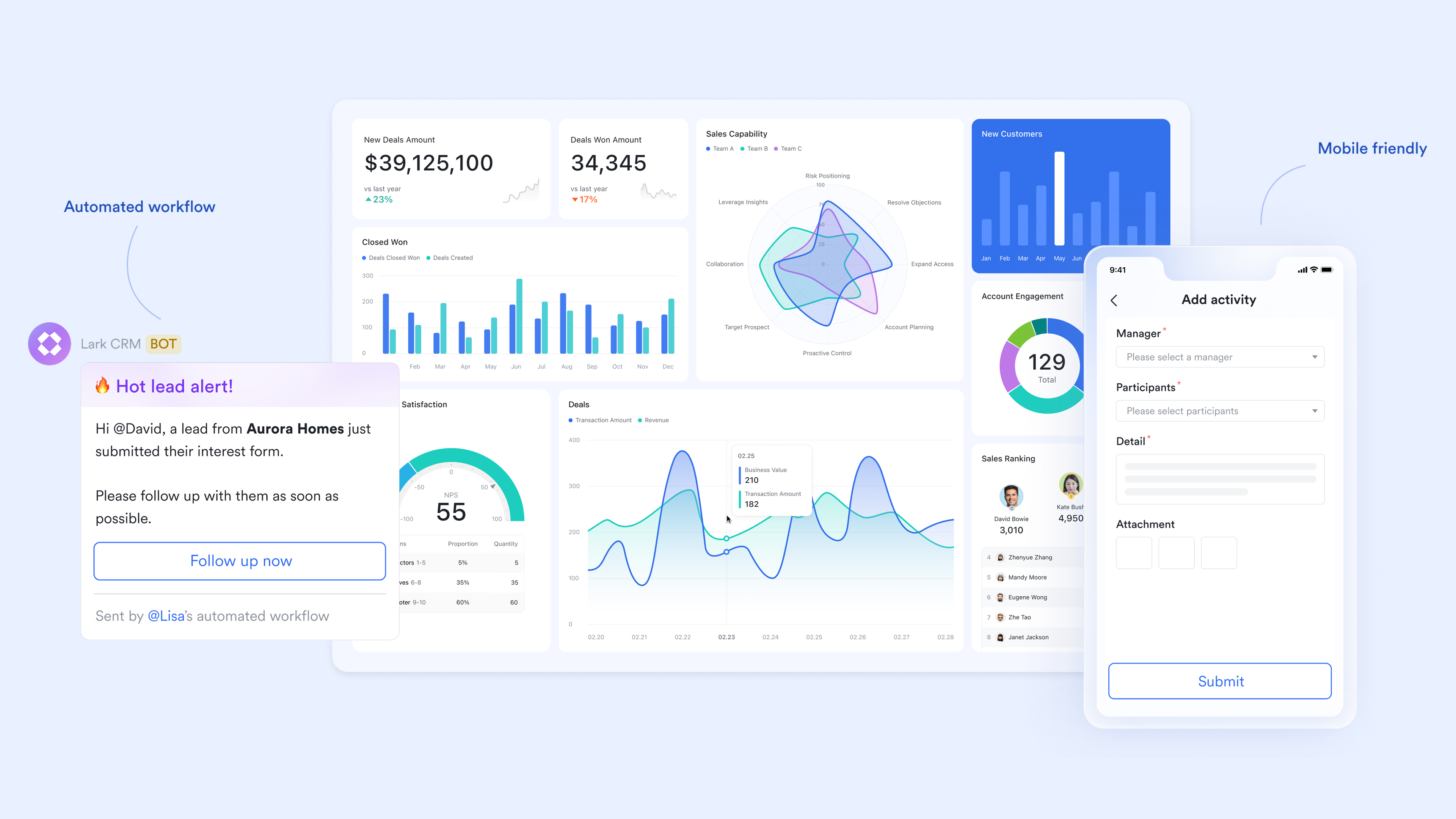
Many organizations look for a that integrates naturally into their daily collaboration environment rather than within a traditional HR system. Lark appeals to such teams by combining tasks, time logging, , and approvals into a single unified workspace. This reduces the need to jump between multiple apps to track hours or coordinate work. Its flexibility allows teams to design workflows that match how they actually operate, not how an HRMS expects them to. As a result, cross-functional teams—especially in tech, design, marketing, and services—find it easier to adopt.
Automated attendance-based timesheet management
Lark efficiently supports employment timesheet management directly through its Attendance feature. Administrators can easily generate timesheets either by syncing attendance reports or by uploading external Excel files containing attendance data. After a quick preview, these timesheets are sent to employees for verification via the Lark mobile app, ensuring transparency. Administrators retain full control to view verification statuses, export final timesheets, and recall or edit any unverified records. Additionally, you can set employment dates and working years within to automatically track member seniority. 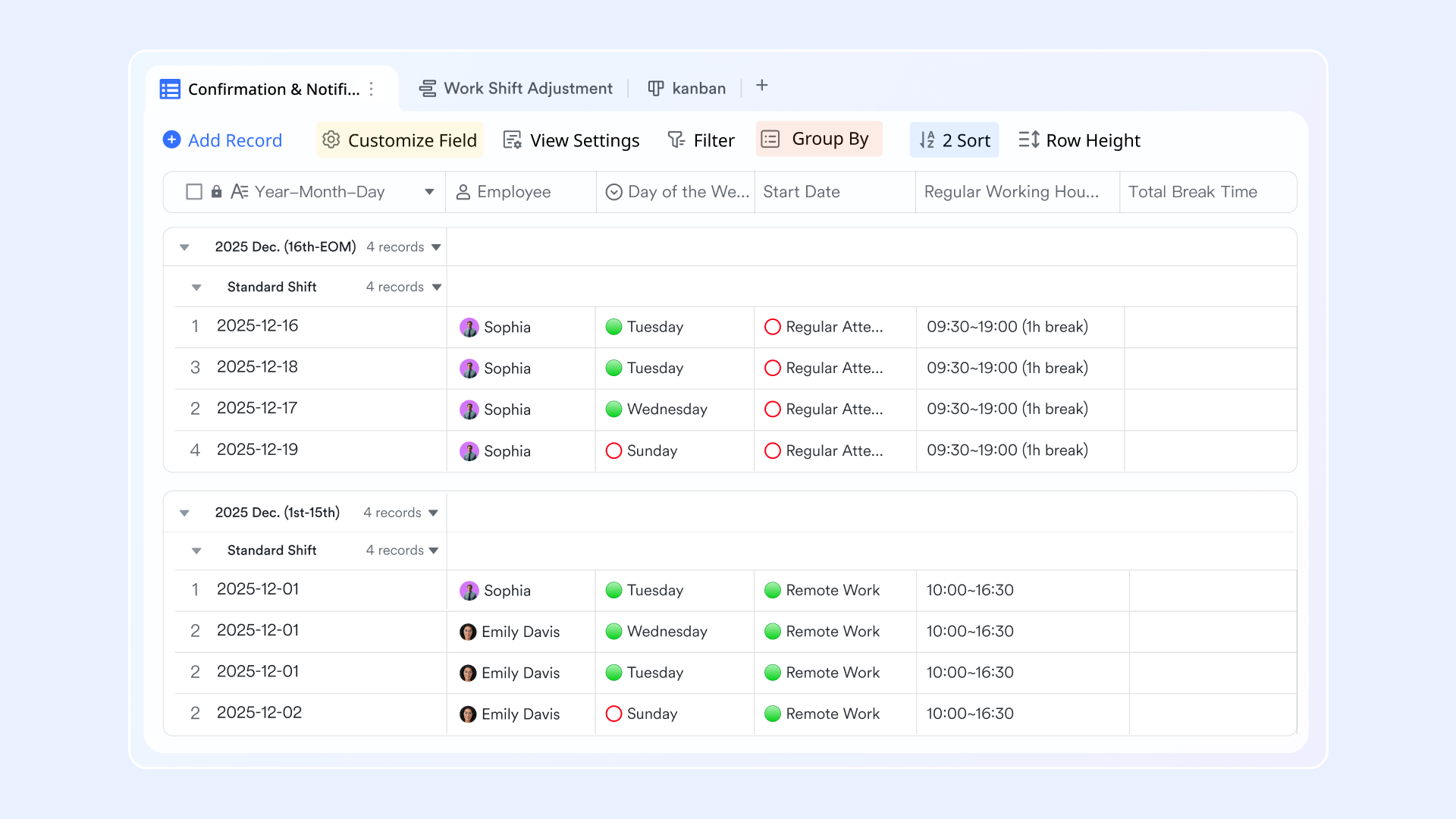
Native time-calculation formulas with Lark Sheets
Lark supports comprehensive timesheet management primarily through its powerful Lark Sheets feature, offering native functions to accurately calculate work hours. You can use the TIME function to easily convert numbers into precise time values, while TIMEVALUE converts a time string into a decimal for quick calculation. Additionally, functions like HOUR help you instantly extract specific time components. By leveraging these native formulas, you can effectively record, calculate, and analyze employee work hours, ensuring your timesheet data is accurate and easy to manage. 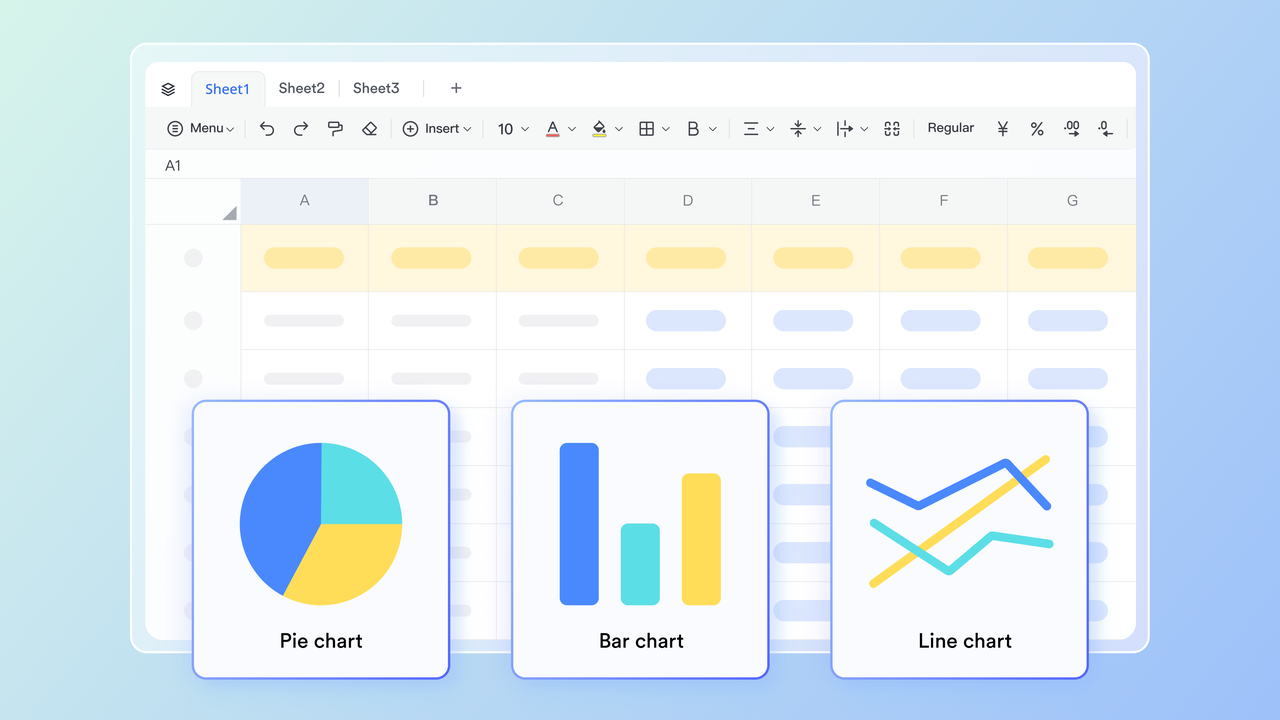
Project-based time tracking & resource visualization via Lark Base
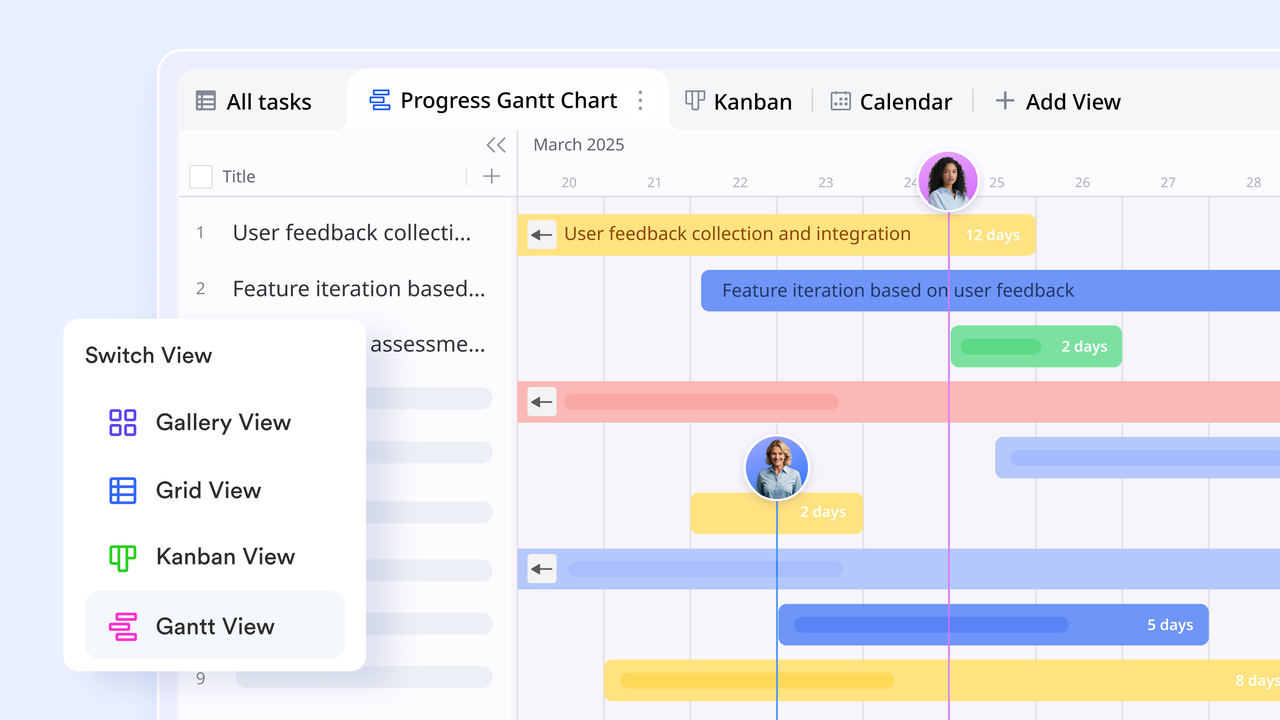
is an excellent tool for tracking time spent on specific projects and tasks, which is essential for accurate planning and resource allocation. You can easily create custom fields to meticulously record the exact time spent on each individual task or client. To visualize this data, you can utilize powerful views like and to monitor deadlines and progress. Finally, by using group and filter functions for analysis, project managers gain deep insights into resource allocation and key milestones via comprehensive Dashboards.
Centralized budget approvals and cost tracking via Lark Approval
streamlines budgeting and cost allocation by providing a central system for managing essential financial workflows, such as expense reimbursement and budget declarations. To facilitate analysis, you can sync relevant approval data directly to Lark Base for summary and tracking. Any updates made in the approval process are automatically synced to Base, ensuring your data is always current. By leveraging Base's powerful query and analysis features, managers can easily track and break down budgets, costs, and application progress by department or submitter. 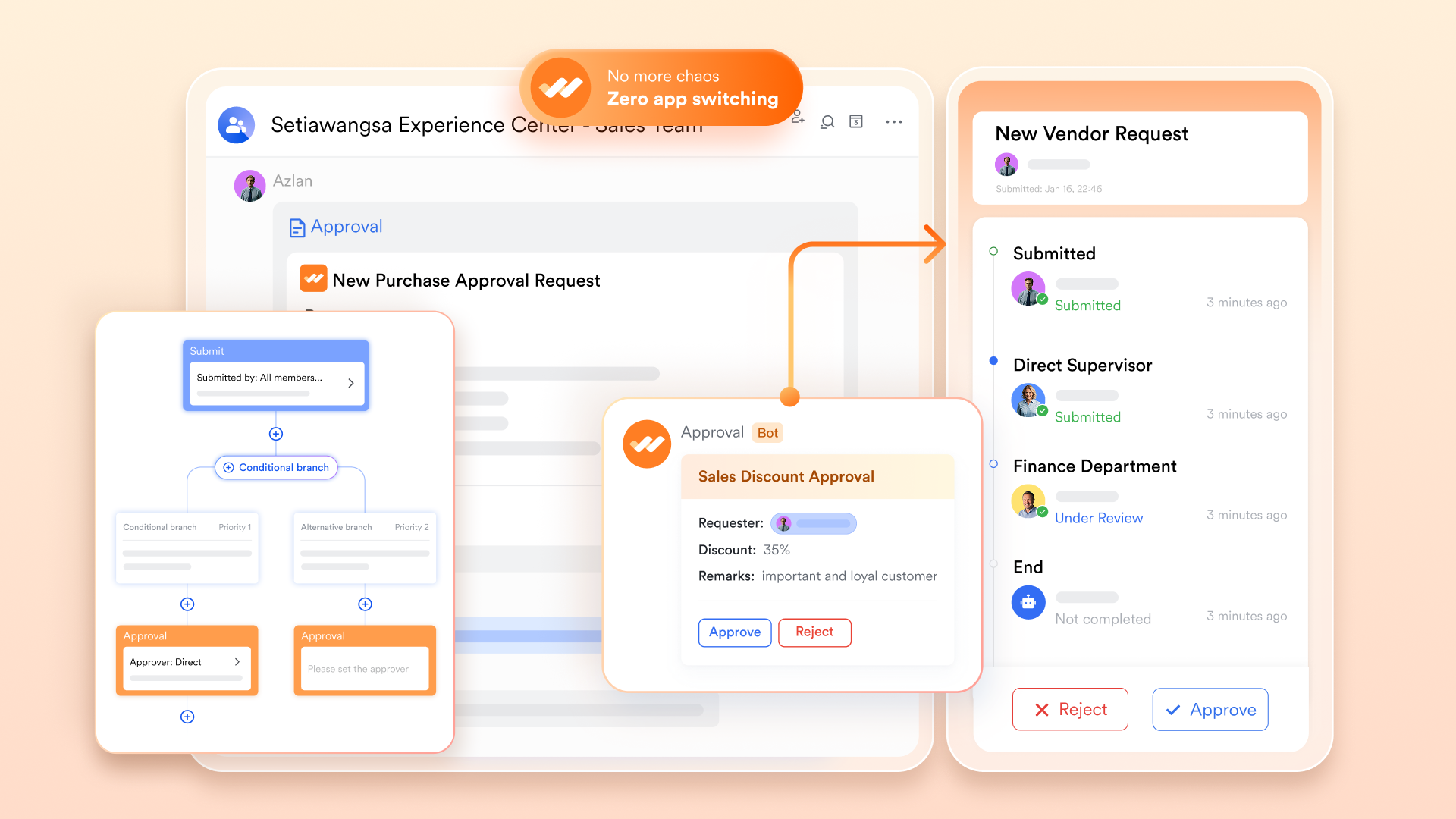
Seamless timesheet communication via Lark Messenger & Lark Meetings
and streamline communication between employees and managers regarding timesheets and scheduling. Messenger allows for instant messaging with threaded replies, enabling employees to quickly clarify timesheet entries or request corrections while keeping context intact. The app coexists seamlessly to ensure employees receive timely notifications for timesheet submission reminders or approval status updates. If a discussion is needed, Lark Meetings can be launched instantly, utilizing the Magic Share feature to view and collaborate on the same timesheet document in real-time, ensuring quick resolution and alignment. 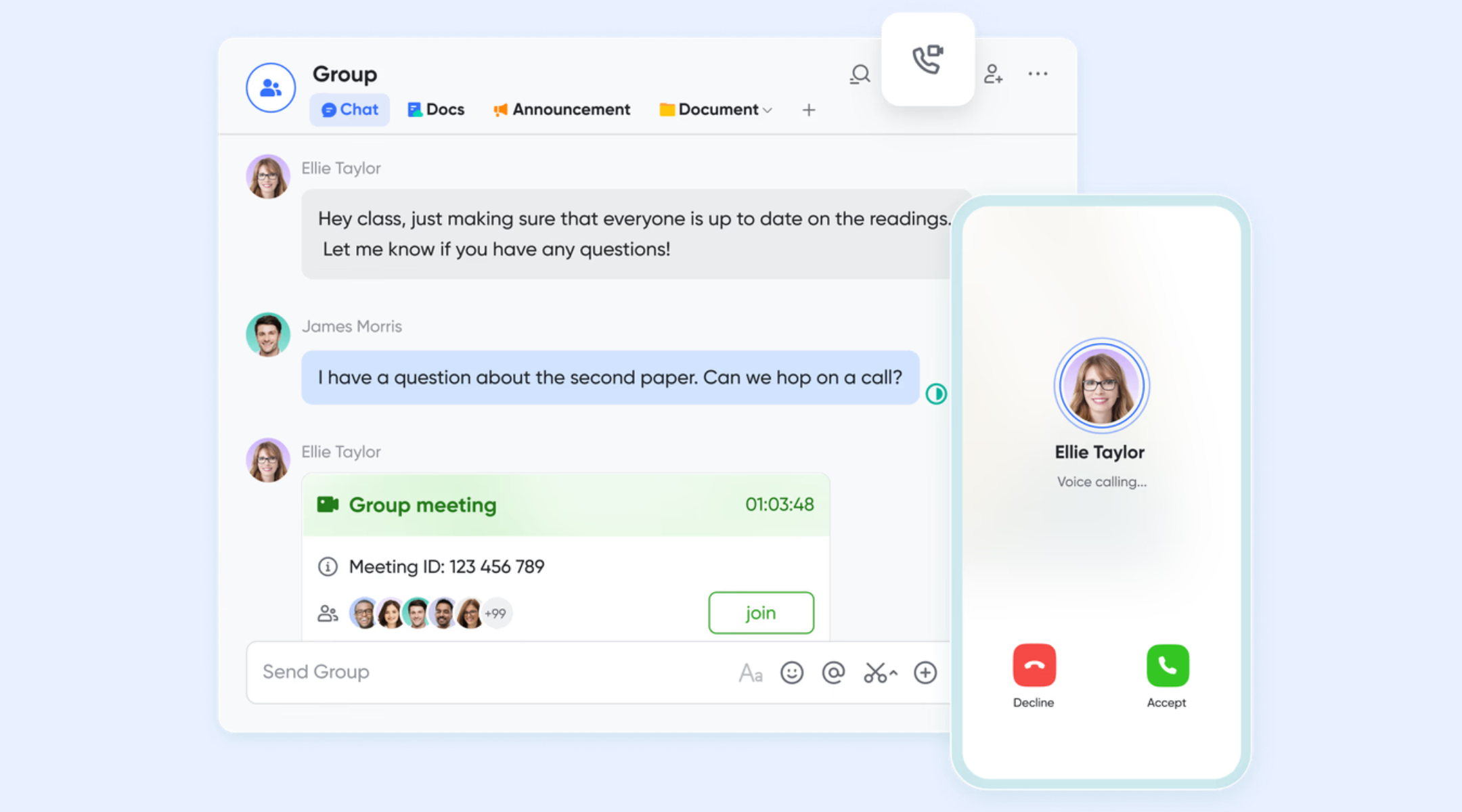
:
- Starter plan: Free forever plan that includes 11 powerful tools for up to 20 users. It also comes with 100GB of storage, 1000 automation runs, AI translations, and more.
- Basic plan: $6/user/month (billed annually) for up to 500 users. It includes everything in Starter plus group calling for up to 500 attendees, 5TB of storage, 1000 automation runs, and more. For more details, please .
- Pro plan: $12/user/month (billed annually) for up to 500 users. It includes everything in Basic plus group calling for up to 500 attendees, 15TB of storage, 50,000 automation runs, and more.
- Enterprise plan: for custom pricing. Supports unlimited users and includes even more automation runs and advanced security, compliance, and management features.
For small teams with simple communication needs

18 months message history
1000 Base automation runs/month
2000 rows per table in Base
Most POPULAR
For companies with comprehensive collaboration and management needs
Unlimited message history
500-participant video meetings
50k Base automation runs/month
20k rows per table in Base
For large companies with advanced security and organizational management needs
Get a personalized demo and pricing
Unlimited message history
500-participant video meetings
15 TB storage + 30 GB storage/user
500k Base automation runs/month
50k Base automation runs/month
Most POPULAR
For companies with comprehensive collaboration and management needs
Unlimited message history
500-participant video meetings
50k Base automation runs/month
20k rows per table in Base
Comparison: Where Lark can excel compared to Zoho timesheets
Final verdict: What is the smarter choice between Lark and Zoho
Choose Zoho when your team's needs centre around structured HR management: payroll, attendance, , client billing, overtime tracking, and compliance. Its integrated HRMS and timesheet, attendance, and job management features are robust for organizations where time tracking directly ties to payroll and HR workflows.
Choose Lark when you want a flexible, team-wide workspace that connects time tracking, tasks, collaboration, and documentation—especially for (development, design, marketing, support) where time logging is just one of many workflow components. Lark's lightweight, unified approach reduces friction, improves adoption, and often accelerates delivery cycles without the overhead of HR-centric systems.
Speed up your workflow with Lark today
Conclusion
In conclusion, Zoho Timesheet offers a structured, HR-aligned approach to time tracking that works well for organizations that need tight control, formal approvals, and payroll or billing integration. Its setup, workflow design, and multi-app ecosystem make it a strong fit for compliance-driven teams. However, many businesses also find the experience fragmented, especially when collaboration, communication, and day-to-day work happen outside the timesheet environment. This often leads teams to explore simpler, more unified platforms that reduce context switching and improve adoption across departments. If your organization wants a flexible workspace where time logging connects directly to tasks, communication, and project workflows, provides a modern alternative worth considering. Its integrated tools, customizable workflows, and real-time collaboration features make time tracking feel natural rather than administrative. Try Lark to see how a more unified approach can streamline your team's productivity and simplify daily operations.
FAQs
Does Zoho Timesheet support offline time tracking?
Zoho Timesheet offers limited offline entry through its mobile app, but full syncing occurs only when the device reconnects. This can be challenging for field teams that rely on continuous access. While Lark focuses on unified collaboration, teams using Zoho Books' timesheet features still need stable connectivity for seamless billing workflows.
How customizable are approval rules in Zoho People?
Zoho People provides multi-level approval chains and escalation rules, though configuring them can become complex as teams grow. Admins often need to fine-tune workflows to ensure accuracy and compliance. Lark keeps approvals more flexible, while Zoho's structure is closely tied to its broader Zoho timesheet pricing tiers.
Can Zoho timesheets enforce geo-location or device restrictions?
Geo-location controls primarily apply to attendance, and enforcing them directly in timesheets is limited. Device restrictions also require advanced and may not suit all teams. Lark emphasizes workflow clarity instead, whereas Zoho focuses more on administrative controls than offering a Zoho Timesheet free option.
What happens if timesheets are submitted late or retroactively?
Late or retroactive entries typically require additional manager review, which can delay payroll or billing cycles. Some organizations also enforce strict cut-off rules in Zoho People. In Lark, and correction can happen more fluidly since messaging and tasks are built into the same platform.
Are Zoho timesheets compliant with international labor regulations?
Zoho supports compliance features such as audit trails, approval logs, and structured data handling, which help meet labor standards across regions. However, organizations must configure rules manually to align with specific jurisdictional requirements. Lark focuses more on unified collaboration and operational clarity, leaving regulatory enforcement to each organization's internal policies.
Related reading

















