














Best Agile Board Guide: Scrum, Kanban, and Sprint Boards

Satvik Saxena
Content Specialist
Nov 3, 2026
Satvik Saxena
Nov 3, 2026

22 min read
Add to preferred sources


An agile board is the visual heartbeat of modern project management—helping teams plan, track, and deliver work efficiently. Whether it's a Scrum board for sprint planning, a Kanban board for continuous flow, or a task board for daily coordination, agile boards bring structure and visibility to every project. They empower teams to collaborate in real time, prioritize effectively, and continuously improve performance.
This guide explores the different types of agile boards, including Scrum, Kanban, and Sprint boards, and shows how platforms like Lark transform them into connected, dynamic workspaces for seamless execution.

What is an Agile Board?
An agile board is a visual tool designed to help teams plan, track, and manage work according to Agile principles. At its core, it uses columns representing stages of progress — such as "To Do," "In Progress," and "Done" — and cards representing tasks or user stories. By providing a clear, real-time overview of work, agile boards foster transparency and accountability.
Unlike traditional project boards, agile boards focus on iterative delivery. Teams can track progress over sprints, adjust priorities on the fly, and continuously improve workflows. They also make collaboration easier, giving all members a shared view of responsibilities and deadlines, regardless of location.
Modern agile boards, like those in Lark, combine visualization with communication and automation, elevating the functionality of project management tools. Teams can move tasks across columns, comment on items, attach files, and trigger alerts when limits are exceeded. This approach ensures that planning and execution are tightly connected, helping teams deliver higher-quality results faster.
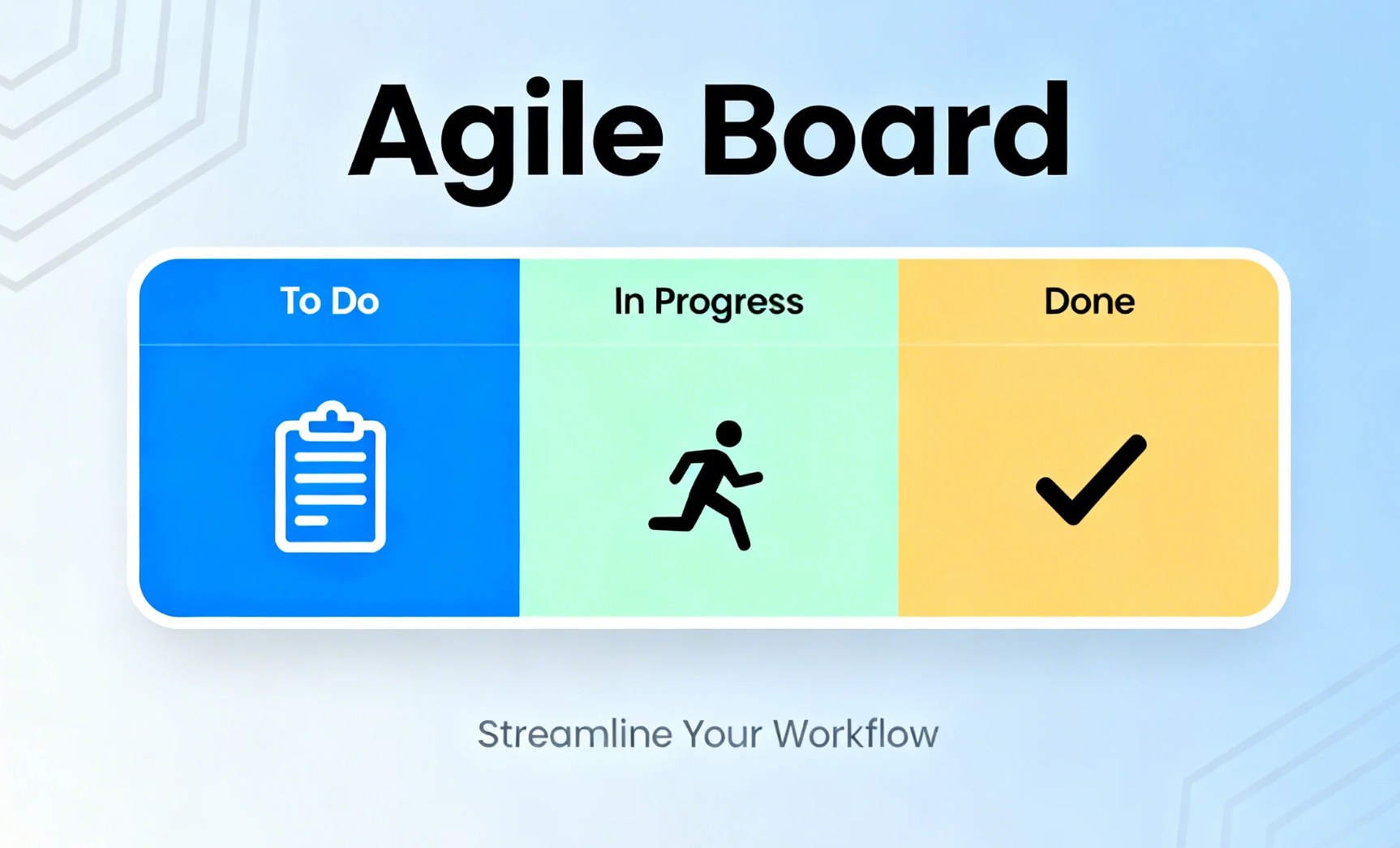
Image source: unsplash.com
Types of Agile Boards
Agile boards vary based on methodology, team size, and workflow needs. Here's an overview of the most commonly used types:
Agile Scrum Board: Plan and track sprints
A Scrum board is a type of agile board designed to support sprint planning and iterative delivery. It visually organizes tasks from the sprint backlog, helping teams track progress, manage priorities, and focus on achieving sprint goals. By clearly showing what needs to be done, Scrum boards make planning more structured and execution more predictable.
Key elements: Scrum boards typically include columns such as To Do, In Progress, and Done, with tasks represented as stories and subtasks. Each card shows ownership, deadlines, and task details, giving the team a clear understanding of responsibilities and workflow. Additional elements like sprint goals, story points, and backlog items help teams measure progress and plan future sprints effectively.
Example: A software development team uses a Scrum board to manage a two-week sprint. Tasks flow from backlog → in progress → review → done, ensuring visibility into sprint progress. Daily stand-ups leverage the board to identify blockers, redistribute workload, and keep the team aligned with sprint objectives.
Pro tip: Keep Work-in-Progress (WIP) visible during daily stand-ups. This allows teams to spot bottlenecks quickly, balance workloads, and maintain a steady flow of completed tasks throughout the sprint.
Agile Kanban Board: Optimize flow and reduce bottlenecks
A Kanban board is an agile board designed to visualize work in progress, manage workflow, and improve efficiency. Unlike Scrum boards that focus on time-boxed sprints, Kanban emphasizes continuous delivery, making it ideal for teams that require flexibility and real-time updates. Teams can use Kanban to streamline processes, reduce bottlenecks, and maintain a steady flow of work.
Key elements: Kanban boards feature workflow columns that represent different stages of a process, WIP (Work-in-Progress) limits to prevent overloading team members, and cycle time tracking to monitor how long tasks take from start to finish. Cards on the board contain task details, ownership, and priority, giving teams full visibility of ongoing work.
Benefits: Using a Kanban board improves visibility into task progress, enhances flexibility for dynamic priorities, and helps teams focus on continuous delivery. It encourages smoother workflows, reduces delays, and ensures teams can respond quickly to changing requirements or blockers.
Example: Marketing teams often use Kanban boards to track campaign tasks and creative deliverables, while DevOps teams rely on them for real-time updates on deployments or incident management. By monitoring workflow visually, teams can quickly identify bottlenecks and adjust priorities without disrupting ongoing work.
Agile Task Board: Simplify day-to-day collaboration
An agile task board is designed for day-to-day work management, focusing on tracking individual tasks rather than full sprint or workflow cycles. Unlike Scrum boards, which are structured around sprints, or Kanban boards, which emphasize continuous flow, task boards provide a simple, visual overview of what needs to be done today. This makes them ideal for small teams or cross-functional groups that need quick clarity without complex planning.
How small teams use it: Small teams often rely on task boards to organize and visualize daily work. Each task is represented as a card, allowing team members to quickly see priorities, deadlines, and ownership. By moving tasks across columns, teams can track progress and collaborate effectively, ensuring nothing falls through the cracks.
Key features: Agile task boards typically include drag-and-drop tasks, labels for categorization, due dates, and ownership visibility. These features help teams assign responsibilities clearly, adjust workloads on the fly, and maintain a transparent workflow. The simplicity of a task board ensures that even teams without formal Agile processes can stay organized and aligned.
Agile Sprint Board: Deliver value every iteration
An agile sprint board is an agile board designed to visualize and manage short-term iterations, or sprints, within a project. It drives iterative delivery by connecting goals, tasks, and team progress in a clear, actionable format. Sprint boards help teams focus on achieving measurable outcomes within a defined time frame while maintaining adaptability.
How sprint boards connect goals, tasks, and velocity: Sprint boards link each task to sprint goals, allowing teams to track progress against commitments. They provide visibility into team velocity — the amount of work completed in each sprint — enabling better forecasting and planning for future iterations. By aligning goals with actionable tasks, sprint boards ensure teams are always focused on delivering value efficiently.
Example: A product development team running two-week sprints uses a sprint board to monitor tasks flowing from "Backlog" → "In Progress" → "Review" → "Done." Daily stand-ups leverage the board to discuss blockers, reassign work, and ensure the sprint stays on track. This iterative approach allows the team to continuously improve and deliver high-quality outcomes consistently.
Building agile boards in Lark: From planning to delivery
Lark transforms traditional Scrum and Kanban boards into connected, dynamic workspaces where planning, execution, and communication flow naturally. Instead of switching between multiple tools, teams can manage everything—from sprint planning to daily updates—within one platform. It enhances visibility, reduces manual coordination, and eliminates friction that slows agile cycles. With automation, live updates, and built-in collaboration, teams can move faster and focus on outcomes, not overhead.
Lark Base: Visual boards that adapt as you work
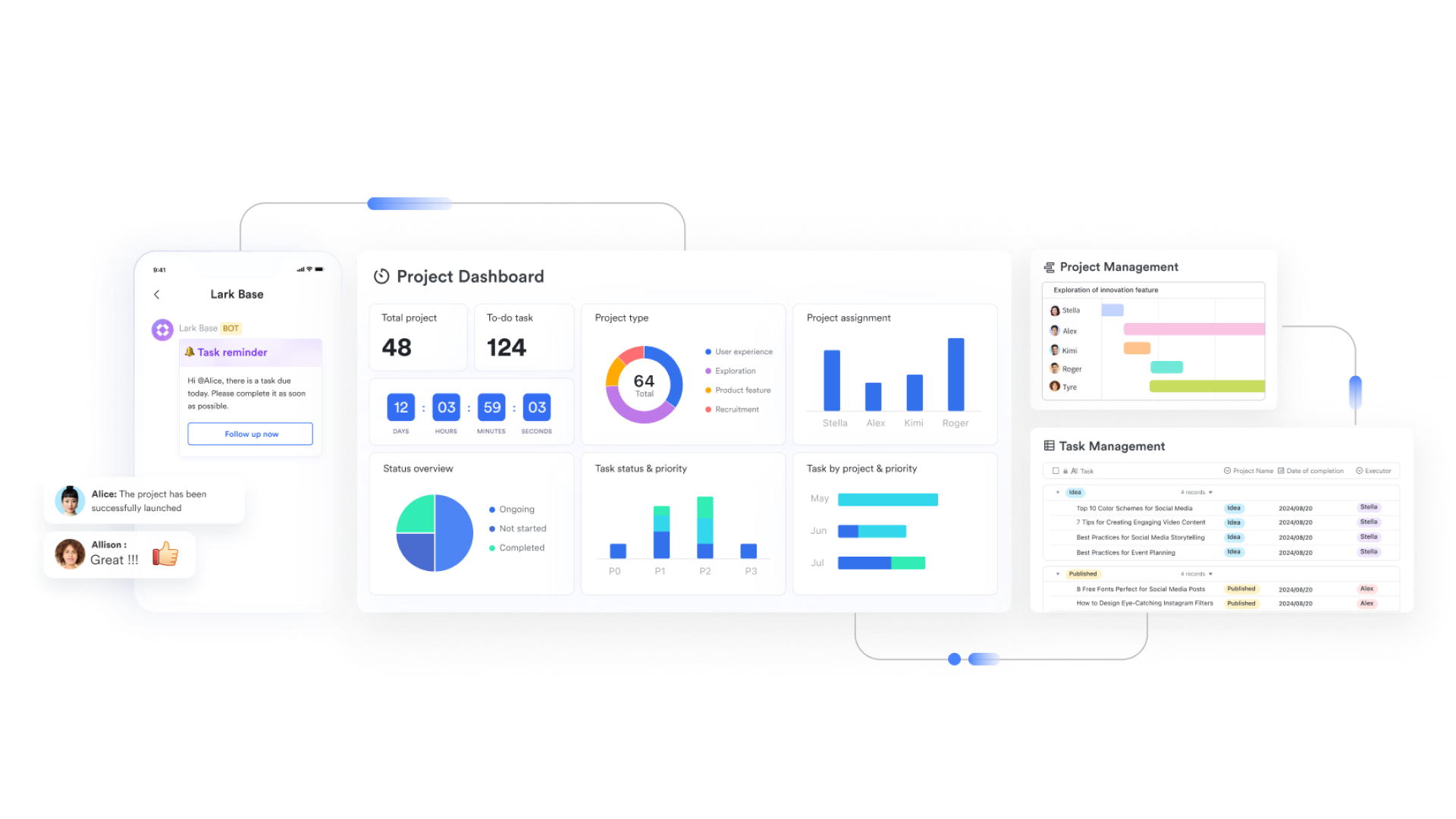
With Lark Base, teams can design structured agile workflows for Scrum or Kanban boards, manage sprint stories, and track progress in dynamic, customizable tables.
- How it works: Create boards or tables with fields like "Sprint Task," "Owner," "Priority," "Status," and "Story Points." Tasks automatically update as teams move cards between columns, giving project managers real-time visibility into velocity and workload distribution.
- Example: A product team tracks user stories moving from Backlog → In Progress → Review → Done, while Base dashboards visualize sprint completion rates and flag bottlenecks instantly.
- Additional features: Set automated reminders when WIP limits are exceeded, trigger alerts for delayed tasks, link related projects for cross-sprint visibility, and create custom views tailored to each team's focus.
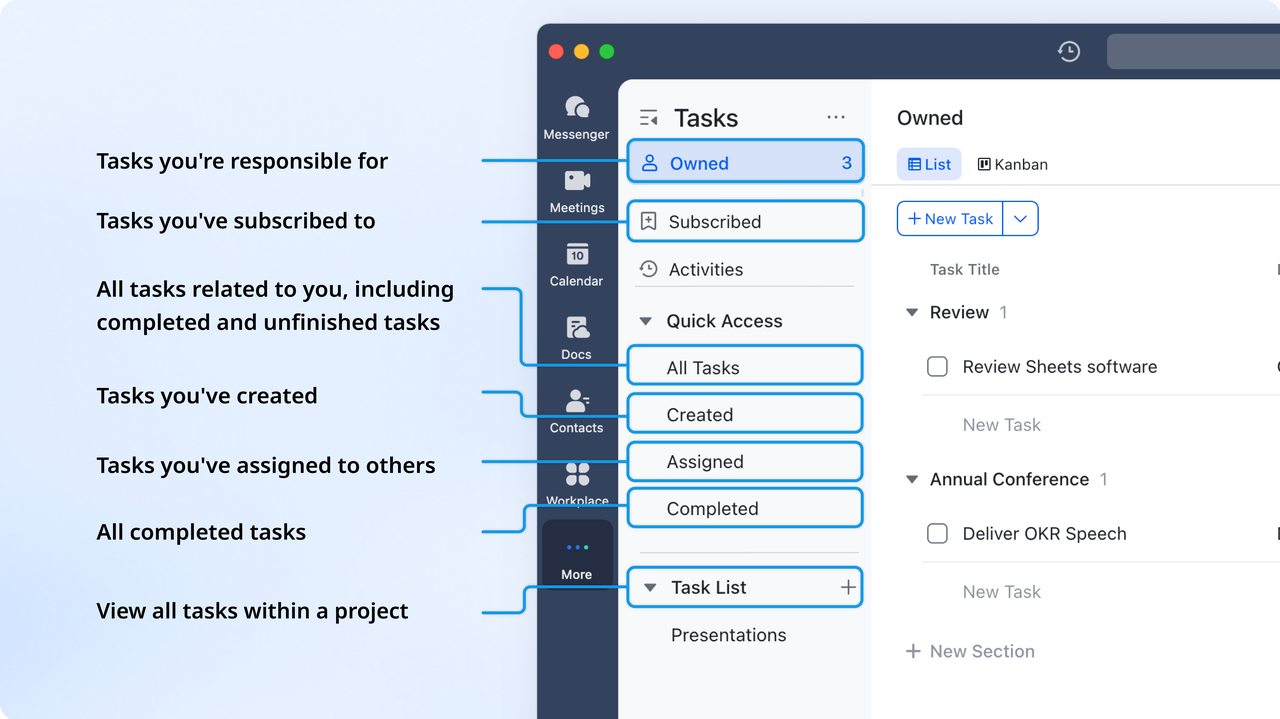
Lark Tasks: Keep ownership and priorities clear
With Lark Tasks, every responsibility in an agile cycle has a clear owner, due date, and progress status—ensuring accountability and transparency across teams.
- How it works: Assign tasks with due dates and tags like "Bug," "Feature," or "Priority," and organize them under projects or sprint goals. Team members can update task status instantly, keeping everyone informed of changes in real time.
- Example: During a sprint, developers and designers manage their daily to-dos, update progress after stand-ups, and visualize what's Done or Pending—reducing miscommunication and overlap.
- Additional features: Use color-coded labels for quick categorization, attach files or comments directly to tasks, and auto-sync updates with Base for a unified agile dashboard view.
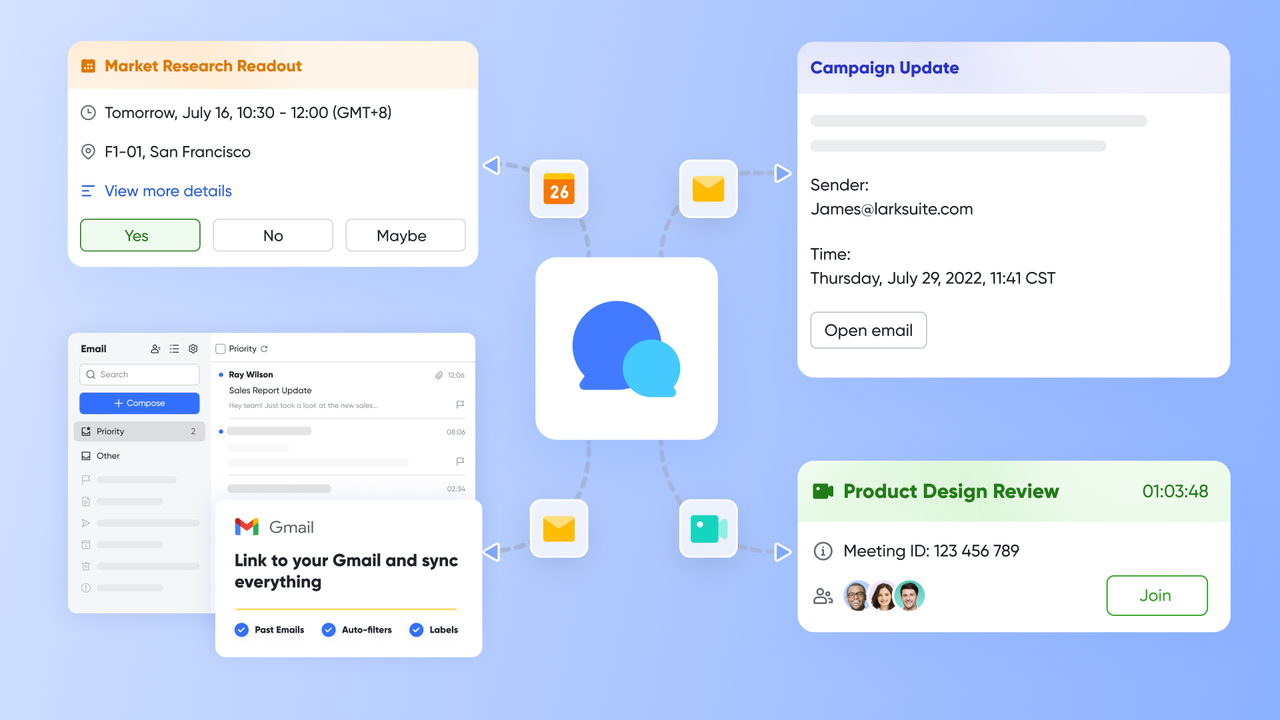
Lark Messenger & Meetings: Communicate in real time, in context
With Lark Messenger and Meetings, agile teams can discuss, decide, and act without leaving their workspace—keeping communication tightly connected to execution.
- How it works: Team members can chat in dedicated sprint or project channels, start video meetings instantly, and link conversations to Base tasks for context-rich collaboration. Updates and discussions automatically appear in chat for easy tracking.
- Example: During a sprint review, the product owner flags a blocker in Messenger, starts a quick meeting to resolve it, and links the discussion to the Base card—ensuring everyone has context on the decision.
- Additional features: Share files directly in chats, record meetings for later reference, create message threads linked to tasks, and enable automatic reminders or notifications tied to sprint deadlines.
Lark Docs: Collaborate and document as you go
With Lark Docs, agile documentation becomes a living workspace—perfect for sprint planning, retrospectives, and ongoing process improvement.
- How it works: Teams can co-edit documents in real time to draft sprint goals, capture meeting notes, or record retrospectives. Each doc can be linked to Base boards or tasks for quick reference and version tracking.
- Example: After a sprint review, the team creates a retrospective doc outlining improvements and lessons learned, then links it to next sprint's planning board in Base for easy access.
- Additional features: Embed task lists directly in Docs, comment inline for peer feedback, control access permissions, and keep documentation organized under folders for ongoing agile cycles.
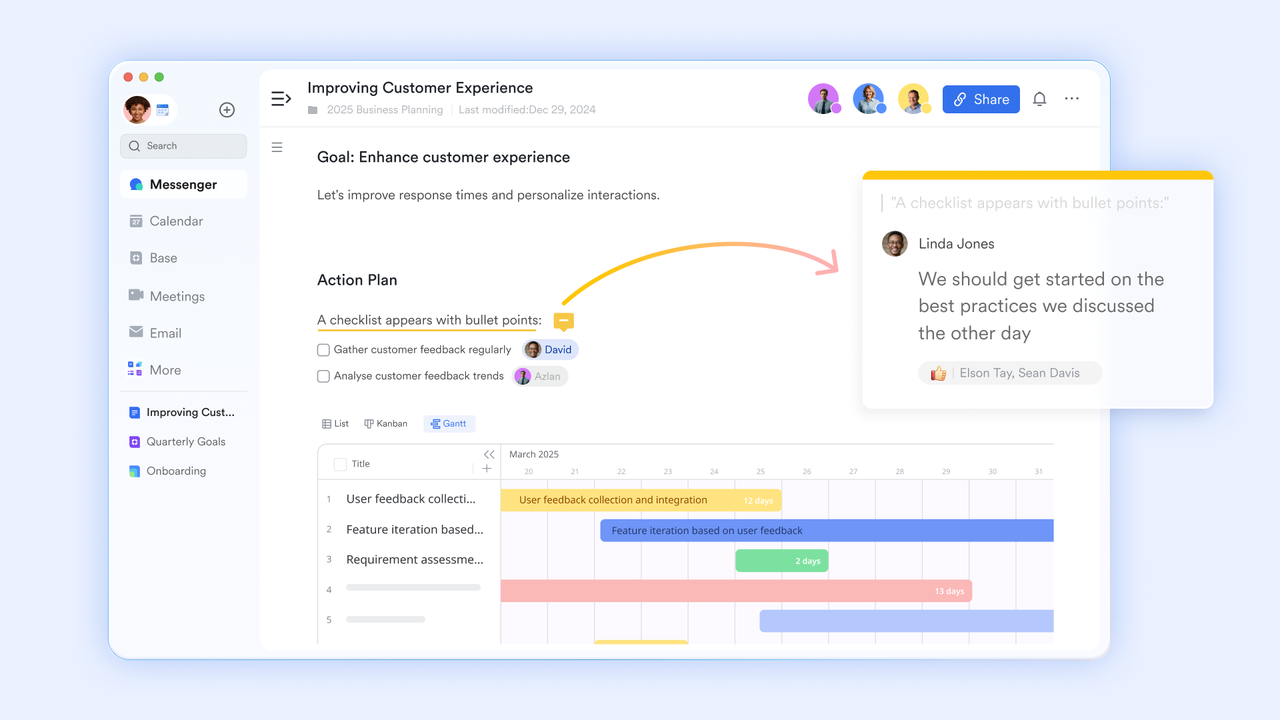
Example in action:
Imagine a product team running two-week sprints. Their Scrum board in Lark Base tracks stories flowing from Backlog → In Progress → Review → Done. Daily stand-ups happen via Lark Meetings, while blockers are discussed in Messenger threads linked directly to specific Base tasks. All sprint retrospectives and process improvements live in Lark Docs, easily referenced for the next iteration. Automation in Base sends alerts when WIP limits are hit or deadlines are near, keeping the team proactive. This connected workflow means less time managing tools—and more time delivering customer value.
Key benefits of using agile boards
An agile board not only visualizes tasks but also transforms how teams collaborate and execute work. By providing clarity, structure, and real-time updates, agile boards help teams stay aligned, make faster decisions, and continuously improve workflows.
- Improved transparency and accountability: Agile boards give every team member a clear view of what needs to be done, who is responsible, and the current status of each task. This transparency reduces misunderstandings and ensures everyone is accountable for their work. Teams can easily track progress and identify bottlenecks before they impact delivery.
- Real-time collaboration and faster decisions: With an agile board, updates happen instantly, allowing team members to collaborate in real time. Comments, task changes, and notifications keep everyone informed, enabling quicker problem-solving and more agile decision-making. Remote or distributed teams especially benefit from having a single source of truth.
- Better prioritization and reduced context switching: Agile boards help teams focus on what matters most by clearly highlighting priorities. Tasks are organized visually, reducing the need to switch between tools or meetings, which minimizes interruptions and keeps work flowing efficiently. Teams can adjust priorities dynamically as needs change.
- Continuous improvement through visual feedback loops: By reviewing agile boards regularly, teams can identify patterns, monitor velocity, and implement process improvements. Visual feedback loops make it easy to learn from completed tasks and iterations, fostering a culture of continuous improvement and smarter planning.
Conclusion
Agile boards serve as the bridge between planning and execution, enabling teams to stay adaptive, transparent, and results-driven. By visualizing workflows, tracking progress, and clarifying responsibilities, agile boards help teams focus on delivering value efficiently while responding quickly to change.
With modern platforms like Lark, agile boards go beyond static visuals to become living, automated workflows. Teams can plan sprints, manage tasks, collaborate in real time, and continuously improve processes — all within a connected, dynamic workspace that streamlines execution and drives measurable results.
FAQs
What's the difference between an Agile board and a project board?
An Agile board is designed specifically for Agile methodologies like Scrum or Kanban, visualizing tasks, sprints, and workflows with columns such as "To Do," "In Progress," and "Done." It focuses on iterative progress, team velocity, and backlog management. A project board, on the other hand, is more general and tracks project tasks, milestones, and deadlines without necessarily following Agile principles. While both boards provide visibility, Agile boards are optimized for iterative delivery, sprint planning, and continuous improvement, whereas project boards support broader project tracking.
How do Agile boards improve remote collaboration?
Agile boards centralize tasks, progress updates, and communication in one digital space, making it easier for remote teams to stay aligned. Features like real-time task updates, comments, file attachments, and notifications ensure that everyone sees the same information instantly. Teams can hold virtual stand-ups, track blockers, and adjust priorities seamlessly, reducing miscommunication and keeping work transparent. Tools like Lark or Jira enhance remote collaboration by combining Agile boards with chat, video meetings, and document sharing, so distributed teams can plan, execute, and review sprints effectively.
Can Agile boards be used outside software development?
Absolutely. While Agile boards originated in software development, they are highly adaptable for industries like marketing, education, construction, and consulting. Teams can manage campaign planning, curriculum development, project milestones, and client deliverables using sprints and task workflows on an Agile board. By visualizing work, setting priorities, and tracking progress iteratively, teams in any field can benefit from the structure, transparency, and accountability that Agile boards provide.
How often should Agile boards be updated?
Agile boards should be updated continuously as tasks progress, ideally in real time. Team members should move tasks between columns during daily stand-ups or immediately after completing work. Regular updates ensure accurate tracking of sprint progress, highlight blockers promptly, and provide stakeholders with a real-time view of project status. For teams using digital Agile boards like Lark Tasks or Jira, automatic syncing and notifications make it easier to maintain up-to-date boards without manual effort.
Related reading
Table of contents
Start using Lark today

Manage all your work in one place
Boost team efficiency by 10x
Save up to 70% on software costs
Table of contents
Start using Lark today
Manage all your work in one place
Boost team efficiency by 10x
Save up to 70% on software costs
Keep reading







2026 Lark Technologies Pte. Ltd.
Headquartered in Singapore with offices worldwide.






Explore: