Many business leaders think adopting AI automation services means simply buying a few standalone bots. I often see operational leaders add single-purpose tools to fix slow processes, only to end up with more data silos. If your team spends hours on manual data entry across different apps, you need a cohesive strategy, not just another subscription. In this guide, I will explore the top platforms that actually connect your workflows, reduce operational costs, and bring your team's data together in one place. Let's look at how to build a unified system that works.
The hidden cost of disconnected AI bots
When evaluating enterprise software, a common trap is assuming that acquiring the smartest AI model will automatically fix operational bottlenecks. In reality, adding more standalone applications often creates friction. The true value of automation does not come from isolated task execution, but from how naturally data flows from one team member to another.
Consider how a fragmented software stack ruins a simple marketing workflow:
- Fast generation, slow execution: A new AI writing assistant generates excellent copy in seconds, but the content manager must still manually copy and paste the text .
- Disjointed review cycles: The manager then has to tag the legal team for review and wait for a sign-off in a long, disconnected email thread.
- Lost time savings: The tool saved ten minutes of typing, but the manual coordination caused a two-day delay in publishing.
This friction happens constantly across HR, finance, and operations. The expected time savings vanish in manual coordination. To achieve real , you must prioritize platforms that unify communication and data management over those that simply offer an isolated generative chat window.
What are AI automation services and why do they matter?
- Core technology: At their core, AI automation services combine machine learning, large language models (LLMs), and rule-based logic to handle complex business operations. While traditional robotic process automation (RPA) rigidly follows pre-programmed clicks and keystrokes, modern AI services can read context, adapt to unstructured data, and make reasoned decisions.
- Data orchestration: These services matter because they handle the heavy lifting of data orchestration. Instead of requiring human workers to act as manual bridges between different software programs, AI automation reads incoming data, categorizes it, and moves it to the correct database. Furthermore, with the rise of custom AI agents, businesses can now deploy virtual assistants that , like triaging customer support tickets or organizing messy project files, operating continuously in the background.
- Scalable capacity: For growing enterprises, these services provide a clear path to scale. They allow your team to handle double the workload without requiring you to double your headcount.
See why Lark is the #1 AI automation service
Essential features to look for in AI workflow automation services
Choosing the right vendor or platform requires looking past the marketing jargon. When I evaluate AI workflow automation services for enterprise clients, I rely on a specific judgment framework to ensure the platform will actually solve operational pain points.
- Centralized data management: The tool should offer a unified workspace where your databases, documents, and chat functions live together. If a platform forces your team to constantly switch tabs to verify information, it is not truly automating your workflow.
- Human-in-the-loop capabilities: The most impactful business processes—like budget approvals or legal reviews—require human accountability. Look for services that easily route tasks to human managers for a final click of approval, rather than systems that execute blindly.
- Contextual communication: Your automation should . When an automated alert pings a manager for approval, it should include a concise summary of the request, preventing the manager from having to dig through previous messages to understand the background.
- Strict data governance: Enterprise managers must ensure their company data remains secure. Any service you choose must offer clear permission controls, allowing you to restrict who can build, view, and modify automated workflows.
How to conduct an AI readiness assessment for your team
Before investing in new software, you need to evaluate your current operations. An AI readiness assessment helps you map out exactly where manual effort slows down your business. When I guide clients through this phase, I focus on four specific areas to ensure the technology will actually solve real problems.
- Map repetitive workflows: Start by documenting your team's most frequent manual tasks. For example, observe your HR department during employee onboarding. If your staff is manually copying new hire details from an email into a payroll system, and then pasting that same information into a welcome document, that specific process is a prime candidate for automation.
- Evaluate your data structure: AI models require clean and accessible information to function properly. Look at where your business data currently lives. Are your client records neatly organized in a central database, or are they scattered across local spreadsheets and private chat messages? You must establish a solid data foundation before bringing in new automation tools.
- Establish baseline metrics: Calculate exactly how many hours your staff spends on these routine processes each week. This gives you a clear benchmark to measure the return on investment once you deploy an automated solution. If you skip this numerical evaluation, you risk paying for advanced technology that fails to address your actual operational bottlenecks.
- Assess team sentiment: I always recommend talking directly to the people executing the daily work. Gauge whether they feel overwhelmed by their current workload or hesitant about adopting new tools. Understanding their perspective helps you choose platforms with low learning curves and ensures your team actually adopts the technology to reduce their daily burden.
Build smarter workflows in one unified workspace with Lark
Top AI automation services and platforms for 2026
Choosing the right vendor depends entirely on your operational goals. Here are the leading platforms designed to connect your workflows and eliminate repetitive tasks.
1. Lark: Best for unified team productivity
is an AI-powered workflow automation workspace designed to unify automation with everyday collaboration. Instead of treating automation as a separate technical layer, Lark embeds workflow automation directly into messaging, documents, databases, and task execution. This approach allows teams to , routing, data updates, and reporting without leaving their core workspace. As AI workflow automation platforms evolve, represents a shift toward automation that feels native to daily work rather than engineered in isolation.
 Intelligent cross-app functionality
 Through Lark AnyCross, organizations can connect their primary workspace to a vast ecosystem of third-party software. This engine bridges the gap between external databases and internal communication channels. When a significant event occurs in an external customer platform, the system can automatically spin up a dedicated project group in Lark, populate a shared document with the client details, and block out time on the team calendar for an initial strategy review. 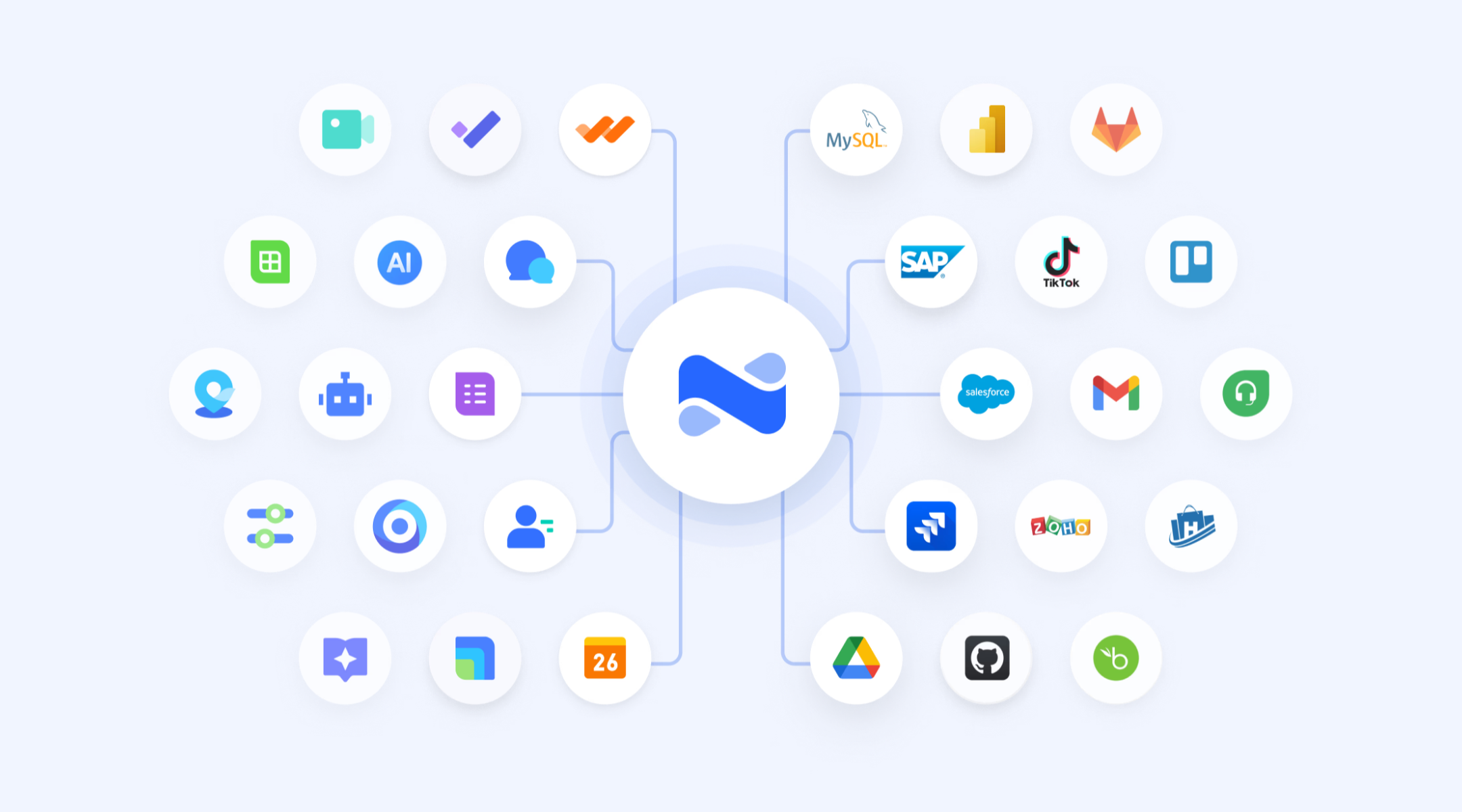
Multi-step visual workflow builder
Lark Base enables teams to map out their operational logic on a clear visual canvas. Rather than relying on simple event triggers, managers can construct complex paths using branching logic, conditional steps, and loops that respond to real-time database updates. For instance, if a project deadline is pushed back in the database, the system can automatically reassign dependent tasks and send an urgent notification to the department head. 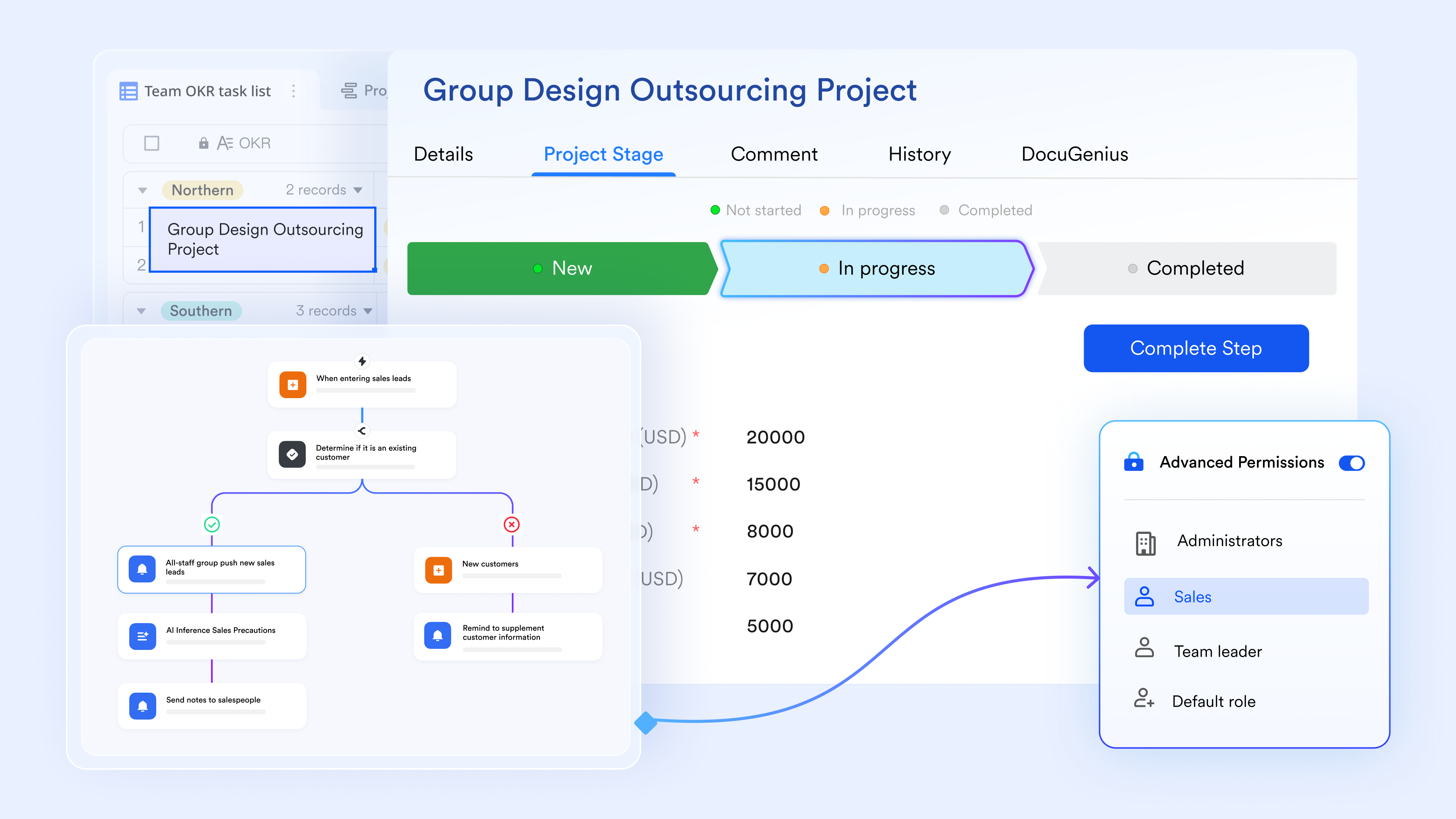
AI-driven node for complex workflow
By incorporating an intelligent agent node, the platform can handle tasks that require contextual understanding. This node utilizes large language models to analyze past conversations and determine the best course of action without human prompting. You can provide the agent with a set of specific tools, and it will independently decide when to pull data or draft a response based on the changing needs of the current project. 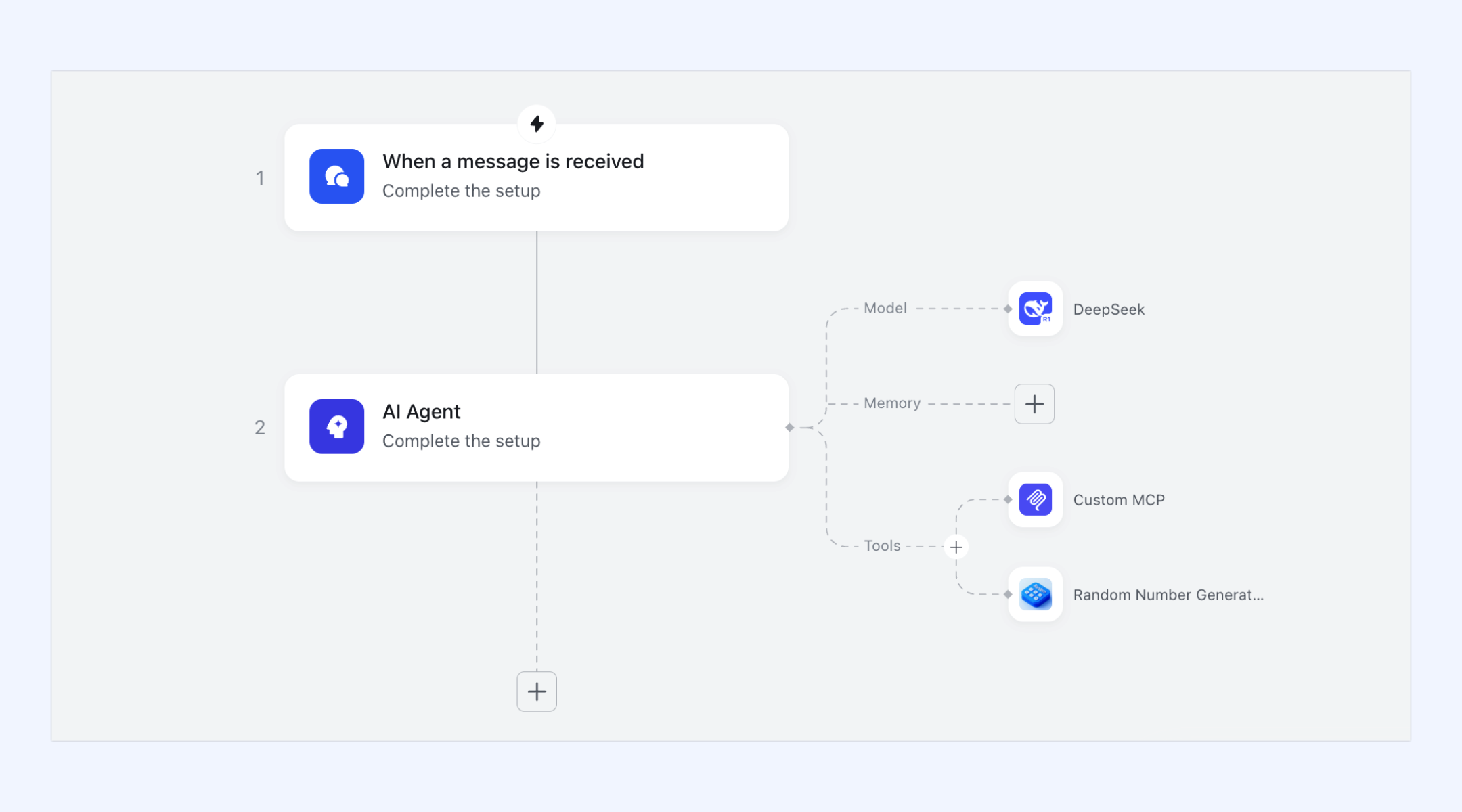
Automated logic-driven approvals
targets the administrative friction that slows down daily operations. It allows administrators to build custom routing paths based on the content of a request. Routine expense reports might bypass middle management entirely, while large budget requests are routed directly to the finance department. Because these requests appear instantly in the chat interface, approvers can review and clear them with a single tap on their mobile devices.
Pros:
- Consolidates multiple productivity applications into one unified workspace
- Provides built-in translation and smart features for global teams
- Offers generous cloud storage and automation runs on affordable plans
Cons:
- Small teams might require time to adopt the extensive feature set
- Starter plan: Free forever plan with 11 powerful tools for up to 20 users, 100GB storage, 1,000 automation runs, AI translations, and more. No credit card needed.
- Basic plan: $6/user/month (billed annually) for up to 500 users. Includes everything in Starter plus unlimited message history, 5TB storage, 1,000 automation runs, and more. Some users may need to to purchase.
- Pro plan: $12/user/month (billed annually) for up to 500 users. Includes everything in Basic plus group calling for up to 500 attendees, 15TB storage, 50,000 automation runs, and more.
- Enterprise plan: for custom pricing. Supports unlimited users and includes advanced automation, security, compliance, and management features.
For small teams with simple communication needs

18 months message history
1000 Base automation runs/month
2000 rows per table in Base
Most POPULAR
For companies with comprehensive collaboration and management needs
Unlimited message history
500-participant video meetings
50k Base automation runs/month
20k rows per table in Base
For large companies with advanced security and organizational management needs
Get a personalized demo and pricing
Unlimited message history
500-participant video meetings
15 TB storage + 30 GB storage/user
500k Base automation runs/month
50k Base automation runs/month
Most POPULAR
For companies with comprehensive collaboration and management needs
Unlimited message history
500-participant video meetings
50k Base automation runs/month
20k rows per table in Base
2. Zapier: Best for connecting existing software stacks
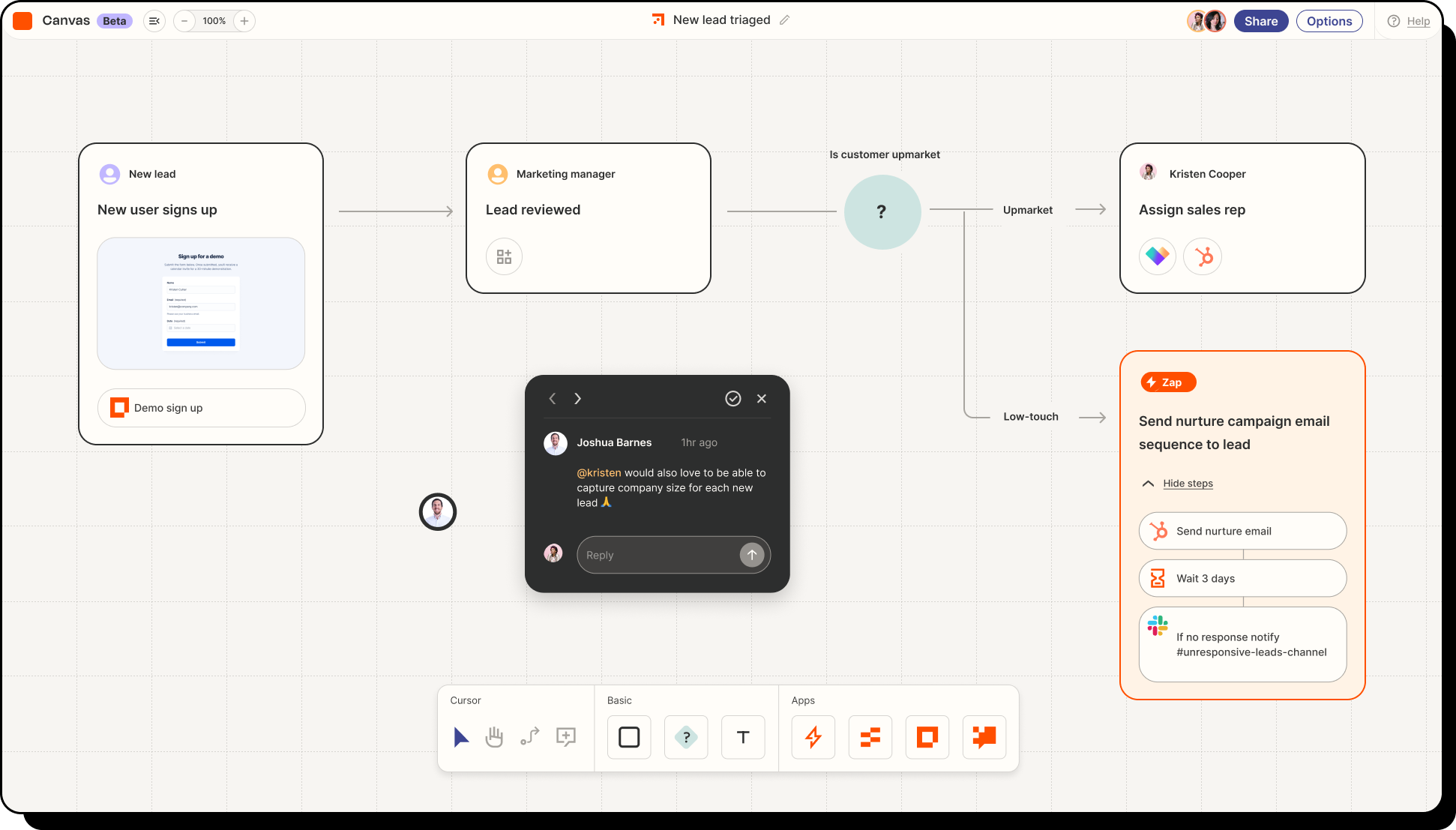
Image source: zapier.com
Zapier connects thousands of separate web tools, allowing you to pass data between them automatically. You build paths by selecting a trigger in one application and defining the subsequent actions in others, effectively building a customized backend process visually. If a new lead signs up via a web form, you can configure the system to add them to your CRM, send a welcome email, and notify your sales team in their chat app.
This tool acts as the glue for companies that rely on a large, fragmented tech stack. It removes the need to manually copy and paste information, ensuring data consistency across different departments without requiring custom code.
Pros:
- Supports connections with thousands of popular web applications
- Features a simple visual editor for creating complex logic paths
- Reduces manual data entry errors across disconnected platforms
Cons:
- High volume tasks quickly consume monthly task allowances
- Troubleshooting multi-step logic errors requires patience and technical understanding
Pricing:
- Zapier provides a Free plan strictly limited to 100 tasks per month and single-step automations.
- Paid plans begin around $19.99 per month (billed annually).
3. ClickUp: Best for automated project management
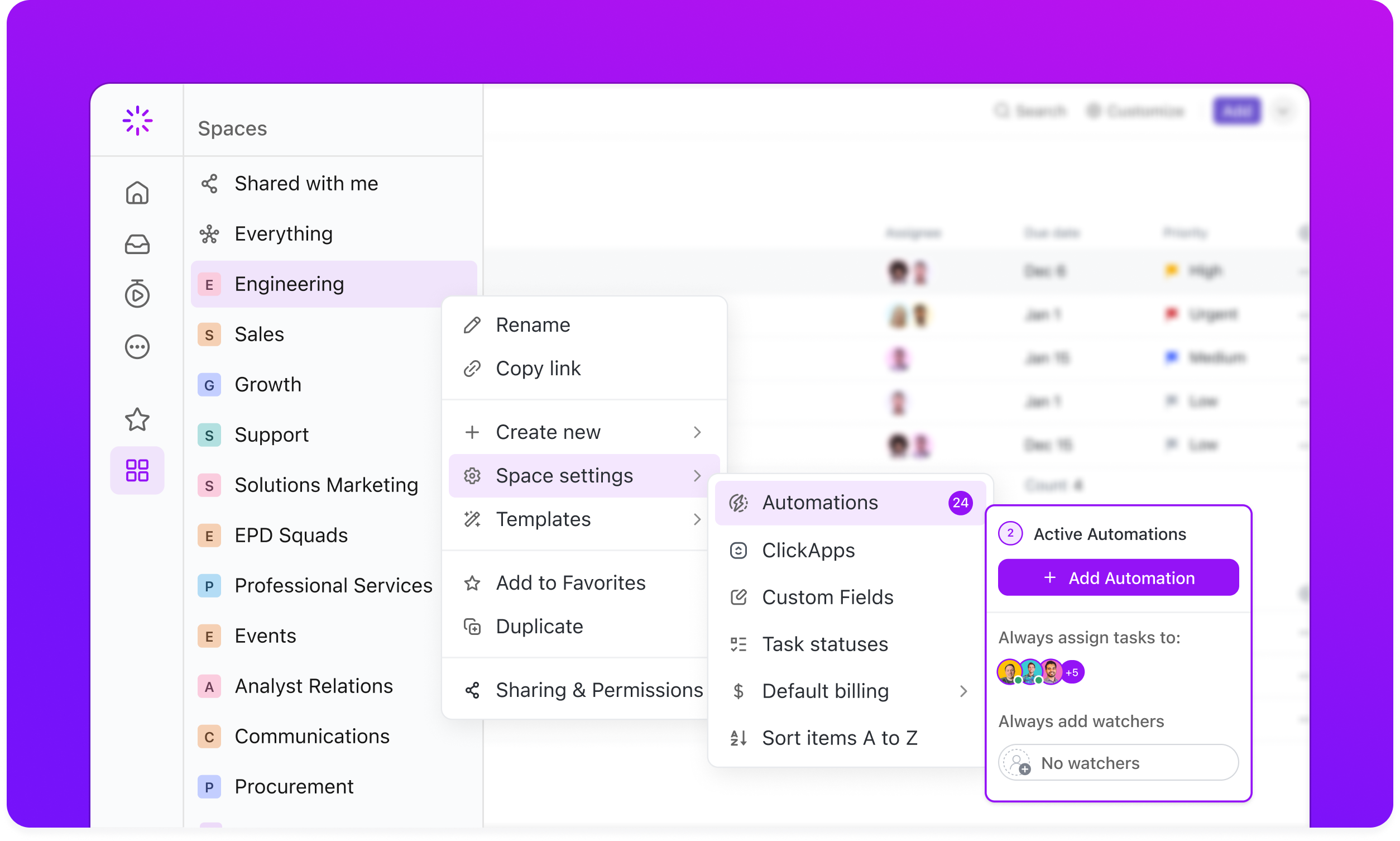
Image source: clickup.com
ClickUp provides a highly customizable project management environment that helps teams automate their daily routines. Instead of relying on manual status updates, managers can set up automated triggers that move tasks across different stages, assign team members, and change due dates automatically based on specific actions.
The platform recently introduced built-in artificial intelligence features that summarize long task descriptions and generate action items from meeting notes. This combination of rule-based logic and generative assistance makes it easier for product and marketing teams to keep their work organized without spending hours on administrative cleanup.
Pros:
- Consolidates project tracking and daily task management in one place
- Features highly customizable dashboards for different team structures
- Includes built-in generative tools to summarize lengthy task comments
Cons:
- Requires significant time to configure properly for large teams
- Can feel overwhelmingly complex for simple personal task tracking
Pricing:
- ClickUp offers a Free Forever plan with limited storage and automation limits.
- Paid plans start at $7 per user/month (billed annually).
4. Microsoft Power Automate: Best for Windows ecosystem workflows
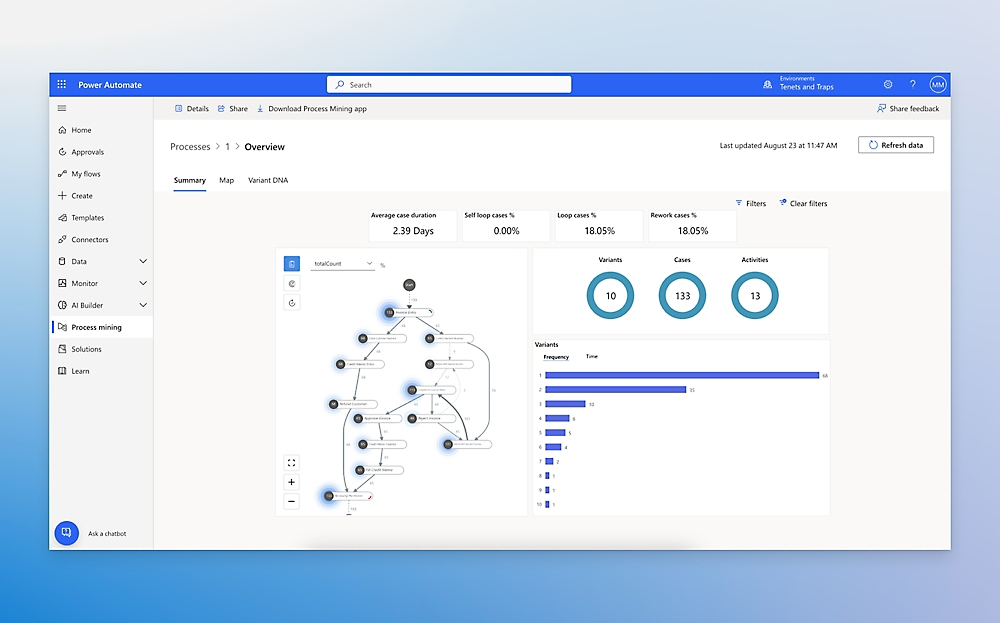
Image source: microsoft.com
Microsoft Power Automate serves as the core logic engine for organizations heavily invested in the Office 365 and Azure environments. It allows users to build automated flows that connect Outlook, SharePoint, Teams, and Dynamics together efficiently.
The platform recently added Copilot functionality, which allows business users to design complex logic paths simply by describing what they want in natural language. This feature drastically lowers the technical barrier, enabling managers to set up document approval chains and automated data extraction without writing a single line of code.
Pros:
- Works natively within the broader Microsoft enterprise application ecosystem
- Features natural language commands for building complex automated flows
- Offers hundreds of pre-built templates for common business operations
Cons:
- Interface navigation can be confusing for new or casual users
- Premium connectors for external applications require expensive plan upgrades
Pricing:
- Power Automate free trial: Free
- Power Automate Premium: $15/user/month
- Power Automate Process: $150/bot/month
- Power Automate Hosted Process: $215/bot/month
5. UiPath: Best for enterprise robotic process automation
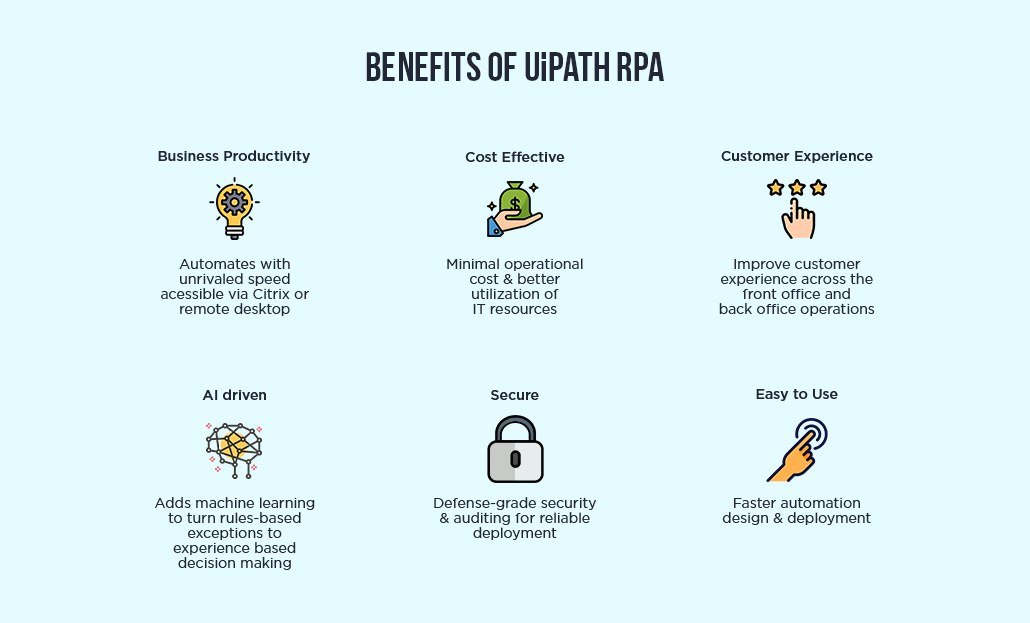
Image source: uipath.com
UiPath specializes in robotic process automation for large organizations dealing with legacy systems. When your company relies on older software that lacks modern APIs, UiPath deploys digital bots that read screens, click buttons, and type text exactly like a human operator would. This approach bridges the gap between outdated infrastructure and modern efficiency requirements.
The platform includes advanced computer vision and machine learning models to understand documents and extract data automatically. Business analysts and developers work together within its studio environment to map out highly complex, enterprise-wide processes that run continuously in the background.
Pros:
- Excels at interacting with legacy software lacking modern API support
- Includes advanced computer vision for document processing and extraction
- Offers high security and compliance standards for large enterprises
Cons:
- Requires specialized training or developers to build complex bots
- Deployment costs are typically too high for small businesses
Pricing:
- Basic plan: Starting at $25/month
- Standard and Enterprise: Contact sales for pricing
6. Workato: Best for complex enterprise data orchestration
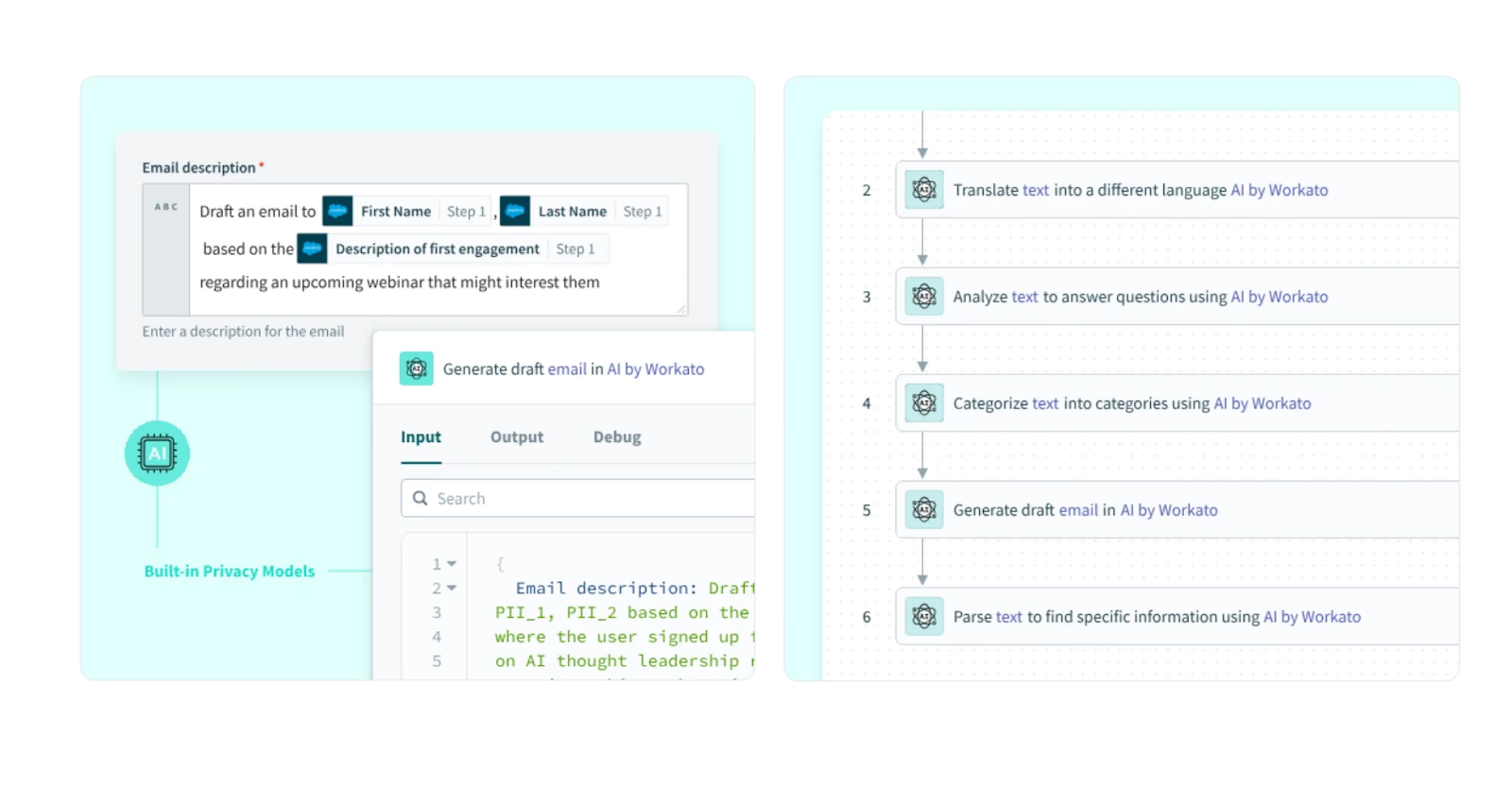
Image source: workato.com
Workato provides a powerful platform designed for IT and business operations teams to collaborate on complex automation. Instead of simple triggers, it uses detailed recipes that can handle massive amounts of data, conditional logic, and error handling across enterprise applications. This ensures that critical business data syncs reliably between finance, HR, and sales systems.
The service places a heavy emphasis on security and governance, giving IT departments complete visibility into every automated process. This allows business users to build their own paths while maintaining strict corporate compliance standards and preventing unauthorized data access.
Pros:
- Provides enterprise-grade security and governance controls for IT departments
- Handles highly complex logic and massive data volumes reliably
- Offers pre-built recipe templates for common business operations
Cons:
- Features a steep learning curve for non-technical business users
- Implementation often requires significant upfront planning and technical consulting
Pricing:
7. Make: Best for visual workflow building
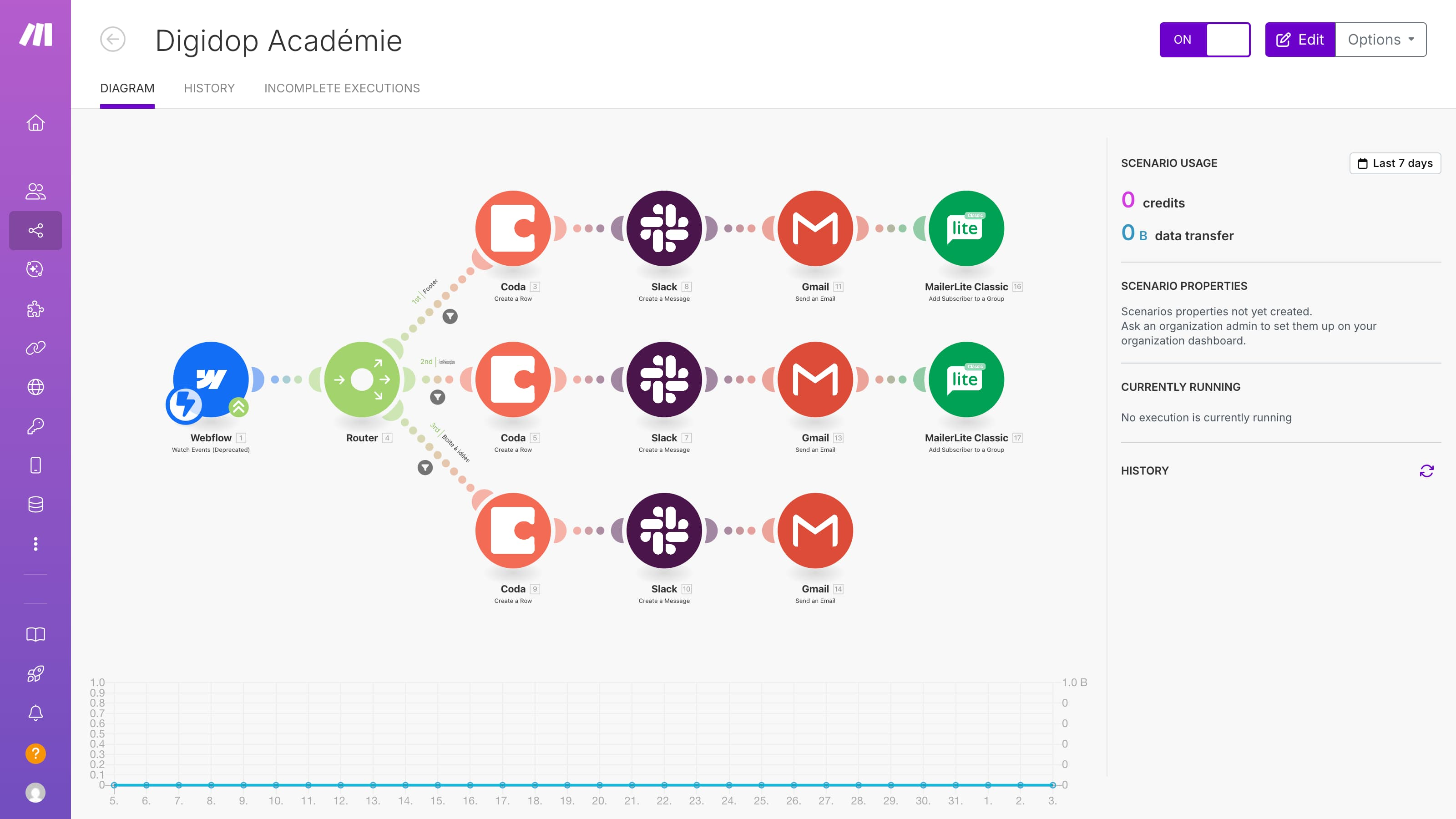
Image source: make.com
Make gives users a highly visual, drag-and-drop canvas to design their automated processes. Instead of a linear list of steps, users can build branching paths, loops, and parallel executions that resemble a flowchart. This visual approach makes it easier to comprehend complex logic and spot exactly where data transforms as it moves between applications.
The platform connects with thousands of endpoints and allows for custom API calls, making it highly adaptable for developers and operations teams alike. You can watch your data flow through the scenario in real time, which drastically simplifies the testing and debugging process.
Pros:
- Features an intuitive visual canvas for mapping out branching logic
- Allows deep customization through direct HTTP and API calls
- Provides real-time execution monitoring for easy debugging
Cons:
- Interface becomes cluttered when building massive, enterprise-wide scenarios
- Requires foundational knowledge of data structures to use effectively
Pricing:
- Free plan: $0/month(1,000 credits)
- Core plan: $9/month(10k credits)
- Pro plan: $16/month(10k credits)
- Teams plan: $29/month(10k credits)
- Enterprise plan: Custom pricing
Building an automated approval pipeline without IT
After evaluating the top vendors on the market, you might wonder how these capabilities actually change daily operations. Let me show you how a unified platform transforms a notoriously slow process: cross-departmental approvals.
In a fragmented software setup, an equipment request usually causes administrative chaos. An employee fills out a digital document, emails it to their supervisor, and waits. The supervisor approves it and forwards the thread to the finance team, where an analyst manually types the details into a master spreadsheet. The context gets lost, and the process takes days.
By using a modern, all-in-one workspace, an operations manager can build an automated pipeline in just a few hours without writing any code. Here is how that looks in practice:
- Centralized intake: The employee submits a custom digital form linked directly to a .
- Dynamic routing: The system reads the equipment cost. It routes standard requests to the direct manager, but automatically loops in the finance director for high-value items.
- Contextual notifications: Instead of receiving a forwarded email, the approver gets an instant chat ping containing a smart summary of the business justification.
- Instant execution: The manager clicks approve on their phone, the database updates instantly, and the employee receives an automatic confirmation message.
This scenario highlights the core message of this guide. When you connect your communication channels directly to your data structures, you remove the manual friction that slows your team down. This prepares your organization for the true benefits of .
Conclusion
Automating your enterprise workflows requires more than adding isolated bots to your software stack. To truly reduce manual data entry and improve operational efficiency, you must connect your team's communication and data. By choosing an all-in-one suite like , you gain a unified workspace with flexible rule builders and built-in human oversight. This approach eliminates administrative bottlenecks and speeds up decision-making. Start by conducting a readiness assessment, then adopt a scalable platform like Lark to connect your growing business.
Build smarter workflows in one unified workspace with Lark
FAQs
What are AI automation services?
These services combine artificial intelligence with rule-based logic to handle repetitive business tasks. They read data, categorize information, and route requests automatically, helping organizations reduce manual labor and improve overall operational efficiency.
How to choose AI automation agency services?
Focus on agencies that start with a comprehensive readiness assessment. Evaluate their approach to data governance, compliance, and their ability to build custom agents that align perfectly with your existing operational workflows.
What is AI automation and how does it enhance operations?
This technology uses intelligent algorithms to execute processes that previously required human cognitive effort. It enhances daily operations by taking over routine data entry, document review, and basic decision routing. By shifting these burdens to software, teams gain more time for creative problem solving and strategic planning.
What are the top 10 AI services?
The best choice depends heavily on your specific business requirements. However, the leading platforms in the market usually include unified workspaces like Lark, visual workflow builders like Zapier, Make, and Workato, enterprise robotic process platforms like UiPath, customer management systems like Salesforce, collaborative suites like Google Workspace and Microsoft Power Automate, and custom consulting agencies like Automaly.
Who are the big 4 AI agents?
In the enterprise software market, the top tier of intelligent assistants is driven by major technology providers. This group generally includes Microsoft Copilot, Google Gemini, Salesforce Einstein, and OpenAI enterprise models. These agents act as native assistants within their respective software ecosystems, helping workers draft text, analyze data, and summarize meetings.
Which 3 jobs will survive AI?
While technology changes how we work, roles that rely heavily on human connection and physical adaptability remain secure. Professions requiring deep emotional intelligence (like human resources and counseling), complex physical dexterity (like specialized trades), and advanced strategic leadership will continue to thrive. Software serves as a tool to support these roles rather than replace them.
How do AI workflow automation services improve ROI?
They improve your return on investment by significantly reducing the hours employees spend on manual data transfer and routine approvals. This minimizes costly human errors and frees your staff to focus on high-value strategic work.
Related reading






























