Remote and hybrid work has completely changed how we hold discussions, with online meetings becoming the primary method. And the great thing about this shift (besides the ability to wear whatever you want) is that AI meeting minutes are now available to intelligently handle all the note-taking. This means everyone can actually focus on the conversation instead of typing away on a laptop.
To help you find the perfect setup, we have put together a detailed breakdown of the 10 best options on the market. We will walk you through the key features to look for, the daily benefits of going digital, and some tips to choose the right fit for your team.
What are AI meeting minutes?
Are you spending hours transcribing calls instead of acting on the decisions made? AI meeting minutes tools solve this exact bottleneck. AI use artificial intelligence (AI) to automatically listen, transcribe, and summarize spoken business conversations into structured written documentation. These tools connect to your calls and use natural language processing to identify speakers and understand context. The software then organizes the chaotic discussion into topic-based headings, tracks decisions, and extracts clear action items. This drastically reduces the time spent on manual follow-ups.
5 key features to look for in AI meeting minutes apps
Basic transcription capabilities are not the only thing you should look for when evaluating different solutions. The best applications offer advanced functionalities designed to organize your workflows, protect your data, and integrate seamlessly with the tools your team already uses.
- Structured summaries: The ability to convert raw transcripts into organized sections with topic headings, specific decisions, and assigned action items.
- Workflow integrations: Seamless connections to CRM systems like Salesforce or project management tools to automate data entry and task creation.
- Enterprise-grade security: Strict data privacy controls, SOC2 compliance, and explicit prohibitions on using your meeting data to train external models.
- Recording flexibility: Options to choose between a visible virtual bot or invisible, local device audio capture to maintain discretion during sensitive calls.
- Multilingual support: Advanced capabilities for automatically detecting, transcribing, and translating multiple global languages to support international teams.
Top 10 AI meeting minutes solutions at a glance
How we select and test AI meeting minutes solutions
Our editorial team follows a transparent, repeatable methodology. Every review is based on our hands-on testing in practical work scenarios, and we always stick to a set of consistent scoring criteria.
- Features and functionality
- Security, privacy, and compliance
- Integrations and compatibility
Our team reviews and assesses tools using consistent datasets and real-world scenarios, focusing on the things users care about most—such as sales pipelines, marketing automation, collaboration, and knowledge management. We confirm the official pricing and release notes of each product we review, and gather user feedback from across different channels. We do not accept paid placements and ensure our reviews are completely unbiased and fair. Additionally, as software and digital work environments constantly evolve, we review our content at least quarterly and update articles whenever products undergo significant changes. For more information about our review methodology, read the full rundown of.
Top 10 AI meeting minutes solutions in 2026
Lark: Best for teams that want built-in AI minutes with meetings
Lark is an all-in-one productivity superapp that combines , , , , and other essential workplace tools into a single platform, powered by AI. Lark Minutes serves as a dedicated within this ecosystem to automatically transcribe video calls into interactive, searchable transcripts. Meanwhile, summarizes lengthy discussions into concise bullet points, identifies action items, and translates conversations into multiple languages for globally distributed teams. Participants can even collaborate asynchronously directly on the transcript using comments, highlights, or emoji reactions.
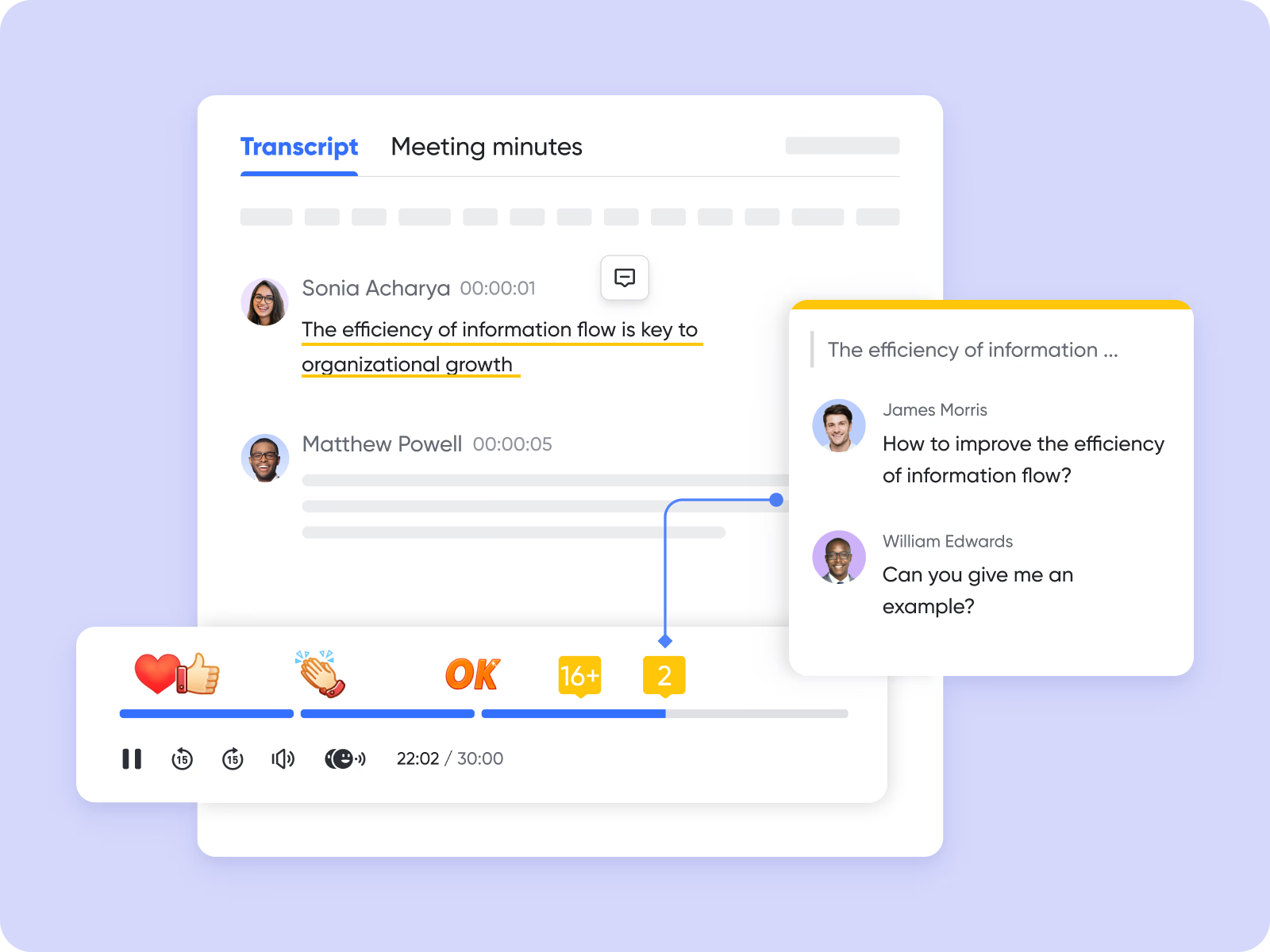
The true advantage of these features lies in their unified architecture. Your AI meeting minutes connect seamlessly with your everyday collaboration tools because everything happens on the same platform. You no longer need to deal with clunky third-party bots joining calls or manually exporting text files while meeting summaries and action items appear right alongside chats and project documents.
Key features:
- Real-time automatic transcription that ties effortlessly into your collaborative documents and task managers.
- Multilingual collaboration support with single-click translations into multiple languages, perfect for globally distributed teams.
- Intelligent playback system with custom speeds and automatic fast-forwarding through silent segments.
- Native workspace integration enabling asynchronous interaction, allowing users to highlight text, comment, and react with emojis directly on the transcript.
Pros:
- Cures context switching by unifying communication, documentation, and task management in one application.
- Real-time automatic transcription reduces the mental burden of manual note-taking.
- Exceptionally robust free tier delivers immense value for smaller operations and startups.
- Eliminates the need to subscribe to multiple separate apps, saving organizations significant subscription costs.
Cons:
- The platform is incredibly feature-rich and replaces multiple apps, so users may take some time to learn how to make full use of all the features.
Pricing:
- Starter plan: that includes 11 powerful tools for up to 20 users. It also comes with 100GB of storage space, 1000 automation runs, AI translations, and more. No credit card needed.
- Basic plan: (billed annually) for up to 500 users. It includes all the features in Starter and unlimited message history, 5TB of storage space, 1,000 automation runs, and more. Some users may need to to purchase this plan.
- Pro plan: (billed annually) for up to 500 users. It includes everything in Basic plus group calling for up to 500 attendees, 15TB of storage space, 50,000 automation runs, and more.
- Enterprise plan: for custom pricing. Supports unlimited users and includes even more automation runs and advanced security, compliance, and management features.
For small teams with simple communication needs

18 months message history
1000 Base automation runs/month
2000 rows per table in Base
Most POPULAR
For companies with comprehensive collaboration and management needs
Unlimited message history
500-participant video meetings
50k Base automation runs/month
20k rows per table in Base
For large companies with advanced security and organizational management needs
Get a personalized demo and pricing
Unlimited message history
500-participant video meetings
15 TB storage + 30 GB storage/user
500k Base automation runs/month
50k Base automation runs/month
Most POPULAR
For companies with comprehensive collaboration and management needs
Unlimited message history
500-participant video meetings
50k Base automation runs/month
20k rows per table in Base
Fireflies.ai: Best for sales teams needing CRM-integrated meeting intelligence
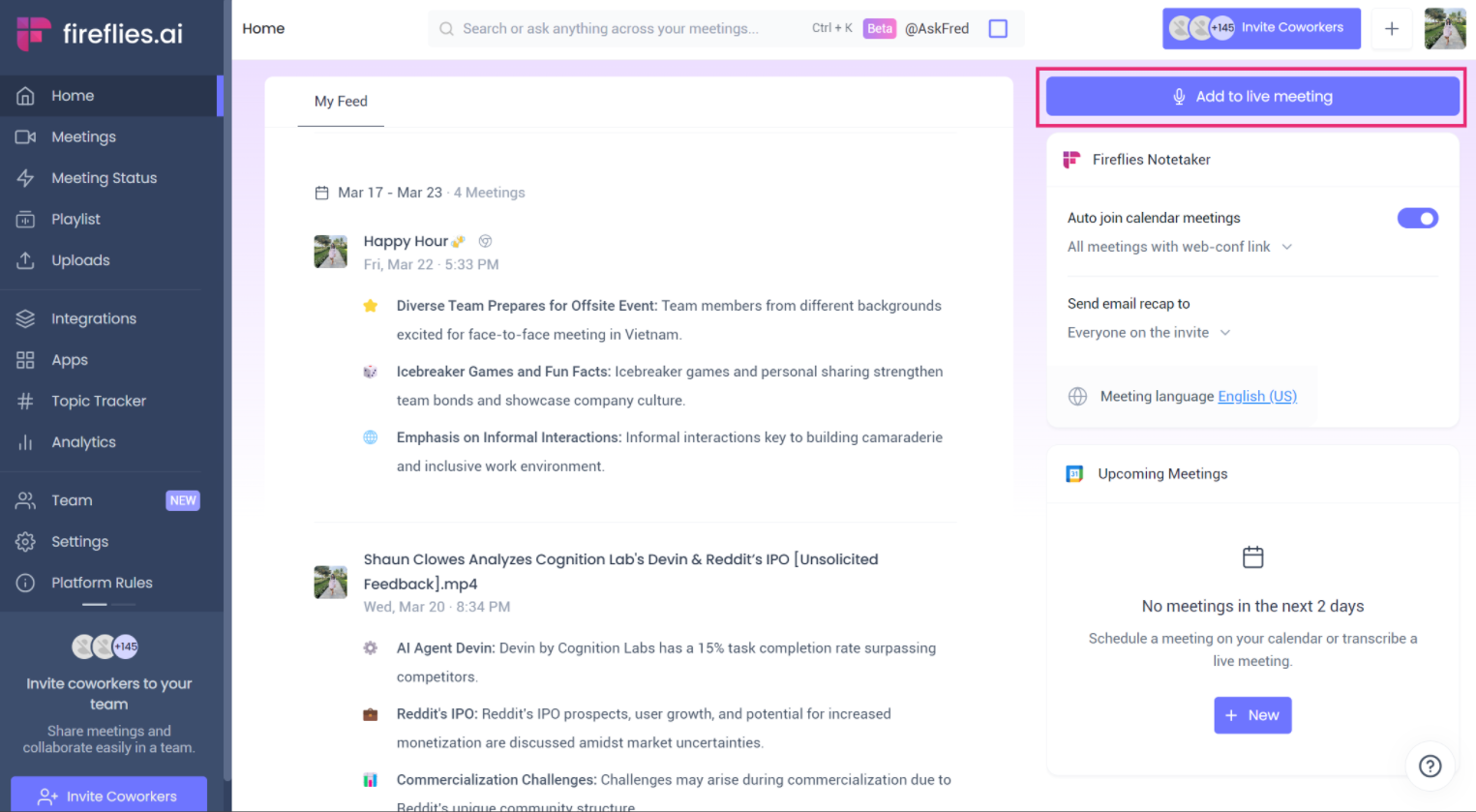
Image source: fireflies.ai
Fireflies.ai operates as a specialized intelligence platform designed to capture and analyze voice conversations across virtually every major video conferencing tool. It essentially serves as a massive, searchable repository for your organization's voice data. It acts as an invisible observer joining your calls on Zoom, Google Meet, Microsoft Teams, and Webex to funnel the extracted data wherever you need.
The software goes far beyond simple documentation to offer an analytical layer evaluating meeting sentiment and tracking historical topics. This deeper insight makes it incredibly powerful for sales coaching and client relationship management.
Key features:
- Advanced generative AI engine featuring AskFred, a conversational interface for asking questions and drafting custom follow-ups based on meeting discussions.
- Impressive integration library with over fifty native connections to major platforms like Salesforce and HubSpot.
- Soundbite creation enabling users to easily clip and share crucial moments from meetings.
- Sentiment analysis and talk-time tracking to evaluate the positive, negative, or neutral parts of a call.
Pros:
- The sheer breadth of integration coverage keeps databases clean via automated data entry.
- Does a fantastic job of structuring notes, extracting action items, and providing deep searchability.
- Generous free storage allowance gives teams plenty of room to test the platform out.
Cons:
- The user interface can frequently feel cluttered and somewhat overwhelming.
- Its universal approach treats every meeting type the same, struggling to adapt its formatting to different contexts like standups versus customer interviews.
Pricing:
- Free tier: Available (includes 800 minutes of storage).
- Pro plan: Starting at approximately $10.00 per user/month (billed annually).
- Business plan: $19.00 per user/month (unlocks deeper CRM integrations and advanced AI features).
Fathom: Best for individuals and teams seeking free, unlimited summaries
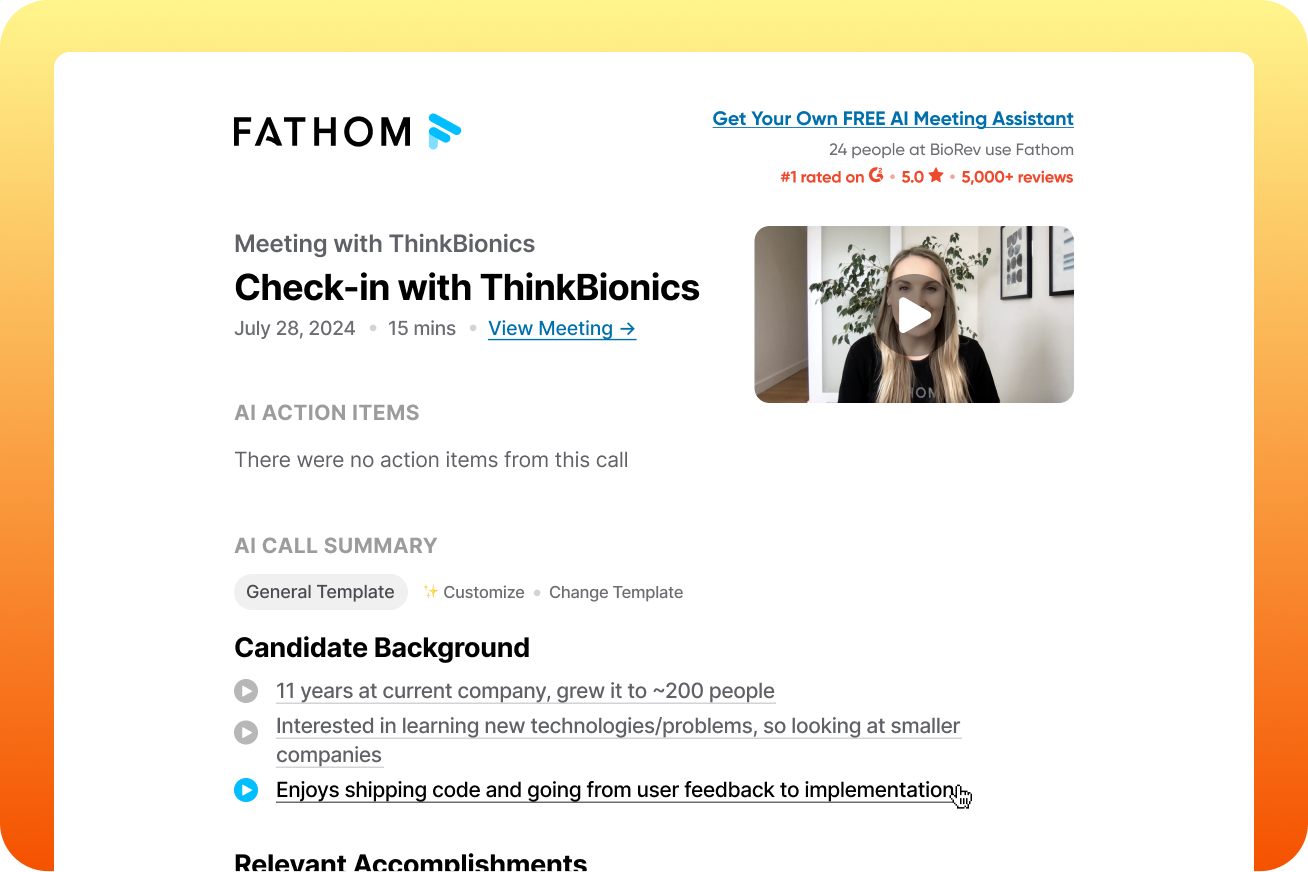
Image source: fathom.ai
Fathom has exploded in popularity because it offers a frictionless, highly accurate meeting assistant prioritizing simplicity and immediate value. Heavier enterprise platforms often require complex setup processes and immediate subscription fees. Fathom delivers core meeting capture functionality flawlessly out of the box to avoid this friction. Individual users, freelance consultants, and small teams heavily favor this tool as they bounce between Zoom, Google Meet, or Microsoft Teams. It provides a remarkably clean user experience by focusing entirely on reliable transcription and rapid summary generation without unnecessary feature bloat.
Recent updates introduced an option to record meetings without a visible bot joining the call. This stealthy approach eliminates that awkward moment when clients realize they are being recorded, which preserves the natural flow of the conversation.
Key features:
- Rapid capacity to generate structured AI summaries and extract action items within thirty seconds of the meeting ending.
- Perfect Recall natural language search feature to instantly dig through past conversations.
- Highlighting capability during live calls to prioritize specific topics in the final summary.
- Seamless CRM synchronization with platforms like HubSpot and Salesforce for premium users.
Pros:
- Arguably the best free plan in the category, offering genuinely unlimited recording and transcription without arbitrary caps.
- Incredibly clean and intuitive interface requiring virtually no onboarding time.
- Fast generation of decision-focused notes allows for rapid distribution before your next call.
Cons:
- Lacks the extensive administrative controls and robust sharing features that large corporate IT departments usually demand.
- Language support is somewhat limited to around twenty-eight languages.
- Occasionally struggles with speaker attribution during fast-paced, overlapping conversations.
Pricing:
- Free tier: Free forever (includes unlimited recordings, transcripts, and AI summaries with no monthly cap).
- Teams plan: $15.00 to $19.00 per user/month (billed annually, adding CRM sync and advanced team dashboards).
Otter.ai: Best for teams needing real-time live captions
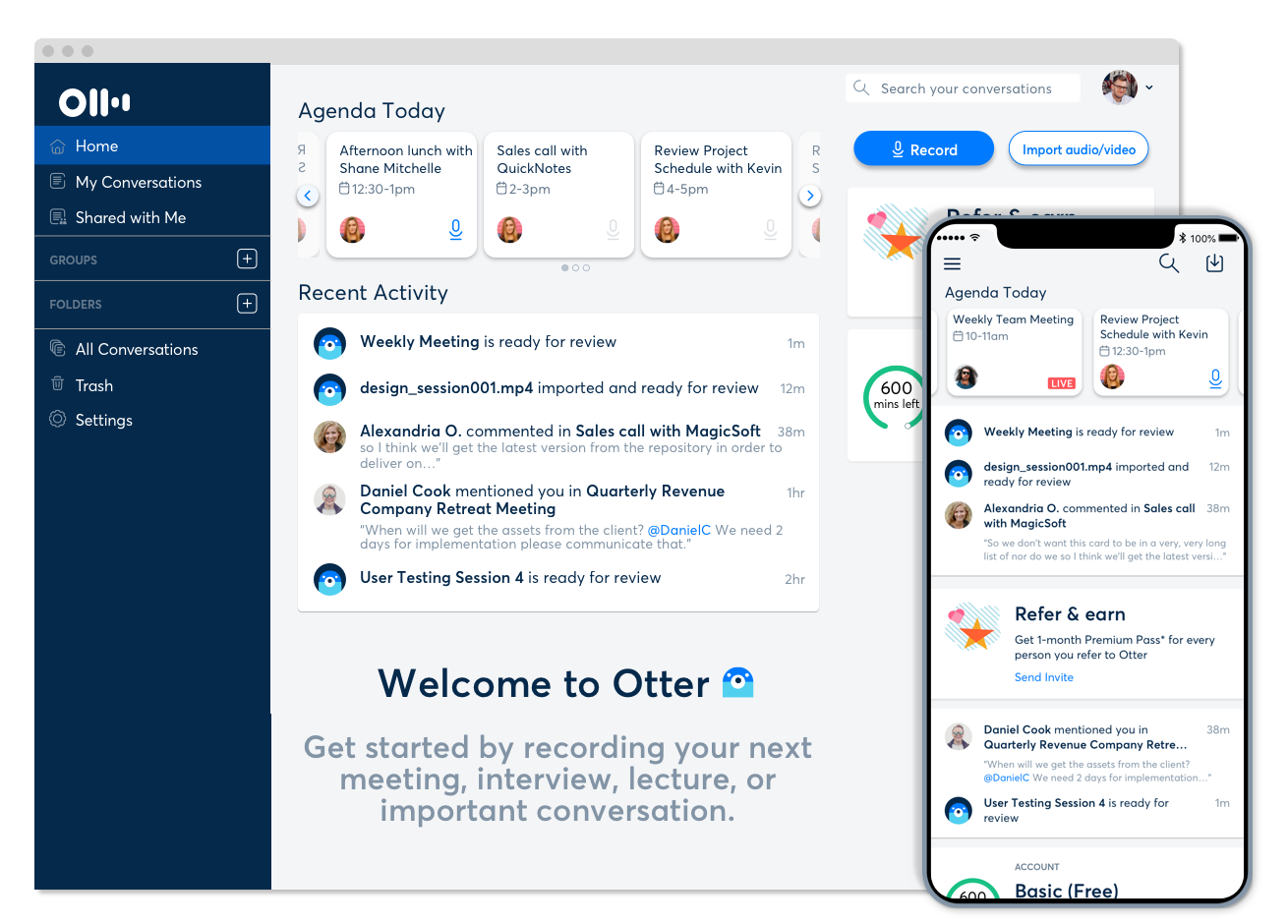
Image source: otter.ai
Otter.ai is widely considered one of the original pioneers in the automated transcription space. It steadily evolved from a simple dictation app into a comprehensive workspace for meeting management. The platform integrates deeply into the modern digital workflow and functions smoothly across Zoom, Google Meet, and Microsoft Teams. Its powerful real-time processing engine serves as a primary distinction, pushing out live, interactive transcripts right as the conversation happens.
This real-time visibility is fantastic for accessibility. Participants can catch missed details or easily follow along from a noisy coffee shop. The platform is built heavily around shared channels, encouraging you to group notes by project or department so conversations continue long after the video call ends.
Key features:
- Real-time transcription with live captions for synchronous highlighting and note-taking.
- Automatic extraction of action items, decisions, and follow-up tasks from the conversational flow.
- AI chat function for asking mid-call questions and conducting cross-meeting historical searches.
Pros:
- Live transcription quality is exceptionally solid and highly reliable.
- Straightforward interface paired with strong collaborative features like shared workspaces.
- Generous free tier covers the basic needs of individual users with a light meeting load.
Cons:
- Speaker attribution logic often breaks down when participants start talking over one another.
- Provides a static list of extracted tasks without actively tracking them to completion.
- Language support is notably restricted, focusing predominantly on English, Spanish, and French.
Pricing:
- Free tier: Available (includes 300 monthly transcription minutes).
- Pro plan: $8.33 per user/month (billed annually).
- Business plan: $19.99 to $20.00 per user/month (billed annually).
tl;dv: Best for global teams needing multilingual meeting search
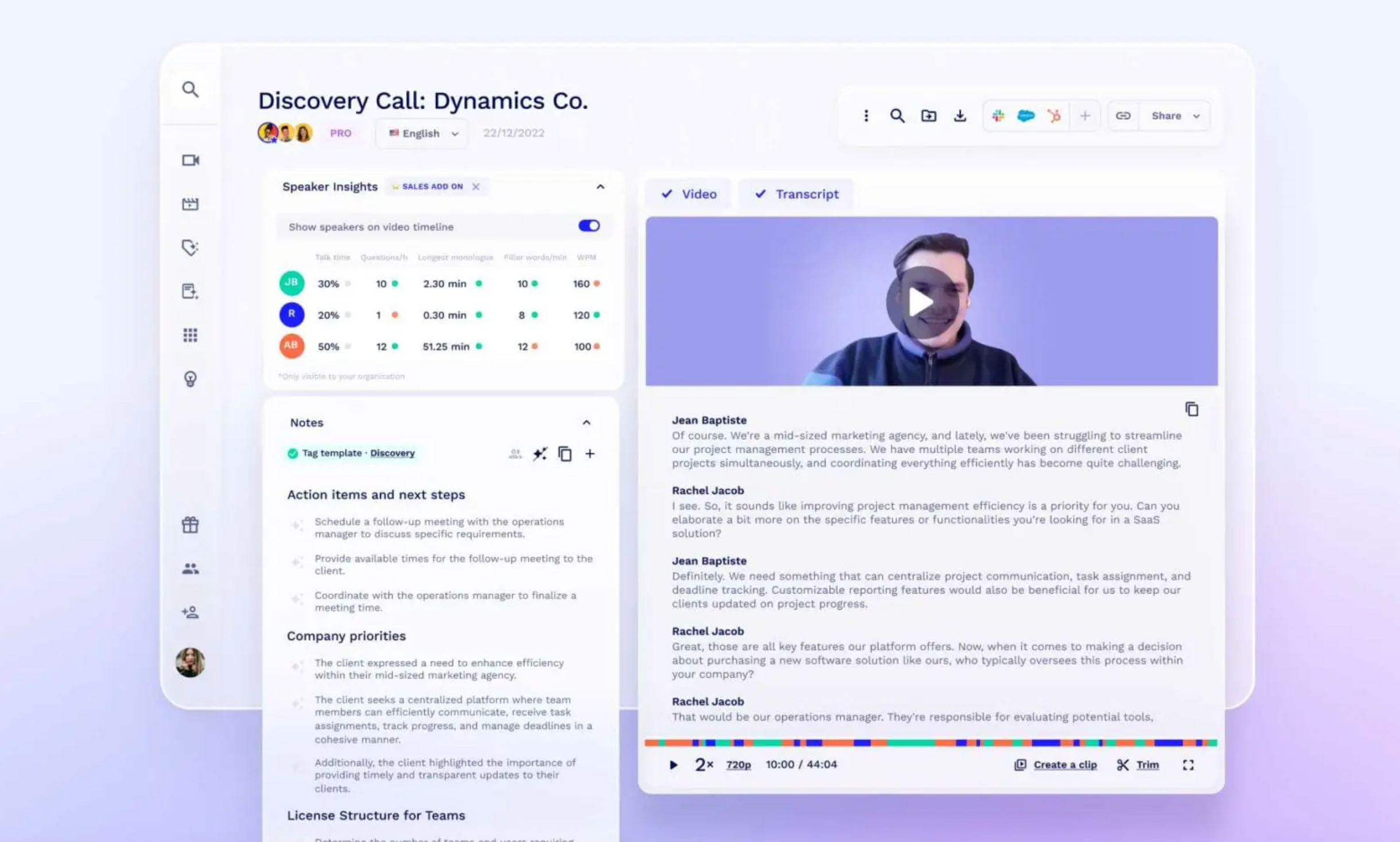
Image source: tldv.io
tl;dv has carved out a massive chunk of the market solving the exact problems heavily English-centric transcription tools ignore. Built as a versatile extension for Zoom, Google Meet, and Microsoft Teams, the platform is famous for accurate AI reporting and extensive language compatibility. User experience researchers, product managers, and international sales teams who constantly conduct interviews across different countries particularly love this tool.
The software understands that text is not always enough to convey emotion. It emphasizes the curation of video content. You can easily clip, stitch together, and share specific video soundbites from longer meetings to highlight crucial customer insights directly to stakeholders.
Key features:
- Highly accurate transcription and translation capabilities supporting more than thirty different languages.
- Advanced AI report builders capable of synthesizing recurring themes and insights across multiple calls.
- Customizable meeting templates and strong automation features for pushing summaries directly to preferred workspaces.
Pros:
- Superior multilingual transcription accuracy compared to older, legacy platforms.
- Remarkably extensive free version offering unlimited transcriptions.
- Short video clip creation tied to transcript highlights drastically improves the impact of information sharing.
Cons:
- Advanced automation and AI reporting features are locked behind a noticeably more expensive business plan.
- Heavily optimized for desktop usage right now, resulting in a somewhat clunky mobile experience.
Pricing:
- Free tier: Available (includes unlimited free transcriptions).
- Pro plan: $18.00 per user/month (billed annually).
- Business plan: $29.00 per user/month (billed annually).
Granola: Best for macOS users wanting bot-free meeting notes
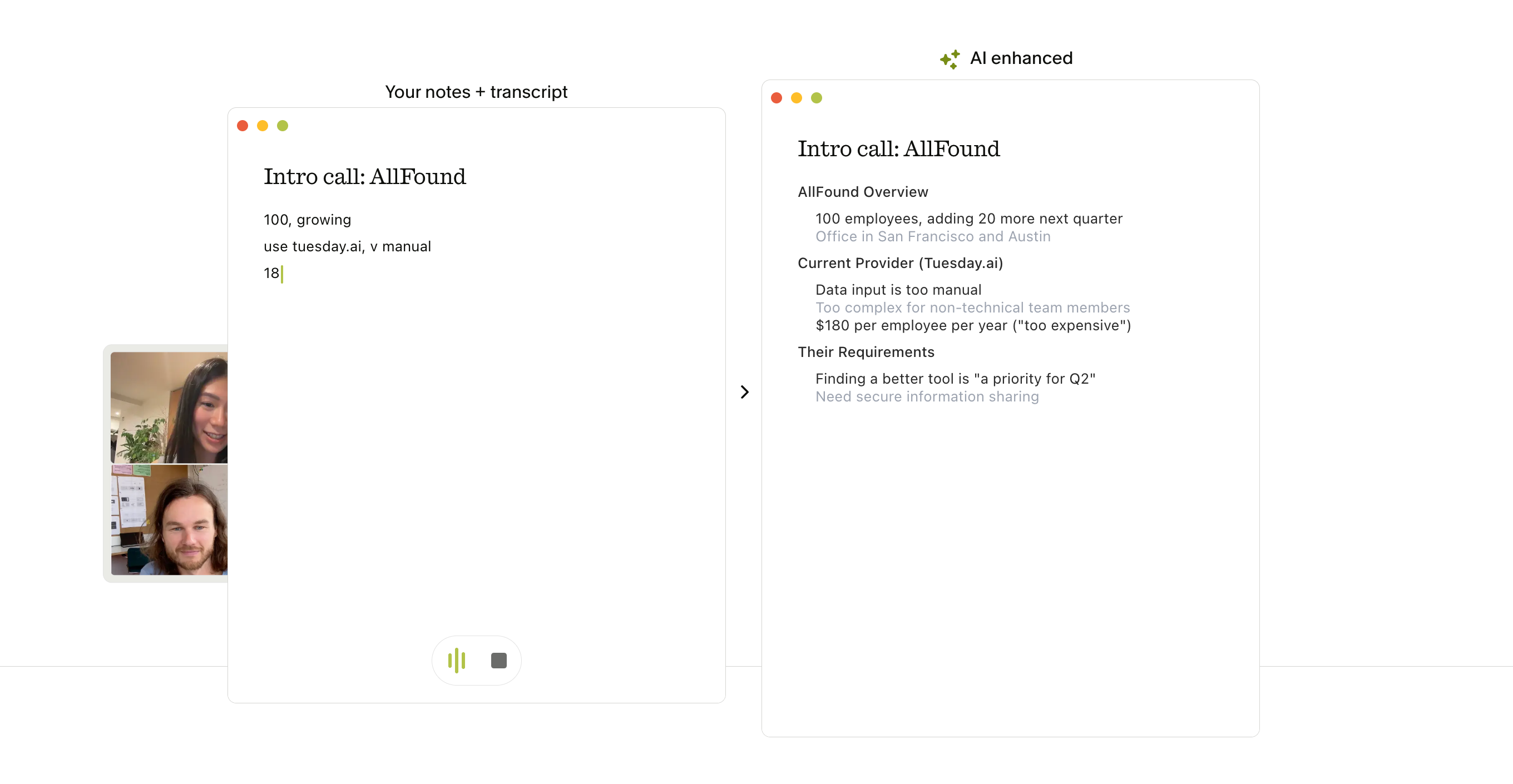
Image source: granola.ai
Granola approaches the meeting intelligence space from a fundamentally different philosophical angle. It recognizes the awkward psychological friction caused when automated bots join sensitive virtual rooms. Nobody likes seeing an "AI Notetaker has joined" notification during a confidential discussion. Granola operates entirely locally to fix this issue. Designed as a desktop-based application, it captures system audio directly from your device's microphone and speakers.
This stealthy approach ensures the technology remains totally invisible to other people on the call. It is the premier choice for executives, consultants, and investors prioritizing conversational intimacy and absolute discretion above all else.
Key features:
- Hybrid intelligence approach that encourages manual shorthand note-taking alongside the AI.
- Merges your manual jottings with a full, bot-free background transcript to generate contextually rich summaries.
- Automatically refines messy bullet points into clear, professionally formatted action items.
Pros:
- Absence of a visible bot preserves the natural flow and confidentiality of high-stakes discussions.
- Pairs your specific human intent with AI comprehensiveness for highly accurate, goal-attuned minutes.
- Operates quietly in the background without requiring complex calendar integrations.
Cons:
- Ecosystem dependency on local audio capture requires device-specific installation (Mac, Windows, iOS) and cannot easily scale across an enterprise network.
- Audio quality is highly dependent on your local hardware and environment.
- Lacks the deep CRM synchronization features that modern sales teams usually require.
Pricing:
- Free tier: Available (allows core note-taking capabilities during your meetings).
- Paid plans: Approximately $14.00 per user/month (billed annually).
Fellow: Best for enterprise teams prioritizing security and structured agendas
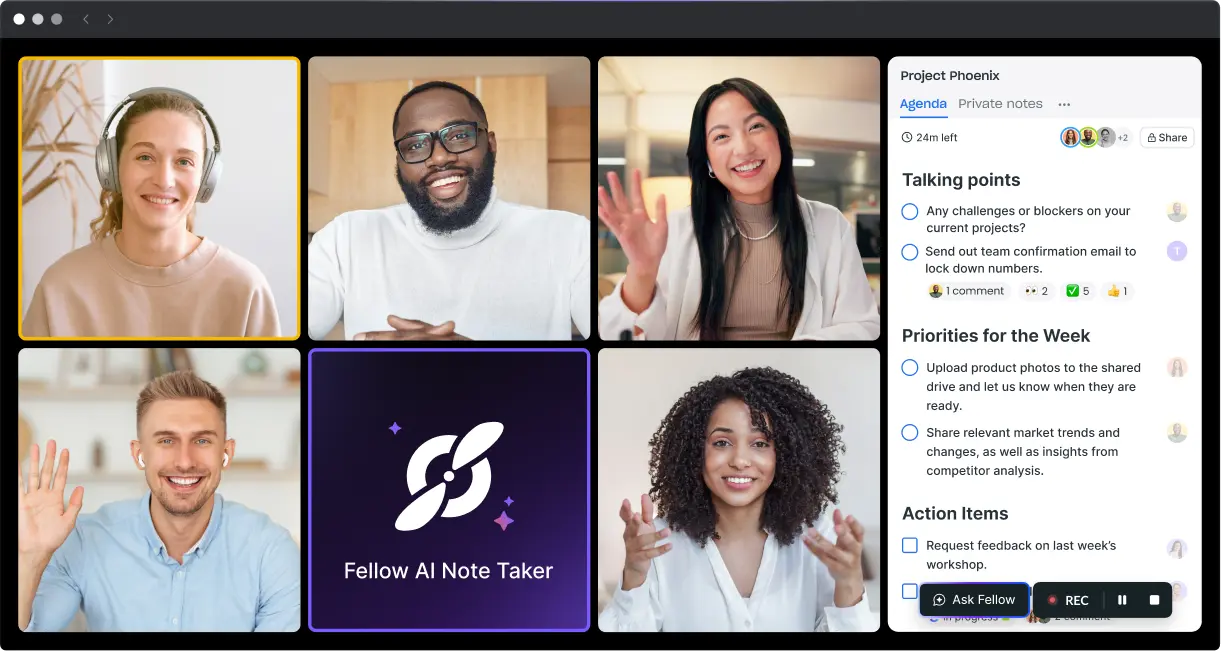
Image source: fellow.ai
Fellow distinguishes itself as a comprehensive organizational behavior platform rather than just a basic transcription tool. Most competitors focus strictly on what happens after the meeting begins. Fellow takes a different route and emphasizes the entire lifecycle. It enforces structured agendas and collaborative preparation before anyone even joins the call. It has become the absolute gold standard for technology, finance, and legal sectors due to its uncompromising approach to enterprise security and data privacy.
The software ensures sensitive corporate intelligence stays strictly protected. It secures recordings behind granular, per-meeting permission structures and maintains a highly controlled administrative library. It brings true governance to the chaotic world of meeting documentation.
Key features:
- Deep integration of structured meeting agendas with automated AI note-taking to ensure focused conversations.
- Robust security protocols, including SOC2 and GDPR compliance, ensuring data is never used to train external models.
- Transcription support across nearly a hundred languages alongside highly customizable meeting templates.
Pros:
- Intense focus on data privacy makes it uniquely suited for confidential, highly regulated environments.
- Linking AI transcription to pre-planned agendas results in remarkably focused and actionable minutes.
- Centralized administrative control effectively stops the sprawl of shadow IT.
Cons:
- Requires widespread behavioral adoption across your entire team to realize its full potential.
- Highly restrictive free tier limits users to a lifetime total of just five AI-recorded meetings.
Pricing:
- Free tier: Available (strictly limited to 5 AI recordings).
- Team plan: $7.00 per user/month (billed annually, minimum 3 users required).
- Business/Enterprise plans: $15.00 to $25.00 per user/month (billed annually).
Avoma: Best for sales teams seeking conversation analytics and coaching
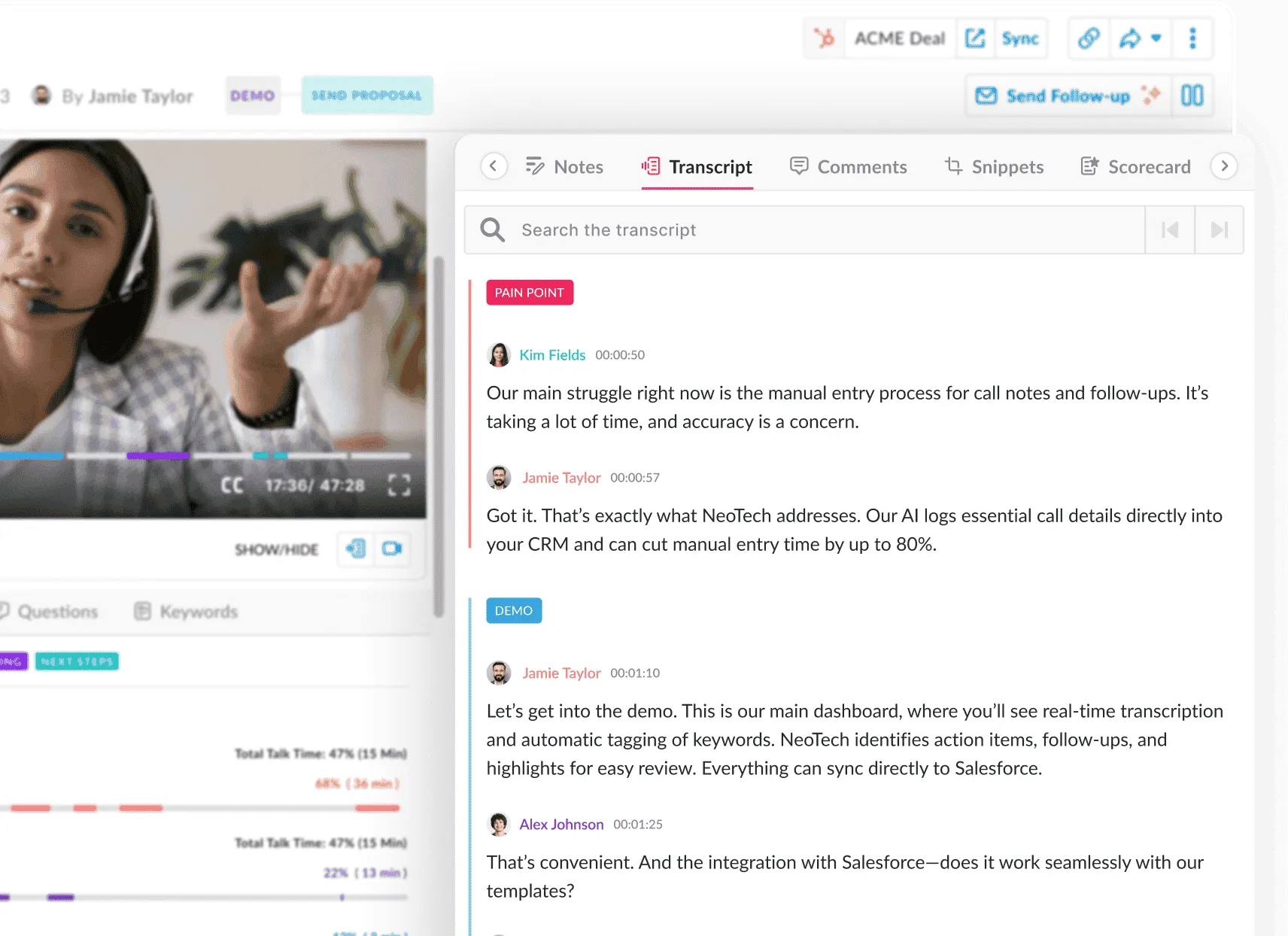
Image source: avoma.com
Avoma operates right at the intersection of AI meeting documentation and revenue intelligence. Positioned as a more accessible alternative to massive enterprise platforms like Gong, it is specifically engineered to support customer-facing teams. The tool manages the entire lifecycle of client interactions. It gives you automated scheduling links, built-in collaborative agendas, real-time transcription, and deep post-call analytics.
Sales managers heavily utilize it to track representative performance, identify shifting market trends, and ensure CRM hygiene without burdening the sales team with administrative overhead. Avoma actively tries to improve how your team sells based on what is said during calls.
Key features:
- Granular talk-pattern analysis that measures metrics like speaker-to-listener ratios and interruption frequency.
- Automated call scoring system evaluating representative performance against customizable AI scorecards.
- Integrated AI Copilot for contextual meeting queries and direct CRM synchronization for automatic logging.
Pros:
- Significantly reduces software sprawl by combining scheduling, note-taking, and coaching into a single interface.
- Behavioral insights derived from talk-pattern analysis provide highly actionable data for improving customer interactions.
Cons:
- Feature set is heavily biased toward sales, containing unnecessary bloat for standard internal project meetings.
- Relatively steep pricing structure for small organizations to unlock true conversational intelligence capabilities.
Pricing:
- Free tier: Available (with limited features and a 14-day full trial).
- Paid plans: Starting from $19.00 per user/month (billed annually, unlocking advanced analytics).
Krisp: Best for remote teams needing noise-canceling transcription
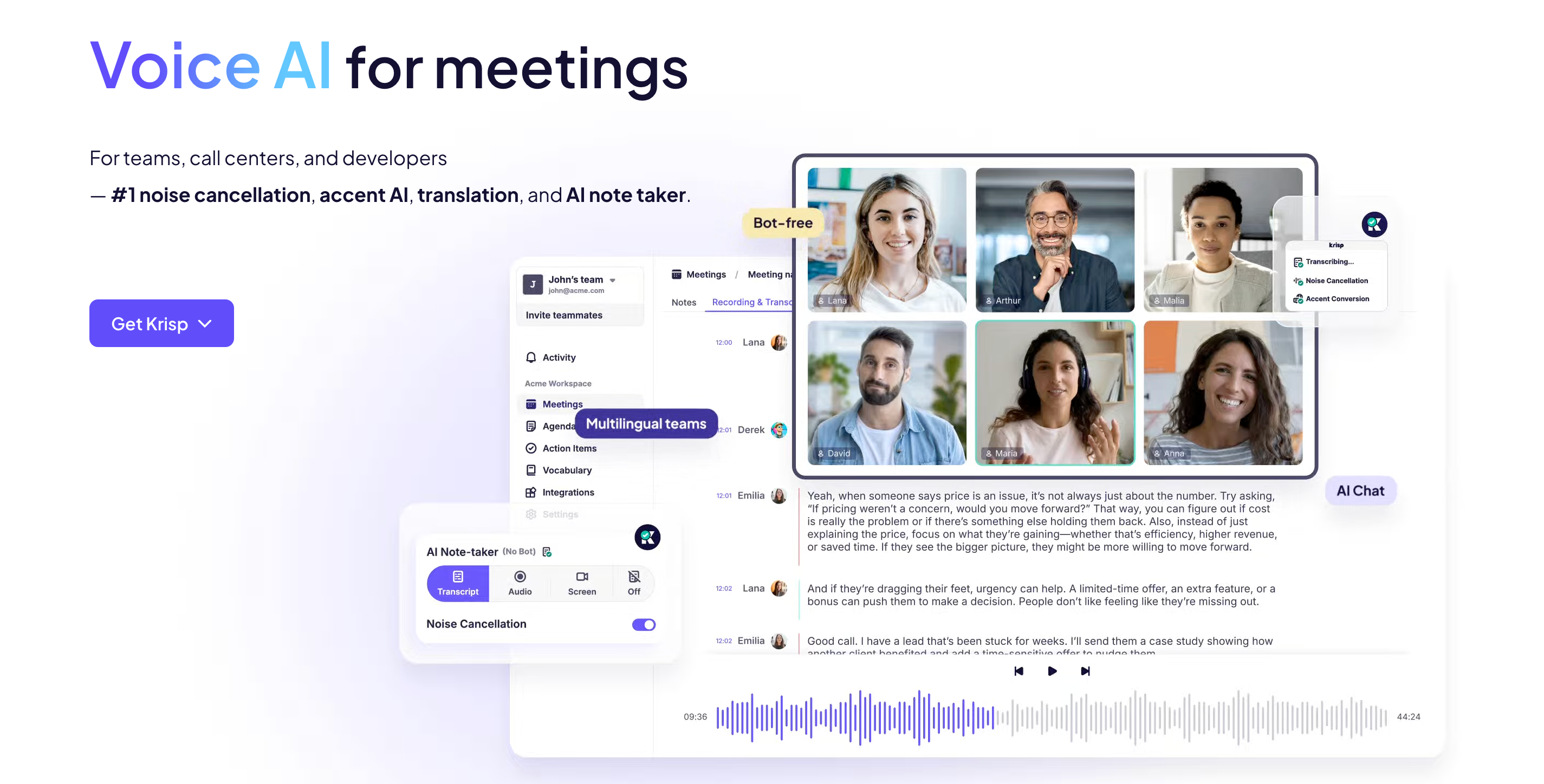
Image source: krisp.ai
Krisp initially built its stellar reputation as the industry leader in AI-powered noise cancellation technology. Millions of remote workers utilize it to completely eliminate background sounds from chaotic coffee shops, airports, and open-plan offices. The software capitalized on its unique position at the audio processing layer and recently integrated advanced AI meeting note capabilities directly on top of its acoustic filters.
It functions seamlessly across more than eight hundred communication platforms, from standard apps like Zoom to highly specialized VoIP softphones. It effectively intercepts and cleans the audio acting as a virtual microphone and speaker sitting between your hardware and your meeting app.
Key features:
- Bidirectional noise cancellation stripping background sounds from both your microphone and incoming audio.
- Real-time AI engine generating highly accurate transcripts, summaries, and action items over the cleaned audio feed.
- Universal system audio operation requiring no complex integrations with specific conferencing apps.
Pros:
- Audio cleanup capabilities drastically improve transcription accuracy in less-than-ideal acoustic environments.
- Universally compatible plug-and-play experience for workers jumping between disparate communication software.
Cons:
- Lacks advanced ecosystem features like deep CRM synchronization, advanced topic analytics, or collaborative shared workspaces.
- Fundamentally built as an audio enhancement tool rather than a purpose-built organizational workflow platform.
Pricing:
- Free tier: Available (features a 7-day free trial for advanced capabilities).
- Paid plans: Starting from $8.00 to $15.00 per user/month (billed annually).
MeetGeek: Best for agencies wanting customizable templates and AI agents
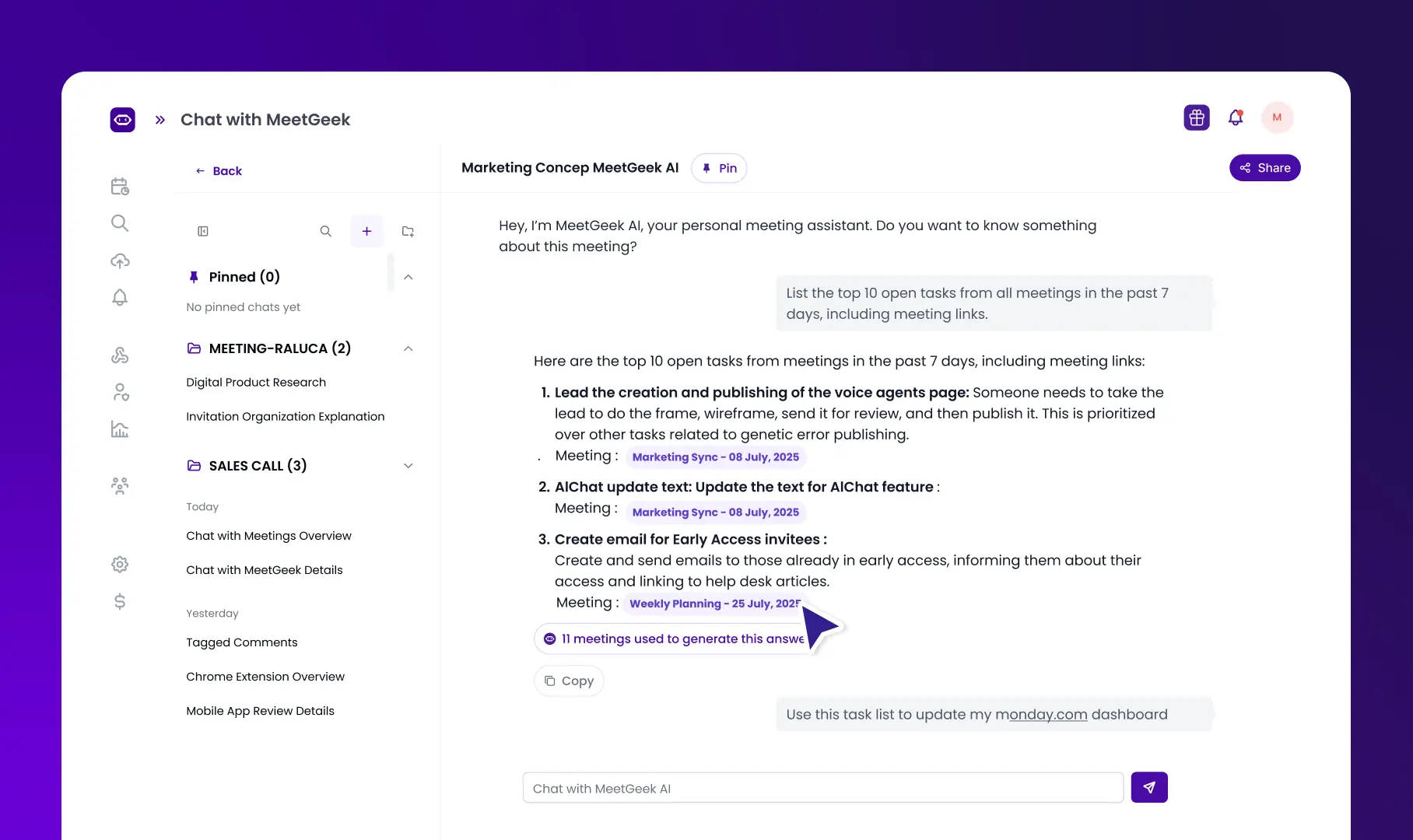
Image source: meetgeek.ai
MeetGeek rounds out the top tier of meeting intelligence platforms. It focuses heavily on customizable outputs and integration versatility. The software is specifically designed to automatically record, transcribe, and distribute meeting insights across the tech stack you already use.
It leverages specialized AI voice agents adapting to the context of the conversation. These agents apply specific logic based on the meeting type to ensure the final documentation meets the precise standards of your industry, whether that is a creative brief or a technical review.
Key features:
- Vast library of customizable meeting templates ensuring the AI structures notes appropriately for different meeting contexts.
- Deep workflow integrations enabling summaries to be pushed directly into Slack channels, Trello, or Asana automatically.
- Portfolio-level analytics tracking overall team engagement and long-term meeting health.
Pros:
- High degree of template customization allows operations teams to effortlessly standardize documentation formats company-wide.
- Automated distribution workflows save significant administrative time by routing the right information to the right stakeholders immediately.
Cons:
- Interface and initial setup require a learning curve to properly configure templates and routing rules.
- Visible presence of the AI assistant may alter conversational dynamics during sensitive client meetings.
Pricing:
- Free tier: Available (with basic features).
- Paid plans: Starting from $9.99 per user/month (billed annually).
What are the benefits of AI meeting minutes?
The decision to bring artificial intelligence into your meeting documentation process goes way beyond just saving a little bit of typing time. It represents a fundamental shift in workplace productivity. This yields benefits that directly impact your bottom line and your team's mental well-being.
Massive reduction in administrative overhead
An immediate reduction in administrative busywork lies at the core of this transformation. Industry analysis indicates that professionals historically spent roughly one hour cleaning up, reorganizing, and distributing notes for every single hour they spent in a meeting.
The waste is staggering when you multiply that across an entire week of calls. Organizations can drastically reduce overtime hours dedicated strictly to meeting documentation once they automate this process.
Improved focus and active listening
AI meeting minutes fundamentally alter the cognitive dynamics of the meeting itself. Human working memory is highly limited. A participant tasked with acting as the group's stenographer simply cannot simultaneously engage in high-level strategic problem-solving or complex negotiation. You cannot read the room if you are staring at a keyboard.
Participants are given the breathing room to focus entirely on the substantive discussion when they offload the mechanical task of transcription to an AI. This shift in cognitive load consistently leads to higher-quality meetings, richer brainstorming sessions, and deeper interpersonal engagement.
Enhanced organizational accountability
These tools drastically improve organizational accountability and eliminate the messy ambiguity that often follows corporate discussions. Verbal commitments in traditional settings are frequently lost, misunderstood, or quickly forgotten the moment everyone logs off.
Intelligent assistants analyze the conversational context to identify precise deliverables, attribute them to specific individuals, and extract critical deadlines automatically. This automated extraction ensures that no task ever falls through the cracks again, especially when integrated seamlessly into platforms like Slack or Microsoft To-Do.
Better support for distributed teams
The technology acts as an unparalleled equalizer for distributed workforces. AI documentation smoothly mitigates the inherent challenges of varying time zones, unstable internet connections, and language barriers. Team members who are asleep during a synchronous product update can wake up to a concise, scannable executive summary. They do not have to sit through a thirty-minute video recording on double speed.
Features like instantaneous, single-click translation allow diverse teams to collaborate flawlessly. This ensures that language proficiency no longer dictates an employee's ability to grasp nuanced strategic information. The result is a highly searchable, easily accessible corporate memory that outlives any single employee's tenure.
Learn how you can reap these benefits with Lark
How to choose an AI meeting minutes solution
Careful evaluation of your organization's specific workflows, security mandates, and cultural preferences is required to select the right AI meeting minutes solution.
Ensure seamless integration with your existing post-meeting workflows
A transcription tool provides zero value if the generated insights remain isolated. You should prioritize platforms that sync meeting notes, summaries, and action items directly into your existing CRM or project management tools to eliminate manual data entry.
Prioritize enterprise-grade data privacy and strict security protocols
Consumer-grade AI tools pose severe security risks for highly regulated industries or board meetings. You must actively seek out solutions that offer enterprise-grade encryption, SOC2 compliance, and explicit prohibitions on using your data to train external AI models.
Evaluate the actual structure and quality of the generated minutes
Raw transcripts are not minutes. You should look at what the tool actually produces. The best software can group discussions under topic-based headings, rewrite vague bullet points into clear task statements, and adapt notes for different audiences.
Consider your meeting culture and the impact of visible recording bots
Many standard AI assistants operate with a highly visible virtual bot in the meeting. This can disrupt the natural flow of confidential discussions. Teams should evaluate local-first, bot-free solutions that operate invisibly in the background if discretion is required.
Balance powerful features with your team's actual usage needs and budget
Many tools offer free plans. However, monthly per-seat pricing multiplied across your team can add up fast. You need to ensure you choose a tool that balances powerful features with a budget that aligns with your team's size and true usage needs.
How to generate AI meeting minutes from a recording or transcript
With AI, you do not need to spend hours writing down every detail of a call. Here is how you can generate clean notes in five easy steps:
- Record or upload the meeting: Start your online video call and turn on the recording feature, or simply upload an existing audio or video file to your note-taker.
- Generate a speaker-labeled transcript: The software converts the raw audio into written text and assigns names to each speaker, so you know who said what.
- Summarize key topics, decisions, and blockers: You can ask the AI to organize the raw transcript into logical sections, highlight main discussion points, and point out any project blockers.
- Extract action items with owners and deadlines: The tool will find commitments made during the discussion and rewrite them into clear tasks with assigned owners and due dates.
- Share and collaborate on the minutes: Share the draft document with your team so everyone can review, add comments, and confirm their assigned tasks in real time.
Final thoughts on AI meeting minutes solution
Switching to AI meeting minutes can really change how your team gets work done. These tools are quickly evolving too, growing from simple transcription bots into active workspace partners. You get much more time and energy without having to take notes manually, allowing you to focus on the actual conversation instead.
Teams that start using this technology will find it much easier to keep everyone accountable and up to speed, even if they miss a call. Every decision and task is captured perfectly, turning verbal promises into clear next steps. If you want to bring your team's chat, documents, and automated notes together under one roof, an all-in-one tool like Lark is a fantastic place to start.
today to learn how Lark's AI meeting minutes solution can elevate your business.
Get Lark for free, no credit card needed
FAQs
How do AI meeting tools capture data?
AI meeting assistants typically capture audio when they join video conferencing platforms like Zoom or Microsoft Teams as a visible virtual participant via calendar integrations. Some modern tools offer an alternative and operate entirely locally to capture system audio directly from the device's microphone and speakers. Natural language algorithms then process this raw audio to generate transcripts and summaries.
Does the AI automatically create action items?
Yes. The best tools differentiate between general conversation and commitments. For example, if someone says, "I will send the report by Friday," tools like Lark or Otter will automatically flag this, extract it, and format it into a checklist at the top of your summary.
Are there any free AI meeting minutes solutions?
Yes, several platforms offer free options, with Fathom being widely considered the most practical since it provides unlimited meeting recordings and transcripts. Other popular tools like Fireflies.ai, Otter.ai, and Granola also provide basic free tiers that are great for individual testing and lighter workloads.
Are free plans for AI note-takers actually usable?
Yes, several free plans offer substantial utility for individual users and small teams. Tools like Fathom provide genuinely unlimited recording and transcription without arbitrary caps, making them highly practical for daily use. Advanced features such as CRM integration, deep analytics, and expansive usually require a paid subscription.
What is actually included in the "Free" plans?
Free plans vary wildly. Tactiq offers 10 free transcripts per month. Otter.ai provides 300 monthly transcription minutes but limits you to 30 minutes per conversation. Lark's Starter plan is free forever and includes comprehensive meeting capabilities alongside chat and document collaboration for up to 20 users.
Do these AI tools work with Zoom, Google Meet, and Microsoft Teams?
Yes. Standalone tools like Otter.ai, Fireflies, and Read.ai join these platforms as "bot" participants to record the audio. Tactiq works via a Chrome extension specifically for browser-based calls (like Google Meet). Unified platforms like Lark feature their own native video conferencing but can also integrate with Zoom via calendar links.
Can AI meeting minutes handle multiple languages?
Many premium AI meeting solutions are highly capable of processing diverse languages and accents. Platforms like Lark and tl;dv offer real-time transcription and single-click translation across dozens of global languages. This specific capability is absolutely essential to break down communication barriers within distributed, multinational organizations.
How accurate is the AI transcription?
Most top-tier AI meeting tools use advanced models (like OpenAI's Whisper) and average between 90% and 95% accuracy for standard English. However, accuracy drops when dealing with heavy background noise, overlapping speakers, or highly technical industry jargon.
Do AI assistants work without adding a visible bot?
Yes, several developers have created bot-free alternatives because they recognize the awkward psychological friction a visible bot can cause during sensitive conversations. Applications like Granola and newer updates to Fathom utilize local desktop audio capture to record and process the meeting invisibly. This ensures high-quality documentation without altering the natural dynamic of the conversation.
How secure are AI meeting minutes for confidential discussions?
Security varies significantly and depends on the platform's architectural design and target audience. Enterprise-focused tools prioritize strict governance, offer SOC2 compliance, provide granular permission settings, and guarantee that corporate data will not be used to train external AI models. It is critical to verify the platform's data retention policies before deployment for highly sensitive legal or board meetings.
Related reading






























