














The best AI note summarizer for business teams in 2026: a practical comparison

Donna Shao
Content Specialist
Nov 3, 2026
Donna Shao
Nov 3, 2026

12 min read
Add to preferred sources


Every week, managers lose hours trying to organize unstructured meeting notes. You finish a call, stare at a wall of text, and wonder who is actually handling which action item. An AI note summarizer promises to fix this by automatically extracting key decisions and action points. However, not all tools improve team productivity. Some just create another inbox you have to check. In this guide, we review the best note summarizer AI tools on the market and explain how to choose one that helps your team turn conversations into completed tasks.
Why standalone AI note summarizers create information silos
It seems logical to buy a dedicated AI note summarizer app for your meetings. You get a perfect meeting transcript and a clean list of action items delivered to your inbox. But there is a massive catch. When your summary lives in a standalone app, it is entirely disconnected from where your team actually works.
Picture a weekly product review. The AI note taker and summarizer generates a brilliant recap of the design changes discussed on the call. But to make those changes happen, a product manager still has to manually copy the text, open a separate project management app, create individual tasks, and assign deadlines to the designers. The summary is smart, but the workflow is broken.
This manual transfer creates information silos. Decisions get lost in transition, and team alignment suffers. True team governance requires a system where the meeting summary automatically links to task delegation without any manual copying or pasting.
Key features to look for in a note summarizer AI
When evaluating the best AI note summarizer for your organization, look beyond basic text reduction. The real value comes from how the tool fits into your daily operations and communication habits.
- Unified workspace connection: The output must sync directly with your shared calendar, cloud-native documents, and task trackers. If you have to export a PDF just to share a decision, the tool is slowing you down.
- Multimedia processing: A robust tool should handle audio files processing and video note summarizer AI capabilities. This ensures no nuance is lost regardless of the format your team uses to communicate.
- Multilingual support: Global teams need summaries that break down language barriers during live discussions, allowing team members across different regions to stay aligned on action items.
- Cross document analysis: Enterprise managers often need to compare meeting notes against existing project wikis or strategy documents to maintain a single source of truth.

The 7 best AI note summarizer apps compared
Finding the right tool depends heavily on how your team operates. We evaluated the market to identify the best platforms based on user experience, core functionality, and how well they solve specific organizational pain points.
1. Lark: Best for fully integrated team workspace notes
Lark separates itself from the competition by functioning as an all-in-one collaboration suite rather than a standalone AI utility. It brings messaging, cloud-native documents, video meetings, wikis, and task tracking into a single unified environment. AI summarization occurs natively within this ecosystem, ensuring that critical meeting insights are instantly available in the exact place where the team actually works.
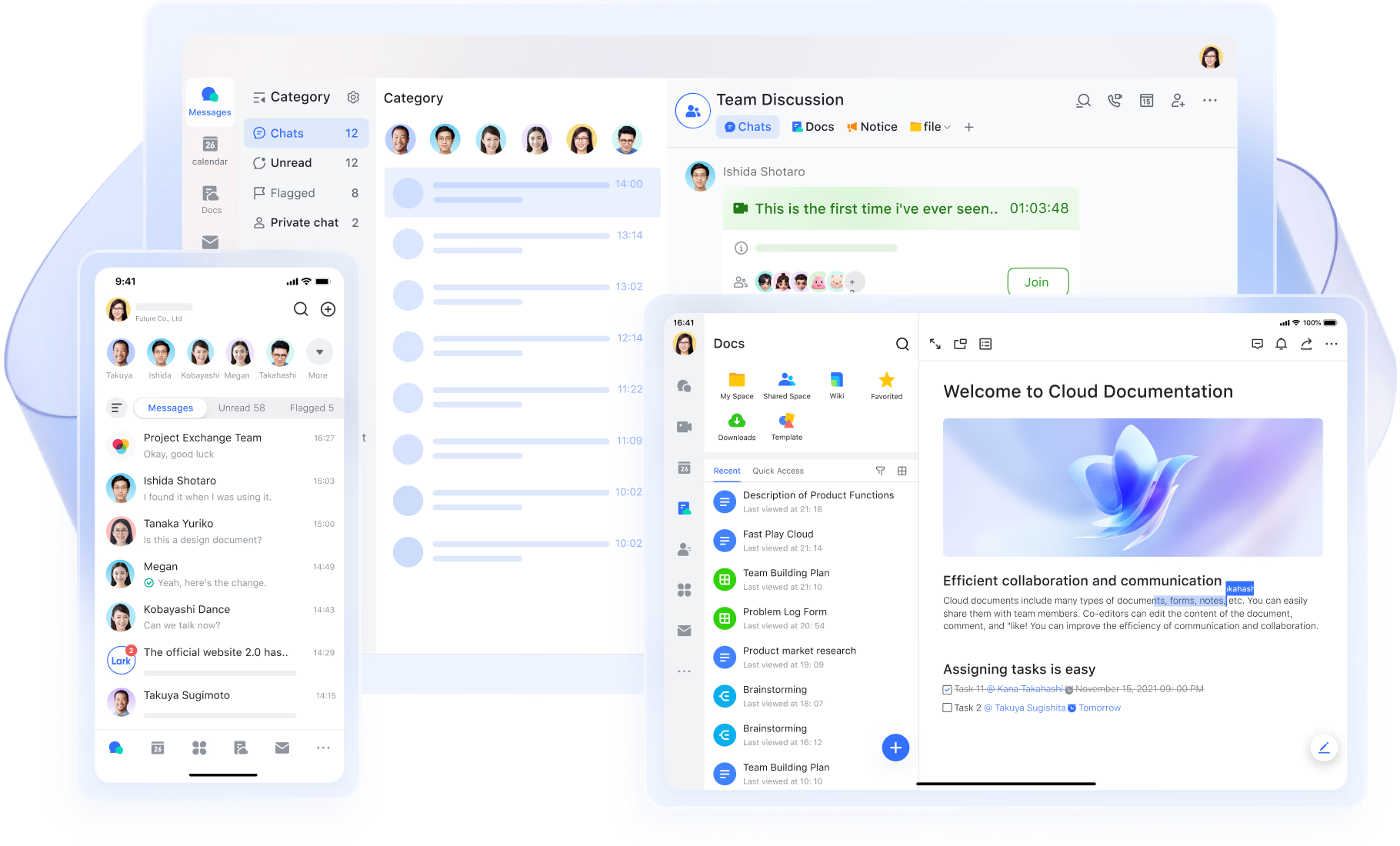
For management, this architecture completely removes the friction of information distribution. A product review summary can be generated inside a shared Lark Doc, instantly linked to a project task, and indexed within the team wiki without any manual copying or exporting. This cohesive workflow establishes Lark as a robust base for enterprise knowledge and process governance.
Key features:
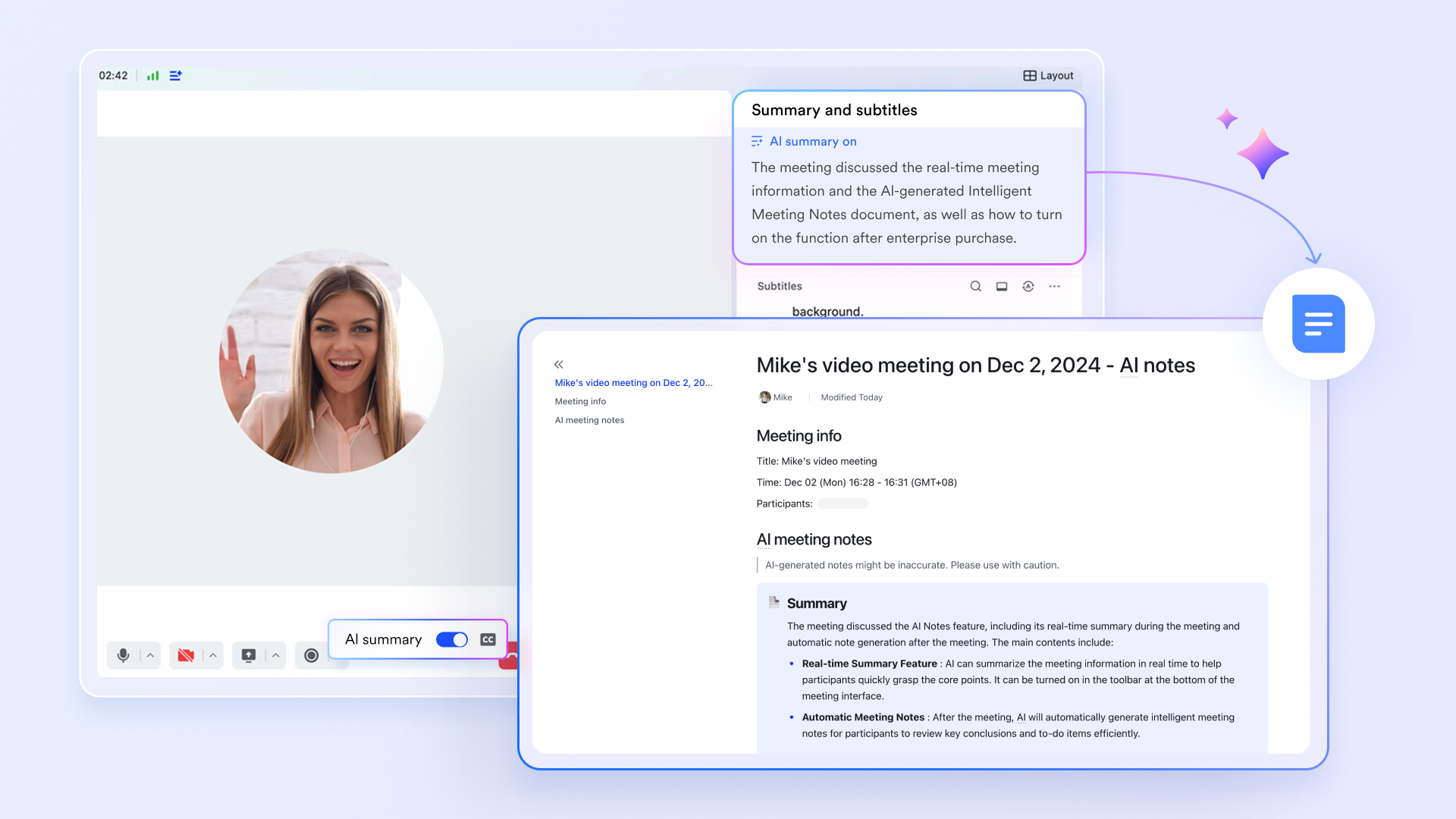
Built-in AI meeting note generator
Lark Meetings can automatically generate AI meeting notes after a meeting ends, helping teams capture key points, decisions, and follow-up items without starting from a blank page. Instead of treating summaries as static records, Lark keeps them connected to the wider workspace so teams can review, share, and act on them faster.
Smart chapters for faster review
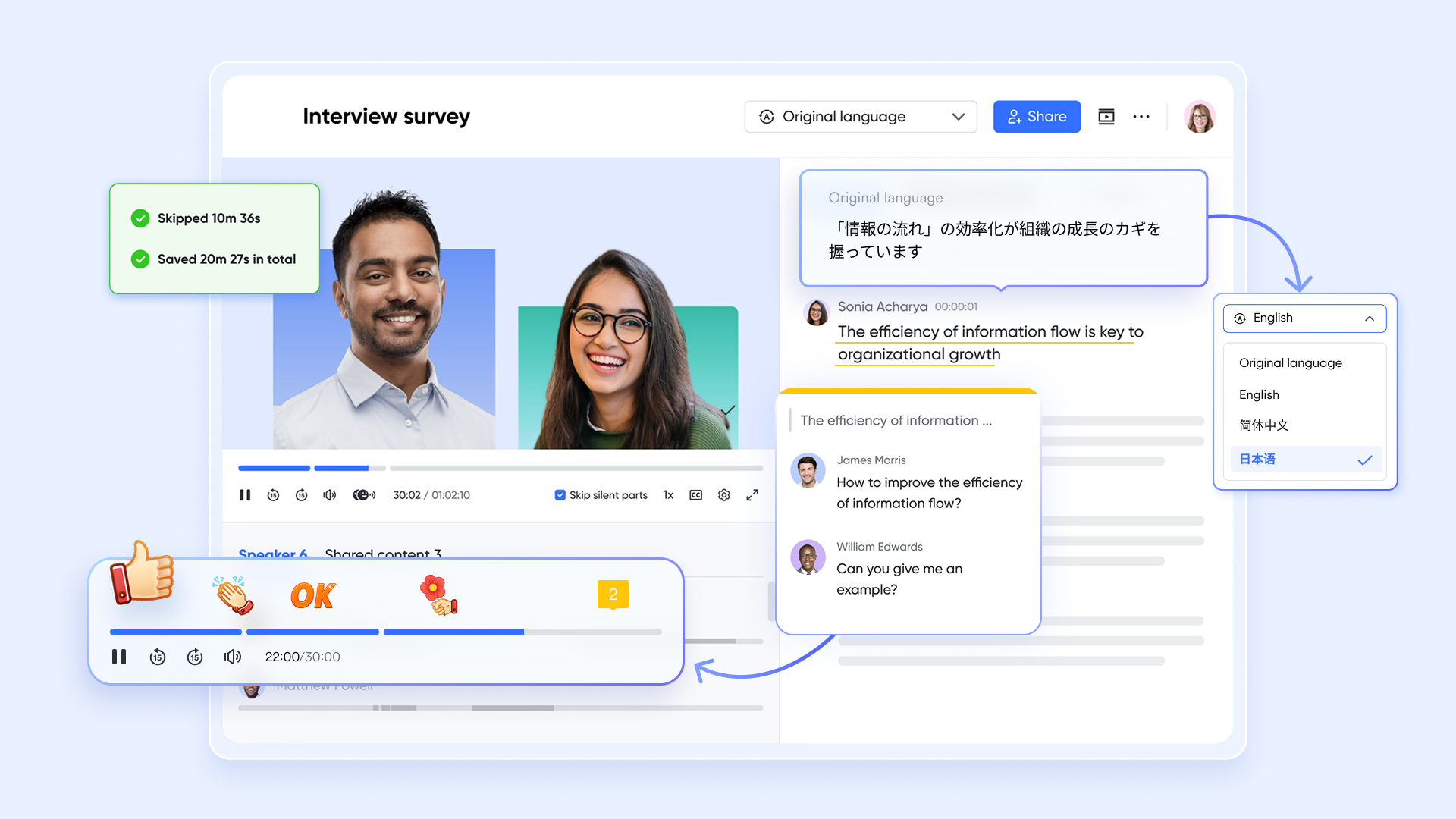
Lark Minutes structures long discussions into smart chapters so teams can quickly scan by topic instead of reading a full transcript from top to bottom. This makes it easier to revisit specific decisions, open questions, or discussion themes, especially when several teams need to reference the same meeting later.
Summaries linked to docs and knowledge
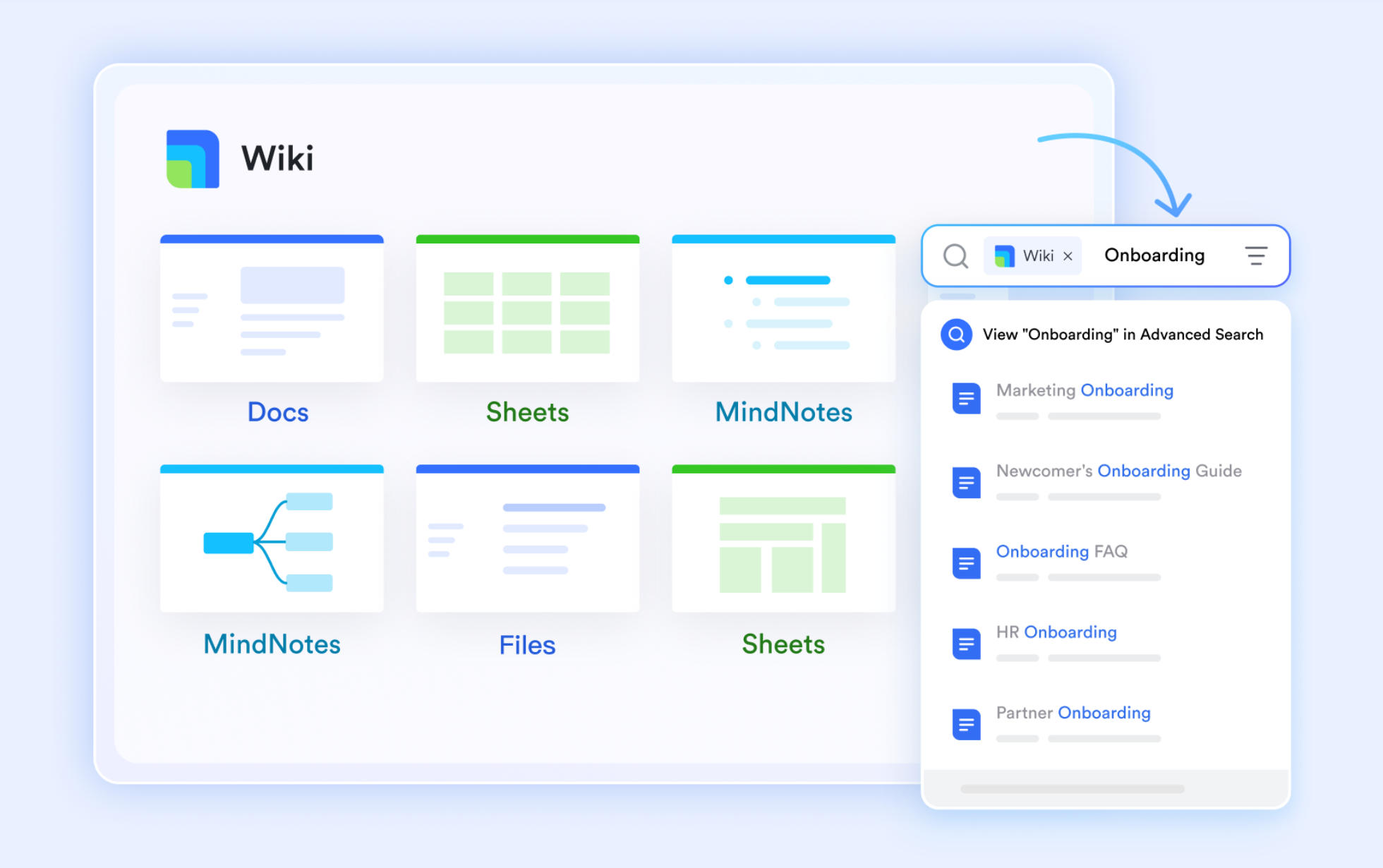
With Lark Docs & Wiki, teams can turn meeting summaries into living documents instead of leaving them buried in a transcript. Notes can be refined, expanded, and connected with project context, while Lark Wiki helps organize recurring meeting knowledge into a more durable and searchable team knowledge base.
Pros:
- Keeps meeting summaries natively integrated within the active team workspace environment.
- Links meeting decisions directly to task trackers and wiki pages to optimize project management.
- Supports global collaboration through built-in multilingual translations and robust communication tools.
Cons:
- Presents a heavier learning curve compared to simple single-purpose AI summary tools.
- Requires a commitment to an all-in-one ecosystem rather than integrating a lightweight plugin.
- Starter plan: Free forever plan that includes 11 powerful tools for up to 20 users. It also comes with 100GB of storage space, 1000 automation runs, AI translations, and more. No credit card needed.
- Basic plan: $6/user/month (billed annually) for up to 500 users. It includes everything in Starter and unlimited message history, 5TB of storage space, 1,000 automation runs, and more. Some users may need to contact sales to purchase this plan.
- Pro plan: $12/user/month (billed annually) for up to 500 users. It includes everything in Basic plus group calling for up to 500 attendees, 15TB of storage space, 50,000 automation runs, and more.
- Enterprise plan: Contact sales for custom pricing. Supports unlimited users and includes even more automation runs and advanced security, compliance, and management features.

Starter
Pro
Enterprise
Starter
For small teams with simple communication needs
$0
/ user / month
20 users max
18 months message history
1-on-1 video meetings
100 GB storage
Lark Docs & Mail
1000 Base automation runs/month
2000 rows per table in Base
Pro
For companies with comprehensive collaboration and management needs
$12
/ user / month
500 users max
Unlimited message history
500-participant video meetings
15 TB storage
Lark Docs & Mail
50k Base automation runs/month
20k rows per table in Base
Enterprise
For large companies with advanced security and organizational management needs
Get a personalized demo and pricing
Unlimited users
Unlimited message history
500-participant video meetings
15 TB storage + 30 GB storage/user
Lark Docs & Mail
500k Base automation runs/month
50k Base automation runs/month
Single sign-on (SSO)
Pro
For companies with comprehensive collaboration and management needs
$12
/ user / month
500 users max
Unlimited message history
500-participant video meetings
15 TB storage
Lark Docs & Mail
50k Base automation runs/month
20k rows per table in Base
2. NoteGPT: Best for students automating lecture transcriptions and summaries.
NoteGPT operates as a specialized AI-powered study assistant that transforms raw information into structured notes. It processes diverse inputs, allowing users to paste YouTube links, record live lectures, or upload existing audio files. The system then automatically generates timestamped transcriptions and concise text summaries, saving users from manually reviewing long academic materials or webinars.
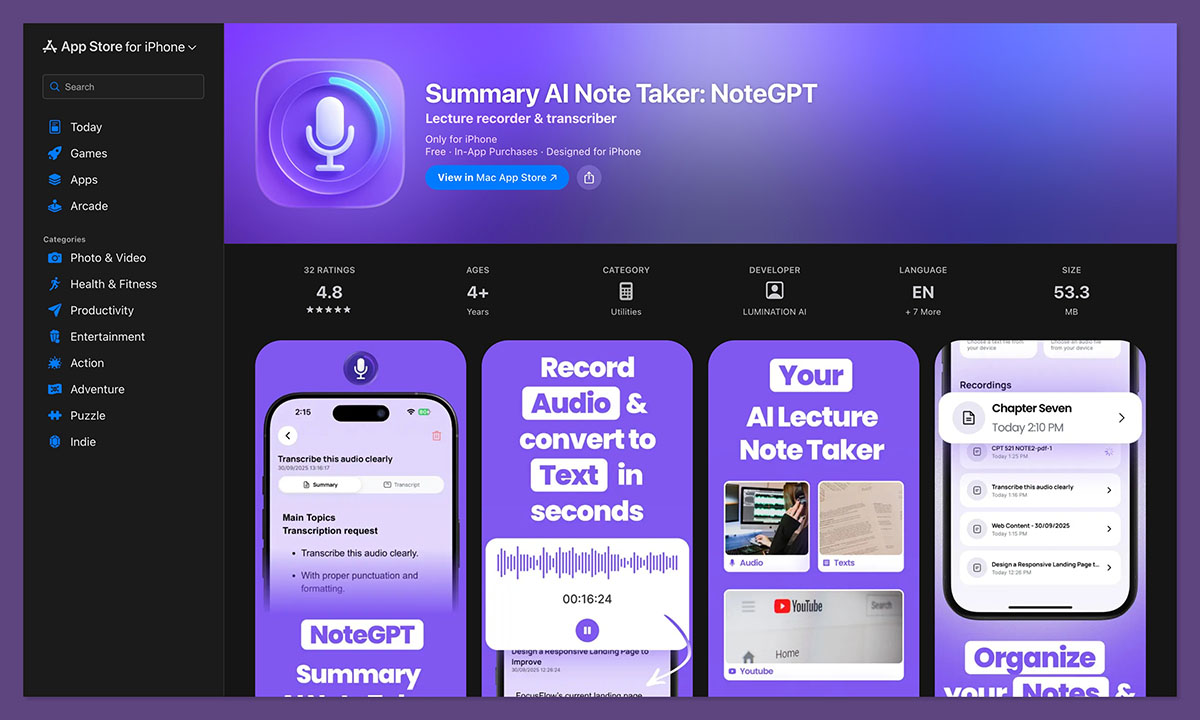
Image source: notegpt.com
The platform ensures high accessibility through its web interface and dedicated mobile applications for iOS and Android. This allows users to capture audio on their phones and review the formatted notes later on a desktop. However, because it is built primarily for individual academic use, it lacks the shared workspace capabilities and project management connections necessary for collaborative enterprise teams.
Pros:
- Transcribes and summarizes YouTube videos, live lectures, and uploaded media files.
- Syncs automatically across web browsers, iOS, and Android applications.
- Provides clean, structured text that eliminates manual note-taking efforts.
Cons:
- Focuses entirely on individual workflows rather than team collaboration.
- Restricts the number of daily summaries available on the free tier.
Pricing:
- Pro plan: $9/month
- Unlimited plan: $14.5/month
- Max plan: $49.5/month
3. Mindgrasp: Best for processing unpolished shorthand quickly.
Mindgrasp is specifically designed to handle raw and unpolished text inputs. It effectively parses fragmented sentences, informal language, and shorthand notes, immediately identifying key decisions and action items hidden within the text. This capability significantly optimizes personal productivity workflows for users dealing with rapid asynchronous communication.
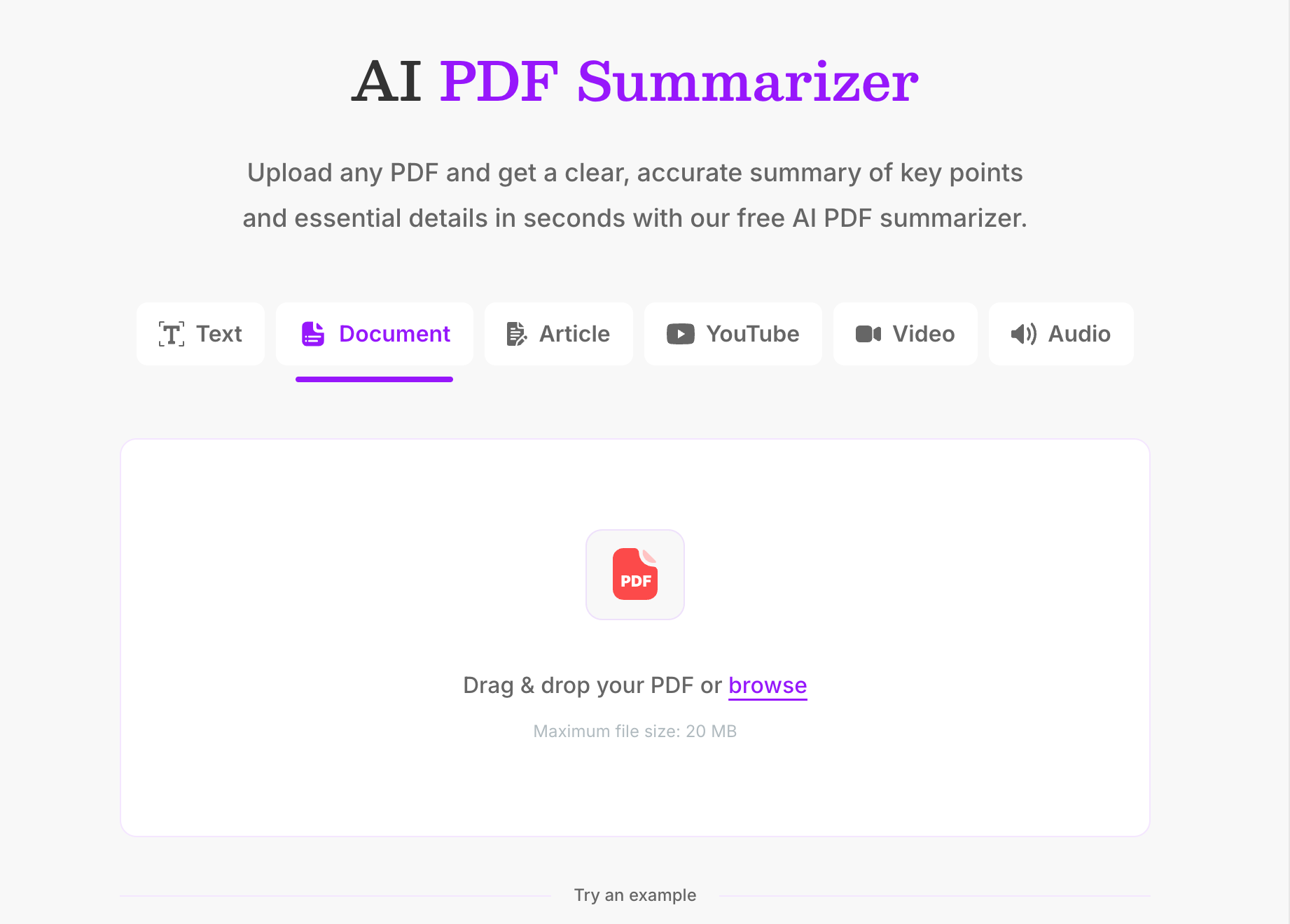
Image source: mindgrasp.ai
The primary limitation for managers is its strict focus on individual productivity. There is no live meeting recording, no calendar connection, and no shared workspace environment. Because the output requires manual copying and pasting, it is not designed to scale as a consistent solution for entire departments.
Pros:
- Processes raw shorthand and fragmented sentences with high accuracy.
- Automatically identifies key decisions and action items within unstructured text.
- Requires zero cost and no sign-up for immediate frictionless use.
Cons:
- Lacks live meeting recording and automated calendar integration.
- Operates solely as an individual tool with no team workspace connectivity.
Pricing:
- Basic Plan: $5.99 Per month, billed at $71.88 once per year
- Scholar Plan: $8.99 Per month, billed at $107.88 once per year
- Premium Plan: $10.99 Per month, billed at $131.88 once per year
4. MindMap AI: Best for generating visual information structures.
MindMap AI takes a radically different approach to summarizing content by bypassing standard text blocks entirely. Instead, it generates an interactive mind map that visually connects topics and subtopics, which is highly effective for project planning workshops and brainstorm documentation. Users can easily edit the structure and export the final visual in multiple formats like PNG, PDF, SVG, and Markdown.
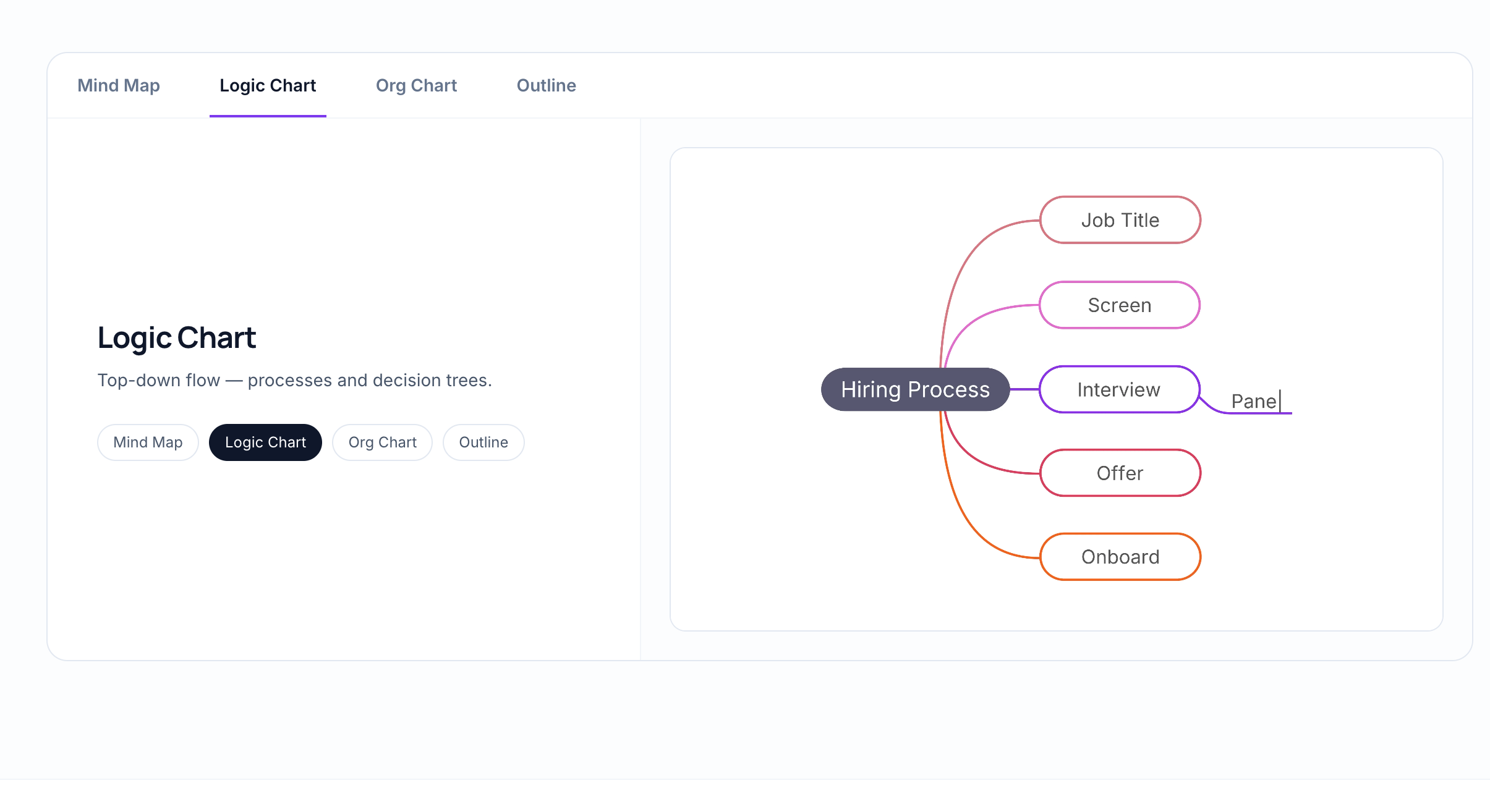
Image source: mindmapai.app
However, the tool operates under strict input limitations by only accepting PDF uploads. It completely lacks live meeting recording, audio or video support, and any real-time team collaboration layer. It serves as a powerful utility for a very specific visual job, yet fails as a comprehensive meeting capture solution.
Pros:
- Transforms static documents into interactive and editable visual structures.
- Supports versatile export formats including PNG, PDF, SVG, and Markdown.
- Features a dedicated chapter summary generator for long multi-section documents.
Cons:
- Restricts input strictly to PDF files with no audio or video capabilities.
- Provides zero live recording or shared team editing features.
Pricing:
- Free plan: Available (Basic mind map generation capabilities)
- Basic Plan: $4.99 Per month
- Pro Plan: $14.99 Per month
5. Sharly AI: Best for cross-document research and citations.
Sharly AI optimizes heavy research workflows through its powerful cross-document analysis capabilities. Users can upload multiple files at once, allowing the system to compare specific data points across various sources simultaneously. Crucially, it automatically attaches exact citations and page numbers to its summaries, providing an indispensable audit trail for compliance-focused professionals.
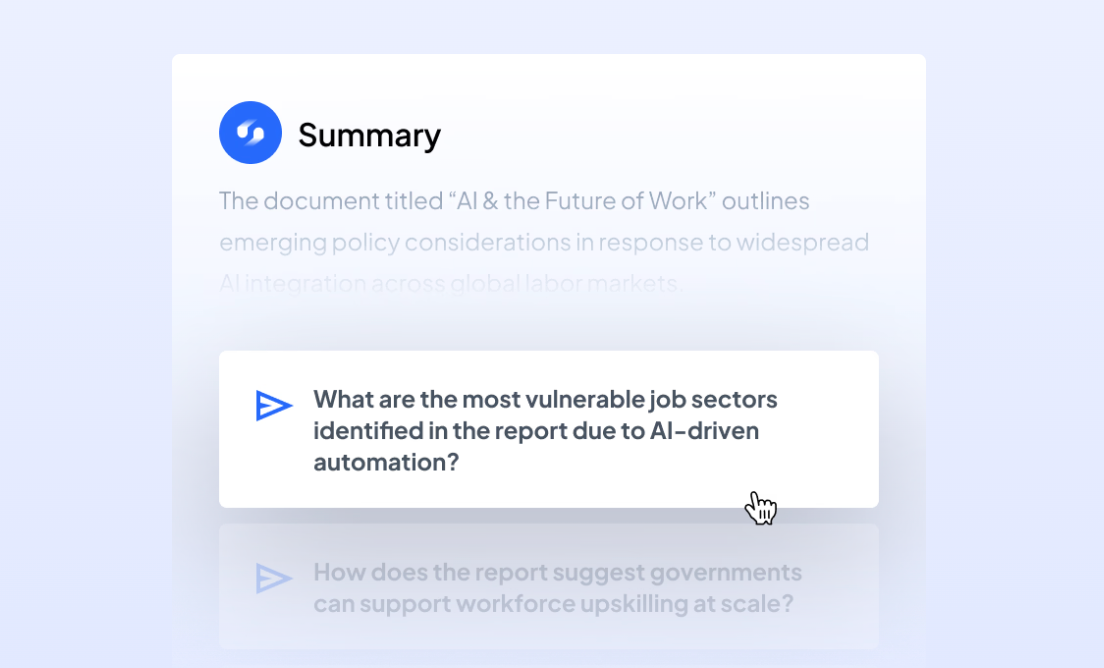
Image source: sharly.ai
While the platform accepts PDFs, articles, and audio files, it remains highly specialized for document research rather than team meetings. It lacks calendar synchronization, live meeting recording, and a robust collaboration layer. It functions brilliantly for individual analysis but falls short for team-wide meeting coordination.
Pros:
- Analyzes and compares data points across multiple uploaded documents simultaneously.
- Generates automatic citations with exact page numbers to maintain audit trails.
- Supports a wide variety of inputs including PDFs, articles, and audio files.
Cons:
- Lacks automated meeting bots and calendar synchronization features.
- Offers limited sharing features and no direct workspace integration for teams.
Pricing:
- Free plan: Available (Limited document uploads)
- Pro plan: $12.5/month billed yearly
- Team plan: $24/month billed yearly
- Business plan: Contact sales
6. Evernote AI summarizer: Best for native summarization in Evernote.
The Evernote AI summarizer benefits greatly from residing within a mature, widely adopted application. Users can easily process research papers, meeting notes, or any text-heavy content while toggling between paragraph and bullet point output styles. Backed by high ratings across major software review platforms, it offers a reliable summarization experience for teams already invested in the ecosystem.
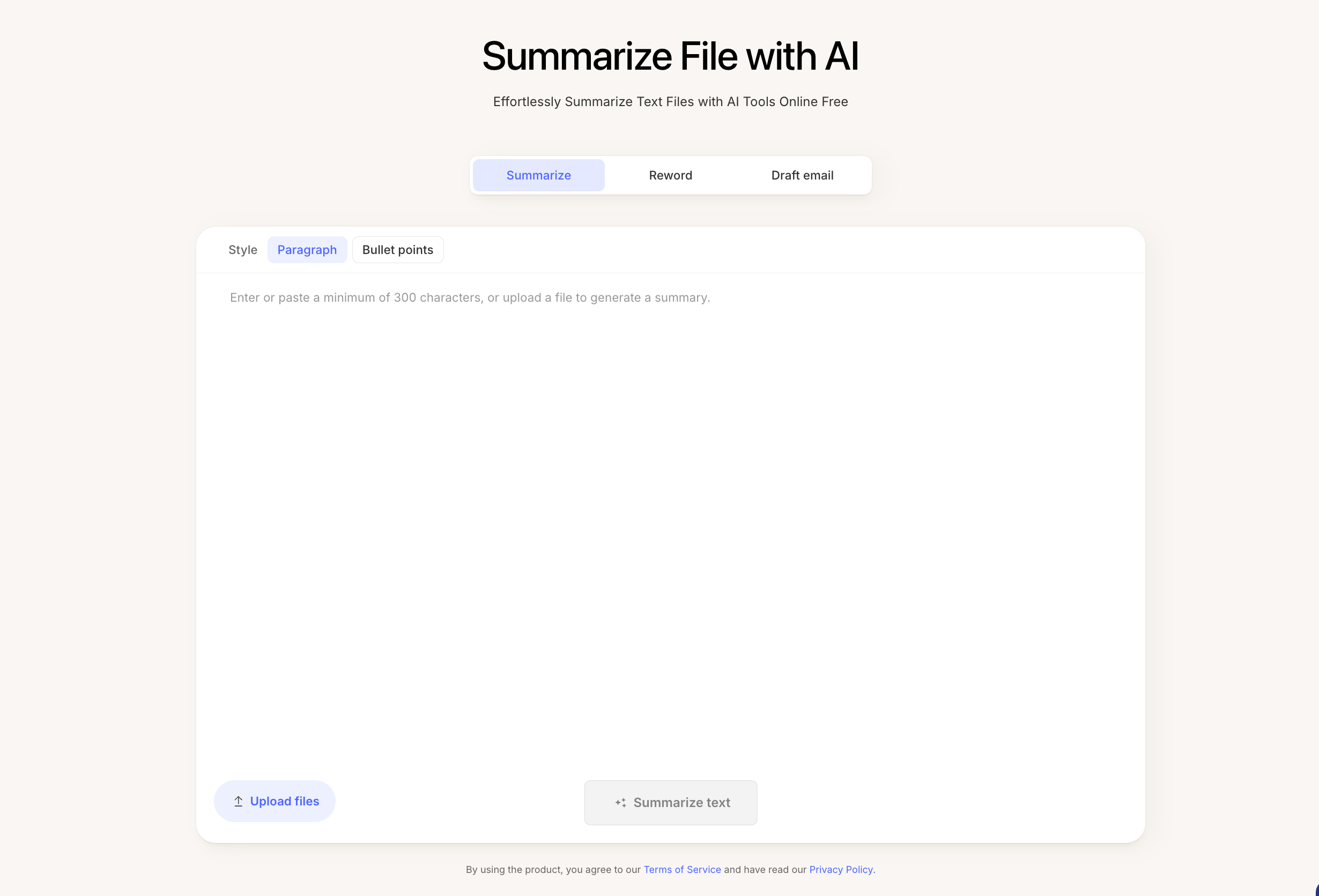
Image source: evernote.com
Despite these strengths, it operates strictly as a text processing utility rather than an active meeting capture system. The platform offers no live recording bots, no calendar integration, and no native routing of action items to dedicated task managers. Adopting it solely for meeting intelligence makes little sense if your team does not already use Evernote.
Pros:
- Operates within a highly established platform boasting strong user trust and reviews.
- Provides flexible summary output styles including both paragraphs and bullet points.
- Processes a wide variety of text-heavy inputs efficiently.
Cons:
- Functions purely as a text processor without automated meeting recording bots.
- Fails to natively route identified action items to external task management tools.
Pricing:
- Starter plan: $8.25/ Month, Pay 99.00 Year
- Adavanced plan: $20.83/ Month, Pay 249.99 Year
- Enterprise plan:Tailored plan based on your organization's needs
7. Summary AI: Best for automated live meeting documentation.
Summary AI focuses exclusively on optimizing the live meeting experience. By connecting directly to Outlook or Google calendars, it automatically deploys a bot to scheduled meetings and delivers a structured breakdown of decisions and assigned tasks straight to the user inbox. It accurately attributes statements to specific speakers and supports over 120 languages, making it highly effective for diverse teams.
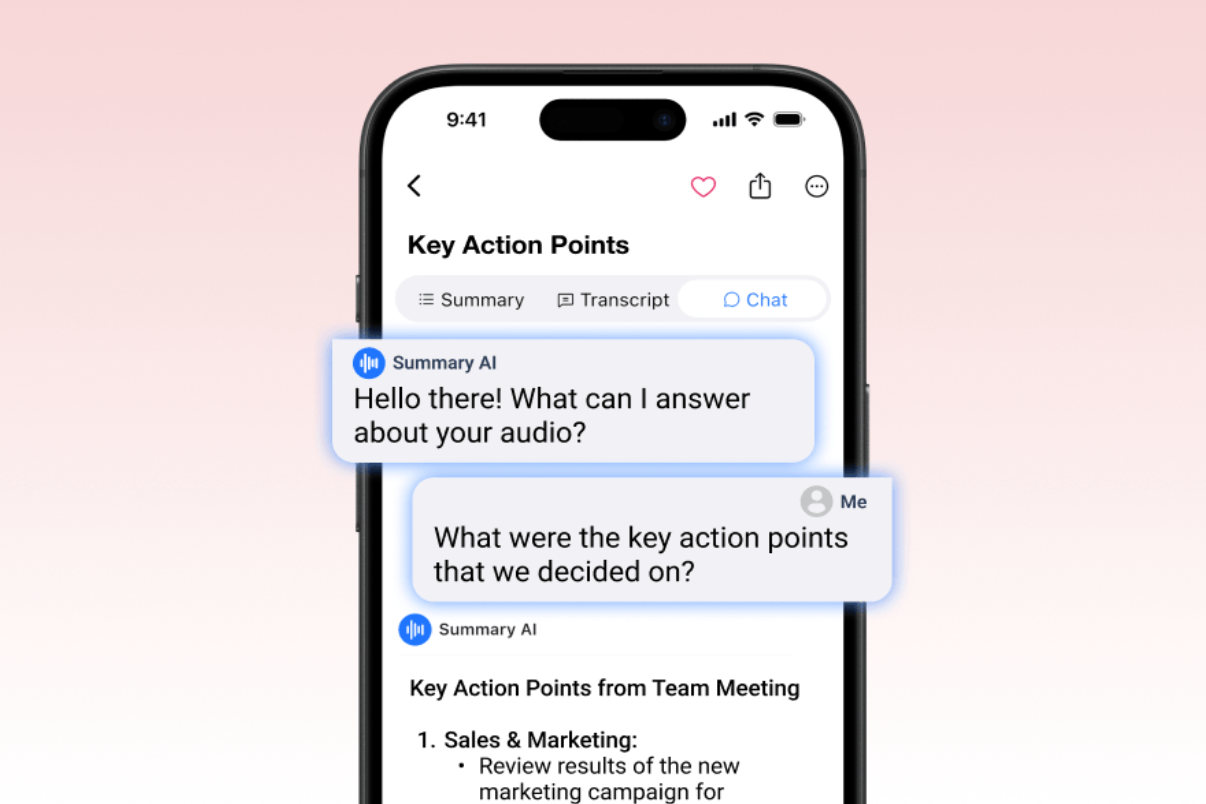
Image source: summaryai.app
The primary drawback for managers is that the generated intelligence remains isolated. All structured outputs live entirely inside the Summary AI application, lacking native connections to project management tools or shared team wikis. Users must still manually distribute tasks and notes to the appropriate team channels, creating an administrative bottleneck.
Pros:
- Automates capture by sending a bot directly to scheduled calendar events.
- Accurately attributes statements to specific speakers across over 120 languages.
- Includes a privacy-focused mode specifically designed for sensitive internal discussions.
Cons:
- Isolates valuable meeting summaries within its own standalone application environment.
- Requires manual administrative effort to transfer action items into team task trackers.
Pricing:
- Weekly plan: $8,99/week
- Yearly plan: $79,99/year
Moving from unstructured data to team governance
Turning a raw meeting transcript into an accountable action item requires more than just a smart algorithm. It requires a system that treats notes as operational data rather than static text files.
When a team uses a unified productivity suite, the transition from conversation to execution is immediate. Imagine concluding a quarterly planning session. Instead of the project manager spending thirty minutes parsing the transcript, formatting a document, and assigning tasks in a separate app, the platform handles it instantly. The summary is embedded directly into the project wiki. The action items tag specific team members and appear on their personal dashboards with assigned deadlines.
This eliminates the execution gap. By tying meeting intelligence directly to your central team knowledge base, you prevent critical decisions from rotting in personal inboxes. You ensure every team member operates from a single source of truth.
Conclusion
Choosing an AI note summarizer is not only about shortening transcripts. It is about deciding how your team moves from discussion to execution. Standalone tools can help you capture the main points, but a connected workspace like Lark helps teams turn those points into shared docs, assigned tasks, and visible follow-up in one place. For managers who care about clarity, accountability, and speed, that makes a real difference.
FAQs
Is there an AI note summarizer free for small teams?
Yes, several options exist. Mindgrasp offers a frictionless free tool for basic text processing without sign-up. For teams needing a broader collaboration environment, Lark offers a robust Starter plan that includes 11 powerful tools, 100GB of storage, and AI translations for up to 20 users at no cost.
What is the difference between a standard meeting tool and an ai video note summarizer?
A standard tool typically provides a static transcription of the spoken audio. A video note summarizer AI actively processes the audio files and multimedia inputs, identifying key decisions, tagging speakers, and structuring the conversation into a scannable format, making the information far more actionable.
Can an AI note taker summarizer handle complex, multi-language meetings?
It depends on the platform. Standalone apps like Summary AI support over 120 languages with speaker attribution. Enterprise suites like Lark also provide built-in AI translations directly within the unified workspace, making it easier for global teams to collaborate on the resulting action items.
Related reading
Table of contents
Start using Lark today

Manage all your work in one place
Boost team efficiency by 10x
Save up to 70% on software costs
Table of contents
Start using Lark today
Manage all your work in one place
Boost team efficiency by 10x
Save up to 70% on software costs
Keep reading







2026 Lark Technologies Pte. Ltd.
Headquartered in Singapore with offices worldwide.






Explore: