It's Monday morning, and a department lead pings IT: "Can we renew that tool we used last quarter?" At the same time, security asks which apps can access customer data, finance wants to know what's duplicative, and a new hire still can't log in to the essentials. When your application estate grows across SaaS, on‑prem, and mobile, these requests quickly turn into guesswork unless there's a clear system behind them. That's where application management software comes in: It helps teams keep applications visible, governed, and continuously improved throughout their useful life—without slowing the business down.
Key takeaways: Top 3 picks to save your time
To help you build the perfect stack, we have handpicked the top 3 most recommended productivity tools for Windows currently shaping the industry for their exceptional performance.
1. Zluri: Best for SaaS discovery and governance
2. Zendesk: Best for application support ticketing
3. Lark: Best for collaborative APM workflows
Go ahead to the smart tool to save your time
What is application management?
is the discipline of overseeing business and IT applications from initial onboarding through day‑to‑day operations, change, and eventual retirement. In practice, application management software provides a structured way to answer basic but high‑stakes questions: What applications do we have, who owns them, who uses them, what do they cost, what risks do they introduce, and what should we do next?
In an organization, "application" can mean many things. It could be a used by a team, a line‑of‑business platform, or even a specialized warehouse management software application that supports inventory operations. The value of application management is creating a consistent way to track these different application types so stakeholders can make comparable decisions.
Objectives of application management
The objectives of application management are practical: Reduce uncertainty, improve control, and help the organization move faster with less risk. While different teams emphasize different outcomes, the following objectives show up most consistently in real environments.
Create reliable visibility and ownership
Without clear ownership, every incident, renewal, and audit becomes a scramble.
- The objective is to ensure every application has an accountable owner and a documented purpose so decisions can be made quickly and revisited later.
- The objective is to make application information easy to find and update so the inventory stays useful instead of becoming a one‑time .
Optimize cost and reduce duplication
Spending problems are rarely caused by one "expensive" tool; they're often caused by unmanaged growth.
- The objective is to identify overlapping tools and rationalize the portfolio, so teams aren't paying for multiple products that solve the same job.
- The objective is to improve renewal readiness by surfacing what is still needed, what can be downgraded, and what should be replaced before commitments are made.
Strengthen risk and compliance posture
Risk accumulates when applications are adopted faster than they are governed.
- The objective is to understand which applications handle sensitive data and how access is granted and removed, so controls are consistent and auditable.
- The objective is to reduce "unknown unknowns" by ensuring shadow tools are discovered and brought into the same review and policy framework as approved apps.
Key features of application portfolio management software
Application software helps you understand, govern, and continuously improve the set of applications your organization depends on. While different vendors emphasize different strengths, the most useful platforms share a core group of capabilities that make the portfolio manageable in day-to-day work.
A structured application inventory with consistent data
- The system should let you capture each application's purpose, owner, business unit, user groups, vendor, and contract context in a repeatable way so the inventory stays comparable across teams.
- The system should support flexible fields and views so your inventory can represent everything from a to a warehouse management software application without forcing a one-size-fits-all template.
Discovery and intake workflows to reduce blind spots
- The platform should support an intake process for new requests so stakeholders can review security, procurement, and support requirements before an app becomes "real."
- The platform should help reconcile what people say they use with what is actually in use, so the portfolio reflects reality rather than a quarterly snapshot.
Lifecycle and rationalization support
- You should be able to tag lifecycle states, document planned changes, and track decisions over time, so institutional knowledge does not disappear when people change roles.
- The tool should enable rationalization criteria that balance value, risk, cost, and fit, which is the practical bridge between an app list and a .
Integration and dependency visibility
- The platform should let you document integrations, upstream and downstream dependencies, and key systems of record so teams can assess impact before changes.
- It should support linking applications to business capabilities or critical processes, which helps leaders prioritize what matters most.
Ultimately, a strong APM platform behaves like a practical management software application for the portfolio itself: It keeps the data trustworthy, the workflows consistent, and the decisions traceable.
Top 10 application portfolio management software
Choosing application management software is less about chasing a perfect feature checklist and more about matching your operating model: how you discover apps, who approves them, how you manage renewals, and how you retire what no longer fits. The tools below cover a spectrum—from dedicated application portfolio management software suites to that can reliably run portfolio processes—so you can shortlist the best application portfolio management software for your environment.
1. Lark: Best for collaborative APM workflows
Overview
is not a traditional APM suite, but it can work well as a practical system for running application portfolio governance alongside , when you need collaboration, flexible data capture, and lightweight automation in one place. Teams can build an application catalog, route reviews and approvals, capture ownership and decision history, and coordinate renewal or retirement work without relying on scattered spreadsheets and inbox threads. Because it combines messaging, docs, calendars, and configurable workflows, it can reduce the friction that often stops portfolio initiatives from sticking. If you need a management software application that people will actually use daily, Lark's strength is making portfolio work feel like normal work rather than a separate governance ceremony.
Key features
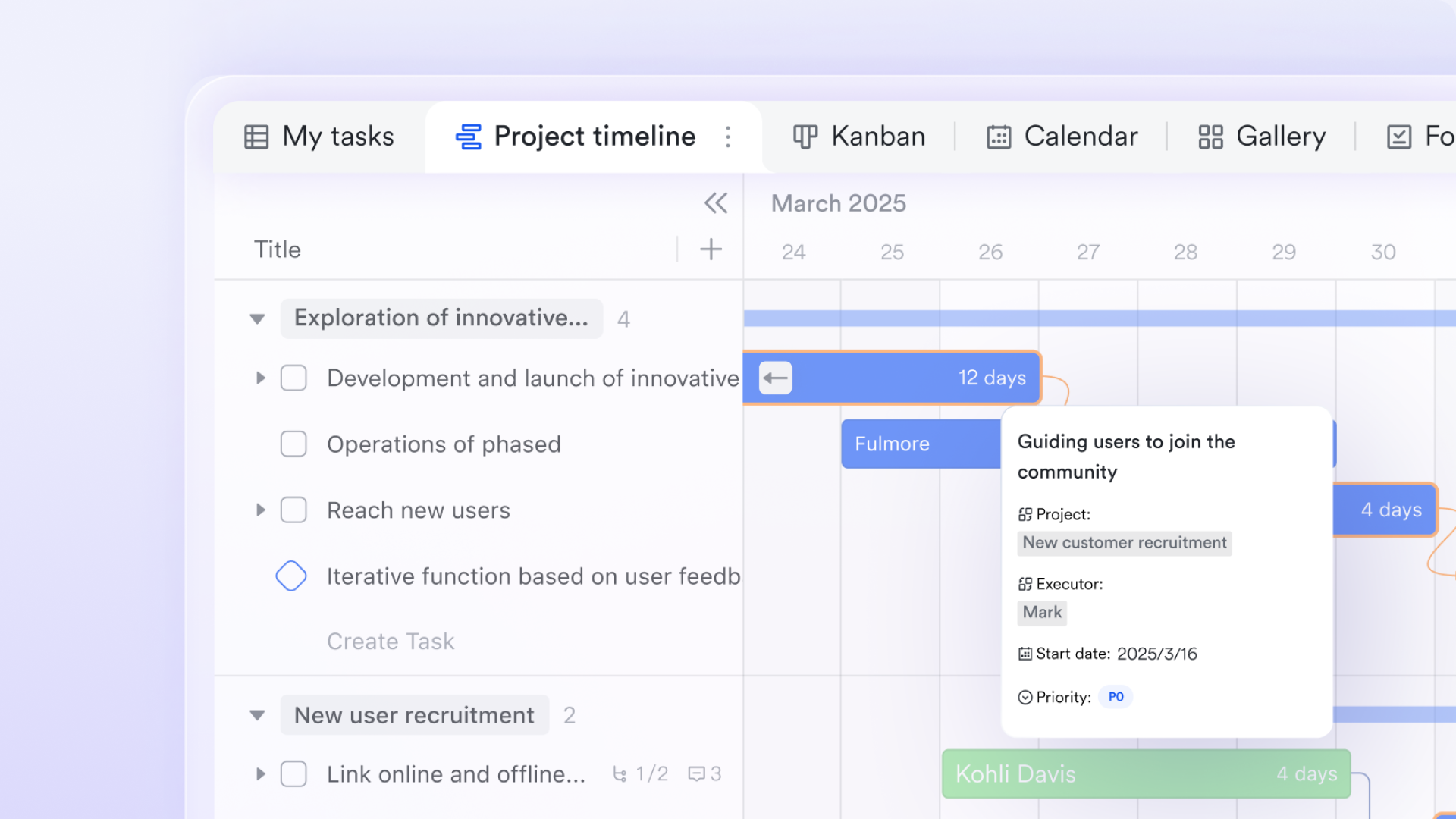
A living application inventory and control center: Use to build a living catalog of every business and IT application—owners, purpose, criticality, data classification, integrations, renewal dates, and . Different views can serve different audiences (IT, security, finance, business owners), while linked records help connect apps to vendors, contracts, and key processes for clearer accountability.
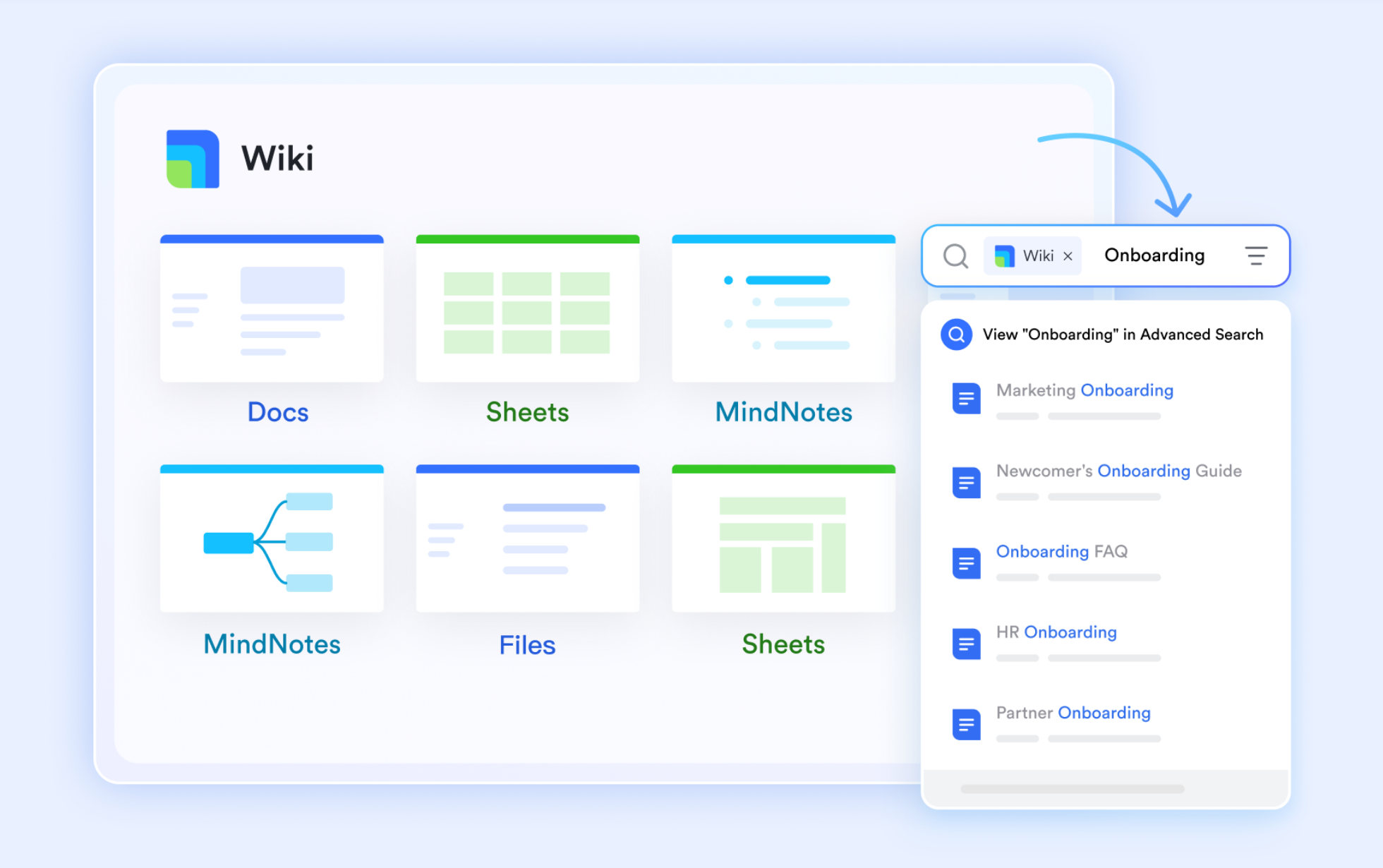
and shared documentation: Application management is a team sport. Lark Messenger keeps stakeholders aligned in real time, while supports shared playbooks for onboarding, security review checklists, and retirement steps. organizes these standards into a navigable knowledge base so owners can find "how we manage apps here" without hunting through scattered files.
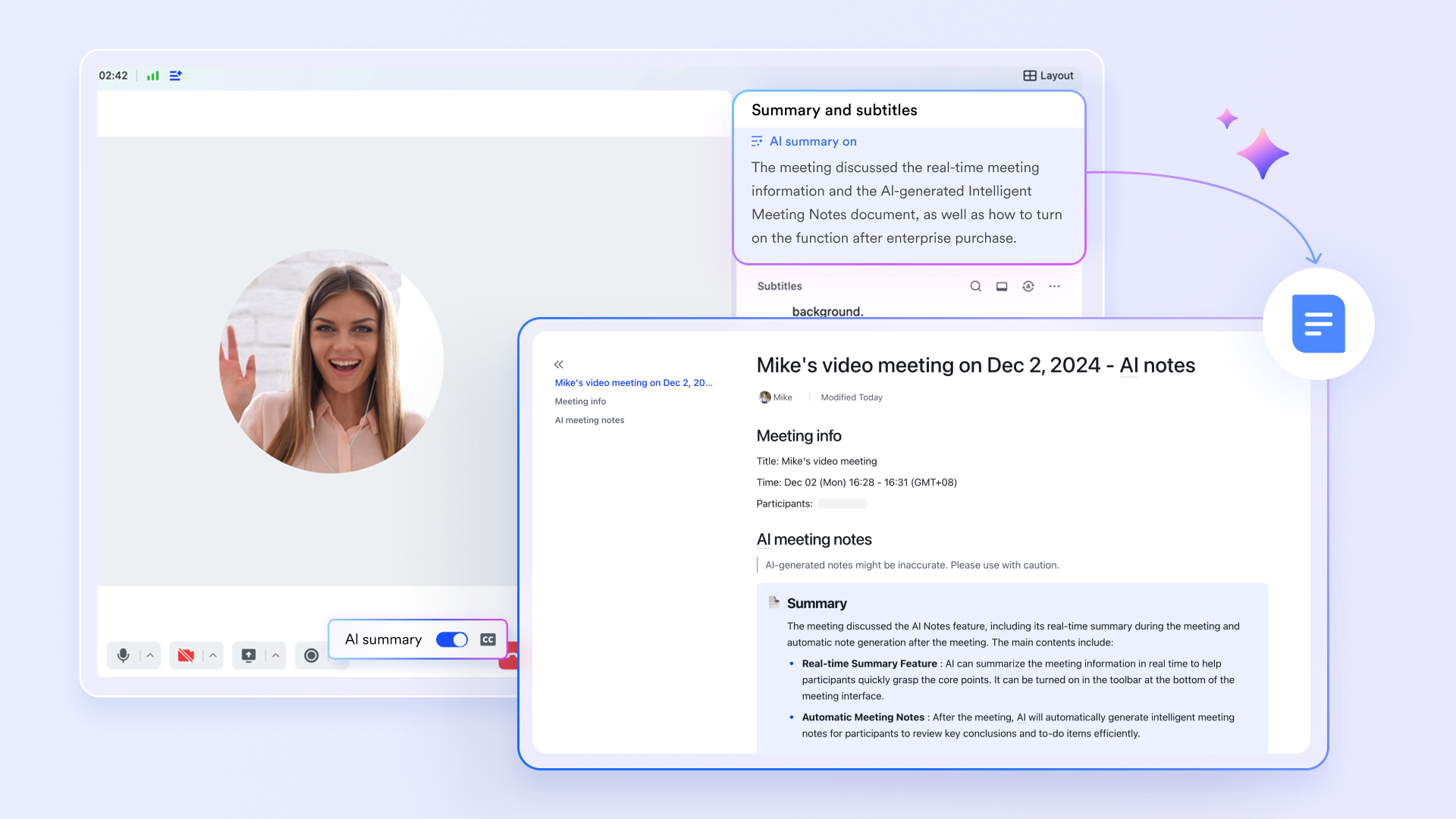
Structured review meetings with decision capture: Portfolio reviews and renewal meetings are where decisions get made—then too often get lost. With , teams can run structured reviews; Lark Minutes and help turn discussions into searchable summaries, action items, and follow-ups. This helps keep application decisions consistent across quarters and reduces reliance on ad hoc .
Pros
- It supports fast rollout because workflows and records are easy to configure.
- It keeps portfolio conversations and evidence close to the records themselves.
- It fits cross-functional work between IT, security, finance, and business owners.
- It scales from lightweight governance to more structured operating routines.
- It reduces tool sprawl by consolidating communication and process execution.
Cons
- A little learning curve. Although user-friendly, new users may require time to adapt to its functionalities. But can assist users with potential problems.
Who should choose Lark
- Teams that want to operationalize app intake, reviews, and renewals with minimal overhead.
- Organizations that value collaboration and execution more than complex portfolio modeling.
- IT teams that need a flexible catalog and workflow layer across multiple stakeholders.
:
- Starter plan: Free forever plan with 11 powerful tools for up to 20 users, 100GB storage, 1,000 automation runs, AI translations, and more. No credit card needed.
- Basic plan: $6/user/month (billed annually) for up to 500 users. Includes everything in Starter plus unlimited message history, 5TB storage, 1,000 automation runs, and more. Some users may need to to purchase.
- Pro plan: $12/user/month (billed annually) for up to 500 users. Includes everything in Basic plus group calling for up to 500 attendees, 15TB storage, 50,000 automation runs, and more.
- Enterprise plan: for custom pricing. Supports unlimited users and includes advanced automation, security, compliance, and management features.
For small teams with simple communication needs

18 months message history
1000 Base automation runs/month
2000 rows per table in Base
Most POPULAR
For companies with comprehensive collaboration and management needs
Unlimited message history
500-participant video meetings
50k Base automation runs/month
20k rows per table in Base
For large companies with advanced security and organizational management needs
Get a personalized demo and pricing
Unlimited message history
500-participant video meetings
15 TB storage + 30 GB storage/user
500k Base automation runs/month
50k Base automation runs/month
Most POPULAR
For companies with comprehensive collaboration and management needs
Unlimited message history
500-participant video meetings
50k Base automation runs/month
20k rows per table in Base
2. Zluri: Best for SaaS discovery and governance
Overview
Zluri is a SaaS management platform that's commonly used to bring order to fast-growing application estates, especially where shadow IT and decentralized purchasing are common. It focuses on discovering SaaS applications, mapping usage patterns, and helping teams govern renewals, licenses, and access. In an APM program, Zluri is often strongest where the portfolio is dominated by cloud apps and the main pain is visibility plus spend control. It can support portfolio hygiene by keeping an app catalog current, highlighting redundant tools, and nudging stakeholders with workflows around approvals and renewals. For organizations that want portfolio management tied to actionable usage and ownership signals, Zluri can be a practical fit.
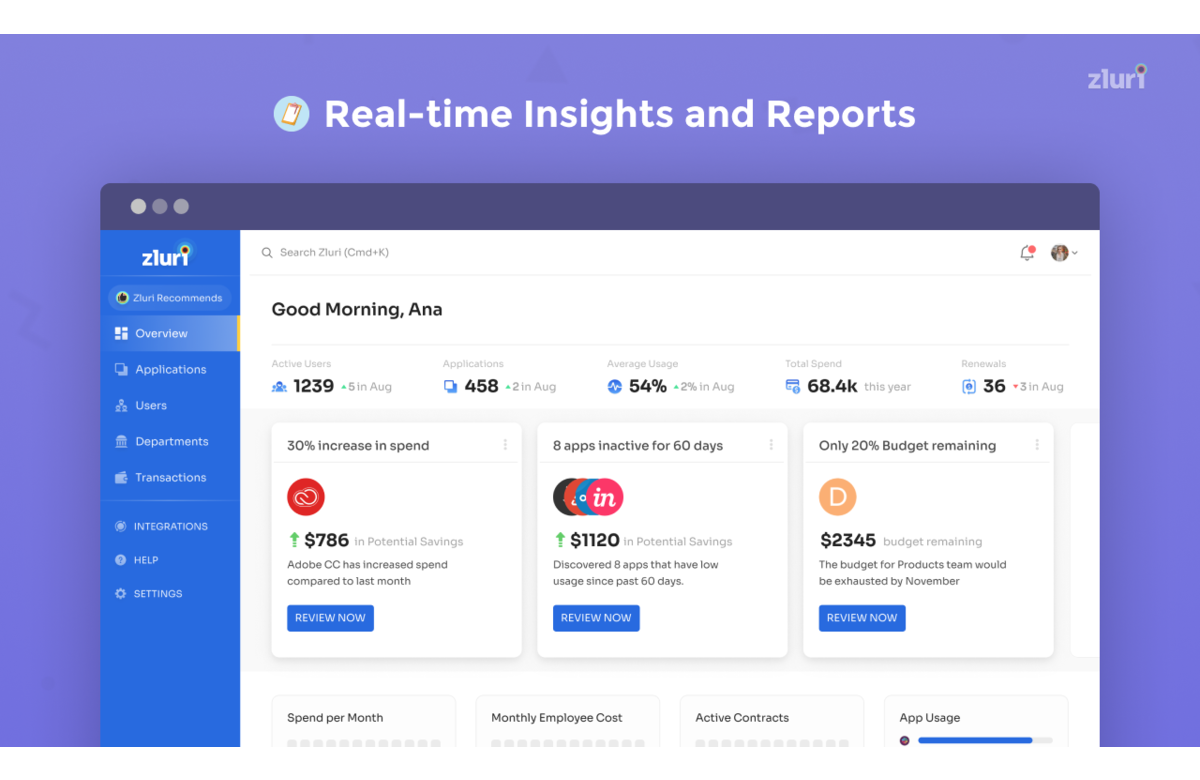
Image source: developer-applications.webexcontent.com
Key features
- SaaS discovery and application inventory management.
- Usage insights to support rationalization and adoption decisions.
- License optimization workflows and reclamation support.
- Renewal tracking and stakeholder notifications.
- Access and lifecycle automation (onboarding/offboarding workflows).
- Governance workflows for app requests and approvals.
Pros
- It is well aligned to SaaS-heavy environments with high app churn.
- It supports cost control conversations with usage-informed context.
- It encourages repeatable governance through workflows and reminders.
- It can reduce time spent on manual app inventory upkeep.
- It improves coordination between IT, procurement, and security.
Cons
- It is less suited for deep modeling of legacy on-prem portfolios and architecture dependencies.
- The quality of outcomes depends on integration coverage and data hygiene.
- Some organizations may need additional tooling for broader EA strategy work.
- Pricing is often quote-based, which can slow early-stage evaluation.
Who should choose Zluri
- IT teams tackling SaaS sprawl, renewals, and license waste.
- Organizations needing a current SaaS catalog with governance workflows.
- Teams that want portfolio actions driven by usage and ownership signals.
Pricing
Custom pricing is available exclusively via demo request.
3. ServiceNow Application Portfolio Management (APM): Best for enterprise APM at scale
Overview
ServiceNow APM is designed for enterprises that want application portfolio management tightly connected to broader IT workflows and governance. It typically fits organizations that already use ServiceNow and want portfolio decisions to link with service management, asset/configuration data, and standardized processes. APM programs often struggle when portfolio insights live separately from operational execution; ServiceNow's approach can reduce that gap by tying portfolio records to assessments, ownership, and workflow actions. It also suits organizations that need a formal governance model, consistent taxonomy, and cross-team visibility. If your application estate is complex and your stakeholders expect auditable process, ServiceNow APM can provide a structured foundation.
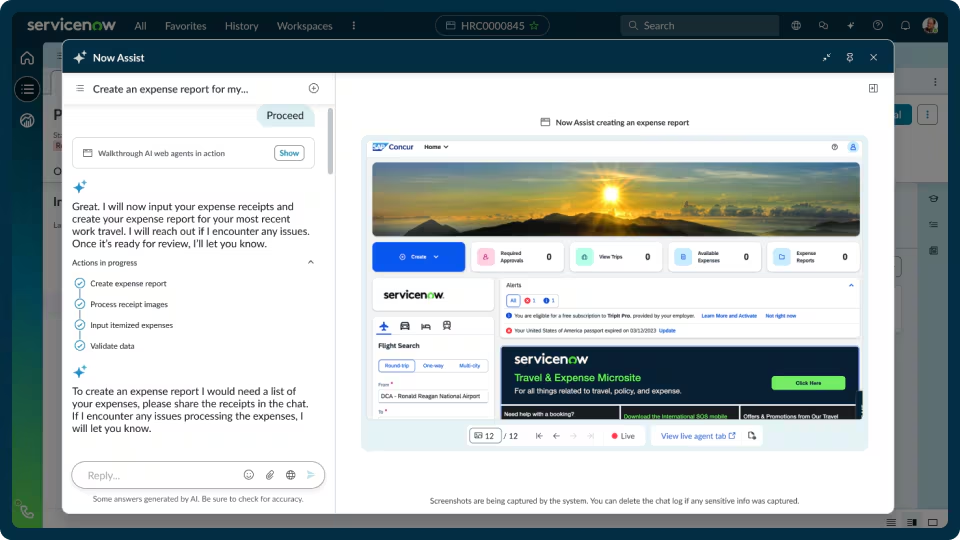
Image source: servicenow.com
Key features
- Centralized application inventory with ownership and classification.
- Rationalization support via assessments and portfolio analysis.
- Lifecycle tracking from invest to tolerate to retire (configurable states).
- Capability mapping to align apps with business outcomes.
- Workflow integration with ITSM processes and organizational approvals.
- Reporting and dashboards for governance, risk, and prioritization.
Pros
- It supports enterprise-scale governance and consistency across business units.
- It integrates well with broader IT operations if you are already on the platform.
- It improves traceability of decisions, assessments, and approvals.
- It can align portfolio work with service delivery and change processes.
- It supports cross-functional reporting for leadership and governance bodies.
Cons
- It can be heavier to implement and govern compared to lighter platforms.
- Value realization often depends on strong data stewardship and process adoption.
- Smaller teams may find it more complex than necessary for their needs.
- Total cost can be significant depending on platform footprint and licensing.
Who should choose ServiceNow APM
- Enterprises that already run key IT workflows on ServiceNow.
- Teams requiring formal portfolio governance and auditable decision history.
- Organizations managing complex portfolios with many stakeholders.
Pricing
Custom pricing is available exclusively via demo request.
4. Omnipress: Best for structured submission workflow management
Overview
Omnipress is best known for managing structured submission and review processes, such as abstract or conference submission programs, which resemble "application management" in the intake sense rather than IT portfolio rationalization. If your primary challenge is managing large volumes of applications or submissions—collecting information, routing reviewers, tracking statuses, and communicating decisions—tools like Omnipress can be a better fit than classic APM suites. It is particularly relevant when your workflow requires strict stage management, reviewer assignment, scoring, and an auditable record of decisions. For organizations that treat "applications" as submissions into a program, Omnipress focuses on process integrity, reviewer experience, and administrative efficiency.
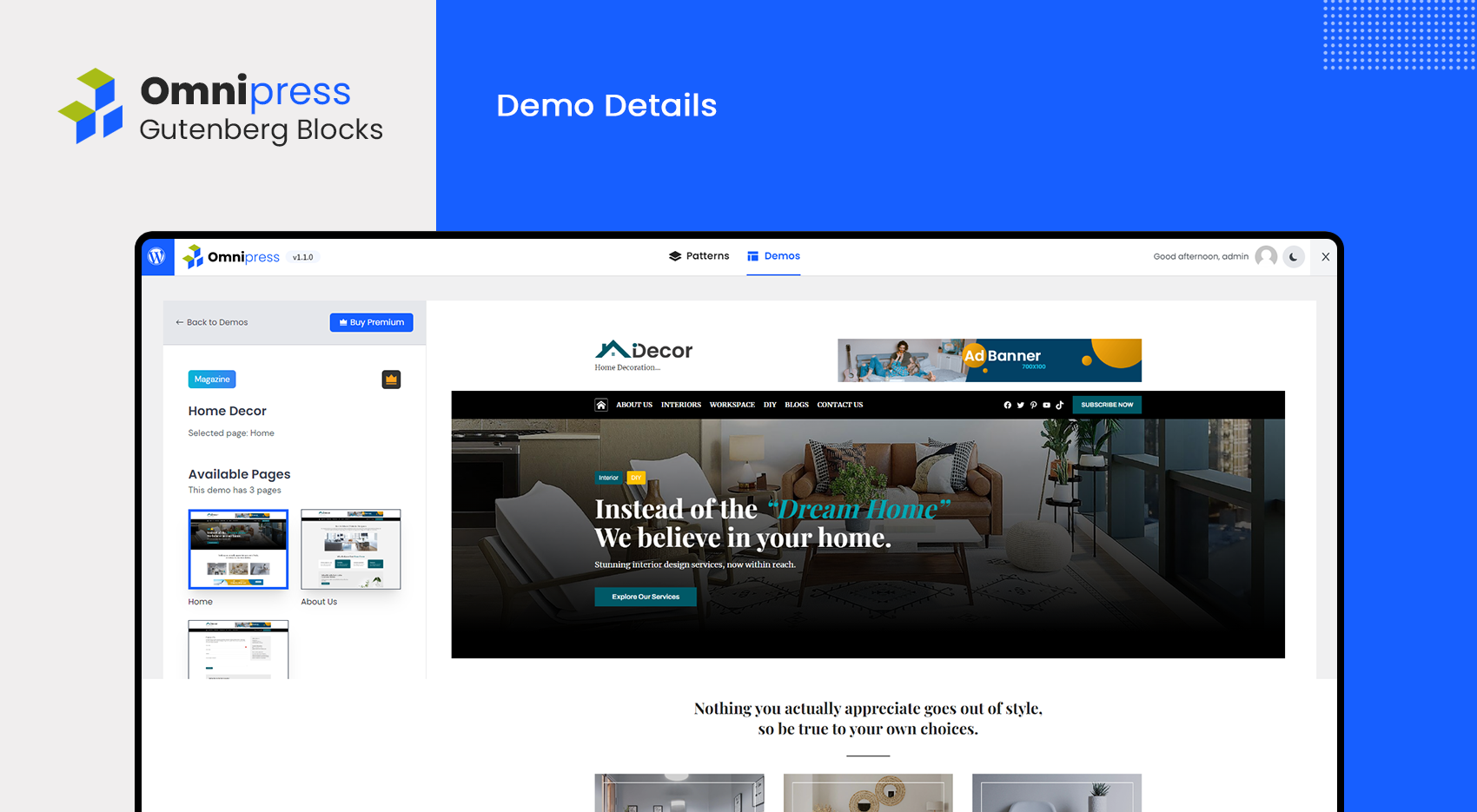
Image source: omnipress.com
Key features
- Configurable submission forms and portal experience.
- Reviewer assignment workflows and role-based access.
- Scoring, ranking, and decision management.
- Automated communications and status notifications.
- Reporting for submission status and reviewer progress.
- Administrative controls for deadlines, rules, and workflow stages.
Pros
- It supports structured review workflows with clear roles and stages.
- It improves consistency and traceability of review decisions.
- It reduces administrative overhead for high-volume submission cycles.
- It centralizes applicant communications and program tracking.
- It can be adapted to different submission and evaluation models.
Cons
- It is not intended for IT application inventory, dependency mapping, or rationalization.
- Integrations may be narrower than enterprise IT governance platforms.
- Configuration requires clear process design to avoid confusion.
- It may be over-scoped if you only need simple forms and routing.
Who should choose Omnipress
- Organizations running abstract, award, or submission review programs.
- Teams that need structured scoring, routing, and decision audit trails.
- Program administrators prioritizing workflow clarity and reviewer usability.
Pricing
Custom pricing is available exclusively via demo request.
5. Productiv: Best for usage-led SaaS optimization
Overview
Productiv focuses on SaaS visibility and operational decision-making by turning app usage signals into actionable insights for IT and business stakeholders. In the context of an application portfolio, it is often used to understand which tools are actually adopted, where overlap exists, and how to prioritize consolidation or renewal decisions. Productiv can be especially useful when you want portfolio governance to reflect how work gets done, rather than relying only on procurement records or self-reported inventories. Its value typically increases when it is connected to identity and finance systems, because that enables more confident decisions about access, adoption, and renewal planning. If your portfolio priorities are adoption, redundancy reduction, and workflow-driven follow-through, Productiv is often considered.
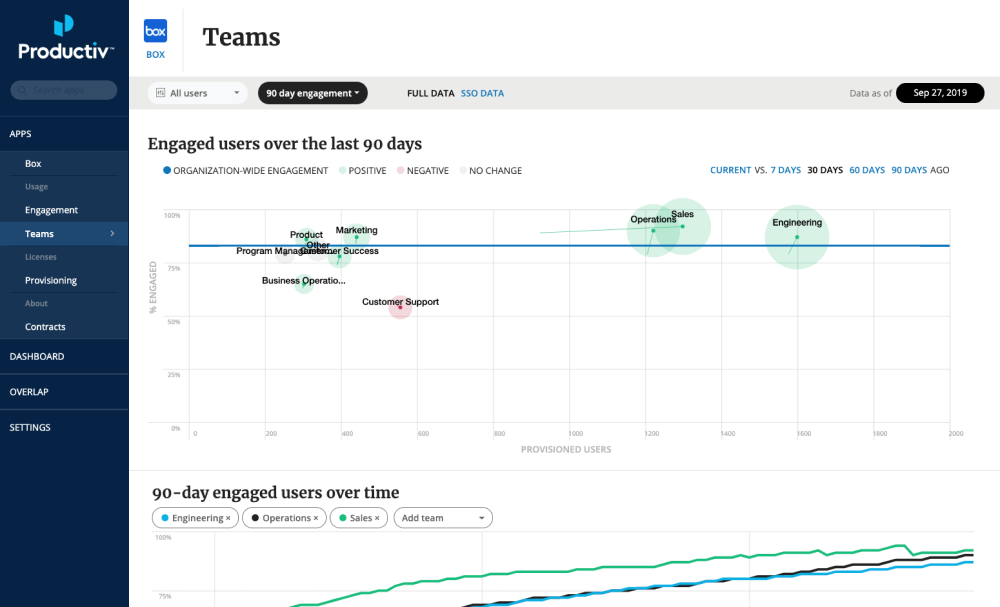
Image source: productiv.com
Key features
- SaaS application discovery and portfolio cataloging.
- Usage analytics to measure adoption and value signals.
- Renewal tracking and workflow support for stakeholder reviews.
- Spend and contract context to inform rationalization decisions.
- Workflow automation for governance and standardization.
- Reporting to support executive visibility and portfolio hygiene.
Pros
- It helps connect usage reality to renewal and consolidation decisions.
- It improves transparency for both IT and business owners.
- It can reduce duplication by exposing overlapping functionality.
- It supports ongoing portfolio hygiene rather than one-time cleanup projects.
- It fits well in SaaS-heavy organizations with decentralized adoption.
Cons
- It is less focused on deep enterprise architecture modeling for on-prem portfolios.
- Results depend on integration depth and identity/finance data availability.
- Teams may still need a separate system for formal IT service workflows.
- Pricing is commonly quote-based, which may reduce transparency early on.
Who should choose Productiv
- IT teams focused on SaaS adoption, rationalization, and renewal readiness.
- Organizations that want portfolio decisions anchored in usage signals.
- Teams that need continuous portfolio hygiene, not annual inventory projects.
Pricing
Custom pricing is available exclusively via demo request.
6. Zendesk: Best for application support ticketing
Overview
Zendesk is primarily a service and support platform rather than a pure APM tool, but it becomes relevant to application portfolio work when your main "application management" need is operational support: handling user requests, incidents, and knowledge for business applications. Many organizations struggle not only with what applications they have, but with how they support them at scale—especially when different teams own different tools and users do not know where to go for help. Zendesk can centralize intake, route tickets to the right resolver groups, automate common actions, and publish self-service guidance. In this sense, it can be an important layer within application management software strategy, complementing portfolio inventory tools by improving the day-to-day experience.
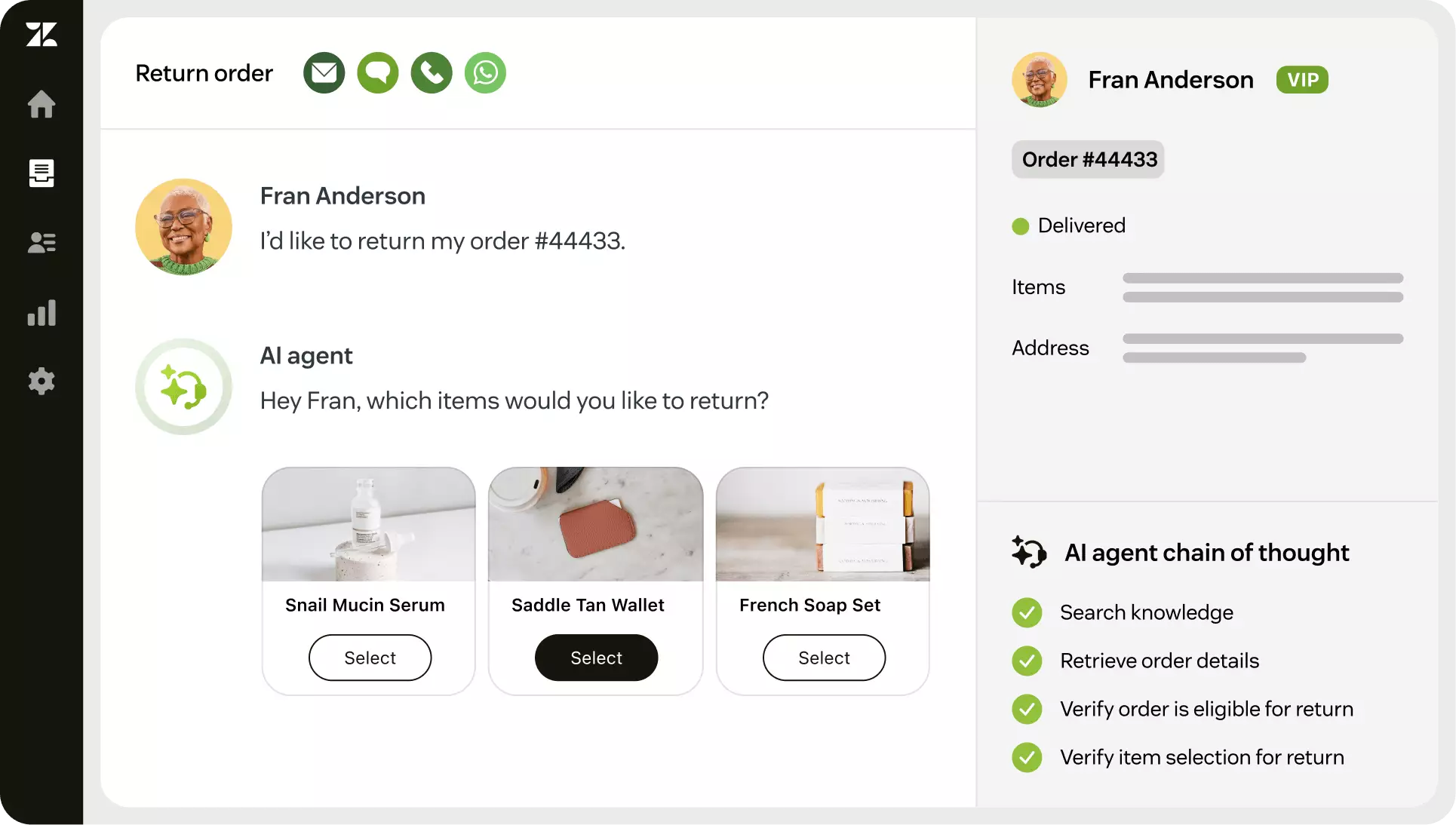
Image source: zendesk.com
Key features
- Ticketing for application requests, incidents, and access issues.
- Automation and routing rules for consistent support workflows.
- Self-service knowledge base for application guidance and FAQs.
- SLA tracking and operational reporting.
- Integrations with common collaboration and IT systems.
- Multi-channel support intake to reduce fragmented requests.
Pros
- It improves user experience for application support and request handling.
- It standardizes triage and routing across multiple app owners.
- It reduces repeat questions through self-service content.
- It provides operational metrics for service improvement.
- It can complement portfolio tools by operationalizing support.
Cons
- It does not provide full portfolio rationalization or dependency modeling.
- It requires a defined support model to avoid becoming a generic inbox.
- Deep governance workflows may need additional tooling or customization.
- Its value depends on knowledge management discipline and adoption.
Who should choose Zendesk
- Organizations prioritizing application support operations and employee help.
- Teams needing structured request intake and routing across many apps.
- Companies wanting self-service content to reduce support load.
Pricing
- Support Team: $19 per agent/month, billed annually
- Suite Team: $55 per agent/month, billed annually
- Suite Professional: $115 per agent/month, billed annually
- Suite Enterprise: $169 per agent/month, billed annually
7. Jira: Best for execution of portfolio initiatives
Overview
Jira is widely used to manage work across development and IT teams, and it becomes relevant to portfolio management when you need a reliable way to track application change, modernization tasks, and the work required to rationalize or retire systems. Many organizations connect portfolio decisions to delivery plans: once an app is marked for replacement, consolidation, or remediation, the work must be executed and tracked across teams. Jira is often where those tasks live, especially when teams already rely on it for planning and execution. It is not a replacement for application lifecycle management software, but it can coordinate the initiatives that come out of portfolio governance. It also complements application development management software by providing structured workflows for cross-team delivery.
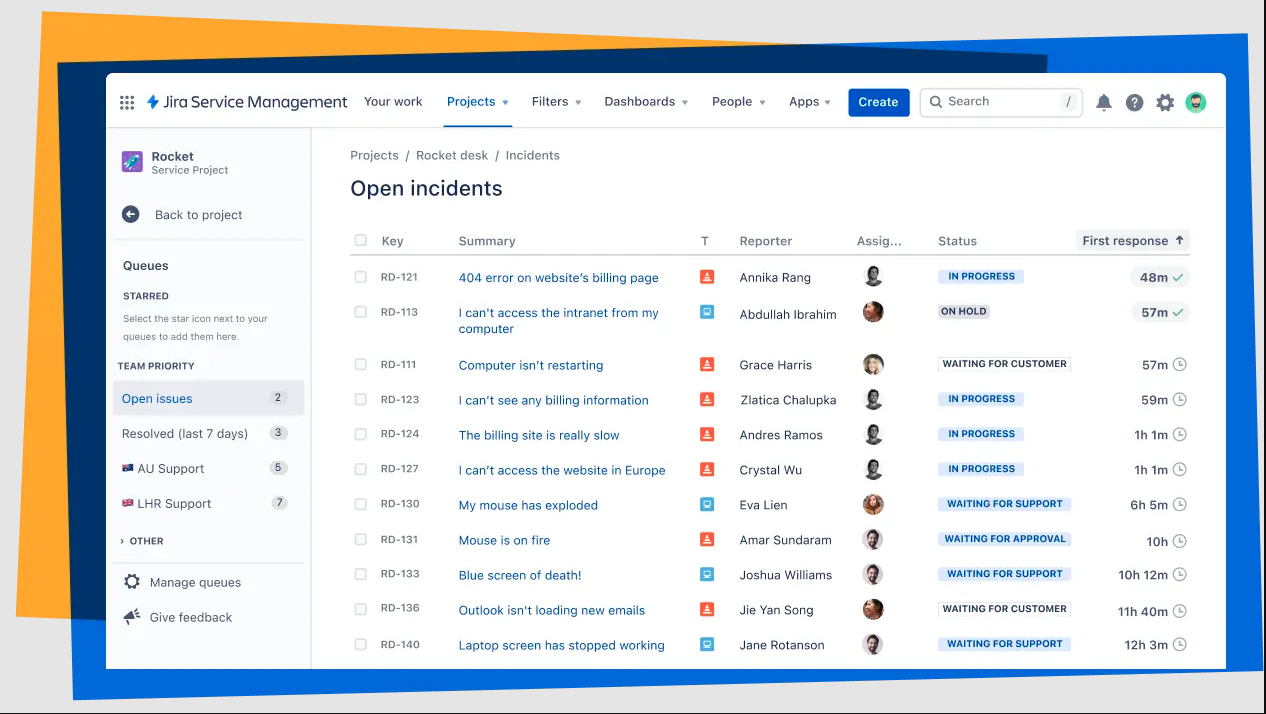
Image source: atlassian.com
Key features
- Configurable workflows for change, remediation, and modernization work.
- Backlogs, boards, and planning views to sequence portfolio initiatives.
- Issue linking to track dependencies and cross-team coordination.
- Automation rules for handoffs, reminders, and status transitions.
- Integrations with CI/CD, documentation, and service tools.
- Reporting for execution progress and bottleneck visibility.
Pros
- It excels at turning portfolio decisions into trackable execution work.
- It supports cross-team coordination with transparent ownership.
- It is highly configurable for different change and delivery workflows.
- It integrates well into engineering toolchains.
- It provides clear visibility into work-in-progress and blockers.
Cons
- It does not provide a native application inventory and rationalization framework by itself.
- It can become messy without consistent workflow standards and governance.
- Portfolio reporting typically requires careful configuration or add-ons.
- Non-technical stakeholders may need tailored views to engage effectively.
Who should choose Atlassian Jira
- Organizations that want portfolio decisions tightly linked to execution tracking.
- Teams managing modernization, migration, or retirement work across squads.
- Companies already standardized on Atlassian tools for delivery workflows.
Pricing
- Standard: $7.91 per agent/month, billed annually
- Premium: $14.54 per agent/month, billed annually
- Enterprise: Custom pricing
8. SAP LeanIX: Best for enterprise architecture-driven APM
Overview
SAP LeanIX is positioned strongly around enterprise architecture and application portfolio transparency, helping organizations model their application landscape, connect applications to business capabilities, and plan transformation roadmaps. It is often used when leaders need a structured, shareable view of the "as-is" and "to-be" landscape, especially during modernization, ERP programs, post-merger integration, or large-scale cloud migration. LeanIX can help establish a consistent taxonomy and improve stakeholder alignment by offering a clear source of truth for what exists, why it exists, and how it supports the business. For portfolio governance, it is valuable when architectural relationships and strategic planning are central requirements, not just renewals and license optimization.
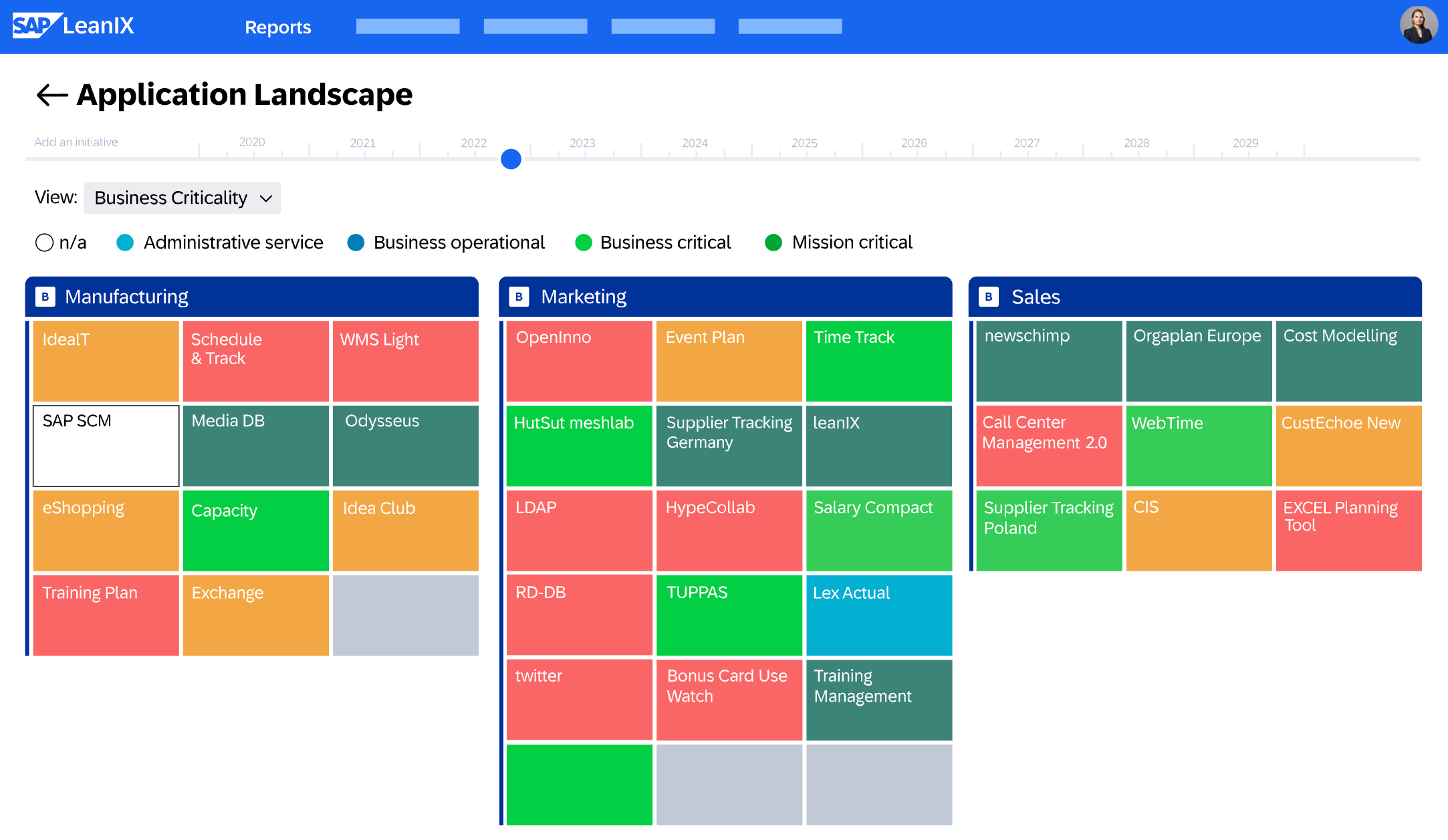
Image source: leanix.net
Key features
- Application inventory with structured fact sheets and ownership.
- Capability mapping to link apps to business functions and outcomes.
- Roadmapping for transformation planning and sequencing.
- Dependency visualization to support impact analysis.
- Governance workflows and assessments (configurable approaches).
- Integrations to sync data from IT and business systems.
Pros
- It supports strategic portfolio planning and architecture transparency.
- It helps align stakeholders through shared capability and landscape views.
- It improves consistency through structured taxonomy and documentation.
- It is well suited to transformation and modernization initiatives.
- It supports communication of architectural decisions to leadership.
Cons
- It can require strong governance to keep data current and trusted.
- It may be more than needed for small portfolios focused mainly on SaaS spend.
- Automated discovery depth depends on integrations and data sources.
- Some operational workflows may still need ITSM or service tooling.
Who should choose SAP LeanIX
- Enterprises running modernization, ERP, or large transformation programs.
- Architecture teams needing capability mapping and portfolio roadmaps.
- Organizations requiring structured landscape transparency for governance.
Pricing
Custom pricing is available exclusively via demo request.
9. Flexera One: Best for licensing and cost governance
Overview
Flexera One is a broad technology value platform that commonly shows up in portfolios where software licensing, compliance, and spend governance are major concerns. It can be particularly relevant when you need to reconcile entitlements, usage, and costs across a mixed environment, including SaaS, on-prem software, and cloud. In application portfolio programs, Flexera is often used to support rationalization and optimization by grounding decisions in license and cost reality, not just stakeholder opinions. It is also useful when procurement and IT asset management are deeply involved in governance. If your "portfolio problem" is driven by license complexity and financial control, Flexera can be a strong consideration.
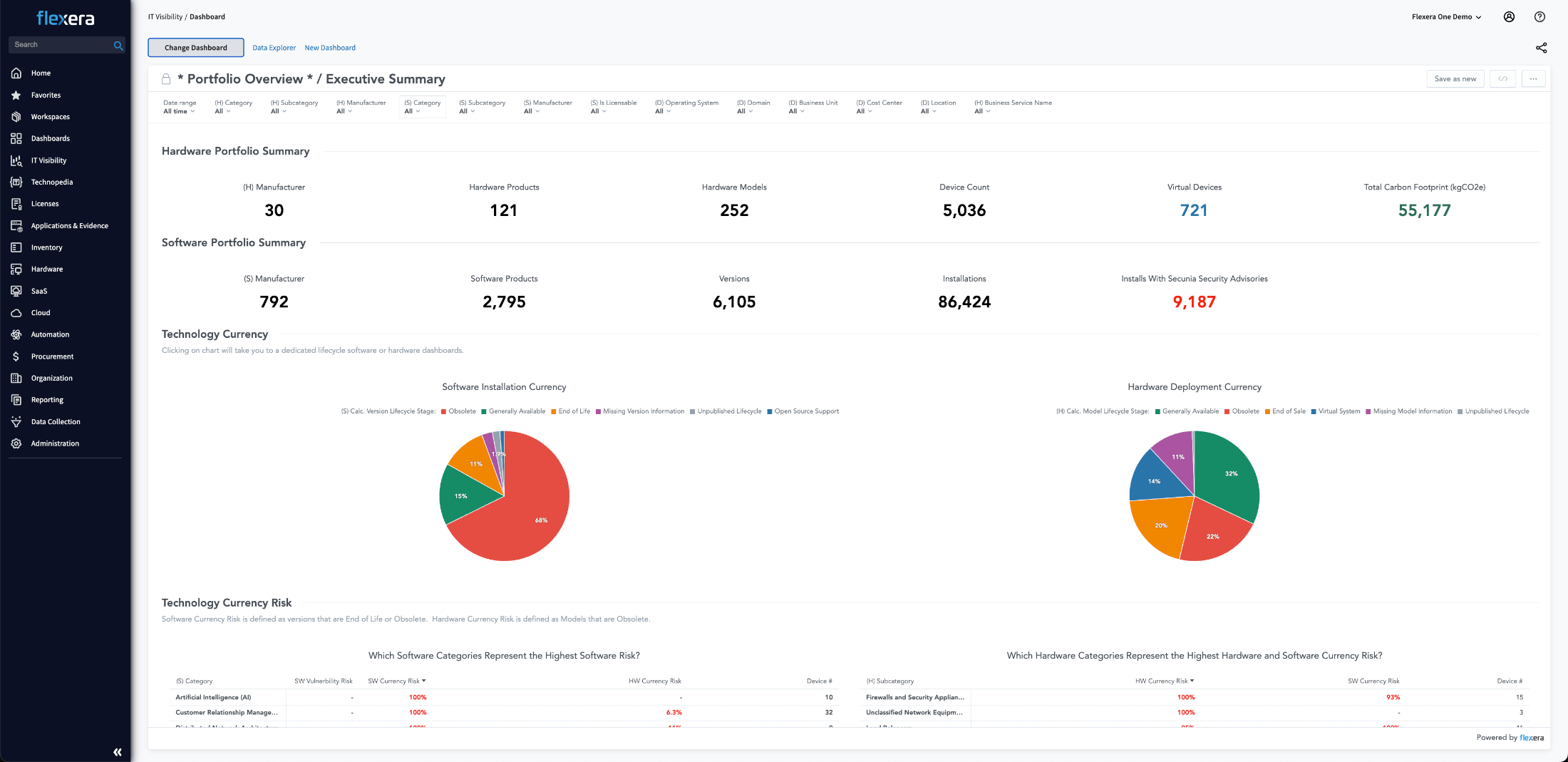
Image source: flexera.com
Key features
- Software asset management and license compliance capabilities.
- Application and software inventory management (based on connected data sources).
- Spend visibility and cost governance across technology categories.
- Policy-driven optimization and entitlement reconciliation support.
- Reporting for compliance, risk, and cost accountability.
- Integration options to connect discovery, procurement, and operational systems.
Pros
- It is strong for organizations with complex licensing and compliance needs.
- It supports cost governance with procurement-aligned workflows and reporting.
- It can reduce risk from unmanaged entitlements and audit exposure.
- It fits portfolios spanning SaaS, on-prem, and cloud cost considerations.
- It provides structured reporting for IT finance and governance stakeholders.
Cons
- It may be heavier than needed for teams focused mainly on workflow-based governance.
- Implementation value depends on data quality and integration coverage.
- Portfolio strategy work may still require EA-oriented tooling for capability mapping.
- Pricing is typically quote-based and can be complex to scope.
Who should choose Flexera One
- Organizations prioritizing license compliance, cost control, and audit readiness.
- Teams managing complex software entitlements across hybrid environments.
- IT finance and ITAM-led governance programs needing structured reporting.
Pricing
Custom pricing is available exclusively via demo request.
10. Torii: Best for SaaS access lifecycle automation
Overview
Torii is a SaaS management and automation platform designed to help organizations discover SaaS usage, control access, and manage lifecycle events such as onboarding, offboarding, and renewals. It is often selected when the core portfolio risk is not just "what do we own," but "who has access, and are we removing it consistently?" In many organizations, application management breaks down at the execution layer—tasks fall through, reminders are missed, and offboarding is incomplete—so Torii's automation focus can be attractive. It is also relevant if your portfolio includes a meaningful endpoint and identity footprint and you want a practical complement to mobile application management software, especially for access governance and lifecycle routines.
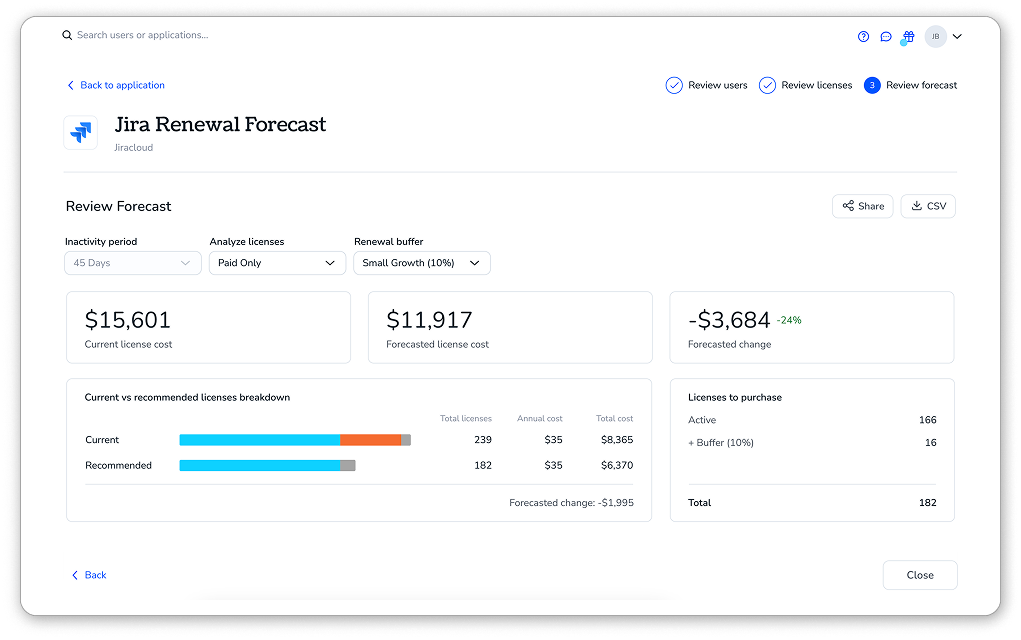
Image source: toriihq.com
Key features
- SaaS discovery and centralized application catalog.
- Automated joiner/mover/leaver workflows for app access.
- Renewal management and stakeholder notification workflows.
- Spend and contract context to inform rationalization and renewals.
- Policy-driven approvals for app requests and access changes.
- Integrations with identity providers and common business systems.
Pros
- It supports actionable automation for access and lifecycle routines.
- It helps reduce shadow IT by improving visibility and governance.
- It improves offboarding consistency and reduces lingering access risk.
- It supports renewal readiness with structured workflows.
- It fits SaaS-heavy organizations looking for practical execution support.
Cons
- It is less focused on deep enterprise architecture mapping and legacy dependency modeling.
- Outcomes depend on integration maturity and process discipline.
- Some organizations may need additional tools for IT service delivery workflows.
- Pricing and packaging may not be optimized for very small environments.
Who should choose Torii
- SaaS-heavy organizations needing stronger access lifecycle execution.
- IT teams focused on renewals, governance workflows, and reducing shadow IT.
- Teams that want automation to ensure portfolio decisions are implemented.
Pricing
Custom pricing is available exclusively via demo request.
Looking for pricing that's transparent and great value?
How to select the right APM software for your organization
Selecting application management software works best when you start with the decisions you need to make—rather than the features vendors want to showcase. The right application portfolio management software should help you build a reliable view of your application landscape, turn that visibility into repeatable governance actions, and stay lightweight enough that business owners will actually participate.
Step 1: Define the decisions that matter most
Begin with a short list of outcomes you must achieve soon, then translate each into observable behaviors. For example, aim for "renewals reviewed on time with a named owner and recorded rationale," not vague goals like "better governance." Clarify whether you're optimizing for rationalization, renewal control, access governance, or transformation roadmapping, because each requires different depth. Include at least one line-of-business example—such as a application — to ensure your evaluation covers real-world complexity.
Step 2: Set your "system of record" rules early
APM programs fail when the catalog goes stale. Decide who owns the data, how often it's reviewed, and what "good enough" looks like. Define a minimum set of fields that make records actionable (owner, purpose, users, renewal date, risk notes, integrations, lifecycle state). Also, confirm role-based editing so business owners can maintain context while IT enforces standards.
Step 3: Validate data inputs without betting everything on automation
"Discovery" is usually a combination of signals—SSO/identity, procurement and finance, endpoint data, and periodic attestations. A strong tool helps reconcile conflicts and preserve decision history. Prioritize platforms that make it easy to attach evidence and document why choices were made, reducing audit friction and repeated debates.
Step 4: Test workflows the way your organization actually works
Your APM tool should match real handoffs between security, procurement, IT, and application owners. Run through the critical flows: New app intake, exceptions, renewals, and retirement. Confirm it can route tasks, trigger reminders, and record approvals without becoming another queue that only one team monitors. If you want a simpler, , Lark can be a practical option to run intake forms, approvals, and an app catalog where stakeholders already communicate.
Step 5: Plan coexistence with adjacent tools
APM rarely replaces everything. Define boundaries with application lifecycle management software so engineering teams aren't forced into duplicate documentation. Clarify how it relates to mobile application management software, and whether device/app policies are important. Decide what remains in application development management software, so roadmaps and stay connected to portfolio decisions.
Step 6: Judge reporting by the actions it enables
Dashboards should answer "what should we do next?" Verify the tool can surface redundancy, ownership gaps, upcoming renewals, and risk hotspots in ways that drive worklists for practitioners and clear summaries for leaders.
Step 7: Pilot for effort and adoption, not just capability
Run a short pilot with representative apps, owners, and decision types. Track how much manual effort is needed to keep records accurate. Choose based on sustained adoption and operating fit—because the best APM tool is the one your organization can keep using consistently.
How does application portfolio management software benefit your organization?
The benefits of application management software show up when the portfolio becomes easier to operate, easier to govern, and easier to change. Instead of chasing down information across spreadsheets, inboxes, and tribal knowledge, teams can make repeatable decisions that hold up over time.
Faster, cleaner decisions on renewals and spend
- APM helps ensure that renewal conversations start with shared context: Ownership, current business value, known risks, and alternatives already evaluated.
- It also makes it easier to identify redundancy, so you can reduce overlap and direct spend toward tools that are truly strategic.
Better readiness without creating friction
- APM supports a shared understanding of which applications handle sensitive data and what controls should be applied, so audits become verification rather than discovery.
- When paired with consistent joiner/mover/leaver practices, it reduces the chance that access remains after role changes or offboarding.
Improved collaboration between IT, security, finance, and business
- APM creates a common language for value, cost, and risk, which helps resolve disagreements without escalating every decision.
- It enables business owners to participate in trade-offs because the information is presented in a way that ties applications to outcomes, not just technology.
In short, application portfolio management software turns your application estate from a moving target into a managed portfolio. The organization gains speed where it matters, reduces avoidable risk, and builds a foundation for continuous improvement rather than periodic cleanups.
Conclusion
The right APM choice comes down to whether it helps your organization make better decisions repeatedly: what to approve, what to renew, what to consolidate, and what to retire—without turning portfolio work into a heavyweight bureaucracy. Look for a tool that keeps your application inventory credible, makes ownership explicit, and supports practical workflows that match how security, finance, IT, and business teams already collaborate. Prioritize integrations and data stewardship over flashy dashboards, and pilot with real stakeholders to confirm the tool reduces friction rather than adding it. Above all, select a platform that can evolve with your governance maturity, so you can start simple and become more rigorous over time. If you need an approachable way to operationalize portfolio workflows and keep decisions close to day-to-day collaboration, can be a pragmatic starting point for building and running your APM process.
Embark on your journey to APM in Lark
FAQs
What is application management software?
Application management software helps organizations inventory, govern, support, and optimize apps across their lifecycle—covering ownership, access, renewals, risk, and retirement. Many dedicated APM suites are powerful but can feel heavy; Lark can operationalize lighter workflows with collaboration and configurable records.
What are the 7 types of application software?
Common categories include productivity, business/enterprise, communication/collaboration, database, graphics/multimedia, education, and entertainment. These are broad buckets; organizations often need a portfolio view because overlapping tools across categories create duplication and governance gaps.
What are common APM tools?
Typical APM tools include ServiceNow APM, SAP LeanIX, Flexera One, and SaaS management platforms like Zluri, Torii, or Productiv. Some can be complex to deploy or expensive; Lark can complement them by running intake, approvals, and catalog workflows.
What are the 5 application software?
Examples: word processor, spreadsheet, presentation software, email client, and web browser. In practice, these sit alongside many specialized apps, so teams often combine a catalog with workflow and support tooling (for example, Jira or Zendesk).
When is Lark a better starting point than "full" APM platforms?
If you need fast adoption and simple governance, Lark is often easier than heavyweight suites that require extensive configuration and strict data models. You can start with a practical app catalog and workflows, then add specialized tools later if needed.
Related reading































